Introduction to MATLAB
Dr. Mohammad Tawfik
Mohammad.tawfik@gmail.com
Introduction to MATLAB
In this workshop we will cover the
following
• Using Matlab as a numerical calculator
• Entering row vectors and column vectors
• Entering matrices
• Forming matrix and vector products
• Doing matrix products, sums etc
• Using Matlab to solve linear equations
• Matlab functions that operate on arrays
• Plotting basic graphs using Matlab.
Introduction to MATLAB
Resources on the ‘K:’ drive
• Now, you may find some books and notes
about MATLAB for beginners and for experts
on the ‘K:’ drive under the folder name
“MATLAB E-Books”
Introduction to MATLAB
What is MATLAB ?
MATLAB started as an interactive program for
doing matrix calculations and has now grown
to a high level mathematical language that
can solve integrals and differential equations
numerically and plot a wide variety of two and
three dimensional graphs. MATLAB also
contains a programming language.
Introduction to MATLAB
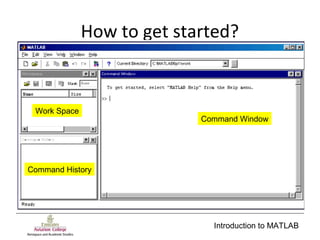
How to get started?
Command Window
Work Space
Command History
Introduction to MATLAB
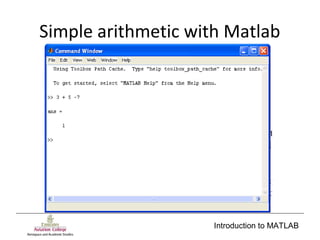
Simple arithmetic with Matlab
Introduction to MATLAB
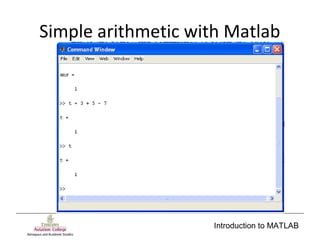
Simple arithmetic with Matlab
Introduction to MATLAB
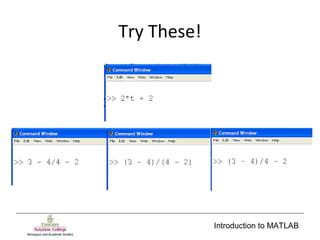
Try These!
Introduction to MATLAB
The order of operations
• If you are using brackets, that will save you a
lot of effort!
• However, the operators have precedence!
1. “( )” brackets
2. “^” Power
3. “* /” Multiplication and division
4. “+ -” Addition and subtraction
Introduction to MATLAB
Variable names
• Variable may have names that consist of
characters and digits, but they can not start
with a number!
• Matlab distinguishes between lower and
upper cases - so A and a are different objects
• Only the first 19 characters in a variable name
are important.
Introduction to MATLAB
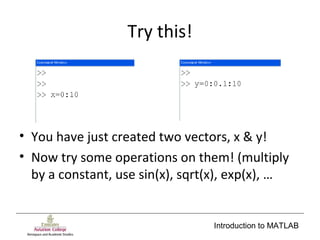
Try this!
• You have just created two vectors, x & y!
• Now try some operations on them! (multiply
by a constant, use sin(x), sqrt(x), exp(x), …
Introduction to MATLAB
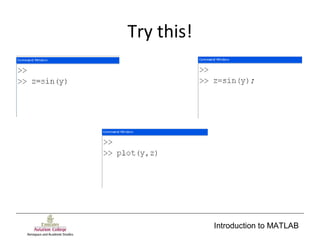
Try this!
Introduction to MATLAB
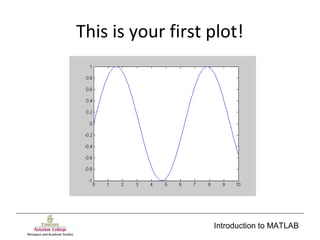
This is your first plot!
Introduction to MATLAB
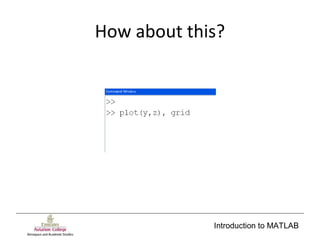
How about this?
Introduction to MATLAB
Now, you know how to create a
plot of your data!
Introduction to MATLAB
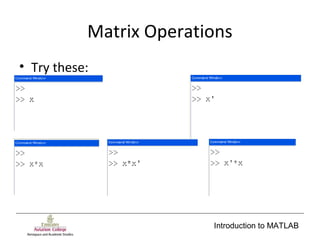
Matrix Operations
• Try these:
Introduction to MATLAB
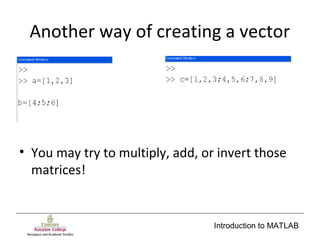
Another way of creating a vector
• You may try to multiply, add, or invert those
matrices!
Introduction to MATLAB
Matrix Inversion
• Matrix inversion is performed using the
function:
inv();
Introduction to MATLAB
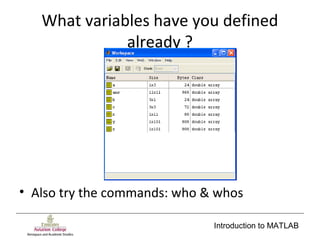
What variables have you defined
already ?
• Also try the commands: who & whos
Introduction to MATLAB
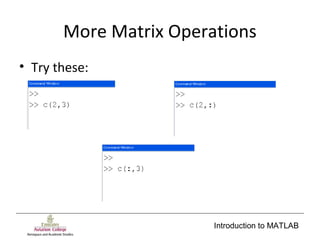
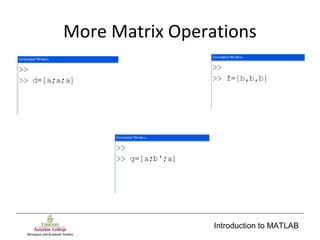
More Matrix Operations
• Try these:
Introduction to MATLAB
More Matrix Operations
Introduction to MATLAB
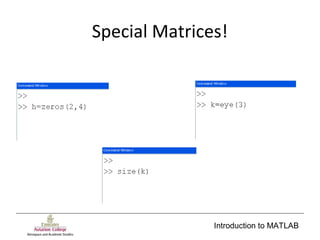
Special Matrices!
Introduction to MATLAB
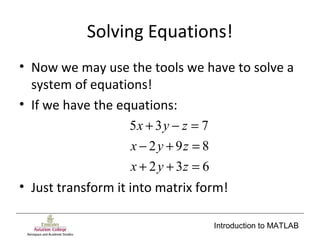
Solving Equations!
• Now we may use the tools we have to solve a
system of equations!
• If we have the equations:
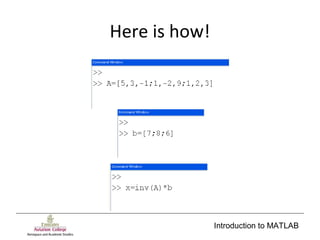
• Just transform it into matrix form!
632
892
735
=++
=+−
=−+
zyx
zyx
zyx
Introduction to MATLAB
Here is how!
Introduction to MATLAB
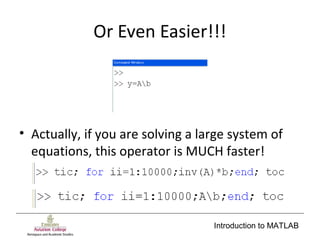
Or Even Easier!!!
• Actually, if you are solving a large system of
equations, this operator is MUCH faster!
Introduction to MATLAB
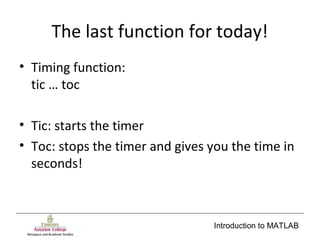
The last function for today!
• Timing function:
tic … toc
• Tic: starts the timer
• Toc: stops the timer and gives you the time in
seconds!
Introduction to MATLAB
More topics!
• Complex numbers
• Working with files
• More graphics
• Programming
• Symbolic Operations

Introduction to matlab