The document provides an overview of the key elements of a C program including literals, variables, expressions, statements, control-flow constructs, functions, and libraries. It details various types of operators such as arithmetic, relational, logical, and their precedence and associativity rules, along with examples of how they function. Additionally, it discusses assignment operators, special assignment shortcuts, and the sizeof() operator used for memory allocation in C.
Introduction to program components including literals, variables, constants, expressions, statements, functions, and libraries.
Detailed explanation of program statements, covering declaration statements and expression statements, with examples.
Classification of operators into arithmetic, relational, and logical operators, including binary and unary examples. Overview of arithmetic operations, promotions, and specific operators like addition, subtraction, and modulus with examples.
Descriptions of relational operators for comparisons and logical operators for boolean logic in programming.
Details on assignment operators, including special assignments and differences between postfix and prefix increment.
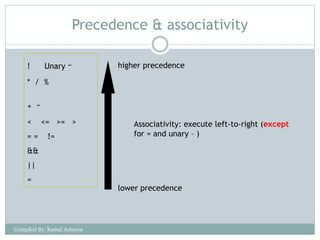
Rules for evaluating expressions based on operator precedence and associativity with examples of evaluation.
Explanation of the sizeof operator in C for determining memory requirements for data types.
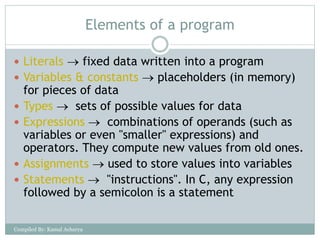
Elements of aprogram
Literals fixed data written into a program
Variables & constants placeholders (in memory)
for pieces of data
Types sets of possible values for data
Expressions combinations of operands (such as
variables or even "smaller" expressions) and
operators. They compute new values from old ones.
Assignments used to store values into variables
Statements "instructions". In C, any expression
followed by a semicolon is a statement
Compiled By: Kamal Acharya
3.
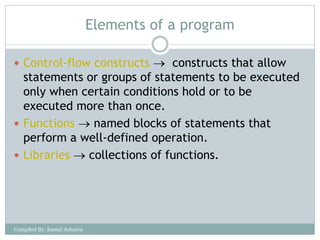
Elements of aprogram
Control-flow constructs constructs that allow
statements or groups of statements to be executed
only when certain conditions hold or to be
executed more than once.
Functions named blocks of statements that
perform a well-defined operation.
Libraries collections of functions.
Compiled By: Kamal Acharya
4.
Statement
Statements areelements in a program which
(usually) ended up with semi-colon (;)
e.g. below is a variables declaration statement
int a, b, c;
• Preprocessor directives (i.e. #include and define)
are not statements. They don’t use semi-colon
Compiled By: Kamal Acharya
5.
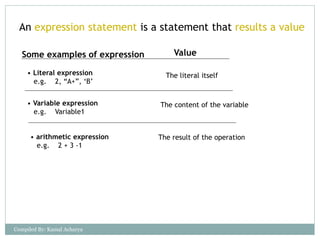
An expression statementis a statement that results a value
Some examples of expression Value
• Literal expression
e.g. 2, “A+”, ‘B’
The literal itself
• Variable expression
e.g. Variable1
• arithmetic expression
e.g. 2 + 3 -1
The content of the variable
The result of the operation
Compiled By: Kamal Acharya
6.
Operators
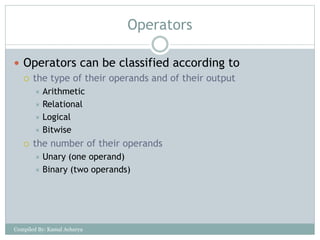
Operators canbe classified according to
the type of their operands and of their output
Arithmetic
Relational
Logical
Bitwise
the number of their operands
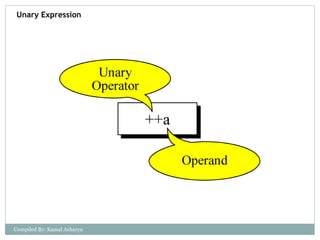
Unary (one operand)
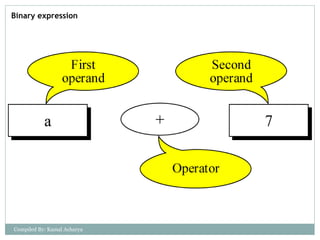
Binary (two operands)
Compiled By: Kamal Acharya
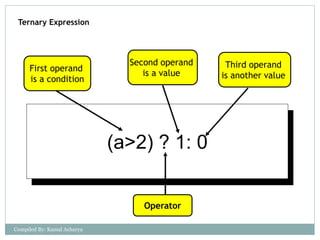
Ternary Expression
(a>2) ?1: 0
Operator
First operand
is a condition
Second operand
is a value
Third operand
is another value
Compiled By: Kamal Acharya
10.
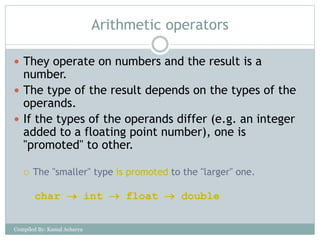
Arithmetic operators
Theyoperate on numbers and the result is a
number.
The type of the result depends on the types of the
operands.
If the types of the operands differ (e.g. an integer
added to a floating point number), one is
"promoted" to other.
The "smaller" type is promoted to the "larger" one.
char int float double
Compiled By: Kamal Acharya
11.
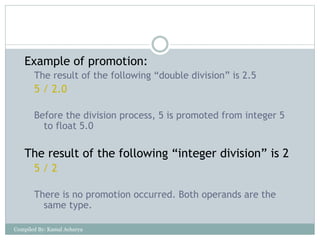
Example of promotion:
Theresult of the following “double division” is 2.5
5 / 2.0
Before the division process, 5 is promoted from integer 5
to float 5.0
The result of the following “integer division” is 2
5 / 2
There is no promotion occurred. Both operands are the
same type.
Compiled By: Kamal Acharya
12.
Arithmetic operators: +,*
+ is the addition operator
* is the multiplication operator
They are both binary
Compiled By: Kamal Acharya
13.
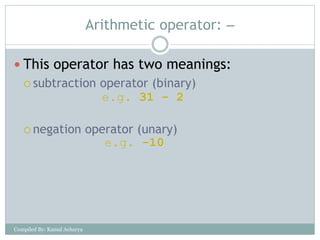
Arithmetic operator:
This operator has two meanings:
subtraction operator (binary)
negation operator (unary)
e.g. 31 - 2
e.g. -10
Compiled By: Kamal Acharya
14.
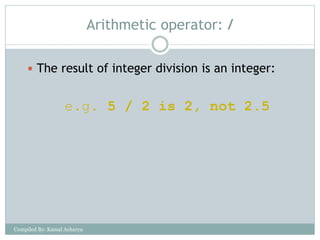
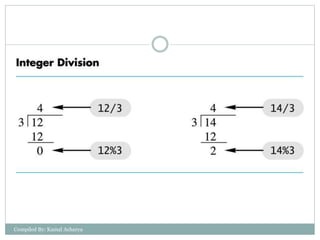
Arithmetic operator: /
The result of integer division is an integer:
e.g. 5 / 2 is 2, not 2.5
Compiled By: Kamal Acharya
15.
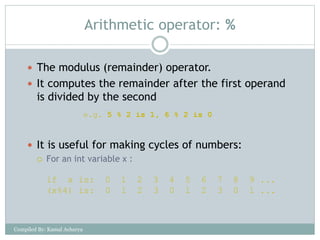
Arithmetic operator: %
The modulus (remainder) operator.
It computes the remainder after the first operand
is divided by the second
It is useful for making cycles of numbers:
For an int variable x :
if x is: 0 1 2 3 4 5 6 7 8 9 ...
(x%4) is: 0 1 2 3 0 1 2 3 0 1 ...
e.g. 5 % 2 is 1, 6 % 2 is 0
Compiled By: Kamal Acharya
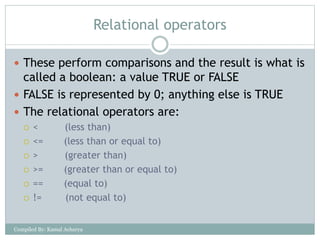
Relational operators
Theseperform comparisons and the result is what is
called a boolean: a value TRUE or FALSE
FALSE is represented by 0; anything else is TRUE
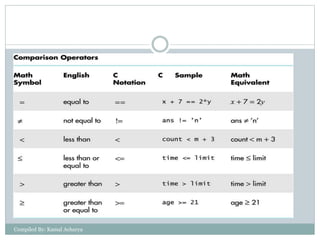
The relational operators are:
< (less than)
<= (less than or equal to)
> (greater than)
>= (greater than or equal to)
== (equal to)
!= (not equal to)
Compiled By: Kamal Acharya
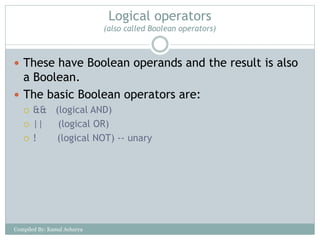
Logical operators
(also calledBoolean operators)
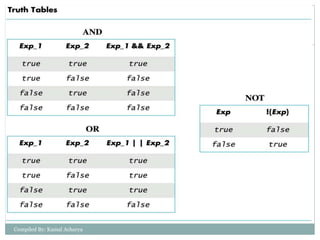
These have Boolean operands and the result is also
a Boolean.
The basic Boolean operators are:
&& (logical AND)
|| (logical OR)
! (logical NOT) -- unary
Compiled By: Kamal Acharya
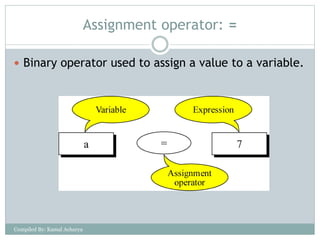
Assignment operator: =
Binary operator used to assign a value to a variable.
Compiled By: Kamal Acharya
23.
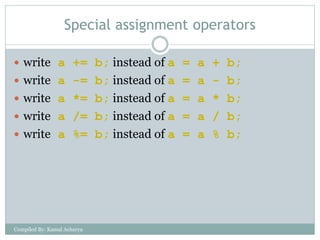
Special assignment operators
write a += b; instead of a = a + b;
write a -= b; instead of a = a - b;
write a *= b; instead of a = a * b;
write a /= b; instead of a = a / b;
write a %= b; instead of a = a % b;
Compiled By: Kamal Acharya
24.
Special assignment operators
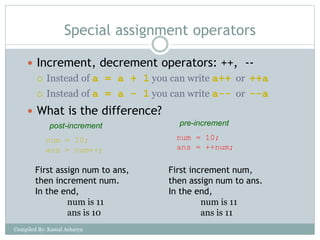
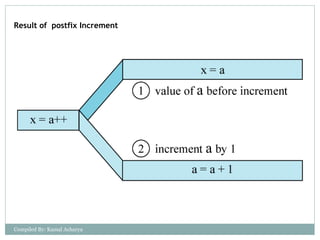
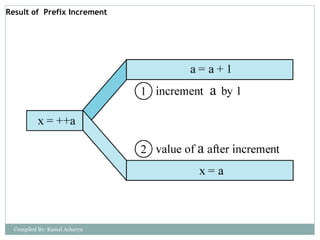
Increment, decrement operators: ++, --
Instead of a = a + 1 you can write a++ or ++a
Instead of a = a - 1 you can write a-- or --a
What is the difference?
num = 10;
ans = num++;
num = 10;
ans = ++num;
First increment num,
then assign num to ans.
In the end,
num is 11
ans is 11
First assign num to ans,
then increment num.
In the end,
num is 11
ans is 10
post-increment pre-increment
Compiled By: Kamal Acharya
Precedence & associativity
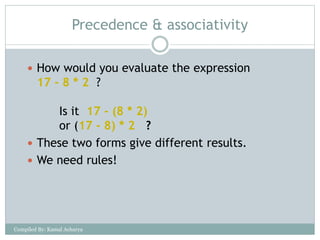
How would you evaluate the expression
17 - 8 * 2 ?
Is it 17 - (8 * 2)
or (17 - 8) * 2 ?
These two forms give different results.
We need rules!
Compiled By: Kamal Acharya
28.
Precedence & associativity
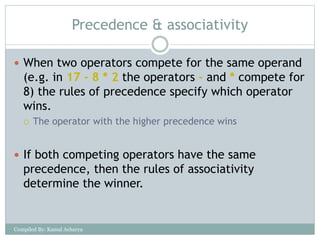
When two operators compete for the same operand
(e.g. in 17 - 8 * 2 the operators - and * compete for
8) the rules of precedence specify which operator
wins.
The operator with the higher precedence wins
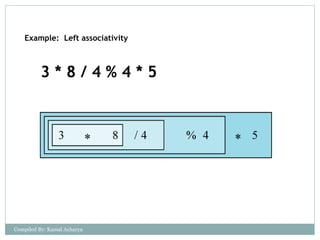
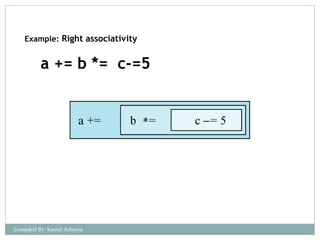
If both competing operators have the same
precedence, then the rules of associativity
determine the winner.
Compiled By: Kamal Acharya
Precedence & associativity
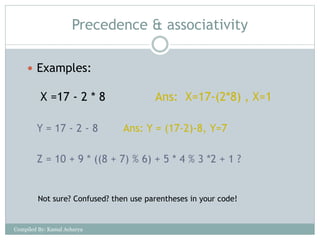
Examples:
X =17 - 2 * 8 Ans: X=17-(2*8) , X=1
Y = 17 - 2 - 8 Ans: Y = (17-2)-8, Y=7
Z = 10 + 9 * ((8 + 7) % 6) + 5 * 4 % 3 *2 + 1 ?
Not sure? Confused? then use parentheses in your code!
Compiled By: Kamal Acharya
33.
Sizeof() Operator
Cprovides a unary operator named sizeof to find
number of bytes needed to store an object.
An expression of the form sizeof(object) returns an
integer value that represents the number of bytes
needed to store that object in memory.
printf(“%d”,sizeof(int)); /* prints 2 */
printf(“%d”,sizeof(char)); /* prints 1 */
printf(“%d”,sizeof(float)); /* prints 4 */
Compiled By: Kamal Acharya