Dezyne E’Cole College
106/10, Civil Lines, Ajmer.

Install Windows XP

Submitted By:
Ashish Sharma
BCA Final Year
The minimum hardware requirements for Windows XP
are:
•Pentium 233-megahertz (MHz) processor or faster (300
MHz is recommended)
•At least 64 megabytes (MB) of RAM (128 MB is
recommended)
•At least 1.5 gigabytes (GB) of available space on the
hard disk
•CD-ROM or DVD-ROM drive
•Keyboard and a Microsoft Mouse or some other
compatible pointing device
•Video adapter and monitor with Super VGA (800 x
600)or higher resolution
•Sound card
Begin the Installation
1.

Insert the
Windows XP
CD and restart
your
computer.

2. If prompted to

start from the
CD, press
SPACEBAR.
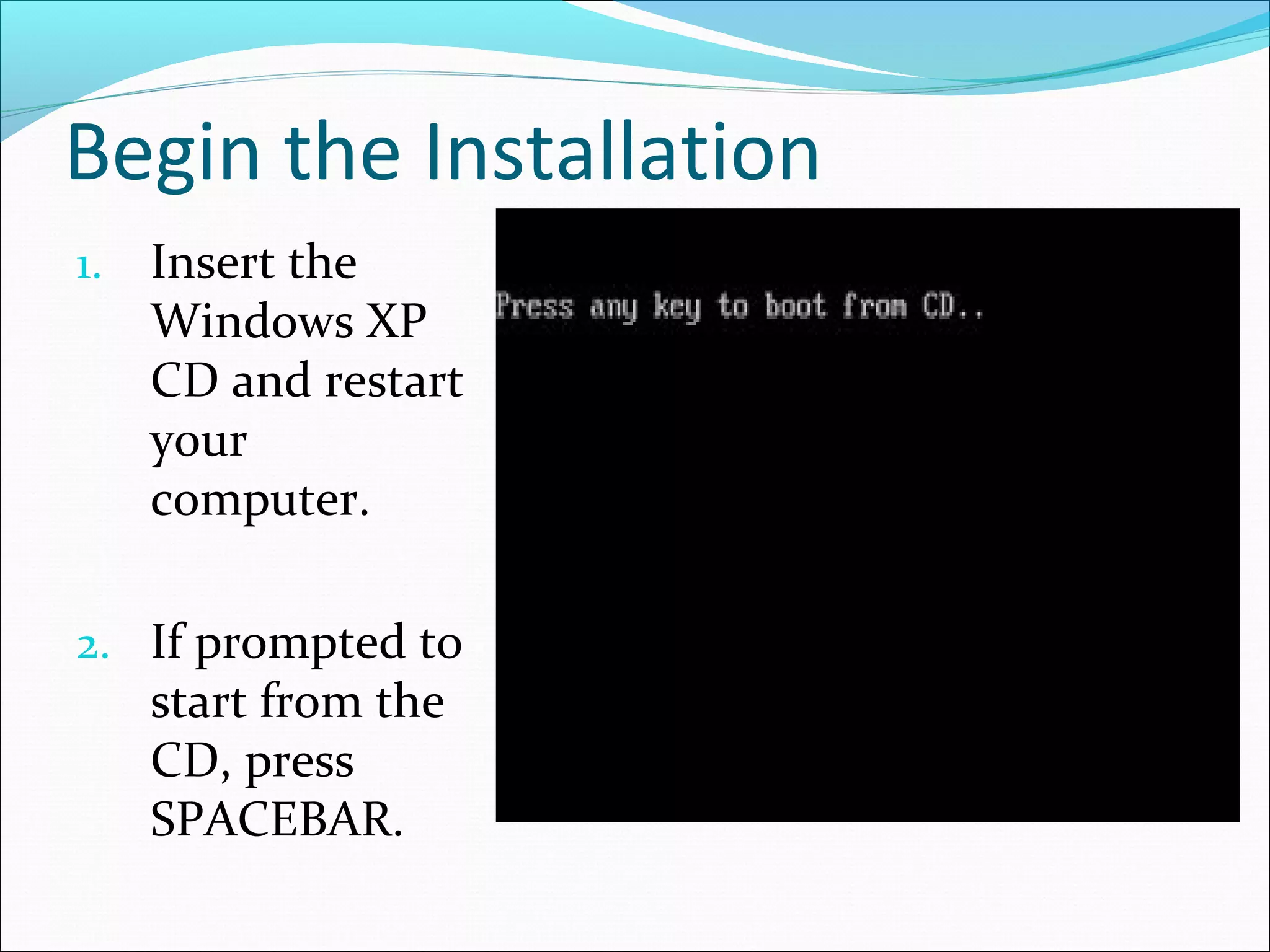
On the Welcome Page
3. On the Welcome to Setup page, press ENTER.
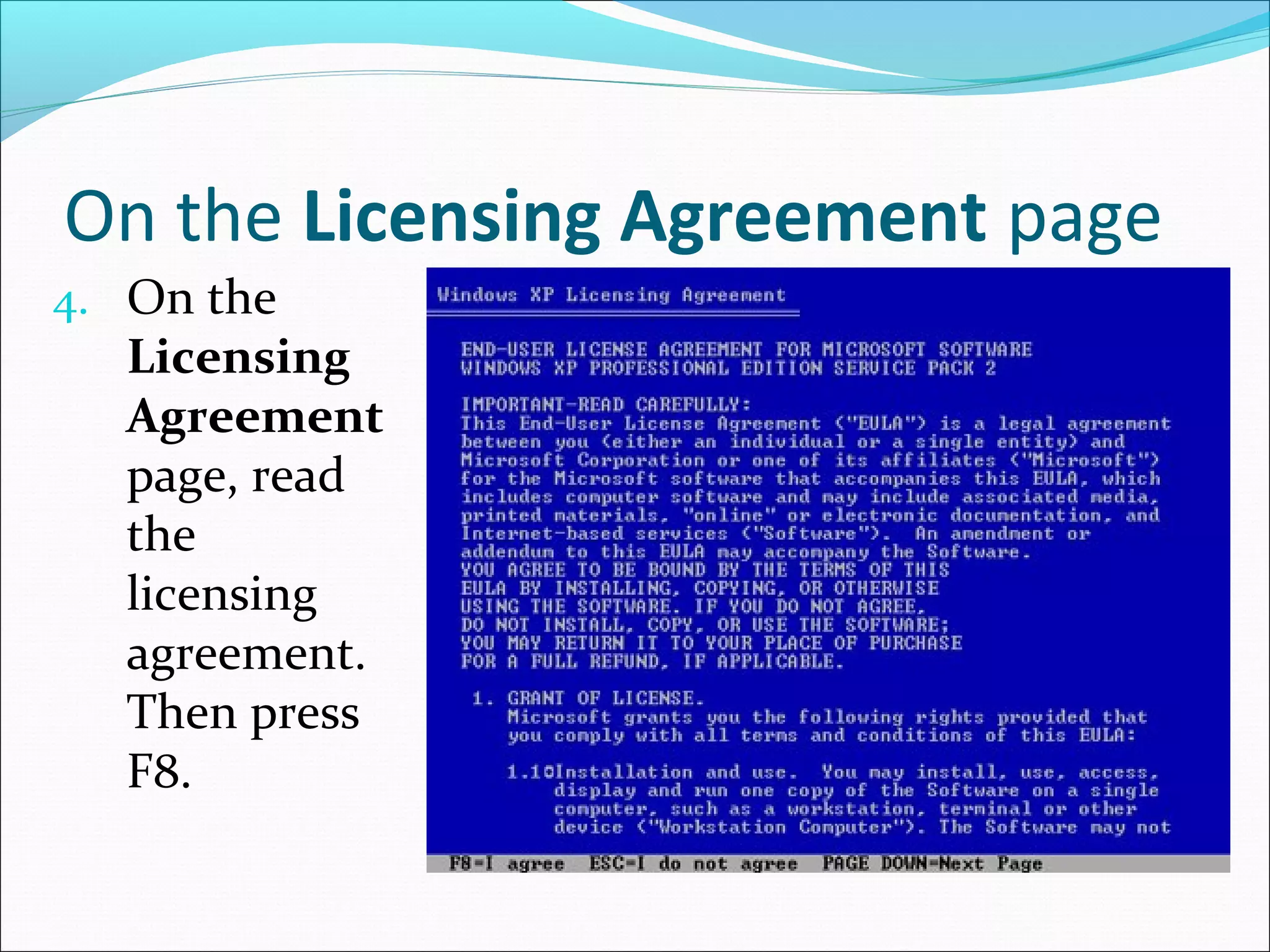
On the Licensing Agreement page
4. On the

Licensing
Agreement
page, read
the
licensing
agreement.
Then press
F8.
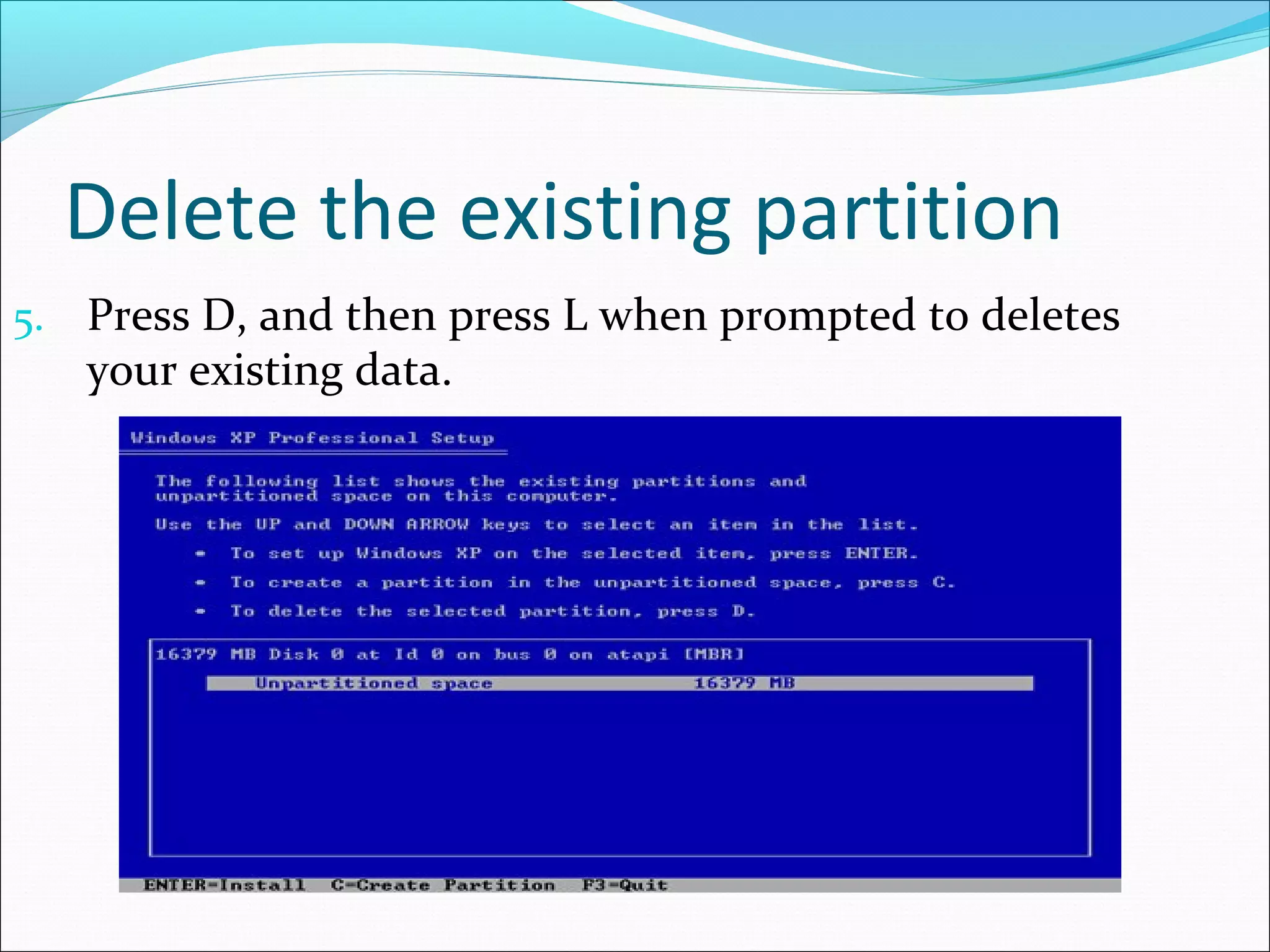
Delete the existing partition
5. Press D, and then press L when prompted to deletes

your existing data.
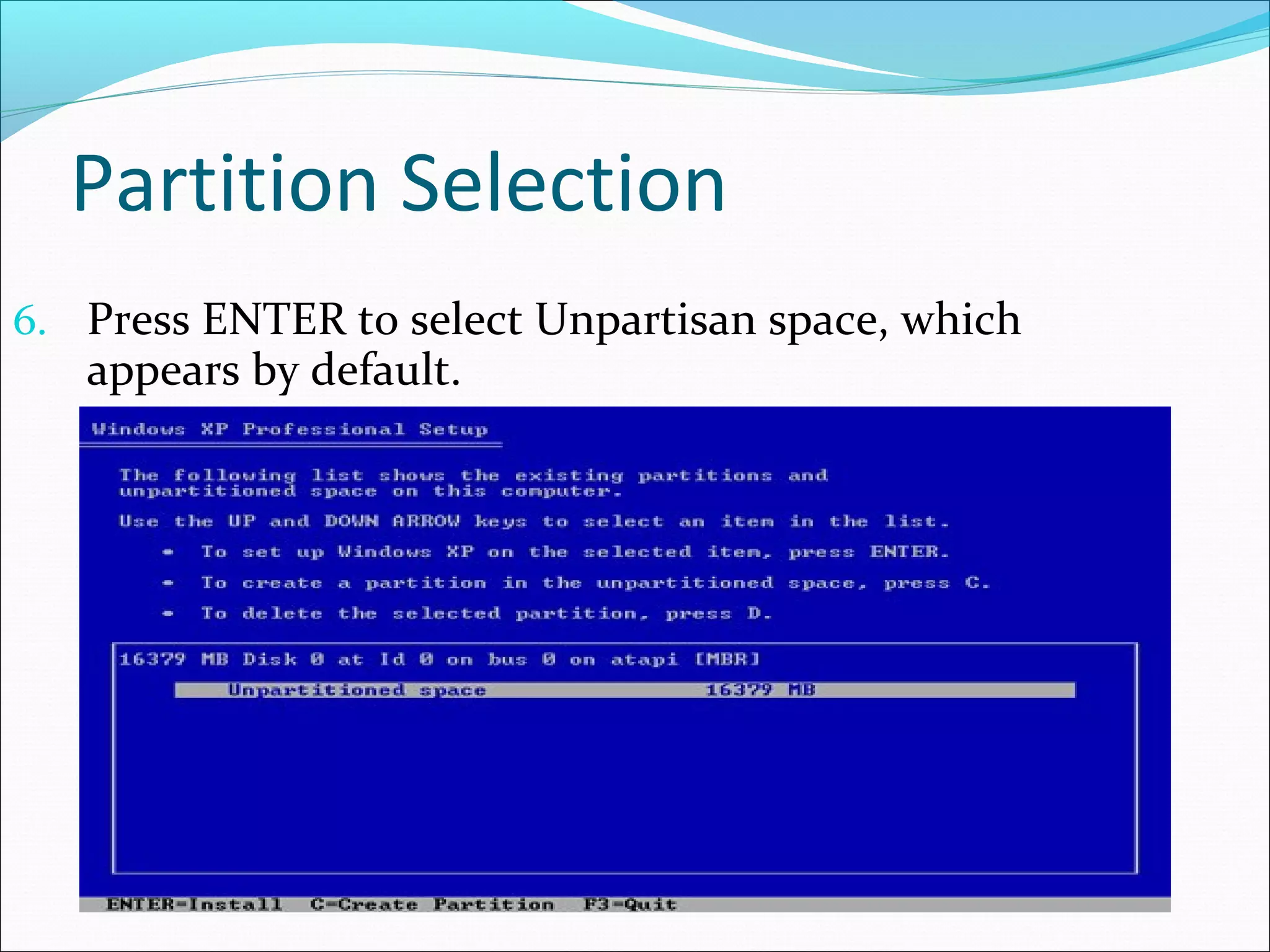
Partition Selection
6. Press ENTER to select Unpartisan space, which

appears by default.
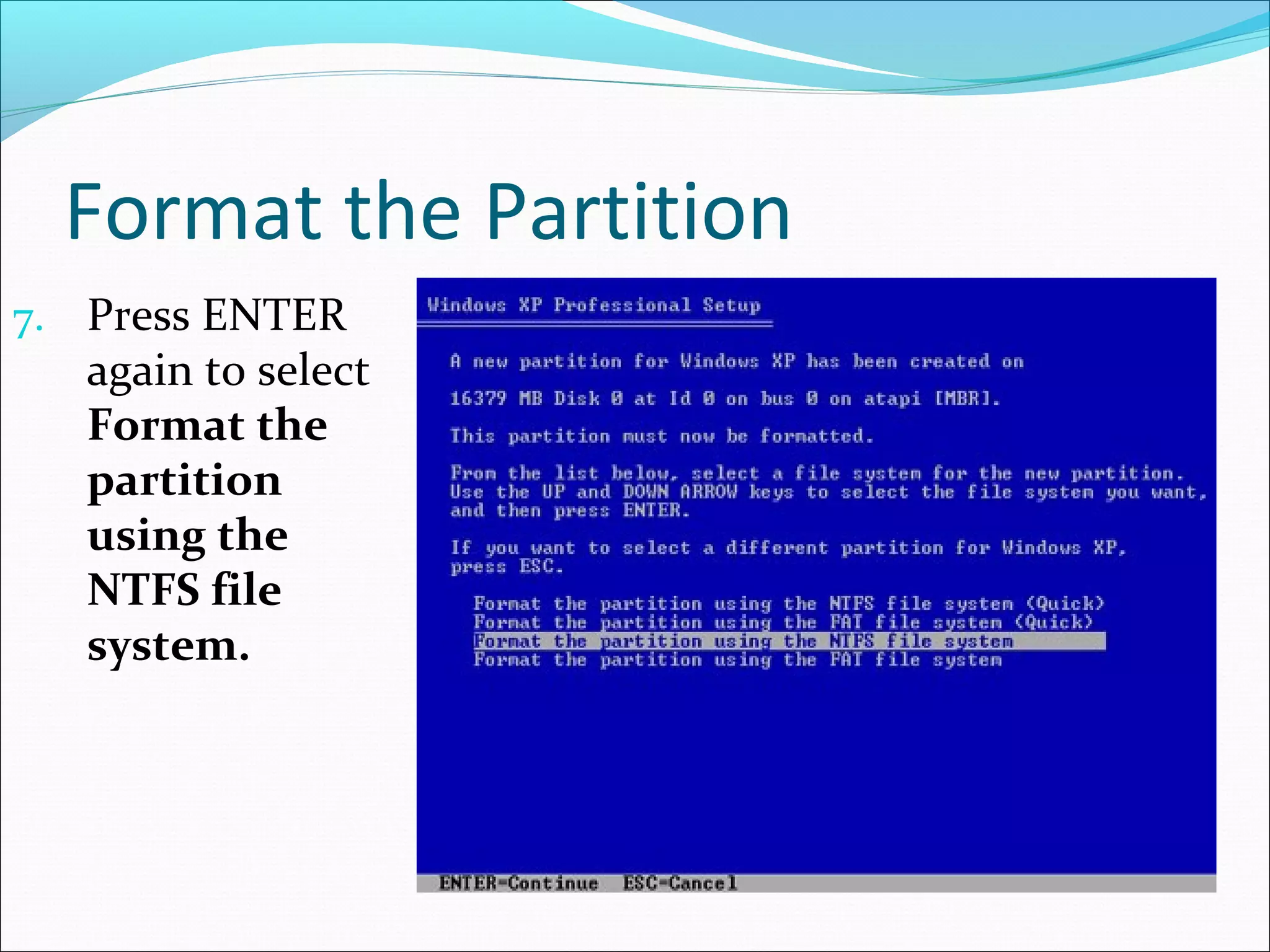
Format the Partition
7. Press ENTER

again to select
Format the
partition
using the
NTFS file
system.
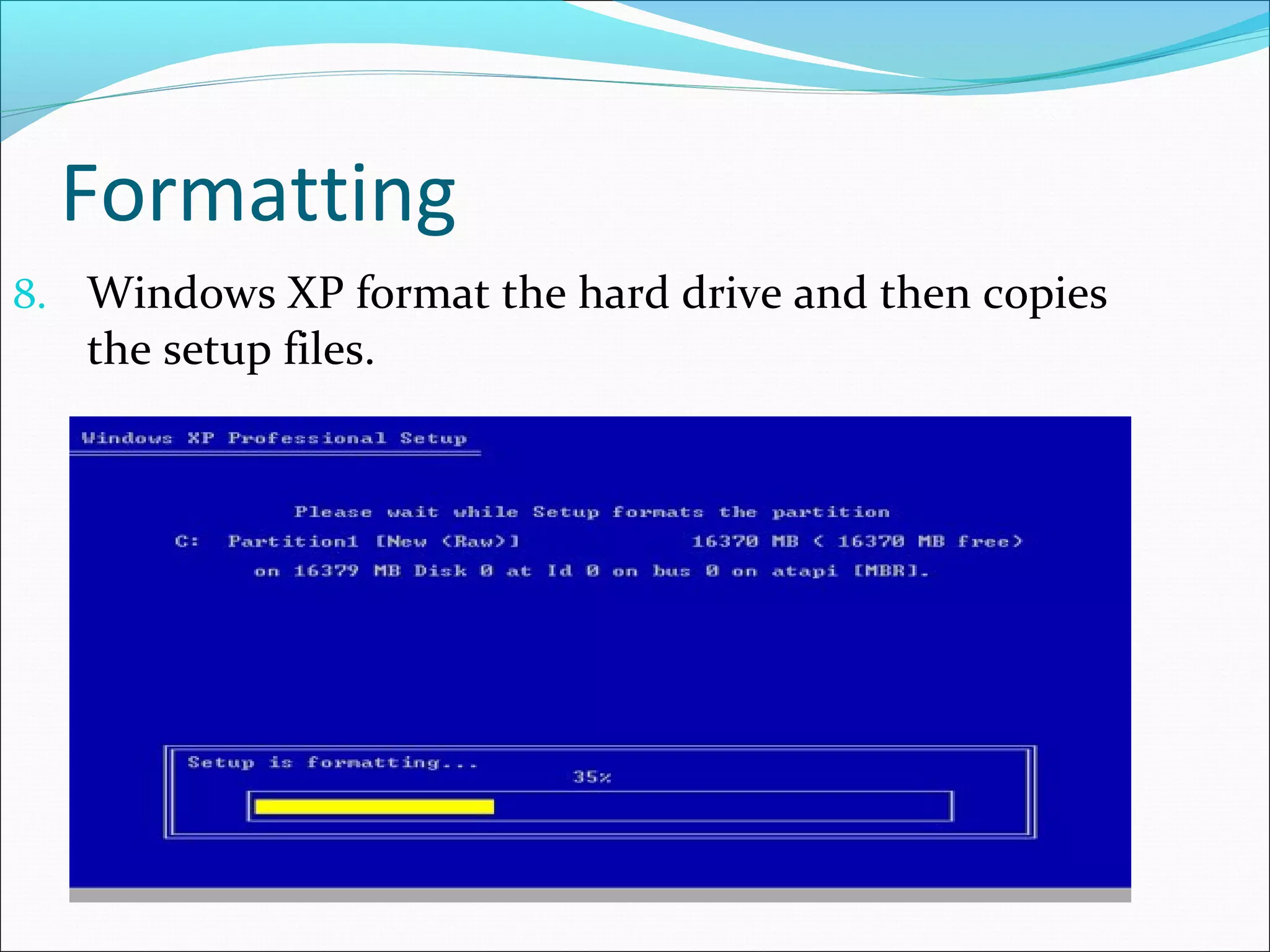
Formatting
8. Windows XP format the hard drive and then copies

the setup files.
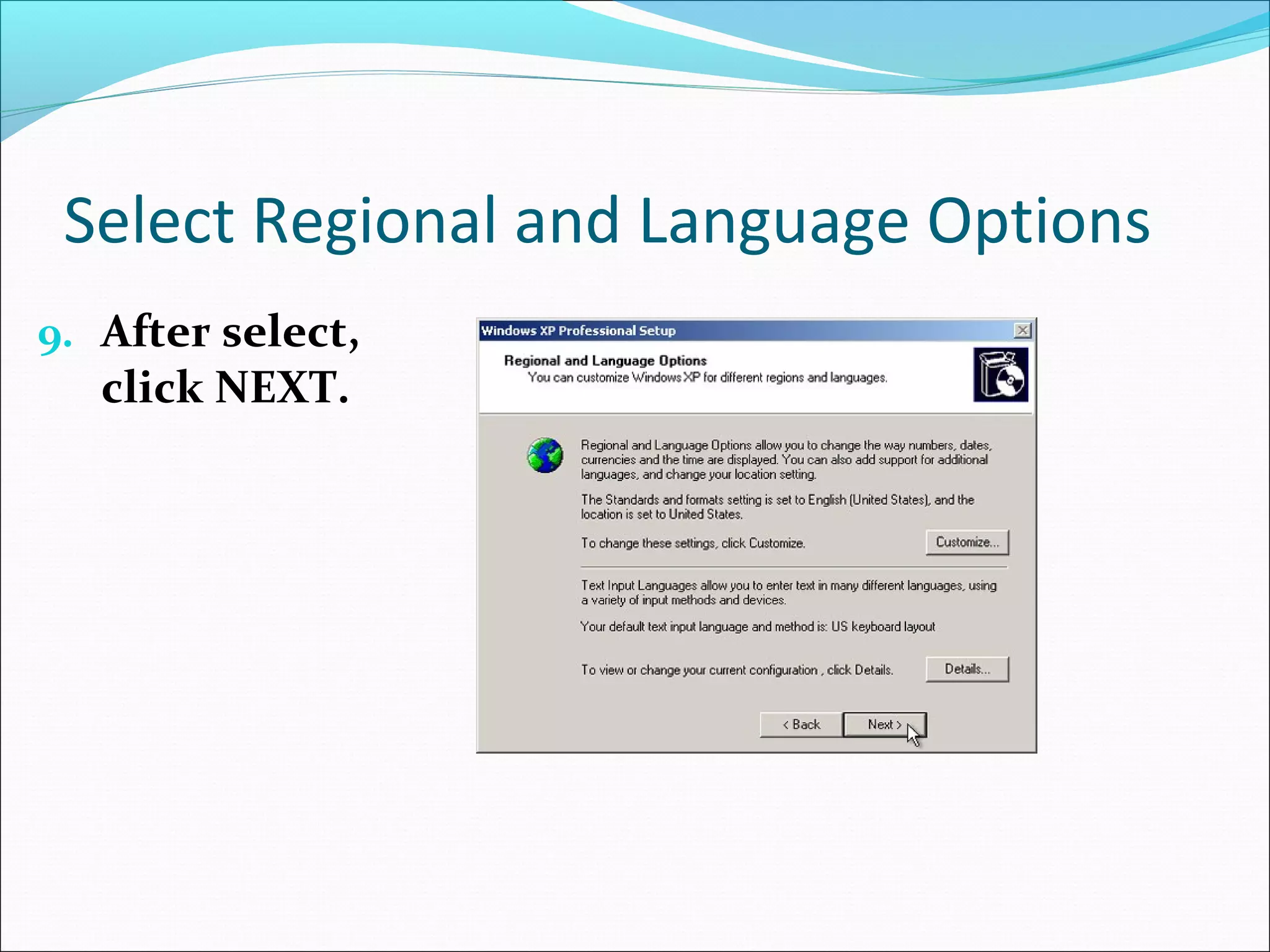
Select Regional and Language Options
9. After select,

click NEXT.
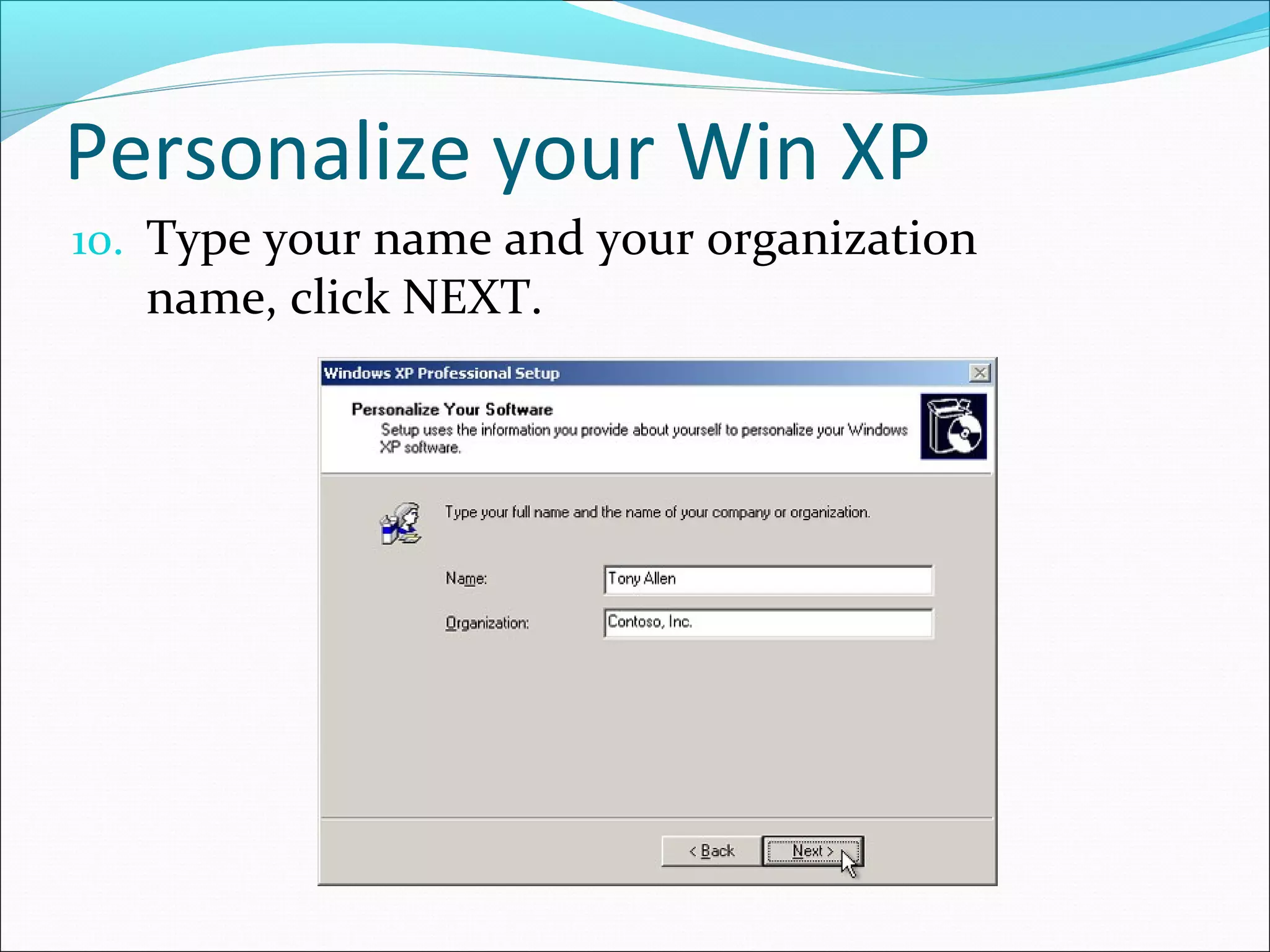
Personalize your Win XP
10. Type your name and your organization

name, click NEXT.
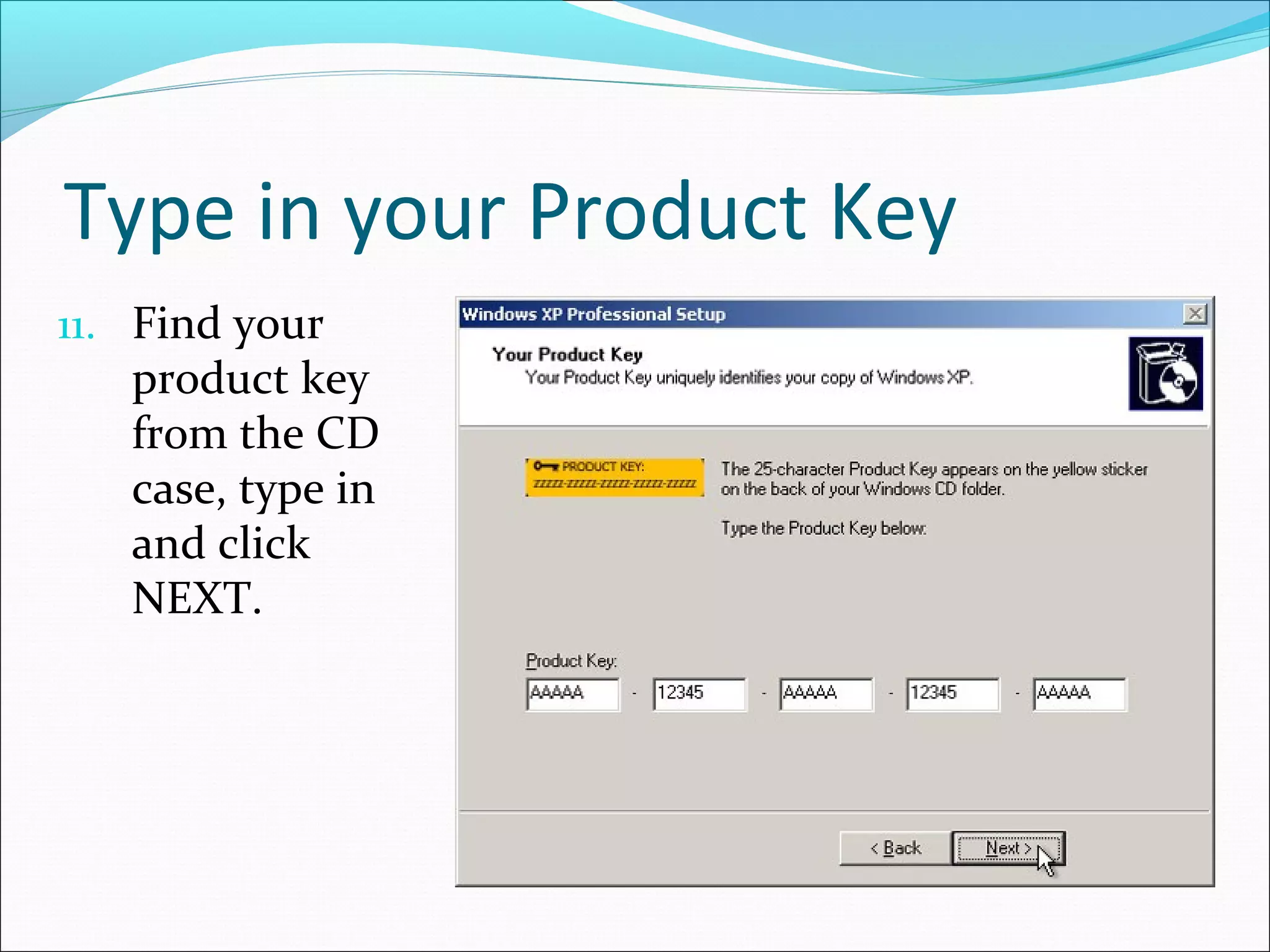
Type in your Product Key
11. Find your

product key
from the CD
case, type in
and click
NEXT.
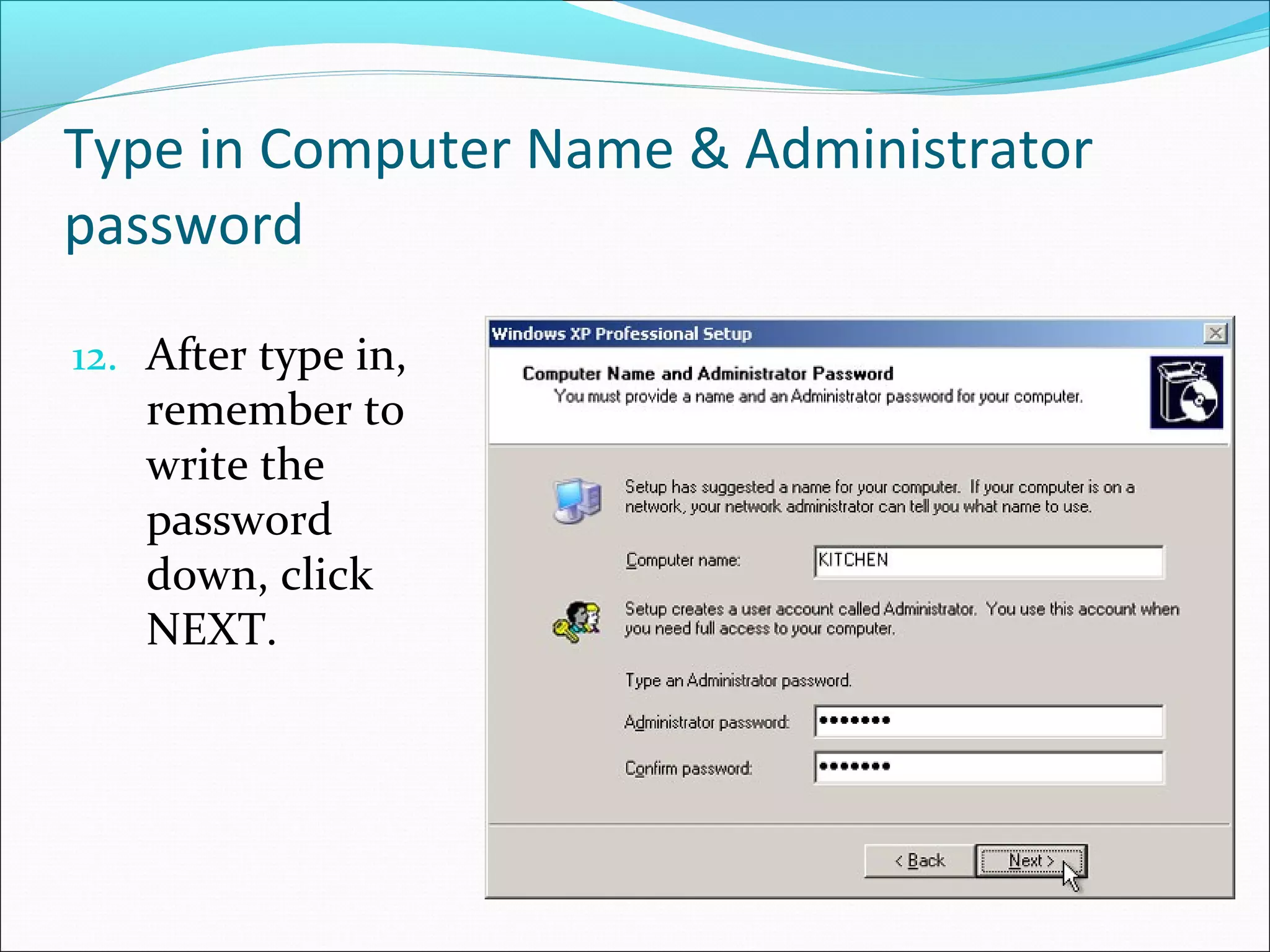
Type in Computer Name & Administrator
password
12. After type in,

remember to
write the
password
down, click
NEXT.
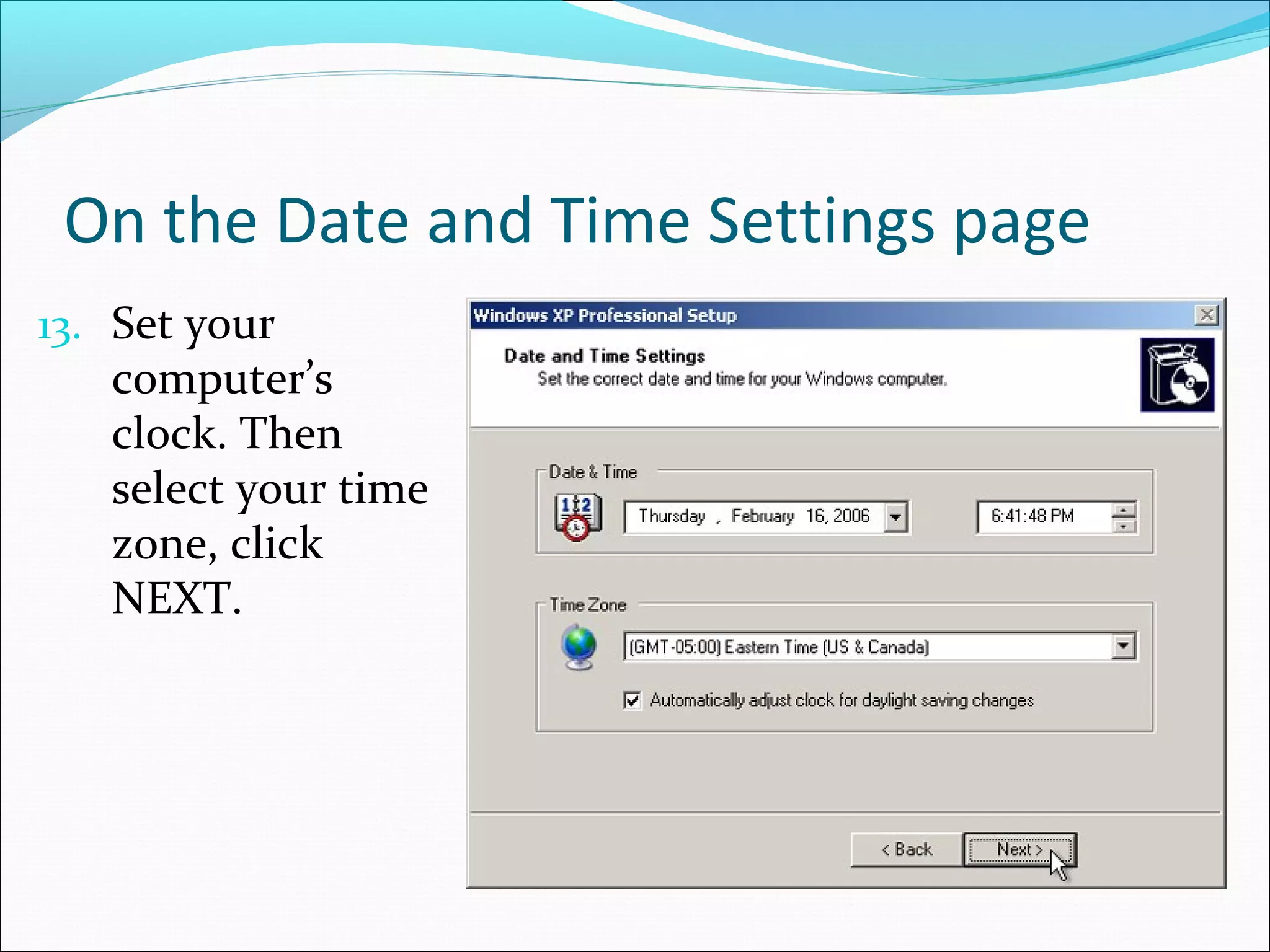
On the Date and Time Settings page
13. Set your

computer’s
clock. Then
select your time
zone, click
NEXT.
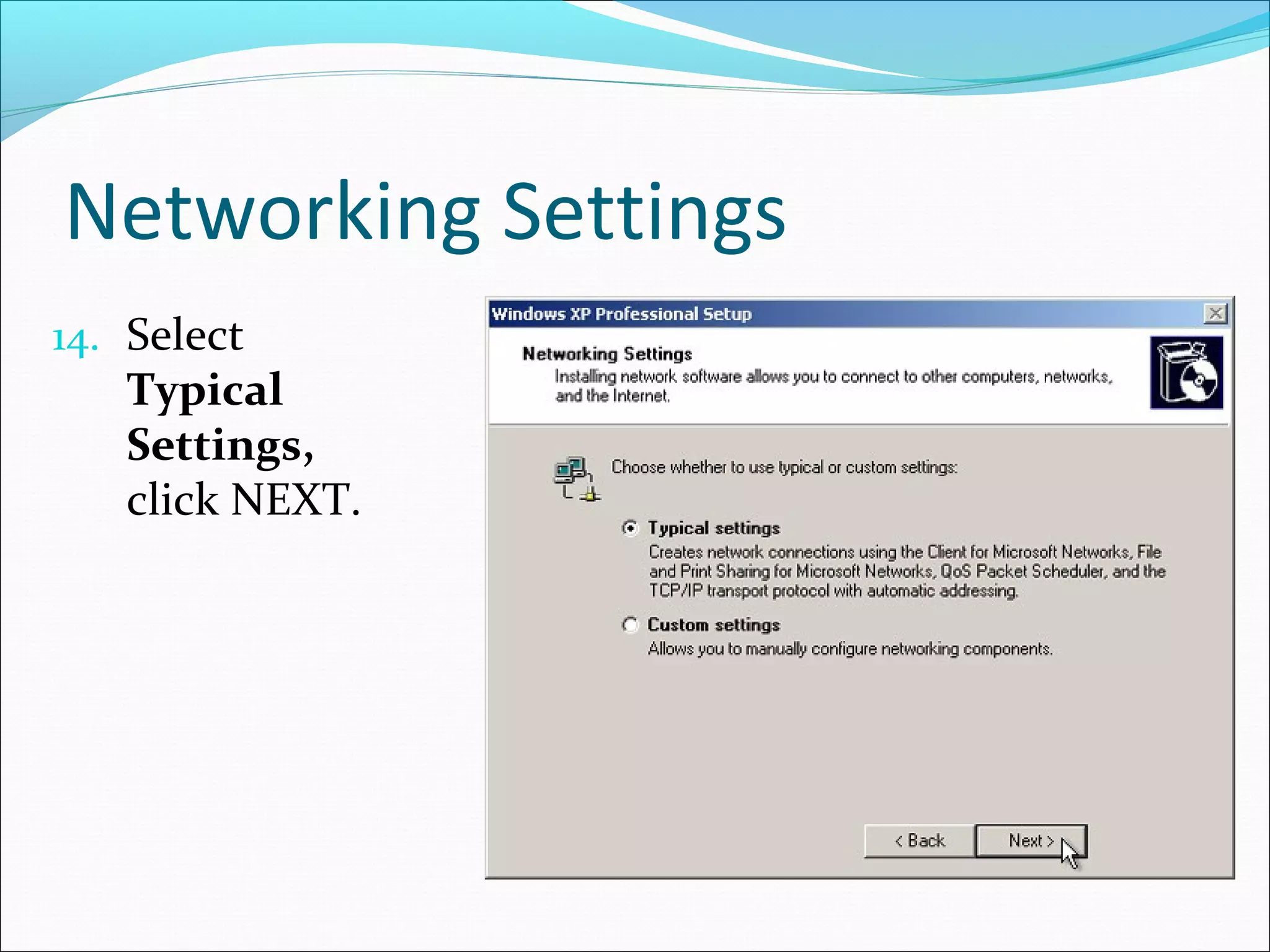
Networking Settings
14. Select

Typical
Settings,
click NEXT.
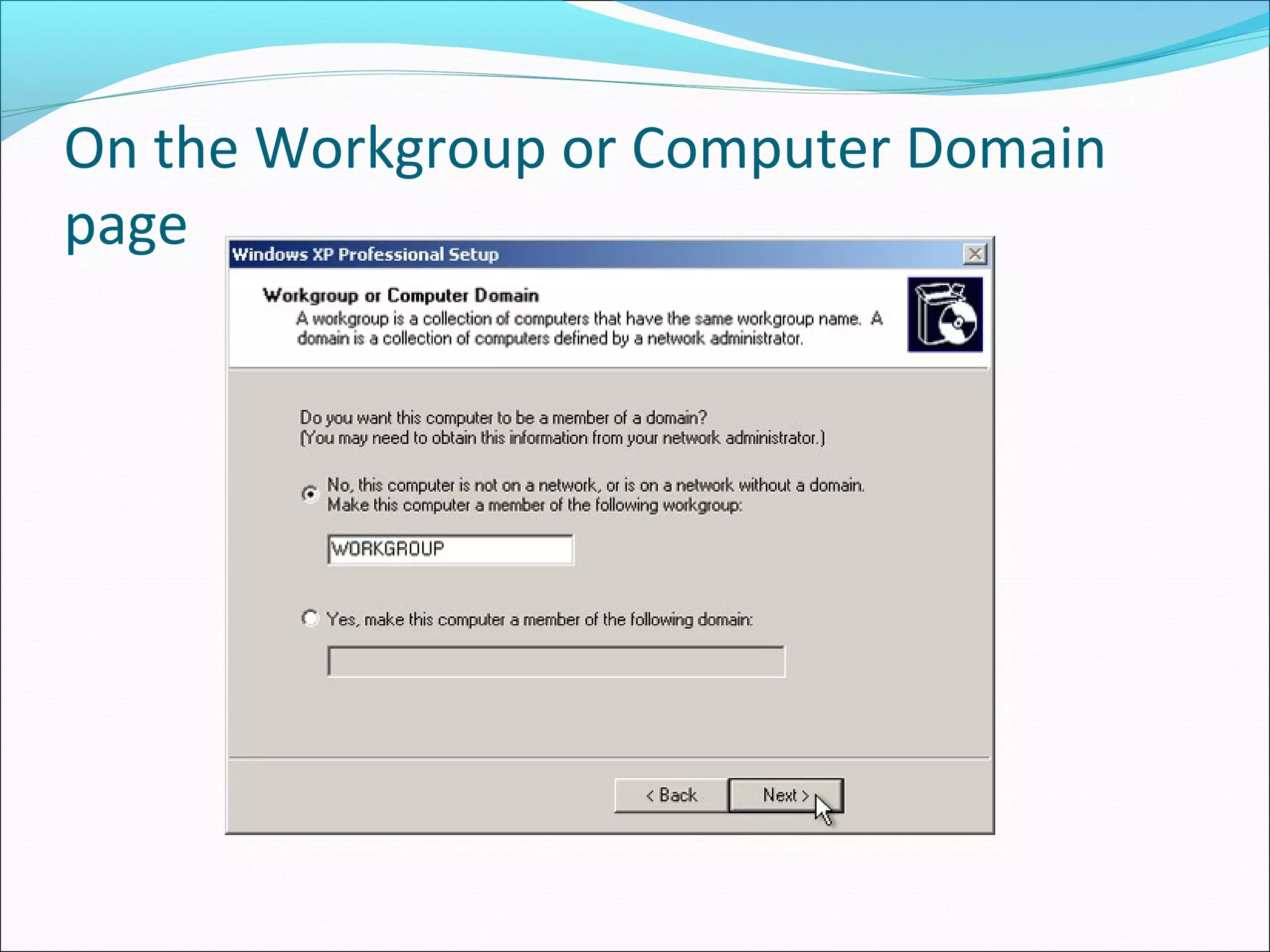
On the Workgroup or Computer Domain
page
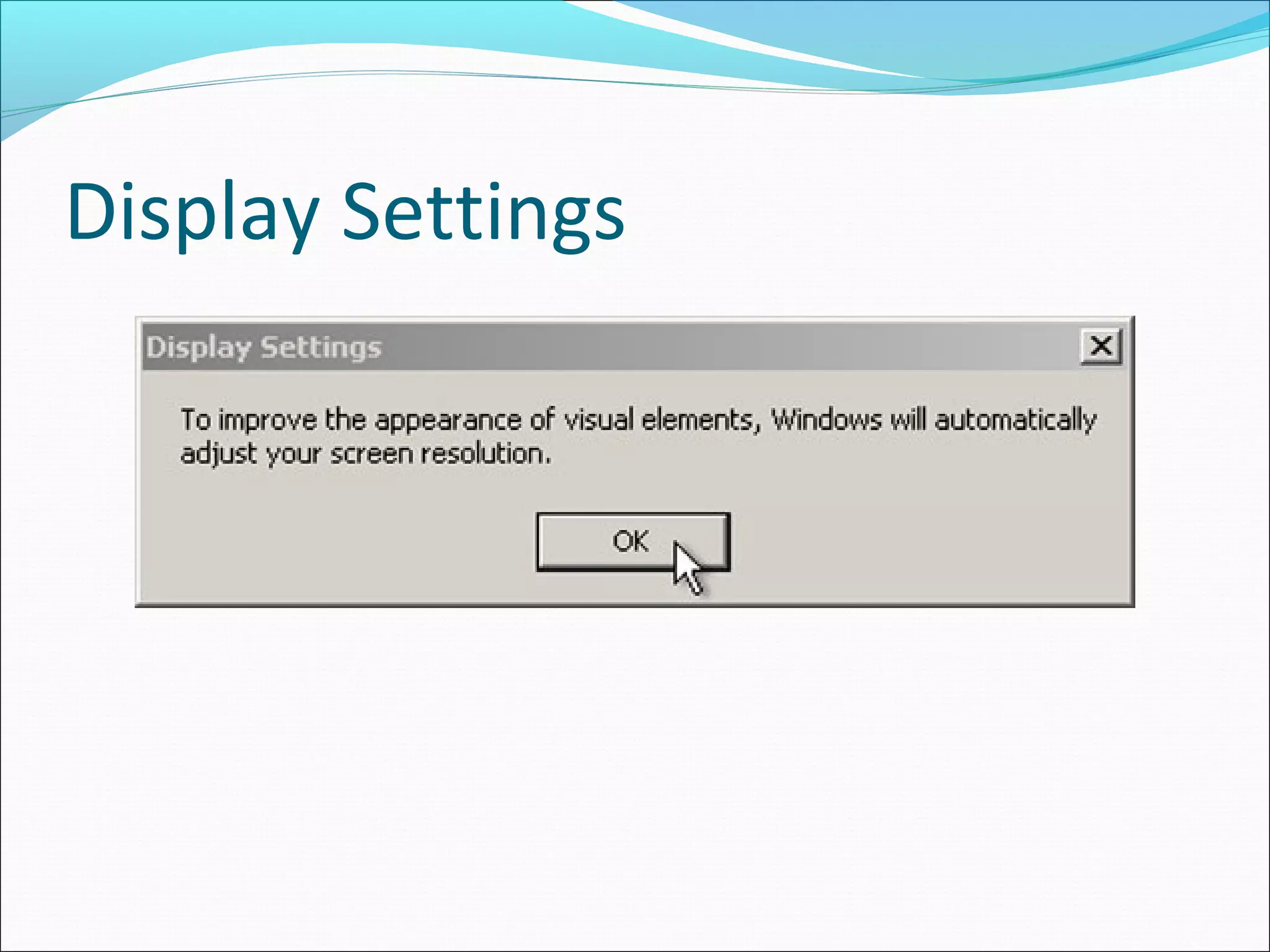
Display Settings
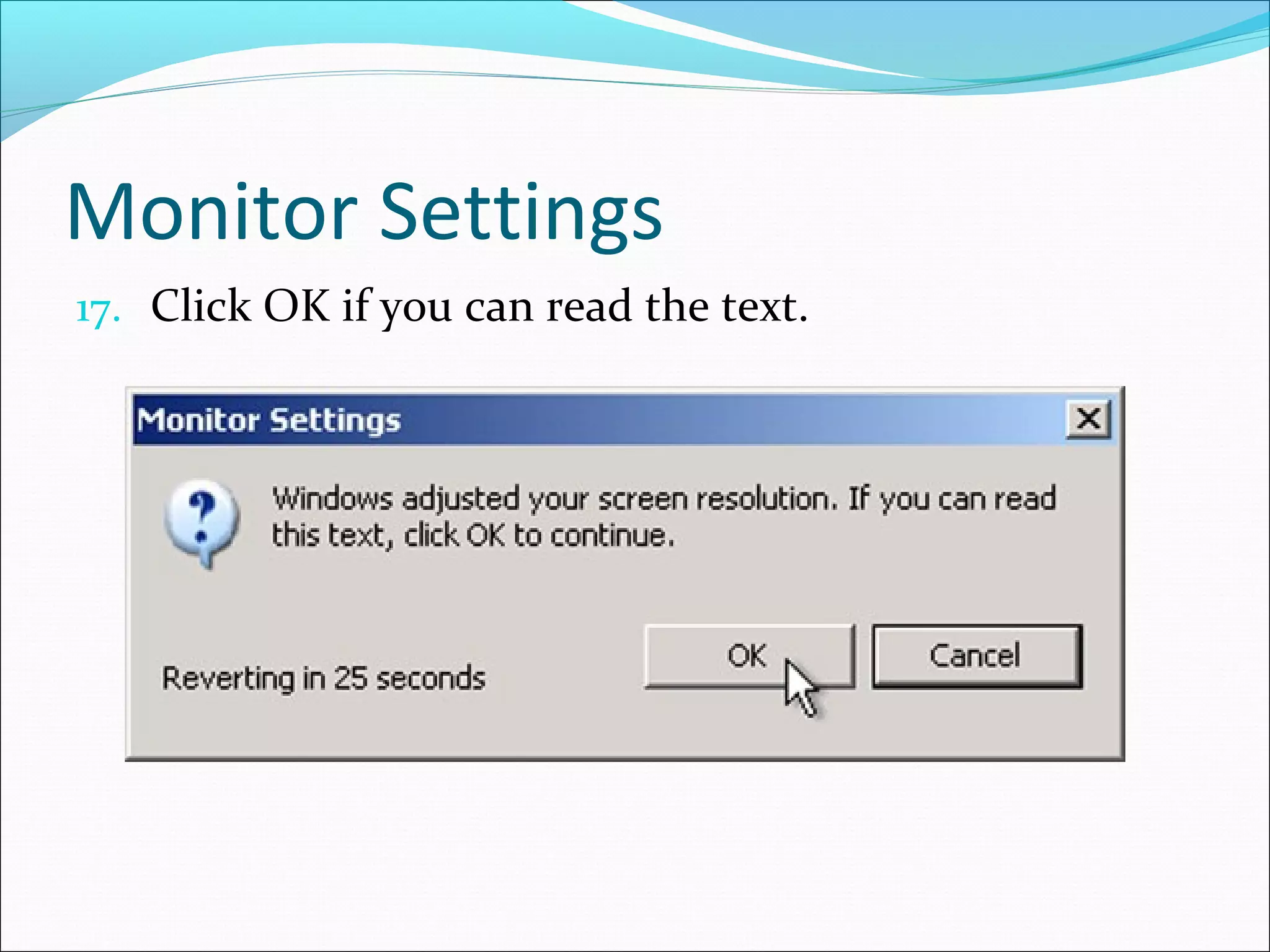
Monitor Settings
17. Click OK if you can read the text.
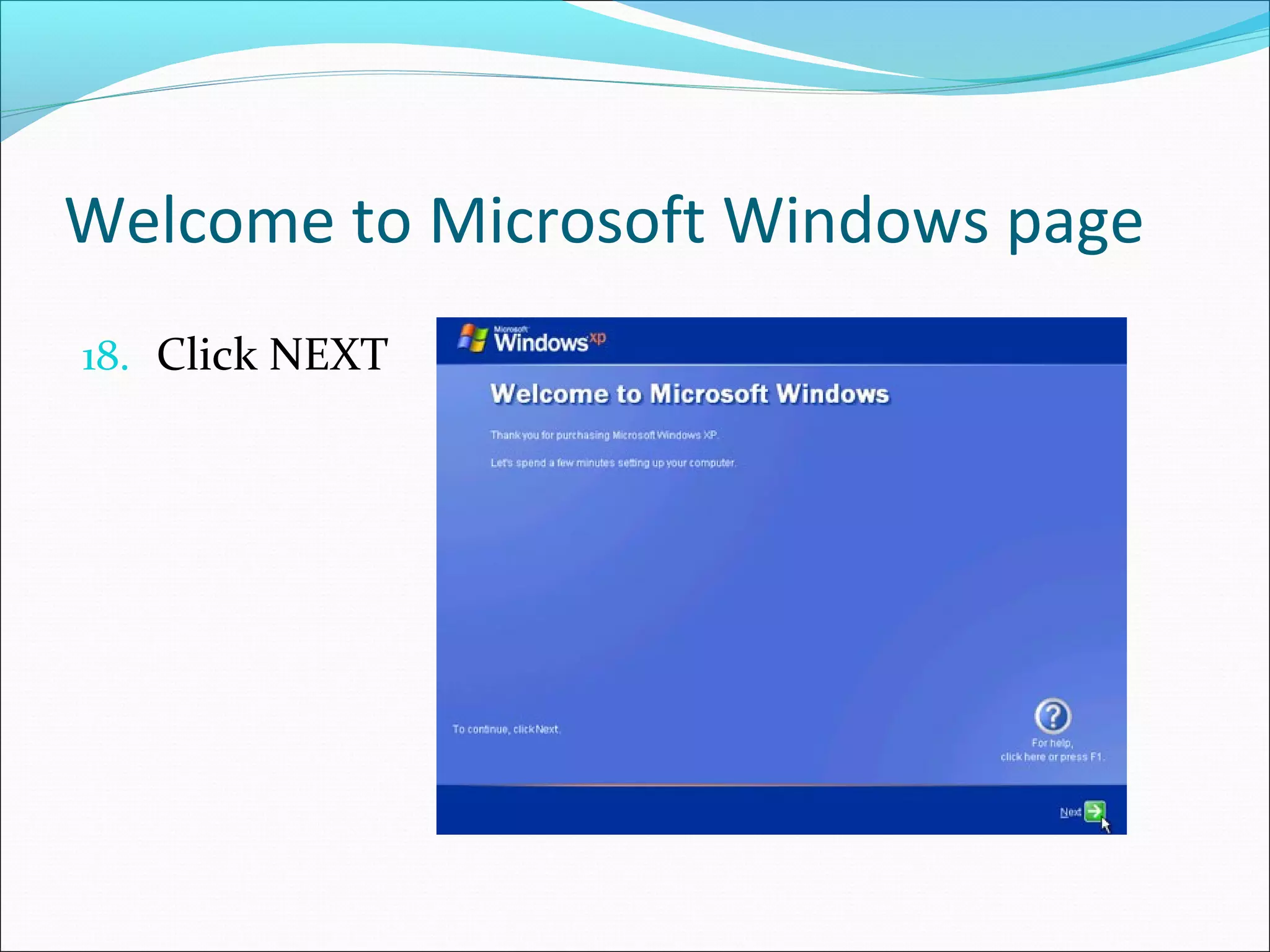
Welcome to Microsoft Windows page
18. Click NEXT
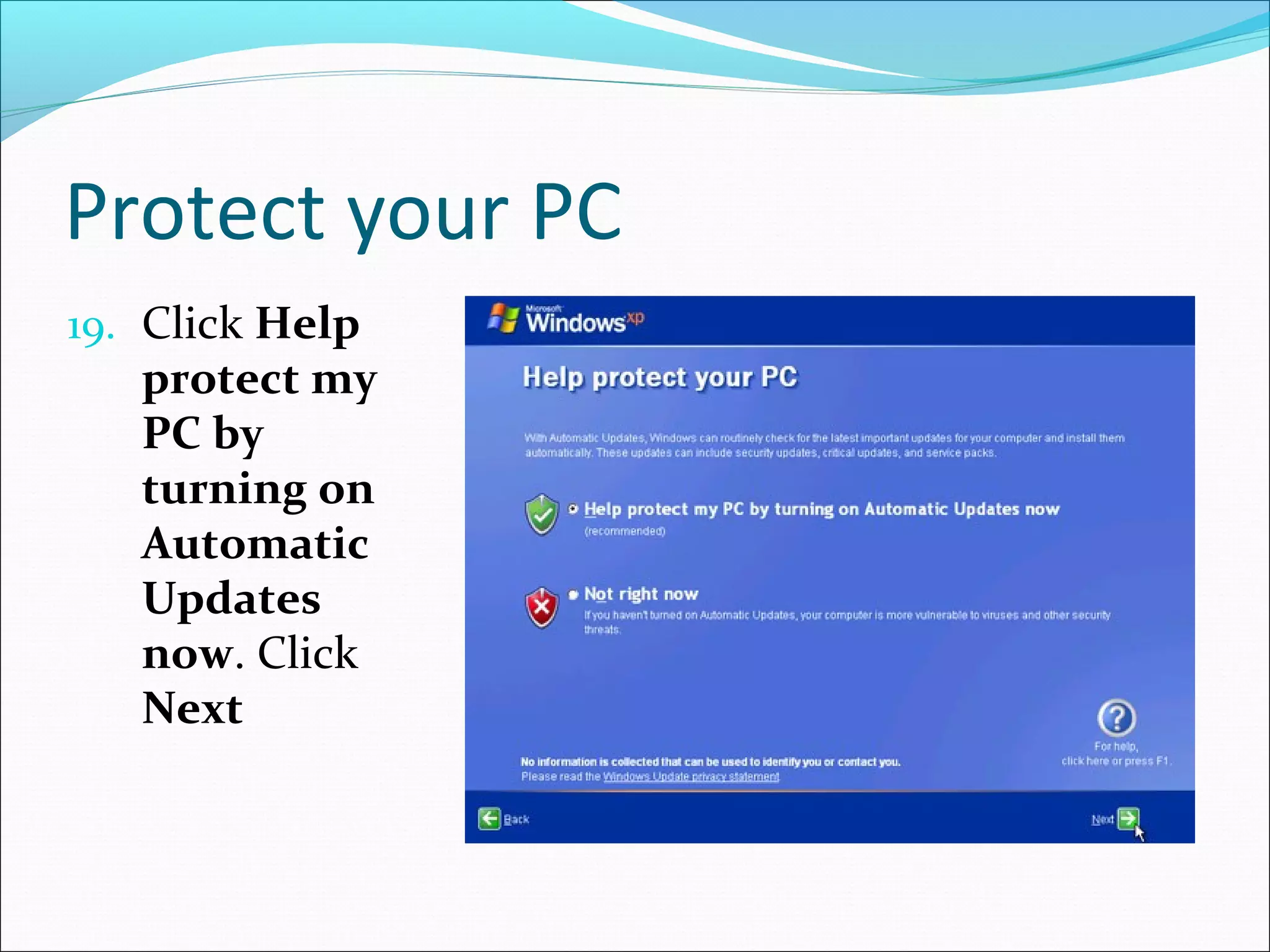
Protect your PC
19. Click Help

protect my
PC by
turning on
Automatic
Updates
now. Click
Next
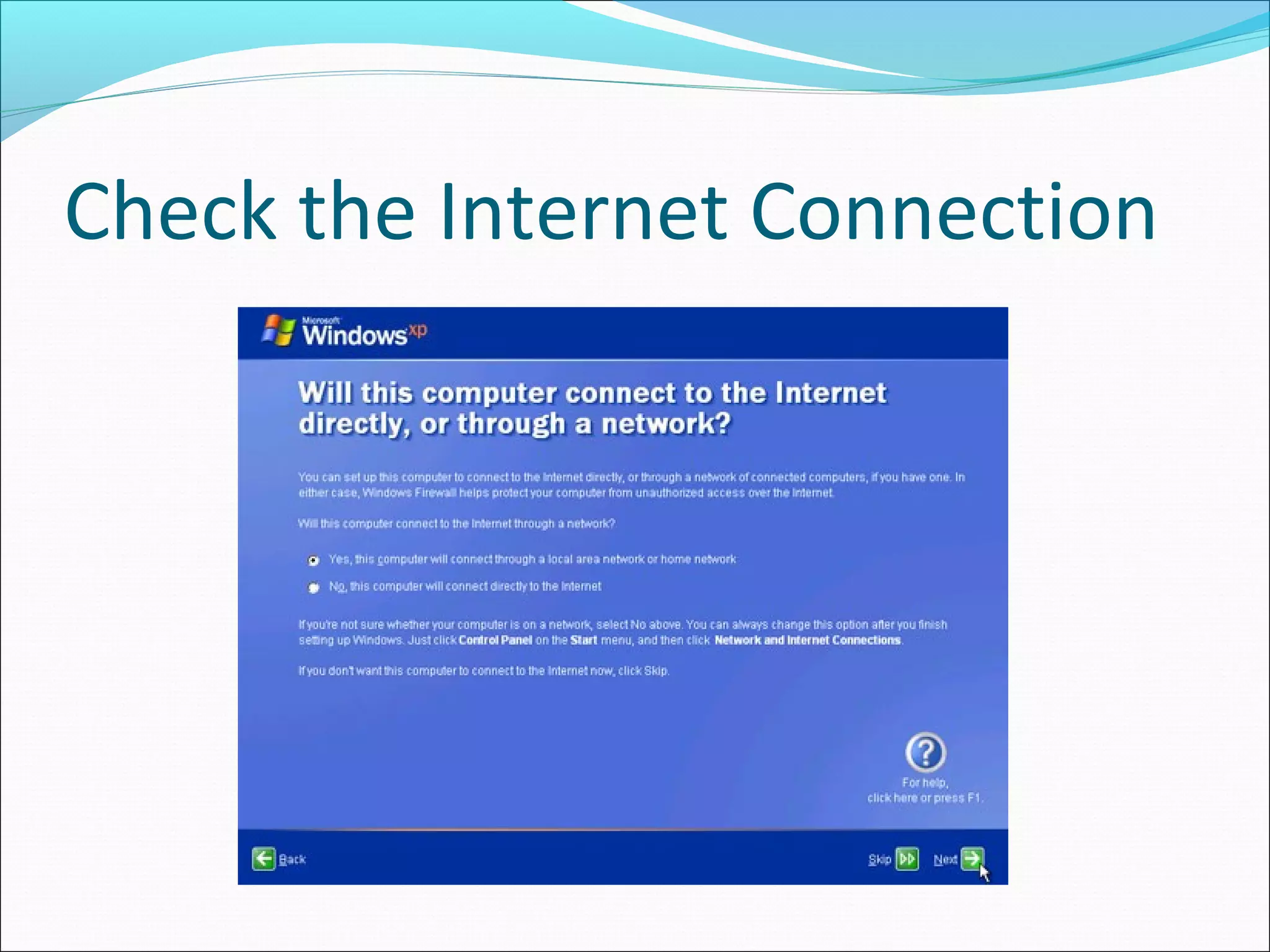
Check the Internet Connection
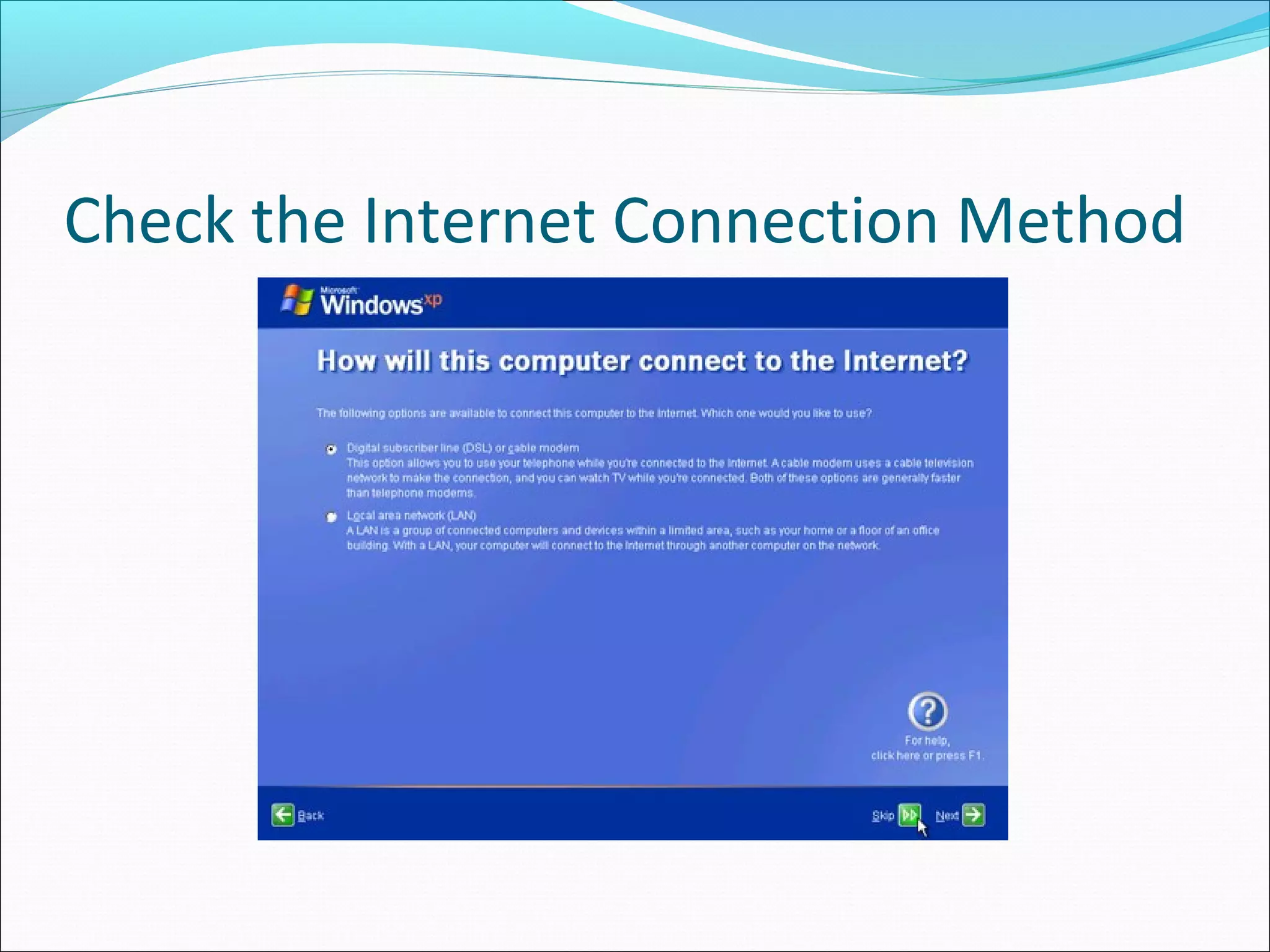
Check the Internet Connection Method
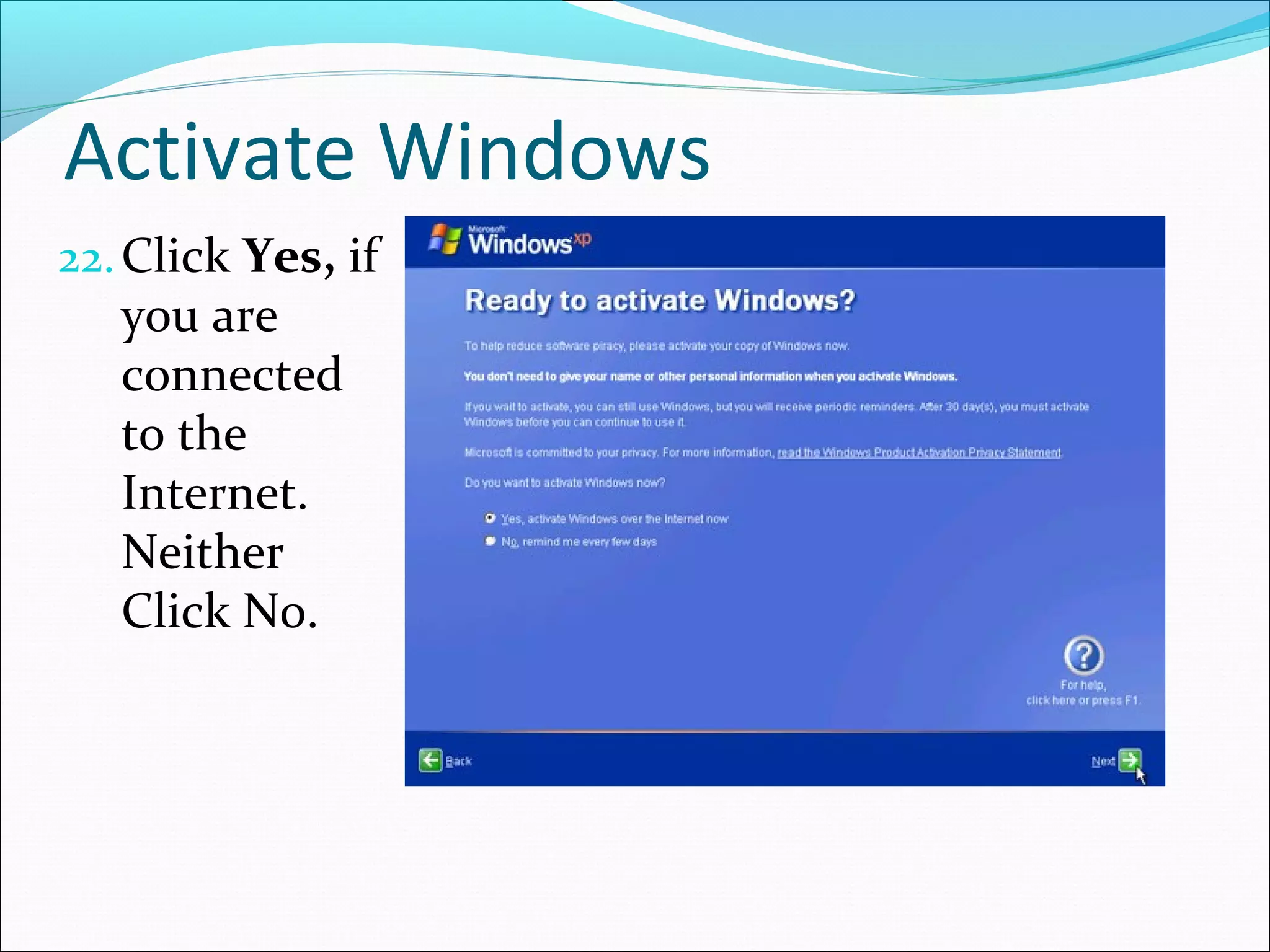
Activate Windows
22. Click Yes, if

you are
connected
to the
Internet.
Neither
Click No.
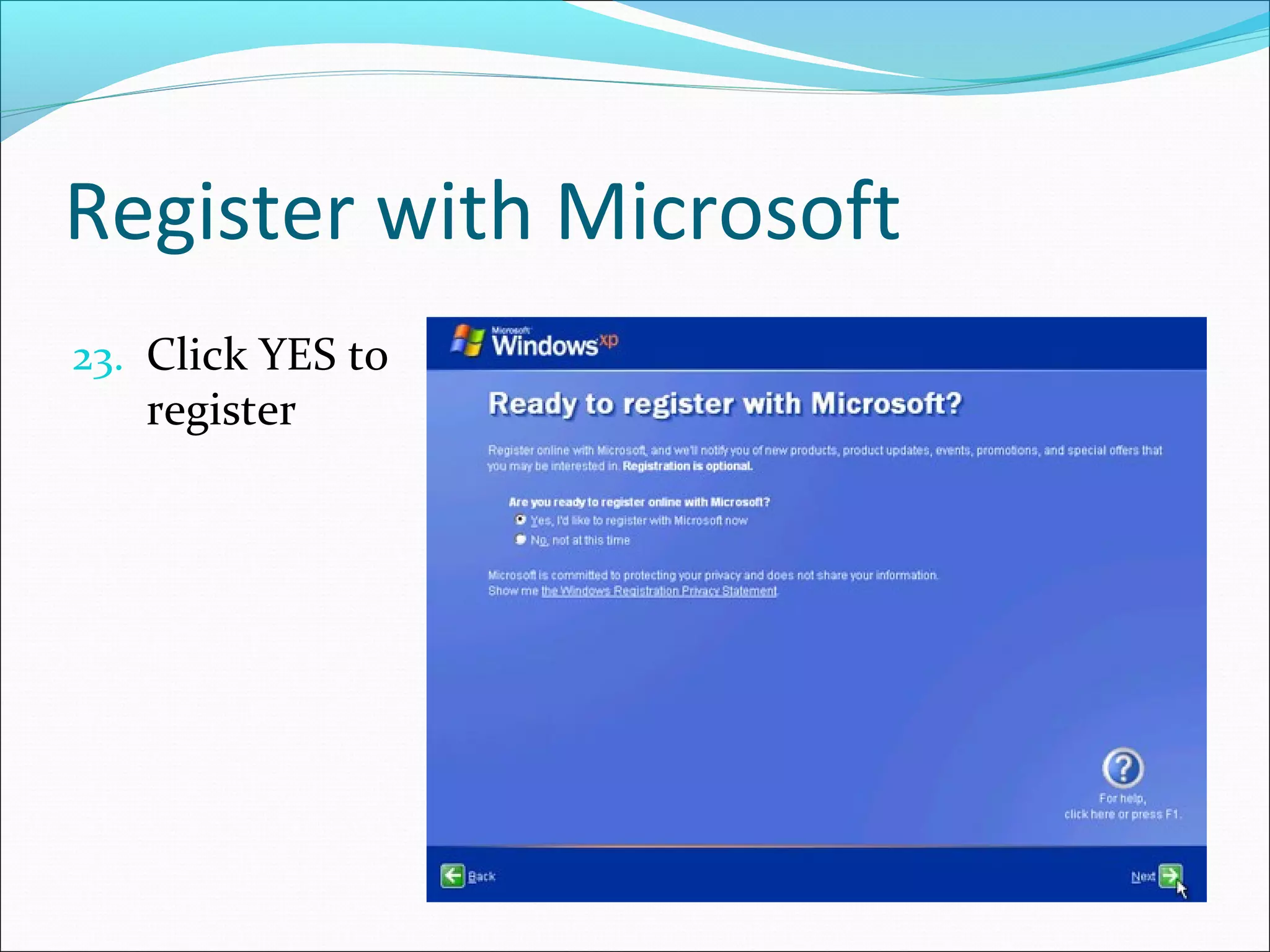
Register with Microsoft
23. Click YES to

register
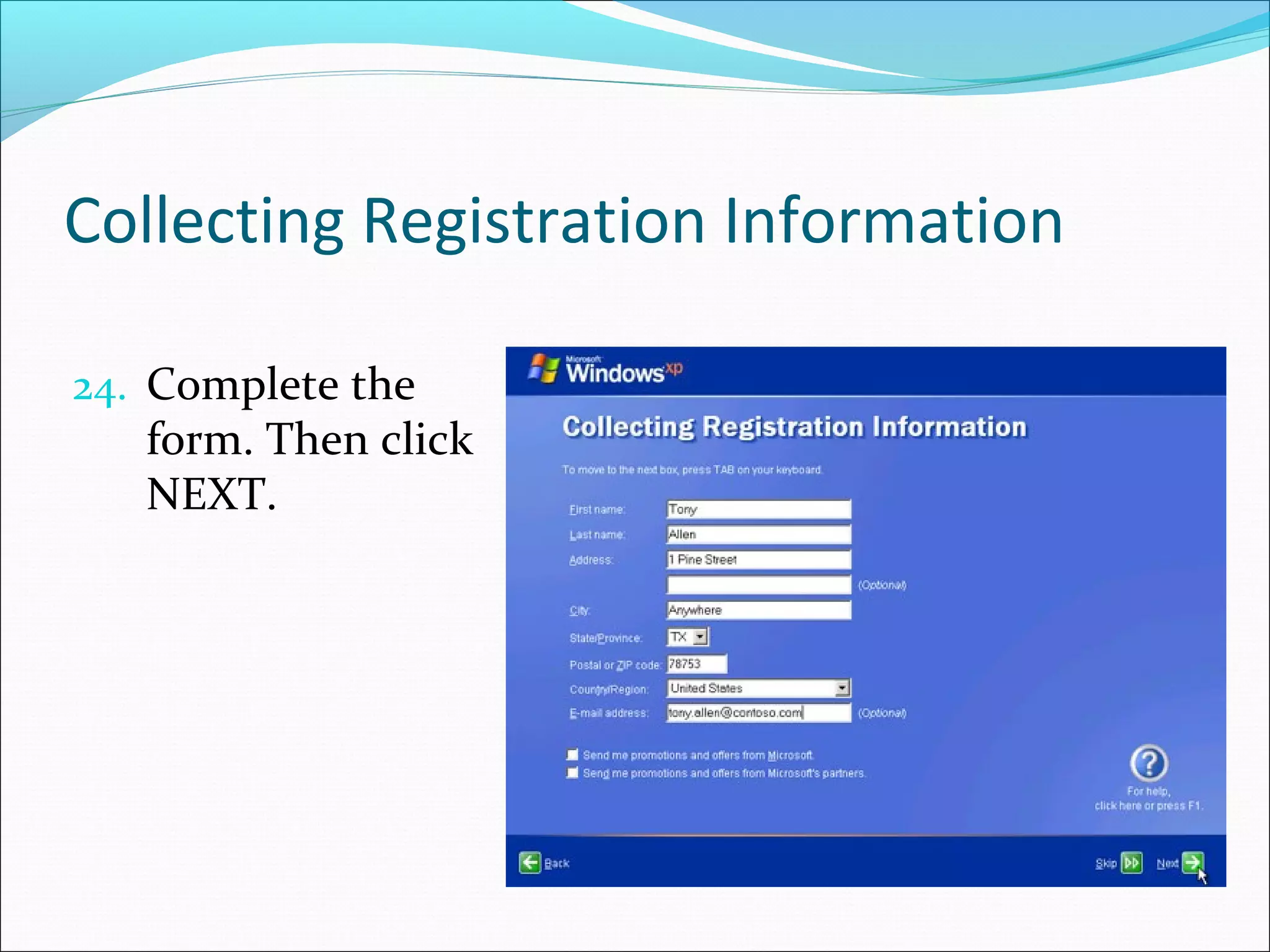
Collecting Registration Information
24. Complete the

form. Then click
NEXT.
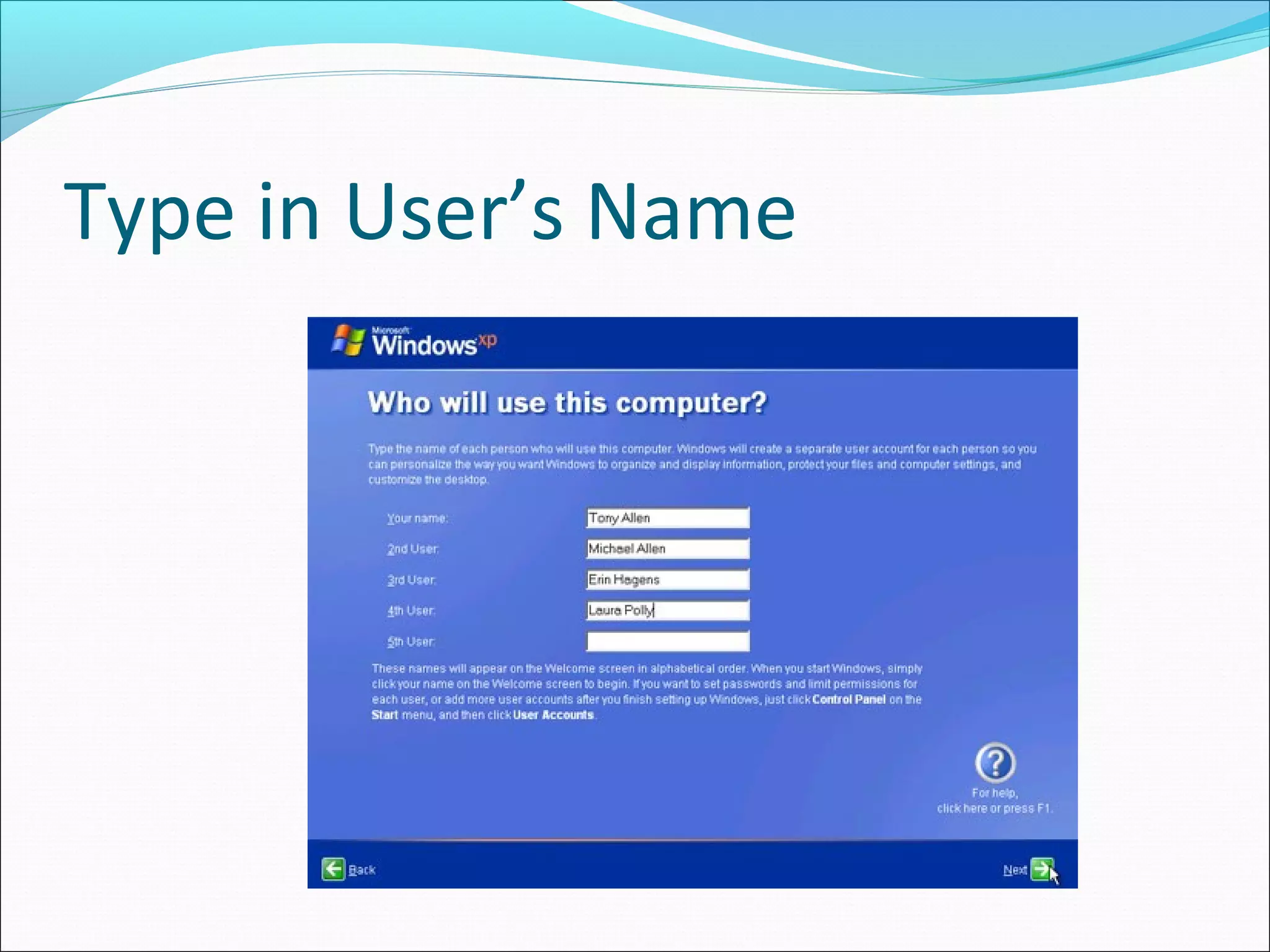
Type in User’s Name
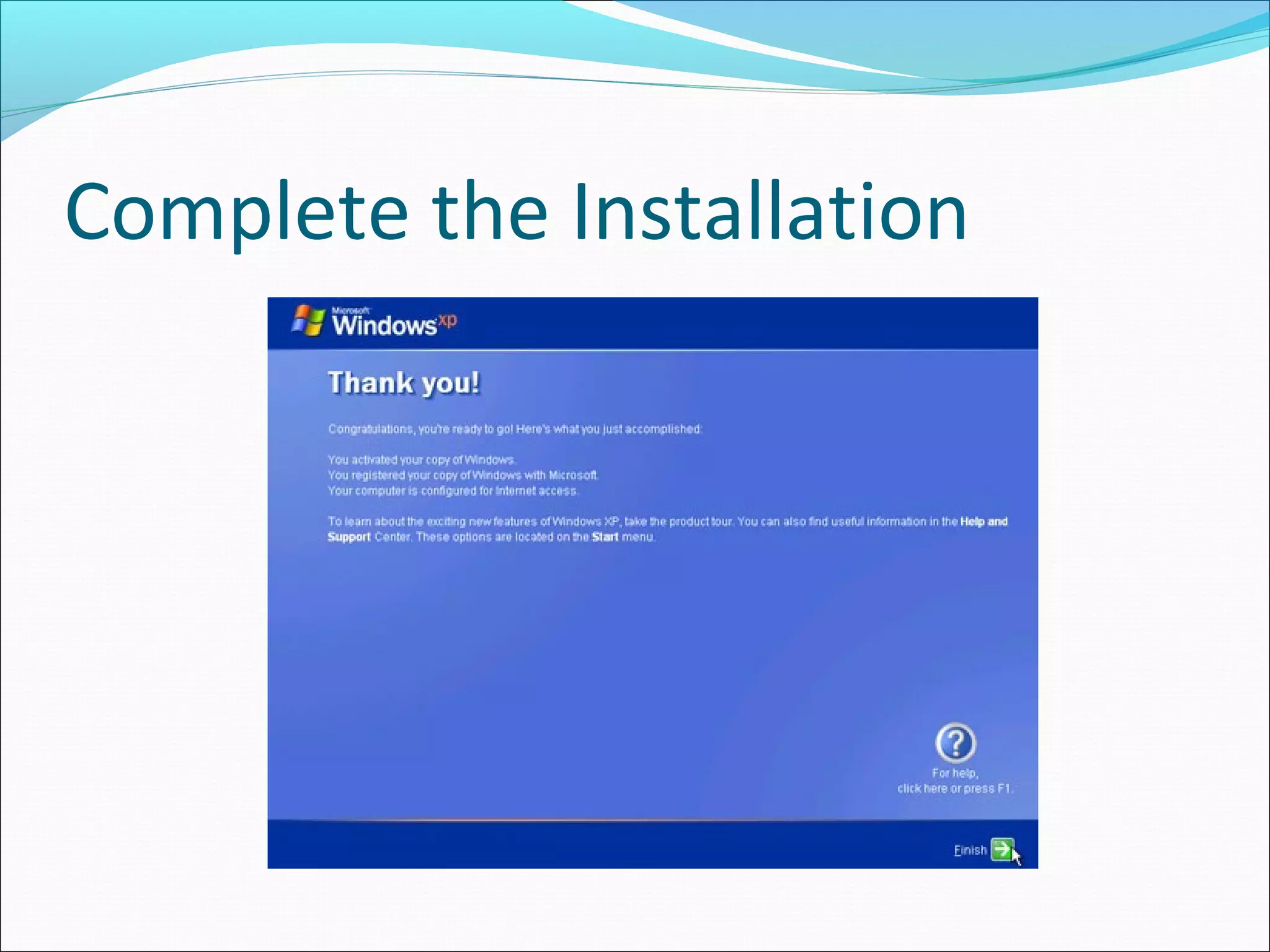
Complete the Installation
~ Thank You ~

Install window xp