Installing Windows XP
Imranul Hasan
Greenwich University, UK
Step #1: Plan your installation
•Check System Requirements
•Check Hardware and Software Compatibility
•Determine Disk Partitioning Options
•Choose the Appropriate File System: FAT32, NTFS
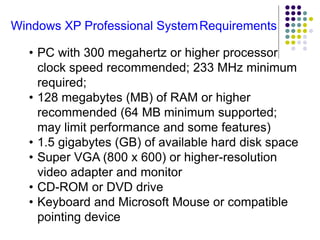
Windows XP Professional SystemRequirements
• PC with 300 megahertz or higher processor
clock speed recommended; 233 MHz minimum
required;
• 128 megabytes (MB) of RAM or higher
recommended (64 MB minimum supported;
may limit performance and some features)
• 1.5 gigabytes (GB) of available hard disk space
• Super VGA (800 x 600) or higher-resolution
video adapter and monitor
• CD-ROM or DVD drive
• Keyboard and Microsoft Mouse or compatible
pointing device
Step #2: The text-based portion of
the Setup program
Step #3: The GUI-based portion of the
Setup program
Windows XP Installation

Windows XP Installation

  • 1.
    Installing Windows XP ImranulHasan Greenwich University, UK
  • 2.
    Step #1: Planyour installation •Check System Requirements •Check Hardware and Software Compatibility •Determine Disk Partitioning Options •Choose the Appropriate File System: FAT32, NTFS
  • 3.
    Windows XP ProfessionalSystemRequirements • PC with 300 megahertz or higher processor clock speed recommended; 233 MHz minimum required; • 128 megabytes (MB) of RAM or higher recommended (64 MB minimum supported; may limit performance and some features) • 1.5 gigabytes (GB) of available hard disk space • Super VGA (800 x 600) or higher-resolution video adapter and monitor • CD-ROM or DVD drive • Keyboard and Microsoft Mouse or compatible pointing device
  • 4.
    Step #2: Thetext-based portion of the Setup program
  • 17.
    Step #3: TheGUI-based portion of the Setup program