
WINDOWS XP
NEXT
Check Hardware Requirements
The minimum requirements for installing
Windows XP Professional include:
 An Intel Pentium/233 MHz processor.
 64 MB of RAM.
 At least one hard disk where the system root (usually C:WINNT) can
be located on a partition.
 At least 1.5 GB of hard disk space.
Check Hardware Requirements
The recommended requirements for
installingWindows XP Professional include:
 A PC with a 300 MHz (single or dual) processor.
 128 MB of RAM.
Check Hardware
Compatibility
 TheWindows XP Professional installation CD,
running on an upgradeableWindows version,
includes options to check for system
compatibility.
 It is essential that the service packs for
Windows NT 4.0Workstation orWindows
2000 Professional are installed, if XP is
upgraded from either of these operating
systems.
Check Hardware
Compatibility
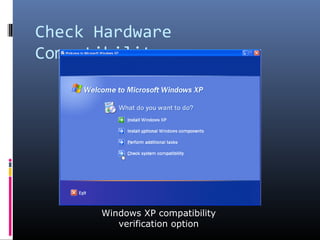
Windows XP compatibility
verification option
Check Hardware
Compatibility
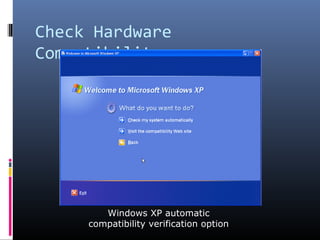
Windows XP automatic
compatibility verification option
Check Hardware
Compatibility
Automatic compatibility check:
 The ‘Check My System Automatically’ option
verifies the system and provides users with a list of
incompatible items.
 It also provides alternative remedies for correcting
incompatibility problems.
Check Hardware
Compatibility
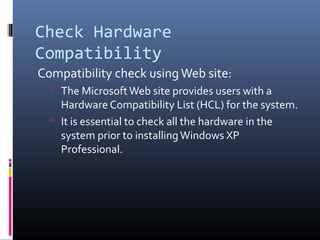
Compatibility check usingWeb site:
 The MicrosoftWeb site provides users with a
Hardware Compatibility List (HCL) for the system.
 It is essential to check all the hardware in the
system prior to installingWindows XP
Professional.
Check Hardware
Configuration
 Microsoft recommends a CD-ROM or DVD
drive for installations.
 A superVGA display adapter that supports an
800x600 resolution, and the most recent
version of the workstation operating system
software is also required.
Check Hardware
Configuration
 Microsoft also recommends a mouse or any
other pointing device.
 A high-density 3-½ inch floppy drive is
required if floppy disks are used for
installation.
Test Workstation Hardware
 The DOS FDISK command is used to rebuild
the hard disk drive prior to the installation.
 The hard disk can be re-built while installing
Windows XP from the CD.
Installing Windows XP
Professional
 Windows XP can be installed over a network
using either a shared network drive or a set of
bootable floppy disks.
 A set of six boot setup disks can be created to
perform theWindows XP installation startup.
Installing Windows XP
Professional
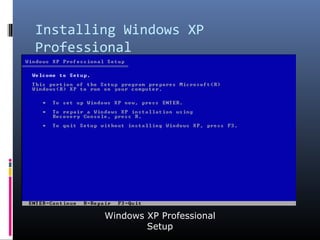
Windows XP Professional
Setup
Installing Windows XP
Professional
List of existing partitions and
unpartitioned space on the computer
Installing Windows XP
Professional
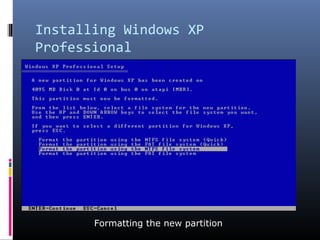
Formatting the new partition
Installing Windows XP
Professional
Windows XP requires the following inputs:
 The user’s name and the organization’s name.
 The 25-character product key code.
 The computer name and the password for the
workstation administrator account.
Installing Windows XP
Professional
Networking Settings
Installing Windows XP
Professional
Windows XP requires the following inputs
(continued):
 The workgroup or the domain name.
 The user name and password of the user who is
authorized to join the computer to the domain.
Installing Windows XP
Professional
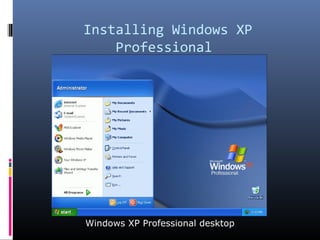
Windows XP Professional desktop
Summary
 Windows XP Professional andWindows XP
Home are the two versions ofWindows XP.
 Upgrades fromWindows NT 4.0Workstation
and Windows 2000 Professional systems
require service packs to be installed in them.
 Before performing any installation, care
should be taken to ensure that the hardware
meets the program requirements, operates
properly, and includes all the necessary
drivers.

Windows xp