




Convert your Linux box in to
security Gateway Part-1
By
Murtuja Bharmal
void@null.co.in
About Me
• Now Work Busy Man….
• Unemployed….
• Interest…. /dev/random….
• Co-founder of null…. :-D
• X-IBMer’s …..
• Dal, Roti ka jugad, Security Consulting/Training
Prerequisites
• Basic concept of networking/routing/natting.
• Knowledge of TCP/IP model & communication
protocol IP, TCP, UDP, ICMP, DNS, HTTP/S,
SMTP, FTP etc.
• How to Install and use Linux OS
• Some hands on Linux command line
Full Picture
• Security Features of Linux..
• Hardening OS
• Firewall Concept/Configuration
• VPN Concept/Configuration
• IDS/IPS Concept/Configuration
• Proxy Concept/Configuration
• Antivirus Concept/Configuration
• Hardening Services i.e. Web Server/Mail
Server/Database etc.
Agenda for Today
• Hardening OS
– Minimizing Services
– Kernel Parameters
– Password Policies
– No Login Shell for System accounts
– Disable Core dumps
– Securing SSH login
Agenda for Today(Cont)
• IPTables Firewall
– tables
– Chains
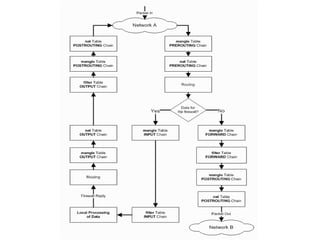
– Traversing of tables and chains
– Basic Operations
– iptables Parameters
– iptables traget and jumpss
– iptables matches
– Netfilter modules
– iptables Commands
– Policy
– iptables Rules
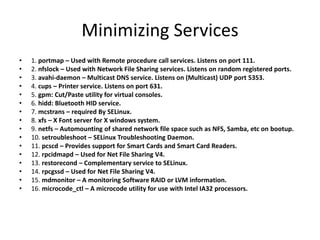
Minimizing Services
• 1. portmap – Used with Remote procedure call services. Listens on port 111.
• 2. nfslock – Used with Network File Sharing services. Listens on random registered ports.
• 3. avahi-daemon – Multicast DNS service. Listens on (Multicast) UDP port 5353.
• 4. cups – Printer service. Listens on port 631.
• 5. gpm: Cut/Paste utility for virtual consoles.
• 6. hidd: Bluetooth HID service.
• 7. mcstrans – required By SELinux.
• 8. xfs – X Font server for X windows system.
• 9. netfs – Automounting of shared network file space such as NFS, Samba, etc on bootup.
• 10. setroubleshoot – SELinux Troubleshooting Daemon.
• 11. pcscd – Provides support for Smart Cards and Smart Card Readers.
• 12. rpcidmapd – Used for Net File Sharing V4.
• 13. restorecond – Complementary service to SELinux.
• 14. rpcgssd – Used for Net File Sharing V4.
• 15. mdmonitor – A monitoring Software RAID or LVM information.
• 16. microcode_ctl – A microcode utility for use with Intel IA32 processors.
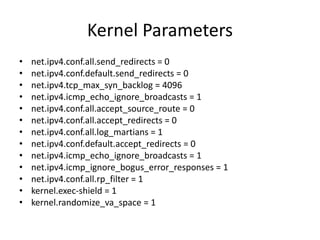
Kernel Parameters
• net.ipv4.conf.all.send_redirects = 0
• net.ipv4.conf.default.send_redirects = 0
• net.ipv4.tcp_max_syn_backlog = 4096
• net.ipv4.icmp_echo_ignore_broadcasts = 1
• net.ipv4.conf.all.accept_source_route = 0
• net.ipv4.conf.all.accept_redirects = 0
• net.ipv4.conf.all.log_martians = 1
• net.ipv4.conf.default.accept_redirects = 0
• net.ipv4.icmp_echo_ignore_broadcasts = 1
• net.ipv4.icmp_ignore_bogus_error_responses = 1
• net.ipv4.conf.all.rp_filter = 1
• kernel.exec-shield = 1
• kernel.randomize_va_space = 1
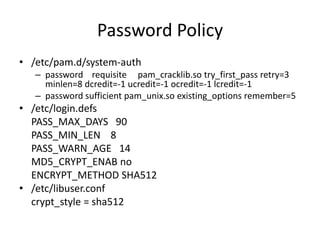
Password Policy
• /etc/pam.d/system-auth
– password requisite pam_cracklib.so try_first_pass retry=3
minlen=8 dcredit=-1 ucredit=-1 ocredit=-1 lcredit=-1
– password sufficient pam_unix.so existing_options remember=5
• /etc/login.defs
PASS_MAX_DAYS 90
PASS_MIN_LEN 8
PASS_WARN_AGE 14
MD5_CRYPT_ENAB no
ENCRYPT_METHOD SHA512
• /etc/libuser.conf
crypt_style = sha512
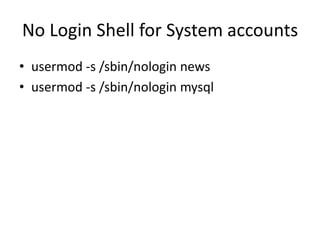
No Login Shell for System accounts
• usermod -s /sbin/nologin news
• usermod -s /sbin/nologin mysql
Disable Core Dump
• /etc/profile
– ulimit -S -c 0 > /dev/null 2>&1
• /etc/security/limits.conf
– * hard core 0
• sysctl -w fs.suid_dumpable=0
Securing SSH
• /etc/ssh/sshd_config
– PermitRootLogin no
– PermitEmptyPasswords no
– IgnoreRhosts yes
– UsePrivilegeSeparation yes
– Protocol 2
– X11Forwarding no
Lets Start Playing with the Packet
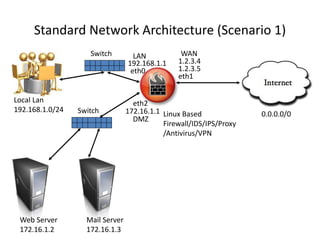
Standard Network Architecture (Scenario 1)
Web Server
172.16.1.2
Local Lan
192.168.1.0/24
Linux Based
Firewall/IDS/IPS/Proxy
/Antivirus/VPN
Mail Server
172.16.1.3
Switch
Switch
eth0
eth2
eth1
0.0.0.0/0
1.2.3.4192.168.1.1
172.16.1.1
LAN WAN
DMZ
1.2.3.5
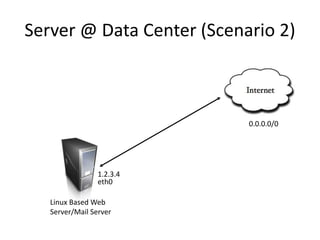
Server @ Data Center (Scenario 2)
Linux Based Web
Server/Mail Server
0.0.0.0/0
1.2.3.4
eth0
Important Files
• /etc/init.d/iptables
– start
– stop
– restart
– status
• /etc/sysconfig/iptables
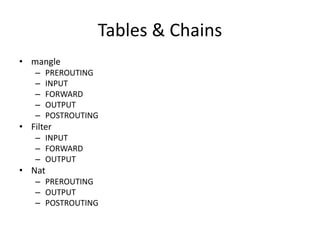
Tables & Chains
• mangle
– PREROUTING
– INPUT
– FORWARD
– OUTPUT
– POSTROUTING
• Filter
– INPUT
– FORWARD
– OUTPUT
• Nat
– PREROUTING
– OUTPUT
– POSTROUTING
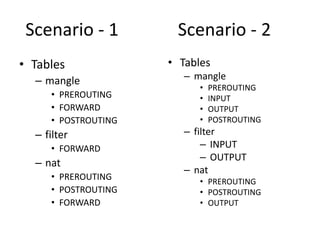
Scenario - 1
• Tables
– mangle
• PREROUTING
• FORWARD
• POSTROUTING
– filter
• FORWARD
– nat
• PREROUTING
• POSTROUTING
• FORWARD
• Tables
– mangle
• PREROUTING
• INPUT
• OUTPUT
• POSTROUTING
– filter
– INPUT
– OUTPUT
– nat
• PREROUTING
• POSTROUTING
• OUTPUT
Scenario - 2
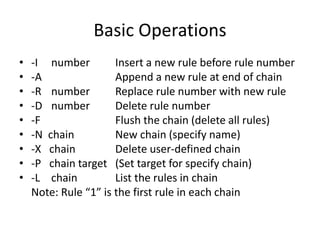
Basic Operations
• -I number Insert a new rule before rule number
• -A Append a new rule at end of chain
• -R number Replace rule number with new rule
• -D number Delete rule number
• -F Flush the chain (delete all rules)
• -N chain New chain (specify name)
• -X chain Delete user-defined chain
• -P chain target (Set target for specify chain)
• -L chain List the rules in chain
Note: Rule “1” is the first rule in each chain
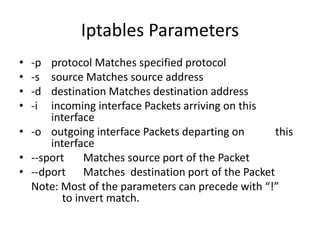
Iptables Parameters
• -p protocol Matches specified protocol
• -s source Matches source address
• -d destination Matches destination address
• -i incoming interface Packets arriving on this
interface
• -o outgoing interface Packets departing on this
interface
• --sport Matches source port of the Packet
• --dport Matches destination port of the Packet
Note: Most of the parameters can precede with “!”
to invert match.
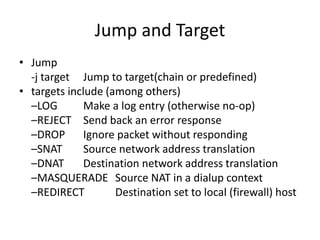
Jump and Target
• Jump
-j target Jump to target(chain or predefined)
• targets include (among others)
–LOG Make a log entry (otherwise no-op)
–REJECT Send back an error response
–DROP Ignore packet without responding
–SNAT Source network address translation
–DNAT Destination network address translation
–MASQUERADE Source NAT in a dialup context
–REDIRECT Destination set to local (firewall) host
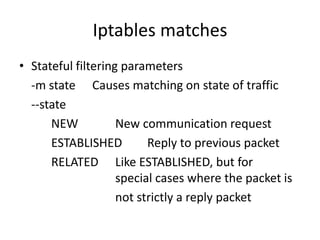
Iptables matches
• Stateful filtering parameters
-m state Causes matching on state of traffic
--state
NEW New communication request
ESTABLISHED Reply to previous packet
RELATED Like ESTABLISHED, but for
special cases where the packet is
not strictly a reply packet
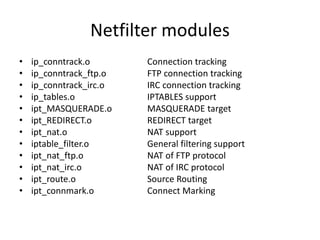
Netfilter modules
• ip_conntrack.o Connection tracking
• ip_conntrack_ftp.o FTP connection tracking
• ip_conntrack_irc.o IRC connection tracking
• ip_tables.o IPTABLES support
• ipt_MASQUERADE.o MASQUERADE target
• ipt_REDIRECT.o REDIRECT target
• ipt_nat.o NAT support
• iptable_filter.o General filtering support
• ipt_nat_ftp.o NAT of FTP protocol
• ipt_nat_irc.o NAT of IRC protocol
• ipt_route.o Source Routing
• ipt_connmark.o Connect Marking
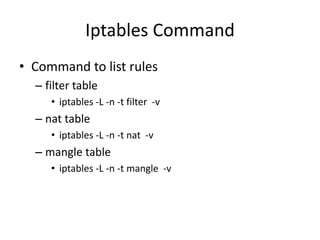
Iptables Command
• Command to list rules
– filter table
• iptables -L -n -t filter -v
– nat table
• iptables -L -n -t nat -v
– mangle table
• iptables -L -n -t mangle -v
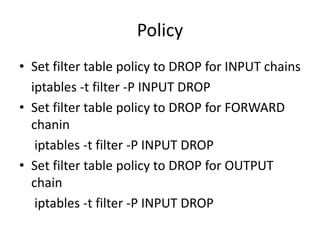
Policy
• Set filter table policy to DROP for INPUT chains
iptables -t filter -P INPUT DROP
• Set filter table policy to DROP for FORWARD
chanin
iptables -t filter -P INPUT DROP
• Set filter table policy to DROP for OUTPUT
chain
iptables -t filter -P INPUT DROP
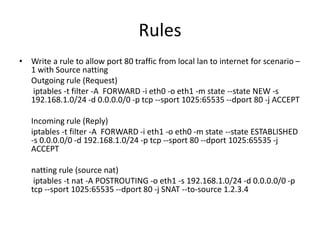
Rules
• Write a rule to allow port 80 traffic from local lan to internet for scenario –
1 with Source natting
Outgoing rule (Request)
iptables -t filter -A FORWARD -i eth0 -o eth1 -m state --state NEW -s
192.168.1.0/24 -d 0.0.0.0/0 -p tcp --sport 1025:65535 --dport 80 -j ACCEPT
Incoming rule (Reply)
iptables -t filter -A FORWARD -i eth1 -o eth0 -m state --state ESTABLISHED
-s 0.0.0.0/0 -d 192.168.1.0/24 -p tcp --sport 80 --dport 1025:65535 -j
ACCEPT
natting rule (source nat)
iptables -t nat -A POSTROUTING -o eth1 -s 192.168.1.0/24 -d 0.0.0.0/0 -p
tcp --sport 1025:65535 --dport 80 -j SNAT --to-source 1.2.3.4
Rules
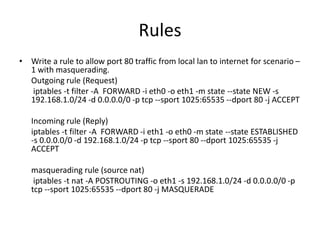
• Write a rule to allow port 80 traffic from local lan to internet for scenario –
1 with masquerading.
Outgoing rule (Request)
iptables -t filter -A FORWARD -i eth0 -o eth1 -m state --state NEW -s
192.168.1.0/24 -d 0.0.0.0/0 -p tcp --sport 1025:65535 --dport 80 -j ACCEPT
Incoming rule (Reply)
iptables -t filter -A FORWARD -i eth1 -o eth0 -m state --state ESTABLISHED
-s 0.0.0.0/0 -d 192.168.1.0/24 -p tcp --sport 80 --dport 1025:65535 -j
ACCEPT
masquerading rule (source nat)
iptables -t nat -A POSTROUTING -o eth1 -s 192.168.1.0/24 -d 0.0.0.0/0 -p
tcp --sport 1025:65535 --dport 80 -j MASQUERADE
Rules
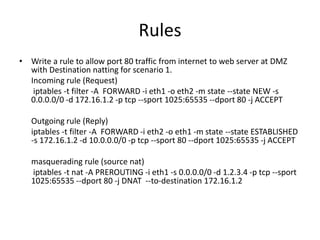
• Write a rule to allow port 80 traffic from internet to web server at DMZ
with Destination natting for scenario 1.
Incoming rule (Request)
iptables -t filter -A FORWARD -i eth1 -o eth2 -m state --state NEW -s
0.0.0.0/0 -d 172.16.1.2 -p tcp --sport 1025:65535 --dport 80 -j ACCEPT
Outgoing rule (Reply)
iptables -t filter -A FORWARD -i eth2 -o eth1 -m state --state ESTABLISHED
-s 172.16.1.2 -d 10.0.0.0/0 -p tcp --sport 80 --dport 1025:65535 -j ACCEPT
masquerading rule (source nat)
iptables -t nat -A PREROUTING -i eth1 -s 0.0.0.0/0 -d 1.2.3.4 -p tcp --sport
1025:65535 --dport 80 -j DNAT --to-destination 172.16.1.2
Rules
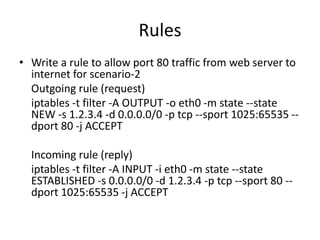
• Write a rule to allow port 80 traffic from web server to
internet for scenario-2
Outgoing rule (request)
iptables -t filter -A OUTPUT -o eth0 -m state --state
NEW -s 1.2.3.4 -d 0.0.0.0/0 -p tcp --sport 1025:65535 --
dport 80 -j ACCEPT
Incoming rule (reply)
iptables -t filter -A INPUT -i eth0 -m state --state
ESTABLISHED -s 0.0.0.0/0 -d 1.2.3.4 -p tcp --sport 80 --
dport 1025:65535 -j ACCEPT
Rules
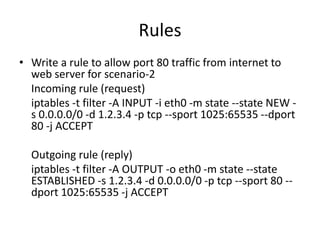
• Write a rule to allow port 80 traffic from internet to
web server for scenario-2
Incoming rule (request)
iptables -t filter -A INPUT -i eth0 -m state --state NEW -
s 0.0.0.0/0 -d 1.2.3.4 -p tcp --sport 1025:65535 --dport
80 -j ACCEPT
Outgoing rule (reply)
iptables -t filter -A OUTPUT -o eth0 -m state --state
ESTABLISHED -s 1.2.3.4 -d 0.0.0.0/0 -p tcp --sport 80 --
dport 1025:65535 -j ACCEPT
Performance tunning
• iptables -t filter -A INPUT -m state --state
ESTABLISHE,RELATED -j ACCEPT
• iptables -t filter -A OUTPUT -m state --state
ESTABLISHE,RELATED -j ACCEPT
• iptables -t filter -A FORWARD -m state --state
ESTABLISHE,RELATED -j ACCEPT
Reference
• http://www.blogabc.net/i460_linux_network_
optimize_with_sysctl.htm
• http://www.linuxhomenetworking.com/wiki/i
ndex.php/Quick_HOWTO_:_Ch14_:_Linux_Fir
ewalls_Using_iptables
Question?
Thank You
Murtuja Bharmal
void@null.co.in

How to convert your Linux box into Security Gateway - Part 1

  • 1.
    Convert your Linuxbox in to security Gateway Part-1 By Murtuja Bharmal void@null.co.in
  • 2.
    About Me • NowWork Busy Man…. • Unemployed…. • Interest…. /dev/random…. • Co-founder of null…. :-D • X-IBMer’s ….. • Dal, Roti ka jugad, Security Consulting/Training
  • 3.
    Prerequisites • Basic conceptof networking/routing/natting. • Knowledge of TCP/IP model & communication protocol IP, TCP, UDP, ICMP, DNS, HTTP/S, SMTP, FTP etc. • How to Install and use Linux OS • Some hands on Linux command line
  • 4.
    Full Picture • SecurityFeatures of Linux.. • Hardening OS • Firewall Concept/Configuration • VPN Concept/Configuration • IDS/IPS Concept/Configuration • Proxy Concept/Configuration • Antivirus Concept/Configuration • Hardening Services i.e. Web Server/Mail Server/Database etc.
  • 5.
    Agenda for Today •Hardening OS – Minimizing Services – Kernel Parameters – Password Policies – No Login Shell for System accounts – Disable Core dumps – Securing SSH login
  • 6.
    Agenda for Today(Cont) •IPTables Firewall – tables – Chains – Traversing of tables and chains – Basic Operations – iptables Parameters – iptables traget and jumpss – iptables matches – Netfilter modules – iptables Commands – Policy – iptables Rules
  • 7.
    Minimizing Services • 1.portmap – Used with Remote procedure call services. Listens on port 111. • 2. nfslock – Used with Network File Sharing services. Listens on random registered ports. • 3. avahi-daemon – Multicast DNS service. Listens on (Multicast) UDP port 5353. • 4. cups – Printer service. Listens on port 631. • 5. gpm: Cut/Paste utility for virtual consoles. • 6. hidd: Bluetooth HID service. • 7. mcstrans – required By SELinux. • 8. xfs – X Font server for X windows system. • 9. netfs – Automounting of shared network file space such as NFS, Samba, etc on bootup. • 10. setroubleshoot – SELinux Troubleshooting Daemon. • 11. pcscd – Provides support for Smart Cards and Smart Card Readers. • 12. rpcidmapd – Used for Net File Sharing V4. • 13. restorecond – Complementary service to SELinux. • 14. rpcgssd – Used for Net File Sharing V4. • 15. mdmonitor – A monitoring Software RAID or LVM information. • 16. microcode_ctl – A microcode utility for use with Intel IA32 processors.
  • 8.
    Kernel Parameters • net.ipv4.conf.all.send_redirects= 0 • net.ipv4.conf.default.send_redirects = 0 • net.ipv4.tcp_max_syn_backlog = 4096 • net.ipv4.icmp_echo_ignore_broadcasts = 1 • net.ipv4.conf.all.accept_source_route = 0 • net.ipv4.conf.all.accept_redirects = 0 • net.ipv4.conf.all.log_martians = 1 • net.ipv4.conf.default.accept_redirects = 0 • net.ipv4.icmp_echo_ignore_broadcasts = 1 • net.ipv4.icmp_ignore_bogus_error_responses = 1 • net.ipv4.conf.all.rp_filter = 1 • kernel.exec-shield = 1 • kernel.randomize_va_space = 1
  • 9.
    Password Policy • /etc/pam.d/system-auth –password requisite pam_cracklib.so try_first_pass retry=3 minlen=8 dcredit=-1 ucredit=-1 ocredit=-1 lcredit=-1 – password sufficient pam_unix.so existing_options remember=5 • /etc/login.defs PASS_MAX_DAYS 90 PASS_MIN_LEN 8 PASS_WARN_AGE 14 MD5_CRYPT_ENAB no ENCRYPT_METHOD SHA512 • /etc/libuser.conf crypt_style = sha512
  • 10.
    No Login Shellfor System accounts • usermod -s /sbin/nologin news • usermod -s /sbin/nologin mysql
  • 11.
    Disable Core Dump •/etc/profile – ulimit -S -c 0 > /dev/null 2>&1 • /etc/security/limits.conf – * hard core 0 • sysctl -w fs.suid_dumpable=0
  • 12.
    Securing SSH • /etc/ssh/sshd_config –PermitRootLogin no – PermitEmptyPasswords no – IgnoreRhosts yes – UsePrivilegeSeparation yes – Protocol 2 – X11Forwarding no
  • 13.
    Lets Start Playingwith the Packet
  • 14.
    Standard Network Architecture(Scenario 1) Web Server 172.16.1.2 Local Lan 192.168.1.0/24 Linux Based Firewall/IDS/IPS/Proxy /Antivirus/VPN Mail Server 172.16.1.3 Switch Switch eth0 eth2 eth1 0.0.0.0/0 1.2.3.4192.168.1.1 172.16.1.1 LAN WAN DMZ 1.2.3.5
  • 15.
    Server @ DataCenter (Scenario 2) Linux Based Web Server/Mail Server 0.0.0.0/0 1.2.3.4 eth0
  • 16.
    Important Files • /etc/init.d/iptables –start – stop – restart – status • /etc/sysconfig/iptables
  • 17.
    Tables & Chains •mangle – PREROUTING – INPUT – FORWARD – OUTPUT – POSTROUTING • Filter – INPUT – FORWARD – OUTPUT • Nat – PREROUTING – OUTPUT – POSTROUTING
  • 18.
    Scenario - 1 •Tables – mangle • PREROUTING • FORWARD • POSTROUTING – filter • FORWARD – nat • PREROUTING • POSTROUTING • FORWARD • Tables – mangle • PREROUTING • INPUT • OUTPUT • POSTROUTING – filter – INPUT – OUTPUT – nat • PREROUTING • POSTROUTING • OUTPUT Scenario - 2
  • 20.
    Basic Operations • -Inumber Insert a new rule before rule number • -A Append a new rule at end of chain • -R number Replace rule number with new rule • -D number Delete rule number • -F Flush the chain (delete all rules) • -N chain New chain (specify name) • -X chain Delete user-defined chain • -P chain target (Set target for specify chain) • -L chain List the rules in chain Note: Rule “1” is the first rule in each chain
  • 21.
    Iptables Parameters • -pprotocol Matches specified protocol • -s source Matches source address • -d destination Matches destination address • -i incoming interface Packets arriving on this interface • -o outgoing interface Packets departing on this interface • --sport Matches source port of the Packet • --dport Matches destination port of the Packet Note: Most of the parameters can precede with “!” to invert match.
  • 22.
    Jump and Target •Jump -j target Jump to target(chain or predefined) • targets include (among others) –LOG Make a log entry (otherwise no-op) –REJECT Send back an error response –DROP Ignore packet without responding –SNAT Source network address translation –DNAT Destination network address translation –MASQUERADE Source NAT in a dialup context –REDIRECT Destination set to local (firewall) host
  • 23.
    Iptables matches • Statefulfiltering parameters -m state Causes matching on state of traffic --state NEW New communication request ESTABLISHED Reply to previous packet RELATED Like ESTABLISHED, but for special cases where the packet is not strictly a reply packet
  • 24.
    Netfilter modules • ip_conntrack.oConnection tracking • ip_conntrack_ftp.o FTP connection tracking • ip_conntrack_irc.o IRC connection tracking • ip_tables.o IPTABLES support • ipt_MASQUERADE.o MASQUERADE target • ipt_REDIRECT.o REDIRECT target • ipt_nat.o NAT support • iptable_filter.o General filtering support • ipt_nat_ftp.o NAT of FTP protocol • ipt_nat_irc.o NAT of IRC protocol • ipt_route.o Source Routing • ipt_connmark.o Connect Marking
  • 25.
    Iptables Command • Commandto list rules – filter table • iptables -L -n -t filter -v – nat table • iptables -L -n -t nat -v – mangle table • iptables -L -n -t mangle -v
  • 26.
    Policy • Set filtertable policy to DROP for INPUT chains iptables -t filter -P INPUT DROP • Set filter table policy to DROP for FORWARD chanin iptables -t filter -P INPUT DROP • Set filter table policy to DROP for OUTPUT chain iptables -t filter -P INPUT DROP
  • 27.
    Rules • Write arule to allow port 80 traffic from local lan to internet for scenario – 1 with Source natting Outgoing rule (Request) iptables -t filter -A FORWARD -i eth0 -o eth1 -m state --state NEW -s 192.168.1.0/24 -d 0.0.0.0/0 -p tcp --sport 1025:65535 --dport 80 -j ACCEPT Incoming rule (Reply) iptables -t filter -A FORWARD -i eth1 -o eth0 -m state --state ESTABLISHED -s 0.0.0.0/0 -d 192.168.1.0/24 -p tcp --sport 80 --dport 1025:65535 -j ACCEPT natting rule (source nat) iptables -t nat -A POSTROUTING -o eth1 -s 192.168.1.0/24 -d 0.0.0.0/0 -p tcp --sport 1025:65535 --dport 80 -j SNAT --to-source 1.2.3.4
  • 28.
    Rules • Write arule to allow port 80 traffic from local lan to internet for scenario – 1 with masquerading. Outgoing rule (Request) iptables -t filter -A FORWARD -i eth0 -o eth1 -m state --state NEW -s 192.168.1.0/24 -d 0.0.0.0/0 -p tcp --sport 1025:65535 --dport 80 -j ACCEPT Incoming rule (Reply) iptables -t filter -A FORWARD -i eth1 -o eth0 -m state --state ESTABLISHED -s 0.0.0.0/0 -d 192.168.1.0/24 -p tcp --sport 80 --dport 1025:65535 -j ACCEPT masquerading rule (source nat) iptables -t nat -A POSTROUTING -o eth1 -s 192.168.1.0/24 -d 0.0.0.0/0 -p tcp --sport 1025:65535 --dport 80 -j MASQUERADE
  • 29.
    Rules • Write arule to allow port 80 traffic from internet to web server at DMZ with Destination natting for scenario 1. Incoming rule (Request) iptables -t filter -A FORWARD -i eth1 -o eth2 -m state --state NEW -s 0.0.0.0/0 -d 172.16.1.2 -p tcp --sport 1025:65535 --dport 80 -j ACCEPT Outgoing rule (Reply) iptables -t filter -A FORWARD -i eth2 -o eth1 -m state --state ESTABLISHED -s 172.16.1.2 -d 10.0.0.0/0 -p tcp --sport 80 --dport 1025:65535 -j ACCEPT masquerading rule (source nat) iptables -t nat -A PREROUTING -i eth1 -s 0.0.0.0/0 -d 1.2.3.4 -p tcp --sport 1025:65535 --dport 80 -j DNAT --to-destination 172.16.1.2
  • 30.
    Rules • Write arule to allow port 80 traffic from web server to internet for scenario-2 Outgoing rule (request) iptables -t filter -A OUTPUT -o eth0 -m state --state NEW -s 1.2.3.4 -d 0.0.0.0/0 -p tcp --sport 1025:65535 -- dport 80 -j ACCEPT Incoming rule (reply) iptables -t filter -A INPUT -i eth0 -m state --state ESTABLISHED -s 0.0.0.0/0 -d 1.2.3.4 -p tcp --sport 80 -- dport 1025:65535 -j ACCEPT
  • 31.
    Rules • Write arule to allow port 80 traffic from internet to web server for scenario-2 Incoming rule (request) iptables -t filter -A INPUT -i eth0 -m state --state NEW - s 0.0.0.0/0 -d 1.2.3.4 -p tcp --sport 1025:65535 --dport 80 -j ACCEPT Outgoing rule (reply) iptables -t filter -A OUTPUT -o eth0 -m state --state ESTABLISHED -s 1.2.3.4 -d 0.0.0.0/0 -p tcp --sport 80 -- dport 1025:65535 -j ACCEPT
  • 32.
    Performance tunning • iptables-t filter -A INPUT -m state --state ESTABLISHE,RELATED -j ACCEPT • iptables -t filter -A OUTPUT -m state --state ESTABLISHE,RELATED -j ACCEPT • iptables -t filter -A FORWARD -m state --state ESTABLISHE,RELATED -j ACCEPT
  • 33.
  • 34.
  • 35.