


LinuxCNC初探
DMP Electronics Inc.
intern 陳伯綸(中正資工OS-Lab)
Outline
● About CNC
● LinuxCNC:Install、Settings、compiler
● LinuxCNC Software Overview
● LinuxCNC HAL development
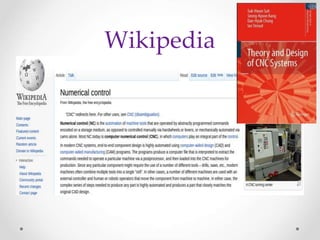
Wikipedia
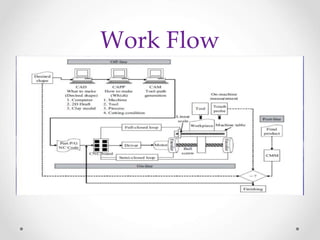
Work Flow
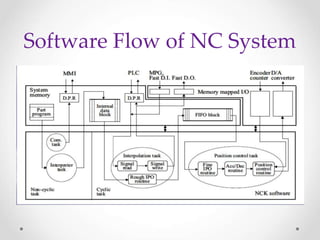
Software Flow of NC System
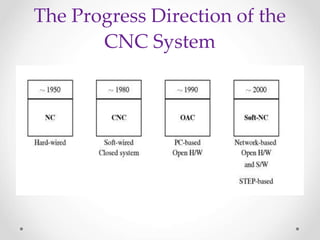
The Progress Direction of the
CNC System
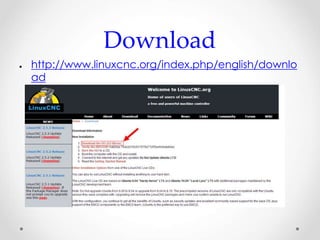
Download
● http://www.linuxcnc.org/index.php/english/downlo
ad
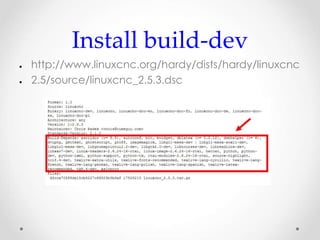
Install build-dev
● http://www.linuxcnc.org/hardy/dists/hardy/linuxcnc
● 2.5/source/linuxcnc_2.5.3.dsc
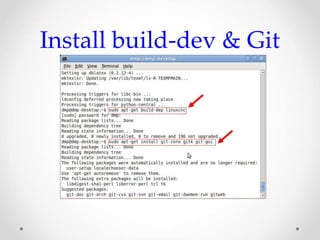
Install build-dev & Git
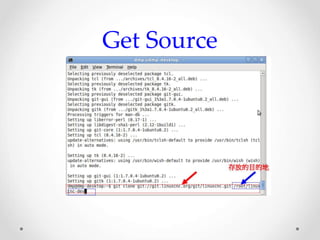
Get Source
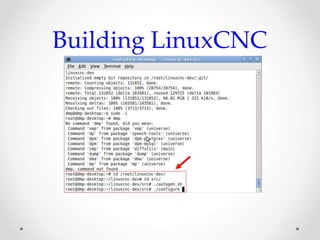
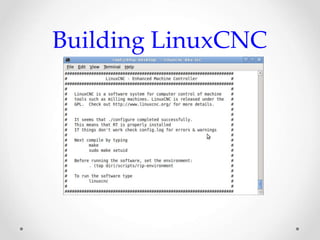
Building LinuxCNC
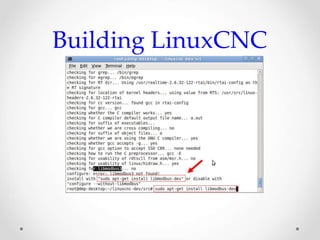
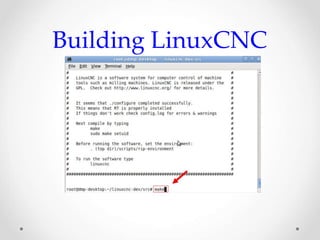
Building LinuxCNC
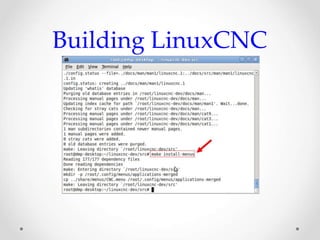
Building LinuxCNC
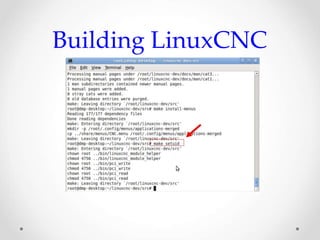
Building LinuxCNC
Building LinuxCNC
Building LinuxCNC
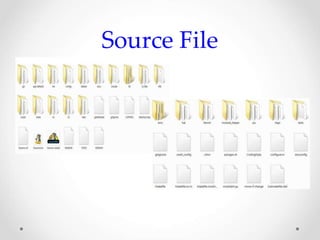
Source File
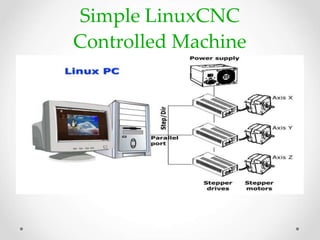
Simple LinuxCNC
Controlled Machine
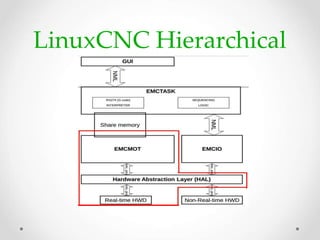
LinuxCNC Hierarchical
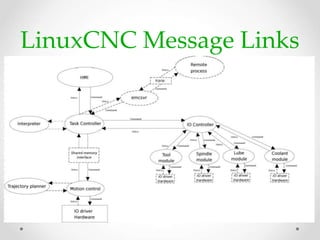
LinuxCNC Message Links
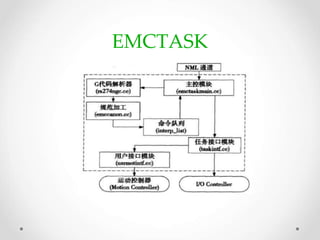
EMCTASK
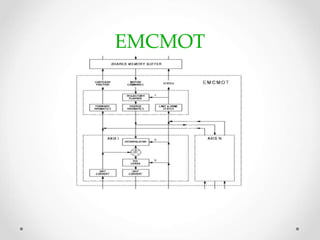
EMCMOT
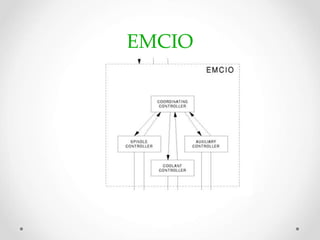
EMCIO
The Configuration Files
 INI : The ini file overrides defaults that are compiled into the
LinuxCNC code.
 HAL: The HAL files start up process modules and provide
linkages between LinuxCNC signals and specific hardware
pins.
 VAR: The var file is a way for the interpreter to save some
values from one run to the next. These values are saved from
one run to another but not always saved immediately.
 TBL:The tbl file saves tool information.
 NML: The nml file configures the communication channels
used by the LinuxCNC. It is normally setup to run all of the
communication within a single computer but can be modified
to communicate between several computers.
The Configuration Files
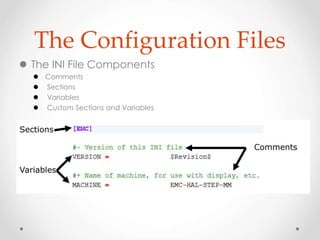
 The INI File Components
 Comments
 Sections
 Variables
 Custom Sections and Variables
The Configuration Files
 Hardware Abstraction Layer (HAL)
 Component
 Parameter
 Pin
 Physical_Pin
 Signal
 Type
 Function
 Thread
Hardware Abstraction Layer
(HAL)
 Component
 A HAL component is a piece of software with well-defined inputs, outputs,
and behavior, that can be installed and interconnected as needed.
 Parameter
 Many hardware components have adjustments that are not connected
to any other components but still need to be accessed. There are two
types of parameters: input & Output .
 Pin
 Hardware components have terminals which are used to interconnect
them. The HAL equivalent is a pin or HAL pin. HAL pins are software entities
that exist only inside the computer.
 Physical_Pin
 Many I/O devices have real physical pins or terminals that connect to
external hardware. To avoid confusion, these are referred to as physical
pins. These are the things that stick out into the real world.
Hardware Abstraction Layer
(HAL)
 Signal
 In a physical machine, the terminals of real hardware components are
interconnected by wires.
 Type
 Bit - a single TRUE/FALSE or ON/OFF value
 float - a 64 bit floating point value, with approximately 53 bits of resolution
and over 1000 bits of dynamic range.
 u32 - a 32 bit unsigned integer, legal values are 0 to 4,294,967,295
 s32 - a 32 bit signed integer, legal values are -2,147,483,647 to
+2,147,483,647
 Both pins and signals have types, and signals can only be connected to
pins of the same type
Hardware Abstraction Layer
(HAL)
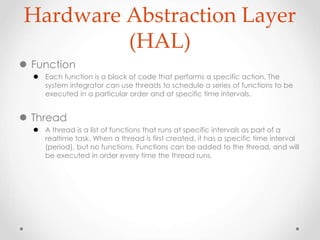
 Function
 Each function is a block of code that performs a specific action. The
system integrator can use threads to schedule a series of functions to be
executed in a particular order and at specific time intervals.
 Thread
 A thread is a list of functions that runs at specific intervals as part of a
realtime task. When a thread is first created, it has a specific time interval
(period), but no functions. Functions can be added to the thread, and will
be executed in order every time the thread runs.
Hardware Abstraction Layer
(HAL)
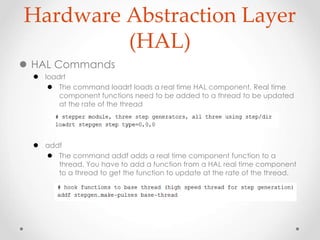
 HAL Commands
 loadrt
 The command loadrt loads a real time HAL component. Real time
component functions need to be added to a thread to be updated
at the rate of the thread
 addf
 The command addf adds a real time component function to a
thread. You have to add a function from a HAL real time component
to a thread to get the function to update at the rate of the thread.
Hardware Abstraction Layer
(HAL)
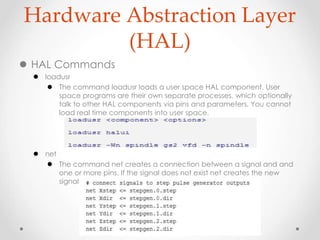
 HAL Commands
 loadusr
 The command loadusr loads a user space HAL component. User
space programs are their own separate processes, which optionally
talk to other HAL components via pins and parameters. You cannot
load real time components into user space.
 net
 The command net creates a connection between a signal and and
one or more pins. If the signal does not exist net creates the new
signal.
Hardware Abstraction Layer
(HAL)
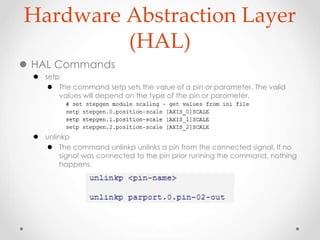
 HAL Commands
 setp
 The command setp sets the value of a pin or parameter. The valid
values will depend on the type of the pin or parameter.
 unlinkp
 The command unlinkp unlinks a pin from the connected signal. If no
signal was connected to the pin prior running the command, nothing
happens.
LinuxCNC HAL
development
Show me the coding
Thanks for your listening

Linux cnc overview

  • 1.
    LinuxCNC初探 DMP Electronics Inc. intern陳伯綸(中正資工OS-Lab)
  • 2.
    Outline ● About CNC ●LinuxCNC:Install、Settings、compiler ● LinuxCNC Software Overview ● LinuxCNC HAL development
  • 3.
  • 4.
  • 5.
  • 6.
    The Progress Directionof the CNC System
  • 7.
  • 8.
  • 9.
  • 10.
  • 11.
  • 12.
  • 13.
  • 14.
  • 15.
  • 16.
  • 17.
  • 18.
  • 19.
  • 20.
  • 21.
  • 22.
  • 23.
  • 24.
    The Configuration Files INI : The ini file overrides defaults that are compiled into the LinuxCNC code.  HAL: The HAL files start up process modules and provide linkages between LinuxCNC signals and specific hardware pins.  VAR: The var file is a way for the interpreter to save some values from one run to the next. These values are saved from one run to another but not always saved immediately.  TBL:The tbl file saves tool information.  NML: The nml file configures the communication channels used by the LinuxCNC. It is normally setup to run all of the communication within a single computer but can be modified to communicate between several computers.
  • 25.
    The Configuration Files The INI File Components  Comments  Sections  Variables  Custom Sections and Variables
  • 26.
    The Configuration Files Hardware Abstraction Layer (HAL)  Component  Parameter  Pin  Physical_Pin  Signal  Type  Function  Thread
  • 27.
    Hardware Abstraction Layer (HAL) Component  A HAL component is a piece of software with well-defined inputs, outputs, and behavior, that can be installed and interconnected as needed.  Parameter  Many hardware components have adjustments that are not connected to any other components but still need to be accessed. There are two types of parameters: input & Output .  Pin  Hardware components have terminals which are used to interconnect them. The HAL equivalent is a pin or HAL pin. HAL pins are software entities that exist only inside the computer.  Physical_Pin  Many I/O devices have real physical pins or terminals that connect to external hardware. To avoid confusion, these are referred to as physical pins. These are the things that stick out into the real world.
  • 28.
    Hardware Abstraction Layer (HAL) Signal  In a physical machine, the terminals of real hardware components are interconnected by wires.  Type  Bit - a single TRUE/FALSE or ON/OFF value  float - a 64 bit floating point value, with approximately 53 bits of resolution and over 1000 bits of dynamic range.  u32 - a 32 bit unsigned integer, legal values are 0 to 4,294,967,295  s32 - a 32 bit signed integer, legal values are -2,147,483,647 to +2,147,483,647  Both pins and signals have types, and signals can only be connected to pins of the same type
  • 29.
    Hardware Abstraction Layer (HAL) Function  Each function is a block of code that performs a specific action. The system integrator can use threads to schedule a series of functions to be executed in a particular order and at specific time intervals.  Thread  A thread is a list of functions that runs at specific intervals as part of a realtime task. When a thread is first created, it has a specific time interval (period), but no functions. Functions can be added to the thread, and will be executed in order every time the thread runs.
  • 30.
    Hardware Abstraction Layer (HAL) HAL Commands  loadrt  The command loadrt loads a real time HAL component. Real time component functions need to be added to a thread to be updated at the rate of the thread  addf  The command addf adds a real time component function to a thread. You have to add a function from a HAL real time component to a thread to get the function to update at the rate of the thread.
  • 31.
    Hardware Abstraction Layer (HAL) HAL Commands  loadusr  The command loadusr loads a user space HAL component. User space programs are their own separate processes, which optionally talk to other HAL components via pins and parameters. You cannot load real time components into user space.  net  The command net creates a connection between a signal and and one or more pins. If the signal does not exist net creates the new signal.
  • 32.
    Hardware Abstraction Layer (HAL) HAL Commands  setp  The command setp sets the value of a pin or parameter. The valid values will depend on the type of the pin or parameter.  unlinkp  The command unlinkp unlinks a pin from the connected signal. If no signal was connected to the pin prior running the command, nothing happens.
  • 33.
  • 34.
    Thanks for yourlistening