Juniper JNCIA
ASM Educational Center Inc. (ASM)
Where Training,Technology& Service Converge
CheckoutourJuniperTrainingVideos:www.asmed.com/j1
Juniper RIP Route Configuration
Understanding Basic RIP Routing
RIP is an interior gateway protocol (IGP) that routes packets within a single
autonomous system (AS). By default, RIP does not advertise the subnets
that are directly connected through the device's interfaces. For traffic to
pass through a RIP network, you must create a routing policy to export
these routes. Advertising only the direct routes propagates the routes to the
immediately adjacent RIP-enabled router only. To propagate all routes
through the entire RIP network, you must configure the routing policy to
export the routes learned through RIP.
Juniper RIP Route Configuration
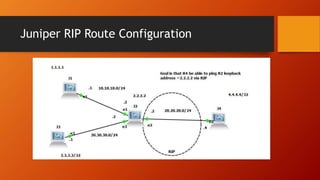
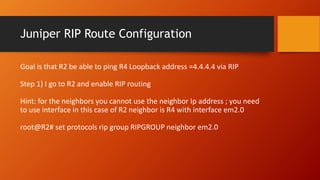
Goal is that R2 be able to ping R4 Loopback address =4.4.4.4 via RIP
Step 1) I go to R2 and enable RIP routing
Hint: for the neighbors you cannot use the neighbor Ip address ; you need
to use interface in this case of R2 neighbor is R4 with interface em2.0
root@R2# set protocols rip group RIPGROUP neighbor em2.0
Juniper RIP Route Configuration
Now When I go to R4#show route I do not see any neighbor yet
root@R4> show route
inet.0: 3 destinations, 3 routes (3 active, 0 holddown, 0 hidden)
+ = Active Route, - = Last Active, * = Both
4.4.4.4/32 *[Direct/0] 00:40:13
> via lo0.0
20.20.20.0/24 *[Direct/0] 00:42:30
> via em2.0
20.20.20.4/32 *[Local/0] 00:42:30
Local via em2.0
Juniper RIP Route Configuration
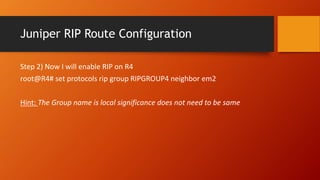
Step 2) Now I will enable RIP on R4
root@R4# set protocols rip group RIPGROUP4 neighbor em2
Hint: The Group name is local significance does not need to be same
Juniper RIP Route Configuration
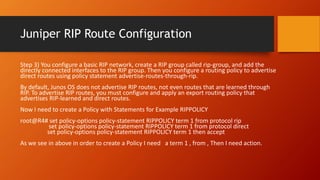
Step 3) You configure a basic RIP network, create a RIP group called rip-group, and add the
directly connected interfaces to the RIP group. Then you configure a routing policy to advertise
direct routes using policy statement advertise-routes-through-rip.
By default, Junos OS does not advertise RIP routes, not even routes that are learned through
RIP. To advertise RIP routes, you must configure and apply an export routing policy that
advertises RIP-learned and direct routes.
Now I need to create a Policy with Statements for Example RIPPOLICY
root@R4# set policy-options policy-statement RIPPOLICY term 1 from protocol rip
set policy-options policy-statement RIPPOLICY term 1 from protocol direct
set policy-options policy-statement RIPPOLICY term 1 then accept
As we see in above in order to create a Policy I need a term 1 , from , Then I need action.
Juniper RIP Route Configuration
Here is show configuration so far on R4#
policy-options {
policy-statement RIPPOLICY {
term 1 {
from protocol [ rip direct ];
then accept;
}
}
}
Now we need to export (Apply) this policy to Rip Group Called RIPGROUP4
root@R4# set protocols rip group RIPGROUP4 export RIPPOLICY
Juniper RIP Route Configuration
Hint: I need to do export ; since we are trying to bring ( the directed Connected network) to the
RIP , now let say on the left we had OPSF network between R1, R2,R3 and we need all those
Loopback of R1,R2,R3 being seen inside the RIP Network or routing table of R4 ,then I need to
have this on my policy option ( instead of RIP I will have OSPF) . We will do this on next Lab
policy-options {
policy-statement OSPFPOLICY {
term 1 {
from protocol [ OSPF ];
then accept;
}
}
}
So on R4 we have this so far :
R4> Show configuration
Juniper RIP Route Configuration
protocols {
rip {
group RIPGROUP4 {
export RIPPOLICY;
neighbor em2.0;
}
}
}
policy-options {
policy-statement RIPPOLICY {
term 1 {
from protocol [ rip direct ];
then accept;
}
}
}
Juniper RIP Route Configuration
Step 4) Now If I go to R2 and do show route I will see the loopback address of R4=4.4.4.4
root@R2> show route
inet.0: 9 destinations, 9 routes (9 active, 0 holddown, 0 hidden)
+ = Active Route, - = Last Active, * = Both
2.2.2.2/32 *[Direct/0] 01:14:43
> via lo0.0
4.4.4.4/32 *[RIP/100] 00:14:27, metric 2, tag 0
> to 20.20.20.4 via em2.0
10.10.10.0/24 *[Direct/0] 01:28:38
> via em1.0
10.10.10.2/32 *[Local/0] 01:28:38
Local via em1.0
20.20.20.0/24 *[Direct/0] 01:28:37
> via em2.0
20.20.20.2/32 *[Local/0] 01:28:37
Local via em2.0
30.30.30.0/24 *[Direct/0] 01:28:37
> via em3.0
30.30.30.2/32 *[Local/0] 01:28:37
Local via em3.0
224.0.0.9/32 *[RIP/100] 00:52:33, metric 1
MultiRecv
Juniper RIP Route Configuration
Now why I see it? Since On the R4 I did export the Policy; but If I go to R4 and do show route I do not see the
loopback of R2=2.2.2.2 , since On the R2 I did not export the Policy .
root@R4> show route
inet.0: 4 destinations, 4 routes (4 active, 0 holddown, 0 hidden)
+ = Active Route, - = Last Active, * = Both
4.4.4.4/32 *[Direct/0] 01:33:15
> via lo0.0
20.20.20.0/24 *[Direct/0] 01:35:32
> via em2.0
20.20.20.4/32 *[Local/0] 01:35:32
Local via em2.0
224.0.0.9/32 *[RIP/100] 00:20:16, metric 1
MultiRecv
And here what I have so far on R2>
root@R2> show configuration
Juniper RIP Route Configuration
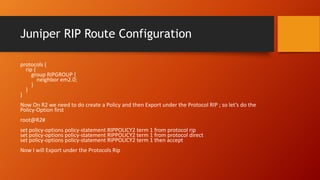
protocols {
rip {
group RIPGROUP {
neighbor em2.0;
}
}
}
Now On R2 we need to do create a Policy and then Export under the Protocol RIP ; so let’s do the
Policy-Option first
root@R2#
set policy-options policy-statement RIPPOLICY2 term 1 from protocol rip
set policy-options policy-statement RIPPOLICY2 term 1 from protocol direct
set policy-options policy-statement RIPPOLICY2 term 1 then accept
Now I will Export under the Protocols Rip
Juniper RIP Route Configuration
Here what we have on R2 up to now :
root@R2> show configuration
protocols {
rip {
group RIPGROUP {
neighbor em2.0;
}
}
}
policy-options {
policy-statement RIPPOLICY2 {
term 1 {
from protocol [ rip direct ];
then accept;
}
}
}
root@R2# set protocols rip group RIPGROUP export RIPPOLICY2
Juniper RIP Route Configuration
so here what we have at R2 so Far:
root@R2> show configuration
protocols {
rip {
group RIPGROUP {
export RIPPOLICY2;
neighbor em2.0;
}
}
}
policy-options {
policy-statement RIPPOLICY2 {
term 1 {
from protocol [ rip direct ];
then accept;
}
}
}
Juniper RIP Route Configuration
Step 5) Now If I go to R4 and look at routing table I should be able to see Loopback of
R2=2.2.2.2 and also be able to ping 2.2.2.2 from R4>
root@R4> show route
Juniper RIP Route Configuration
inet.0: 7 destinations, 7 routes (7 active, 0 holddown, 0 hidden)
+ = Active Route, - = Last Active, * = Both
2.2.2.2/32 *[RIP/100] 00:03:04, metric 2, tag 0
> to 20.20.20.2 via em2.0
4.4.4.4/32 *[Direct/0] 01:54:11
> via lo0.0
10.10.10.0/24 *[RIP/100] 00:03:04, metric 2, tag 0
> to 20.20.20.2 via em2.0
20.20.20.0/24 *[Direct/0] 01:56:28
> via em2.0
20.20.20.4/32 *[Local/0] 01:56:28
Local via em2.0
30.30.30.0/24 *[RIP/100] 00:03:04, metric 2, tag 0
> to 20.20.20.2 via em2.0
224.0.0.9/32 *[RIP/100] 00:41:12, metric 1
MultiRecv
Juniper RIP Route Configuration
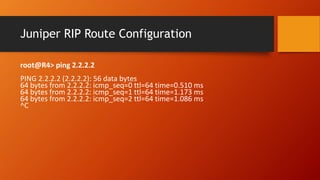
root@R4> ping 2.2.2.2
PING 2.2.2.2 (2.2.2.2): 56 data bytes
64 bytes from 2.2.2.2: icmp_seq=0 ttl=64 time=0.510 ms
64 bytes from 2.2.2.2: icmp_seq=1 ttl=64 time=1.173 ms
64 bytes from 2.2.2.2: icmp_seq=2 ttl=64 time=1.086 ms
^C
Juniper RIP Route Configuration
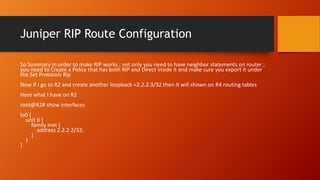
So Summary in order to make RIP works ; not only you need to have neighbor statements on router ;
you need to Create a Policy that has both RIP and Direct inside it and make sure you export it under
the Set Protocols Rip
Now If I go to R2 and create another loopback =2.2.2.3/32 then it will shown on R4 routing tables
Here what I have on R2
root@R2# show interfaces
lo0 {
unit 0 {
family inet {
address 2.2.2.2/32;
}
}
}
Juniper RIP Route Configuration
Now I will add another loopback as follow :
root@R2# set interfaces lo0 unit 0 family inet address 2.2.2.3/32
[edit]
root@R2# commit
here what I have on R2#show interfasce
root@R2# show interfaces
lo0 {
unit 0 {
family inet {
address 2.2.2.2/32;
address 2.2.2.3/32;
}
}
}
Juniper RIP Route Configuration
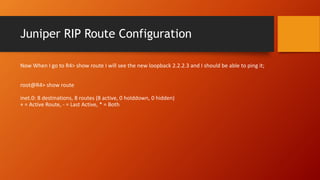
Now When I go to R4> show route I will see the new loopback 2.2.2.3 and I should be able to ping it;
root@R4> show route
inet.0: 8 destinations, 8 routes (8 active, 0 holddown, 0 hidden)
+ = Active Route, - = Last Active, * = Both
Juniper RIP Route Configuration
2.2.2.2/32 *[RIP/100] 00:13:27, metric 2, tag 0
> to 20.20.20.2 via em2.0
2.2.2.3/32 *[RIP/100] 00:01:54, metric 2, tag 0
> to 20.20.20.2 via em2.0
4.4.4.4/32 *[Direct/0] 02:04:34
> via lo0.0
10.10.10.0/24 *[RIP/100] 00:13:27, metric 2, tag 0
> to 20.20.20.2 via em2.0
20.20.20.0/24 *[Direct/0] 02:06:51
> via em2.0
20.20.20.4/32 *[Local/0] 02:06:51
Local via em2.0
30.30.30.0/24 *[RIP/100] 00:13:27, metric 2, tag 0
> to 20.20.20.2 via em2.0
224.0.0.9/32 *[RIP/100] 00:51:35, metric 1
MultiRecv
Juniper RIP Route Configuration
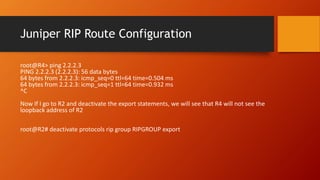
root@R4> ping 2.2.2.3
PING 2.2.2.3 (2.2.2.3): 56 data bytes
64 bytes from 2.2.2.3: icmp_seq=0 ttl=64 time=0.504 ms
64 bytes from 2.2.2.3: icmp_seq=1 ttl=64 time=0.932 ms
^C
Now If I go to R2 and deactivate the export statements, we will see that R4 will not see the
loopback address of R2
root@R2# deactivate protocols rip group RIPGROUP export
Juniper RIP Route Configuration
[edit]
root@R2# commit
Lets look at show configuration on R2 after I deactivated (Export statement)
root@R2> show configuration
protocols {
rip {
group RIPGROUP {
inactive: export RIPPOLICY2;
neighbor em2.0;
}
}
}
Juniper RIP Route Configuration
policy-options {
policy-statement RIPPOLICY2 {
term 1 {
from protocol [ rip direct ];
then accept;
}
}
}
Juniper RIP Route Configuration
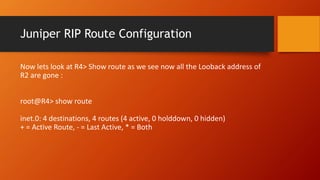
Now lets look at R4> Show route as we see now all the Looback address of
R2 are gone :
root@R4> show route
inet.0: 4 destinations, 4 routes (4 active, 0 holddown, 0 hidden)
+ = Active Route, - = Last Active, * = Both
Juniper RIP Route Configuration
4.4.4.4/32 *[Direct/0] 02:16:00
> via lo0.0
20.20.20.0/24 *[Direct/0] 02:18:17
> via em2.0
20.20.20.4/32 *[Local/0] 02:18:17
Local via em2.0
224.0.0.9/32 *[RIP/100] 01:03:01, metric 1
MultiRecv
So in Summary I need to export RIPPOLICY2
Juniper RIP Route Configuration
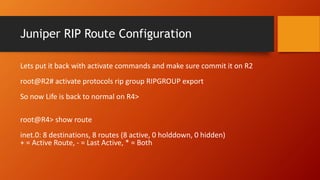
Lets put it back with activate commands and make sure commit it on R2
root@R2# activate protocols rip group RIPGROUP export
So now Life is back to normal on R4>
root@R4> show route
inet.0: 8 destinations, 8 routes (8 active, 0 holddown, 0 hidden)
+ = Active Route, - = Last Active, * = Both
Juniper RIP Route Configuration
2.2.2.2/32 *[RIP/100] 00:00:42, metric 2, tag 0
> to 20.20.20.2 via em2.0
2.2.2.3/32 *[RIP/100] 00:00:42, metric 2, tag 0
> to 20.20.20.2 via em2.0
4.4.4.4/32 *[Direct/0] 02:20:46
> via lo0.0
10.10.10.0/24 *[RIP/100] 00:00:42, metric 2, tag 0
> to 20.20.20.2 via em2.0
20.20.20.0/24 *[Direct/0] 02:23:03
> via em2.0
20.20.20.4/32 *[Local/0] 02:23:03
Local via em2.0
30.30.30.0/24 *[RIP/100] 00:00:42, metric 2, tag 0
> to 20.20.20.2 via em2.0
224.0.0.9/32 *[RIP/100] 01:07:47, metric 1
MultiRecv
Juniper RIP Route Configuration
On the Next Lab I will configure OSPF between R1, R2,R3 and
then we make sure the OPSF will advertise the loopback of
R1=1.1.1.1 and R3=3.3.3.3 be seen on
ASM Educational Center Inc. (ASM)
WhereTraining,Technology&ServiceConverge
www.asmed.com

Juniper JNCIA – Juniper RIP Route Configuration

  • 1.
    Juniper JNCIA ASM EducationalCenter Inc. (ASM) Where Training,Technology& Service Converge CheckoutourJuniperTrainingVideos:www.asmed.com/j1 Juniper RIP Route Configuration
  • 2.
    Juniper RIP RouteConfiguration Understanding Basic RIP Routing RIP is an interior gateway protocol (IGP) that routes packets within a single autonomous system (AS). By default, RIP does not advertise the subnets that are directly connected through the device's interfaces. For traffic to pass through a RIP network, you must create a routing policy to export these routes. Advertising only the direct routes propagates the routes to the immediately adjacent RIP-enabled router only. To propagate all routes through the entire RIP network, you must configure the routing policy to export the routes learned through RIP.
  • 3.
    Juniper RIP RouteConfiguration
  • 4.
    Juniper RIP RouteConfiguration Goal is that R2 be able to ping R4 Loopback address =4.4.4.4 via RIP Step 1) I go to R2 and enable RIP routing Hint: for the neighbors you cannot use the neighbor Ip address ; you need to use interface in this case of R2 neighbor is R4 with interface em2.0 root@R2# set protocols rip group RIPGROUP neighbor em2.0
  • 5.
    Juniper RIP RouteConfiguration Now When I go to R4#show route I do not see any neighbor yet root@R4> show route inet.0: 3 destinations, 3 routes (3 active, 0 holddown, 0 hidden) + = Active Route, - = Last Active, * = Both 4.4.4.4/32 *[Direct/0] 00:40:13 > via lo0.0 20.20.20.0/24 *[Direct/0] 00:42:30 > via em2.0 20.20.20.4/32 *[Local/0] 00:42:30 Local via em2.0
  • 6.
    Juniper RIP RouteConfiguration Step 2) Now I will enable RIP on R4 root@R4# set protocols rip group RIPGROUP4 neighbor em2 Hint: The Group name is local significance does not need to be same
  • 7.
    Juniper RIP RouteConfiguration Step 3) You configure a basic RIP network, create a RIP group called rip-group, and add the directly connected interfaces to the RIP group. Then you configure a routing policy to advertise direct routes using policy statement advertise-routes-through-rip. By default, Junos OS does not advertise RIP routes, not even routes that are learned through RIP. To advertise RIP routes, you must configure and apply an export routing policy that advertises RIP-learned and direct routes. Now I need to create a Policy with Statements for Example RIPPOLICY root@R4# set policy-options policy-statement RIPPOLICY term 1 from protocol rip set policy-options policy-statement RIPPOLICY term 1 from protocol direct set policy-options policy-statement RIPPOLICY term 1 then accept As we see in above in order to create a Policy I need a term 1 , from , Then I need action.
  • 8.
    Juniper RIP RouteConfiguration Here is show configuration so far on R4# policy-options { policy-statement RIPPOLICY { term 1 { from protocol [ rip direct ]; then accept; } } } Now we need to export (Apply) this policy to Rip Group Called RIPGROUP4 root@R4# set protocols rip group RIPGROUP4 export RIPPOLICY
  • 9.
    Juniper RIP RouteConfiguration Hint: I need to do export ; since we are trying to bring ( the directed Connected network) to the RIP , now let say on the left we had OPSF network between R1, R2,R3 and we need all those Loopback of R1,R2,R3 being seen inside the RIP Network or routing table of R4 ,then I need to have this on my policy option ( instead of RIP I will have OSPF) . We will do this on next Lab policy-options { policy-statement OSPFPOLICY { term 1 { from protocol [ OSPF ]; then accept; } } } So on R4 we have this so far : R4> Show configuration
  • 10.
    Juniper RIP RouteConfiguration protocols { rip { group RIPGROUP4 { export RIPPOLICY; neighbor em2.0; } } } policy-options { policy-statement RIPPOLICY { term 1 { from protocol [ rip direct ]; then accept; } } }
  • 11.
    Juniper RIP RouteConfiguration Step 4) Now If I go to R2 and do show route I will see the loopback address of R4=4.4.4.4 root@R2> show route inet.0: 9 destinations, 9 routes (9 active, 0 holddown, 0 hidden) + = Active Route, - = Last Active, * = Both 2.2.2.2/32 *[Direct/0] 01:14:43 > via lo0.0 4.4.4.4/32 *[RIP/100] 00:14:27, metric 2, tag 0 > to 20.20.20.4 via em2.0 10.10.10.0/24 *[Direct/0] 01:28:38 > via em1.0 10.10.10.2/32 *[Local/0] 01:28:38 Local via em1.0 20.20.20.0/24 *[Direct/0] 01:28:37 > via em2.0 20.20.20.2/32 *[Local/0] 01:28:37 Local via em2.0 30.30.30.0/24 *[Direct/0] 01:28:37 > via em3.0 30.30.30.2/32 *[Local/0] 01:28:37 Local via em3.0 224.0.0.9/32 *[RIP/100] 00:52:33, metric 1 MultiRecv
  • 12.
    Juniper RIP RouteConfiguration Now why I see it? Since On the R4 I did export the Policy; but If I go to R4 and do show route I do not see the loopback of R2=2.2.2.2 , since On the R2 I did not export the Policy . root@R4> show route inet.0: 4 destinations, 4 routes (4 active, 0 holddown, 0 hidden) + = Active Route, - = Last Active, * = Both 4.4.4.4/32 *[Direct/0] 01:33:15 > via lo0.0 20.20.20.0/24 *[Direct/0] 01:35:32 > via em2.0 20.20.20.4/32 *[Local/0] 01:35:32 Local via em2.0 224.0.0.9/32 *[RIP/100] 00:20:16, metric 1 MultiRecv And here what I have so far on R2> root@R2> show configuration
  • 13.
    Juniper RIP RouteConfiguration protocols { rip { group RIPGROUP { neighbor em2.0; } } } Now On R2 we need to do create a Policy and then Export under the Protocol RIP ; so let’s do the Policy-Option first root@R2# set policy-options policy-statement RIPPOLICY2 term 1 from protocol rip set policy-options policy-statement RIPPOLICY2 term 1 from protocol direct set policy-options policy-statement RIPPOLICY2 term 1 then accept Now I will Export under the Protocols Rip
  • 14.
    Juniper RIP RouteConfiguration Here what we have on R2 up to now : root@R2> show configuration protocols { rip { group RIPGROUP { neighbor em2.0; } } } policy-options { policy-statement RIPPOLICY2 { term 1 { from protocol [ rip direct ]; then accept; } } } root@R2# set protocols rip group RIPGROUP export RIPPOLICY2
  • 15.
    Juniper RIP RouteConfiguration so here what we have at R2 so Far: root@R2> show configuration protocols { rip { group RIPGROUP { export RIPPOLICY2; neighbor em2.0; } } } policy-options { policy-statement RIPPOLICY2 { term 1 { from protocol [ rip direct ]; then accept; } } }
  • 16.
    Juniper RIP RouteConfiguration Step 5) Now If I go to R4 and look at routing table I should be able to see Loopback of R2=2.2.2.2 and also be able to ping 2.2.2.2 from R4> root@R4> show route
  • 17.
    Juniper RIP RouteConfiguration inet.0: 7 destinations, 7 routes (7 active, 0 holddown, 0 hidden) + = Active Route, - = Last Active, * = Both 2.2.2.2/32 *[RIP/100] 00:03:04, metric 2, tag 0 > to 20.20.20.2 via em2.0 4.4.4.4/32 *[Direct/0] 01:54:11 > via lo0.0 10.10.10.0/24 *[RIP/100] 00:03:04, metric 2, tag 0 > to 20.20.20.2 via em2.0 20.20.20.0/24 *[Direct/0] 01:56:28 > via em2.0 20.20.20.4/32 *[Local/0] 01:56:28 Local via em2.0 30.30.30.0/24 *[RIP/100] 00:03:04, metric 2, tag 0 > to 20.20.20.2 via em2.0 224.0.0.9/32 *[RIP/100] 00:41:12, metric 1 MultiRecv
  • 18.
    Juniper RIP RouteConfiguration root@R4> ping 2.2.2.2 PING 2.2.2.2 (2.2.2.2): 56 data bytes 64 bytes from 2.2.2.2: icmp_seq=0 ttl=64 time=0.510 ms 64 bytes from 2.2.2.2: icmp_seq=1 ttl=64 time=1.173 ms 64 bytes from 2.2.2.2: icmp_seq=2 ttl=64 time=1.086 ms ^C
  • 19.
    Juniper RIP RouteConfiguration So Summary in order to make RIP works ; not only you need to have neighbor statements on router ; you need to Create a Policy that has both RIP and Direct inside it and make sure you export it under the Set Protocols Rip Now If I go to R2 and create another loopback =2.2.2.3/32 then it will shown on R4 routing tables Here what I have on R2 root@R2# show interfaces lo0 { unit 0 { family inet { address 2.2.2.2/32; } } }
  • 20.
    Juniper RIP RouteConfiguration Now I will add another loopback as follow : root@R2# set interfaces lo0 unit 0 family inet address 2.2.2.3/32 [edit] root@R2# commit here what I have on R2#show interfasce root@R2# show interfaces lo0 { unit 0 { family inet { address 2.2.2.2/32; address 2.2.2.3/32; } } }
  • 21.
    Juniper RIP RouteConfiguration Now When I go to R4> show route I will see the new loopback 2.2.2.3 and I should be able to ping it; root@R4> show route inet.0: 8 destinations, 8 routes (8 active, 0 holddown, 0 hidden) + = Active Route, - = Last Active, * = Both
  • 22.
    Juniper RIP RouteConfiguration 2.2.2.2/32 *[RIP/100] 00:13:27, metric 2, tag 0 > to 20.20.20.2 via em2.0 2.2.2.3/32 *[RIP/100] 00:01:54, metric 2, tag 0 > to 20.20.20.2 via em2.0 4.4.4.4/32 *[Direct/0] 02:04:34 > via lo0.0 10.10.10.0/24 *[RIP/100] 00:13:27, metric 2, tag 0 > to 20.20.20.2 via em2.0 20.20.20.0/24 *[Direct/0] 02:06:51 > via em2.0 20.20.20.4/32 *[Local/0] 02:06:51 Local via em2.0 30.30.30.0/24 *[RIP/100] 00:13:27, metric 2, tag 0 > to 20.20.20.2 via em2.0 224.0.0.9/32 *[RIP/100] 00:51:35, metric 1 MultiRecv
  • 23.
    Juniper RIP RouteConfiguration root@R4> ping 2.2.2.3 PING 2.2.2.3 (2.2.2.3): 56 data bytes 64 bytes from 2.2.2.3: icmp_seq=0 ttl=64 time=0.504 ms 64 bytes from 2.2.2.3: icmp_seq=1 ttl=64 time=0.932 ms ^C Now If I go to R2 and deactivate the export statements, we will see that R4 will not see the loopback address of R2 root@R2# deactivate protocols rip group RIPGROUP export
  • 24.
    Juniper RIP RouteConfiguration [edit] root@R2# commit Lets look at show configuration on R2 after I deactivated (Export statement) root@R2> show configuration protocols { rip { group RIPGROUP { inactive: export RIPPOLICY2; neighbor em2.0; } } }
  • 25.
    Juniper RIP RouteConfiguration policy-options { policy-statement RIPPOLICY2 { term 1 { from protocol [ rip direct ]; then accept; } } }
  • 26.
    Juniper RIP RouteConfiguration Now lets look at R4> Show route as we see now all the Looback address of R2 are gone : root@R4> show route inet.0: 4 destinations, 4 routes (4 active, 0 holddown, 0 hidden) + = Active Route, - = Last Active, * = Both
  • 27.
    Juniper RIP RouteConfiguration 4.4.4.4/32 *[Direct/0] 02:16:00 > via lo0.0 20.20.20.0/24 *[Direct/0] 02:18:17 > via em2.0 20.20.20.4/32 *[Local/0] 02:18:17 Local via em2.0 224.0.0.9/32 *[RIP/100] 01:03:01, metric 1 MultiRecv So in Summary I need to export RIPPOLICY2
  • 28.
    Juniper RIP RouteConfiguration Lets put it back with activate commands and make sure commit it on R2 root@R2# activate protocols rip group RIPGROUP export So now Life is back to normal on R4> root@R4> show route inet.0: 8 destinations, 8 routes (8 active, 0 holddown, 0 hidden) + = Active Route, - = Last Active, * = Both
  • 29.
    Juniper RIP RouteConfiguration 2.2.2.2/32 *[RIP/100] 00:00:42, metric 2, tag 0 > to 20.20.20.2 via em2.0 2.2.2.3/32 *[RIP/100] 00:00:42, metric 2, tag 0 > to 20.20.20.2 via em2.0 4.4.4.4/32 *[Direct/0] 02:20:46 > via lo0.0 10.10.10.0/24 *[RIP/100] 00:00:42, metric 2, tag 0 > to 20.20.20.2 via em2.0 20.20.20.0/24 *[Direct/0] 02:23:03 > via em2.0 20.20.20.4/32 *[Local/0] 02:23:03 Local via em2.0 30.30.30.0/24 *[RIP/100] 00:00:42, metric 2, tag 0 > to 20.20.20.2 via em2.0 224.0.0.9/32 *[RIP/100] 01:07:47, metric 1 MultiRecv
  • 30.
    Juniper RIP RouteConfiguration On the Next Lab I will configure OSPF between R1, R2,R3 and then we make sure the OPSF will advertise the loopback of R1=1.1.1.1 and R3=3.3.3.3 be seen on
  • 31.
    ASM Educational CenterInc. (ASM) WhereTraining,Technology&ServiceConverge www.asmed.com