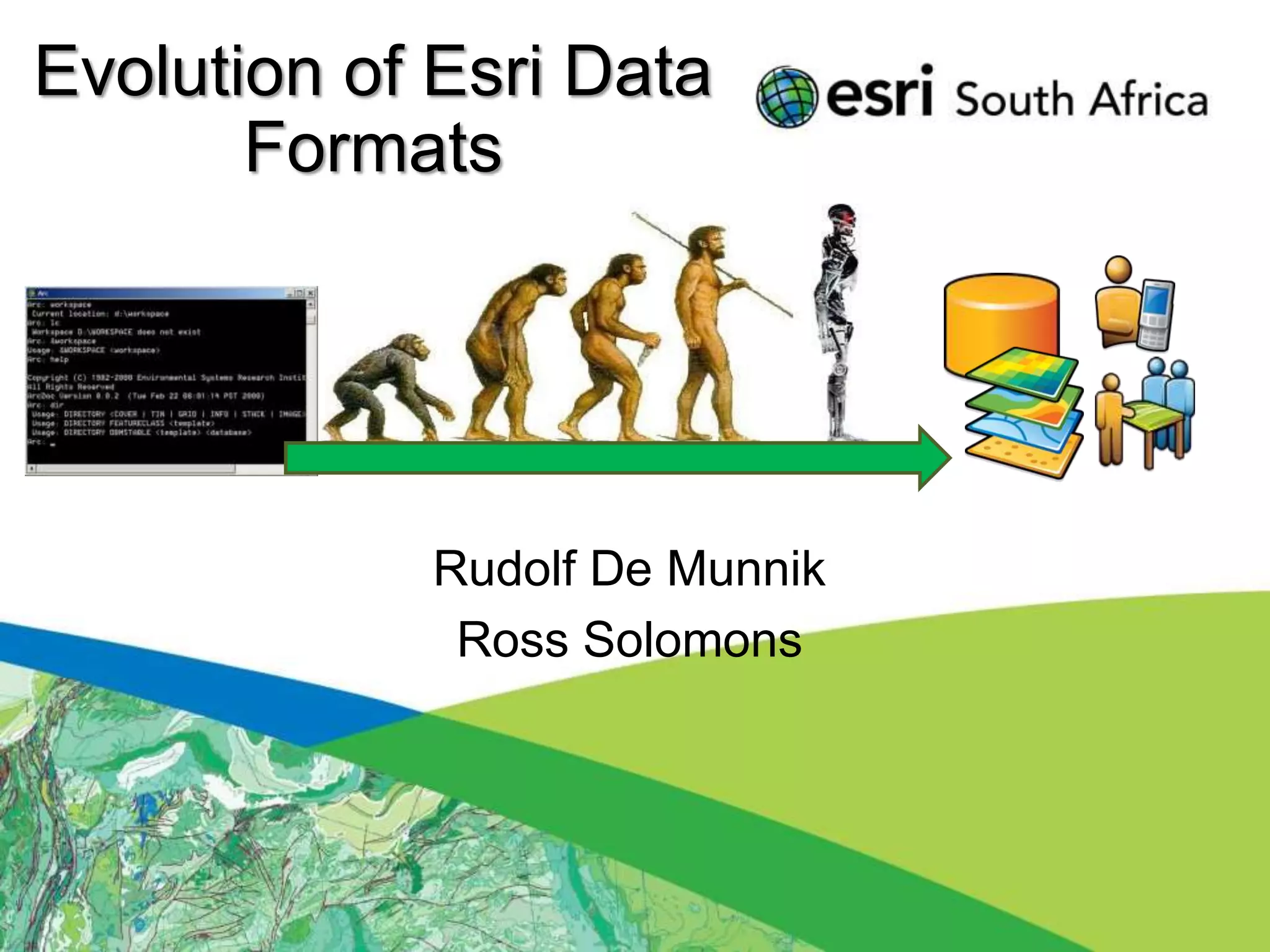
Evolution of Esri Data
       Formats


            Rudolf De Munnik
             Ross Solomons
Seminar Outline
 • Introduction

 • Legacy Formats
 • Demonstration

 • Current Formats
 • BREAK (15min)
 • Demonstration

 • Future Formats
 • Demonstration

 • Questions / Discussions
Introduction
• Purpose of the seminar:
 − History of formats.
 − Awareness to the optimal usage of the
   software and data formats.
 − Purpose, advantages and disadvantages of
   formats
 − What the future holds…
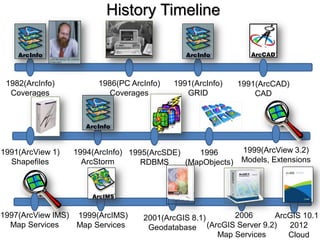
History Timeline


 1982(ArcInfo)          1986(PC ArcInfo)   1991(ArcInfo)    1991(ArcCAD)
  Coverages                Coverages          GRID              CAD


1991(ArcView 1)   1994(ArcInfo) 1995(ArcSDE)    1996        1999(ArcView 3.2)
  Shapefiles        ArcStorm       RDBMS     (MapObjects)   Models, Extensions


1997(ArcView IMS) 1999(ArcIMS)     2001(ArcGIS 8.1)     2006      ArcGIS 10.1
  Map Services    Map Services      Geodatabase (ArcGIS Server 9.2)  2012
                                                    Map Services     Cloud
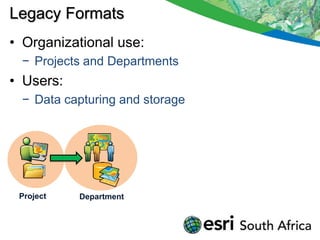
Legacy Formats
• Organizational use:
 − Projects and Departments
• Users:
 − Data capturing and storage


 Project   Department
Legacy Formats
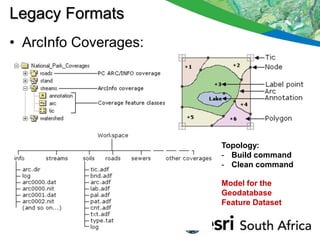
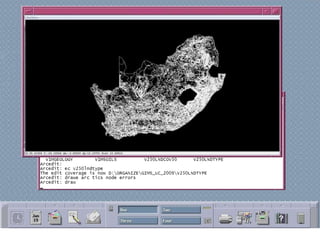
• ArcInfo Coverages:


                       Topology:
                       - Build command
                       - Clean command

                       Model for the
                       Geodatabase
                       Feature Dataset
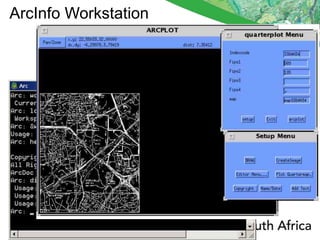
ArcInfo Workstation
Legacy Formats
• ArcStorm:
 −   Central storage and checkout editing
 −   Coverage based
 −   Tile structure
 −   Pessimistic locking of Tiles
 −   Checked out Tiles not available to other users
 −   Mapped network drives
 −   No Relational database
 −   Initial concepts for SDE
Legacy Formats
• ArcSDE:
 −   Store Spatial data in a Relational Database
 −   Oracle, Informix, DB2
 −   Utilise Spatial Types (OGC)
 −   No Geodatabase functions
 −   No Feature Datasets
 −   Allow raster storage
 −   Rasters fast, but large.
 −   Raster duplication.
Legacy Formats
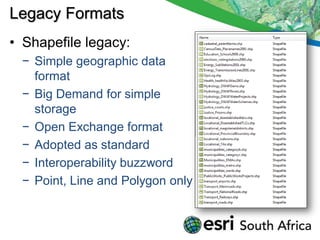
• Shapefile legacy:
 − Simple geographic data
   format
 − Big Demand for simple
   storage
 − Open Exchange format
 − Adopted as standard
 − Interoperability buzzword
 − Point, Line and Polygon only
Demonstration
• ArcInfo Workstation
• ArcView 3.2
Current Formats Overview
• Organization:
    − Projects, Departments, Enterprise
• User:
    − Analysis and Consume

•   Shapefile limitations
•   Geodatabase advantages
•   Services
•   Mobile
•   Cloud
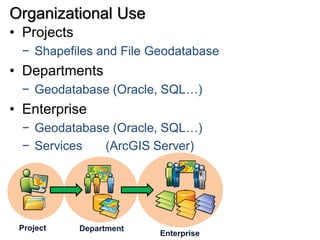
Organizational Use
• Projects
 − Shapefiles and File Geodatabase
• Departments
 − Geodatabase (Oracle, SQL…)
• Enterprise
 − Geodatabase (Oracle, SQL…)
 − Services  (ArcGIS Server)


 Project     Department
                          Enterprise
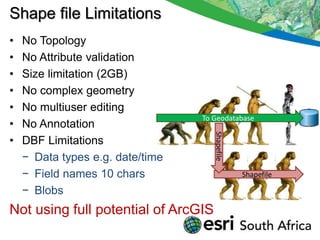
Shape file Limitations
•   No Topology
•   No Attribute validation
•   Size limitation (2GB)
•   No complex geometry
•   No multiuser editing
                                  To Geodatabase
•   No Annotation


                                     Shapefile
•   DBF Limitations
    − Data types e.g. date/time
    − Field names 10 chars                       Shapefile

    − Blobs
Not using full potential of ArcGIS
Geodatabase Advantages
• What is a Geodatabase?
 − Central storage and management location for
   rich collection of spatial data,
 − Sophisticated rules and relationships.
 − Geoprocessing and symbology.
Geodatabase Advantages
• Why use a Geodatabase?
 −   Integration with RDBMS (Oracle, SQL..)
 −   Multi-user editing (versions)
 −   Topology rules and behavior
 −   Attribute validation (domains)
 −   Greater storage capacity
 −   Lower storage requirements
 −   Optimized performance
 −   Scalable (File GDB, SQL Express, Enterprise)

 Leverage full potential of ArcGIS!!
Geodatabase elements
Geodatabase                        Tables
Feature dataset
                                   Raster datasets
   Spatial reference

                                   Raster mosaic
 Feature classes
    Polygon            Route       Additional geodatabase elements
    Line               Dimension   Survey datasets   Terrain datasets
    Point
                                   GPS Datasets      Schematics
    Annotation
                                   Network datasets Representations
 Relationship classes
                                   Toolboxes
 Geometric networks                      Tool           Model           Script
 Topology                          Behavior
                                   Attribute defaults       Connectivity rules
 Network datasets                  Attribute domains        Relationship rules
                                   Split/Merge policy       Topology rules
Geodatabase Design
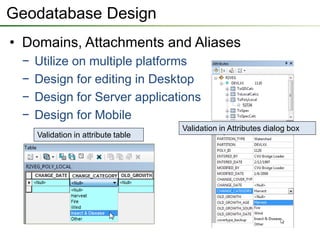
• Domains, Attachments and Aliases
 −   Utilize on multiple platforms
 −   Design for editing in Desktop
 −   Design for Server applications
 −   Design for Mobile
                                     Validation in Attributes dialog box
     Validation in attribute table
Feature Dataset defined
• Logical grouping of Feature Classes that
  participate in a behavioral function e.g.
  Topology.
• Common coordinate system for all contained
  Feature Classes.
• User permission set on Feature Dataset level.
• Feature Class name unique in Geodatabase,
  not in Feature Dataset.
• Not to be used to organize data – not a
  directory!
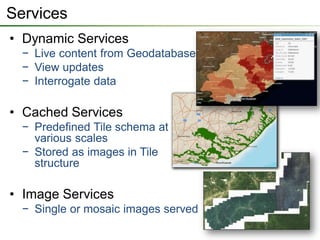
Services
• Dynamic Services
  − Live content from Geodatabase
  − View updates
  − Interrogate data

• Cached Services
  − Predefined Tile schema at
    various scales
  − Stored as images in Tile
    structure

• Image Services
  − Single or mosaic images served
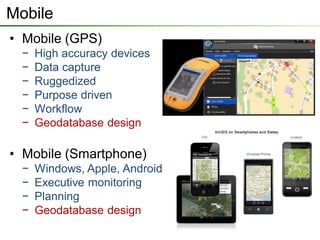
Mobile
• Mobile (GPS)
  −   High accuracy devices
  −   Data capture
  −   Ruggedized
  −   Purpose driven
  −   Workflow
  −   Geodatabase design

• Mobile (Smartphone)
  −   Windows, Apple, Android
  −   Executive monitoring
  −   Planning
  −   Geodatabase design
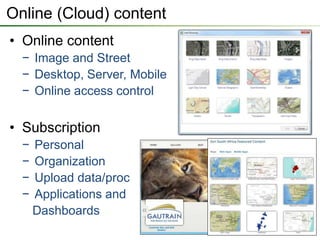
Online (Cloud) content
• Online content
  − Image and Street
  − Desktop, Server, Mobile
  − Online access control

• Subscription
  −   Personal
  −   Organization
  −   Upload data/proc
  −   Applications and
      Dashboards
BREAK
• 15 Minute Break
Demonstration
• Geodatabase:
 −   Elements
 −   Topology
 −   Network analysis
 −   Domains
 −   Representations
 −   Annotation

 − Attachments
 − Geometric Networks
Demonstration
• Services
• Mobile
• Online content
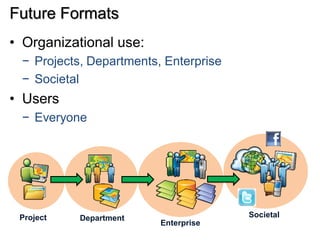
Future Formats
• Organizational use:
 − Projects, Departments, Enterprise
 − Societal
• Users
 − Everyone


 Project   Department                  Societal
                         Enterprise
Demonstration
• Social Media
• 3D Web Viewer (Braamfontein)
• 3D Web Viewer (Airport )
Questions & Discussions

Thank You !

Evolution of Esri Data Formats Seminar

  • 1.
    Evolution of EsriData Formats Rudolf De Munnik Ross Solomons
  • 2.
    Seminar Outline •Introduction • Legacy Formats • Demonstration • Current Formats • BREAK (15min) • Demonstration • Future Formats • Demonstration • Questions / Discussions
  • 3.
    Introduction • Purpose ofthe seminar: − History of formats. − Awareness to the optimal usage of the software and data formats. − Purpose, advantages and disadvantages of formats − What the future holds…
  • 4.
    History Timeline 1982(ArcInfo) 1986(PC ArcInfo) 1991(ArcInfo) 1991(ArcCAD) Coverages Coverages GRID CAD 1991(ArcView 1) 1994(ArcInfo) 1995(ArcSDE) 1996 1999(ArcView 3.2) Shapefiles ArcStorm RDBMS (MapObjects) Models, Extensions 1997(ArcView IMS) 1999(ArcIMS) 2001(ArcGIS 8.1) 2006 ArcGIS 10.1 Map Services Map Services Geodatabase (ArcGIS Server 9.2) 2012 Map Services Cloud
  • 5.
    Legacy Formats • Organizationaluse: − Projects and Departments • Users: − Data capturing and storage Project Department
  • 6.
    Legacy Formats • ArcInfoCoverages: Topology: - Build command - Clean command Model for the Geodatabase Feature Dataset
  • 7.
  • 9.
    Legacy Formats • ArcStorm: − Central storage and checkout editing − Coverage based − Tile structure − Pessimistic locking of Tiles − Checked out Tiles not available to other users − Mapped network drives − No Relational database − Initial concepts for SDE
  • 10.
    Legacy Formats • ArcSDE: − Store Spatial data in a Relational Database − Oracle, Informix, DB2 − Utilise Spatial Types (OGC) − No Geodatabase functions − No Feature Datasets − Allow raster storage − Rasters fast, but large. − Raster duplication.
  • 11.
    Legacy Formats • Shapefilelegacy: − Simple geographic data format − Big Demand for simple storage − Open Exchange format − Adopted as standard − Interoperability buzzword − Point, Line and Polygon only
  • 12.
  • 13.
    Current Formats Overview •Organization: − Projects, Departments, Enterprise • User: − Analysis and Consume • Shapefile limitations • Geodatabase advantages • Services • Mobile • Cloud
  • 14.
    Organizational Use • Projects − Shapefiles and File Geodatabase • Departments − Geodatabase (Oracle, SQL…) • Enterprise − Geodatabase (Oracle, SQL…) − Services (ArcGIS Server) Project Department Enterprise
  • 15.
    Shape file Limitations • No Topology • No Attribute validation • Size limitation (2GB) • No complex geometry • No multiuser editing To Geodatabase • No Annotation Shapefile • DBF Limitations − Data types e.g. date/time − Field names 10 chars Shapefile − Blobs Not using full potential of ArcGIS
  • 16.
    Geodatabase Advantages • Whatis a Geodatabase? − Central storage and management location for rich collection of spatial data, − Sophisticated rules and relationships. − Geoprocessing and symbology.
  • 17.
    Geodatabase Advantages • Whyuse a Geodatabase? − Integration with RDBMS (Oracle, SQL..) − Multi-user editing (versions) − Topology rules and behavior − Attribute validation (domains) − Greater storage capacity − Lower storage requirements − Optimized performance − Scalable (File GDB, SQL Express, Enterprise) Leverage full potential of ArcGIS!!
  • 18.
    Geodatabase elements Geodatabase Tables Feature dataset Raster datasets Spatial reference Raster mosaic Feature classes Polygon Route Additional geodatabase elements Line Dimension Survey datasets Terrain datasets Point GPS Datasets Schematics Annotation Network datasets Representations Relationship classes Toolboxes Geometric networks Tool Model Script Topology Behavior Attribute defaults Connectivity rules Network datasets Attribute domains Relationship rules Split/Merge policy Topology rules
  • 19.
    Geodatabase Design • Domains,Attachments and Aliases − Utilize on multiple platforms − Design for editing in Desktop − Design for Server applications − Design for Mobile Validation in Attributes dialog box Validation in attribute table
  • 20.
    Feature Dataset defined •Logical grouping of Feature Classes that participate in a behavioral function e.g. Topology. • Common coordinate system for all contained Feature Classes. • User permission set on Feature Dataset level. • Feature Class name unique in Geodatabase, not in Feature Dataset. • Not to be used to organize data – not a directory!
  • 21.
    Services • Dynamic Services − Live content from Geodatabase − View updates − Interrogate data • Cached Services − Predefined Tile schema at various scales − Stored as images in Tile structure • Image Services − Single or mosaic images served
  • 22.
    Mobile • Mobile (GPS) − High accuracy devices − Data capture − Ruggedized − Purpose driven − Workflow − Geodatabase design • Mobile (Smartphone) − Windows, Apple, Android − Executive monitoring − Planning − Geodatabase design
  • 23.
    Online (Cloud) content •Online content − Image and Street − Desktop, Server, Mobile − Online access control • Subscription − Personal − Organization − Upload data/proc − Applications and Dashboards
  • 24.
  • 25.
    Demonstration • Geodatabase: − Elements − Topology − Network analysis − Domains − Representations − Annotation − Attachments − Geometric Networks
  • 26.
  • 27.
    Future Formats • Organizationaluse: − Projects, Departments, Enterprise − Societal • Users − Everyone Project Department Societal Enterprise
  • 28.
    Demonstration • Social Media •3D Web Viewer (Braamfontein) • 3D Web Viewer (Airport )
  • 29.