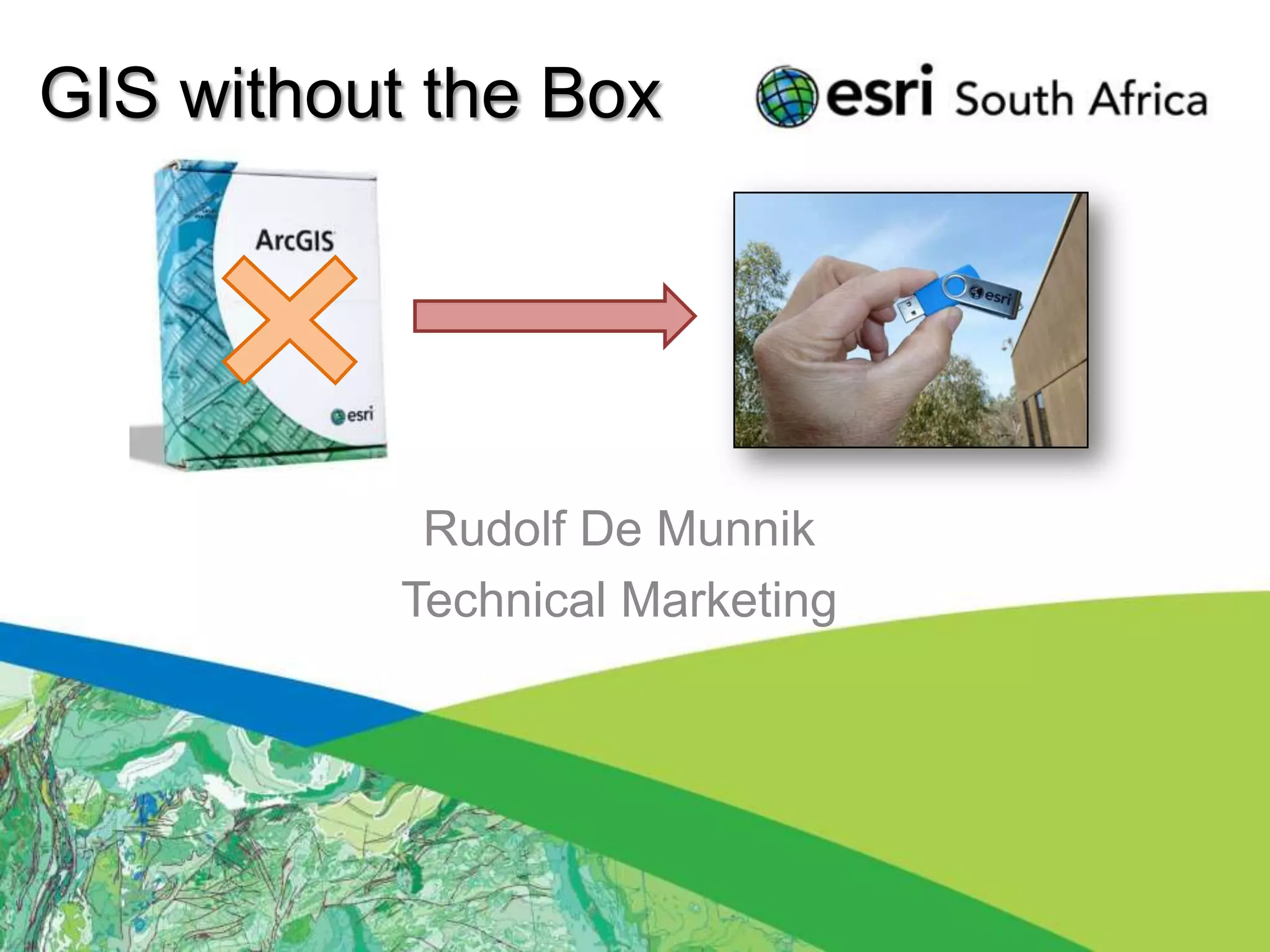

GIS without the Box


            Rudolf De Munnik
           Technical Marketing
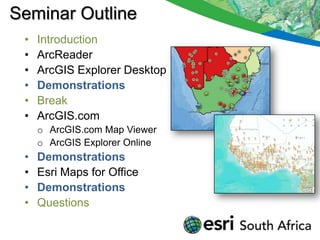
Seminar Outline
 •   Introduction
 •   ArcReader
 •   ArcGIS Explorer Desktop
 •   Demonstrations
 •   Break
 •   ArcGIS.com
     o ArcGIS.com Map Viewer
     o ArcGIS Explorer Online
 •   Demonstrations
 •   Esri Maps for Office
 •   Demonstrations
 •   Questions
Introduction
• Purpose to introduce “FREE” products.
• Download Applications (Desktop).
• Online Applications and Content.

•   To utilize online content and applications.
•   To present GIS at new levels.
•   Future releases “Beta”
•   Web 3D
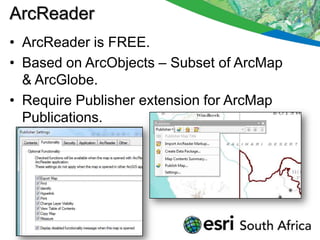
ArcReader
• ArcReader is FREE.
• Based on ArcObjects – Subset of ArcMap
  & ArcGlobe.
• Require Publisher extension for ArcMap
  Publications.
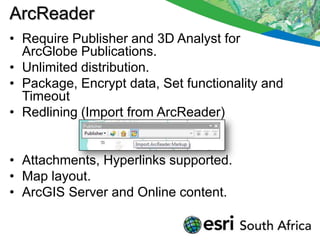
ArcReader
• Require Publisher and 3D Analyst for
  ArcGlobe Publications.
• Unlimited distribution.
• Package, Encrypt data, Set functionality and
  Timeout
• Redlining (Import from ArcReader)


• Attachments, Hyperlinks supported.
• Map layout.
• ArcGIS Server and Online content.
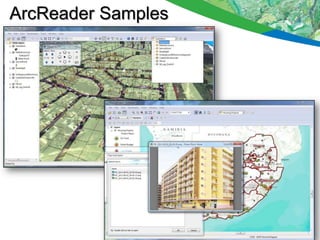
ArcReader Samples
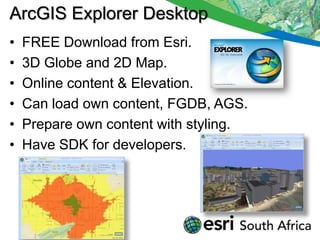
ArcGIS Explorer Desktop
•   FREE Download from Esri.
•   3D Globe and 2D Map.
•   Online content & Elevation.
•   Can load own content, FGDB, AGS.
•   Prepare own content with styling.
•   Have SDK for developers.
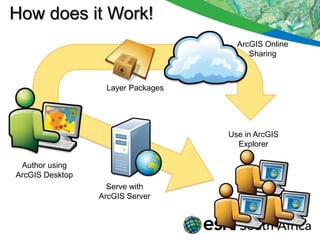
How does it Work!
                                     ArcGIS Online
                                        Sharing


                  Layer Packages


                                   Use in ArcGIS
                                     Explorer

 Author using
ArcGIS Desktop
                   Serve with
                 ArcGIS Server
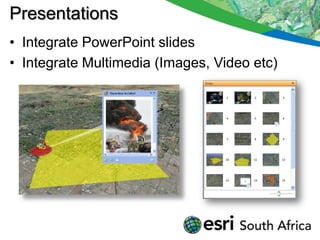
Presentations
• Integrate PowerPoint slides
• Integrate Multimedia (Images, Video etc)
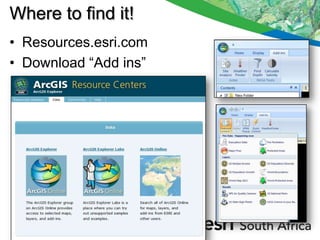
Where to find it!
• Resources.esri.com
• Download “Add ins”
Demonstrations

•   Prepare content
•   ArcReader 3D
•   ArcReader 2D
•   ArcGIS Explorer 3D
•   ArcGIS Explorer Multimedia Content
•   ArcGIS Explorer Presentations
BREAK
• 15 Minute Break
ArcGIS online
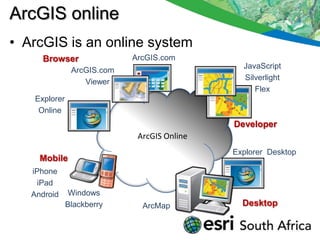
• ArcGIS is an online system
     Browser                ArcGIS.com
                                               JavaScript
               ArcGIS.com
                                               Silverlight
                  Viewer
                                                  Flex
   Explorer
    Online
                                             Developer
                             ArcGIS Online
                                             Explorer Desktop
     Mobile
   iPhone
    iPad
   Android    Windows
              Blackberry      ArcMap           Desktop
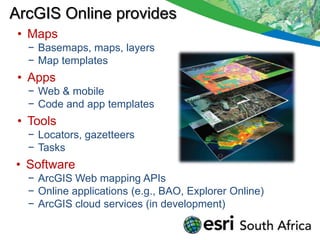
ArcGIS Online provides
 • Maps
  − Basemaps, maps, layers
  − Map templates
 • Apps
  − Web & mobile
  − Code and app templates
 • Tools
  − Locators, gazetteers
  − Tasks
• Software
  − ArcGIS Web mapping APIs
  − Online applications (e.g., BAO, Explorer Online)
  − ArcGIS cloud services (in development)
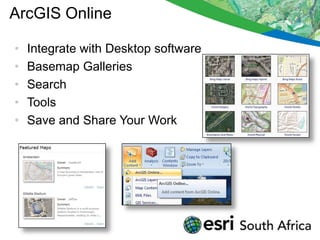
ArcGIS Online

•   Integrate with Desktop software
•   Basemap Galleries
•   Search
•   Tools
•   Save and Share Your Work
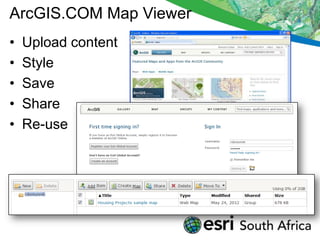
ArcGIS.COM Map Viewer
•   Upload content
•   Style
•   Save
•   Share
•   Re-use
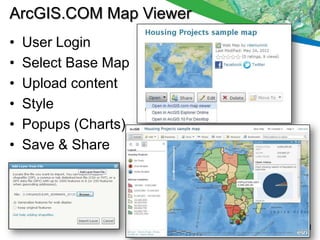
ArcGIS.COM Map Viewer
•   User Login
•   Select Base Map
•   Upload content
•   Style
•   Popups (Charts)
•   Save & Share
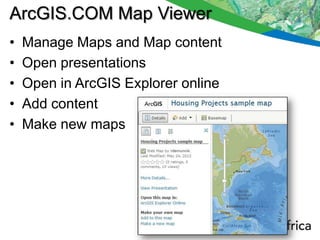
ArcGIS.COM Map Viewer
•   Manage Maps and Map content
•   Open presentations
•   Open in ArcGIS Explorer online
•   Add content
•   Make new maps
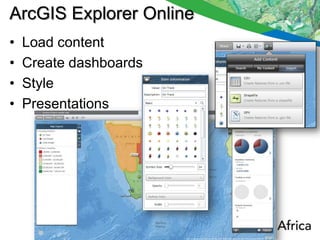
ArcGIS Explorer Online
•   Load content
•   Create dashboards
•   Style
•   Presentations
ArcGIS Explorer Online
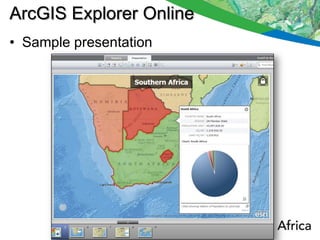
• Sample presentation
Demonstration
•   ArcGIS.COM
•   ArcGIS.COM Map Viewer
•   ArcGIS Explorer Online
•   Upload content
•   Style content
•   Share content
•   Online Presentations
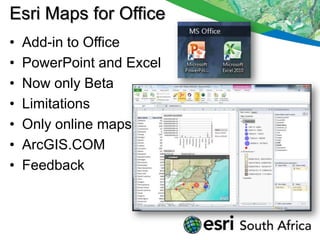
Esri Maps for Office
•   Add-in to Office
•   PowerPoint and Excel
•   Now only Beta
•   Limitations
•   Only online maps
•   ArcGIS.COM
•   Feedback
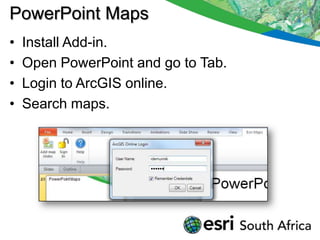
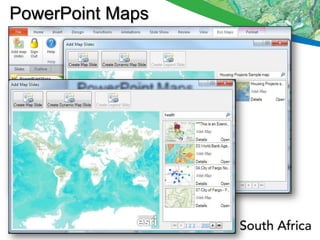
PowerPoint Maps
•   Install Add-in.
•   Open PowerPoint and go to Tab.
•   Login to ArcGIS online.
•   Search maps.
PowerPoint Maps
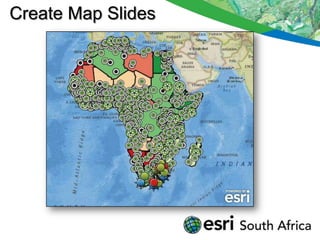
Create Map Slides
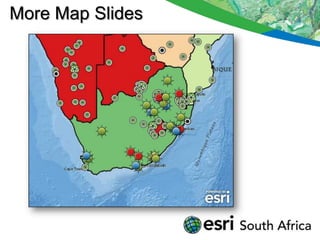
More Map Slides
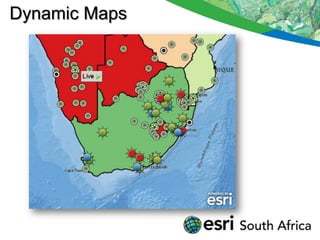
Dynamic Maps
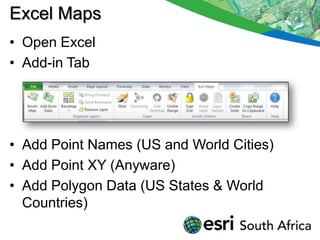
Excel Maps
• Open Excel
• Add-in Tab


• Add Point Names (US and World Cities)
• Add Point XY (Anyware)
• Add Polygon Data (US States & World
  Countries)
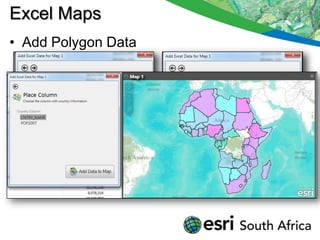
Excel Maps
• Add Polygon Data
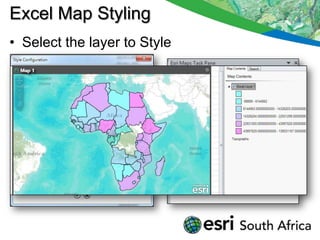
Excel Map Styling
• Select the layer to Style
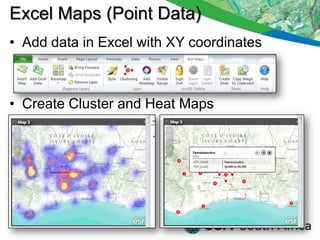
Excel Maps (Point Data)
• Add data in Excel with XY coordinates


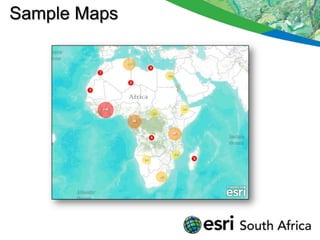
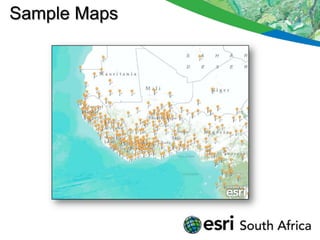
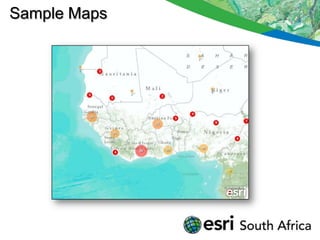
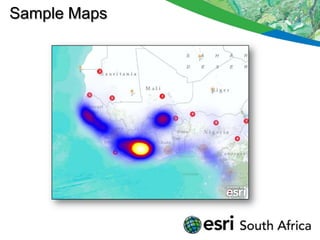
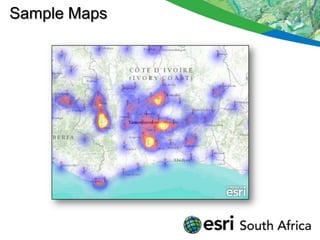
• Create Cluster and Heat Maps
Sample Maps
Sample Maps
Sample Maps
Sample Maps
Sample Maps
Demonstration
• Esri Maps for Office
• PowerpPoint Maps
  − Online Maps
  − Static or Dynamic content
• Excel Maps
  − Prepare data
  − Load data
  − Style data
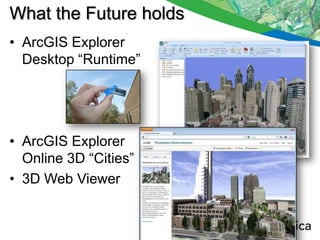
What the Future holds
• ArcGIS Explorer
  Desktop “Runtime”


• ArcGIS Explorer
  Online 3D “Cities”
• 3D Web Viewer
Questions & Discussions

Thank You !

Gis without the_box_may2012

  • 1.
    GIS without theBox Rudolf De Munnik Technical Marketing
  • 2.
    Seminar Outline • Introduction • ArcReader • ArcGIS Explorer Desktop • Demonstrations • Break • ArcGIS.com o ArcGIS.com Map Viewer o ArcGIS Explorer Online • Demonstrations • Esri Maps for Office • Demonstrations • Questions
  • 3.
    Introduction • Purpose tointroduce “FREE” products. • Download Applications (Desktop). • Online Applications and Content. • To utilize online content and applications. • To present GIS at new levels. • Future releases “Beta” • Web 3D
  • 4.
    ArcReader • ArcReader isFREE. • Based on ArcObjects – Subset of ArcMap & ArcGlobe. • Require Publisher extension for ArcMap Publications.
  • 5.
    ArcReader • Require Publisherand 3D Analyst for ArcGlobe Publications. • Unlimited distribution. • Package, Encrypt data, Set functionality and Timeout • Redlining (Import from ArcReader) • Attachments, Hyperlinks supported. • Map layout. • ArcGIS Server and Online content.
  • 6.
  • 7.
    ArcGIS Explorer Desktop • FREE Download from Esri. • 3D Globe and 2D Map. • Online content & Elevation. • Can load own content, FGDB, AGS. • Prepare own content with styling. • Have SDK for developers.
  • 8.
    How does itWork! ArcGIS Online Sharing Layer Packages Use in ArcGIS Explorer Author using ArcGIS Desktop Serve with ArcGIS Server
  • 9.
    Presentations • Integrate PowerPointslides • Integrate Multimedia (Images, Video etc)
  • 10.
    Where to findit! • Resources.esri.com • Download “Add ins”
  • 11.
    Demonstrations • Prepare content • ArcReader 3D • ArcReader 2D • ArcGIS Explorer 3D • ArcGIS Explorer Multimedia Content • ArcGIS Explorer Presentations
  • 12.
  • 13.
    ArcGIS online • ArcGISis an online system Browser ArcGIS.com JavaScript ArcGIS.com Silverlight Viewer Flex Explorer Online Developer ArcGIS Online Explorer Desktop Mobile iPhone iPad Android Windows Blackberry ArcMap Desktop
  • 14.
    ArcGIS Online provides • Maps − Basemaps, maps, layers − Map templates • Apps − Web & mobile − Code and app templates • Tools − Locators, gazetteers − Tasks • Software − ArcGIS Web mapping APIs − Online applications (e.g., BAO, Explorer Online) − ArcGIS cloud services (in development)
  • 15.
    ArcGIS Online • Integrate with Desktop software • Basemap Galleries • Search • Tools • Save and Share Your Work
  • 16.
    ArcGIS.COM Map Viewer • Upload content • Style • Save • Share • Re-use
  • 17.
    ArcGIS.COM Map Viewer • User Login • Select Base Map • Upload content • Style • Popups (Charts) • Save & Share
  • 18.
    ArcGIS.COM Map Viewer • Manage Maps and Map content • Open presentations • Open in ArcGIS Explorer online • Add content • Make new maps
  • 19.
    ArcGIS Explorer Online • Load content • Create dashboards • Style • Presentations
  • 20.
    ArcGIS Explorer Online •Sample presentation
  • 21.
    Demonstration • ArcGIS.COM • ArcGIS.COM Map Viewer • ArcGIS Explorer Online • Upload content • Style content • Share content • Online Presentations
  • 22.
    Esri Maps forOffice • Add-in to Office • PowerPoint and Excel • Now only Beta • Limitations • Only online maps • ArcGIS.COM • Feedback
  • 23.
    PowerPoint Maps • Install Add-in. • Open PowerPoint and go to Tab. • Login to ArcGIS online. • Search maps.
  • 24.
  • 25.
  • 26.
  • 27.
  • 28.
    Excel Maps • OpenExcel • Add-in Tab • Add Point Names (US and World Cities) • Add Point XY (Anyware) • Add Polygon Data (US States & World Countries)
  • 29.
    Excel Maps • AddPolygon Data
  • 30.
    Excel Map Styling •Select the layer to Style
  • 31.
    Excel Maps (PointData) • Add data in Excel with XY coordinates • Create Cluster and Heat Maps
  • 32.
  • 33.
  • 34.
  • 35.
  • 36.
  • 37.
    Demonstration • Esri Mapsfor Office • PowerpPoint Maps − Online Maps − Static or Dynamic content • Excel Maps − Prepare data − Load data − Style data
  • 38.
    What the Futureholds • ArcGIS Explorer Desktop “Runtime” • ArcGIS Explorer Online 3D “Cities” • 3D Web Viewer
  • 39.