UX Bootcamp
Christine Perfetti, Acquia @cperfetti
The Logistics
The schedule
Ask questions as they occur to you
Don’t surprise us on the evaluation form
Please keep your laptop turned off unless we’re doing an
exercise
You’ll be working in groups of 3
Preferably with someone you don’t know
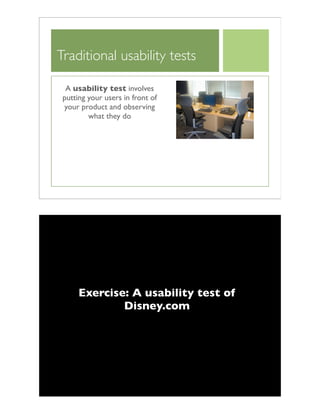
Traditional usability tests
A usability test involves
putting your users in front of
your product and observing
what they do
Exercise: A usability test of
Disney.com
Exploration: UsabilityTest
Break into teams of 3
One person is the user
Think aloud as you work
Two people are the observers
Observe silently and take notes
After we perform the task, we’ll ask you to switch roles and
do another task
As the user...
We’re evaluating the design, not you
The answer is somewhere on the site
If you experience problems, it’s not your fault
You’re helping the observers learn more about the design
problems
You can stop the task at any time
As the observer...
Take notes as the user works
Was the user successful?
How did the user go about performing the task?
Did they go to the search engine, what links did they click on?
What obstacles did the user encounter?
What confusion did they experience?
Note things that worked well
When you complete a task, say,“Got it!”
Disney.com
Scenario:
Your 5-year-old niece has always wanted to go to Disney World.You have
decided to take her there for a special vacation.
Task Assignment:
You are looking for a hotel within the park.You want it to be the
cheapest hotel with access to the monorail.Which Disney World hotel
would you choose to stay in?
When you’re satisfied that you’ve found the answer to this question, say,“Got
it.”
Discussion
How many users found the answer?
What helped users succeed?
What obstacles prevented them from finding what they
wanted?
What do you expect will happen when you test your
product?
Exercise: A usability test of
Acquia.com
Acquia.com
Scenario:
Acquia’s CEO,Tom Erickson, was interviewed last year about the power
of open source Drupal and what’s driving the success of Acquia.
Task Assignment:
Find information on the Acquia web site about Tom’s view on the power
of Drupal.
When you’re satisfied that you’ve found the answer to this question, say,“Got
it.”
Exercise: A usability test
of Amazon.com
Amazon.com
Scenario:
Your job has been causing you a lot of stress lately, and you're looking for
some relief from the tension that's been building in your back and
shoulders.
Task Assignment:
Find a product, for under forty dollars, that will help relieve the tension
in your back and shoulders.
When you’re satisfied that you’ve found the answer to this question, say,“Got
it.”
Signs of content and design failure
Back button
Pogosticking
Going to Search
FAQs, Help, and Site Map
Definition of Usability
Basic definition of Usability
Can users accomplish their goals with your product?
Shades of gray: How effectively can users accomplish their
goals?
To make a product usable, we need to know,
What are the company’s goals for the product?
Who are the product’s users?
What are the users’ goals? Do they have different goals?
What we’ll cover
How to complete all of the steps for a usability study
Plan a study
Create tasks
Moderate a session
Analyze the data
Communicate the findings
Quick-and-dirty techniques
Study planning
The study plan
Provides a systematic approach to the testing process
Serves as a blueprint for the test
Facilitates communication and buy-in from stakeholders
Addresses concerns or issues about the product and data
to uncover
Outlines project deliverables and timelines
Topics to address
Study’s goal
Research questions and
issues to explore
User characteristics
Study method
Schedule
Task list
Data to collect
Reporting strategy
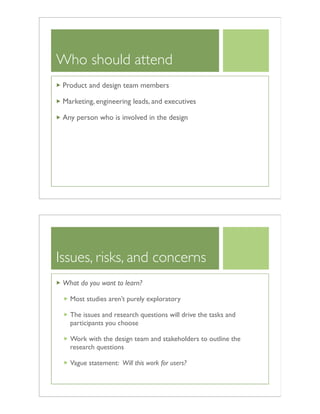
Hold a planning meeting
At the beginning of the project, we hold a
planning meeting with all product team
members and stakeholders to discuss:
An overview of the testing process
Project scope
Issues (risks and concerns) with the design
Decide on number of users to study
Testing schedule
No surprises! Avoid the game of telephone
Who should attend
Product and design team members
Marketing, engineering leads, and executives
Any person who is involved in the design
Issues, risks, and concerns
What do you want to learn?
Most studies aren’t purely exploratory
The issues and research questions will drive the tasks and
participants you choose
Work with the design team and stakeholders to outline the
research questions
Vague statement: Will this work for users?
Creating your tasks
Designing tasks
Tasks allow us to assess a product’s usability
The tasks create a realistic context to observe the
problems users encounter
Interest affects behavior
Users search more vigorously
They are more likely to read the content
They are willing to wait for downloads
Traditional tasks
Verb-based tasks
Scavenger hunt tasks
Verb-based tasks
Ask users to do something specific
Assess the product’s functionality
Most common for evaluating software, hardware, and web
applications
Examples
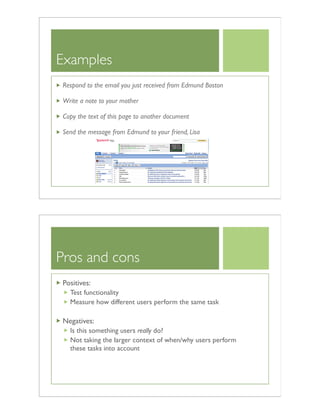
Respond to the email you just received from Edmund Boston
Write a note to your mother
Copy the text of this page to another document
Send the message from Edmund to your friend, Lisa
Pros and cons
Positives:
Test functionality
Measure how different users perform the same task
Negatives:
Is this something users really do?
Not taking the larger context of when/why users perform
these tasks into account
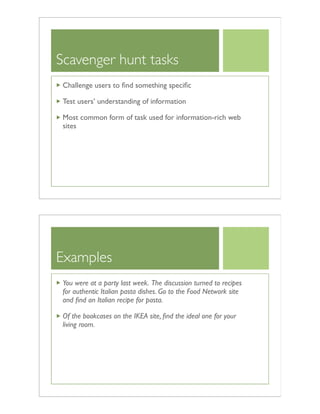
Scavenger hunt tasks
Challenge users to find something specific
Test users’ understanding of information
Most common form of task used for information-rich web
sites
Examples
You were at a party last week. The discussion turned to recipes
for authentic Italian pasta dishes. Go to the Food Network site
and find an Italian recipe for pasta.
Of the bookcases on the IKEA site, find the ideal one for your
living room.
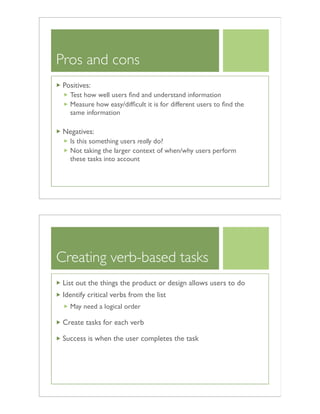
Pros and cons
Positives:
Test how well users find and understand information
Measure how easy/difficult it is for different users to find the
same information
Negatives:
Is this something users really do?
Not taking the larger context of when/why users perform
these tasks into account
Creating verb-based tasks
List out the things the product or design allows users to do
Identify critical verbs from the list
May need a logical order
Create tasks for each verb
Success is when the user completes the task
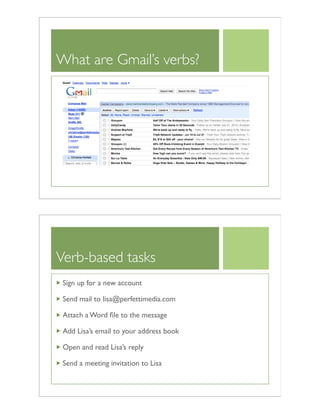
What are Gmail’s verbs?
Verb-based tasks
Sign up for a new account
Send mail to lisa@perfettimedia.com
Attach a Word file to the message
Add Lisa’s email to your address book
Open and read Lisa’s reply
Send a meeting invitation to Lisa
Creating scavenger hunt
tasks
Surf site or product
Find topic that could be of interest to users
Create scenarios and questions to go with the topic
Avoid “giveaway” words
Success is when the topic is found
Scavenger hunt tasks are verb-based tasks with the verb,
“find”
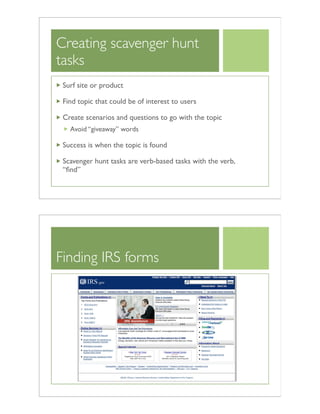
Finding IRS forms
Scavenger hunt tasks
Find the latest version of the 1099 form
Will you be eligible to file your taxes online?
What changes are planned for taxes in 2011?
Exercise
Brainstorm at least four tasks for the product or site you
would like to evaluate
They can be a combination of verb-based or scavenger hunt
tasks
Write one task per page
Create a short scenario to set the context for each task
You will use these tasks to test your product
Testing exercise
Break into groups of 3.
Spend 10 minutes testing your product
You can also pick another site to test
After 10 minutes, switch roles
Running a usability
study
Moderating a session
How to reduce user anxiety
How to maximize the information you get from each test
How to get users unstuck
Overview of a session
Pre-test briefing (users and observers)
Introduce users and observers
Explain testing protocol to users
Conduct test
Mini Q&A session after each task
General Q&A session at the end
Debrief observers
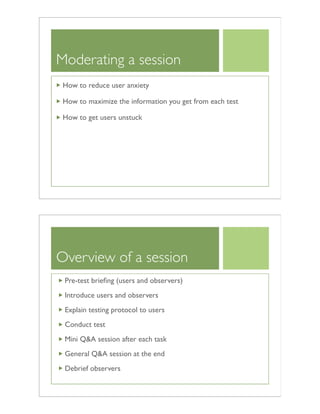
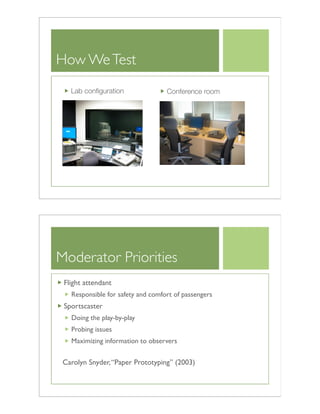
How WeTest
Lab configuration Conference room
Moderator Priorities
Flight attendant
Responsible for safety and comfort of passengers
Sportscaster
Doing the play-by-play
Probing issues
Maximizing information to observers
Carolyn Snyder,“Paper Prototyping” (2003)
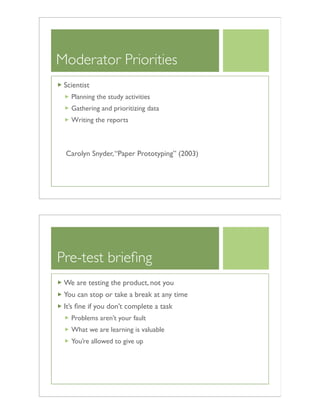
Moderator Priorities
Scientist
Planning the study activities
Gathering and prioritizing data
Writing the reports
Carolyn Snyder,“Paper Prototyping” (2003)
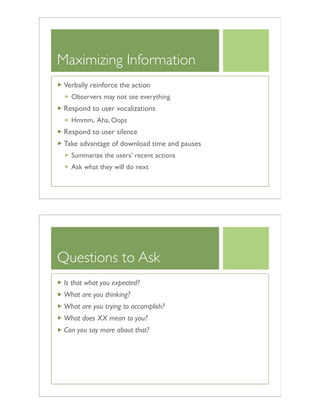
Pre-test briefing
We are testing the product, not you
You can stop or take a break at any time
It’s fine if you don’t complete a task
Problems aren’t your fault
What we are learning is valuable
You’re allowed to give up
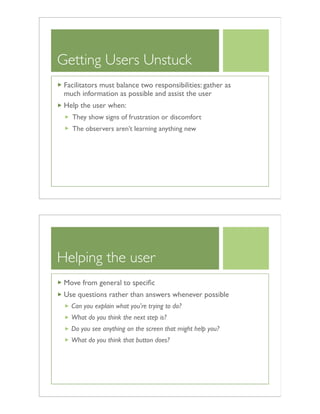
Maximizing Information
Verbally reinforce the action
Observers may not see everything
Respond to user vocalizations
Hmmm, Aha, Oops
Respond to user silence
Take advantage of download time and pauses
Summarize the users’ recent actions
Ask what they will do next
Questions to Ask
Is that what you expected?
What are you thinking?
What are you trying to accomplish?
What does XX mean to you?
Can you say more about that?
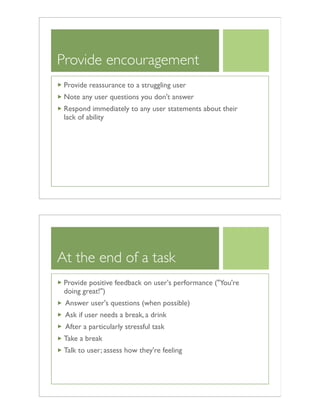
Getting Users Unstuck
Facilitators must balance two responsibilities: gather as
much information as possible and assist the user
Help the user when:
They show signs of frustration or discomfort
The observers aren’t learning anything new
Helping the user
Move from general to specific
Use questions rather than answers whenever possible
Can you explain what you're trying to do?
What do you think the next step is?
Do you see anything on the screen that might help you?
What do you think that button does?
Provide encouragement
Provide reassurance to a struggling user
Note any user questions you don't answer
Respond immediately to any user statements about their
lack of ability
At the end of a task
Provide positive feedback on user's performance ("You're
doing great!")
Answer user's questions (when possible)
Ask if user needs a break, a drink
After a particularly stressful task
Take a break
Talk to user; assess how they're feeling
End of session Q&A
What are two things you liked about the product?!
Helps turn the test session into a positive experience
What are two things you would like to see improved about the
product?
Helps prioritize usability problems or unresolved issues
Quick and Dirty Techniques
Quick techniques
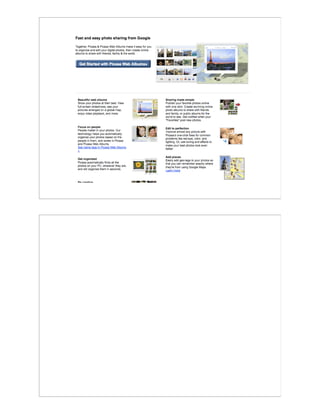
5 second test
First click test
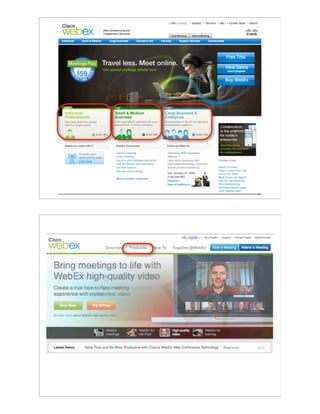
Comprehension test
5 Second PageTests
Quick and dirty technique for measuring content pages
Takes less than 10 minutes to run
Measures if content pages quickly convey their purpose
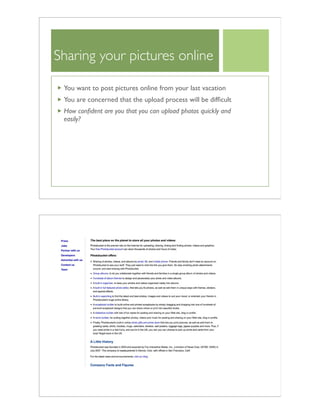
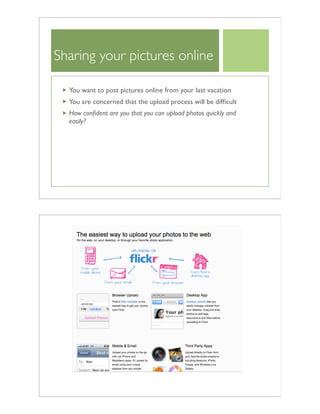
Sharing your pictures online
You want to post pictures online from your last vacation
You are concerned that the upload process will be difficult
How confident are you that you can upload photos quickly and
easily?
Sharing your pictures online
You want to post pictures online from your last vacation
You are concerned that the upload process will be difficult
How confident are you that you can upload photos quickly and
easily?
Sharing your pictures online
You want to post pictures online from your last vacation
You are concerned that the upload process will be difficult
How confident are you that you can upload photos quickly and
easily?
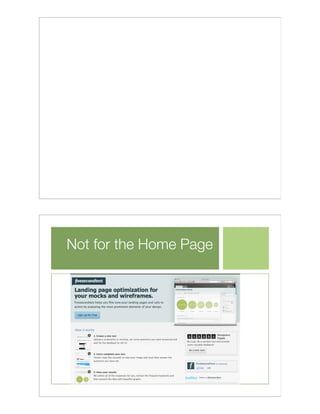
Not for the Home Page
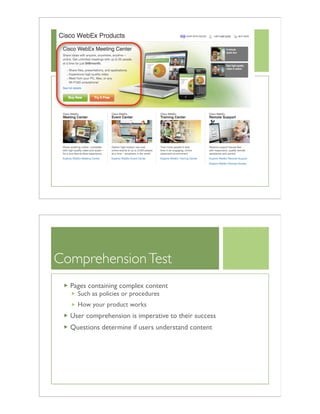
First ClickTest
Useful method to assess where users first click on your site’s
home or entry page
Provide users with a specific task to complete when they
arrive at the site
By observing where users first click, it’s a clear indicator
whether they’ll eventually be successful
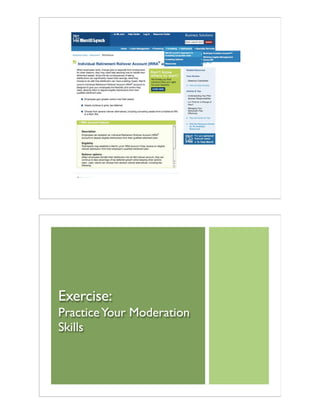
ComprehensionTest
Pages containing complex content
Such as policies or procedures
How your product works
User comprehension is imperative to their success
Questions determine if users understand content
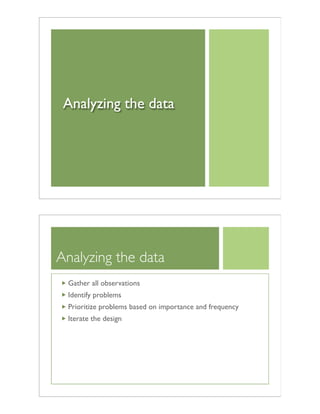
Exercise:
PracticeYour Moderation
Skills
Analyzing the data
Analyzing the data
Gather all observations
Identify problems
Prioritize problems based on importance and frequency
Iterate the design
Data analysis for
exploratory tests
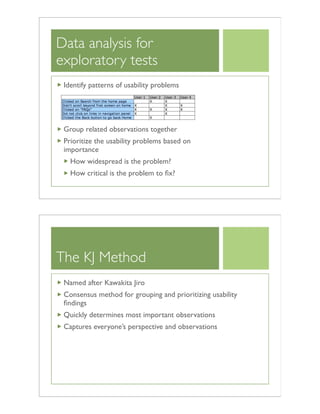
Identify patterns of usability problems
Group related observations together
Prioritize the usability problems based on
importance
How widespread is the problem?
How critical is the problem to fix?
The KJ Method
Named after Kawakita Jiro
Consensus method for grouping and prioritizing usability
findings
Quickly determines most important observations
Captures everyone’s perspective and observations
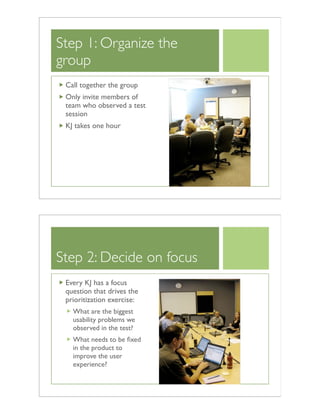
Step 1: Organize the
group
Call together the group
Only invite members of
team who observed a test
session
KJ takes one hour
Step 2: Decide on focus
Every KJ has a focus
question that drives the
prioritization exercise:
What are the biggest
usability problems we
observed in the test?
What needs to be fixed
in the product to
improve the user
experience?
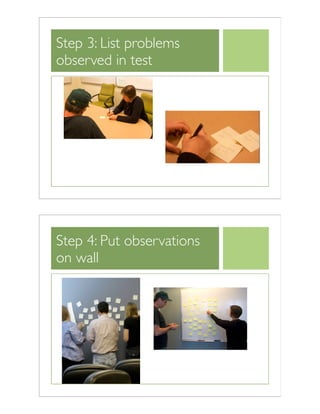
Step 3: List problems
observed in test
Step 4: Put observations
on wall
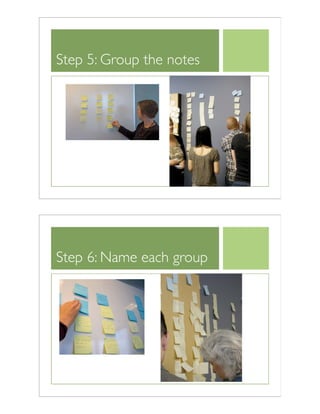
Step 5: Group the notes
Step 6: Name each group
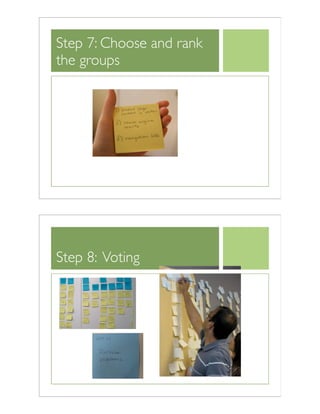
Step 7: Choose and rank
the groups
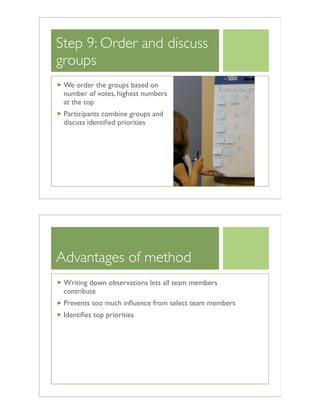
Step 8: Voting
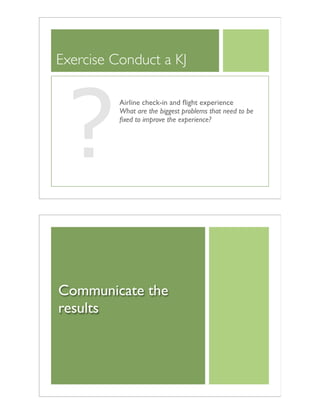
Step 9: Order and discuss
groups
We order the groups based on
number of votes, highest numbers
at the top
Participants combine groups and
discuss identified priorities
Advantages of method
Writing down observations lets all team members
contribute
Prevents too much influence from select team members
Identifies top priorities
Exercise Conduct a KJ
?
Airline check-in and flight experience
What are the biggest problems that need to be
fixed to improve the experience?
Communicate the
results
The importance of
communicating results
Must convey important findings to the people responsible
for making design changes
Teams often underestimate the amount of communication
necessary
Plan a communication strategy before testing
Success factors
Communicate results quickly
Debrief often
Report to stakeholders and project team when they need it
Don’t report too much information
Determine best delivery method considering the needs of
your different audiences
No surprises!
Methods for
communicating results
Informal
Emails or internet dashboard with short memos of findings
and recommendations
Working meetings with project teams
Integration with existing problem/bug reporting strategy
Formal
Presentations and workshops
Highlight video
Usability reports
Email or internet
dashboard
Effective communication tool for sharing test results
immediately
After each day of tests, send a short email to design team
with major observations from the day
Working meeting
When quick changes are required after a round of tests,
schedule a one-hour meeting to share and prioritize the
test results
Review the usability test observations
Determine next steps and short-term fixes
Integrate with bug tracking
Most organizations already have a method for collecting
problem or bug reports
Merge usability problems with other bugs
Prevents having two tracking systems
Helps determine relative importance of a problem
Presentation and
workshops
1-2 hour presentation with design team (and sometimes
engineers, marketing, key stakeholders)
Share most important usability findings based on
prioritization of problems
Effective communication technique
People often ignore written communications
Active involvement with design team and stakeholders
Highlight videos
20-30 minute video capturing the most important findings
from the usability test
They can be helpful to convince stakeholders of problems
Time consuming to produce and many teams don’t watch
them
A formal report
A formal report may be necessary if:
The usability study is being conducted by an external
consultant
The results won’t be implemented immediately
The company culture demands it
Reporting tips
Describe findings in terms of user behaviors and expressed
thoughts
Include positive findings in addition to the negative findings
Include screen (prototype) snapshots; the report has to
stand alone
Write clearly and concisely
short
to the point
bulleted lists
Focus of report
Focus on:
Important findings
Data to support each finding
Recommendations for each findings
Relate your findings back to the focus of the study
What did you learn about each of your issues?
What else did you learn?
What is working well?
What needs to change?

DrupalCon Austin: UX Bootcamp workshop

  • 1.
    UX Bootcamp Christine Perfetti,Acquia @cperfetti The Logistics The schedule Ask questions as they occur to you Don’t surprise us on the evaluation form Please keep your laptop turned off unless we’re doing an exercise You’ll be working in groups of 3 Preferably with someone you don’t know
  • 2.
    Traditional usability tests Ausability test involves putting your users in front of your product and observing what they do Exercise: A usability test of Disney.com
  • 3.
    Exploration: UsabilityTest Break intoteams of 3 One person is the user Think aloud as you work Two people are the observers Observe silently and take notes After we perform the task, we’ll ask you to switch roles and do another task As the user... We’re evaluating the design, not you The answer is somewhere on the site If you experience problems, it’s not your fault You’re helping the observers learn more about the design problems You can stop the task at any time
  • 4.
    As the observer... Takenotes as the user works Was the user successful? How did the user go about performing the task? Did they go to the search engine, what links did they click on? What obstacles did the user encounter? What confusion did they experience? Note things that worked well When you complete a task, say,“Got it!” Disney.com Scenario: Your 5-year-old niece has always wanted to go to Disney World.You have decided to take her there for a special vacation. Task Assignment: You are looking for a hotel within the park.You want it to be the cheapest hotel with access to the monorail.Which Disney World hotel would you choose to stay in? When you’re satisfied that you’ve found the answer to this question, say,“Got it.”
  • 5.
    Discussion How many usersfound the answer? What helped users succeed? What obstacles prevented them from finding what they wanted? What do you expect will happen when you test your product? Exercise: A usability test of Acquia.com
  • 6.
    Acquia.com Scenario: Acquia’s CEO,Tom Erickson,was interviewed last year about the power of open source Drupal and what’s driving the success of Acquia. Task Assignment: Find information on the Acquia web site about Tom’s view on the power of Drupal. When you’re satisfied that you’ve found the answer to this question, say,“Got it.” Exercise: A usability test of Amazon.com
  • 7.
    Amazon.com Scenario: Your job hasbeen causing you a lot of stress lately, and you're looking for some relief from the tension that's been building in your back and shoulders. Task Assignment: Find a product, for under forty dollars, that will help relieve the tension in your back and shoulders. When you’re satisfied that you’ve found the answer to this question, say,“Got it.” Signs of content and design failure Back button Pogosticking Going to Search FAQs, Help, and Site Map
  • 8.
    Definition of Usability Basicdefinition of Usability Can users accomplish their goals with your product? Shades of gray: How effectively can users accomplish their goals? To make a product usable, we need to know, What are the company’s goals for the product? Who are the product’s users? What are the users’ goals? Do they have different goals? What we’ll cover How to complete all of the steps for a usability study Plan a study Create tasks Moderate a session Analyze the data Communicate the findings Quick-and-dirty techniques
  • 9.
    Study planning The studyplan Provides a systematic approach to the testing process Serves as a blueprint for the test Facilitates communication and buy-in from stakeholders Addresses concerns or issues about the product and data to uncover Outlines project deliverables and timelines
  • 10.
    Topics to address Study’sgoal Research questions and issues to explore User characteristics Study method Schedule Task list Data to collect Reporting strategy Hold a planning meeting At the beginning of the project, we hold a planning meeting with all product team members and stakeholders to discuss: An overview of the testing process Project scope Issues (risks and concerns) with the design Decide on number of users to study Testing schedule No surprises! Avoid the game of telephone
  • 11.
    Who should attend Productand design team members Marketing, engineering leads, and executives Any person who is involved in the design Issues, risks, and concerns What do you want to learn? Most studies aren’t purely exploratory The issues and research questions will drive the tasks and participants you choose Work with the design team and stakeholders to outline the research questions Vague statement: Will this work for users?
  • 12.
  • 13.
    Designing tasks Tasks allowus to assess a product’s usability The tasks create a realistic context to observe the problems users encounter Interest affects behavior Users search more vigorously They are more likely to read the content They are willing to wait for downloads
  • 14.
    Traditional tasks Verb-based tasks Scavengerhunt tasks Verb-based tasks Ask users to do something specific Assess the product’s functionality Most common for evaluating software, hardware, and web applications
  • 15.
    Examples Respond to theemail you just received from Edmund Boston Write a note to your mother Copy the text of this page to another document Send the message from Edmund to your friend, Lisa Pros and cons Positives: Test functionality Measure how different users perform the same task Negatives: Is this something users really do? Not taking the larger context of when/why users perform these tasks into account
  • 16.
    Scavenger hunt tasks Challengeusers to find something specific Test users’ understanding of information Most common form of task used for information-rich web sites Examples You were at a party last week. The discussion turned to recipes for authentic Italian pasta dishes. Go to the Food Network site and find an Italian recipe for pasta. Of the bookcases on the IKEA site, find the ideal one for your living room.
  • 17.
    Pros and cons Positives: Testhow well users find and understand information Measure how easy/difficult it is for different users to find the same information Negatives: Is this something users really do? Not taking the larger context of when/why users perform these tasks into account Creating verb-based tasks List out the things the product or design allows users to do Identify critical verbs from the list May need a logical order Create tasks for each verb Success is when the user completes the task
  • 18.
    What are Gmail’sverbs? Verb-based tasks Sign up for a new account Send mail to lisa@perfettimedia.com Attach a Word file to the message Add Lisa’s email to your address book Open and read Lisa’s reply Send a meeting invitation to Lisa
  • 19.
    Creating scavenger hunt tasks Surfsite or product Find topic that could be of interest to users Create scenarios and questions to go with the topic Avoid “giveaway” words Success is when the topic is found Scavenger hunt tasks are verb-based tasks with the verb, “find” Finding IRS forms
  • 20.
    Scavenger hunt tasks Findthe latest version of the 1099 form Will you be eligible to file your taxes online? What changes are planned for taxes in 2011? Exercise Brainstorm at least four tasks for the product or site you would like to evaluate They can be a combination of verb-based or scavenger hunt tasks Write one task per page Create a short scenario to set the context for each task You will use these tasks to test your product
  • 21.
    Testing exercise Break intogroups of 3. Spend 10 minutes testing your product You can also pick another site to test After 10 minutes, switch roles Running a usability study
  • 22.
    Moderating a session Howto reduce user anxiety How to maximize the information you get from each test How to get users unstuck Overview of a session Pre-test briefing (users and observers) Introduce users and observers Explain testing protocol to users Conduct test Mini Q&A session after each task General Q&A session at the end Debrief observers
  • 23.
    How WeTest Lab configurationConference room Moderator Priorities Flight attendant Responsible for safety and comfort of passengers Sportscaster Doing the play-by-play Probing issues Maximizing information to observers Carolyn Snyder,“Paper Prototyping” (2003)
  • 24.
    Moderator Priorities Scientist Planning thestudy activities Gathering and prioritizing data Writing the reports Carolyn Snyder,“Paper Prototyping” (2003) Pre-test briefing We are testing the product, not you You can stop or take a break at any time It’s fine if you don’t complete a task Problems aren’t your fault What we are learning is valuable You’re allowed to give up
  • 25.
    Maximizing Information Verbally reinforcethe action Observers may not see everything Respond to user vocalizations Hmmm, Aha, Oops Respond to user silence Take advantage of download time and pauses Summarize the users’ recent actions Ask what they will do next Questions to Ask Is that what you expected? What are you thinking? What are you trying to accomplish? What does XX mean to you? Can you say more about that?
  • 26.
    Getting Users Unstuck Facilitatorsmust balance two responsibilities: gather as much information as possible and assist the user Help the user when: They show signs of frustration or discomfort The observers aren’t learning anything new Helping the user Move from general to specific Use questions rather than answers whenever possible Can you explain what you're trying to do? What do you think the next step is? Do you see anything on the screen that might help you? What do you think that button does?
  • 27.
    Provide encouragement Provide reassuranceto a struggling user Note any user questions you don't answer Respond immediately to any user statements about their lack of ability At the end of a task Provide positive feedback on user's performance ("You're doing great!") Answer user's questions (when possible) Ask if user needs a break, a drink After a particularly stressful task Take a break Talk to user; assess how they're feeling
  • 28.
    End of sessionQ&A What are two things you liked about the product?! Helps turn the test session into a positive experience What are two things you would like to see improved about the product? Helps prioritize usability problems or unresolved issues Quick and Dirty Techniques
  • 29.
    Quick techniques 5 secondtest First click test Comprehension test 5 Second PageTests Quick and dirty technique for measuring content pages Takes less than 10 minutes to run Measures if content pages quickly convey their purpose
  • 30.
    Sharing your picturesonline You want to post pictures online from your last vacation You are concerned that the upload process will be difficult How confident are you that you can upload photos quickly and easily?
  • 31.
    Sharing your picturesonline You want to post pictures online from your last vacation You are concerned that the upload process will be difficult How confident are you that you can upload photos quickly and easily?
  • 33.
    Sharing your picturesonline You want to post pictures online from your last vacation You are concerned that the upload process will be difficult How confident are you that you can upload photos quickly and easily?
  • 34.
    Not for theHome Page
  • 35.
    First ClickTest Useful methodto assess where users first click on your site’s home or entry page Provide users with a specific task to complete when they arrive at the site By observing where users first click, it’s a clear indicator whether they’ll eventually be successful
  • 37.
    ComprehensionTest Pages containing complexcontent Such as policies or procedures How your product works User comprehension is imperative to their success Questions determine if users understand content
  • 38.
  • 39.
    Analyzing the data Analyzingthe data Gather all observations Identify problems Prioritize problems based on importance and frequency Iterate the design
  • 40.
    Data analysis for exploratorytests Identify patterns of usability problems Group related observations together Prioritize the usability problems based on importance How widespread is the problem? How critical is the problem to fix? The KJ Method Named after Kawakita Jiro Consensus method for grouping and prioritizing usability findings Quickly determines most important observations Captures everyone’s perspective and observations
  • 41.
    Step 1: Organizethe group Call together the group Only invite members of team who observed a test session KJ takes one hour Step 2: Decide on focus Every KJ has a focus question that drives the prioritization exercise: What are the biggest usability problems we observed in the test? What needs to be fixed in the product to improve the user experience?
  • 42.
    Step 3: Listproblems observed in test Step 4: Put observations on wall
  • 43.
    Step 5: Groupthe notes Step 6: Name each group
  • 44.
    Step 7: Chooseand rank the groups Step 8: Voting
  • 45.
    Step 9: Orderand discuss groups We order the groups based on number of votes, highest numbers at the top Participants combine groups and discuss identified priorities Advantages of method Writing down observations lets all team members contribute Prevents too much influence from select team members Identifies top priorities
  • 46.
    Exercise Conduct aKJ ? Airline check-in and flight experience What are the biggest problems that need to be fixed to improve the experience? Communicate the results
  • 47.
    The importance of communicatingresults Must convey important findings to the people responsible for making design changes Teams often underestimate the amount of communication necessary Plan a communication strategy before testing Success factors Communicate results quickly Debrief often Report to stakeholders and project team when they need it Don’t report too much information Determine best delivery method considering the needs of your different audiences No surprises!
  • 48.
    Methods for communicating results Informal Emailsor internet dashboard with short memos of findings and recommendations Working meetings with project teams Integration with existing problem/bug reporting strategy Formal Presentations and workshops Highlight video Usability reports Email or internet dashboard Effective communication tool for sharing test results immediately After each day of tests, send a short email to design team with major observations from the day
  • 49.
    Working meeting When quickchanges are required after a round of tests, schedule a one-hour meeting to share and prioritize the test results Review the usability test observations Determine next steps and short-term fixes Integrate with bug tracking Most organizations already have a method for collecting problem or bug reports Merge usability problems with other bugs Prevents having two tracking systems Helps determine relative importance of a problem
  • 50.
    Presentation and workshops 1-2 hourpresentation with design team (and sometimes engineers, marketing, key stakeholders) Share most important usability findings based on prioritization of problems Effective communication technique People often ignore written communications Active involvement with design team and stakeholders Highlight videos 20-30 minute video capturing the most important findings from the usability test They can be helpful to convince stakeholders of problems Time consuming to produce and many teams don’t watch them
  • 51.
    A formal report Aformal report may be necessary if: The usability study is being conducted by an external consultant The results won’t be implemented immediately The company culture demands it Reporting tips Describe findings in terms of user behaviors and expressed thoughts Include positive findings in addition to the negative findings Include screen (prototype) snapshots; the report has to stand alone Write clearly and concisely short to the point bulleted lists
  • 52.
    Focus of report Focuson: Important findings Data to support each finding Recommendations for each findings Relate your findings back to the focus of the study What did you learn about each of your issues? What else did you learn? What is working well? What needs to change?