
Image from flickr by screaming_monkey / www.flickr.com/photos/screamingmonkey/4839552797/
User Testing on a Shoestring
May 20, 2014
Tech Tutorial
AAM Media & Technology Network
Christina DePaolo, 4Culture
Dana Mitroff Silvers, Designing Insights
Charlotte Sexton, Independent Consultant
#aam2014user
Introductions
Christina DePaolo
@tinabean
Dana Mitroff Silvers
@dmitroff
Charlotte Sexton
@cb_sexton
Today’s program
●  Introduction to user testing
●  Activity #1: develop test scenarios
●  Short break
●  Activity #2: think aloud testing
●  Testing logistics
●  Resources
Goals
●  Understand what user testing is
●  Plan for user testing
●  Try out testing methods
Usability: what + why?
What it’s about
It’s not about you. Really.
It’s not about what your coworkers want.
Seriously.
Then who? It is about the person using it and the
experience they have. It should be a good
experience.
That’s your bullseye.
Why it’s powerful
●  Gives you an evidence base
●  Helps you solve problems
●  Can resolve conflicts
●  Allows you to prioritize features/resources
Why it’s scalable
●  You don’t have to bring in experts to do it
●  It doesn’t need to cost a lot of money
●  Easy to learn and implement
●  Get big results with a small sample size
●  Ideally iterative
Testing methods
Some testing methods
•  Individual think aloud
•  Concurrent think aloud
o  Develop test inquiry
o  Write test scenario
•  “First impression” tests
•  A/B testing
•  Card sorting
1. Recruit representative users.
2. Give them representative tasks to perform.
3. Shut up and let the users do the talking.
Golden rules for user testing
Source:
Thinking Aloud: The #!1 Usability Tool by Jakob Nielsen
http://www.nngroup.com/articles/thinking-aloud-the-1-usability-tool/
Preparing to test
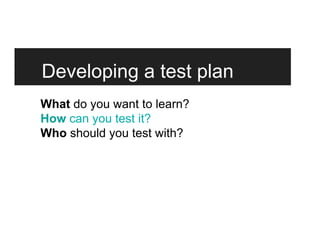
Developing a test plan
What do you want to learn?
How can you test it?
Who should you test with?
Developing a test plan
What do you want to learn?
How can you test it?
Who should you test with?
Version 1: Test inquiry
“Is our online ticketing easy to use?”
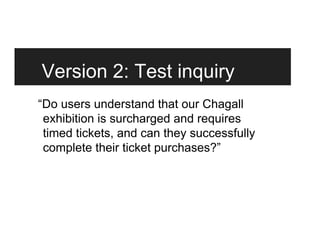
Version 2: Test inquiry
“Do users understand that our Chagall
exhibition is surcharged and requires
timed tickets, and can they successfully
complete their ticket purchases?”
Developing a test plan
What do you want to learn?
How can you test it?
Who should you test with?
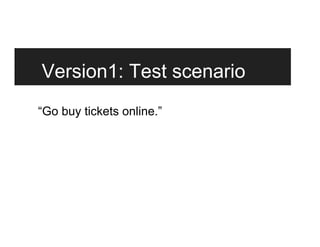
Version1: Test scenario
“Go buy tickets online.”
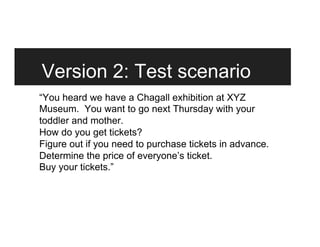
Version 2: Test scenario
“You heard we have a Chagall exhibition at XYZ
Museum. You want to go next Thursday with your
toddler and mother.
How do you get tickets?
Figure out if you need to purchase tickets in advance.
Determine the price of everyone’s ticket.
Buy your tickets.”
Let’s try it
Planning a test
Develop your test inquiry
Write down 3 specific things you want to learn
about a digital product or service in your
institution.
3 minutes on your own on Post-its
Get a partner + share
Review what you want to learn about.
●  Is it specific?
●  Is it measurable?
●  Is it testable?
Revise as needed.
3 minutes each person x 2
Develop your test scenario
Select one.
Now write a brief scenario you can ask a user
to complete during a test.
3 minutes on your own
Share with your partner
Share your scenario and get feedback.
Revise as needed.
3 minutes each (6 minutes total)
Five-minute break
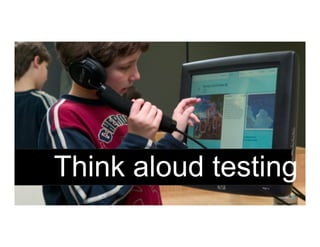
Think aloud testing
Setting up to test
You will need to:
●  Define replicable tasks which fit target
audiences’ needs and motivations
●  Develop a set of ‘open’ questions that won’t
bias answers
●  Find a quiet space to run the test
Running your test
●  Look out for: confusion, error, failure and
success!
●  Keep quiet unless they are completely stuck
●  Record the tests (notes/video/screen capture)
●  Summarize and prioritize the issues identified
Concurrent Think Aloud
1 volunteer facilitator
2 volunteer testers
1 note taker
10 minutes
Reflection
First impressions..?
Was the test successful in identifying issues?
Anything surprise you?
Could you apply this method to your own project?
How might you improve the tests?
5 minutes
Testing logistics
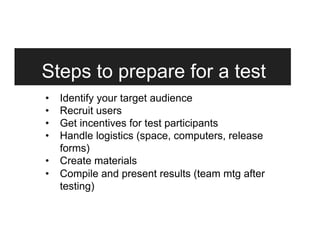
Steps to prepare for a test
•  Identify your target audience
•  Recruit users
•  Get incentives for test participants
•  Handle logistics (space, computers, release
forms)
•  Create materials
•  Compile and present results (team mtg after
testing)
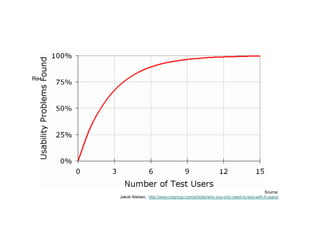
Recruiting users
Source:
Jakob Nielsen, http://www.nngroup.com/articles/why-you-only-need-to-test-with-5-users/
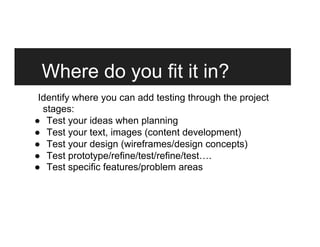
Where do you fit it in?
Identify where you can add testing through the project
stages:
●  Test your ideas when planning
●  Test your text, images (content development)
●  Test your design (wireframes/design concepts)
●  Test prototype/refine/test/refine/test….
●  Test specific features/problem areas
Wrapping up
Key take-aways
1. The user is king/queen
2. You can do it! (Even with limited time and
resources)
3. Some testing is better than none
4. The more specific, the better the results
5. Take action based on your findings
Resources
Nielsen Norman Group
www.nngroup.com/
Usability.gov
www.usability.gov
Usability Professionals Organization
http://www.usabilityprofessionals.org/
Google Ventures Library
www.gv.com/library/design/
Measuring Usability
www.measuringusability.com/blog.php
Tools for testing
Creating Prototypes
Pen & paper!
Omnigraffle
Balsamiq
Screen Capture/Recording
Hypercam
Monosnap
WebEx
Screen Sharing
Google+ video
Skype Premium
WebEx
Tracking Bugs and Features
Jira
Pivotal Tracker
Asana
Online Testing Services
usabilityhub.com
usertesting.com
userzoom.com
loop11.com
Thank you
Christina DePaolo
@tinabean | christina.depaolo@4culture.org
Dana Mitroff Silvers
@dmitroff | dana@designinginsights.com
Charlotte Sexton
@cb_sexton | cbsexton.associates@gmail.com
Workshop Evaluation: http://bit.ly/aamtech

AAM 2014 Tech Tutorial: User Testing on a Shoestring

  • 1.
    Image from flickrby screaming_monkey / www.flickr.com/photos/screamingmonkey/4839552797/ User Testing on a Shoestring May 20, 2014 Tech Tutorial AAM Media & Technology Network Christina DePaolo, 4Culture Dana Mitroff Silvers, Designing Insights Charlotte Sexton, Independent Consultant #aam2014user
  • 2.
    Introductions Christina DePaolo @tinabean Dana MitroffSilvers @dmitroff Charlotte Sexton @cb_sexton
  • 3.
    Today’s program ●  Introductionto user testing ●  Activity #1: develop test scenarios ●  Short break ●  Activity #2: think aloud testing ●  Testing logistics ●  Resources
  • 4.
    Goals ●  Understand whatuser testing is ●  Plan for user testing ●  Try out testing methods
  • 5.
  • 6.
    What it’s about It’snot about you. Really. It’s not about what your coworkers want. Seriously. Then who? It is about the person using it and the experience they have. It should be a good experience. That’s your bullseye.
  • 7.
    Why it’s powerful ● Gives you an evidence base ●  Helps you solve problems ●  Can resolve conflicts ●  Allows you to prioritize features/resources
  • 8.
    Why it’s scalable ● You don’t have to bring in experts to do it ●  It doesn’t need to cost a lot of money ●  Easy to learn and implement ●  Get big results with a small sample size ●  Ideally iterative
  • 9.
  • 10.
    Some testing methods • Individual think aloud •  Concurrent think aloud o  Develop test inquiry o  Write test scenario •  “First impression” tests •  A/B testing •  Card sorting
  • 11.
    1. Recruit representativeusers. 2. Give them representative tasks to perform. 3. Shut up and let the users do the talking. Golden rules for user testing Source: Thinking Aloud: The #!1 Usability Tool by Jakob Nielsen http://www.nngroup.com/articles/thinking-aloud-the-1-usability-tool/
  • 12.
  • 13.
    Developing a testplan What do you want to learn? How can you test it? Who should you test with?
  • 14.
    Developing a testplan What do you want to learn? How can you test it? Who should you test with?
  • 15.
    Version 1: Testinquiry “Is our online ticketing easy to use?”
  • 16.
    Version 2: Testinquiry “Do users understand that our Chagall exhibition is surcharged and requires timed tickets, and can they successfully complete their ticket purchases?”
  • 17.
    Developing a testplan What do you want to learn? How can you test it? Who should you test with?
  • 18.
    Version1: Test scenario “Gobuy tickets online.”
  • 19.
    Version 2: Testscenario “You heard we have a Chagall exhibition at XYZ Museum. You want to go next Thursday with your toddler and mother. How do you get tickets? Figure out if you need to purchase tickets in advance. Determine the price of everyone’s ticket. Buy your tickets.”
  • 20.
  • 21.
  • 22.
    Develop your testinquiry Write down 3 specific things you want to learn about a digital product or service in your institution. 3 minutes on your own on Post-its
  • 23.
    Get a partner+ share Review what you want to learn about. ●  Is it specific? ●  Is it measurable? ●  Is it testable? Revise as needed. 3 minutes each person x 2
  • 24.
    Develop your testscenario Select one. Now write a brief scenario you can ask a user to complete during a test. 3 minutes on your own
  • 25.
    Share with yourpartner Share your scenario and get feedback. Revise as needed. 3 minutes each (6 minutes total)
  • 26.
  • 27.
  • 28.
    Setting up totest You will need to: ●  Define replicable tasks which fit target audiences’ needs and motivations ●  Develop a set of ‘open’ questions that won’t bias answers ●  Find a quiet space to run the test
  • 29.
    Running your test ● Look out for: confusion, error, failure and success! ●  Keep quiet unless they are completely stuck ●  Record the tests (notes/video/screen capture) ●  Summarize and prioritize the issues identified
  • 30.
    Concurrent Think Aloud 1volunteer facilitator 2 volunteer testers 1 note taker 10 minutes
  • 31.
    Reflection First impressions..? Was thetest successful in identifying issues? Anything surprise you? Could you apply this method to your own project? How might you improve the tests? 5 minutes
  • 32.
  • 33.
    Steps to preparefor a test •  Identify your target audience •  Recruit users •  Get incentives for test participants •  Handle logistics (space, computers, release forms) •  Create materials •  Compile and present results (team mtg after testing)
  • 34.
    Recruiting users Source: Jakob Nielsen,http://www.nngroup.com/articles/why-you-only-need-to-test-with-5-users/
  • 35.
    Where do youfit it in? Identify where you can add testing through the project stages: ●  Test your ideas when planning ●  Test your text, images (content development) ●  Test your design (wireframes/design concepts) ●  Test prototype/refine/test/refine/test…. ●  Test specific features/problem areas
  • 36.
  • 37.
    Key take-aways 1. The useris king/queen 2. You can do it! (Even with limited time and resources) 3. Some testing is better than none 4. The more specific, the better the results 5. Take action based on your findings
  • 38.
    Resources Nielsen Norman Group www.nngroup.com/ Usability.gov www.usability.gov UsabilityProfessionals Organization http://www.usabilityprofessionals.org/ Google Ventures Library www.gv.com/library/design/ Measuring Usability www.measuringusability.com/blog.php
  • 39.
    Tools for testing CreatingPrototypes Pen & paper! Omnigraffle Balsamiq Screen Capture/Recording Hypercam Monosnap WebEx Screen Sharing Google+ video Skype Premium WebEx Tracking Bugs and Features Jira Pivotal Tracker Asana Online Testing Services usabilityhub.com usertesting.com userzoom.com loop11.com
  • 40.
    Thank you Christina DePaolo @tinabean| christina.depaolo@4culture.org Dana Mitroff Silvers @dmitroff | dana@designinginsights.com Charlotte Sexton @cb_sexton | cbsexton.associates@gmail.com Workshop Evaluation: http://bit.ly/aamtech