Human Insight on Demand
Introducing
Live Conversation
Summary
•Live interviews are powerful, but the process of getting them is awful
•Slow, expensive, complicated
•Live Conversation Takes the pain out of recruiting and scheduling live
interviews
•Automatic, easy, and very fast
•Great for market discovery, prototypes, and quick market insight
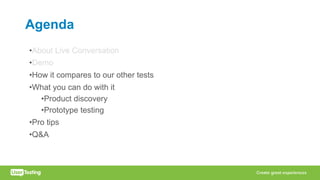
Agenda
•About Live Conversation
•Demo
•How it compares to our other tests
•What you can do with it
•Product discovery
•Prototype testing
•Pro tips
•Q&A
We’re Growing to Meet Your Needs
•Usability tests are just part of how we’re used
•Human insights on demand
•Everywhere in the organization
•Everytime there’s an important decision
•Higher quality decisions, more successful products on the first try
•Live Conversation extends your reach
Live Interviews:
Great Insights, Awful Process
• Real human insights are wonderful
•Thoughts and words
•Non-verbal cues
•Interactive
• The process is immensely painful
•Long lead times
•Difficult targeting
•Logistics & scheduling
• As a result, we don’t get authentic customer
insight for decisions that need it
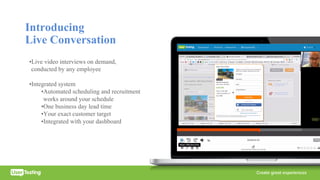
Introducing
Live Conversation
•Live video interviews on demand,
conducted by any employee
•Integrated system
•Automated scheduling and recruitment
works around your schedule
•One business day lead time
•Your exact customer target
•Integrated with your dashboard
How it helps you
Product teams
• Discovery interviews
• Test concepts within
a sprint
• Spread customer expertise
Marketing teams
• Marketing messages
• Media campaign
concepts
• Market opportunities
• Consumer attitudes
• A/B tests
UX teams
• Scheduling
• Prototypes and sketches
• Focus on generative work
Demo
“When recruiting live
participants for Walmart,
Live Conversation
eliminated logistical
nightmares – such as
scheduling, travel time, and
no-shows – and enabled us
to conduct live research in
days, not weeks or
months.”
SapientRazorfish
“The bonus of being able
to run a live test while
keeping the ability to
recruit people easily from
the UserTesting panel is
awesome.”
Udemy
Agenda
•About Live Conversation
•Demo
•How it compares to our other tests
•What you can do with it
•Product discovery
•Prototype testing
•Pro tips
•Q&A
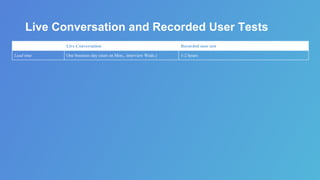
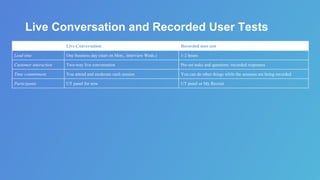
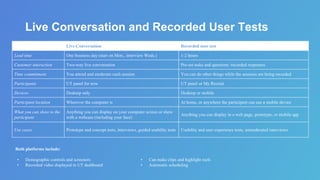
Live Conversation and Recorded User Tests
Live Conversation Recorded user test
Lead time One business day (start on Mon., interview Weds.) 1-2 hours
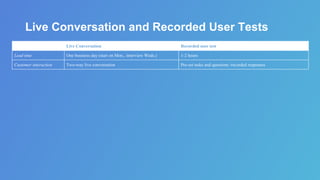
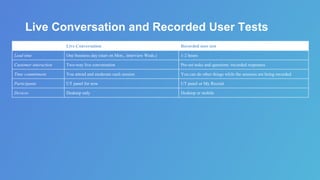
Live Conversation and Recorded User Tests
Live Conversation Recorded user test
Lead time One business day (start on Mon., interview Weds.) 1-2 hours
Customer interaction Two-way live conversation Pre-set tasks and questions /recorded responses
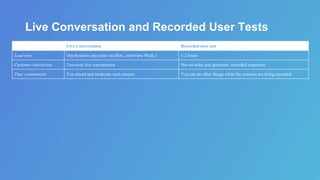
Live Conversation and Recorded User Tests
Live Conversation Recorded user test
Lead time One business day (start on Mon., interview Weds.) 1-2 hours
Customer interaction Two-way live conversation Pre-set tasks and questions /recorded responses
Time commitment You attend and moderate each session You can do other things while the sessions are being recorded
Live Conversation and Recorded User Tests
Live Conversation Recorded user test
Lead time One business day (start on Mon., interview Weds.) 1-2 hours
Customer interaction Two-way live conversation Pre-set tasks and questions /recorded responses
Time commitment You attend and moderate each session You can do other things while the sessions are being recorded
Participants UT panel for now UT panel or My Recruit
Live Conversation and Recorded User Tests
Live Conversation Recorded user test
Lead time One business day (start on Mon., interview Weds.) 1-2 hours
Customer interaction Two-way live conversation Pre-set tasks and questions /recorded responses
Time commitment You attend and moderate each session You can do other things while the sessions are being recorded
Participants UT panel for now UT panel or My Recruit
Devices Desktop only Desktop or mobile
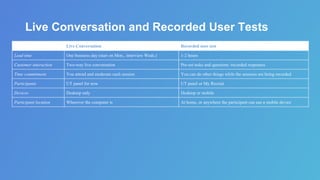
Live Conversation and Recorded User Tests
Live Conversation Recorded user test
Lead time One business day (start on Mon., interview Weds.) 1-2 hours
Customer interaction Two-way live conversation Pre-set tasks and questions /recorded responses
Time commitment You attend and moderate each session You can do other things while the sessions are being recorded
Participants UT panel for now UT panel or My Recruit
Devices Desktop only Desktop or mobile
Participant location Wherever the computer is At home, or anywhere the participant can use a mobile device
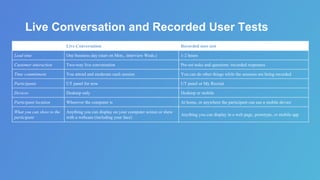
Live Conversation and Recorded User Tests
Live Conversation Recorded user test
Lead time One business day (start on Mon., interview Weds.) 1-2 hours
Customer interaction Two-way live conversation Pre-set tasks and questions /recorded responses
Time commitment You attend and moderate each session You can do other things while the sessions are being recorded
Participants UT panel for now UT panel or My Recruit
Devices Desktop only Desktop or mobile
Participant location Wherever the computer is At home, or anywhere the participant can use a mobile device
What you can show to the
participant
Anything you can display on your computer screen or show
with a webcam (including your face)
Anything you can display in a web page, prototype, or mobile app
Live Conversation and Recorded User Tests
Live Conversation Recorded user test
Lead time One business day (start on Mon., interview Weds.) 1-2 hours
Customer interaction Two-way live conversation Pre-set tasks and questions /recorded responses
Time commitment You attend and moderate each session You can do other things while the sessions are being recorded
Participants UT panel for now UT panel or My Recruit
Devices Desktop only Desktop or mobile
Participant location Wherever the computer is At home, or anywhere the participant can use a mobile device
What you can show to the
participant
Anything you can display on your computer screen or show
with a webcam (including your face)
Anything you can display in a web page, prototype, or mobile app
Use cases Prototype and concept tests, interviews, guided usability tests Usability and user experience tests, unmoderated interviews
Both platforms include:
• Demographic controls and screeners
• Recorded video displayed in UT dashboard
• Can make clips and highlight reels
• Automatic scheduling
Agenda
•About Live Conversation
•Demo
•How it compares to our other tests
•What you can do with it
•Product discovery
•Prototype testing
•Pro tips
•Q&A
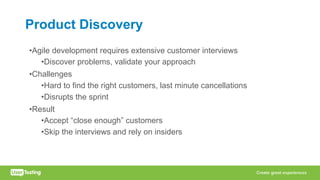
Product Discovery
•Agile development requires extensive customer interviews
•Discover problems, validate your approach
•Challenges
•Hard to find the right customers, last minute cancellations
•Disrupts the sprint
•Result
•Accept “close enough” customers
•Skip the interviews and rely on insiders
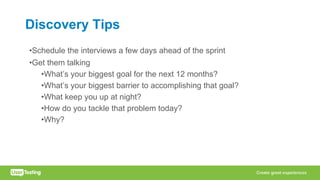
Discovery Tips
•Schedule the interviews a few days ahead of the sprint
•Get them talking
•What’s your biggest goal for the next 12 months?
•What’s your biggest barrier to accomplishing that goal?
•What keep you up at night?
•How do you tackle that problem today?
•Why?
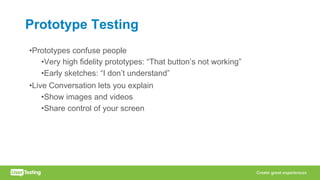
Prototype Testing
•Prototypes confuse people
•Very high fidelity prototypes: “That button’s not working”
•Early sketches: “I don’t understand”
•Live Conversation lets you explain
•Show images and videos
•Share control of your screen
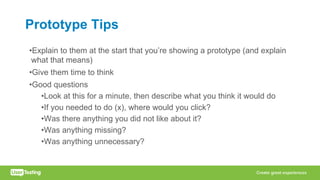
Prototype Tips
•Explain to them at the start that you’re showing a prototype (and explain
what that means)
•Give them time to think
•Good questions
•Look at this for a minute, then describe what you think it would do
•If you needed to do (x), where would you click?
•Was there anything you did not like about it?
•Was anything missing?
•Was anything unnecessary?
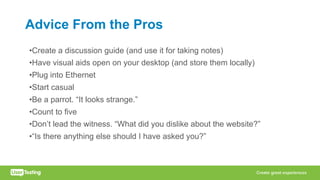
Advice From the Pros
•Create a discussion guide (and use it for taking notes)
•Have visual aids open on your desktop (and store them locally)
•Plug into Ethernet
•Start casual
•Be a parrot. “It looks strange.”
•Count to five
•Don’t lead the witness. “What did you dislike about the website?”
•“Is there anything else should I have asked you?”
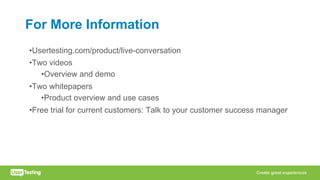
For More Information
•Usertesting.com/product/live-conversation
•Two videos
•Overview and demo
•Two whitepapers
•Product overview and use cases
•Free trial for current customers: Talk to your customer success manager
Remember
•Companies are moving toward continuous human insight
•More than just product usability, more than design
•UserTesting is growing in response
•Live Conversation is part of that evolution
•Make live interviews pain-free and accessible to everyone
•Available now
Q&A
Appendix
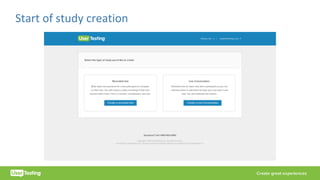
Start	of	study	creation
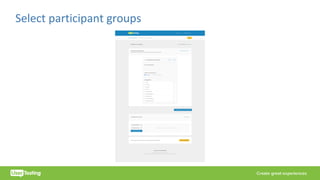
Select	participant	groups
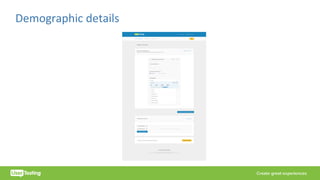
Demographic	details
Setting	your	availability
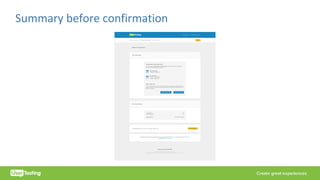
Summary	before	confirmation
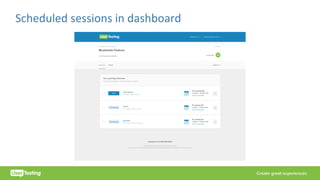
Scheduled	sessions	in	dashboard
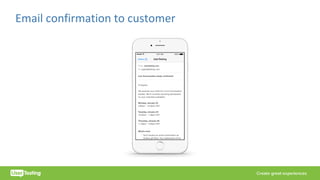
Email	confirmation	to	customer
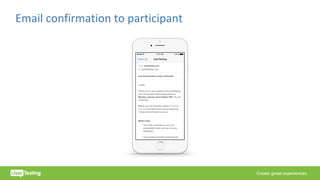
Email	confirmation	to	participant
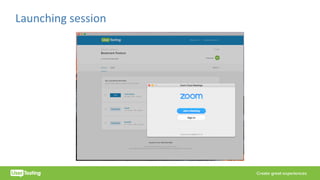
Launching	session

Introducing Live Conversation | Human Insight on Demand

  • 1.
    Human Insight onDemand Introducing Live Conversation
  • 2.
    Summary •Live interviews arepowerful, but the process of getting them is awful •Slow, expensive, complicated •Live Conversation Takes the pain out of recruiting and scheduling live interviews •Automatic, easy, and very fast •Great for market discovery, prototypes, and quick market insight
  • 3.
    Agenda •About Live Conversation •Demo •Howit compares to our other tests •What you can do with it •Product discovery •Prototype testing •Pro tips •Q&A
  • 4.
    We’re Growing toMeet Your Needs •Usability tests are just part of how we’re used •Human insights on demand •Everywhere in the organization •Everytime there’s an important decision •Higher quality decisions, more successful products on the first try •Live Conversation extends your reach
  • 5.
    Live Interviews: Great Insights,Awful Process • Real human insights are wonderful •Thoughts and words •Non-verbal cues •Interactive • The process is immensely painful •Long lead times •Difficult targeting •Logistics & scheduling • As a result, we don’t get authentic customer insight for decisions that need it
  • 6.
    Introducing Live Conversation •Live videointerviews on demand, conducted by any employee •Integrated system •Automated scheduling and recruitment works around your schedule •One business day lead time •Your exact customer target •Integrated with your dashboard
  • 7.
    How it helpsyou Product teams • Discovery interviews • Test concepts within a sprint • Spread customer expertise Marketing teams • Marketing messages • Media campaign concepts • Market opportunities • Consumer attitudes • A/B tests UX teams • Scheduling • Prototypes and sketches • Focus on generative work
  • 8.
  • 9.
    “When recruiting live participantsfor Walmart, Live Conversation eliminated logistical nightmares – such as scheduling, travel time, and no-shows – and enabled us to conduct live research in days, not weeks or months.” SapientRazorfish “The bonus of being able to run a live test while keeping the ability to recruit people easily from the UserTesting panel is awesome.” Udemy
  • 10.
    Agenda •About Live Conversation •Demo •Howit compares to our other tests •What you can do with it •Product discovery •Prototype testing •Pro tips •Q&A
  • 11.
    Live Conversation andRecorded User Tests Live Conversation Recorded user test Lead time One business day (start on Mon., interview Weds.) 1-2 hours
  • 12.
    Live Conversation andRecorded User Tests Live Conversation Recorded user test Lead time One business day (start on Mon., interview Weds.) 1-2 hours Customer interaction Two-way live conversation Pre-set tasks and questions /recorded responses
  • 13.
    Live Conversation andRecorded User Tests Live Conversation Recorded user test Lead time One business day (start on Mon., interview Weds.) 1-2 hours Customer interaction Two-way live conversation Pre-set tasks and questions /recorded responses Time commitment You attend and moderate each session You can do other things while the sessions are being recorded
  • 14.
    Live Conversation andRecorded User Tests Live Conversation Recorded user test Lead time One business day (start on Mon., interview Weds.) 1-2 hours Customer interaction Two-way live conversation Pre-set tasks and questions /recorded responses Time commitment You attend and moderate each session You can do other things while the sessions are being recorded Participants UT panel for now UT panel or My Recruit
  • 15.
    Live Conversation andRecorded User Tests Live Conversation Recorded user test Lead time One business day (start on Mon., interview Weds.) 1-2 hours Customer interaction Two-way live conversation Pre-set tasks and questions /recorded responses Time commitment You attend and moderate each session You can do other things while the sessions are being recorded Participants UT panel for now UT panel or My Recruit Devices Desktop only Desktop or mobile
  • 16.
    Live Conversation andRecorded User Tests Live Conversation Recorded user test Lead time One business day (start on Mon., interview Weds.) 1-2 hours Customer interaction Two-way live conversation Pre-set tasks and questions /recorded responses Time commitment You attend and moderate each session You can do other things while the sessions are being recorded Participants UT panel for now UT panel or My Recruit Devices Desktop only Desktop or mobile Participant location Wherever the computer is At home, or anywhere the participant can use a mobile device
  • 17.
    Live Conversation andRecorded User Tests Live Conversation Recorded user test Lead time One business day (start on Mon., interview Weds.) 1-2 hours Customer interaction Two-way live conversation Pre-set tasks and questions /recorded responses Time commitment You attend and moderate each session You can do other things while the sessions are being recorded Participants UT panel for now UT panel or My Recruit Devices Desktop only Desktop or mobile Participant location Wherever the computer is At home, or anywhere the participant can use a mobile device What you can show to the participant Anything you can display on your computer screen or show with a webcam (including your face) Anything you can display in a web page, prototype, or mobile app
  • 18.
    Live Conversation andRecorded User Tests Live Conversation Recorded user test Lead time One business day (start on Mon., interview Weds.) 1-2 hours Customer interaction Two-way live conversation Pre-set tasks and questions /recorded responses Time commitment You attend and moderate each session You can do other things while the sessions are being recorded Participants UT panel for now UT panel or My Recruit Devices Desktop only Desktop or mobile Participant location Wherever the computer is At home, or anywhere the participant can use a mobile device What you can show to the participant Anything you can display on your computer screen or show with a webcam (including your face) Anything you can display in a web page, prototype, or mobile app Use cases Prototype and concept tests, interviews, guided usability tests Usability and user experience tests, unmoderated interviews Both platforms include: • Demographic controls and screeners • Recorded video displayed in UT dashboard • Can make clips and highlight reels • Automatic scheduling
  • 19.
    Agenda •About Live Conversation •Demo •Howit compares to our other tests •What you can do with it •Product discovery •Prototype testing •Pro tips •Q&A
  • 20.
    Product Discovery •Agile developmentrequires extensive customer interviews •Discover problems, validate your approach •Challenges •Hard to find the right customers, last minute cancellations •Disrupts the sprint •Result •Accept “close enough” customers •Skip the interviews and rely on insiders
  • 21.
    Discovery Tips •Schedule theinterviews a few days ahead of the sprint •Get them talking •What’s your biggest goal for the next 12 months? •What’s your biggest barrier to accomplishing that goal? •What keep you up at night? •How do you tackle that problem today? •Why?
  • 22.
    Prototype Testing •Prototypes confusepeople •Very high fidelity prototypes: “That button’s not working” •Early sketches: “I don’t understand” •Live Conversation lets you explain •Show images and videos •Share control of your screen
  • 23.
    Prototype Tips •Explain tothem at the start that you’re showing a prototype (and explain what that means) •Give them time to think •Good questions •Look at this for a minute, then describe what you think it would do •If you needed to do (x), where would you click? •Was there anything you did not like about it? •Was anything missing? •Was anything unnecessary?
  • 24.
    Advice From thePros •Create a discussion guide (and use it for taking notes) •Have visual aids open on your desktop (and store them locally) •Plug into Ethernet •Start casual •Be a parrot. “It looks strange.” •Count to five •Don’t lead the witness. “What did you dislike about the website?” •“Is there anything else should I have asked you?”
  • 25.
    For More Information •Usertesting.com/product/live-conversation •Twovideos •Overview and demo •Two whitepapers •Product overview and use cases •Free trial for current customers: Talk to your customer success manager
  • 26.
    Remember •Companies are movingtoward continuous human insight •More than just product usability, more than design •UserTesting is growing in response •Live Conversation is part of that evolution •Make live interviews pain-free and accessible to everyone •Available now
  • 27.
  • 28.
  • 29.
  • 30.
  • 31.
  • 32.
  • 33.
  • 34.
  • 35.
  • 36.
  • 37.