Data Flow Diagrams (DFDs)Data Flow Diagrams (DFDs)
Creating data flow diagrams to understand business
processes.
Data Flow Diagrams (DFDs)Data Flow Diagrams (DFDs)
Data flow diagram
(DFD) is a picture of
the movement of data
between external
entities and the
processes and data
stores within a
system
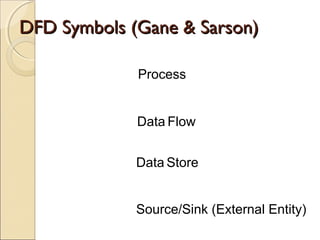
DFD Symbols (Gane & Sarson)DFD Symbols (Gane & Sarson)
Process
Data Flow
Data Store
Source/Sink (External Entity)
ProcessProcess
Work or actions performed on data (inside the
system)
Labels should be verb phrases
Receives input data and produces output
Rule 1: ProcessRule 1: Process
Can have more than one outgoing data flow or
more than one incoming data flow
Rule 2: ProcessRule 2: Process
Can connect to any other symbol (including
another process symbol)
Process: Correct/Incorrect?Process: Correct/Incorrect?
Data StoreData Store
Is used in a DFD to represent data that the
system stores
Labels should be noun phrases
Rule: Data StoreRule: Data Store
Must have at least one incoming and one
outgoing data flow
Source/Sink (External Entity)Source/Sink (External Entity)
External entity that is origin or destination of
data (outside the system)
Is the singular form of a department, outside
organisation, other IS, or person
Labels should be noun phrases
 Source – Entity that supplies data to the
system
 Sink – Entity that receives data from the
system
Rule: Source/SinkRule: Source/Sink
Must be connected to a process by a data flow
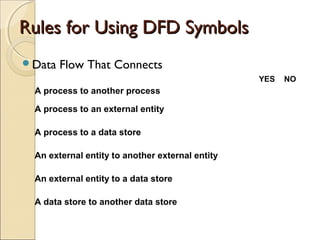
Rules for Using DFD SymbolsRules for Using DFD Symbols
Data Flow That Connects
YES NO
A process to another process
A process to an external entity
A process to a data store
An external entity to another external entity
An external entity to a data store
A data store to another data store
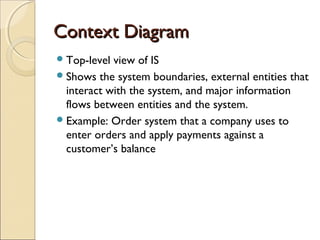
Context DiagramContext Diagram
Top-level view of IS
Shows the system boundaries, external entities that
interact with the system, and major information
flows between entities and the system.
Example: Order system that a company uses to
enter orders and apply payments against a
customer’s balance
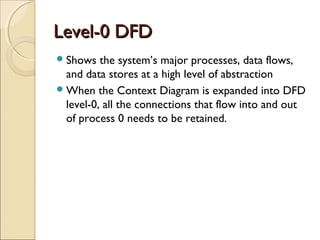
Level-0 DFDLevel-0 DFD
Shows the system’s major processes, data flows,
and data stores at a high level of abstraction
When the Context Diagram is expanded into DFD
level-0, all the connections that flow into and out
of process 0 needs to be retained.
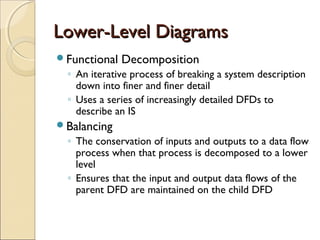
Lower-Level DiagramsLower-Level Diagrams
Functional Decomposition
◦ An iterative process of breaking a system description
down into finer and finer detail
◦ Uses a series of increasingly detailed DFDs to
describe an IS
Balancing
◦ The conservation of inputs and outputs to a data flow
process when that process is decomposed to a lower
level
◦ Ensures that the input and output data flows of the
parent DFD are maintained on the child DFD
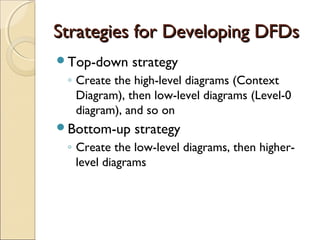
Strategies for Developing DFDsStrategies for Developing DFDs
Top-down strategy
◦ Create the high-level diagrams (Context
Diagram), then low-level diagrams (Level-0
diagram), and so on
Bottom-up strategy
◦ Create the low-level diagrams, then higher-
level diagrams
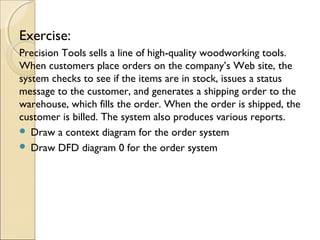
Exercise:
Precision Tools sells a line of high-quality woodworking tools.
When customers place orders on the company’s Web site, the
system checks to see if the items are in stock, issues a status
message to the customer, and generates a shipping order to the
warehouse, which fills the order. When the order is shipped, the
customer is billed. The system also produces various reports.
 Draw a context diagram for the order system
 Draw DFD diagram 0 for the order system
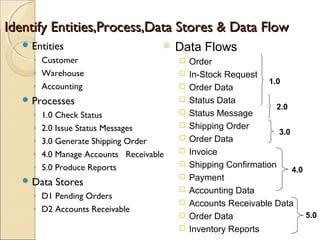
Identify Entities,Process,Data Stores & Data FlowIdentify Entities,Process,Data Stores & Data Flow
 Entities
◦ Customer
◦ Warehouse
◦ Accounting
 Processes
◦ 1.0 Check Status
◦ 2.0 Issue Status Messages
◦ 3.0 Generate Shipping Order
◦ 4.0 Manage Accounts Receivable
◦ 5.0 Produce Reports
 Data Stores
◦ D1 Pending Orders
◦ D2 Accounts Receivable
 Data Flows
 Order
 In-Stock Request
 Order Data
 Status Data
 Status Message
 Shipping Order
 Order Data
 Invoice
 Shipping Confirmation
 Payment
 Accounting Data
 Accounts Receivable Data
 Order Data
 Inventory Reports
1.0
2.0
3.0
4.0
5.0
Context
Diagram of
Order
System
Level-0 of
Order
System

DFD Slides

  • 1.
    Data Flow Diagrams(DFDs)Data Flow Diagrams (DFDs) Creating data flow diagrams to understand business processes.
  • 2.
    Data Flow Diagrams(DFDs)Data Flow Diagrams (DFDs) Data flow diagram (DFD) is a picture of the movement of data between external entities and the processes and data stores within a system
  • 3.
    DFD Symbols (Gane& Sarson)DFD Symbols (Gane & Sarson) Process Data Flow Data Store Source/Sink (External Entity)
  • 4.
    ProcessProcess Work or actionsperformed on data (inside the system) Labels should be verb phrases Receives input data and produces output
  • 5.
    Rule 1: ProcessRule1: Process Can have more than one outgoing data flow or more than one incoming data flow
  • 6.
    Rule 2: ProcessRule2: Process Can connect to any other symbol (including another process symbol)
  • 7.
  • 8.
    Data StoreData Store Isused in a DFD to represent data that the system stores Labels should be noun phrases
  • 9.
    Rule: Data StoreRule:Data Store Must have at least one incoming and one outgoing data flow
  • 10.
    Source/Sink (External Entity)Source/Sink(External Entity) External entity that is origin or destination of data (outside the system) Is the singular form of a department, outside organisation, other IS, or person Labels should be noun phrases  Source – Entity that supplies data to the system  Sink – Entity that receives data from the system
  • 11.
    Rule: Source/SinkRule: Source/Sink Mustbe connected to a process by a data flow
  • 12.
    Rules for UsingDFD SymbolsRules for Using DFD Symbols Data Flow That Connects YES NO A process to another process A process to an external entity A process to a data store An external entity to another external entity An external entity to a data store A data store to another data store
  • 13.
    Context DiagramContext Diagram Top-levelview of IS Shows the system boundaries, external entities that interact with the system, and major information flows between entities and the system. Example: Order system that a company uses to enter orders and apply payments against a customer’s balance
  • 14.
    Level-0 DFDLevel-0 DFD Showsthe system’s major processes, data flows, and data stores at a high level of abstraction When the Context Diagram is expanded into DFD level-0, all the connections that flow into and out of process 0 needs to be retained.
  • 15.
    Lower-Level DiagramsLower-Level Diagrams FunctionalDecomposition ◦ An iterative process of breaking a system description down into finer and finer detail ◦ Uses a series of increasingly detailed DFDs to describe an IS Balancing ◦ The conservation of inputs and outputs to a data flow process when that process is decomposed to a lower level ◦ Ensures that the input and output data flows of the parent DFD are maintained on the child DFD
  • 16.
    Strategies for DevelopingDFDsStrategies for Developing DFDs Top-down strategy ◦ Create the high-level diagrams (Context Diagram), then low-level diagrams (Level-0 diagram), and so on Bottom-up strategy ◦ Create the low-level diagrams, then higher- level diagrams
  • 17.
    Exercise: Precision Tools sellsa line of high-quality woodworking tools. When customers place orders on the company’s Web site, the system checks to see if the items are in stock, issues a status message to the customer, and generates a shipping order to the warehouse, which fills the order. When the order is shipped, the customer is billed. The system also produces various reports.  Draw a context diagram for the order system  Draw DFD diagram 0 for the order system
  • 18.
    Identify Entities,Process,Data Stores& Data FlowIdentify Entities,Process,Data Stores & Data Flow  Entities ◦ Customer ◦ Warehouse ◦ Accounting  Processes ◦ 1.0 Check Status ◦ 2.0 Issue Status Messages ◦ 3.0 Generate Shipping Order ◦ 4.0 Manage Accounts Receivable ◦ 5.0 Produce Reports  Data Stores ◦ D1 Pending Orders ◦ D2 Accounts Receivable  Data Flows  Order  In-Stock Request  Order Data  Status Data  Status Message  Shipping Order  Order Data  Invoice  Shipping Confirmation  Payment  Accounting Data  Accounts Receivable Data  Order Data  Inventory Reports 1.0 2.0 3.0 4.0 5.0
  • 19.
  • 20.