
Data Leakage Prevention in
your Microsoft Infrastructure
Paul Loonen
IAM Architect, Verizon Enterprise Solutions
About me
• Co-founder WinTalks.be
• MVP: Microsoft Forefront Identity Manager
• MCM Directory
• Job Role: IAM Architect @ Verizon Enterprise Solutions
• paul.loonen@be.verizon.com
• Blog @ http://be-id.blogspot.com
• @ploonen (@wintalksbe)
Disclaimer
• Focus is on using what you already (may) have …
• Everything I say won’t help against this:
Agenda
• The Data Leakage Problem
• How to approach DLP
• Data classification
• Protecting Your Data
What is Data Leakage
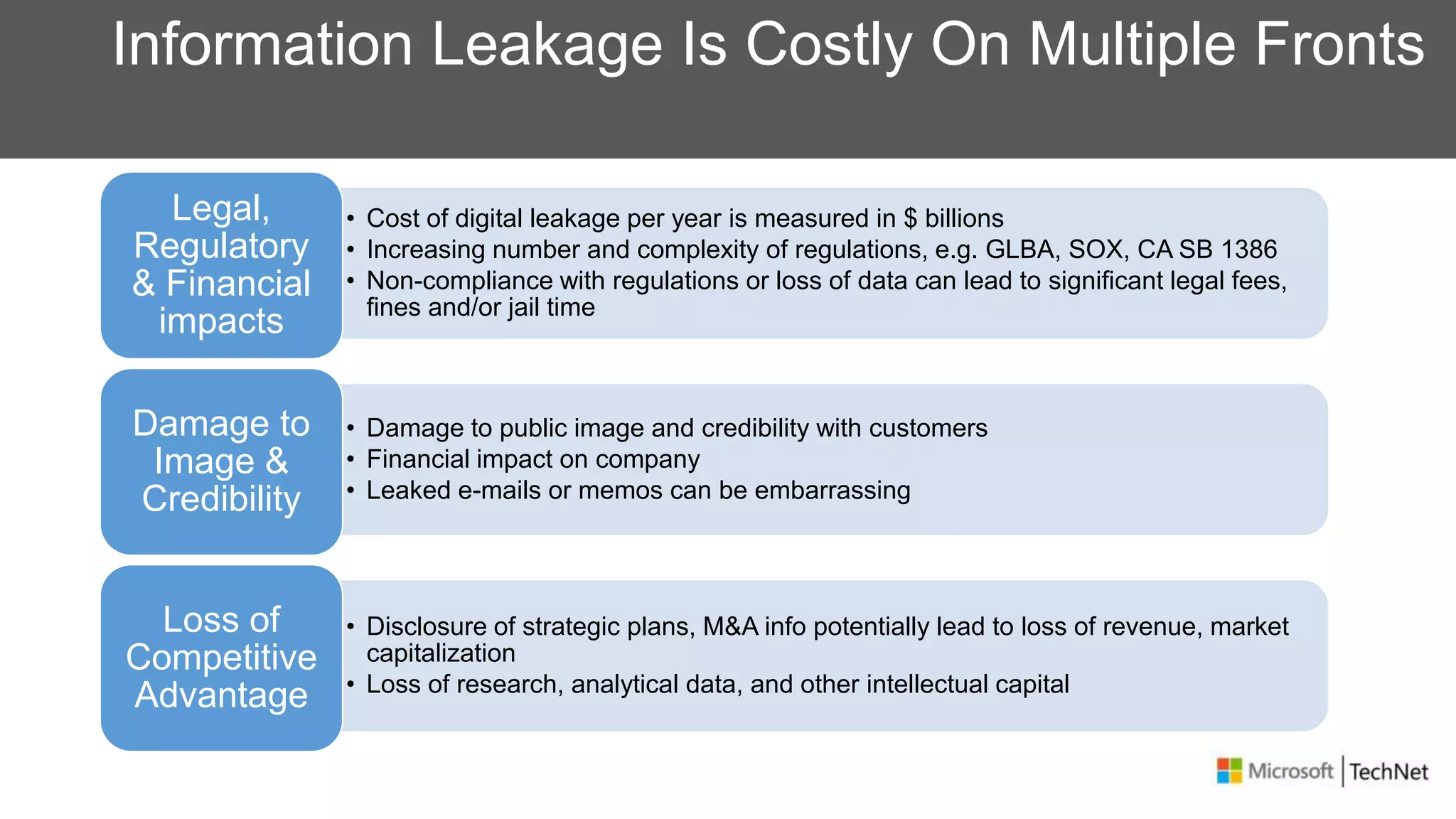
Information Leakage Is Costly On Multiple Fronts
• Cost of digital leakage per year is measured in $ billions
• Increasing number and complexity of regulations, e.g. GLBA, SOX, CA SB 1386
• Non-compliance with regulations or loss of data can lead to significant legal fees,
fines and/or jail time
Legal,
Regulatory
& Financial
impacts
• Damage to public image and credibility with customers
• Financial impact on company
• Leaked e-mails or memos can be embarrassing
Damage to
Image &
Credibility
• Disclosure of strategic plans, M&A info potentially lead to loss of revenue, market
capitalization
• Loss of research, analytical data, and other intellectual capital
Loss of
Competitive
Advantage
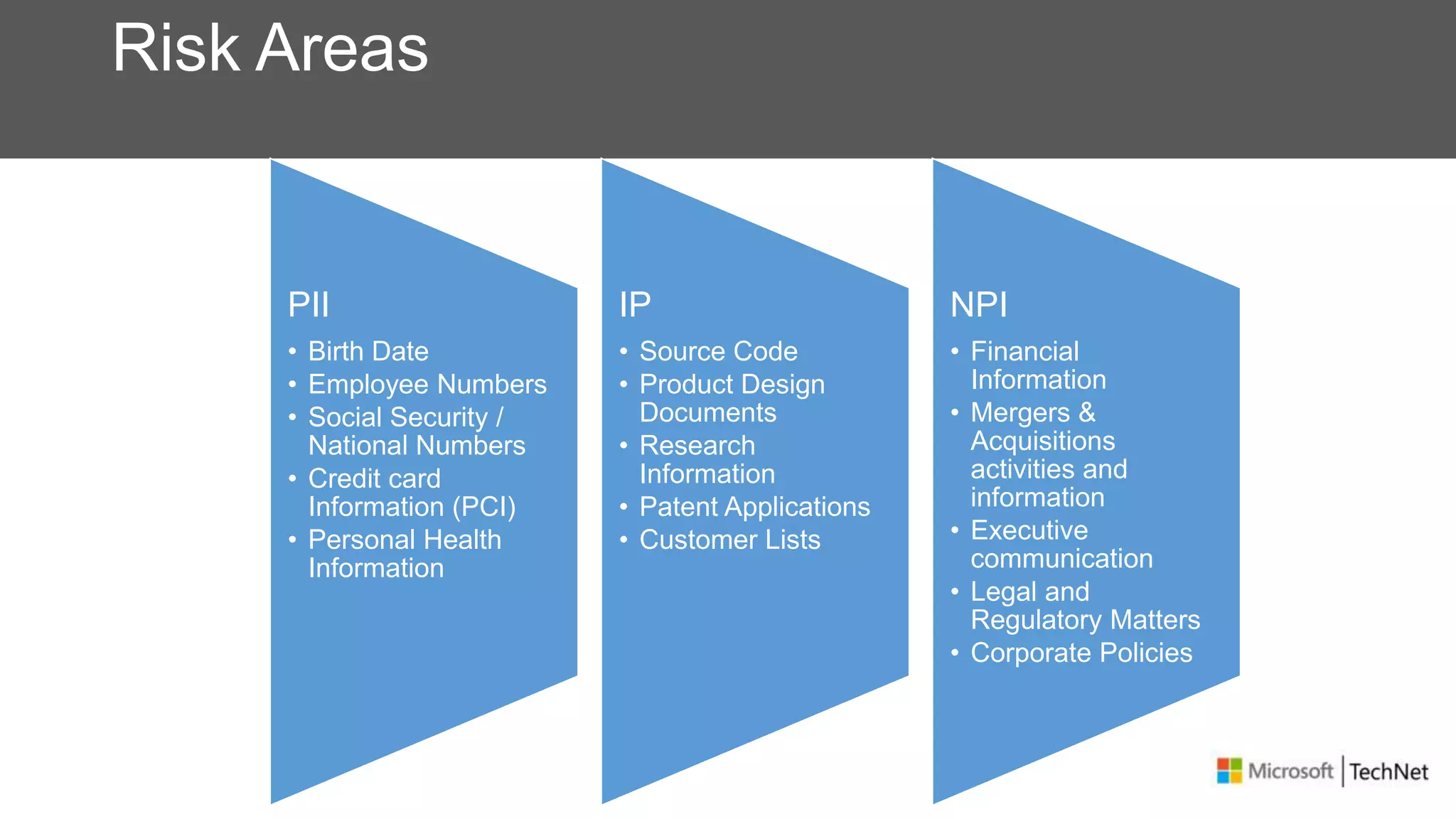
Risk Areas
PII
• Birth Date
• Employee Numbers
• Social Security /
National Numbers
• Credit card
Information (PCI)
• Personal Health
Information
IP
• Source Code
• Product Design
Documents
• Research
Information
• Patent Applications
• Customer Lists
NPI
• Financial
Information
• Mergers &
Acquisitions
activities and
information
• Executive
communication
• Legal and
Regulatory Matters
• Corporate Policies
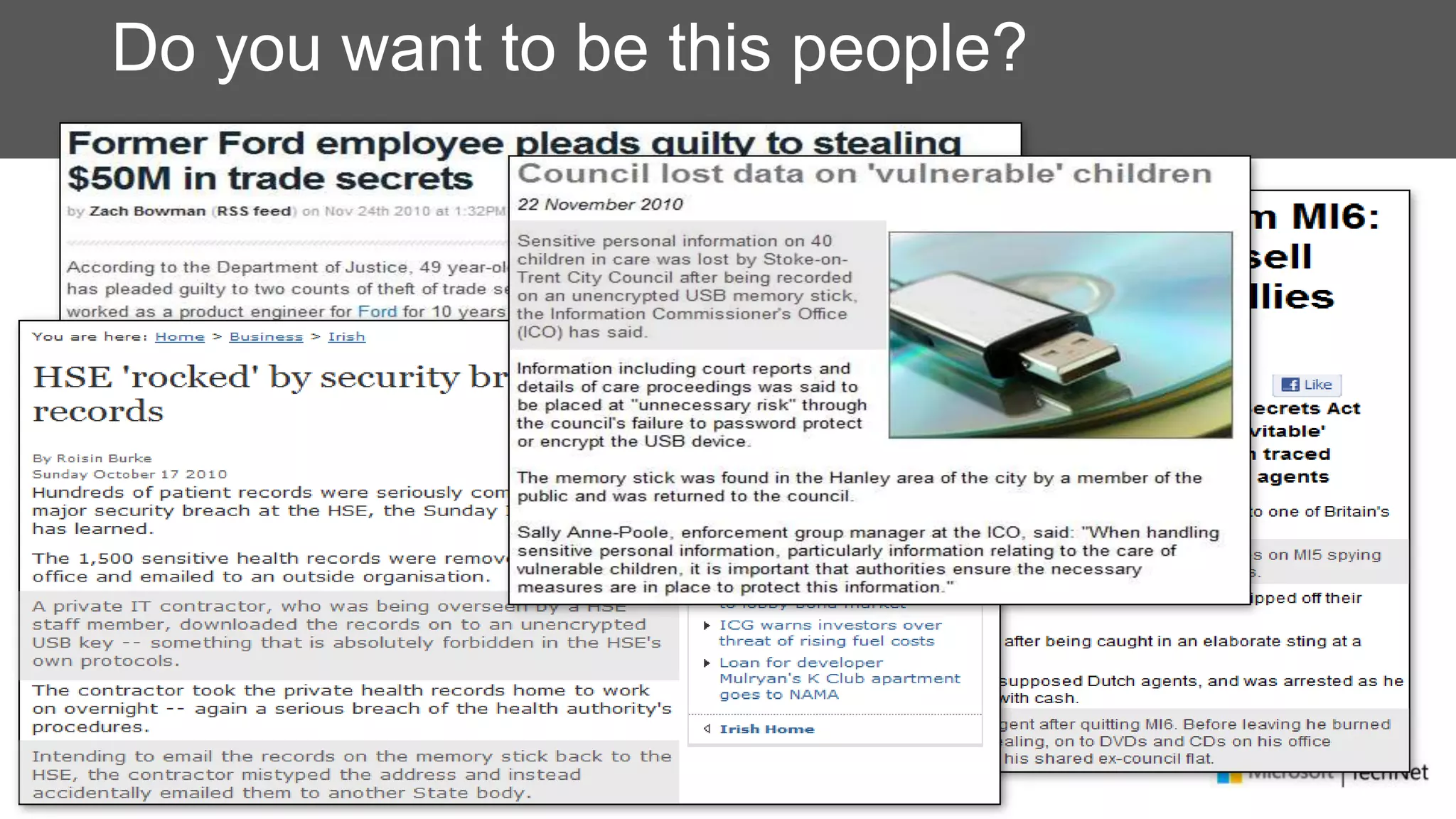
Do you want to be this people?
How does this happen, by who?
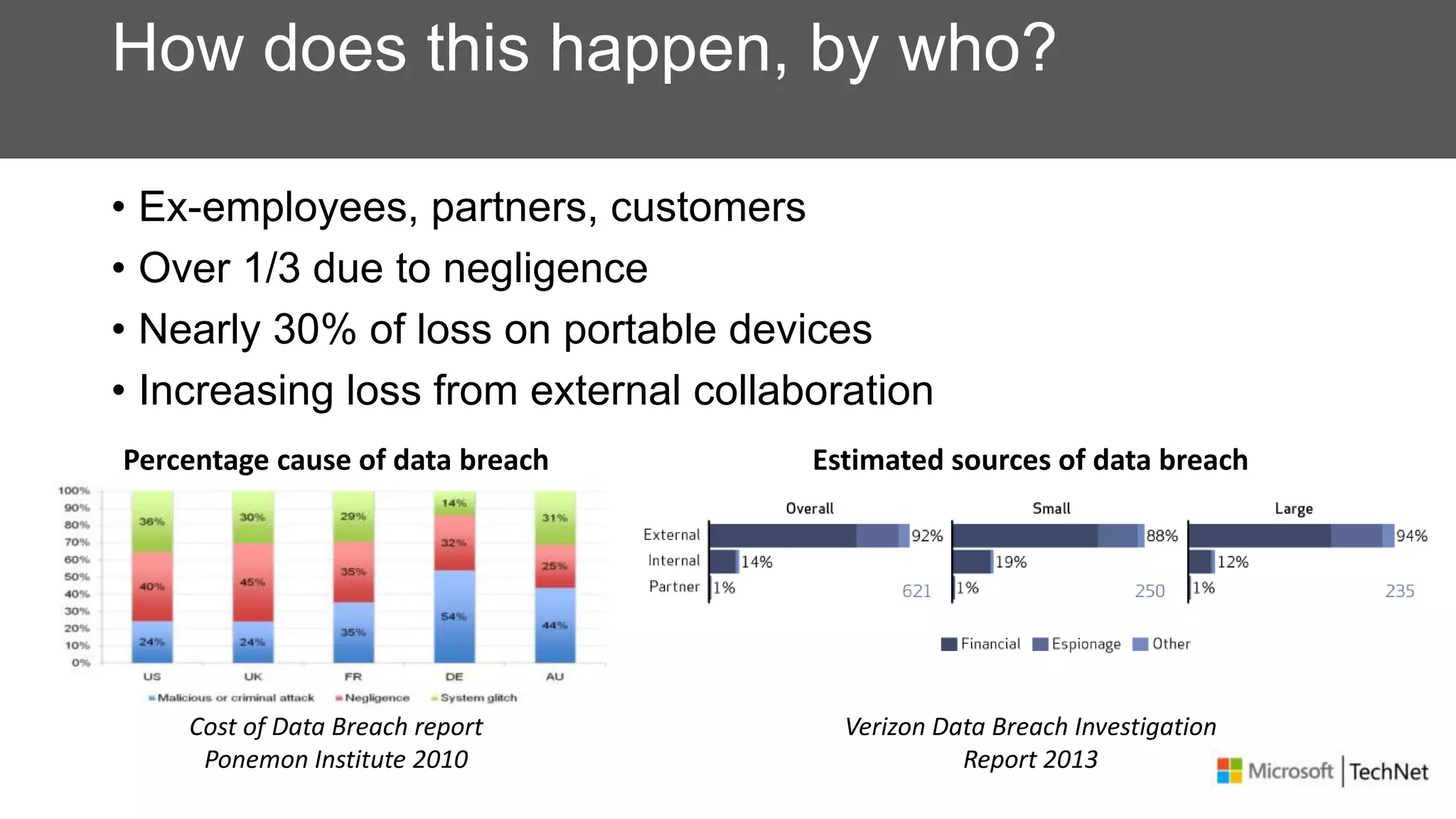
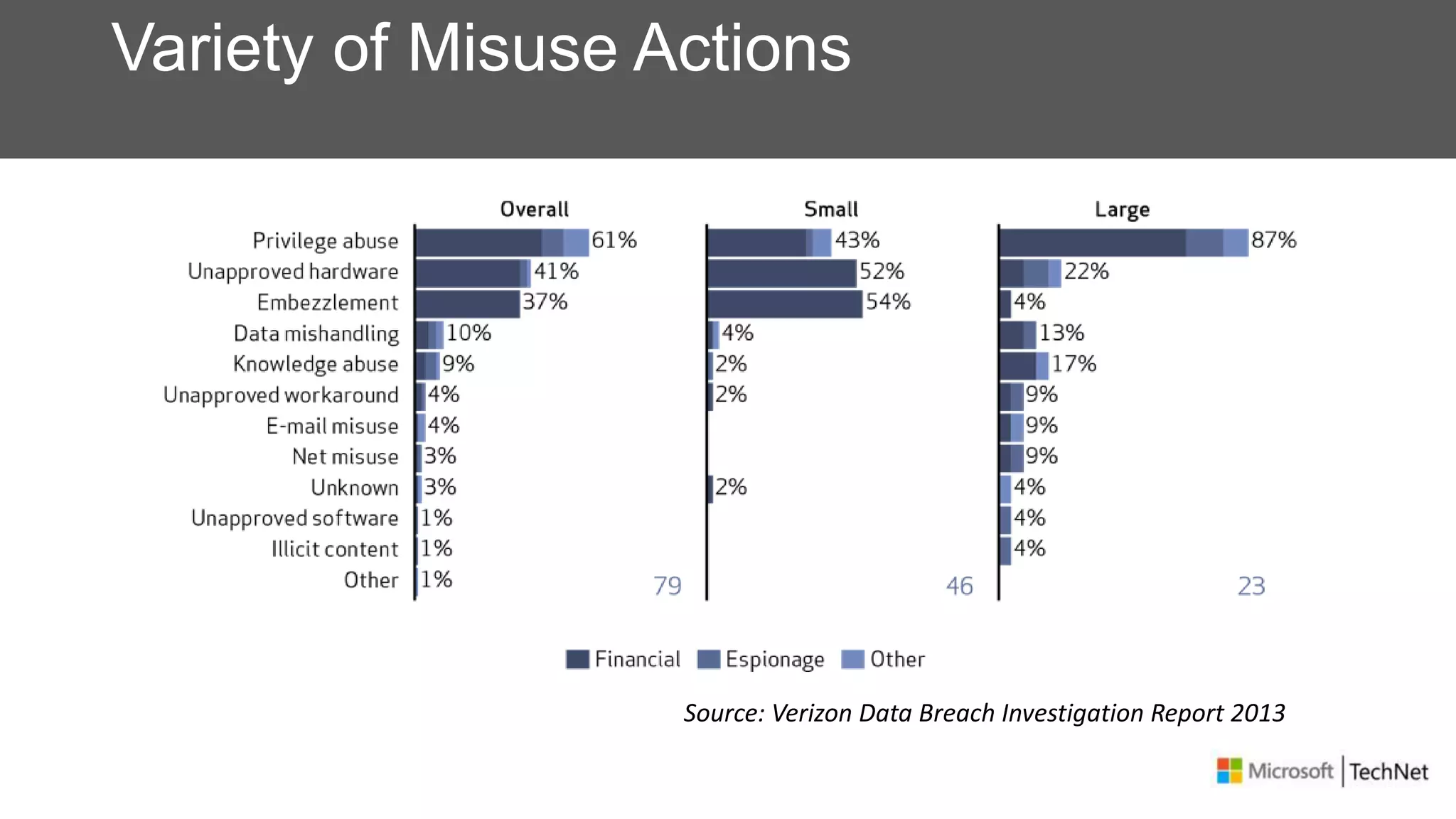
• Ex-employees, partners, customers
• Over 1/3 due to negligence
• Nearly 30% of loss on portable devices
• Increasing loss from external collaboration
Percentage cause of data breach
Cost of Data Breach report
Ponemon Institute 2010
Estimated sources of data breach
Verizon Data Breach Investigation
Report 2013
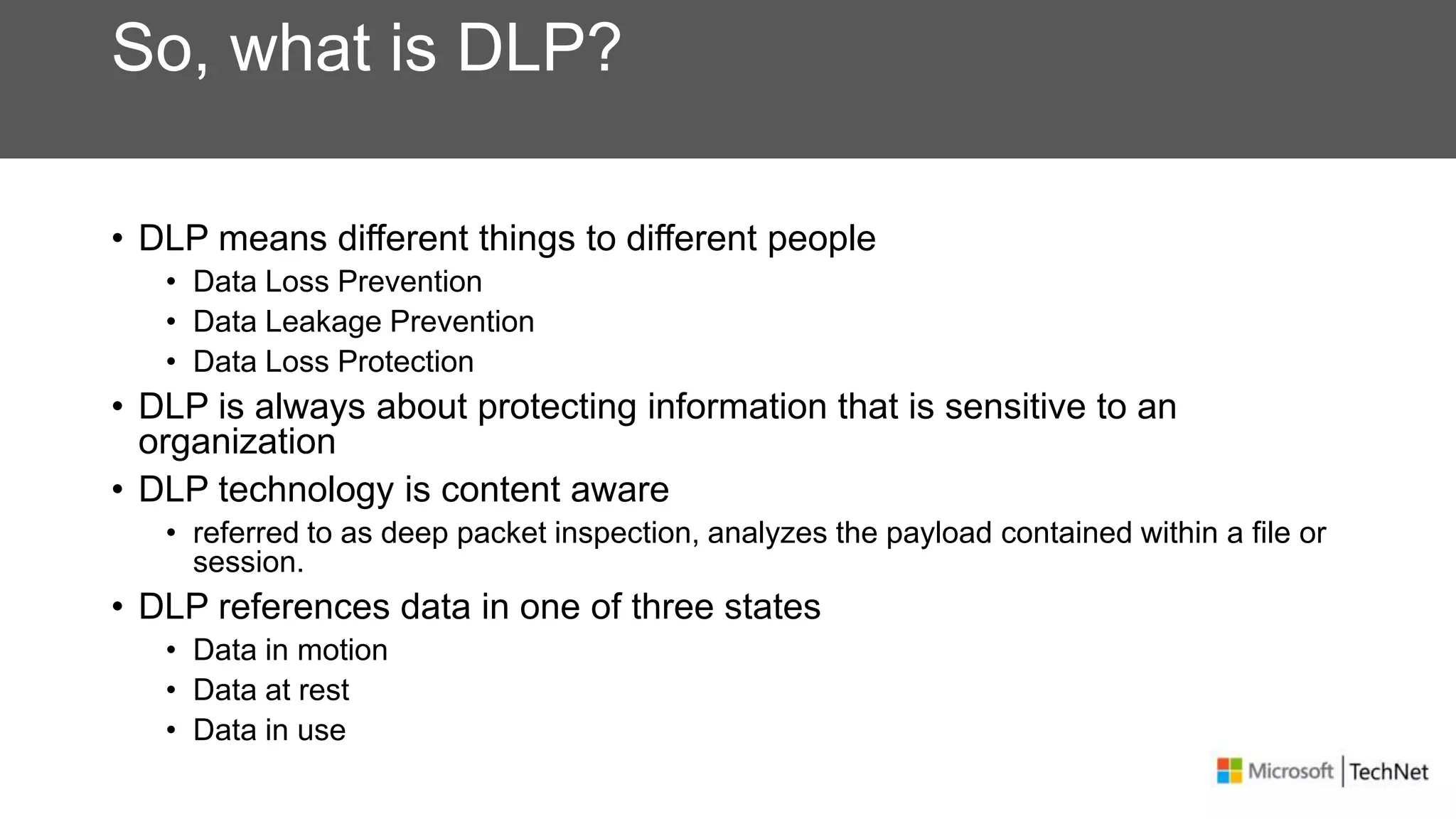
Variety of Misuse Actions
Source: Verizon Data Breach Investigation Report 2013
So, what is DLP?
• DLP means different things to different people
• Data Loss Prevention
• Data Leakage Prevention
• Data Loss Protection
• DLP is always about protecting information that is sensitive to an
organization
• DLP technology is content aware
• referred to as deep packet inspection, analyzes the payload contained within a file or
session.
• DLP references data in one of three states
• Data in motion
• Data at rest
• Data in use
How to approach DLP
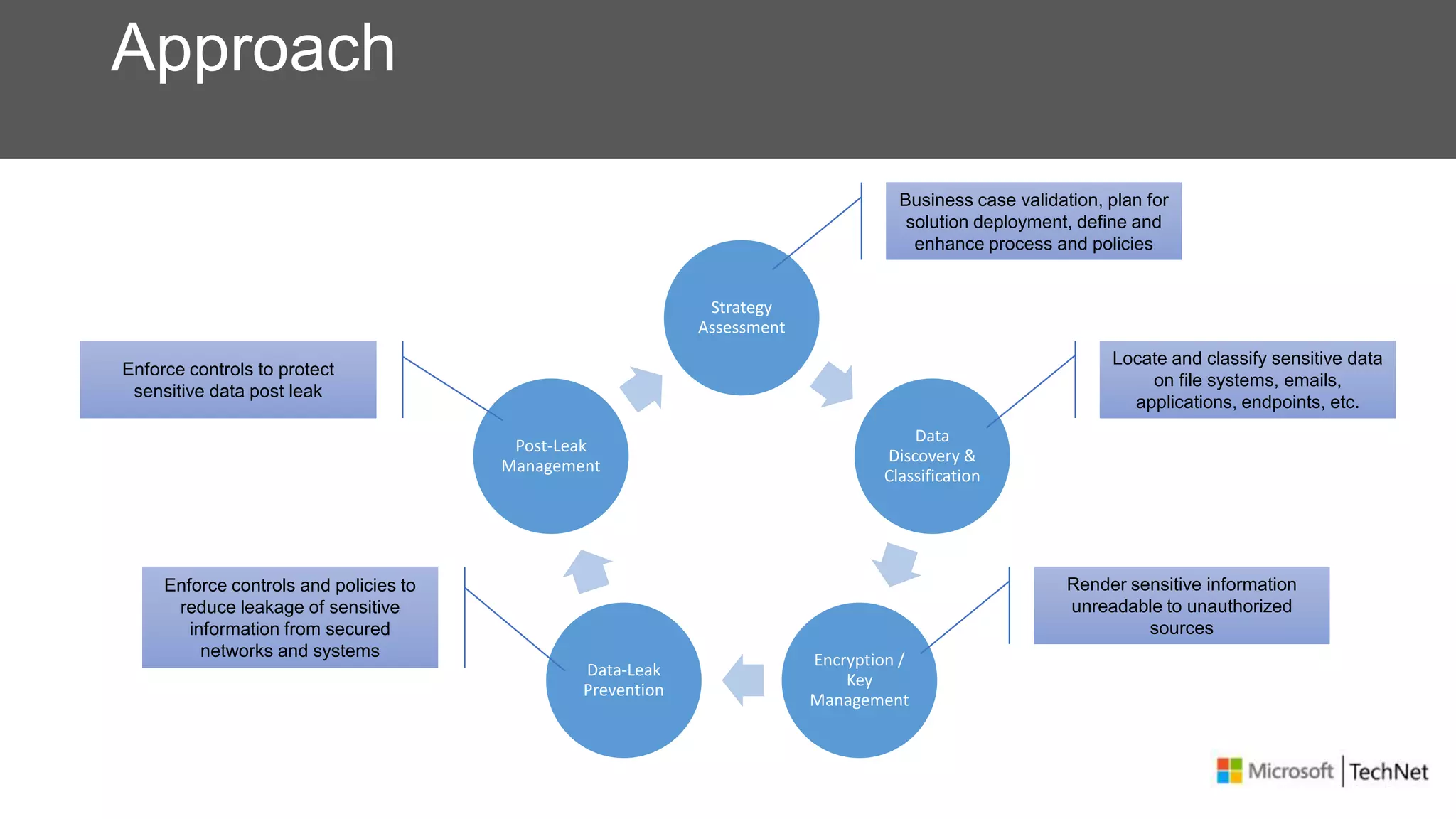
Approach
Strategy
Assessment
Data
Discovery &
Classification
Encryption /
Key
Management
Data-Leak
Prevention
Post-Leak
Management
Business case validation, plan for
solution deployment, define and
enhance process and policies
Locate and classify sensitive data
on file systems, emails,
applications, endpoints, etc.
Render sensitive information
unreadable to unauthorized
sources
Enforce controls and policies to
reduce leakage of sensitive
information from secured
networks and systems
Enforce controls to protect
sensitive data post leak
Data Classification
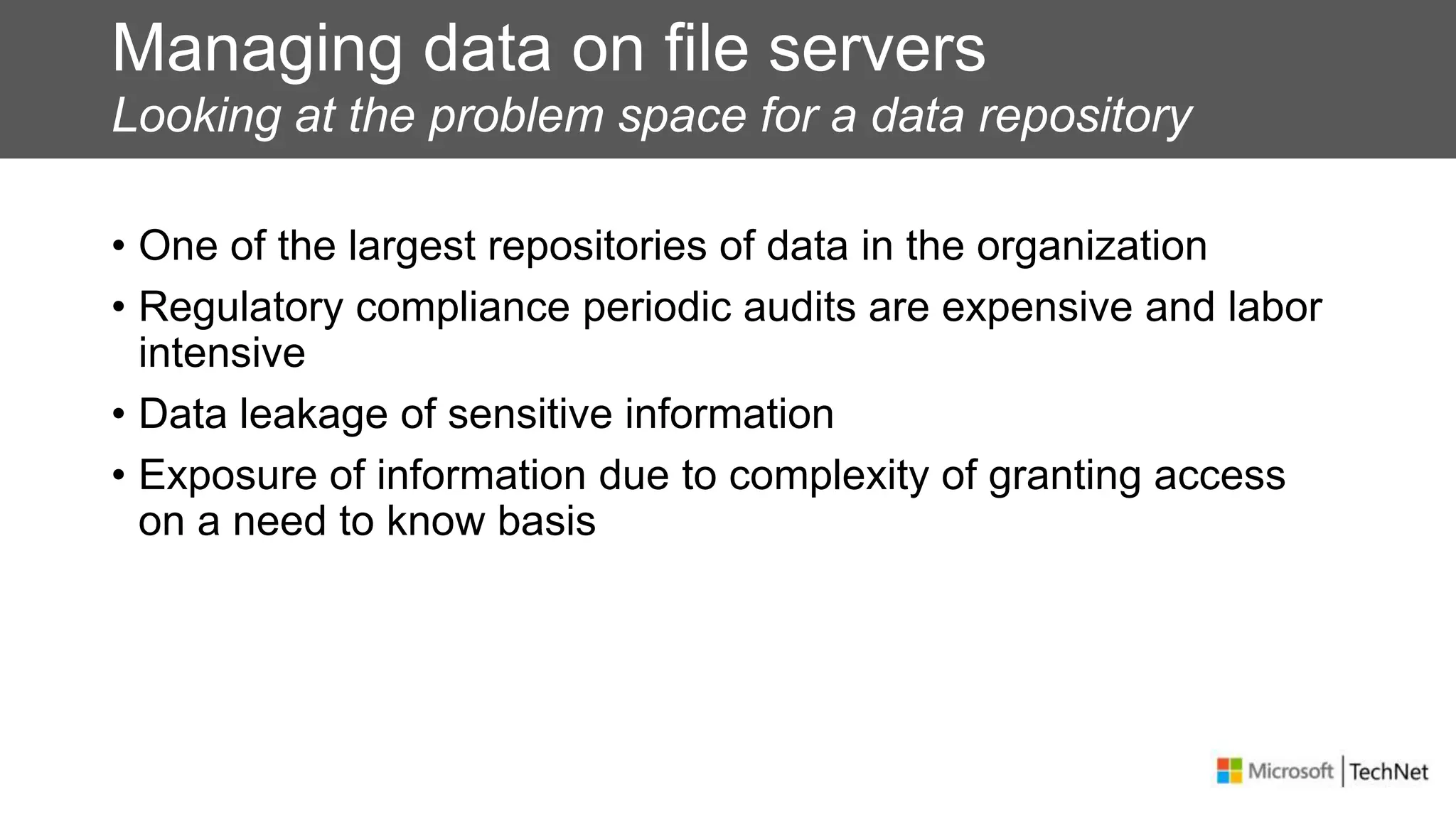
Managing data on file servers
Looking at the problem space for a data repository
• One of the largest repositories of data in the organization
• Regulatory compliance periodic audits are expensive and labor
intensive
• Data leakage of sensitive information
• Exposure of information due to complexity of granting access
on a need to know basis
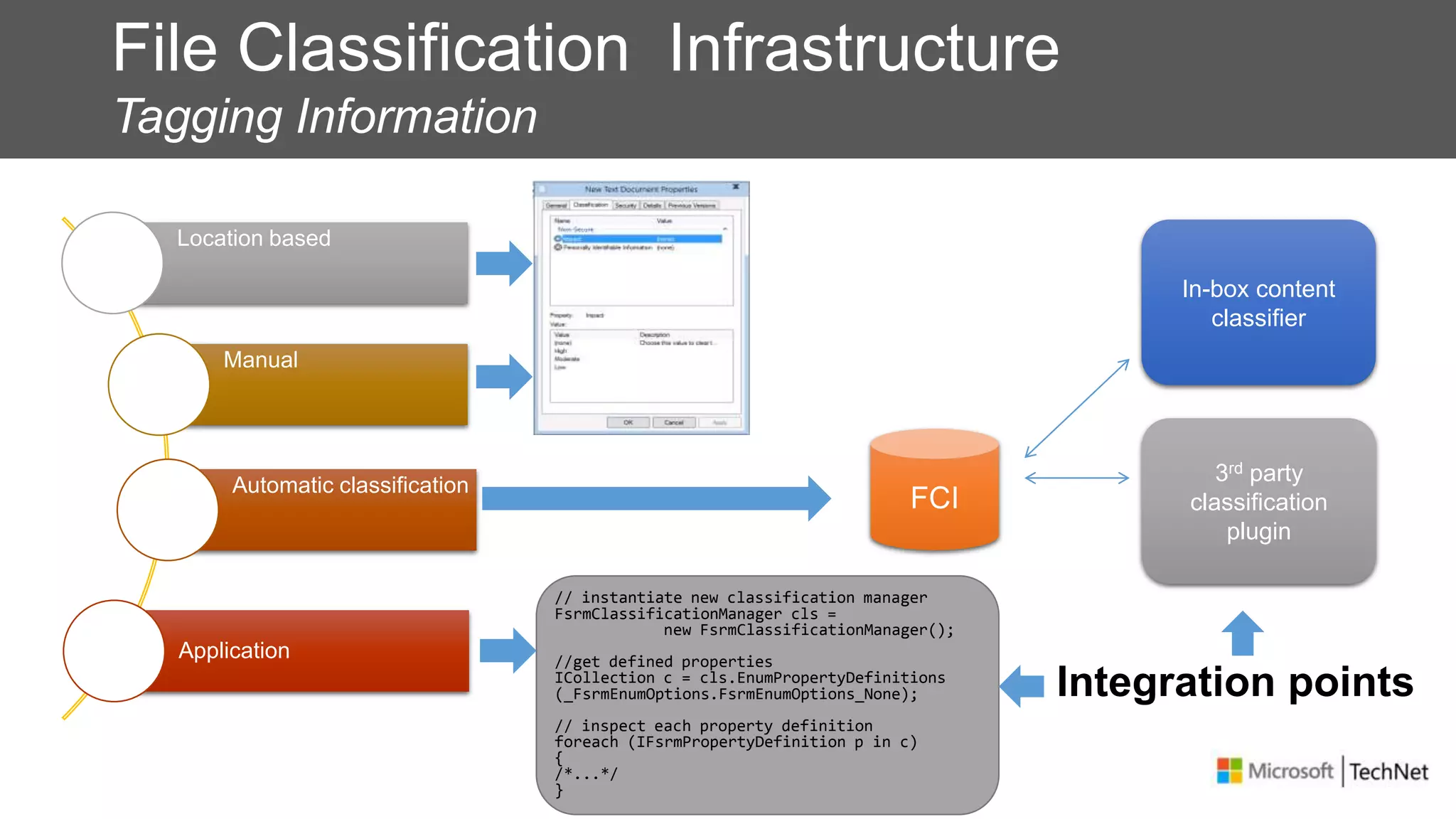
File Classification Infrastructure
Tagging Information
Location based
Manual
Automatic classification
Application
In-box content
classifier
3rd party
classification
plugin
// instantiate new classification manager
FsrmClassificationManager cls =
new FsrmClassificationManager();
//get defined properties
ICollection c = cls.EnumPropertyDefinitions
(_FsrmEnumOptions.FsrmEnumOptions_None);
// inspect each property definition
foreach (IFsrmPropertyDefinition p in c)
{
/*...*/
}
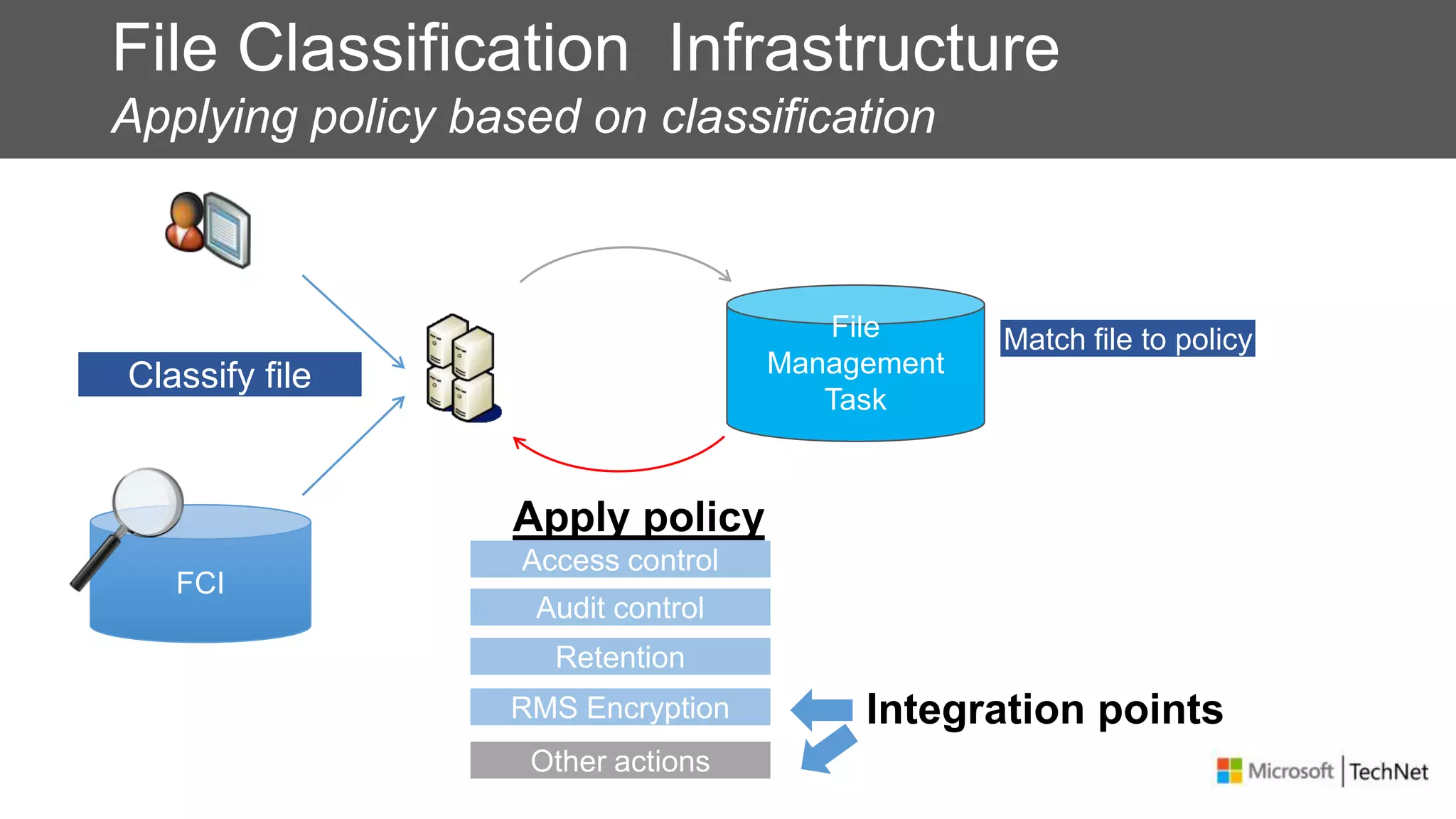
File Classification Infrastructure
Applying policy based on classification
Match file to policy
Classify file
Access control
Audit control
RMS Encryption
Retention
Other actions
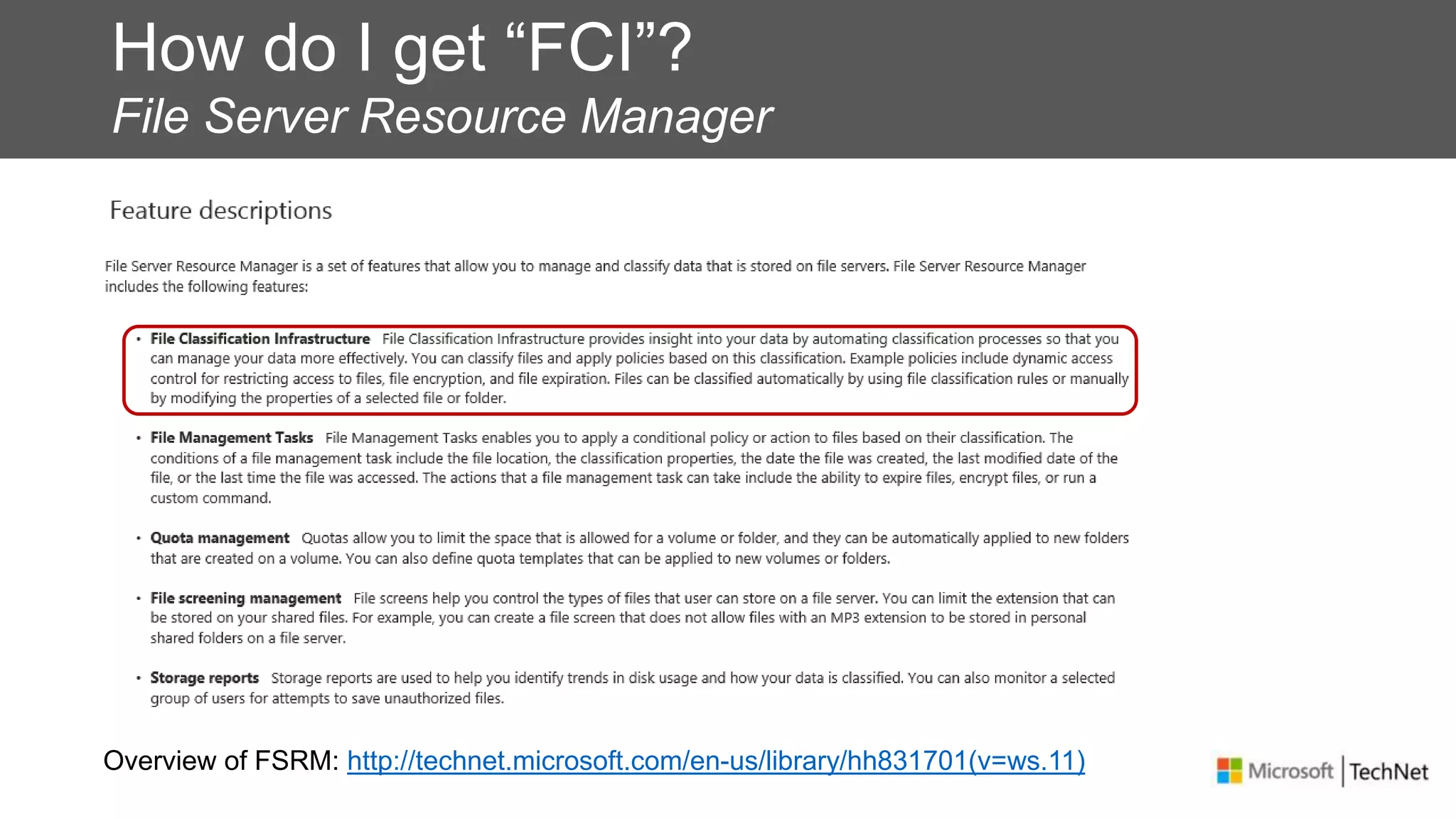
How do I get “FCI”?
File Server Resource Manager
Overview of FSRM: http://technet.microsoft.com/en-us/library/hh831701(v=ws.11)
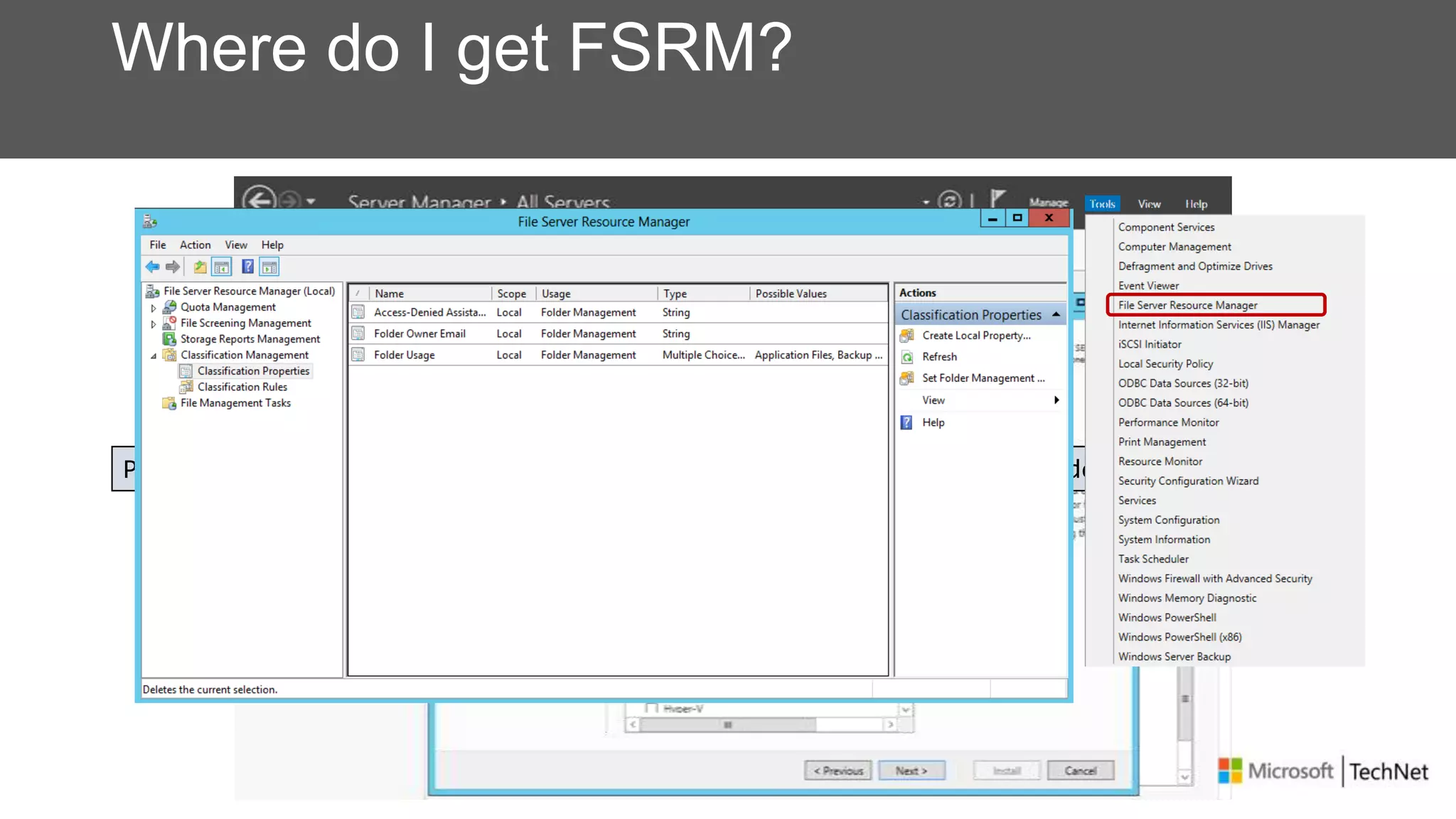
Where do I get FSRM?
PS C:> Install-WindowsFeature –Name FS-Resource-Manager –IncludeManagementTools
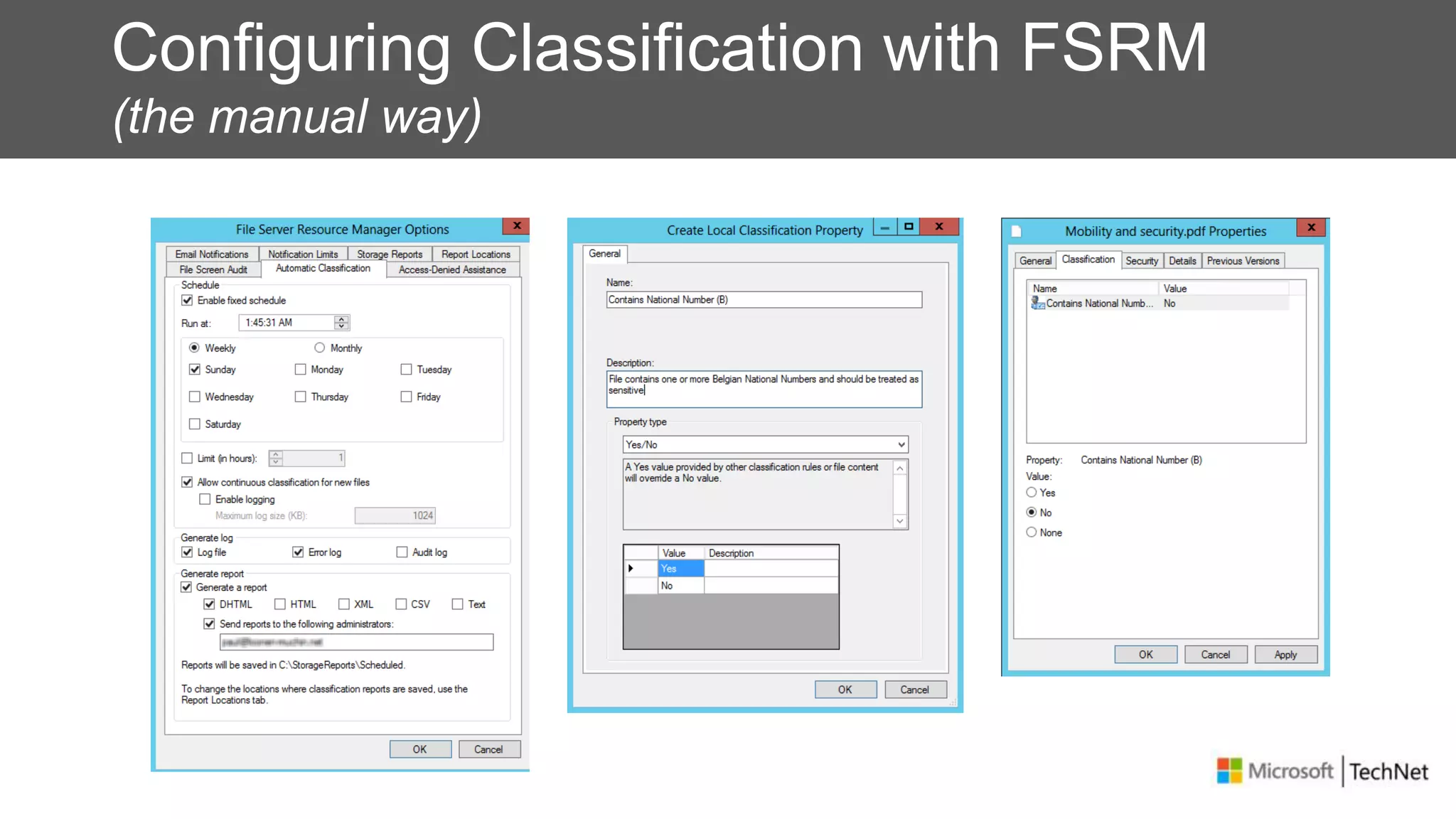
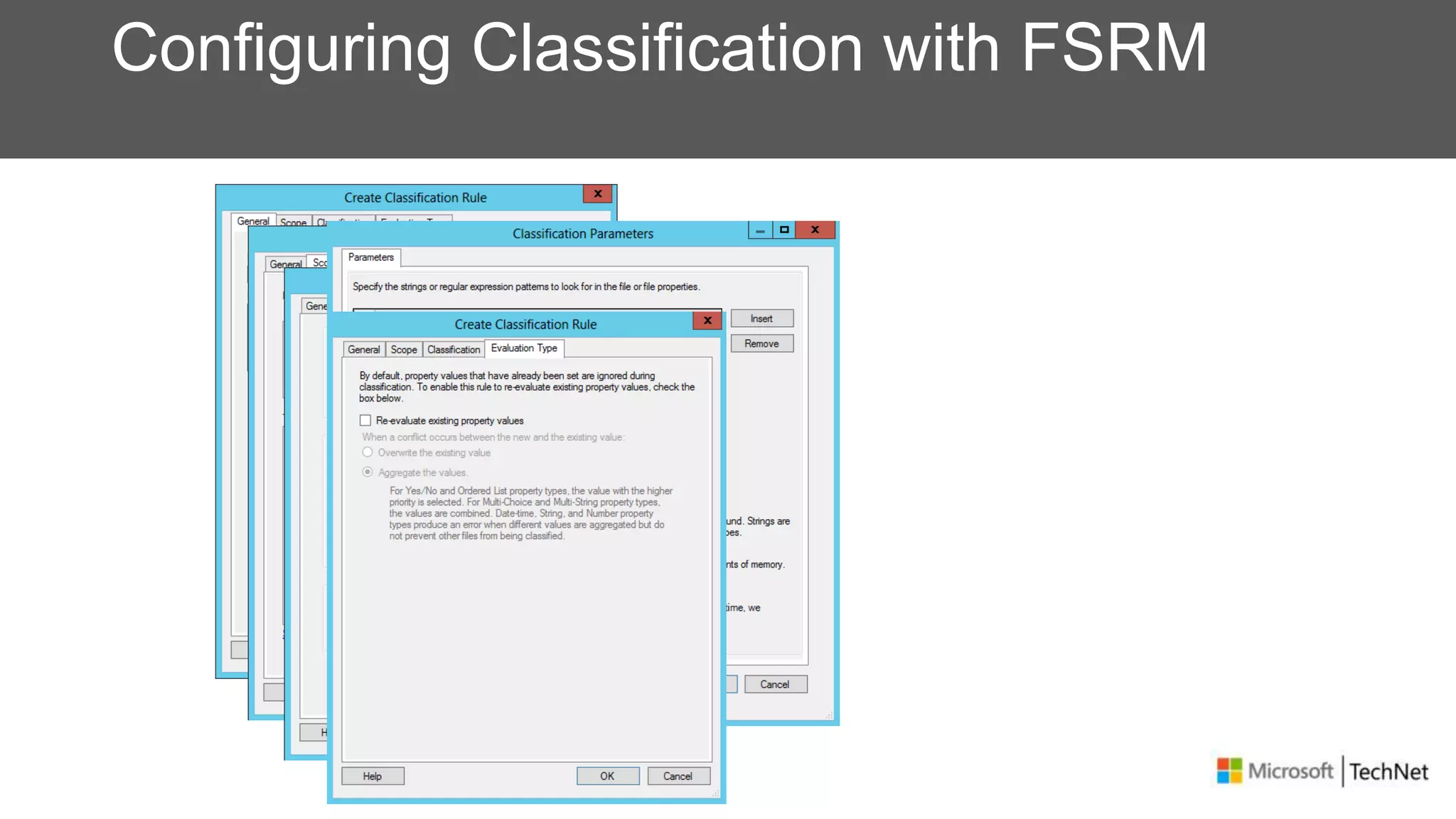
Configuring Classification with FSRM
(the manual way)
Configuring Classification with FSRM
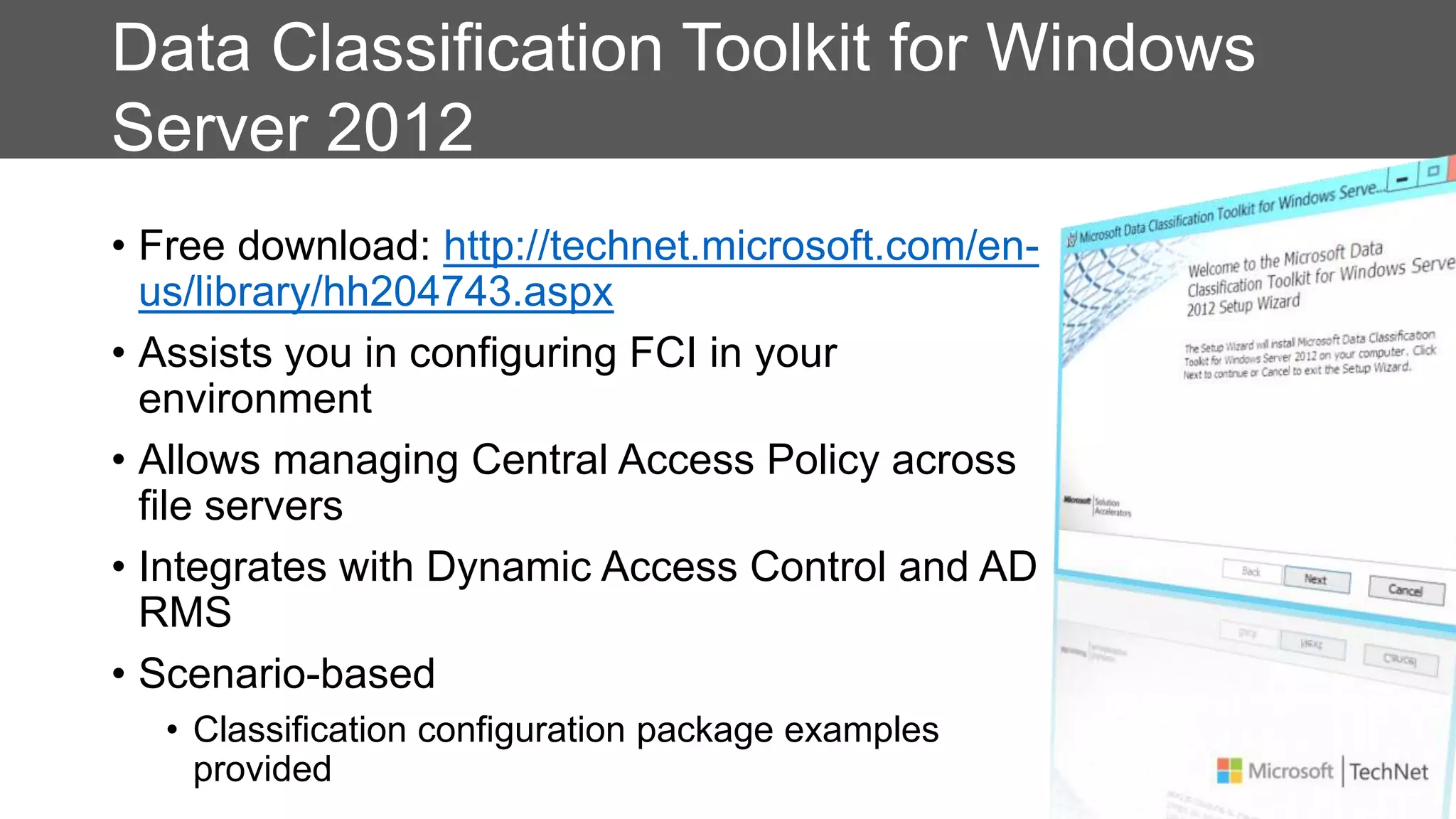
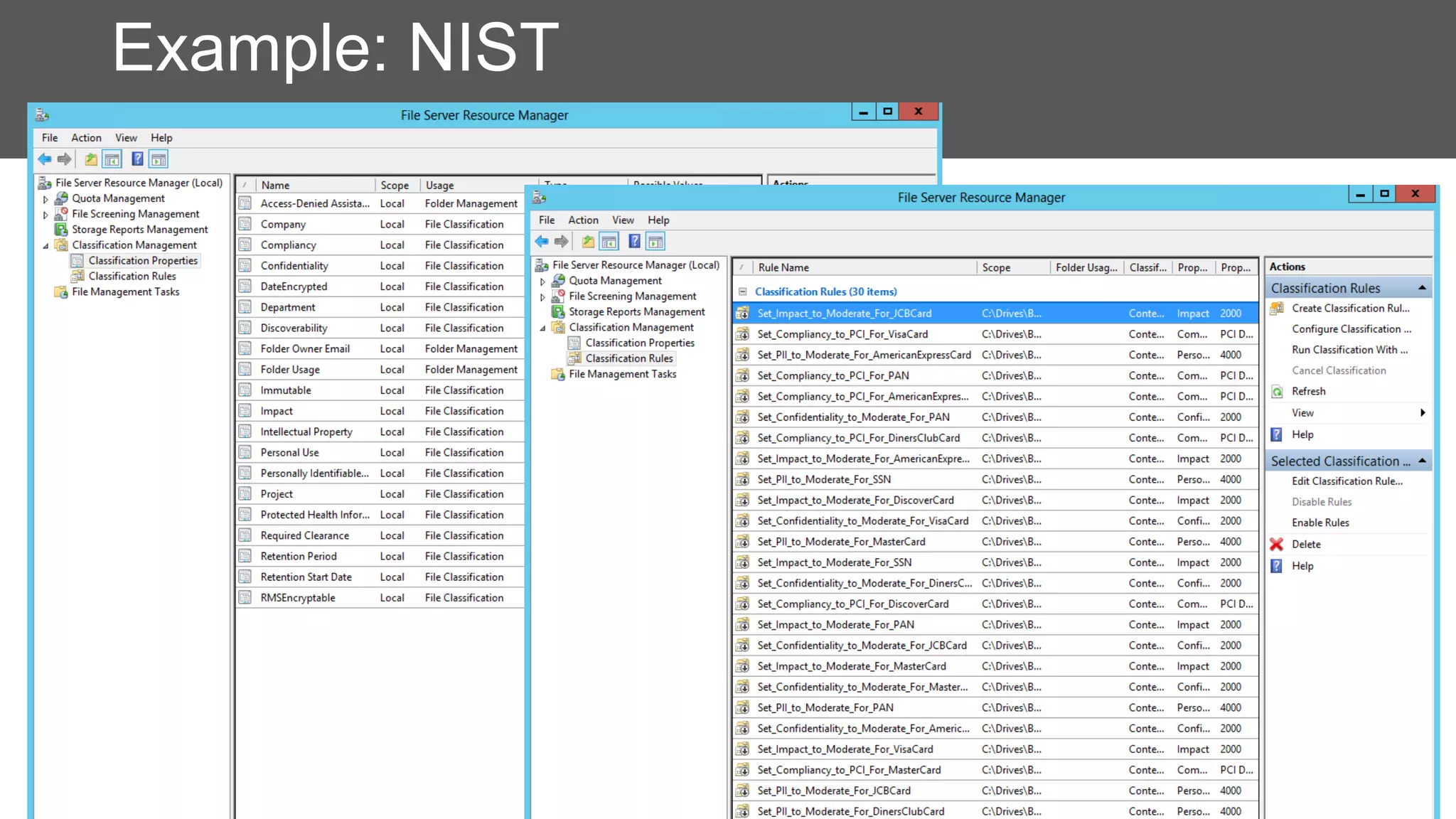
Data Classification Toolkit for Windows
Server 2012
• Free download: http://technet.microsoft.com/en-
us/library/hh204743.aspx
• Assists you in configuring FCI in your
environment
• Allows managing Central Access Policy across
file servers
• Integrates with Dynamic Access Control and AD
RMS
• Scenario-based
• Classification configuration package examples
provided
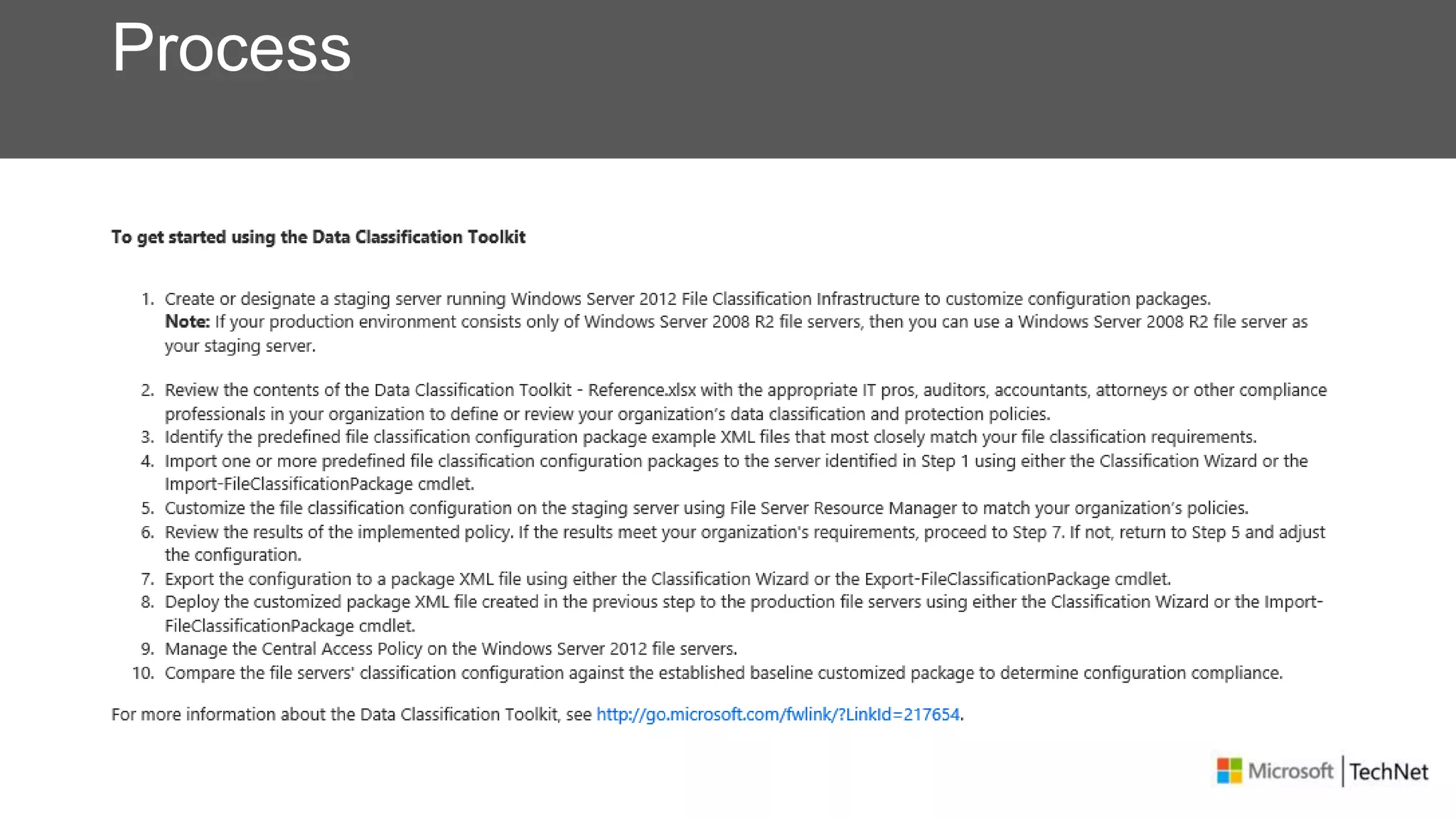
Process
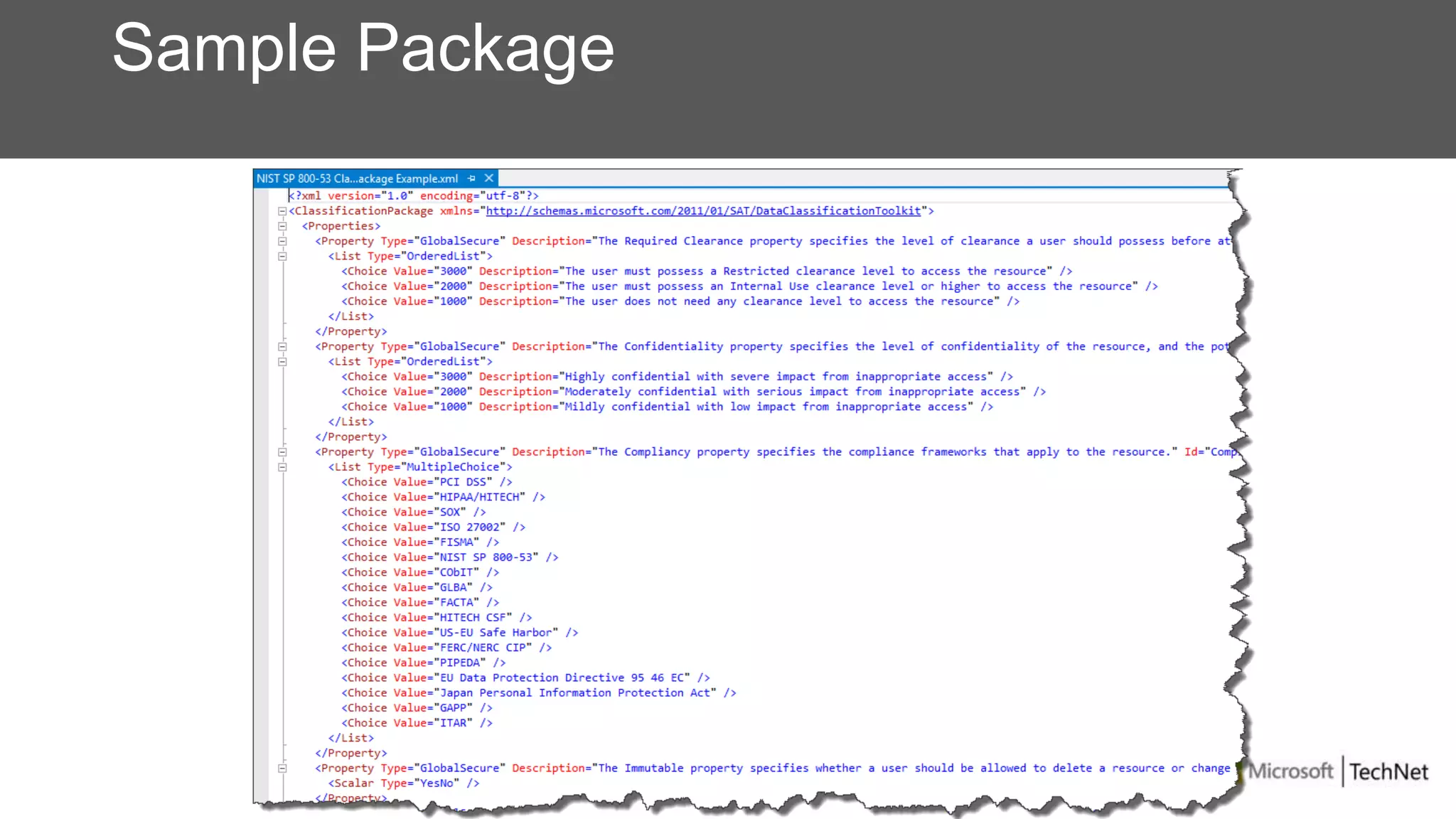
Sample Package
Example: NIST
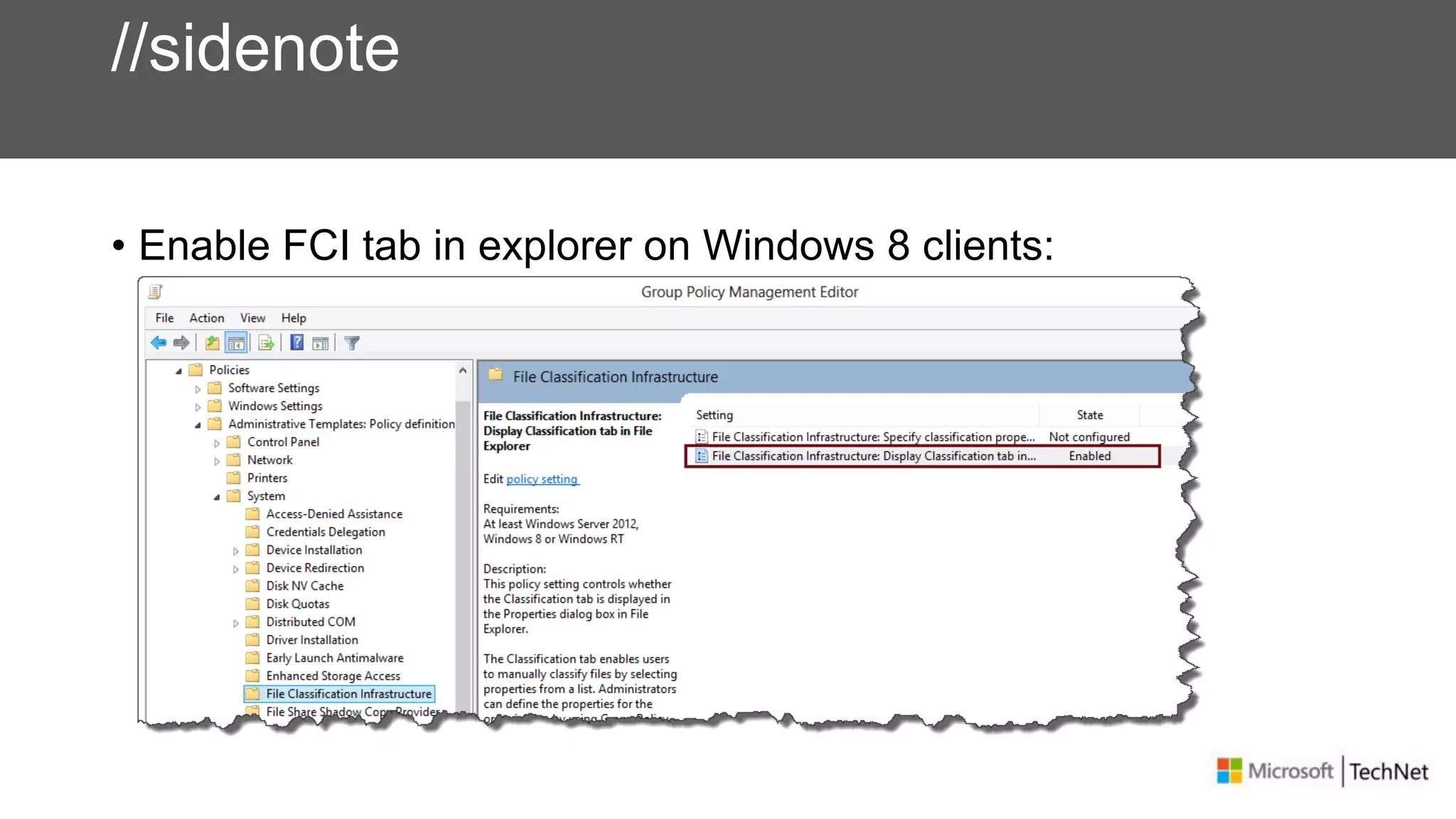
//sidenote
• Enable FCI tab in explorer on Windows 8 clients:
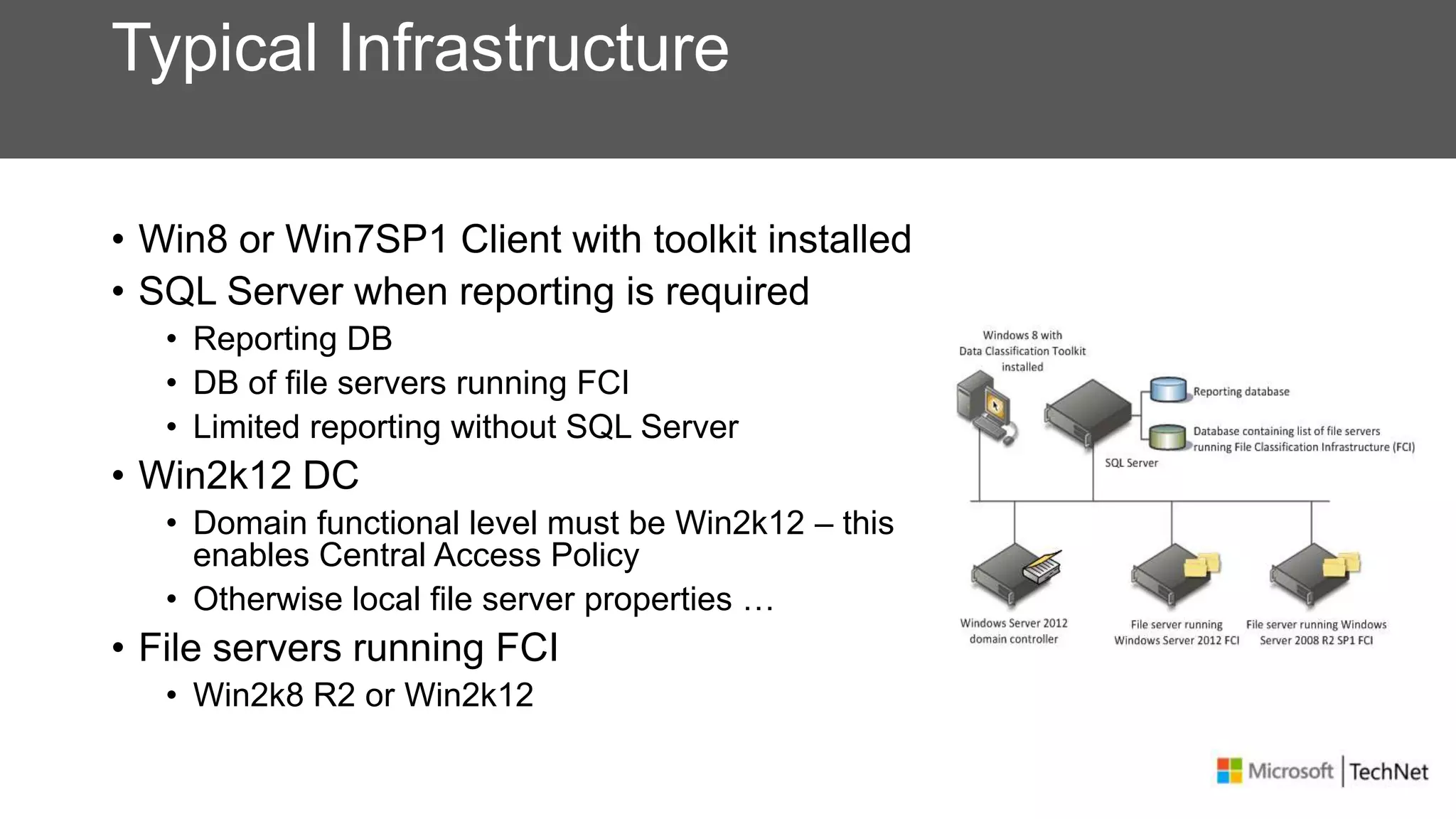
Typical Infrastructure
• Win8 or Win7SP1 Client with toolkit installed
• SQL Server when reporting is required
• Reporting DB
• DB of file servers running FCI
• Limited reporting without SQL Server
• Win2k12 DC
• Domain functional level must be Win2k12 – this
enables Central Access Policy
• Otherwise local file server properties …
• File servers running FCI
• Win2k8 R2 or Win2k12
Protecting Your Data
Dynamic Access Control
• Brings existing identity claims model into the Windows platform
• WIF, ADFS
• Introduce a model to target access and audit policies based on
tagging to drive efficient policy enforcement and implement this
model for files
• Bridge the gap between IT & Information Owners using
information tagging for files
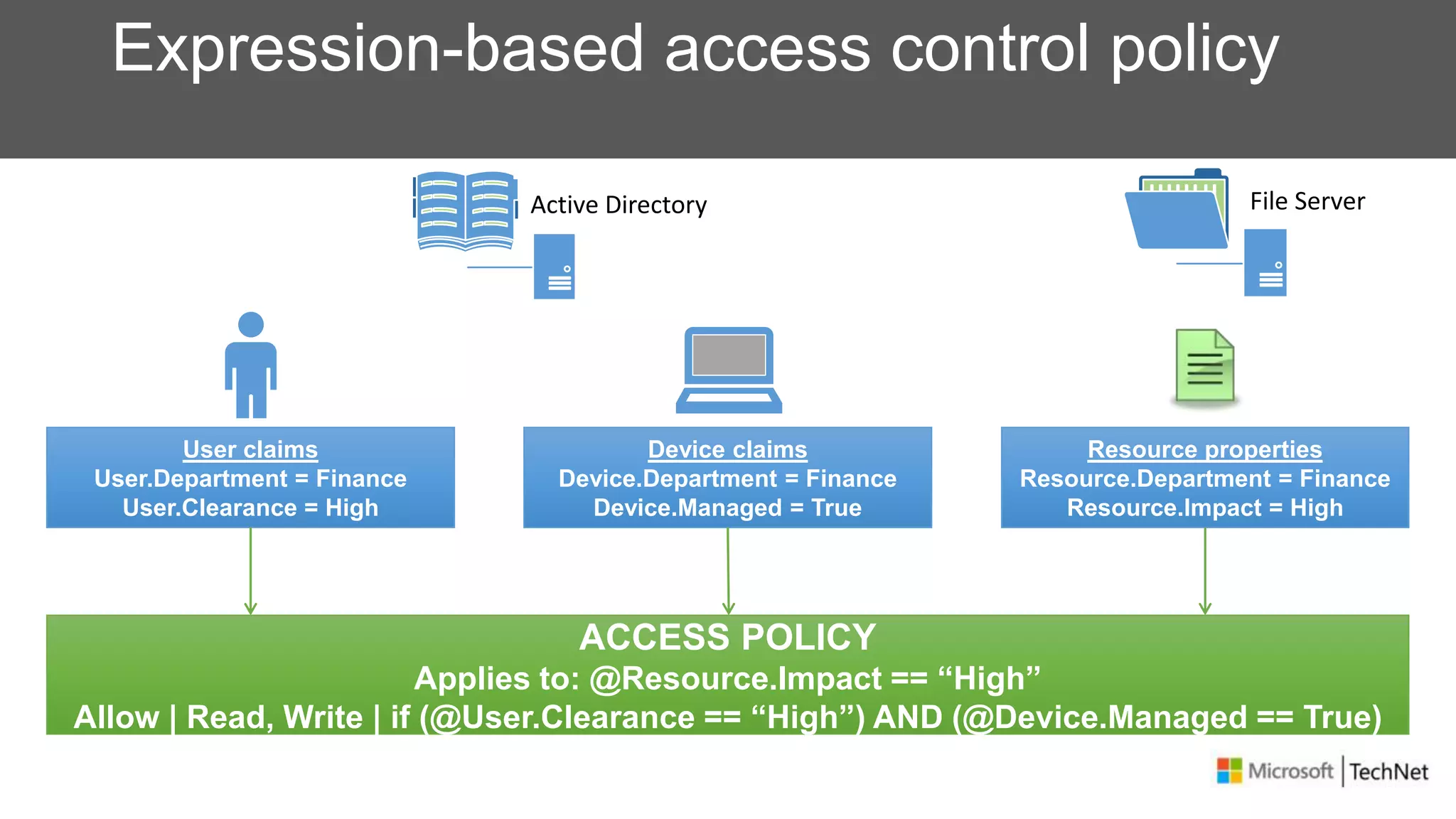
Expression-based access control policy
User claims
User.Department = Finance
User.Clearance = High
ACCESS POLICY
Applies to: @Resource.Impact == “High”
Allow | Read, Write | if (@User.Clearance == “High”) AND (@Device.Managed == True)
Device claims
Device.Department = Finance
Device.Managed = True
Resource properties
Resource.Department = Finance
Resource.Impact = High
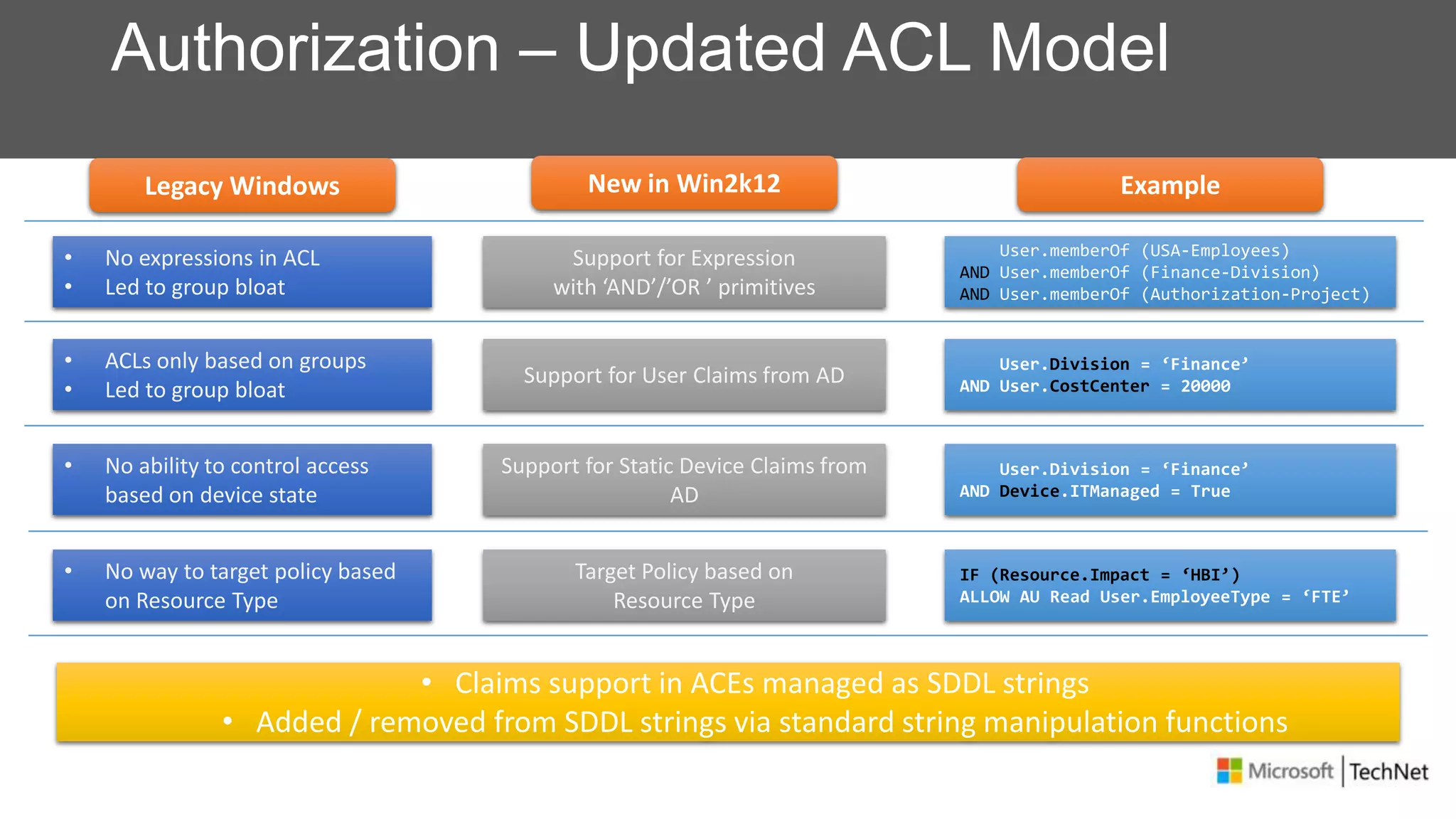
Authorization – Updated ACL Model
Support for Expression
with ‘AND’/’OR ’ primitives
User.memberOf (USA-Employees)
AND User.memberOf (Finance-Division)
AND User.memberOf (Authorization-Project)
Support for User Claims from AD
User.Division = ‘Finance’
AND User.CostCenter = 20000
Support for Static Device Claims from
AD
User.Division = ‘Finance’
AND Device.ITManaged = True
Target Policy based on
Resource Type
IF (Resource.Impact = ‘HBI’)
ALLOW AU Read User.EmployeeType = ‘FTE’
• No expressions in ACL
• Led to group bloat
• ACLs only based on groups
• Led to group bloat
• No ability to control access
based on device state
• No way to target policy based
on Resource Type
• Claims support in ACEs managed as SDDL strings
• Added / removed from SDDL strings via standard string manipulation functions
Legacy Windows New in Win2k12 Example
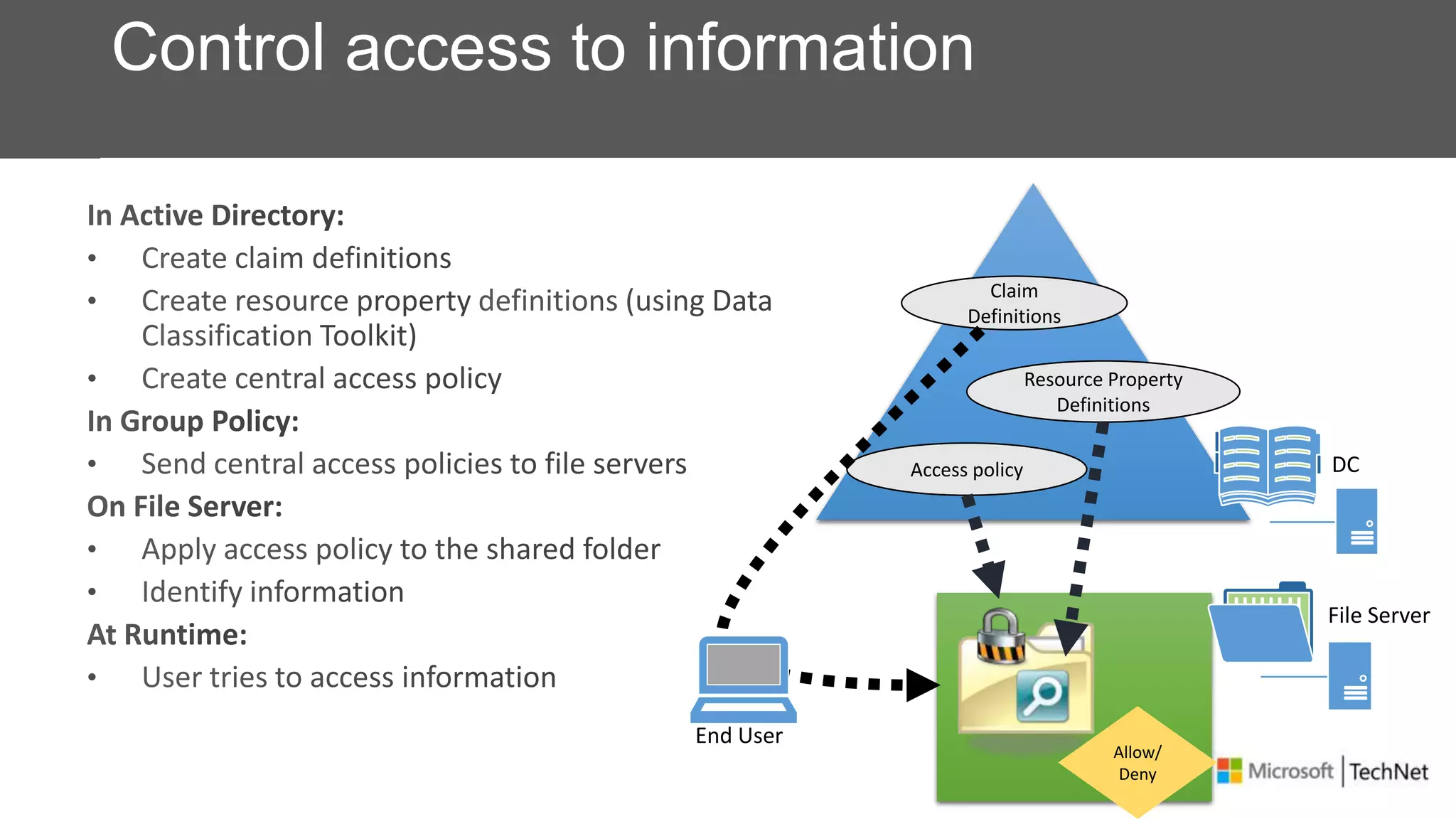
Claim
Definitions
Resource Property
Definitions
Access policy DC
File Server
Allow/
Deny
End User
Control access to information
Protecting Your Data
Active Directory Rights Management Services (AD RMS)
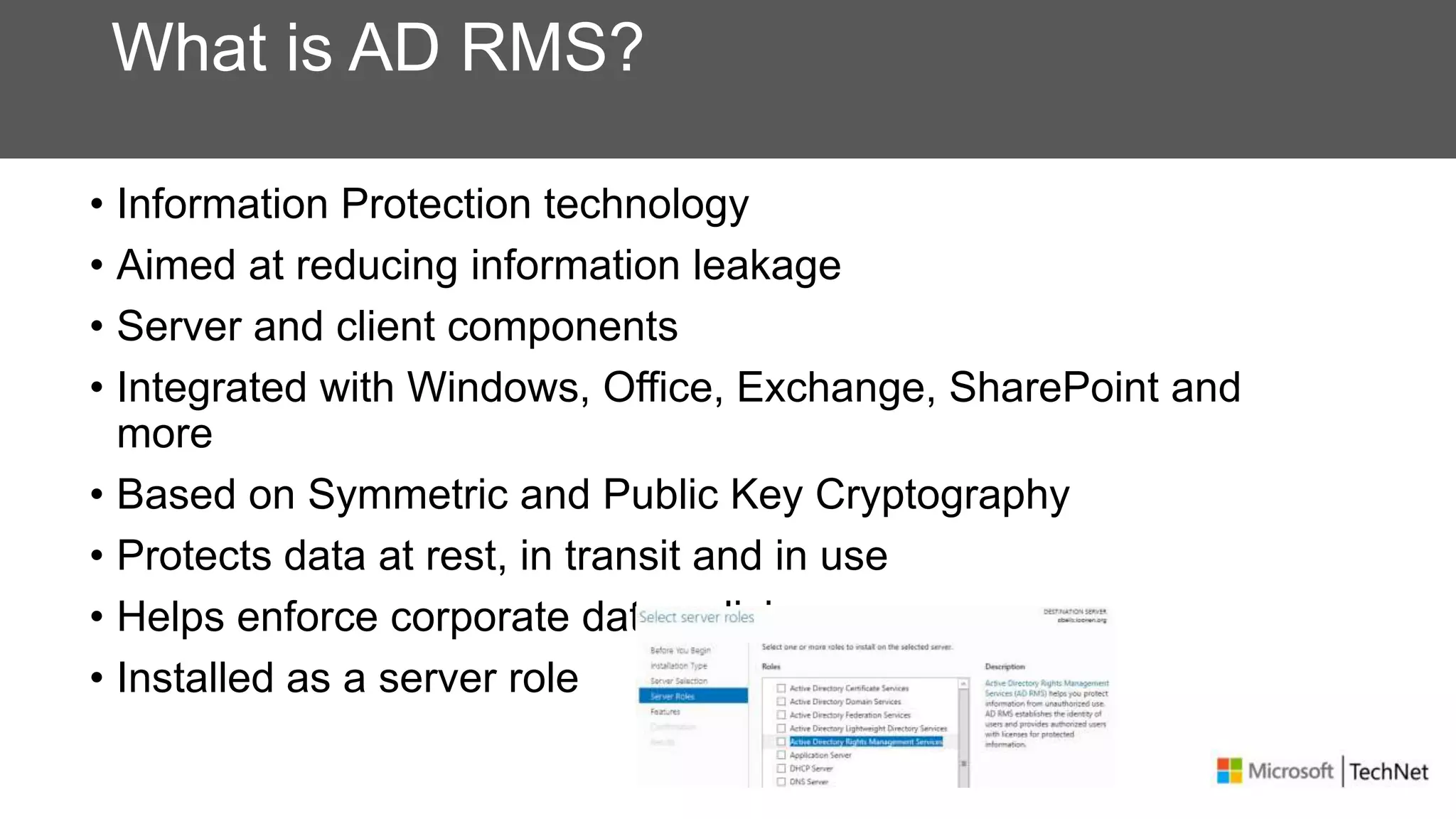
What is AD RMS?
• Information Protection technology
• Aimed at reducing information leakage
• Server and client components
• Integrated with Windows, Office, Exchange, SharePoint and
more
• Based on Symmetric and Public Key Cryptography
• Protects data at rest, in transit and in use
• Helps enforce corporate data policies
• Installed as a server role
How AD RMS Works
• Client and user are “activated”
• Client creates rights-protected content (offline)
• User distributes rights-protected content
• Recipient acquires licenses from server to decrypt protected
information
• Client enforces usage policies
Using IRM to avoid data leakage
• Encryption provides protection from unauthorized access
• Most effective if it is identity-based
• How you manage encryption is essential
• Needs to be independent from content management
• Must be integrated with ID management
• Must be simple to use
• Must be strong, reliable and recoverable
• Encryption is not enough
• Users will misuse information if they can
• Even trusted users make mistakes
• But if policy is clear and not easily circumvented, legitimate users will follow
the policies
AD RMS Highlights
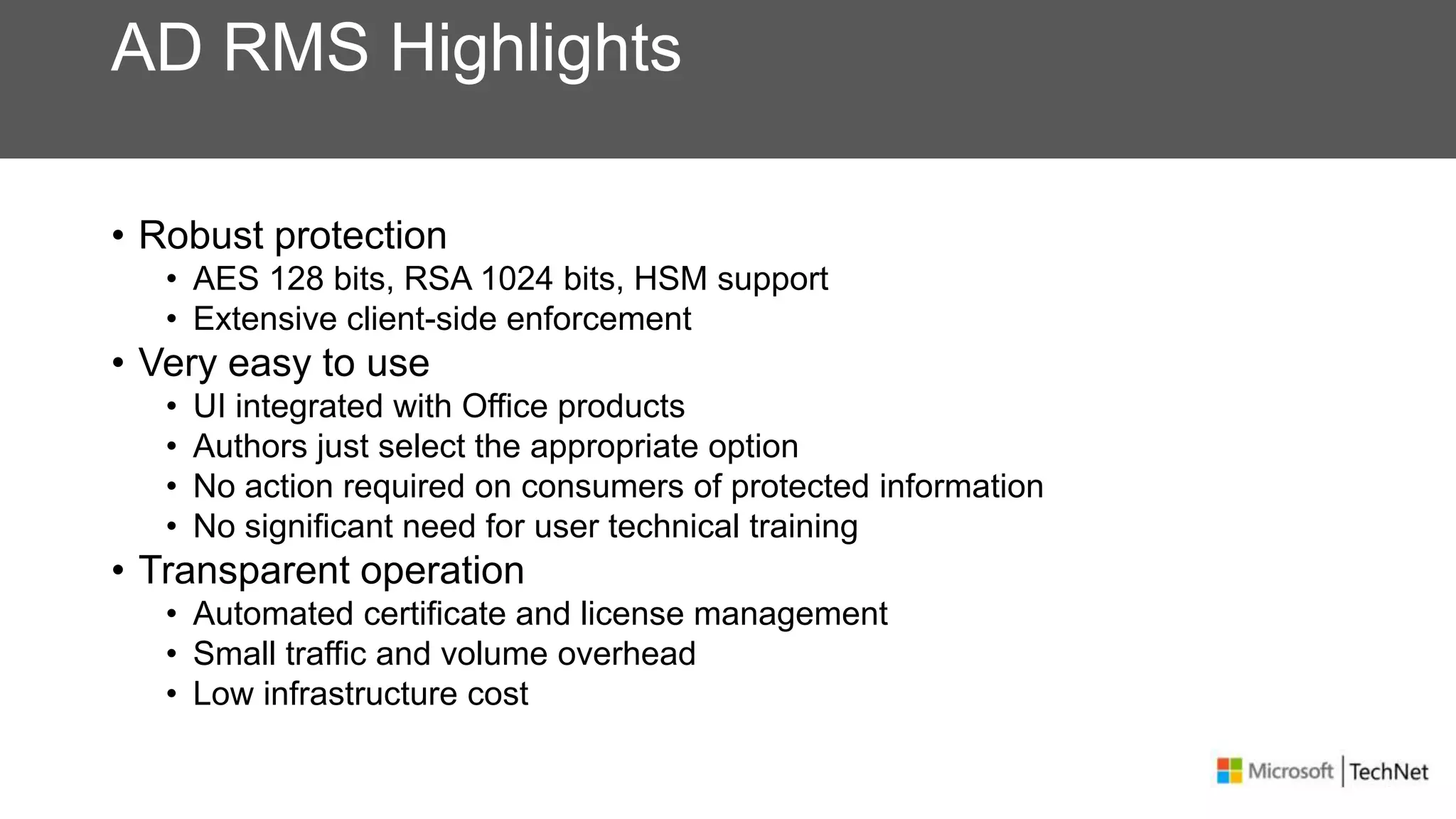
• Robust protection
• AES 128 bits, RSA 1024 bits, HSM support
• Extensive client-side enforcement
• Very easy to use
• UI integrated with Office products
• Authors just select the appropriate option
• No action required on consumers of protected information
• No significant need for user technical training
• Transparent operation
• Automated certificate and license management
• Small traffic and volume overhead
• Low infrastructure cost
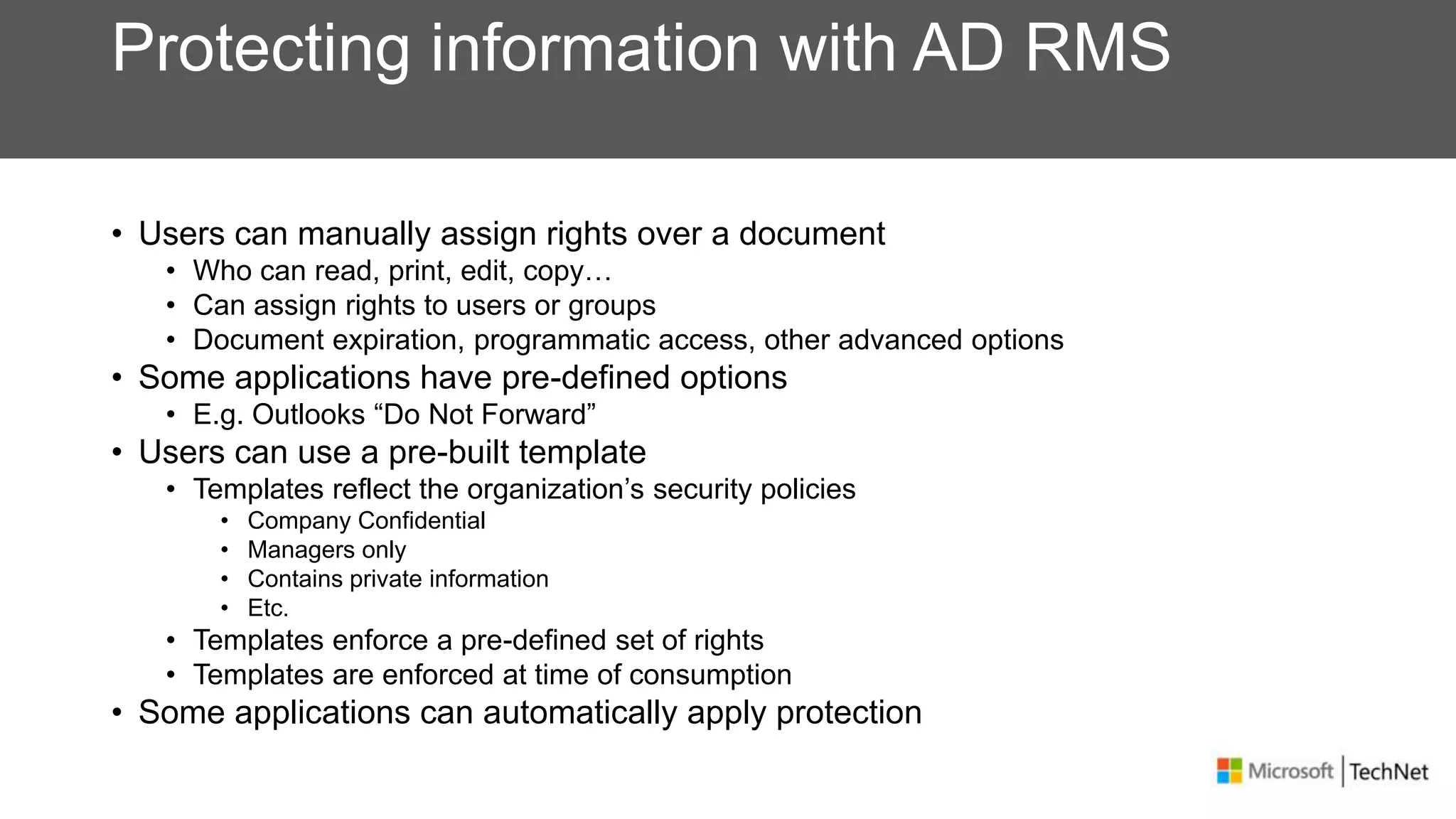
Protecting information with AD RMS
• Users can manually assign rights over a document
• Who can read, print, edit, copy…
• Can assign rights to users or groups
• Document expiration, programmatic access, other advanced options
• Some applications have pre-defined options
• E.g. Outlooks “Do Not Forward”
• Users can use a pre-built template
• Templates reflect the organization’s security policies
• Company Confidential
• Managers only
• Contains private information
• Etc.
• Templates enforce a pre-defined set of rights
• Templates are enforced at time of consumption
• Some applications can automatically apply protection
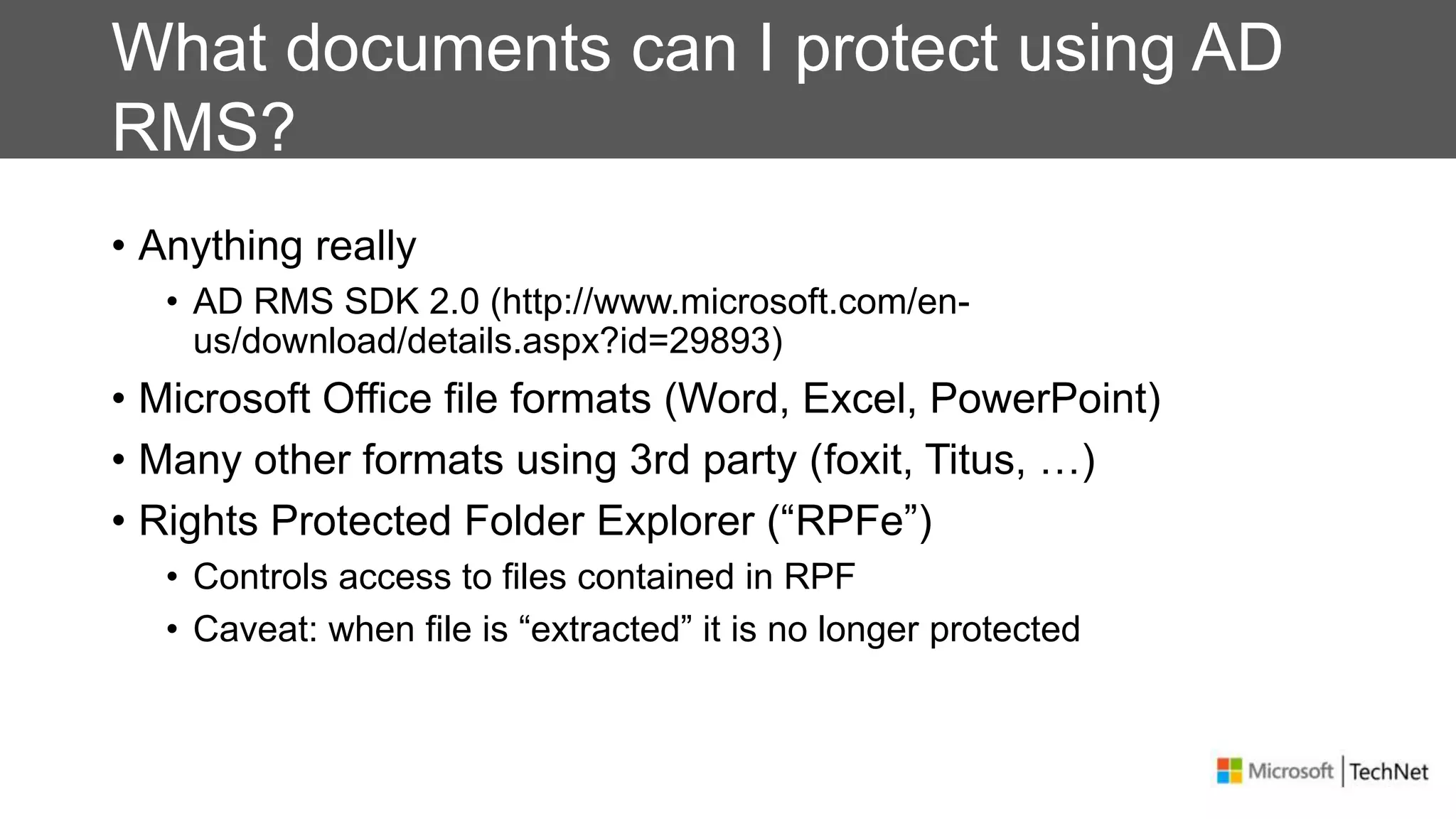
What documents can I protect using AD
RMS?
• Anything really
• AD RMS SDK 2.0 (http://www.microsoft.com/en-
us/download/details.aspx?id=29893)
• Microsoft Office file formats (Word, Excel, PowerPoint)
• Many other formats using 3rd party (foxit, Titus, …)
• Rights Protected Folder Explorer (“RPFe”)
• Controls access to files contained in RPF
• Caveat: when file is “extracted” it is no longer protected
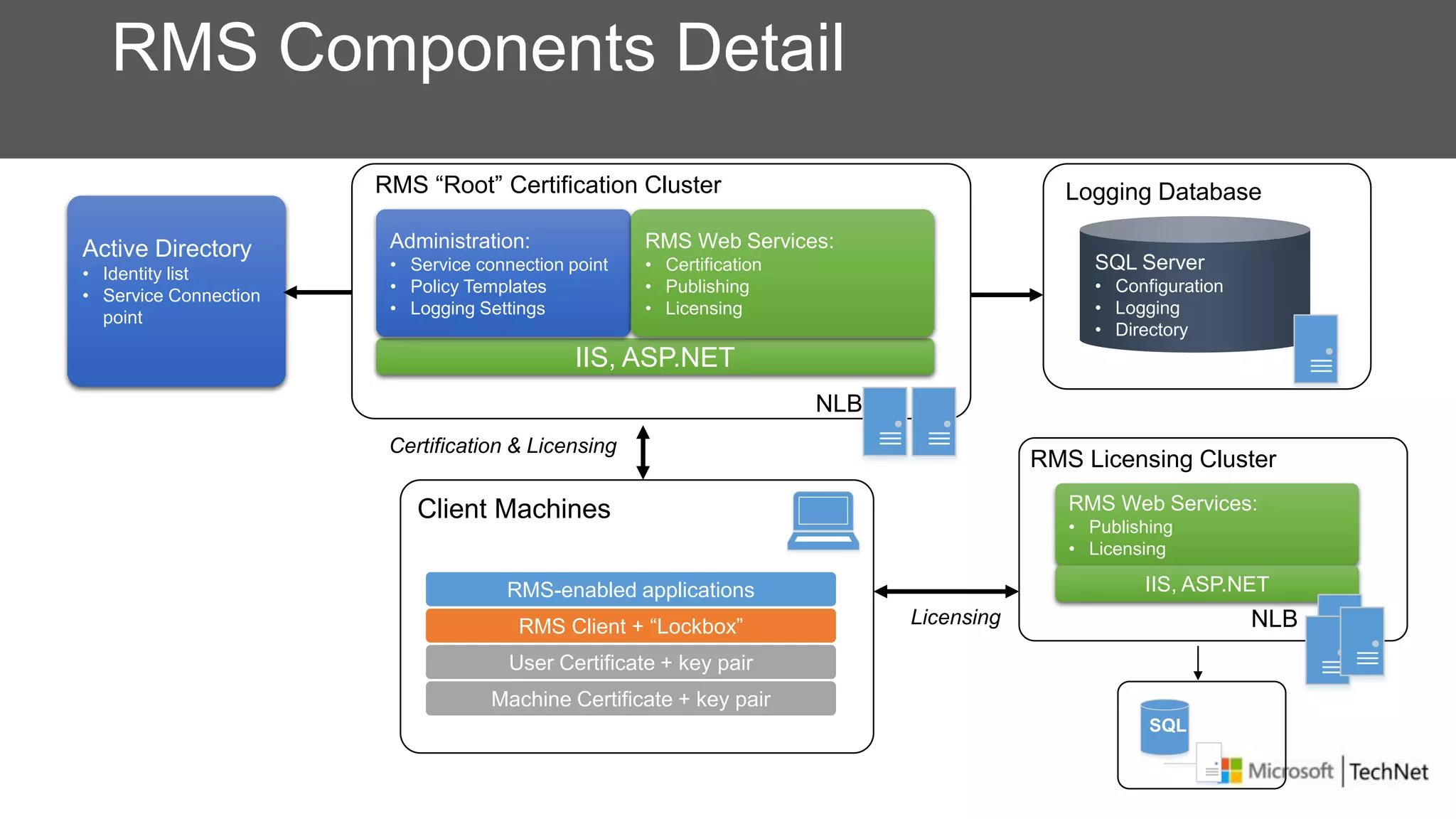
Certification & Licensing
Client Machines
RMS Components Detail
RMS “Root” Certification Cluster
IIS, ASP.NET
Active Directory
• Identity list
• Service Connection
point
RMS Licensing Cluster
RMS Web Services:
• Publishing
• Licensing
IIS, ASP.NET
Logging Database
NLB
Administration:
• Service connection point
• Policy Templates
• Logging Settings
RMS Web Services:
• Certification
• Publishing
• Licensing
SQL Server
• Configuration
• Logging
• Directory
RMS Client + “Lockbox”
RMS-enabled applications
User Certificate + key pair
Machine Certificate + key pair
Licensing
NLB
SQL
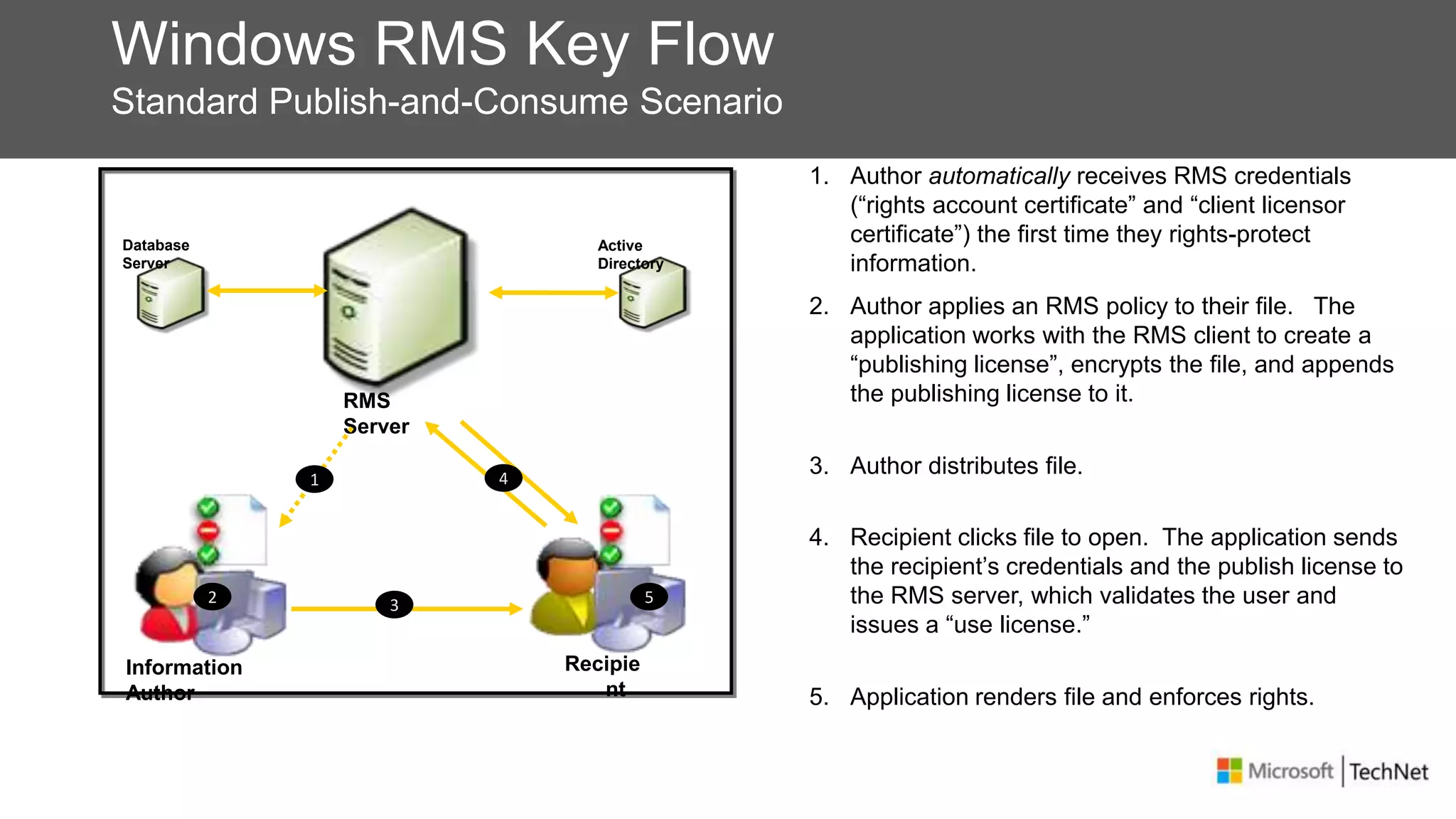
Windows RMS Key Flow
Standard Publish-and-Consume Scenario
Information
Author
Recipie
nt
RMS
Server
Database
Server
Active
Directory
2 3
4
5
2. Author applies an RMS policy to their file. The
application works with the RMS client to create a
“publishing license”, encrypts the file, and appends
the publishing license to it.
3. Author distributes file.
4. Recipient clicks file to open. The application sends
the recipient’s credentials and the publish license to
the RMS server, which validates the user and
issues a “use license.”
5. Application renders file and enforces rights.
1. Author automatically receives RMS credentials
(“rights account certificate” and “client licensor
certificate”) the first time they rights-protect
information.
1
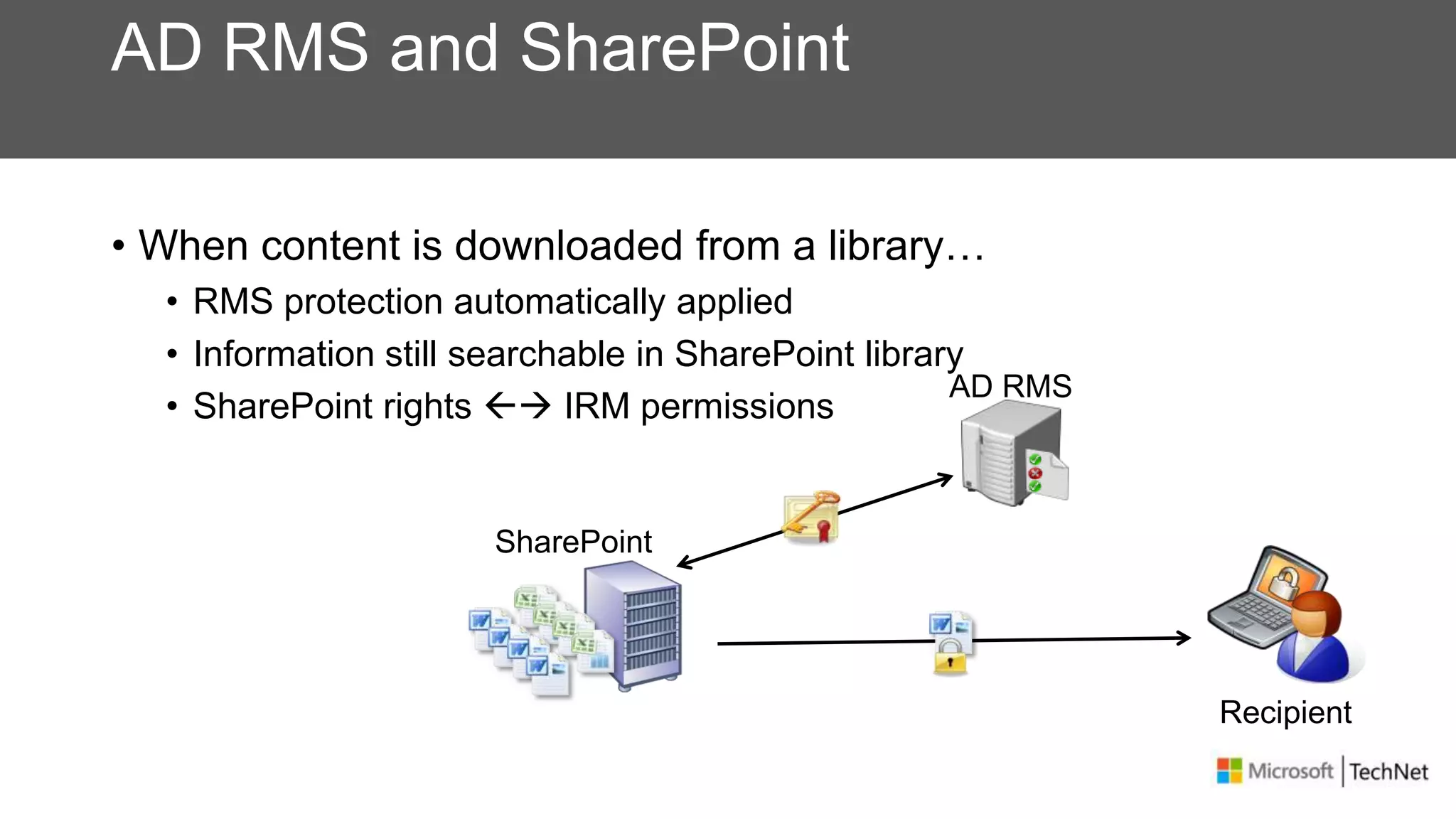
AD RMS and SharePoint
• When content is downloaded from a library…
• RMS protection automatically applied
• Information still searchable in SharePoint library
• SharePoint rights  IRM permissions
Recipient
AD RMS
SharePoint
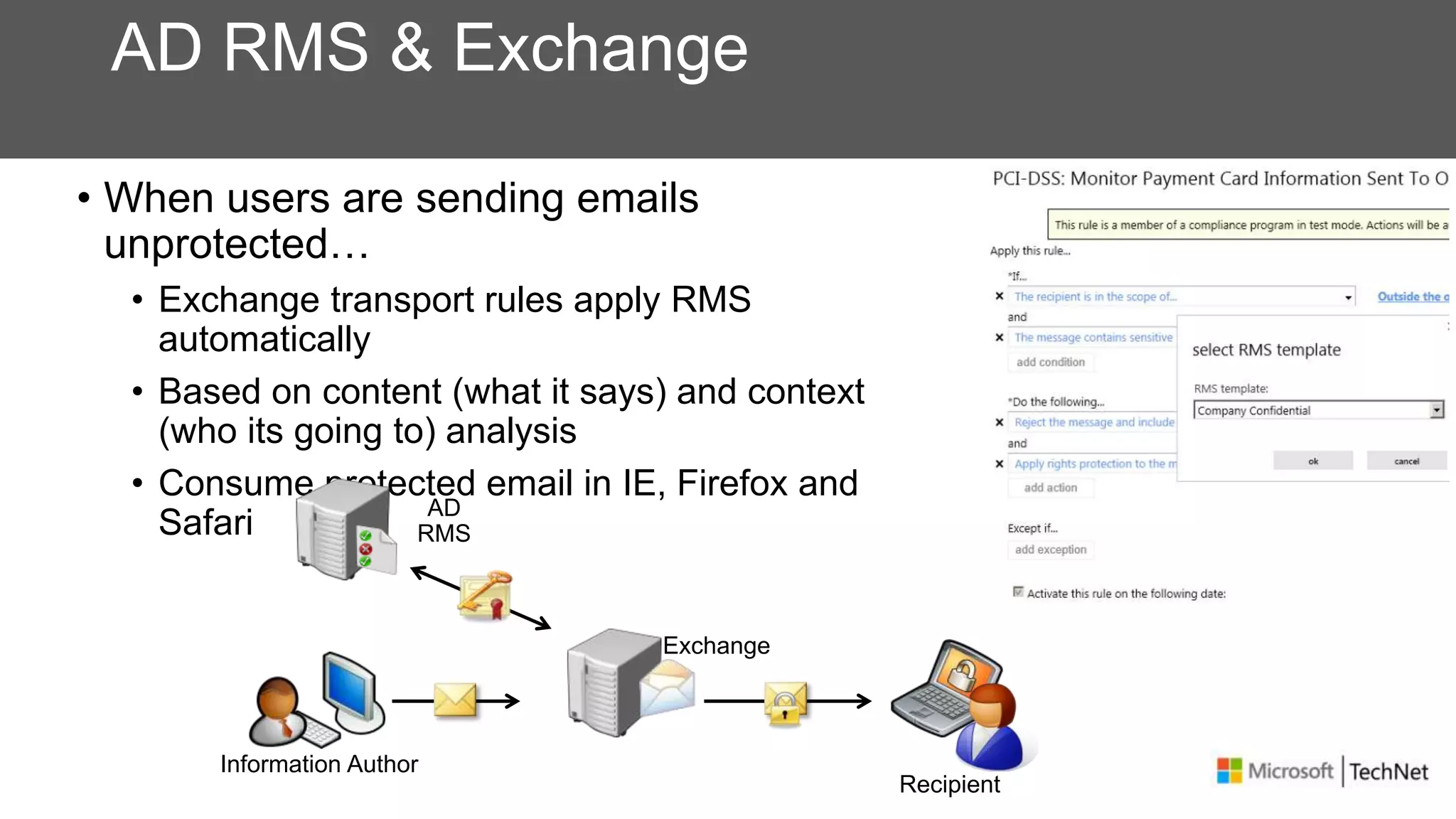
AD RMS & Exchange
• When users are sending emails
unprotected…
• Exchange transport rules apply RMS
automatically
• Based on content (what it says) and context
(who its going to) analysis
• Consume protected email in IE, Firefox and
Safari
Recipient
Information Author
AD
RMS
Exchange
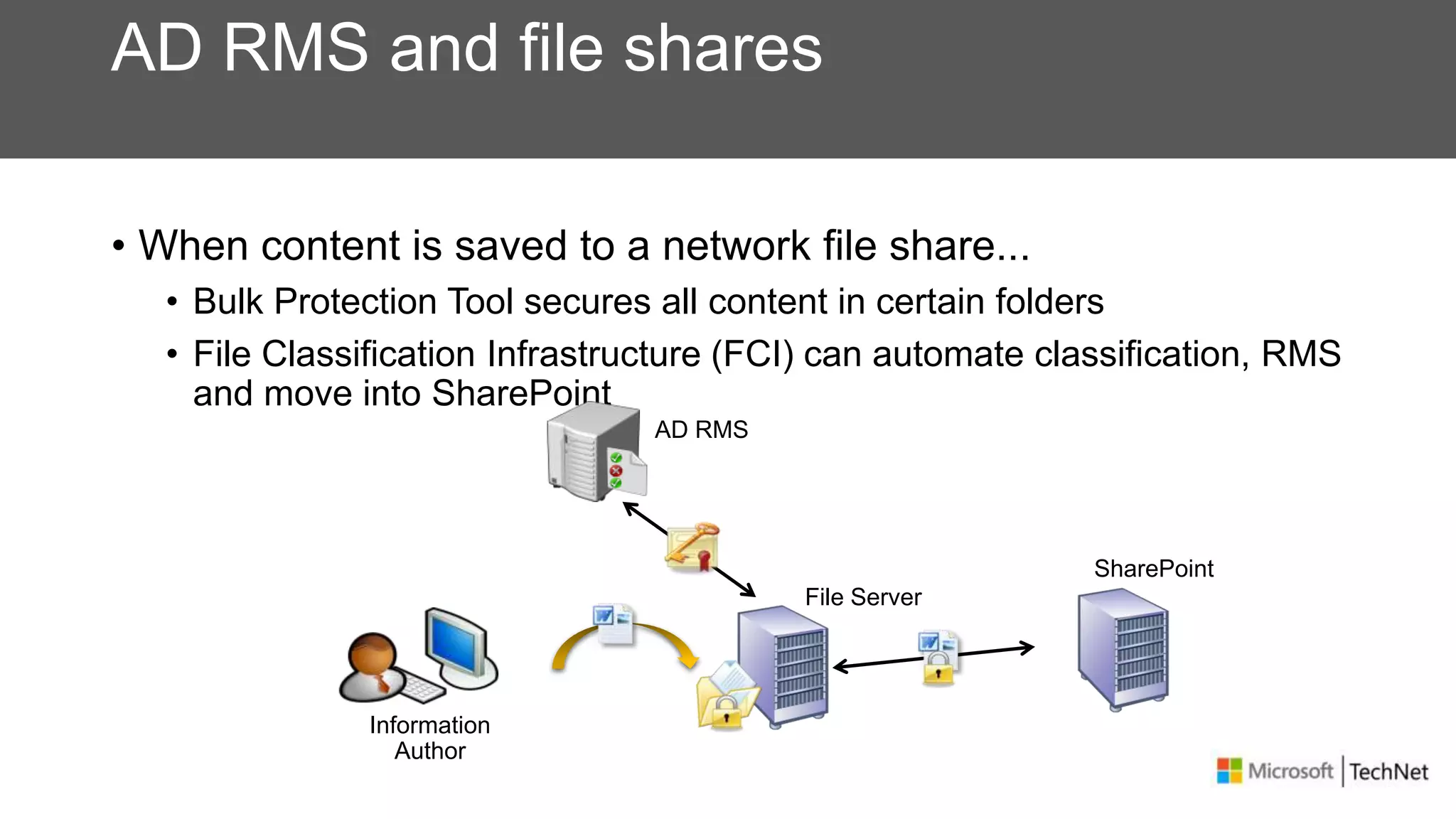
AD RMS and file shares
• When content is saved to a network file share...
• Bulk Protection Tool secures all content in certain folders
• File Classification Infrastructure (FCI) can automate classification, RMS
and move into SharePoint
AD RMS
File Server
Information
Author
SharePoint
Protecting Your Data
Bitlocker To Go
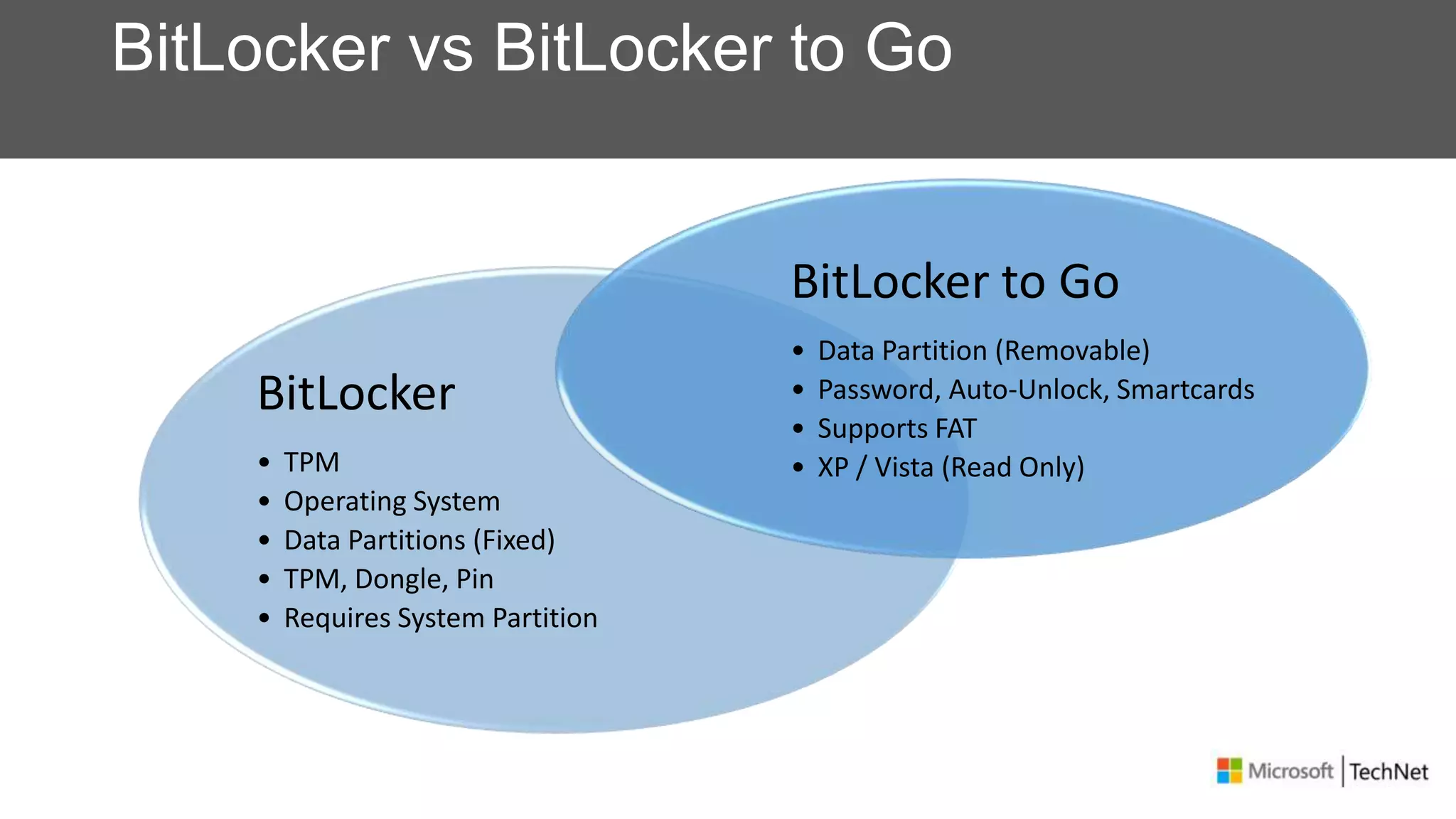
BitLocker vs BitLocker to Go
BitLocker
• TPM
• Operating System
• Data Partitions (Fixed)
• TPM, Dongle, Pin
• Requires System Partition
BitLocker to Go
• Data Partition (Removable)
• Password, Auto-Unlock, Smartcards
• Supports FAT
• XP / Vista (Read Only)
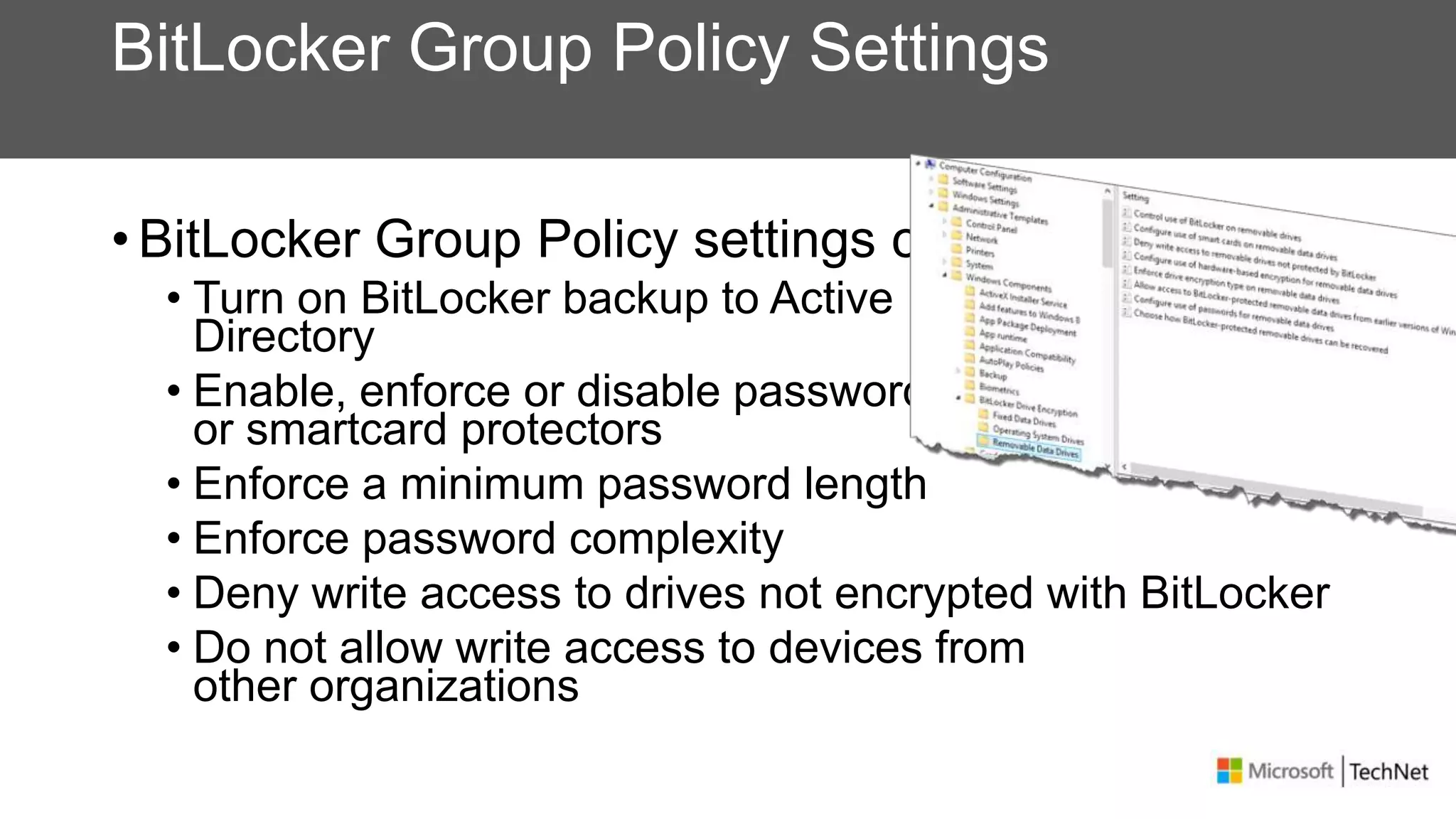
BitLocker Group Policy Settings
• BitLocker Group Policy settings can
• Turn on BitLocker backup to Active
Directory
• Enable, enforce or disable password
or smartcard protectors
• Enforce a minimum password length
• Enforce password complexity
• Deny write access to drives not encrypted with BitLocker
• Do not allow write access to devices from
other organizations
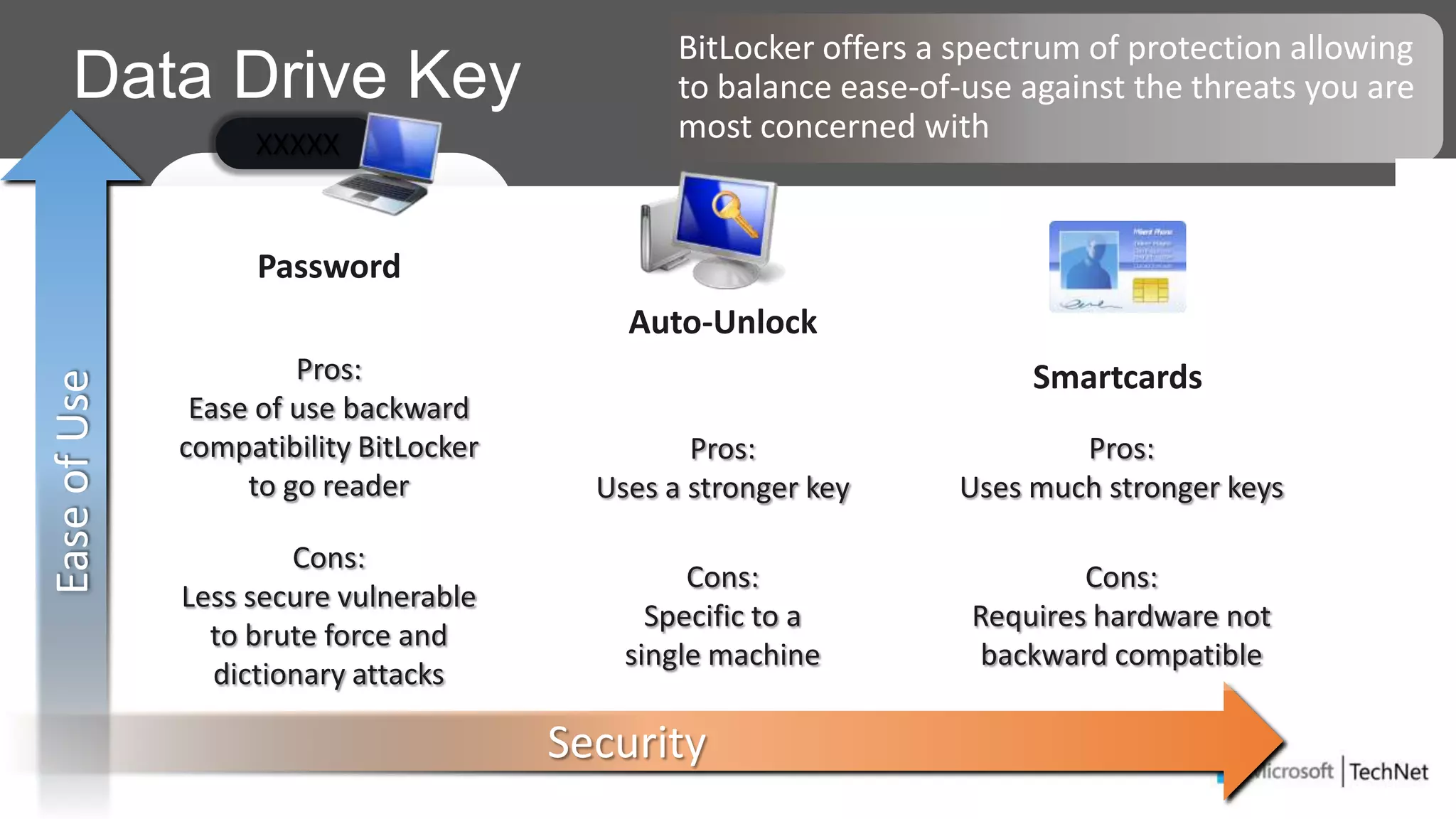
Data Drive Key
Password
Auto-Unlock
Smartcards
EaseofUse
BitLocker offers a spectrum of protection allowing
to balance ease-of-use against the threats you are
most concerned with
Security
Pros:
Ease of use backward
compatibility BitLocker
to go reader
Cons:
Less secure vulnerable
to brute force and
dictionary attacks
Pros:
Uses a stronger key
Cons:
Specific to a
single machine
Pros:
Uses much stronger keys
Cons:
Requires hardware not
backward compatible
XXXXX
Active Directory Based Recovery
Requirements
• Schema needs to be extended
• Windows Server 2008 R2 or later
• All DC’s must be Windows Server 2003 SP1 or later
Data Recovery Agent
New Recovery Mechanism
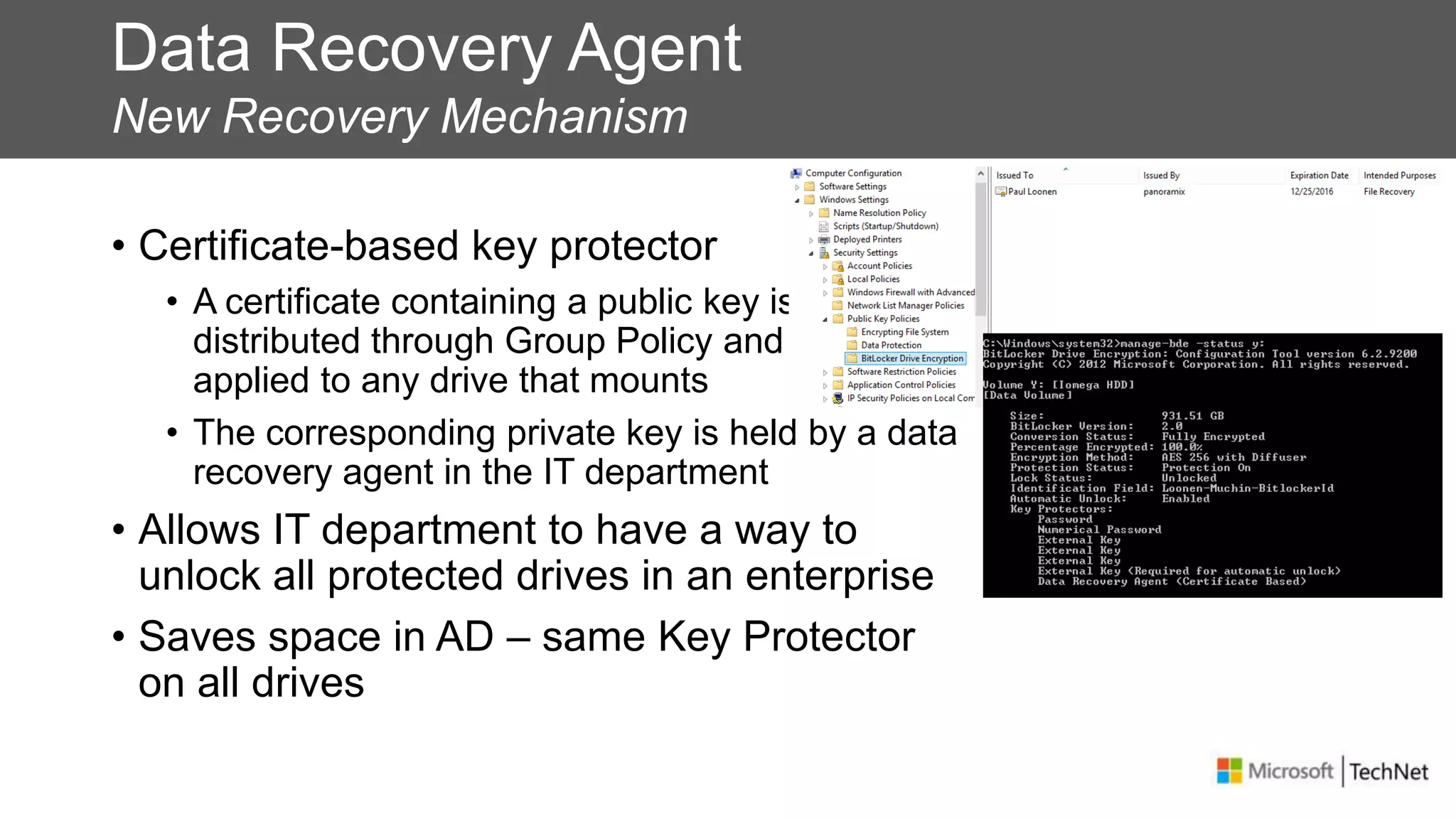
• Certificate-based key protector
• A certificate containing a public key is
distributed through Group Policy and is
applied to any drive that mounts
• The corresponding private key is held by a data
recovery agent in the IT department
• Allows IT department to have a way to
unlock all protected drives in an enterprise
• Saves space in AD – same Key Protector
on all drives
Enforcement
• Requiring BitLocker for data drives
• When this policy is enforced, all data drives will require BitLocker
protection in order to have write access
• As soon as a drive is plugged into a machine, a dialog is displayed to
the user to either enable BitLocker on the device or only have read-
only access
• The user gets full RW access only after encryption
is completed
• Users can alternatively enable BitLocker at a later time
Cross-Organization
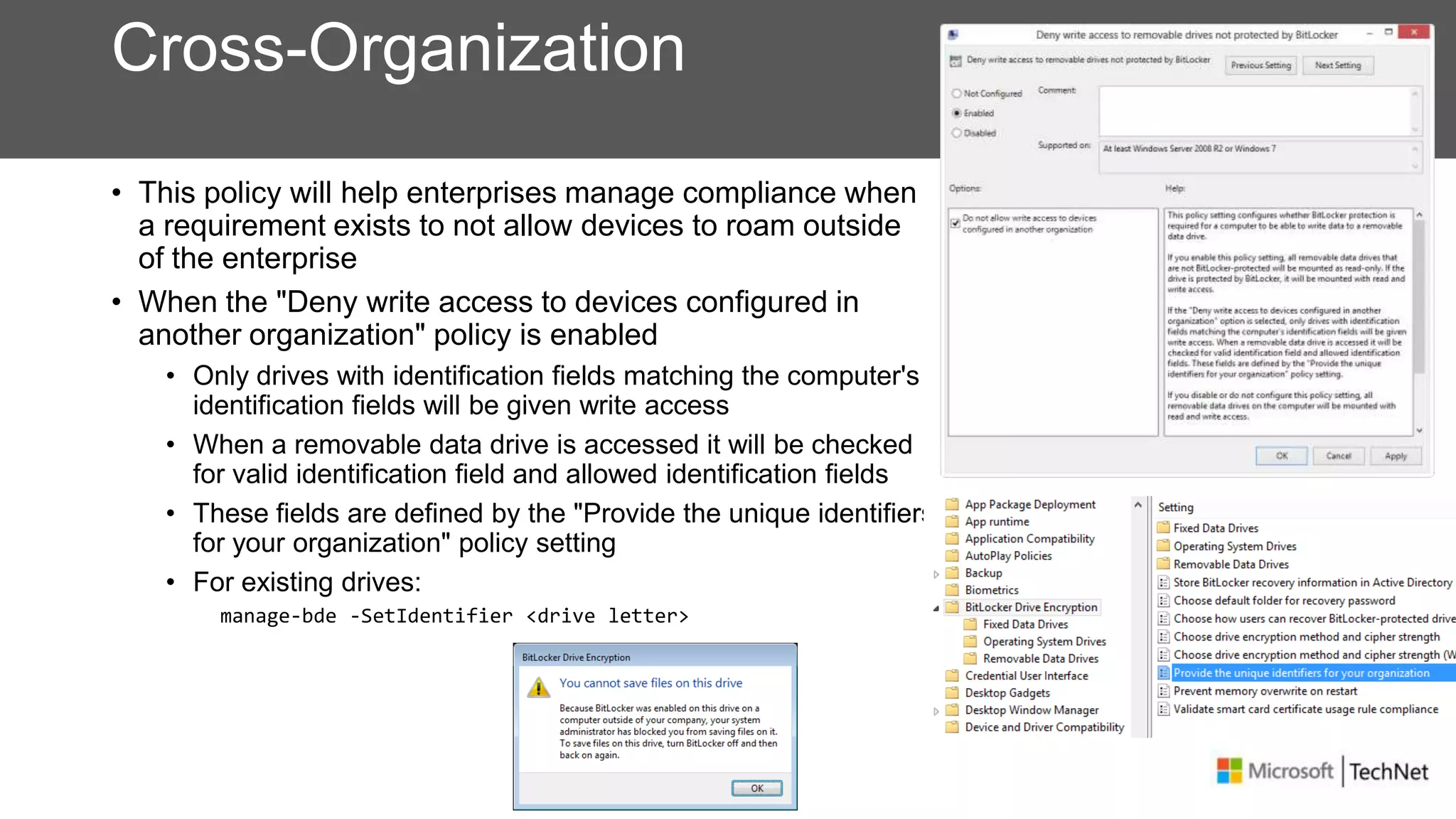
• This policy will help enterprises manage compliance when
a requirement exists to not allow devices to roam outside
of the enterprise
• When the "Deny write access to devices configured in
another organization" policy is enabled
• Only drives with identification fields matching the computer's
identification fields will be given write access
• When a removable data drive is accessed it will be checked
for valid identification field and allowed identification fields
• These fields are defined by the "Provide the unique identifiers
for your organization" policy setting
• For existing drives:
manage-bde -SetIdentifier <drive letter>
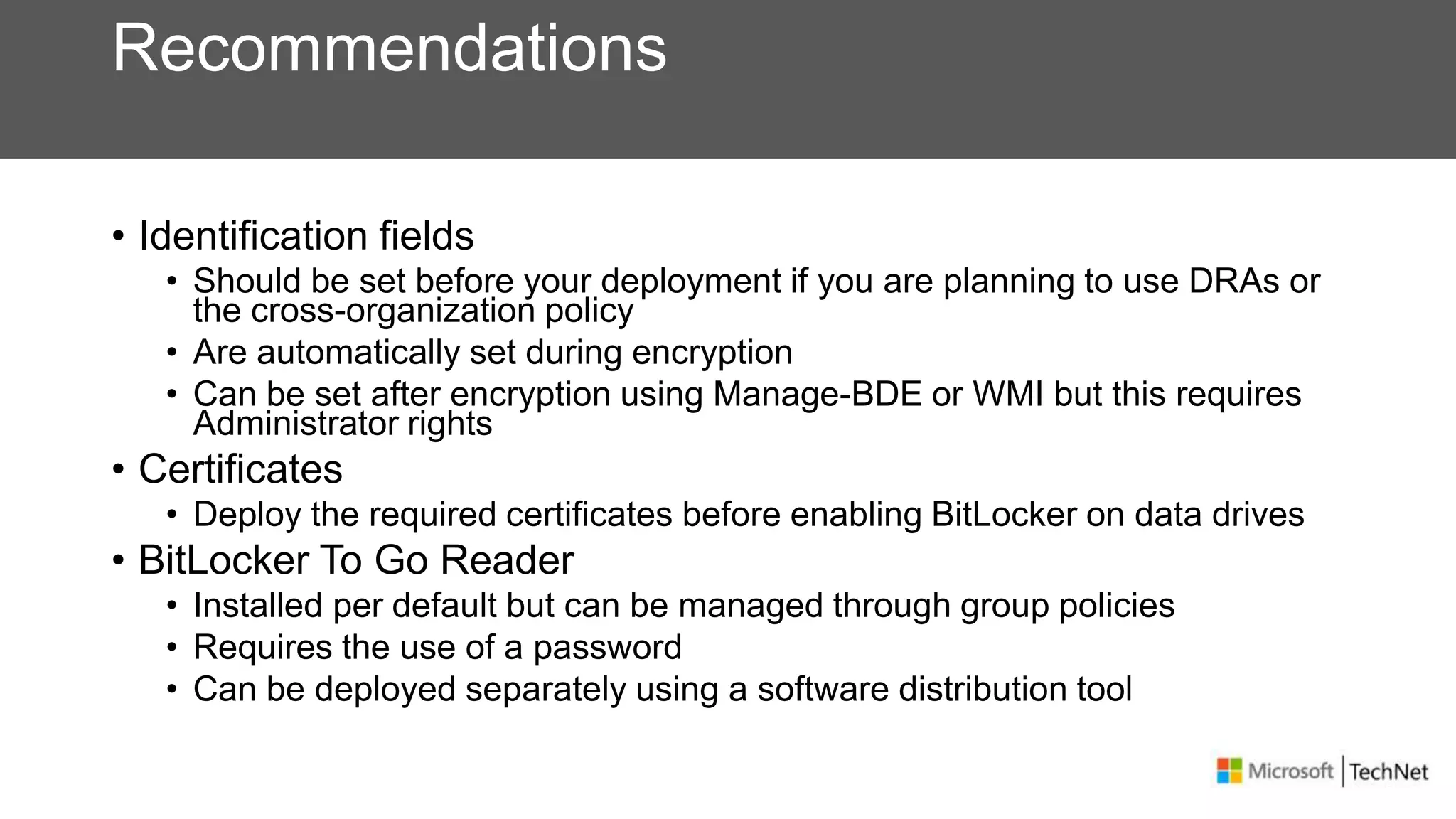
Recommendations
• Identification fields
• Should be set before your deployment if you are planning to use DRAs or
the cross-organization policy
• Are automatically set during encryption
• Can be set after encryption using Manage-BDE or WMI but this requires
Administrator rights
• Certificates
• Deploy the required certificates before enabling BitLocker on data drives
• BitLocker To Go Reader
• Installed per default but can be managed through group policies
• Requires the use of a password
• Can be deployed separately using a software distribution tool
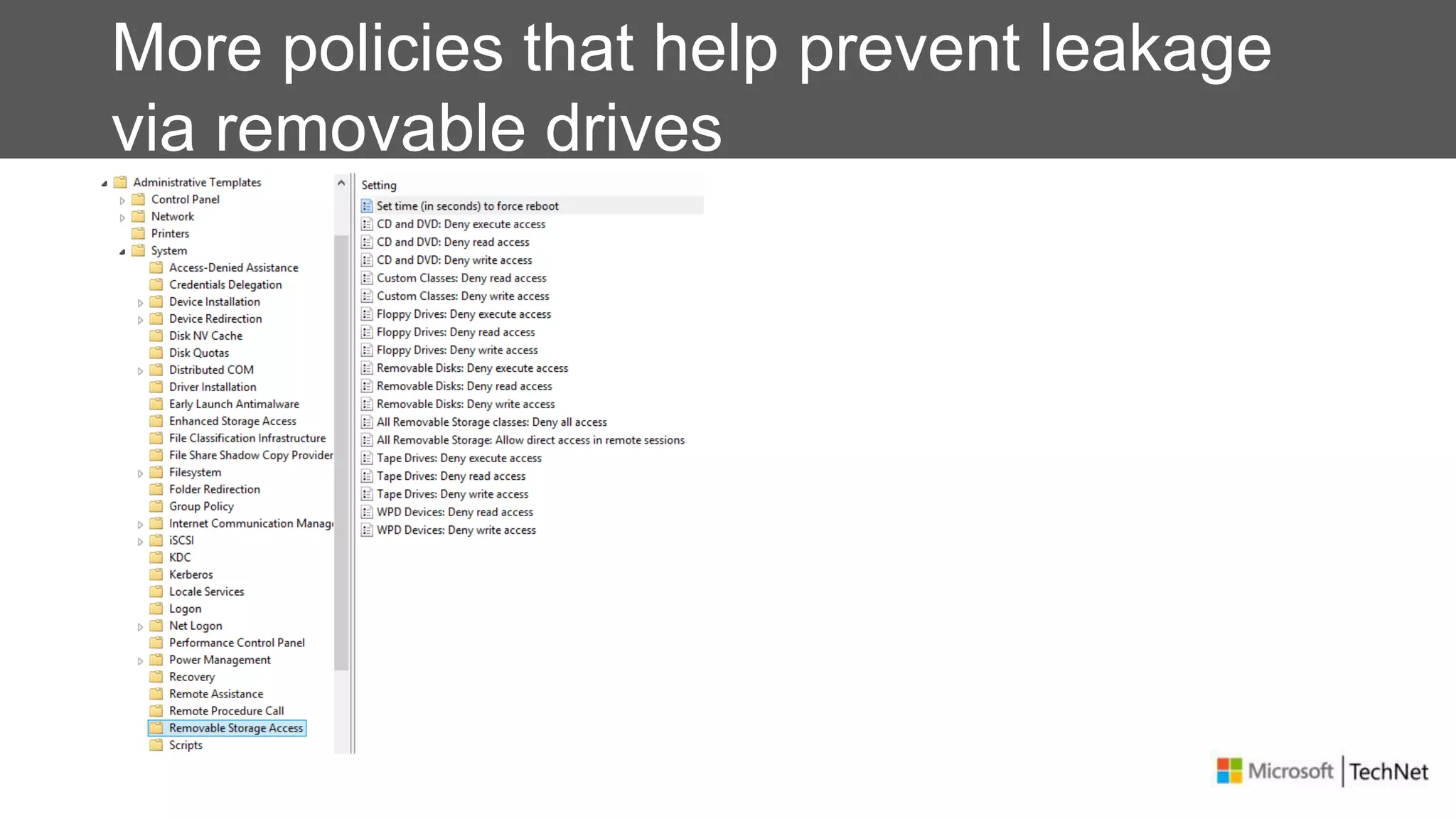
More policies that help prevent leakage
via removable drives
Protecting Your Data
Encrypting File System
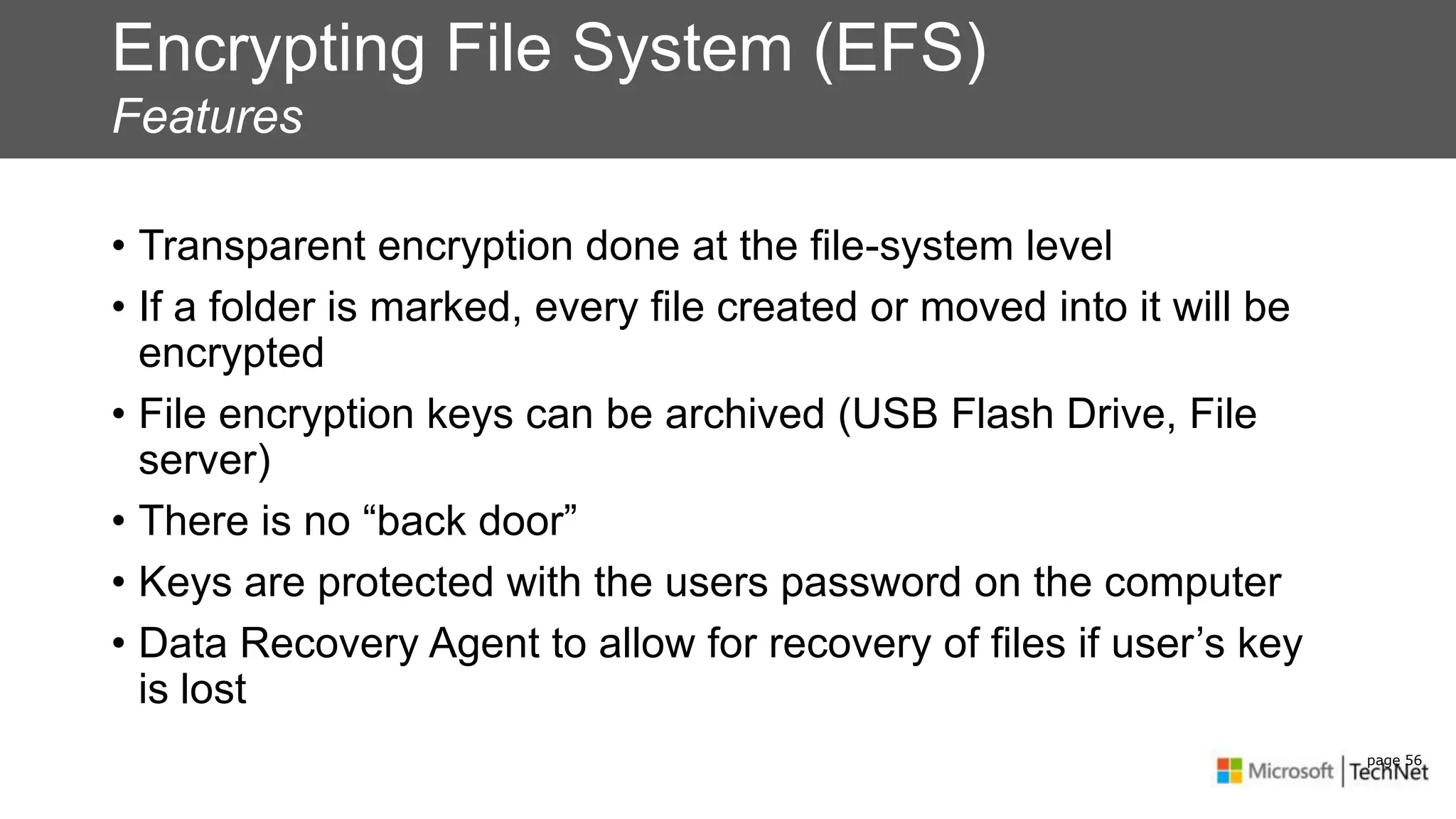
Encrypting File System (EFS)
Features
• Transparent encryption done at the file-system level
• If a folder is marked, every file created or moved into it will be
encrypted
• File encryption keys can be archived (USB Flash Drive, File
server)
• There is no “back door”
• Keys are protected with the users password on the computer
• Data Recovery Agent to allow for recovery of files if user’s key
is lost
page 56
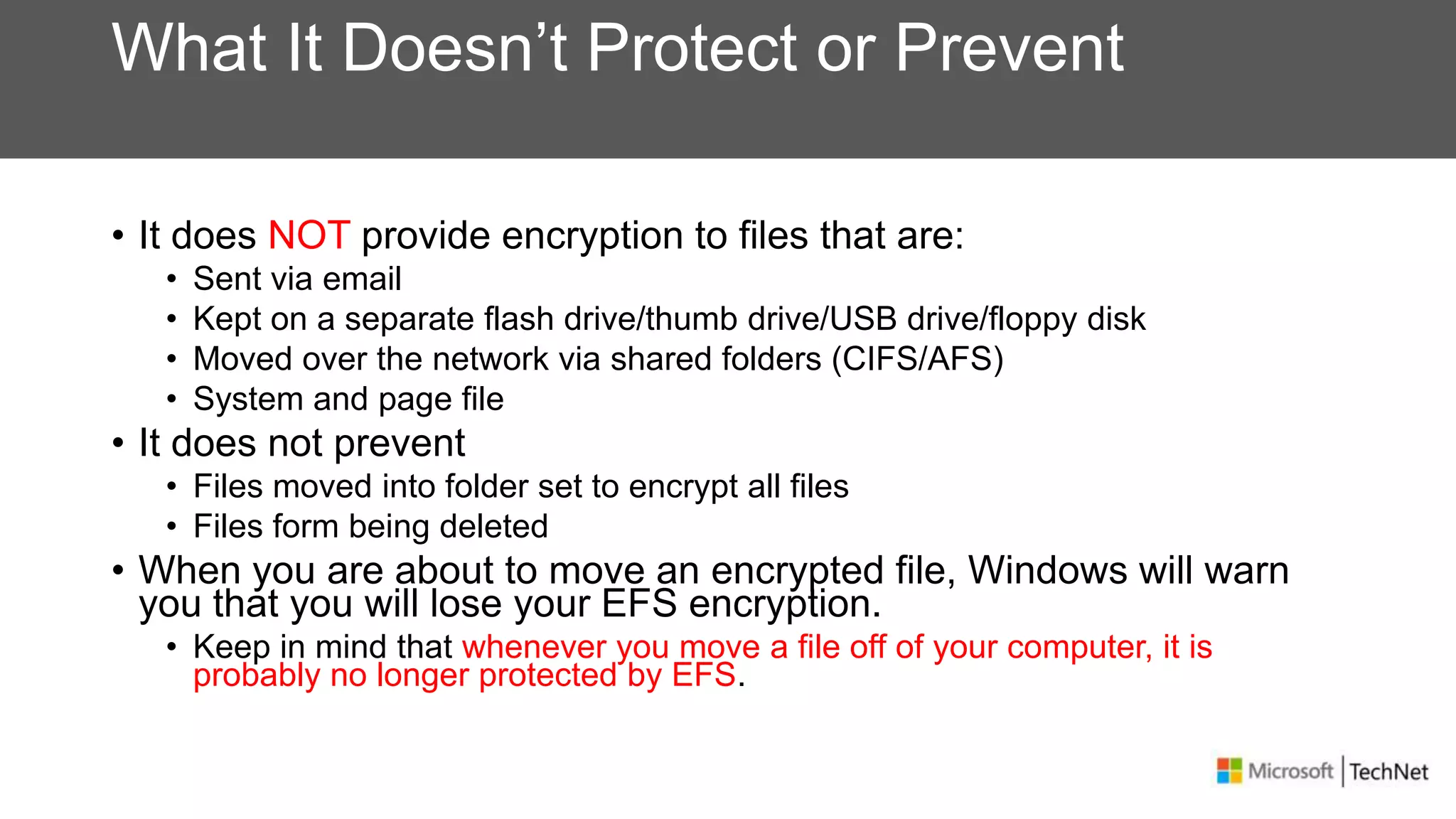
What It Doesn’t Protect or Prevent
• It does NOT provide encryption to files that are:
• Sent via email
• Kept on a separate flash drive/thumb drive/USB drive/floppy disk
• Moved over the network via shared folders (CIFS/AFS)
• System and page file
• It does not prevent
• Files moved into folder set to encrypt all files
• Files form being deleted
• When you are about to move an encrypted file, Windows will warn
you that you will lose your EFS encryption.
• Keep in mind that whenever you move a file off of your computer, it is
probably no longer protected by EFS.
Protecting Your Data
What encryption?
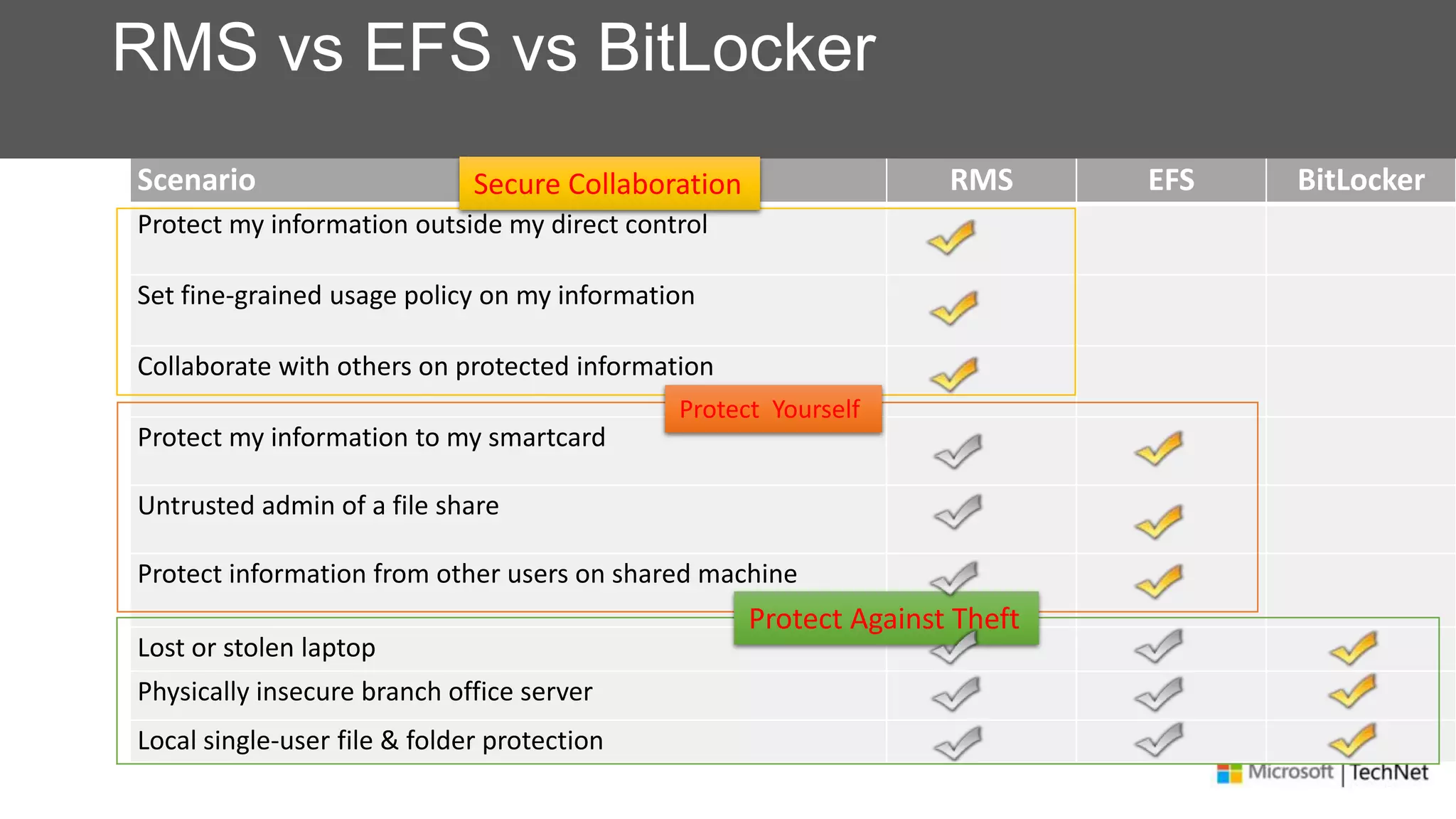
Scenario RMS EFS BitLocker
Protect my information outside my direct control
Set fine-grained usage policy on my information
Collaborate with others on protected information
Protect my information to my smartcard
Untrusted admin of a file share
Protect information from other users on shared machine
Lost or stolen laptop
Physically insecure branch office server
Local single-user file & folder protection
RMS vs EFS vs BitLocker
Secure Collaboration
Protect Yourself
Protect Against Theft
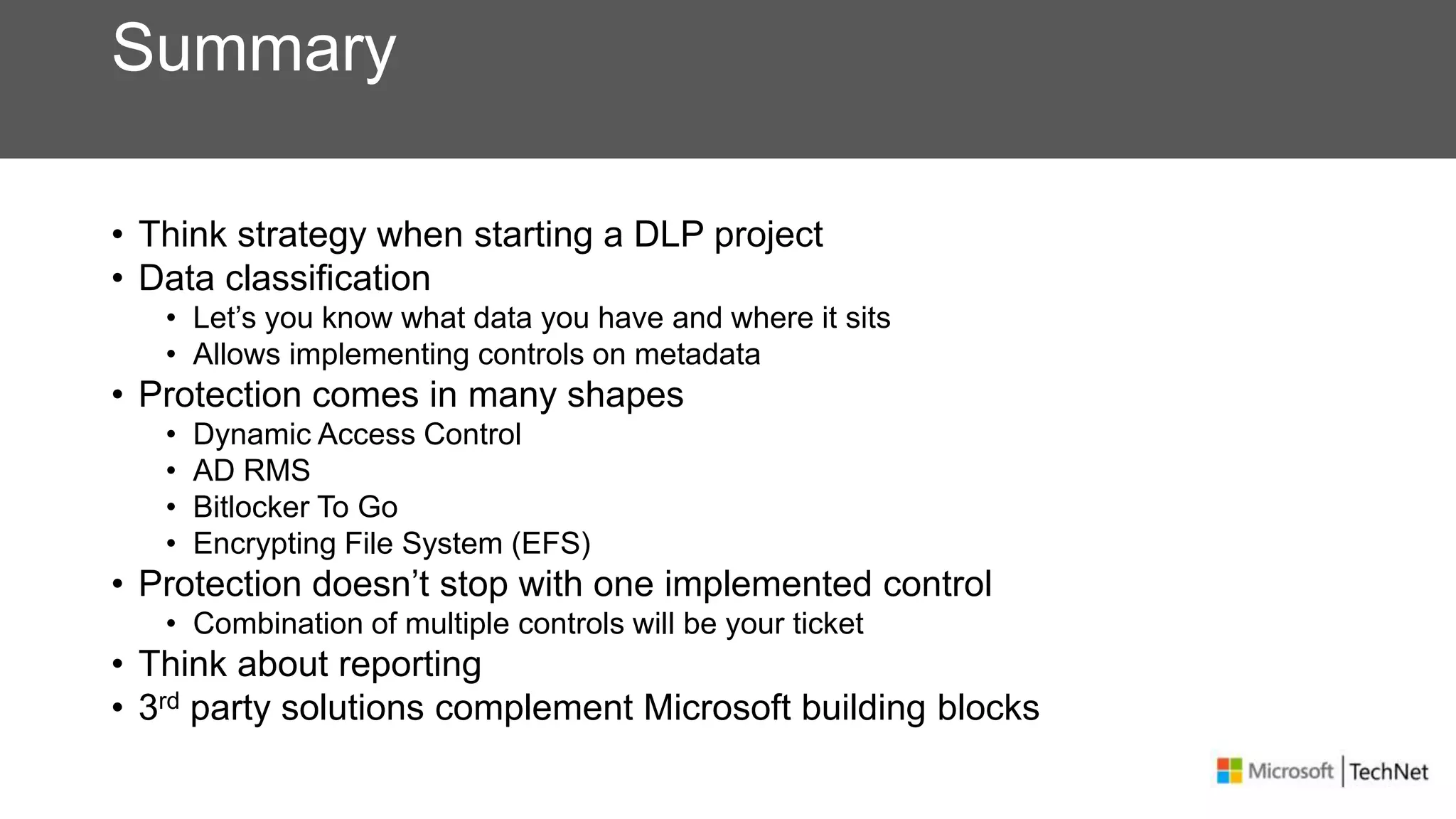
Summary
• Think strategy when starting a DLP project
• Data classification
• Let’s you know what data you have and where it sits
• Allows implementing controls on metadata
• Protection comes in many shapes
• Dynamic Access Control
• AD RMS
• Bitlocker To Go
• Encrypting File System (EFS)
• Protection doesn’t stop with one implemented control
• Combination of multiple controls will be your ticket
• Think about reporting
• 3rd party solutions complement Microsoft building blocks
Some References
• Verizon Data Breach Investigations Report 2013
• http://www.verizonenterprise.com/DBIR/2013/
• Classification
• FCI - http://technet.microsoft.com/en-us/library/hh831660.aspx
• WSRM - http://technet.microsoft.com/en-us/library/cc732553.aspx
• DCT - http://technet.microsoft.com/en-us/library/hh204743.aspx
• DAC
• http://technet.microsoft.com/en-us/library/hh831717.aspx
• AD RMS
• AD RMS Team Blog: http://blogs.technet.com/b/rms/
• http://technet.microsoft.com/en-us/library/cc771234(v=ws.10).aspx
• RPFe - http://technet.microsoft.com/library/Hh538204.aspx
• Bitlocker to Go
• http://technet.microsoft.com/en-us/library/dd875547(v=ws.10).aspx
Data Leakage Prevention

Data Leakage Prevention

  • 1.
    Data Leakage Preventionin your Microsoft Infrastructure Paul Loonen IAM Architect, Verizon Enterprise Solutions
  • 2.
    About me • Co-founderWinTalks.be • MVP: Microsoft Forefront Identity Manager • MCM Directory • Job Role: IAM Architect @ Verizon Enterprise Solutions • paul.loonen@be.verizon.com • Blog @ http://be-id.blogspot.com • @ploonen (@wintalksbe)
  • 3.
    Disclaimer • Focus ison using what you already (may) have … • Everything I say won’t help against this:
  • 4.
    Agenda • The DataLeakage Problem • How to approach DLP • Data classification • Protecting Your Data
  • 5.
    What is DataLeakage
  • 6.
    Information Leakage IsCostly On Multiple Fronts • Cost of digital leakage per year is measured in $ billions • Increasing number and complexity of regulations, e.g. GLBA, SOX, CA SB 1386 • Non-compliance with regulations or loss of data can lead to significant legal fees, fines and/or jail time Legal, Regulatory & Financial impacts • Damage to public image and credibility with customers • Financial impact on company • Leaked e-mails or memos can be embarrassing Damage to Image & Credibility • Disclosure of strategic plans, M&A info potentially lead to loss of revenue, market capitalization • Loss of research, analytical data, and other intellectual capital Loss of Competitive Advantage
  • 7.
    Risk Areas PII • BirthDate • Employee Numbers • Social Security / National Numbers • Credit card Information (PCI) • Personal Health Information IP • Source Code • Product Design Documents • Research Information • Patent Applications • Customer Lists NPI • Financial Information • Mergers & Acquisitions activities and information • Executive communication • Legal and Regulatory Matters • Corporate Policies
  • 8.
    Do you wantto be this people?
  • 9.
    How does thishappen, by who? • Ex-employees, partners, customers • Over 1/3 due to negligence • Nearly 30% of loss on portable devices • Increasing loss from external collaboration Percentage cause of data breach Cost of Data Breach report Ponemon Institute 2010 Estimated sources of data breach Verizon Data Breach Investigation Report 2013
  • 10.
    Variety of MisuseActions Source: Verizon Data Breach Investigation Report 2013
  • 11.
    So, what isDLP? • DLP means different things to different people • Data Loss Prevention • Data Leakage Prevention • Data Loss Protection • DLP is always about protecting information that is sensitive to an organization • DLP technology is content aware • referred to as deep packet inspection, analyzes the payload contained within a file or session. • DLP references data in one of three states • Data in motion • Data at rest • Data in use
  • 12.
  • 13.
    Approach Strategy Assessment Data Discovery & Classification Encryption / Key Management Data-Leak Prevention Post-Leak Management Businesscase validation, plan for solution deployment, define and enhance process and policies Locate and classify sensitive data on file systems, emails, applications, endpoints, etc. Render sensitive information unreadable to unauthorized sources Enforce controls and policies to reduce leakage of sensitive information from secured networks and systems Enforce controls to protect sensitive data post leak
  • 14.
  • 15.
    Managing data onfile servers Looking at the problem space for a data repository • One of the largest repositories of data in the organization • Regulatory compliance periodic audits are expensive and labor intensive • Data leakage of sensitive information • Exposure of information due to complexity of granting access on a need to know basis
  • 16.
    File Classification Infrastructure TaggingInformation Location based Manual Automatic classification Application In-box content classifier 3rd party classification plugin // instantiate new classification manager FsrmClassificationManager cls = new FsrmClassificationManager(); //get defined properties ICollection c = cls.EnumPropertyDefinitions (_FsrmEnumOptions.FsrmEnumOptions_None); // inspect each property definition foreach (IFsrmPropertyDefinition p in c) { /*...*/ }
  • 17.
    File Classification Infrastructure Applyingpolicy based on classification Match file to policy Classify file Access control Audit control RMS Encryption Retention Other actions
  • 18.
    How do Iget “FCI”? File Server Resource Manager Overview of FSRM: http://technet.microsoft.com/en-us/library/hh831701(v=ws.11)
  • 19.
    Where do Iget FSRM? PS C:> Install-WindowsFeature –Name FS-Resource-Manager –IncludeManagementTools
  • 20.
    Configuring Classification withFSRM (the manual way)
  • 21.
  • 22.
    Data Classification Toolkitfor Windows Server 2012 • Free download: http://technet.microsoft.com/en- us/library/hh204743.aspx • Assists you in configuring FCI in your environment • Allows managing Central Access Policy across file servers • Integrates with Dynamic Access Control and AD RMS • Scenario-based • Classification configuration package examples provided
  • 23.
  • 24.
  • 25.
  • 26.
    //sidenote • Enable FCItab in explorer on Windows 8 clients:
  • 27.
    Typical Infrastructure • Win8or Win7SP1 Client with toolkit installed • SQL Server when reporting is required • Reporting DB • DB of file servers running FCI • Limited reporting without SQL Server • Win2k12 DC • Domain functional level must be Win2k12 – this enables Central Access Policy • Otherwise local file server properties … • File servers running FCI • Win2k8 R2 or Win2k12
  • 28.
  • 29.
    Dynamic Access Control •Brings existing identity claims model into the Windows platform • WIF, ADFS • Introduce a model to target access and audit policies based on tagging to drive efficient policy enforcement and implement this model for files • Bridge the gap between IT & Information Owners using information tagging for files
  • 30.
    Expression-based access controlpolicy User claims User.Department = Finance User.Clearance = High ACCESS POLICY Applies to: @Resource.Impact == “High” Allow | Read, Write | if (@User.Clearance == “High”) AND (@Device.Managed == True) Device claims Device.Department = Finance Device.Managed = True Resource properties Resource.Department = Finance Resource.Impact = High
  • 31.
    Authorization – UpdatedACL Model Support for Expression with ‘AND’/’OR ’ primitives User.memberOf (USA-Employees) AND User.memberOf (Finance-Division) AND User.memberOf (Authorization-Project) Support for User Claims from AD User.Division = ‘Finance’ AND User.CostCenter = 20000 Support for Static Device Claims from AD User.Division = ‘Finance’ AND Device.ITManaged = True Target Policy based on Resource Type IF (Resource.Impact = ‘HBI’) ALLOW AU Read User.EmployeeType = ‘FTE’ • No expressions in ACL • Led to group bloat • ACLs only based on groups • Led to group bloat • No ability to control access based on device state • No way to target policy based on Resource Type • Claims support in ACEs managed as SDDL strings • Added / removed from SDDL strings via standard string manipulation functions Legacy Windows New in Win2k12 Example
  • 32.
    Claim Definitions Resource Property Definitions Access policyDC File Server Allow/ Deny End User Control access to information
  • 33.
    Protecting Your Data ActiveDirectory Rights Management Services (AD RMS)
  • 34.
    What is ADRMS? • Information Protection technology • Aimed at reducing information leakage • Server and client components • Integrated with Windows, Office, Exchange, SharePoint and more • Based on Symmetric and Public Key Cryptography • Protects data at rest, in transit and in use • Helps enforce corporate data policies • Installed as a server role
  • 35.
    How AD RMSWorks • Client and user are “activated” • Client creates rights-protected content (offline) • User distributes rights-protected content • Recipient acquires licenses from server to decrypt protected information • Client enforces usage policies
  • 36.
    Using IRM toavoid data leakage • Encryption provides protection from unauthorized access • Most effective if it is identity-based • How you manage encryption is essential • Needs to be independent from content management • Must be integrated with ID management • Must be simple to use • Must be strong, reliable and recoverable • Encryption is not enough • Users will misuse information if they can • Even trusted users make mistakes • But if policy is clear and not easily circumvented, legitimate users will follow the policies
  • 37.
    AD RMS Highlights •Robust protection • AES 128 bits, RSA 1024 bits, HSM support • Extensive client-side enforcement • Very easy to use • UI integrated with Office products • Authors just select the appropriate option • No action required on consumers of protected information • No significant need for user technical training • Transparent operation • Automated certificate and license management • Small traffic and volume overhead • Low infrastructure cost
  • 38.
    Protecting information withAD RMS • Users can manually assign rights over a document • Who can read, print, edit, copy… • Can assign rights to users or groups • Document expiration, programmatic access, other advanced options • Some applications have pre-defined options • E.g. Outlooks “Do Not Forward” • Users can use a pre-built template • Templates reflect the organization’s security policies • Company Confidential • Managers only • Contains private information • Etc. • Templates enforce a pre-defined set of rights • Templates are enforced at time of consumption • Some applications can automatically apply protection
  • 39.
    What documents canI protect using AD RMS? • Anything really • AD RMS SDK 2.0 (http://www.microsoft.com/en- us/download/details.aspx?id=29893) • Microsoft Office file formats (Word, Excel, PowerPoint) • Many other formats using 3rd party (foxit, Titus, …) • Rights Protected Folder Explorer (“RPFe”) • Controls access to files contained in RPF • Caveat: when file is “extracted” it is no longer protected
  • 40.
    Certification & Licensing ClientMachines RMS Components Detail RMS “Root” Certification Cluster IIS, ASP.NET Active Directory • Identity list • Service Connection point RMS Licensing Cluster RMS Web Services: • Publishing • Licensing IIS, ASP.NET Logging Database NLB Administration: • Service connection point • Policy Templates • Logging Settings RMS Web Services: • Certification • Publishing • Licensing SQL Server • Configuration • Logging • Directory RMS Client + “Lockbox” RMS-enabled applications User Certificate + key pair Machine Certificate + key pair Licensing NLB SQL
  • 41.
    Windows RMS KeyFlow Standard Publish-and-Consume Scenario Information Author Recipie nt RMS Server Database Server Active Directory 2 3 4 5 2. Author applies an RMS policy to their file. The application works with the RMS client to create a “publishing license”, encrypts the file, and appends the publishing license to it. 3. Author distributes file. 4. Recipient clicks file to open. The application sends the recipient’s credentials and the publish license to the RMS server, which validates the user and issues a “use license.” 5. Application renders file and enforces rights. 1. Author automatically receives RMS credentials (“rights account certificate” and “client licensor certificate”) the first time they rights-protect information. 1
  • 42.
    AD RMS andSharePoint • When content is downloaded from a library… • RMS protection automatically applied • Information still searchable in SharePoint library • SharePoint rights  IRM permissions Recipient AD RMS SharePoint
  • 43.
    AD RMS &Exchange • When users are sending emails unprotected… • Exchange transport rules apply RMS automatically • Based on content (what it says) and context (who its going to) analysis • Consume protected email in IE, Firefox and Safari Recipient Information Author AD RMS Exchange
  • 44.
    AD RMS andfile shares • When content is saved to a network file share... • Bulk Protection Tool secures all content in certain folders • File Classification Infrastructure (FCI) can automate classification, RMS and move into SharePoint AD RMS File Server Information Author SharePoint
  • 45.
  • 46.
    BitLocker vs BitLockerto Go BitLocker • TPM • Operating System • Data Partitions (Fixed) • TPM, Dongle, Pin • Requires System Partition BitLocker to Go • Data Partition (Removable) • Password, Auto-Unlock, Smartcards • Supports FAT • XP / Vista (Read Only)
  • 47.
    BitLocker Group PolicySettings • BitLocker Group Policy settings can • Turn on BitLocker backup to Active Directory • Enable, enforce or disable password or smartcard protectors • Enforce a minimum password length • Enforce password complexity • Deny write access to drives not encrypted with BitLocker • Do not allow write access to devices from other organizations
  • 48.
    Data Drive Key Password Auto-Unlock Smartcards EaseofUse BitLockeroffers a spectrum of protection allowing to balance ease-of-use against the threats you are most concerned with Security Pros: Ease of use backward compatibility BitLocker to go reader Cons: Less secure vulnerable to brute force and dictionary attacks Pros: Uses a stronger key Cons: Specific to a single machine Pros: Uses much stronger keys Cons: Requires hardware not backward compatible XXXXX
  • 49.
    Active Directory BasedRecovery Requirements • Schema needs to be extended • Windows Server 2008 R2 or later • All DC’s must be Windows Server 2003 SP1 or later
  • 50.
    Data Recovery Agent NewRecovery Mechanism • Certificate-based key protector • A certificate containing a public key is distributed through Group Policy and is applied to any drive that mounts • The corresponding private key is held by a data recovery agent in the IT department • Allows IT department to have a way to unlock all protected drives in an enterprise • Saves space in AD – same Key Protector on all drives
  • 51.
    Enforcement • Requiring BitLockerfor data drives • When this policy is enforced, all data drives will require BitLocker protection in order to have write access • As soon as a drive is plugged into a machine, a dialog is displayed to the user to either enable BitLocker on the device or only have read- only access • The user gets full RW access only after encryption is completed • Users can alternatively enable BitLocker at a later time
  • 52.
    Cross-Organization • This policywill help enterprises manage compliance when a requirement exists to not allow devices to roam outside of the enterprise • When the "Deny write access to devices configured in another organization" policy is enabled • Only drives with identification fields matching the computer's identification fields will be given write access • When a removable data drive is accessed it will be checked for valid identification field and allowed identification fields • These fields are defined by the "Provide the unique identifiers for your organization" policy setting • For existing drives: manage-bde -SetIdentifier <drive letter>
  • 53.
    Recommendations • Identification fields •Should be set before your deployment if you are planning to use DRAs or the cross-organization policy • Are automatically set during encryption • Can be set after encryption using Manage-BDE or WMI but this requires Administrator rights • Certificates • Deploy the required certificates before enabling BitLocker on data drives • BitLocker To Go Reader • Installed per default but can be managed through group policies • Requires the use of a password • Can be deployed separately using a software distribution tool
  • 54.
    More policies thathelp prevent leakage via removable drives
  • 55.
  • 56.
    Encrypting File System(EFS) Features • Transparent encryption done at the file-system level • If a folder is marked, every file created or moved into it will be encrypted • File encryption keys can be archived (USB Flash Drive, File server) • There is no “back door” • Keys are protected with the users password on the computer • Data Recovery Agent to allow for recovery of files if user’s key is lost page 56
  • 57.
    What It Doesn’tProtect or Prevent • It does NOT provide encryption to files that are: • Sent via email • Kept on a separate flash drive/thumb drive/USB drive/floppy disk • Moved over the network via shared folders (CIFS/AFS) • System and page file • It does not prevent • Files moved into folder set to encrypt all files • Files form being deleted • When you are about to move an encrypted file, Windows will warn you that you will lose your EFS encryption. • Keep in mind that whenever you move a file off of your computer, it is probably no longer protected by EFS.
  • 58.
  • 59.
    Scenario RMS EFSBitLocker Protect my information outside my direct control Set fine-grained usage policy on my information Collaborate with others on protected information Protect my information to my smartcard Untrusted admin of a file share Protect information from other users on shared machine Lost or stolen laptop Physically insecure branch office server Local single-user file & folder protection RMS vs EFS vs BitLocker Secure Collaboration Protect Yourself Protect Against Theft
  • 60.
    Summary • Think strategywhen starting a DLP project • Data classification • Let’s you know what data you have and where it sits • Allows implementing controls on metadata • Protection comes in many shapes • Dynamic Access Control • AD RMS • Bitlocker To Go • Encrypting File System (EFS) • Protection doesn’t stop with one implemented control • Combination of multiple controls will be your ticket • Think about reporting • 3rd party solutions complement Microsoft building blocks
  • 61.
    Some References • VerizonData Breach Investigations Report 2013 • http://www.verizonenterprise.com/DBIR/2013/ • Classification • FCI - http://technet.microsoft.com/en-us/library/hh831660.aspx • WSRM - http://technet.microsoft.com/en-us/library/cc732553.aspx • DCT - http://technet.microsoft.com/en-us/library/hh204743.aspx • DAC • http://technet.microsoft.com/en-us/library/hh831717.aspx • AD RMS • AD RMS Team Blog: http://blogs.technet.com/b/rms/ • http://technet.microsoft.com/en-us/library/cc771234(v=ws.10).aspx • RPFe - http://technet.microsoft.com/library/Hh538204.aspx • Bitlocker to Go • http://technet.microsoft.com/en-us/library/dd875547(v=ws.10).aspx

Editor's Notes

  • #8 PII – Personal Identifiable InformationIP – Intellectual PropertyNPI – Non-public Personal Information
  • #30 All of this started with the introduction of claims with WIF and ADFS. This is great because you don’t need to think about authN and authZ.This model was pushed into the core of Windows so that we can give developers the right level of flexibility and granularity to drive applicationsAdditionally, there is the challenge of applying policy. In Win8 we use classification and tagging as a key pivot to apply access control to data
  • #32 Today, ACLs have ACEs that list the SIDs that have access to the resourceExpressions allow need for less groups because you combine anythingBefore Win8, ACLs can only be based on groups, now we can base them on claims, which come from AD
  • #40 Rights Protected Folder Explorer allows you to work with Rights Protected Folders. A Rights Protected Folder is similar to a file folder in that it contains files and folders. However, a Rights Protected Folder controls access to the files that it contains, no matter where the Rights Protected Folder is located. By using Rights Protected Folder Explorer, you can securely store or send files to authorized users and control which users will be able to access those files while they are in the Rights Protected Folder.
  • #47 The drive must be formatted by using either the exFAT, FAT16, FAT32, or NTFS file system.The drive must have at least 64 MB of available disk space.The operating system drive must be protected by BitLocker if you want the drive to be unlocked automatically.BitLocker To Go Reader (bitlockertogo.exe) may be used to unlock FAT-formatted removable drives accessed using a computer running Windows Vista or Windows XP. Once unlocked by the BitLocker To Go Reader you will have read-only access to the files stored on the removable drive. This means you will not be able to modify the drive by adding new files to it or changing the contents of the existing files on the drive. If you plan on using the BitLocker To Go Reader you must use a password as one of your BitLocker key protectors. The BitLocker To Go Reader cannot use credentials from a smart card or from a TPM.
  • #51 Identification fields are required for management of certificate-based data recovery agents on BitLocker-protected drives. BitLocker will manage and update certificate-based data recovery agents only when the identification field is present on a drive and is identical to the value configured on the computer. The identification field can be any value of 260 characters or fewer.
  • #57 Encryption is done at the file-system level – Not at the application level and normal usage is transparent to the user