Dynamic Access Control
Presented by:
Jason Kittrell, Regional Instructor
MCT,MCSE,CEH,MCITP
New Horizons CLC

January 30, 2014
Welcome
• Intended Audience
• Understanding of what D.A.C. offers

• Next steps
Agenda
• Who is New Horizons?
• Presentation: Dynamic Access
Control
• Demo
• Q&A
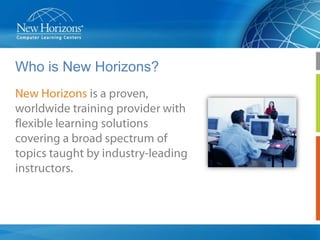
Who is New Horizons?
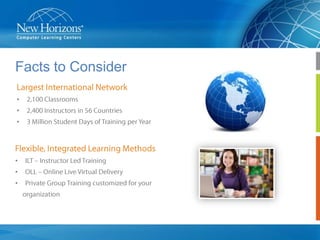
Facts to Consider
•
•
•

•
•
•
Strong Vendor Partnerships
Introduction
• Data Compliance Challenges
• Understanding the new Dynamic Access
Control built into Windows Server 2012
• Next Steps
• Q&A
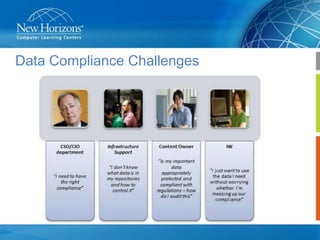
Data Compliance Challenges
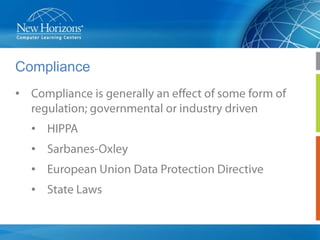
Compliance
•
•
•
•
•
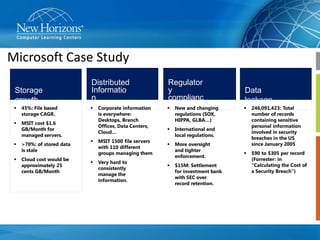
Microsoft Case Study
Storage
growth


45%: File based
storage CAGR.



Distributed
Informatio
n

MSIT cost $1.6
GB/Month for
managed servers.



>70%: of stored data
is stale



Cloud cost would be
approximately 25
cents GB/Month







Corporate information
is everywhere:
Desktops, Branch
Offices, Data Centers,
Cloud…
MSIT 1500 file servers
with 110 different
groups managing them
Very hard to
consistently
manage the
information.

Regulator
y
complianc
e
 New and changing
regulations (SOX,
HIPPA, GLBA…)



More oversight
and tighter
enforcement.



246,091,423: Total
number of records
containing sensitive
personal information
involved in security
breaches in the US
since January 2005



$90 to $305 per record
(Forrester: in
“Calculating the Cost of
a Security Breach”)

International and
local regulations.



Data
leakage



$15M: Settlement
for investment bank
with SEC over
record retention.
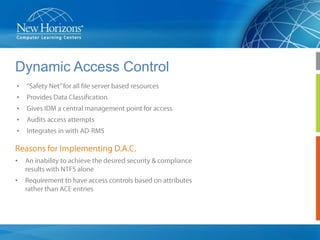
Dynamic Access Control
•
•
•
•
•

•
•
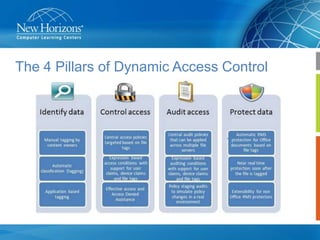
The 4 Pillars of Dynamic Access Control
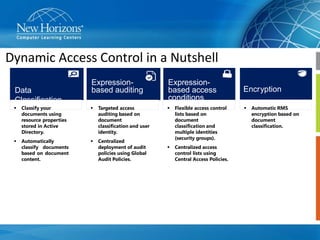
Dynamic Access Control in a Nutshell
Data
Classification

Expressionbased auditing



Classify your
documents using
resource properties
stored in Active
Directory.



Targeted access
auditing based on
document
classification and user
identity.



Automatically
classify documents
based on document
content.



Centralized
deployment of audit
policies using Global
Audit Policies.

Expressionbased access
conditions


Flexible access control
lists based on
document
classification and
multiple identities
(security groups).



Centralized access
control lists using
Central Access Policies.

Encryption


Automatic RMS
encryption based on
document
classification.
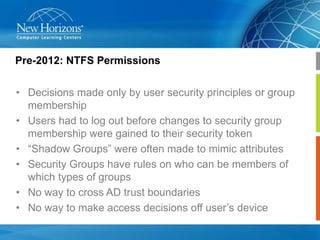
Pre-2012: NTFS Permissions
• Decisions made only by user security principles or group
membership
• Users had to log out before changes to security group
membership were gained to their security token
• “Shadow Groups” were often made to mimic attributes
• Security Groups have rules on who can be members of
which types of groups
• No way to cross AD trust boundaries
• No way to make access decisions off user’s device
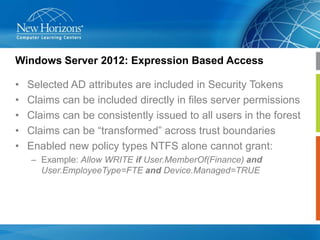
Windows Server 2012: Expression Based Access

•
•
•
•
•

Selected AD attributes are included in Security Tokens
Claims can be included directly in files server permissions
Claims can be consistently issued to all users in the forest
Claims can be “transformed” across trust boundaries
Enabled new policy types NTFS alone cannot grant:
– Example: Allow WRITE if User.MemberOf(Finance) and
User.EmployeeType=FTE and Device.Managed=TRUE
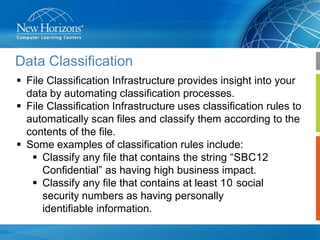
Data Classification
 File Classification Infrastructure provides insight into your
data by automating classification processes.
 File Classification Infrastructure uses classification rules to
automatically scan files and classify them according to the
contents of the file.
 Some examples of classification rules include:
 Classify any file that contains the string “SBC12
Confidential” as having high business impact.
 Classify any file that contains at least 10 social
security numbers as having personally
identifiable information.
Data Encryption Challenges
 How do I protect sensitive information after it leaves
my protected environment?
 I cannot get the users to encrypt their sensitive data.
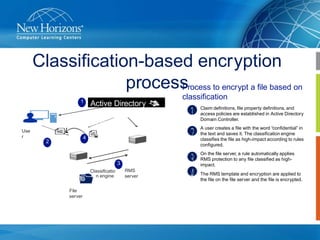
Classification-based encryption
process to encrypt a file based on
Process
1

Use
r

Active Directory
Domain
Services

4

2

File
server

Claim definitions, file property definitions, and
access policies are established in Active Directory
Domain Controller.
A user creates a file with the word “confidential” in
the text and saves it. The classification engine
classifies the file as high-impact according to rules
configured.
On the file server, a rule automatically applies
RMS protection to any file classified as highimpact.

3
Classificatio
n engine

classification

RMS
server

The RMS template and encryption are applied to
the file on the file server and the file is encrypted.
Want to know more?
• Microsoft Class 20412 Configuring Advanced Windows
Server 2012 Services
• Contact your New Horizons Education Consultant
• Feedback
Q&A
THANK YOU FOR YOUR TIME

Info Security: Microsoft Dynamic Access Control

  • 1.
    Dynamic Access Control Presentedby: Jason Kittrell, Regional Instructor MCT,MCSE,CEH,MCITP New Horizons CLC January 30, 2014
  • 2.
    Welcome • Intended Audience •Understanding of what D.A.C. offers • Next steps
  • 3.
    Agenda • Who isNew Horizons? • Presentation: Dynamic Access Control • Demo • Q&A
  • 4.
    Who is NewHorizons?
  • 5.
  • 6.
  • 7.
    Introduction • Data ComplianceChallenges • Understanding the new Dynamic Access Control built into Windows Server 2012 • Next Steps • Q&A
  • 8.
  • 9.
  • 10.
    Microsoft Case Study Storage growth  45%:File based storage CAGR.  Distributed Informatio n MSIT cost $1.6 GB/Month for managed servers.  >70%: of stored data is stale  Cloud cost would be approximately 25 cents GB/Month    Corporate information is everywhere: Desktops, Branch Offices, Data Centers, Cloud… MSIT 1500 file servers with 110 different groups managing them Very hard to consistently manage the information. Regulator y complianc e  New and changing regulations (SOX, HIPPA, GLBA…)  More oversight and tighter enforcement.  246,091,423: Total number of records containing sensitive personal information involved in security breaches in the US since January 2005  $90 to $305 per record (Forrester: in “Calculating the Cost of a Security Breach”) International and local regulations.  Data leakage  $15M: Settlement for investment bank with SEC over record retention.
  • 11.
  • 12.
    The 4 Pillarsof Dynamic Access Control
  • 13.
    Dynamic Access Controlin a Nutshell Data Classification Expressionbased auditing  Classify your documents using resource properties stored in Active Directory.  Targeted access auditing based on document classification and user identity.  Automatically classify documents based on document content.  Centralized deployment of audit policies using Global Audit Policies. Expressionbased access conditions  Flexible access control lists based on document classification and multiple identities (security groups).  Centralized access control lists using Central Access Policies. Encryption  Automatic RMS encryption based on document classification.
  • 14.
    Pre-2012: NTFS Permissions •Decisions made only by user security principles or group membership • Users had to log out before changes to security group membership were gained to their security token • “Shadow Groups” were often made to mimic attributes • Security Groups have rules on who can be members of which types of groups • No way to cross AD trust boundaries • No way to make access decisions off user’s device
  • 15.
    Windows Server 2012:Expression Based Access • • • • • Selected AD attributes are included in Security Tokens Claims can be included directly in files server permissions Claims can be consistently issued to all users in the forest Claims can be “transformed” across trust boundaries Enabled new policy types NTFS alone cannot grant: – Example: Allow WRITE if User.MemberOf(Finance) and User.EmployeeType=FTE and Device.Managed=TRUE
  • 16.
    Data Classification  FileClassification Infrastructure provides insight into your data by automating classification processes.  File Classification Infrastructure uses classification rules to automatically scan files and classify them according to the contents of the file.  Some examples of classification rules include:  Classify any file that contains the string “SBC12 Confidential” as having high business impact.  Classify any file that contains at least 10 social security numbers as having personally identifiable information.
  • 17.
    Data Encryption Challenges How do I protect sensitive information after it leaves my protected environment?  I cannot get the users to encrypt their sensitive data.
  • 18.
    Classification-based encryption process toencrypt a file based on Process 1 Use r Active Directory Domain Services 4 2 File server Claim definitions, file property definitions, and access policies are established in Active Directory Domain Controller. A user creates a file with the word “confidential” in the text and saves it. The classification engine classifies the file as high-impact according to rules configured. On the file server, a rule automatically applies RMS protection to any file classified as highimpact. 3 Classificatio n engine classification RMS server The RMS template and encryption are applied to the file on the file server and the file is encrypted.
  • 19.
    Want to knowmore? • Microsoft Class 20412 Configuring Advanced Windows Server 2012 Services • Contact your New Horizons Education Consultant • Feedback
  • 20.
  • 21.
    THANK YOU FORYOUR TIME

Editor's Notes

  • #9 Canyou makesure thatonlyauthorized individualscanaccess confidentialdata?Do you have granularcontrol over auditing access?Howtoreduce thenumberofsecuritygroups your organization has?Dealwithregulatorystandard?….Thereare manyquestions comeup whenit comestodataaccesscontrol
  • #17 A contentclassificationrulethat searches a setoffiles for thestring“SBC12Confidential”.Ifthestringisfoundinafile,theImpact resource propertyis set to Highonthe file.A contentclassificationrulethat searches a setoffiles for a regular expressionthatmatchesasocialsecuritynumber at least10times inone file.If thepatternis found,thefile is classifiedashaving personally identifiableinformationandthePersonallyIdentifiable Informationresource propertyis settoHigh.