Networking from scratch
•   How do I offer networking to my virtualization workloads?
•   How do I make my network resilient to failure?
•   How do I provide tenant self service?
•   How can I provide isolation?
•   How do I maintain consistency in large datacenters?
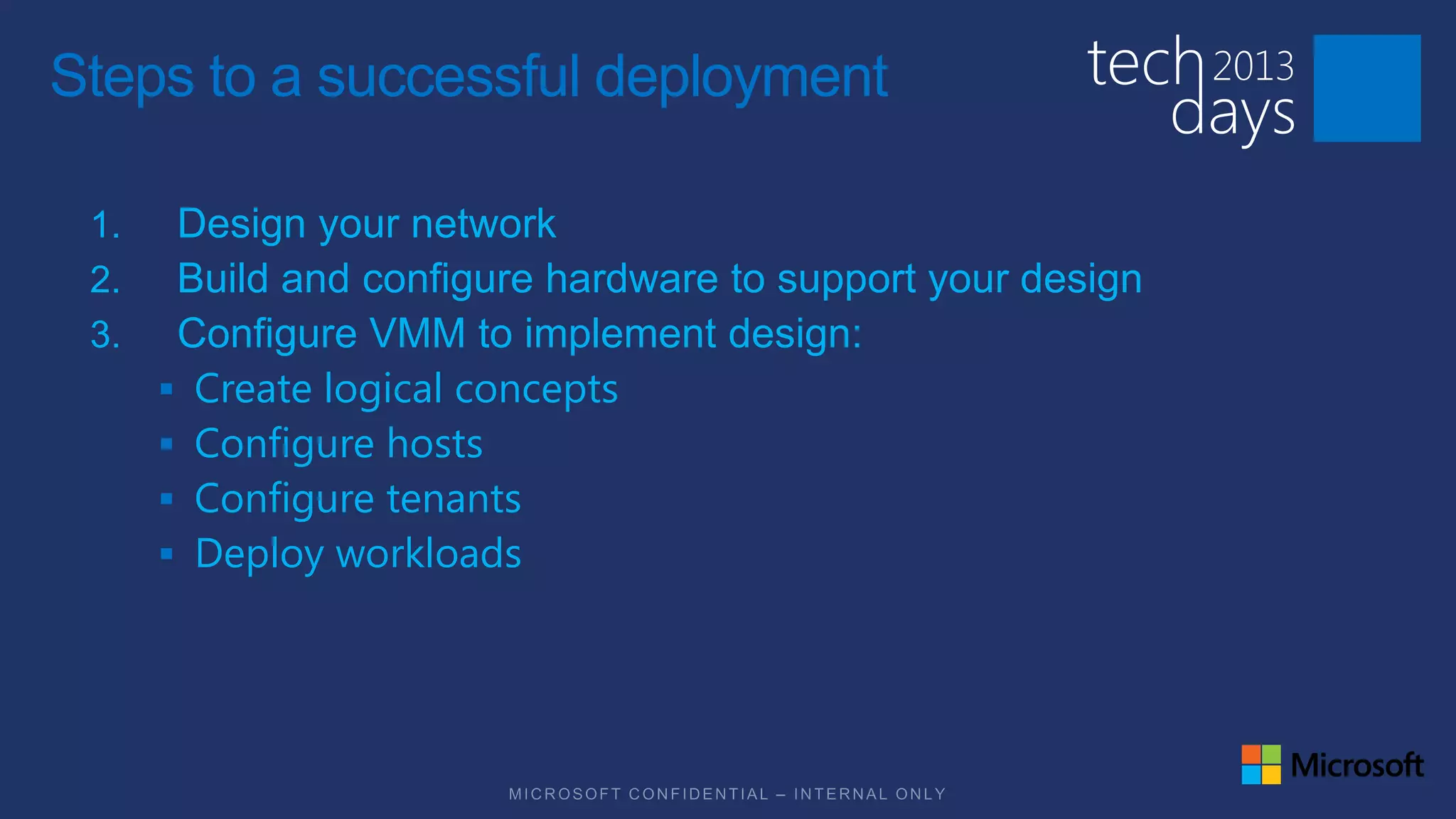
Steps to a successful deployment

 1.    Design your network
 2.    Build and configure hardware to support your design
 3.    Configure VMM to implement design:
       Create logical concepts
       Configure hosts
       Configure tenants
       Deploy workloads
Assumptions for this session

 Installed VMM server
 Basic VMM concepts
 Basic networking concepts
  Teaming
  Switch
  Router/Gateway
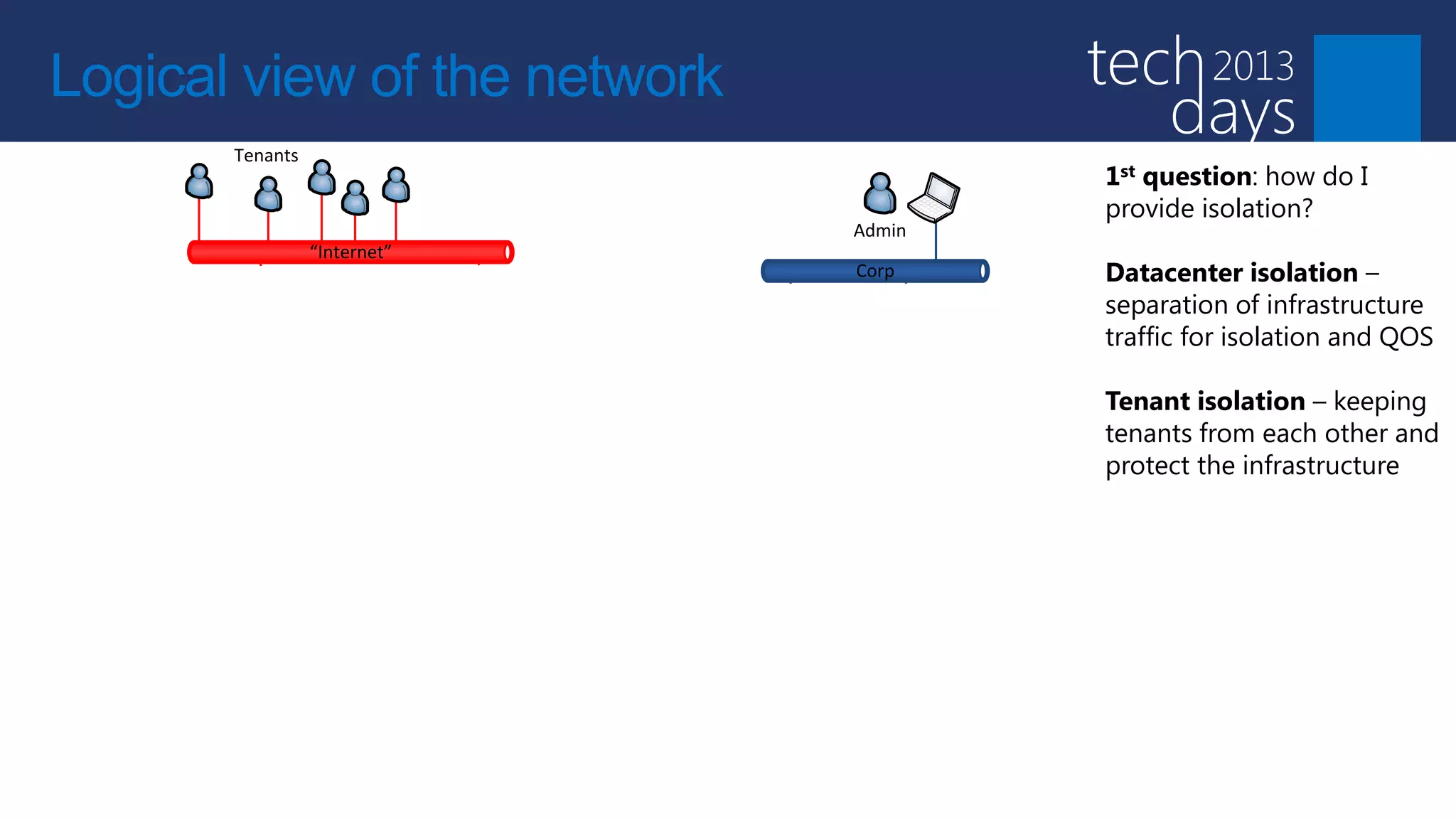
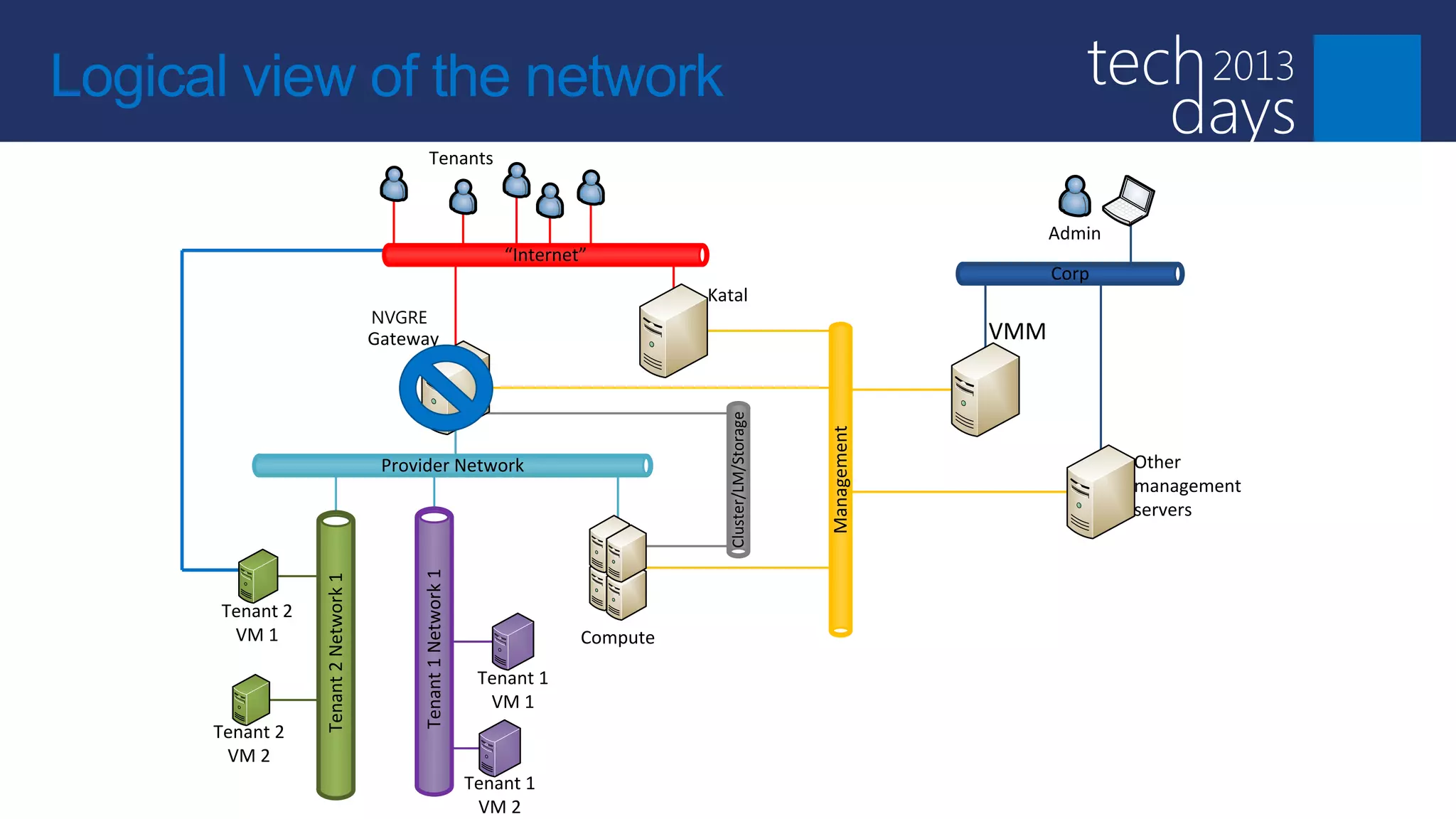
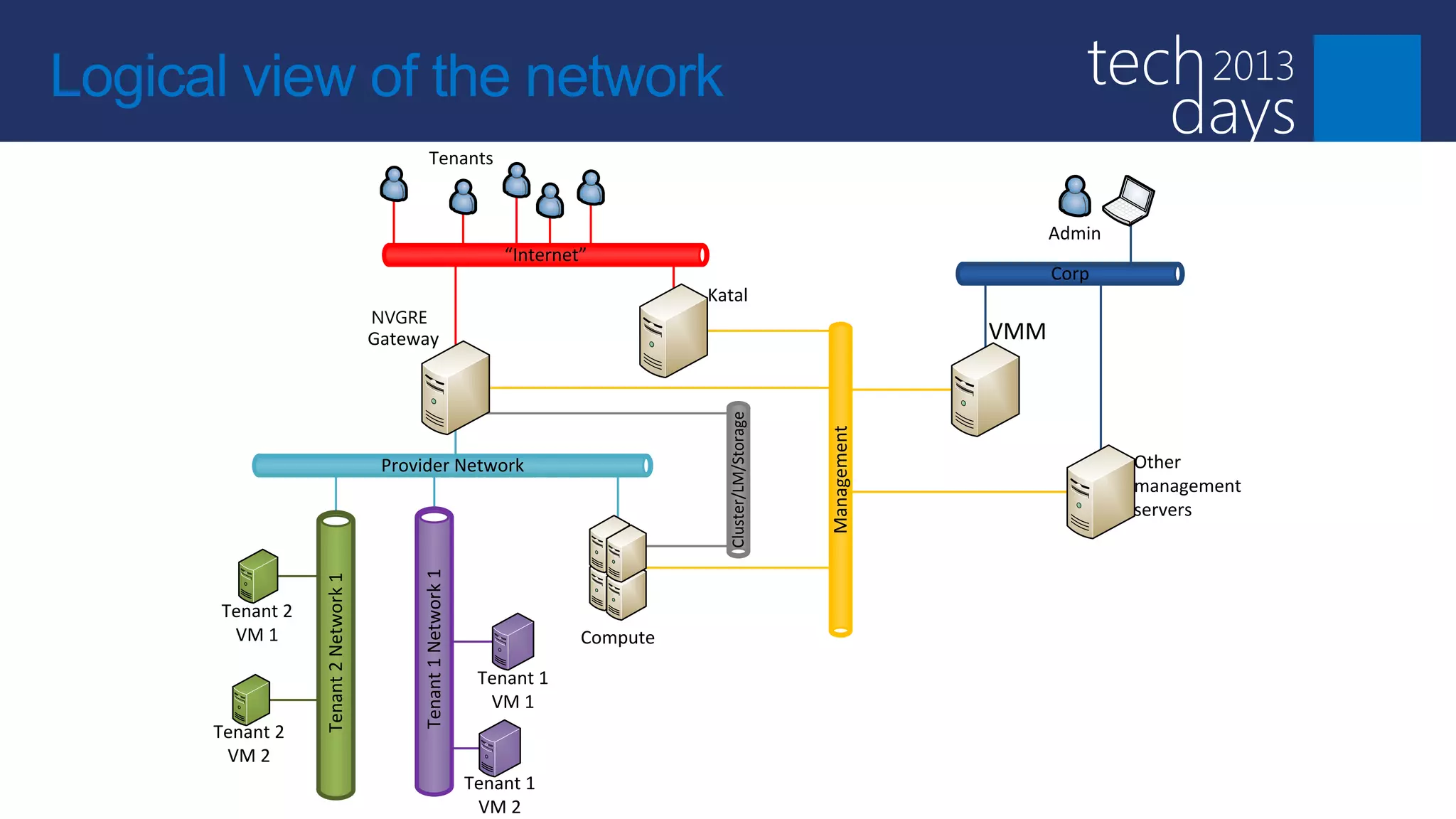
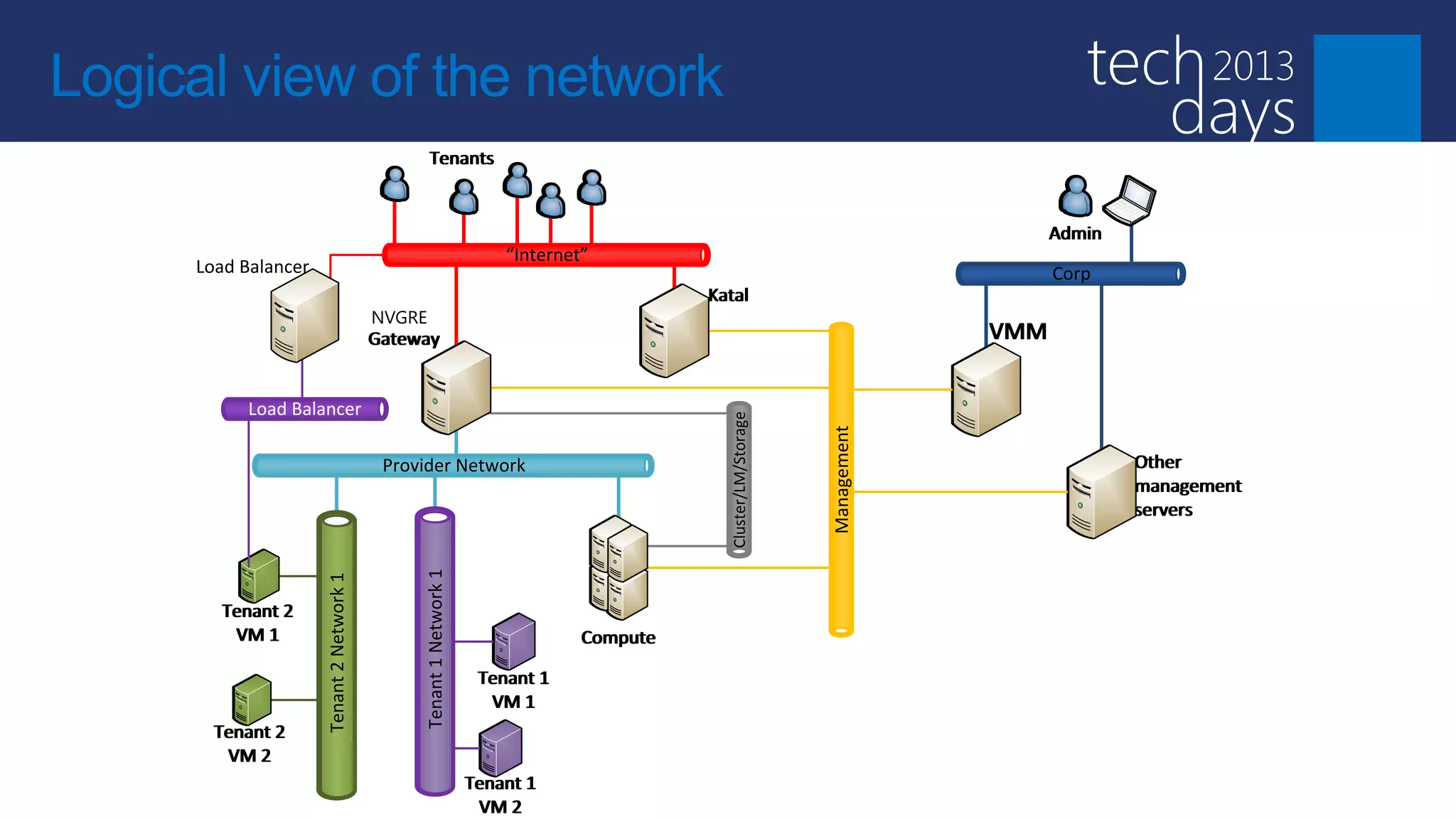
Logical view of the network
                                        Tenants
                                                                                                                                                1st question: how do I
                                                                                                                                                provide isolation?
                                                                                                                           Admin
                                                              “Internet”
                                                                                                                           Corp                 Datacenter isolation –
                                                               Windows Azure     Katal
                                NVGRE                                services
                                                                                                                                                separation of infrastructure
                                Gateway                          on Windows                                          VMM                        traffic for isolation and QOS
                                                                       server

                                                                                                                                                Tenant isolation – keeping


                                                                                   Cluster/LM/Storage
                                                                                                                                                tenants from each other and


                                                                                                        Management
                                 Provider Network                                                                                  Other        protect the infrastructure
                                                                                                                                   management
                                                                                                                                   servers
                                     Tenant 1 Network 1
           Tenant 2 Network 1


Tenant 2
 VM 1                                                                  Compute

                                                           Tenant 1
                                                            VM 1
Tenant 2
 VM 2
                                                          Tenant 1
                                                           VM 2
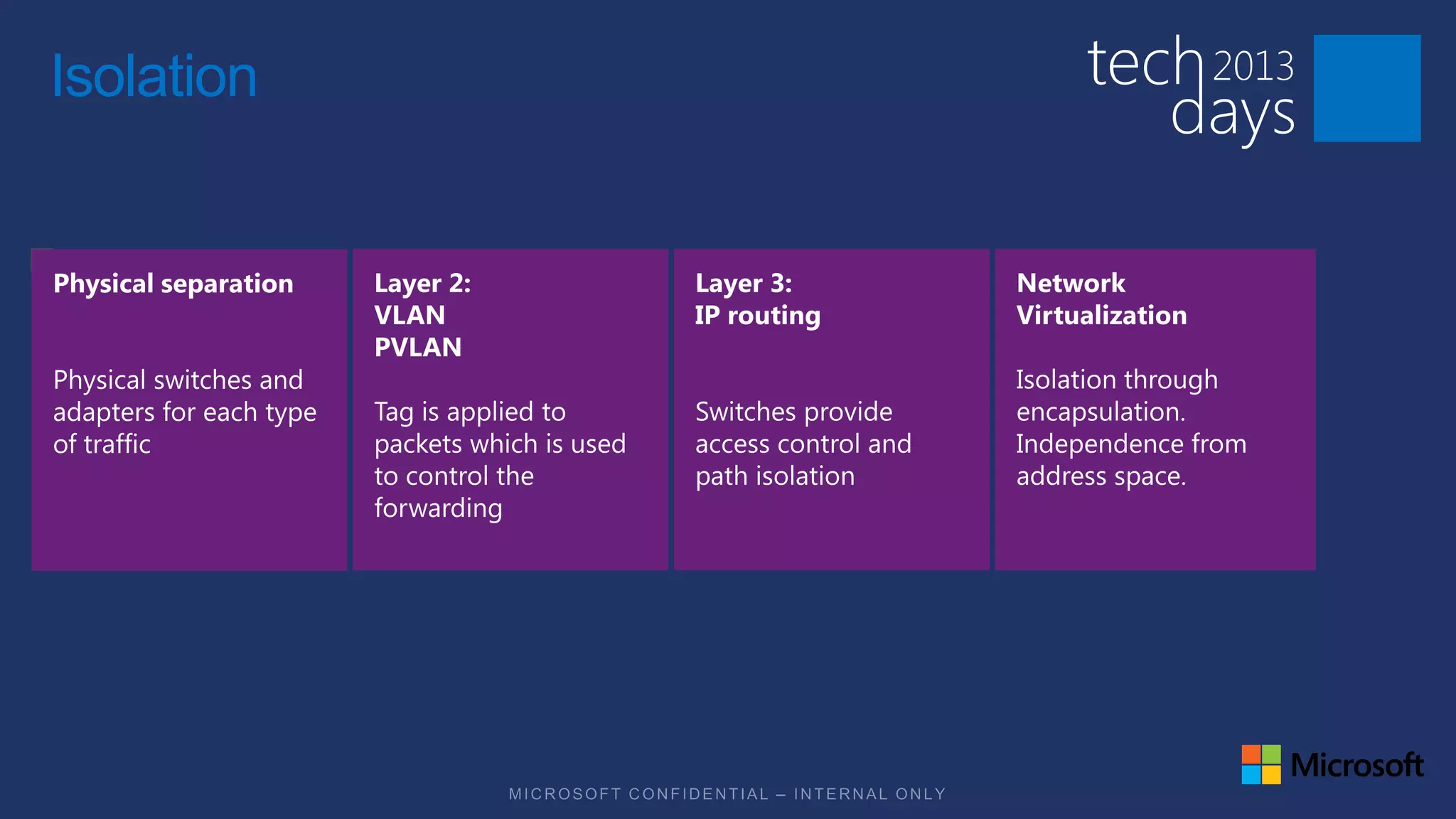
Isolation
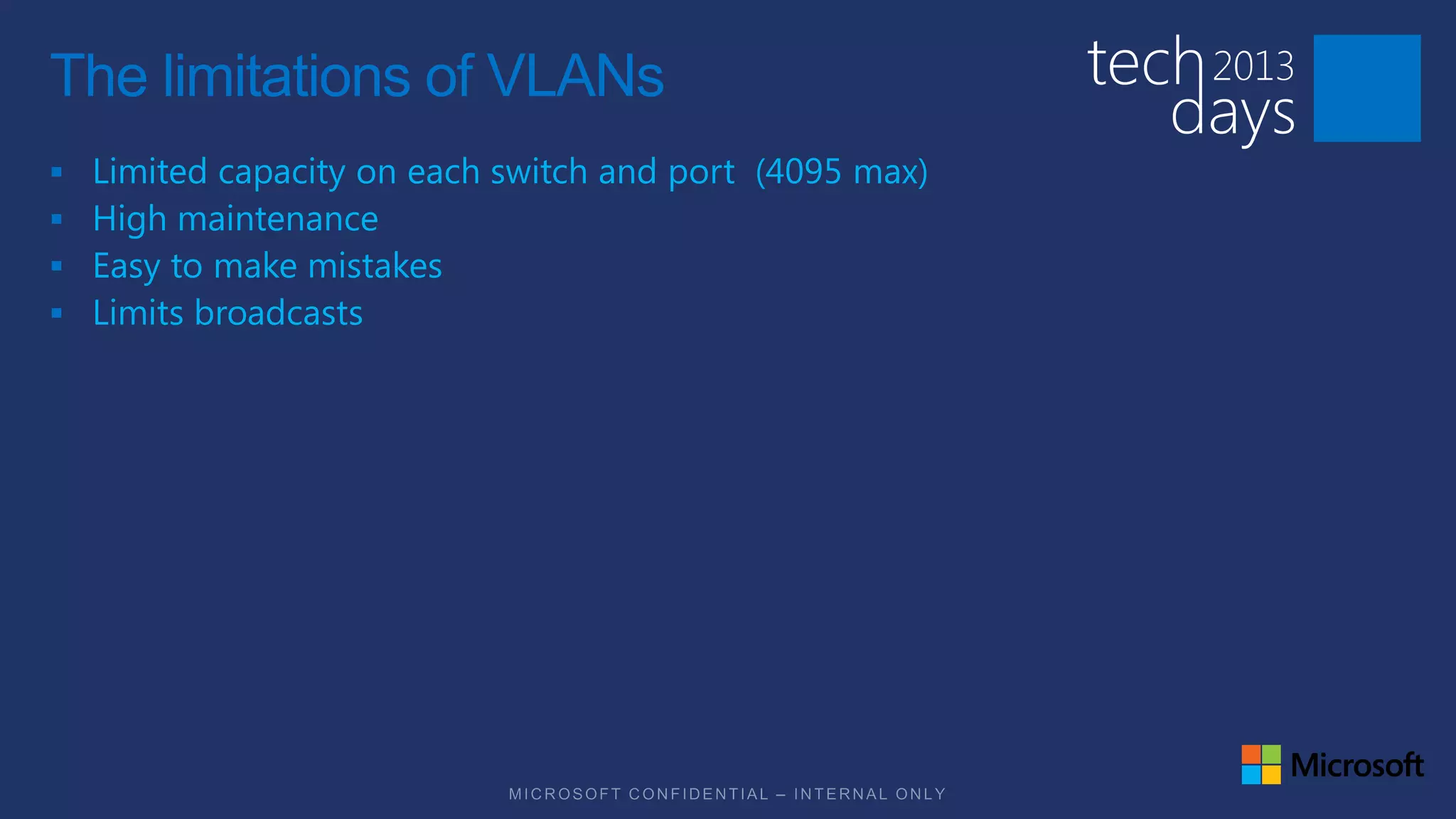
The limitations of VLANs
   Limited capacity on each switch and port (4095 max)
   High maintenance
   Easy to make mistakes
   Limits broadcasts
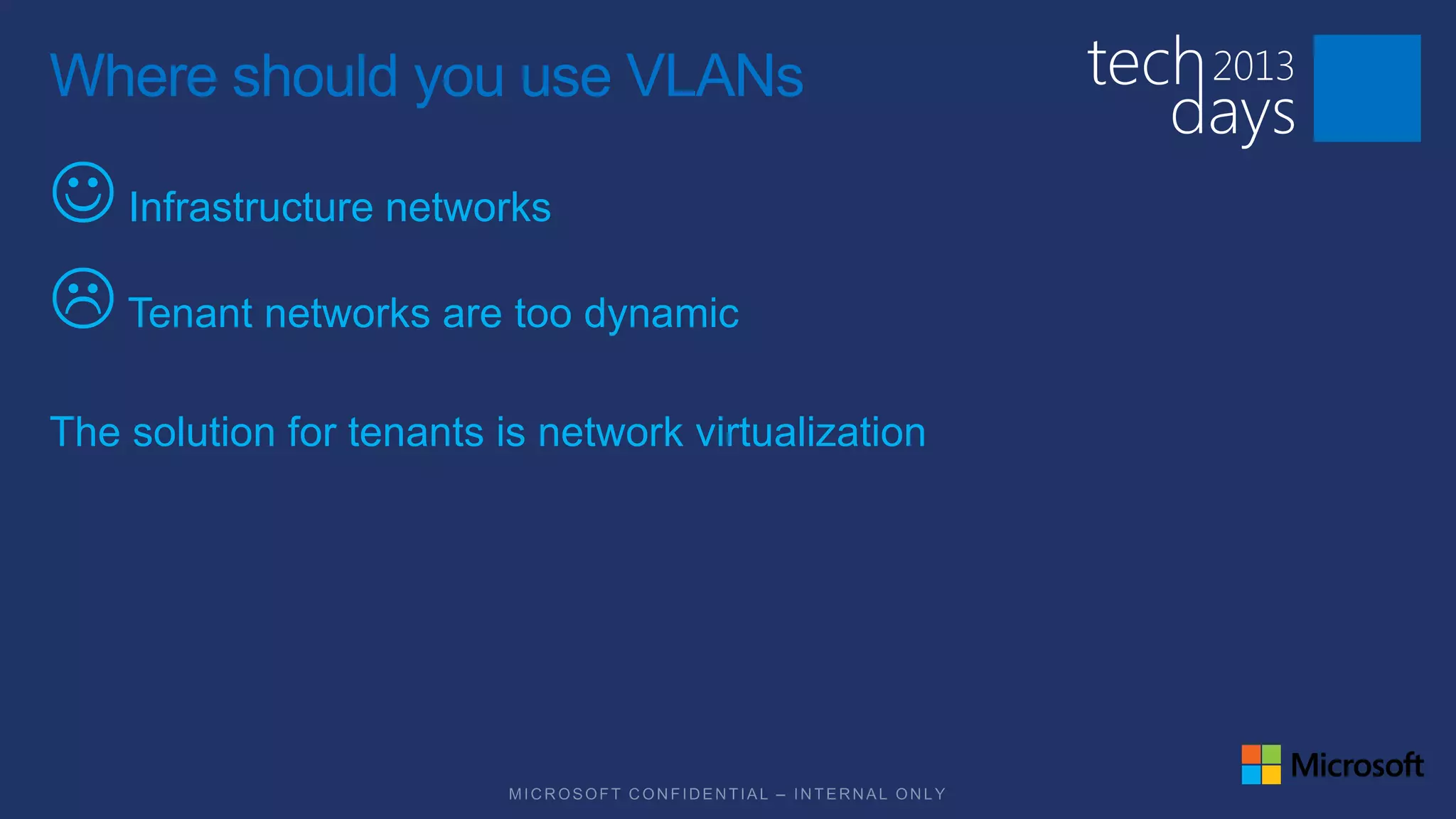
Where should you use VLANs

J Infrastructure networks
L Tenant networks are too dynamic
The solution for tenants is network virtualization
Software defined networking (SDN)

Ability to create networks on the fly as needed

Ability do define capabilities as needed
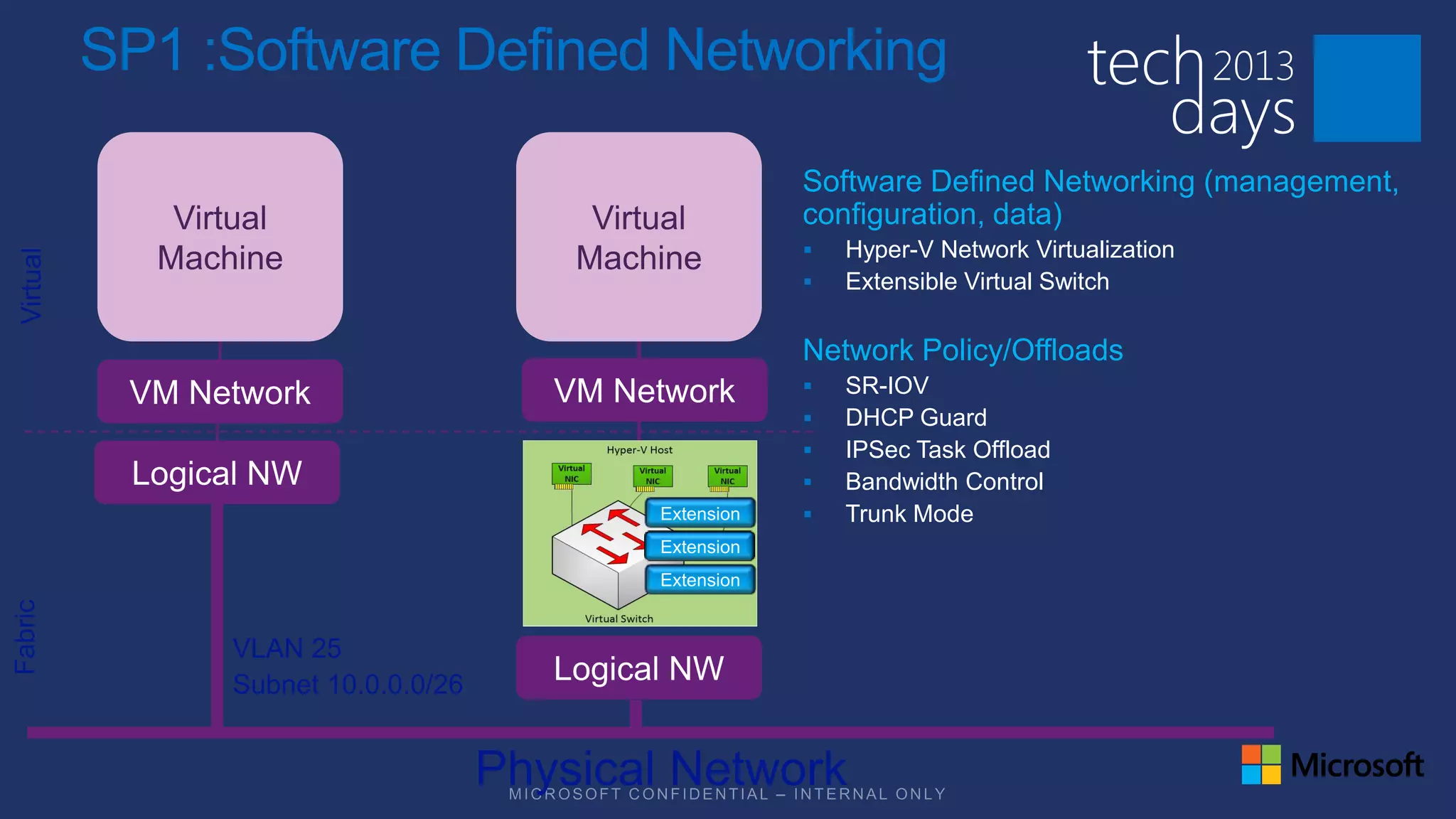
SP1 :Software Defined Networking

                          Software Defined Networking (management,
                          configuration, data)
                             Hyper-V Network Virtualization
                             Extensible Virtual Switch

                          Network Policy/Offloads
                             SR-IOV
                             DHCP Guard
                             IPSec Task Offload
                             Bandwidth Control
                             Trunk Mode
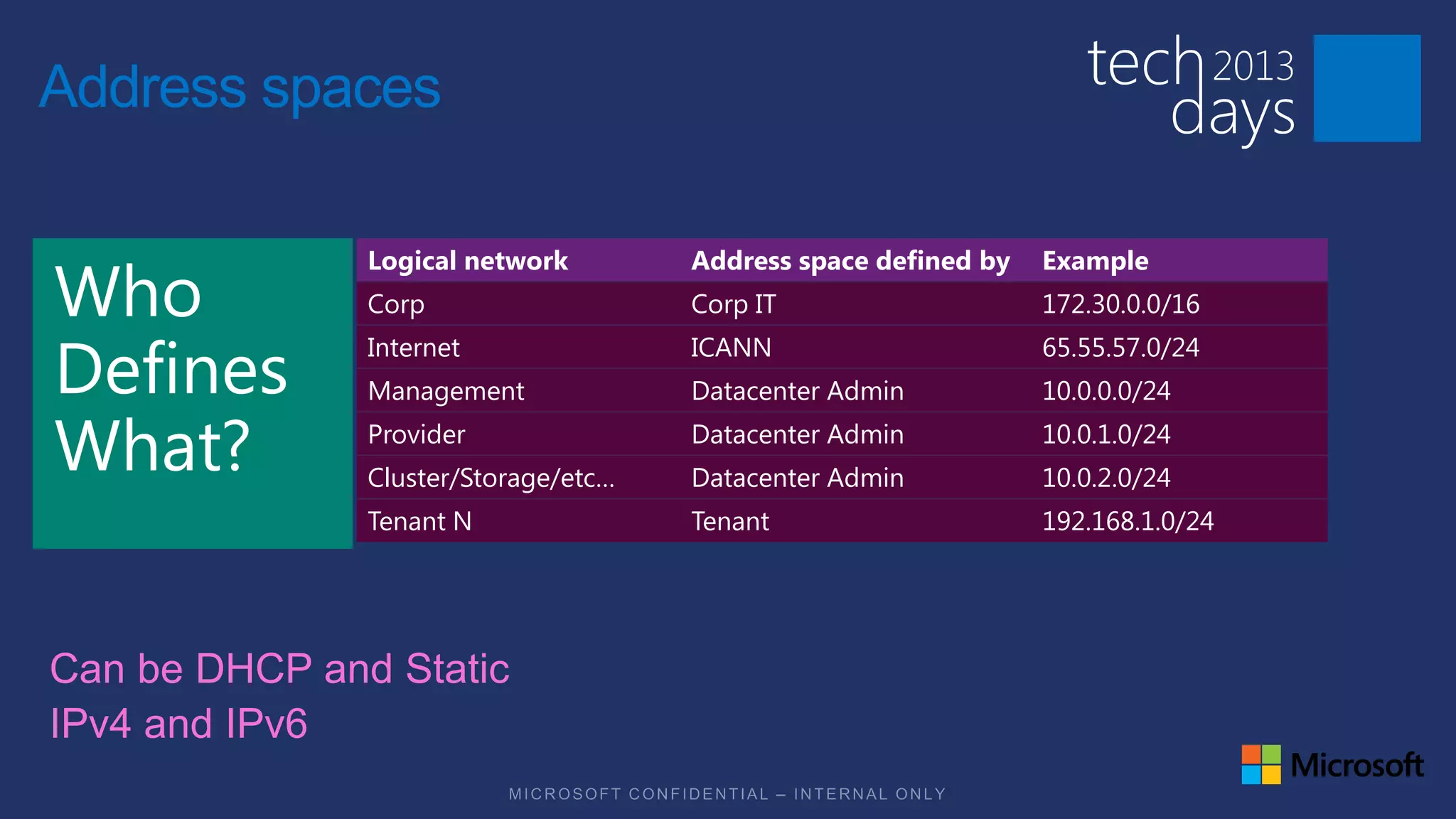
Address spaces

           Logical network        Address space defined by   Example
           Corp                   Corp IT                    172.30.0.0/16
           Internet               ICANN                      65.55.57.0/24
           Management             Datacenter Admin           10.0.0.0/24
           Provider               Datacenter Admin           10.0.1.0/24
           Cluster/Storage/etc…   Datacenter Admin           10.0.2.0/24
           Tenant N               Tenant                     192.168.1.0/24
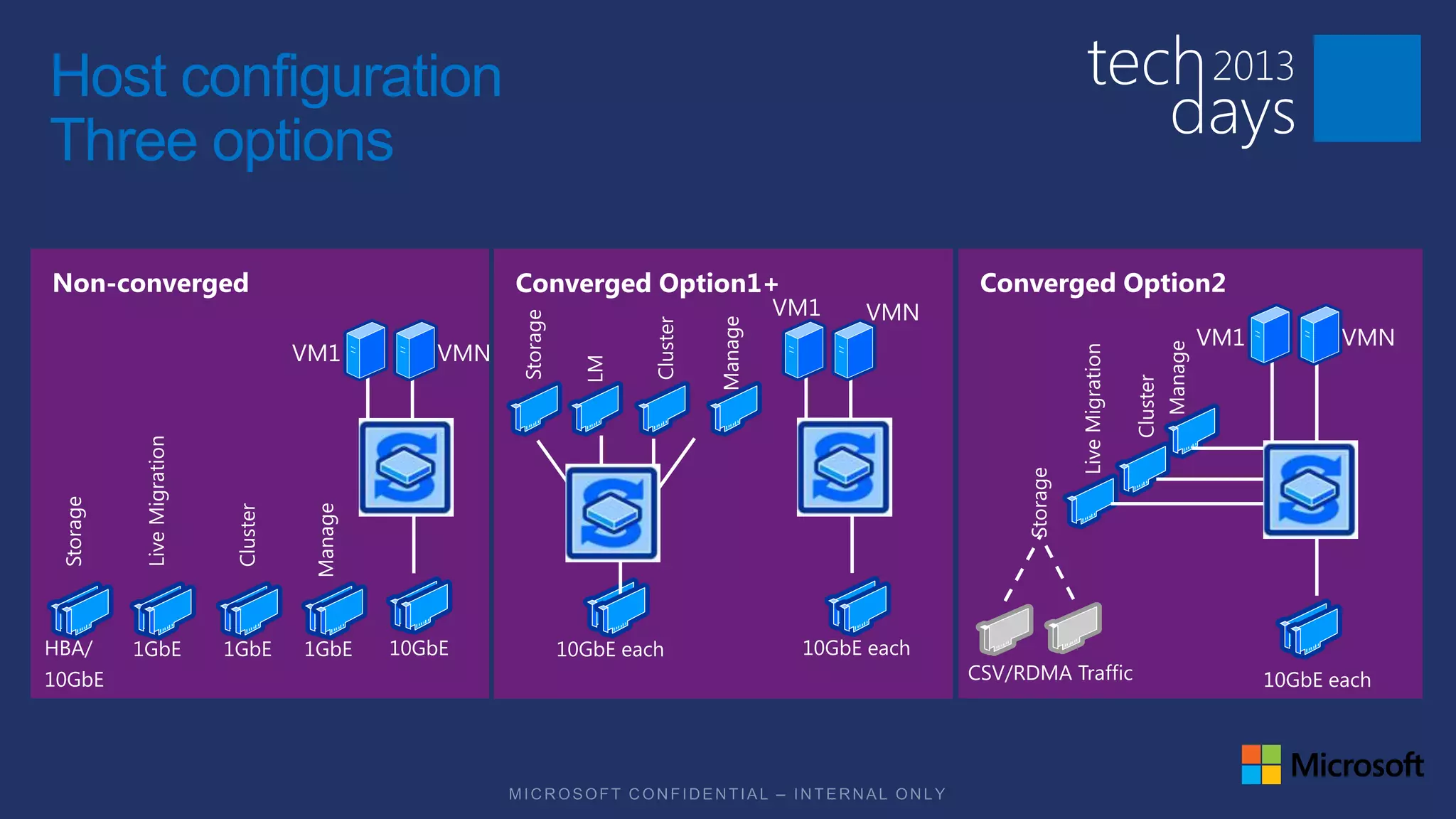
Host configuration
Three options

Non-converged        ConvergedOption1
                     Converged Option1+   Converged Option2
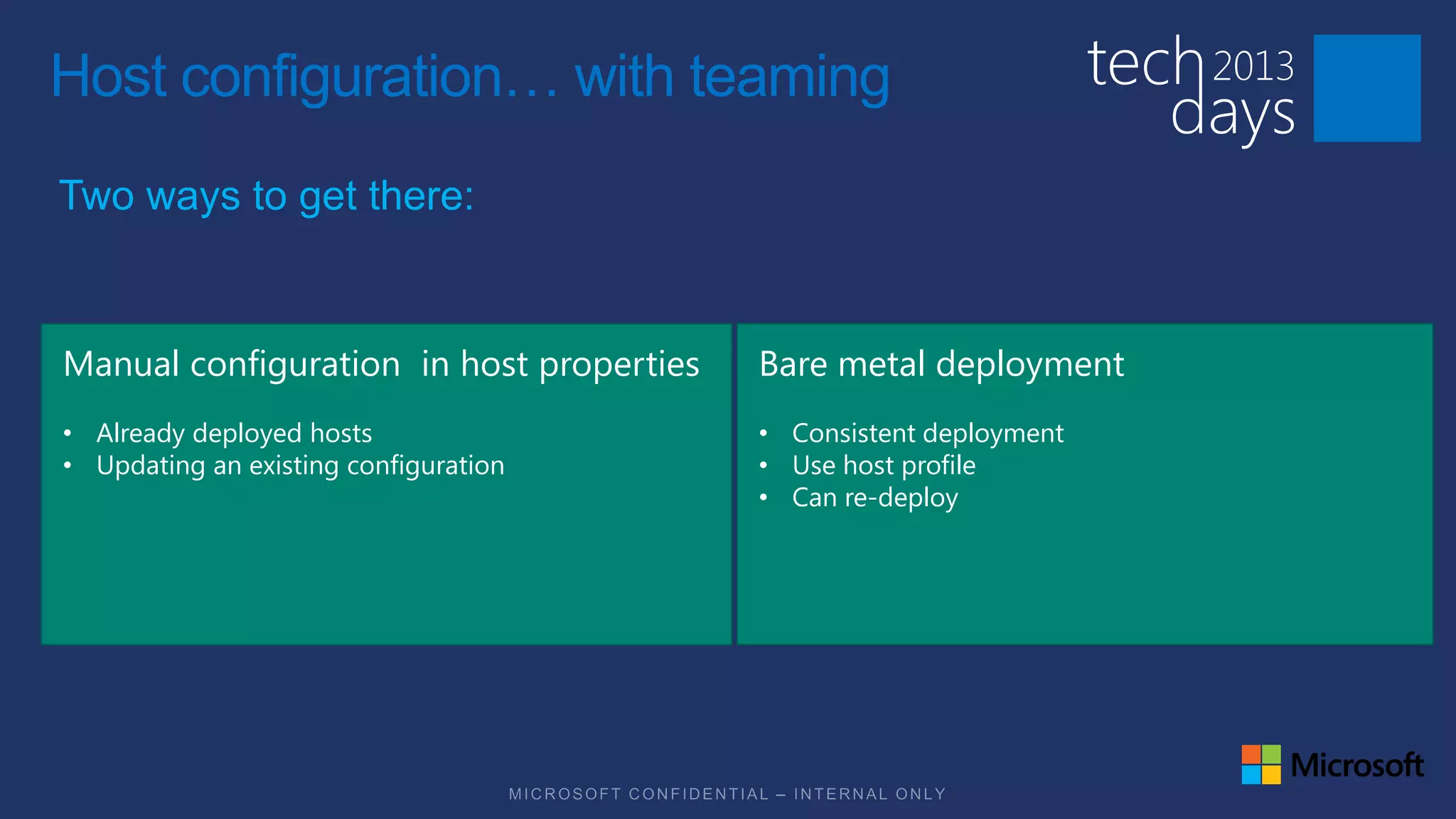
Host configuration… with teaming
Two ways to get there:


Manual configuration in host properties   Bare metal deployment
• Already deployed hosts                  • Consistent deployment
• Updating an existing configuration      • Use host profile
                                          • Can re-deploy
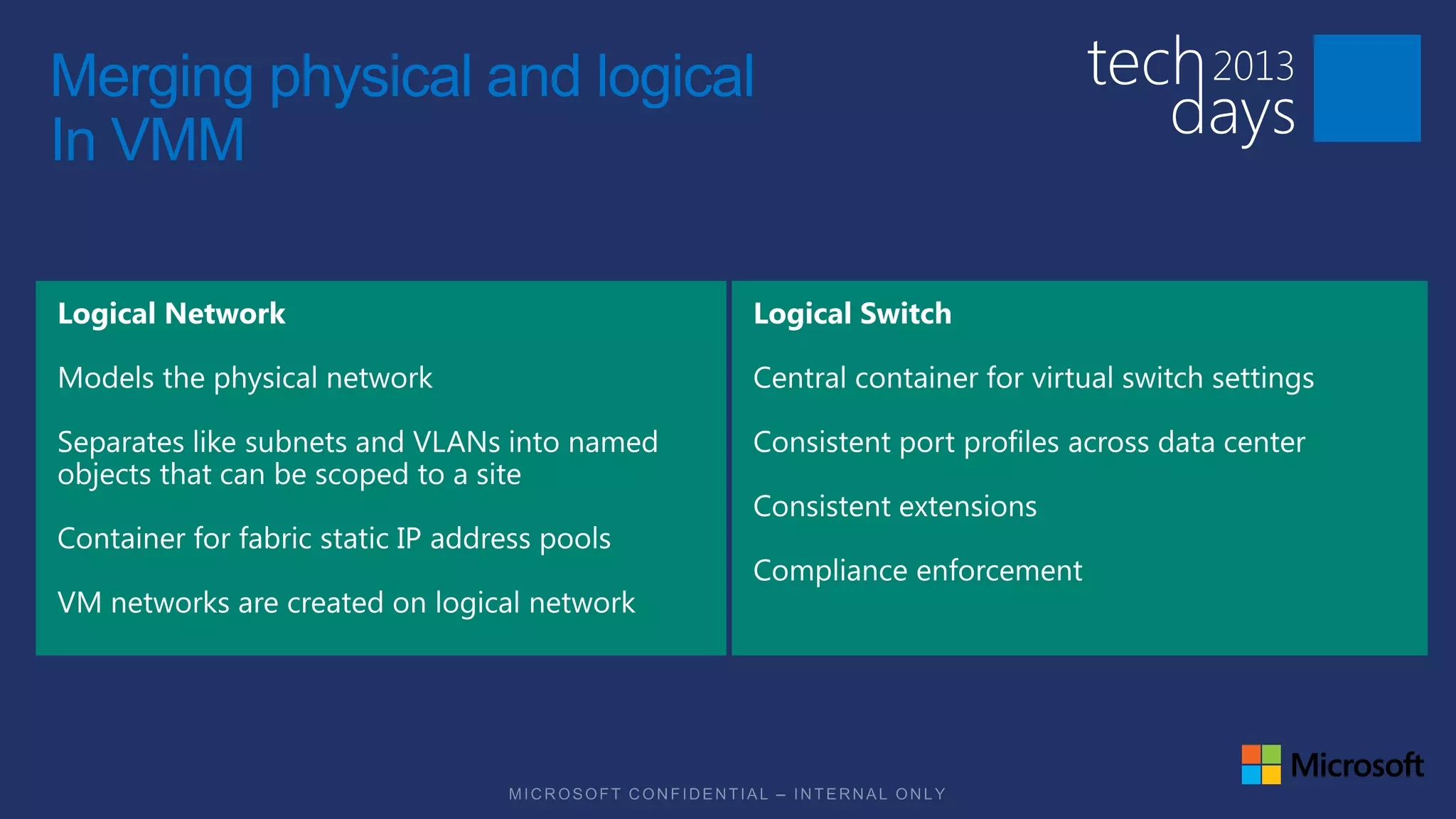
Merging physical and logical
In VMM
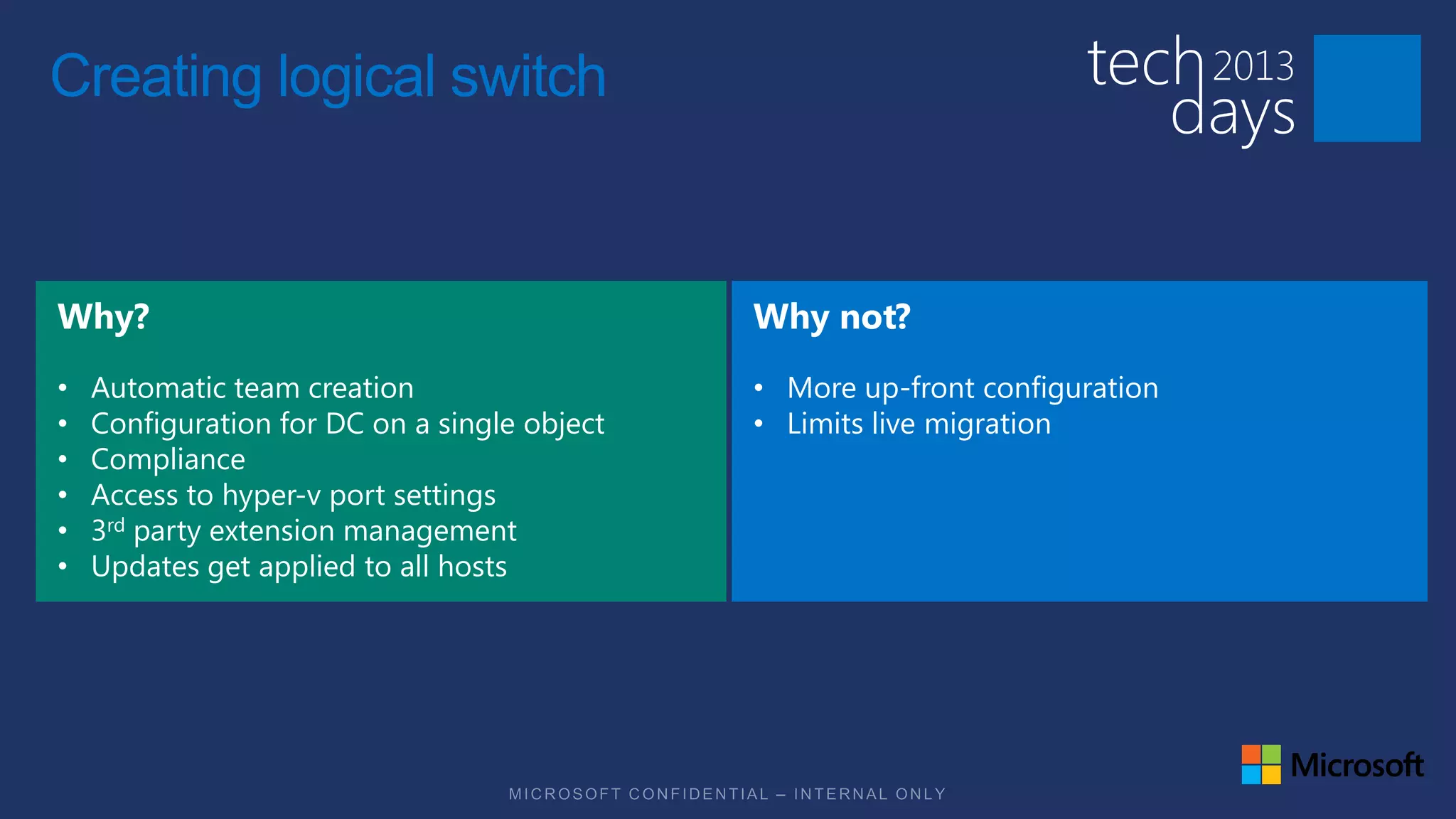
Creating logical switch


•   Automatic team creation                   • More up-front configuration
•   Configuration for DC on a single object   • Limits live migration
•   Compliance
•   Access to hyper-v port settings
•   3rd party extension management
•   Updates get applied to all hosts
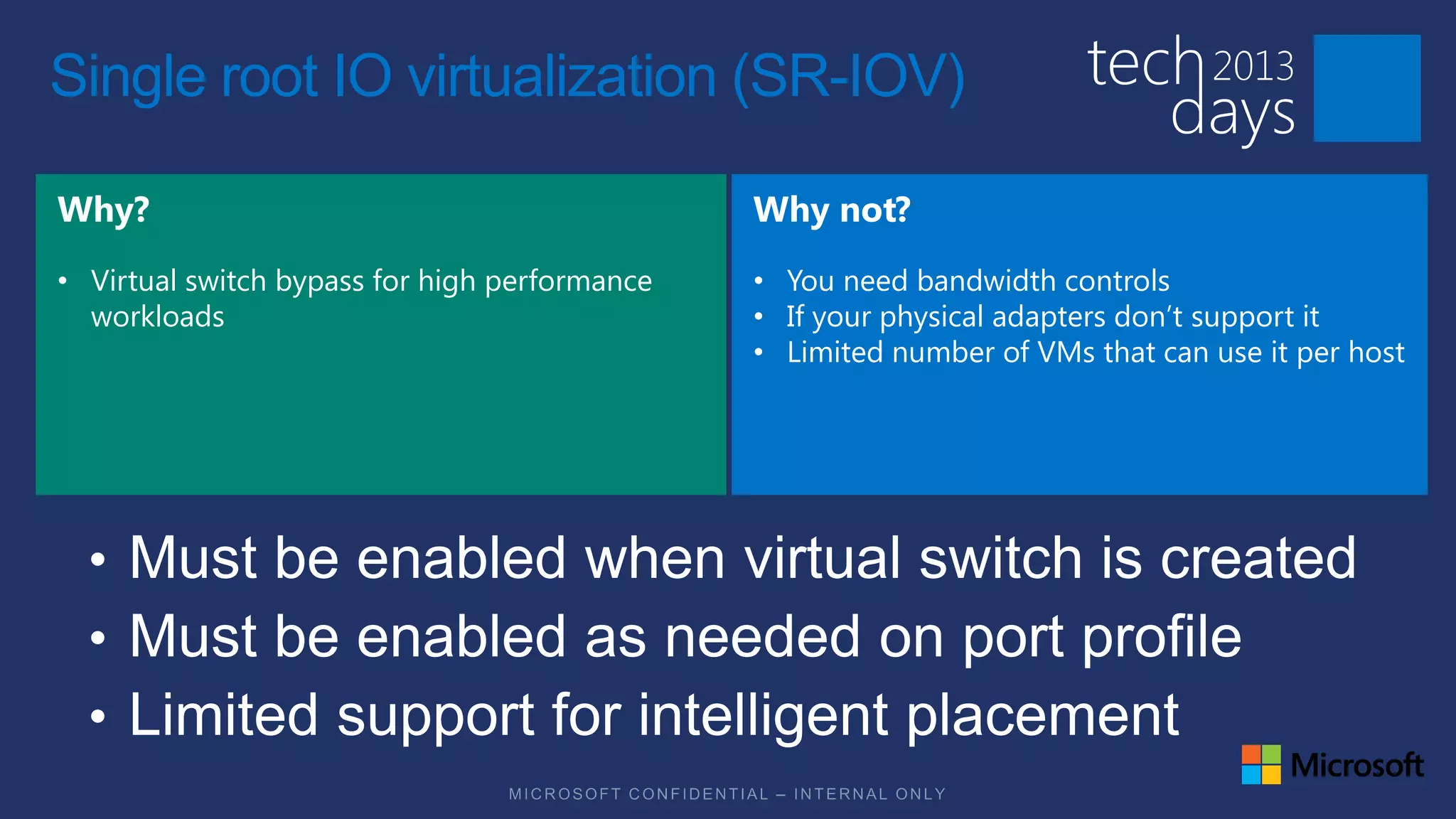
Single root IO virtualization (SR-IOV)


• Virtual switch bypass for high performance   • You need bandwidth controls
  workloads                                    • If your physical adapters don’t support it
                                               • Limited number of VMs that can use it per host
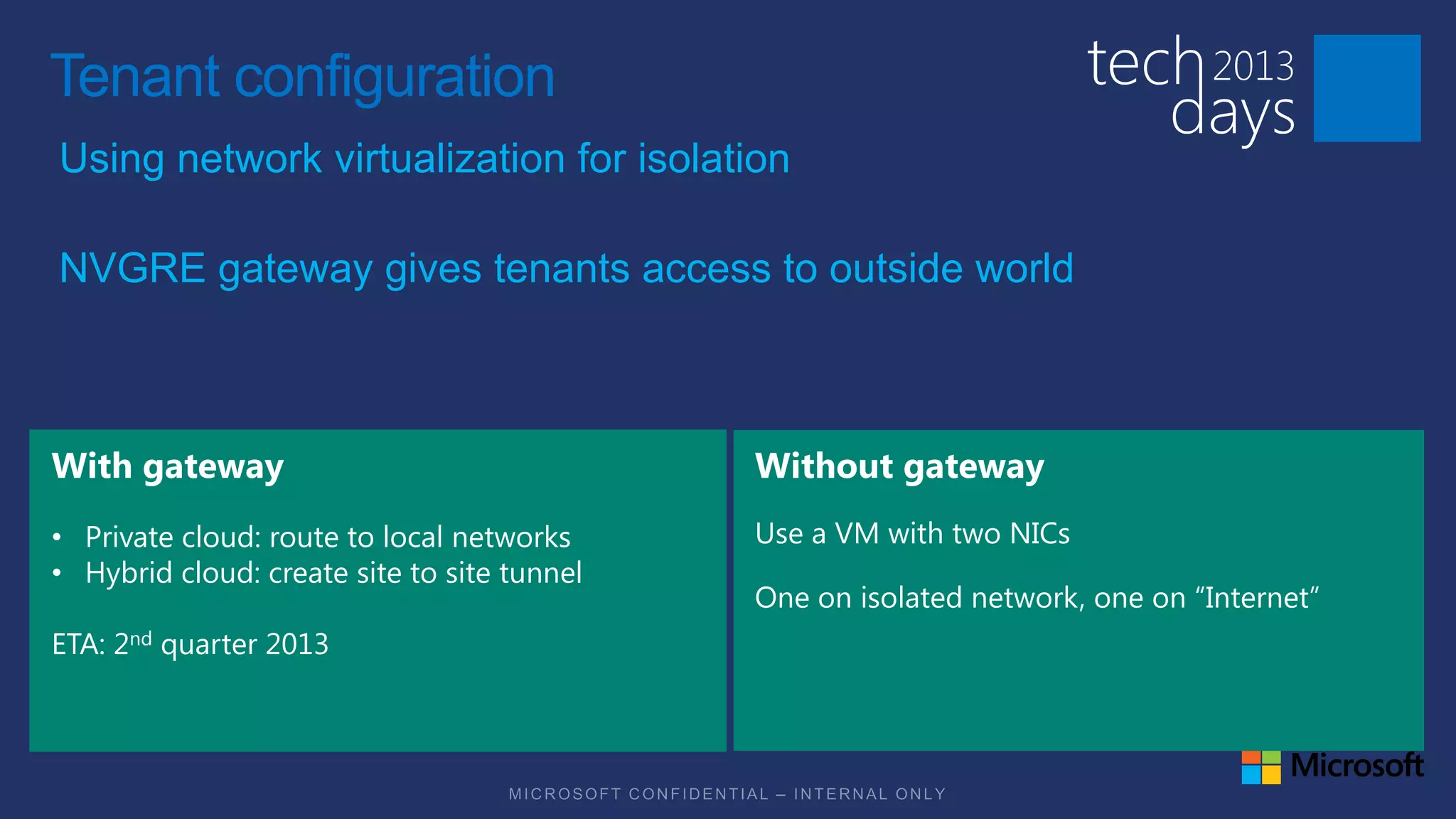
Tenant configuration
Using network virtualization for isolation

NVGRE gateway gives tenants access to outside world


• Private cloud: route to local networks
• Hybrid cloud: create site to site tunnel

ETA: 2nd quarter 2013
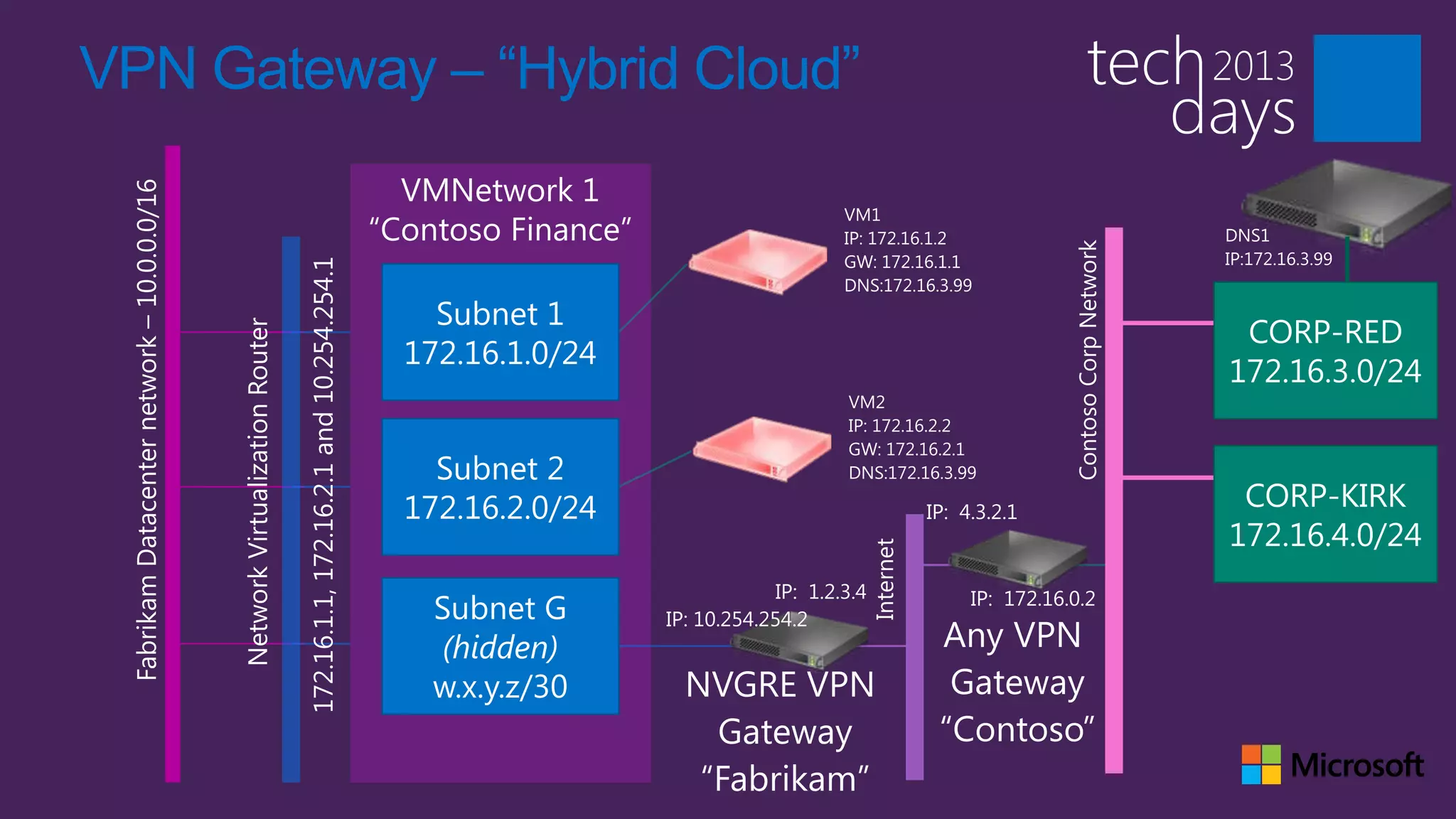
VPN Gateway – “Hybrid Cloud”
Logical view of the network
                                              Tenants


                                                                                                                                 Admin
                                                                    “Internet”
                                                                                                                                 Corp
                                                                                       Katal
                                      NVGRE
                                      Gateway                                                                              VMM


                                                                                         Cluster/LM/Storage


                                                                                                              Management
                                       Provider Network                                                                                  Other
                                                                                                                                         management
                                                                                                                                         servers
                                           Tenant 1 Network 1
                 Tenant 2 Network 1


      Tenant 2
       VM 1                                                                  Compute

                                                                 Tenant 1
                                                                  VM 1
      Tenant 2
       VM 2
                                                                Tenant 1
                                                                 VM 2
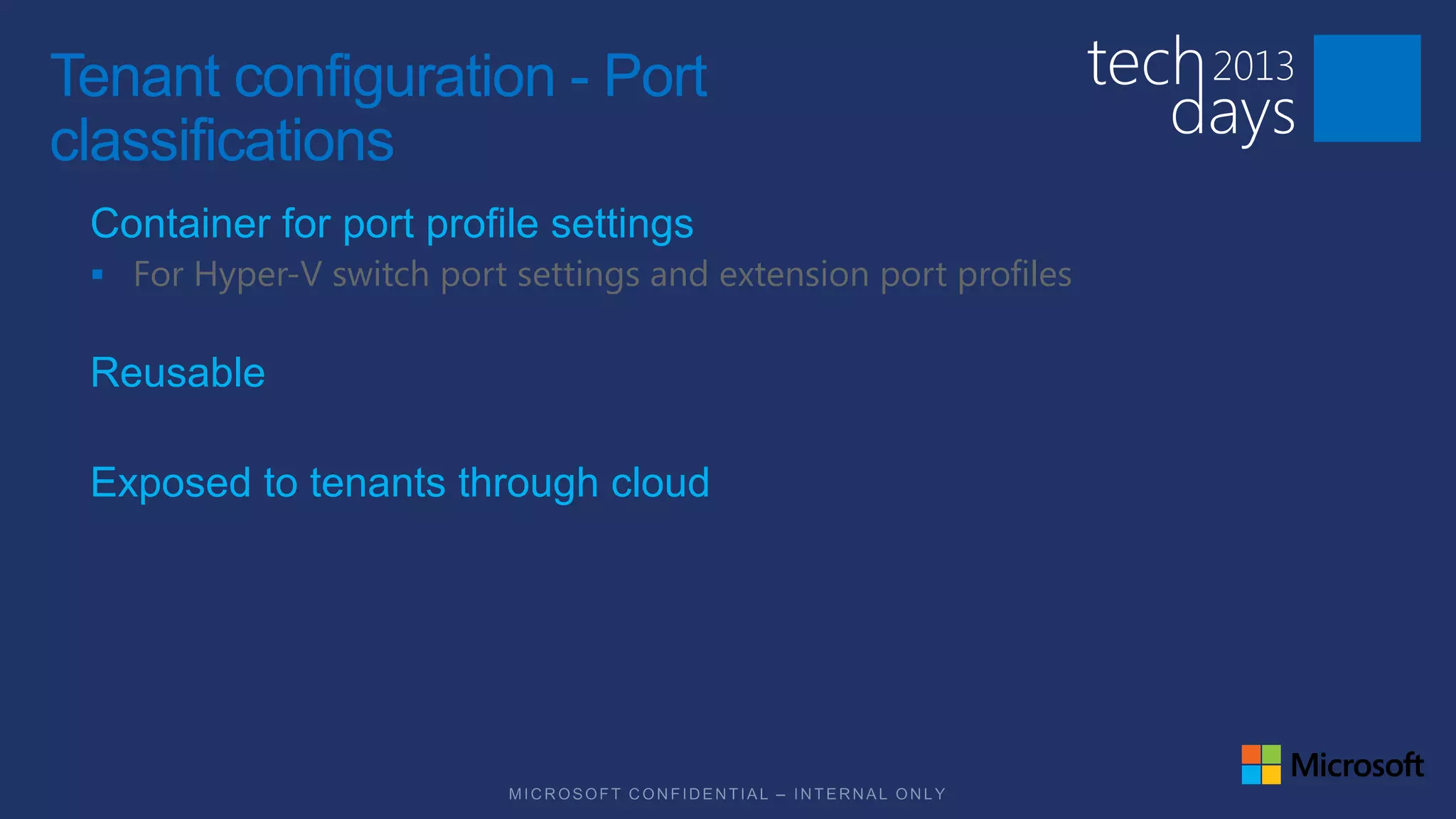
Tenant configuration - Port
classifications
 Container for port profile settings
  For Hyper-V switch port settings and extension port profiles


 Reusable

 Exposed to tenants through cloud
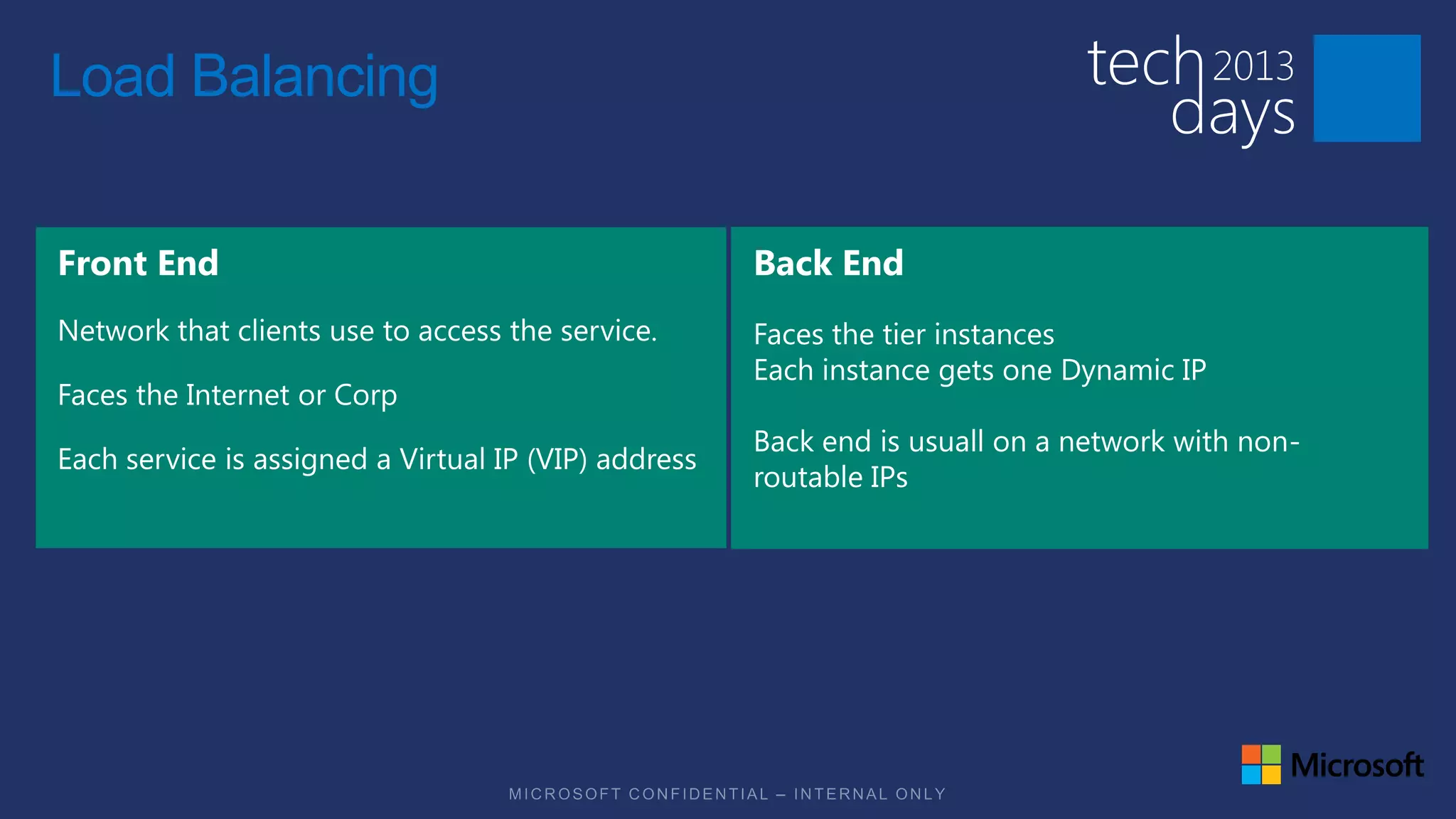
Load Balancing


                 Faces the tier instances
                 Each instance gets one Dynamic IP

                 Back end is usuall on a network with non-
                 routable IPs
Logical view of the network
                                              Tenants


                                                                                                                                 Admin
                                                                    “Internet”
                                                                                                                                 Corp
                                                                                       Katal
                                      NVGRE
                                      Gateway                                                                              VMM


                                                                                         Cluster/LM/Storage


                                                                                                              Management
                                       Provider Network                                                                                  Other
                                                                                                                                         management
                                                                                                                                         servers
                                           Tenant 1 Network 1
                 Tenant 2 Network 1


      Tenant 2
       VM 1                                                                  Compute

                                                                 Tenant 1
                                                                  VM 1
      Tenant 2
       VM 2
                                                                Tenant 1
                                                                 VM 2
Logical view of the network
                                                  Tenants


                                                                                                                                     Admin
                                                                        “Internet”
     Load Balancer                                                                                                                   Corp
                                                                                           Katal
                                          NVGRE
                                          Gateway                                                                              VMM

          Load Balancer


                                                                                             Cluster/LM/Storage


                                                                                                                  Management
                                           Provider Network                                                                                  Other
                                                                                                                                             management
                                                                                                                                             servers
                                               Tenant 1 Network 1
                     Tenant 2 Network 1


       Tenant 2
        VM 1                                                                     Compute

                                                                     Tenant 1
                                                                      VM 1
       Tenant 2
        VM 2
                                                                    Tenant 1
                                                                     VM 2
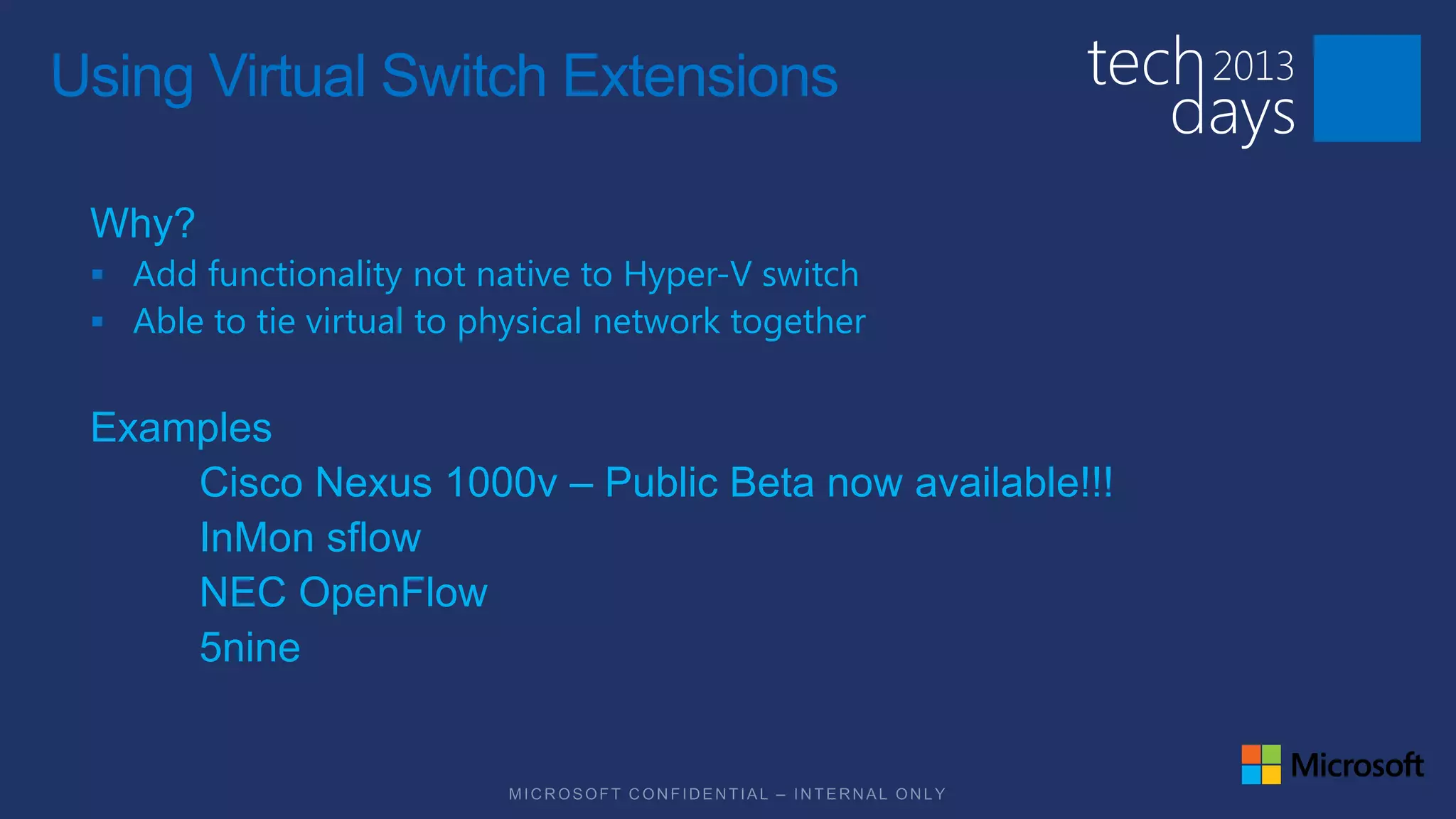
Using Virtual Switch Extensions

 Why?
  Add functionality not native to Hyper-V switch
  Able to tie virtual to physical network together


 Examples
     Cisco Nexus 1000v – Public Beta now available!!!
     InMon sflow
     NEC OpenFlow
     5nine
Session Goals





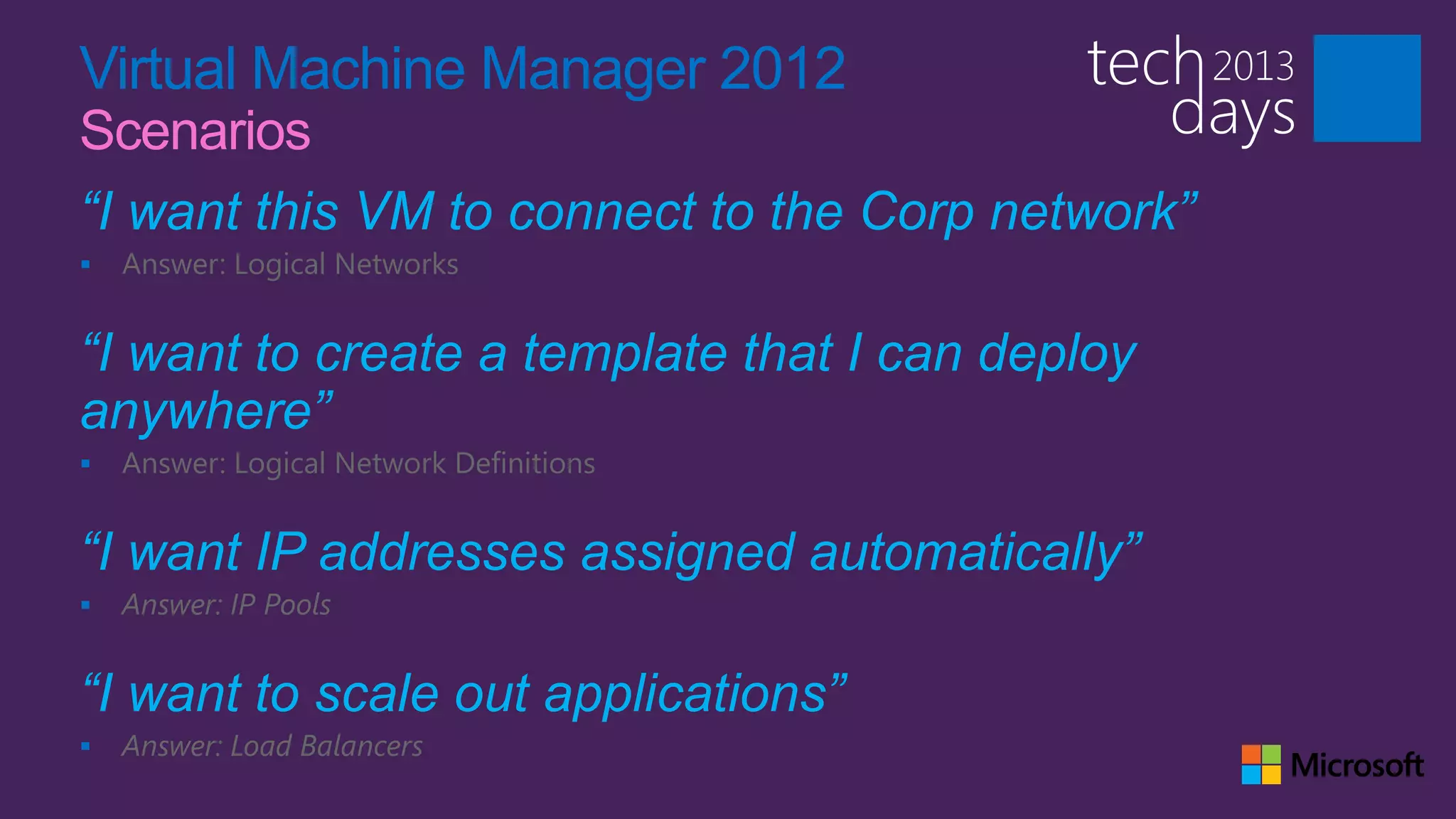
Virtual Machine Manager 2012
Scenarios
“I want this VM to connect to the Corp network”
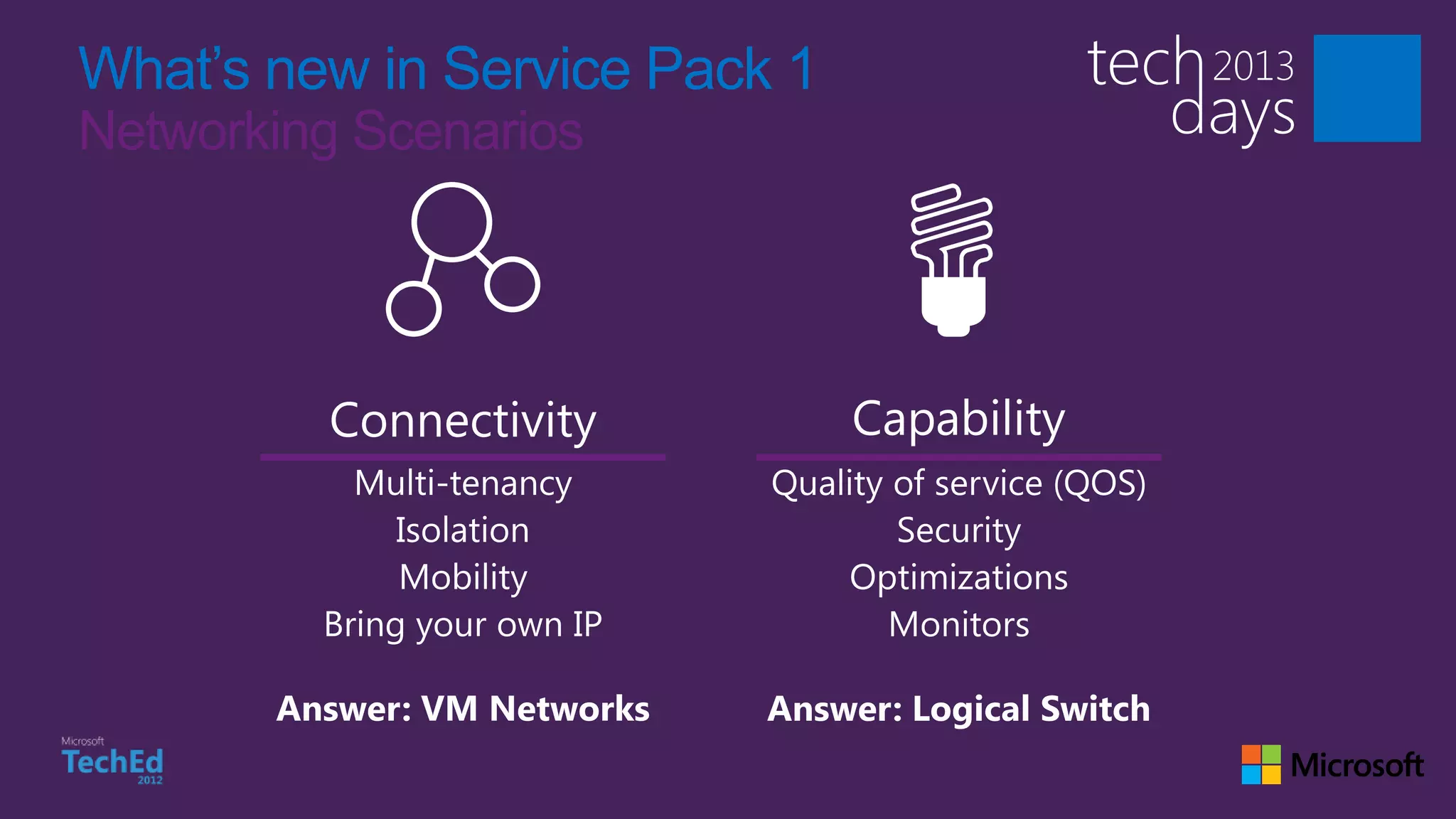
   Answer: Logical Networks


“I want to create a template that I can deploy
anywhere”
   Answer: Logical Network Definitions


“I want IP addresses assigned automatically”
   Answer: IP Pools


“I want to scale out applications”
   Answer: Load Balancers
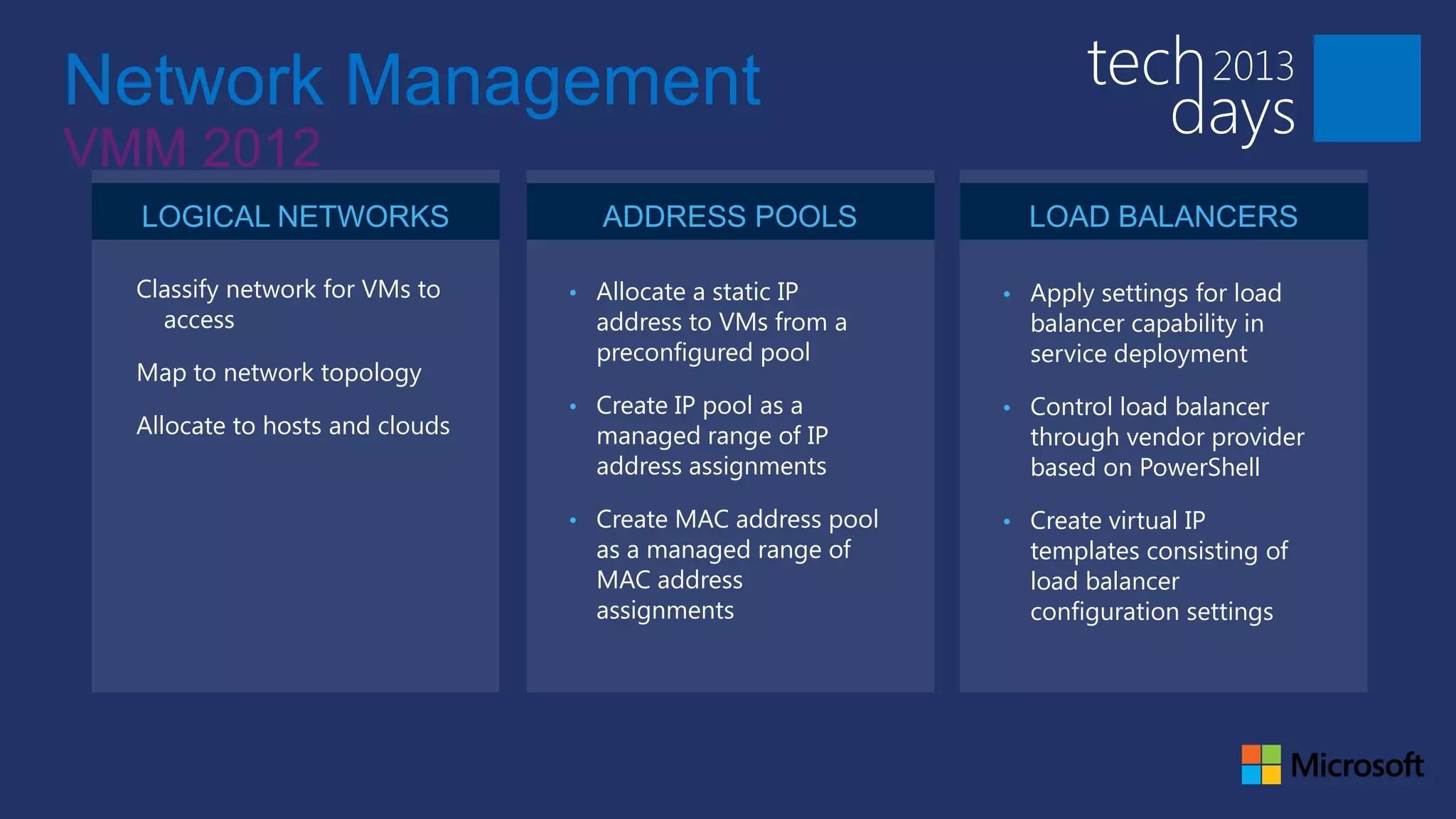
Network Management
VMM 2012
  LOGICAL NETWORKS                  ADDRESS POOLS              LOAD BALANCERS

  Classify network for VMs to    • Allocate a static IP      • Apply settings for load
    access                         address to VMs from a       balancer capability in
                                   preconfigured pool          service deployment
  Map to network topology
                                 • Create IP pool as a       • Control load balancer
  Allocate to hosts and clouds     managed range of IP         through vendor provider
                                   address assignments         based on PowerShell

                                 • Create MAC address pool   • Create virtual IP
                                   as a managed range of       templates consisting of
                                   MAC address                 load balancer
                                   assignments                 configuration settings
Logical Network

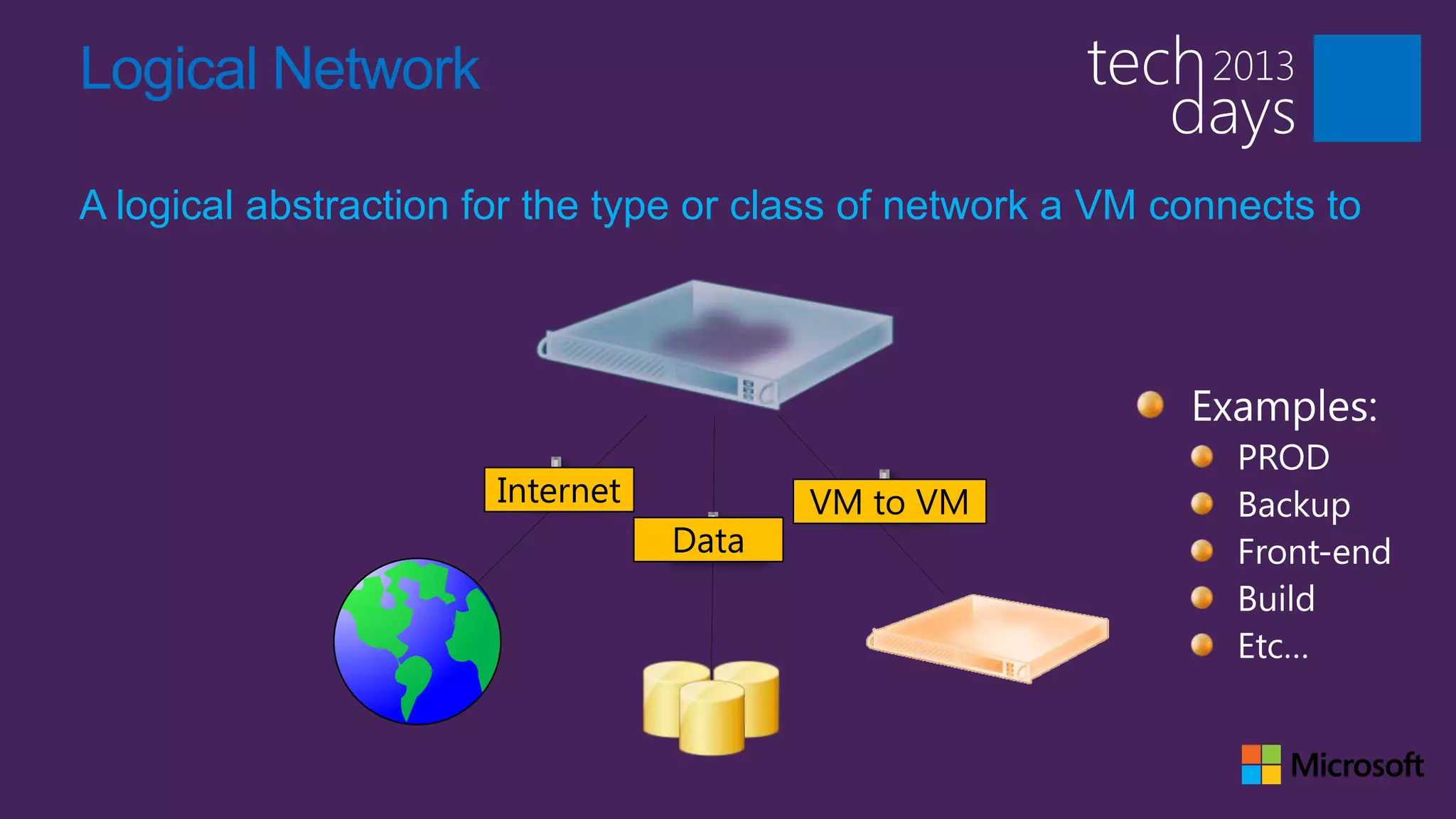
A logical abstraction for the type or class of network a VM connects to


                       Internet          VM to VM
                                  Data
Network objects
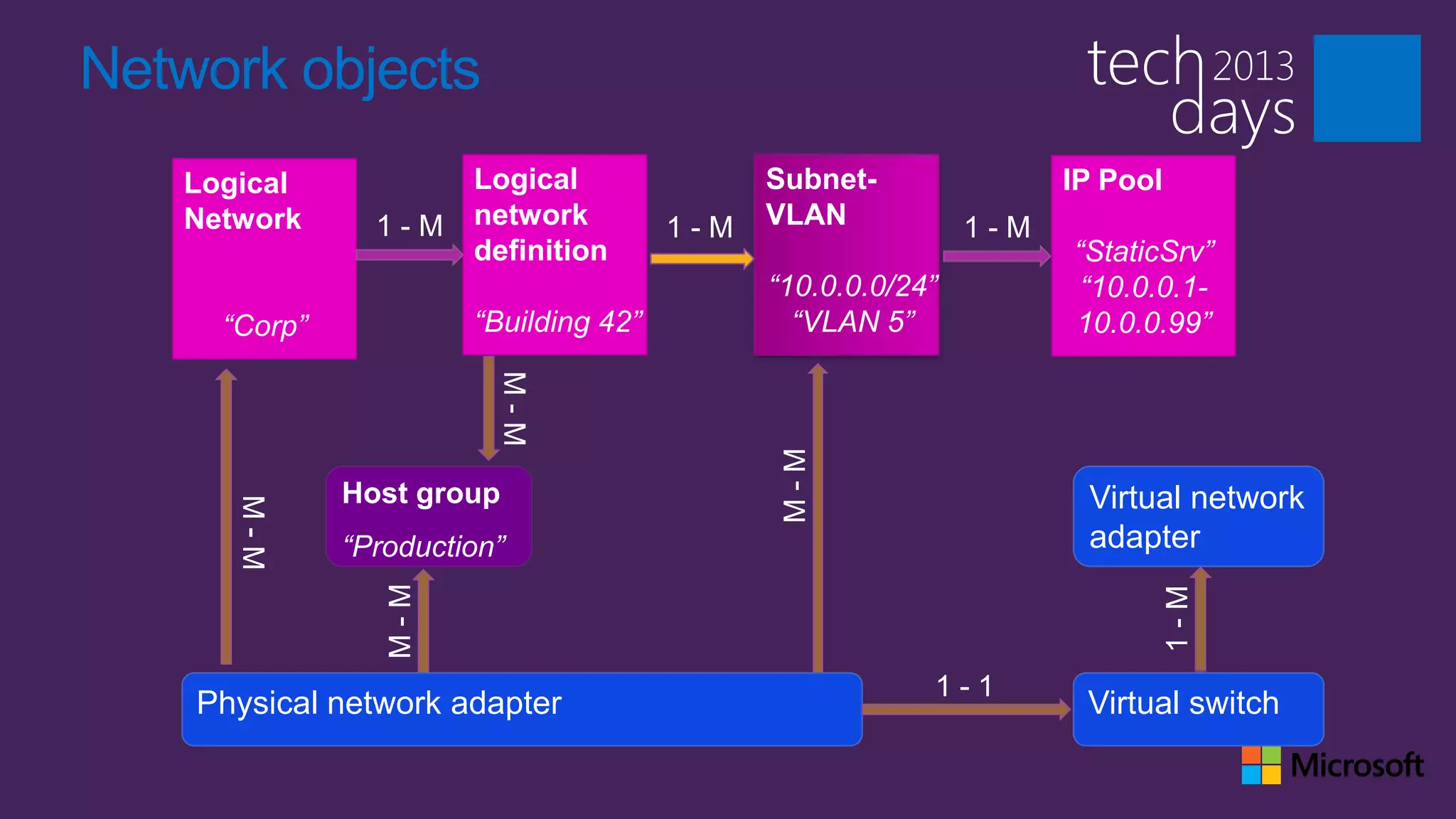
   Logical             Logical               Subnet-               IP Pool
   Network      1-M    network         1-M   VLAN            1-M
                       definition                                  “StaticSrv”
                                             “10.0.0.0/24”          “10.0.0.1-
     “Corp”            “Building 42”           “VLAN 5”            10.0.0.99”


              Host group                                            Virtual network
              “Production”                                          adapter


    Physical network adapter                                        Virtual switch
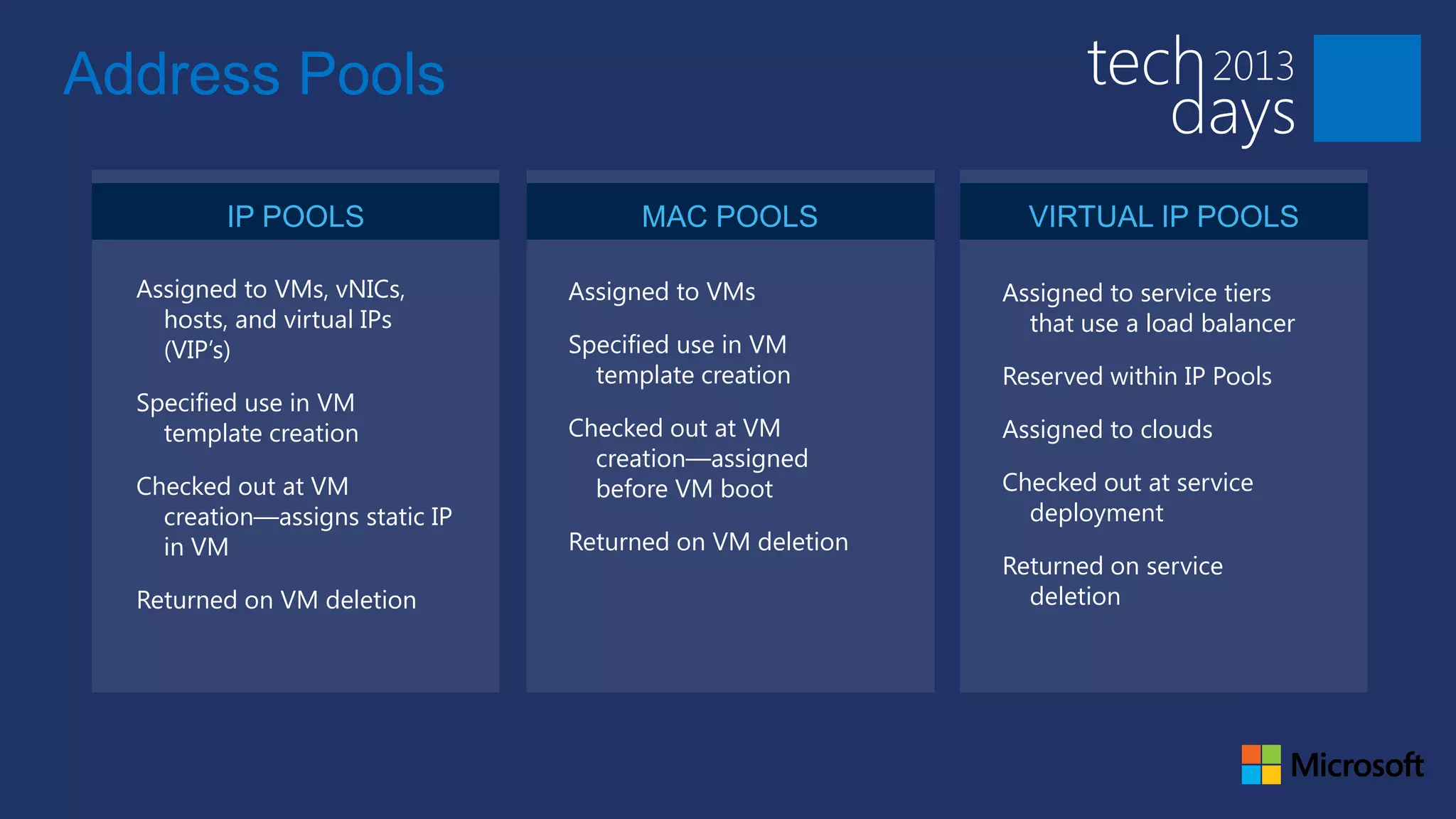
Address Pools

          IP POOLS                     MAC POOLS             VIRTUAL IP POOLS

  Assigned to VMs, vNICs,        Assigned to VMs           Assigned to service tiers
    hosts, and virtual IPs                                   that use a load balancer
    (VIP’s)                      Specified use in VM
                                   template creation       Reserved within IP Pools
  Specified use in VM
    template creation            Checked out at VM         Assigned to clouds
                                   creation—assigned
  Checked out at VM                before VM boot          Checked out at service
    creation—assigns static IP                               deployment
    in VM                        Returned on VM deletion
                                                           Returned on service
  Returned on VM deletion                                    deletion
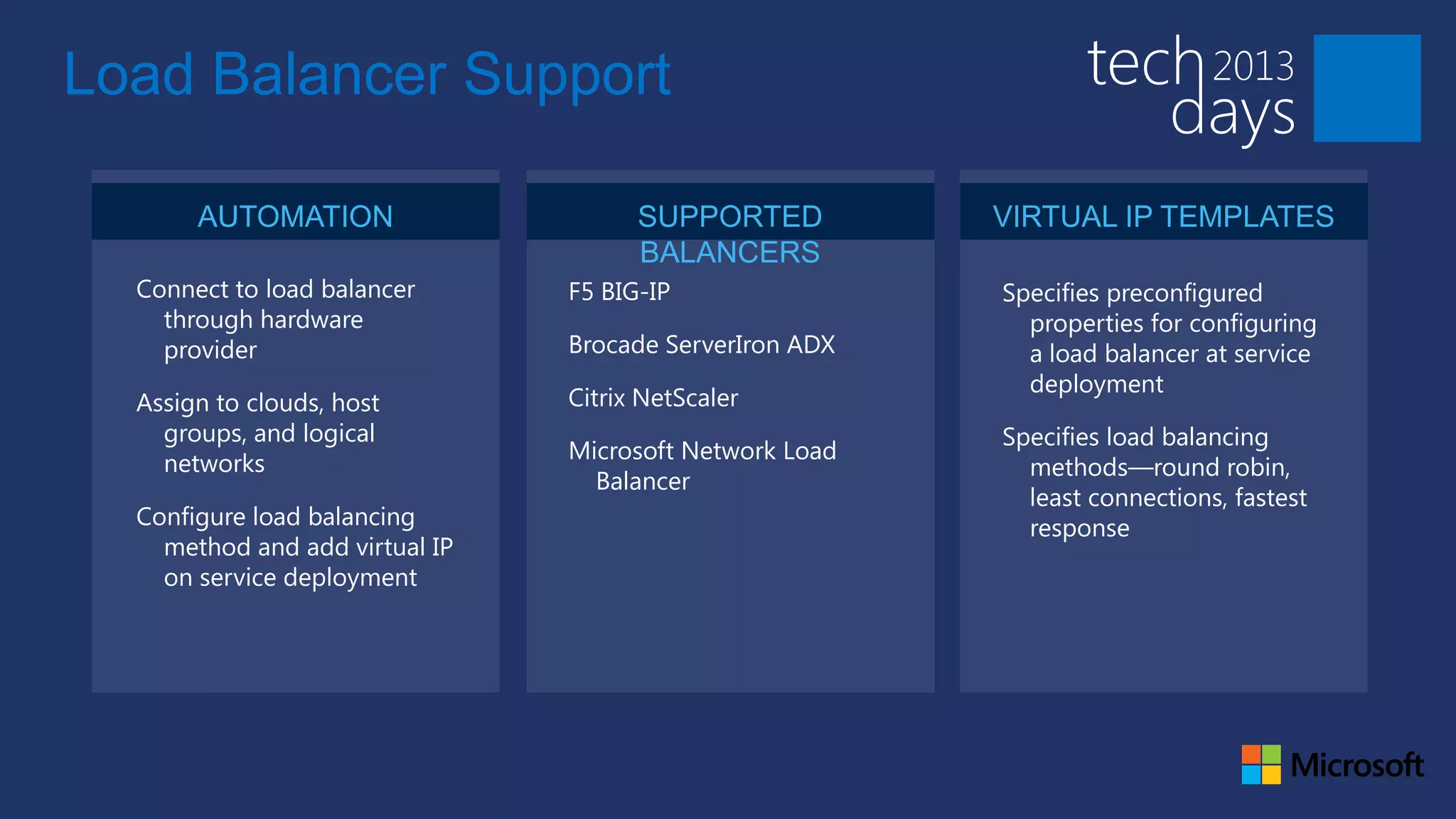
Load Balancer Support

       AUTOMATION                     SUPPORTED          VIRTUAL IP TEMPLATES
                                      BALANCERS
  Connect to load balancer      F5 BIG-IP                Specifies preconfigured
    through hardware                                       properties for configuring
    provider                    Brocade ServerIron ADX     a load balancer at service
                                                           deployment
  Assign to clouds, host        Citrix NetScaler
    groups, and logical                                  Specifies load balancing
                                Microsoft Network Load
    networks                                               methods—round robin,
                                  Balancer
                                                           least connections, fastest
  Configure load balancing                                 response
    method and add virtual IP
    on service deployment
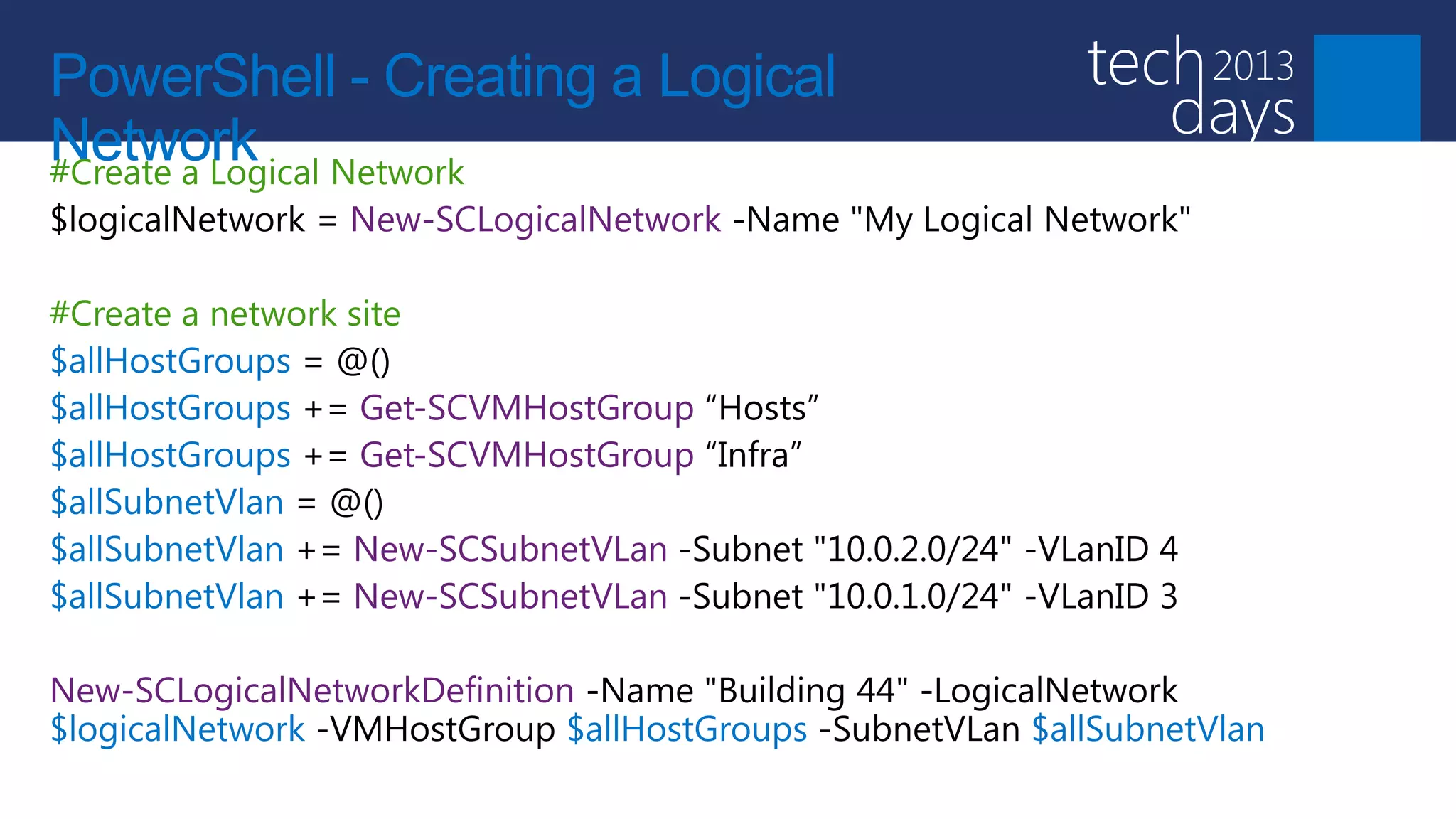
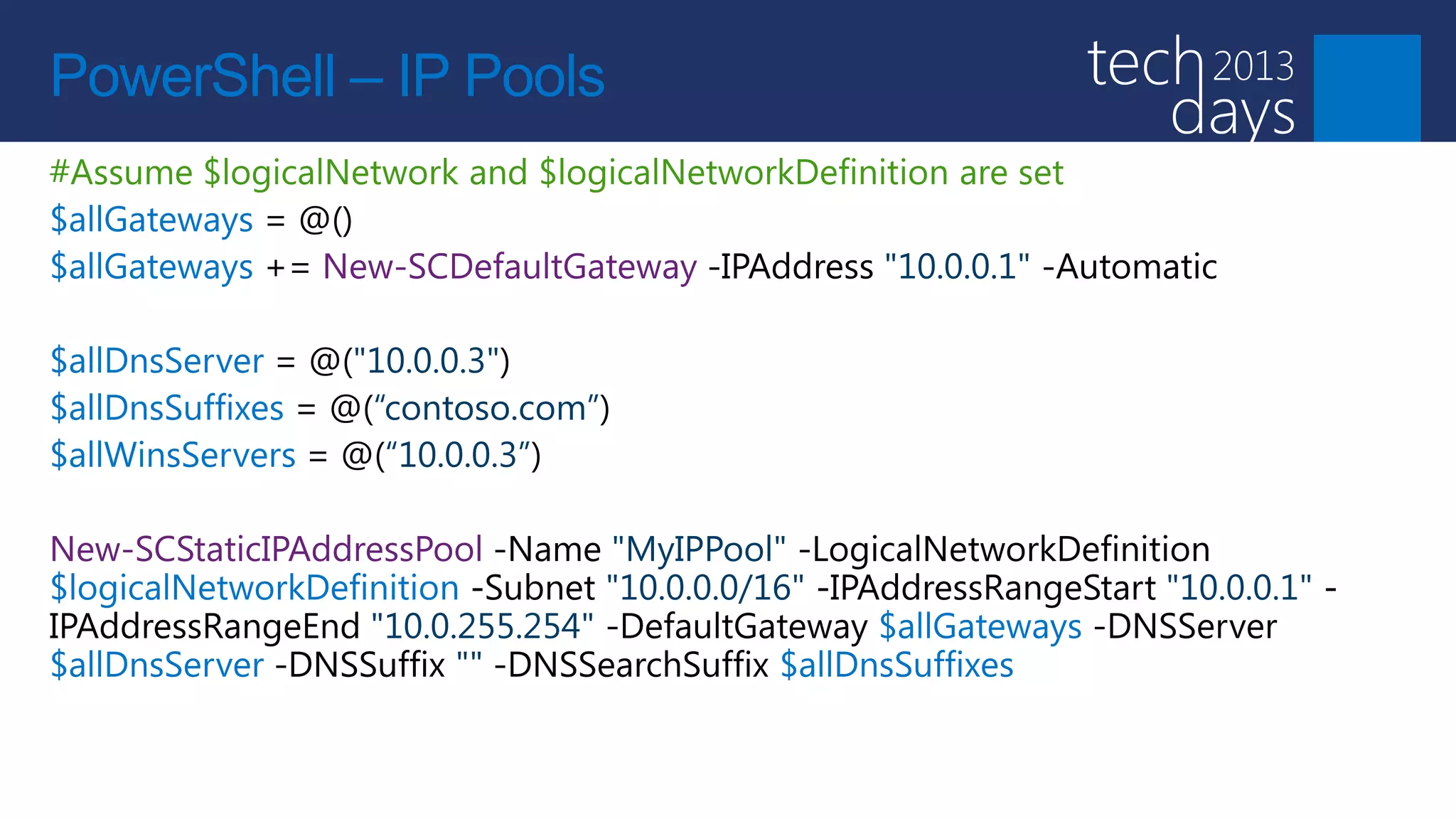
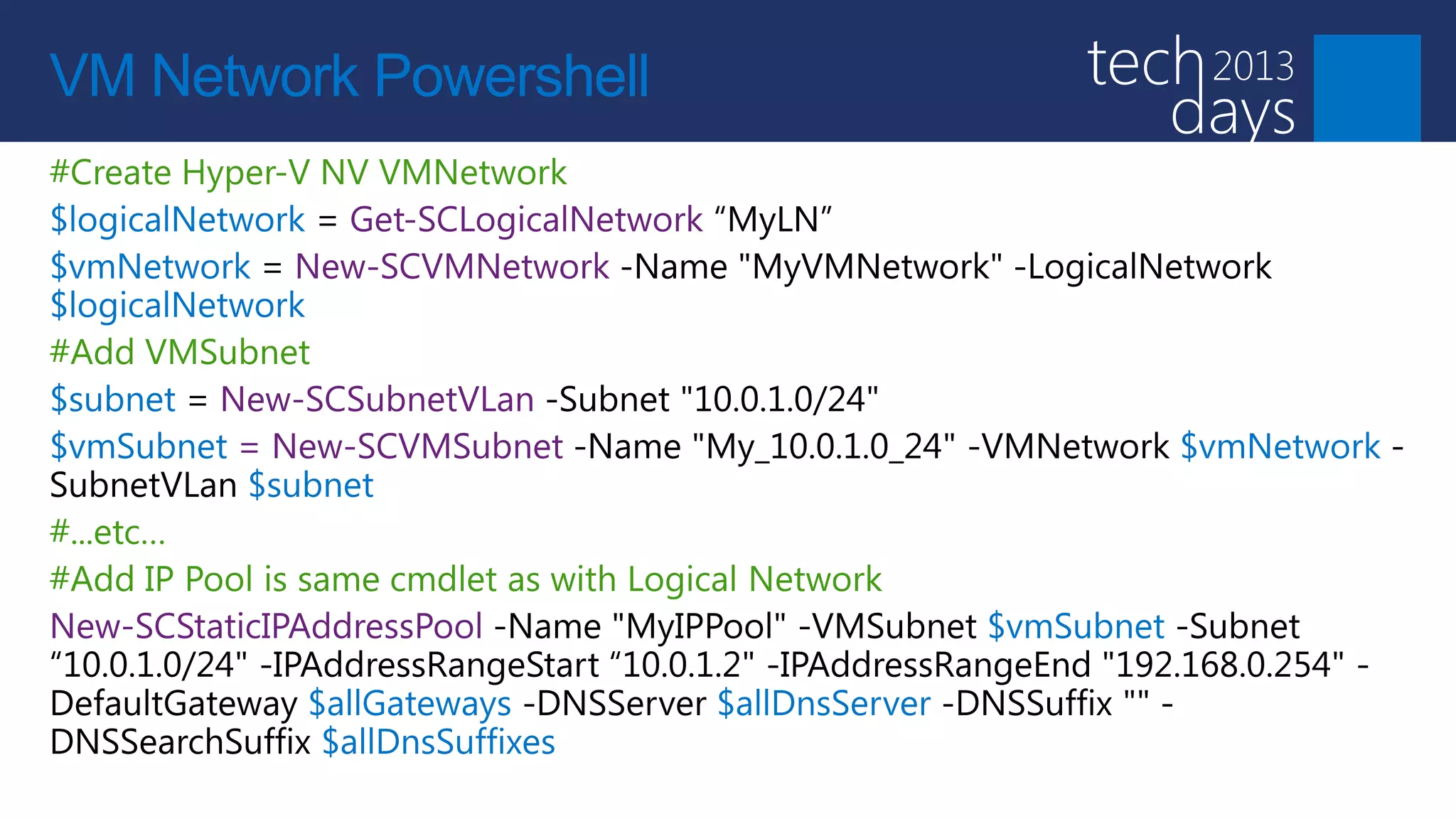
PowerShell - Creating a Logical
Network
PowerShell – IP Pools
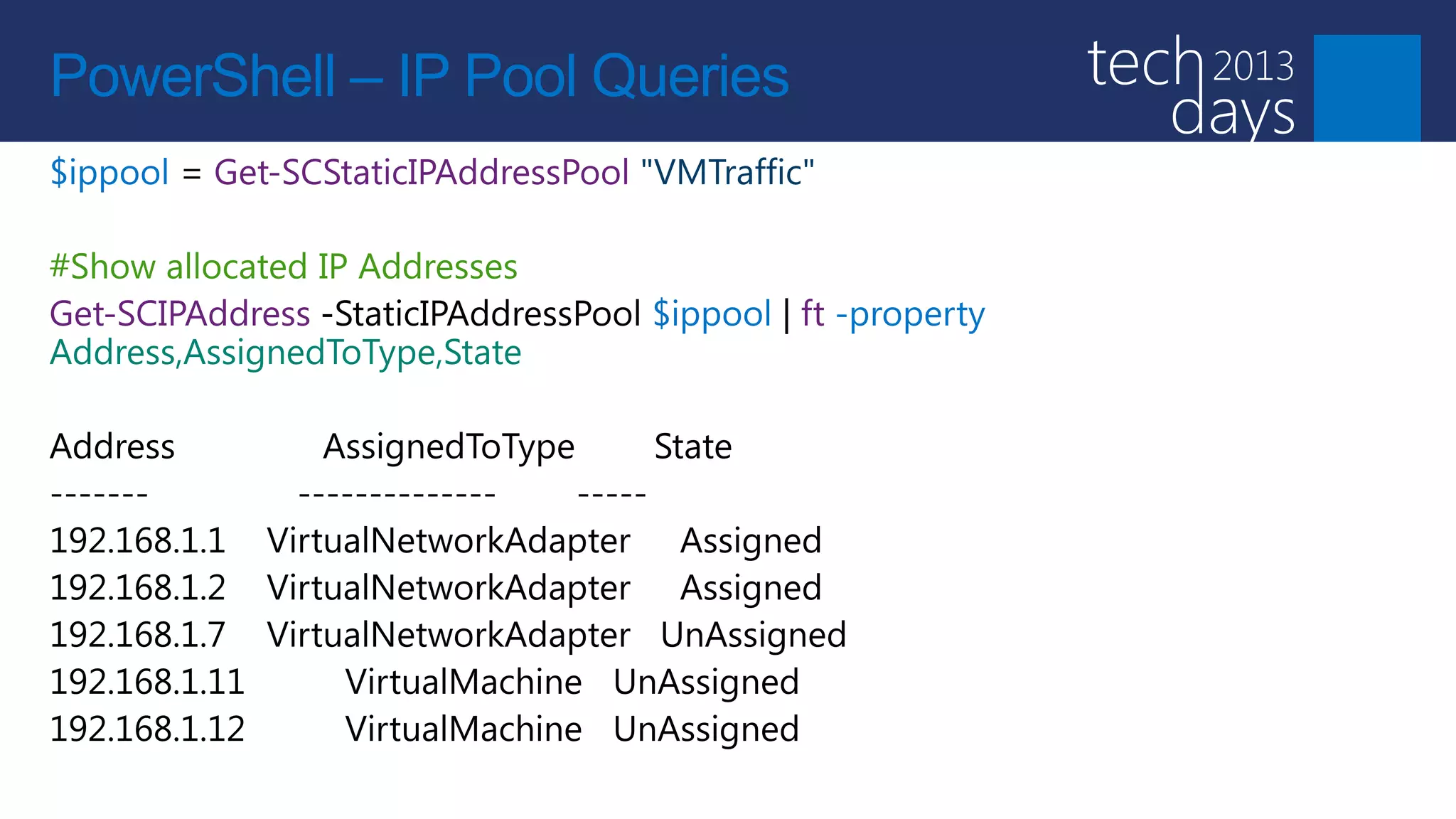
PowerShell – IP Pool Queries
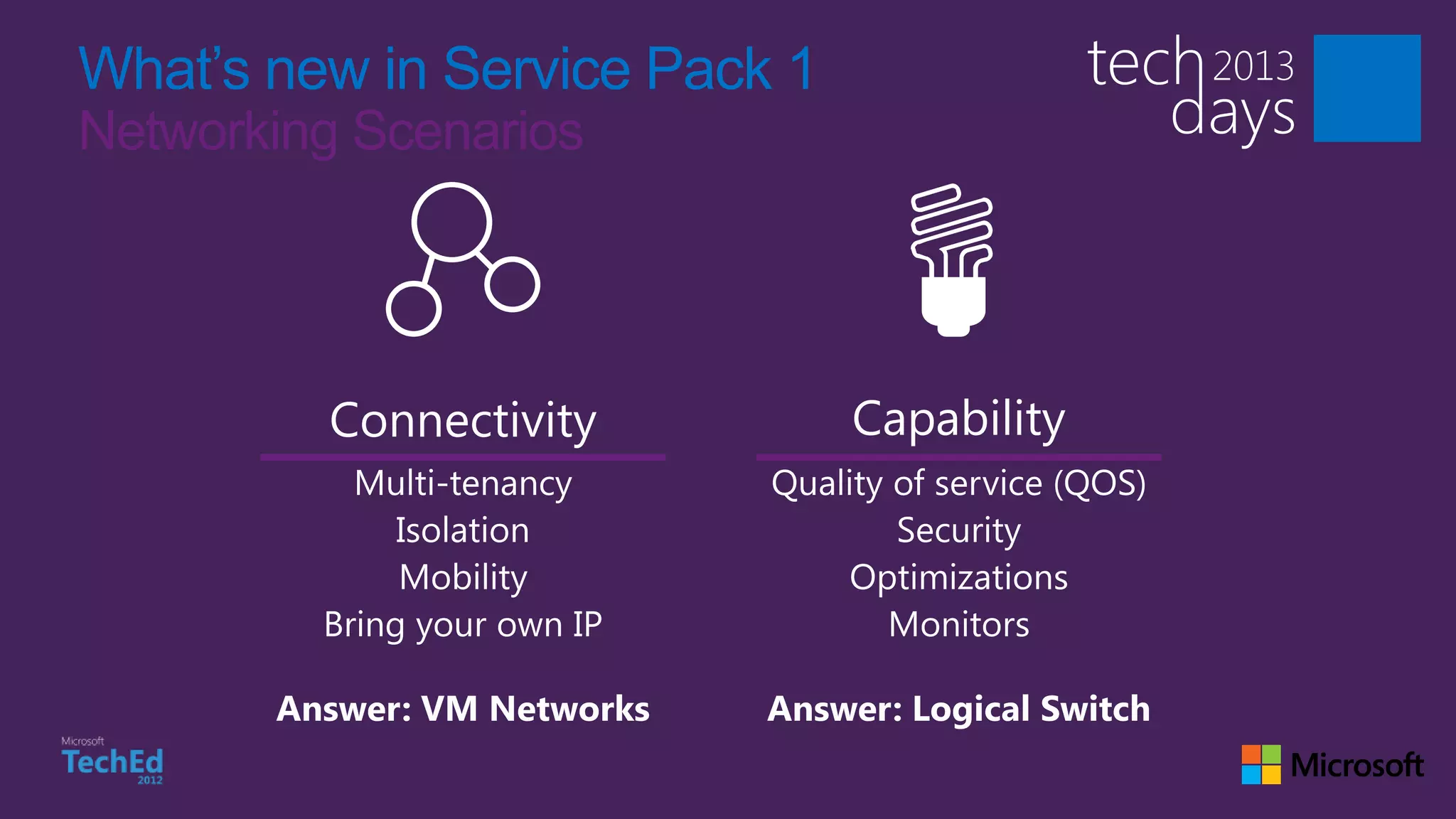
What’s new in Service Pack 1
Networking Scenarios
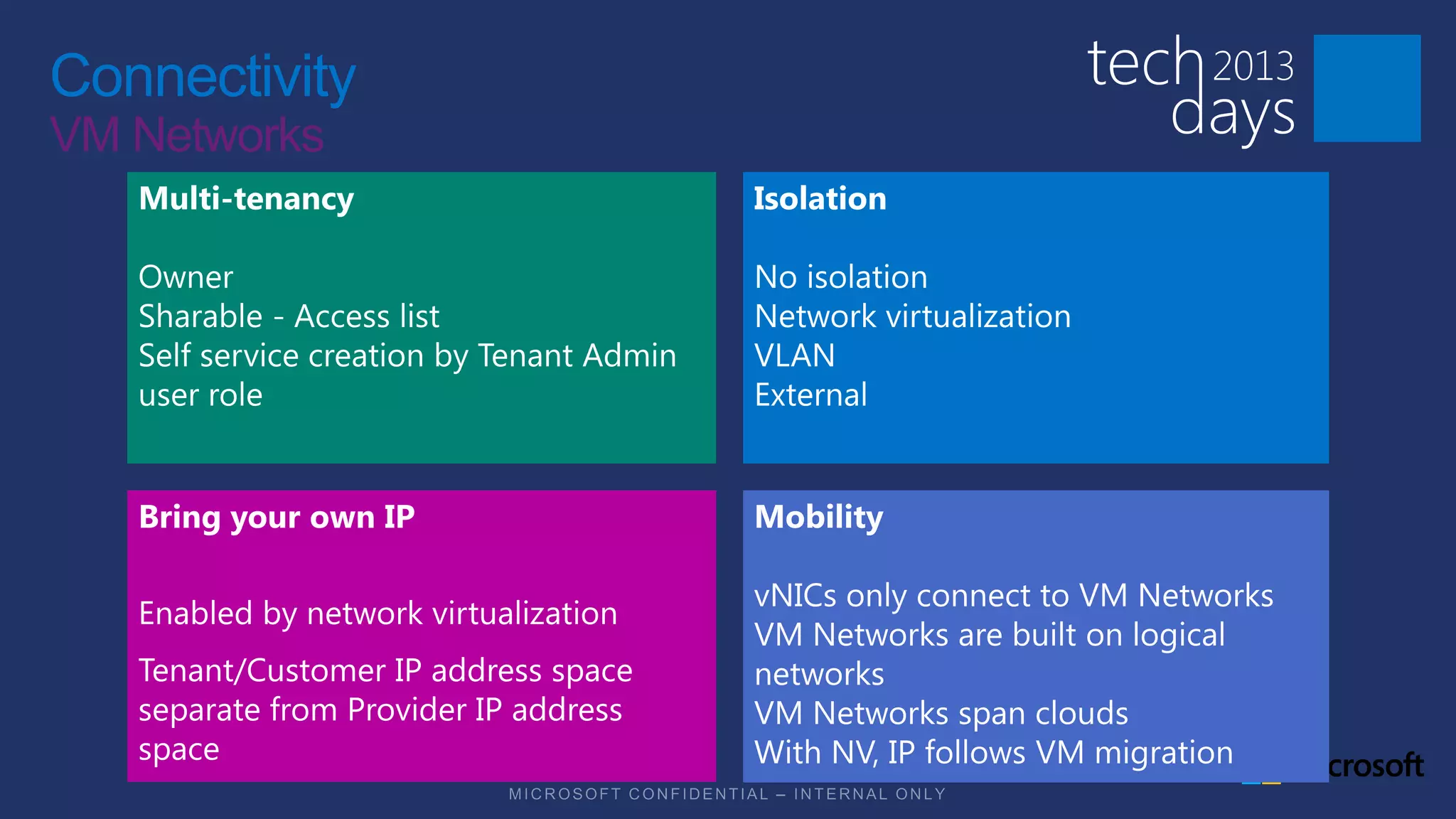
Connectivity
VM Networks
VM Networks
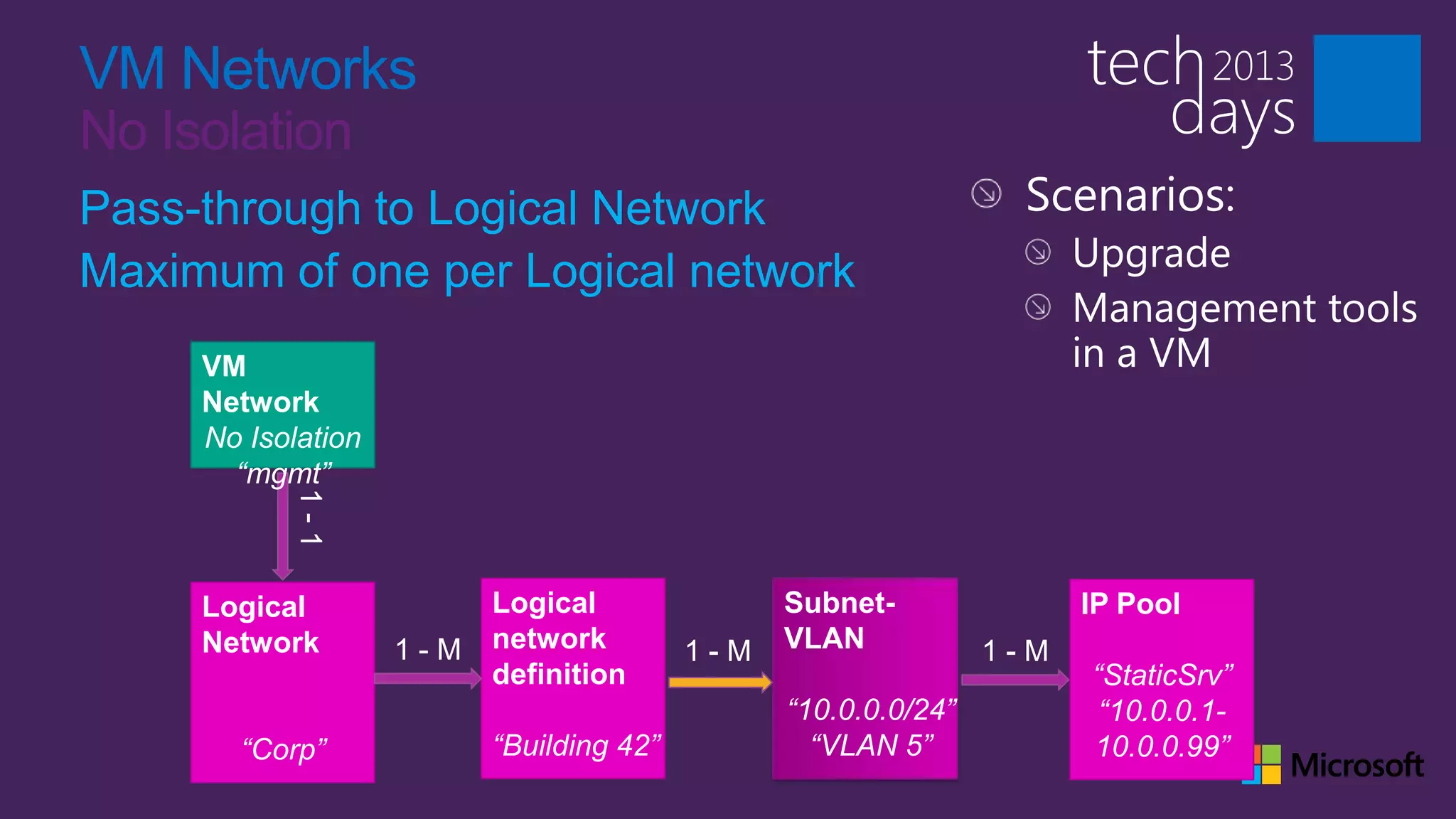
No Isolation
Pass-through to Logical Network
Maximum of one per Logical network
     VM
     Network
     No Isolation
       “mgmt”


     Logical        Logical         Subnet-         IP Pool
     Network        network         VLAN
                    definition                      “StaticSrv”
                                    “10.0.0.0/24”    “10.0.0.1-
       “Corp”       “Building 42”     “VLAN 5”      10.0.0.99”
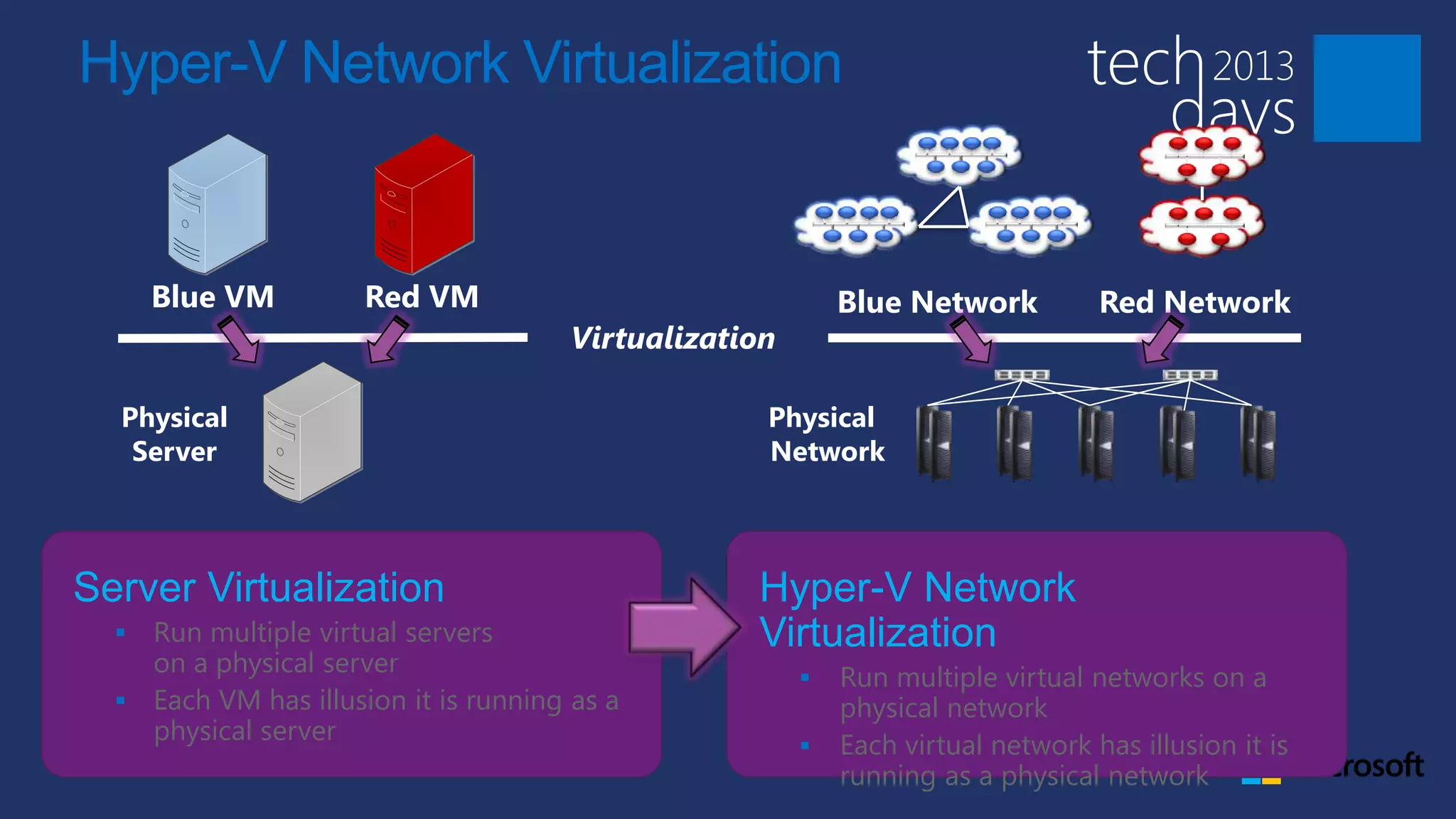
Hyper-V Network Virtualization


      Blue VM         Red VM                                Blue Network          Red Network
                                       Virtualization

  Physical                                          Physical
   Server                                           Network


Server Virtualization                              Hyper-V Network
   Run multiple virtual servers                   Virtualization
    on a physical server
                                                           Run multiple virtual networks on a
   Each VM has illusion it is running as a                 physical network
    physical server
                                                           Each virtual network has illusion it is
                                                            running as a physical network
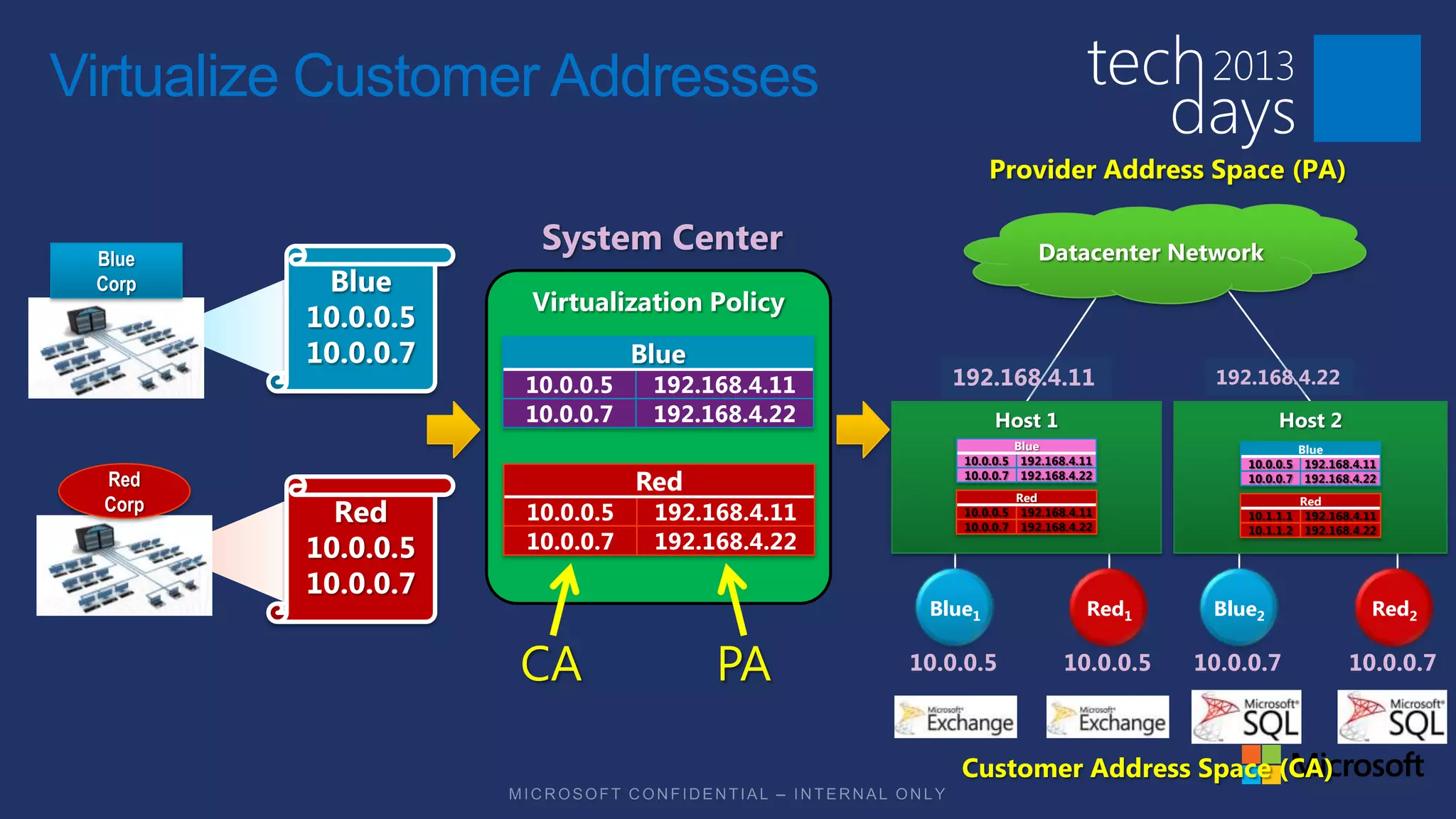
Virtualize Customer Addresses
                                                        Provider Address Space (PA)


 Blue
                     System Center                                Datacenter Network
 Corp     Blue
                    Virtualization Policy
         10.0.0.5
         10.0.0.7              Blue
                    10.0.0.5    192.168.4.11      192.168.4.11                      192.168.4.22
                    10.0.0.7    192.168.4.22             Host 1                             Host 2
                                                            Blue                               Blue
                                                    10.0.0.5 192.168.4.11              10.0.0.5 192.168.4.11
  Red                          Red                  10.0.0.7 192.168.4.22
                                                               Red
                                                                                       10.0.0.7 192.168.4.22

  Corp
           Red
                                                                                                  Red
                    10.0.0.5    192.168.4.11        10.0.0.5
                                                    10.0.0.7
                                                                192.168.4.11
                                                                192.168.4.22
                                                                                       10.1.1.1    192.168.4.11
                                                                                       10.1.1.2    192.168.4.22
         10.0.0.5   10.0.0.7    192.168.4.22
         10.0.0.7
                                                Blue1                     Red1     Blue2                      Red2

                                               10.0.0.5                10.0.0.5   10.0.0.7                10.0.0.7


                                                   Customer Address Space (CA)
VM Networks
Hyper-V Network Virtualization
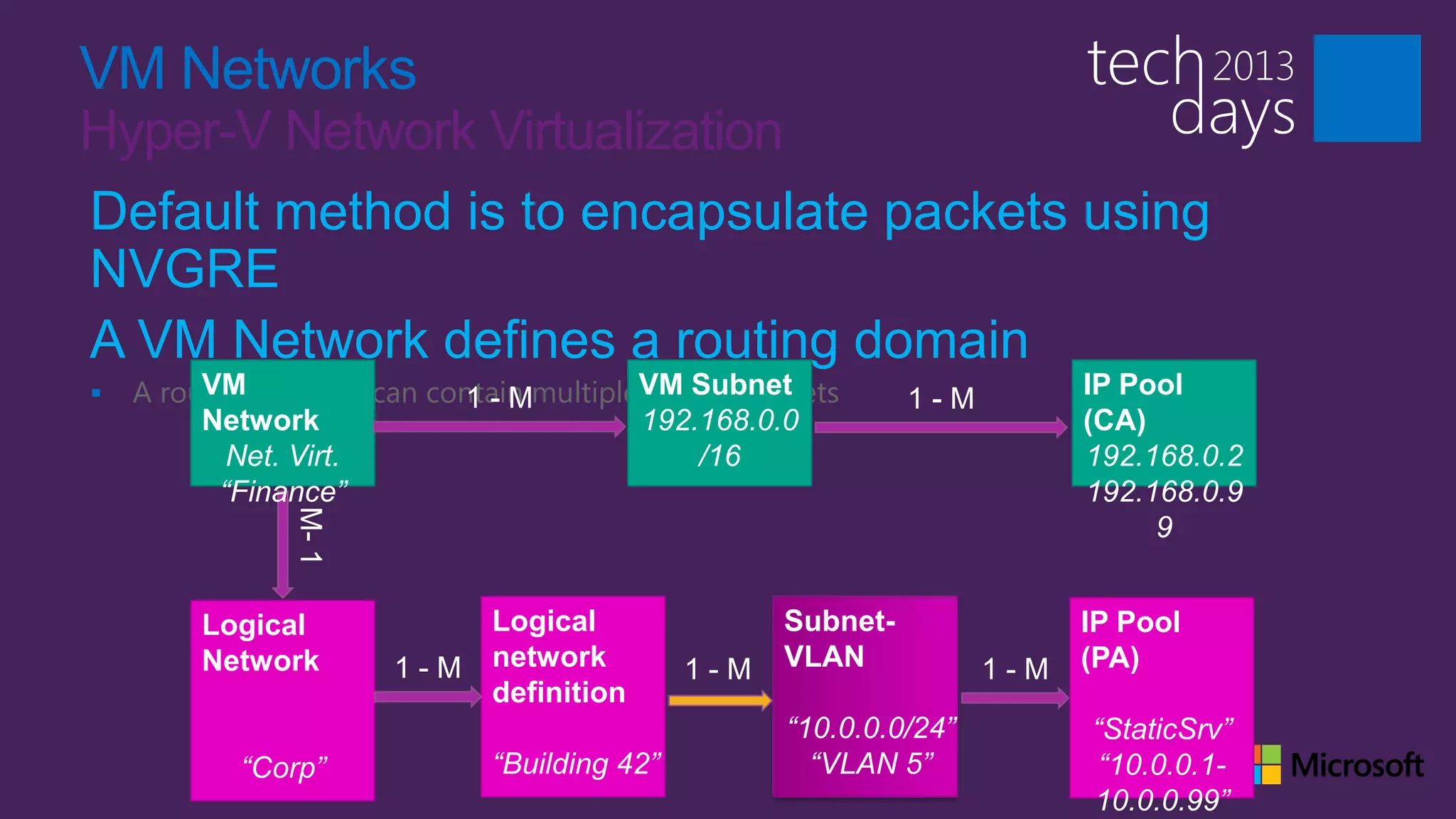
Default method is to encapsulate packets using
NVGRE
A VM Network defines a routing domain
   A routing domain can contain multipleVM Subnet
         VM                              virtual subnets            IP Pool
         Network                         192.168.0.0                (CA)
            Net. Virt.                        /16                   192.168.0.2
           “Finance”                                                192.168.0.9
                                                                         9


         Logical              Logical              Subnet-          IP Pool
         Network              network              VLAN             (PA)
                              definition
                                                    “10.0.0.0/24”   “StaticSrv”
           “Corp”             “Building 42”           “VLAN 5”       “10.0.0.1-
                                                                    10.0.0.99”
VM Networks
Hyper-V Network Virtualization Gateways
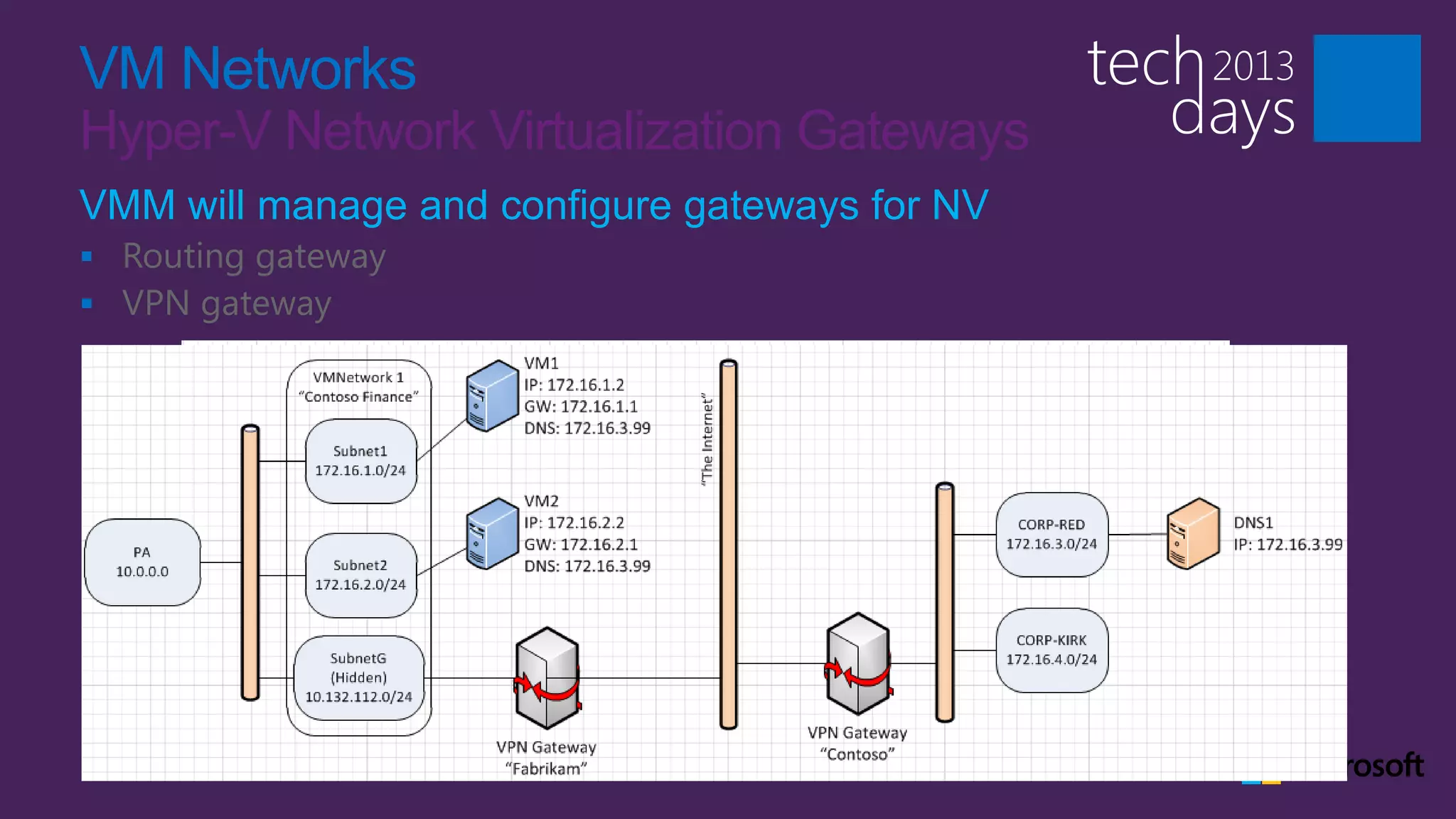
VMM will manage and configure gateways for NV
 Routing gateway
 VPN gateway
VM Networks
VLAN
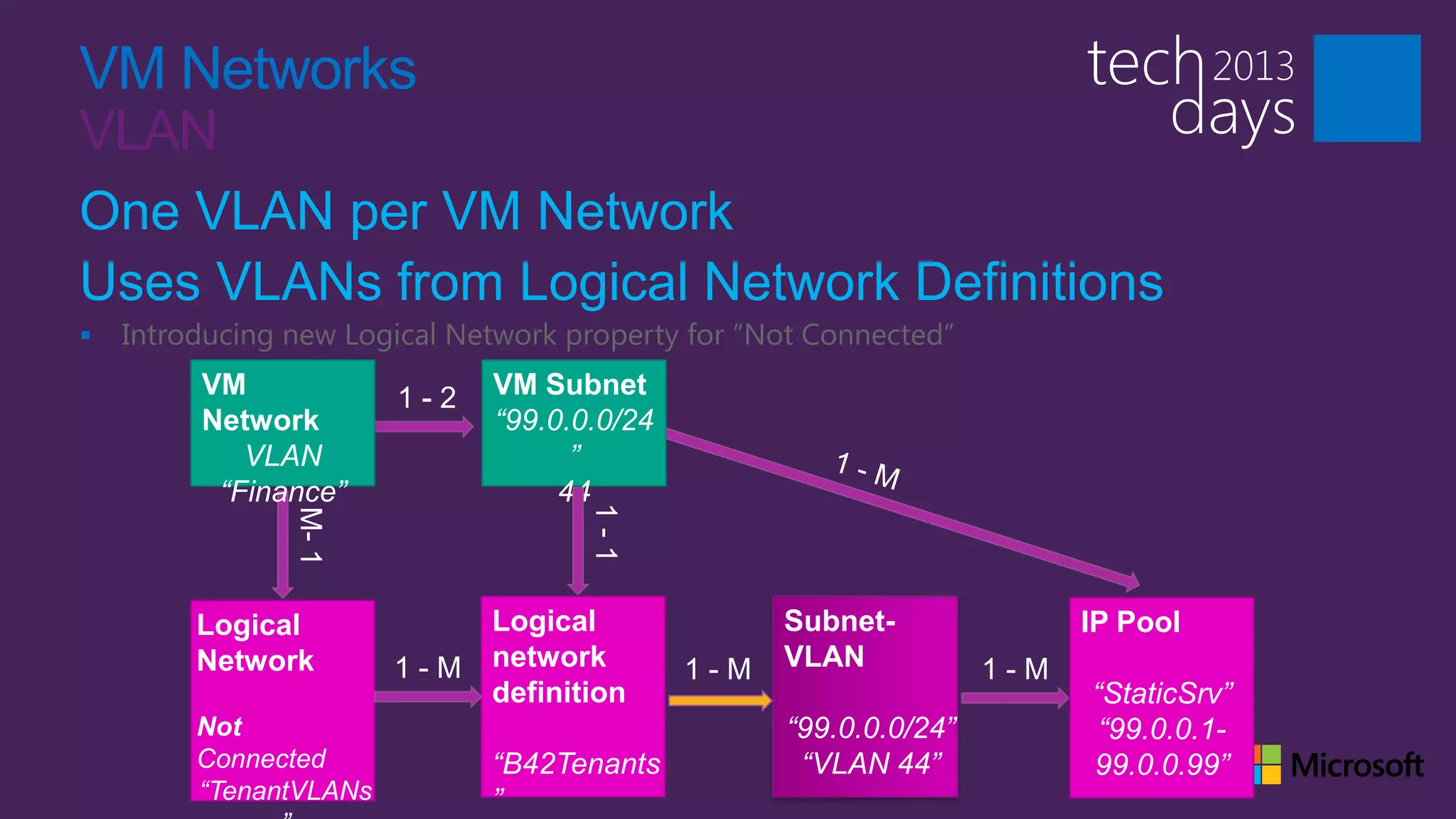
One VLAN per VM Network
Uses VLANs from Logical Network Definitions
   Introducing new Logical Network property for ―Not Connected‖
         VM                   VM Subnet
         Network              “99.0.0.0/24
            VLAN                    ”
          “Finance”                44


         Logical              Logical              Subnet-         IP Pool
         Network              network              VLAN
                              definition                           “StaticSrv”
         Not                                       “99.0.0.0/24”    “99.0.0.1-
         Connected            “B42Tenants           “VLAN 44”      99.0.0.99”
         “TenantVLANs         ”
VM Networks
External
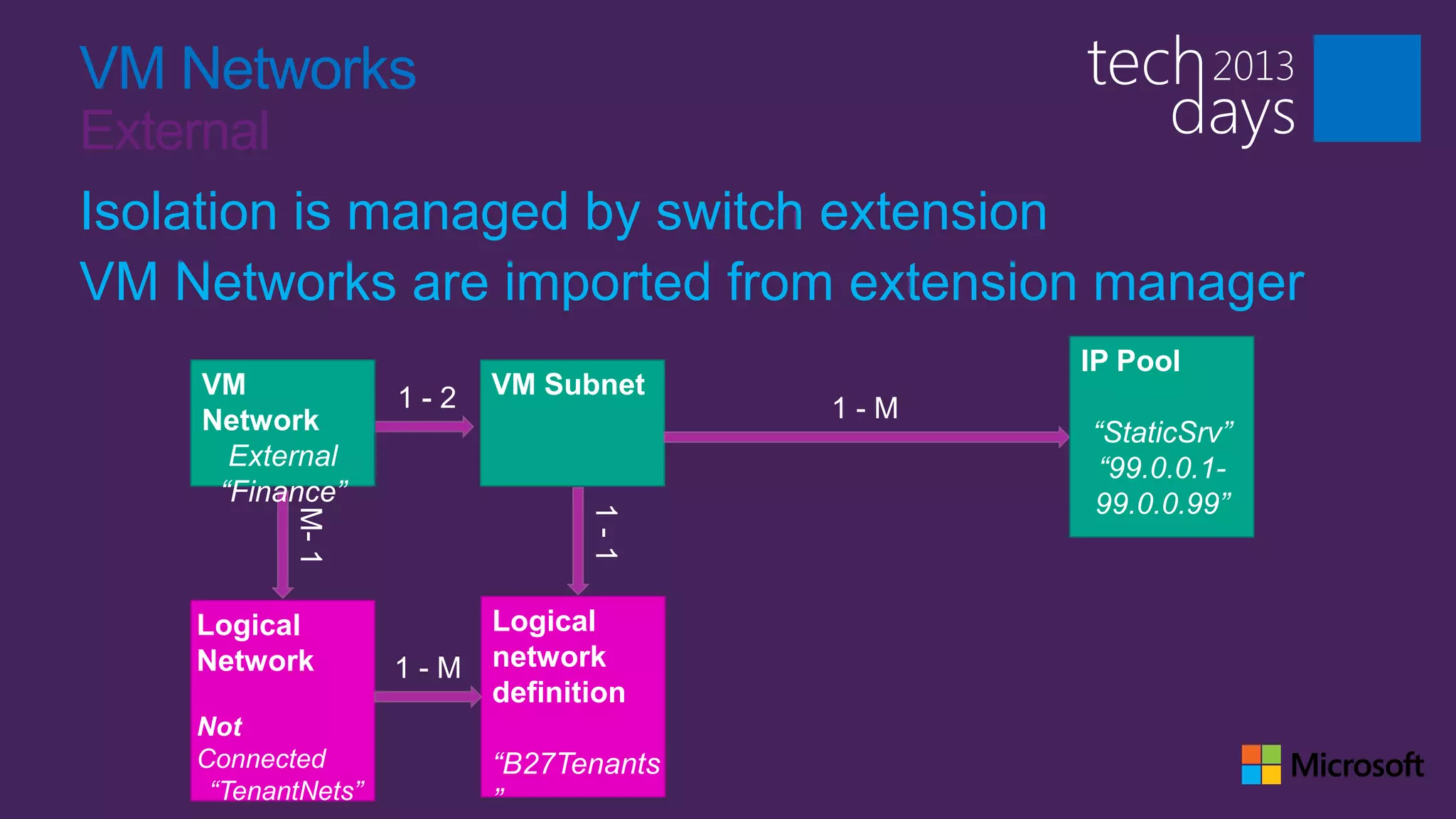
Isolation is managed by switch extension
VM Networks are imported from extension manager
                                        IP Pool
    VM                    VM Subnet
    Network                             “StaticSrv”
      External                           “99.0.0.1-
     “Finance”                          99.0.0.99”


    Logical               Logical
    Network         1-M   network
                          definition
    Not
    Connected             “B27Tenants
     “TenantNets”         ”
VM Network Powershell
What’s new in Service Pack 1
Networking Scenarios
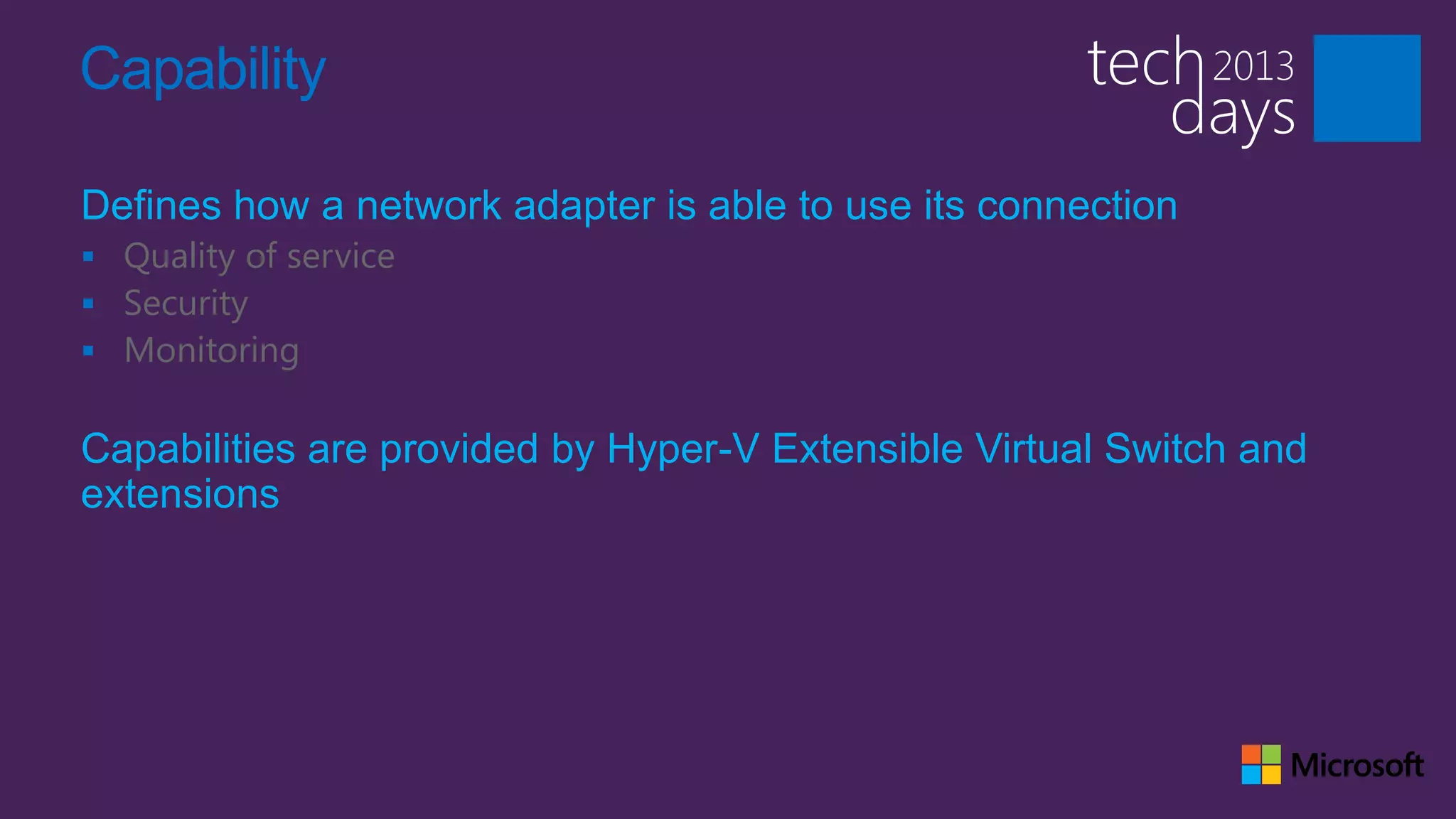
Capability

Defines how a network adapter is able to use its connection
 Quality of service
 Security
 Monitoring


Capabilities are provided by Hyper-V Extensible Virtual Switch and
extensions
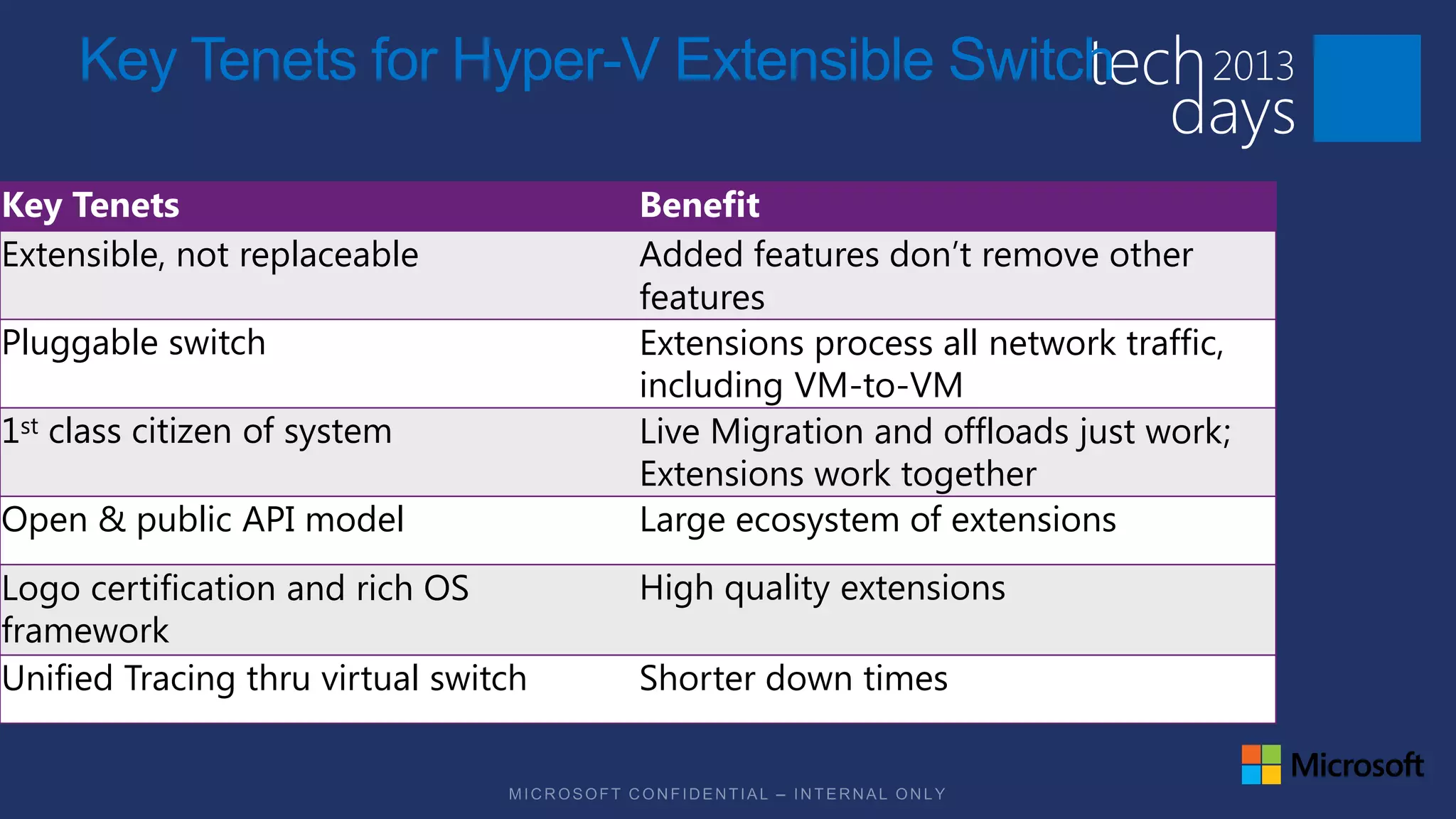
Key Tenets for Hyper-V Extensible Switch

Key Tenets                            Benefit
Extensible, not replaceable           Added features don’t remove other
                                      features
Pluggable switch                      Extensions process all network traffic,
                                      including VM-to-VM
1st class citizen of system           Live Migration and offloads just work;
                                      Extensions work together
Open & public API model               Large ecosystem of extensions
Logo certification and rich OS        High quality extensions
framework
Unified Tracing thru virtual switch   Shorter down times
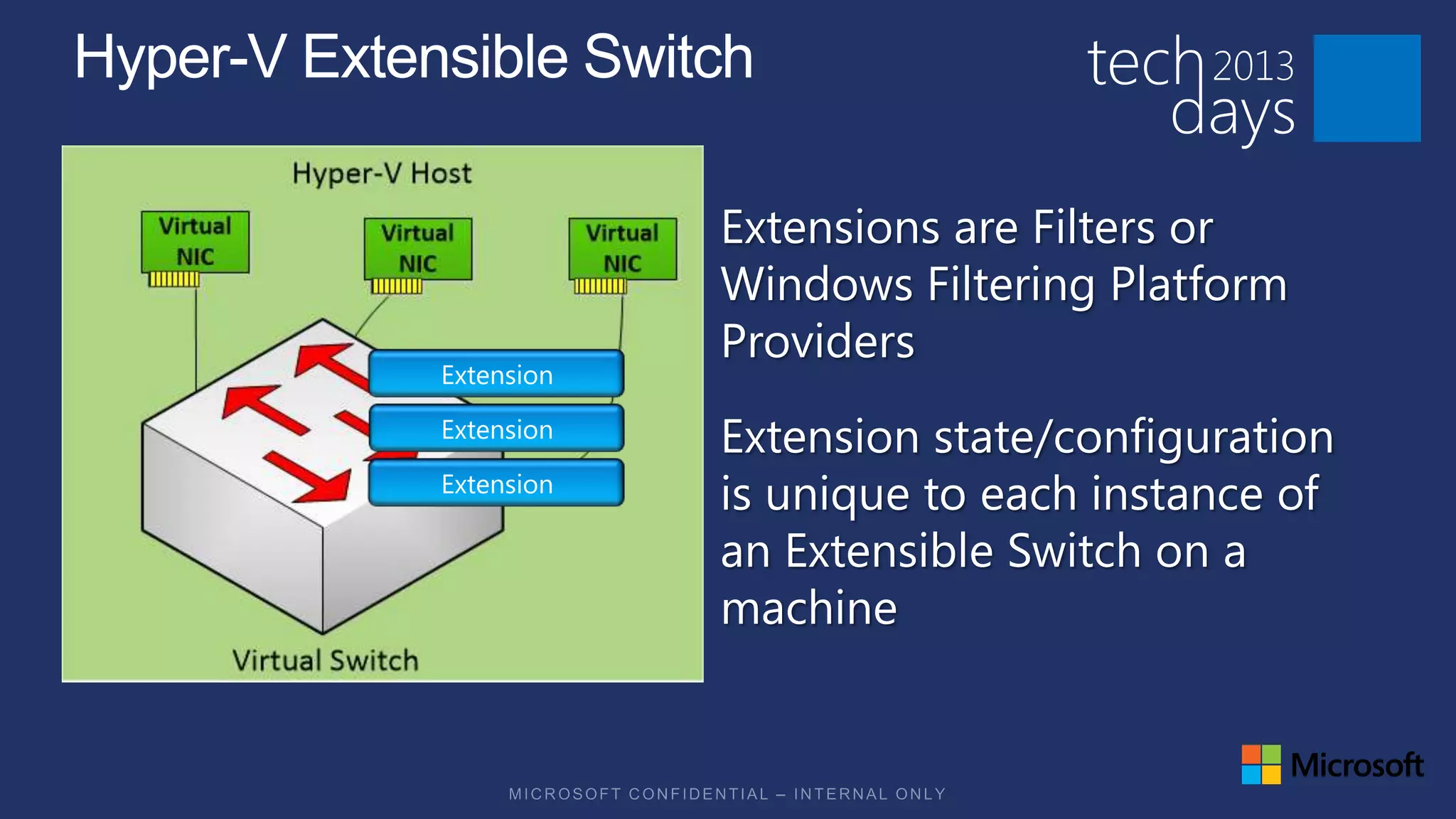
Extensions are Filters or
Windows Filtering Platform
Providers
Extension state/configuration
is unique to each instance of
an Extensible Switch on a
machine
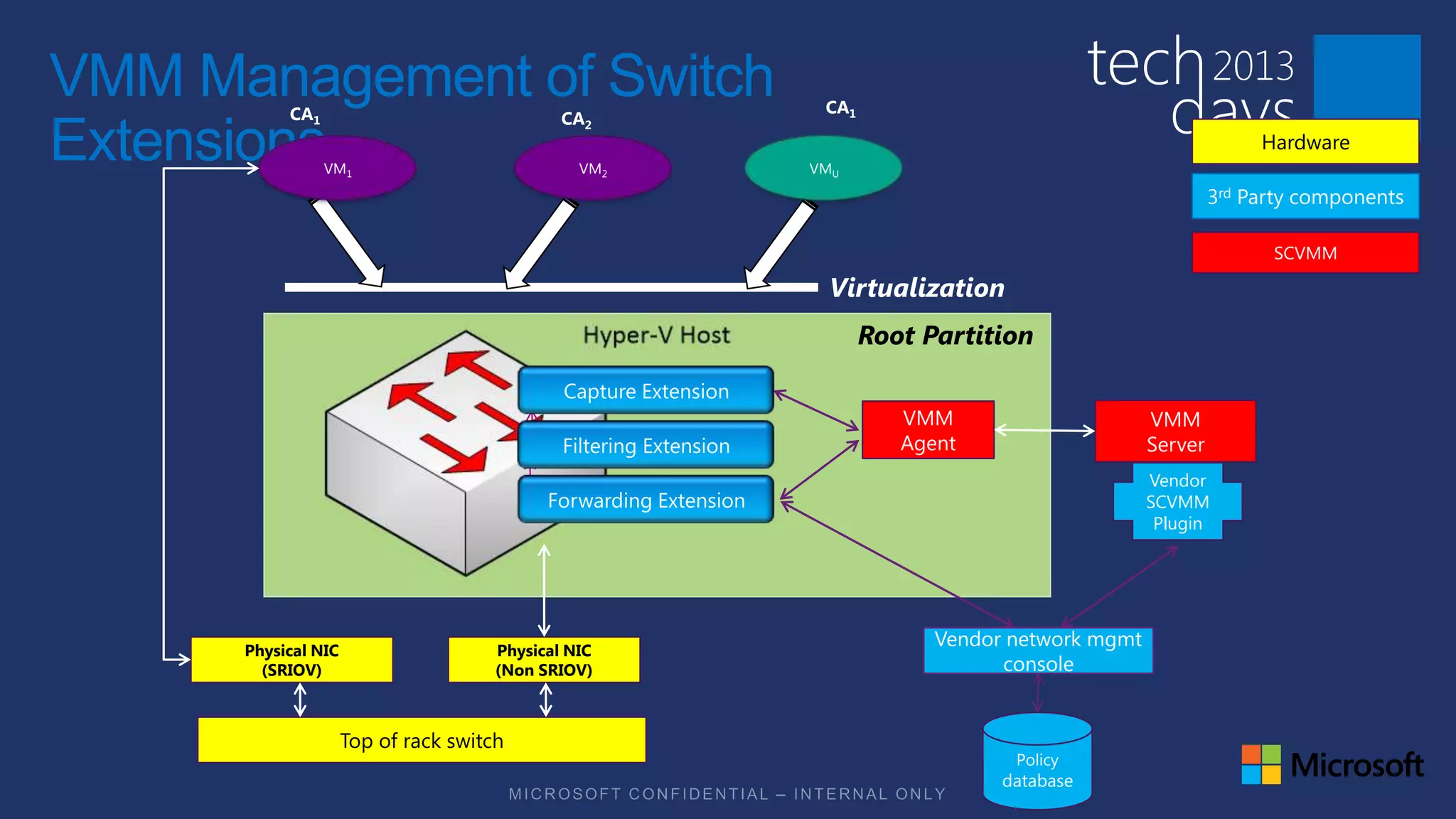
VMM Management of Switch
           CA1                                CA2
                                                       CA1

Extensions       VM1                            VM2   VMU
                                                                                                       Hardware

                                                                                                  3rd Party components

                                                                                                        SCVMM

                                                       Virtualization
                                                             Root Partition


                                                                VMM                      VMM
                                                                Agent                    Server
                                                                                         Vendor
                                                                                         SCVMM
                                                                                          Plugin


      Physical NIC                    Physical NIC
                                                                   Vendor network mgmt
        (SRIOV)                       (Non SRIOV)                        console


                     Top of rack switch
                                                                          Policy
                                                                         database
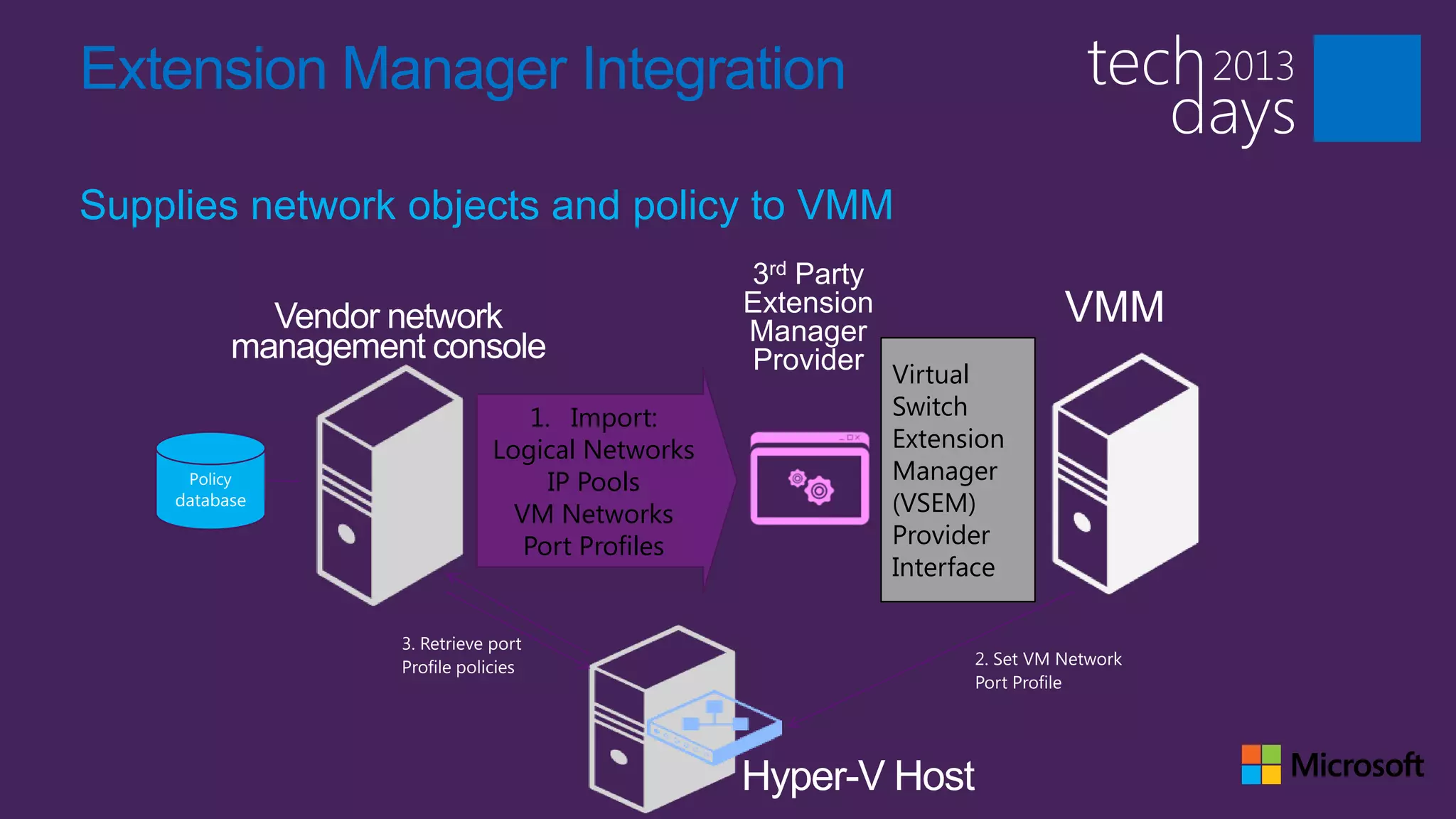
Extension Manager Integration

Supplies network objects and policy to VMM
                                        3rd Party
                                        Extension
                                        Manager
                                                              VMM
                                        Provider Virtual
                        1. Import:                Switch
                     Logical Networks             Extension
     Policy               IP Pools                Manager
    database
                       VM Networks                (VSEM)
                        Port Profiles             Provider
                                                  Interface
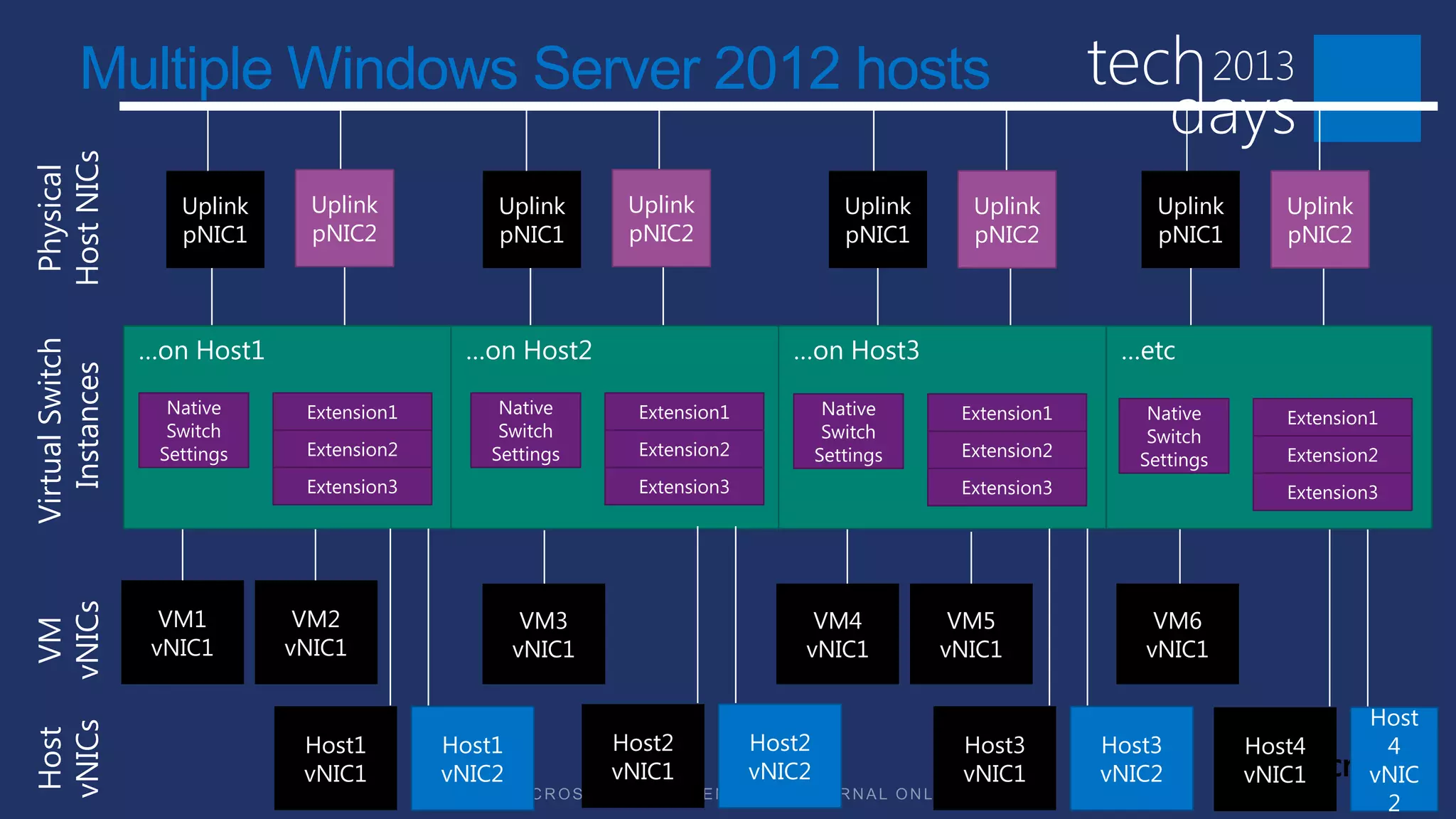
Host NICs
 Physical
         Multiple Windows Server 2012 hosts

                    Uplink     Uplink          Uplink       Uplink                   Uplink     Uplink           Uplink      Uplink
                    pNIC1      pNIC2           pNIC1        pNIC2                    pNIC1      pNIC2            pNIC1       pNIC2


                 …on Host1                  …on Host2                        …on Host3                       …etc
Virtual Switch
   Instances


                   Native     Extension1        Native       Extension1            Native      Extension1       Native       Extension1
                   Switch                       Switch                             Switch                       Switch
                  Settings    Extension2       Settings      Extension2           Settings     Extension2                    Extension2
                                                                                                               Settings
                              Extension3                     Extension3                        Extension3                    Extension3
vNICs


                  VM1         VM2                   VM3                        VM4             VM5              VM6
 VM


                 vNIC1       vNIC1                 vNIC1                      vNIC1           vNIC1            vNIC1

                                                                                                                                      Host
vNICs


                                                           Host2          Host2
 Host


                              Host1        Host1                                               Host3        Host3         Host4        4
                              vNIC1        vNIC2           vNIC1          vNIC2                vNIC1        vNIC2         vNIC1       vNIC
                                                                                                                                       2
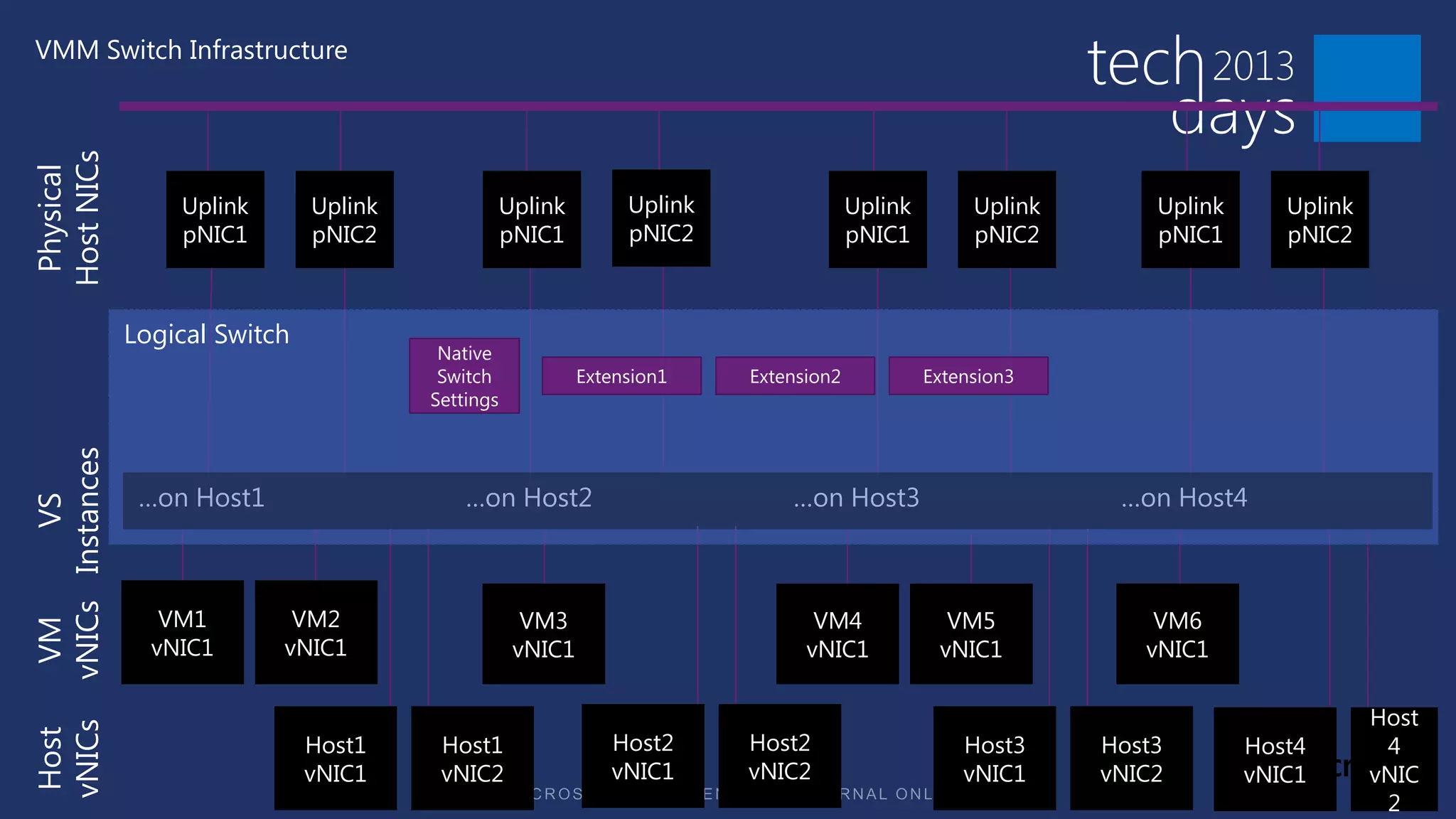
VMM Switch Infrastructure
Host NICs
 Physical


                      Uplink       Uplink          Uplink           Uplink                Uplink        Uplink       Uplink      Uplink
                      pNIC1        pNIC2           pNIC1            pNIC2                 pNIC1         pNIC2        pNIC1       pNIC2


                  Logical Switch
                                             Native
                                             Switch            Extension1    Extension2            Extension3
                                            Settings
vNICs Instances


                   …on Host1                    …on Host2                        …on Host3                        …on Host4
          VS


                     VM1        VM2                     VM3                         VM4              VM5             VM6
 VM


                    vNIC1      vNIC1                   vNIC1                       vNIC1            vNIC1           vNIC1

                                                                                                                                          Host
vNICs


                                                                  Host2      Host2
 Host


                                   Host1     Host1                                                     Host3     Host3        Host4        4
                                   vNIC1     vNIC2                vNIC1      vNIC2                     vNIC1     vNIC2        vNIC1       vNIC
                                                                                                                                           2
Logical Switch

A single logical representation of the virtual switch instances which
exist in a group of hosts
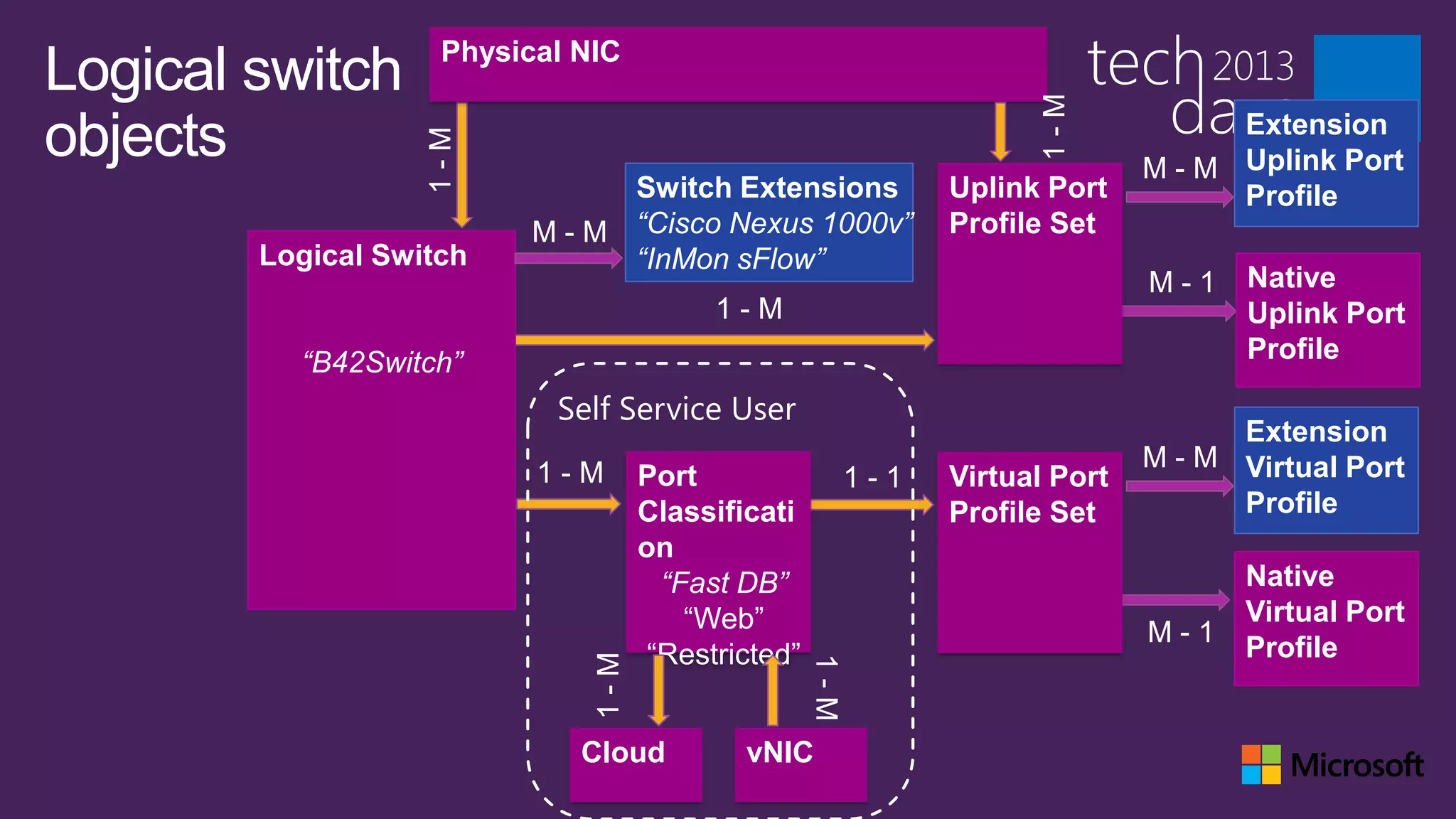
Physical NIC
Logical switch


                                                                       1-M
objects                                                                              Extension


                   1-M
                                                                               M - M Uplink Port
                                Switch Extensions               Uplink Port          Profile
                          M - M “Cisco Nexus 1000v”             Profile Set
        Logical Switch          “InMon sFlow”
                                                                               M-1    Native
                                          1-M                                         Uplink Port
          “B42Switch”                                                                 Profile

                           Self Service User
                                                                                     Extension
                                                                               M - M Virtual Port
                          1-M       Port                  1-1   Virtual Port
                                    Classificati                Profile Set          Profile
                                    on
                                      “Fast DB”                                       Native
                                        “Web”                                         Virtual Port
                                                                               M-1
                                     “Restricted”                                     Profile
                              1-M


                                                    1-M
                             Cloud          vNIC
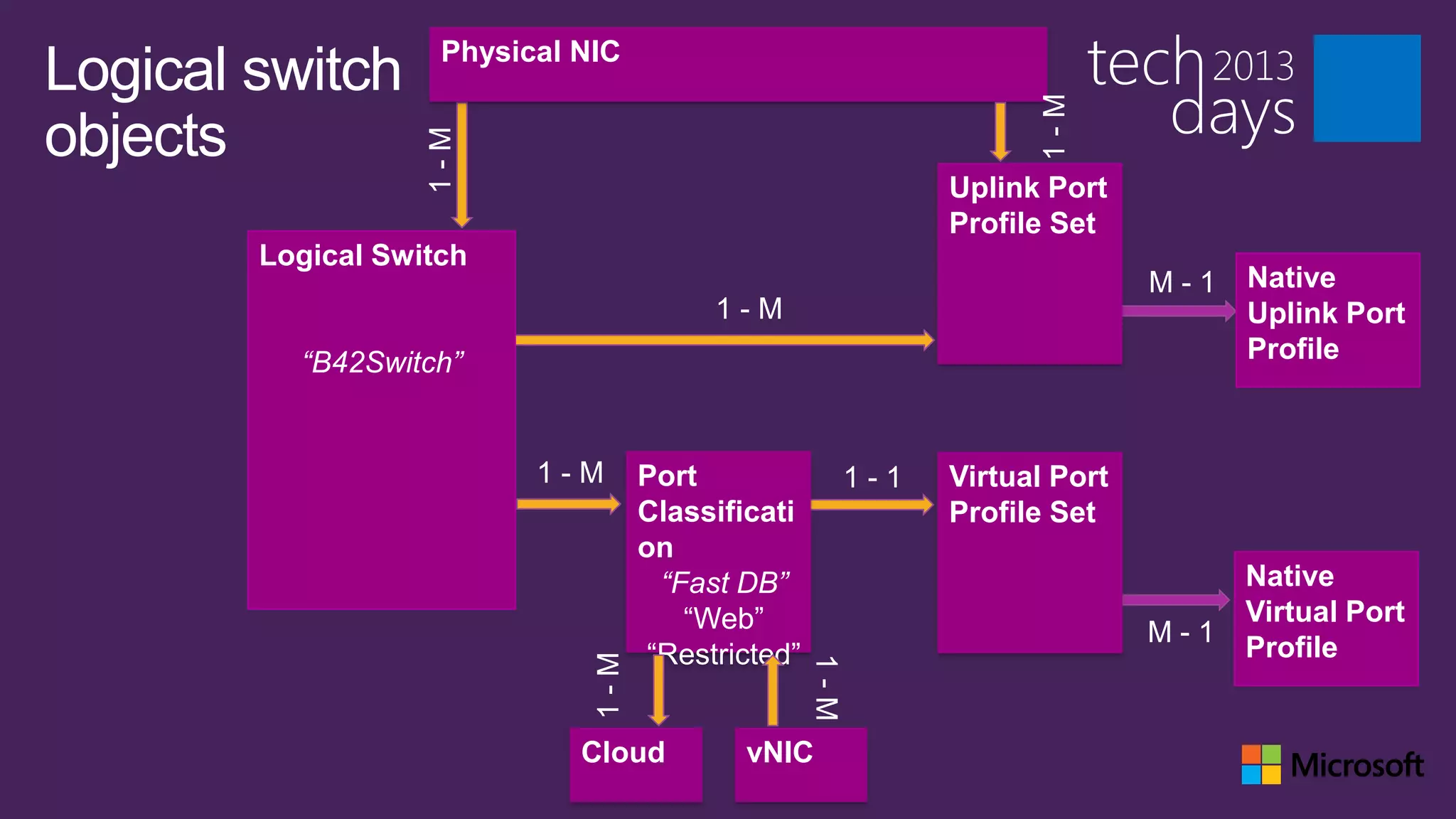
Physical NIC
Logical switch


                                                                       1-M
objects


                   1-M
                                                                Uplink Port
                                                                Profile Set
        Logical Switch
                                                                               M-1   Native
                                          1-M                                        Uplink Port
          “B42Switch”                                                                Profile


                          1-M       Port                  1-1   Virtual Port
                                    Classificati                Profile Set
                                    on
                                      “Fast DB”                                      Native
                                        “Web”                                        Virtual Port
                                                                               M-1
                                     “Restricted”                                    Profile
                              1-M


                                                    1-M
                             Cloud          vNIC
Windows Server IP Address Management
Integration Script
Reports IP Pool utilization from VMM into IPAM
Can run on demand or configure as a periodic task

Included in the “cd layout” of VMM
 scriptsIPAMIntegration.ps1
In Review: Session Objectives
And Takeaways

Network Management in System Center 2012 SP1 - VMM

  • 2.
    Networking from scratch • How do I offer networking to my virtualization workloads? • How do I make my network resilient to failure? • How do I provide tenant self service? • How can I provide isolation? • How do I maintain consistency in large datacenters?
  • 3.
    Steps to asuccessful deployment 1. Design your network 2. Build and configure hardware to support your design 3. Configure VMM to implement design:  Create logical concepts  Configure hosts  Configure tenants  Deploy workloads
  • 4.
    Assumptions for thissession Installed VMM server Basic VMM concepts Basic networking concepts  Teaming  Switch  Router/Gateway
  • 6.
    Logical view ofthe network Tenants 1st question: how do I provide isolation? Admin “Internet” Corp Datacenter isolation – Windows Azure Katal NVGRE services separation of infrastructure Gateway on Windows VMM traffic for isolation and QOS server Tenant isolation – keeping Cluster/LM/Storage tenants from each other and Management Provider Network Other protect the infrastructure management servers Tenant 1 Network 1 Tenant 2 Network 1 Tenant 2 VM 1 Compute Tenant 1 VM 1 Tenant 2 VM 2 Tenant 1 VM 2
  • 7.
  • 8.
    The limitations ofVLANs  Limited capacity on each switch and port (4095 max)  High maintenance  Easy to make mistakes  Limits broadcasts
  • 9.
    Where should youuse VLANs J Infrastructure networks L Tenant networks are too dynamic The solution for tenants is network virtualization
  • 10.
    Software defined networking(SDN) Ability to create networks on the fly as needed Ability do define capabilities as needed
  • 11.
    SP1 :Software DefinedNetworking Software Defined Networking (management, configuration, data)  Hyper-V Network Virtualization  Extensible Virtual Switch Network Policy/Offloads  SR-IOV  DHCP Guard  IPSec Task Offload  Bandwidth Control  Trunk Mode
  • 12.
    Address spaces Logical network Address space defined by Example Corp Corp IT 172.30.0.0/16 Internet ICANN 65.55.57.0/24 Management Datacenter Admin 10.0.0.0/24 Provider Datacenter Admin 10.0.1.0/24 Cluster/Storage/etc… Datacenter Admin 10.0.2.0/24 Tenant N Tenant 192.168.1.0/24
  • 14.
    Host configuration Three options Non-converged ConvergedOption1 Converged Option1+ Converged Option2
  • 15.
    Host configuration… withteaming Two ways to get there: Manual configuration in host properties Bare metal deployment • Already deployed hosts • Consistent deployment • Updating an existing configuration • Use host profile • Can re-deploy
  • 17.
    Merging physical andlogical In VMM
  • 19.
    Creating logical switch • Automatic team creation • More up-front configuration • Configuration for DC on a single object • Limits live migration • Compliance • Access to hyper-v port settings • 3rd party extension management • Updates get applied to all hosts
  • 20.
    Single root IOvirtualization (SR-IOV) • Virtual switch bypass for high performance • You need bandwidth controls workloads • If your physical adapters don’t support it • Limited number of VMs that can use it per host
  • 22.
    Tenant configuration Using networkvirtualization for isolation NVGRE gateway gives tenants access to outside world • Private cloud: route to local networks • Hybrid cloud: create site to site tunnel ETA: 2nd quarter 2013
  • 23.
    VPN Gateway –“Hybrid Cloud”
  • 24.
    Logical view ofthe network Tenants Admin “Internet” Corp Katal NVGRE Gateway VMM Cluster/LM/Storage Management Provider Network Other management servers Tenant 1 Network 1 Tenant 2 Network 1 Tenant 2 VM 1 Compute Tenant 1 VM 1 Tenant 2 VM 2 Tenant 1 VM 2
  • 25.
    Tenant configuration -Port classifications Container for port profile settings  For Hyper-V switch port settings and extension port profiles Reusable Exposed to tenants through cloud
  • 27.
    Load Balancing Faces the tier instances Each instance gets one Dynamic IP Back end is usuall on a network with non- routable IPs
  • 28.
    Logical view ofthe network Tenants Admin “Internet” Corp Katal NVGRE Gateway VMM Cluster/LM/Storage Management Provider Network Other management servers Tenant 1 Network 1 Tenant 2 Network 1 Tenant 2 VM 1 Compute Tenant 1 VM 1 Tenant 2 VM 2 Tenant 1 VM 2
  • 29.
    Logical view ofthe network Tenants Admin “Internet” Load Balancer Corp Katal NVGRE Gateway VMM Load Balancer Cluster/LM/Storage Management Provider Network Other management servers Tenant 1 Network 1 Tenant 2 Network 1 Tenant 2 VM 1 Compute Tenant 1 VM 1 Tenant 2 VM 2 Tenant 1 VM 2
  • 30.
    Using Virtual SwitchExtensions Why?  Add functionality not native to Hyper-V switch  Able to tie virtual to physical network together Examples Cisco Nexus 1000v – Public Beta now available!!! InMon sflow NEC OpenFlow 5nine
  • 33.
  • 34.
    Virtual Machine Manager2012 Scenarios “I want this VM to connect to the Corp network”  Answer: Logical Networks “I want to create a template that I can deploy anywhere”  Answer: Logical Network Definitions “I want IP addresses assigned automatically”  Answer: IP Pools “I want to scale out applications”  Answer: Load Balancers
  • 35.
    Network Management VMM 2012 LOGICAL NETWORKS ADDRESS POOLS LOAD BALANCERS Classify network for VMs to • Allocate a static IP • Apply settings for load access address to VMs from a balancer capability in preconfigured pool service deployment Map to network topology • Create IP pool as a • Control load balancer Allocate to hosts and clouds managed range of IP through vendor provider address assignments based on PowerShell • Create MAC address pool • Create virtual IP as a managed range of templates consisting of MAC address load balancer assignments configuration settings
  • 36.
    Logical Network A logicalabstraction for the type or class of network a VM connects to Internet VM to VM Data
  • 37.
    Network objects Logical Logical Subnet- IP Pool Network 1-M network 1-M VLAN 1-M definition “StaticSrv” “10.0.0.0/24” “10.0.0.1- “Corp” “Building 42” “VLAN 5” 10.0.0.99” Host group Virtual network “Production” adapter Physical network adapter Virtual switch
  • 38.
    Address Pools IP POOLS MAC POOLS VIRTUAL IP POOLS Assigned to VMs, vNICs, Assigned to VMs Assigned to service tiers hosts, and virtual IPs that use a load balancer (VIP’s) Specified use in VM template creation Reserved within IP Pools Specified use in VM template creation Checked out at VM Assigned to clouds creation—assigned Checked out at VM before VM boot Checked out at service creation—assigns static IP deployment in VM Returned on VM deletion Returned on service Returned on VM deletion deletion
  • 39.
    Load Balancer Support AUTOMATION SUPPORTED VIRTUAL IP TEMPLATES BALANCERS Connect to load balancer F5 BIG-IP Specifies preconfigured through hardware properties for configuring provider Brocade ServerIron ADX a load balancer at service deployment Assign to clouds, host Citrix NetScaler groups, and logical Specifies load balancing Microsoft Network Load networks methods—round robin, Balancer least connections, fastest Configure load balancing response method and add virtual IP on service deployment
  • 41.
    PowerShell - Creatinga Logical Network
  • 42.
  • 43.
    PowerShell – IPPool Queries
  • 44.
    What’s new inService Pack 1 Networking Scenarios
  • 45.
  • 46.
    VM Networks No Isolation Pass-throughto Logical Network Maximum of one per Logical network VM Network No Isolation “mgmt” Logical Logical Subnet- IP Pool Network network VLAN definition “StaticSrv” “10.0.0.0/24” “10.0.0.1- “Corp” “Building 42” “VLAN 5” 10.0.0.99”
  • 47.
    Hyper-V Network Virtualization Blue VM Red VM Blue Network Red Network Virtualization Physical Physical Server Network Server Virtualization Hyper-V Network  Run multiple virtual servers Virtualization on a physical server  Run multiple virtual networks on a  Each VM has illusion it is running as a physical network physical server  Each virtual network has illusion it is running as a physical network
  • 48.
    Virtualize Customer Addresses Provider Address Space (PA) Blue System Center Datacenter Network Corp Blue Virtualization Policy 10.0.0.5 10.0.0.7 Blue 10.0.0.5 192.168.4.11 192.168.4.11 192.168.4.22 10.0.0.7 192.168.4.22 Host 1 Host 2 Blue Blue 10.0.0.5 192.168.4.11 10.0.0.5 192.168.4.11 Red Red 10.0.0.7 192.168.4.22 Red 10.0.0.7 192.168.4.22 Corp Red Red 10.0.0.5 192.168.4.11 10.0.0.5 10.0.0.7 192.168.4.11 192.168.4.22 10.1.1.1 192.168.4.11 10.1.1.2 192.168.4.22 10.0.0.5 10.0.0.7 192.168.4.22 10.0.0.7 Blue1 Red1 Blue2 Red2 10.0.0.5 10.0.0.5 10.0.0.7 10.0.0.7 Customer Address Space (CA)
  • 49.
    VM Networks Hyper-V NetworkVirtualization Default method is to encapsulate packets using NVGRE A VM Network defines a routing domain  A routing domain can contain multipleVM Subnet VM virtual subnets IP Pool Network 192.168.0.0 (CA) Net. Virt. /16 192.168.0.2 “Finance” 192.168.0.9 9 Logical Logical Subnet- IP Pool Network network VLAN (PA) definition “10.0.0.0/24” “StaticSrv” “Corp” “Building 42” “VLAN 5” “10.0.0.1- 10.0.0.99”
  • 50.
    VM Networks Hyper-V NetworkVirtualization Gateways VMM will manage and configure gateways for NV  Routing gateway  VPN gateway
  • 51.
    VM Networks VLAN One VLANper VM Network Uses VLANs from Logical Network Definitions  Introducing new Logical Network property for ―Not Connected‖ VM VM Subnet Network “99.0.0.0/24 VLAN ” “Finance” 44 Logical Logical Subnet- IP Pool Network network VLAN definition “StaticSrv” Not “99.0.0.0/24” “99.0.0.1- Connected “B42Tenants “VLAN 44” 99.0.0.99” “TenantVLANs ”
  • 52.
    VM Networks External Isolation ismanaged by switch extension VM Networks are imported from extension manager IP Pool VM VM Subnet Network “StaticSrv” External “99.0.0.1- “Finance” 99.0.0.99” Logical Logical Network 1-M network definition Not Connected “B27Tenants “TenantNets” ”
  • 54.
  • 55.
    What’s new inService Pack 1 Networking Scenarios
  • 56.
    Capability Defines how anetwork adapter is able to use its connection  Quality of service  Security  Monitoring Capabilities are provided by Hyper-V Extensible Virtual Switch and extensions
  • 57.
    Key Tenets forHyper-V Extensible Switch Key Tenets Benefit Extensible, not replaceable Added features don’t remove other features Pluggable switch Extensions process all network traffic, including VM-to-VM 1st class citizen of system Live Migration and offloads just work; Extensions work together Open & public API model Large ecosystem of extensions Logo certification and rich OS High quality extensions framework Unified Tracing thru virtual switch Shorter down times
  • 58.
    Extensions are Filtersor Windows Filtering Platform Providers Extension state/configuration is unique to each instance of an Extensible Switch on a machine
  • 59.
    VMM Management ofSwitch CA1 CA2 CA1 Extensions VM1 VM2 VMU Hardware 3rd Party components SCVMM Virtualization Root Partition VMM VMM Agent Server Vendor SCVMM Plugin Physical NIC Physical NIC Vendor network mgmt (SRIOV) (Non SRIOV) console Top of rack switch Policy database
  • 60.
    Extension Manager Integration Suppliesnetwork objects and policy to VMM 3rd Party Extension Manager VMM Provider Virtual 1. Import: Switch Logical Networks Extension Policy IP Pools Manager database VM Networks (VSEM) Port Profiles Provider Interface
  • 61.
    Host NICs Physical Multiple Windows Server 2012 hosts Uplink Uplink Uplink Uplink Uplink Uplink Uplink Uplink pNIC1 pNIC2 pNIC1 pNIC2 pNIC1 pNIC2 pNIC1 pNIC2 …on Host1 …on Host2 …on Host3 …etc Virtual Switch Instances Native Extension1 Native Extension1 Native Extension1 Native Extension1 Switch Switch Switch Switch Settings Extension2 Settings Extension2 Settings Extension2 Extension2 Settings Extension3 Extension3 Extension3 Extension3 vNICs VM1 VM2 VM3 VM4 VM5 VM6 VM vNIC1 vNIC1 vNIC1 vNIC1 vNIC1 vNIC1 Host vNICs Host2 Host2 Host Host1 Host1 Host3 Host3 Host4 4 vNIC1 vNIC2 vNIC1 vNIC2 vNIC1 vNIC2 vNIC1 vNIC 2
  • 62.
    VMM Switch Infrastructure HostNICs Physical Uplink Uplink Uplink Uplink Uplink Uplink Uplink Uplink pNIC1 pNIC2 pNIC1 pNIC2 pNIC1 pNIC2 pNIC1 pNIC2 Logical Switch Native Switch Extension1 Extension2 Extension3 Settings vNICs Instances …on Host1 …on Host2 …on Host3 …on Host4 VS VM1 VM2 VM3 VM4 VM5 VM6 VM vNIC1 vNIC1 vNIC1 vNIC1 vNIC1 vNIC1 Host vNICs Host2 Host2 Host Host1 Host1 Host3 Host3 Host4 4 vNIC1 vNIC2 vNIC1 vNIC2 vNIC1 vNIC2 vNIC1 vNIC 2
  • 63.
    Logical Switch A singlelogical representation of the virtual switch instances which exist in a group of hosts
  • 64.
    Physical NIC Logical switch 1-M objects Extension 1-M M - M Uplink Port Switch Extensions Uplink Port Profile M - M “Cisco Nexus 1000v” Profile Set Logical Switch “InMon sFlow” M-1 Native 1-M Uplink Port “B42Switch” Profile Self Service User Extension M - M Virtual Port 1-M Port 1-1 Virtual Port Classificati Profile Set Profile on “Fast DB” Native “Web” Virtual Port M-1 “Restricted” Profile 1-M 1-M Cloud vNIC
  • 65.
    Physical NIC Logical switch 1-M objects 1-M Uplink Port Profile Set Logical Switch M-1 Native 1-M Uplink Port “B42Switch” Profile 1-M Port 1-1 Virtual Port Classificati Profile Set on “Fast DB” Native “Web” Virtual Port M-1 “Restricted” Profile 1-M 1-M Cloud vNIC
  • 67.
    Windows Server IPAddress Management Integration Script Reports IP Pool utilization from VMM into IPAM Can run on demand or configure as a periodic task Included in the “cd layout” of VMM  scriptsIPAMIntegration.ps1
  • 69.
    In Review: SessionObjectives And Takeaways

Editor's Notes

  • #3 In this session we will start with an empty network jack with connectivity to the outside world.We will setup a data center.This session will:Set expectations on what you will encounter as you embark on a setupProvide background knowledge on what is needed to accomplish thatFor the next 75 min we are all datacenter admins
  • #5 http://technet.microsoft.com/en-us/library/hh831559.aspxhttp://technet.microsoft.com/en-us/library/hh831738http://technet.microsoft.com/en-us/library/hh831829.aspx
  • #6 Why?Configuration for DC on a single objectComplianceAccess to hyper-v port settings3rd party extensionsUpdates get applied to all hostsWhy not?More setup up frontLimits live migration
  • #7 Demo: Show default classifications and port profiles Create uplink port profile – set teaming modes Create virtual port profile Create LS Enable teaming Add port profiles Add switch to host
  • #8 Now that hosts are setup what can you do with it?
  • #9 Now that hosts are setup what can you do with it?
  • #68 This slide is required. Do NOT delete. This should be the first slide after your Title Slide. This is an important year and we need to arm our attendees with the information they can use to Grow Share! Please ensure that your objectives are SMART (defined below) and that they will enable them to go in and win against the competition to grow share. If you have questions, please contact your Track PM for guidance. We have also posted guidance on writing good objectives, out on the Speaker Portal (https://www.mytechready.com).  This slide should introduce the session by identifying how this information helps the attendee, partners and customers be more successful. Why is this content important?This slide should call out what’s important about the session (sort of the why should we care, why is this important and how will it help our customers/partners be successful) as well as the key takeaways/objectives associated with the session. Call out what attendees will be able to execute on using the information gained in this session. What will they be able to walk away from this session and execute on with their customers.Good Objectives should be SMART (specific, measurable, achievable, realistic, time-bound). Focus on the key takeaways and why this information is important to the attendee, our partners and our customers.Each session has objectives defined and published on www.mytechready.com, please work with your Track PM to call these out here in the slide deck.If you have questions, please contact your Track PM. See slide 5 in this template for a complete list of Tracks and TPMs.