Office 365 Identity Options


@jseghers – MVP Office 365
@mvanhorenbeeck – MVP Exchange Server
Agenda

•       Identities and Identity Options in Office 365
•       DirSync Deep(er) Dive
•       ADFS
    •     Introduction to ADFS
    •     Supported Topologies
    •     ADFS Workflows
•       Windows Azure AD
•       Q&A
Objectives

•   Understand the different identity types and their pro’s and con’s
•   Understand how Directory Synchronization works
•   Be able to troubleshoot Directory Synchronization errors
•   Understand the different ADFS deployment scenarios
•   Understand how ADFS works and recognize authentication flows
•   Understand how ADFS can be used into custom developed websites
•   Understand what Windows Azure Active Directory is
•   Understand how Windows Azure Active Directory can be used in
    custom developed websites
Office 365 Identity Options


Introduction to Identities
Introduction to identity options
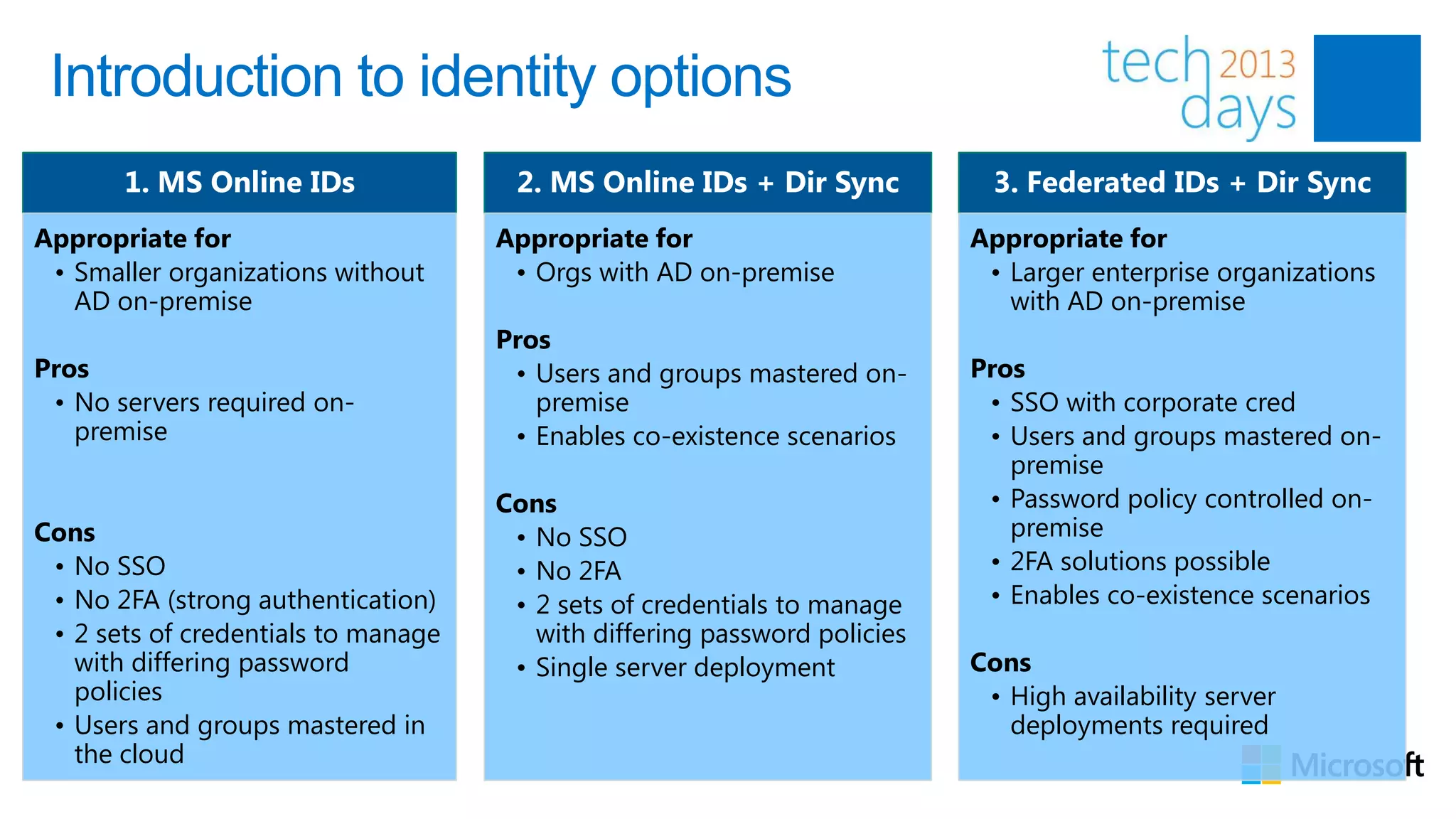
       1. MS Online IDs               2. MS Online IDs + Dir Sync            3. Federated IDs + Dir Sync
Appropriate for                      Appropriate for                       Appropriate for
 • Smaller organizations without      • Orgs with AD on-premise             • Larger enterprise organizations
   AD on-premise                                                              with AD on-premise
                                     Pros
Pros                                  • Users and groups mastered on-      Pros
 • No servers required on-              premise                             • SSO with corporate cred
   premise                            • Enables co-existence scenarios      • Users and groups mastered on-
                                                                              premise
                                     Cons                                   • Password policy controlled on-
Cons                                  • No SSO                                premise
 • No SSO                             • No 2FA                              • 2FA solutions possible
 • No 2FA (strong authentication)     • 2 sets of credentials to manage     • Enables co-existence scenarios
 • 2 sets of credentials to manage      with differing password policies
   with differing password            • Single server deployment           Cons
   policies                                                                 • High availability server
 • Users and groups mastered in                                               deployments required
   the cloud
Introduction to identity options
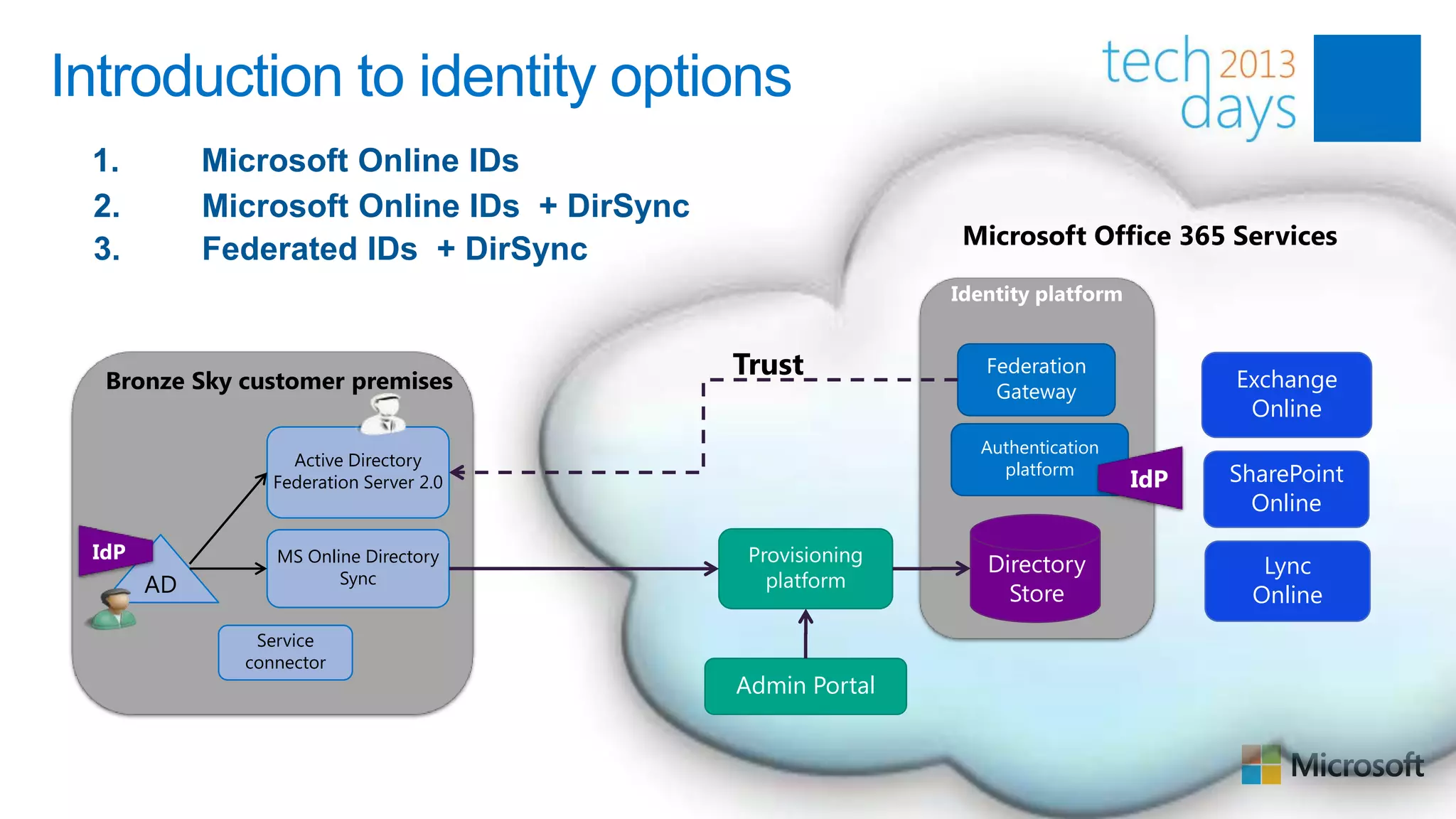
 1.         Microsoft Online IDs
 2.         Microsoft Online IDs + DirSync
                                                             Microsoft Office 365 Services
 3.         Federated IDs + DirSync


  Bronze Sky customer premises
                                             Trust            Federation
                                                                                     Exchange
                                                               Gateway
                                                                                      Online
                                                              Authentication
                   Active Directory
                 Federation Server 2.0
                                                                platform
                                                                               IdP   SharePoint
                                                                                       Online
 IdP             MS Online Directory          Provisioning    Directory                 Lync
       AD               Sync                    platform
                                                                Store                  Online
               Service
              connector
                                             Admin Portal
Sign On Experience
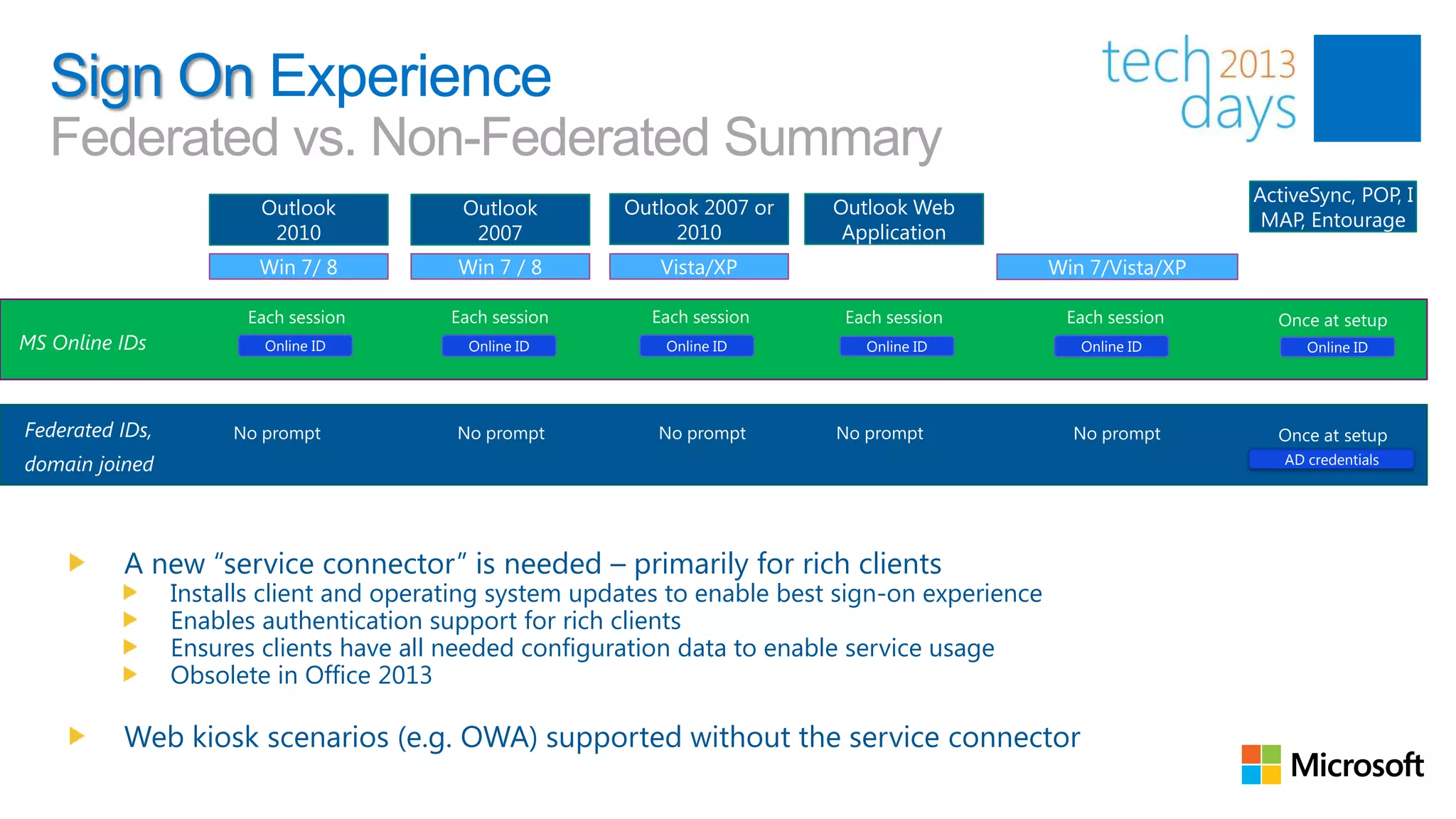
   Federated vs. Non-Federated Summary
                                                                                                                   ActiveSync, POP, I
                         Outlook           Outlook       Outlook 2007 or    Outlook Web
                                                                                                                    MAP, Entourage
                          2010              2007              2010           Application
                        Win 7/ 8          Win 7 / 8         Vista/XP                              Win 7/Vista/XP


MS Online IDs            Online ID         Online ID         Online ID         Online ID             Online ID           Online ID


Federated IDs,
domain joined                                                                                                         AD credentials


          A new “service connector” is needed – primarily for rich clients
                 Installs client and operating system updates to enable best sign-on experience
                 Enables authentication support for rich clients
                 Ensures clients have all needed configuration data to enable service usage
                 Obsolete in Office 2013

          Web kiosk scenarios (e.g. OWA) supported without the service connector
Directory Synchronization (DirSync)
What is DirSync?


“…is a Directory Synchronization engine based on
     Forefront Identity Manager (FIM) that will
 synchronize (a subset of) your on-premise Active
  Directory with Windows Azure Active Directory
                   (Office 365).”
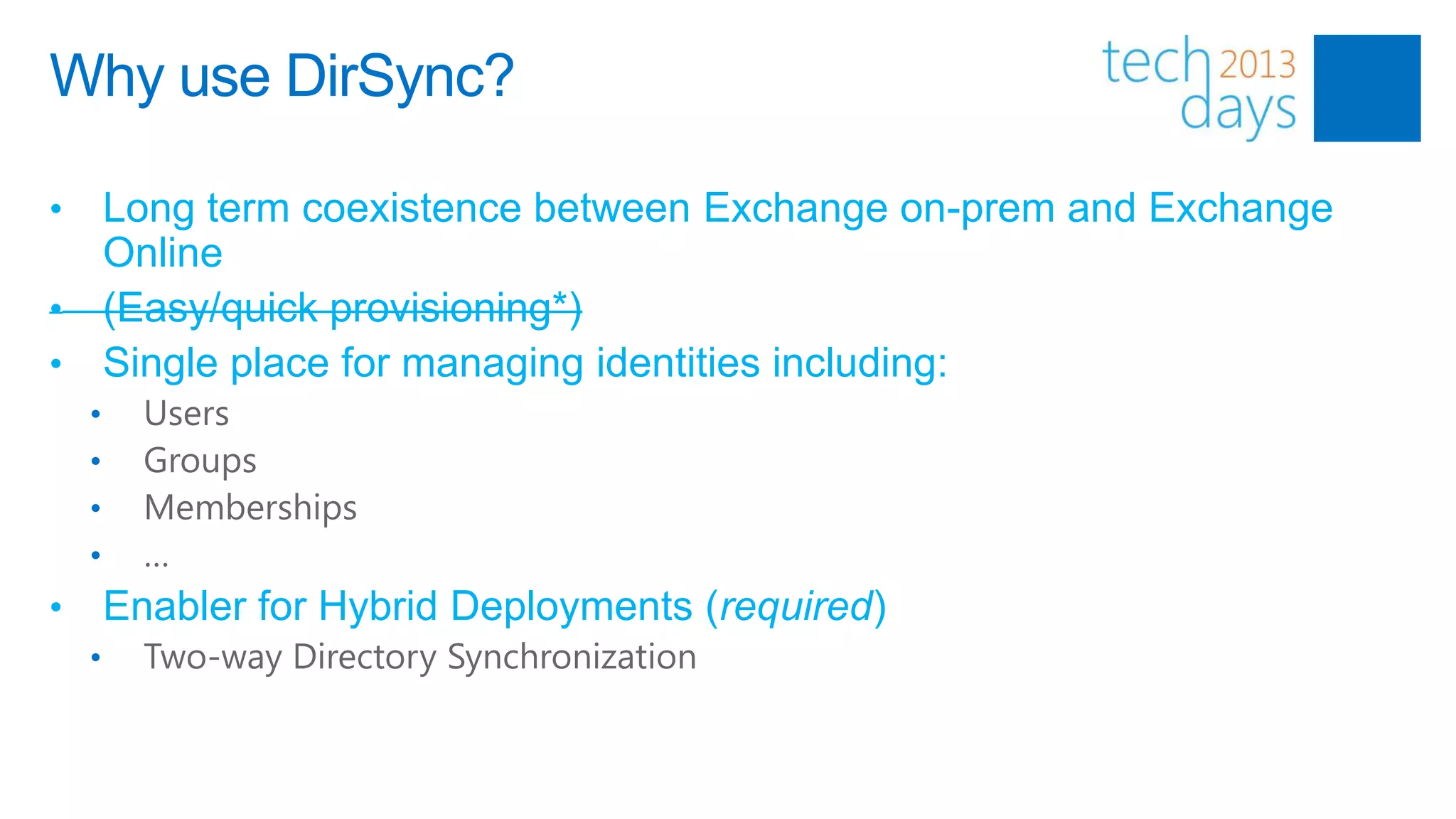
Why use DirSync?

• Long term coexistence between Exchange on-prem and Exchange
  Online
• (Easy/quick provisioning*)
• Single place for managing identities including:
    •     Users
    •     Groups
    •     Memberships
    •     …
•       Enabler for Hybrid Deployments (required)
    •     Two-way Directory Synchronization
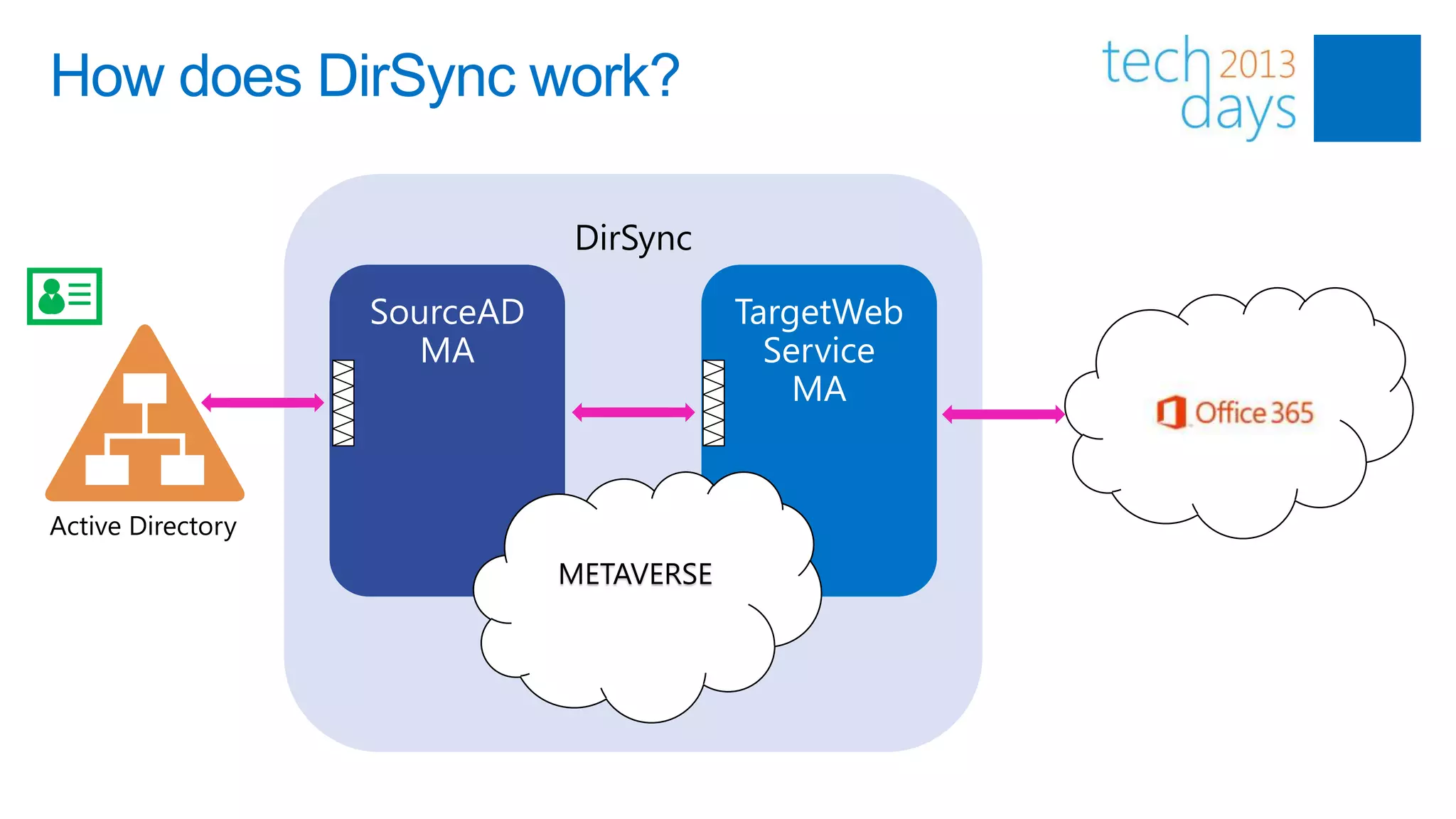
How does DirSync work?

                   DirSync


Active Directory
                   METAVERSE
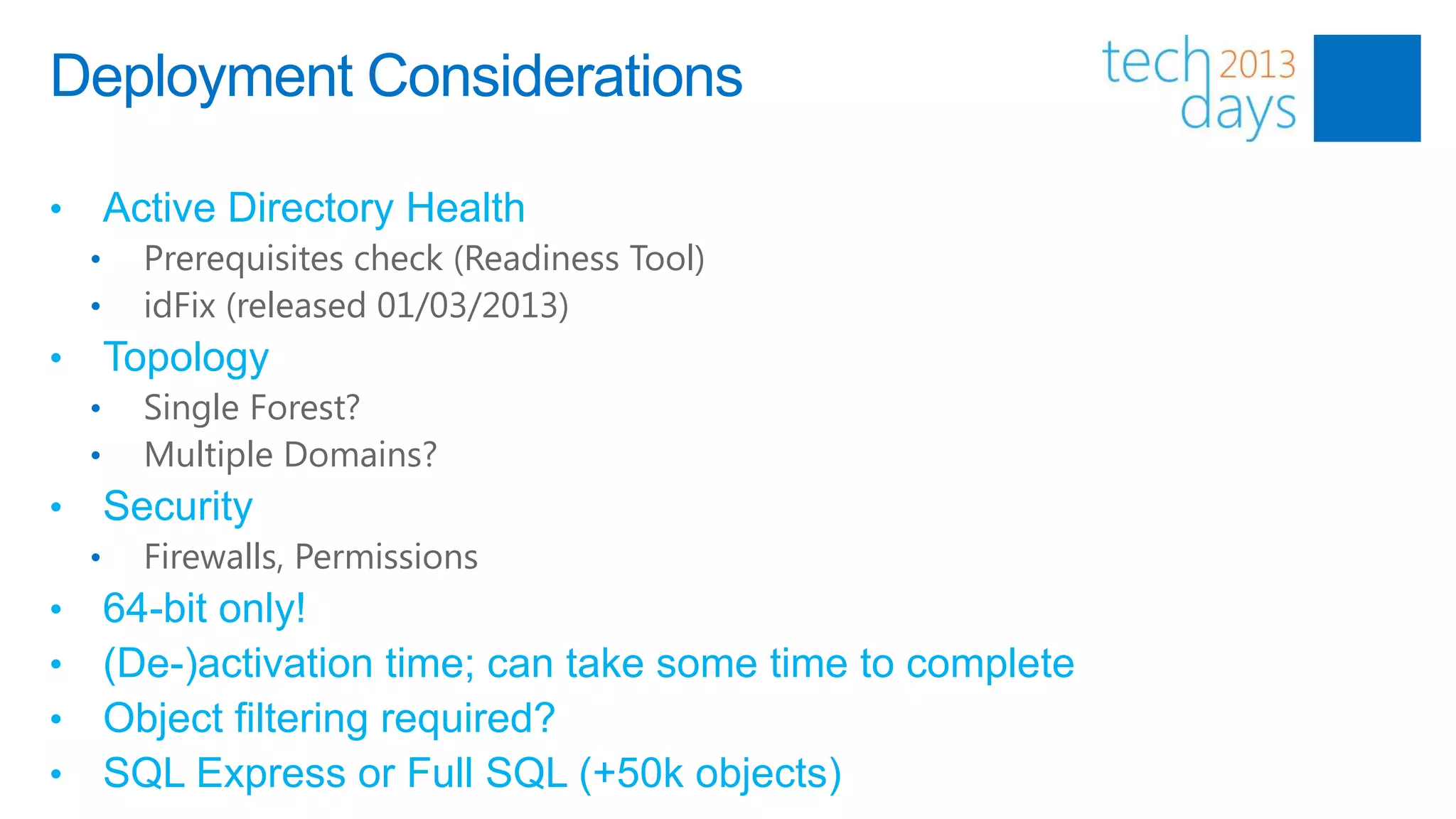
Deployment Considerations

•       Active Directory Health
    •     Prerequisites check (Readiness Tool)
    •     idFix (released 01/03/2013)
•       Topology
    •     Single Forest?
    •     Multiple Domains?
•       Security
    •     Firewalls, Permissions
•       64-bit only!
•       (De-)activation time; can take some time to complete
•       Object filtering required?
•       SQL Express or Full SQL (+50k objects)
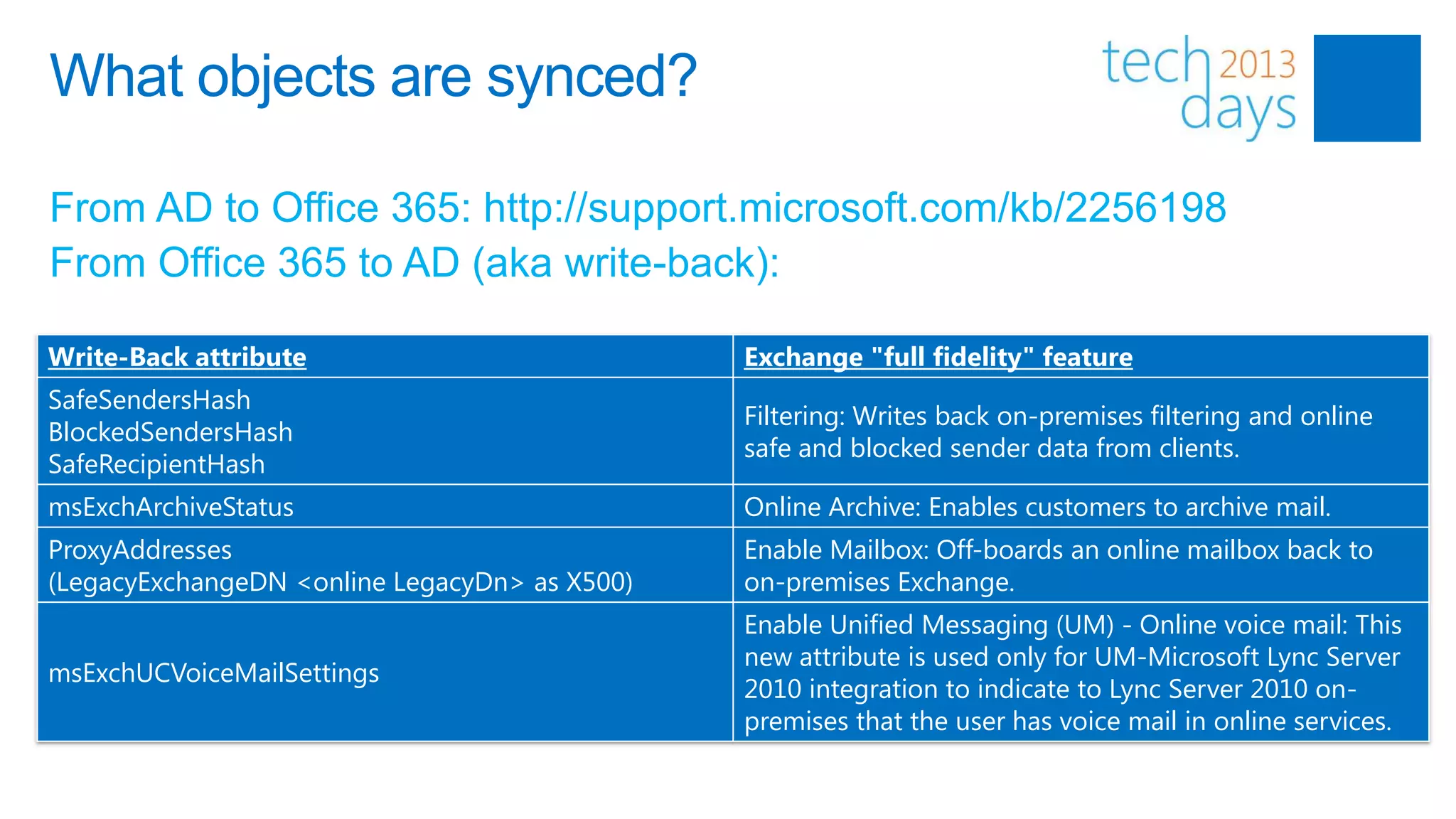
What objects are synced?

From AD to Office 365: http://support.microsoft.com/kb/2256198
From Office 365 to AD (aka write-back):

Write-Back attribute                           Exchange "full fidelity" feature
SafeSendersHash
                                               Filtering: Writes back on-premises filtering and online
BlockedSendersHash
                                               safe and blocked sender data from clients.
SafeRecipientHash
msExchArchiveStatus                            Online Archive: Enables customers to archive mail.
ProxyAddresses                                 Enable Mailbox: Off-boards an online mailbox back to
(LegacyExchangeDN <online LegacyDn> as X500)   on-premises Exchange.
                                               Enable Unified Messaging (UM) - Online voice mail: This
                                               new attribute is used only for UM-Microsoft Lync Server
msExchUCVoiceMailSettings
                                               2010 integration to indicate to Lync Server 2010 on-
                                               premises that the user has voice mail in online services.
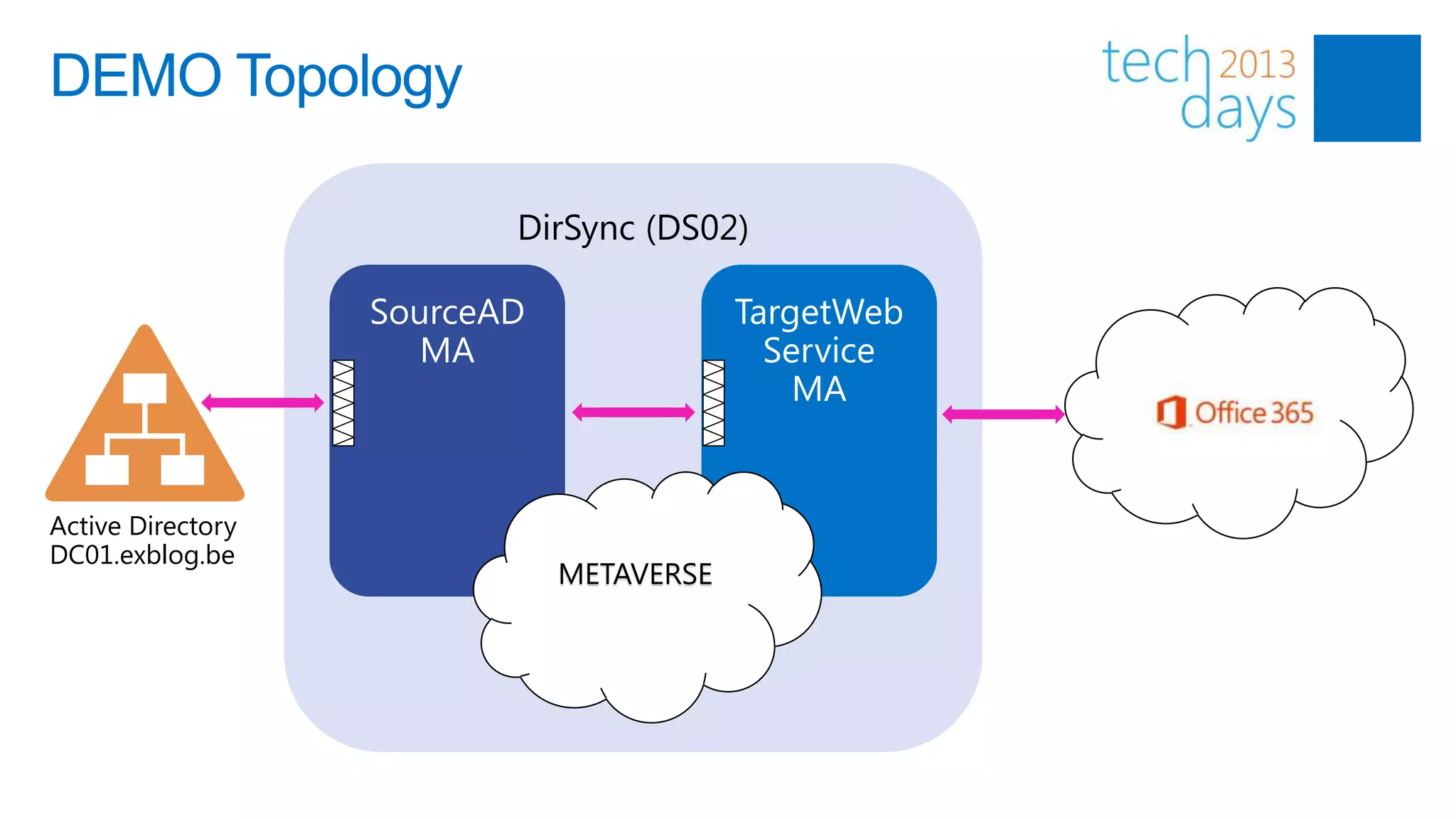
DEMO Topology

                   DirSync (DS02)


Active Directory
DC01.exblog.be
                     METAVERSE
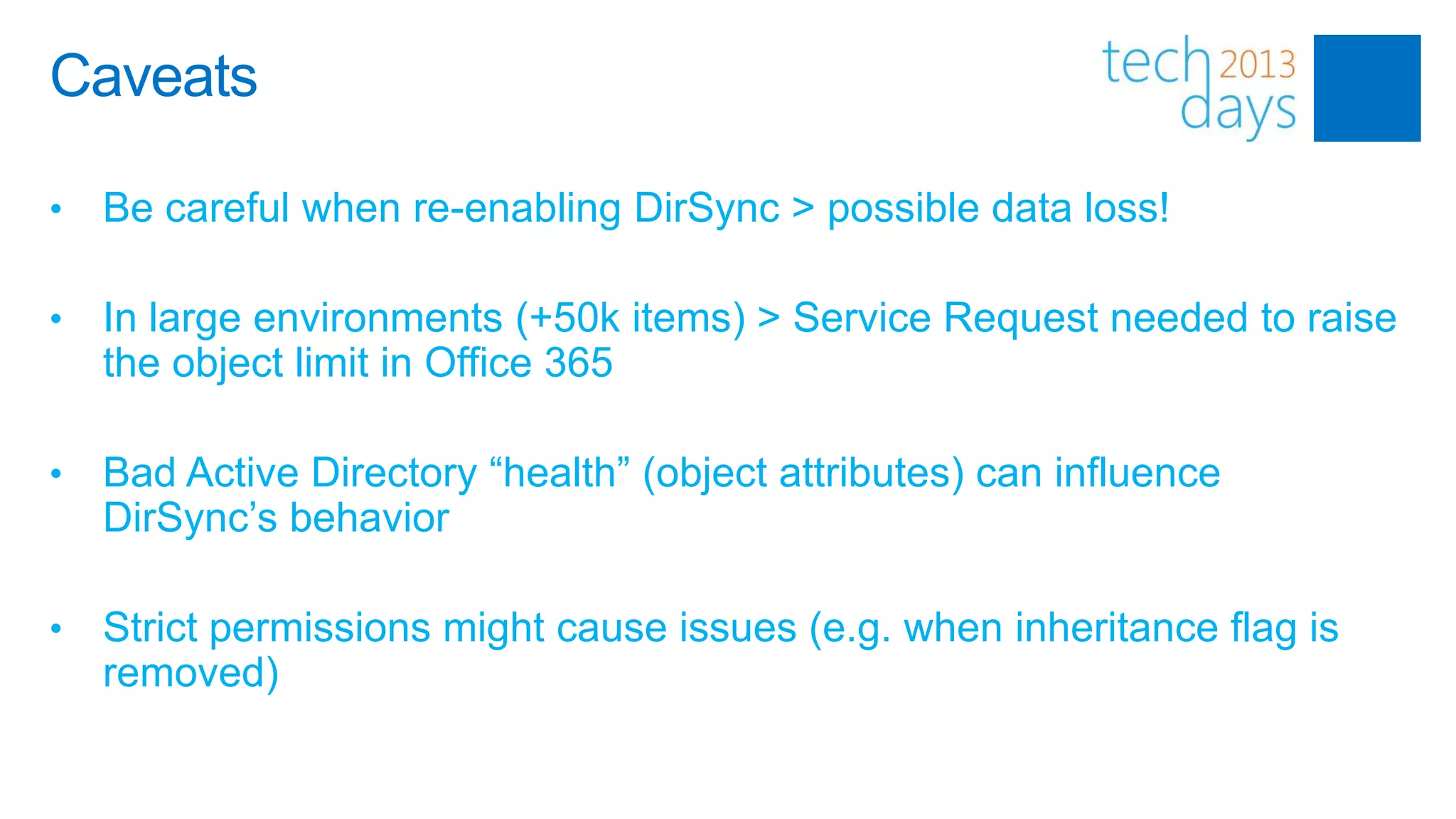
Caveats

•   Be careful when re-enabling DirSync > possible data loss!

•   In large environments (+50k items) > Service Request needed to raise
    the object limit in Office 365

•   Bad Active Directory “health” (object attributes) can influence
    DirSync’s behavior

•   Strict permissions might cause issues (e.g. when inheritance flag is
    removed)
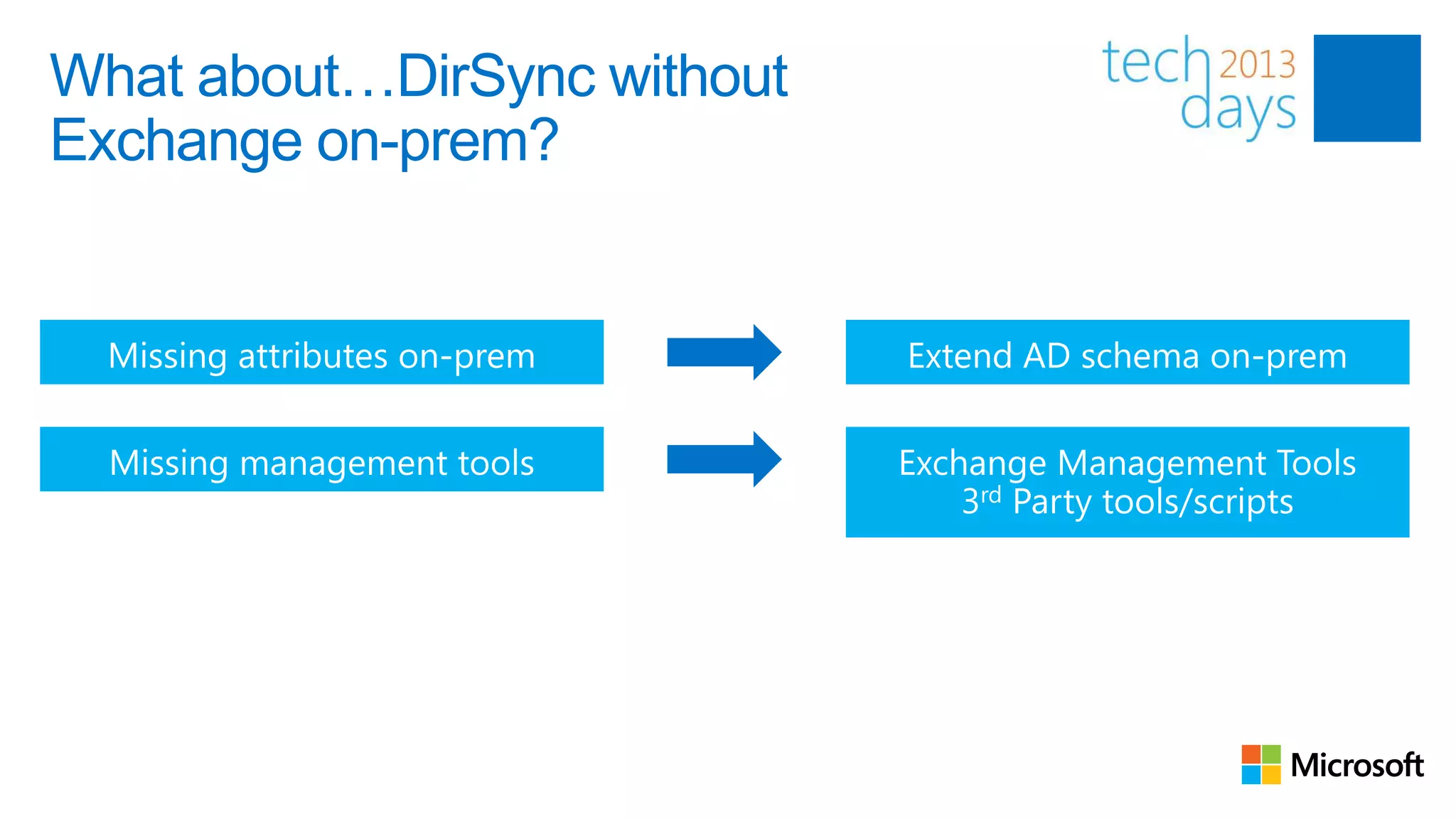
What about…DirSync without
Exchange on-prem?
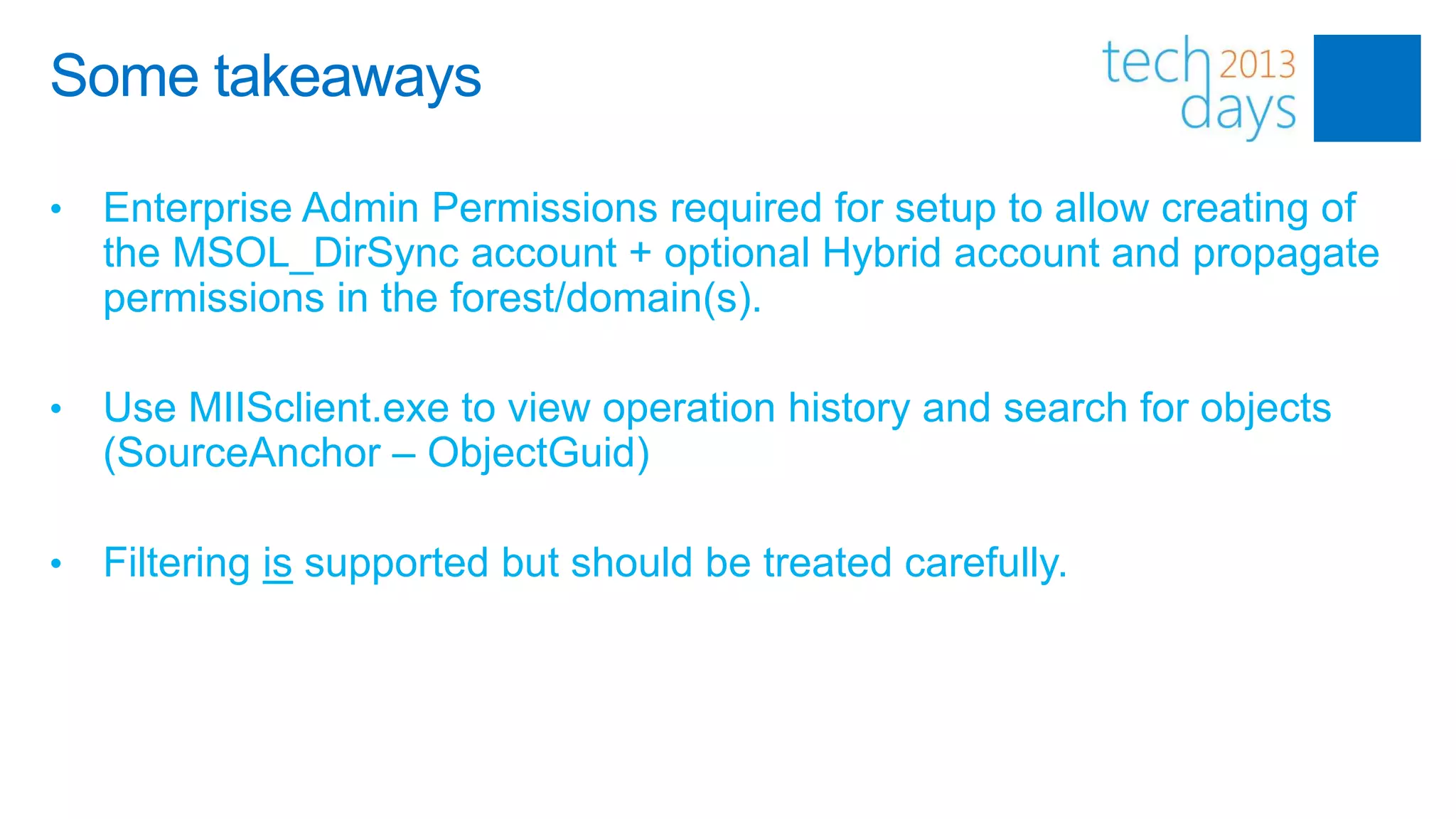
Some takeaways

•   Enterprise Admin Permissions required for setup to allow creating of
    the MSOL_DirSync account + optional Hybrid account and propagate
    permissions in the forest/domain(s).

•   Use MIISclient.exe to view operation history and search for objects
    (SourceAnchor – ObjectGuid)

•   Filtering is supported but should be treated carefully.
ADFS


Introduction
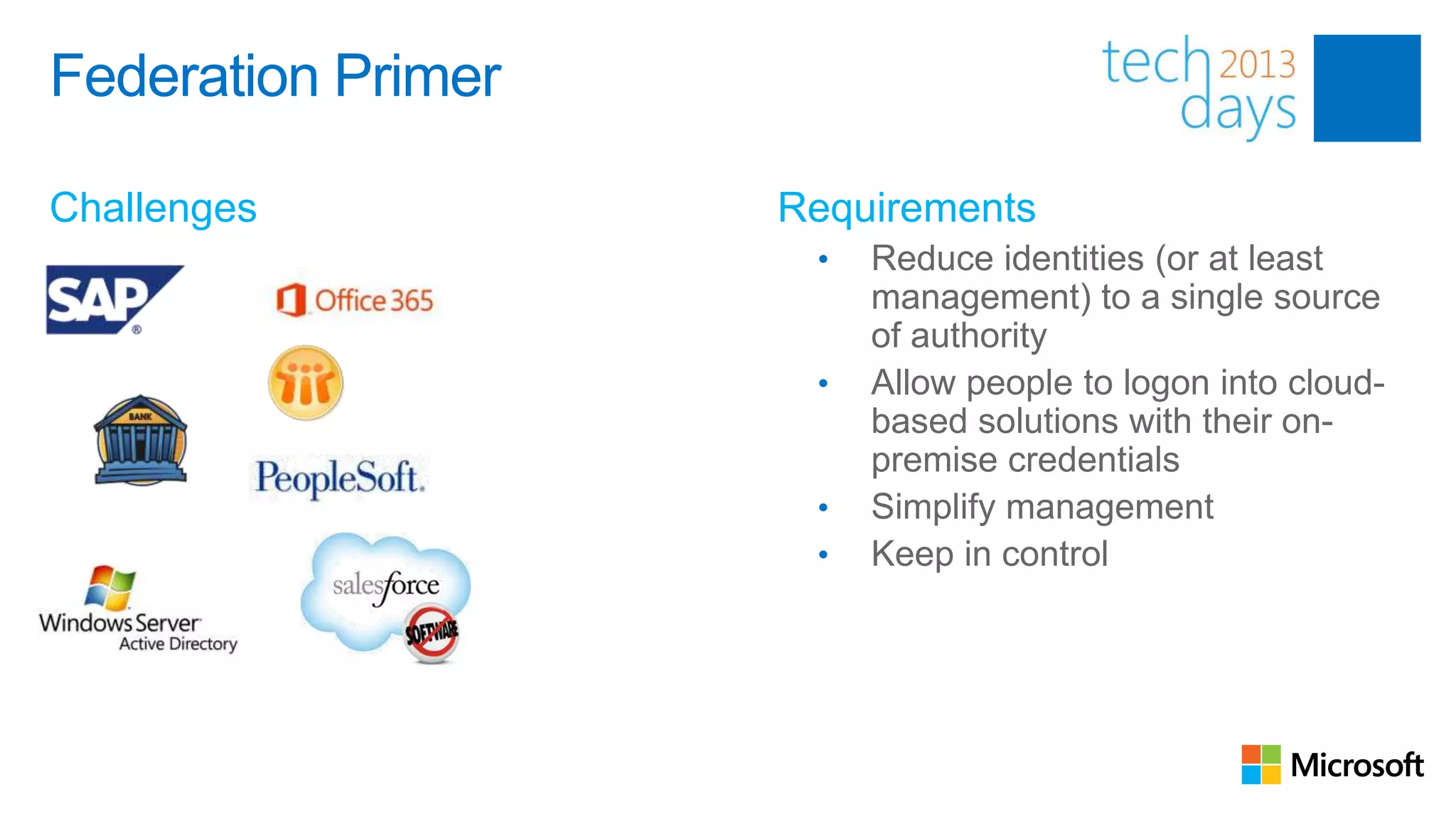
Federation Primer
                    Multiple Identities
Challenges                      Requirements
                                  •   Reduce identities (or at least
                                      management) to a single source
                                      of authority
                                  •   Allow people to logon into cloud-
                                      based solutions with their on-
                                      premise credentials
                                  •   Simplify management
                                  •   Keep in control
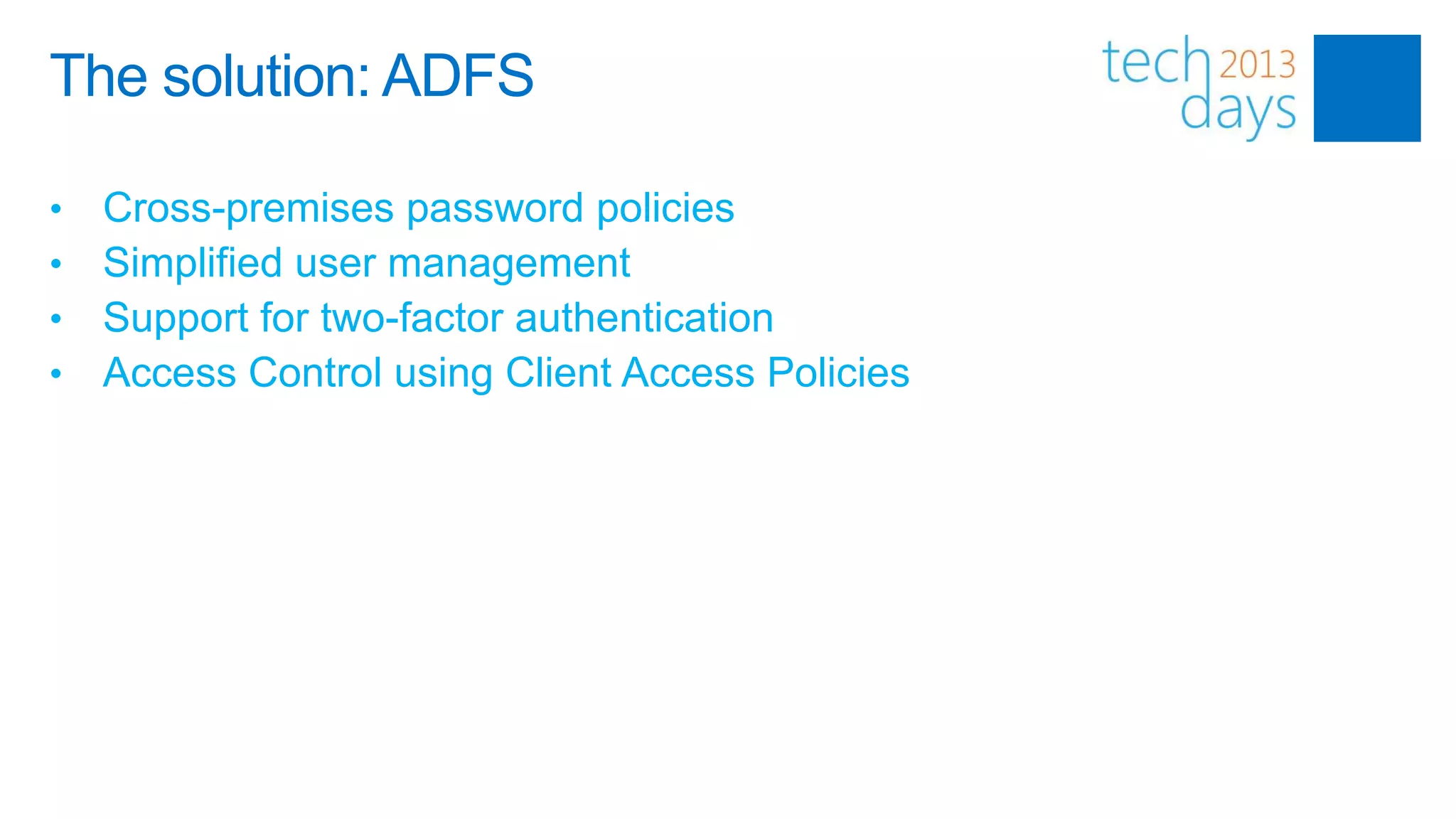
The solution: ADFS

•   Cross-premises password policies
•   Simplified user management
•   Support for two-factor authentication
•   Access Control using Client Access Policies
Active Directory Federation Services
(ADFS)

Topologies
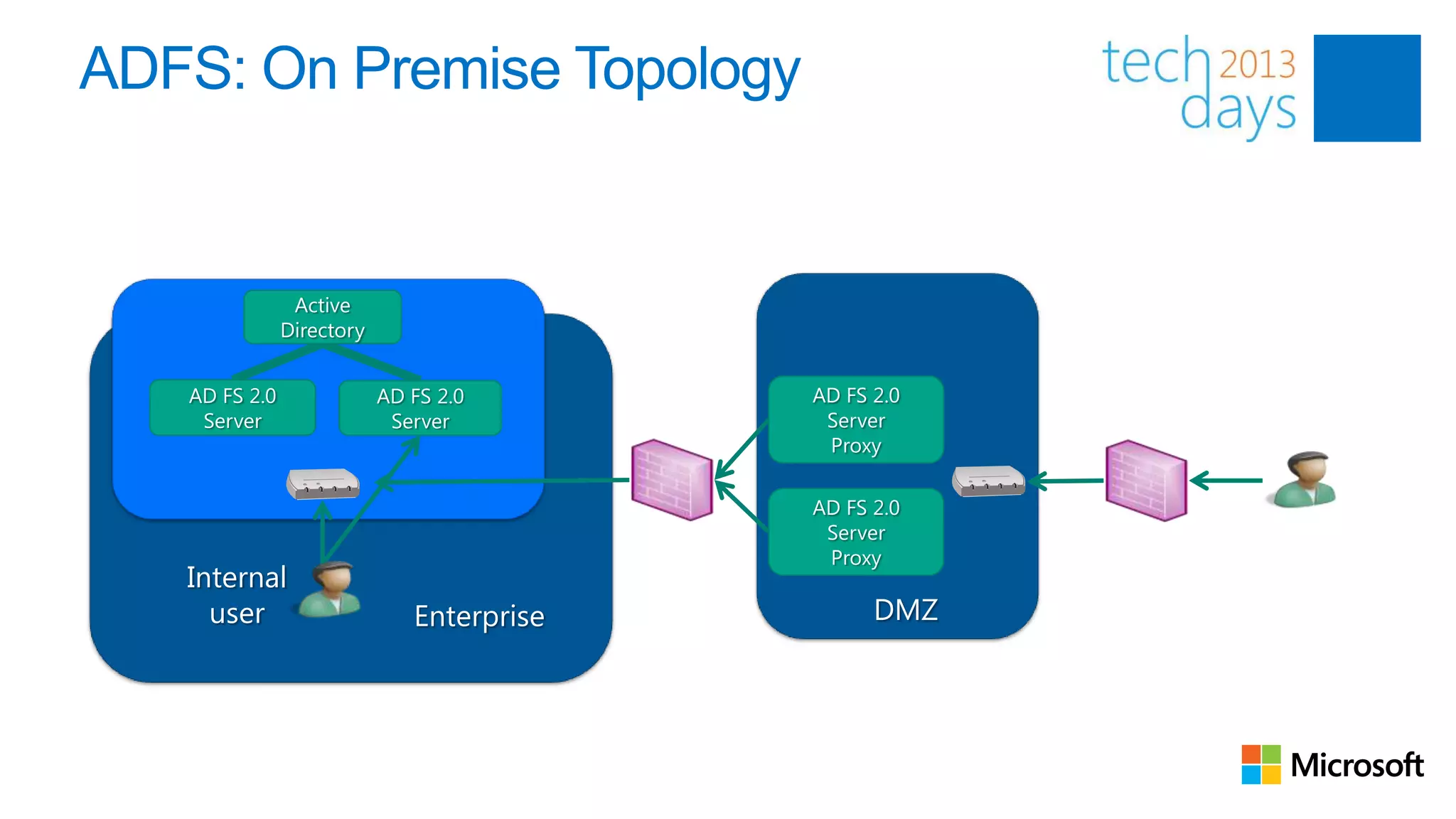
ADFS: On Premise Topology


                Active
               Directory


   AD FS 2.0               AD FS 2.0       AD FS 2.0
    Server                  Server          Server
                                            Proxy

                                           AD FS 2.0
                                            Server
                                            Proxy
   Internal
     user                     Enterprise         DMZ
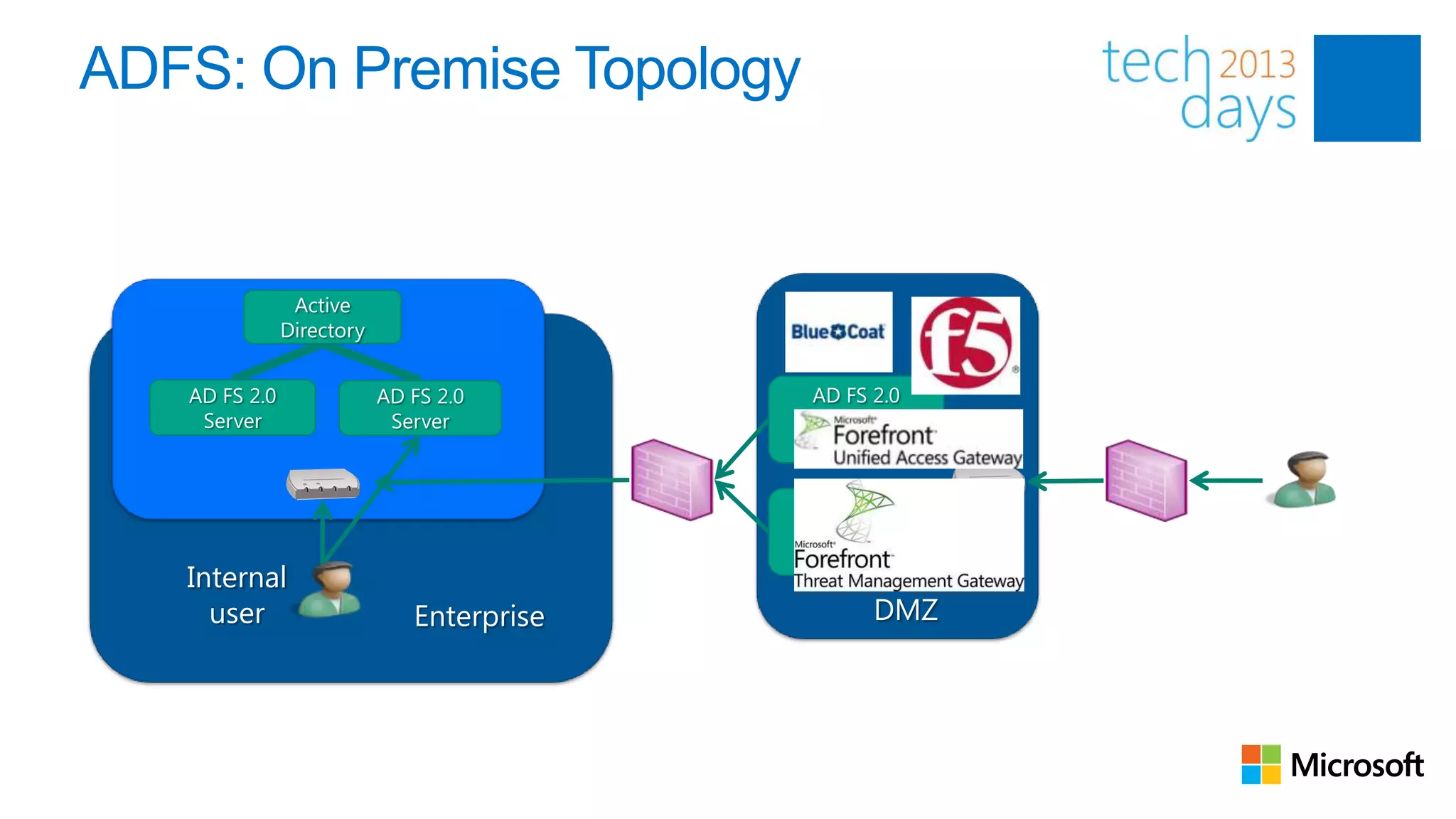
ADFS: On Premise Topology


                Active
               Directory


   AD FS 2.0               AD FS 2.0       AD FS 2.0
    Server                  Server          Server
                                            Proxy

                                           AD FS 2.0
                                            Server
                                            Proxy
   Internal
     user                     Enterprise         DMZ
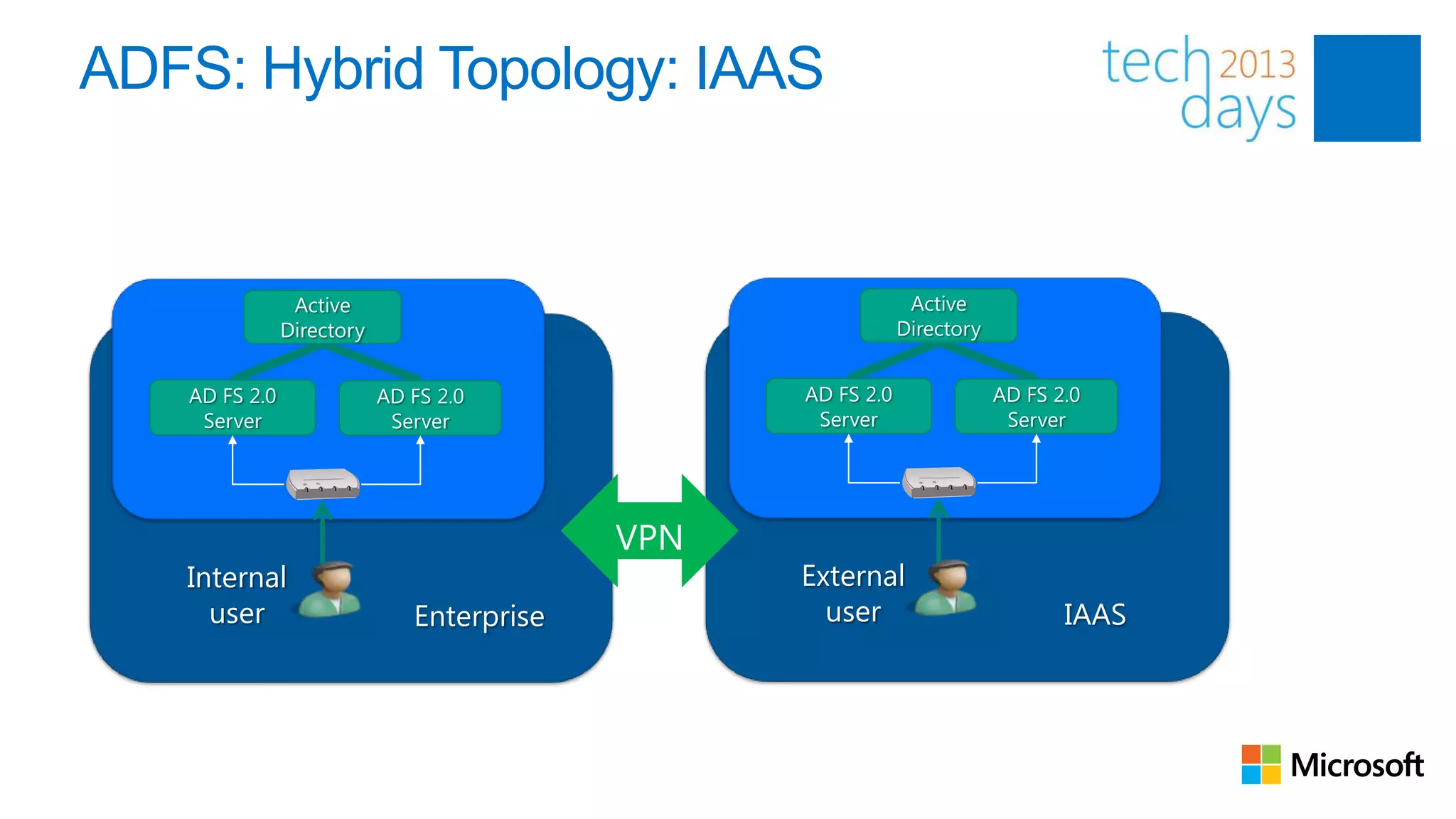
ADFS: Hybrid Topology: IAAS


                Active                                  Active
               Directory                               Directory


   AD FS 2.0               AD FS 2.0       AD FS 2.0               AD FS 2.0
    Server                  Server          Server                  Server


   Internal                                External
     user                     Enterprise     user                         IAAS
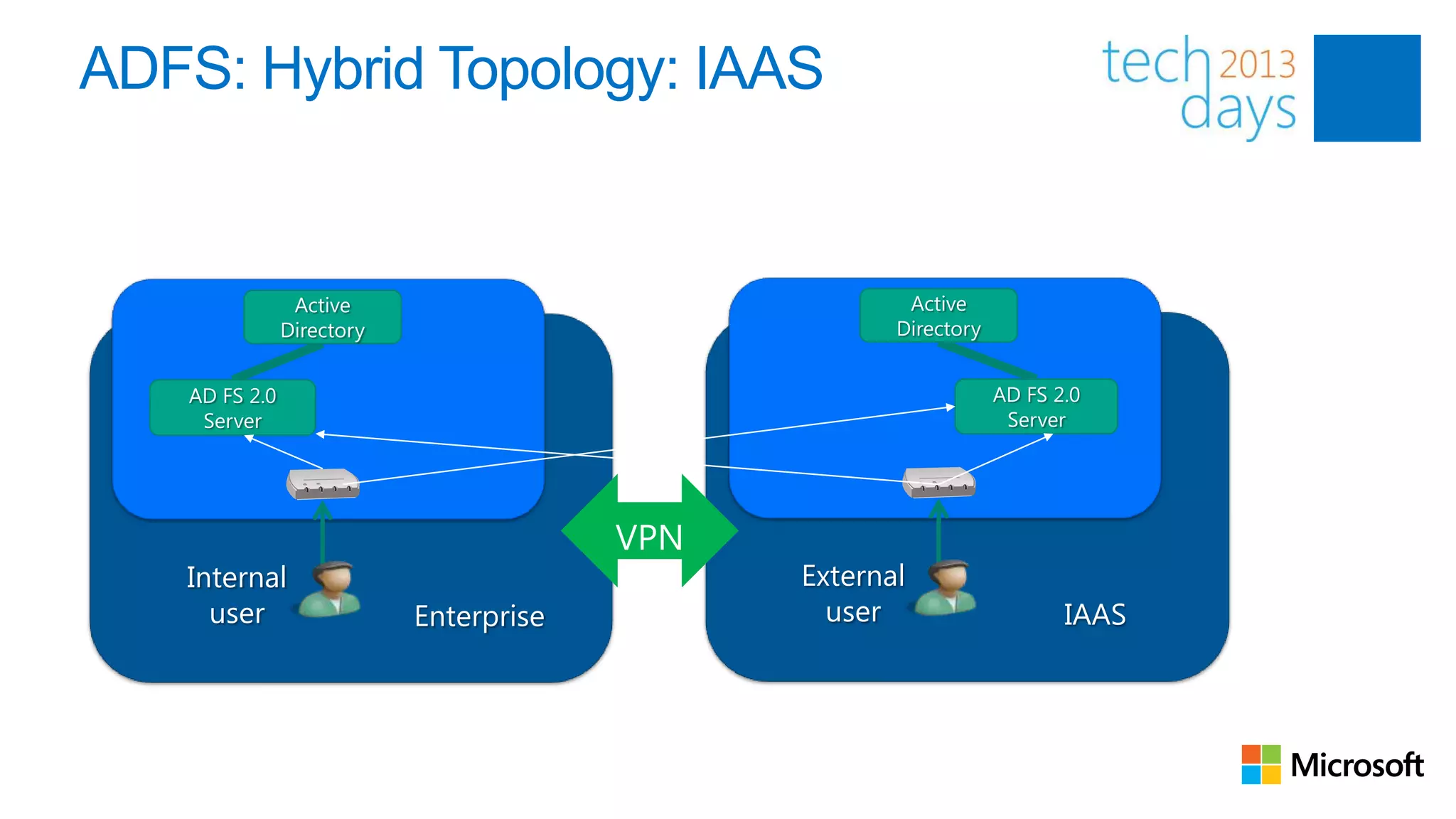
ADFS: Hybrid Topology: IAAS


                Active                          Active
               Directory                       Directory


   AD FS 2.0                                               AD FS 2.0
    Server                                                  Server


   Internal                             External
     user                  Enterprise     user                    IAAS
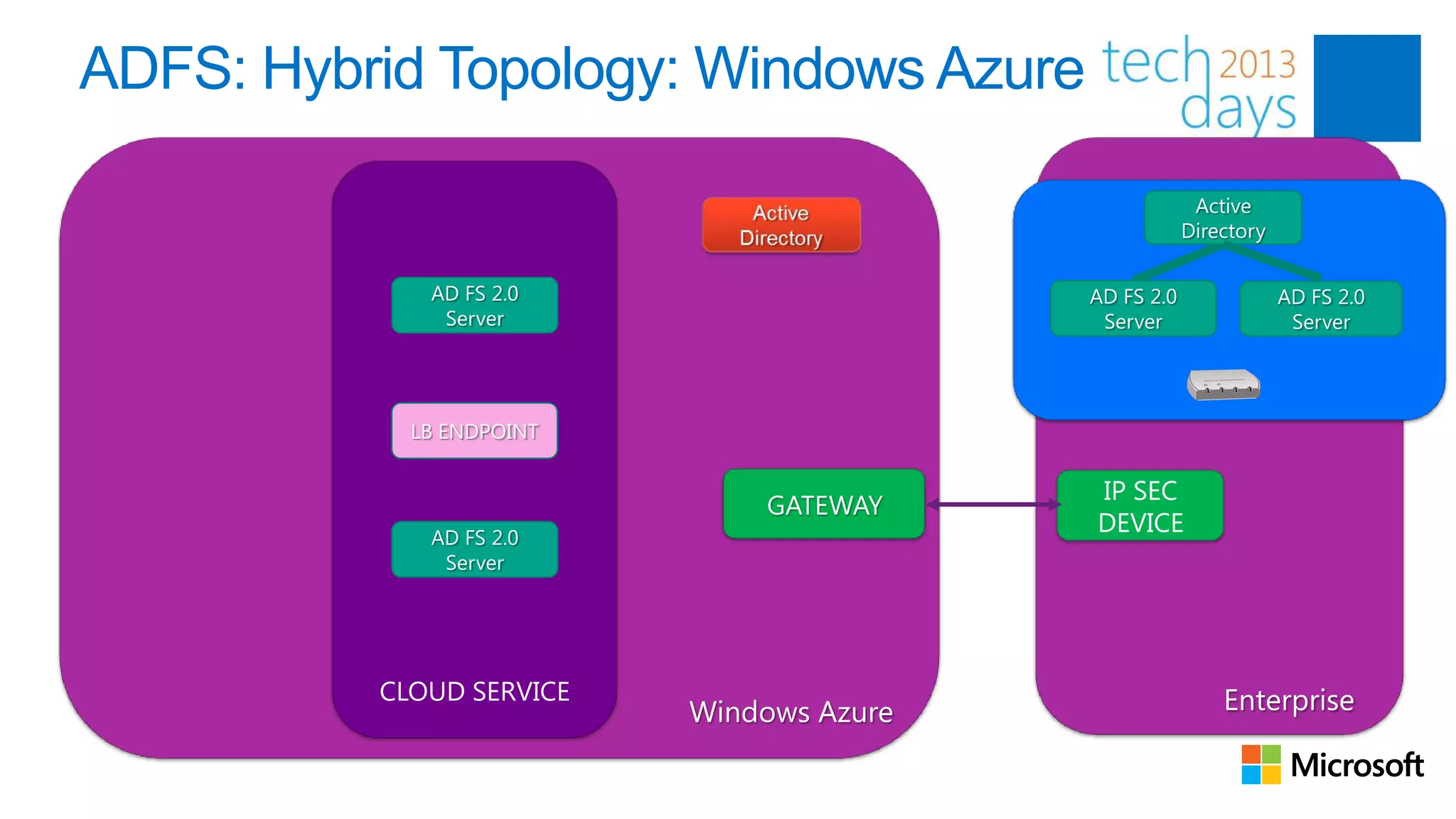
ADFS: Hybrid Topology: Windows Azure

                                                       Active
                                                      Directory

             AD FS 2.0                    AD FS 2.0               AD FS 2.0
              Server                       Server                  Server


            LB ENDPOINT

                                          IP SEC
                              GATEWAY
             AD FS 2.0
                                          DEVICE
              Server


          CLOUD SERVICE                                   Enterprise
                          Windows Azure
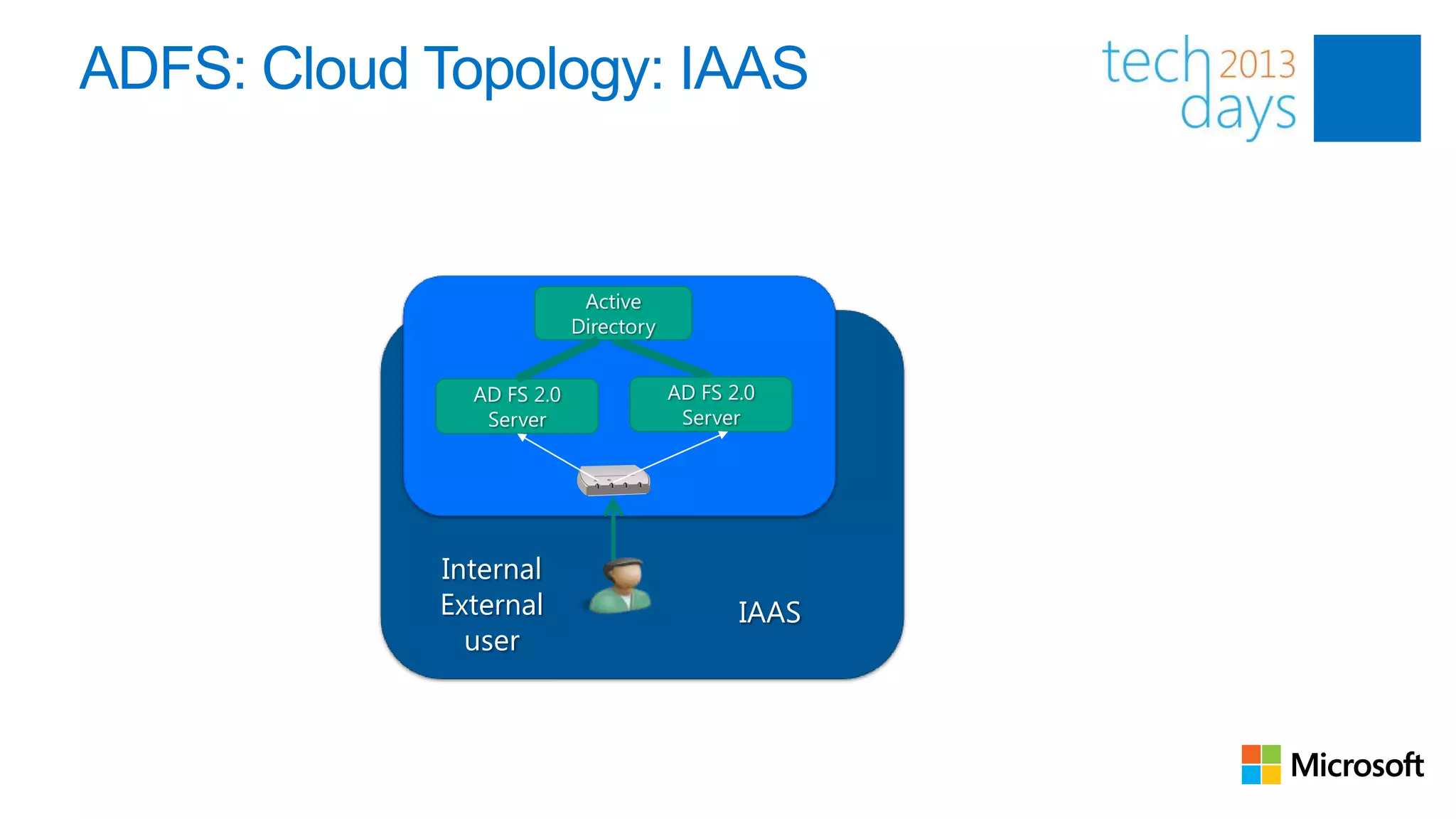
ADFS: Cloud Topology: IAAS


                           Active
                          Directory


              AD FS 2.0               AD FS 2.0
               Server                  Server


            Internal
            External                         IAAS
              user
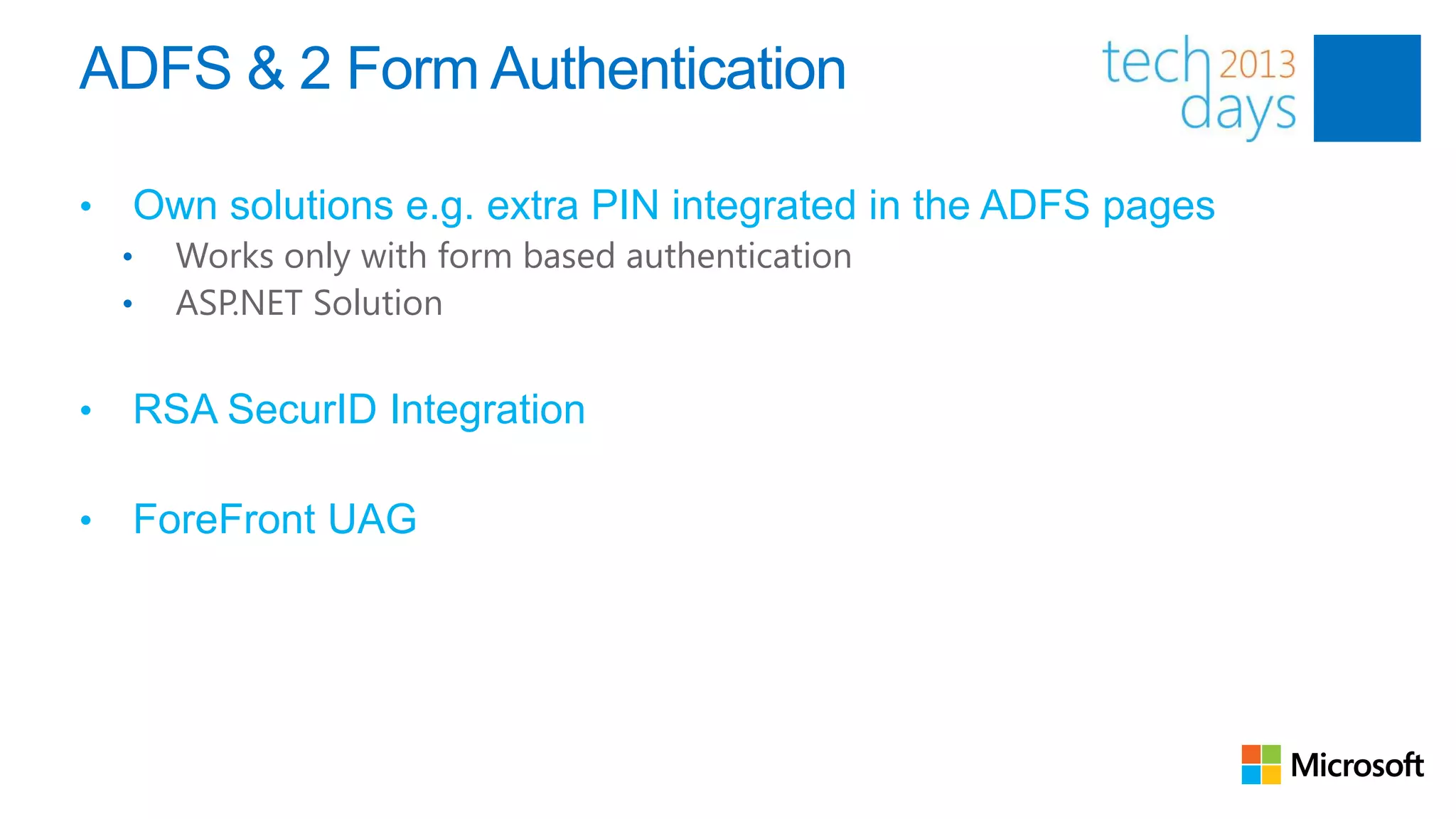
ADFS & 2 Form Authentication

•   Own solutions e.g. extra PIN integrated in the ADFS pages
    •   Works only with form based authentication
    •   ASP.NET Solution


•   RSA SecurID Integration

•   ForeFront UAG
ADFS


Authentication flows

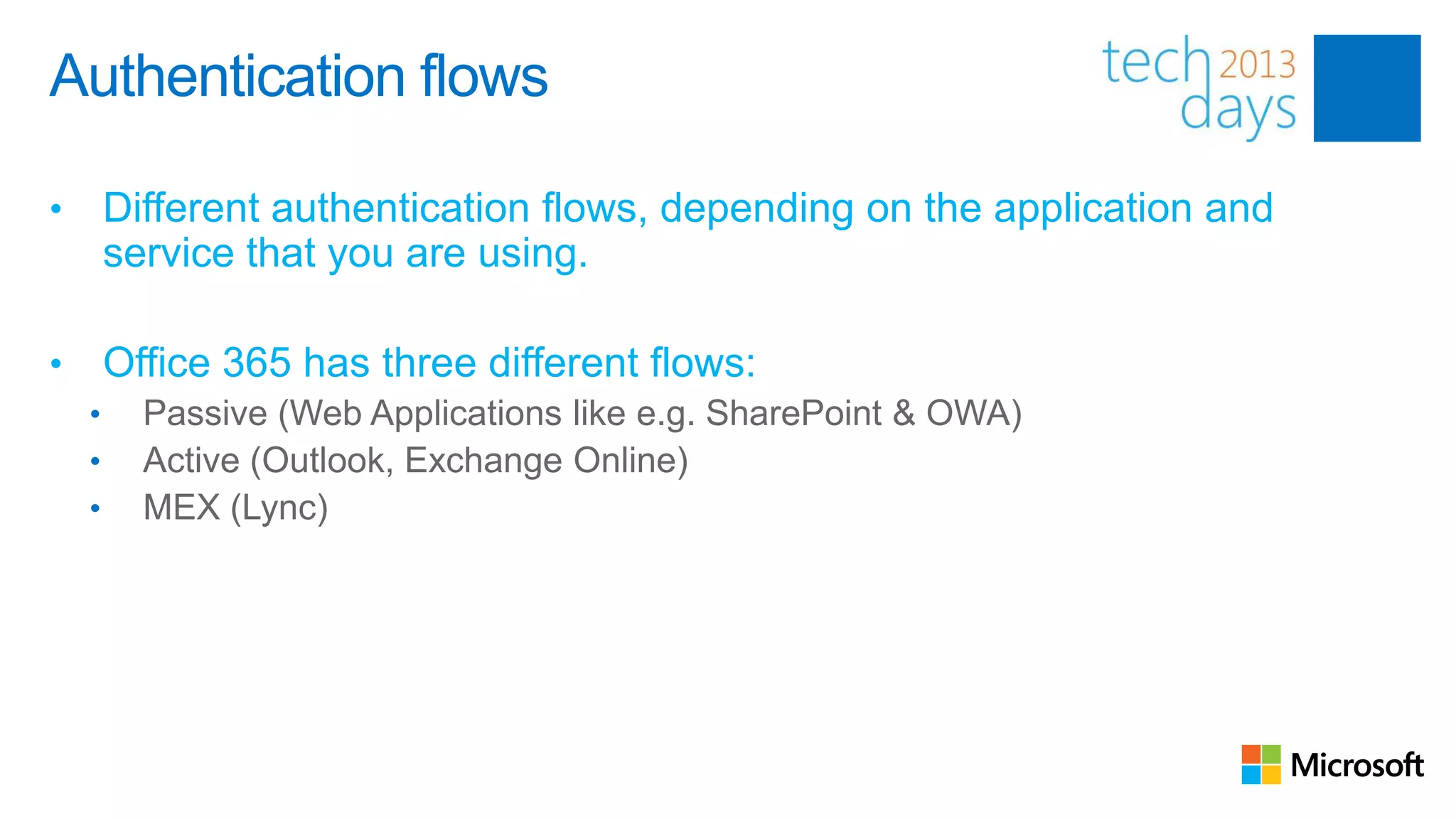
•       Different authentication flows, depending on the application and
        service that you are using.

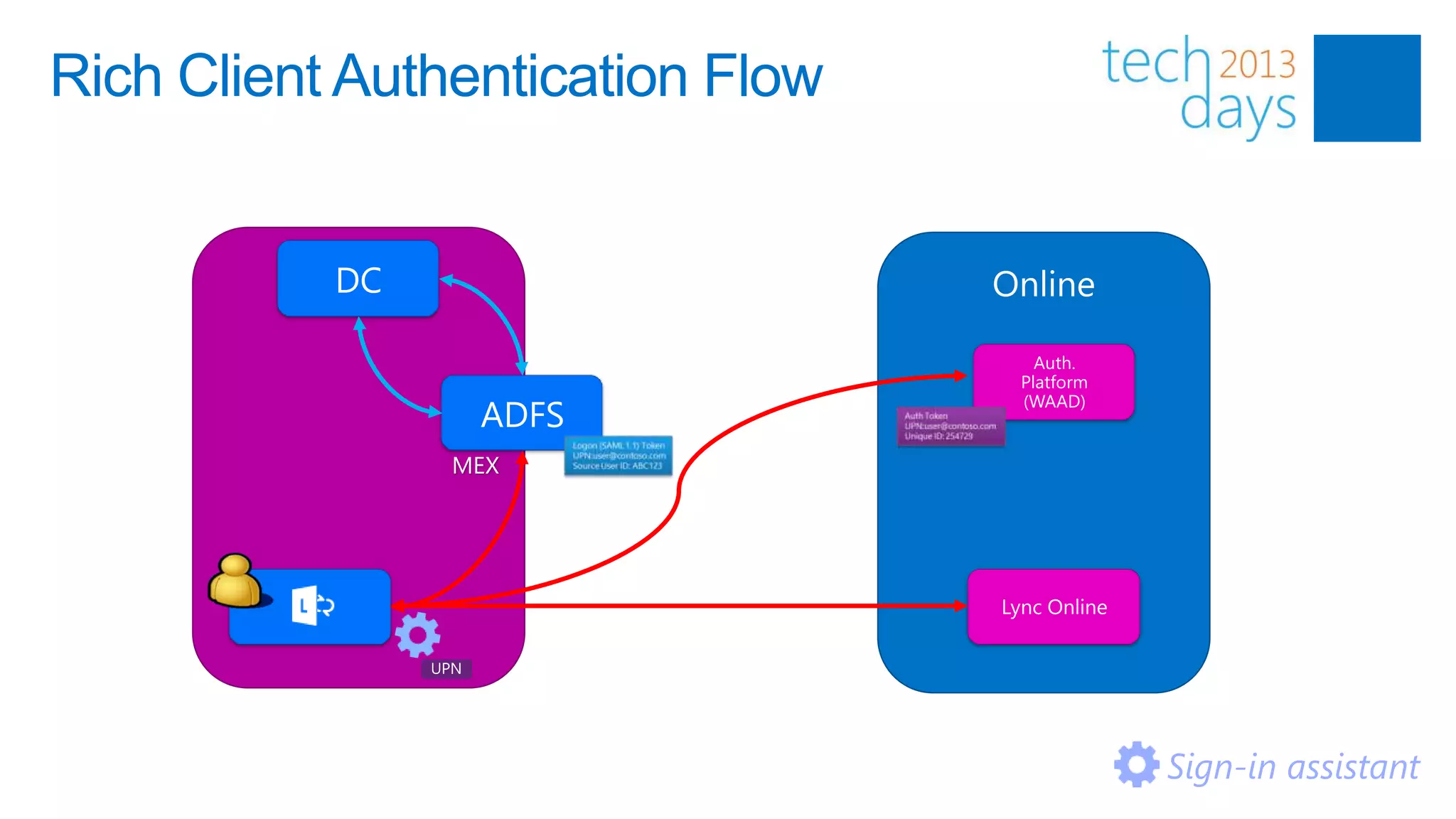
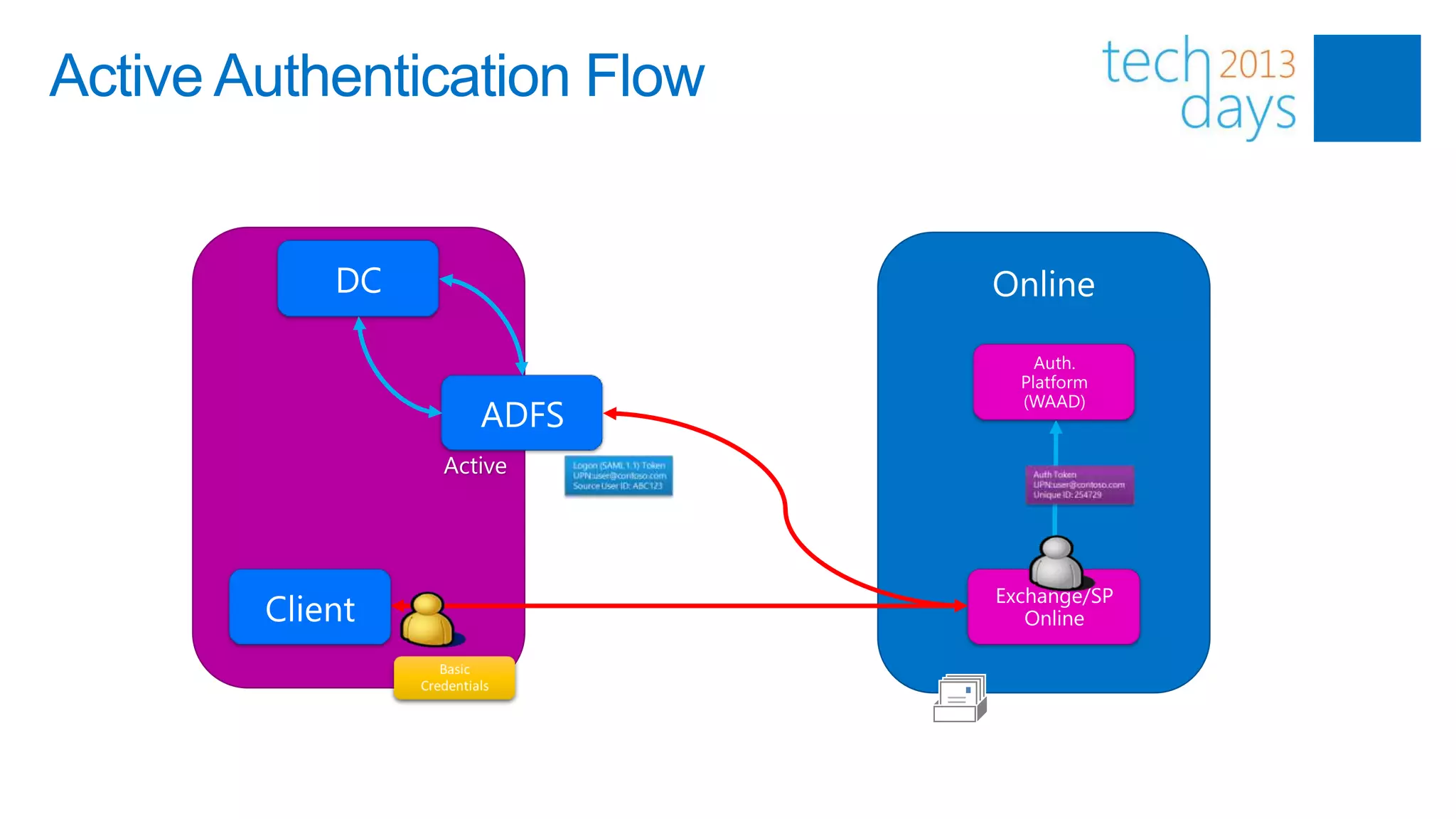
•       Office 365 has three different flows:
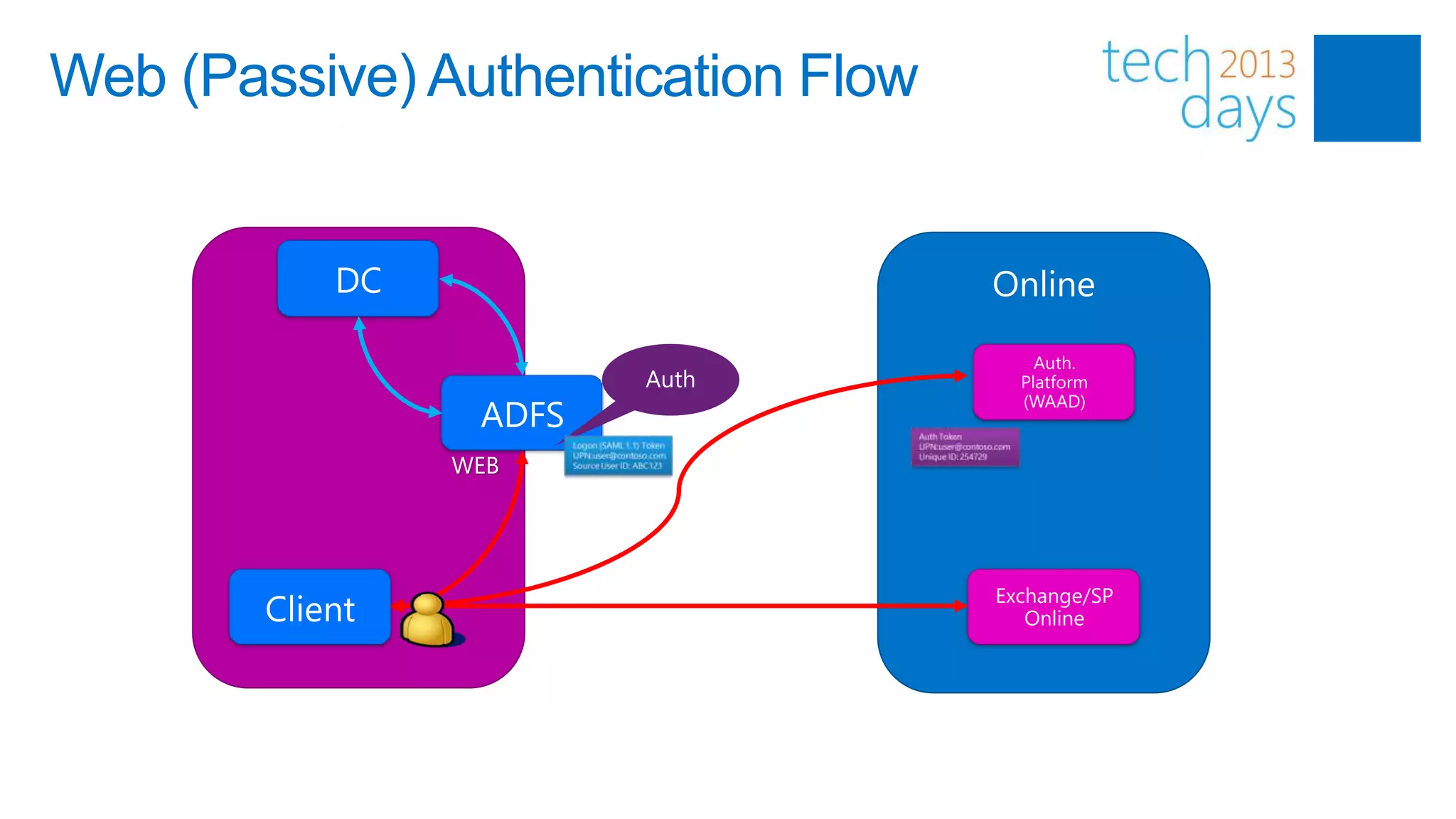
    •     Passive (Web Applications like e.g. SharePoint & OWA)
    •     Active (Outlook, Exchange Online)
    •     MEX (Lync)
Web (Passive) Authentication Flow


               WEB
Rich Client Authentication Flow


                MEX


                                  Sign-in assistant
Active Authentication Flow


               Active
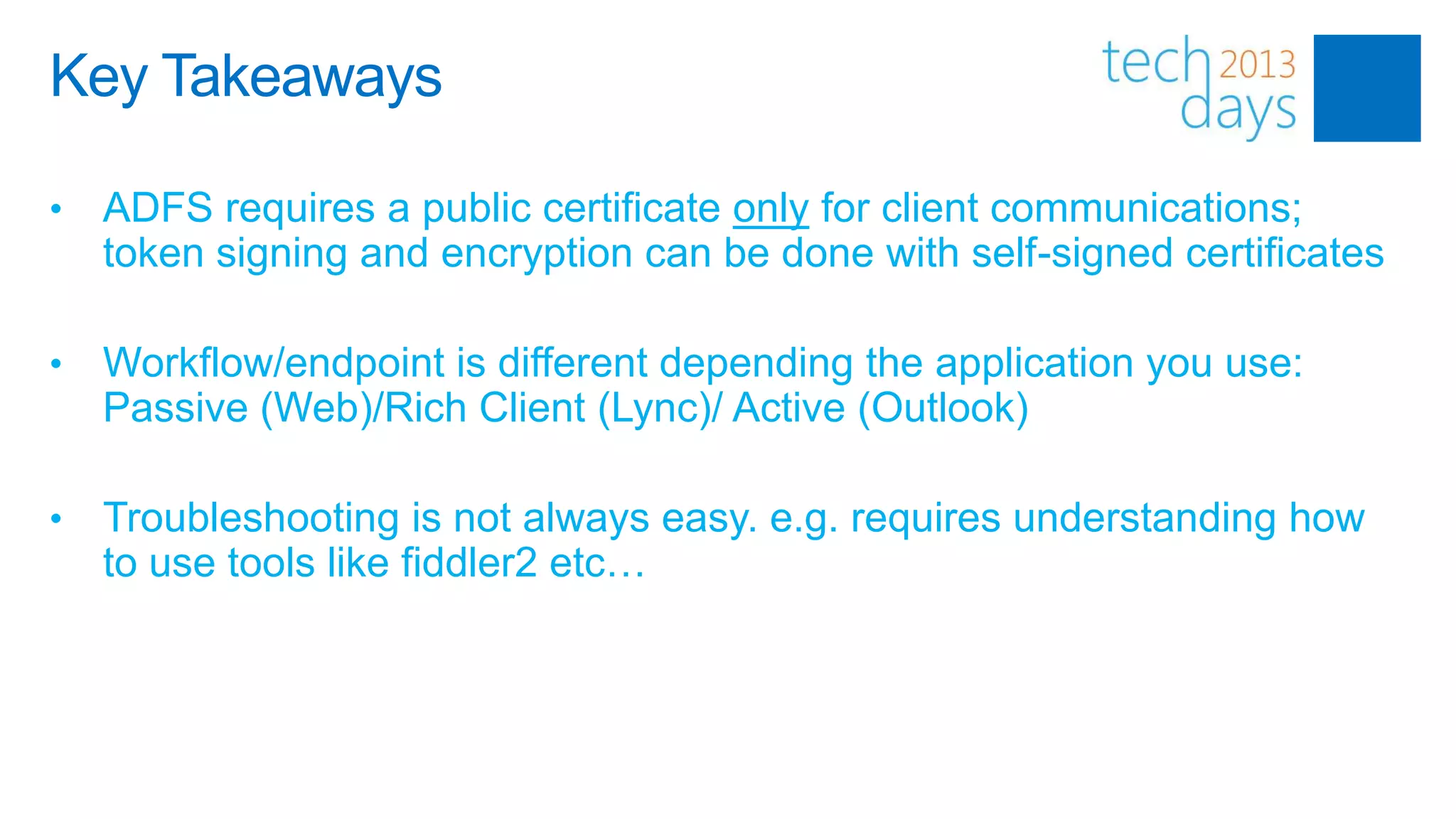
Key Takeaways

•   ADFS requires a public certificate only for client communications;
    token signing and encryption can be done with self-signed certificates

•   Workflow/endpoint is different depending the application you use:
    Passive (Web)/Rich Client (Lync)/ Active (Outlook)

•   Troubleshooting is not always easy. e.g. requires understanding how
    to use tools like fiddler2 etc…
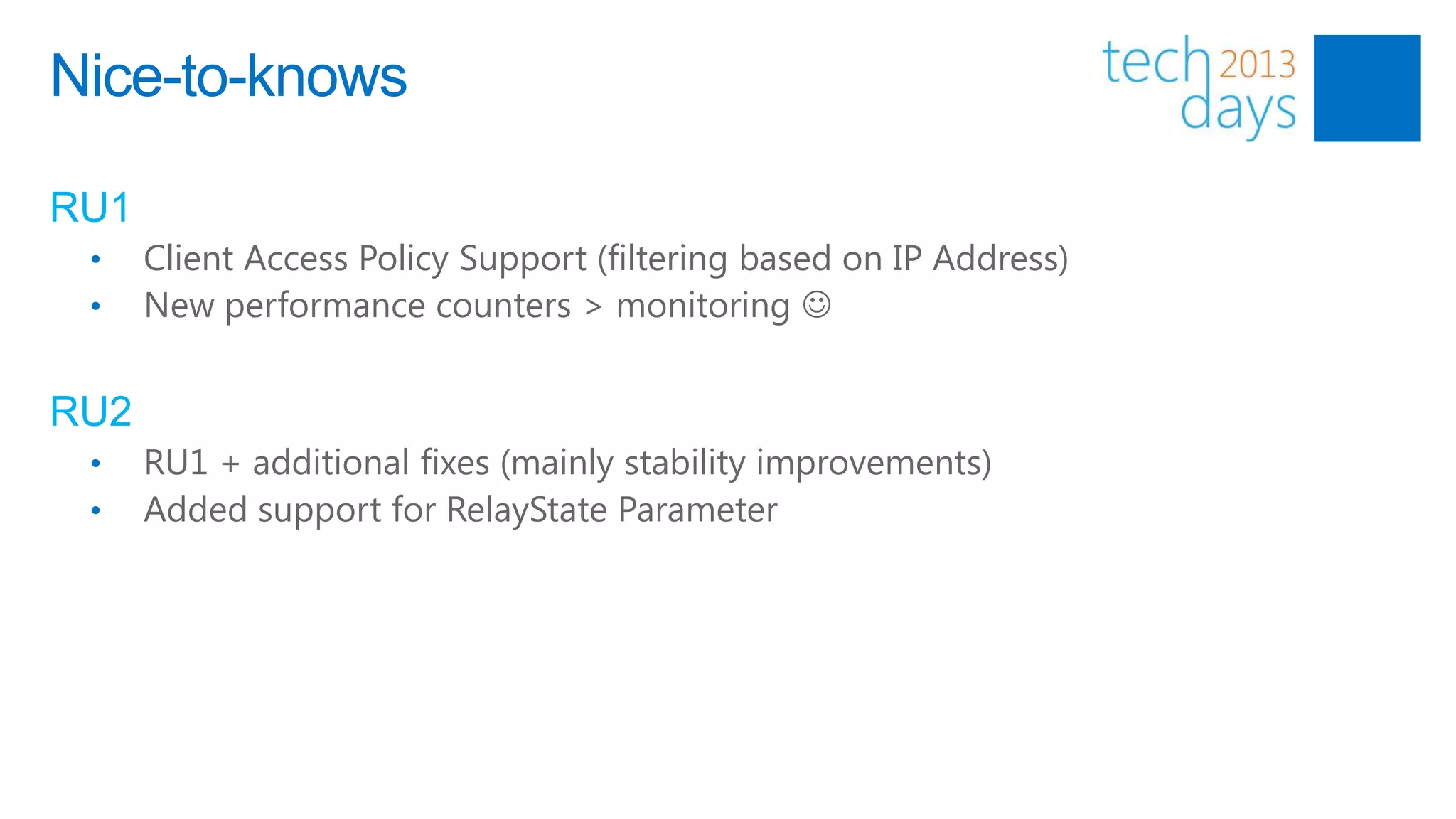
Nice-to-knows

RU1
 •    Client Access Policy Support (filtering based on IP Address)
 •    New performance counters > monitoring 


RU2
 •    RU1 + additional fixes (mainly stability improvements)
 •    Added support for RelayState Parameter
Windows Azure Active Directory

W.A.A.D. is a modern, REST-based service that provides identity and
access control for your cloud applications.

Already used in:
• Windows Azure
• Office 365
• Dynamics CRM Online
• Windows Intune
• 3rd party Cloud Services
Windows Azure Active Directory

W.A.A.D. integrates with domain credentials of local AD via ADFS

W.A.A.D. integrates with Access Control Service (a cloud-based
service that provides an easy way of authenticating and authorizing
users to your web applications and services while allowing the
features of authentication and authorization to be factored out of your
code)

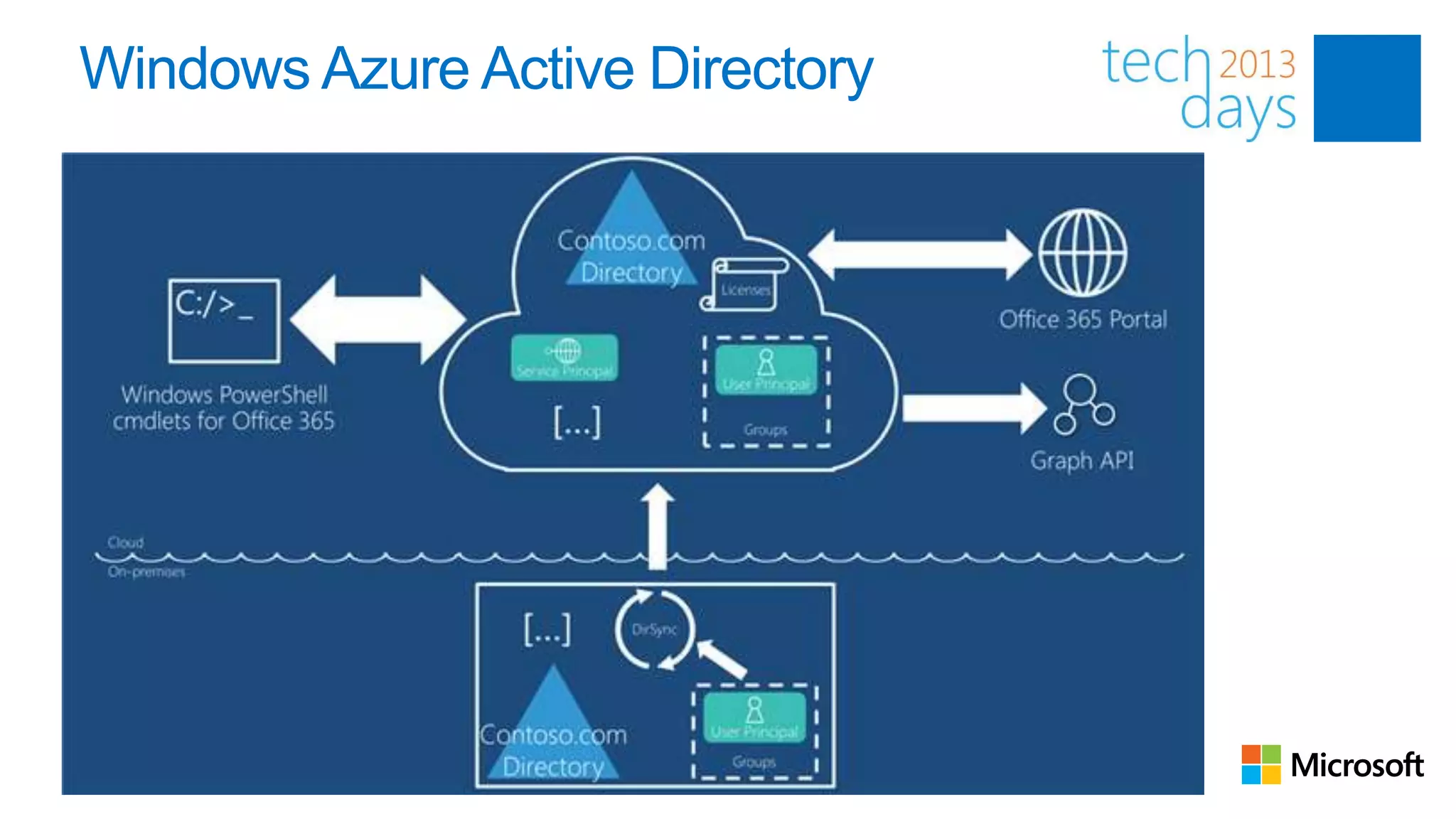
W.A.A.D. integrates with Graph API: it allows you to read a subset of
the entities in the directory: namely
Users, Groups, Roles, Subscriptions, Tenant Details and some of the
relationships which tie those together. The interaction is read-only
Windows Azure Active Directory
Session Takeaways
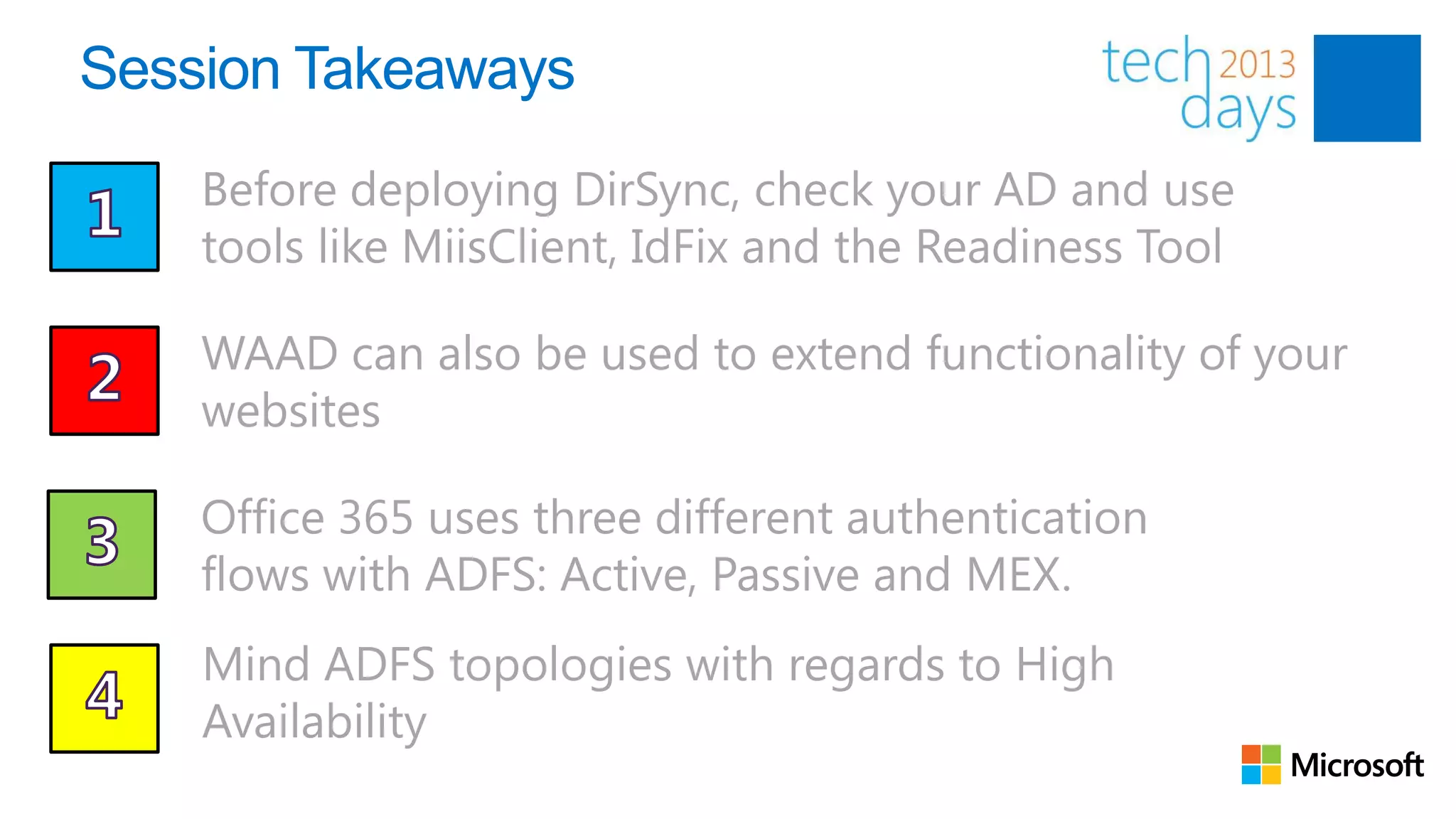
    Before deploying DirSync, check your AD and use
    tools like MiisClient, IdFix and the Readiness Tool

    WAAD can also be used to extend functionality of your
    websites

    Office 365 uses three different authentication
    flows with ADFS: Active, Passive and MEX.
    Mind ADFS topologies with regards to High
    Availability

Office 365 Identity Management options

  • 1.
    Office 365 IdentityOptions @jseghers – MVP Office 365 @mvanhorenbeeck – MVP Exchange Server
  • 2.
    Agenda • Identities and Identity Options in Office 365 • DirSync Deep(er) Dive • ADFS • Introduction to ADFS • Supported Topologies • ADFS Workflows • Windows Azure AD • Q&A
  • 3.
    Objectives • Understand the different identity types and their pro’s and con’s • Understand how Directory Synchronization works • Be able to troubleshoot Directory Synchronization errors • Understand the different ADFS deployment scenarios • Understand how ADFS works and recognize authentication flows • Understand how ADFS can be used into custom developed websites • Understand what Windows Azure Active Directory is • Understand how Windows Azure Active Directory can be used in custom developed websites
  • 4.
    Office 365 IdentityOptions Introduction to Identities
  • 5.
    Introduction to identityoptions 1. MS Online IDs 2. MS Online IDs + Dir Sync 3. Federated IDs + Dir Sync Appropriate for Appropriate for Appropriate for • Smaller organizations without • Orgs with AD on-premise • Larger enterprise organizations AD on-premise with AD on-premise Pros Pros • Users and groups mastered on- Pros • No servers required on- premise • SSO with corporate cred premise • Enables co-existence scenarios • Users and groups mastered on- premise Cons • Password policy controlled on- Cons • No SSO premise • No SSO • No 2FA • 2FA solutions possible • No 2FA (strong authentication) • 2 sets of credentials to manage • Enables co-existence scenarios • 2 sets of credentials to manage with differing password policies with differing password • Single server deployment Cons policies • High availability server • Users and groups mastered in deployments required the cloud
  • 6.
    Introduction to identityoptions 1. Microsoft Online IDs 2. Microsoft Online IDs + DirSync Microsoft Office 365 Services 3. Federated IDs + DirSync Bronze Sky customer premises Trust Federation Exchange Gateway Online Authentication Active Directory Federation Server 2.0 platform IdP SharePoint Online IdP MS Online Directory Provisioning Directory Lync AD Sync platform Store Online Service connector Admin Portal
  • 7.
    Sign On Experience Federated vs. Non-Federated Summary ActiveSync, POP, I Outlook Outlook Outlook 2007 or Outlook Web MAP, Entourage 2010 2007 2010 Application Win 7/ 8 Win 7 / 8 Vista/XP Win 7/Vista/XP MS Online IDs Online ID Online ID Online ID Online ID Online ID Online ID Federated IDs, domain joined AD credentials A new “service connector” is needed – primarily for rich clients Installs client and operating system updates to enable best sign-on experience Enables authentication support for rich clients Ensures clients have all needed configuration data to enable service usage Obsolete in Office 2013 Web kiosk scenarios (e.g. OWA) supported without the service connector
  • 8.
  • 9.
    What is DirSync? “…isa Directory Synchronization engine based on Forefront Identity Manager (FIM) that will synchronize (a subset of) your on-premise Active Directory with Windows Azure Active Directory (Office 365).”
  • 10.
    Why use DirSync? •Long term coexistence between Exchange on-prem and Exchange Online • (Easy/quick provisioning*) • Single place for managing identities including: • Users • Groups • Memberships • … • Enabler for Hybrid Deployments (required) • Two-way Directory Synchronization
  • 11.
    How does DirSyncwork? DirSync Active Directory METAVERSE
  • 12.
    Deployment Considerations • Active Directory Health • Prerequisites check (Readiness Tool) • idFix (released 01/03/2013) • Topology • Single Forest? • Multiple Domains? • Security • Firewalls, Permissions • 64-bit only! • (De-)activation time; can take some time to complete • Object filtering required? • SQL Express or Full SQL (+50k objects)
  • 13.
    What objects aresynced? From AD to Office 365: http://support.microsoft.com/kb/2256198 From Office 365 to AD (aka write-back): Write-Back attribute Exchange "full fidelity" feature SafeSendersHash Filtering: Writes back on-premises filtering and online BlockedSendersHash safe and blocked sender data from clients. SafeRecipientHash msExchArchiveStatus Online Archive: Enables customers to archive mail. ProxyAddresses Enable Mailbox: Off-boards an online mailbox back to (LegacyExchangeDN <online LegacyDn> as X500) on-premises Exchange. Enable Unified Messaging (UM) - Online voice mail: This new attribute is used only for UM-Microsoft Lync Server msExchUCVoiceMailSettings 2010 integration to indicate to Lync Server 2010 on- premises that the user has voice mail in online services.
  • 14.
    DEMO Topology DirSync (DS02) Active Directory DC01.exblog.be METAVERSE
  • 16.
    Caveats • Be careful when re-enabling DirSync > possible data loss! • In large environments (+50k items) > Service Request needed to raise the object limit in Office 365 • Bad Active Directory “health” (object attributes) can influence DirSync’s behavior • Strict permissions might cause issues (e.g. when inheritance flag is removed)
  • 17.
  • 18.
    Some takeaways • Enterprise Admin Permissions required for setup to allow creating of the MSOL_DirSync account + optional Hybrid account and propagate permissions in the forest/domain(s). • Use MIISclient.exe to view operation history and search for objects (SourceAnchor – ObjectGuid) • Filtering is supported but should be treated carefully.
  • 19.
  • 20.
    Federation Primer Multiple Identities Challenges Requirements • Reduce identities (or at least management) to a single source of authority • Allow people to logon into cloud- based solutions with their on- premise credentials • Simplify management • Keep in control
  • 21.
    The solution: ADFS • Cross-premises password policies • Simplified user management • Support for two-factor authentication • Access Control using Client Access Policies
  • 22.
    Active Directory FederationServices (ADFS) Topologies
  • 23.
    ADFS: On PremiseTopology Active Directory AD FS 2.0 AD FS 2.0 AD FS 2.0 Server Server Server Proxy AD FS 2.0 Server Proxy Internal user Enterprise DMZ
  • 24.
    ADFS: On PremiseTopology Active Directory AD FS 2.0 AD FS 2.0 AD FS 2.0 Server Server Server Proxy AD FS 2.0 Server Proxy Internal user Enterprise DMZ
  • 25.
    ADFS: Hybrid Topology:IAAS Active Active Directory Directory AD FS 2.0 AD FS 2.0 AD FS 2.0 AD FS 2.0 Server Server Server Server Internal External user Enterprise user IAAS
  • 26.
    ADFS: Hybrid Topology:IAAS Active Active Directory Directory AD FS 2.0 AD FS 2.0 Server Server Internal External user Enterprise user IAAS
  • 27.
    ADFS: Hybrid Topology:Windows Azure Active Directory AD FS 2.0 AD FS 2.0 AD FS 2.0 Server Server Server LB ENDPOINT IP SEC GATEWAY AD FS 2.0 DEVICE Server CLOUD SERVICE Enterprise Windows Azure
  • 28.
    ADFS: Cloud Topology:IAAS Active Directory AD FS 2.0 AD FS 2.0 Server Server Internal External IAAS user
  • 29.
    ADFS & 2Form Authentication • Own solutions e.g. extra PIN integrated in the ADFS pages • Works only with form based authentication • ASP.NET Solution • RSA SecurID Integration • ForeFront UAG
  • 30.
  • 31.
    Authentication flows • Different authentication flows, depending on the application and service that you are using. • Office 365 has three different flows: • Passive (Web Applications like e.g. SharePoint & OWA) • Active (Outlook, Exchange Online) • MEX (Lync)
  • 32.
  • 33.
    Rich Client AuthenticationFlow MEX Sign-in assistant
  • 34.
  • 36.
    Key Takeaways • ADFS requires a public certificate only for client communications; token signing and encryption can be done with self-signed certificates • Workflow/endpoint is different depending the application you use: Passive (Web)/Rich Client (Lync)/ Active (Outlook) • Troubleshooting is not always easy. e.g. requires understanding how to use tools like fiddler2 etc…
  • 37.
    Nice-to-knows RU1 • Client Access Policy Support (filtering based on IP Address) • New performance counters > monitoring  RU2 • RU1 + additional fixes (mainly stability improvements) • Added support for RelayState Parameter
  • 39.
    Windows Azure ActiveDirectory W.A.A.D. is a modern, REST-based service that provides identity and access control for your cloud applications. Already used in: • Windows Azure • Office 365 • Dynamics CRM Online • Windows Intune • 3rd party Cloud Services
  • 40.
    Windows Azure ActiveDirectory W.A.A.D. integrates with domain credentials of local AD via ADFS W.A.A.D. integrates with Access Control Service (a cloud-based service that provides an easy way of authenticating and authorizing users to your web applications and services while allowing the features of authentication and authorization to be factored out of your code) W.A.A.D. integrates with Graph API: it allows you to read a subset of the entities in the directory: namely Users, Groups, Roles, Subscriptions, Tenant Details and some of the relationships which tie those together. The interaction is read-only
  • 41.
  • 43.
    Session Takeaways Before deploying DirSync, check your AD and use tools like MiisClient, IdFix and the Readiness Tool WAAD can also be used to extend functionality of your websites Office 365 uses three different authentication flows with ADFS: Active, Passive and MEX. Mind ADFS topologies with regards to High Availability

Editor's Notes

  • #3 * Using DirSync for only provisioning is NOT supported!
  • #4 Note: Passwords are NOT synced. If you want to use your on-premise passwords in Office 365/Azure, you will have to deploy ADFS.Future release of DirSync might support Password Synchronization** Functionality nor a release date have been confirmed by Microsoft. As far as I understood, this sync will not really sync the password, but it will rather use the password’s hash
  • #6 Data loss can occur when re-enabling DirSync after previously having enabled/disabled it. All changes between it was disabled and re-enabled could potentially be overwritten!
  • #7 3rd party tools e.g. from MessageOps
  • #9 Sign-in assistant contacts Auth Platform.
  • #10 Still need to finalize the image
  • #11 http://social.technet.microsoft.com/wiki/contents/articles/3286.ad-fs-2-0-how-to-use-fiddler-web-debugger-to-analyze-a-ws-federation-passive-sign-in.aspx
  • #12 http://support.microsoft.com/kb/2607496