Microsoft NDA Confidential
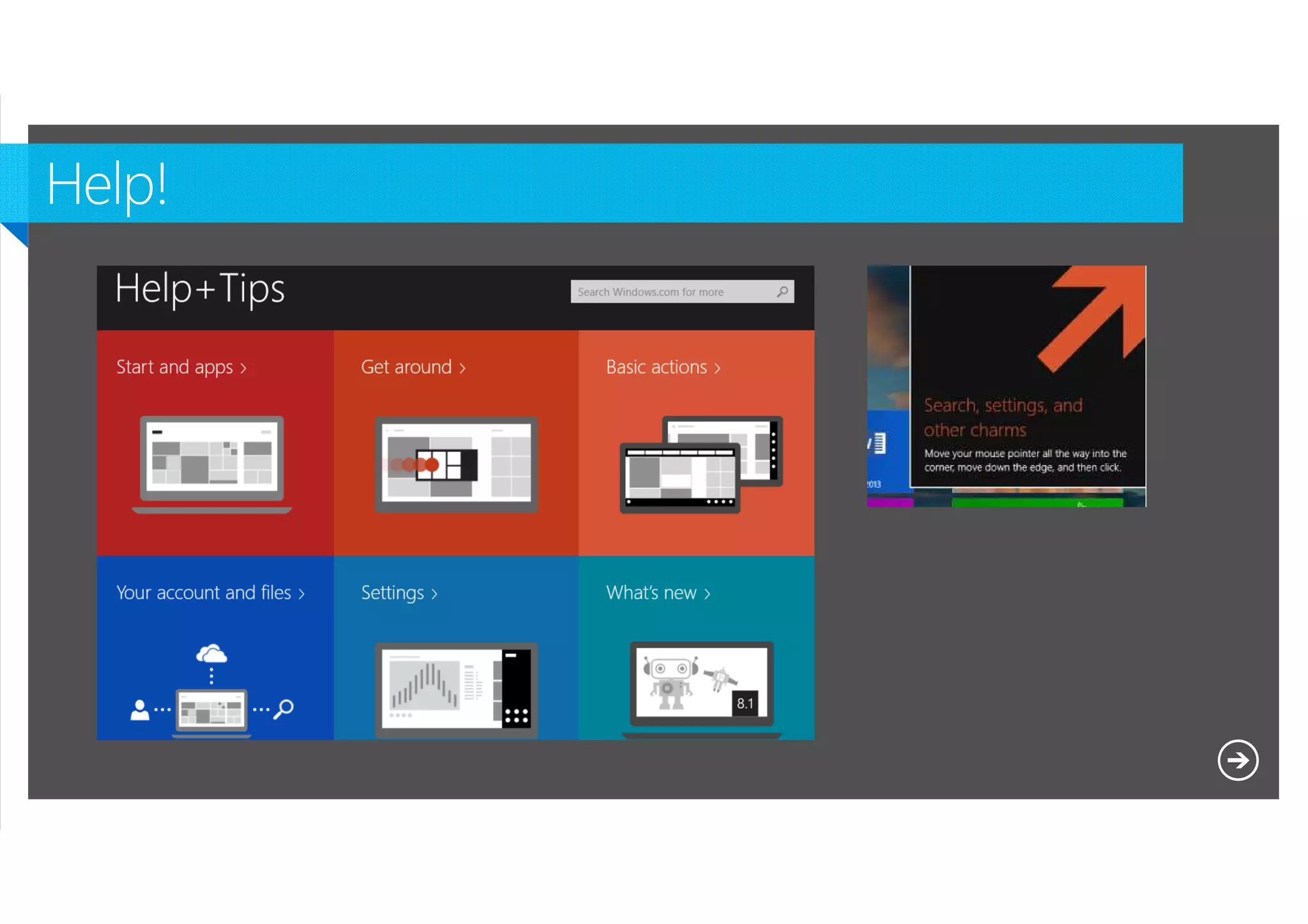
Lock Screen changes
Start Screen enhancements
Search
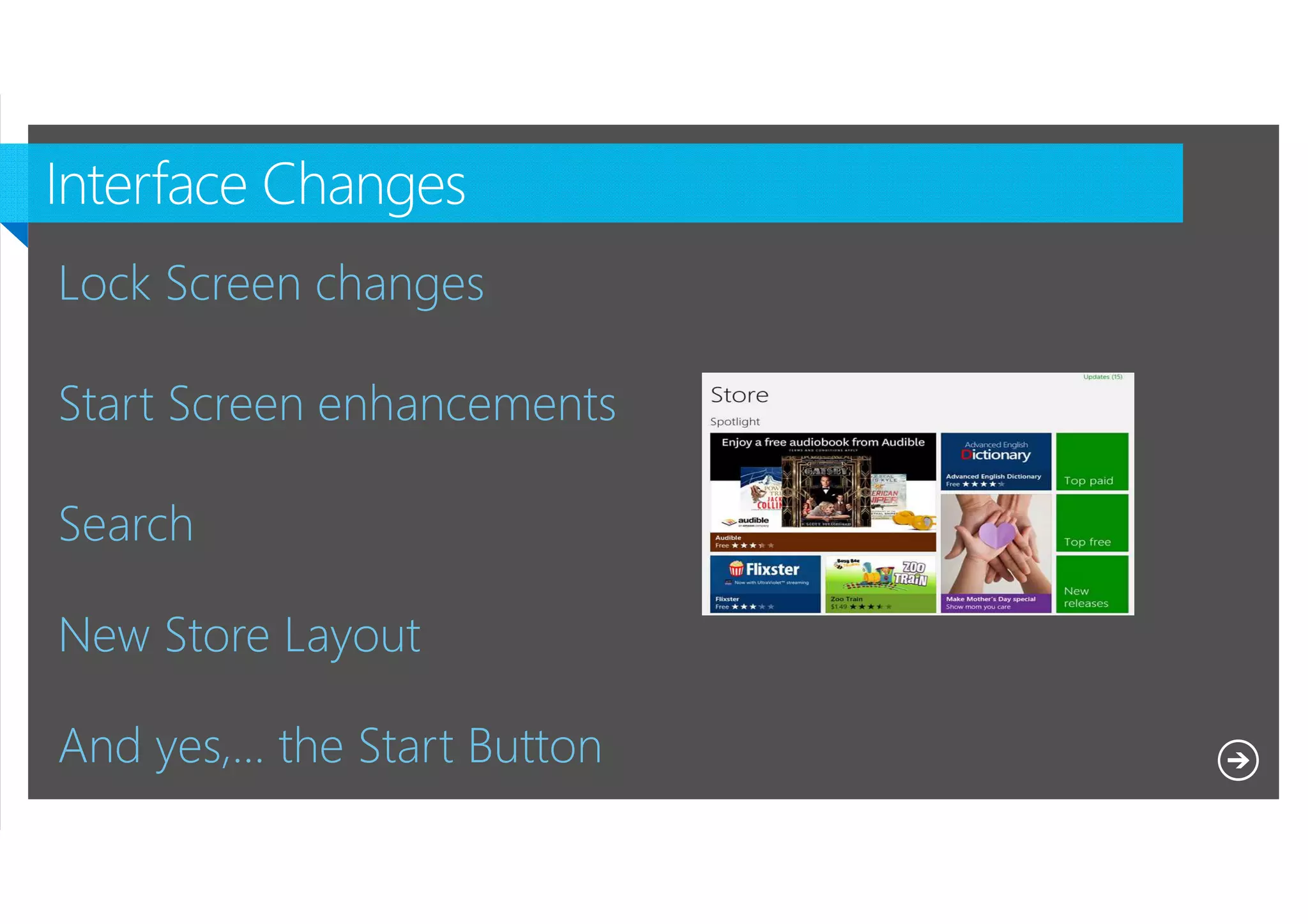
New Store Layout
And yes,… the Start Button
Microsoft NDA Confidential
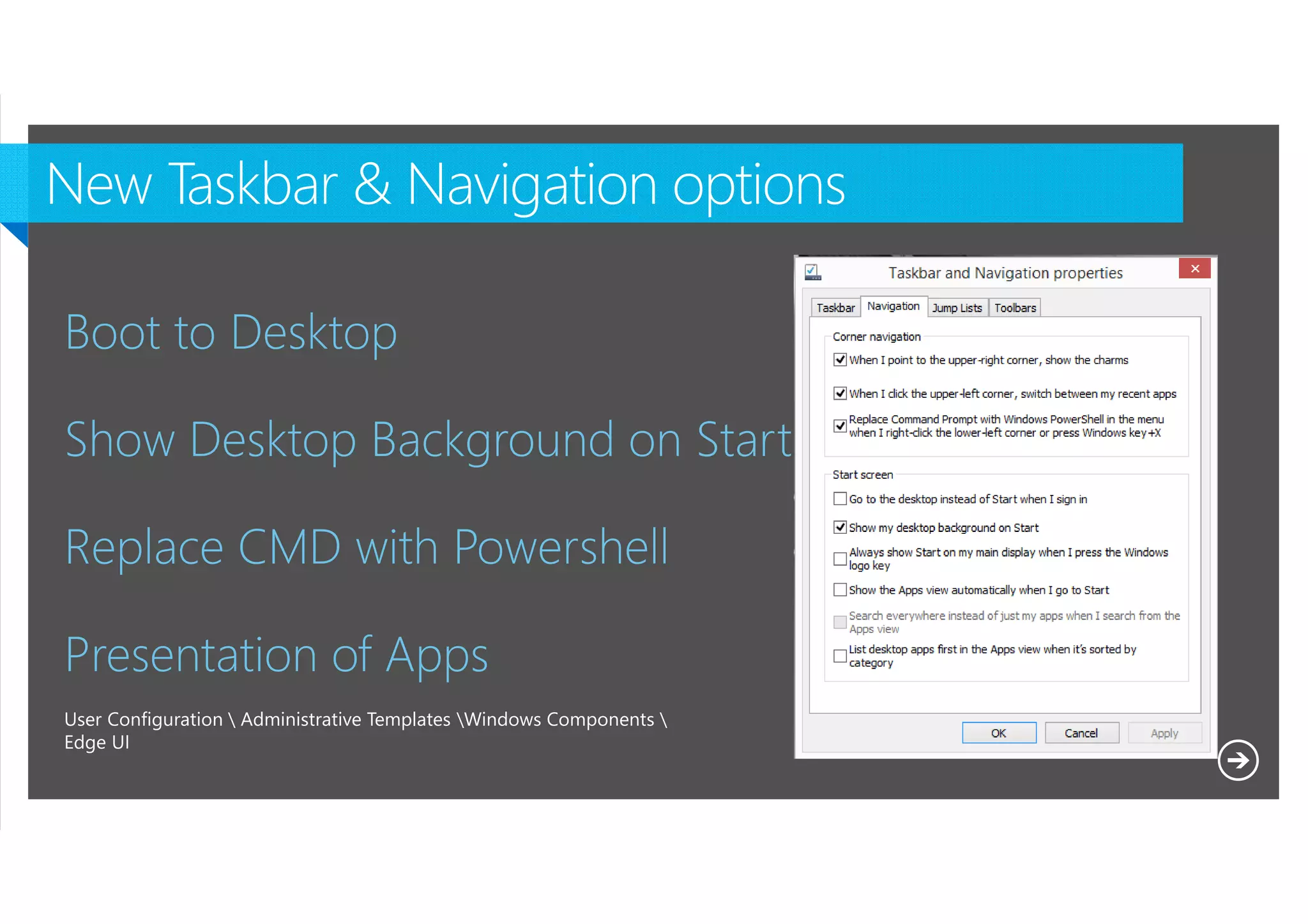
Boot to Desktop
Show Desktop Background on Start
Replace CMD with Powershell
Presentation of Apps
User Configuration  Administrative Templates Windows Components 
Edge UI

Microsoft NDA Confidential
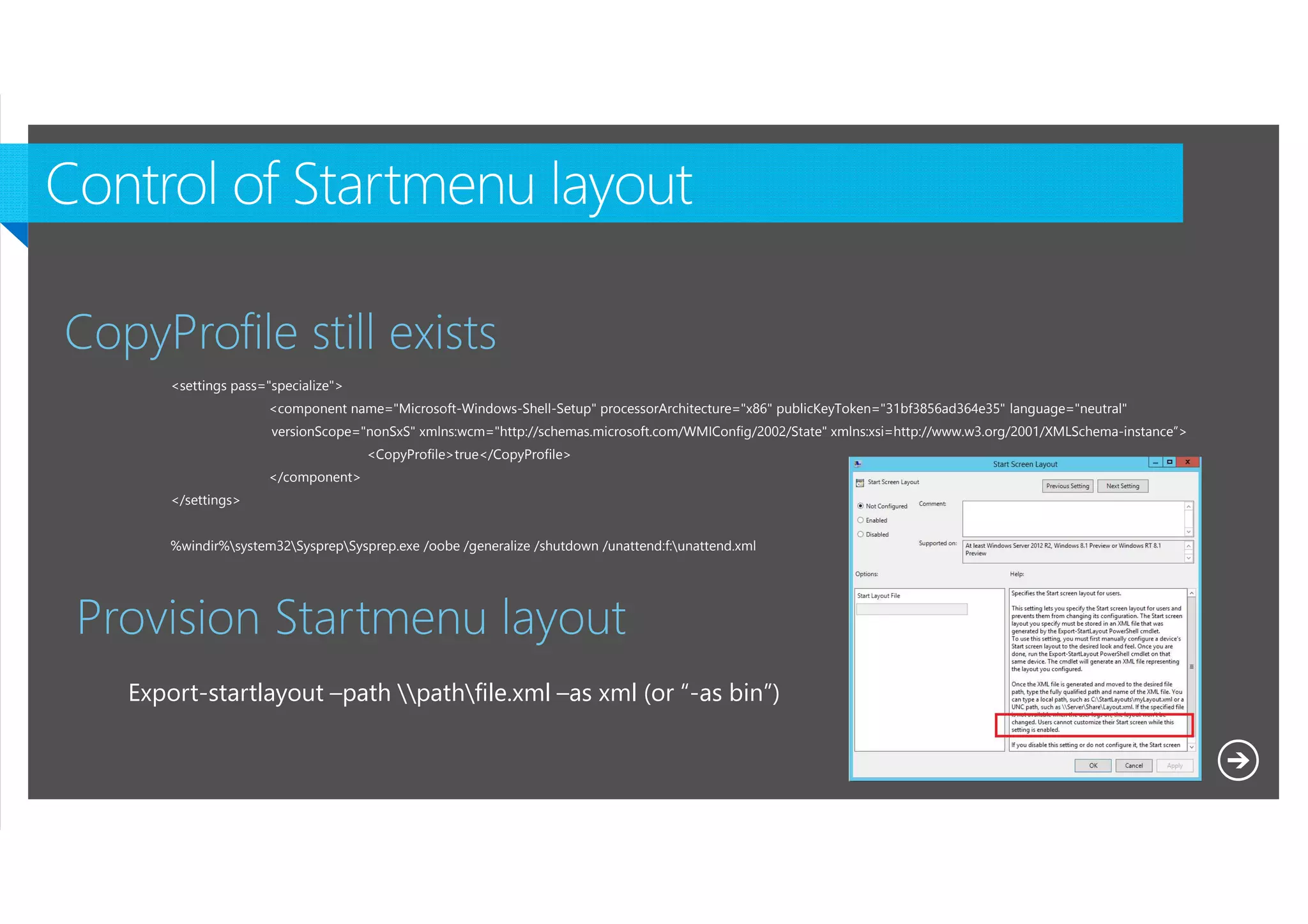
CopyProfile still exists
<settings pass="specialize">
<component name="Microsoft-Windows-Shell-Setup" processorArchitecture="x86" publicKeyToken="31bf3856ad364e35" language="neutral"
versionScope="nonSxS" xmlns:wcm="http://schemas.microsoft.com/WMIConfig/2002/State" xmlns:xsi=http://www.w3.org/2001/XMLSchema-instance”>
<CopyProfile>true</CopyProfile>
</component>
</settings>
%windir%system32SysprepSysprep.exe /oobe /generalize /shutdown /unattend:f:unattend.xml

Provision Startmenu layout
Export-startlayout –path pathfile.xml –as xml (or “-as bin”)

Microsoft NDA Confidential
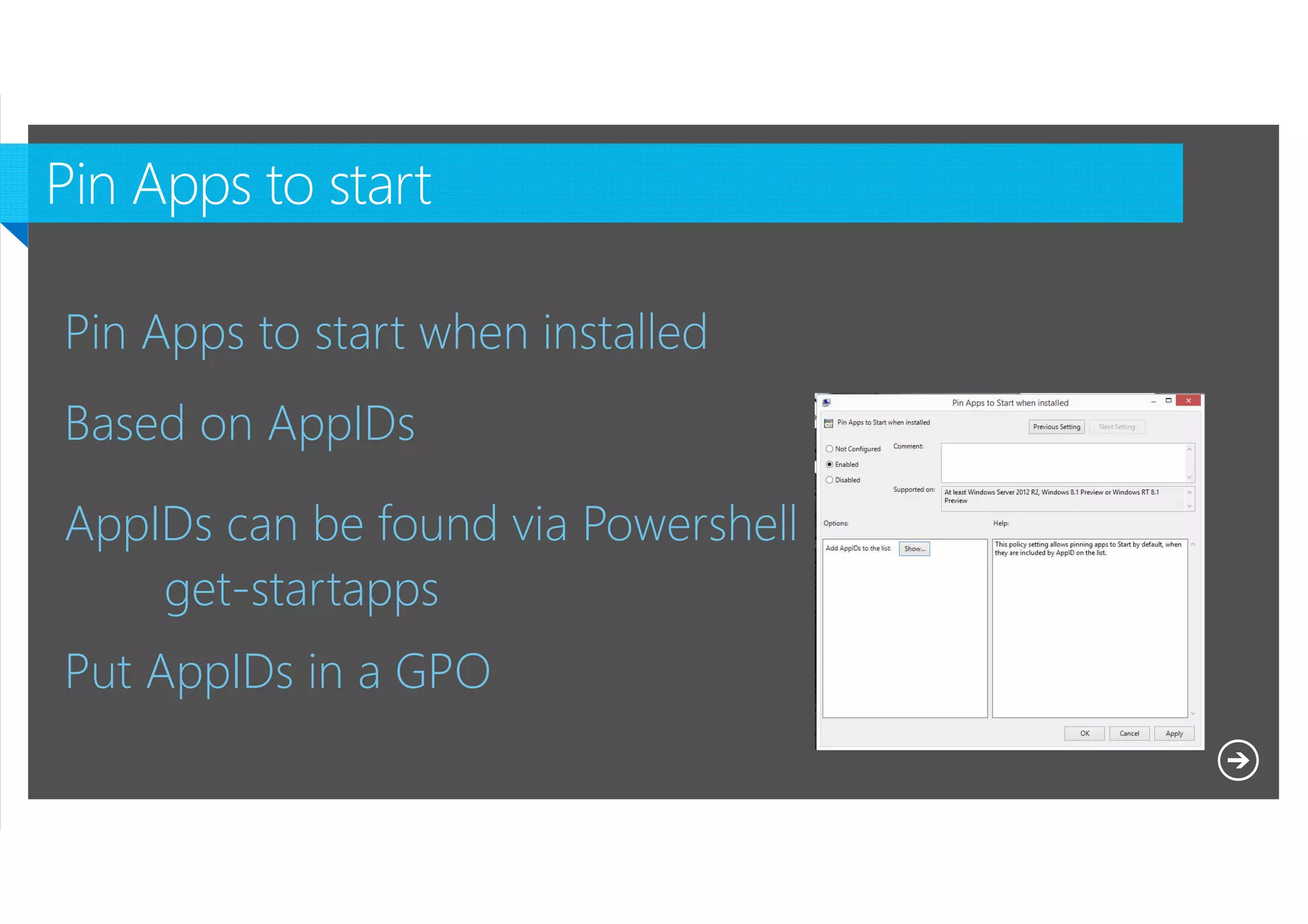
Pin Apps to start when installed
Based on AppIDs
AppIDs can be found via Powershell
get-startapps
Put AppIDs in a GPO
Microsoft NDA Confidential
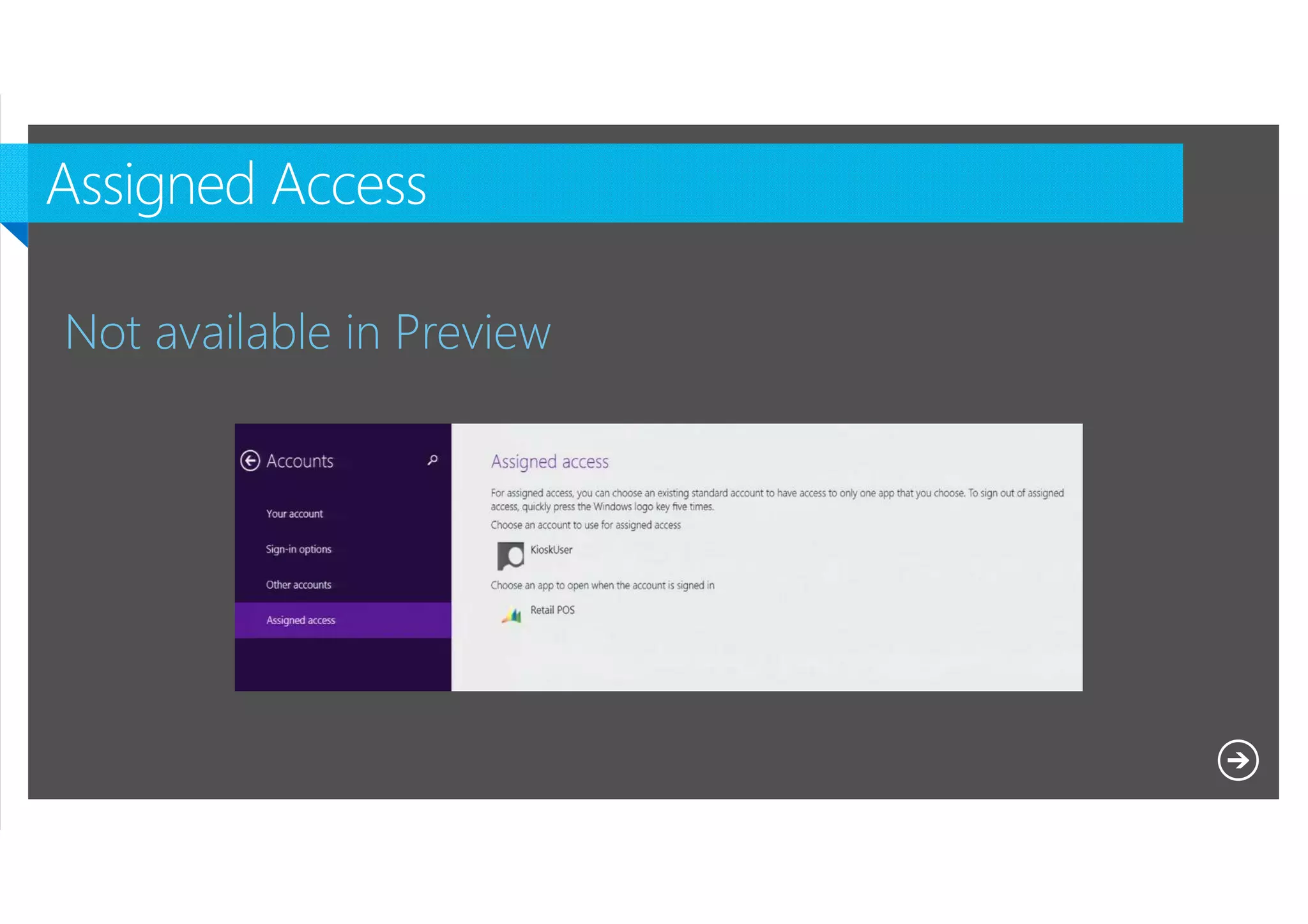
Not available in Preview

Microsoft NDA Confidential
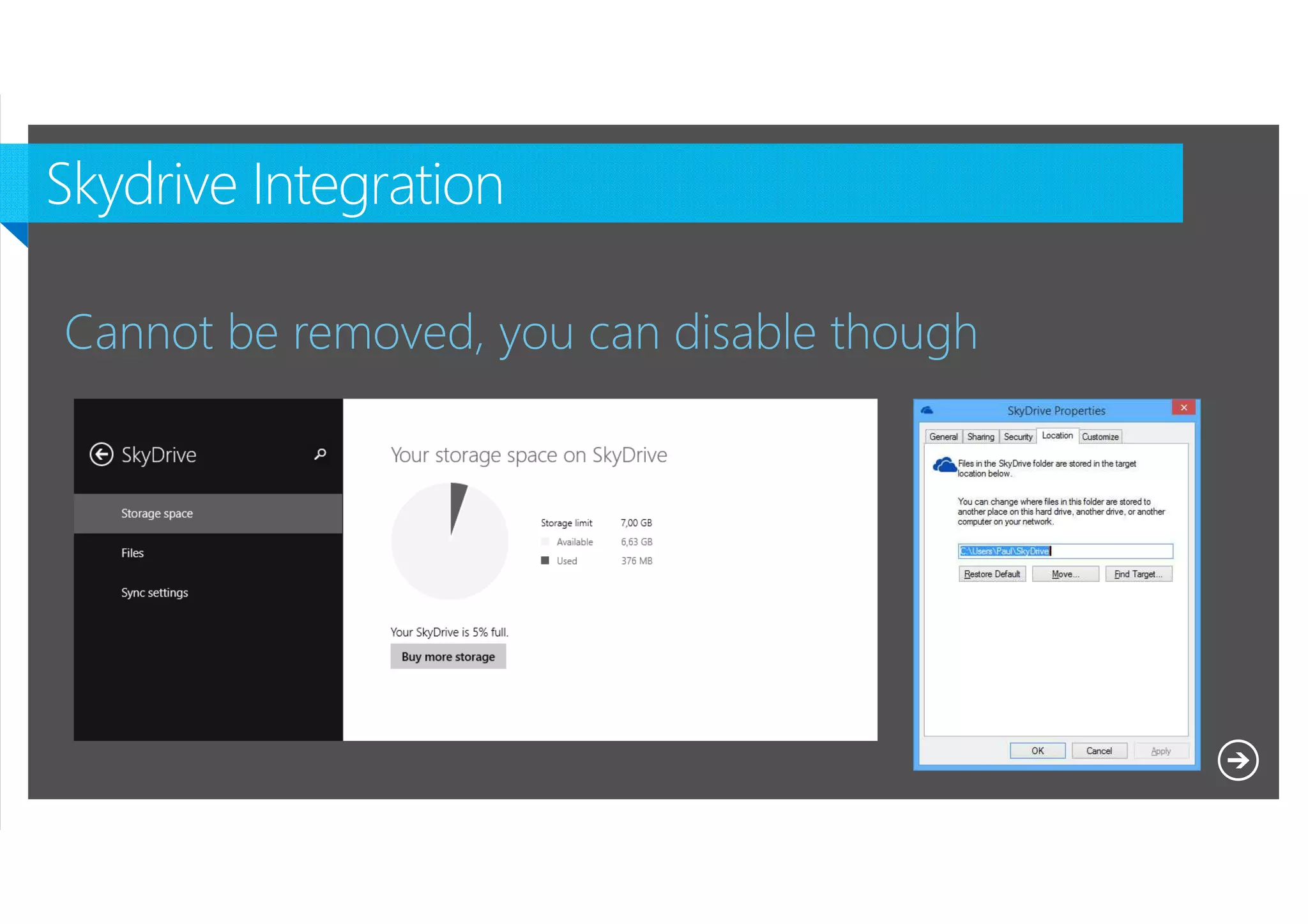
Cannot be removed, you can disable though

Microsoft NDA Confidential
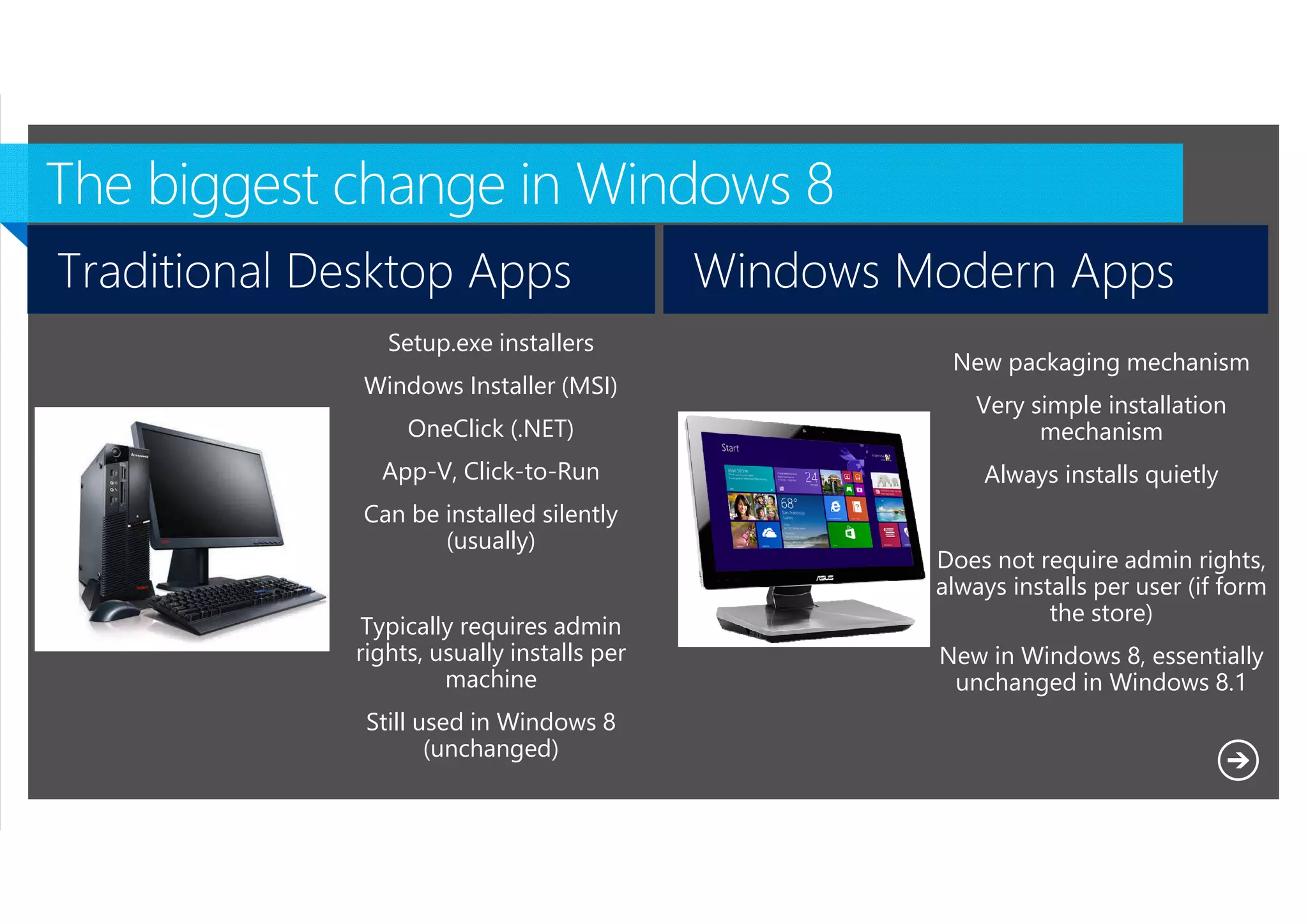
Traditional Desktop Apps

Windows Modern Apps

Setup.exe installers
Windows Installer (MSI)

New packaging mechanism

OneClick (.NET)

Very simple installation
mechanism

App-V, Click-to-Run

Always installs quietly

Can be installed silently
(usually)
Typically requires admin
rights, usually installs per
machine
Still used in Windows 8
(unchanged)
Microsoft NDA Confidential

Does not require admin rights,
always installs per user (if form
the store)
New in Windows 8, essentially
unchanged in Windows 8.1
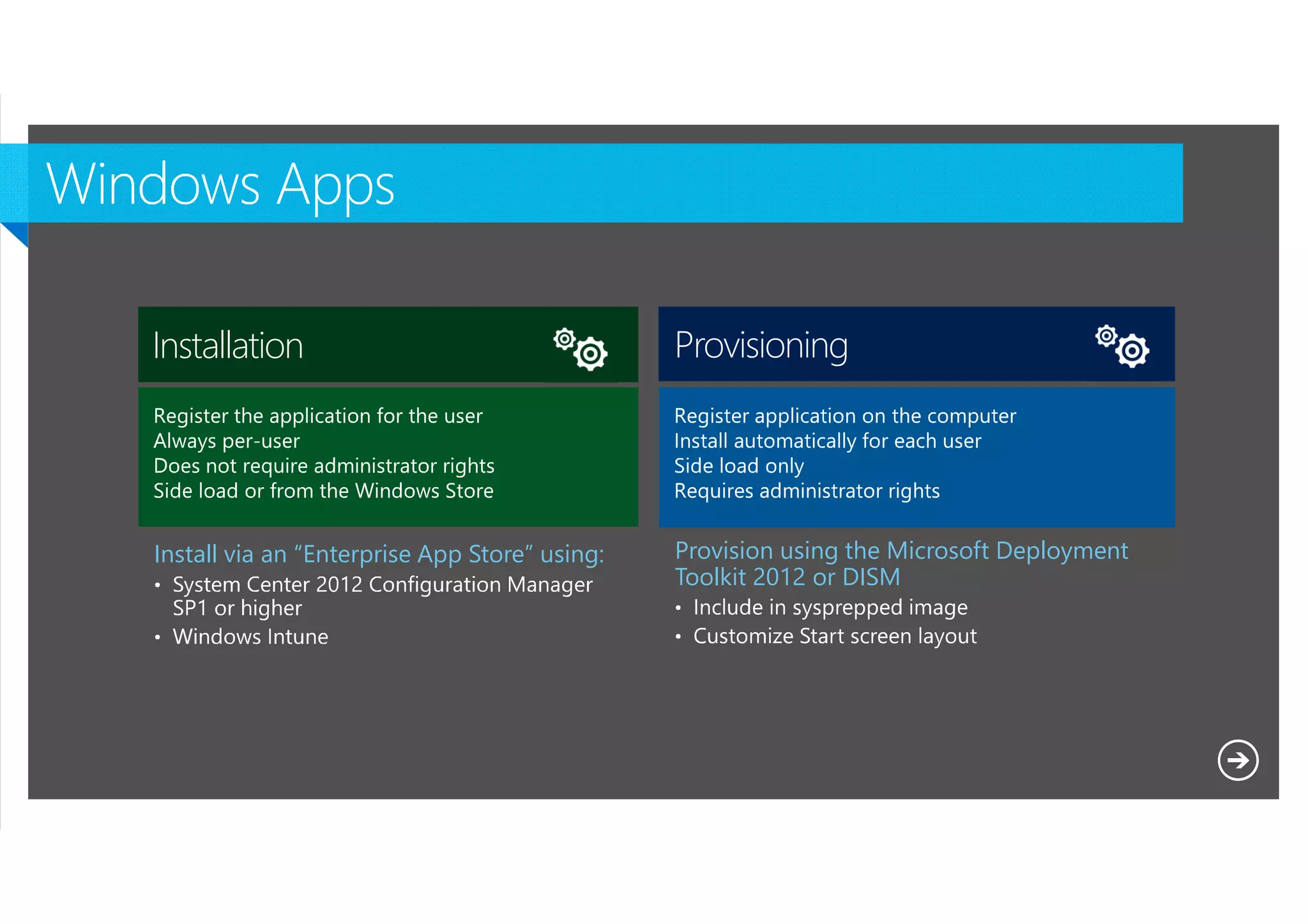
Installation

Provisioning

Install via an “Enterprise App Store” using:

Provision using the Microsoft Deployment
Toolkit 2012 or DISM

Microsoft NDA Confidential
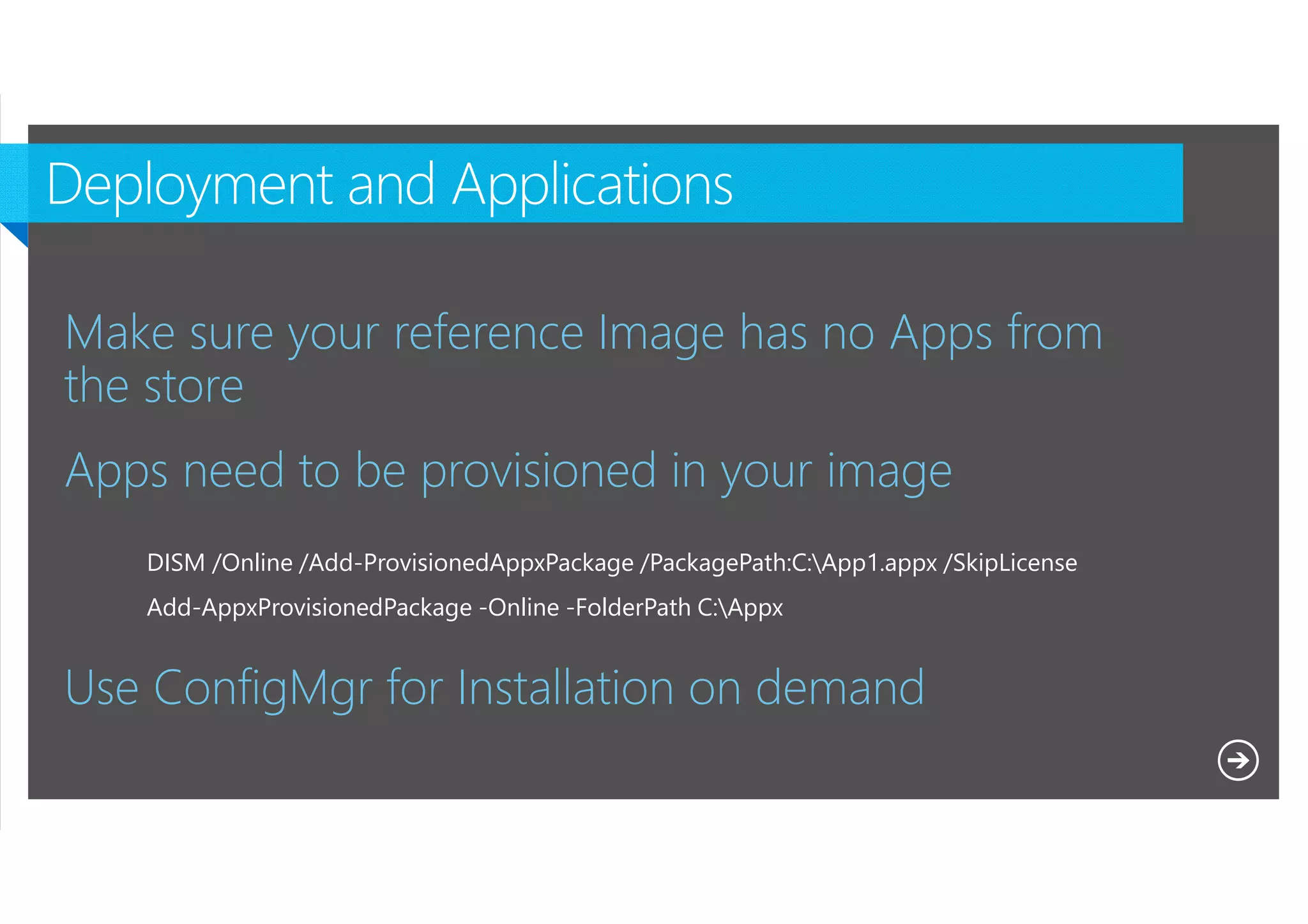
Make sure your reference Image has no Apps from
the store
Apps need to be provisioned in your image
DISM /Online /Add-ProvisionedAppxPackage /PackagePath:C:App1.appx /SkipLicense
Add-AppxProvisionedPackage -Online -FolderPath C:Appx

Use ConfigMgr for Installation on demand
Microsoft NDA Confidential
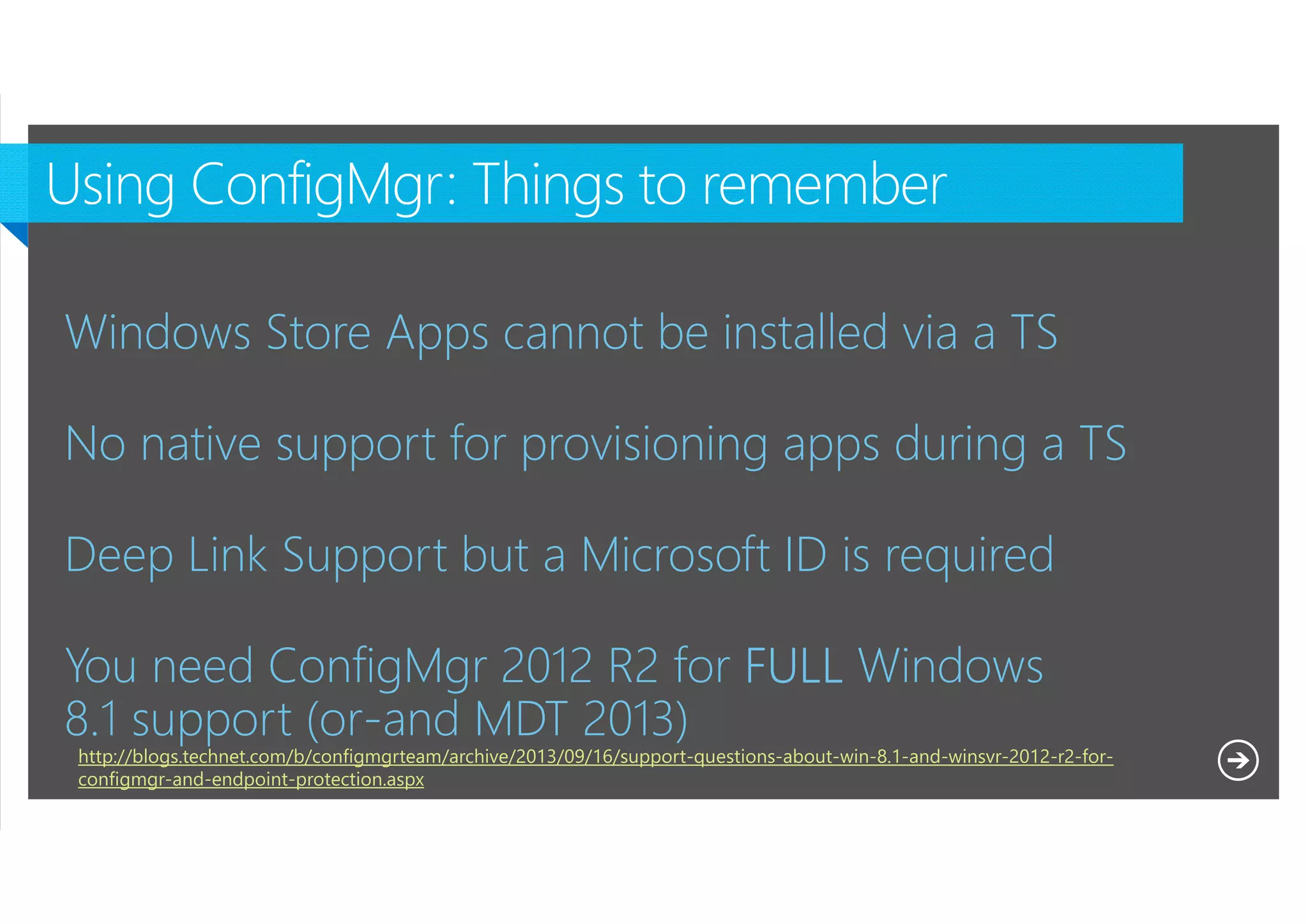
Windows Store Apps cannot be installed via a TS
No native support for provisioning apps during a TS
Deep Link Support but a Microsoft ID is required
You need ConfigMgr 2012 R2 for FULL Windows
8.1 support (or-and MDT 2013)
http://blogs.technet.com/b/configmgrteam/archive/2013/09/16/support-questions-about-win-8.1-and-winsvr-2012-r2-forconfigmgr-and-endpoint-protection.aspx
Microsoft NDA Confidential
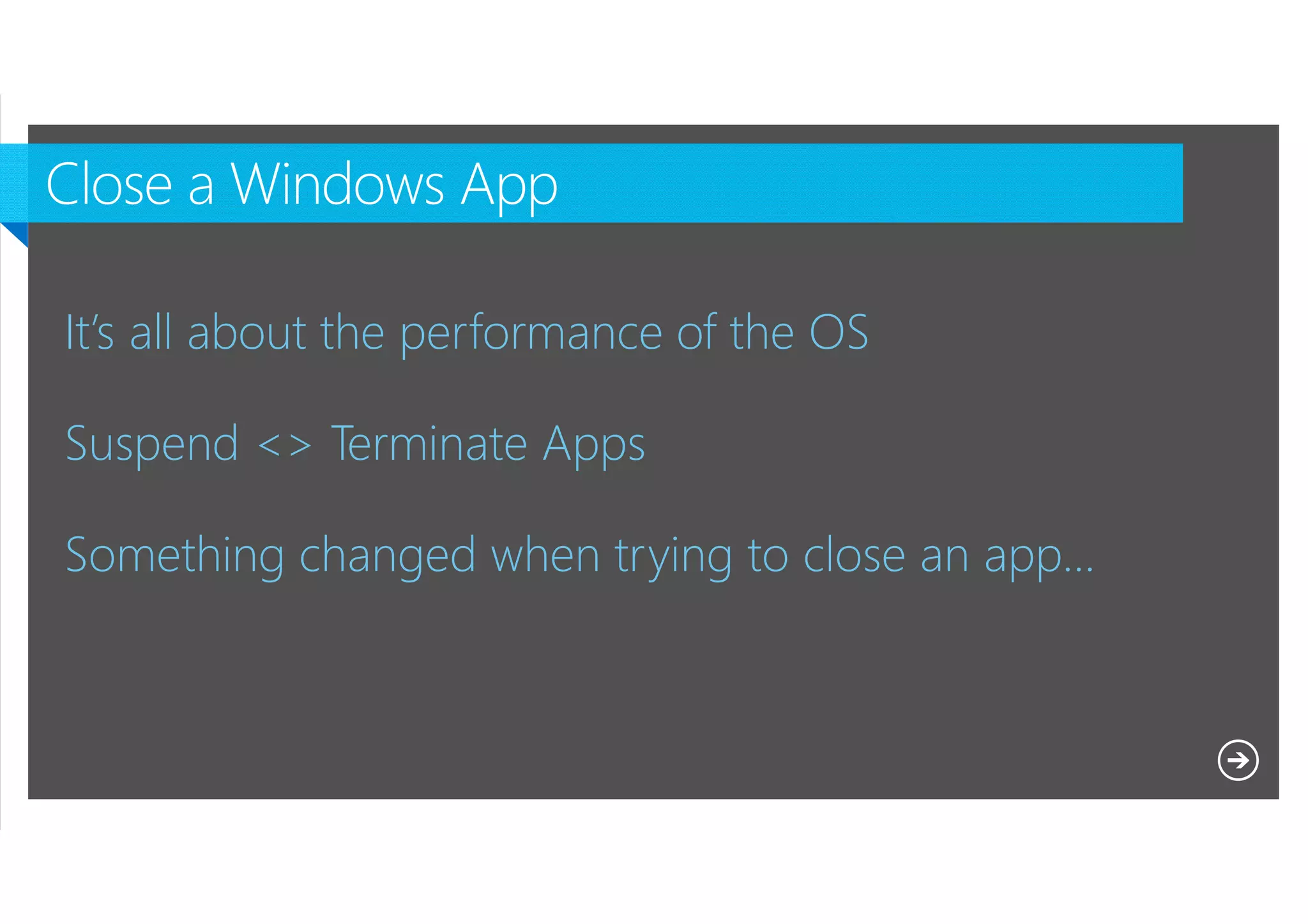
It’s all about the performance of the OS
Suspend <> Terminate Apps
Something changed when trying to close an app…

Microsoft NDA Confidential
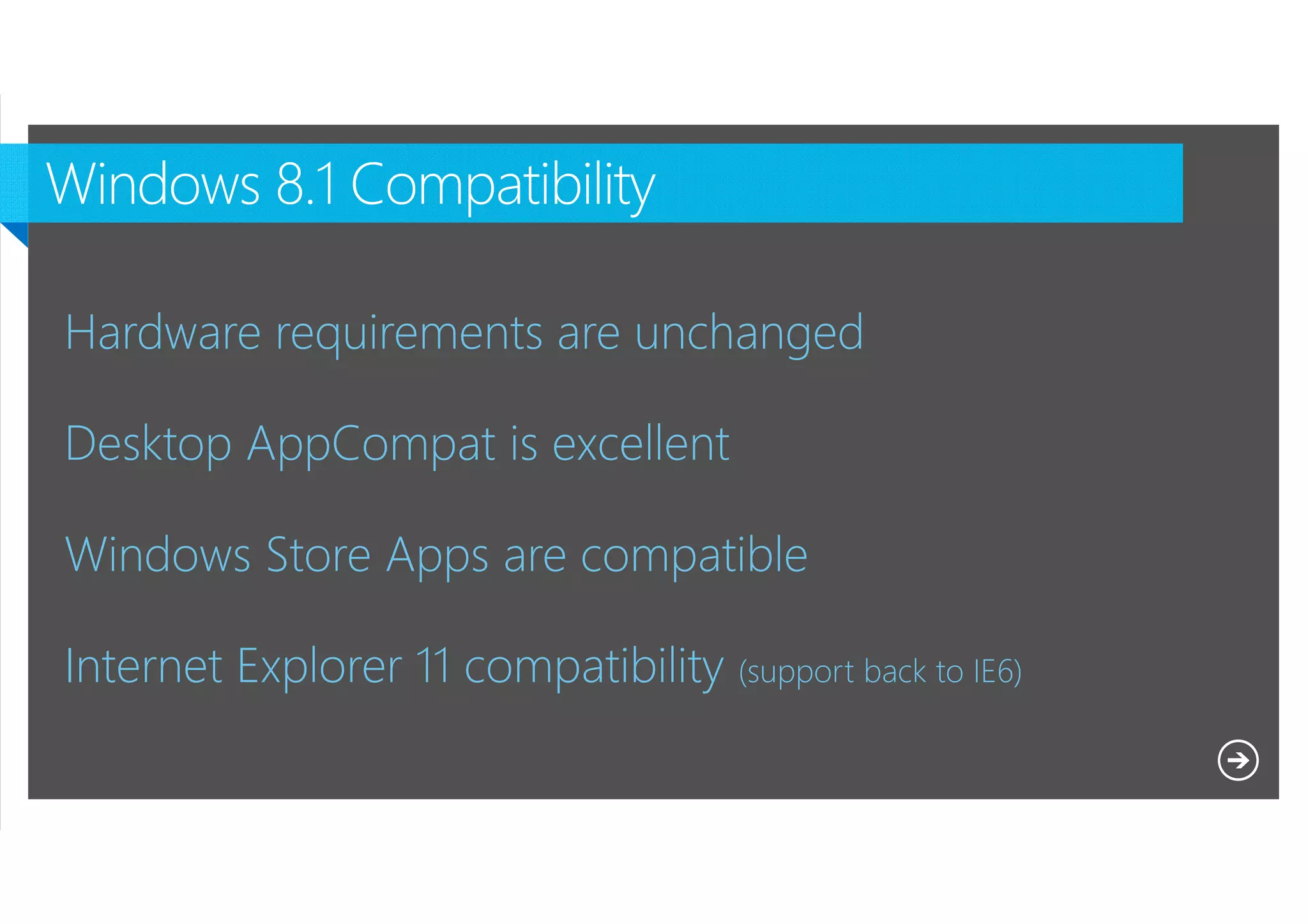
Hardware requirements are unchanged
Desktop AppCompat is excellent
Windows Store Apps are compatible
Internet Explorer 11 compatibility (support back to IE6)
Microsoft NDA Confidential
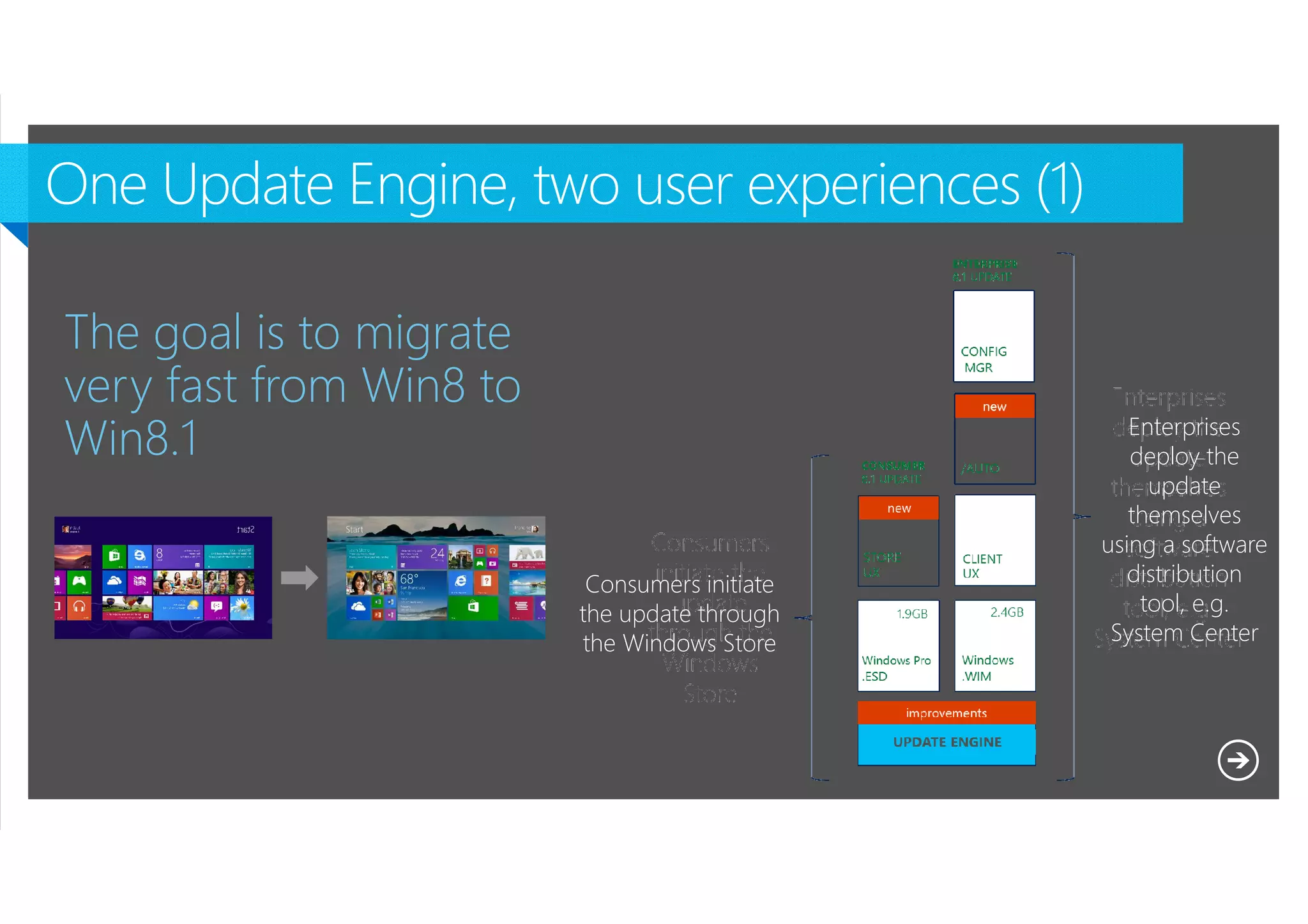
The goal is to migrate
very fast from Win8 to
Win8.1
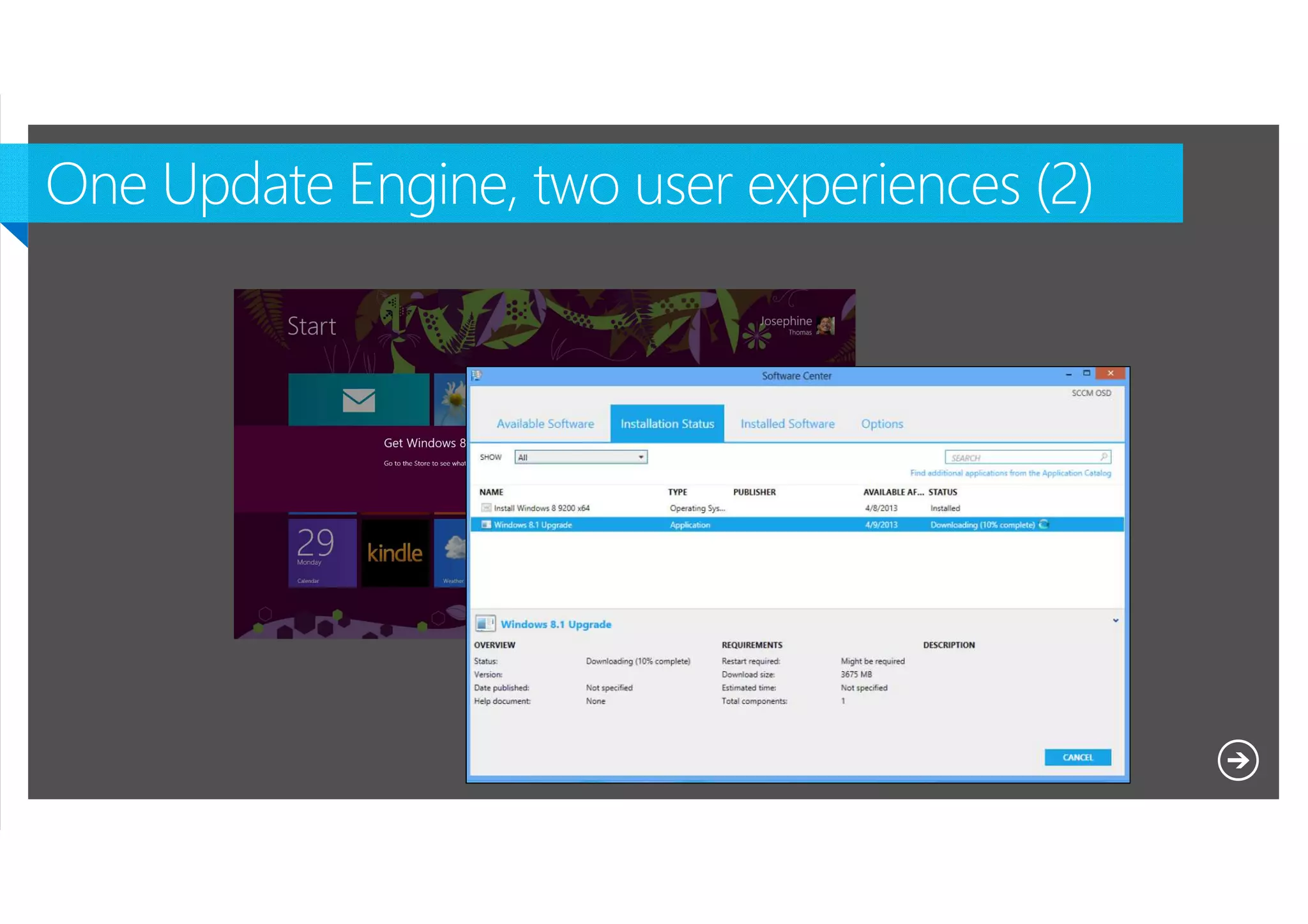
Consumers initiate
the update through
the Windows Store

Microsoft NDA Confidential

Enterprises
deploy the
update
themselves
using a software
distribution
tool, e.g.
System Center
Microsoft NDA Confidential
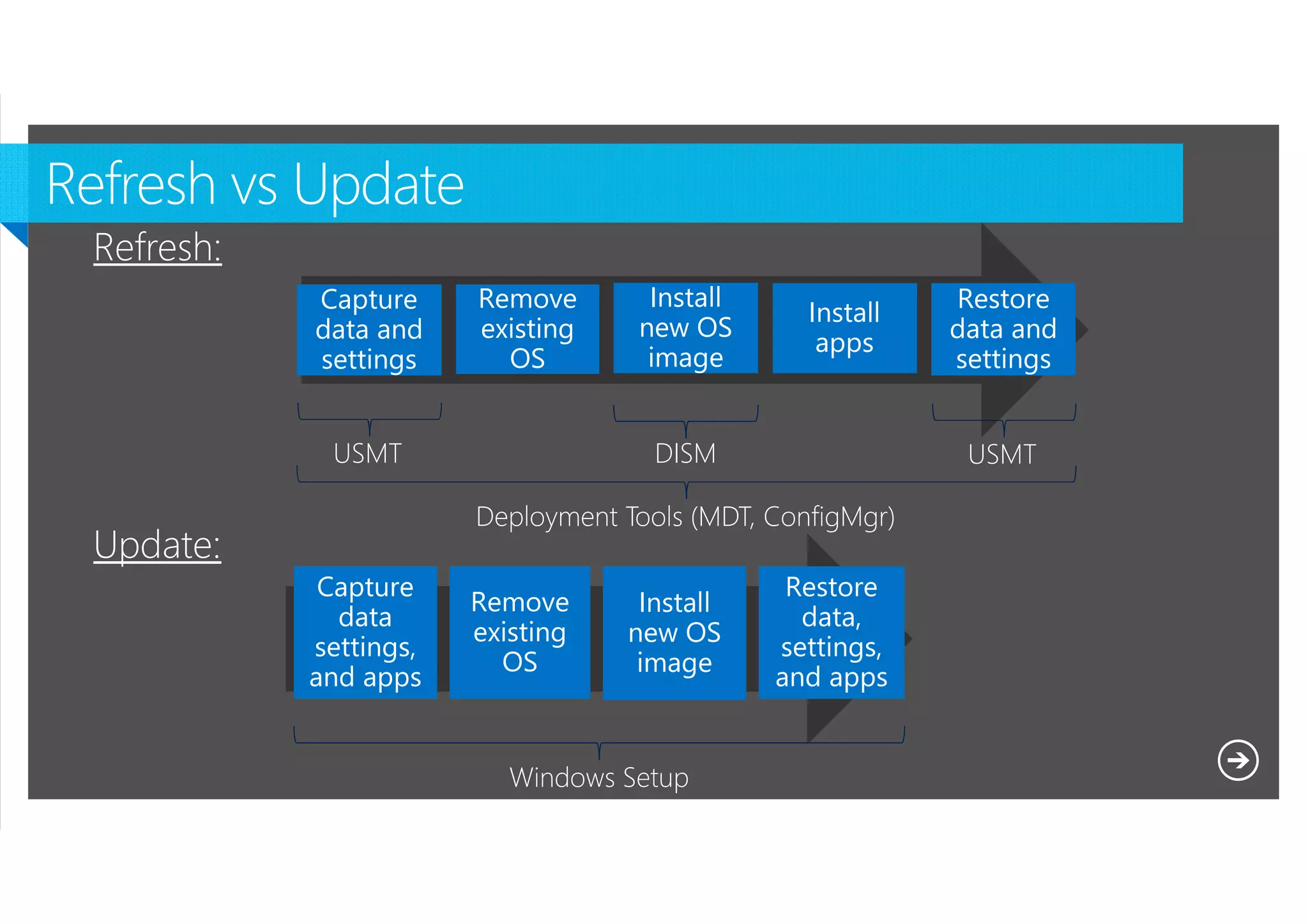
Refresh:
Capture
data and
settings

Remove
existing
OS

USMT

Install
new OS
image

Install
apps

DISM

USMT

Deployment Tools (MDT, ConfigMgr)

Update:
Capture
data
settings,
and apps

Remove
existing
OS

Install
new OS
image

Windows Setup
Microsoft NDA Confidential

Restore
data and
settings

Restore
data,
settings,
and apps
Microsoft NDA Confidential
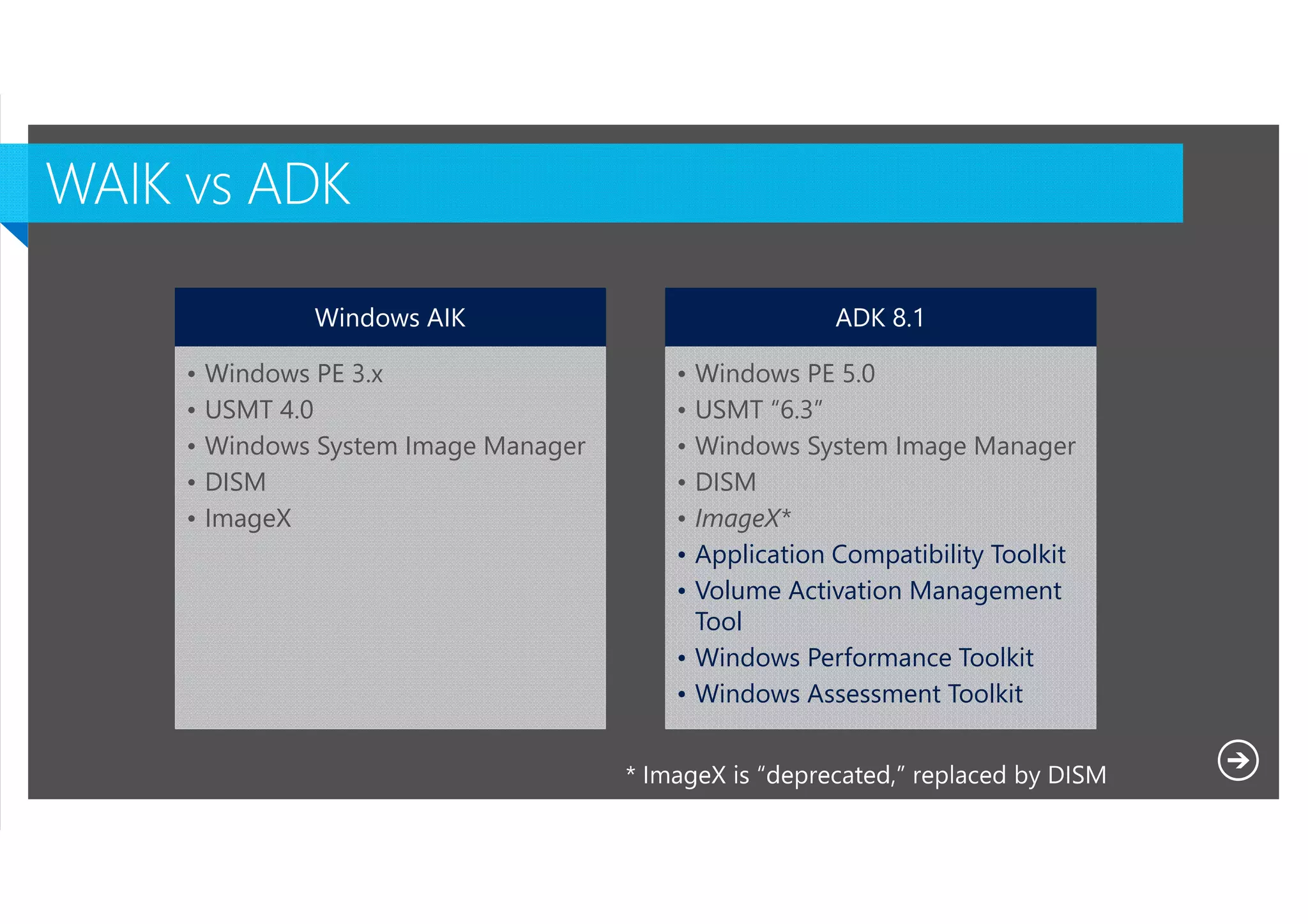
Windows AIK
•
•
•
•
•

ADK 8.1

Windows PE 3.x
USMT 4.0
Windows System Image Manager
DISM
ImageX

•
•
•
•
•
•
•

Windows PE 5.0
USMT “6.3”
Windows System Image Manager
DISM
ImageX*
Application Compatibility Toolkit
Volume Activation Management
Tool
• Windows Performance Toolkit
• Windows Assessment Toolkit

Microsoft NDA Confidential
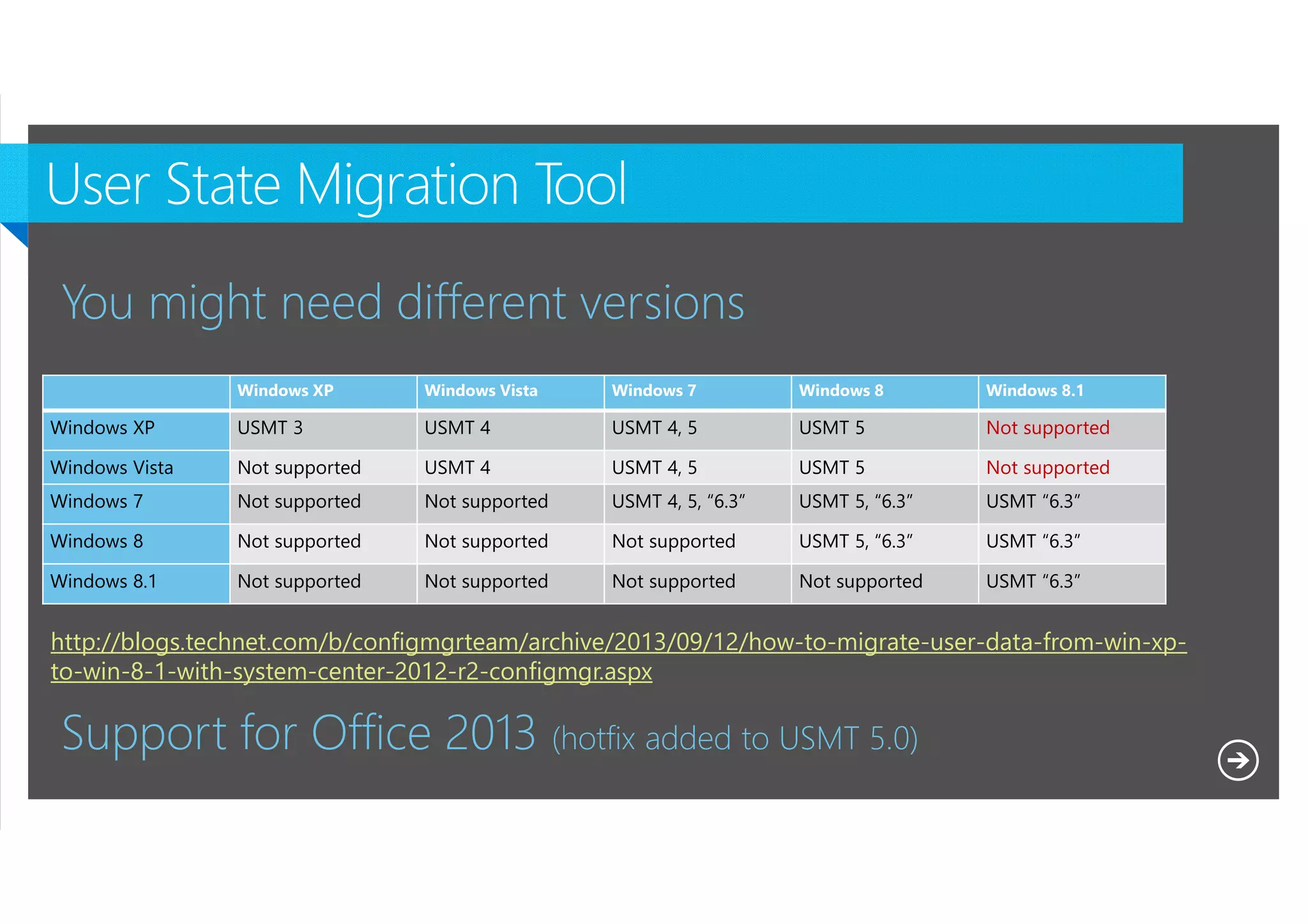
You might need different versions
Windows XP

Windows Vista

Windows 7

Windows 8

Windows 8.1

Windows XP

USMT 3

USMT 4

USMT 4, 5

USMT 5

Not supported

Windows Vista

Not supported

USMT 4

USMT 4, 5

USMT 5

Not supported

Windows 7

Not supported

Not supported

USMT 4, 5, “6.3”

USMT 5, “6.3”

USMT “6.3”

Windows 8

Not supported

Not supported

Not supported

USMT 5, “6.3”

USMT “6.3”

Windows 8.1

Not supported

Not supported

Not supported

Not supported

USMT “6.3”

http://blogs.technet.com/b/configmgrteam/archive/2013/09/12/how-to-migrate-user-data-from-win-xpto-win-8-1-with-system-center-2012-r2-configmgr.aspx

Support for Office 2013 (hotfix added to USMT 5.0)
Microsoft NDA Confidential
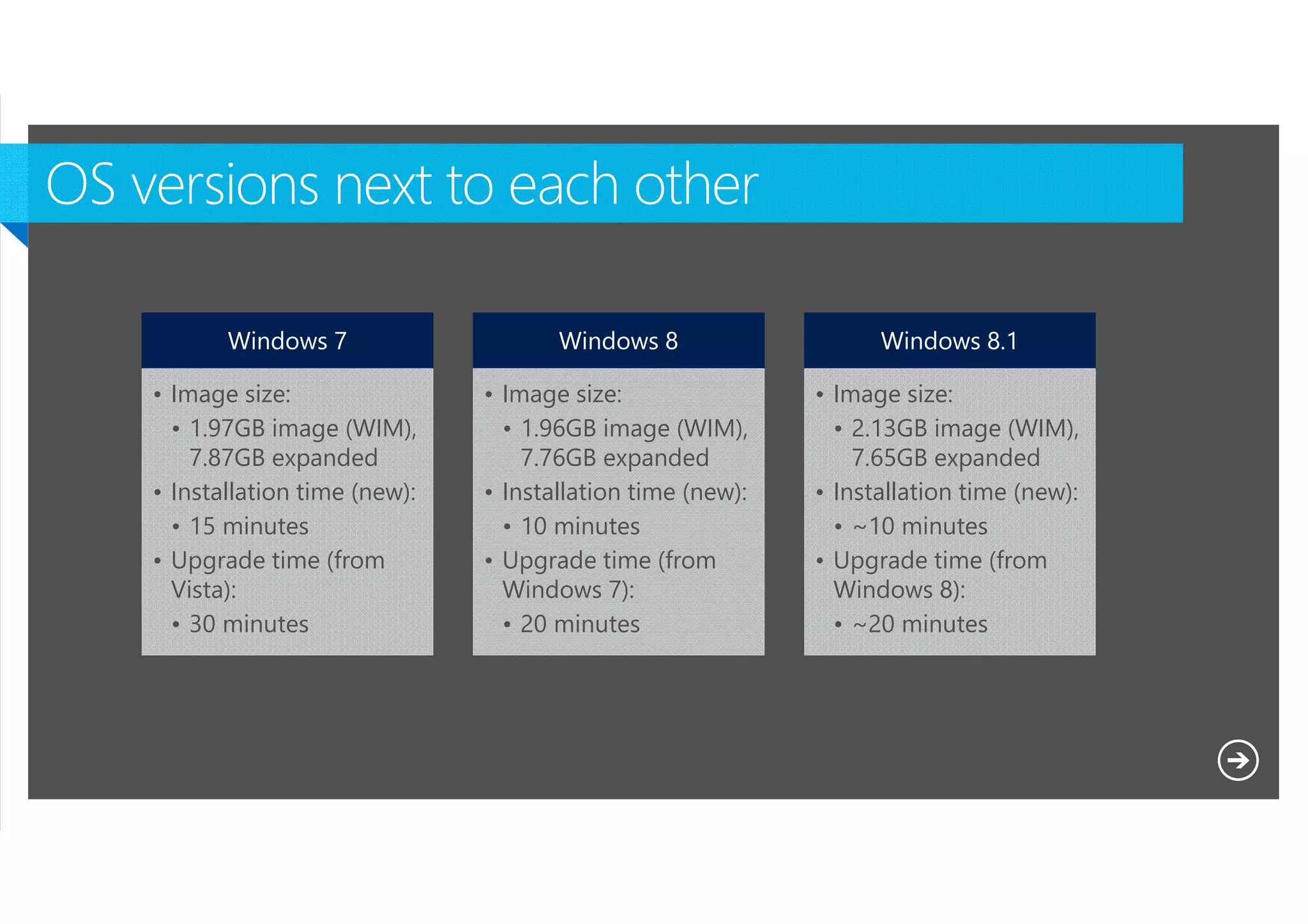
Windows 7

Windows 8

Windows 8.1

• Image size:
• 1.97GB image (WIM),
7.87GB expanded
• Installation time (new):
• 15 minutes
• Upgrade time (from
Vista):
• 30 minutes

• Image size:
• 1.96GB image (WIM),
7.76GB expanded
• Installation time (new):
• 10 minutes
• Upgrade time (from
Windows 7):
• 20 minutes

• Image size:
• 2.13GB image (WIM),
7.65GB expanded
• Installation time (new):
• ~10 minutes
• Upgrade time (from
Windows 8):
• ~20 minutes

Microsoft NDA Confidential
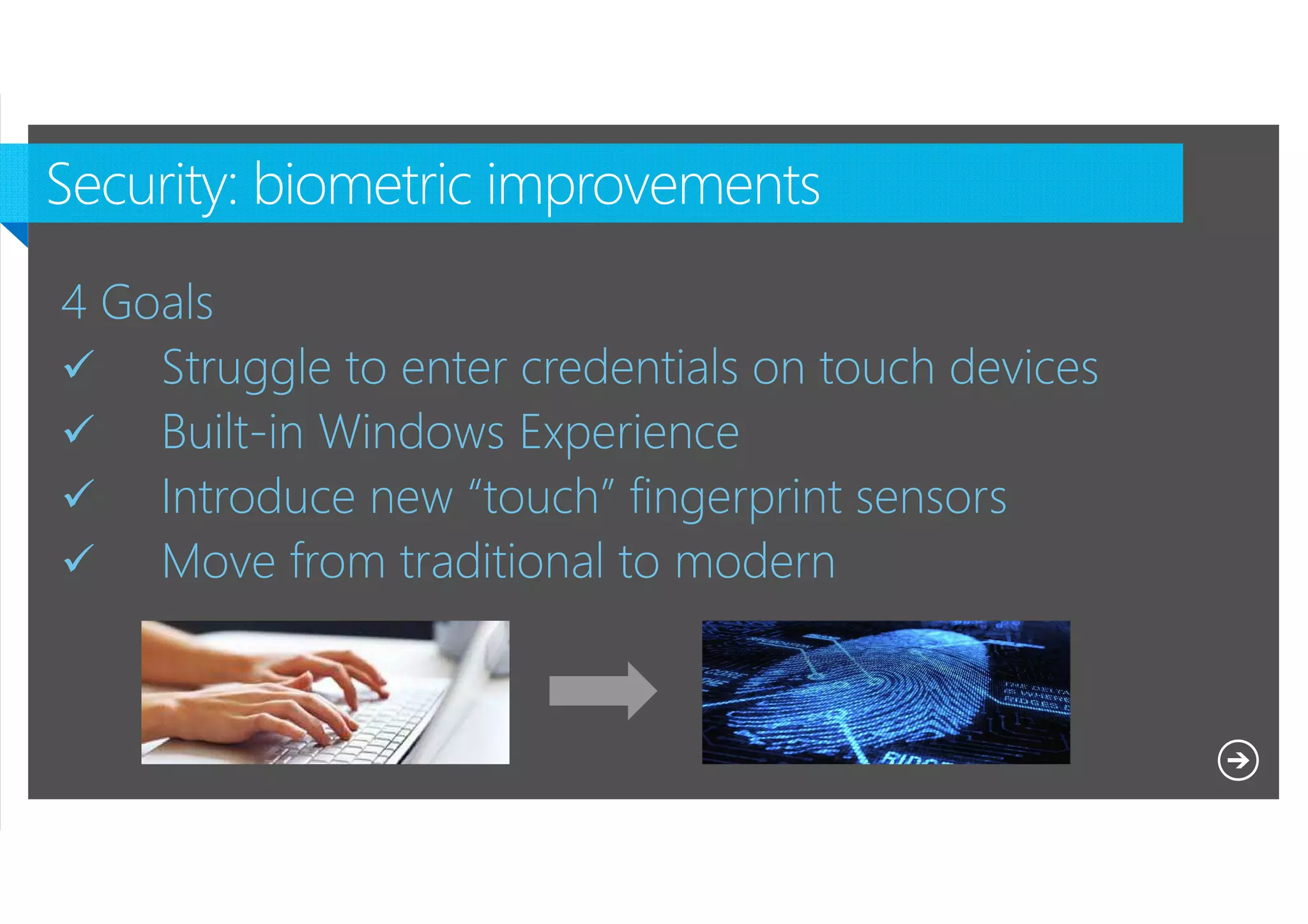
4 Goals
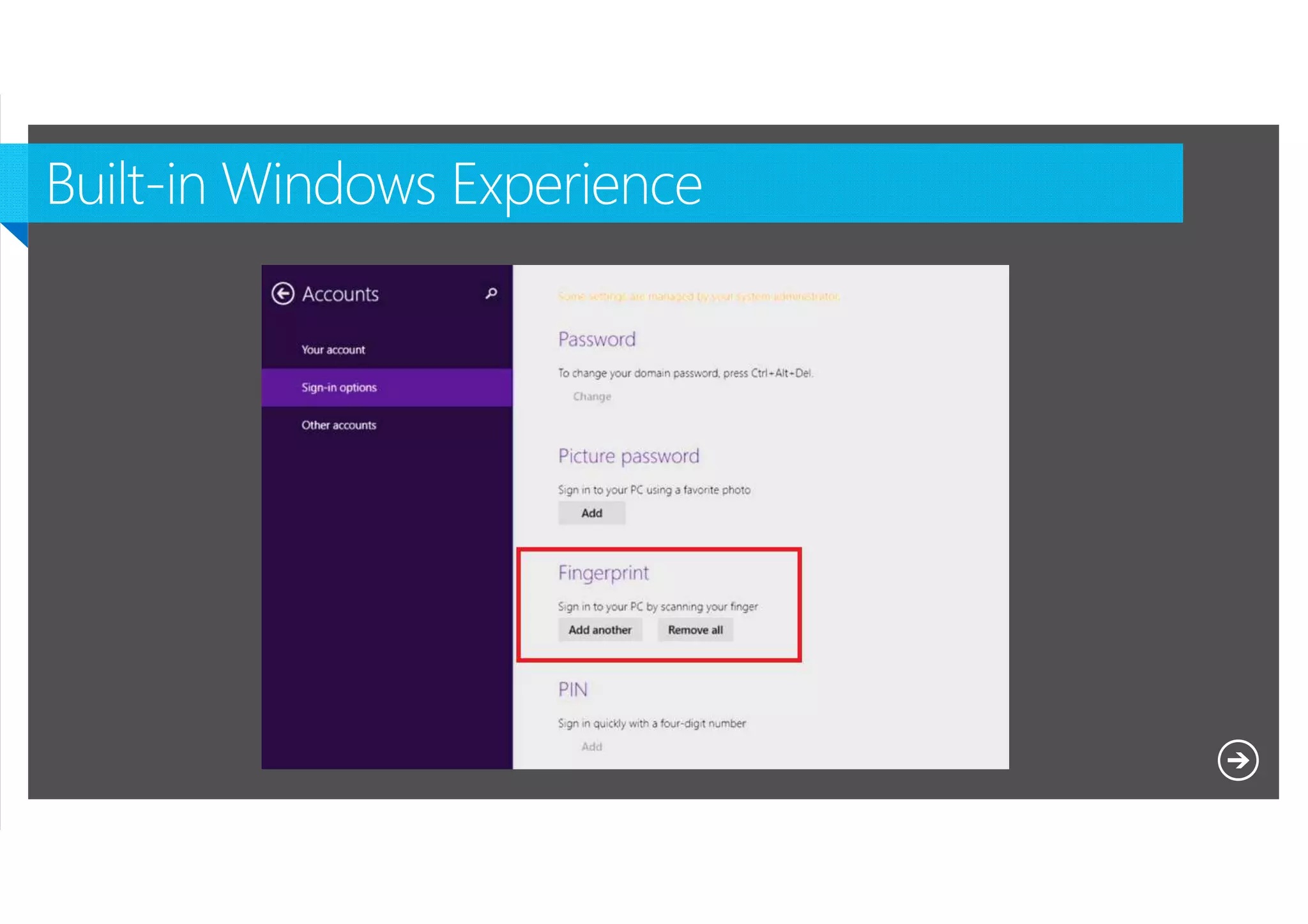
Struggle to enter credentials on touch devices
Built-in Windows Experience
Introduce new “touch” fingerprint sensors
Move from traditional to modern

Microsoft NDA Confidential
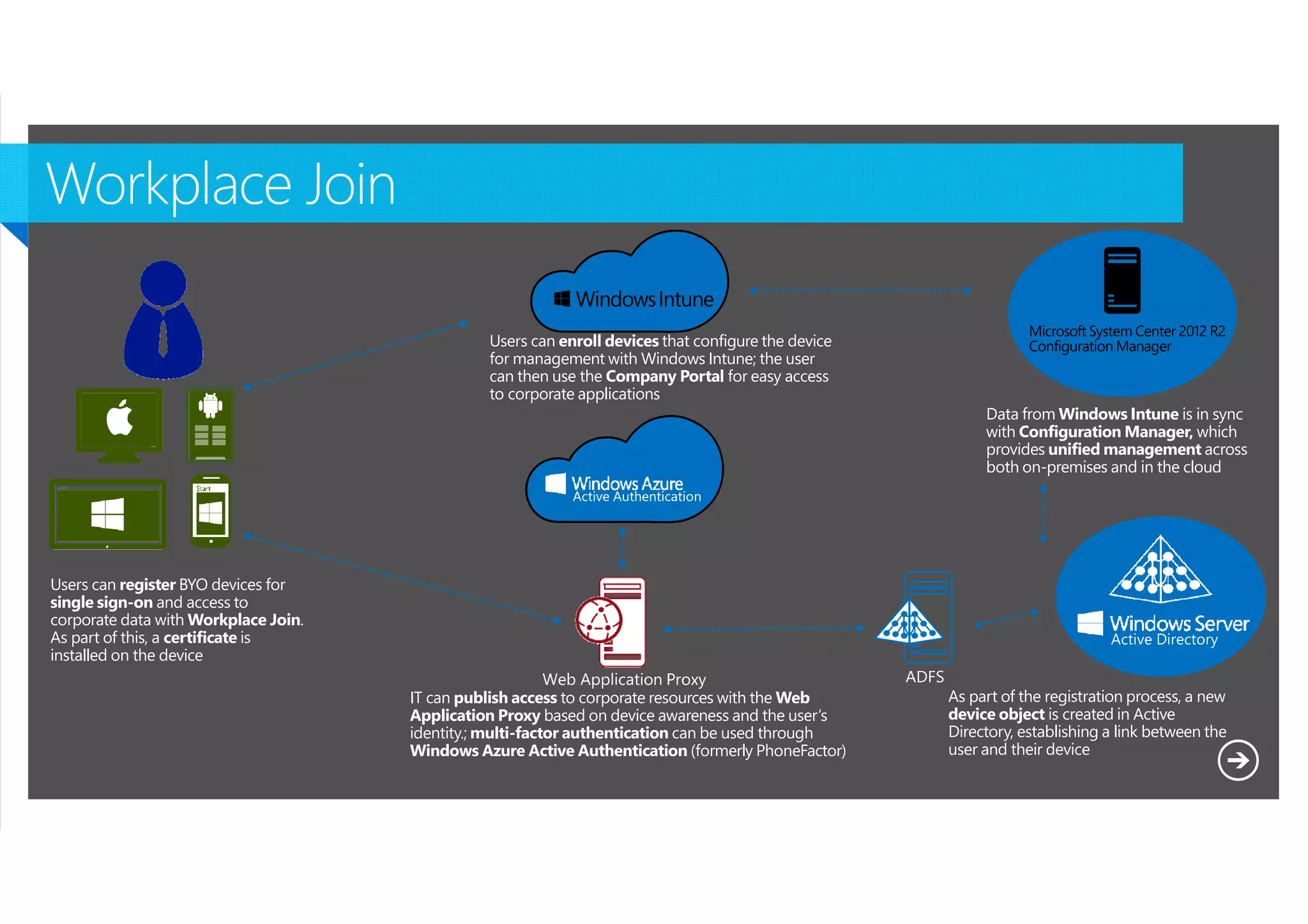
Users can enroll devices that configure the device
for management with Windows Intune; the user
can then use the Company Portal for easy access
to corporate applications
Data from Windows Intune is in sync
with Configuration Manager, which
provides unified management across
both on-premises and in the cloud

Users can register BYO devices for
single sign-on and access to
corporate data with Workplace Join.
As part of this, a certificate is
installed on the device
IT can publish access to corporate resources with the Web
Application Proxy based on device awareness and the user’s
identity.; multi-factor authentication can be used through
Windows Azure Active Authentication (formerly PhoneFactor)

Microsoft NDA Confidential

As part of the registration process, a new
device object is created in Active
Directory, establishing a link between the
user and their device
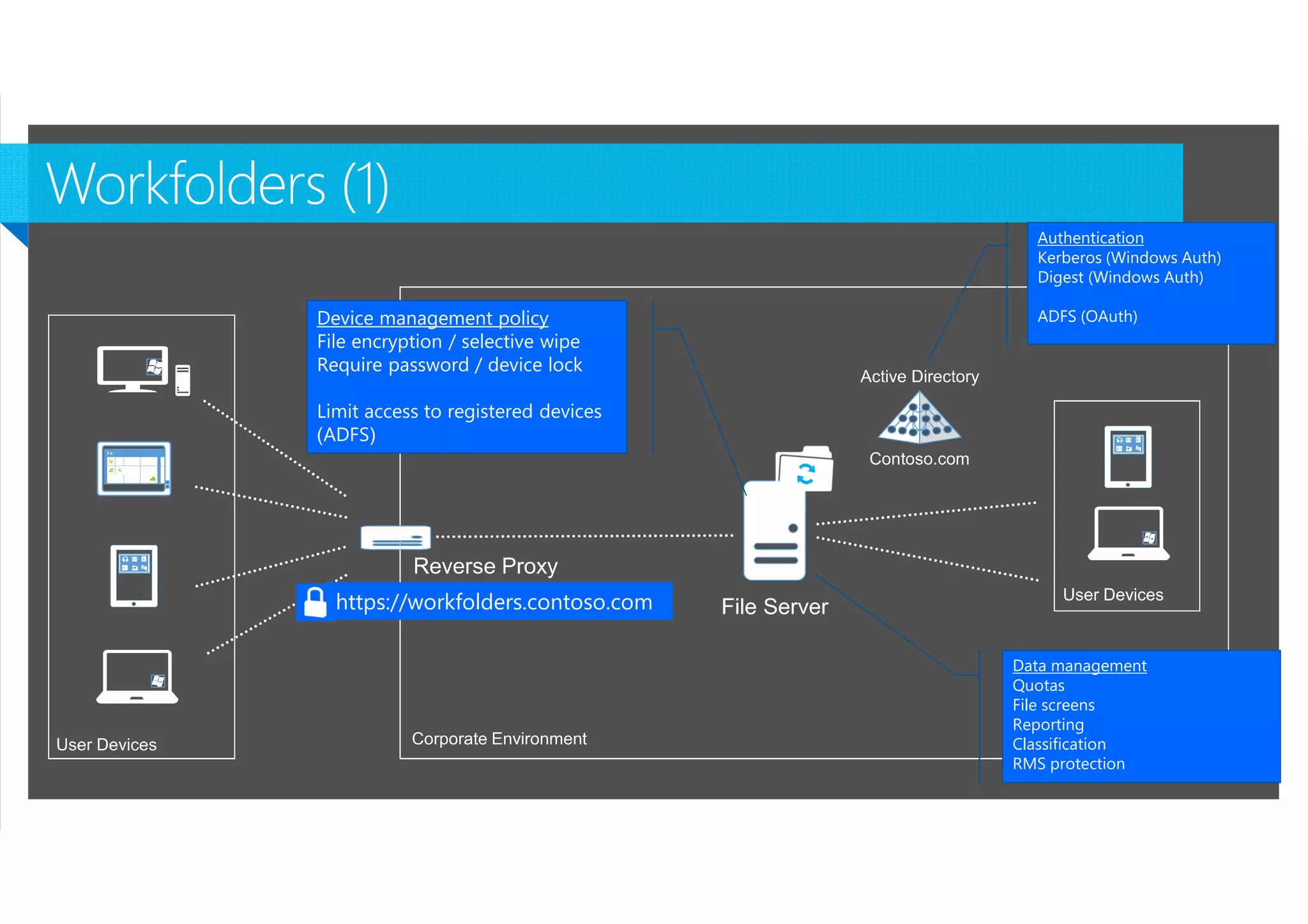
Authentication
Kerberos (Windows Auth)
Digest (Windows Auth)

Device management policy
File encryption / selective wipe
Require password / device lock

ADFS (OAuth)

Limit access to registered devices
(ADFS)

https://workfolders.contoso.com
Data management
Quotas
File screens
Reporting
Classification
RMS protection
Microsoft NDA Confidential
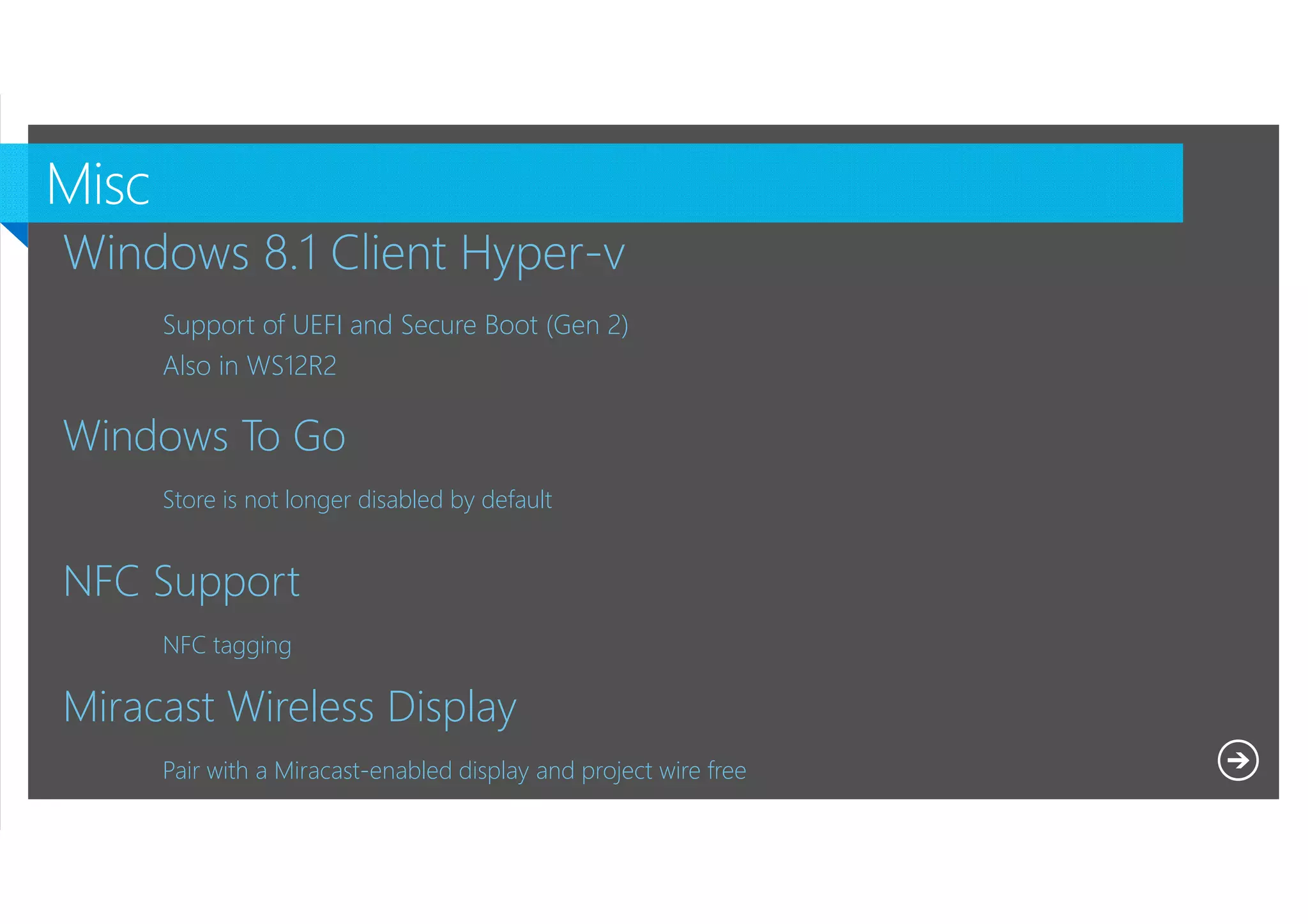
Windows 8.1 Client Hyper-v
Support of UEFI and Secure Boot (Gen 2)
Also in WS12R2

Windows To Go
Store is not longer disabled by default

NFC Support
NFC tagging

Miracast Wireless Display
Pair with a Miracast-enabled display and project wire free
Microsoft NDA Confidential
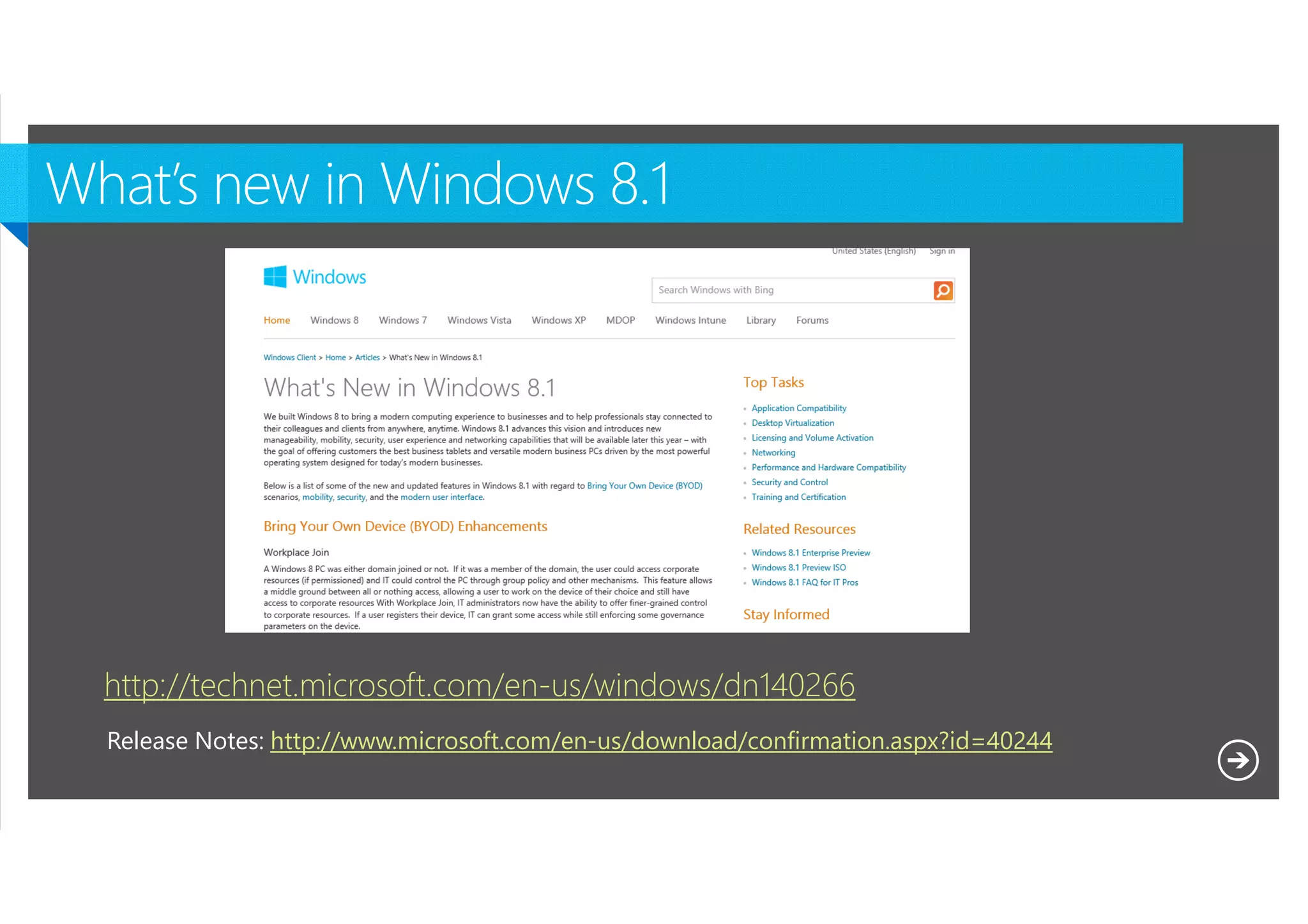
http://technet.microsoft.com/en-us/windows/dn140266
Release Notes: http://www.microsoft.com/en-us/download/confirmation.aspx?id=40244
Microsoft NDA Confidential
Windows 8.1 a closer look

Windows 8.1 a closer look

  • 2.
  • 4.
    Lock Screen changes StartScreen enhancements Search New Store Layout And yes,… the Start Button Microsoft NDA Confidential
  • 5.
  • 6.
    Boot to Desktop ShowDesktop Background on Start Replace CMD with Powershell Presentation of Apps User Configuration Administrative Templates Windows Components Edge UI Microsoft NDA Confidential
  • 7.
    CopyProfile still exists <settingspass="specialize"> <component name="Microsoft-Windows-Shell-Setup" processorArchitecture="x86" publicKeyToken="31bf3856ad364e35" language="neutral" versionScope="nonSxS" xmlns:wcm="http://schemas.microsoft.com/WMIConfig/2002/State" xmlns:xsi=http://www.w3.org/2001/XMLSchema-instance”> <CopyProfile>true</CopyProfile> </component> </settings> %windir%system32SysprepSysprep.exe /oobe /generalize /shutdown /unattend:f:unattend.xml Provision Startmenu layout Export-startlayout –path pathfile.xml –as xml (or “-as bin”) Microsoft NDA Confidential
  • 8.
    Pin Apps tostart when installed Based on AppIDs AppIDs can be found via Powershell get-startapps Put AppIDs in a GPO Microsoft NDA Confidential
  • 9.
    Not available inPreview Microsoft NDA Confidential
  • 10.
    Cannot be removed,you can disable though Microsoft NDA Confidential
  • 12.
    Traditional Desktop Apps WindowsModern Apps Setup.exe installers Windows Installer (MSI) New packaging mechanism OneClick (.NET) Very simple installation mechanism App-V, Click-to-Run Always installs quietly Can be installed silently (usually) Typically requires admin rights, usually installs per machine Still used in Windows 8 (unchanged) Microsoft NDA Confidential Does not require admin rights, always installs per user (if form the store) New in Windows 8, essentially unchanged in Windows 8.1
  • 13.
    Installation Provisioning Install via an“Enterprise App Store” using: Provision using the Microsoft Deployment Toolkit 2012 or DISM Microsoft NDA Confidential
  • 14.
    Make sure yourreference Image has no Apps from the store Apps need to be provisioned in your image DISM /Online /Add-ProvisionedAppxPackage /PackagePath:C:App1.appx /SkipLicense Add-AppxProvisionedPackage -Online -FolderPath C:Appx Use ConfigMgr for Installation on demand Microsoft NDA Confidential
  • 15.
    Windows Store Appscannot be installed via a TS No native support for provisioning apps during a TS Deep Link Support but a Microsoft ID is required You need ConfigMgr 2012 R2 for FULL Windows 8.1 support (or-and MDT 2013) http://blogs.technet.com/b/configmgrteam/archive/2013/09/16/support-questions-about-win-8.1-and-winsvr-2012-r2-forconfigmgr-and-endpoint-protection.aspx Microsoft NDA Confidential
  • 16.
    It’s all aboutthe performance of the OS Suspend <> Terminate Apps Something changed when trying to close an app… Microsoft NDA Confidential
  • 18.
    Hardware requirements areunchanged Desktop AppCompat is excellent Windows Store Apps are compatible Internet Explorer 11 compatibility (support back to IE6) Microsoft NDA Confidential
  • 19.
    The goal isto migrate very fast from Win8 to Win8.1 Consumers initiate the update through the Windows Store Microsoft NDA Confidential Enterprises deploy the update themselves using a software distribution tool, e.g. System Center
  • 20.
  • 21.
    Refresh: Capture data and settings Remove existing OS USMT Install new OS image Install apps DISM USMT DeploymentTools (MDT, ConfigMgr) Update: Capture data settings, and apps Remove existing OS Install new OS image Windows Setup Microsoft NDA Confidential Restore data and settings Restore data, settings, and apps
  • 22.
  • 23.
    Windows AIK • • • • • ADK 8.1 WindowsPE 3.x USMT 4.0 Windows System Image Manager DISM ImageX • • • • • • • Windows PE 5.0 USMT “6.3” Windows System Image Manager DISM ImageX* Application Compatibility Toolkit Volume Activation Management Tool • Windows Performance Toolkit • Windows Assessment Toolkit Microsoft NDA Confidential
  • 24.
    You might needdifferent versions Windows XP Windows Vista Windows 7 Windows 8 Windows 8.1 Windows XP USMT 3 USMT 4 USMT 4, 5 USMT 5 Not supported Windows Vista Not supported USMT 4 USMT 4, 5 USMT 5 Not supported Windows 7 Not supported Not supported USMT 4, 5, “6.3” USMT 5, “6.3” USMT “6.3” Windows 8 Not supported Not supported Not supported USMT 5, “6.3” USMT “6.3” Windows 8.1 Not supported Not supported Not supported Not supported USMT “6.3” http://blogs.technet.com/b/configmgrteam/archive/2013/09/12/how-to-migrate-user-data-from-win-xpto-win-8-1-with-system-center-2012-r2-configmgr.aspx Support for Office 2013 (hotfix added to USMT 5.0) Microsoft NDA Confidential
  • 25.
    Windows 7 Windows 8 Windows8.1 • Image size: • 1.97GB image (WIM), 7.87GB expanded • Installation time (new): • 15 minutes • Upgrade time (from Vista): • 30 minutes • Image size: • 1.96GB image (WIM), 7.76GB expanded • Installation time (new): • 10 minutes • Upgrade time (from Windows 7): • 20 minutes • Image size: • 2.13GB image (WIM), 7.65GB expanded • Installation time (new): • ~10 minutes • Upgrade time (from Windows 8): • ~20 minutes Microsoft NDA Confidential
  • 27.
    4 Goals Struggle toenter credentials on touch devices Built-in Windows Experience Introduce new “touch” fingerprint sensors Move from traditional to modern Microsoft NDA Confidential
  • 28.
  • 29.
  • 30.
    Users can enrolldevices that configure the device for management with Windows Intune; the user can then use the Company Portal for easy access to corporate applications Data from Windows Intune is in sync with Configuration Manager, which provides unified management across both on-premises and in the cloud Users can register BYO devices for single sign-on and access to corporate data with Workplace Join. As part of this, a certificate is installed on the device IT can publish access to corporate resources with the Web Application Proxy based on device awareness and the user’s identity.; multi-factor authentication can be used through Windows Azure Active Authentication (formerly PhoneFactor) Microsoft NDA Confidential As part of the registration process, a new device object is created in Active Directory, establishing a link between the user and their device
  • 31.
    Authentication Kerberos (Windows Auth) Digest(Windows Auth) Device management policy File encryption / selective wipe Require password / device lock ADFS (OAuth) Limit access to registered devices (ADFS) https://workfolders.contoso.com Data management Quotas File screens Reporting Classification RMS protection Microsoft NDA Confidential
  • 32.
  • 33.
    Windows 8.1 ClientHyper-v Support of UEFI and Secure Boot (Gen 2) Also in WS12R2 Windows To Go Store is not longer disabled by default NFC Support NFC tagging Miracast Wireless Display Pair with a Miracast-enabled display and project wire free Microsoft NDA Confidential
  • 34.