Pushing the boundaries:
openness and new approach to design
     Gráinne Conole, University of Leicester
            University of Edinburgh
                13thApril 2012
Outline
•   Technologies trends
•   Learner experience
•   Open practices
•   Teacher practice and paradoxes
•   New approaches to design
•   Metaphors
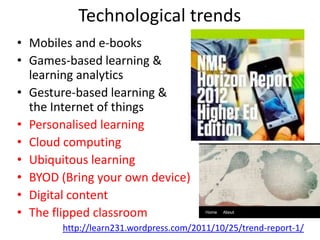
Technological trends
• Mobiles and e-books
• Games-based learning &
  learning analytics
• Gesture-based learning &
  the Internet of things
• Personalised learning
• Cloud computing
• Ubiquitous learning
• BYOD (Bring your own device)
• Digital content
• The flipped classroom
       http://learn231.wordpress.com/2011/10/25/trend-report-1/
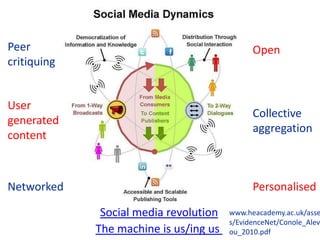
Peer                                          Open
critiquing


User
                                              Collective
generated
                                              aggregation
content


Networked                                     Personalised

              Social media revolution   www.heacademy.ac.uk/asse
                                        s/EvidenceNet/Conole_Alev
             The machine is us/ing us   ou_2010.pdf
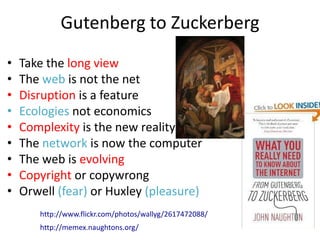
Gutenberg to Zuckerberg
•   Take the long view
•   The web is not the net
•   Disruption is a feature
•   Ecologies not economics
•   Complexity is the new reality
•   The network is now the computer
•   The web is evolving
•   Copyright or copywrong
•   Orwell (fear) or Huxley (pleasure)
       http://www.flickr.com/photos/wallyg/2617472088/
       http://memex.naughtons.org/
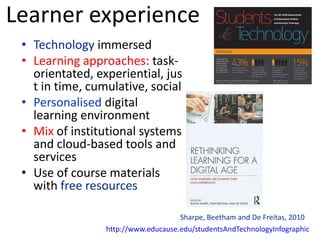
Learner experience
 • Technology immersed
 • Learning approaches: task-
   orientated, experiential, jus
   t in time, cumulative, social
 • Personalised digital
   learning environment
 • Mix of institutional systems
   and cloud-based tools and
   services
 • Use of course materials
   with free resources

                                     Sharpe, Beetham and De Freitas, 2010
                 http://www.educause.edu/studentsAndTechnologyInfographic
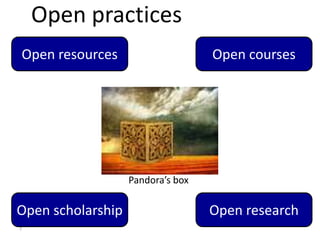
Open practices
Open resources                     Open courses


                   Pandora’s box

Open scholarship                   Open research
7
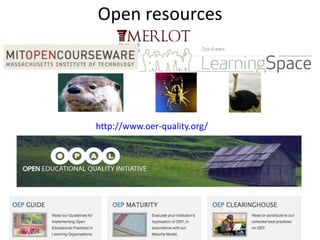
Open resources


http://www.oer-quality.org/
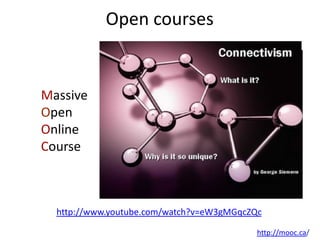
Open courses


Massive
Open
Online
Course


  http://www.youtube.com/watch?v=eW3gMGqcZQc

                                           http://mooc.ca/
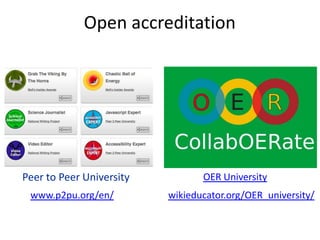
Open accreditation


Peer to Peer University          OER University
 www.p2pu.org/en/         wikieducator.org/OER_university/
Open scholarship

• Exploiting the digital network
• New forms of dissemination
  and communication
• Promoting reflective practice
• Embracing the affordances of
  new technologies


            Weller: http://nogoodreason.typepad.co.uk/
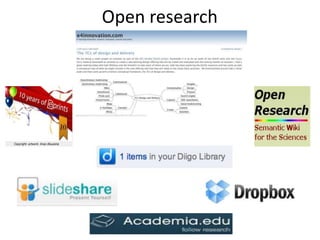
Open research
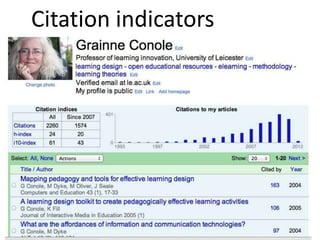
Citation indicators
Teacher practices: paradoxes
• Technologiesnot extensively
  used (Molenda)
• Lack of uptake of OER
  (McAndrew et al.)
• Little use beyond early
  adopters (Rogers)
• Despite rhetoric and funding   Pandora’s box
  little evidence of
  transformation
  (Cuban, Ehlers)
 14
Promise and reality

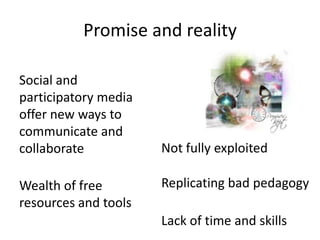
Social and
participatory media
offer new ways to
communicate and
collaborate           Not fully exploited

Wealth of free        Replicating bad pedagogy
resources and tools
                      Lack of time and skills
Learning Design
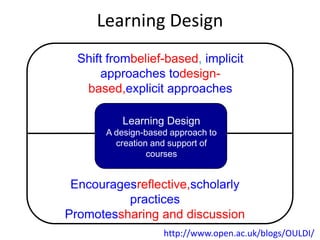
  Shift frombelief-based, implicit
       approaches todesign-
   based,explicit approaches

          Learning Design
       A design-based approach to
         creation and support of
                 courses


 Encouragesreflective,scholarly
          practices
Promotessharing and discussion
                    http://www.open.ac.uk/blogs/OULDI/
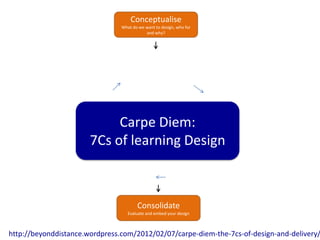
Conceptualise
                                What do we want to design, who for
                                           and why?


                            Carpe Diem:
                       7Cs of learning Design


                                       Consolidate
                                   Evaluate and embed your design


http://beyonddistance.wordpress.com/2012/02/07/carpe-diem-the-7cs-of-design-and-delivery/
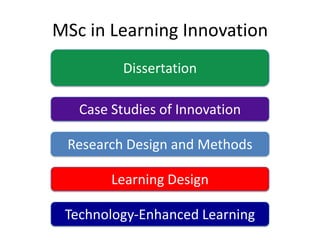
MSc in Learning Innovation
          Dissertation

   Case Studies of Innovation

 Research Design and Methods

        Learning Design

 Technology-Enhanced Learning
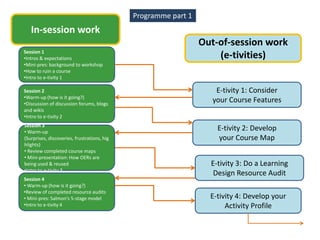
Programme part 1
   In-session work
                                                                Out-of-session work
Session 1
•Intros & expectations                                              (e-tivities)
•Mini-pres: background to workshop
•How to ruin a course
•Intro to e-tivity 1

Session 2                                                          E-tivity 1: Consider
•Warm-up (how is it going?)
•Discussion of discussion forums, blogs
                                                                  your Course Features
and wikis
•Intro to e-tivity 2
Session 3
• Warm-up
                                                                    E-tivity 2: Develop
(Surprises, discoveries, frustrations, hig                          your Course Map
hlights)
• Review completed course maps
• Mini-presentation: How OERs are
being used & reused                                               E-tivity 3: Do a Learning
•Intro to e-tivity 3
                                                                   Design Resource Audit
Session 4
• Warm-up (how is it going?)
•Review of completed resource audits
• Mini-pres: Salmon’s 5-stage model                               E-tivity 4: Develop your
•Intro to e-tivity 4                                                   Activity Profile
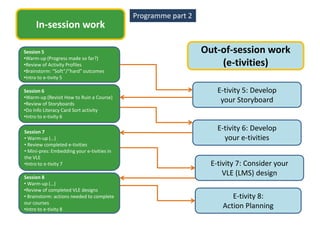
Programme part 2
     In-session work

Session 5                                                      Out-of-session work
•Warm-up (Progress made so far?)
•Review of Activity Profiles                                       (e-tivities)
•Brainstorm: “Soft”/“hard” outcomes
•Intro to e-tivity 5

Session 6                                                          E-tivity 5: Develop
•Warm-up (Revisit How to Ruin a Course)
•Review of Storyboards
                                                                    your Storyboard
•Do Info Literacy Card Sort activity
•Intro to e-tivity 6

Session 7
                                                                   E-tivity 6: Develop
• Warm-up (…)                                                        your e-tivities
• Review completed e-tivities
• Mini-pres: Embedding your e-tivities in
the VLE
•Intro to e-tivity 7                                             E-tivity 7: Consider your
Session 8
                                                                     VLE (LMS) design
• Warm-up (…)
•Review of completed VLE designs
• Brainstorm: actions needed to complete                               E-tivity 8:
our courses
•Intro to e-tivity 8
                                                                    Action Planning
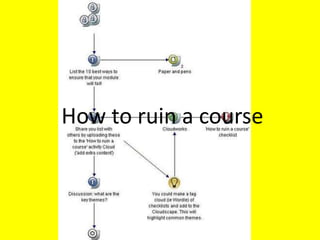
How to ruin a course
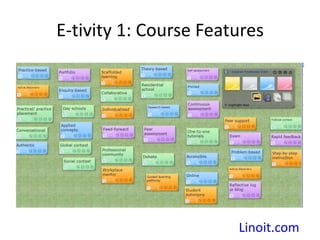
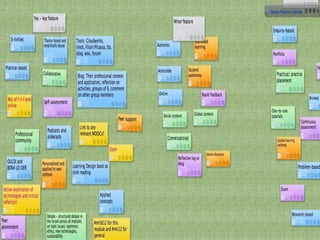
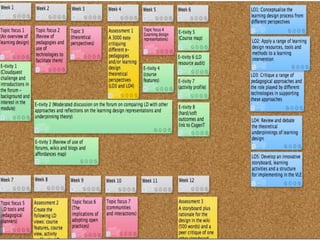
E-tivity 1: Course Features


                       Linoit.com
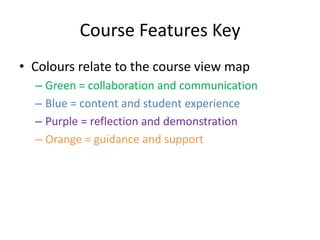
Course Features Key
• Colours relate to the course view map
  – Green = collaboration and communication
  – Blue = content and student experience
  – Purple = reflection and demonstration
  – Orange = guidance and support
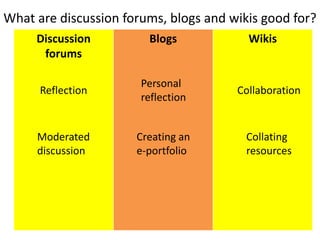
What are discussion forums, blogs and wikis good for?
     Discussion         Blogs            Wikis
      forums

                       Personal
      Reflection                       Collaboration
                       reflection


     Moderated        Creating an        Collating
     discussion       e-portfolio        resources
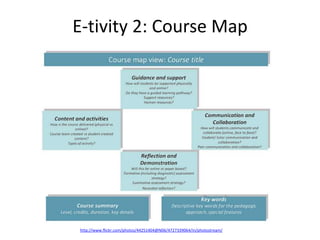
E-tivity 2: Course Map


http://www.flickr.com/photos/44251404@N06/4727339064/in/photostream/
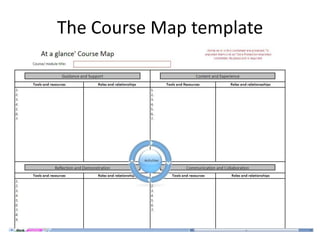
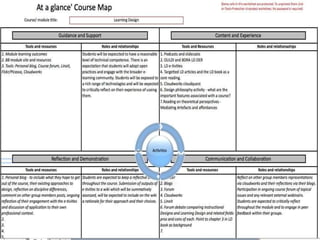
The Course Map template
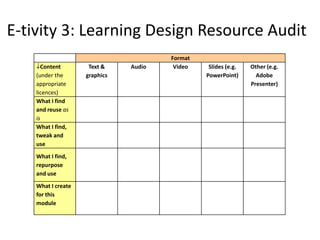
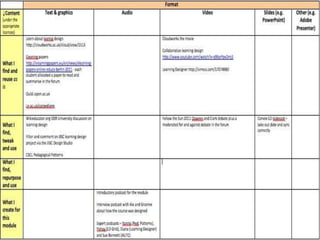
E-tivity 3: Learning Design Resource Audit
                                       Format
      Content        Text &    Audio    Video    Slides (e.g.   Other (e.g.
    (under the      graphics                    PowerPoint)       Adobe
    appropriate                                                 Presenter)
    licences)
    What I find
    and reuse as
    is
    What I find,
    tweak and
    use
    What I find,
    repurpose
    and use
    What I create
    for this
    module
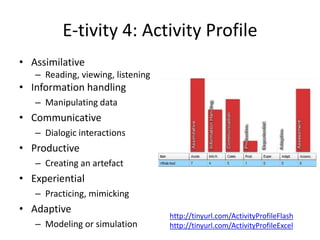
E-tivity 4: Activity Profile
• Assimilative
   – Reading, viewing, listening
• Information handling
   – Manipulating data
• Communicative
   – Dialogic interactions
• Productive
   – Creating an artefact
• Experiential
   – Practicing, mimicking
• Adaptive
                                   http://tinyurl.com/ActivityProfileFlash
   – Modeling or simulation        http://tinyurl.com/ActivityProfileExcel
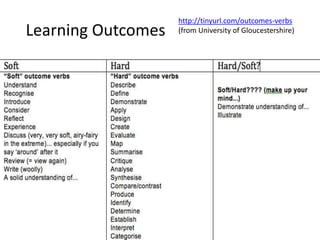
http://tinyurl.com/outcomes-verbs
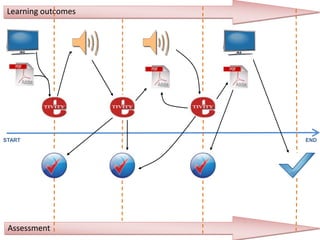
Learning Outcomes   (from University of Gloucestershire)
Learning outcomes


START                END


 Assessment
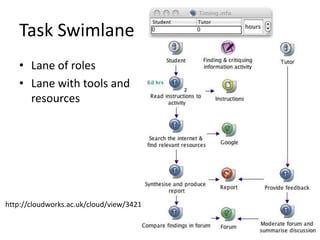
Task Swimlane
   • Lane of roles
   • Lane with tools and
     resources


http://cloudworks.ac.uk/cloud/view/3421
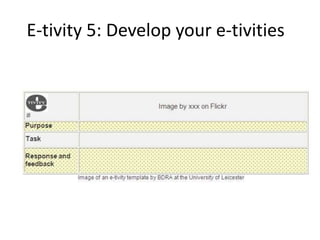
E-tivity 5: Develop your e-tivities
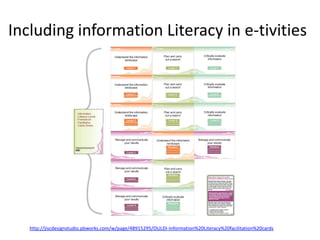
Including information Literacy in e-tivities


   http://jiscdesignstudio.pbworks.com/w/page/48915295/OULDI-Information%20Literacy%20facilitation%20cards
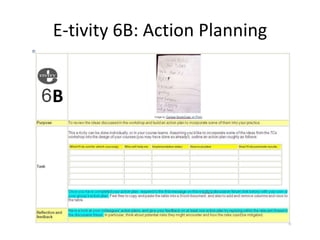
E-tivity 6B: Action Planning


B
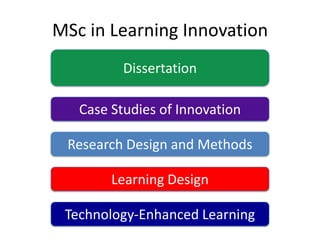
MSc in Learning Innovation
          Dissertation

   Case Studies of Innovation

 Research Design and Methods

        Learning Design

 Technology-Enhanced Learning
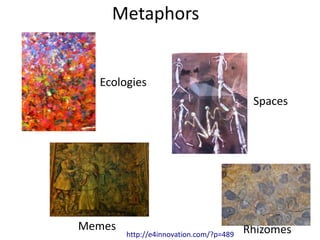
Metaphors


  Ecologies
                                          Spaces


Memes                                    Rhizomes
        http://e4innovation.com/?p=489
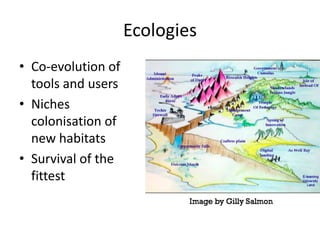
Ecologies
• Co-evolution of
  tools and users
• Niches
  colonisation of
  new habitats
• Survival of the
  fittest
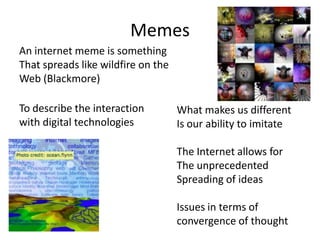
Memes
An internet meme is something
That spreads like wildfire on the
Web (Blackmore)

To describe the interaction         What makes us different
with digital technologies           Is our ability to imitate

                                    The Internet allows for
                                    The unprecedented
                                    Spreading of ideas

                                    Issues in terms of
                                    convergence of thought
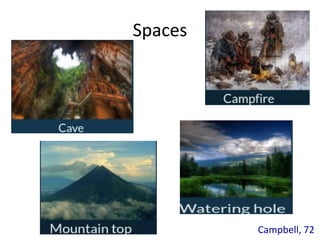
Spaces


         Campbell, 72
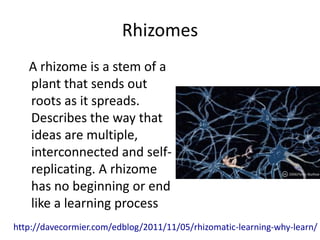
Rhizomes
   A rhizome is a stem of a
   plant that sends out
   roots as it spreads.
   Describes the way that
   ideas are multiple,
   interconnected and self-
   replicating. A rhizome
   has no beginning or end
   like a learning process
http://davecormier.com/edblog/2011/11/05/rhizomatic-learning-why-learn/
Conole, G. (forthcoming), Designing for learning in an open world, New York: Springer
                           Chapters available on dropbox
                              grainne.conole@le.ac.uk

Conole edinburgh

  • 1.
    Pushing the boundaries: opennessand new approach to design Gráinne Conole, University of Leicester University of Edinburgh 13thApril 2012
  • 2.
    Outline • Technologies trends • Learner experience • Open practices • Teacher practice and paradoxes • New approaches to design • Metaphors
  • 3.
    Technological trends • Mobilesand e-books • Games-based learning & learning analytics • Gesture-based learning & the Internet of things • Personalised learning • Cloud computing • Ubiquitous learning • BYOD (Bring your own device) • Digital content • The flipped classroom http://learn231.wordpress.com/2011/10/25/trend-report-1/
  • 4.
    Peer Open critiquing User Collective generated aggregation content Networked Personalised Social media revolution www.heacademy.ac.uk/asse s/EvidenceNet/Conole_Alev The machine is us/ing us ou_2010.pdf
  • 5.
    Gutenberg to Zuckerberg • Take the long view • The web is not the net • Disruption is a feature • Ecologies not economics • Complexity is the new reality • The network is now the computer • The web is evolving • Copyright or copywrong • Orwell (fear) or Huxley (pleasure) http://www.flickr.com/photos/wallyg/2617472088/ http://memex.naughtons.org/
  • 6.
    Learner experience •Technology immersed • Learning approaches: task- orientated, experiential, jus t in time, cumulative, social • Personalised digital learning environment • Mix of institutional systems and cloud-based tools and services • Use of course materials with free resources Sharpe, Beetham and De Freitas, 2010 http://www.educause.edu/studentsAndTechnologyInfographic
  • 7.
    Open practices Open resources Open courses Pandora’s box Open scholarship Open research 7
  • 8.
  • 9.
    Open courses Massive Open Online Course http://www.youtube.com/watch?v=eW3gMGqcZQc http://mooc.ca/
  • 10.
    Open accreditation Peer toPeer University OER University www.p2pu.org/en/ wikieducator.org/OER_university/
  • 11.
    Open scholarship • Exploitingthe digital network • New forms of dissemination and communication • Promoting reflective practice • Embracing the affordances of new technologies Weller: http://nogoodreason.typepad.co.uk/
  • 12.
  • 13.
  • 14.
    Teacher practices: paradoxes •Technologiesnot extensively used (Molenda) • Lack of uptake of OER (McAndrew et al.) • Little use beyond early adopters (Rogers) • Despite rhetoric and funding Pandora’s box little evidence of transformation (Cuban, Ehlers) 14
  • 15.
    Promise and reality Socialand participatory media offer new ways to communicate and collaborate Not fully exploited Wealth of free Replicating bad pedagogy resources and tools Lack of time and skills
  • 16.
    Learning Design Shift frombelief-based, implicit approaches todesign- based,explicit approaches Learning Design A design-based approach to creation and support of courses Encouragesreflective,scholarly practices Promotessharing and discussion http://www.open.ac.uk/blogs/OULDI/
  • 17.
    Conceptualise What do we want to design, who for and why? Carpe Diem: 7Cs of learning Design Consolidate Evaluate and embed your design http://beyonddistance.wordpress.com/2012/02/07/carpe-diem-the-7cs-of-design-and-delivery/
  • 18.
    MSc in LearningInnovation Dissertation Case Studies of Innovation Research Design and Methods Learning Design Technology-Enhanced Learning
  • 19.
    Programme part 1 In-session work Out-of-session work Session 1 •Intros & expectations (e-tivities) •Mini-pres: background to workshop •How to ruin a course •Intro to e-tivity 1 Session 2 E-tivity 1: Consider •Warm-up (how is it going?) •Discussion of discussion forums, blogs your Course Features and wikis •Intro to e-tivity 2 Session 3 • Warm-up E-tivity 2: Develop (Surprises, discoveries, frustrations, hig your Course Map hlights) • Review completed course maps • Mini-presentation: How OERs are being used & reused E-tivity 3: Do a Learning •Intro to e-tivity 3 Design Resource Audit Session 4 • Warm-up (how is it going?) •Review of completed resource audits • Mini-pres: Salmon’s 5-stage model E-tivity 4: Develop your •Intro to e-tivity 4 Activity Profile
  • 20.
    Programme part 2 In-session work Session 5 Out-of-session work •Warm-up (Progress made so far?) •Review of Activity Profiles (e-tivities) •Brainstorm: “Soft”/“hard” outcomes •Intro to e-tivity 5 Session 6 E-tivity 5: Develop •Warm-up (Revisit How to Ruin a Course) •Review of Storyboards your Storyboard •Do Info Literacy Card Sort activity •Intro to e-tivity 6 Session 7 E-tivity 6: Develop • Warm-up (…) your e-tivities • Review completed e-tivities • Mini-pres: Embedding your e-tivities in the VLE •Intro to e-tivity 7 E-tivity 7: Consider your Session 8 VLE (LMS) design • Warm-up (…) •Review of completed VLE designs • Brainstorm: actions needed to complete E-tivity 8: our courses •Intro to e-tivity 8 Action Planning
  • 21.
    How to ruina course
  • 22.
    E-tivity 1: CourseFeatures Linoit.com
  • 24.
    Course Features Key •Colours relate to the course view map – Green = collaboration and communication – Blue = content and student experience – Purple = reflection and demonstration – Orange = guidance and support
  • 25.
    What are discussionforums, blogs and wikis good for? Discussion Blogs Wikis forums Personal Reflection Collaboration reflection Moderated Creating an Collating discussion e-portfolio resources
  • 26.
    E-tivity 2: CourseMap http://www.flickr.com/photos/44251404@N06/4727339064/in/photostream/
  • 27.
  • 29.
    E-tivity 3: LearningDesign Resource Audit Format Content Text & Audio Video Slides (e.g. Other (e.g. (under the graphics PowerPoint) Adobe appropriate Presenter) licences) What I find and reuse as is What I find, tweak and use What I find, repurpose and use What I create for this module
  • 31.
    E-tivity 4: ActivityProfile • Assimilative – Reading, viewing, listening • Information handling – Manipulating data • Communicative – Dialogic interactions • Productive – Creating an artefact • Experiential – Practicing, mimicking • Adaptive http://tinyurl.com/ActivityProfileFlash – Modeling or simulation http://tinyurl.com/ActivityProfileExcel
  • 32.
    http://tinyurl.com/outcomes-verbs Learning Outcomes (from University of Gloucestershire)
  • 33.
  • 35.
    Task Swimlane • Lane of roles • Lane with tools and resources http://cloudworks.ac.uk/cloud/view/3421
  • 36.
    E-tivity 5: Developyour e-tivities
  • 37.
    Including information Literacyin e-tivities http://jiscdesignstudio.pbworks.com/w/page/48915295/OULDI-Information%20Literacy%20facilitation%20cards
  • 38.
  • 39.
    MSc in LearningInnovation Dissertation Case Studies of Innovation Research Design and Methods Learning Design Technology-Enhanced Learning
  • 40.
    Metaphors Ecologies Spaces Memes Rhizomes http://e4innovation.com/?p=489
  • 41.
    Ecologies • Co-evolution of tools and users • Niches colonisation of new habitats • Survival of the fittest
  • 42.
    Memes An internet memeis something That spreads like wildfire on the Web (Blackmore) To describe the interaction What makes us different with digital technologies Is our ability to imitate The Internet allows for The unprecedented Spreading of ideas Issues in terms of convergence of thought
  • 43.
    Spaces Campbell, 72
  • 44.
    Rhizomes A rhizome is a stem of a plant that sends out roots as it spreads. Describes the way that ideas are multiple, interconnected and self- replicating. A rhizome has no beginning or end like a learning process http://davecormier.com/edblog/2011/11/05/rhizomatic-learning-why-learn/
  • 46.
    Conole, G. (forthcoming),Designing for learning in an open world, New York: Springer Chapters available on dropbox grainne.conole@le.ac.uk

Editor's Notes

  • #22 For participants to fill in – silent brainstorm.
  • #25 First askparticipants to guesswhat the colours represent. (See previous slide.)
  • #27 Include link to Course Map in Excel
  • #28 Include link to Course Map in Excel
  • #29 Include link to Course Map in Excel
  • #30 Get audio of Ale explaining how to do this.