Animation Techniques
    Guilford County SciVis
           V106.04
Early Animation Processes
   Animation is created when still
    images are played in rapid
    succession so that they appear to
    produce images that are
    constantly moving.
   Animation appears to have
    continuous motion because the
    human eye (brain) “holds-onto”
    the still image for just a brief
    moment after it is viewed, and
    the image is still “there” (in your
    brain) when the next image is
    viewed.
   The timing between individual
    images must be fast enough for
    the sequence to appear smooth.
Early Animation Processes
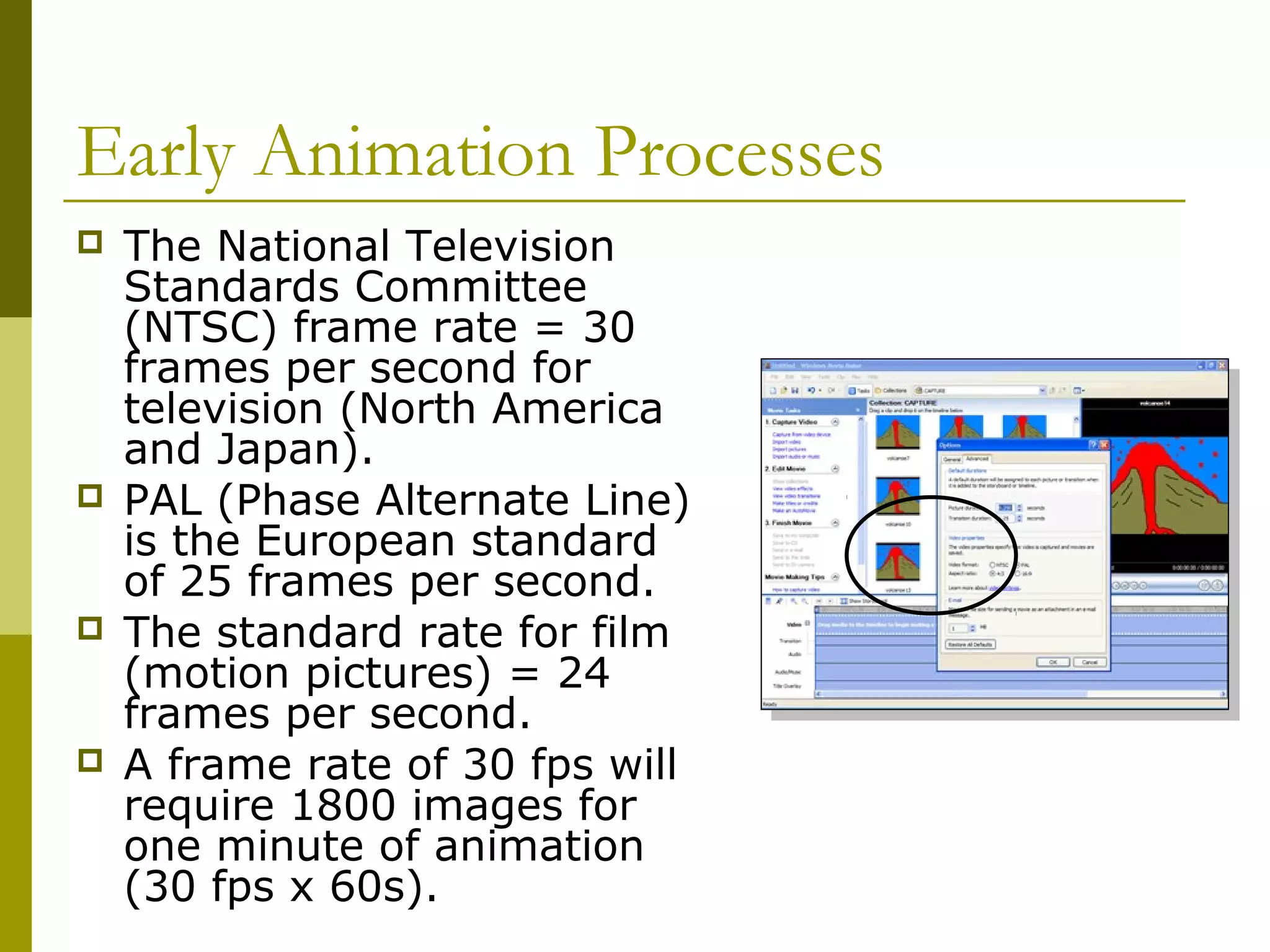
   The National Television
    Standards Committee
    (NTSC) frame rate = 30
    frames per second for
    television (North America
    and Japan).
   PAL (Phase Alternate Line)
    is the European standard
    of 25 frames per second.
   The standard rate for film
    (motion pictures) = 24
    frames per second.
   A frame rate of 30 fps will
    require 1800 images for
    one minute of animation
    (30 fps x 60s).
Early Animation Processes
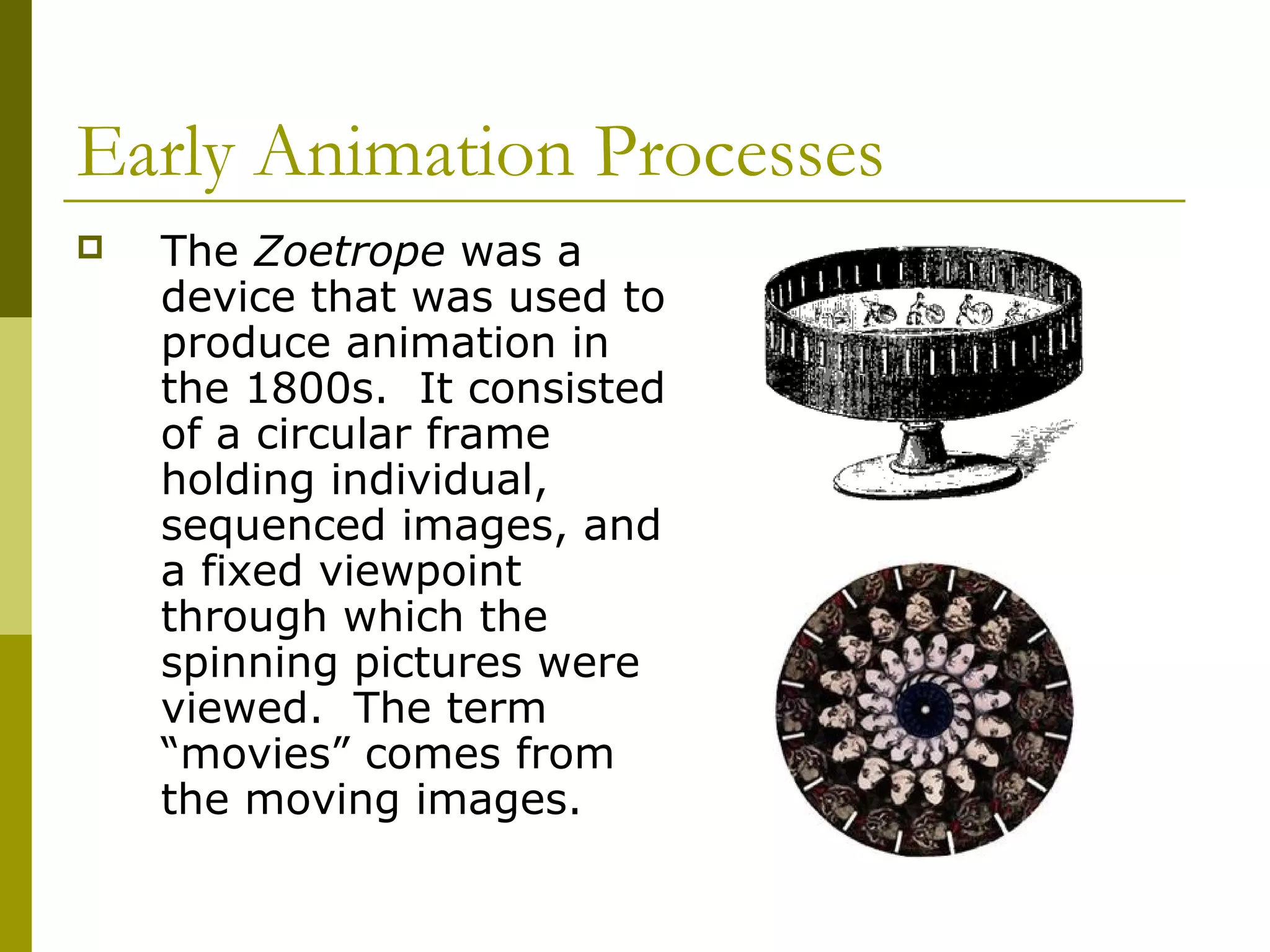
   The Zoetrope was a
    device that was used to
    produce animation in
    the 1800s. It consisted
    of a circular frame
    holding individual,
    sequenced images, and
    a fixed viewpoint
    through which the
    spinning pictures were
    viewed. The term
    “movies” comes from
    the moving images.
Early Animation Processes
   The Walt Disney Studios
    developed animation into a
    modern art during the
    1930s and 1940s.
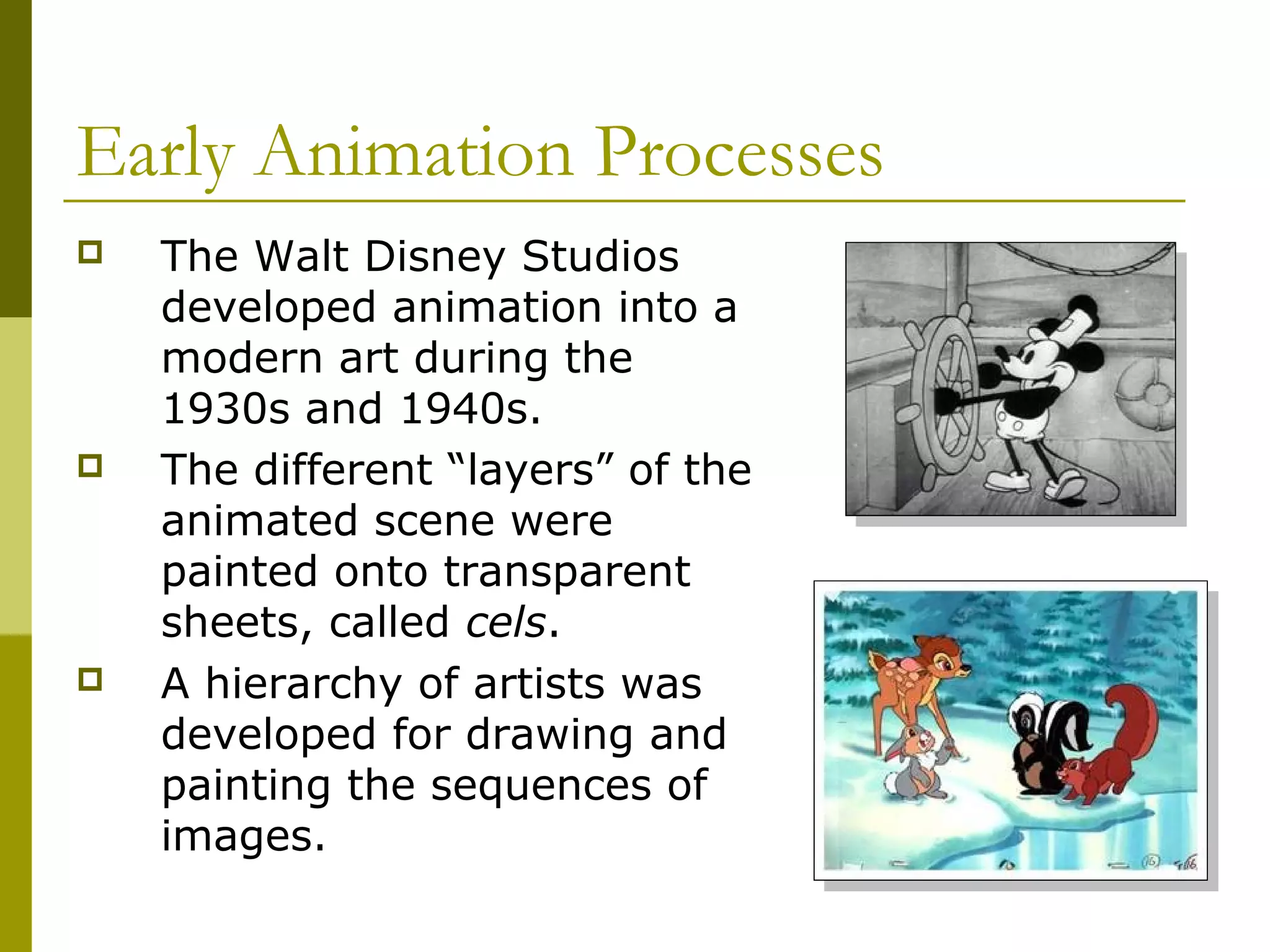
   The different “layers” of the
    animated scene were
    painted onto transparent
    sheets, called cels.
   A hierarchy of artists was
    developed for drawing and
    painting the sequences of
    images.
Early Animation Processes
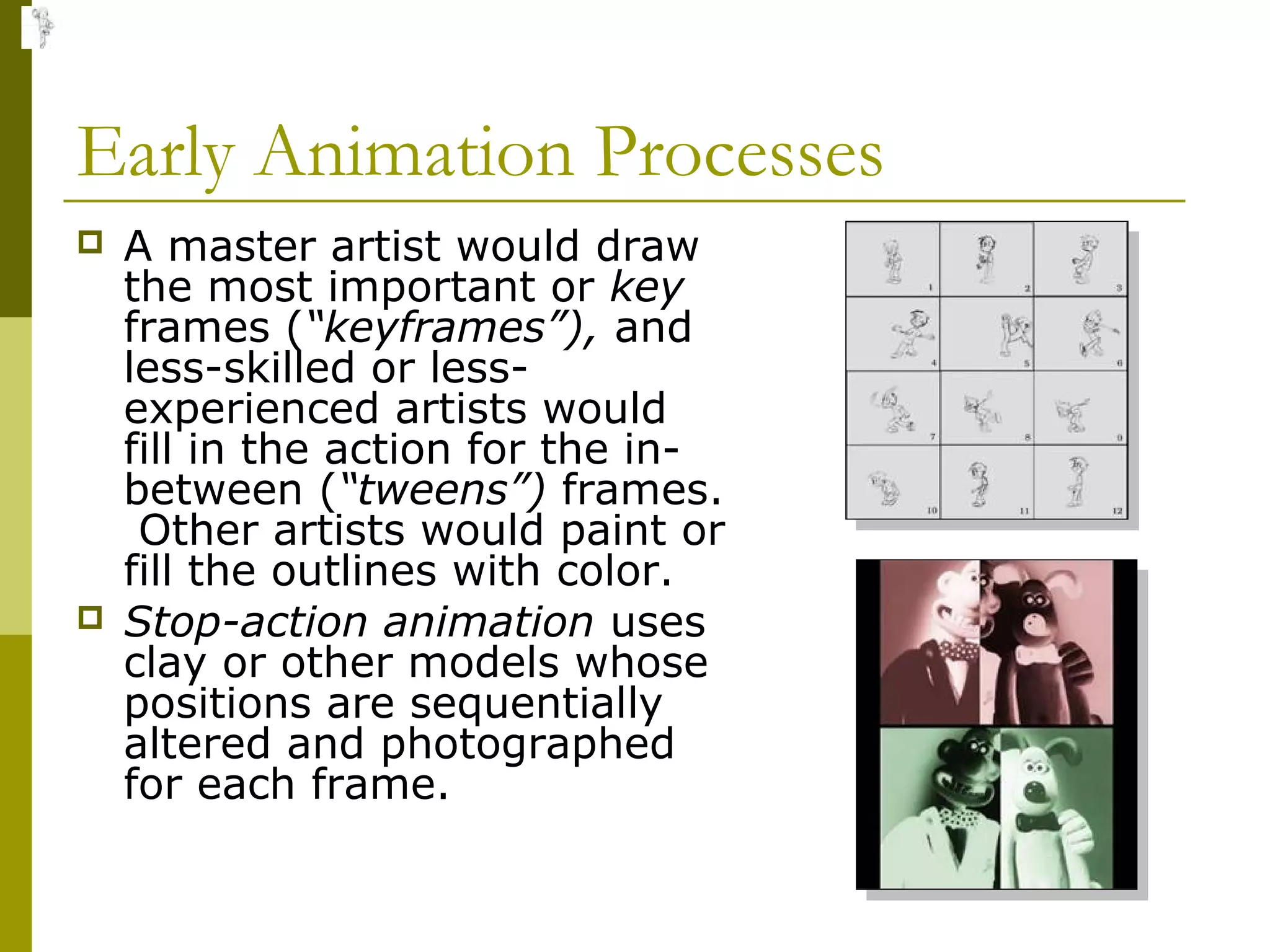
   A master artist would draw
    the most important or key
    frames (“keyframes”), and
    less-skilled or less-
    experienced artists would
    fill in the action for the in-
    between (“tweens”) frames.
     Other artists would paint or
    fill the outlines with color.
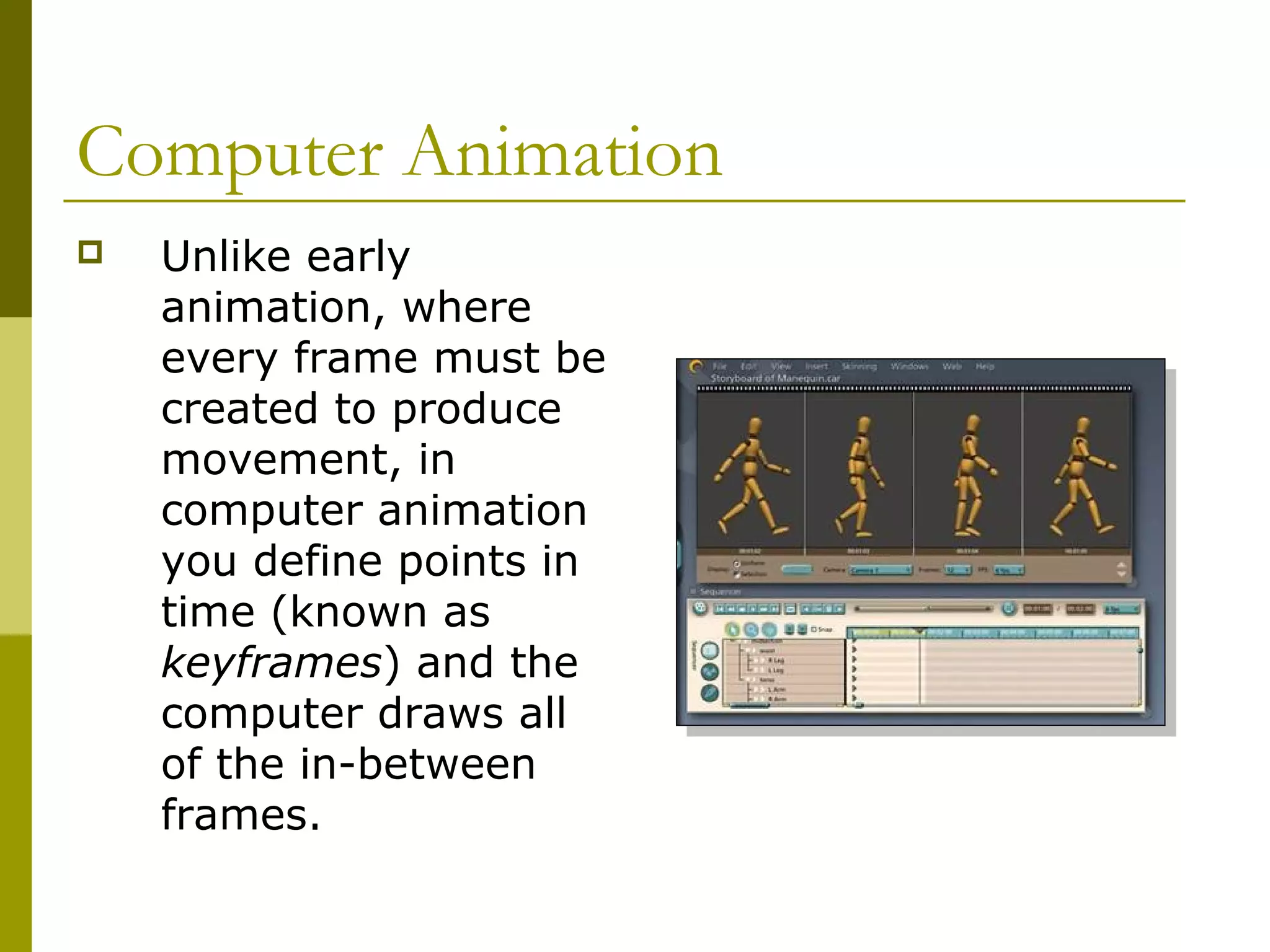
   Stop-action animation uses
    clay or other models whose
    positions are sequentially
    altered and photographed
    for each frame.
Computer Animation
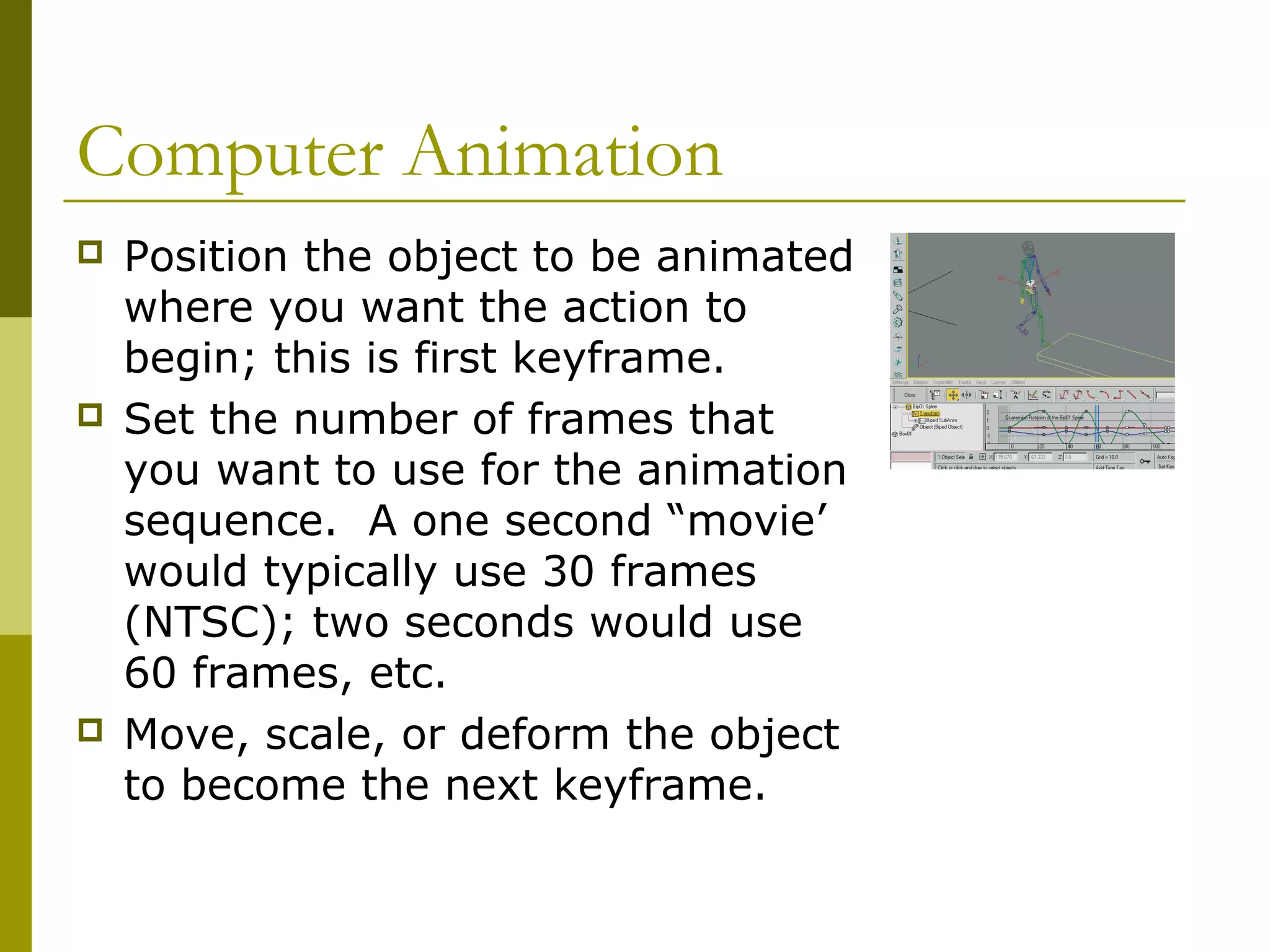
   Unlike early
    animation, where
    every frame must be
    created to produce
    movement, in
    computer animation
    you define points in
    time (known as
    keyframes) and the
    computer draws all
    of the in-between
    frames.
Computer Animation
   Position the object to be animated
    where you want the action to
    begin; this is first keyframe.
   Set the number of frames that
    you want to use for the animation
    sequence. A one second “movie’
    would typically use 30 frames
    (NTSC); two seconds would use
    60 frames, etc.
   Move, scale, or deform the object
    to become the next keyframe.
Computer Animation
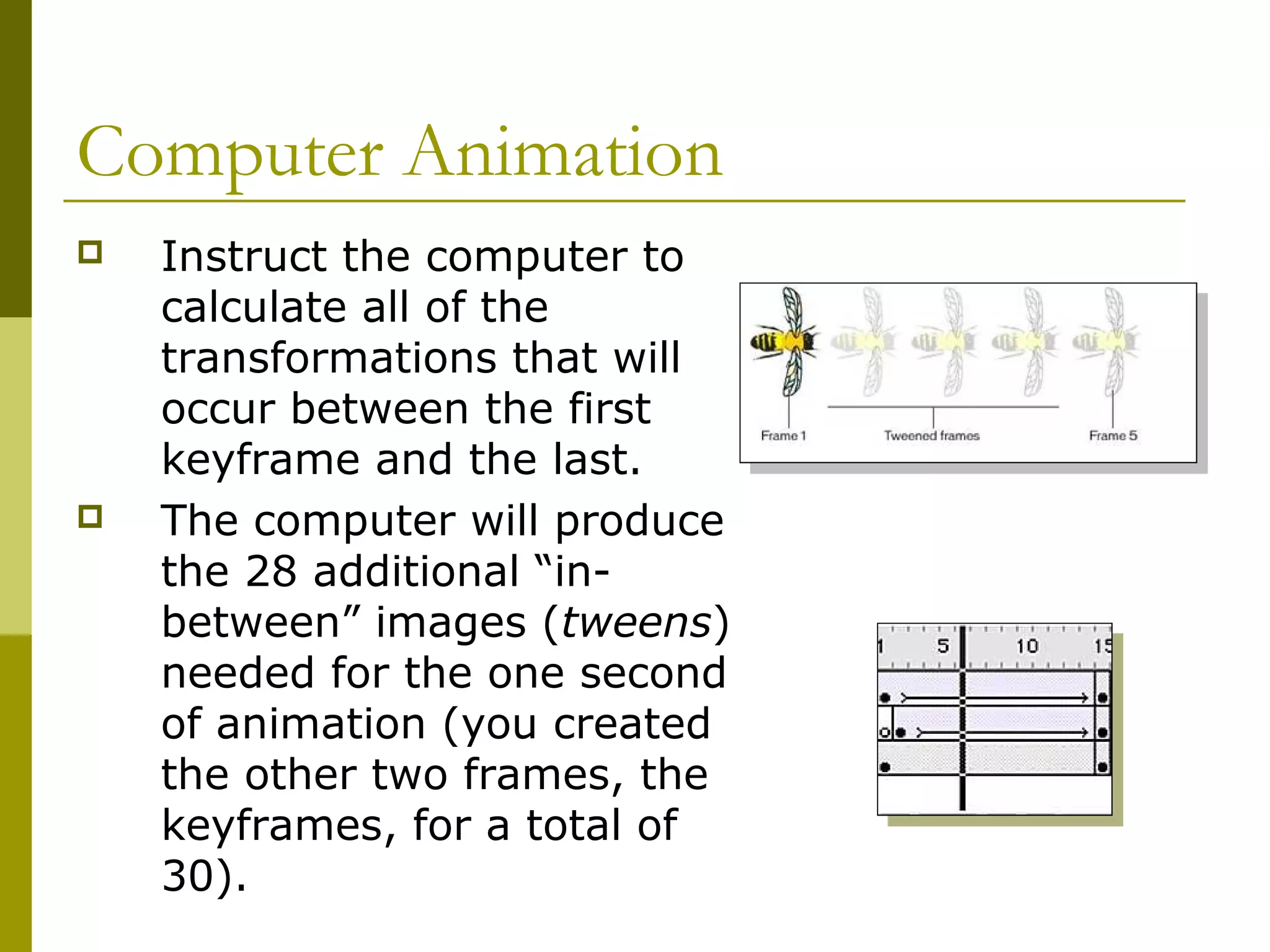
   Instruct the computer to
    calculate all of the
    transformations that will
    occur between the first
    keyframe and the last.
   The computer will produce
    the 28 additional “in-
    between” images (tweens)
    needed for the one second
    of animation (you created
    the other two frames, the
    keyframes, for a total of
    30).
Computer Animation
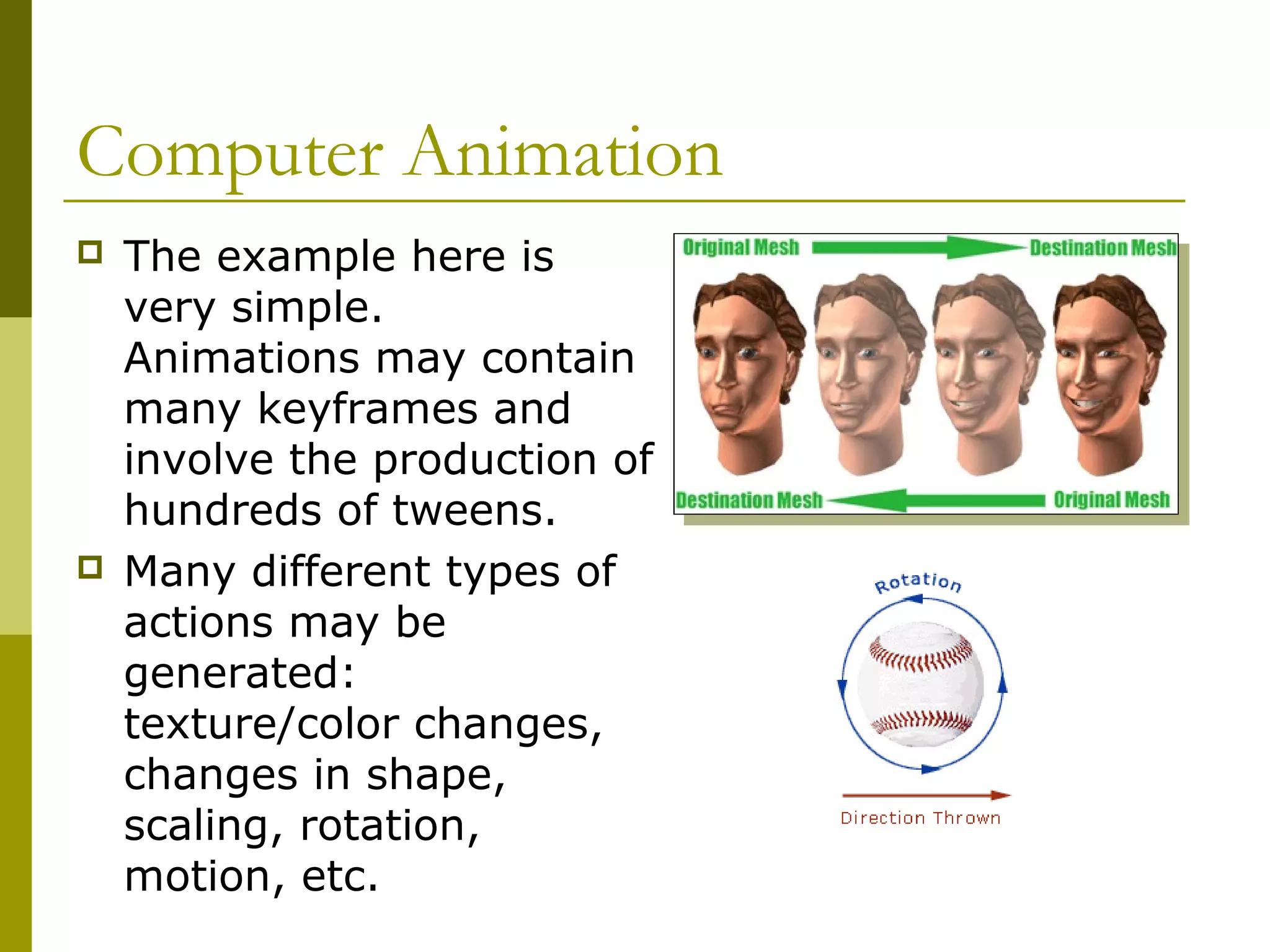
   The example here is
    very simple.
    Animations may contain
    many keyframes and
    involve the production of
    hundreds of tweens.
   Many different types of
    actions may be
    generated:
    texture/color changes,
    changes in shape,
    scaling, rotation,
    motion, etc.
Storyboarding
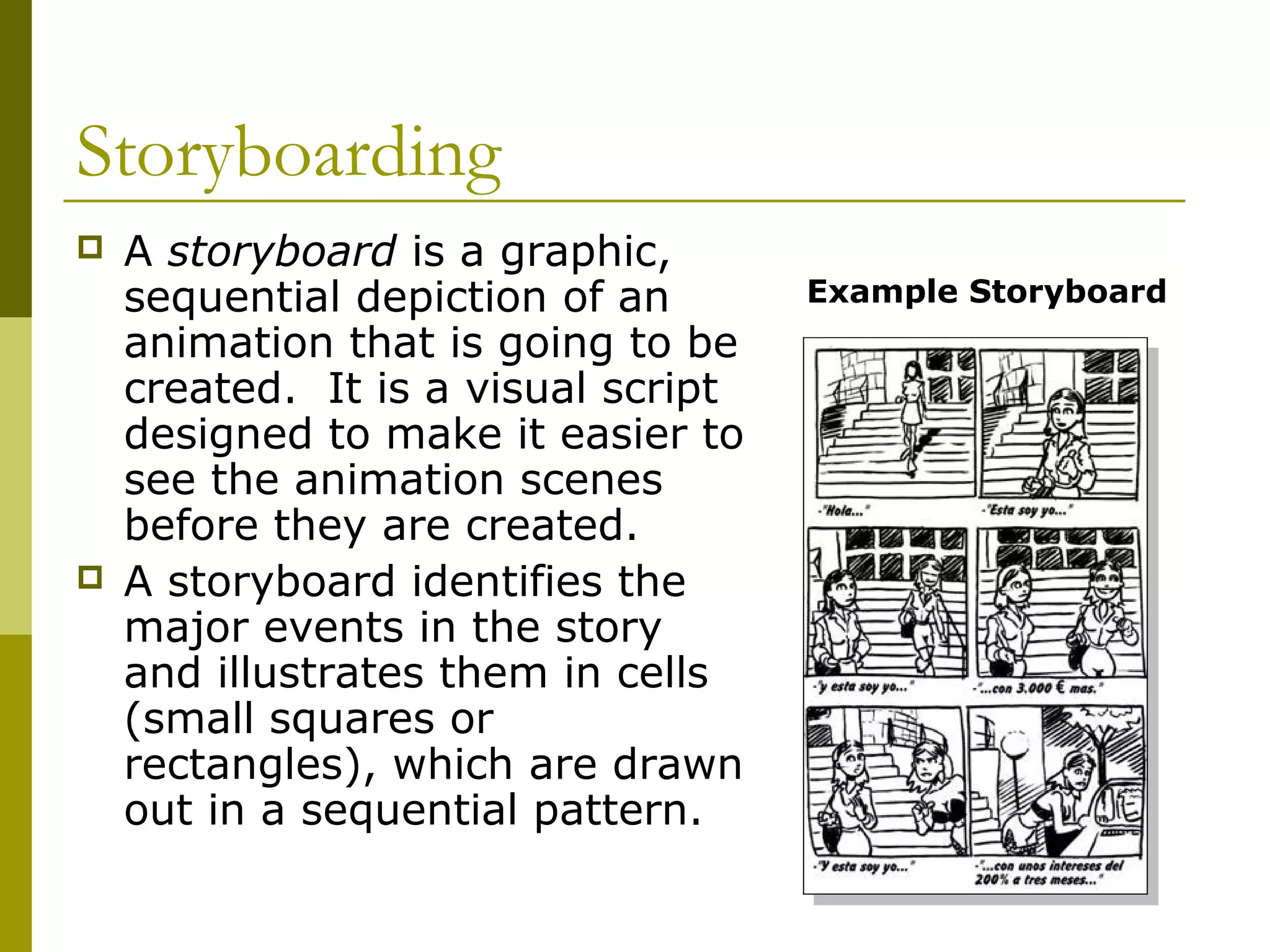
   A storyboard is a graphic,
    sequential depiction of an       Example Storyboard
    animation that is going to be
    created. It is a visual script
    designed to make it easier to
    see the animation scenes
    before they are created.
   A storyboard identifies the
    major events in the story
    and illustrates them in cells
    (small squares or
    rectangles), which are drawn
    out in a sequential pattern.
Storyboarding
   Storyboards are used
    for movies, TV,
    commercials, and
    animation.
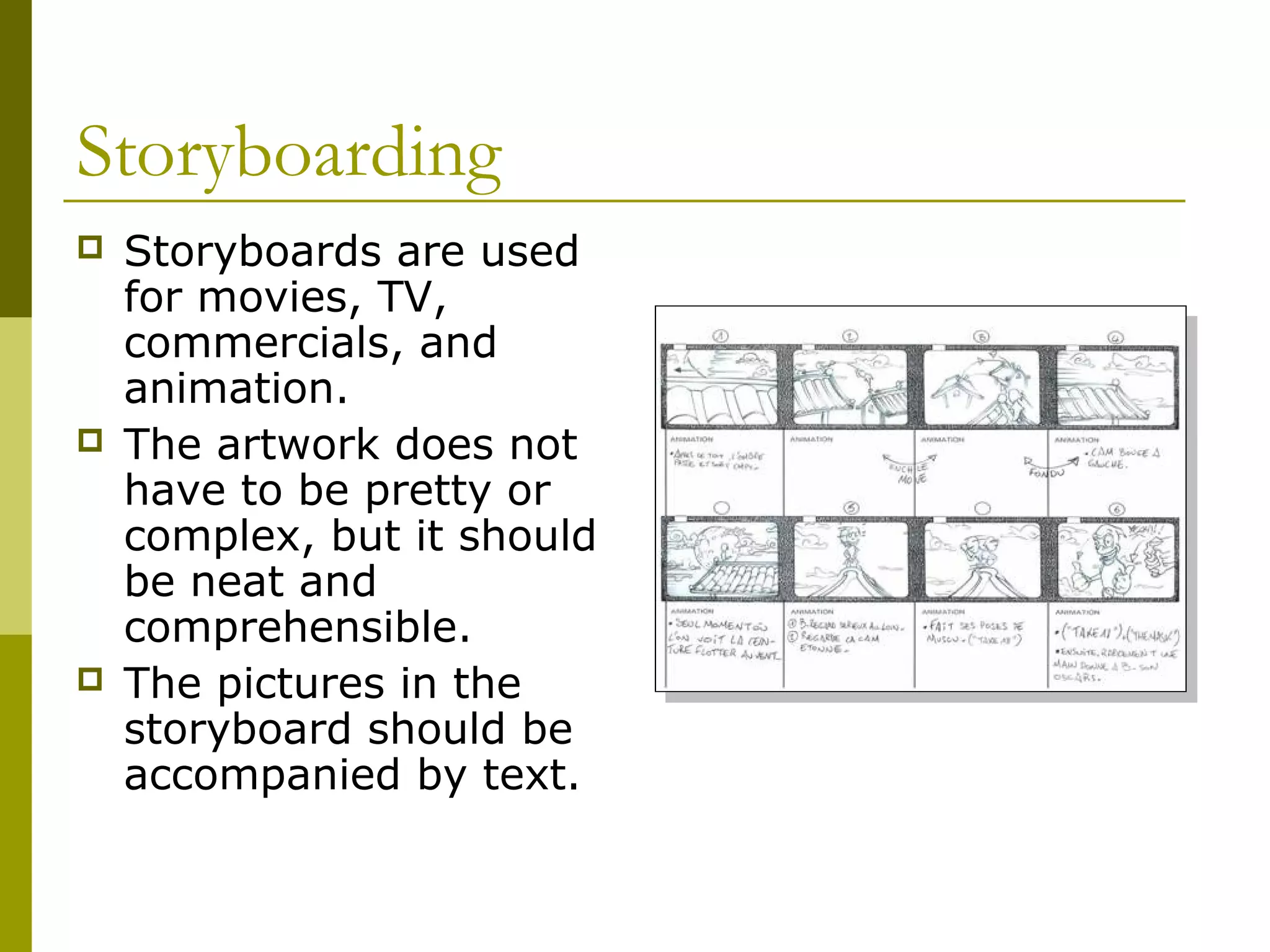
   The artwork does not
    have to be pretty or
    complex, but it should
    be neat and
    comprehensible.
   The pictures in the
    storyboard should be
    accompanied by text.
The End

Animation techniques

  • 1.
    Animation Techniques Guilford County SciVis V106.04
  • 2.
    Early Animation Processes  Animation is created when still images are played in rapid succession so that they appear to produce images that are constantly moving.  Animation appears to have continuous motion because the human eye (brain) “holds-onto” the still image for just a brief moment after it is viewed, and the image is still “there” (in your brain) when the next image is viewed.  The timing between individual images must be fast enough for the sequence to appear smooth.
  • 3.
    Early Animation Processes  The National Television Standards Committee (NTSC) frame rate = 30 frames per second for television (North America and Japan).  PAL (Phase Alternate Line) is the European standard of 25 frames per second.  The standard rate for film (motion pictures) = 24 frames per second.  A frame rate of 30 fps will require 1800 images for one minute of animation (30 fps x 60s).
  • 4.
    Early Animation Processes  The Zoetrope was a device that was used to produce animation in the 1800s. It consisted of a circular frame holding individual, sequenced images, and a fixed viewpoint through which the spinning pictures were viewed. The term “movies” comes from the moving images.
  • 5.
    Early Animation Processes  The Walt Disney Studios developed animation into a modern art during the 1930s and 1940s.  The different “layers” of the animated scene were painted onto transparent sheets, called cels.  A hierarchy of artists was developed for drawing and painting the sequences of images.
  • 6.
    Early Animation Processes  A master artist would draw the most important or key frames (“keyframes”), and less-skilled or less- experienced artists would fill in the action for the in- between (“tweens”) frames. Other artists would paint or fill the outlines with color.  Stop-action animation uses clay or other models whose positions are sequentially altered and photographed for each frame.
  • 7.
    Computer Animation  Unlike early animation, where every frame must be created to produce movement, in computer animation you define points in time (known as keyframes) and the computer draws all of the in-between frames.
  • 8.
    Computer Animation  Position the object to be animated where you want the action to begin; this is first keyframe.  Set the number of frames that you want to use for the animation sequence. A one second “movie’ would typically use 30 frames (NTSC); two seconds would use 60 frames, etc.  Move, scale, or deform the object to become the next keyframe.
  • 9.
    Computer Animation  Instruct the computer to calculate all of the transformations that will occur between the first keyframe and the last.  The computer will produce the 28 additional “in- between” images (tweens) needed for the one second of animation (you created the other two frames, the keyframes, for a total of 30).
  • 10.
    Computer Animation  The example here is very simple. Animations may contain many keyframes and involve the production of hundreds of tweens.  Many different types of actions may be generated: texture/color changes, changes in shape, scaling, rotation, motion, etc.
  • 11.
    Storyboarding  A storyboard is a graphic, sequential depiction of an Example Storyboard animation that is going to be created. It is a visual script designed to make it easier to see the animation scenes before they are created.  A storyboard identifies the major events in the story and illustrates them in cells (small squares or rectangles), which are drawn out in a sequential pattern.
  • 12.
    Storyboarding  Storyboards are used for movies, TV, commercials, and animation.  The artwork does not have to be pretty or complex, but it should be neat and comprehensible.  The pictures in the storyboard should be accompanied by text.
  • 13.