Web Technology Introduction
Collin Smith (Dec. 16, 2006)
AJAX
AJAX Outline
• What is AJAX?
• Benefits
• Real world examples
• How it works
• Code review
• Samples
What is AJAX?
• Asynchronous JavaScript and XML(AJAX)
• Web development technique for creating web
applications
• Makes web pages more responsive by exchanging
small amounts of data
• Allows the web page to change its content without
refreshing the whole page
• A web browser technology independent of web
server software
Benefits
• Improves the user experience
– Analyzing information typed into browser in real
time
– Provide a richer experience
– Increases responsiveness of web pages
• Improve bandwidth utilization
– Only data which is required is retrieved from the
server
Real World Examples
• Google Maps (http://maps.google.com/)
(slidable maps)
• My Yahoo! (http://my.yahoo.com/) (shuffling
windows)
How it works
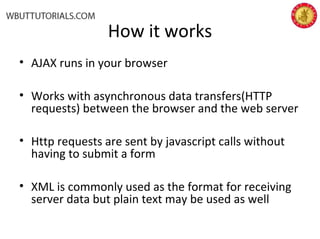
• AJAX runs in your browser
• Works with asynchronous data transfers(HTTP
requests) between the browser and the web server
• Http requests are sent by javascript calls without
having to submit a form
• XML is commonly used as the format for receiving
server data but plain text may be used as well
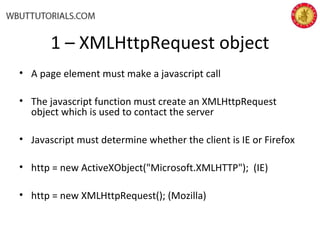
1 – XMLHttpRequest object
• A page element must make a javascript call
• The javascript function must create an XMLHttpRequest
object which is used to contact the server
• Javascript must determine whether the client is IE or Firefox
• http = new ActiveXObject("Microsoft.XMLHTTP"); (IE)
• http = new XMLHttpRequest(); (Mozilla)
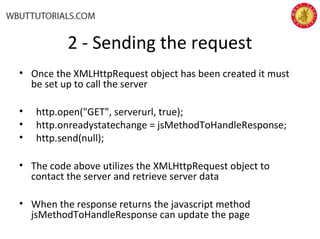
2 - Sending the request
• Once the XMLHttpRequest object has been created it must
be set up to call the server
• http.open("GET", serverurl, true);
• http.onreadystatechange = jsMethodToHandleResponse;
• http.send(null);
• The code above utilizes the XMLHttpRequest object to
contact the server and retrieve server data
• When the response returns the javascript method
jsMethodToHandleResponse can update the page
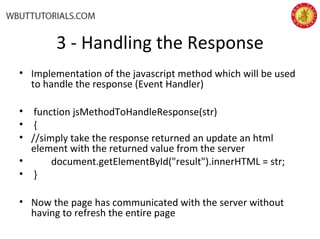
3 - Handling the Response
• Implementation of the javascript method which will be used
to handle the response (Event Handler)
• function jsMethodToHandleResponse(str)
• {
• //simply take the response returned an update an html
element with the returned value from the server
• document.getElementById("result").innerHTML = str;
• }
• Now the page has communicated with the server without
having to refresh the entire page
readyState property
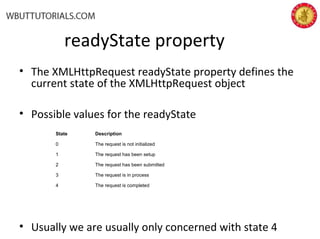
• The XMLHttpRequest readyState property defines the
current state of the XMLHttpRequest object
• Possible values for the readyState
• Usually we are usually only concerned with state 4
State Description
0 The request is not initialized
1 The request has been setup
2 The request has been submitted
3 The request is in process
4 The request is completed
Sample Code
• Simply unzip the sample code into a JSP Location
and go to index.jsp
• There are various examples that show some AJAX
functionality
• It is all JSP to make it easy to setup and easy to see
the code.
• The JSPs are generic enough to be easily to
converted to other technologies (.NET or PHP)
References
• http://en.wikipedia.org/wiki/Ajax_
%28programming%29
• http://www.w3schools.com/ajax/default.asp

Ajax

  • 1.
    Web Technology Introduction CollinSmith (Dec. 16, 2006) AJAX
  • 2.
    AJAX Outline • Whatis AJAX? • Benefits • Real world examples • How it works • Code review • Samples
  • 3.
    What is AJAX? •Asynchronous JavaScript and XML(AJAX) • Web development technique for creating web applications • Makes web pages more responsive by exchanging small amounts of data • Allows the web page to change its content without refreshing the whole page • A web browser technology independent of web server software
  • 4.
    Benefits • Improves theuser experience – Analyzing information typed into browser in real time – Provide a richer experience – Increases responsiveness of web pages • Improve bandwidth utilization – Only data which is required is retrieved from the server
  • 5.
    Real World Examples •Google Maps (http://maps.google.com/) (slidable maps) • My Yahoo! (http://my.yahoo.com/) (shuffling windows)
  • 6.
    How it works •AJAX runs in your browser • Works with asynchronous data transfers(HTTP requests) between the browser and the web server • Http requests are sent by javascript calls without having to submit a form • XML is commonly used as the format for receiving server data but plain text may be used as well
  • 7.
    1 – XMLHttpRequestobject • A page element must make a javascript call • The javascript function must create an XMLHttpRequest object which is used to contact the server • Javascript must determine whether the client is IE or Firefox • http = new ActiveXObject("Microsoft.XMLHTTP"); (IE) • http = new XMLHttpRequest(); (Mozilla)
  • 8.
    2 - Sendingthe request • Once the XMLHttpRequest object has been created it must be set up to call the server • http.open("GET", serverurl, true); • http.onreadystatechange = jsMethodToHandleResponse; • http.send(null); • The code above utilizes the XMLHttpRequest object to contact the server and retrieve server data • When the response returns the javascript method jsMethodToHandleResponse can update the page
  • 9.
    3 - Handlingthe Response • Implementation of the javascript method which will be used to handle the response (Event Handler) • function jsMethodToHandleResponse(str) • { • //simply take the response returned an update an html element with the returned value from the server • document.getElementById("result").innerHTML = str; • } • Now the page has communicated with the server without having to refresh the entire page
  • 10.
    readyState property • TheXMLHttpRequest readyState property defines the current state of the XMLHttpRequest object • Possible values for the readyState • Usually we are usually only concerned with state 4 State Description 0 The request is not initialized 1 The request has been setup 2 The request has been submitted 3 The request is in process 4 The request is completed
  • 11.
    Sample Code • Simplyunzip the sample code into a JSP Location and go to index.jsp • There are various examples that show some AJAX functionality • It is all JSP to make it easy to setup and easy to see the code. • The JSPs are generic enough to be easily to converted to other technologies (.NET or PHP)
  • 12.