A synchronous J avaScript A nd X ML What? Why? How? Who?
Overview Web applications are based on request/response During request process,  nothing  is displayed
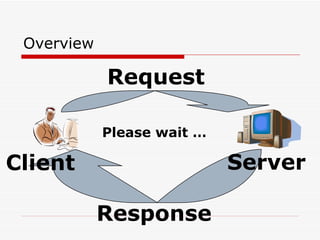
Overview Please wait … Request Response Client Server
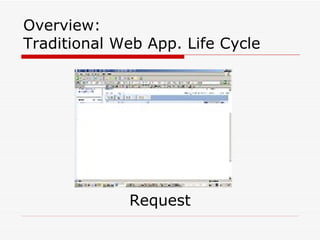
Overview: Traditional Web App. Life Cycle Request
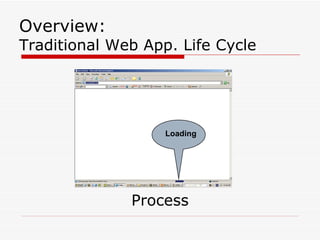
Process Overview: Traditional Web App. Life Cycle Loading
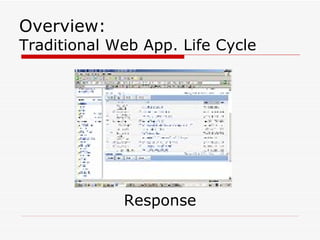
Response Overview: Traditional Web App. Life Cycle
Overview To improve performance, you either: load everything & display required data (JavaScript) OR keep moving back and forth between client & server An alternative way is to use AJAX .
What? AJAX: Asynchronous JavaScript And XML AJAX uses a  XML  to send and receive  asynchronous  requests/responses and then leverages presentation technologies ( JavaScript , DOM, HTML, and CSS) to process the response.  Most browsers support the necessary technology for AJAX.
AJAX enables you execute a server-side method through a JavaScript call, without requiring a browser refresh. What?
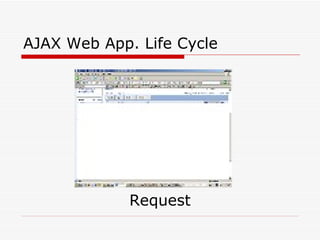
AJAX Web App. Life Cycle Request
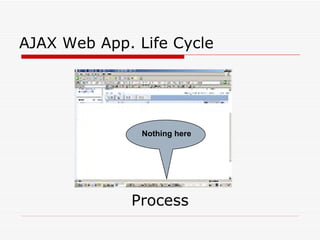
Process AJAX Web App. Life Cycle Nothing here
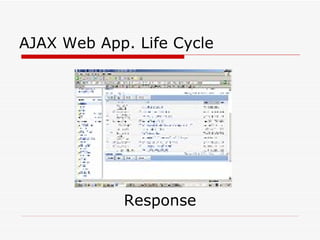
Response AJAX Web App. Life Cycle
Real world example Falafel & Jumaa
Let us start cooking, I am HUNGRY! Ingredients: JavaScript To build client-side functionality (using DOM). XMLHttpRequest object To enable JS to access the server  asynchronously . Server Side Technology To handle the request. The response will be  XML .
How (how to use AJAX)? Modify web.config Register the web page Use  <Ajax.AjaxMethod()>  attribute Write JavaScript to handle the response
How (how to use AJAX)? Do not just tell me, show me a demo!
Who (who use AJAX)? Windows Live Mail ( http:// www.hotmail.com ) Google Goole Mail ( http:// mail.google.com ) Google Maps ( http:// maps.google.com ) Google Suggests ( http://www.google.com/webhp?complete=1&hl=en ) Yahoo! Flickr ( http://www.flickr.com ) Meebo ( http:// www.meebo.com ) …  Who’s next (you???)
Who (who uses AJAX)?
FAQ What data types does AJAX support? AJAX supports: Primitive types of custom classes and arrays integers, strings, double, booleans, DateTime, DataSets and DataTables All other types have their ToString values returned What about  Session s? AJAX supports Session read and write
Why (why to use AJAX)? Faster web actions Less (or no) page refreshes Reduce network traffic Decreased server-side bandwidth usage Web apps that rival (or surpass) installed GUI apps
Why (why  not  to use AJAX)? Bye bye, bookmarks! Search engines may not be able to index all pages. Inaccurate Back & Forward button actions. JavaScript can be easily disabled from client side.
Do not reinvent the wheel,  Many AJAX frameworks are available now: AJAX.Net Abobe  (Spry). Google  (Google Web Toolkit). Microsoft  (Atlas). …  others are coming.
AJAX.Net Server Side Code [AjaxMethod] public DataSet GetDataSet(){ DataSet ds = new DataSet(); ... return ds; }
AJAX.Net Client Side Code function doTest1(){ AJAXDemo. GetDataSet(_callback1); } function _callback1(res){ var cols = res.value.Tables[0].Columns.length; var rows = res.value.Tables[0].Rows.length; alert(cols + &quot; cols and &quot; + rows + &quot; rows&quot;); }
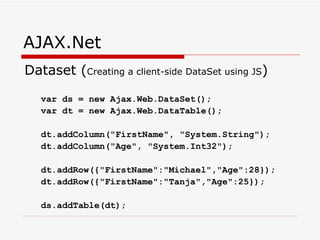
AJAX.Net Dataset ( Creating a client-side DataSet using JS ) var ds = new Ajax.Web.DataSet(); var dt = new Ajax.Web.DataTable(); dt.addColumn(&quot;FirstName&quot;, &quot;System.String&quot;); dt.addColumn(&quot;Age&quot;, &quot;System.Int32&quot;); dt.addRow({&quot;FirstName&quot;:&quot;Michael&quot;,&quot;Age&quot;:28}); dt.addRow({&quot;FirstName&quot;:&quot;Tanja&quot;,&quot;Age&quot;:25}); ds.addTable(dt);
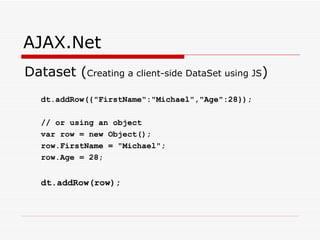
AJAX.Net Dataset ( Creating a client-side DataSet using JS ) dt.addRow({&quot;FirstName&quot;:&quot;Michael&quot;,&quot;Age&quot;:28}); // or using an object var row = new Object(); row.FirstName = &quot;Michael&quot;; row.Age = 28; dt.addRow(row);
One Day AJAX is not the end, one day you will look at this technology and  LAUGH !!!

Ajax Presentation

  • 1.
    A synchronous JavaScript A nd X ML What? Why? How? Who?
  • 2.
    Overview Web applicationsare based on request/response During request process, nothing is displayed
  • 3.
    Overview Please wait… Request Response Client Server
  • 4.
    Overview: Traditional WebApp. Life Cycle Request
  • 5.
    Process Overview: TraditionalWeb App. Life Cycle Loading
  • 6.
    Response Overview: TraditionalWeb App. Life Cycle
  • 7.
    Overview To improveperformance, you either: load everything & display required data (JavaScript) OR keep moving back and forth between client & server An alternative way is to use AJAX .
  • 8.
    What? AJAX: AsynchronousJavaScript And XML AJAX uses a XML to send and receive asynchronous requests/responses and then leverages presentation technologies ( JavaScript , DOM, HTML, and CSS) to process the response. Most browsers support the necessary technology for AJAX.
  • 9.
    AJAX enables youexecute a server-side method through a JavaScript call, without requiring a browser refresh. What?
  • 10.
    AJAX Web App.Life Cycle Request
  • 11.
    Process AJAX WebApp. Life Cycle Nothing here
  • 12.
    Response AJAX WebApp. Life Cycle
  • 13.
    Real world exampleFalafel & Jumaa
  • 14.
    Let us startcooking, I am HUNGRY! Ingredients: JavaScript To build client-side functionality (using DOM). XMLHttpRequest object To enable JS to access the server asynchronously . Server Side Technology To handle the request. The response will be XML .
  • 15.
    How (how touse AJAX)? Modify web.config Register the web page Use <Ajax.AjaxMethod()> attribute Write JavaScript to handle the response
  • 16.
    How (how touse AJAX)? Do not just tell me, show me a demo!
  • 17.
    Who (who useAJAX)? Windows Live Mail ( http:// www.hotmail.com ) Google Goole Mail ( http:// mail.google.com ) Google Maps ( http:// maps.google.com ) Google Suggests ( http://www.google.com/webhp?complete=1&hl=en ) Yahoo! Flickr ( http://www.flickr.com ) Meebo ( http:// www.meebo.com ) … Who’s next (you???)
  • 18.
  • 19.
    FAQ What datatypes does AJAX support? AJAX supports: Primitive types of custom classes and arrays integers, strings, double, booleans, DateTime, DataSets and DataTables All other types have their ToString values returned What about Session s? AJAX supports Session read and write
  • 20.
    Why (why touse AJAX)? Faster web actions Less (or no) page refreshes Reduce network traffic Decreased server-side bandwidth usage Web apps that rival (or surpass) installed GUI apps
  • 21.
    Why (why not to use AJAX)? Bye bye, bookmarks! Search engines may not be able to index all pages. Inaccurate Back & Forward button actions. JavaScript can be easily disabled from client side.
  • 22.
    Do not reinventthe wheel, Many AJAX frameworks are available now: AJAX.Net Abobe (Spry). Google (Google Web Toolkit). Microsoft (Atlas). … others are coming.
  • 23.
    AJAX.Net Server SideCode [AjaxMethod] public DataSet GetDataSet(){ DataSet ds = new DataSet(); ... return ds; }
  • 24.
    AJAX.Net Client SideCode function doTest1(){ AJAXDemo. GetDataSet(_callback1); } function _callback1(res){ var cols = res.value.Tables[0].Columns.length; var rows = res.value.Tables[0].Rows.length; alert(cols + &quot; cols and &quot; + rows + &quot; rows&quot;); }
  • 25.
    AJAX.Net Dataset (Creating a client-side DataSet using JS ) var ds = new Ajax.Web.DataSet(); var dt = new Ajax.Web.DataTable(); dt.addColumn(&quot;FirstName&quot;, &quot;System.String&quot;); dt.addColumn(&quot;Age&quot;, &quot;System.Int32&quot;); dt.addRow({&quot;FirstName&quot;:&quot;Michael&quot;,&quot;Age&quot;:28}); dt.addRow({&quot;FirstName&quot;:&quot;Tanja&quot;,&quot;Age&quot;:25}); ds.addTable(dt);
  • 26.
    AJAX.Net Dataset (Creating a client-side DataSet using JS ) dt.addRow({&quot;FirstName&quot;:&quot;Michael&quot;,&quot;Age&quot;:28}); // or using an object var row = new Object(); row.FirstName = &quot;Michael&quot;; row.Age = 28; dt.addRow(row);
  • 27.
    One Day AJAXis not the end, one day you will look at this technology and LAUGH !!!