AJAX
Asynchronous JavaScript and XML
       Ahmed farag mostafa
What is Ajax ?
• an acronym for Asynchronous JavaScript and XML is a group of
  interrelated web development techniques used on the client-side to
  create asynchronous web applications. With Ajax, web applications can
  send data to, and retrieve data from, a server asynchronously (in the
  background) without interfering with the display and behavior of the
  existing page. Data is usually retrieved using the XMLHttpRequest object.
  Despite the name, the use of XML is not needed (JSON is often used
  instead), and the requests do not need to be asynchronous.

• Ajax is not a single technology, but a group of
  technologies. HTML and CSS can be used in combination to mark up and
  style information. The DOM is accessed with JavaScript to dynamically
  display, and to allow the user to interact with the information presented.
  JavaScript and the XMLHttpRequest object provide a method for
  exchanging data asynchronously between browser and server to avoid full
  page reloads.
Technologies
• HTML (or XHTML) and CSS for presentation
• The Document Object Model (DOM) for
  dynamic display of and interaction with data
• XML for the interchange of data.
• The XMLHttpRequest object for asynchronous
  communication
• JavaScript to bring these technologies
  together
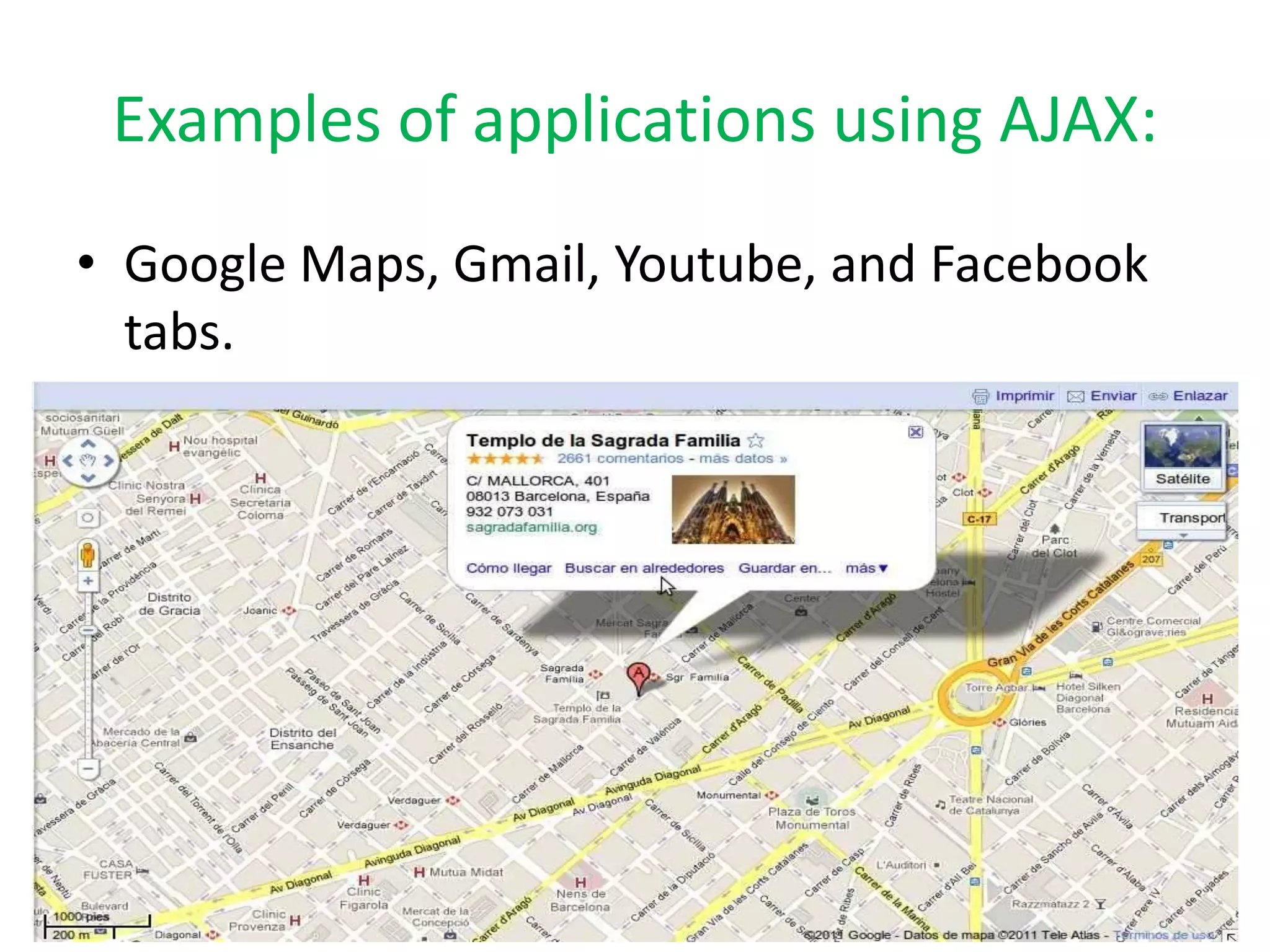
Examples of applications using AJAX:
• Google Maps, Gmail, Youtube, and Facebook
  tabs.
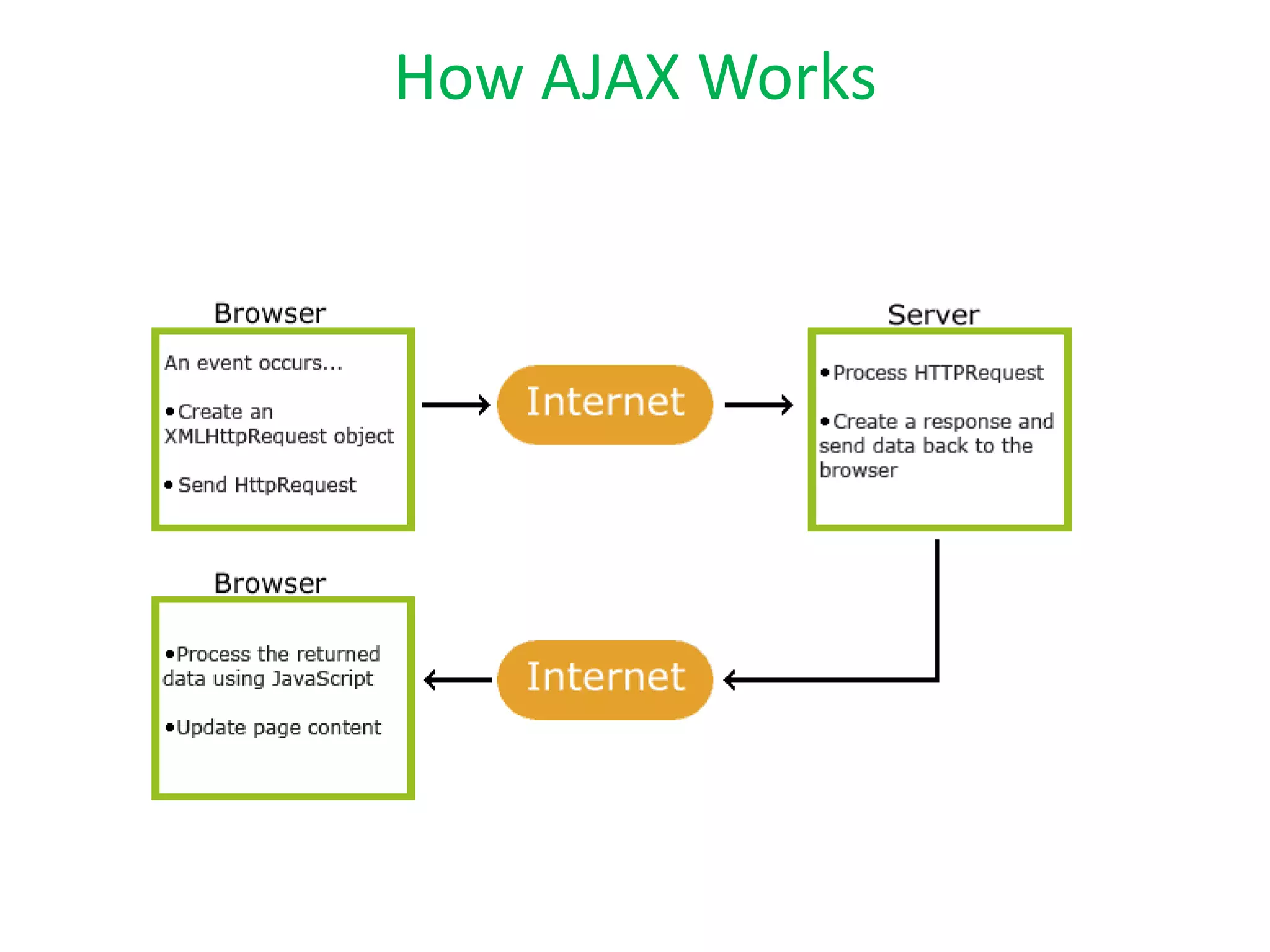
How AJAX Works
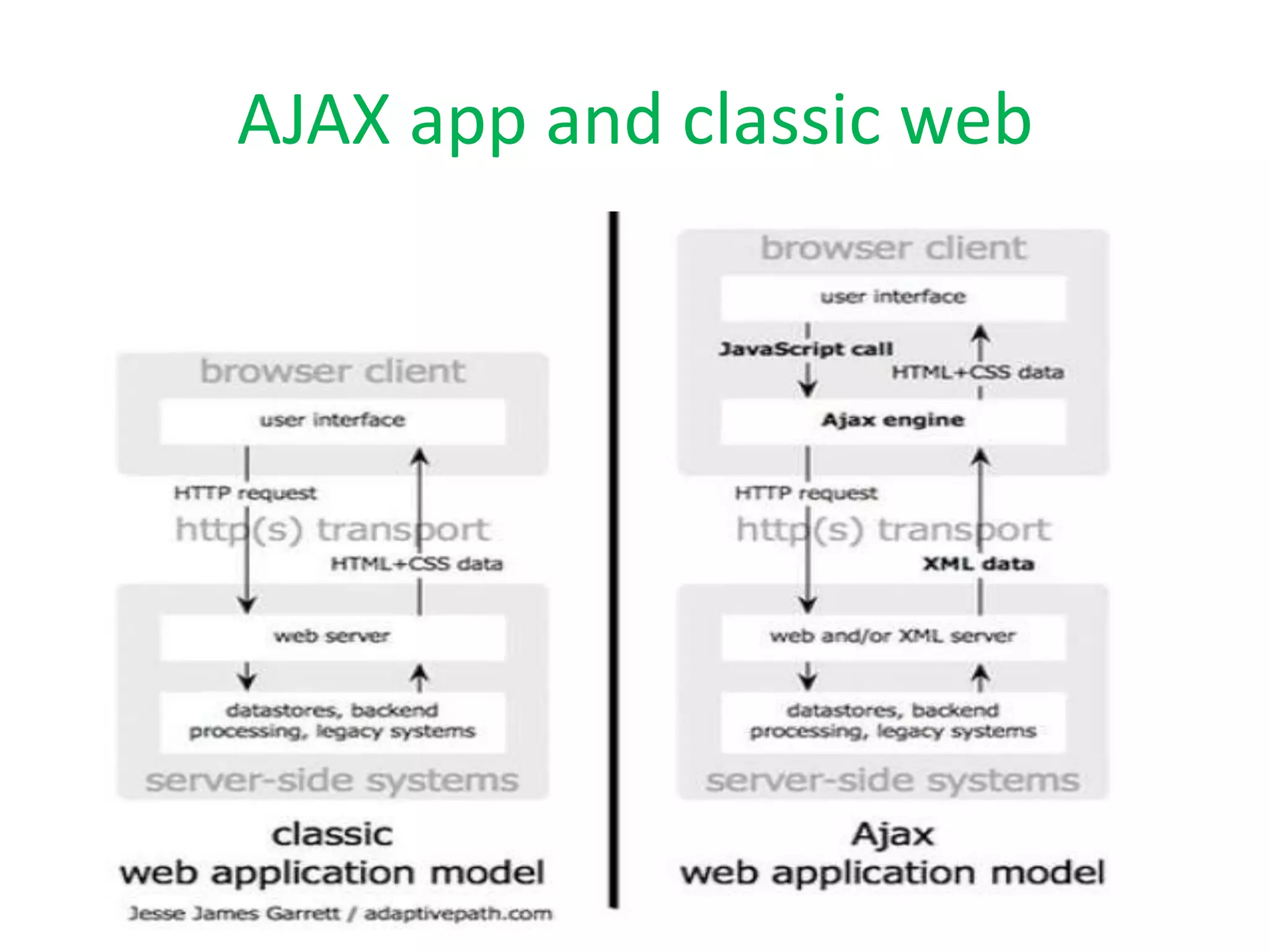
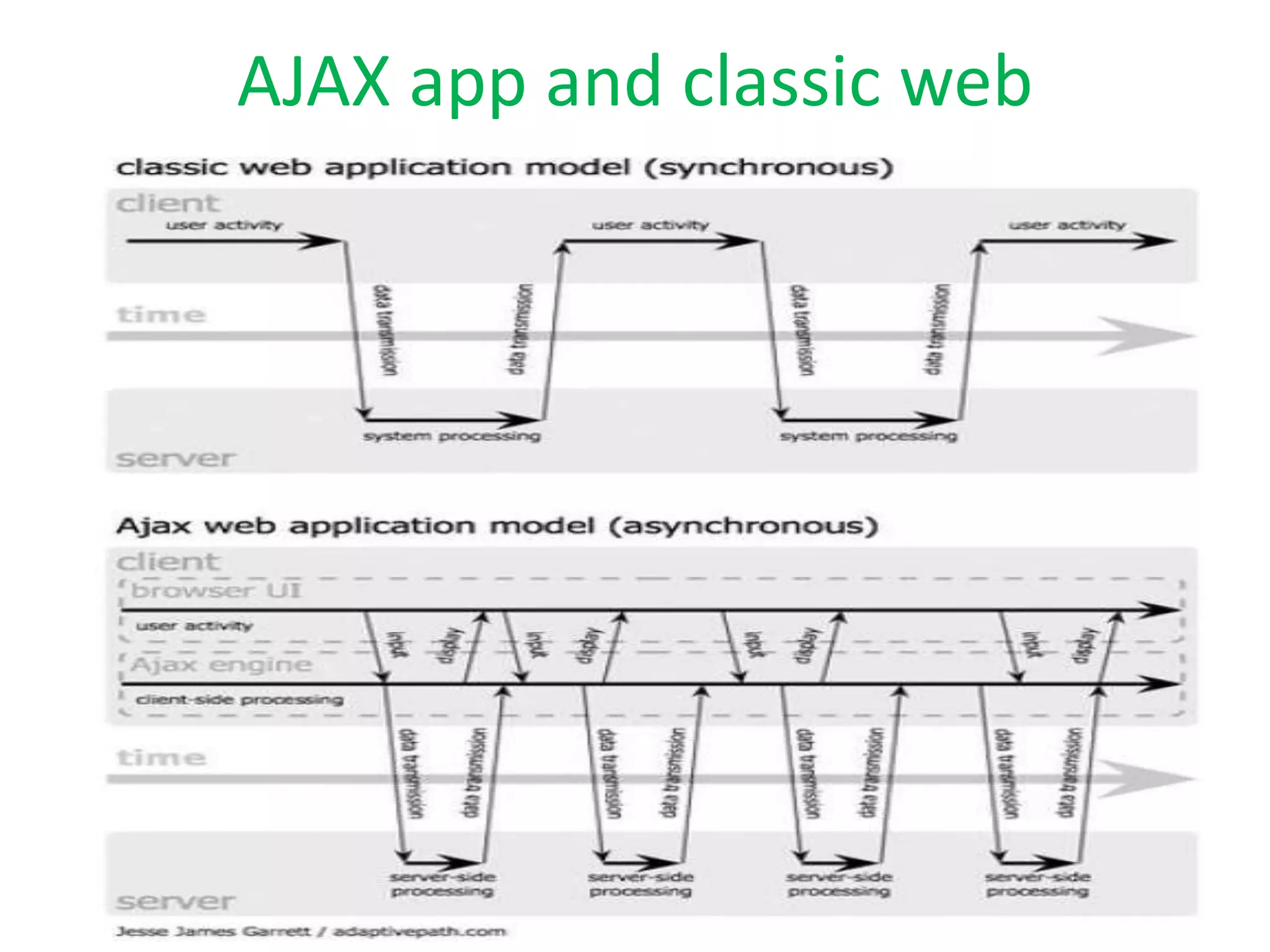
AJAX app and classic web
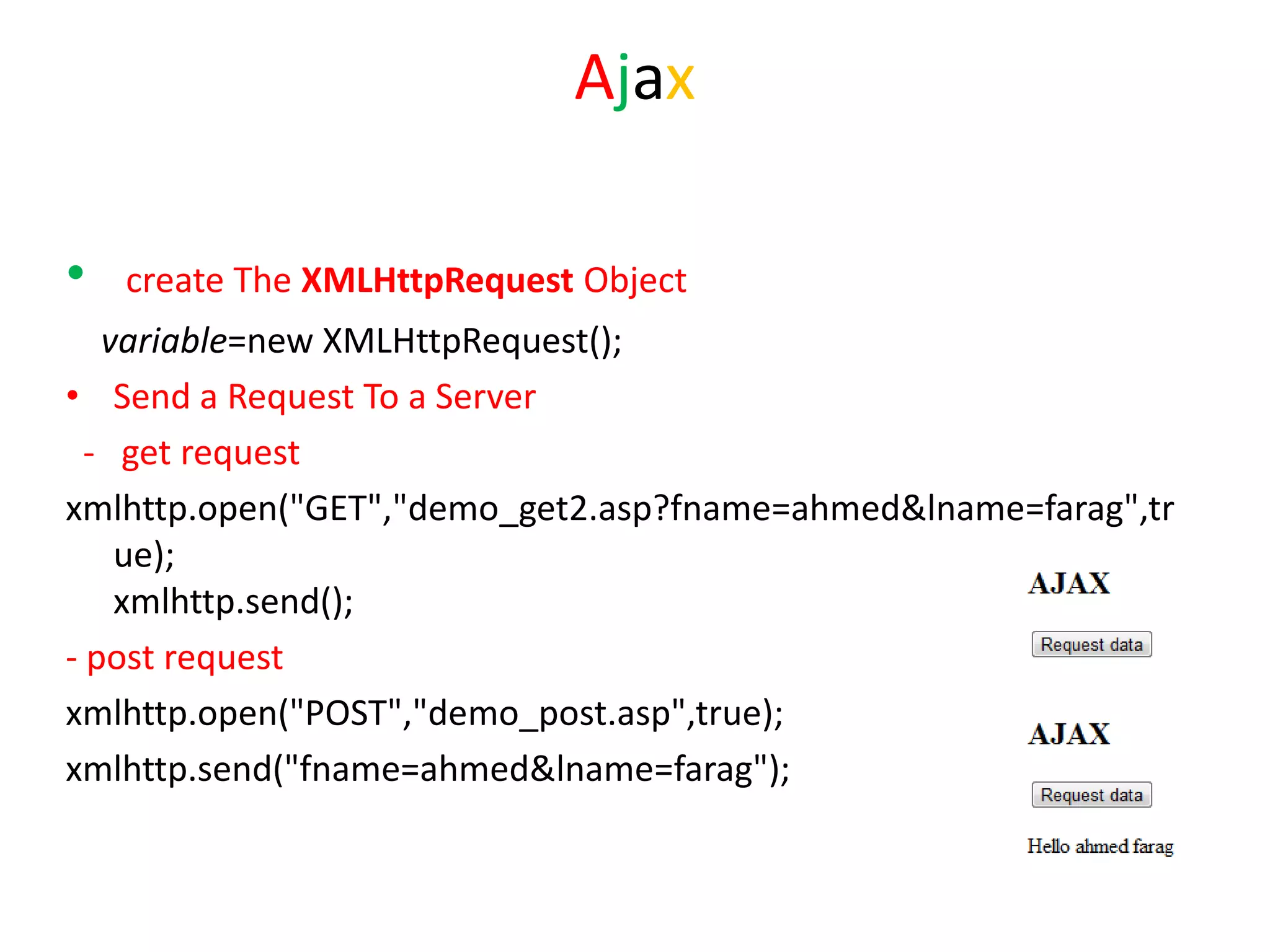
Ajax

•   create The XMLHttpRequest Object
   variable=new XMLHttpRequest();
• Send a Request To a Server
  - get request
xmlhttp.open("GET","demo_get2.asp?fname=ahmed&lname=farag",tr
    ue);
    xmlhttp.send();
- post request
xmlhttp.open("POST","demo_post.asp",true);
xmlhttp.send("fname=ahmed&lname=farag");
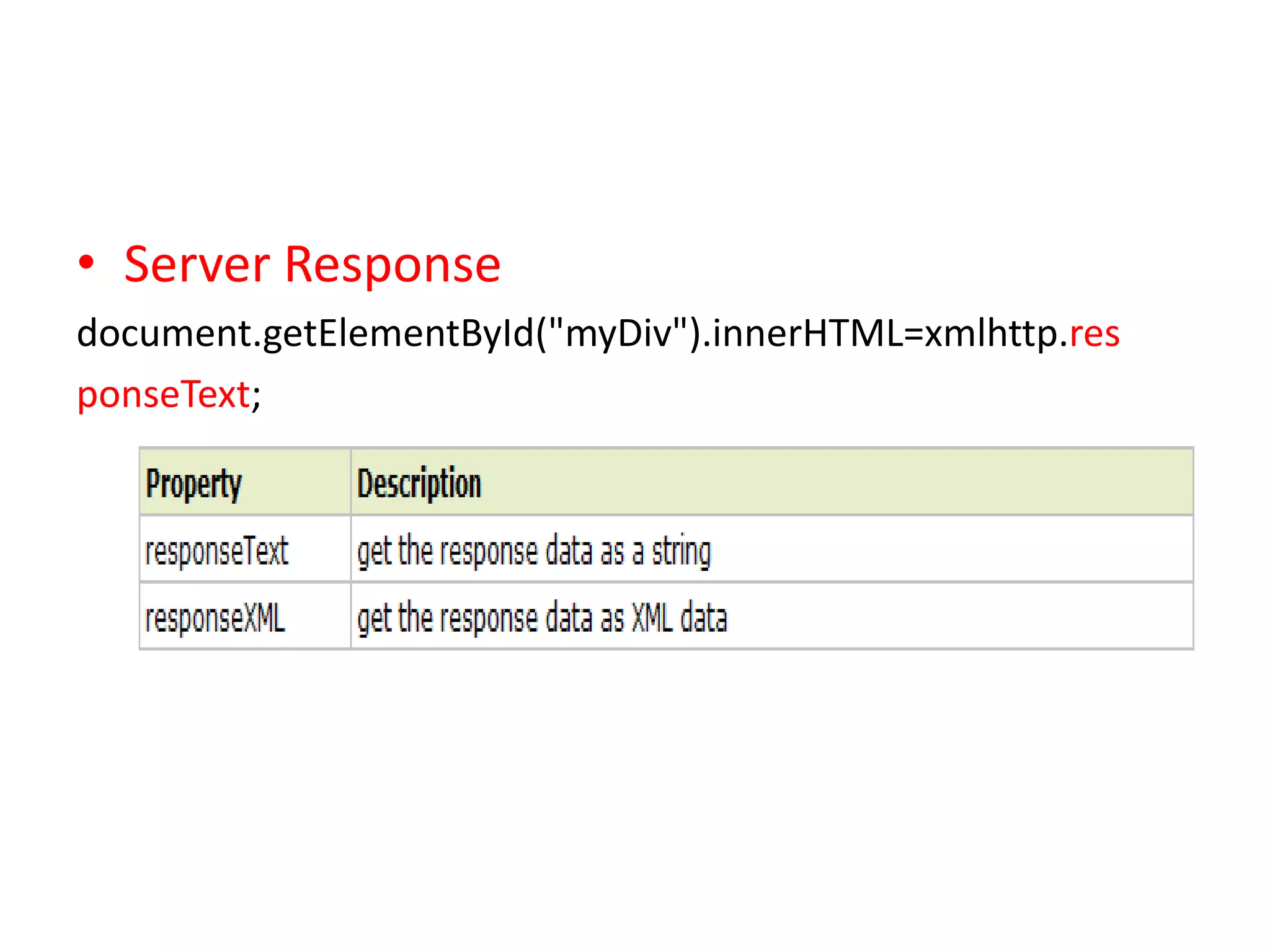
• Server Response
document.getElementById("myDiv").innerHTML=xmlhttp.res
ponseText;
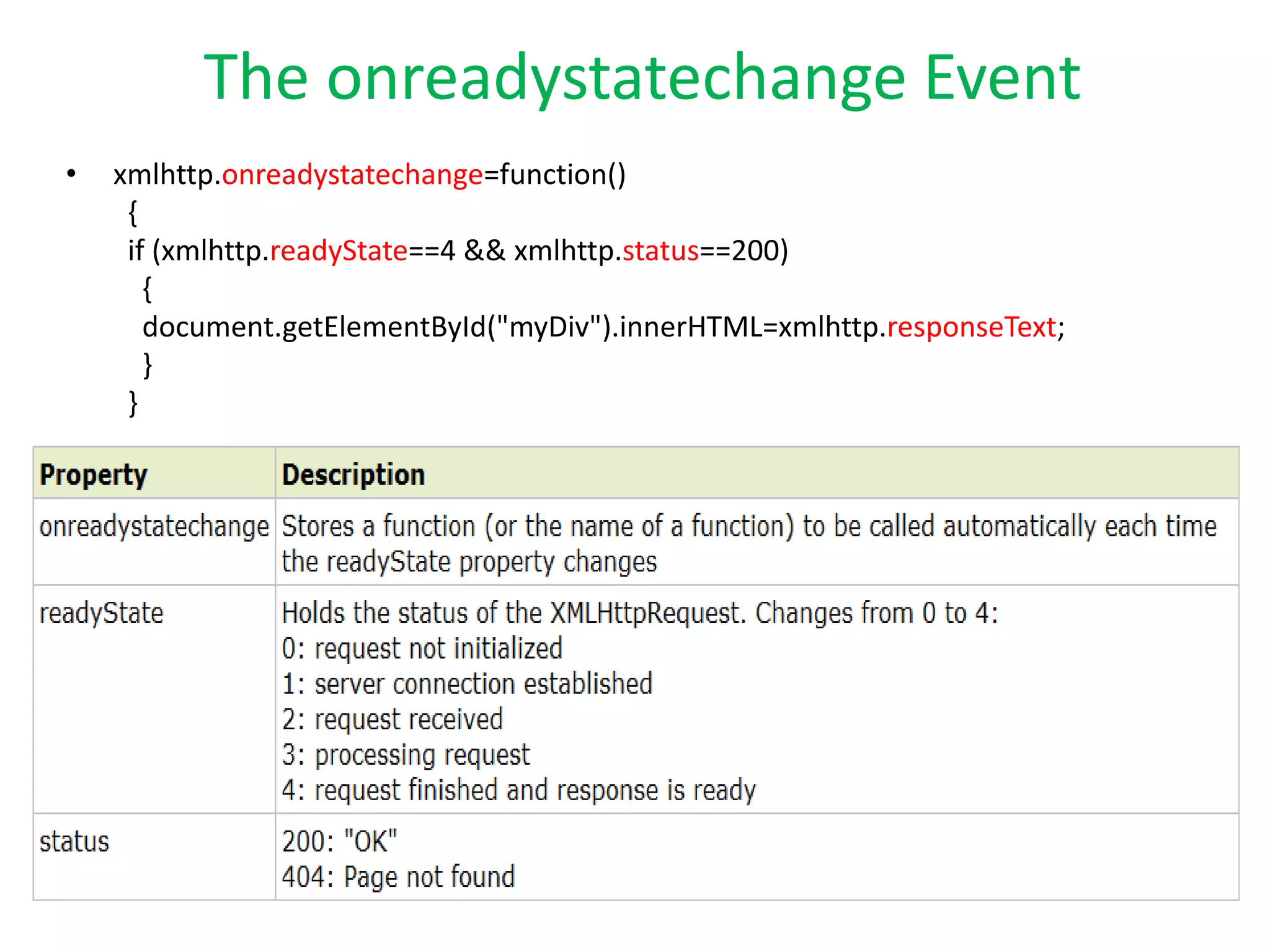
The onreadystatechange Event
•   xmlhttp.onreadystatechange=function()
     {
     if (xmlhttp.readyState==4 && xmlhttp.status==200)
       {
       document.getElementById("myDiv").innerHTML=xmlhttp.responseText;
       }
     }
Questions?
Thanks ^_^

Ajax

  • 1.
    AJAX Asynchronous JavaScript andXML Ahmed farag mostafa
  • 2.
    What is Ajax? • an acronym for Asynchronous JavaScript and XML is a group of interrelated web development techniques used on the client-side to create asynchronous web applications. With Ajax, web applications can send data to, and retrieve data from, a server asynchronously (in the background) without interfering with the display and behavior of the existing page. Data is usually retrieved using the XMLHttpRequest object. Despite the name, the use of XML is not needed (JSON is often used instead), and the requests do not need to be asynchronous. • Ajax is not a single technology, but a group of technologies. HTML and CSS can be used in combination to mark up and style information. The DOM is accessed with JavaScript to dynamically display, and to allow the user to interact with the information presented. JavaScript and the XMLHttpRequest object provide a method for exchanging data asynchronously between browser and server to avoid full page reloads.
  • 3.
    Technologies • HTML (orXHTML) and CSS for presentation • The Document Object Model (DOM) for dynamic display of and interaction with data • XML for the interchange of data. • The XMLHttpRequest object for asynchronous communication • JavaScript to bring these technologies together
  • 4.
    Examples of applicationsusing AJAX: • Google Maps, Gmail, Youtube, and Facebook tabs.
  • 5.
  • 6.
    AJAX app andclassic web
  • 7.
    AJAX app andclassic web
  • 8.
    Ajax • create The XMLHttpRequest Object variable=new XMLHttpRequest(); • Send a Request To a Server - get request xmlhttp.open("GET","demo_get2.asp?fname=ahmed&lname=farag",tr ue); xmlhttp.send(); - post request xmlhttp.open("POST","demo_post.asp",true); xmlhttp.send("fname=ahmed&lname=farag");
  • 9.
  • 10.
    The onreadystatechange Event • xmlhttp.onreadystatechange=function() { if (xmlhttp.readyState==4 && xmlhttp.status==200) { document.getElementById("myDiv").innerHTML=xmlhttp.responseText; } }
  • 11.
  • 12.

Editor's Notes

  • #4 مكونات الاجاكس1- XML HTTP REQUEST وهي المسئولة عن الاتصال بالسيرفر JAVA SCRIPT -2 وهي المسئولة عن عرض العناصر بالصفحات وتتفاعل مع المستخدم XML -3 وهي عبارة عن وسيط بين السيرفر وصفحات HTMLCSS -4وهي تقوم بتسيق الصفحات
  • #9 open(method,url,async) Specifies the type of request, the URL, and if the request should be handled asynchronously or not.method: the type of request: GET or POSTurl: the location of the file on the serverasync: true (asynchronous) or false (synchronous)send(string)Sends the request off to the server.string: Only used for POST requestsA cached file is not an option (update a file or database on the server)Sending a large amount of data to the server (POST has no size limitations)Sending user input (which can contain unknown characters), POST is more robust and secure than GET