AJAX
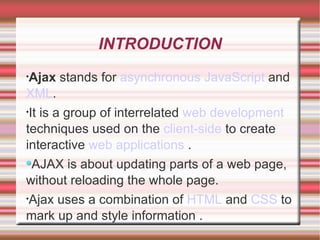
INTRODUCTION Ajax  stands for  asynchronous   JavaScript  and  XML . It is a group of interrelated   web development  techniques used on the  client-side  to create interactive  web applications  . AJAX is about updating parts of a web page, without reloading the whole page. Ajax uses a combination of  HTML  and  CSS  to mark up and style information .
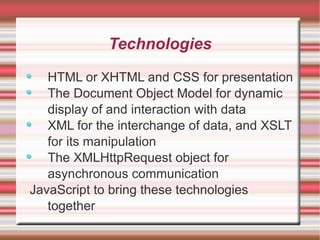
Technologies HTML or XHTML and CSS for presentation The Document Object Model for dynamic display of and interaction with data XML for the interchange of data, and XSLT for its manipulation The XMLHttpRequest object for asynchronous communication JavaScript to bring these technologies together
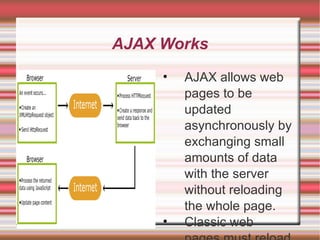
AJAX Works AJAX allows web pages to be updated asynchronously by exchanging small amounts of data with the server without reloading the whole page. Classic web pages,must reload the entire page if the content should change. Examples of applications using AJAX: Google Maps, Gmail, Youtube, and Facebook tabs.
AJAX Example The AJAX application contains one div section and one button. The div section will be used to display information returned from a server.  The button specify and hold function. The script section contains the function.
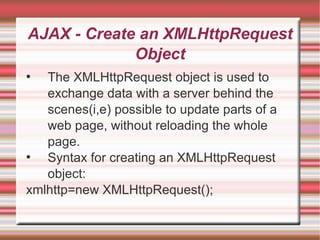
AJAX - Create an XMLHttpRequest Object The XMLHttpRequest object is used to exchange data with a server behind the scenes(i,e) possible to update parts of a web page, without reloading the whole page. Syntax for creating an XMLHttpRequest object: xmlhttp=new XMLHttpRequest();
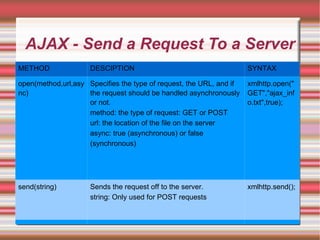
AJAX - Send a Request To a Server METHOD DESCIPTION SYNTAX open(method,url,async) Specifies the type of request, the URL, and if the request should be handled asynchronously or not. method: the type of request: GET or POST url: the location of the file on the server async: true (asynchronous) or false (synchronous) xmlhttp.open("GET","ajax_info.txt",true); send(string) Sends the request off to the server. string: Only used for POST requests xmlhttp.send();
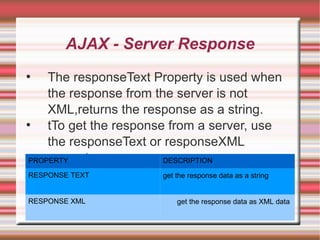
AJAX - Server Response The responseText Property is used when the response from the server is not XML,returns the response as a string. tTo get the response from a server, use the responseText or responseXML property. PROPERTY DESCRIPTION RESPONSE TEXT get the response data as a string RESPONSE XML get the response data as XML data
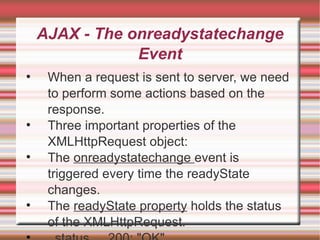
AJAX - The onreadystatechange Event When a request is sent to server, we need to perform some actions based on the response. Three important properties of the XMLHttpRequest object: The  onreadystatechange  event is triggered every time the readyState changes. The  readyState property  holds the status of the XMLHttpRequest. status   200: "OK"
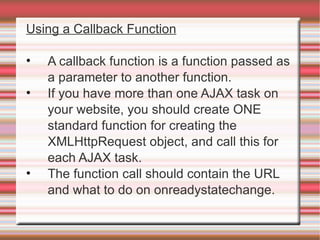
Using a Callback Function A callback function is a function passed as a parameter to another function. If you have more than one AJAX task on your website, you should create ONE standard function for creating the XMLHttpRequest object, and call this for each AJAX task. The function call should contain the URL and what to do on onreadystatechange.
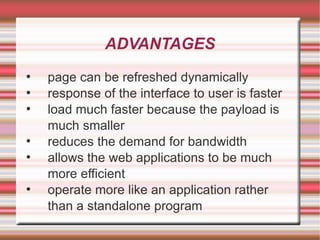
ADVANTAGES page can be refreshed dynamically response of the interface to user is faster load much faster because the payload is much smaller reduces the demand for bandwidth allows the web applications to be much more efficient operate more like an application rather than a standalone program
DISADVANTAGES integration of browsers hard for the user to bookmark the state of the web page
THANK YOU

Ajax

  • 1.
  • 2.
    INTRODUCTION Ajax stands for asynchronous JavaScript and XML . It is a group of interrelated web development techniques used on the client-side to create interactive web applications . AJAX is about updating parts of a web page, without reloading the whole page. Ajax uses a combination of HTML and CSS to mark up and style information .
  • 3.
    Technologies HTML orXHTML and CSS for presentation The Document Object Model for dynamic display of and interaction with data XML for the interchange of data, and XSLT for its manipulation The XMLHttpRequest object for asynchronous communication JavaScript to bring these technologies together
  • 4.
    AJAX Works AJAXallows web pages to be updated asynchronously by exchanging small amounts of data with the server without reloading the whole page. Classic web pages,must reload the entire page if the content should change. Examples of applications using AJAX: Google Maps, Gmail, Youtube, and Facebook tabs.
  • 5.
    AJAX Example TheAJAX application contains one div section and one button. The div section will be used to display information returned from a server. The button specify and hold function. The script section contains the function.
  • 6.
    AJAX - Createan XMLHttpRequest Object The XMLHttpRequest object is used to exchange data with a server behind the scenes(i,e) possible to update parts of a web page, without reloading the whole page. Syntax for creating an XMLHttpRequest object: xmlhttp=new XMLHttpRequest();
  • 7.
    AJAX - Senda Request To a Server METHOD DESCIPTION SYNTAX open(method,url,async) Specifies the type of request, the URL, and if the request should be handled asynchronously or not. method: the type of request: GET or POST url: the location of the file on the server async: true (asynchronous) or false (synchronous) xmlhttp.open("GET","ajax_info.txt",true); send(string) Sends the request off to the server. string: Only used for POST requests xmlhttp.send();
  • 8.
    AJAX - ServerResponse The responseText Property is used when the response from the server is not XML,returns the response as a string. tTo get the response from a server, use the responseText or responseXML property. PROPERTY DESCRIPTION RESPONSE TEXT get the response data as a string RESPONSE XML get the response data as XML data
  • 9.
    AJAX - Theonreadystatechange Event When a request is sent to server, we need to perform some actions based on the response. Three important properties of the XMLHttpRequest object: The onreadystatechange event is triggered every time the readyState changes. The readyState property holds the status of the XMLHttpRequest. status 200: "OK"
  • 10.
    Using a CallbackFunction A callback function is a function passed as a parameter to another function. If you have more than one AJAX task on your website, you should create ONE standard function for creating the XMLHttpRequest object, and call this for each AJAX task. The function call should contain the URL and what to do on onreadystatechange.
  • 11.
    ADVANTAGES page canbe refreshed dynamically response of the interface to user is faster load much faster because the payload is much smaller reduces the demand for bandwidth allows the web applications to be much more efficient operate more like an application rather than a standalone program
  • 12.
    DISADVANTAGES integration ofbrowsers hard for the user to bookmark the state of the web page
  • 13.