


User testing – a whirlwind tour Courtney Johnston Web Editor / User Experience Analyst National Library of New Zealand courtney.johnston@natlib.govt.nz
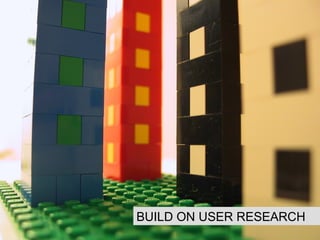
BUILD ON USER RESEARCH
User research forestalls usability problems Ideally, user-testing should improve the design, not fix problems. User-testing also shouldn’t be used to solve disputes within the project team If you’re overhauling an existing site, run a survey, and ask respondents if they mind being contacted for a more in-depth interview This will also help you recruit testing participants Keep this info onhand for when you’re building a new site/service
DECIDING WHO TO TEST
Recruiting test participants Some is ALWAYS better than none, but 5/6 people should help you spot trends Target audience is ideal, not necessary Colleagues not working on the project, friends, family, random people walking round your building Having said that, exceptions are: If you have a specific audience and can select from that group, do it If you have several, divergent, audiences, try to get a representative sample If topic knowledge is important to using the site Keep your invitation friendly, and make a small gesture of compensation
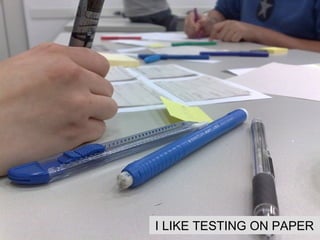
I LIKE TESTING ON PAPER
Testing with paper designs You can test an HTML version of your designs But testing paper design work (or even wireframes) is just as effective, and much faster and cheaper Print off all the pages you’ll need Give the participant a pencil & ask them to point where they’d click Start them off on the first page, then supply pages as necessary Give your recorder a set of pages, and annotate as you test.
WRITING THE TEST SCRIPT
Writing a test script  Pick a small number of key tasks and features to test Keep leading words out of your questions (esp. if you’re testing whether people understand your labels) Use scenarios: ‘Imagine you’re an X and want to do Y…’ Start with a general intro to what you’re doing Get some general info about how the participant uses the web and (if applicable) what their job/hobby/etc is End by asking for any further observations, offering to answer any questions, and saying thank you
RUNNING THE TEST
Running the test Take at least two people along One to run the test, and one to record. An observer or two is fine, but don’t freak your participants out Remind participants they are testing the design for you (not being tested themselves) Give tasks to participants one by one on bits of card. Ask them to read the task aloud before performing it. Make sure they’ve grasped the question. Encourage participants to talk you through what they’re doing  Record both what participants SAY and what they DO Let people ask questions, but hold answers off to the end if these will pre-empt later tasks
REVIEWING THE RESULTS
Debrief, discard, do stuff Don’t agonise over writing up the results.  The issues that matter the most will become crystal clear during testing. Get together and talk about them as soon as possible. Focus on task completion Don’t worry too much if participants went a little astray, if they self-corrected quickly  Don’t over-react to requests for new features Stick to what you know the site/service is there to do Do pay attention to the words people want to see e.g. ‘Sign up’, not ‘Get involved’  Rinse and repeat: fix problems, and test again.
Image credits Lego tower by Gran Neufeld  http://www.flickr.com/photos/grantneufeld/16619185/  Lego people by Joe Shlabotnik http://www.flickr.com/photos/joeshlabotnik/305410323/ Hamlet by kevinthoule http://www.flickr.com/photos/kevint/89385801/  Exam room by Kewima http://www.flickr.com/photos/kewima/19177334/ Discussion group by fling93  http://www.flickr.com/photos/fling93/206517587/

User Testing Whirlwind Tour

  • 1.
    User testing –a whirlwind tour Courtney Johnston Web Editor / User Experience Analyst National Library of New Zealand courtney.johnston@natlib.govt.nz
  • 2.
    BUILD ON USERRESEARCH
  • 3.
    User research forestallsusability problems Ideally, user-testing should improve the design, not fix problems. User-testing also shouldn’t be used to solve disputes within the project team If you’re overhauling an existing site, run a survey, and ask respondents if they mind being contacted for a more in-depth interview This will also help you recruit testing participants Keep this info onhand for when you’re building a new site/service
  • 4.
  • 5.
    Recruiting test participantsSome is ALWAYS better than none, but 5/6 people should help you spot trends Target audience is ideal, not necessary Colleagues not working on the project, friends, family, random people walking round your building Having said that, exceptions are: If you have a specific audience and can select from that group, do it If you have several, divergent, audiences, try to get a representative sample If topic knowledge is important to using the site Keep your invitation friendly, and make a small gesture of compensation
  • 6.
  • 7.
    Testing with paperdesigns You can test an HTML version of your designs But testing paper design work (or even wireframes) is just as effective, and much faster and cheaper Print off all the pages you’ll need Give the participant a pencil & ask them to point where they’d click Start them off on the first page, then supply pages as necessary Give your recorder a set of pages, and annotate as you test.
  • 8.
  • 9.
    Writing a testscript Pick a small number of key tasks and features to test Keep leading words out of your questions (esp. if you’re testing whether people understand your labels) Use scenarios: ‘Imagine you’re an X and want to do Y…’ Start with a general intro to what you’re doing Get some general info about how the participant uses the web and (if applicable) what their job/hobby/etc is End by asking for any further observations, offering to answer any questions, and saying thank you
  • 10.
  • 11.
    Running the testTake at least two people along One to run the test, and one to record. An observer or two is fine, but don’t freak your participants out Remind participants they are testing the design for you (not being tested themselves) Give tasks to participants one by one on bits of card. Ask them to read the task aloud before performing it. Make sure they’ve grasped the question. Encourage participants to talk you through what they’re doing Record both what participants SAY and what they DO Let people ask questions, but hold answers off to the end if these will pre-empt later tasks
  • 12.
  • 13.
    Debrief, discard, dostuff Don’t agonise over writing up the results. The issues that matter the most will become crystal clear during testing. Get together and talk about them as soon as possible. Focus on task completion Don’t worry too much if participants went a little astray, if they self-corrected quickly Don’t over-react to requests for new features Stick to what you know the site/service is there to do Do pay attention to the words people want to see e.g. ‘Sign up’, not ‘Get involved’ Rinse and repeat: fix problems, and test again.
  • 14.
    Image credits Legotower by Gran Neufeld http://www.flickr.com/photos/grantneufeld/16619185/ Lego people by Joe Shlabotnik http://www.flickr.com/photos/joeshlabotnik/305410323/ Hamlet by kevinthoule http://www.flickr.com/photos/kevint/89385801/ Exam room by Kewima http://www.flickr.com/photos/kewima/19177334/ Discussion group by fling93 http://www.flickr.com/photos/fling93/206517587/