Chris Bush
UX Practice Lead
@wearesigma / @suthen
Chris Bush
UX Practice Lead
@wearesigma / @suthen
Taking your research further
A bit about Sigma (our services and clients)
Why talk about guerrilla testing?
Getting started with guerrilla testing
Wrap up
 User Research & Testing
 Interface & Interaction Design
 Web, Mobile & Application Development
 Enterprise Content Management
 Training & Support
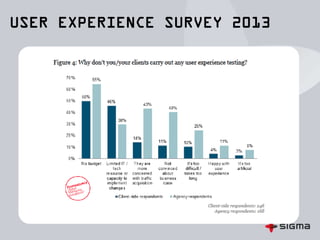
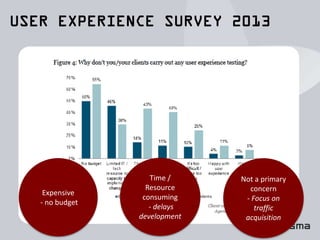
Expensive
- no budget
Time /
Resource
consuming
- delays
development
Not a primary
concern
- Focus on
traffic
acquisition
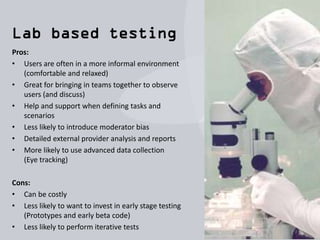
Pros:
• Users are often in a more informal environment
(comfortable and relaxed)
• Great for bringing in teams together to observe
users (and discuss)
• Help and support when defining tasks and
scenarios
• Less likely to introduce moderator bias
• Detailed external provider analysis and reports
• More likely to use advanced data collection
(Eye tracking)
Cons:
• Can be costly
• Less likely to want to invest in early stage testing
(Prototypes and early beta code)
• Less likely to perform iterative tests
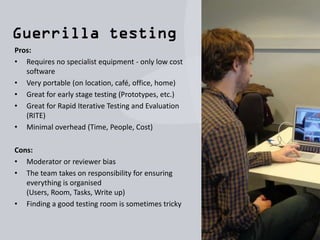
Pros:
• Requires no specialist equipment - only low cost
software
• Very portable (on location, café, office, home)
• Great for early stage testing (Prototypes, etc.)
• Great for Rapid Iterative Testing and Evaluation
(RITE)
• Minimal overhead (Time, People, Cost)
Cons:
• Moderator or reviewer bias
• The team takes on responsibility for ensuring
everything is organised
(Users, Room, Tasks, Write up)
• Finding a good testing room is sometimes tricky
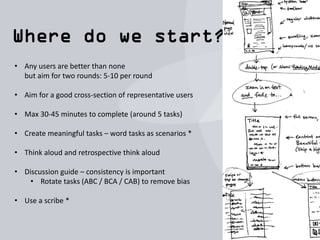
• Any users are better than none
but aim for two rounds: 5-10 per round
• Aim for a good cross-section of representative users
• Max 30-45 minutes to complete (around 5 tasks)
• Create meaningful tasks – word tasks as scenarios *
• Think aloud and retrospective think aloud
• Discussion guide – consistency is important
• Rotate tasks (ABC / BCA / CAB) to remove bias
• Use a scribe *
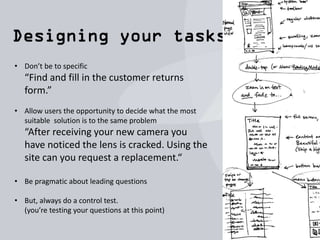
• Don’t be to specific
“Find and fill in the customer returns
form.”
• Allow users the opportunity to decide what the most
suitable solution is to the same problem
“After receiving your new camera you
have noticed the lens is cracked. Using the
site can you request a replacement.“
• Be pragmatic about leading questions
• But, always do a control test.
(you’re testing your questions at this point)
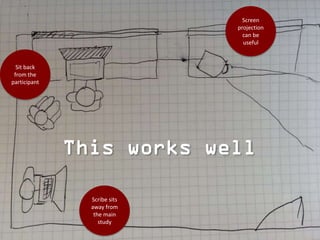
Sit back
from the
participant
Screen
projection
can be
useful
Scribe sits
away from
the main
study
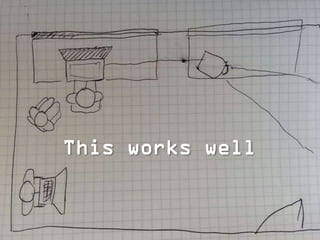
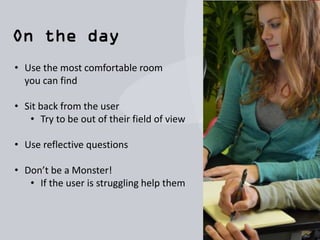
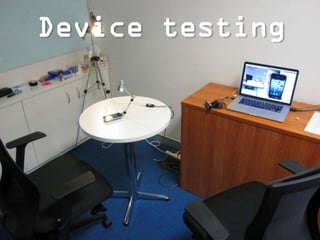
• Use the most comfortable room
you can find
• Sit back from the user
• Try to be out of their field of view
• Use reflective questions
• Don’t be a Monster!
• If the user is struggling help them
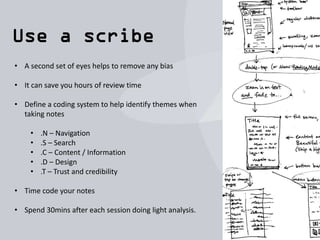
• A second set of eyes helps to remove any bias
• It can save you hours of review time
• Define a coding system to help identify themes when
taking notes
• .N – Navigation
• .S – Search
• .C – Content / Information
• .D – Design
• .T – Trust and credibility
• Time code your notes
• Spend 30mins after each session doing light analysis.
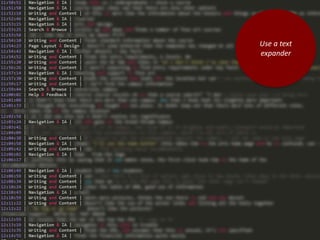
Use a text
expander
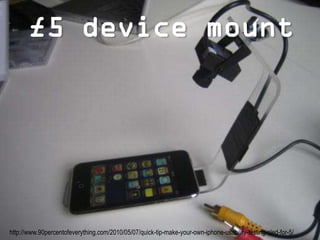
http://www.90percentofeverything.com/2010/05/07/quick-tip-make-your-own-iphone-usability-testing-sled-for-5/
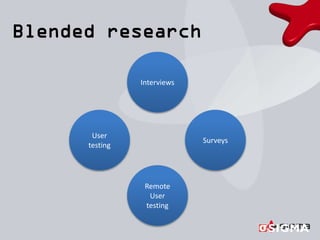
Interviews
Surveys
User
testing
Remote
User
testing
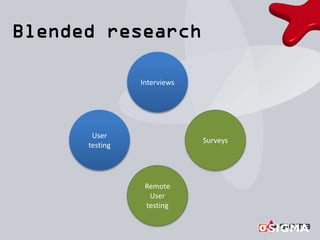
Interviews
Surveys
User
testing
Remote
User
testing
• Always aim to test on five to ten people and for best results run
two iterations of your tests
• Test your questions on real people before you do your test. They
nearly always need refinement
• Take time to set up your room to make it as comfortable as
possible.
• Remember to sit back from the user so they don’t feel like they
are being watched too closely.
• Use reflective questioning.
Participant: “Why did that happen when I clicked there?”
You: “Why do you think that happened?”
• Use a scribe to ensure you get the most out of the session. It also
helps remove any moderator bias.
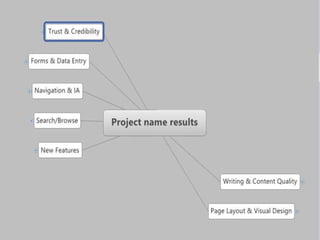
• Code your notes as you go to save you time in analysis.
(-n for navigation issues, -f for form issues, etc.)
• Take 15mins after each session to review the analysis and
categorise the results. Do not try to solution new ideas at this
point, if you’re not careful you could end up distorting the results
of following studies.
• Lastly, If your project requires impartial validation consider using
a lab for your final round of testing
Guerrilla usability testing

Guerrilla usability testing

  • 1.
    Chris Bush UX PracticeLead @wearesigma / @suthen
  • 2.
    Chris Bush UX PracticeLead @wearesigma / @suthen
  • 3.
    Taking your researchfurther A bit about Sigma (our services and clients) Why talk about guerrilla testing? Getting started with guerrilla testing Wrap up
  • 4.
     User Research& Testing  Interface & Interaction Design  Web, Mobile & Application Development  Enterprise Content Management  Training & Support
  • 9.
    Expensive - no budget Time/ Resource consuming - delays development Not a primary concern - Focus on traffic acquisition
  • 12.
    Pros: • Users areoften in a more informal environment (comfortable and relaxed) • Great for bringing in teams together to observe users (and discuss) • Help and support when defining tasks and scenarios • Less likely to introduce moderator bias • Detailed external provider analysis and reports • More likely to use advanced data collection (Eye tracking) Cons: • Can be costly • Less likely to want to invest in early stage testing (Prototypes and early beta code) • Less likely to perform iterative tests
  • 13.
    Pros: • Requires nospecialist equipment - only low cost software • Very portable (on location, café, office, home) • Great for early stage testing (Prototypes, etc.) • Great for Rapid Iterative Testing and Evaluation (RITE) • Minimal overhead (Time, People, Cost) Cons: • Moderator or reviewer bias • The team takes on responsibility for ensuring everything is organised (Users, Room, Tasks, Write up) • Finding a good testing room is sometimes tricky
  • 15.
    • Any usersare better than none but aim for two rounds: 5-10 per round • Aim for a good cross-section of representative users • Max 30-45 minutes to complete (around 5 tasks) • Create meaningful tasks – word tasks as scenarios * • Think aloud and retrospective think aloud • Discussion guide – consistency is important • Rotate tasks (ABC / BCA / CAB) to remove bias • Use a scribe *
  • 16.
    • Don’t beto specific “Find and fill in the customer returns form.” • Allow users the opportunity to decide what the most suitable solution is to the same problem “After receiving your new camera you have noticed the lens is cracked. Using the site can you request a replacement.“ • Be pragmatic about leading questions • But, always do a control test. (you’re testing your questions at this point)
  • 21.
    Sit back from the participant Screen projection canbe useful Scribe sits away from the main study
  • 22.
    • Use themost comfortable room you can find • Sit back from the user • Try to be out of their field of view • Use reflective questions • Don’t be a Monster! • If the user is struggling help them
  • 23.
    • A secondset of eyes helps to remove any bias • It can save you hours of review time • Define a coding system to help identify themes when taking notes • .N – Navigation • .S – Search • .C – Content / Information • .D – Design • .T – Trust and credibility • Time code your notes • Spend 30mins after each session doing light analysis.
  • 24.
  • 30.
  • 33.
  • 34.
  • 36.
    • Always aimto test on five to ten people and for best results run two iterations of your tests • Test your questions on real people before you do your test. They nearly always need refinement • Take time to set up your room to make it as comfortable as possible. • Remember to sit back from the user so they don’t feel like they are being watched too closely. • Use reflective questioning. Participant: “Why did that happen when I clicked there?” You: “Why do you think that happened?”
  • 37.
    • Use ascribe to ensure you get the most out of the session. It also helps remove any moderator bias. • Code your notes as you go to save you time in analysis. (-n for navigation issues, -f for form issues, etc.) • Take 15mins after each session to review the analysis and categorise the results. Do not try to solution new ideas at this point, if you’re not careful you could end up distorting the results of following studies. • Lastly, If your project requires impartial validation consider using a lab for your final round of testing