Introducing usability
What makes a site or a service usable?
Today

 Introduction of the usability concept

 Usable websites

 Usability testing

 Usability assignment….
Introducing usability
What causes usability problems?
Usable websites
Usability guidelines….
Ohters…

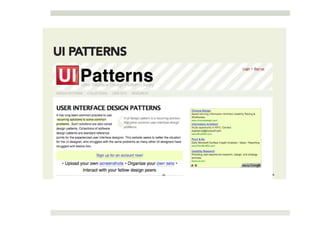
 Welie.com

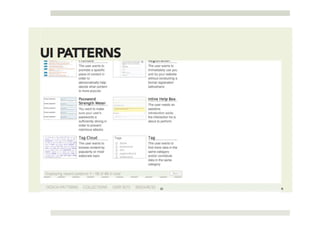
 Yahoo design patterns

 …. (just Google)
Usability testing
Usability testing…

Usability testing generally involves setting a series of tasks for
people to complete and noting any problems they
encounter – It’s as simple as that!
Ways to test usability
What to do?

 Team up with a parnter

 Select 3-5 test participants

 Minimum 2 tasks

 30-50 min. each

 One of you is notetaker, one of you is moderator
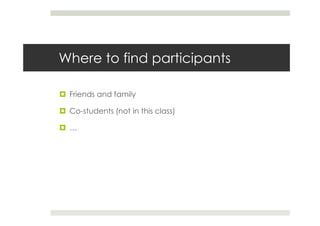
Where to find participants

 Friends and family

 Co-students (not in this class)

 …
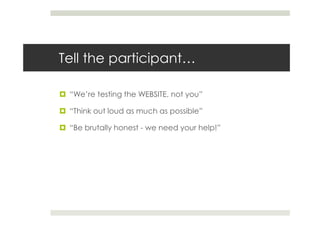
Tell the participant…

 “We’re testing the WEBSITE, not you”

 “Think out loud as much as possible”

 “Be brutally honest - we need your help!”
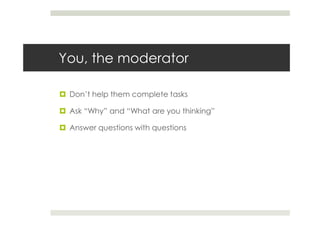
You, the moderator

 Don’t help them complete tasks

 Ask “Why” and “What are you thinking”

 Answer questions with questions
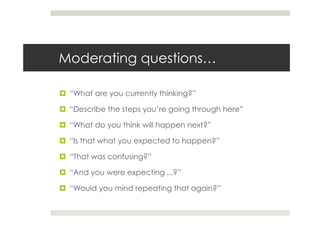
Moderating questions…

 “What are you currently thinking?”

 “Describe the steps you’re going through here”

 “What do you think will happen next?”

 “Is that what you expected to happen?”

 “That was confusing?”

 “And you were expecting ...?”

 “Would you mind repeating that again?”
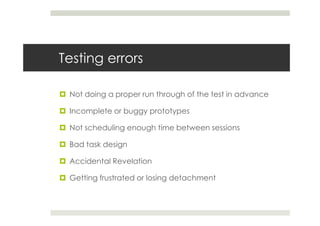
Testing errors

 Not doing a proper run through of the test in advance

 Incomplete or buggy prototypes

 Not scheduling enough time between sessions

 Bad task design

 Accidental Revelation

 Getting frustrated or losing detachment
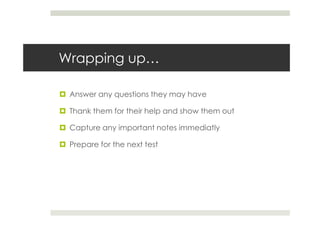
Wrapping up…

 Answer any questions they may have

 Thank them for their help and show them out

 Capture any important notes immediatly

 Prepare for the next test
Think aloud protocol

As the name suggests, you set a series of tasks and ask the
subject to verbalise their thoughts and feelings by ‘thinking
aloud’. The object of this is to gain valuable insight into the
thought processes behind the users actions.
Performance metrics

 Completion Rates – Are users able to complete the task?

 Time on Task – How long does it take users to complete?

 Page Views – How many pages does it take to
 complete?

 Errors – The number and severity of errors per task?

 Satisfaction – How does the user rate the system?
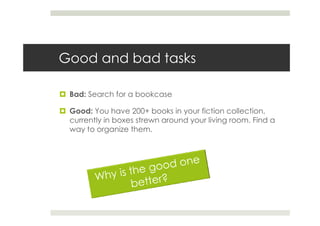
Good and bad tasks

 Bad: Search for a bookcase

 Good: You have 200+ books in your fiction collection,
 currently in boxes strewn around your living room. Find a
 way to organize them.
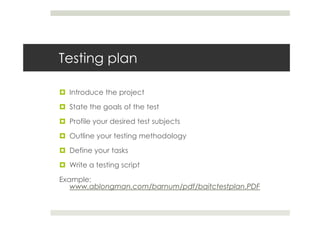
Testing plan

  Introduce the project

  State the goals of the test

  Profile your desired test subjects

  Outline your testing methodology

  Define your tasks

  Write a testing script

Example:
   www.ablongman.com/barnum/pdf/baitctestplan.PDF
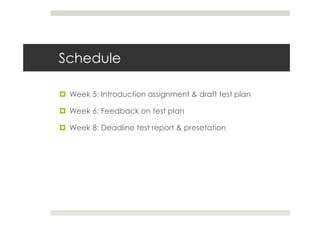
Schedule

 Week 5: Introduction assignment & draft test plan

 Week 6: Feedback on test plan

 Week 8: Deadline test report & presetation
Sites to test….

 Do you know a (professional) site you would like to test?


 Search e.g.
 http://www.uia.be/civicrm/profile?force=1&gid=5

Usability lecture 05102010

  • 1.
    Introducing usability What makesa site or a service usable?
  • 2.
    Today Introduction ofthe usability concept Usable websites Usability testing Usability assignment….
  • 3.
  • 12.
  • 21.
  • 22.
  • 32.
    Ohters… Welie.com Yahoodesign patterns …. (just Google)
  • 33.
  • 34.
    Usability testing… Usability testinggenerally involves setting a series of tasks for people to complete and noting any problems they encounter – It’s as simple as that!
  • 39.
    Ways to testusability
  • 52.
    What to do? Team up with a parnter Select 3-5 test participants Minimum 2 tasks 30-50 min. each One of you is notetaker, one of you is moderator
  • 53.
    Where to findparticipants Friends and family Co-students (not in this class) …
  • 54.
    Tell the participant… “We’re testing the WEBSITE, not you” “Think out loud as much as possible” “Be brutally honest - we need your help!”
  • 55.
    You, the moderator Don’t help them complete tasks Ask “Why” and “What are you thinking” Answer questions with questions
  • 56.
    Moderating questions… “Whatare you currently thinking?” “Describe the steps you’re going through here” “What do you think will happen next?” “Is that what you expected to happen?” “That was confusing?” “And you were expecting ...?” “Would you mind repeating that again?”
  • 57.
    Testing errors Notdoing a proper run through of the test in advance Incomplete or buggy prototypes Not scheduling enough time between sessions Bad task design Accidental Revelation Getting frustrated or losing detachment
  • 58.
    Wrapping up… Answerany questions they may have Thank them for their help and show them out Capture any important notes immediatly Prepare for the next test
  • 59.
    Think aloud protocol Asthe name suggests, you set a series of tasks and ask the subject to verbalise their thoughts and feelings by ‘thinking aloud’. The object of this is to gain valuable insight into the thought processes behind the users actions.
  • 60.
    Performance metrics CompletionRates – Are users able to complete the task? Time on Task – How long does it take users to complete? Page Views – How many pages does it take to complete? Errors – The number and severity of errors per task? Satisfaction – How does the user rate the system?
  • 61.
    Good and badtasks Bad: Search for a bookcase Good: You have 200+ books in your fiction collection, currently in boxes strewn around your living room. Find a way to organize them.
  • 62.
    Testing plan Introduce the project State the goals of the test Profile your desired test subjects Outline your testing methodology Define your tasks Write a testing script Example: www.ablongman.com/barnum/pdf/baitctestplan.PDF
  • 63.
    Schedule Week 5:Introduction assignment & draft test plan Week 6: Feedback on test plan Week 8: Deadline test report & presetation
  • 64.
    Sites to test…. Do you know a (professional) site you would like to test? Search e.g. http://www.uia.be/civicrm/profile?force=1&gid=5