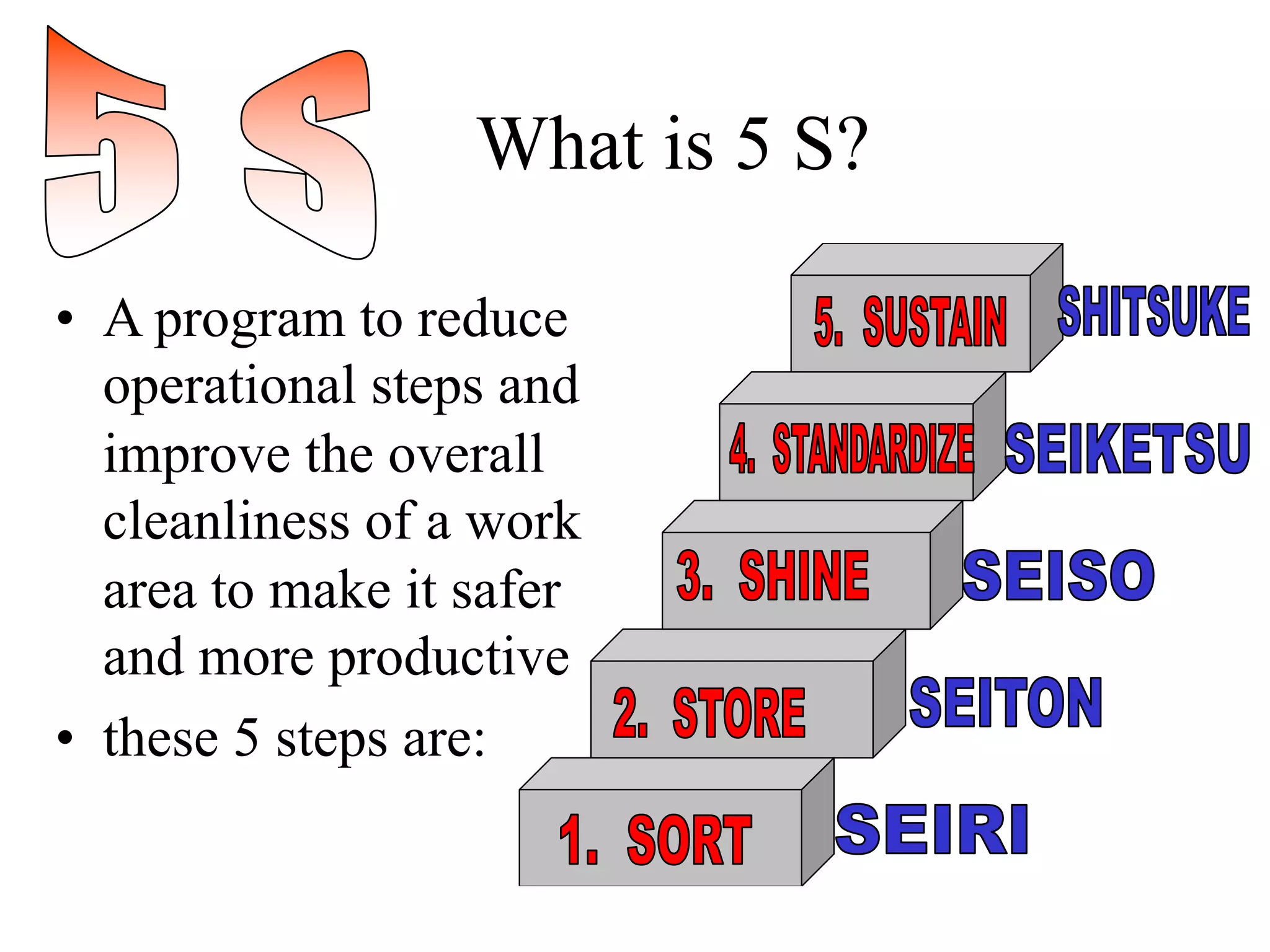
What is 5 S?
• A program to reduce
operational steps and
improve the overall
cleanliness of a work
area to make it safer
and more productive
• these 5 steps are:
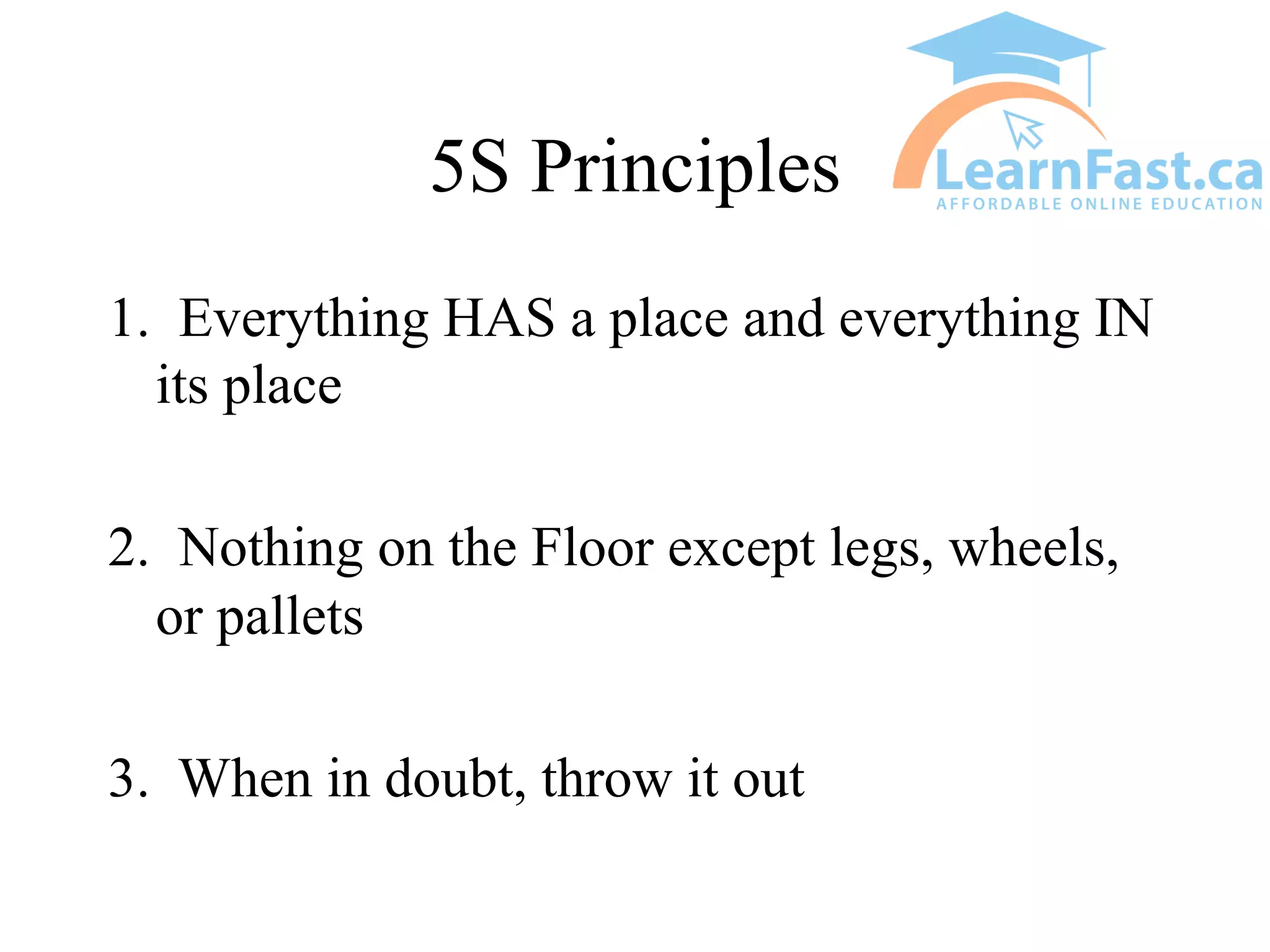
5S Principles
1. Everything HAS a place and everything IN
its place
2. Nothing on the Floor except legs, wheels,
or pallets
3. When in doubt, throw it out
5 S
• What is the most disorganized area of your
home?
- Garage?
- Tool Shed?
- Storage Closet?
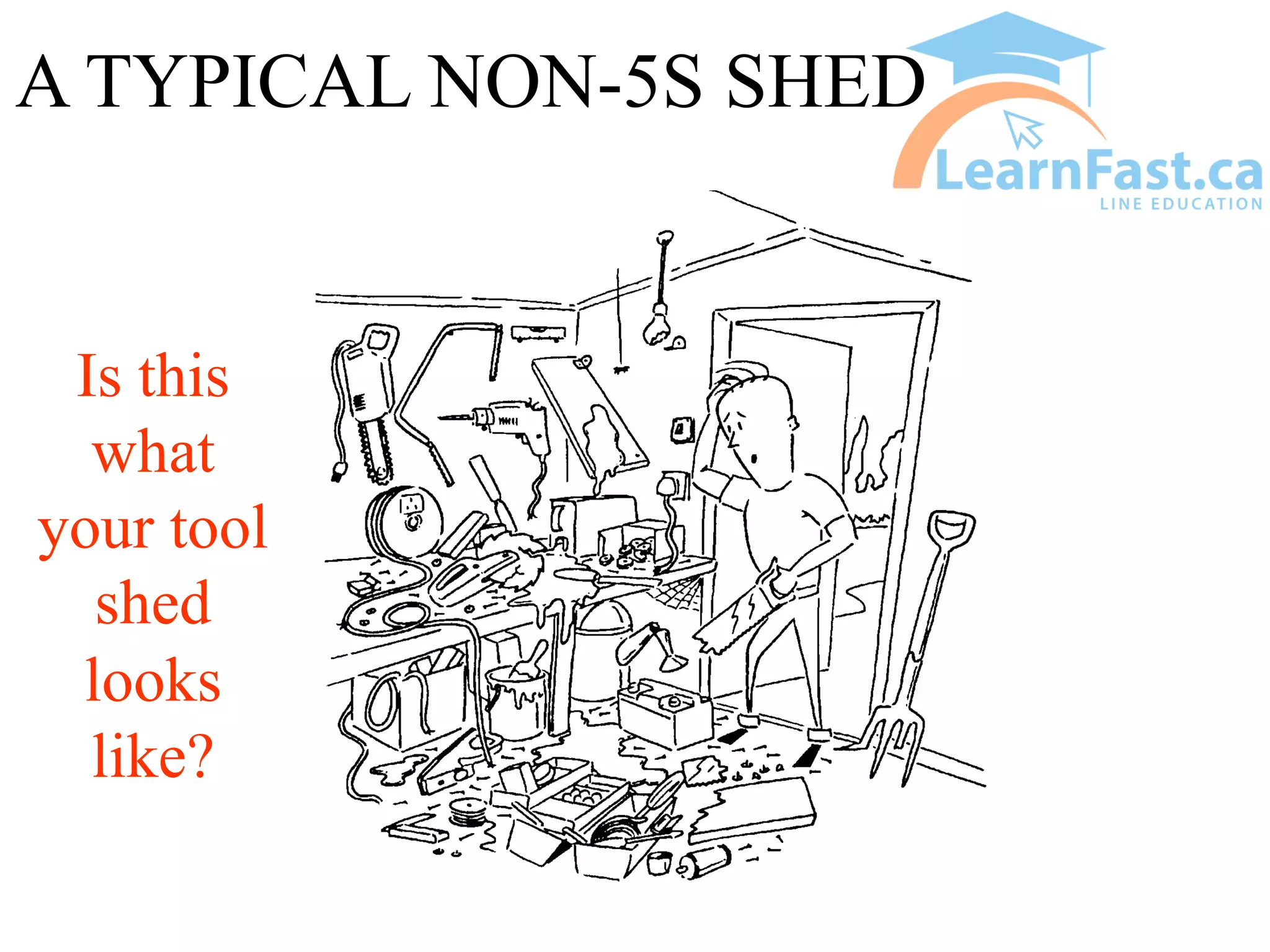
A TYPICAL NON-5S SHED
Is this
what
your tool
shed
looks
like?
5S
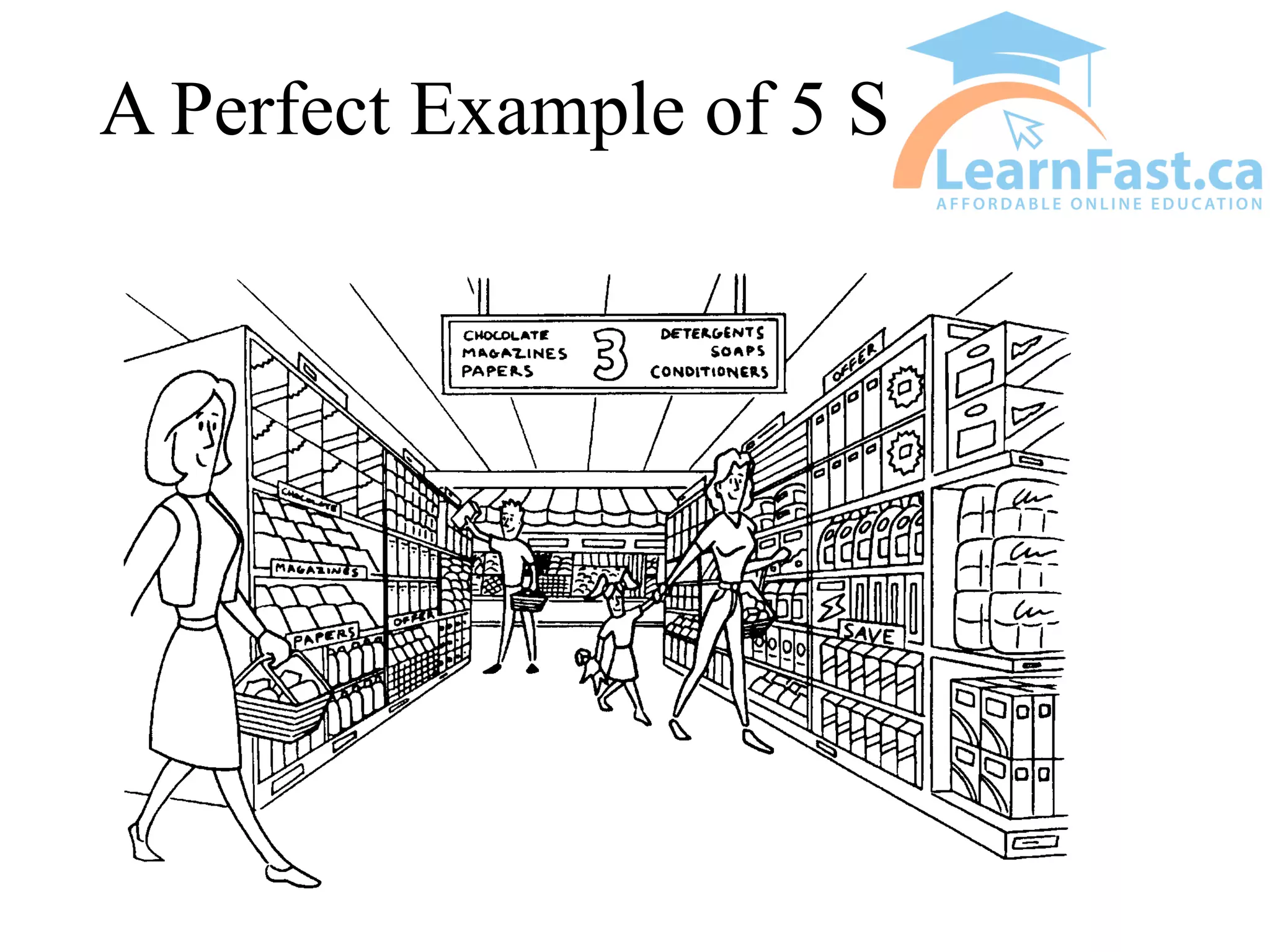
• What is the most organized place you can
think of?
A Perfect Example of 5 S
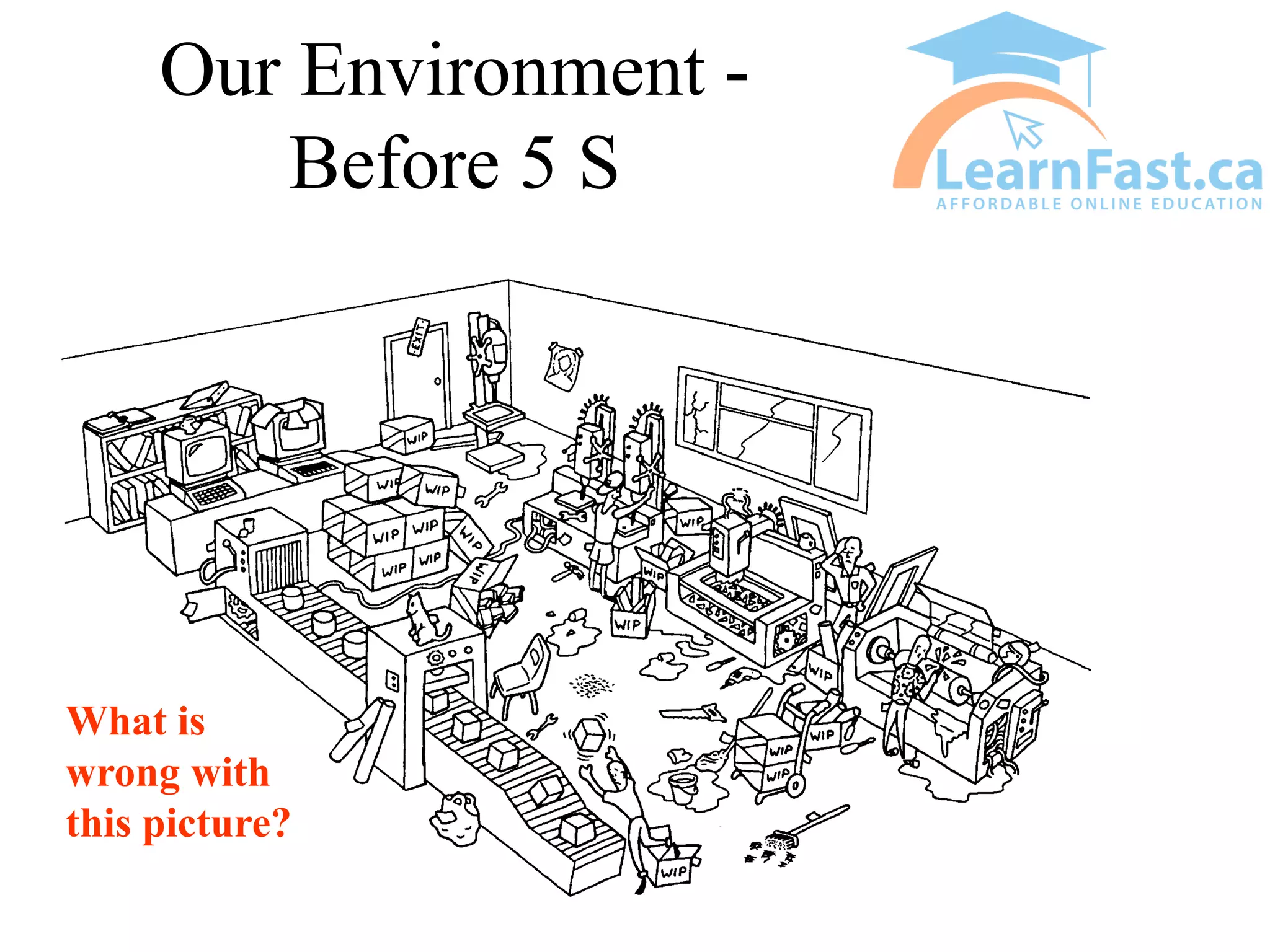
Our Environment -
Before 5 S
What is
wrong with
this picture?
5S - EXERCISE #1
• Using the previous slide, see how many
different problems you can find?
• What does the state of the work space tell
you?
SORT
• Remove all items that are not needed for
current production operations
• Get rid of unwanted items
• Decide what is needed and to be kept
• Get rid of the rest - leave bare essentials
only
• When in doubt, throw it out!
• we are getting rid of our PACK RAT
mentality
SORT
• Sort out what is really necessary and
eliminate waste
• broken, useless and/or redundant kits need
to be discarded
• remaining needed items must be sorted and
arranged by frequency of use
• parts need to be put back in the parts room
• empty cabinets of non-essentials
SORT
• To do this, you may want to develop a policy or
fix some simple rules
• Team should agree to the rules and stick to them
• Examples of rules:
– low priority items may be stored in a distant place
– high priority items may be kept in a designated place
– tag questionable items and give everyone an
opportunity to make a final decision
SORT
• Items that are questionable are set aside in a
“RED TAG” area
• items stay in this area for a pre-determined
amount of time so that people can decide if
items are needed or not
• after this amount of time, any items
remaining are discarded
EXAMPLE OF A RED
TAG
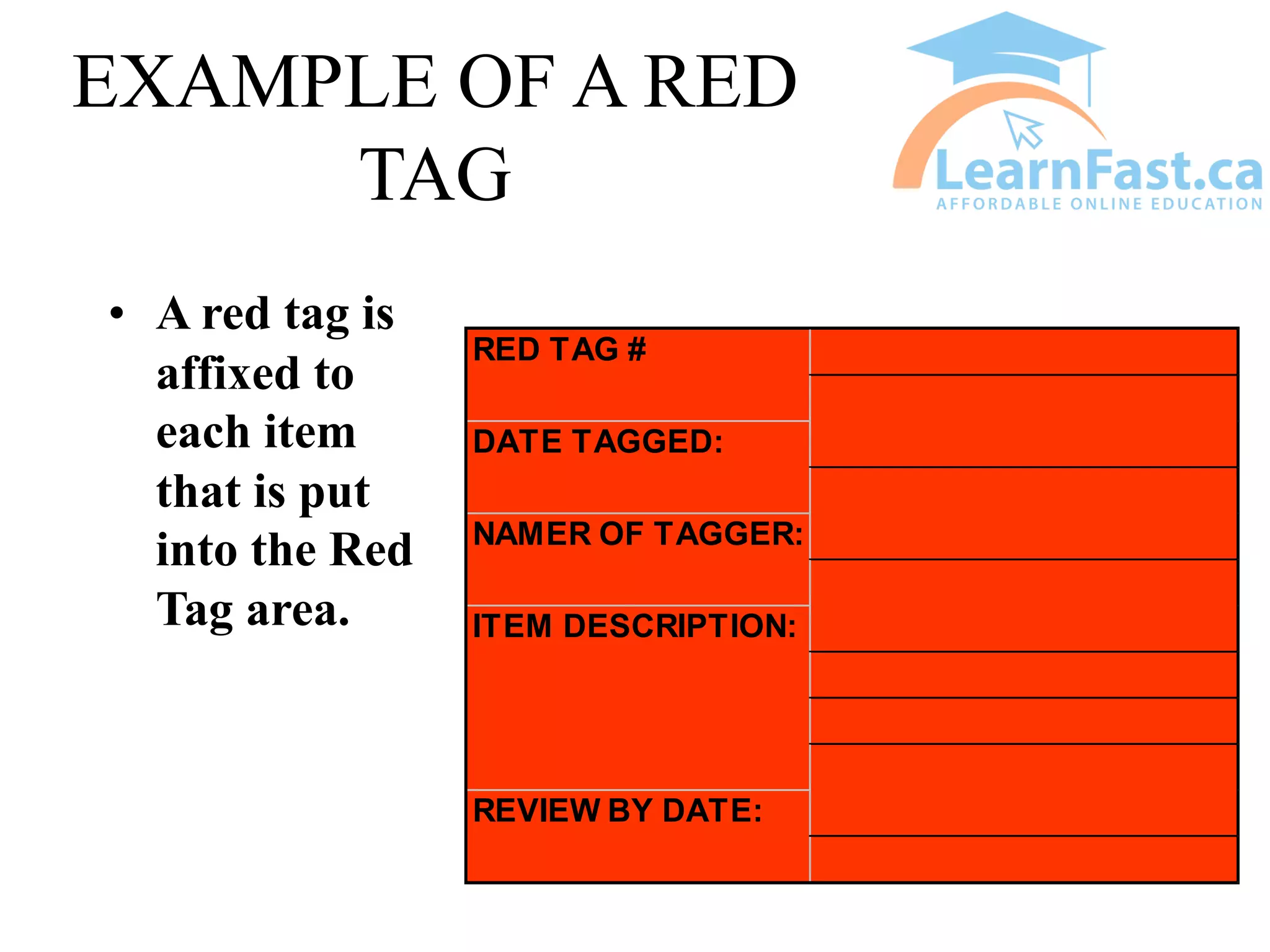
• A red tag is
affixed to
each item
that is put
into the Red
Tag area.
REVIEW BY DATE:
RED TAG #
DATE TAGGED:
NAMER OF TAGGER:
ITEM DESCRIPTION:
AFTER SORT
Red Tag Area - Warehouse
Process Piping
• 1800 lbs. Of piping,
valves and other
parts red tagged.
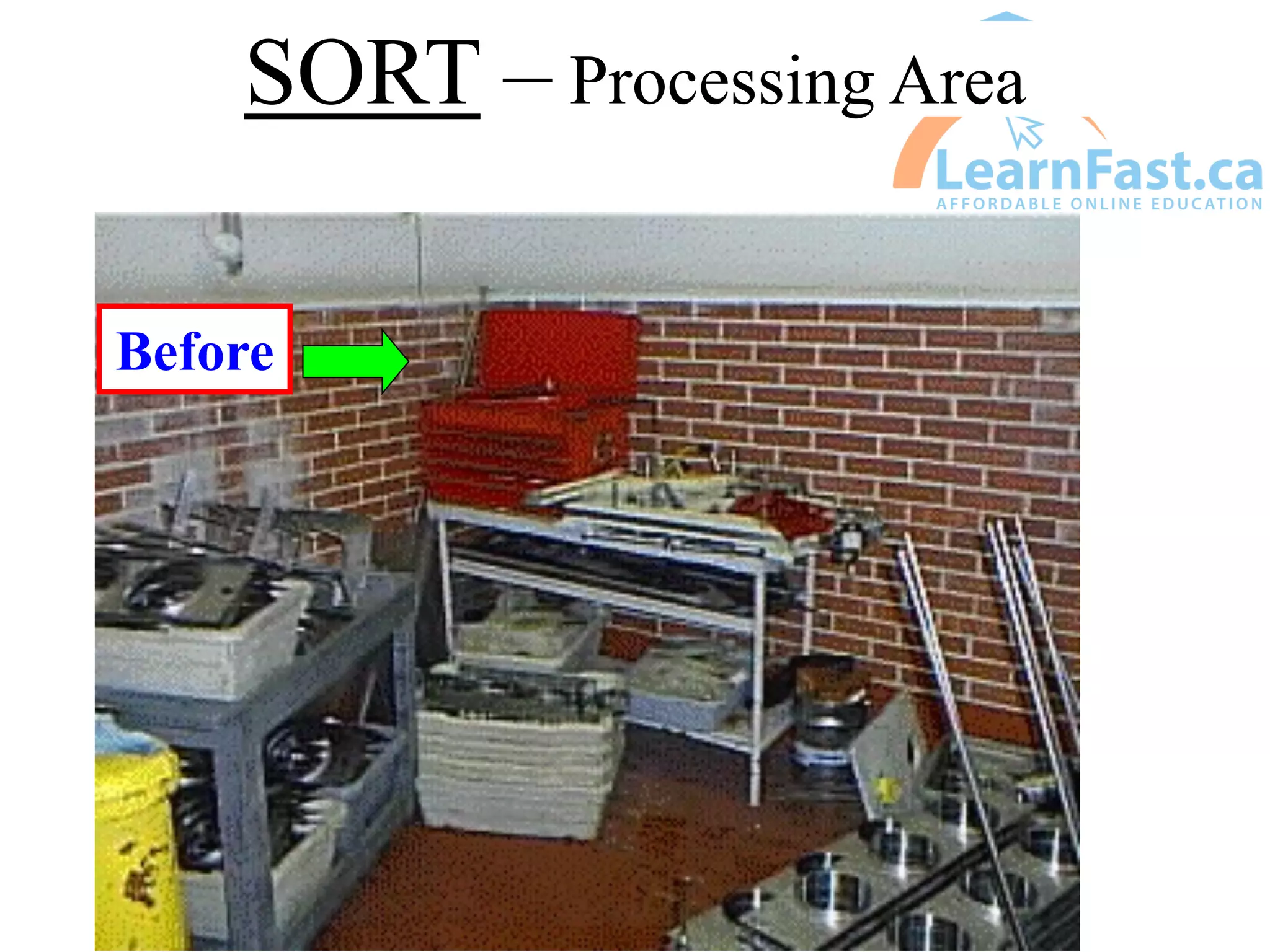
SORT – Processing Area
Before
AFTER SORT
Processing
After
RED TAG AREA -
Processing
SET
• Arranging tools, equipment and materials
with clear and defined marking so that they
will be easy to find and readily available
when needed
• Tools etc. should be close to where they are
needed
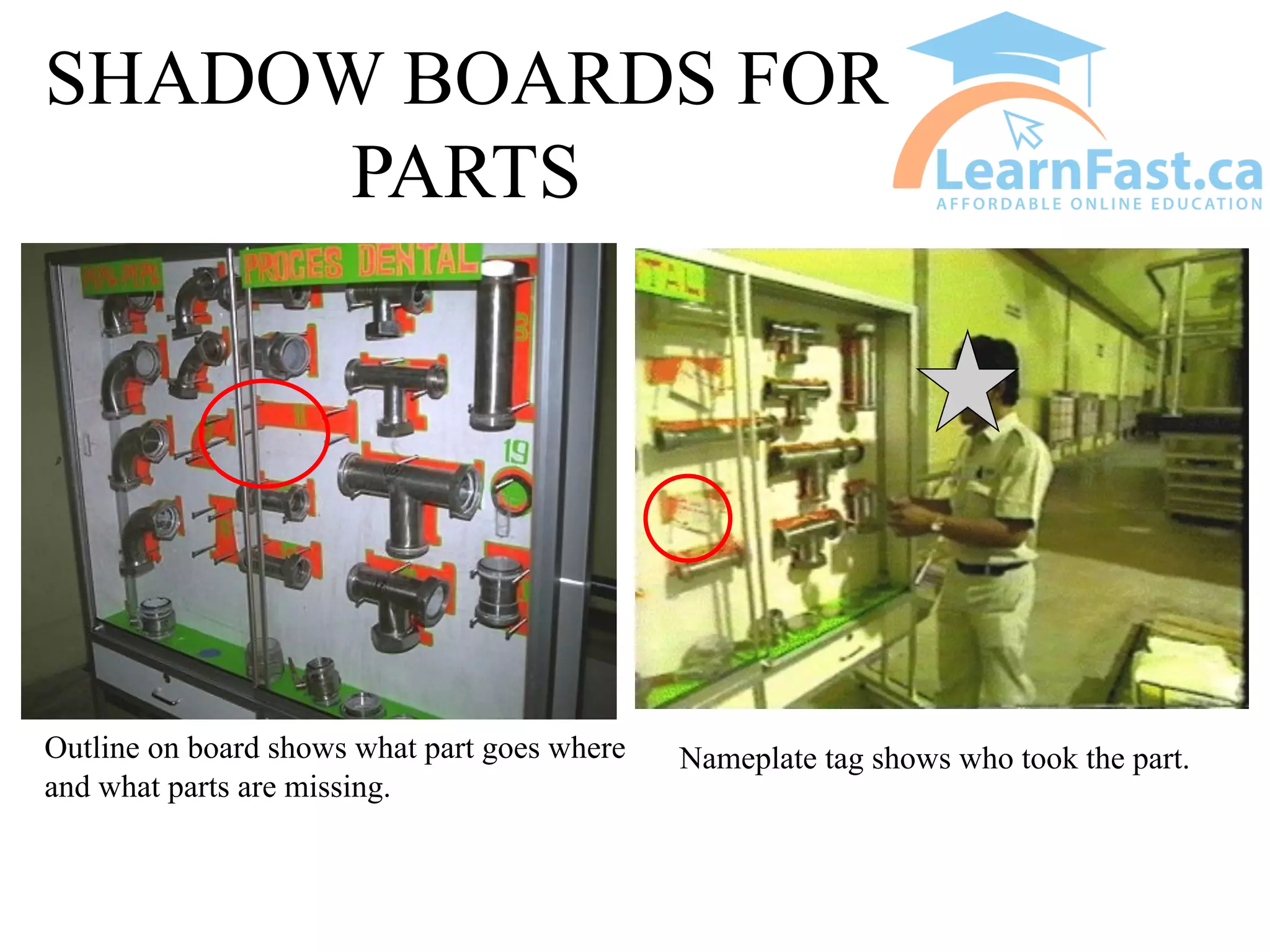
• Shadow boards are often used
SET
• Useful check points for an organized workplace:
– are tools divided into special use and regular use?
– Have you kept the required number of tools to a
minimum?
– Are waste and recycle bins always placed in correct
areas?
– Is anything stored around safety or fire fighting
equipment?
– Can you quickly and safely find the items you need?
SET
• Locate a specific place for each item, close
to where it is needed
• “A place for everything and everything in
its place.”
AFTER SETTING
SHADOW BOARDS FOR
PARTS
Nameplate tag shows who took the part.
Outline on board shows what part goes where
and what parts are missing.
SHINE
• Keeping the area clean and keeping the
equipment in top condition
• Maintain the first 2 steps of 5S
• Use cleaning to identify abnormalities and
areas for improvement
• Clean the workplace and at the same time,
look for and correct any abnormalities or out
of control conditions
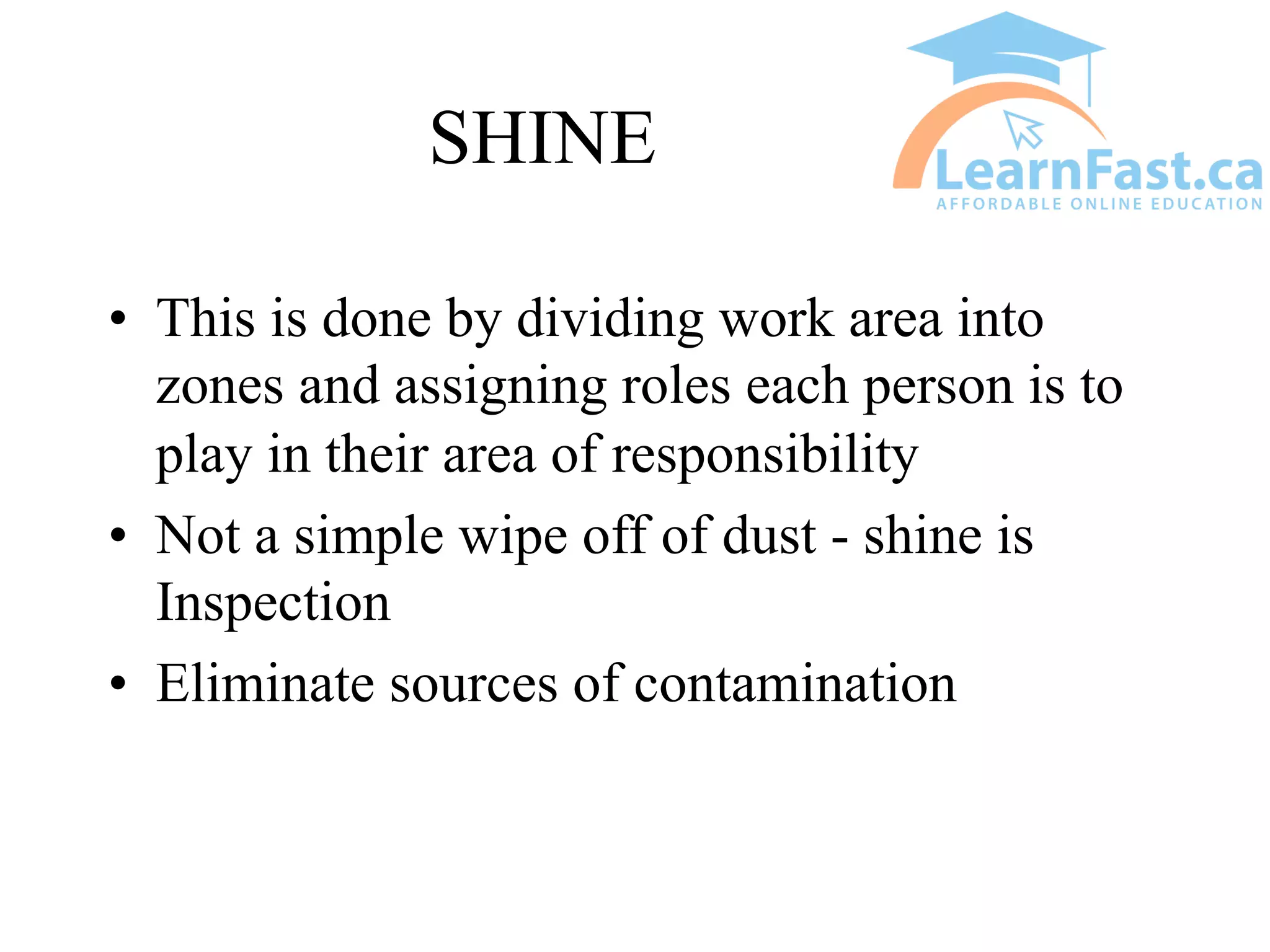
SHINE
• This is done by dividing work area into
zones and assigning roles each person is to
play in their area of responsibility
• Not a simple wipe off of dust - shine is
Inspection
• Eliminate sources of contamination
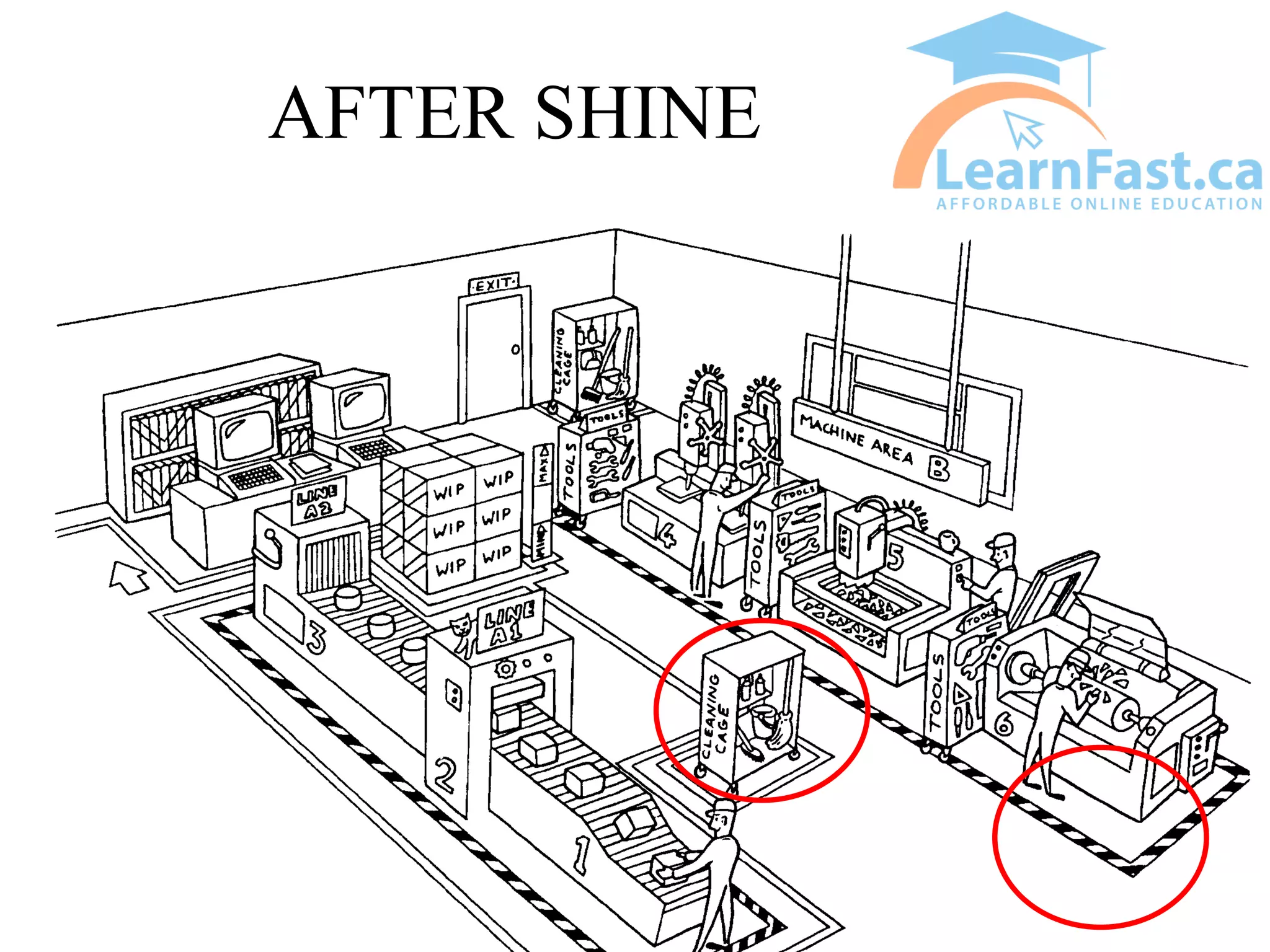
AFTER SHINE
STANDARDIZE
• This is the state that exists when the first 3
steps are properly maintained.
• Consolidate the first 3 steps by establishing
standard procedures (checklists, audits,
schedules, assessments etc.)
• Determine best work practices and find
ways of ensuring everyone does it the same
way, the “best” way
AFTER STANDARDIZING
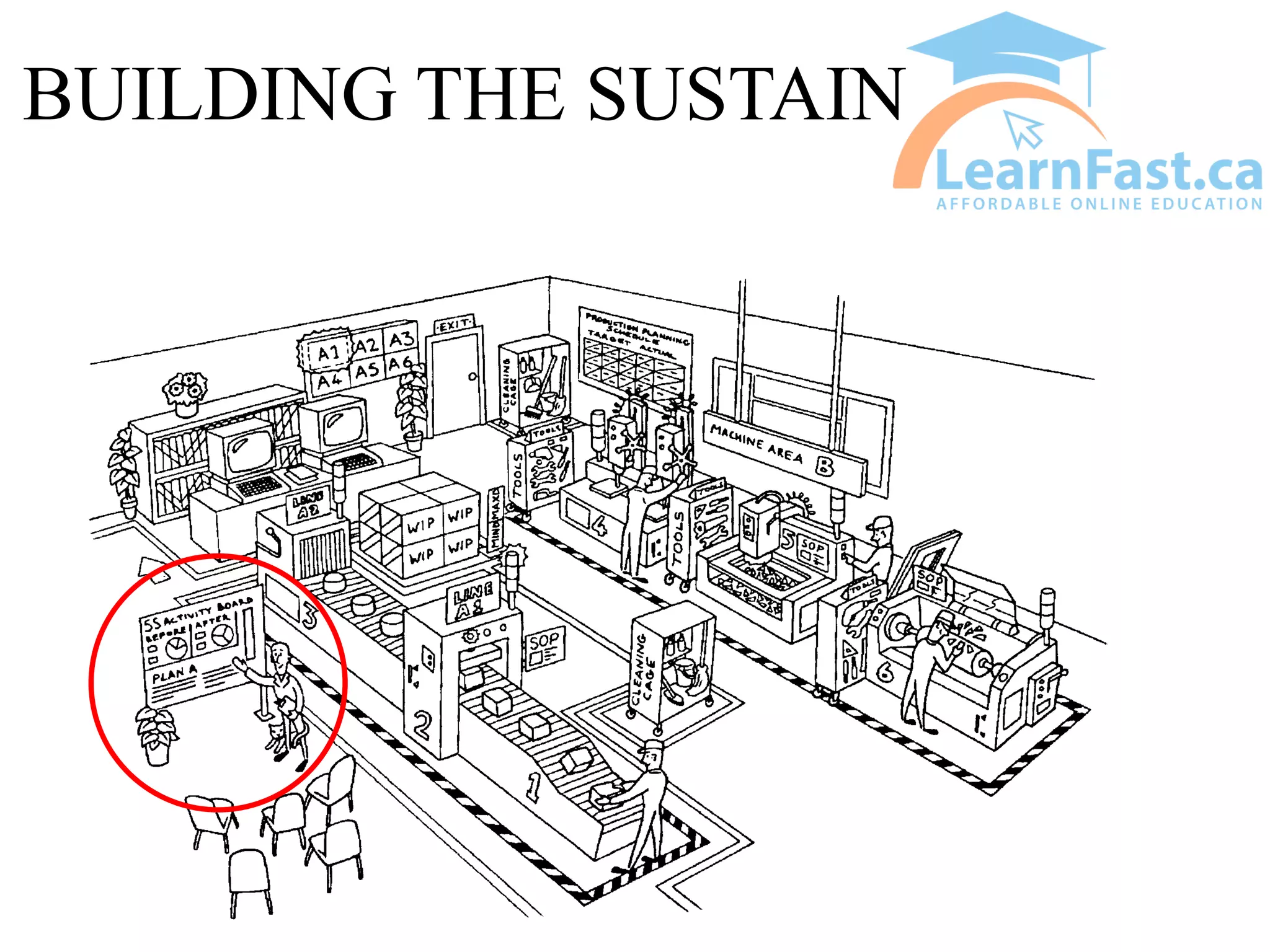
SUSTAIN
• Sustain the improvements you have made
• Making a habit of properly maintaining
correct procedures
• Make further improvements using the
Continuous Improvement methods
• It is all about working SMARTER not
HARDER
• Promote your accomplishments (activity
boards)
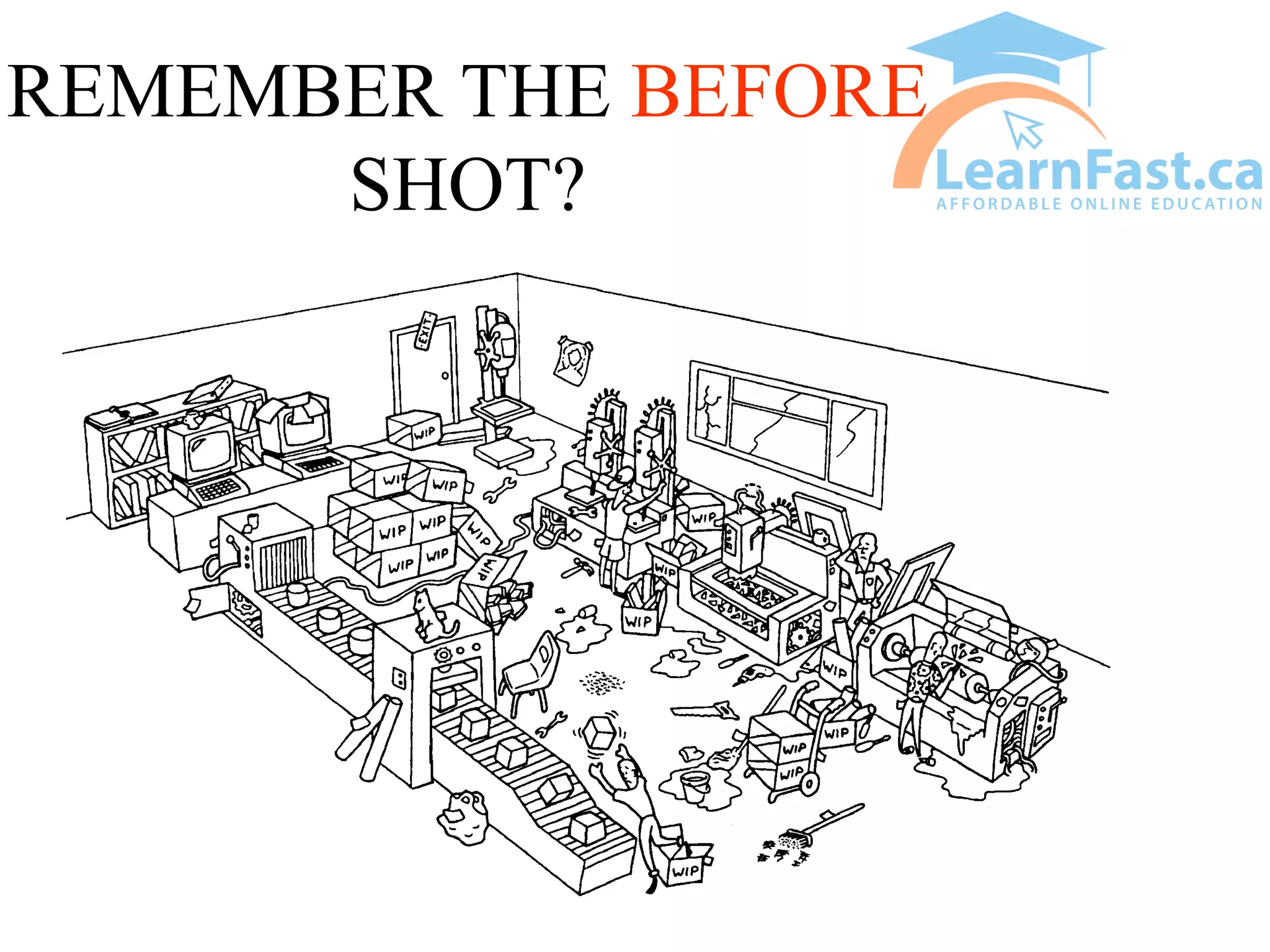
REMEMBER THE BEFORE
SHOT?
BUILDING THE SUSTAIN
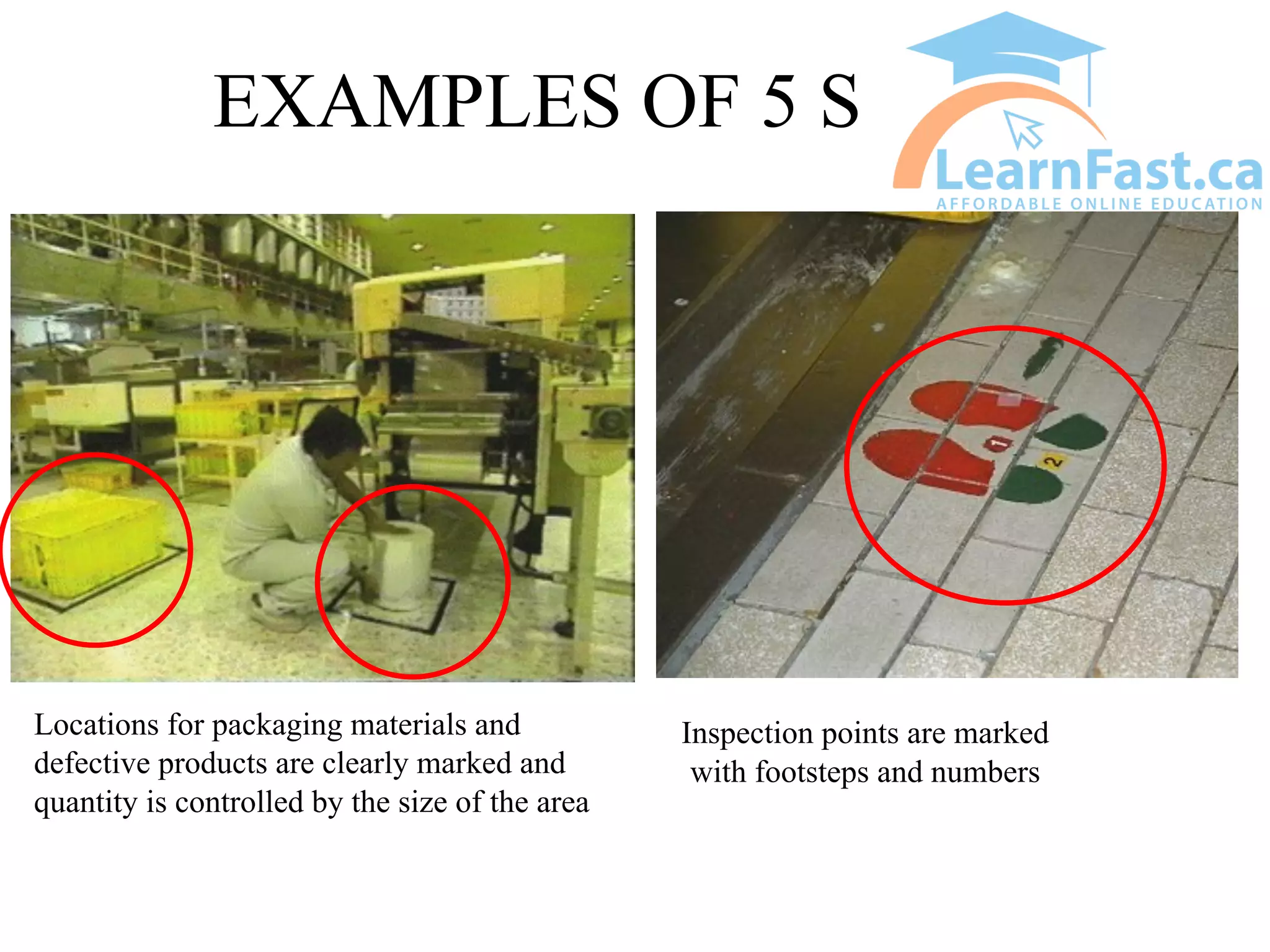
EXAMPLES OF 5 S
Locations for packaging materials and
defective products are clearly marked and
quantity is controlled by the size of the area
Inspection points are marked
with footsteps and numbers
Examples of 5S
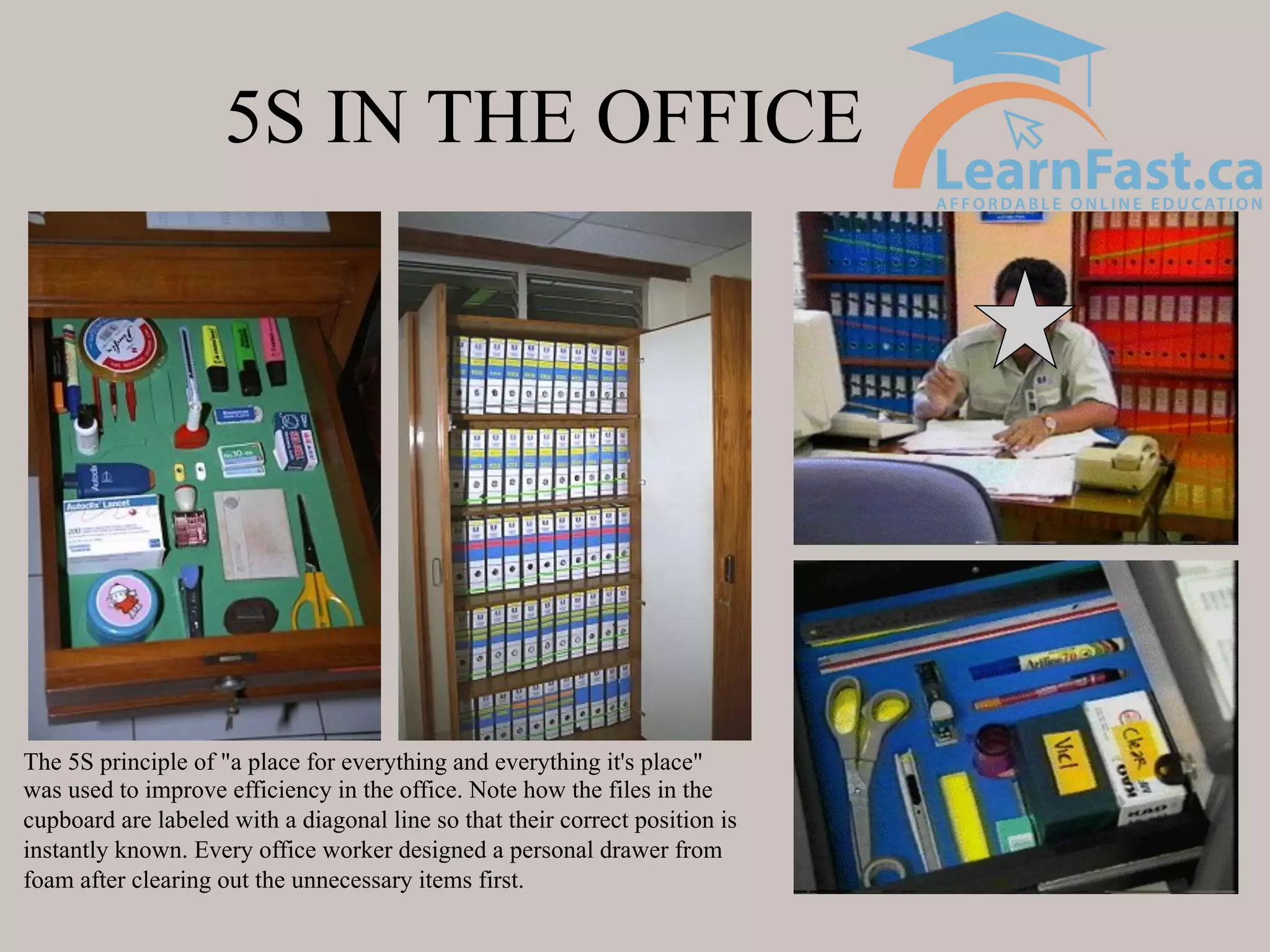
5S IN THE OFFICE
The 5S principle of "a place for everything and everything it's place"
was used to improve efficiency in the office. Note how the files in the
cupboard are labeled with a diagonal line so that their correct position is
instantly known. Every office worker designed a personal drawer from
foam after clearing out the unnecessary items first.
Examples of Office 5S
Garbage and recycling bin
floor demarcation.
Mouse pad, key board and
monitor locations marked
off on desk.
5S START UP
• Photograph current situation, during 5S
process and after
• Establish required resources and timelines
• Establish Red Tag Area rules

5S Introduction .pdf

  • 1.
    What is 5S? • A program to reduce operational steps and improve the overall cleanliness of a work area to make it safer and more productive • these 5 steps are:
  • 2.
    5S Principles 1. EverythingHAS a place and everything IN its place 2. Nothing on the Floor except legs, wheels, or pallets 3. When in doubt, throw it out
  • 3.
    5 S • Whatis the most disorganized area of your home? - Garage? - Tool Shed? - Storage Closet?
  • 4.
    A TYPICAL NON-5SSHED Is this what your tool shed looks like?
  • 5.
    5S • What isthe most organized place you can think of?
  • 6.
  • 7.
    Our Environment - Before5 S What is wrong with this picture?
  • 8.
    5S - EXERCISE#1 • Using the previous slide, see how many different problems you can find? • What does the state of the work space tell you?
  • 9.
    SORT • Remove allitems that are not needed for current production operations • Get rid of unwanted items • Decide what is needed and to be kept • Get rid of the rest - leave bare essentials only • When in doubt, throw it out! • we are getting rid of our PACK RAT mentality
  • 10.
    SORT • Sort outwhat is really necessary and eliminate waste • broken, useless and/or redundant kits need to be discarded • remaining needed items must be sorted and arranged by frequency of use • parts need to be put back in the parts room • empty cabinets of non-essentials
  • 11.
    SORT • To dothis, you may want to develop a policy or fix some simple rules • Team should agree to the rules and stick to them • Examples of rules: – low priority items may be stored in a distant place – high priority items may be kept in a designated place – tag questionable items and give everyone an opportunity to make a final decision
  • 12.
    SORT • Items thatare questionable are set aside in a “RED TAG” area • items stay in this area for a pre-determined amount of time so that people can decide if items are needed or not • after this amount of time, any items remaining are discarded
  • 13.
    EXAMPLE OF ARED TAG • A red tag is affixed to each item that is put into the Red Tag area. REVIEW BY DATE: RED TAG # DATE TAGGED: NAMER OF TAGGER: ITEM DESCRIPTION:
  • 14.
  • 15.
    Red Tag Area- Warehouse
  • 16.
    Process Piping • 1800lbs. Of piping, valves and other parts red tagged.
  • 17.
  • 18.
  • 19.
    RED TAG AREA- Processing
  • 20.
    SET • Arranging tools,equipment and materials with clear and defined marking so that they will be easy to find and readily available when needed • Tools etc. should be close to where they are needed • Shadow boards are often used
  • 21.
    SET • Useful checkpoints for an organized workplace: – are tools divided into special use and regular use? – Have you kept the required number of tools to a minimum? – Are waste and recycle bins always placed in correct areas? – Is anything stored around safety or fire fighting equipment? – Can you quickly and safely find the items you need?
  • 22.
    SET • Locate aspecific place for each item, close to where it is needed • “A place for everything and everything in its place.”
  • 23.
  • 24.
    SHADOW BOARDS FOR PARTS Nameplatetag shows who took the part. Outline on board shows what part goes where and what parts are missing.
  • 25.
    SHINE • Keeping thearea clean and keeping the equipment in top condition • Maintain the first 2 steps of 5S • Use cleaning to identify abnormalities and areas for improvement • Clean the workplace and at the same time, look for and correct any abnormalities or out of control conditions
  • 26.
    SHINE • This isdone by dividing work area into zones and assigning roles each person is to play in their area of responsibility • Not a simple wipe off of dust - shine is Inspection • Eliminate sources of contamination
  • 27.
  • 28.
    STANDARDIZE • This isthe state that exists when the first 3 steps are properly maintained. • Consolidate the first 3 steps by establishing standard procedures (checklists, audits, schedules, assessments etc.) • Determine best work practices and find ways of ensuring everyone does it the same way, the “best” way
  • 29.
  • 30.
    SUSTAIN • Sustain theimprovements you have made • Making a habit of properly maintaining correct procedures • Make further improvements using the Continuous Improvement methods • It is all about working SMARTER not HARDER • Promote your accomplishments (activity boards)
  • 31.
  • 32.
  • 33.
    EXAMPLES OF 5S Locations for packaging materials and defective products are clearly marked and quantity is controlled by the size of the area Inspection points are marked with footsteps and numbers
  • 34.
  • 35.
    5S IN THEOFFICE The 5S principle of "a place for everything and everything it's place" was used to improve efficiency in the office. Note how the files in the cupboard are labeled with a diagonal line so that their correct position is instantly known. Every office worker designed a personal drawer from foam after clearing out the unnecessary items first.
  • 37.
    Examples of Office5S Garbage and recycling bin floor demarcation. Mouse pad, key board and monitor locations marked off on desk.
  • 38.
    5S START UP •Photograph current situation, during 5S process and after • Establish required resources and timelines • Establish Red Tag Area rules