XSD
XSD
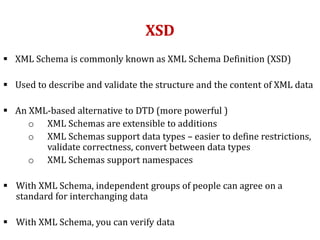
 XML Schema is commonly known as XML Schema Definition (XSD)
 Used to describe and validate the structure and the content of XML data
 An XML-based alternative to DTD (more powerful )
o XML Schemas are extensible to additions
o XML Schemas support data types – easier to define restrictions,
validate correctness, convert between data types
o XML Schemas support namespaces
 With XML Schema, independent groups of people can agree on a
standard for interchanging data
 With XML Schema, you can verify data
XSD
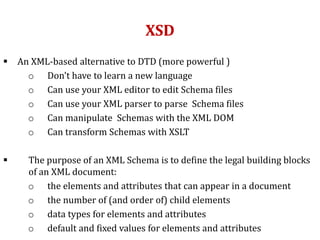
 An XML-based alternative to DTD (more powerful )
o Don't have to learn a new language
o Can use your XML editor to edit Schema files
o Can use your XML parser to parse Schema files
o Can manipulate Schemas with the XML DOM
o Can transform Schemas with XSLT
 The purpose of an XML Schema is to define the legal building blocks
of an XML document:
o the elements and attributes that can appear in a document
o the number of (and order of) child elements
o data types for elements and attributes
o default and fixed values for elements and attributes
XSD Schema Example
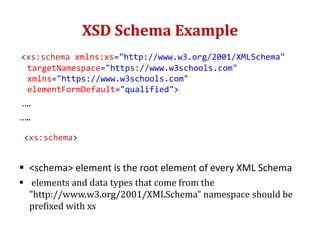
<xs:schema xmlns:xs="http://www.w3.org/2001/XMLSchema"
targetNamespace="https://www.w3schools.com"
xmlns="https://www.w3schools.com"
elementFormDefault="qualified">
….
…..
<xs:schema>
 <schema> element is the root element of every XML Schema
 elements and data types that come from the
"http://www.w3.org/2001/XMLSchema" namespace should be
prefixed with xs
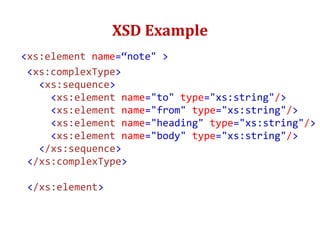
XSD Example
<xs:element name=“note" >
<xs:complexType>
<xs:sequence>
<xs:element name="to" type="xs:string"/>
<xs:element name="from" type="xs:string"/>
<xs:element name="heading" type="xs:string"/>
<xs:element name="body" type="xs:string"/>
</xs:sequence>
</xs:complexType>
</xs:element>
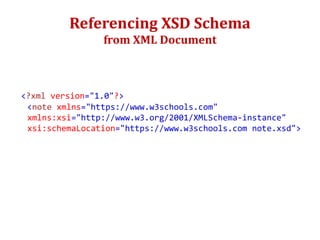
Referencing XSD Schema
from XML Document
<?xml version="1.0"?>
<note xmlns="https://www.w3schools.com"
xmlns:xsi="http://www.w3.org/2001/XMLSchema-instance"
xsi:schemaLocation="https://www.w3schools.com note.xsd">
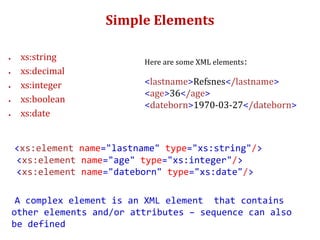
Simple Elements
 xs:string
 xs:decimal
 xs:integer
 xs:boolean
 xs:date
<xs:element name="lastname" type="xs:string"/>
<xs:element name="age" type="xs:integer"/>
<xs:element name="dateborn" type="xs:date"/>
A complex element is an XML element that contains
other elements and/or attributes – sequence can also
be defined
Here are some XML elements:
<lastname>Refsnes</lastname>
<age>36</age>
<dateborn>1970-03-27</dateborn>
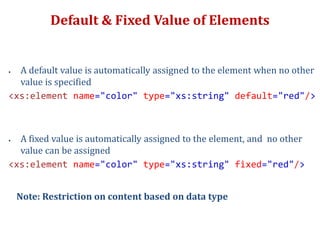
Default & Fixed Value of Elements
 A default value is automatically assigned to the element when no other
value is specified
<xs:element name="color" type="xs:string" default="red"/>
 A fixed value is automatically assigned to the element, and no other
value can be assigned
<xs:element name="color" type="xs:string" fixed="red"/>
Note: Restriction on content based on data type
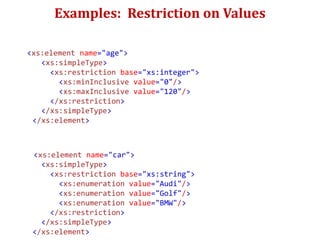
Examples: Restriction on Values
<xs:element name="age">
<xs:simpleType>
<xs:restriction base="xs:integer">
<xs:minInclusive value="0"/>
<xs:maxInclusive value="120"/>
</xs:restriction>
</xs:simpleType>
</xs:element>
<xs:element name="car">
<xs:simpleType>
<xs:restriction base="xs:string">
<xs:enumeration value="Audi"/>
<xs:enumeration value="Golf"/>
<xs:enumeration value="BMW"/>
</xs:restriction>
</xs:simpleType>
</xs:element>
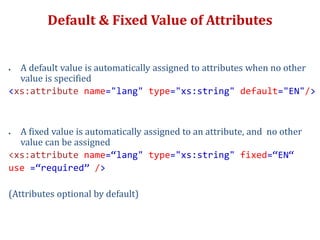
Default & Fixed Value of Attributes
 A default value is automatically assigned to attributes when no other
value is specified
<xs:attribute name="lang" type="xs:string" default="EN"/>
 A fixed value is automatically assigned to an attribute, and no other
value can be assigned
<xs:attribute name=“lang" type="xs:string" fixed=“EN“
use =“required” />
(Attributes optional by default)
Miscellaneous
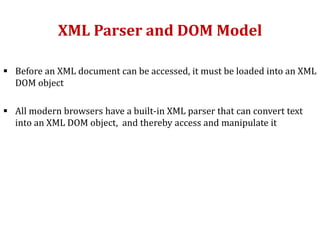
XML Parser and DOM Model
 Before an XML document can be accessed, it must be loaded into an XML
DOM object
 All modern browsers have a built-in XML parser that can convert text
into an XML DOM object, and thereby access and manipulate it
Example of Parsing using JS
• <html>
<body>
<p id="demo"></p>
<script>
var text, parser, xmlDoc;
text = "<bookstore><book>" +
"<title>Everyday Italian</title>" +
"<author>Giada De Laurentiis</author>" +
"<year>2005</year>" +
"</book></bookstore>";
parser = new DOMParser();  Parser object created
xmlDoc = parser.parseFromString(text,"text/xml");  XML DOM obj
document.getElementById("demo").innerHTML =
xmlDoc.getElementsByTagName("title")[0].childNodes[0].nodeValue;
</script>
</body>
</html>
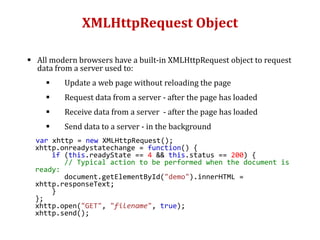
XMLHttpRequest Object
 All modern browsers have a built-in XMLHttpRequest object to request
data from a server used to:
 Update a web page without reloading the page
 Request data from a server - after the page has loaded
 Receive data from a server - after the page has loaded
 Send data to a server - in the background
var xhttp = new XMLHttpRequest();
xhttp.onreadystatechange = function() {
if (this.readyState == 4 && this.status == 200) {
// Typical action to be performed when the document is
ready:
document.getElementById("demo").innerHTML =
xhttp.responseText;
}
};
xhttp.open("GET", "filename", true);
xhttp.send();
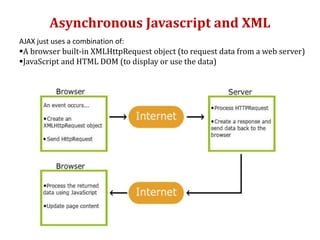
Asynchronous Javascript and XML
AJAX just uses a combination of:
A browser built-in XMLHttpRequest object (to request data from a web server)
JavaScript and HTML DOM (to display or use the data)
XSLT, XPATH & XQuery
 XSLT is a language for transforming XML documents
 XPath is a language for navigating in XML documents
 XQuery is a language for querying XML documents
What is XPATH?
 XPath is a major element in the XSLT standard.
 XPath used to navigate through elements and attributes in an XML
document
 Path expressions to select nodes or node-sets in an XML doc
XPATH Expressions
XPATH Expression Result
/bookstore/book[1] Selects the first book element that is the
child of the bookstore element
/bookstore/book[last()] Selects the last book element that is the
child of the bookstore element
/bookstore/book[last() - 1] Selects the last book but one element
that is the child of the bookstore element
/bookstore/book[position()<3] Selects the first two book elements that
are children of the bookstore element
/bookstore/book[price>35.00] Selects all book elements of bookstore
element that have a price element with a
value greater than 35.00
/bookstore/book[price>35.00]
/title
Selects all the title elements of the book
elements of the bookstore element that
have a price element with a value greater
than 35.00
XSLT
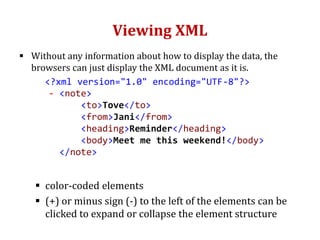
Viewing XML
 Without any information about how to display the data, the
browsers can just display the XML document as it is.
<?xml version="1.0" encoding="UTF-8"?>
- <note>
<to>Tove</to>
<from>Jani</from>
<heading>Reminder</heading>
<body>Meet me this weekend!</body>
</note>
 color-coded elements
 (+) or minus sign (-) to the left of the elements can be
clicked to expand or collapse the element structure
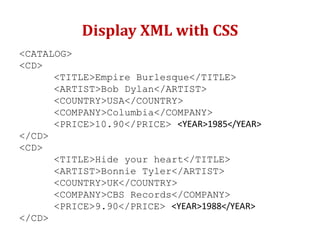
Display XML with CSS
<CATALOG>
<CD>
<TITLE>Empire Burlesque</TITLE>
<ARTIST>Bob Dylan</ARTIST>
<COUNTRY>USA</COUNTRY>
<COMPANY>Columbia</COMPANY>
<PRICE>10.90</PRICE> <YEAR>1985</YEAR>
</CD>
<CD>
<TITLE>Hide your heart</TITLE>
<ARTIST>Bonnie Tyler</ARTIST>
<COUNTRY>UK</COUNTRY>
<COMPANY>CBS Records</COMPANY>
<PRICE>9.90</PRICE> <YEAR>1988</YEAR>
</CD>
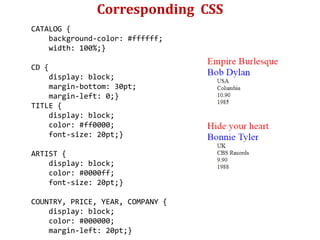
Corresponding CSS
CATALOG {
background-color: #ffffff;
width: 100%;}
CD {
display: block;
margin-bottom: 30pt;
margin-left: 0;}
TITLE {
display: block;
color: #ff0000;
font-size: 20pt;}
ARTIST {
display: block;
color: #0000ff;
font-size: 20pt;}
COUNTRY, PRICE, YEAR, COMPANY {
display: block;
color: #000000;
margin-left: 20pt;}
Displaying XML with XSLT
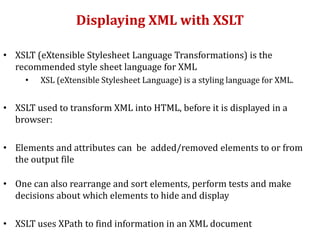
• XSLT (eXtensible Stylesheet Language Transformations) is the
recommended style sheet language for XML
• XSL (eXtensible Stylesheet Language) is a styling language for XML.
• XSLT used to transform XML into HTML, before it is displayed in a
browser:
• Elements and attributes can be added/removed elements to or from
the output file
• One can also rearrange and sort elements, perform tests and make
decisions about which elements to hide and display
• XSLT uses XPath to find information in an XML document
XSL
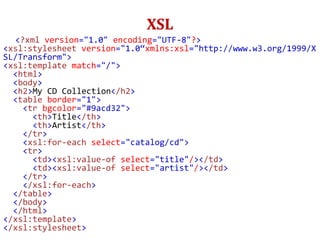
<?xml version="1.0" encoding="UTF-8"?>
<xsl:stylesheet version="1.0“xmlns:xsl="http://www.w3.org/1999/X
SL/Transform">
<xsl:template match="/">
<html>
<body>
<h2>My CD Collection</h2>
<table border="1">
<tr bgcolor="#9acd32">
<th>Title</th>
<th>Artist</th>
</tr>
<xsl:for-each select="catalog/cd">
<tr>
<td><xsl:value-of select="title"/></td>
<td><xsl:value-of select="artist"/></td>
</tr>
</xsl:for-each>
</table>
</body>
</html>
</xsl:template>
</xsl:stylesheet>
Root Element
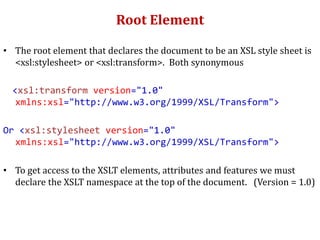
• The root element that declares the document to be an XSL style sheet is
<xsl:stylesheet> or <xsl:transform>. Both synonymous
<xsl:transform version="1.0"
xmlns:xsl="http://www.w3.org/1999/XSL/Transform">
Or <xsl:stylesheet version="1.0"
xmlns:xsl="http://www.w3.org/1999/XSL/Transform">
• To get access to the XSLT elements, attributes and features we must
declare the XSLT namespace at the top of the document. (Version = 1.0)
XSLT <xsl:template> Element
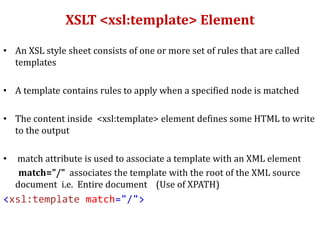
• An XSL style sheet consists of one or more set of rules that are called
templates
• A template contains rules to apply when a specified node is matched
• The content inside <xsl:template> element defines some HTML to write
to the output
• match attribute is used to associate a template with an XML element
match="/" associates the template with the root of the XML source
document i.e. Entire document (Use of XPATH)
<xsl:template match="/">
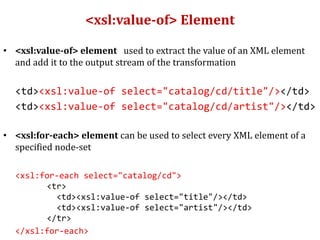
<xsl:value-of> Element
• <xsl:value-of> element used to extract the value of an XML element
and add it to the output stream of the transformation
<td><xsl:value-of select="catalog/cd/title"/></td>
<td><xsl:value-of select="catalog/cd/artist"/></td>
• <xsl:for-each> element can be used to select every XML element of a
specified node-set
<xsl:for-each select="catalog/cd">
<tr>
<td><xsl:value-of select="title"/></td>
<td><xsl:value-of select="artist"/></td>
</tr>
</xsl:for-each>
Filtering the output
• One can also filter the output from the XML file by adding a criterion to
the select attribute in the <xsl:for-each> element
<xsl:for-each select="catalog/cd[artist='Bob Dylan']">
<tr>
<td><xsl:value-of select="title"/></td>
<td><xsl:value-of select="artist"/></td>
</tr>
</xsl:for-each>
• Legal filter operators are:
• = (equal)
• != (not equal)
• &lt; less than
• &gt; greater than
XHTML
XHTML
• Extensible Hypertext Markup Language (XHTML) is part of the family of
XML markup languages.
• Mirrors or extends versions of the widely used HTML
• Developed to make HTML more extensible and increase interoperability
with other data formats
Syntax vs HTML
• HTML syntax permits some empty elements to be unclosed (e.g.
<input>) , XML does not permit that
• XML is case-sensitive for element and attribute names, while HTML is
not.
• Shorthand features in HTML such s attribute minimization where
attribute values or their quotes may be omitted (e.g. <option selected>
or <option selected=selected>
Behaviour vs HTML
• Behavior on parse errors differ. A fatal parse error in XML (such as an
incorrect tag structure) causes document processing to be aborted
• Most content requiring namespaces will not work in HTML
• JavaScript processing is a little different in XHTML - document.write
not available,
• Due to XHTML's case-sensitivity, all CSS selectors become case-sensitive
for XHTML document

Xml 2

  • 1.
  • 2.
    XSD  XML Schemais commonly known as XML Schema Definition (XSD)  Used to describe and validate the structure and the content of XML data  An XML-based alternative to DTD (more powerful ) o XML Schemas are extensible to additions o XML Schemas support data types – easier to define restrictions, validate correctness, convert between data types o XML Schemas support namespaces  With XML Schema, independent groups of people can agree on a standard for interchanging data  With XML Schema, you can verify data
  • 3.
    XSD  An XML-basedalternative to DTD (more powerful ) o Don't have to learn a new language o Can use your XML editor to edit Schema files o Can use your XML parser to parse Schema files o Can manipulate Schemas with the XML DOM o Can transform Schemas with XSLT  The purpose of an XML Schema is to define the legal building blocks of an XML document: o the elements and attributes that can appear in a document o the number of (and order of) child elements o data types for elements and attributes o default and fixed values for elements and attributes
  • 4.
    XSD Schema Example <xs:schemaxmlns:xs="http://www.w3.org/2001/XMLSchema" targetNamespace="https://www.w3schools.com" xmlns="https://www.w3schools.com" elementFormDefault="qualified"> …. ….. <xs:schema>  <schema> element is the root element of every XML Schema  elements and data types that come from the "http://www.w3.org/2001/XMLSchema" namespace should be prefixed with xs
  • 5.
    XSD Example <xs:element name=“note"> <xs:complexType> <xs:sequence> <xs:element name="to" type="xs:string"/> <xs:element name="from" type="xs:string"/> <xs:element name="heading" type="xs:string"/> <xs:element name="body" type="xs:string"/> </xs:sequence> </xs:complexType> </xs:element>
  • 6.
    Referencing XSD Schema fromXML Document <?xml version="1.0"?> <note xmlns="https://www.w3schools.com" xmlns:xsi="http://www.w3.org/2001/XMLSchema-instance" xsi:schemaLocation="https://www.w3schools.com note.xsd">
  • 7.
    Simple Elements  xs:string xs:decimal  xs:integer  xs:boolean  xs:date <xs:element name="lastname" type="xs:string"/> <xs:element name="age" type="xs:integer"/> <xs:element name="dateborn" type="xs:date"/> A complex element is an XML element that contains other elements and/or attributes – sequence can also be defined Here are some XML elements: <lastname>Refsnes</lastname> <age>36</age> <dateborn>1970-03-27</dateborn>
  • 8.
    Default & FixedValue of Elements  A default value is automatically assigned to the element when no other value is specified <xs:element name="color" type="xs:string" default="red"/>  A fixed value is automatically assigned to the element, and no other value can be assigned <xs:element name="color" type="xs:string" fixed="red"/> Note: Restriction on content based on data type
  • 9.
    Examples: Restriction onValues <xs:element name="age"> <xs:simpleType> <xs:restriction base="xs:integer"> <xs:minInclusive value="0"/> <xs:maxInclusive value="120"/> </xs:restriction> </xs:simpleType> </xs:element> <xs:element name="car"> <xs:simpleType> <xs:restriction base="xs:string"> <xs:enumeration value="Audi"/> <xs:enumeration value="Golf"/> <xs:enumeration value="BMW"/> </xs:restriction> </xs:simpleType> </xs:element>
  • 10.
    Default & FixedValue of Attributes  A default value is automatically assigned to attributes when no other value is specified <xs:attribute name="lang" type="xs:string" default="EN"/>  A fixed value is automatically assigned to an attribute, and no other value can be assigned <xs:attribute name=“lang" type="xs:string" fixed=“EN“ use =“required” /> (Attributes optional by default)
  • 11.
  • 12.
    XML Parser andDOM Model  Before an XML document can be accessed, it must be loaded into an XML DOM object  All modern browsers have a built-in XML parser that can convert text into an XML DOM object, and thereby access and manipulate it
  • 13.
    Example of Parsingusing JS • <html> <body> <p id="demo"></p> <script> var text, parser, xmlDoc; text = "<bookstore><book>" + "<title>Everyday Italian</title>" + "<author>Giada De Laurentiis</author>" + "<year>2005</year>" + "</book></bookstore>"; parser = new DOMParser();  Parser object created xmlDoc = parser.parseFromString(text,"text/xml");  XML DOM obj document.getElementById("demo").innerHTML = xmlDoc.getElementsByTagName("title")[0].childNodes[0].nodeValue; </script> </body> </html>
  • 14.
    XMLHttpRequest Object  Allmodern browsers have a built-in XMLHttpRequest object to request data from a server used to:  Update a web page without reloading the page  Request data from a server - after the page has loaded  Receive data from a server - after the page has loaded  Send data to a server - in the background var xhttp = new XMLHttpRequest(); xhttp.onreadystatechange = function() { if (this.readyState == 4 && this.status == 200) { // Typical action to be performed when the document is ready: document.getElementById("demo").innerHTML = xhttp.responseText; } }; xhttp.open("GET", "filename", true); xhttp.send();
  • 15.
    Asynchronous Javascript andXML AJAX just uses a combination of: A browser built-in XMLHttpRequest object (to request data from a web server) JavaScript and HTML DOM (to display or use the data)
  • 16.
    XSLT, XPATH &XQuery  XSLT is a language for transforming XML documents  XPath is a language for navigating in XML documents  XQuery is a language for querying XML documents
  • 17.
    What is XPATH? XPath is a major element in the XSLT standard.  XPath used to navigate through elements and attributes in an XML document  Path expressions to select nodes or node-sets in an XML doc
  • 18.
    XPATH Expressions XPATH ExpressionResult /bookstore/book[1] Selects the first book element that is the child of the bookstore element /bookstore/book[last()] Selects the last book element that is the child of the bookstore element /bookstore/book[last() - 1] Selects the last book but one element that is the child of the bookstore element /bookstore/book[position()<3] Selects the first two book elements that are children of the bookstore element /bookstore/book[price>35.00] Selects all book elements of bookstore element that have a price element with a value greater than 35.00 /bookstore/book[price>35.00] /title Selects all the title elements of the book elements of the bookstore element that have a price element with a value greater than 35.00
  • 19.
  • 20.
    Viewing XML  Withoutany information about how to display the data, the browsers can just display the XML document as it is. <?xml version="1.0" encoding="UTF-8"?> - <note> <to>Tove</to> <from>Jani</from> <heading>Reminder</heading> <body>Meet me this weekend!</body> </note>  color-coded elements  (+) or minus sign (-) to the left of the elements can be clicked to expand or collapse the element structure
  • 21.
    Display XML withCSS <CATALOG> <CD> <TITLE>Empire Burlesque</TITLE> <ARTIST>Bob Dylan</ARTIST> <COUNTRY>USA</COUNTRY> <COMPANY>Columbia</COMPANY> <PRICE>10.90</PRICE> <YEAR>1985</YEAR> </CD> <CD> <TITLE>Hide your heart</TITLE> <ARTIST>Bonnie Tyler</ARTIST> <COUNTRY>UK</COUNTRY> <COMPANY>CBS Records</COMPANY> <PRICE>9.90</PRICE> <YEAR>1988</YEAR> </CD>
  • 22.
    Corresponding CSS CATALOG { background-color:#ffffff; width: 100%;} CD { display: block; margin-bottom: 30pt; margin-left: 0;} TITLE { display: block; color: #ff0000; font-size: 20pt;} ARTIST { display: block; color: #0000ff; font-size: 20pt;} COUNTRY, PRICE, YEAR, COMPANY { display: block; color: #000000; margin-left: 20pt;}
  • 23.
    Displaying XML withXSLT • XSLT (eXtensible Stylesheet Language Transformations) is the recommended style sheet language for XML • XSL (eXtensible Stylesheet Language) is a styling language for XML. • XSLT used to transform XML into HTML, before it is displayed in a browser: • Elements and attributes can be added/removed elements to or from the output file • One can also rearrange and sort elements, perform tests and make decisions about which elements to hide and display • XSLT uses XPath to find information in an XML document
  • 24.
    XSL <?xml version="1.0" encoding="UTF-8"?> <xsl:stylesheetversion="1.0“xmlns:xsl="http://www.w3.org/1999/X SL/Transform"> <xsl:template match="/"> <html> <body> <h2>My CD Collection</h2> <table border="1"> <tr bgcolor="#9acd32"> <th>Title</th> <th>Artist</th> </tr> <xsl:for-each select="catalog/cd"> <tr> <td><xsl:value-of select="title"/></td> <td><xsl:value-of select="artist"/></td> </tr> </xsl:for-each> </table> </body> </html> </xsl:template> </xsl:stylesheet>
  • 25.
    Root Element • Theroot element that declares the document to be an XSL style sheet is <xsl:stylesheet> or <xsl:transform>. Both synonymous <xsl:transform version="1.0" xmlns:xsl="http://www.w3.org/1999/XSL/Transform"> Or <xsl:stylesheet version="1.0" xmlns:xsl="http://www.w3.org/1999/XSL/Transform"> • To get access to the XSLT elements, attributes and features we must declare the XSLT namespace at the top of the document. (Version = 1.0)
  • 26.
    XSLT <xsl:template> Element •An XSL style sheet consists of one or more set of rules that are called templates • A template contains rules to apply when a specified node is matched • The content inside <xsl:template> element defines some HTML to write to the output • match attribute is used to associate a template with an XML element match="/" associates the template with the root of the XML source document i.e. Entire document (Use of XPATH) <xsl:template match="/">
  • 27.
    <xsl:value-of> Element • <xsl:value-of>element used to extract the value of an XML element and add it to the output stream of the transformation <td><xsl:value-of select="catalog/cd/title"/></td> <td><xsl:value-of select="catalog/cd/artist"/></td> • <xsl:for-each> element can be used to select every XML element of a specified node-set <xsl:for-each select="catalog/cd"> <tr> <td><xsl:value-of select="title"/></td> <td><xsl:value-of select="artist"/></td> </tr> </xsl:for-each>
  • 28.
    Filtering the output •One can also filter the output from the XML file by adding a criterion to the select attribute in the <xsl:for-each> element <xsl:for-each select="catalog/cd[artist='Bob Dylan']"> <tr> <td><xsl:value-of select="title"/></td> <td><xsl:value-of select="artist"/></td> </tr> </xsl:for-each> • Legal filter operators are: • = (equal) • != (not equal) • &lt; less than • &gt; greater than
  • 29.
  • 30.
    XHTML • Extensible HypertextMarkup Language (XHTML) is part of the family of XML markup languages. • Mirrors or extends versions of the widely used HTML • Developed to make HTML more extensible and increase interoperability with other data formats
  • 31.
    Syntax vs HTML •HTML syntax permits some empty elements to be unclosed (e.g. <input>) , XML does not permit that • XML is case-sensitive for element and attribute names, while HTML is not. • Shorthand features in HTML such s attribute minimization where attribute values or their quotes may be omitted (e.g. <option selected> or <option selected=selected>
  • 32.
    Behaviour vs HTML •Behavior on parse errors differ. A fatal parse error in XML (such as an incorrect tag structure) causes document processing to be aborted • Most content requiring namespaces will not work in HTML • JavaScript processing is a little different in XHTML - document.write not available, • Due to XHTML's case-sensitivity, all CSS selectors become case-sensitive for XHTML document

Editor's Notes

  • #6 The Schema above is interpreted like this: <xs:element name="note"> defines the element called "note" <xs:complexType> the "note" element is a complex type <xs:sequence> the complex type is a sequence of elements <xs:element name="to" type="xs:string"> the element "to" is of type string (text) <xs:element name="from" type="xs:string"> the element "from" is of type string <xs:element name="heading" type="xs:string"> the element "heading" is of type string <xs:element name="body" type="xs:string"> the element "body" is of type string
  • #15 responseText property returns the server response as a text string  responseXML property returns the response as an XML DOM object
  • #21 If an erroneous XML file is opened, some browsers will report the error, and some will display it, or display it incorrectly.