HTML
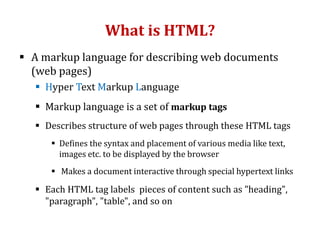
What is HTML?
 A markup language for describing web documents
(web pages)
 Hyper Text Markup Language
 Markup language is a set of markup tags
 Describes structure of web pages through these HTML tags
 Defines the syntax and placement of various media like text,
images etc. to be displayed by the browser
 Makes a document interactive through special hypertext links
 Each HTML tag labels pieces of content such as "heading",
"paragraph", "table", and so on
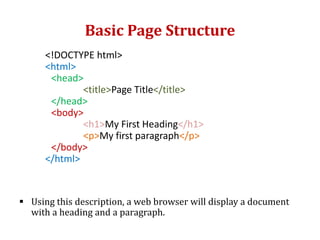
Basic Page Structure
<!DOCTYPE html>
<html>
<head>
<title>Page Title</title>
</head>
<body>
<h1>My First Heading</h1>
<p>My first paragraph</p>
</body>
</html>
 Using this description, a web browser will display a document
with a heading and a paragraph.
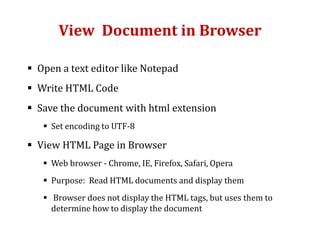
View Document in Browser
 Open a text editor like Notepad
 Write HTML Code
 Save the document with html extension
 Set encoding to UTF-8
 View HTML Page in Browser
 Web browser - Chrome, IE, Firefox, Safari, Opera
 Purpose: Read HTML documents and display them
 Browser does not display the HTML tags, but uses them to
determine how to display the document
HTML Tags
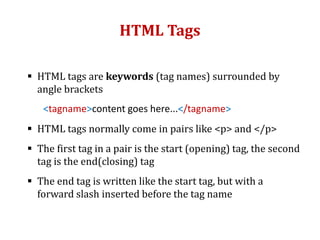
 HTML tags are keywords (tag names) surrounded by
angle brackets
<tagname>content goes here...</tagname>
 HTML tags normally come in pairs like <p> and </p>
 The first tag in a pair is the start (opening) tag, the second
tag is the end(closing) tag
 The end tag is written like the start tag, but with a
forward slash inserted before the tag name
HTML Elements
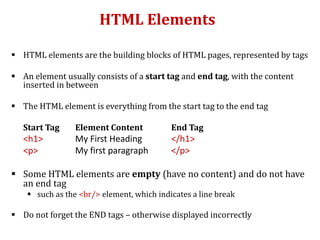
 HTML elements are the building blocks of HTML pages, represented by tags
 An element usually consists of a start tag and end tag, with the content
inserted in between
 The HTML element is everything from the start tag to the end tag
Start Tag Element Content End Tag
<h1> My First Heading </h1>
<p> My first paragraph </p>
 Some HTML elements are empty (have no content) and do not have
an end tag
 such as the <br/> element, which indicates a line break
 Do not forget the END tags – otherwise displayed incorrectly
HTML Documents
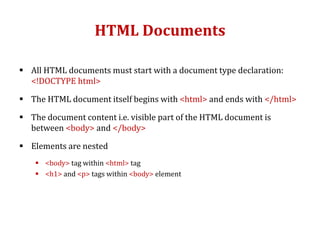
 All HTML documents must start with a document type declaration:
<!DOCTYPE html>
 The HTML document itself begins with <html> and ends with </html>
 The document content i.e. visible part of the HTML document is
between <body> and </body>
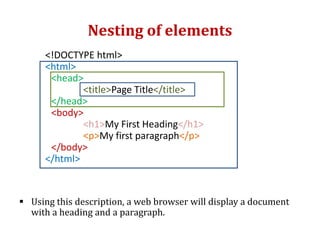
 Elements are nested
 <body> tag within <html> tag
 <h1> and <p> tags within <body> element
Nesting of elements
<!DOCTYPE html>
<html>
<head>
<title>Page Title</title>
</head>
<body>
<h1>My First Heading</h1>
<p>My first paragraph</p>
</body>
</html>
 Using this description, a web browser will display a document
with a heading and a paragraph.
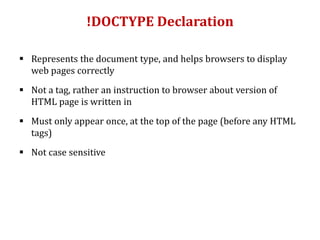
!DOCTYPE Declaration
 Represents the document type, and helps browsers to display
web pages correctly
 Not a tag, rather an instruction to browser about version of
HTML page is written in
 Must only appear once, at the top of the page (before any HTML
tags)
 Not case sensitive
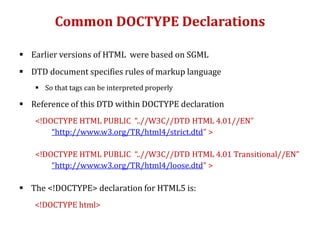
Common DOCTYPE Declarations
 Earlier versions of HTML were based on SGML
 DTD document specifies rules of markup language
 So that tags can be interpreted properly
 Reference of this DTD within DOCTYPE declaration
<!DOCTYPE HTML PUBLIC “..//W3C//DTD HTML 4.01//EN”
“http://www.w3.org/TR/html4/strict.dtd” >
<!DOCTYPE HTML PUBLIC “..//W3C//DTD HTML 4.01 Transitional//EN”
“http://www.w3.org/TR/html4/loose.dtd” >
 The <!DOCTYPE> declaration for HTML5 is:
<!DOCTYPE html>
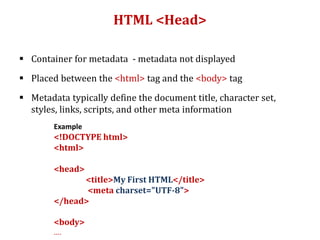
HTML <Head>
 Container for metadata - metadata not displayed
 Placed between the <html> tag and the <body> tag
 Metadata typically define the document title, character set,
styles, links, scripts, and other meta information
Example
<!DOCTYPE html>
<html>
<head>
<title>My First HTML</title>
<meta charset="UTF-8">
</head>
<body>
….
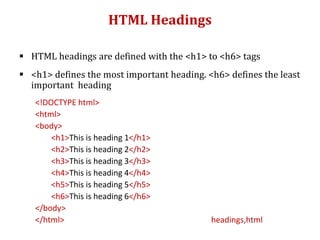
HTML Headings
 HTML headings are defined with the <h1> to <h6> tags
 <h1> defines the most important heading. <h6> defines the least
important heading
<!DOCTYPE html>
<html>
<body>
<h1>This is heading 1</h1>
<h2>This is heading 2</h2>
<h3>This is heading 3</h3>
<h4>This is heading 4</h4>
<h5>This is heading 5</h5>
<h6>This is heading 6</h6>
</body>
</html> headings,html
HTML Headings (contd..)
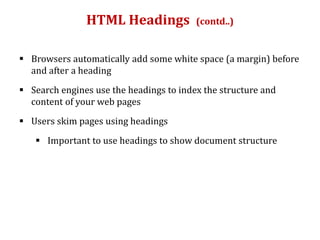
 Browsers automatically add some white space (a margin) before
and after a heading
 Search engines use the headings to index the structure and
content of your web pages
 Users skim pages using headings
 Important to use headings to show document structure
HTML Link
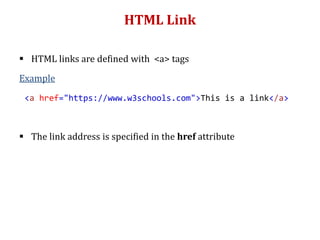
 HTML links are defined with <a> tags
Example
 The link address is specified in the href attribute
<a href="https://www.w3schools.com">This is a link</a>
HTML Attributes
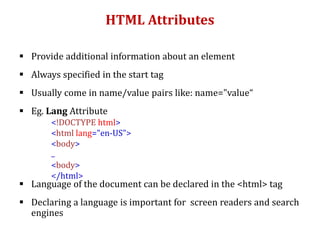
 Provide additional information about an element
 Always specified in the start tag
 Usually come in name/value pairs like: name="value“
 Eg. Lang Attribute
 Language of the document can be declared in the <html> tag
 Declaring a language is important for screen readers and search
engines
<!DOCTYPE html>
<html lang="en-US">
<body>
..
<body>
</html>
HTML Image
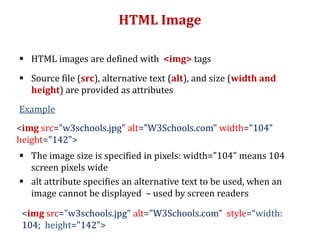
 HTML images are defined with <img> tags
 Source file (src), alternative text (alt), and size (width and
height) are provided as attributes
Example
 The image size is specified in pixels: width="104" means 104
screen pixels wide
 alt attribute specifies an alternative text to be used, when an
image cannot be displayed – used by screen readers
<img src="w3schools.jpg" alt="W3Schools.com" width="104"
height="142">
<img src="w3schools.jpg" alt="W3Schools.com" style=“width:
104; height="142">
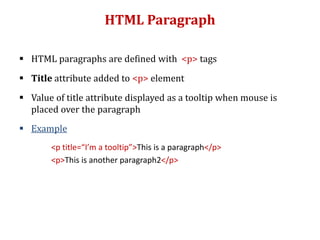
HTML Paragraph
 HTML paragraphs are defined with <p> tags
 Title attribute added to <p> element
 Value of title attribute displayed as a tooltip when mouse is
placed over the paragraph
 Example
<p title=“I’m a tooltip”>This is a paragraph</p>
<p>This is another paragraph2</p>
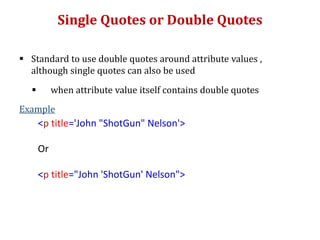
Single Quotes or Double Quotes
 Standard to use double quotes around attribute values ,
although single quotes can also be used
 when attribute value itself contains double quotes
Example
<p title='John "ShotGun" Nelson'>
Or
<p title="John 'ShotGun' Nelson">
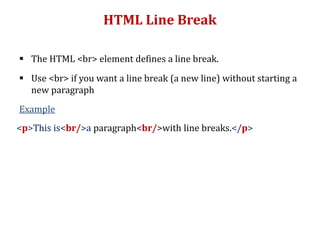
HTML Line Break
 The HTML <br> element defines a line break.
 Use <br> if you want a line break (a new line) without starting a
new paragraph
Example
<p>This is<br/>a paragraph<br/>with line breaks.</p>
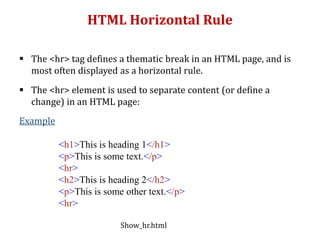
HTML Horizontal Rule
 The <hr> tag defines a thematic break in an HTML page, and is
most often displayed as a horizontal rule.
 The <hr> element is used to separate content (or define a
change) in an HTML page:
Example
<h1>This is heading 1</h1>
<p>This is some text.</p>
<hr>
<h2>This is heading 2</h2>
<p>This is some other text.</p>
<hr>
Show_hr.html
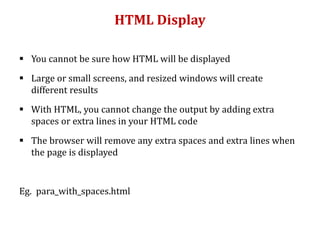
HTML Display
 You cannot be sure how HTML will be displayed
 Large or small screens, and resized windows will create
different results
 With HTML, you cannot change the output by adding extra
spaces or extra lines in your HTML code
 The browser will remove any extra spaces and extra lines when
the page is displayed
Eg. para_with_spaces.html
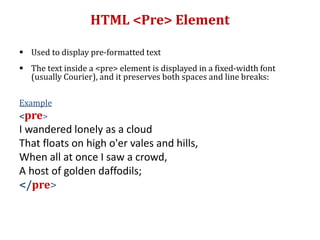
HTML <Pre> Element
 Used to display pre-formatted text
 The text inside a <pre> element is displayed in a fixed-width font
(usually Courier), and it preserves both spaces and line breaks:
Example
<pre>
I wandered lonely as a cloud
That floats on high o'er vales and hills,
When all at once I saw a crowd,
A host of golden daffodils;
</pre>
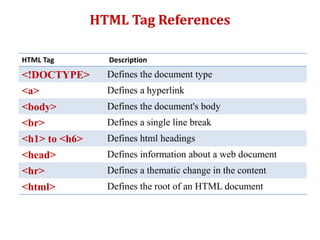
HTML Tag Description
<!DOCTYPE> Defines the document type
<a> Defines a hyperlink
<body> Defines the document's body
<br> Defines a single line break
<h1> to <h6> Defines html headings
<head> Defines information about a web document
<hr> Defines a thematic change in the content
<html> Defines the root of an HTML document
HTML Tag References
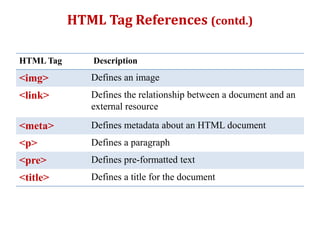
HTML Tag Description
<img> Defines an image
<link> Defines the relationship between a document and an
external resource
<meta> Defines metadata about an HTML document
<p> Defines a paragraph
<pre> Defines pre-formatted text
<title> Defines a title for the document
HTML Tag References (contd.)
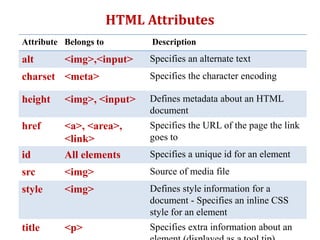
Attribute Belongs to Description
alt <img>,<input> Specifies an alternate text
charset <meta> Specifies the character encoding
height <img>, <input> Defines metadata about an HTML
document
href <a>, <area>,
<link>
Specifies the URL of the page the link
goes to
id All elements Specifies a unique id for an element
src <img> Source of media file
style <img> Defines style information for a
document - Specifies an inline CSS
style for an element
title <p> Specifies extra information about an
HTML Attributes

Html 1

  • 1.
  • 2.
    What is HTML? A markup language for describing web documents (web pages)  Hyper Text Markup Language  Markup language is a set of markup tags  Describes structure of web pages through these HTML tags  Defines the syntax and placement of various media like text, images etc. to be displayed by the browser  Makes a document interactive through special hypertext links  Each HTML tag labels pieces of content such as "heading", "paragraph", "table", and so on
  • 3.
    Basic Page Structure <!DOCTYPEhtml> <html> <head> <title>Page Title</title> </head> <body> <h1>My First Heading</h1> <p>My first paragraph</p> </body> </html>  Using this description, a web browser will display a document with a heading and a paragraph.
  • 4.
    View Document inBrowser  Open a text editor like Notepad  Write HTML Code  Save the document with html extension  Set encoding to UTF-8  View HTML Page in Browser  Web browser - Chrome, IE, Firefox, Safari, Opera  Purpose: Read HTML documents and display them  Browser does not display the HTML tags, but uses them to determine how to display the document
  • 5.
    HTML Tags  HTMLtags are keywords (tag names) surrounded by angle brackets <tagname>content goes here...</tagname>  HTML tags normally come in pairs like <p> and </p>  The first tag in a pair is the start (opening) tag, the second tag is the end(closing) tag  The end tag is written like the start tag, but with a forward slash inserted before the tag name
  • 6.
    HTML Elements  HTMLelements are the building blocks of HTML pages, represented by tags  An element usually consists of a start tag and end tag, with the content inserted in between  The HTML element is everything from the start tag to the end tag Start Tag Element Content End Tag <h1> My First Heading </h1> <p> My first paragraph </p>  Some HTML elements are empty (have no content) and do not have an end tag  such as the <br/> element, which indicates a line break  Do not forget the END tags – otherwise displayed incorrectly
  • 7.
    HTML Documents  AllHTML documents must start with a document type declaration: <!DOCTYPE html>  The HTML document itself begins with <html> and ends with </html>  The document content i.e. visible part of the HTML document is between <body> and </body>  Elements are nested  <body> tag within <html> tag  <h1> and <p> tags within <body> element
  • 8.
    Nesting of elements <!DOCTYPEhtml> <html> <head> <title>Page Title</title> </head> <body> <h1>My First Heading</h1> <p>My first paragraph</p> </body> </html>  Using this description, a web browser will display a document with a heading and a paragraph.
  • 9.
    !DOCTYPE Declaration  Representsthe document type, and helps browsers to display web pages correctly  Not a tag, rather an instruction to browser about version of HTML page is written in  Must only appear once, at the top of the page (before any HTML tags)  Not case sensitive
  • 10.
    Common DOCTYPE Declarations Earlier versions of HTML were based on SGML  DTD document specifies rules of markup language  So that tags can be interpreted properly  Reference of this DTD within DOCTYPE declaration <!DOCTYPE HTML PUBLIC “..//W3C//DTD HTML 4.01//EN” “http://www.w3.org/TR/html4/strict.dtd” > <!DOCTYPE HTML PUBLIC “..//W3C//DTD HTML 4.01 Transitional//EN” “http://www.w3.org/TR/html4/loose.dtd” >  The <!DOCTYPE> declaration for HTML5 is: <!DOCTYPE html>
  • 11.
    HTML <Head>  Containerfor metadata - metadata not displayed  Placed between the <html> tag and the <body> tag  Metadata typically define the document title, character set, styles, links, scripts, and other meta information Example <!DOCTYPE html> <html> <head> <title>My First HTML</title> <meta charset="UTF-8"> </head> <body> ….
  • 12.
    HTML Headings  HTMLheadings are defined with the <h1> to <h6> tags  <h1> defines the most important heading. <h6> defines the least important heading <!DOCTYPE html> <html> <body> <h1>This is heading 1</h1> <h2>This is heading 2</h2> <h3>This is heading 3</h3> <h4>This is heading 4</h4> <h5>This is heading 5</h5> <h6>This is heading 6</h6> </body> </html> headings,html
  • 13.
    HTML Headings (contd..) Browsers automatically add some white space (a margin) before and after a heading  Search engines use the headings to index the structure and content of your web pages  Users skim pages using headings  Important to use headings to show document structure
  • 14.
    HTML Link  HTMLlinks are defined with <a> tags Example  The link address is specified in the href attribute <a href="https://www.w3schools.com">This is a link</a>
  • 15.
    HTML Attributes  Provideadditional information about an element  Always specified in the start tag  Usually come in name/value pairs like: name="value“  Eg. Lang Attribute  Language of the document can be declared in the <html> tag  Declaring a language is important for screen readers and search engines <!DOCTYPE html> <html lang="en-US"> <body> .. <body> </html>
  • 16.
    HTML Image  HTMLimages are defined with <img> tags  Source file (src), alternative text (alt), and size (width and height) are provided as attributes Example  The image size is specified in pixels: width="104" means 104 screen pixels wide  alt attribute specifies an alternative text to be used, when an image cannot be displayed – used by screen readers <img src="w3schools.jpg" alt="W3Schools.com" width="104" height="142"> <img src="w3schools.jpg" alt="W3Schools.com" style=“width: 104; height="142">
  • 17.
    HTML Paragraph  HTMLparagraphs are defined with <p> tags  Title attribute added to <p> element  Value of title attribute displayed as a tooltip when mouse is placed over the paragraph  Example <p title=“I’m a tooltip”>This is a paragraph</p> <p>This is another paragraph2</p>
  • 18.
    Single Quotes orDouble Quotes  Standard to use double quotes around attribute values , although single quotes can also be used  when attribute value itself contains double quotes Example <p title='John "ShotGun" Nelson'> Or <p title="John 'ShotGun' Nelson">
  • 19.
    HTML Line Break The HTML <br> element defines a line break.  Use <br> if you want a line break (a new line) without starting a new paragraph Example <p>This is<br/>a paragraph<br/>with line breaks.</p>
  • 20.
    HTML Horizontal Rule The <hr> tag defines a thematic break in an HTML page, and is most often displayed as a horizontal rule.  The <hr> element is used to separate content (or define a change) in an HTML page: Example <h1>This is heading 1</h1> <p>This is some text.</p> <hr> <h2>This is heading 2</h2> <p>This is some other text.</p> <hr> Show_hr.html
  • 21.
    HTML Display  Youcannot be sure how HTML will be displayed  Large or small screens, and resized windows will create different results  With HTML, you cannot change the output by adding extra spaces or extra lines in your HTML code  The browser will remove any extra spaces and extra lines when the page is displayed Eg. para_with_spaces.html
  • 22.
    HTML <Pre> Element Used to display pre-formatted text  The text inside a <pre> element is displayed in a fixed-width font (usually Courier), and it preserves both spaces and line breaks: Example <pre> I wandered lonely as a cloud That floats on high o'er vales and hills, When all at once I saw a crowd, A host of golden daffodils; </pre>
  • 23.
    HTML Tag Description <!DOCTYPE>Defines the document type <a> Defines a hyperlink <body> Defines the document's body <br> Defines a single line break <h1> to <h6> Defines html headings <head> Defines information about a web document <hr> Defines a thematic change in the content <html> Defines the root of an HTML document HTML Tag References
  • 24.
    HTML Tag Description <img>Defines an image <link> Defines the relationship between a document and an external resource <meta> Defines metadata about an HTML document <p> Defines a paragraph <pre> Defines pre-formatted text <title> Defines a title for the document HTML Tag References (contd.)
  • 25.
    Attribute Belongs toDescription alt <img>,<input> Specifies an alternate text charset <meta> Specifies the character encoding height <img>, <input> Defines metadata about an HTML document href <a>, <area>, <link> Specifies the URL of the page the link goes to id All elements Specifies a unique id for an element src <img> Source of media file style <img> Defines style information for a document - Specifies an inline CSS style for an element title <p> Specifies extra information about an HTML Attributes

Editor's Notes

  • #10 Tags not case sensitive but generally recommended to write in lowercase
  • #16  The first two letters specify the language (en). If there is a dialect, use two more letters (US).
  • #17 The value of the attribute alt can be read by screen readers This way, someone "listening" to the webpage, e.g. a blind person, can "hear" the element.