1
XML Part2
Mrs.C.Santhiya
Assistant Professor
TCE,Madurai
2
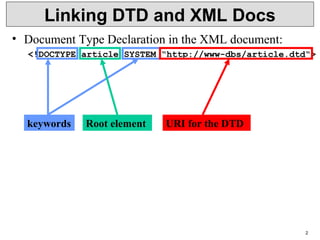
Linking DTD and XML Docs
• Document Type Declaration in the XML document:
<!DOCTYPE article SYSTEM “http://www-dbs/article.dtd“>
keywords Root element URI for the DTD
3
Linking DTD and XML Docs
• Internal DTD:
<?xml version=“1.0“?>
<!DOCTYPE article [
<!ELEMENT article (title,author+,text)>
...
<!ELEMENT index (#PCDATA)>
]>
<article>
...
</article>
• Both ways can be mixed, internal DTD overwrites
external entity information:
<!DOCTYPE article SYSTEM „article.dtd“ [
<!ENTITY % pub_content (title+,author*,text)
]>
Internal & External DTD
• <?xml version="1.0" encoding="UTF-8"?>
<!DOCTYPE note SYSTEM "Note.dtd">
• Note.dtd
<!DOCTYPE note
[
<!ELEMENT note (to,from,heading,body)>
<!ELEMENT to (#PCDATA)>
<!ELEMENT from (#PCDATA)>
<!ELEMENT heading (#PCDATA)>
<!ELEMENT body (#PCDATA)>
]>
4
• <?xml version="1.0"?>
<!DOCTYPE note [
<!ELEMENT note (to,from,heading,body)>
<!ELEMENT to (#PCDATA)>
<!ELEMENT from (#PCDATA)>
<!ELEMENT heading (#PCDATA)>
<!ELEMENT body (#PCDATA)>
]>
<note>
<to>Tove</to>
<from>Jani</from>
<heading>Reminder</heading>
<body>Don't forget me this weekend</body>
</note>
5
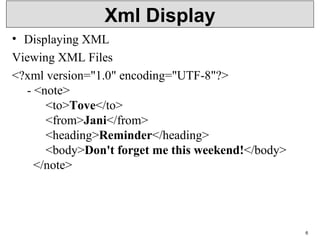
Xml Display
• Displaying XML
Viewing XML Files
<?xml version="1.0" encoding="UTF-8"?>
- <note>
<to>Tove</to>
<from>Jani</from>
<heading>Reminder</heading>
<body>Don't forget me this weekend!</body>
</note>
6
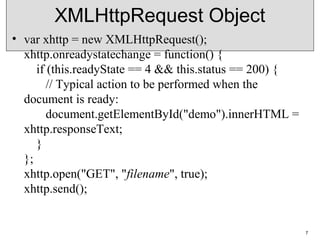
XMLHttpRequest Object
• var xhttp = new XMLHttpRequest();
xhttp.onreadystatechange = function() {
if (this.readyState == 4 && this.status == 200) {
// Typical action to be performed when the
document is ready:
document.getElementById("demo").innerHTML =
xhttp.responseText;
}
};
xhttp.open("GET", "filename", true);
xhttp.send();
7
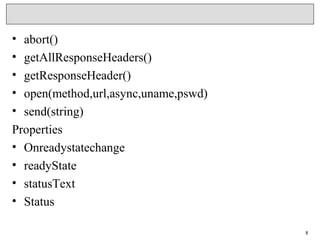
• abort()
• getAllResponseHeaders()
• getResponseHeader()
• open(method,url,async,uname,pswd)
• send(string)
Properties
• Onreadystatechange
• readyState
• statusText
• Status
8
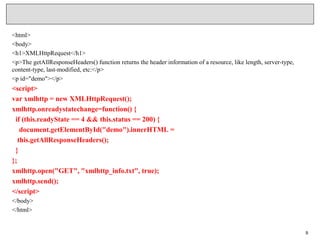
<html>
<body>
<h1>XMLHttpRequest</h1>
<p>The getAllResponseHeaders() function returns the header information of a resource, like length, server-type,
content-type, last-modified, etc:</p>
<p id="demo"></p>
<script>
var xmlhttp = new XMLHttpRequest();
xmlhttp.onreadystatechange=function() {
if (this.readyState == 4 && this.status == 200) {
document.getElementById("demo").innerHTML =
this.getAllResponseHeaders();
}
};
xmlhttp.open("GET", "xmlhttp_info.txt", true);
xmlhttp.send();
</script>
</body>
</html>
9
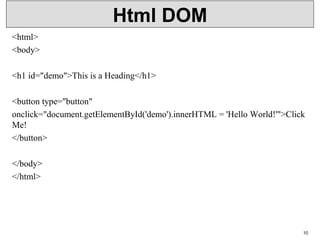
Html DOM
<html>
<body>
<h1 id="demo">This is a Heading</h1>
<button type="button"
onclick="document.getElementById('demo').innerHTML = 'Hello World!'">Click
Me!
</button>
</body>
</html>
10
DOM Parser
• <script>
var text, parser, xmlDoc;
text = "<bookstore><book>" +
"<title>Everyday Italian</title>" +
"<author>Giada De Laurentiis</author>" +
"<year>2005</year>" +
"</book></bookstore>";
parser = new DOMParser();
xmlDoc = parser.parseFromString(text,"text/xml");
document.getElementById("demo").innerHTML =
xmlDoc.getElementsByTagName("title")[0].childNodes[0].nodeValue;
</script>
11
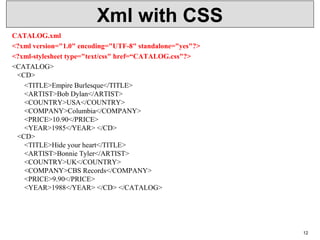
Xml with CSS
CATALOG.xml
<?xml version="1.0" encoding="UTF-8" standalone="yes"?>
<?xml-stylesheet type="text/css" href=“CATALOG.css"?>
<CATALOG>
<CD>
<TITLE>Empire Burlesque</TITLE>
<ARTIST>Bob Dylan</ARTIST>
<COUNTRY>USA</COUNTRY>
<COMPANY>Columbia</COMPANY>
<PRICE>10.90</PRICE>
<YEAR>1985</YEAR> </CD>
<CD>
<TITLE>Hide your heart</TITLE>
<ARTIST>Bonnie Tyler</ARTIST>
<COUNTRY>UK</COUNTRY>
<COMPANY>CBS Records</COMPANY>
<PRICE>9.90</PRICE>
<YEAR>1988</YEAR> </CD> </CATALOG>
12
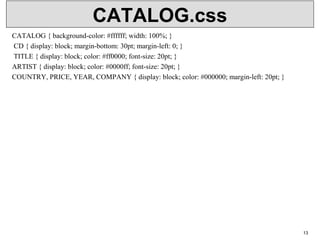
CATALOG.css
CATALOG { background-color: #ffffff; width: 100%; }
CD { display: block; margin-bottom: 30pt; margin-left: 0; }
TITLE { display: block; color: #ff0000; font-size: 20pt; }
ARTIST { display: block; color: #0000ff; font-size: 20pt; }
COUNTRY, PRICE, YEAR, COMPANY { display: block; color: #000000; margin-left: 20pt; }
13
Xml with xpath
• <?xml version="1.0" encoding="UTF-8"?>
<bookstore>
<book category="cooking">
<title lang="en">Everyday Italian</title>
<author>Giada De Laurentiis</author>
<year>2005</year>
<price>30.00</price>
</book>
<book category="children">
<title lang="en">Harry Potter</title>
<author>J K. Rowling</author>
<year>2005</year>
<price>29.99</price>
</book>
• </bookstore>
14
Xpath
/bookstore/book[1]
/bookstore/book[last()]
/bookstore/book[last()-1]
/bookstore/book[position()<3]
//title[@lang]
//title[@lang='en‘]
/bookstore/book[price>35.00]
/bookstore/book[price>35.00]/title
15
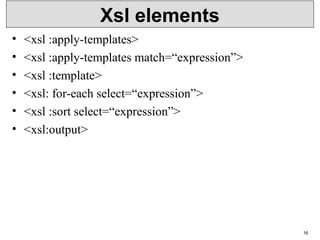
Xsl elements
• <xsl :apply-templates>
• <xsl :apply-templates match=“expression”>
• <xsl :template>
• <xsl: for-each select=“expression”>
• <xsl :sort select=“expression”>
• <xsl:output>
16
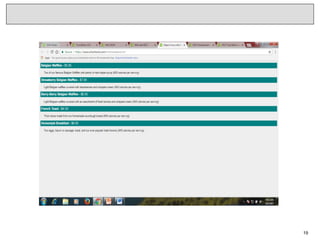
Xml file
<?xml version="1.0" encoding="UTF-8"?>
<breakfast_menu>
<food>
<name>Belgian Waffles</name>
<price>$5.95</price>
<description>Two of our famous Belgian Waffles with
plenty of real maple syrup</description>
<calories>650</calories>
</food>
</ breakfast_menu>
17
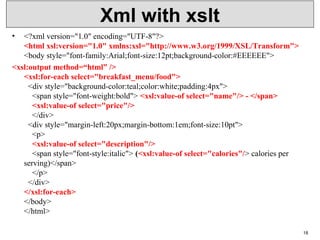
Xml with xslt
• <?xml version="1.0" encoding="UTF-8"?>
<html xsl:version="1.0" xmlns:xsl="http://www.w3.org/1999/XSL/Transform">
<body style="font-family:Arial;font-size:12pt;background-color:#EEEEEE">
<xsl:output method=“html” />
<xsl:for-each select="breakfast_menu/food">
<div style="background-color:teal;color:white;padding:4px">
<span style="font-weight:bold"> <xsl:value-of select="name"/> - </span>
<xsl:value-of select="price"/>
</div>
<div style="margin-left:20px;margin-bottom:1em;font-size:10pt">
<p>
    <xsl:value-of select="description"/>
<span style="font-style:italic"> (<xsl:value-of select="calories"/> calories per
serving)</span>
</p>
</div>
</xsl:for-each>
</body>
</html>
18
19
Xml Link
XLink Syntax
<?xml version="1.0" encoding="UTF-8"?>
<homepages xmlns:xlink="http://www.w3.org/1999/xlink">
<homepage xlink:type="simple" xlink:href="http://www.w3sch
ools.com">Visit W3Schools</homepage>
<homepage xlink:type="simple" xlink:href="http://www.w3.org
">Visit W3C</homepage>
</homepages>
Specifications
•xlink:actuate
•xlink:href
•xlink:show
•xlink:type
20
Link
• <?xml version="1.0" encoding="UTF-8"?>
<bookstore xmlns:xlink="http://www.w3.org/1999/xlink">
<book title="Harry Potter">
<description
xlink:type="simple"
  xlink:href="/images/HPotter.gif"
  xlink:show="new">
As his fifth year at Hogwarts School of Witchcraft and
Wizardry approaches, 15-year-old Harry Potter is.......
</description>
</book>
• </bookstore>
21
XML - Namespaces
<?xml version="1.0" encoding="UTF-8"?>
<cont: contactxmlns:cont="www.tutorialspoint.com/profile">
<cont:name>Tanmay Patil</cont:name>
<cont:company>TutorialsPoint</cont:company>
<cont:phone>(011) 123-4567</cont:phone>
</cont:contact>
22
Xml with ids
• <?xml version="1.0" encoding="UTF-8"?>
<dogbreeds>
<dog breed="Rottweiler" id="Rottweiler">
<picture url="http://dog.com/rottweiler.gif" />
<history>The Rottweiler's ancestors were probably Roman
drover dogs.....</history>
<temperament>Confident, bold, alert and imposing, the Rottweiler
is a popular choice for its ability to protect....</temperament>
</dog>
• </dogbreeds>
23
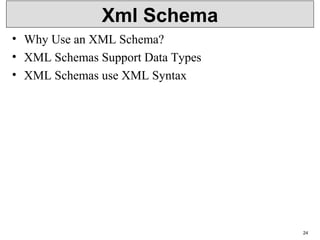
Xml Schema
• Why Use an XML Schema?
• XML Schemas Support Data Types
• XML Schemas use XML Syntax
24
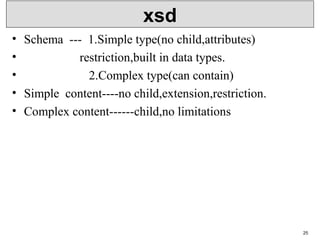
xsd
• Schema --- 1.Simple type(no child,attributes)
• restriction,built in data types.
• 2.Complex type(can contain)
• Simple content----no child,extension,restriction.
• Complex content------child,no limitations
25
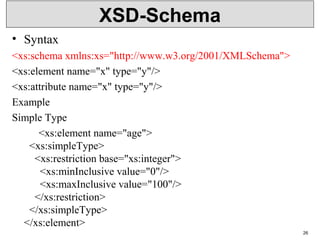
XSD-Schema
• Syntax
<xs:schema xmlns:xs="http://www.w3.org/2001/XMLSchema">
<xs:element name="x" type="y"/>
<xs:attribute name="x" type="y"/>
Example
Simple Type
<xs:element name="age">
<xs:simpleType>
<xs:restriction base="xs:integer">
<xs:minInclusive value="0"/>
<xs:maxInclusive value="100"/>
</xs:restriction>
</xs:simpleType>
</xs:element>
26
Complex type
• <xml version=“1.0”>
• <schema xmlns=http://www.w3.org/2001/XMLSchema
• xmlns:computer= “”
• targetnamespace=“ “>
• <simpleType name=“gigahertz”>
• <restriction base=“decimal”>
• <mininclusive value=“2.1”/>
• </restriction>
• </simpleType>
• <complexType name=“CPU”>
• <simpleContent>
• <extension base=“string”>
• <attribute name=“model” type=“string”/>
• </extension>
• </simpleContent>
• </complexType>
27
Complex type
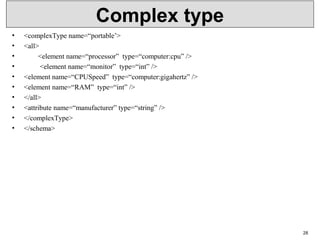
• <complexType name=“portable’>
• <all>
• <element name=“processor” type=“computer:cpu” />
• <element name=“monitor” type=“int” />
• <element name=“CPUSpeed” type=“computer:gigahertz” />
• <element name=“RAM” type=“int” />
• </all>
• <attribute name=“manufacturer” type=“string” />
• </complexType>
• </schema>
28

Xml p2 Lecture Notes

  • 1.
  • 2.
    2 Linking DTD andXML Docs • Document Type Declaration in the XML document: <!DOCTYPE article SYSTEM “http://www-dbs/article.dtd“> keywords Root element URI for the DTD
  • 3.
    3 Linking DTD andXML Docs • Internal DTD: <?xml version=“1.0“?> <!DOCTYPE article [ <!ELEMENT article (title,author+,text)> ... <!ELEMENT index (#PCDATA)> ]> <article> ... </article> • Both ways can be mixed, internal DTD overwrites external entity information: <!DOCTYPE article SYSTEM „article.dtd“ [ <!ENTITY % pub_content (title+,author*,text) ]>
  • 4.
    Internal & ExternalDTD • <?xml version="1.0" encoding="UTF-8"?> <!DOCTYPE note SYSTEM "Note.dtd"> • Note.dtd <!DOCTYPE note [ <!ELEMENT note (to,from,heading,body)> <!ELEMENT to (#PCDATA)> <!ELEMENT from (#PCDATA)> <!ELEMENT heading (#PCDATA)> <!ELEMENT body (#PCDATA)> ]> 4
  • 5.
    • <?xml version="1.0"?> <!DOCTYPEnote [ <!ELEMENT note (to,from,heading,body)> <!ELEMENT to (#PCDATA)> <!ELEMENT from (#PCDATA)> <!ELEMENT heading (#PCDATA)> <!ELEMENT body (#PCDATA)> ]> <note> <to>Tove</to> <from>Jani</from> <heading>Reminder</heading> <body>Don't forget me this weekend</body> </note> 5
  • 6.
    Xml Display • DisplayingXML Viewing XML Files <?xml version="1.0" encoding="UTF-8"?> - <note> <to>Tove</to> <from>Jani</from> <heading>Reminder</heading> <body>Don't forget me this weekend!</body> </note> 6
  • 7.
    XMLHttpRequest Object • varxhttp = new XMLHttpRequest(); xhttp.onreadystatechange = function() { if (this.readyState == 4 && this.status == 200) { // Typical action to be performed when the document is ready: document.getElementById("demo").innerHTML = xhttp.responseText; } }; xhttp.open("GET", "filename", true); xhttp.send(); 7
  • 8.
    • abort() • getAllResponseHeaders() •getResponseHeader() • open(method,url,async,uname,pswd) • send(string) Properties • Onreadystatechange • readyState • statusText • Status 8
  • 9.
    <html> <body> <h1>XMLHttpRequest</h1> <p>The getAllResponseHeaders() functionreturns the header information of a resource, like length, server-type, content-type, last-modified, etc:</p> <p id="demo"></p> <script> var xmlhttp = new XMLHttpRequest(); xmlhttp.onreadystatechange=function() { if (this.readyState == 4 && this.status == 200) { document.getElementById("demo").innerHTML = this.getAllResponseHeaders(); } }; xmlhttp.open("GET", "xmlhttp_info.txt", true); xmlhttp.send(); </script> </body> </html> 9
  • 10.
    Html DOM <html> <body> <h1 id="demo">Thisis a Heading</h1> <button type="button" onclick="document.getElementById('demo').innerHTML = 'Hello World!'">Click Me! </button> </body> </html> 10
  • 11.
    DOM Parser • <script> vartext, parser, xmlDoc; text = "<bookstore><book>" + "<title>Everyday Italian</title>" + "<author>Giada De Laurentiis</author>" + "<year>2005</year>" + "</book></bookstore>"; parser = new DOMParser(); xmlDoc = parser.parseFromString(text,"text/xml"); document.getElementById("demo").innerHTML = xmlDoc.getElementsByTagName("title")[0].childNodes[0].nodeValue; </script> 11
  • 12.
    Xml with CSS CATALOG.xml <?xmlversion="1.0" encoding="UTF-8" standalone="yes"?> <?xml-stylesheet type="text/css" href=“CATALOG.css"?> <CATALOG> <CD> <TITLE>Empire Burlesque</TITLE> <ARTIST>Bob Dylan</ARTIST> <COUNTRY>USA</COUNTRY> <COMPANY>Columbia</COMPANY> <PRICE>10.90</PRICE> <YEAR>1985</YEAR> </CD> <CD> <TITLE>Hide your heart</TITLE> <ARTIST>Bonnie Tyler</ARTIST> <COUNTRY>UK</COUNTRY> <COMPANY>CBS Records</COMPANY> <PRICE>9.90</PRICE> <YEAR>1988</YEAR> </CD> </CATALOG> 12
  • 13.
    CATALOG.css CATALOG { background-color:#ffffff; width: 100%; } CD { display: block; margin-bottom: 30pt; margin-left: 0; } TITLE { display: block; color: #ff0000; font-size: 20pt; } ARTIST { display: block; color: #0000ff; font-size: 20pt; } COUNTRY, PRICE, YEAR, COMPANY { display: block; color: #000000; margin-left: 20pt; } 13
  • 14.
    Xml with xpath •<?xml version="1.0" encoding="UTF-8"?> <bookstore> <book category="cooking"> <title lang="en">Everyday Italian</title> <author>Giada De Laurentiis</author> <year>2005</year> <price>30.00</price> </book> <book category="children"> <title lang="en">Harry Potter</title> <author>J K. Rowling</author> <year>2005</year> <price>29.99</price> </book> • </bookstore> 14
  • 15.
  • 16.
    Xsl elements • <xsl:apply-templates> • <xsl :apply-templates match=“expression”> • <xsl :template> • <xsl: for-each select=“expression”> • <xsl :sort select=“expression”> • <xsl:output> 16
  • 17.
    Xml file <?xml version="1.0"encoding="UTF-8"?> <breakfast_menu> <food> <name>Belgian Waffles</name> <price>$5.95</price> <description>Two of our famous Belgian Waffles with plenty of real maple syrup</description> <calories>650</calories> </food> </ breakfast_menu> 17
  • 18.
    Xml with xslt •<?xml version="1.0" encoding="UTF-8"?> <html xsl:version="1.0" xmlns:xsl="http://www.w3.org/1999/XSL/Transform"> <body style="font-family:Arial;font-size:12pt;background-color:#EEEEEE"> <xsl:output method=“html” /> <xsl:for-each select="breakfast_menu/food"> <div style="background-color:teal;color:white;padding:4px"> <span style="font-weight:bold"> <xsl:value-of select="name"/> - </span> <xsl:value-of select="price"/> </div> <div style="margin-left:20px;margin-bottom:1em;font-size:10pt"> <p>     <xsl:value-of select="description"/> <span style="font-style:italic"> (<xsl:value-of select="calories"/> calories per serving)</span> </p> </div> </xsl:for-each> </body> </html> 18
  • 19.
  • 20.
    Xml Link XLink Syntax <?xmlversion="1.0" encoding="UTF-8"?> <homepages xmlns:xlink="http://www.w3.org/1999/xlink"> <homepage xlink:type="simple" xlink:href="http://www.w3sch ools.com">Visit W3Schools</homepage> <homepage xlink:type="simple" xlink:href="http://www.w3.org ">Visit W3C</homepage> </homepages> Specifications •xlink:actuate •xlink:href •xlink:show •xlink:type 20
  • 21.
    Link • <?xml version="1.0"encoding="UTF-8"?> <bookstore xmlns:xlink="http://www.w3.org/1999/xlink"> <book title="Harry Potter"> <description xlink:type="simple"   xlink:href="/images/HPotter.gif"   xlink:show="new"> As his fifth year at Hogwarts School of Witchcraft and Wizardry approaches, 15-year-old Harry Potter is....... </description> </book> • </bookstore> 21
  • 22.
    XML - Namespaces <?xmlversion="1.0" encoding="UTF-8"?> <cont: contactxmlns:cont="www.tutorialspoint.com/profile"> <cont:name>Tanmay Patil</cont:name> <cont:company>TutorialsPoint</cont:company> <cont:phone>(011) 123-4567</cont:phone> </cont:contact> 22
  • 23.
    Xml with ids •<?xml version="1.0" encoding="UTF-8"?> <dogbreeds> <dog breed="Rottweiler" id="Rottweiler"> <picture url="http://dog.com/rottweiler.gif" /> <history>The Rottweiler's ancestors were probably Roman drover dogs.....</history> <temperament>Confident, bold, alert and imposing, the Rottweiler is a popular choice for its ability to protect....</temperament> </dog> • </dogbreeds> 23
  • 24.
    Xml Schema • WhyUse an XML Schema? • XML Schemas Support Data Types • XML Schemas use XML Syntax 24
  • 25.
    xsd • Schema ---1.Simple type(no child,attributes) • restriction,built in data types. • 2.Complex type(can contain) • Simple content----no child,extension,restriction. • Complex content------child,no limitations 25
  • 26.
    XSD-Schema • Syntax <xs:schema xmlns:xs="http://www.w3.org/2001/XMLSchema"> <xs:elementname="x" type="y"/> <xs:attribute name="x" type="y"/> Example Simple Type <xs:element name="age"> <xs:simpleType> <xs:restriction base="xs:integer"> <xs:minInclusive value="0"/> <xs:maxInclusive value="100"/> </xs:restriction> </xs:simpleType> </xs:element> 26
  • 27.
    Complex type • <xmlversion=“1.0”> • <schema xmlns=http://www.w3.org/2001/XMLSchema • xmlns:computer= “” • targetnamespace=“ “> • <simpleType name=“gigahertz”> • <restriction base=“decimal”> • <mininclusive value=“2.1”/> • </restriction> • </simpleType> • <complexType name=“CPU”> • <simpleContent> • <extension base=“string”> • <attribute name=“model” type=“string”/> • </extension> • </simpleContent> • </complexType> 27
  • 28.
    Complex type • <complexTypename=“portable’> • <all> • <element name=“processor” type=“computer:cpu” /> • <element name=“monitor” type=“int” /> • <element name=“CPUSpeed” type=“computer:gigahertz” /> • <element name=“RAM” type=“int” /> • </all> • <attribute name=“manufacturer” type=“string” /> • </complexType> • </schema> 28