HTML Forms
Acknowledgements: www.w3schools.com
1Computer Network & Web Tech (SET, JU)
HTML Forms
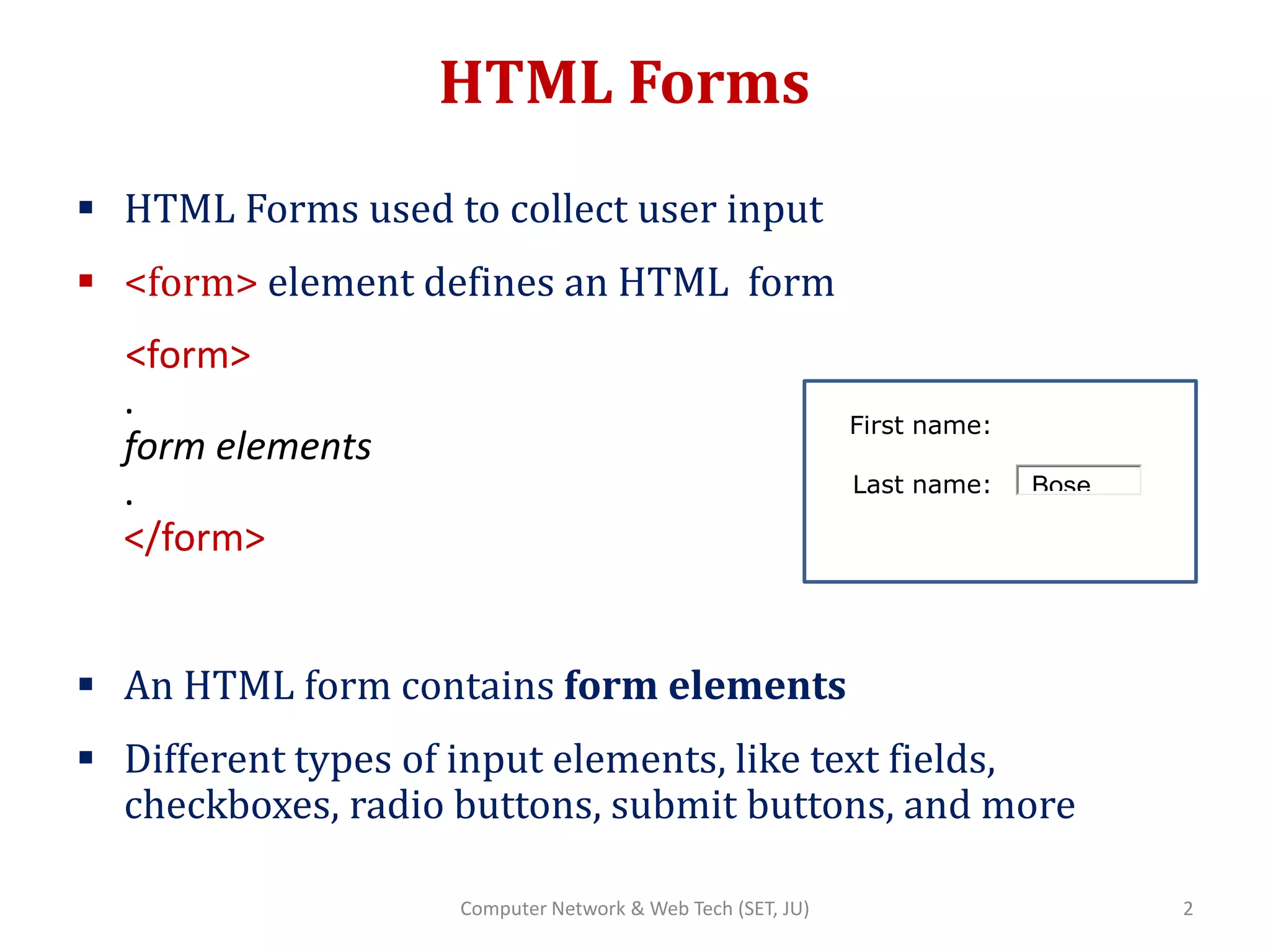
 HTML Forms used to collect user input
 <form> element defines an HTML form
<form>
.
form elements
.
</form>
 An HTML form contains form elements
 Different types of input elements, like text fields,
checkboxes, radio buttons, submit buttons, and more
First name:
Last name:
2Computer Network & Web Tech (SET, JU)
Bose
Form Attributes
Element Description
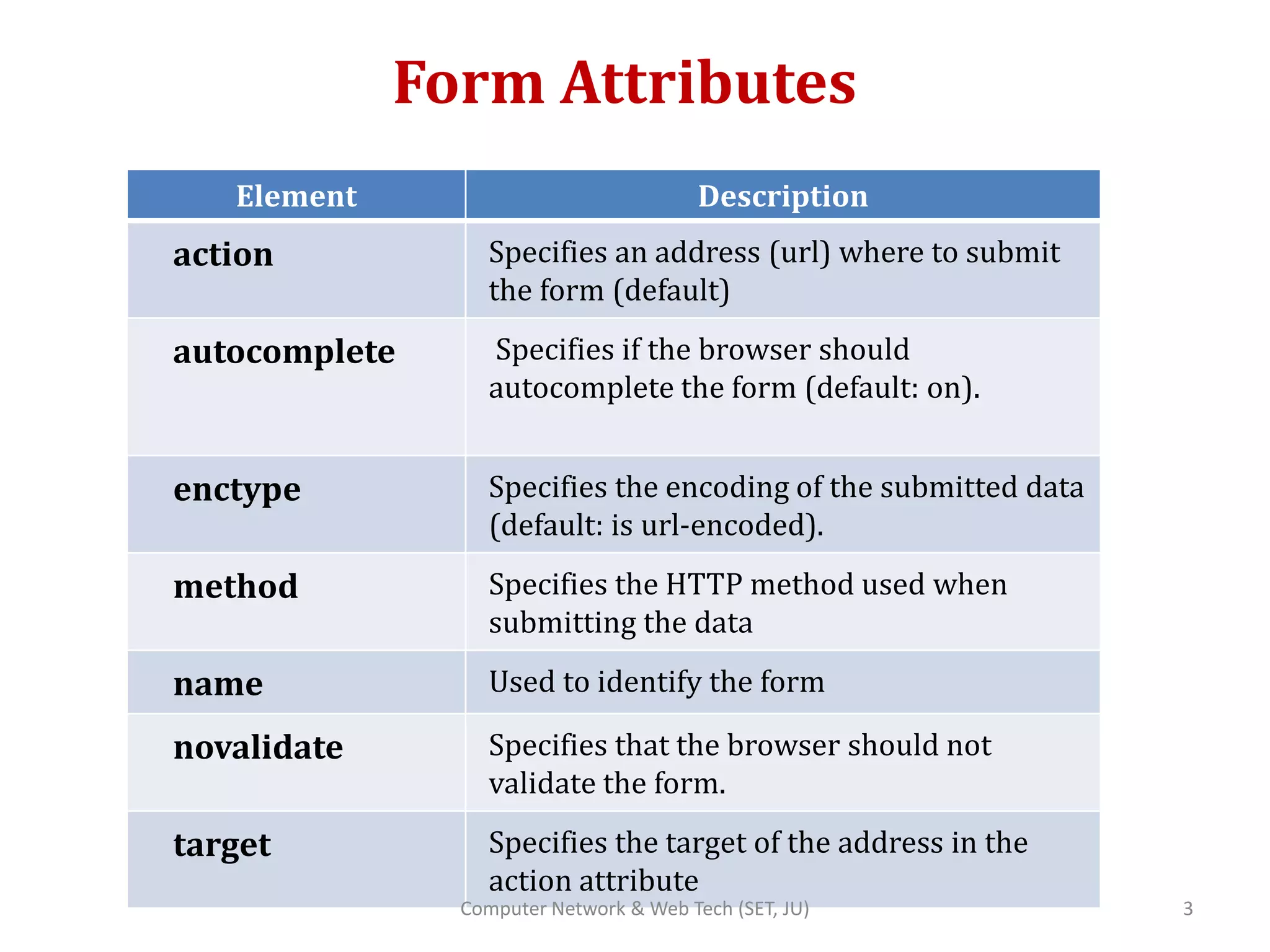
action Specifies an address (url) where to submit
the form (default)
autocomplete Specifies if the browser should
autocomplete the form (default: on).
enctype Specifies the encoding of the submitted data
(default: is url-encoded).
method Specifies the HTTP method used when
submitting the data
name Used to identify the form
novalidate Specifies that the browser should not
validate the form.
target Specifies the target of the address in the
action attribute
3Computer Network & Web Tech (SET, JU)
Form Attributes (contd..)
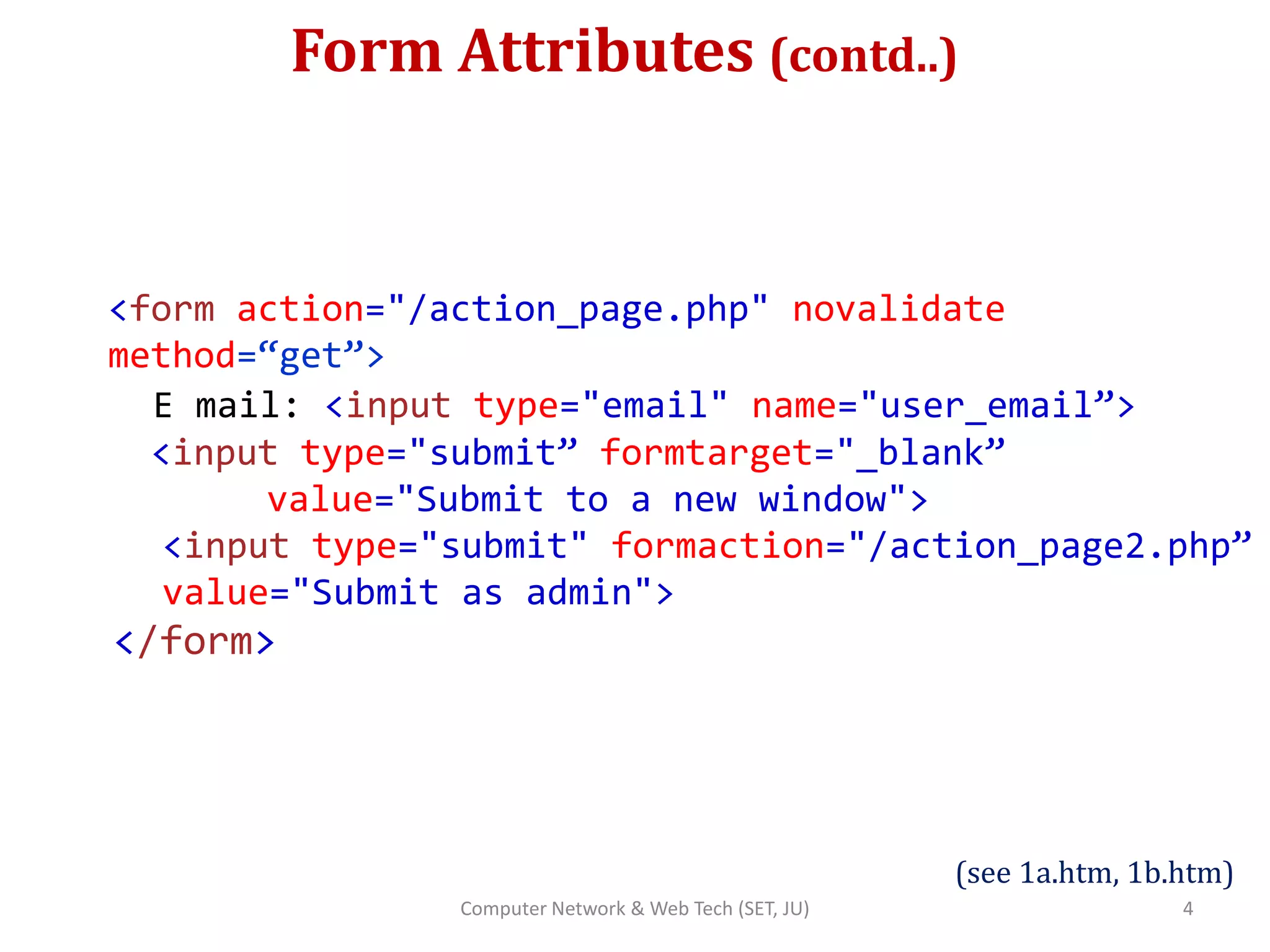
<form action="/action_page.php" novalidate
method=“get”>
E mail: <input type="email" name="user_email”>
<input type="submit” formtarget="_blank”
value="Submit to a new window">
<input type="submit" formaction="/action_page2.php”
value="Submit as admin">
</form>
(see 1a.htm, 1b.htm)
4Computer Network & Web Tech (SET, JU)
Method Attribute
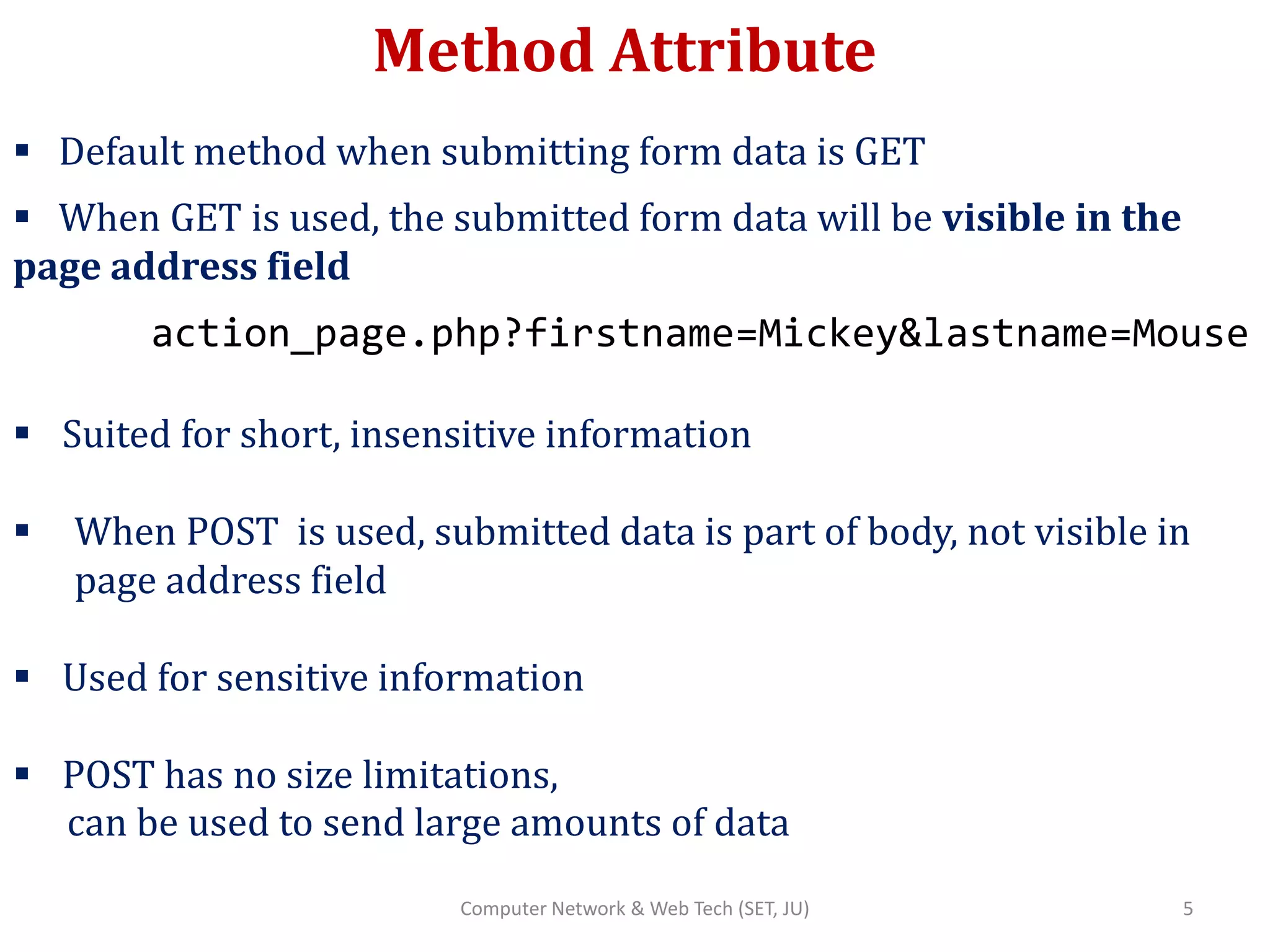
 Default method when submitting form data is GET
 When GET is used, the submitted form data will be visible in the
page address field
action_page.php?firstname=Mickey&lastname=Mouse
 Suited for short, insensitive information
 When POST is used, submitted data is part of body, not visible in
page address field
 Used for sensitive information
 POST has no size limitations,
can be used to send large amounts of data
5Computer Network & Web Tech (SET, JU)
Input Element
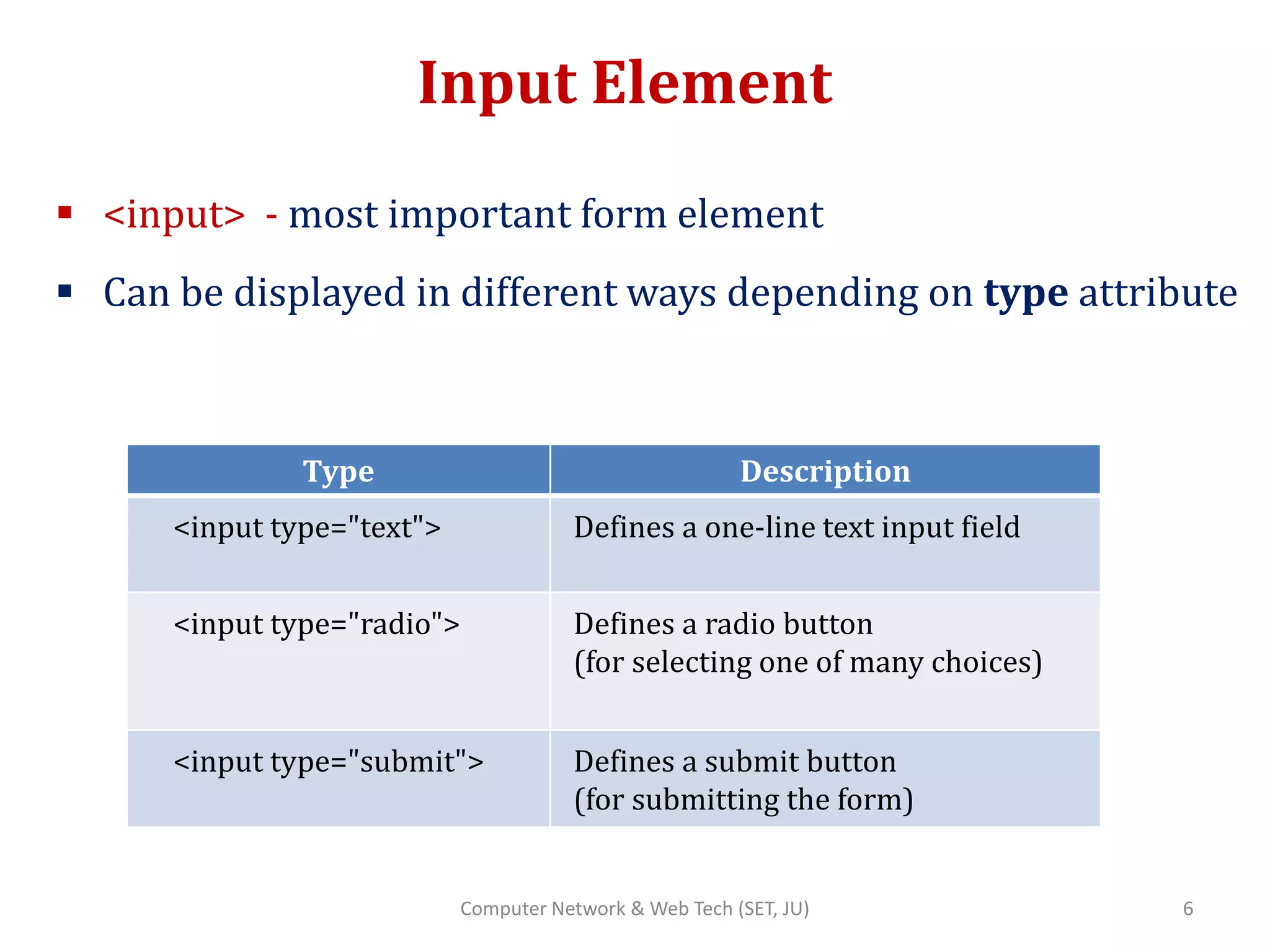
 <input> - most important form element
 Can be displayed in different ways depending on type attribute
Type Description
<input type="text"> Defines a one-line text input field
<input type="radio"> Defines a radio button
(for selecting one of many choices)
<input type="submit"> Defines a submit button
(for submitting the form)
6Computer Network & Web Tech (SET, JU)
Text Input
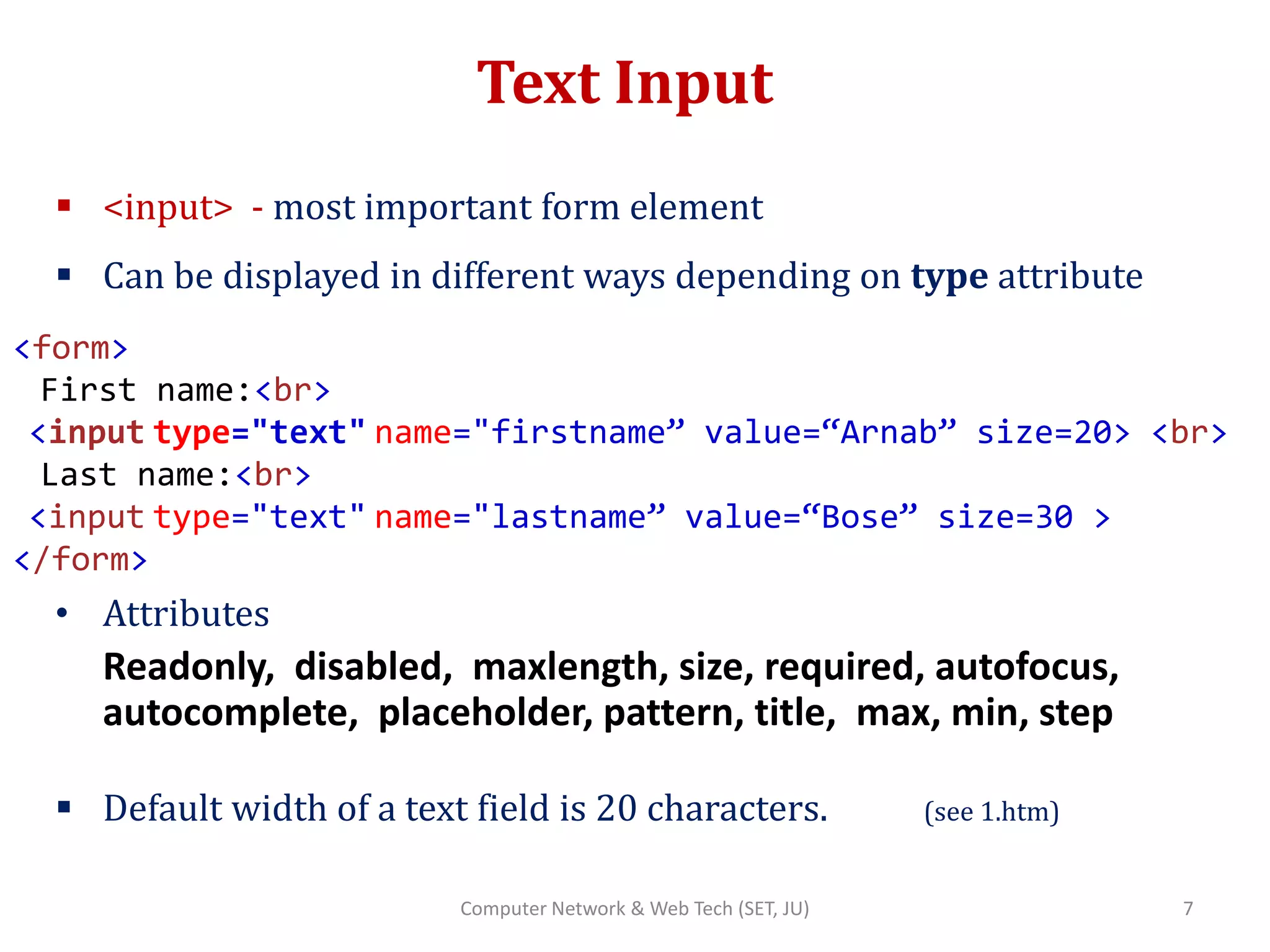
 <input> - most important form element
 Can be displayed in different ways depending on type attribute
• Attributes
Readonly, disabled, maxlength, size, required, autofocus,
autocomplete, placeholder, pattern, title, max, min, step
 Default width of a text field is 20 characters. (see 1.htm)
<form>
First name:<br>
<input type="text" name="firstname” value=“Arnab” size=20> <br>
Last name:<br>
<input type="text" name="lastname” value=“Bose” size=30 >
</form>
7Computer Network & Web Tech (SET, JU)
Text Input (contd..)
<form autocomplete=“on”>
First name:
<input type="text" name="firstname”> <br>
Last name:
<input type="text" name="lastname”> <br>
Email:
<input type="text" name=“email” autocomplete=“off”> <br>
Country Code:
<input type="text" name=“cntrycode” pattern=“[A-Za-z]{3}
title="Three letter country code”>
</form>
8Computer Network & Web Tech (SET, JU)
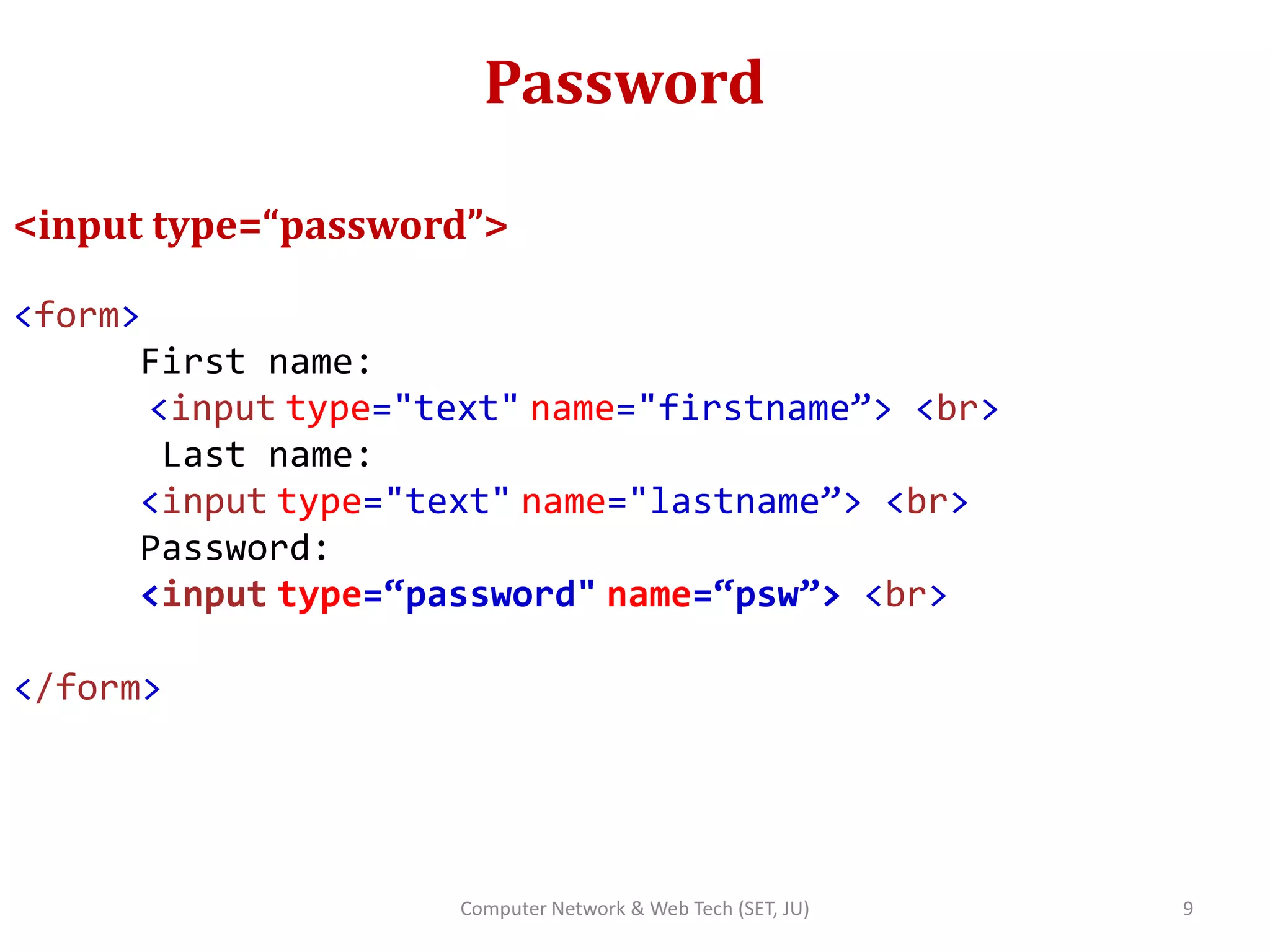
Password
<input type=“password”>
<form>
First name:
<input type="text" name="firstname”> <br>
Last name:
<input type="text" name="lastname”> <br>
Password:
<input type=“password" name=“psw”> <br>
</form>
9Computer Network & Web Tech (SET, JU)
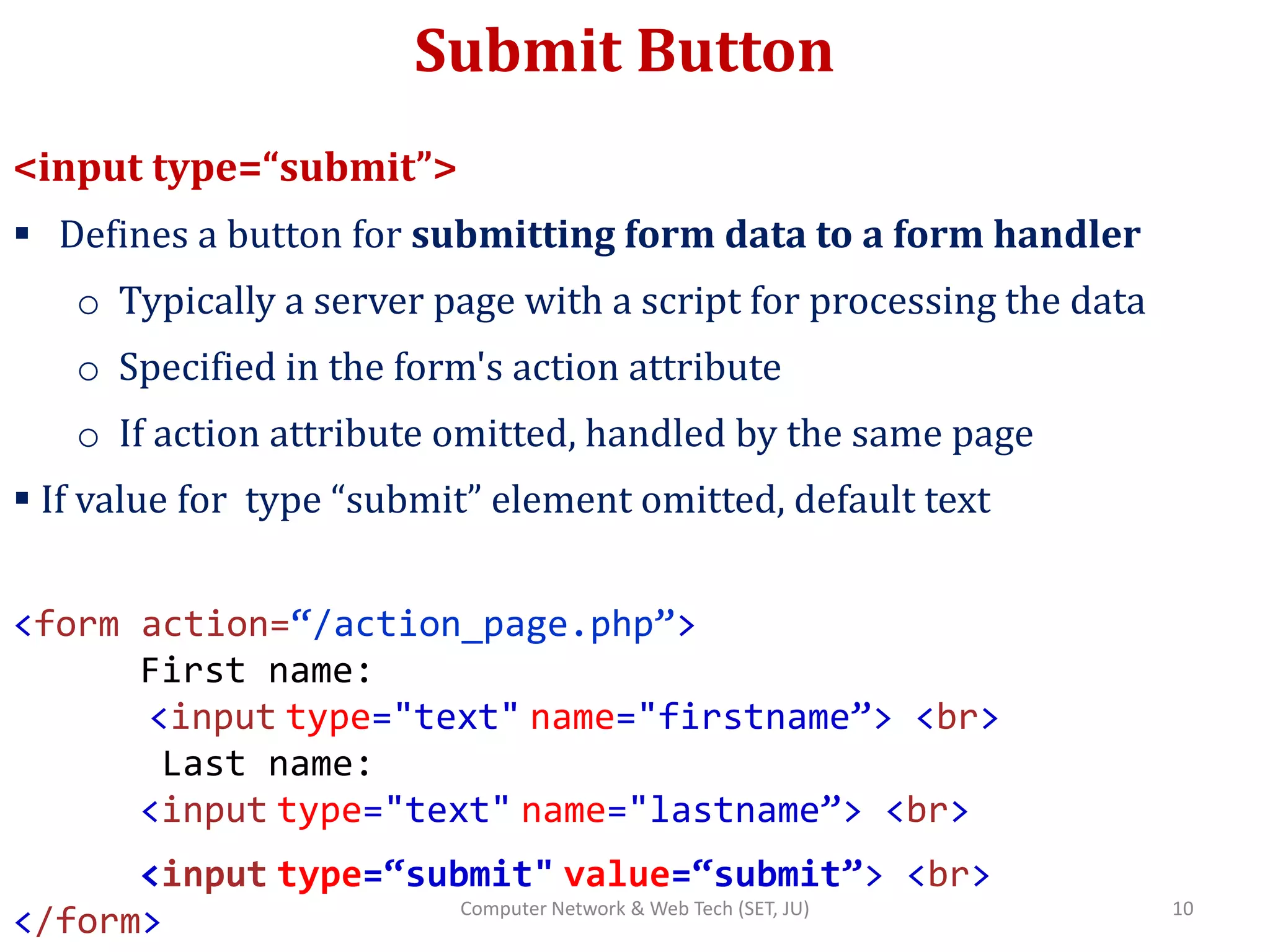
Submit Button
<input type=“submit”>
 Defines a button for submitting form data to a form handler
o Typically a server page with a script for processing the data
o Specified in the form's action attribute
o If action attribute omitted, handled by the same page
 If value for type “submit” element omitted, default text
<form action=“/action_page.php”>
First name:
<input type="text" name="firstname”> <br>
Last name:
<input type="text" name="lastname”> <br>
<input type=“submit" value=“submit”> <br>
</form> 10Computer Network & Web Tech (SET, JU)
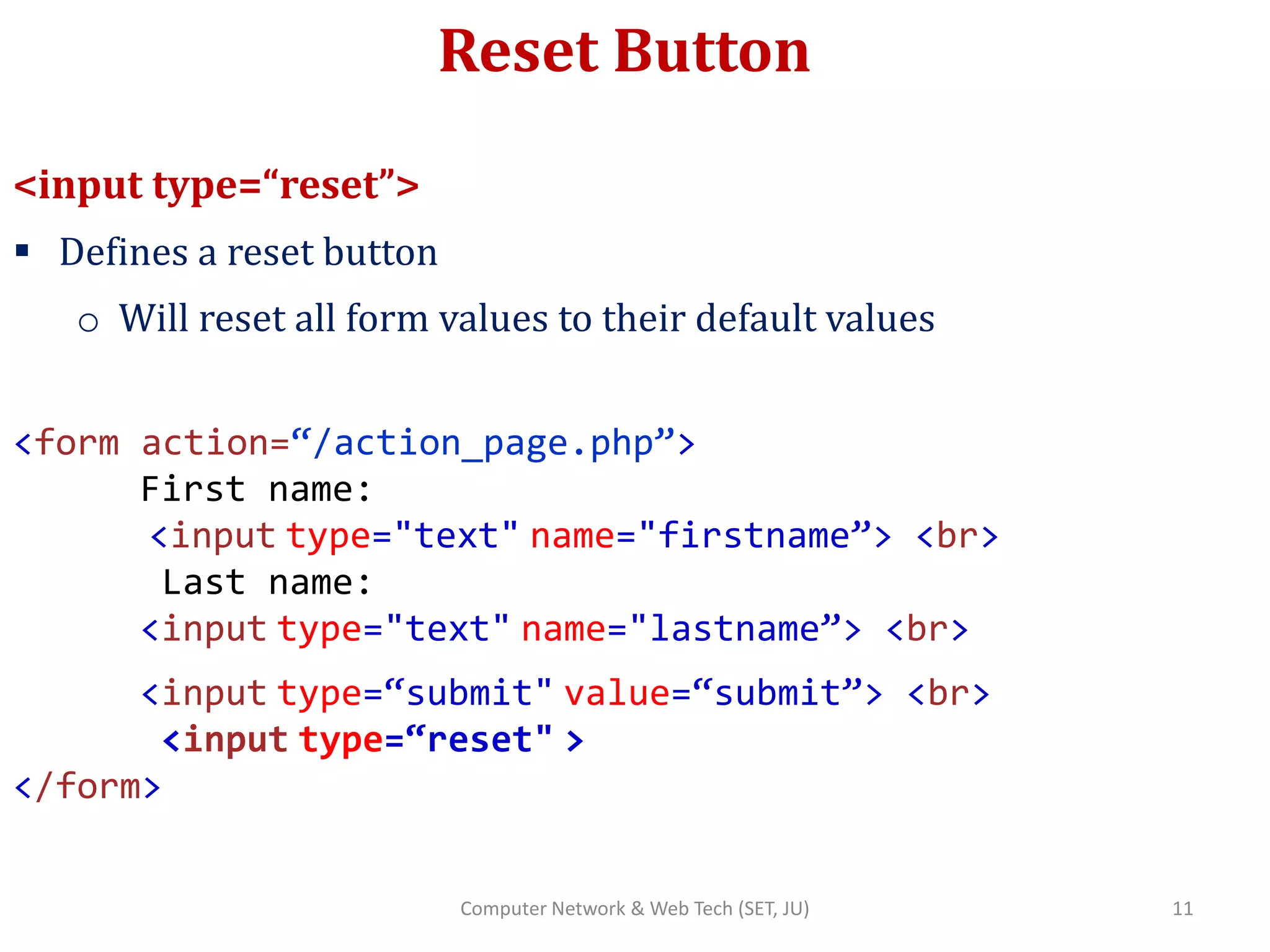
Reset Button
<input type=“reset”>
 Defines a reset button
o Will reset all form values to their default values
<form action=“/action_page.php”>
First name:
<input type="text" name="firstname”> <br>
Last name:
<input type="text" name="lastname”> <br>
<input type=“submit" value=“submit”> <br>
<input type=“reset" >
</form>
11Computer Network & Web Tech (SET, JU)
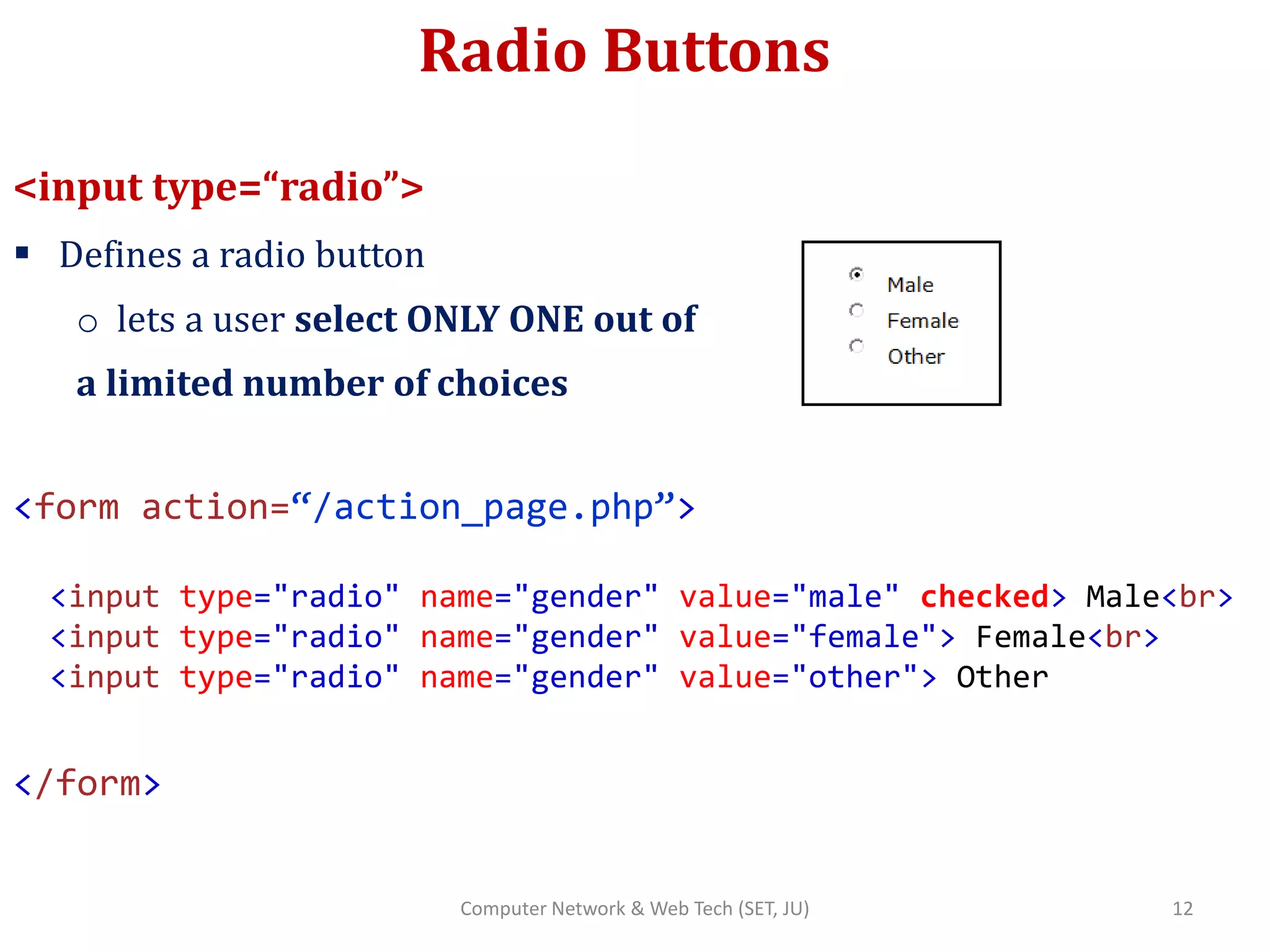
Radio Buttons
<input type=“radio”>
 Defines a radio button
o lets a user select ONLY ONE out of
a limited number of choices
<form action=“/action_page.php”>
<input type="radio" name="gender" value="male" checked> Male<br>
<input type="radio" name="gender" value="female"> Female<br>
<input type="radio" name="gender" value="other"> Other
</form>
12Computer Network & Web Tech (SET, JU)
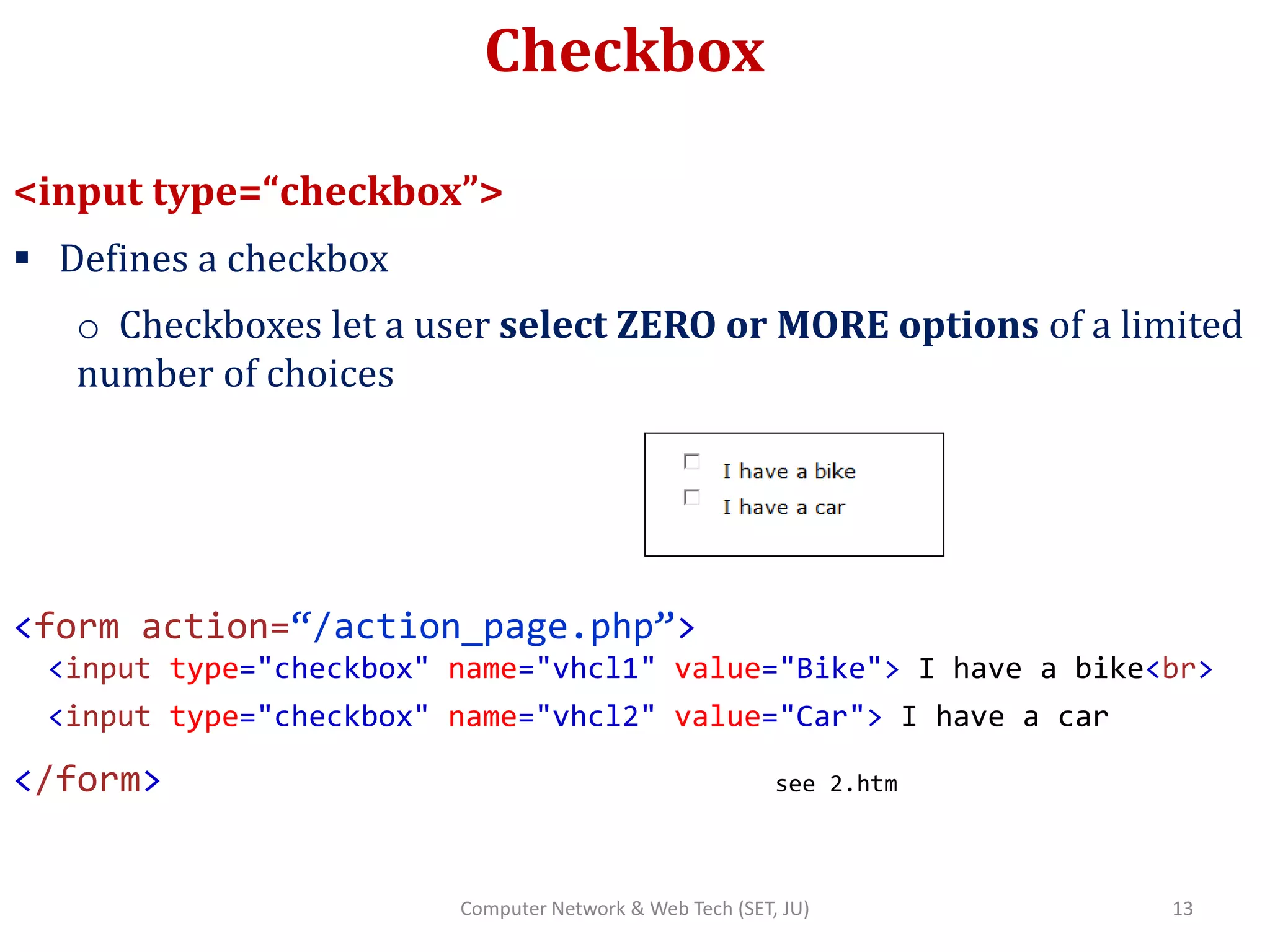
Checkbox
<input type=“checkbox”>
 Defines a checkbox
o Checkboxes let a user select ZERO or MORE options of a limited
number of choices
<form action=“/action_page.php”>
<input type="checkbox" name="vhcl1" value="Bike"> I have a bike<br>
<input type="checkbox" name="vhcl2" value="Car"> I have a car
</form> see 2.htm
13Computer Network & Web Tech (SET, JU)
Button
<input type=“button”>
 Defines a clickable button
<form action=“/action_page.php”>
First name:
<input type="text" name="firstname”> <br>
Last name:
<input type="text" name="lastname”> <br>
<input type=“button“ onclick="alert('Hello
World!')" value="Click Me!">
</form>
14Computer Network & Web Tech (SET, JU)
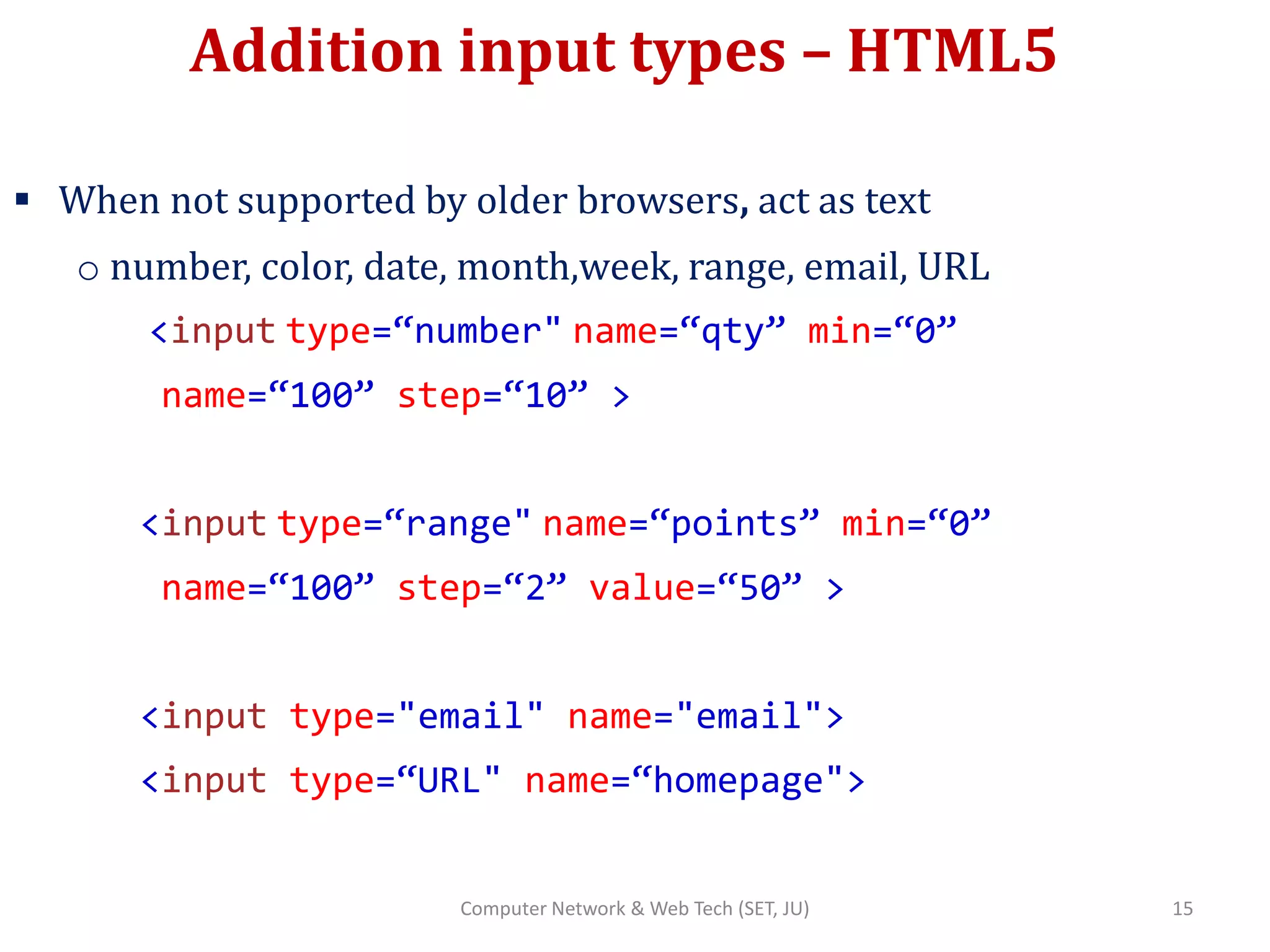
Addition input types – HTML5
 When not supported by older browsers, act as text
o number, color, date, month,week, range, email, URL
<input type=“number" name=“qty” min=“0”
name=“100” step=“10” >
<input type=“range" name=“points” min=“0”
name=“100” step=“2” value=“50” >
<input type="email" name="email">
<input type=“URL" name=“homepage">
15Computer Network & Web Tech (SET, JU)
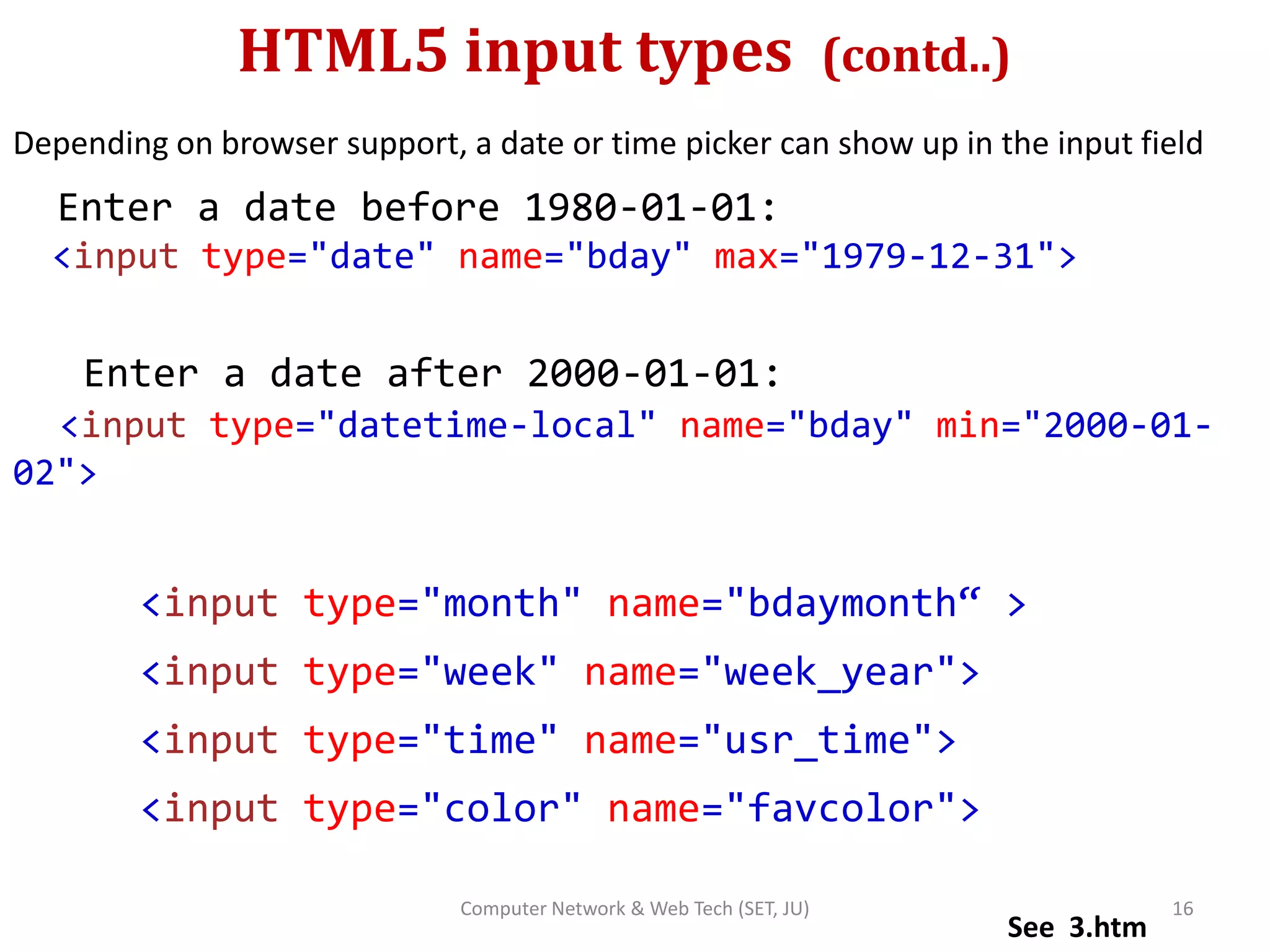
HTML5 input types (contd..)
Depending on browser support, a date or time picker can show up in the input field
Enter a date before 1980-01-01:
<input type="date" name="bday" max="1979-12-31">
Enter a date after 2000-01-01:
<input type="datetime-local" name="bday" min="2000-01-
02">
<input type="month" name="bdaymonth“ >
<input type="week" name="week_year">
<input type="time" name="usr_time">
<input type="color" name="favcolor">
See 3.htm
16Computer Network & Web Tech (SET, JU)
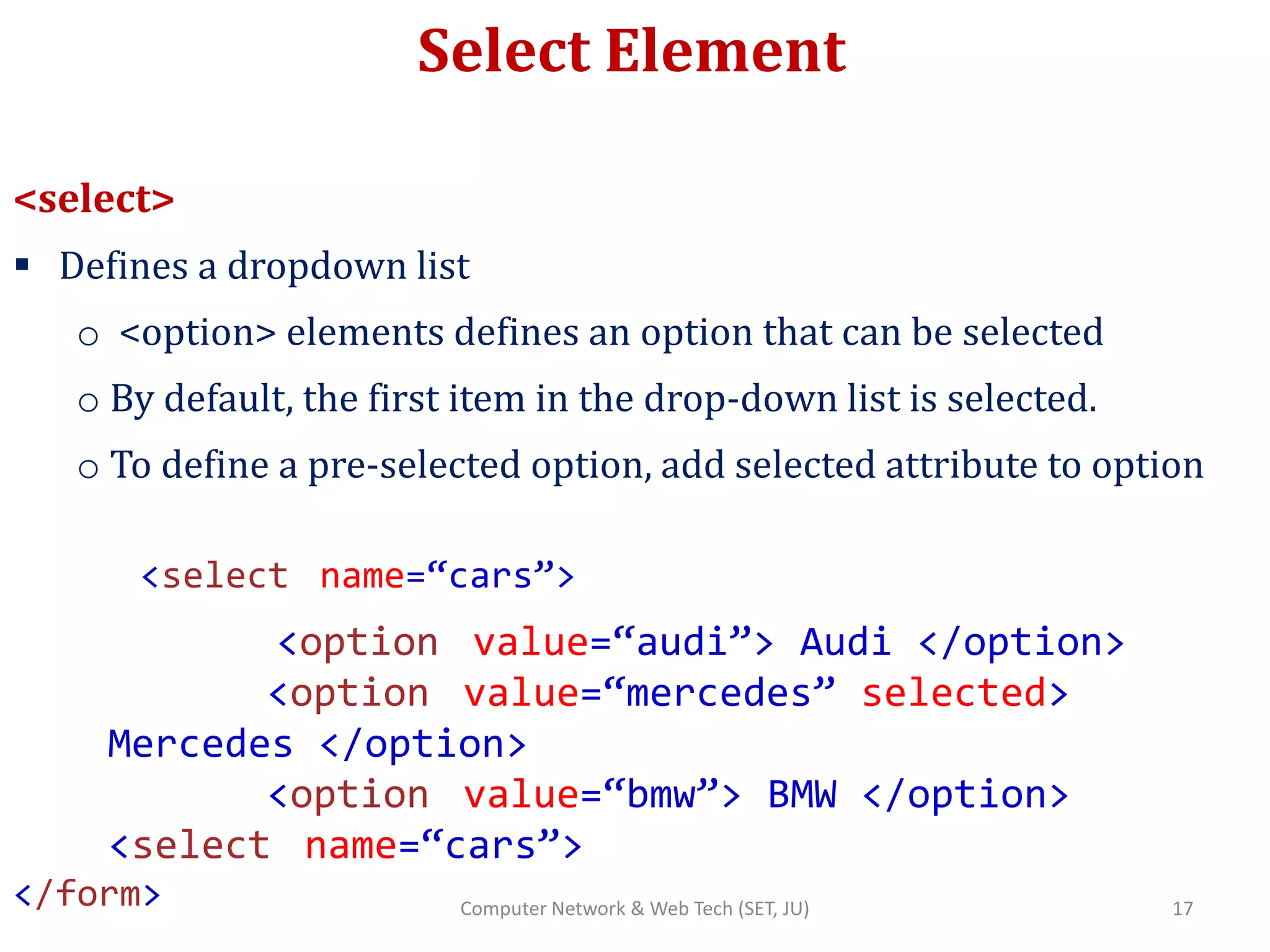
Select Element
<select>
 Defines a dropdown list
o <option> elements defines an option that can be selected
o By default, the first item in the drop-down list is selected.
o To define a pre-selected option, add selected attribute to option
<select name=“cars”>
<option value=“audi”> Audi </option>
<option value=“mercedes” selected>
Mercedes </option>
<option value=“bmw”> BMW </option>
<select name=“cars”>
</form> 17Computer Network & Web Tech (SET, JU)
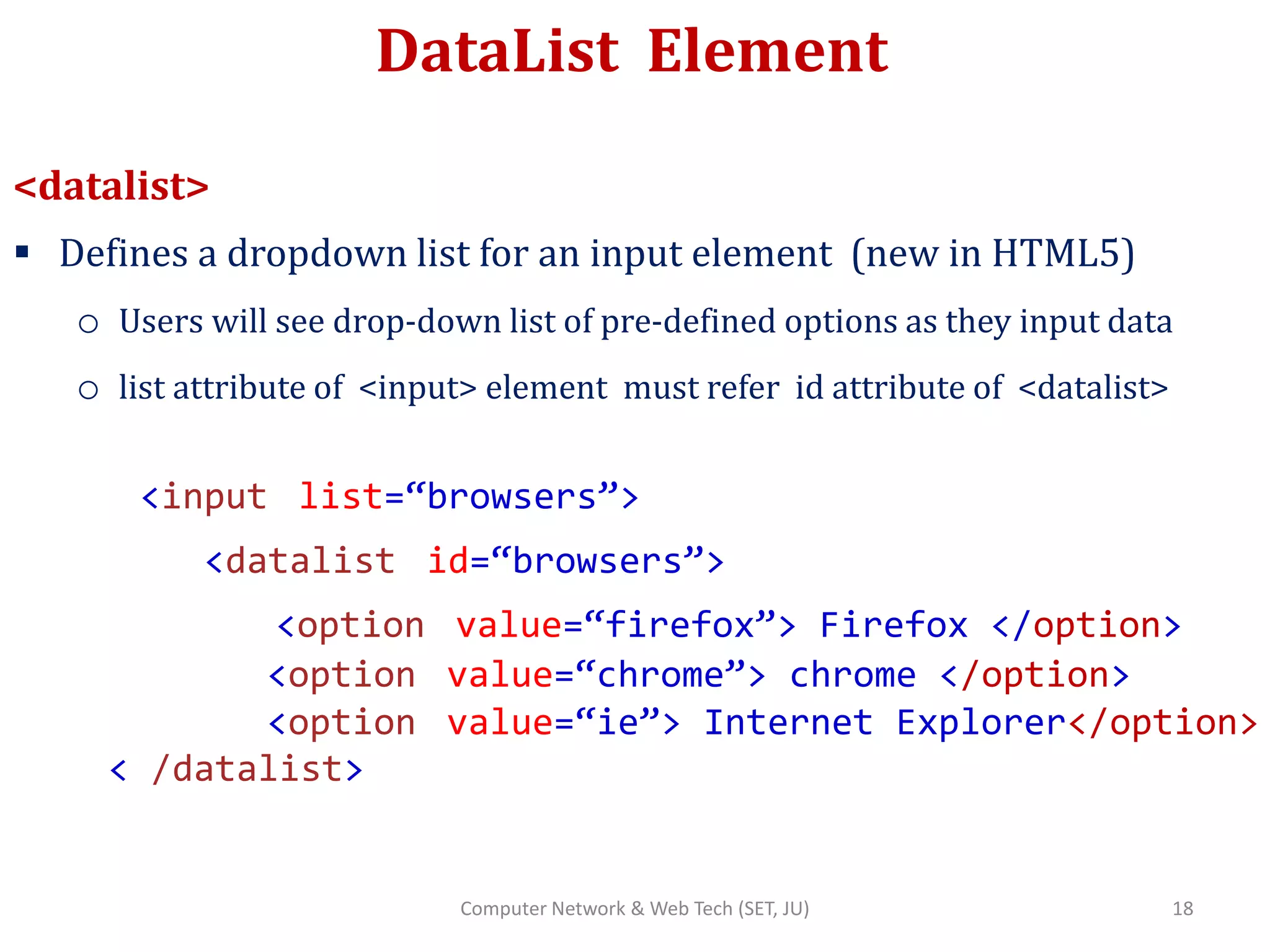
DataList Element
<datalist>
 Defines a dropdown list for an input element (new in HTML5)
o Users will see drop-down list of pre-defined options as they input data
o list attribute of <input> element must refer id attribute of <datalist>
<input list=“browsers”>
<datalist id=“browsers”>
<option value=“firefox”> Firefox </option>
<option value=“chrome”> chrome </option>
<option value=“ie”> Internet Explorer</option>
< /datalist>
18Computer Network & Web Tech (SET, JU)
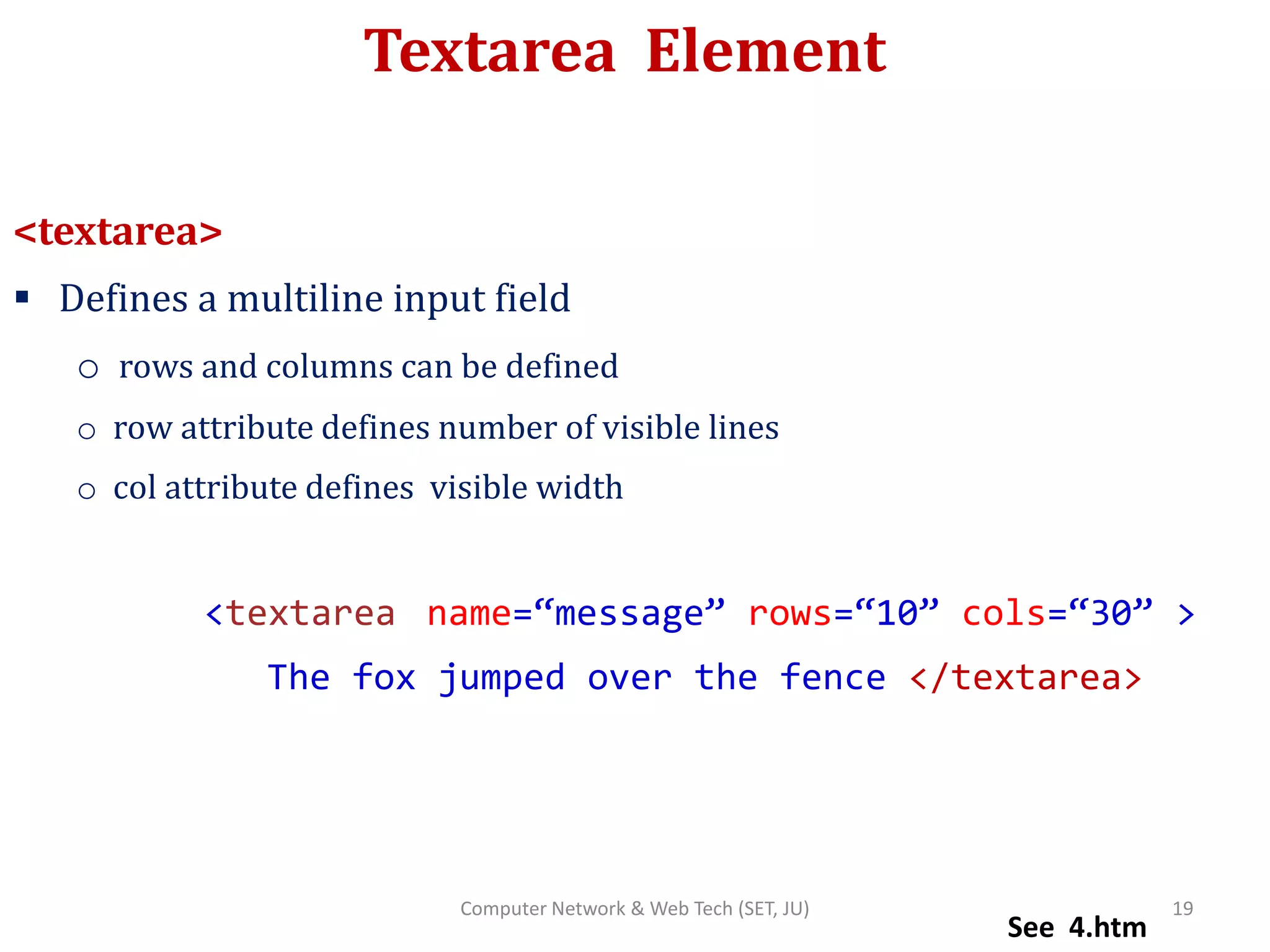
Textarea Element
<textarea>
 Defines a multiline input field
o rows and columns can be defined
o row attribute defines number of visible lines
o col attribute defines visible width
<textarea name=“message” rows=“10” cols=“30” >
The fox jumped over the fence </textarea>
See 4.htm
19Computer Network & Web Tech (SET, JU)
Some more Elements..
Element Description
<label> Defines a label for an <input> element
<fieldset> Groups related elements in a form
<optgroup> Defines a group of related options in a drop-
down list
<output> Defines the result of a calculation
20Computer Network & Web Tech (SET, JU)
Block & Inline Elements
Grouping Elements (DIV,SPAN)
21Computer Network & Web Tech (SET, JU)
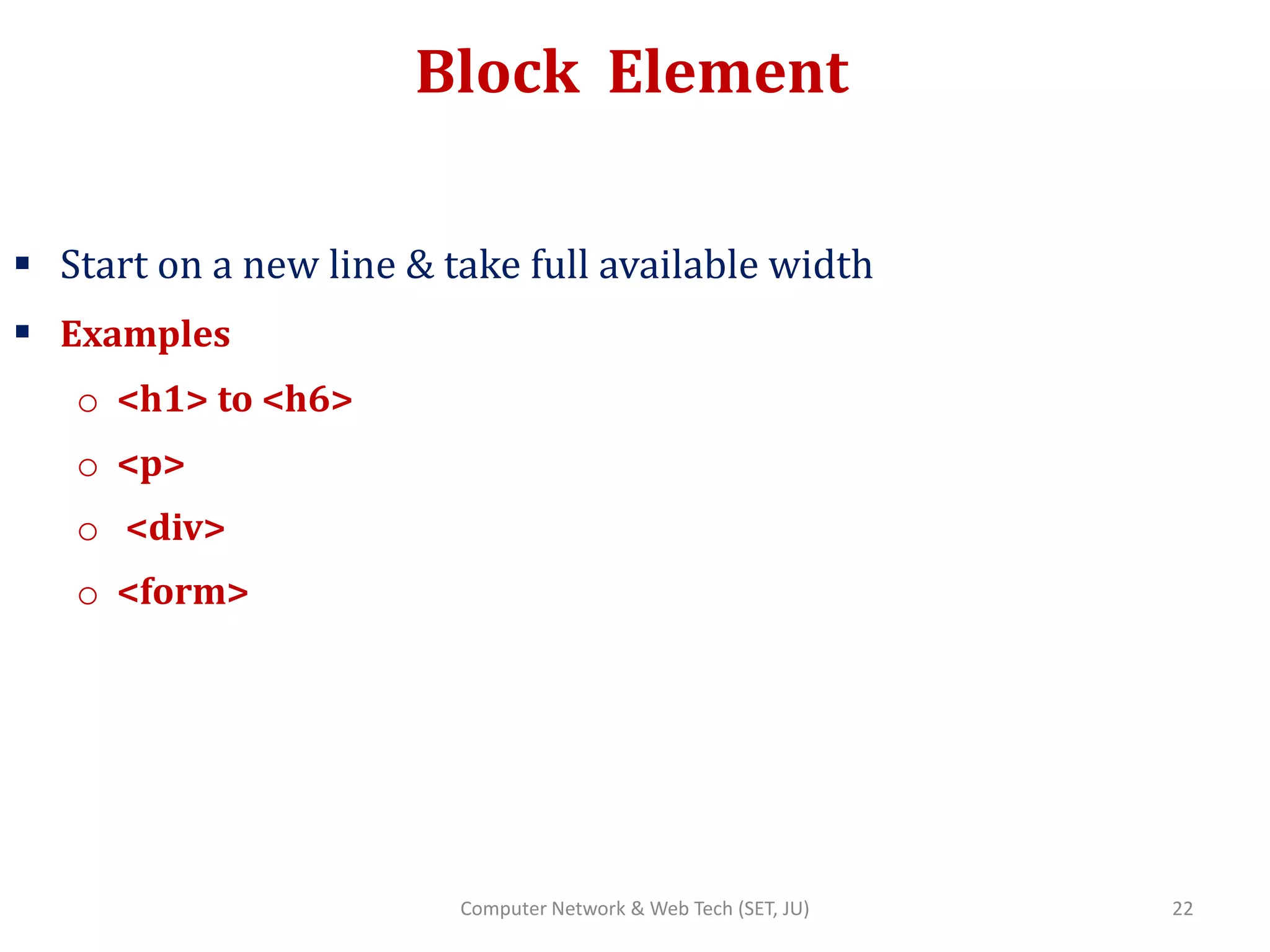
Block Element
 Start on a new line & take full available width
 Examples
o <h1> to <h6>
o <p>
o <div>
o <form>
22Computer Network & Web Tech (SET, JU)
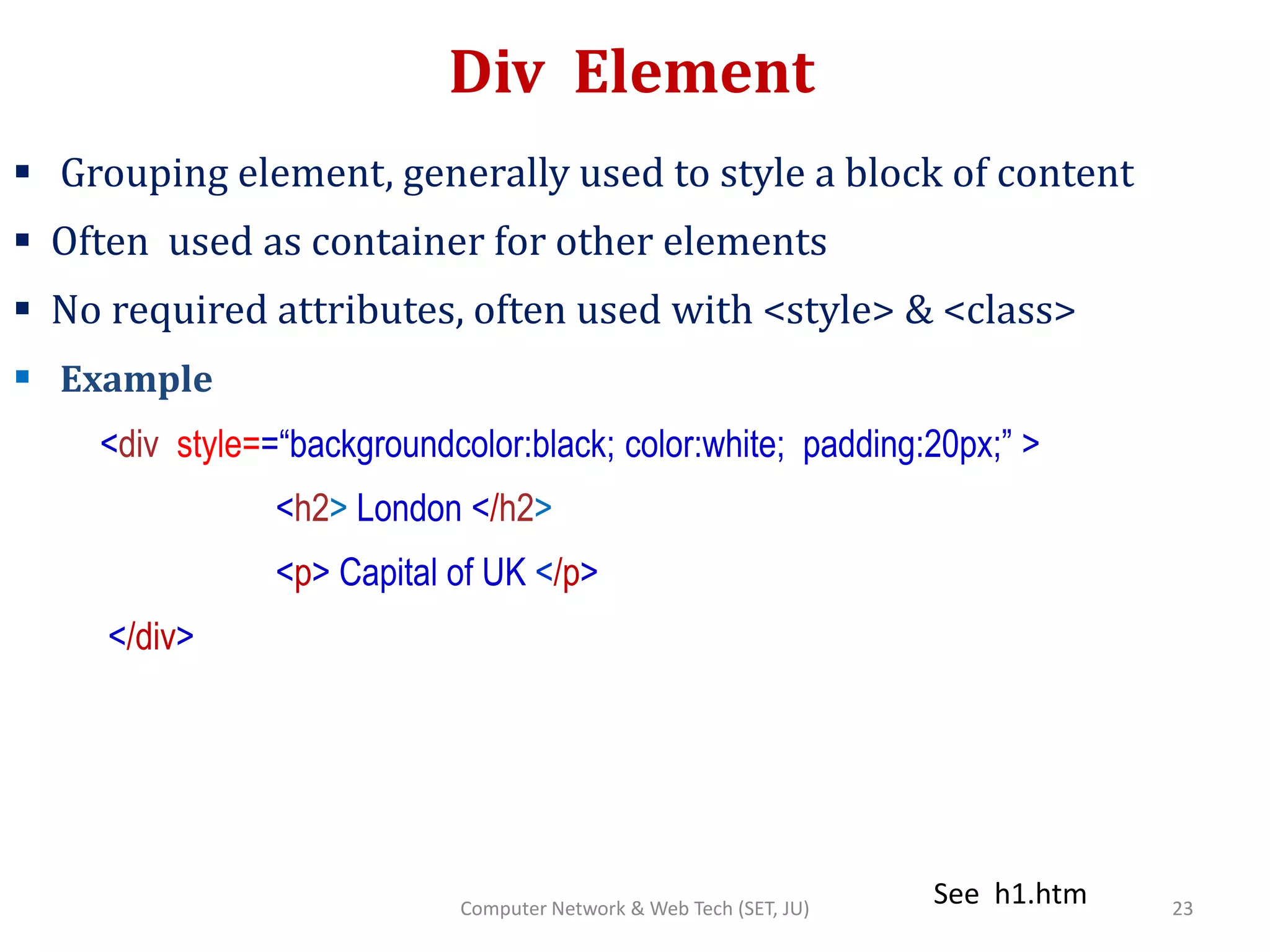
Div Element
 Grouping element, generally used to style a block of content
 Often used as container for other elements
 No required attributes, often used with <style> & <class>
 Example
<div style==“backgroundcolor:black; color:white; padding:20px;” >
<h2> London </h2>
<p> Capital of UK </p>
</div>
See h1.htm 23Computer Network & Web Tech (SET, JU)
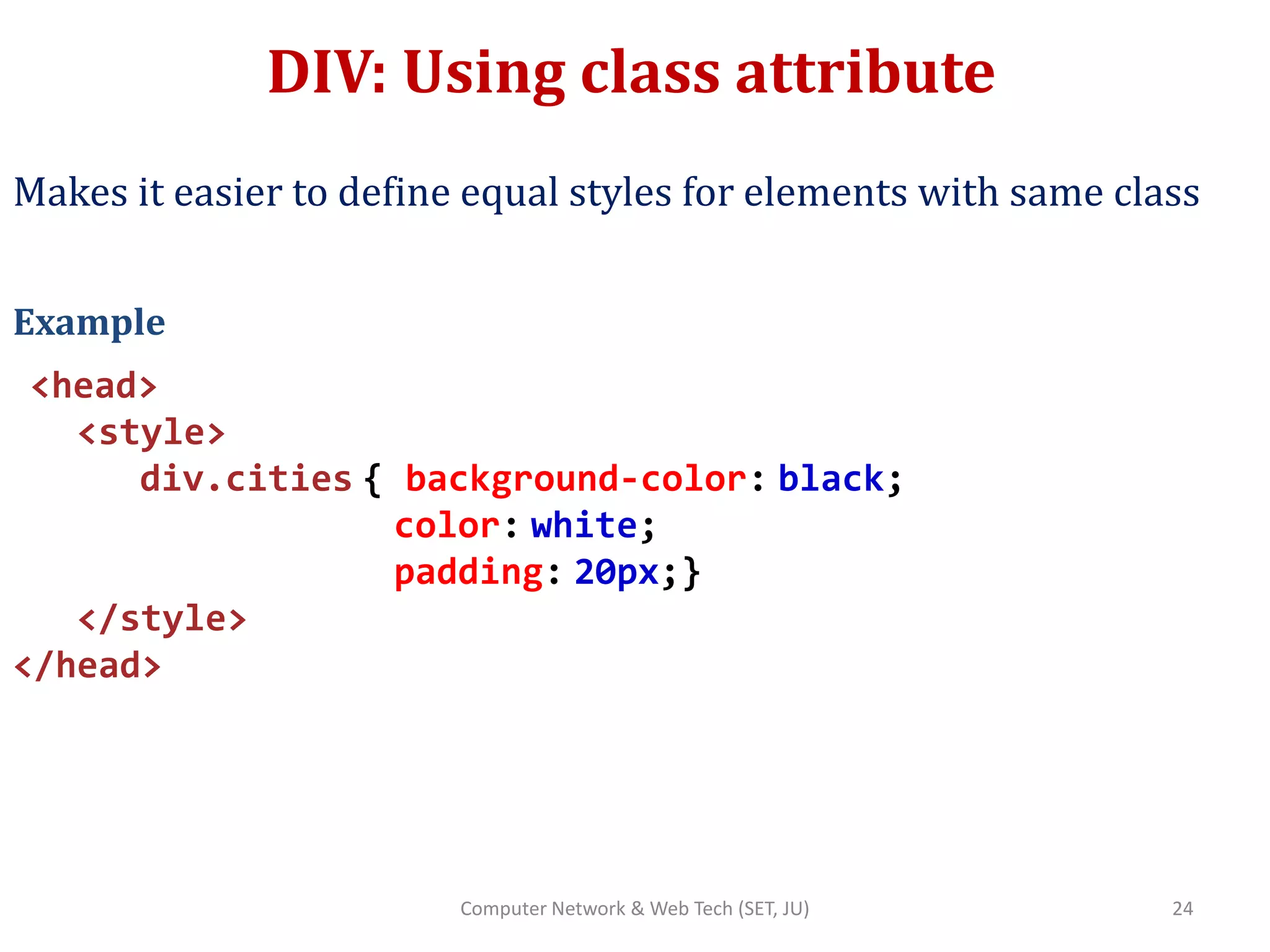
DIV: Using class attribute
Makes it easier to define equal styles for elements with same class
Example
<head>
<style>
div.cities { background-color: black;
color: white;
padding: 20px;}
</style>
</head>
24Computer Network & Web Tech (SET, JU)
DIV: Using class attribute (contd..)
<body>
<div class= ”cities”>
<h2> London </h2>
<p> Capital of UK </p>
</div>
<div class= ”cities”>
<h2>Paris</h2>
<p> Capital of France </p>
</div>
</head>
See h3class.htm 25Computer Network & Web Tech (SET, JU)
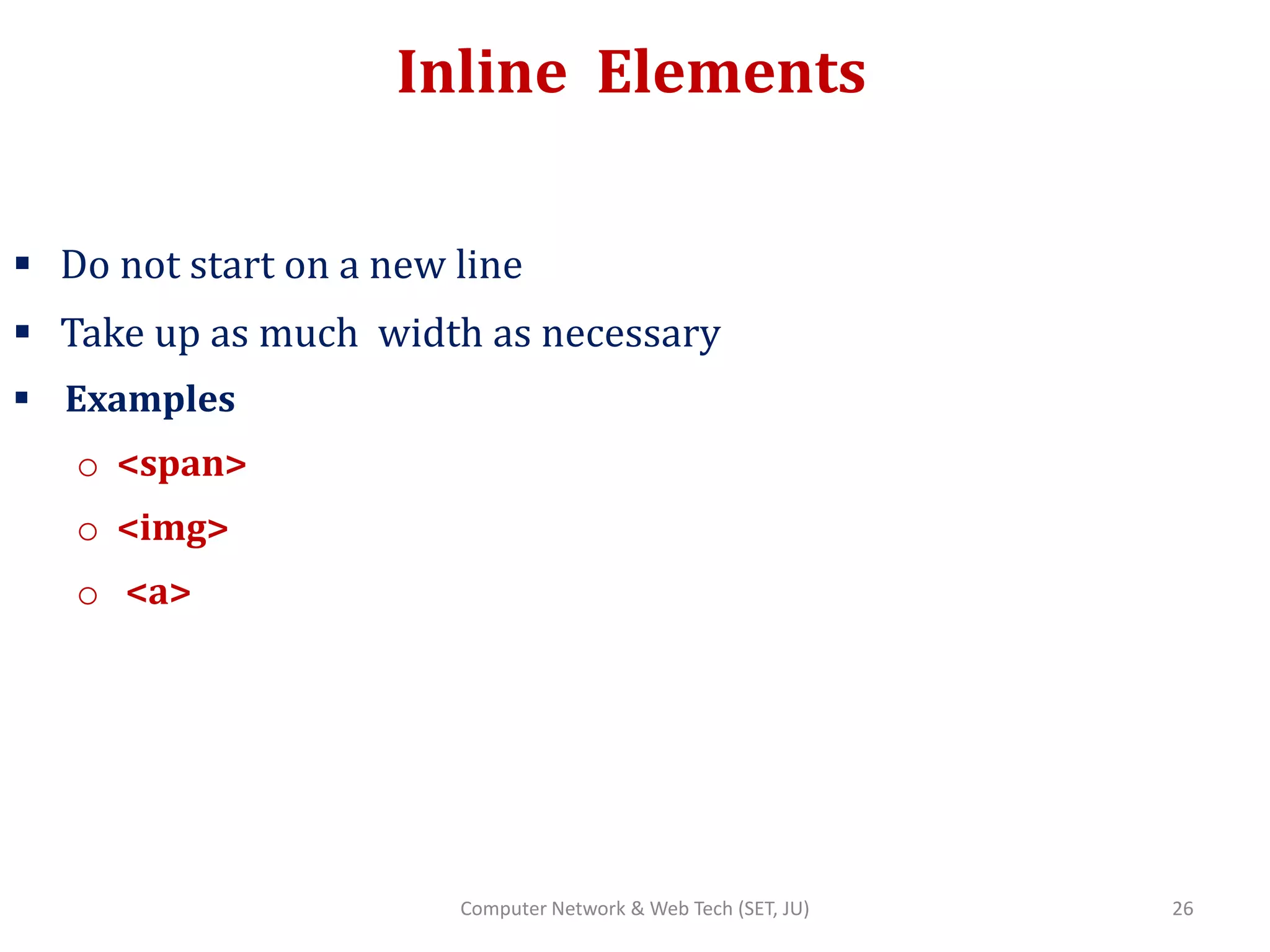
Inline Elements
 Do not start on a new line
 Take up as much width as necessary
 Examples
o <span>
o <img>
o <a>
26Computer Network & Web Tech (SET, JU)
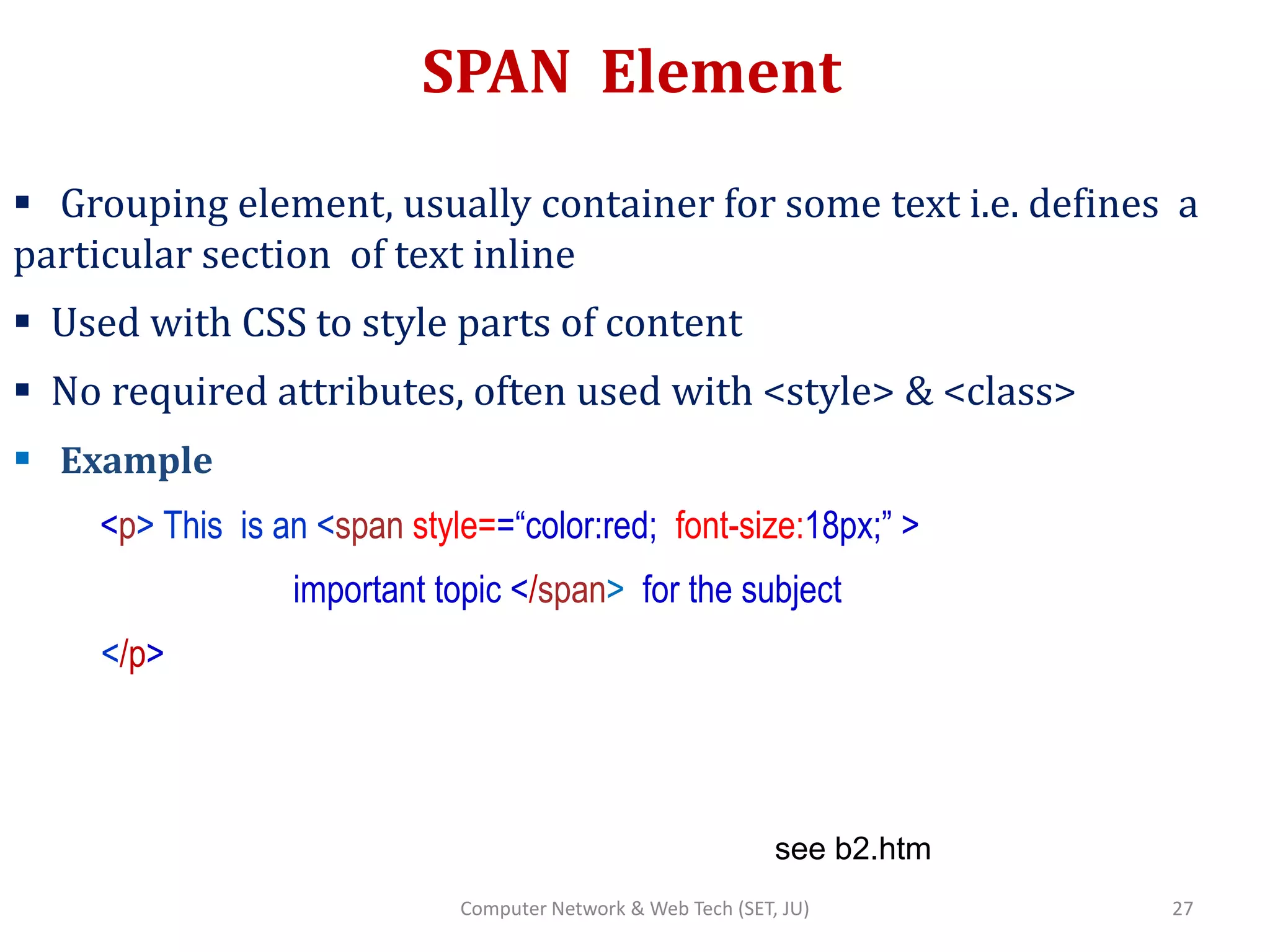
SPAN Element
 Grouping element, usually container for some text i.e. defines a
particular section of text inline
 Used with CSS to style parts of content
 No required attributes, often used with <style> & <class>
 Example
<p> This is an <span style==“color:red; font-size:18px;” >
important topic </span> for the subject
</p>
see b2.htm
27Computer Network & Web Tech (SET, JU)
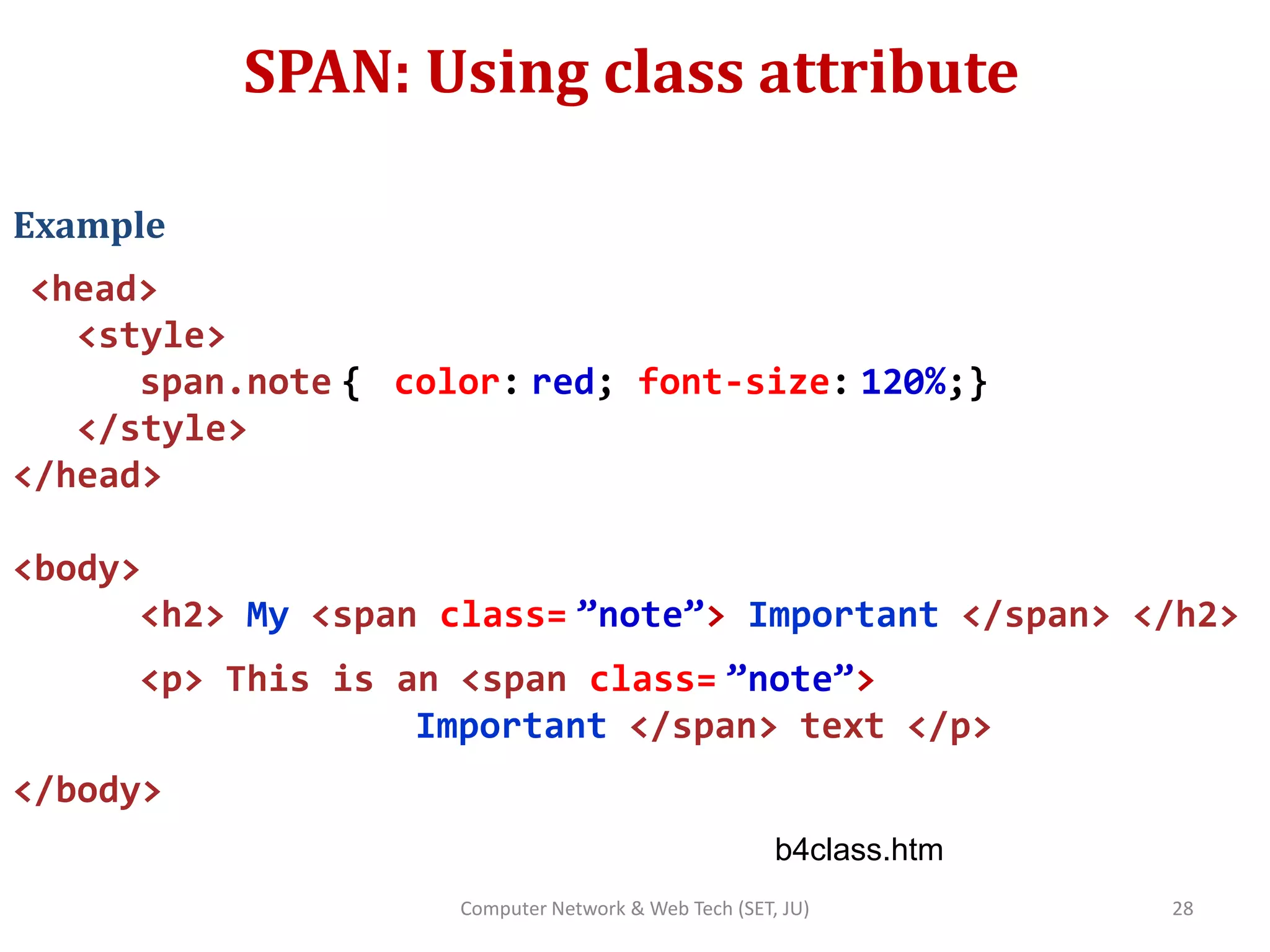
SPAN: Using class attribute
Example
<head>
<style>
span.note { color: red; font-size: 120%;}
</style>
</head>
<body>
<h2> My <span class= ”note”> Important </span> </h2>
<p> This is an <span class= ”note”>
Important </span> text </p>
</body>
b4class.htm
28Computer Network & Web Tech (SET, JU)

Html 4

  • 1.
  • 2.
    HTML Forms  HTMLForms used to collect user input  <form> element defines an HTML form <form> . form elements . </form>  An HTML form contains form elements  Different types of input elements, like text fields, checkboxes, radio buttons, submit buttons, and more First name: Last name: 2Computer Network & Web Tech (SET, JU) Bose
  • 3.
    Form Attributes Element Description actionSpecifies an address (url) where to submit the form (default) autocomplete Specifies if the browser should autocomplete the form (default: on). enctype Specifies the encoding of the submitted data (default: is url-encoded). method Specifies the HTTP method used when submitting the data name Used to identify the form novalidate Specifies that the browser should not validate the form. target Specifies the target of the address in the action attribute 3Computer Network & Web Tech (SET, JU)
  • 4.
    Form Attributes (contd..) <formaction="/action_page.php" novalidate method=“get”> E mail: <input type="email" name="user_email”> <input type="submit” formtarget="_blank” value="Submit to a new window"> <input type="submit" formaction="/action_page2.php” value="Submit as admin"> </form> (see 1a.htm, 1b.htm) 4Computer Network & Web Tech (SET, JU)
  • 5.
    Method Attribute  Defaultmethod when submitting form data is GET  When GET is used, the submitted form data will be visible in the page address field action_page.php?firstname=Mickey&lastname=Mouse  Suited for short, insensitive information  When POST is used, submitted data is part of body, not visible in page address field  Used for sensitive information  POST has no size limitations, can be used to send large amounts of data 5Computer Network & Web Tech (SET, JU)
  • 6.
    Input Element  <input>- most important form element  Can be displayed in different ways depending on type attribute Type Description <input type="text"> Defines a one-line text input field <input type="radio"> Defines a radio button (for selecting one of many choices) <input type="submit"> Defines a submit button (for submitting the form) 6Computer Network & Web Tech (SET, JU)
  • 7.
    Text Input  <input>- most important form element  Can be displayed in different ways depending on type attribute • Attributes Readonly, disabled, maxlength, size, required, autofocus, autocomplete, placeholder, pattern, title, max, min, step  Default width of a text field is 20 characters. (see 1.htm) <form> First name:<br> <input type="text" name="firstname” value=“Arnab” size=20> <br> Last name:<br> <input type="text" name="lastname” value=“Bose” size=30 > </form> 7Computer Network & Web Tech (SET, JU)
  • 8.
    Text Input (contd..) <formautocomplete=“on”> First name: <input type="text" name="firstname”> <br> Last name: <input type="text" name="lastname”> <br> Email: <input type="text" name=“email” autocomplete=“off”> <br> Country Code: <input type="text" name=“cntrycode” pattern=“[A-Za-z]{3} title="Three letter country code”> </form> 8Computer Network & Web Tech (SET, JU)
  • 9.
    Password <input type=“password”> <form> First name: <inputtype="text" name="firstname”> <br> Last name: <input type="text" name="lastname”> <br> Password: <input type=“password" name=“psw”> <br> </form> 9Computer Network & Web Tech (SET, JU)
  • 10.
    Submit Button <input type=“submit”> Defines a button for submitting form data to a form handler o Typically a server page with a script for processing the data o Specified in the form's action attribute o If action attribute omitted, handled by the same page  If value for type “submit” element omitted, default text <form action=“/action_page.php”> First name: <input type="text" name="firstname”> <br> Last name: <input type="text" name="lastname”> <br> <input type=“submit" value=“submit”> <br> </form> 10Computer Network & Web Tech (SET, JU)
  • 11.
    Reset Button <input type=“reset”> Defines a reset button o Will reset all form values to their default values <form action=“/action_page.php”> First name: <input type="text" name="firstname”> <br> Last name: <input type="text" name="lastname”> <br> <input type=“submit" value=“submit”> <br> <input type=“reset" > </form> 11Computer Network & Web Tech (SET, JU)
  • 12.
    Radio Buttons <input type=“radio”> Defines a radio button o lets a user select ONLY ONE out of a limited number of choices <form action=“/action_page.php”> <input type="radio" name="gender" value="male" checked> Male<br> <input type="radio" name="gender" value="female"> Female<br> <input type="radio" name="gender" value="other"> Other </form> 12Computer Network & Web Tech (SET, JU)
  • 13.
    Checkbox <input type=“checkbox”>  Definesa checkbox o Checkboxes let a user select ZERO or MORE options of a limited number of choices <form action=“/action_page.php”> <input type="checkbox" name="vhcl1" value="Bike"> I have a bike<br> <input type="checkbox" name="vhcl2" value="Car"> I have a car </form> see 2.htm 13Computer Network & Web Tech (SET, JU)
  • 14.
    Button <input type=“button”>  Definesa clickable button <form action=“/action_page.php”> First name: <input type="text" name="firstname”> <br> Last name: <input type="text" name="lastname”> <br> <input type=“button“ onclick="alert('Hello World!')" value="Click Me!"> </form> 14Computer Network & Web Tech (SET, JU)
  • 15.
    Addition input types– HTML5  When not supported by older browsers, act as text o number, color, date, month,week, range, email, URL <input type=“number" name=“qty” min=“0” name=“100” step=“10” > <input type=“range" name=“points” min=“0” name=“100” step=“2” value=“50” > <input type="email" name="email"> <input type=“URL" name=“homepage"> 15Computer Network & Web Tech (SET, JU)
  • 16.
    HTML5 input types(contd..) Depending on browser support, a date or time picker can show up in the input field Enter a date before 1980-01-01: <input type="date" name="bday" max="1979-12-31"> Enter a date after 2000-01-01: <input type="datetime-local" name="bday" min="2000-01- 02"> <input type="month" name="bdaymonth“ > <input type="week" name="week_year"> <input type="time" name="usr_time"> <input type="color" name="favcolor"> See 3.htm 16Computer Network & Web Tech (SET, JU)
  • 17.
    Select Element <select>  Definesa dropdown list o <option> elements defines an option that can be selected o By default, the first item in the drop-down list is selected. o To define a pre-selected option, add selected attribute to option <select name=“cars”> <option value=“audi”> Audi </option> <option value=“mercedes” selected> Mercedes </option> <option value=“bmw”> BMW </option> <select name=“cars”> </form> 17Computer Network & Web Tech (SET, JU)
  • 18.
    DataList Element <datalist>  Definesa dropdown list for an input element (new in HTML5) o Users will see drop-down list of pre-defined options as they input data o list attribute of <input> element must refer id attribute of <datalist> <input list=“browsers”> <datalist id=“browsers”> <option value=“firefox”> Firefox </option> <option value=“chrome”> chrome </option> <option value=“ie”> Internet Explorer</option> < /datalist> 18Computer Network & Web Tech (SET, JU)
  • 19.
    Textarea Element <textarea>  Definesa multiline input field o rows and columns can be defined o row attribute defines number of visible lines o col attribute defines visible width <textarea name=“message” rows=“10” cols=“30” > The fox jumped over the fence </textarea> See 4.htm 19Computer Network & Web Tech (SET, JU)
  • 20.
    Some more Elements.. ElementDescription <label> Defines a label for an <input> element <fieldset> Groups related elements in a form <optgroup> Defines a group of related options in a drop- down list <output> Defines the result of a calculation 20Computer Network & Web Tech (SET, JU)
  • 21.
    Block & InlineElements Grouping Elements (DIV,SPAN) 21Computer Network & Web Tech (SET, JU)
  • 22.
    Block Element  Starton a new line & take full available width  Examples o <h1> to <h6> o <p> o <div> o <form> 22Computer Network & Web Tech (SET, JU)
  • 23.
    Div Element  Groupingelement, generally used to style a block of content  Often used as container for other elements  No required attributes, often used with <style> & <class>  Example <div style==“backgroundcolor:black; color:white; padding:20px;” > <h2> London </h2> <p> Capital of UK </p> </div> See h1.htm 23Computer Network & Web Tech (SET, JU)
  • 24.
    DIV: Using classattribute Makes it easier to define equal styles for elements with same class Example <head> <style> div.cities { background-color: black; color: white; padding: 20px;} </style> </head> 24Computer Network & Web Tech (SET, JU)
  • 25.
    DIV: Using classattribute (contd..) <body> <div class= ”cities”> <h2> London </h2> <p> Capital of UK </p> </div> <div class= ”cities”> <h2>Paris</h2> <p> Capital of France </p> </div> </head> See h3class.htm 25Computer Network & Web Tech (SET, JU)
  • 26.
    Inline Elements  Donot start on a new line  Take up as much width as necessary  Examples o <span> o <img> o <a> 26Computer Network & Web Tech (SET, JU)
  • 27.
    SPAN Element  Groupingelement, usually container for some text i.e. defines a particular section of text inline  Used with CSS to style parts of content  No required attributes, often used with <style> & <class>  Example <p> This is an <span style==“color:red; font-size:18px;” > important topic </span> for the subject </p> see b2.htm 27Computer Network & Web Tech (SET, JU)
  • 28.
    SPAN: Using classattribute Example <head> <style> span.note { color: red; font-size: 120%;} </style> </head> <body> <h2> My <span class= ”note”> Important </span> </h2> <p> This is an <span class= ”note”> Important </span> text </p> </body> b4class.htm 28Computer Network & Web Tech (SET, JU)

Editor's Notes

  • #4 When autocomplete is on, the browser automatically completes the input values based on values that the user has entered before.
  • #8 The value attribute specifies the initial value for an input field: readonly attribute specifies that the input field is read only (cannot be changed) disabled attribute specifies that the input field is disabled A disabled input field is unusable and un-clickable, and its value will not be sent when submitting the form The size attribute specifies the size (in characters) for the input field: pattern attribute works with the following input types: text, search, url, tel, email, and password