(What is Batch Document Scanning?)
What is Batch
Document
Processing?
Copyright ©2014
…simply scanning
(or acquiring) a
large volume of
documents,
generally into a
few files or one file
and using
intelligent capture
software to
process the
scanned or
acquired file or
files.
So why batch
document
processing?
“Documents are the currency of business. They
are at the heart of critical workflows and drive
just about every area of business.”
-- IDC, “The Role of Documents: How They Drive
Business, Today and Tomorrow”, January 2013
Introducing labor saving technologies to
intelligently capture documents and key data
saves valuable resources.
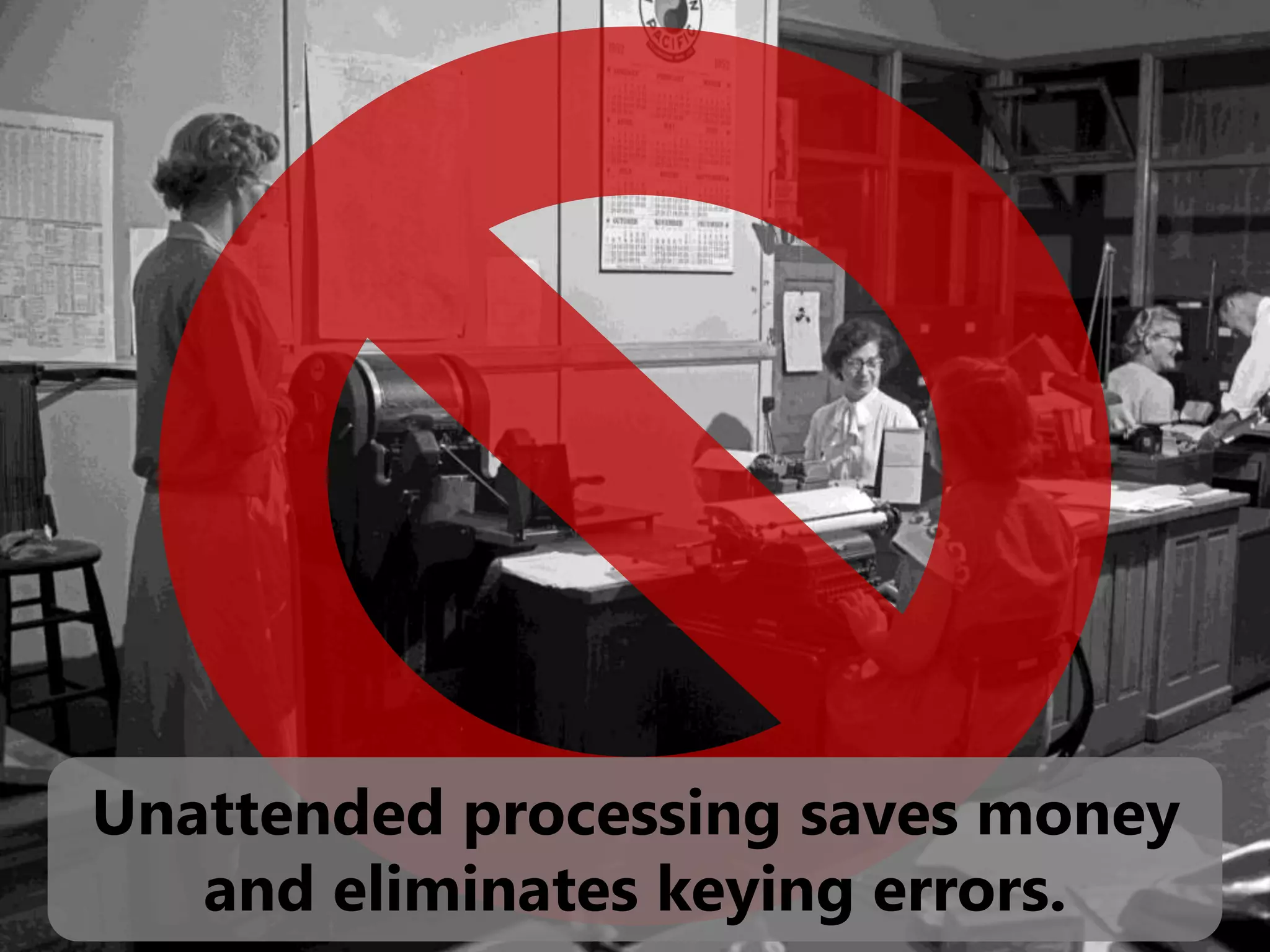
Unattended processing saves money
and eliminates keying errors.
So back to what it is…
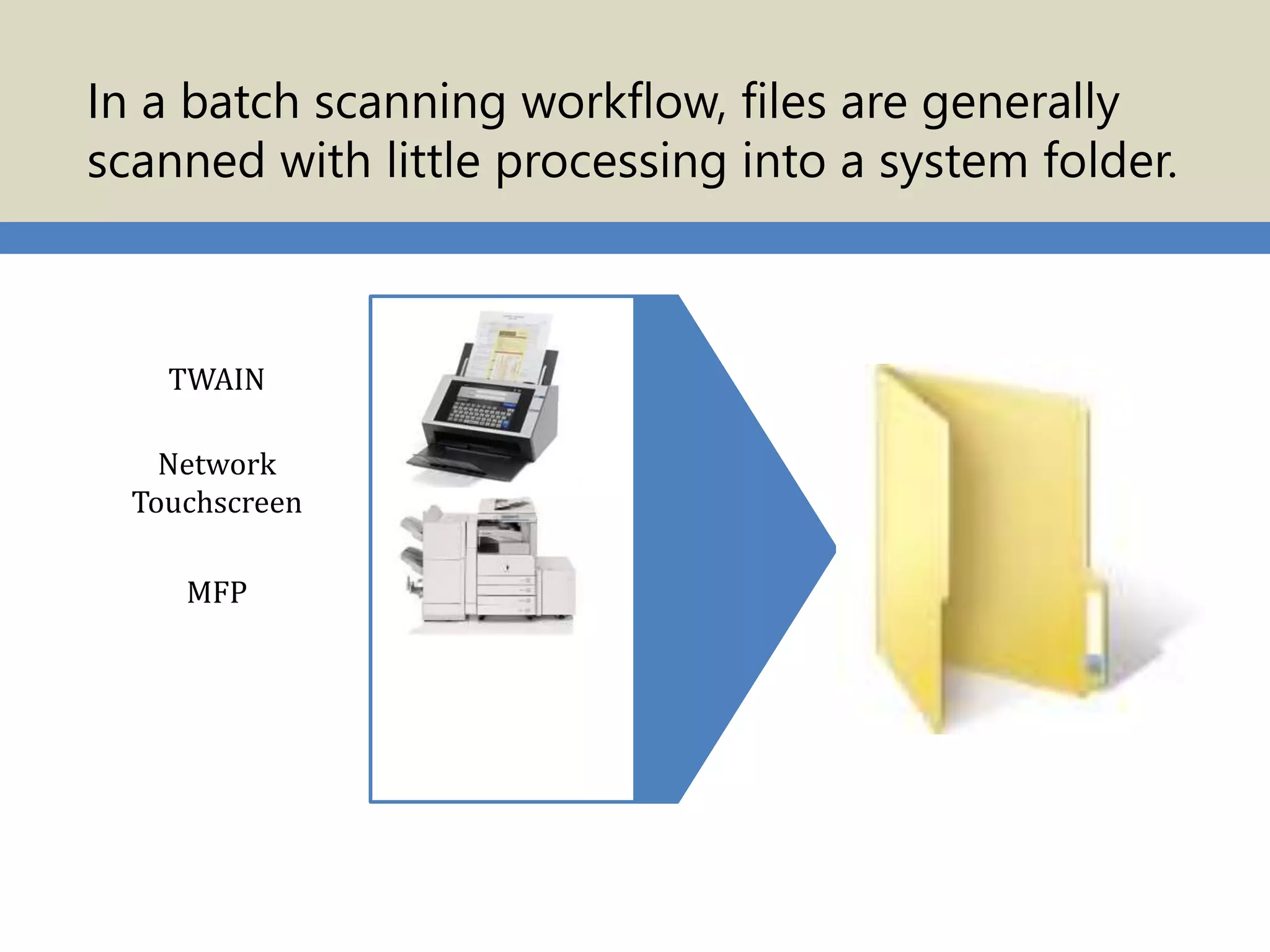
In a batch scanning workflow, files are generally
scanned with little processing into a system folder.
TWAIN
Network
Touchscreen
MFP
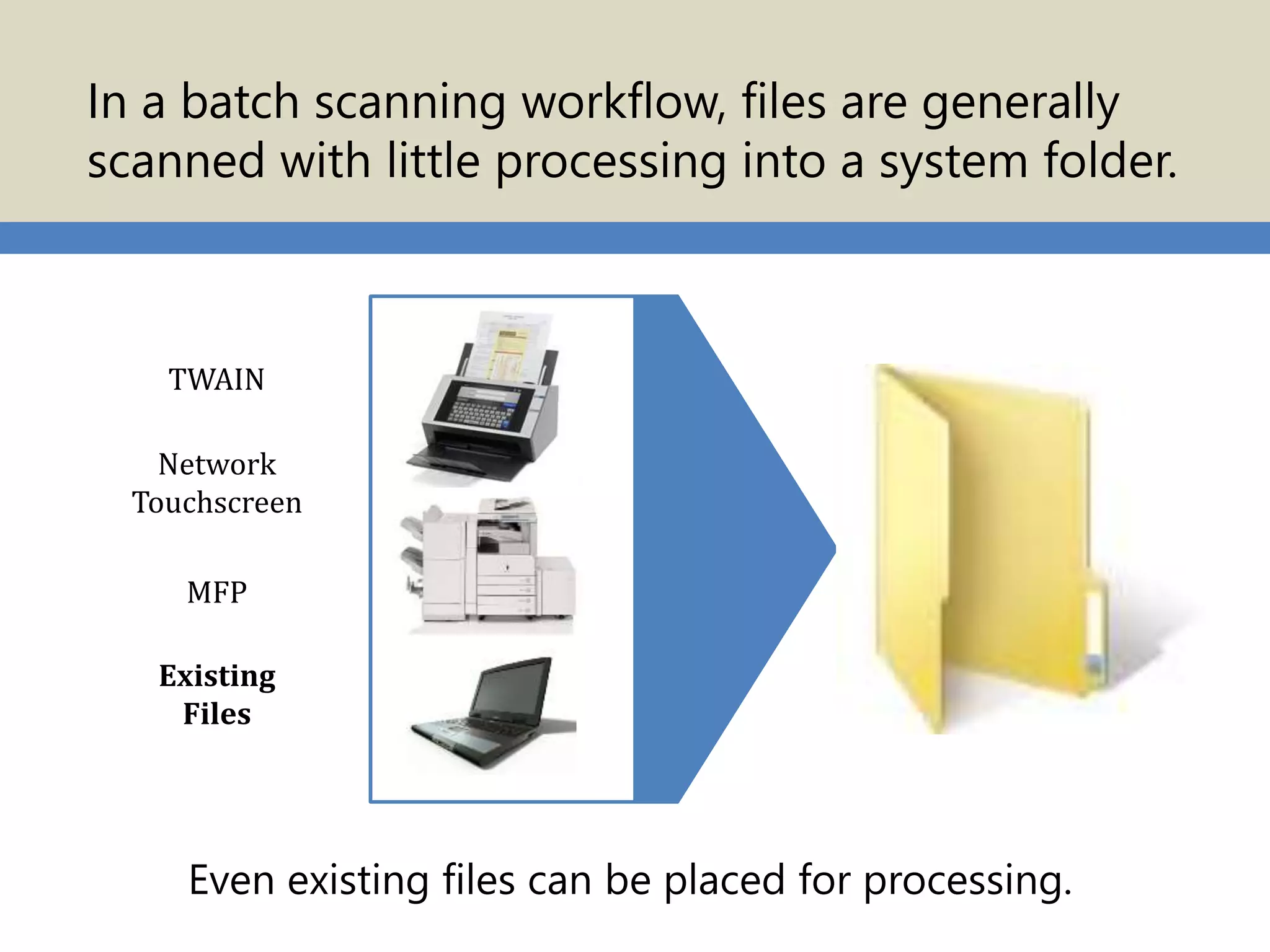
TWAIN
Network
Touchscreen
Existing
Files
MFP
Even existing files can be placed for processing.
In a batch scanning workflow, files are generally
scanned with little processing into a system folder.
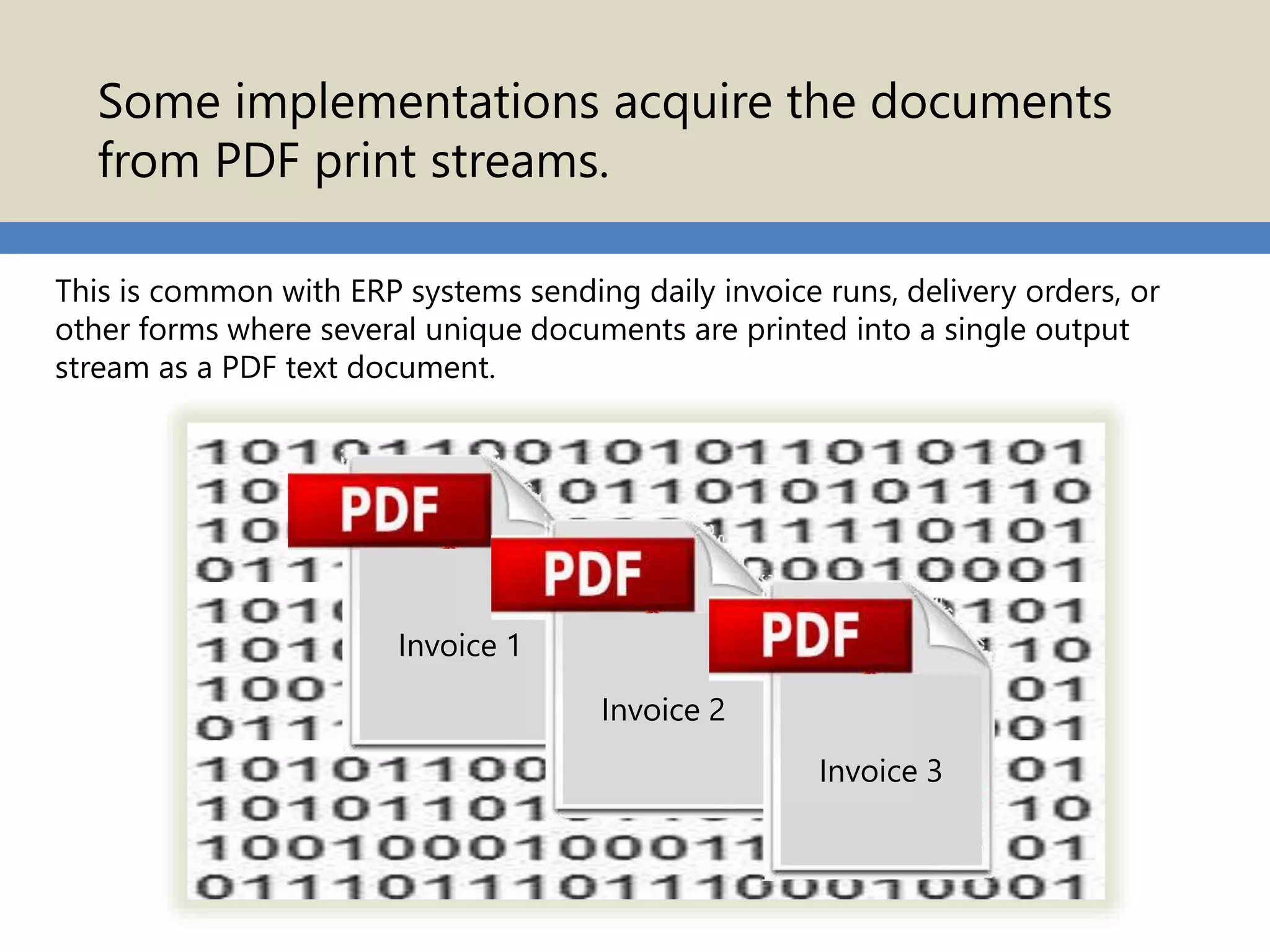
Some implementations acquire the documents
from PDF print streams.
This is common with ERP systems sending daily invoice runs, delivery orders, or
other forms where several unique documents are printed into a single output
stream as a PDF text document.
Invoice 1
Invoice 2
Invoice 3
Some products
process folders of
documents on
demand or “watch”
folders for files to
process.
Some software can eliminate any user interaction by
running as a Window’s service. Administrators can set
up the “watched” folders to automatically start when the
computer is booted.
So what “processing”
can be done to the files?
Split Files 1
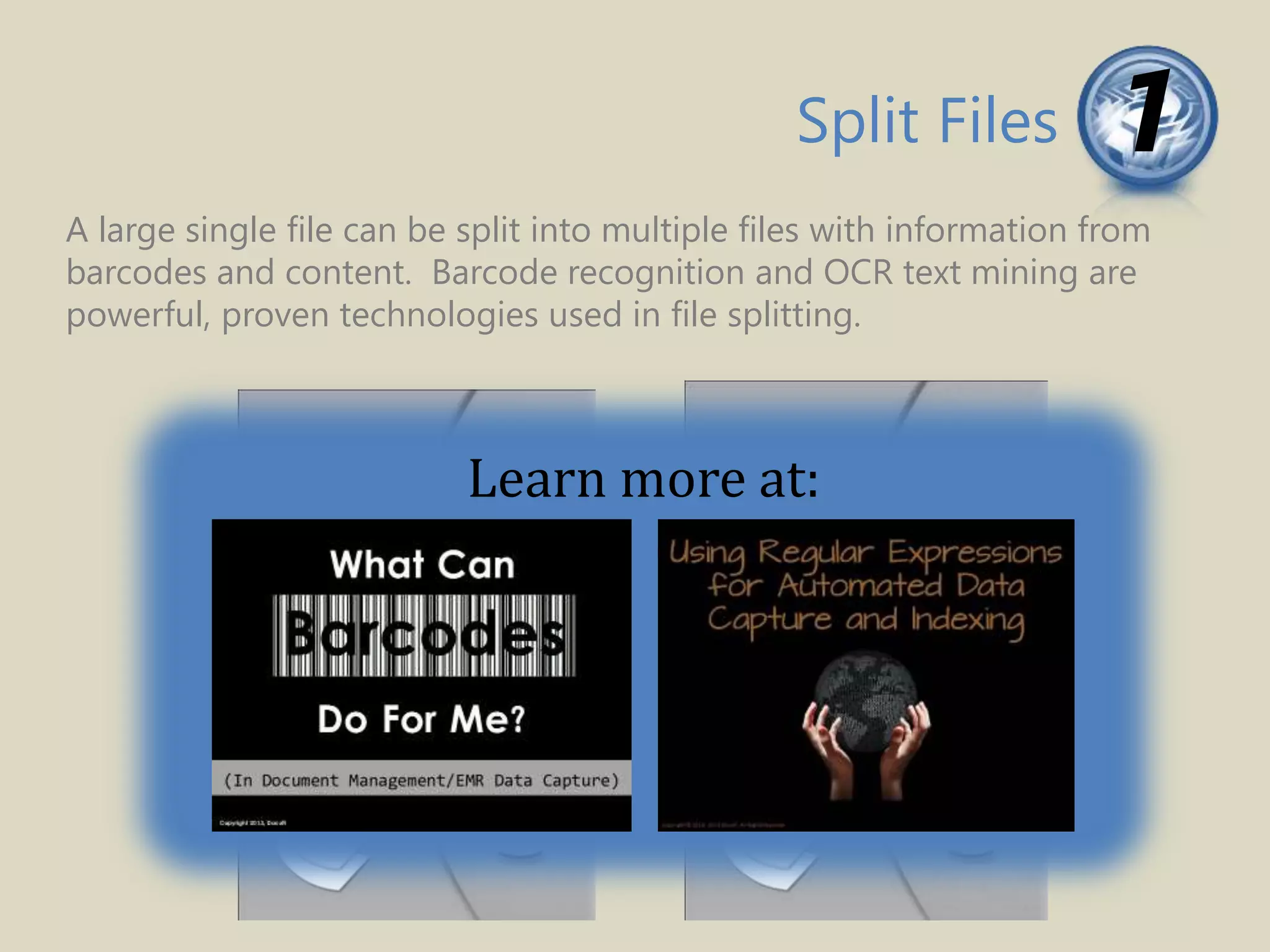
A large single file can be split into multiple files with information from
barcodes and content. Barcode recognition and OCR text mining are
powerful, proven technologies used in file splitting.
Split Files 1
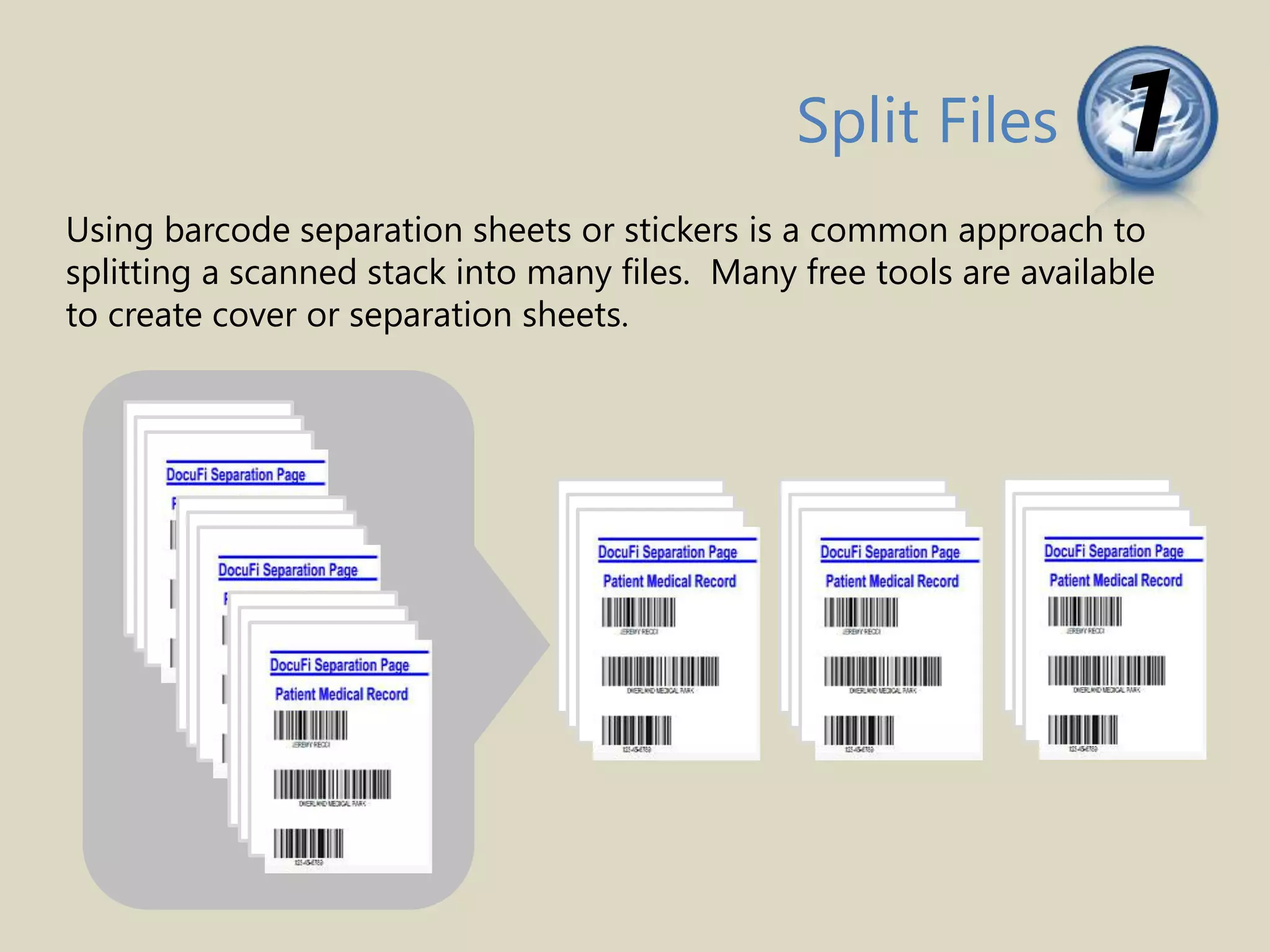
Using barcode separation sheets or stickers is a common approach to
splitting a scanned stack into many files. Many free tools are available
to create cover or separation sheets.
Split Files 1
A large single file can be split into multiple files with information from
barcodes and content. Barcode recognition and OCR text mining are
powerful, proven technologies used in file splitting.
Learn more at:
Capture Index Data 2
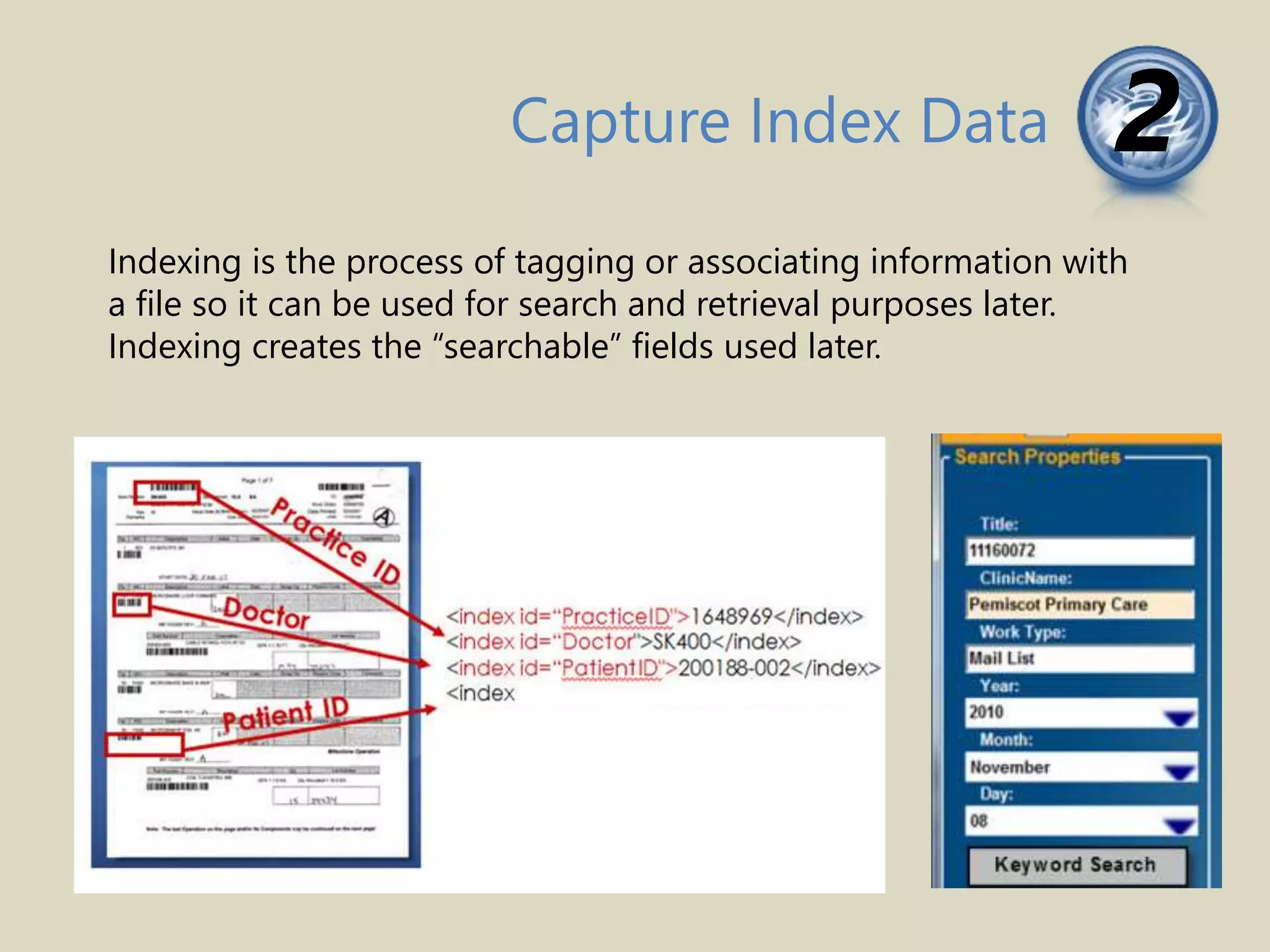
Indexing is the process of tagging or associating information with
a file so it can be used for search and retrieval purposes later.
Indexing creates the “searchable” fields used later.
Capture Index Data 2
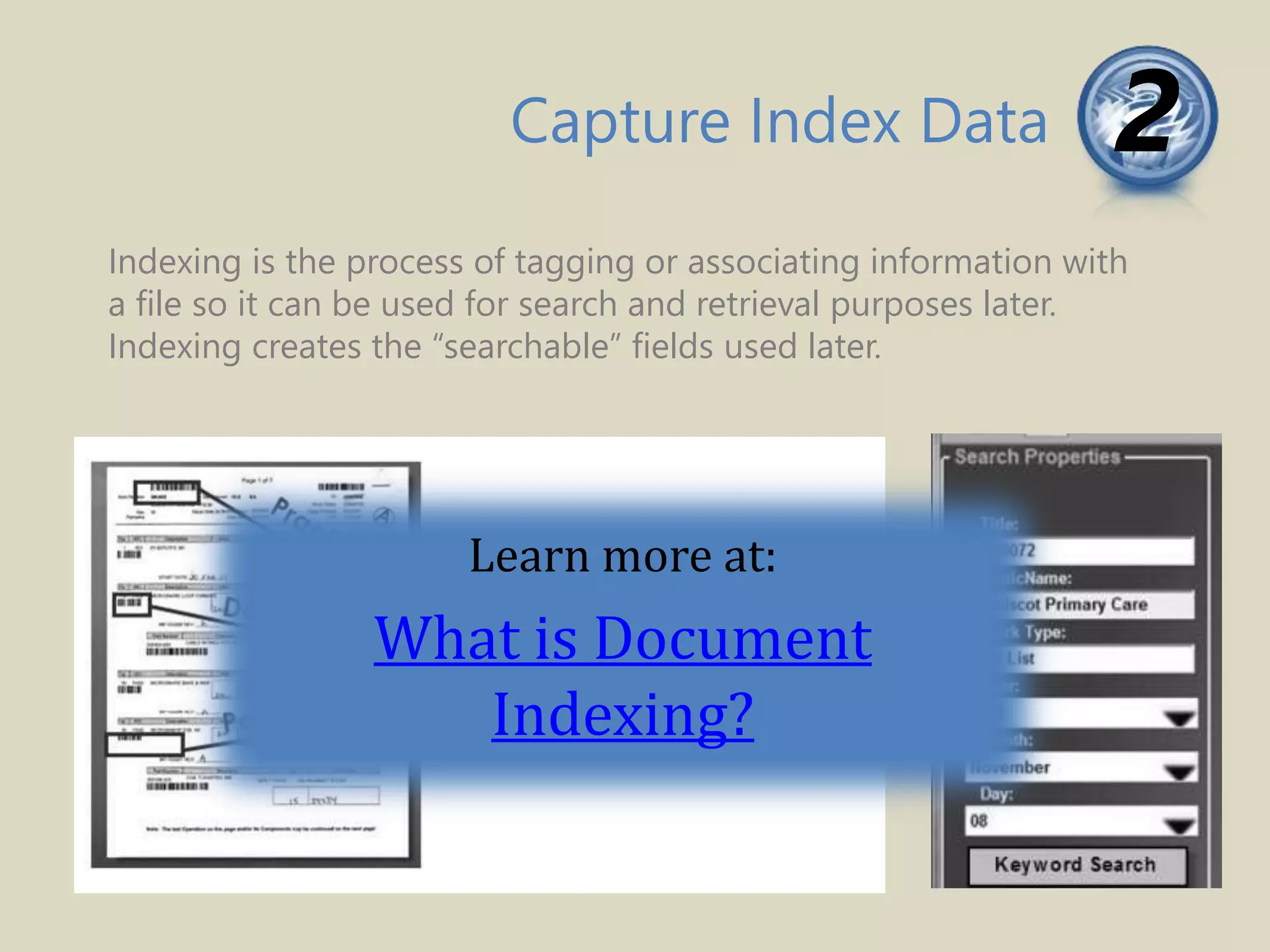
Indexing is the process of tagging or associating information with
a file so it can be used for search and retrieval purposes later.
Indexing creates the “searchable” fields used later.
Learn more at:
What is Document
Indexing?
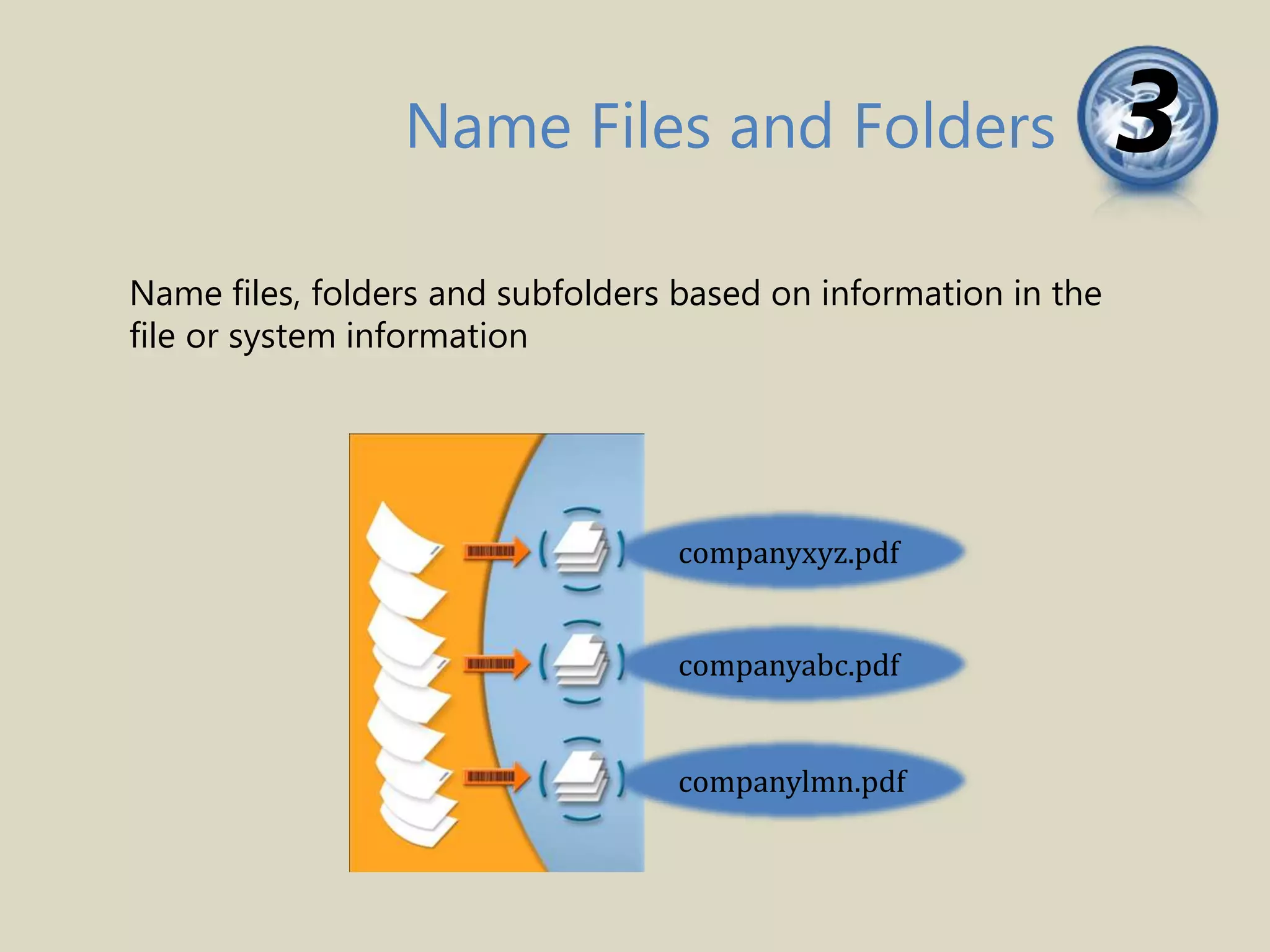
Name files, folders and subfolders based on information in the
file or system information
3Name Files and Folders
companyxyz.pdf
companyabc.pdf
companylmn.pdf
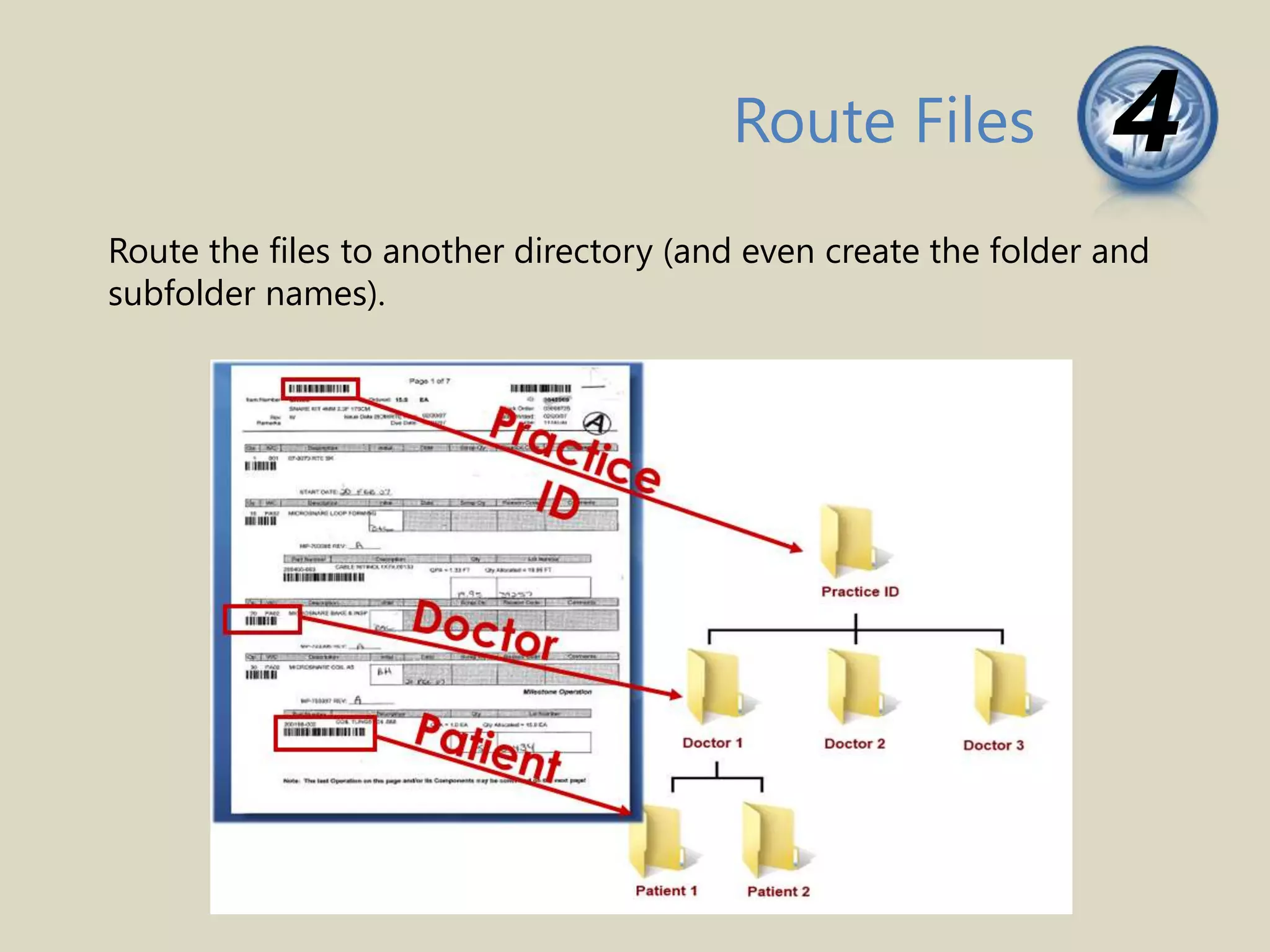
Route the files to another directory (and even create the folder and
subfolder names).
Route Files 4
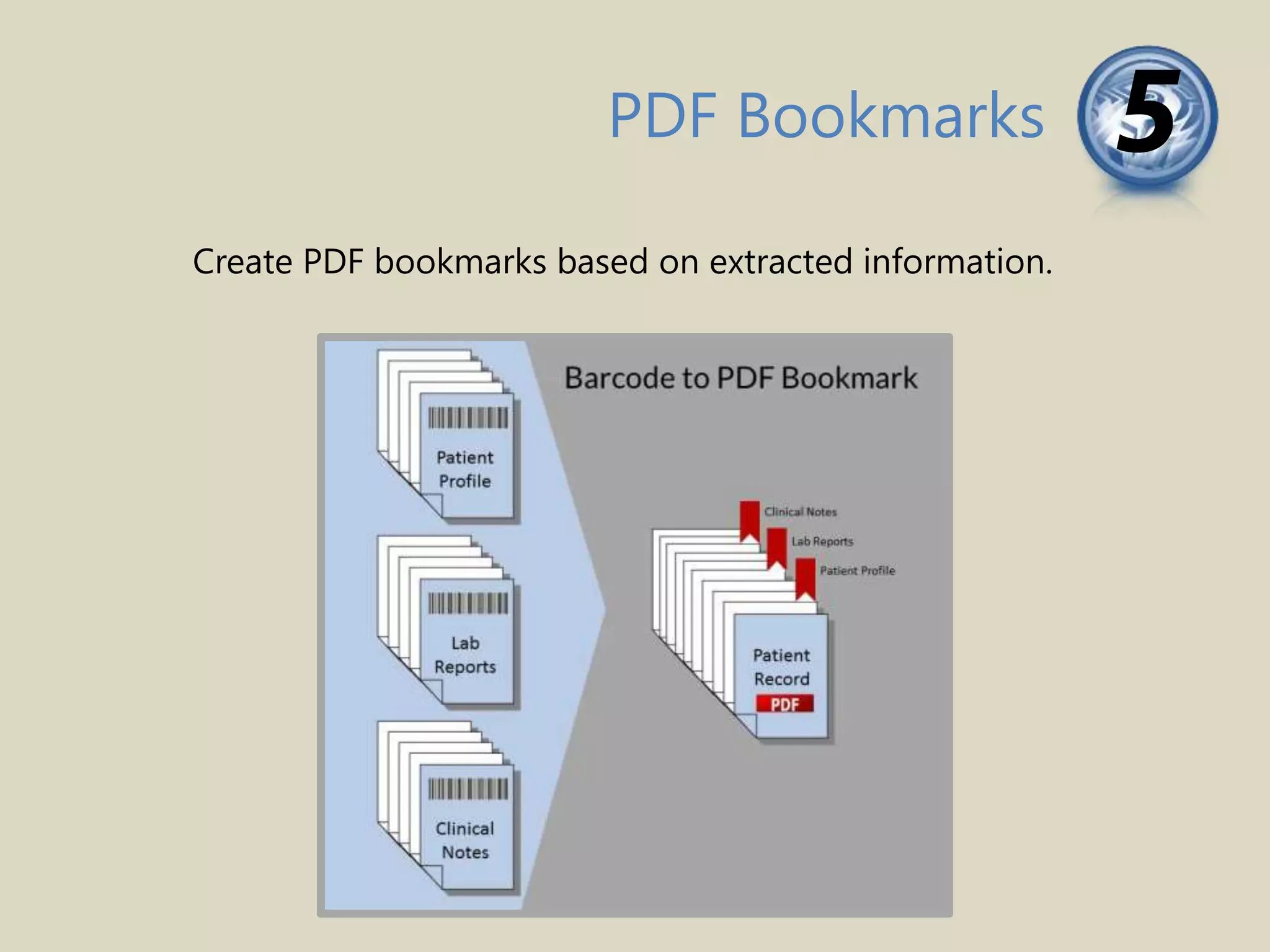
PDF Bookmarks 5
Create PDF bookmarks based on extracted information.
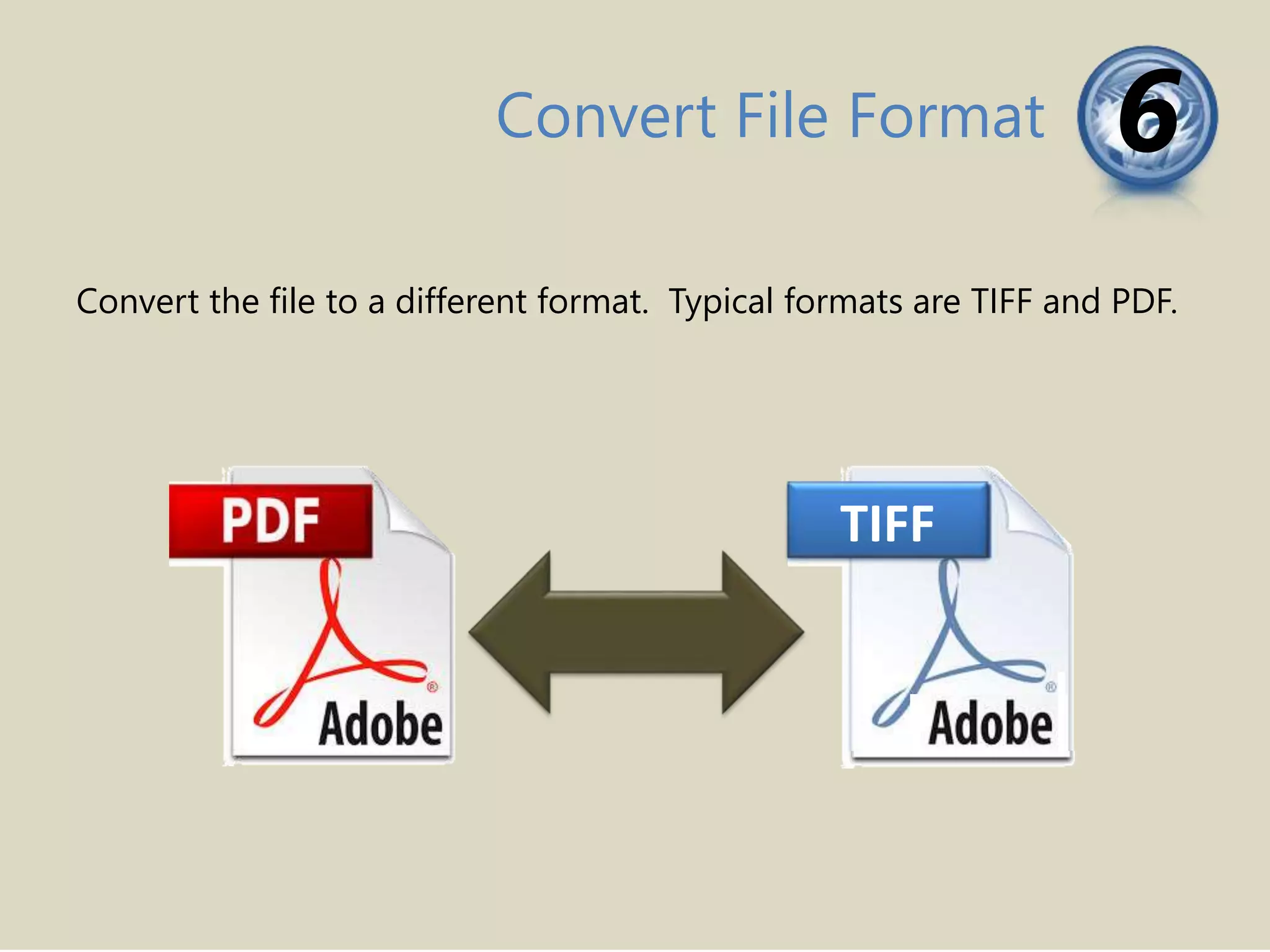
Convert File Format 6
Convert the file to a different format. Typical formats are TIFF and PDF.
TIFF
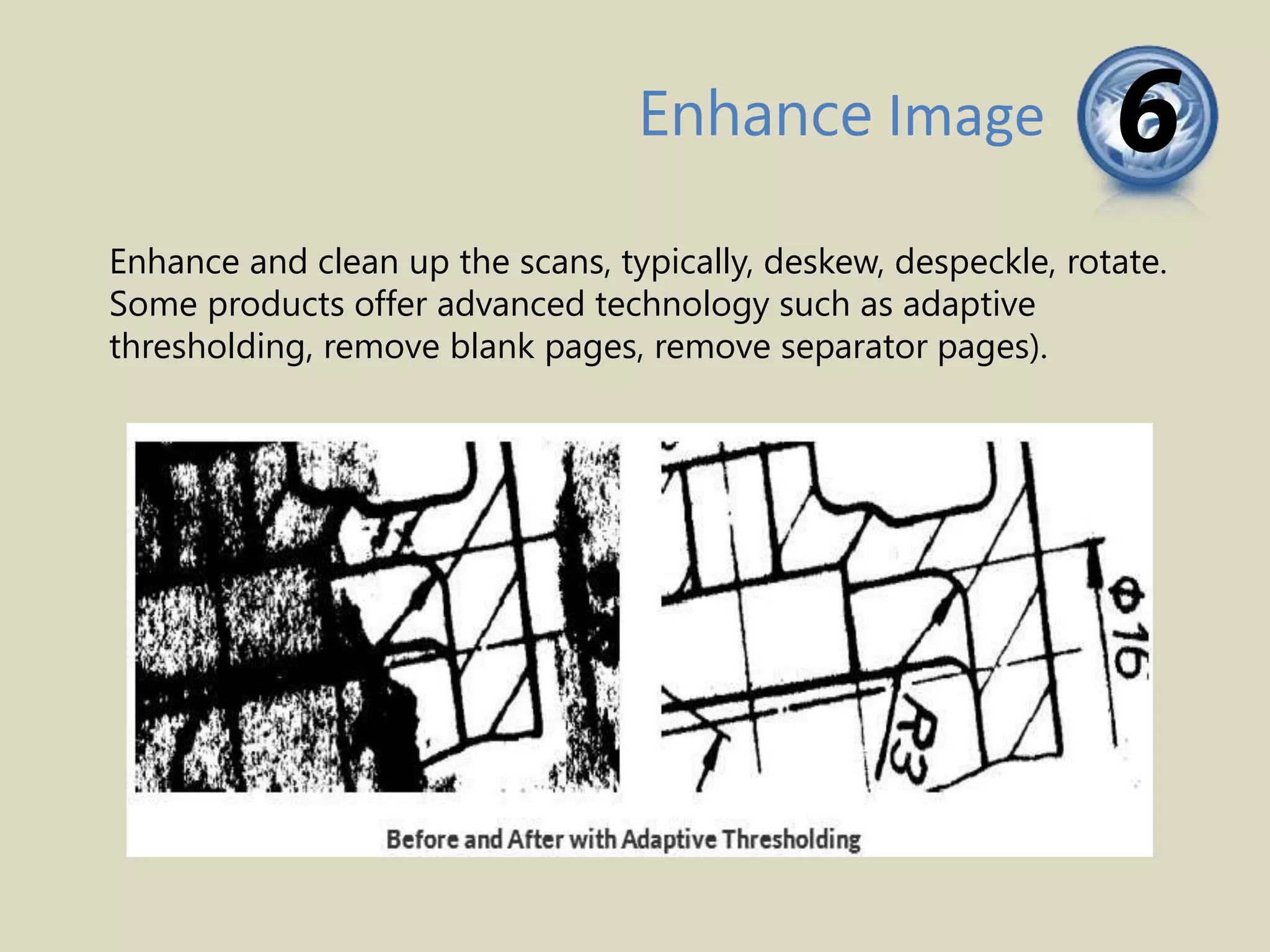
Enhance Image 6
Enhance and clean up the scans, typically, deskew, despeckle, rotate.
Some products offer advanced technology such as adaptive
thresholding, remove blank pages, remove separator pages).
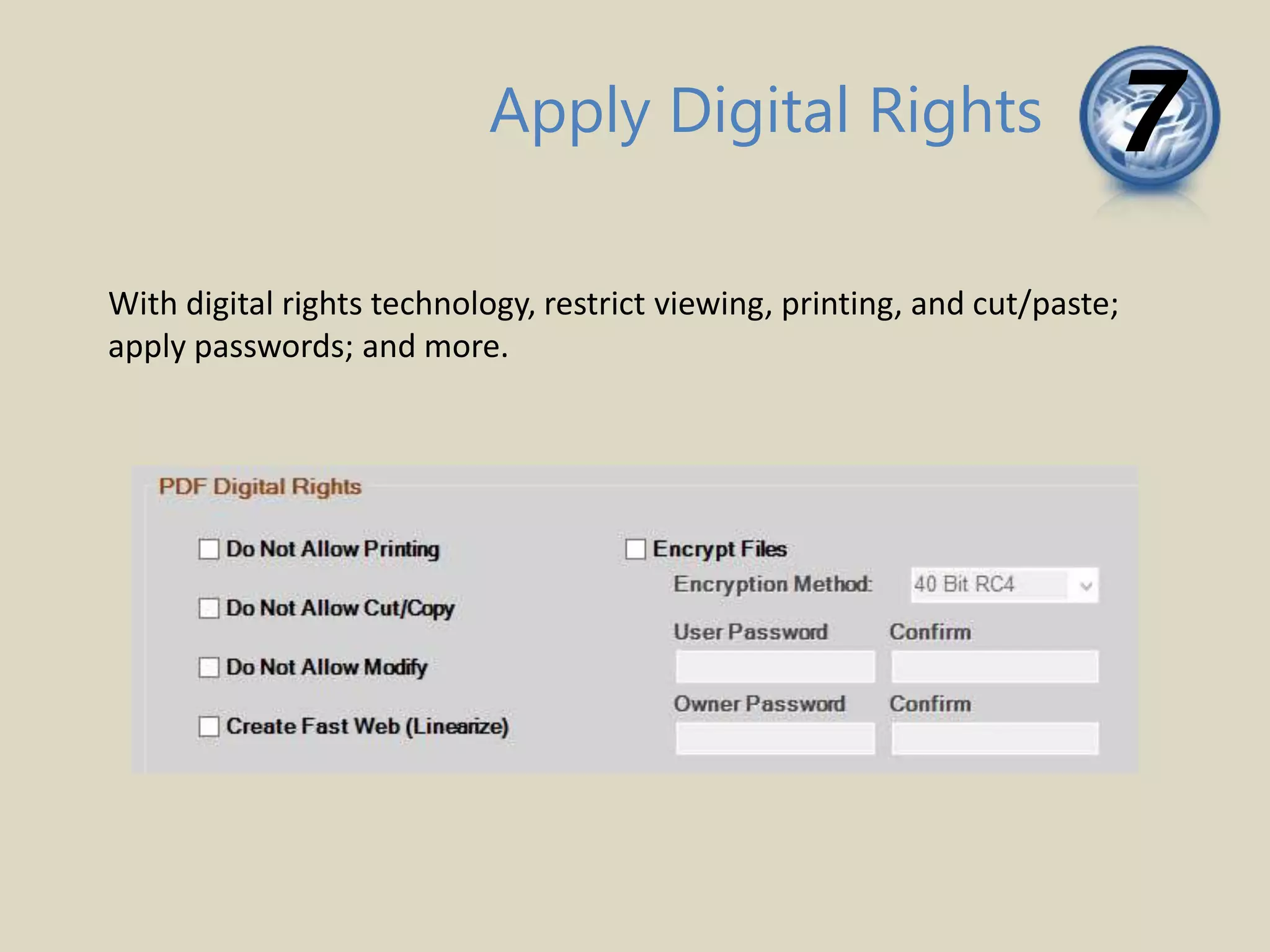
Apply Digital Rights 7
With digital rights technology, restrict viewing, printing, and cut/paste;
apply passwords; and more.
Henry Schein, Dentrix,
Dentrix Enterprise
Dentrix Ascend, Easy Dental
Viive, DentalVision, axiUm
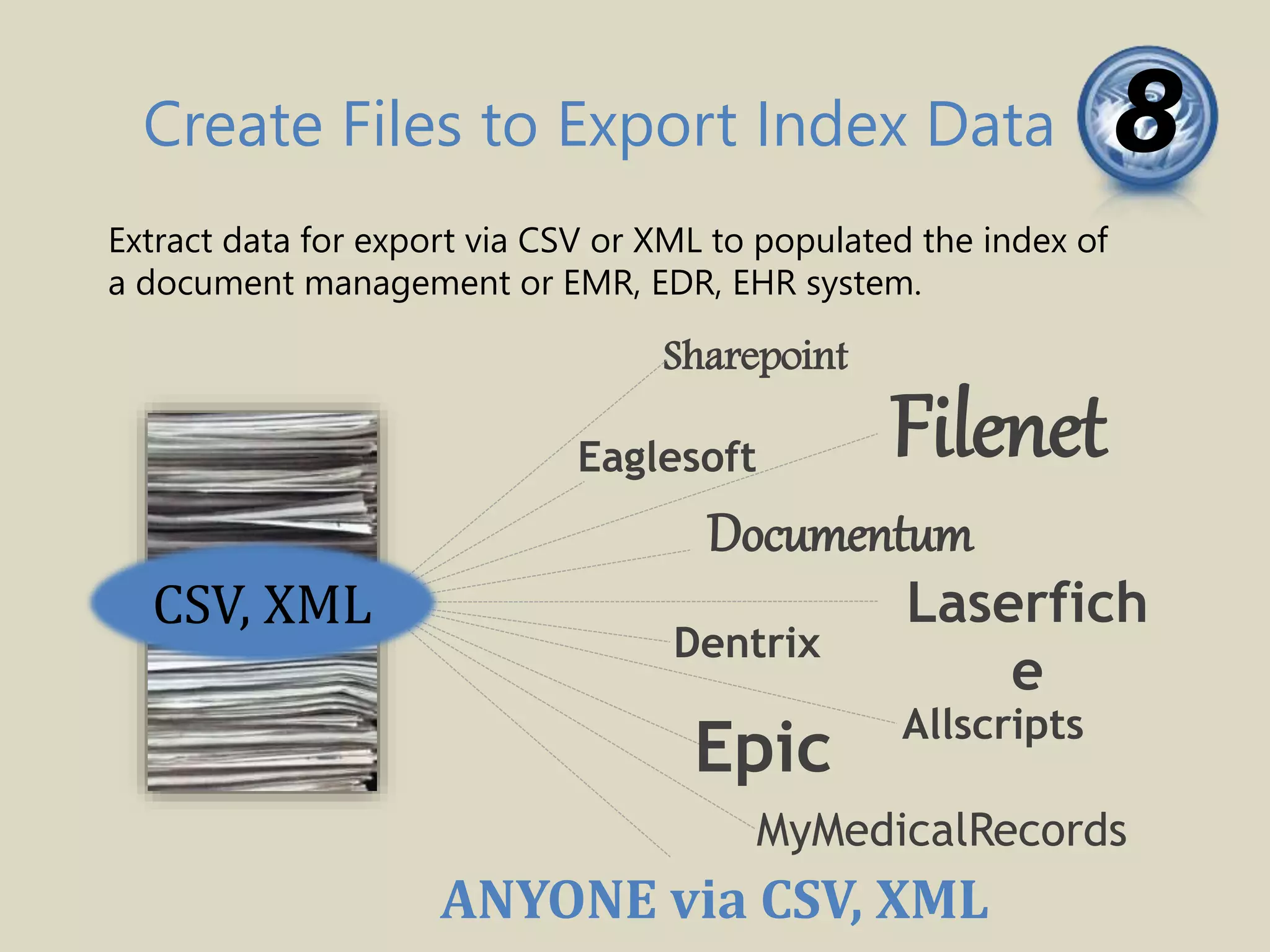
Create Files to Export Index Data 8
Extract data for export via CSV or XML to populated the index of
a document management or EMR, EDR, EHR system.
Filenet
ANYONE via CSV, XML
Laserfich
e
Documentum
MyMedicalRecords
Eaglesoft
Allscripts
Epic
Dentrix
Sharepoint
CSV, XML
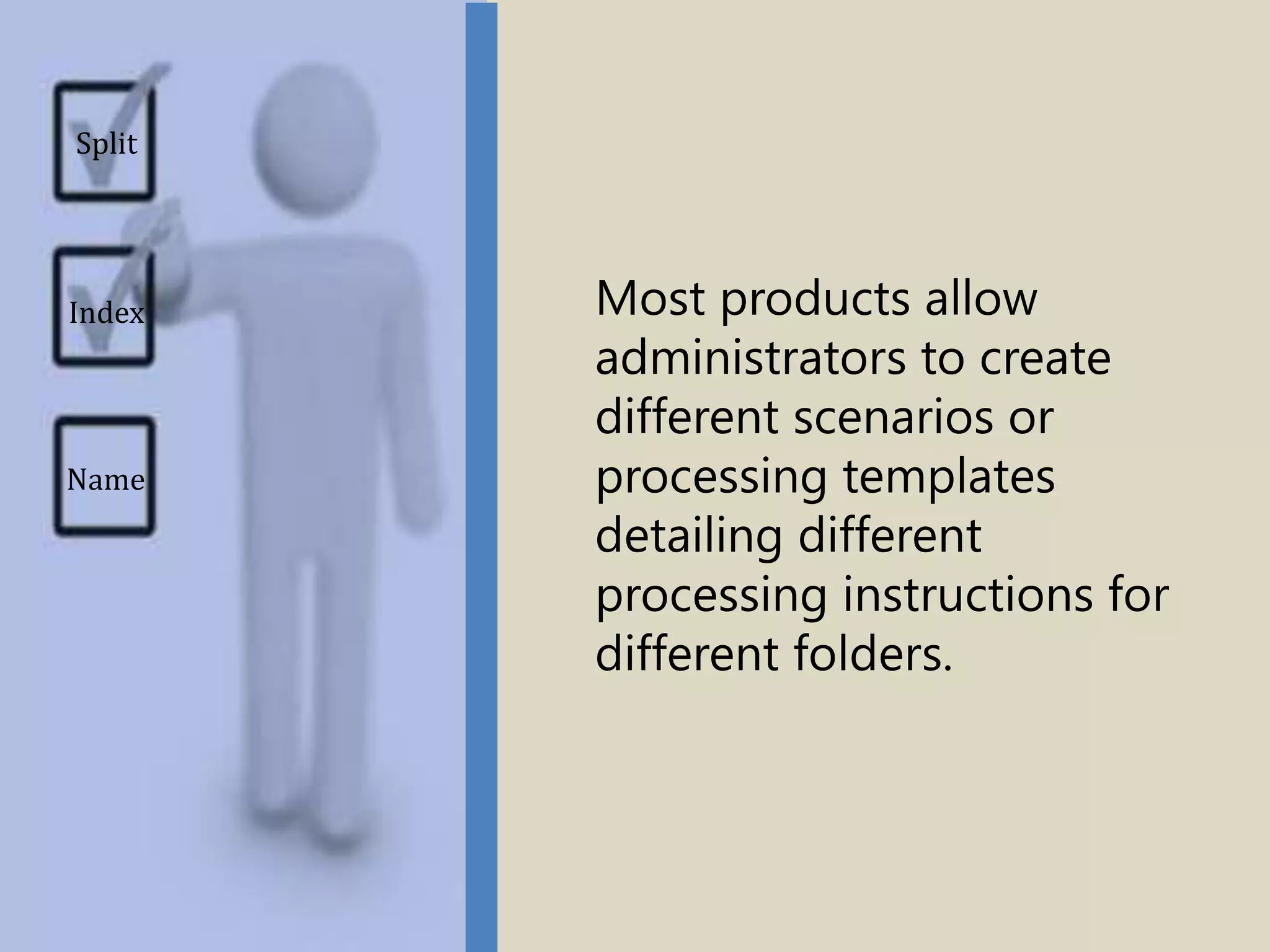
Most products allow
administrators to create
different scenarios or
processing templates
detailing different
processing instructions for
different folders.
Split
Name
Index
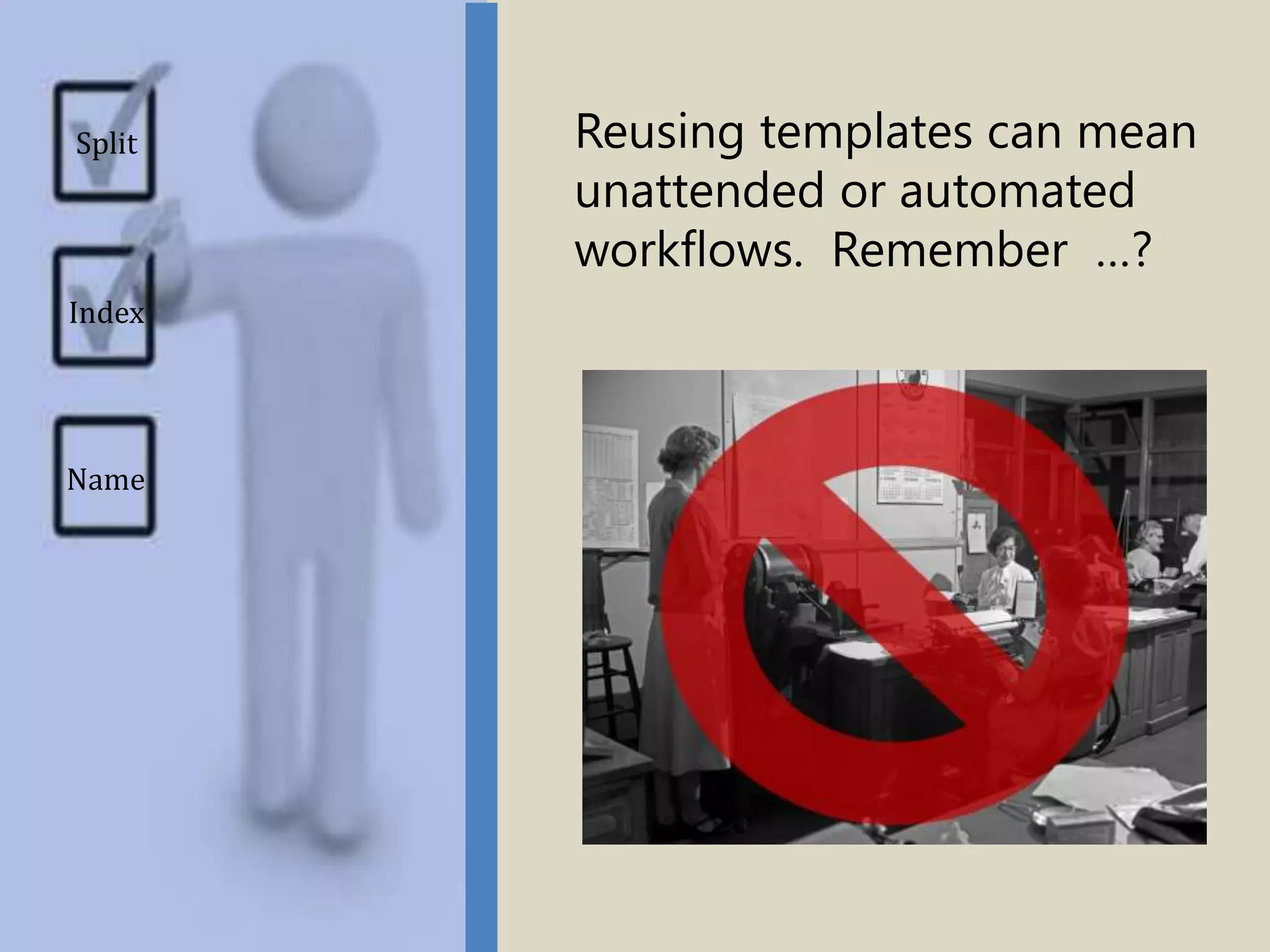
Reusing templates can mean
unattended or automated
workflows. Remember …?
Split
Name
Index
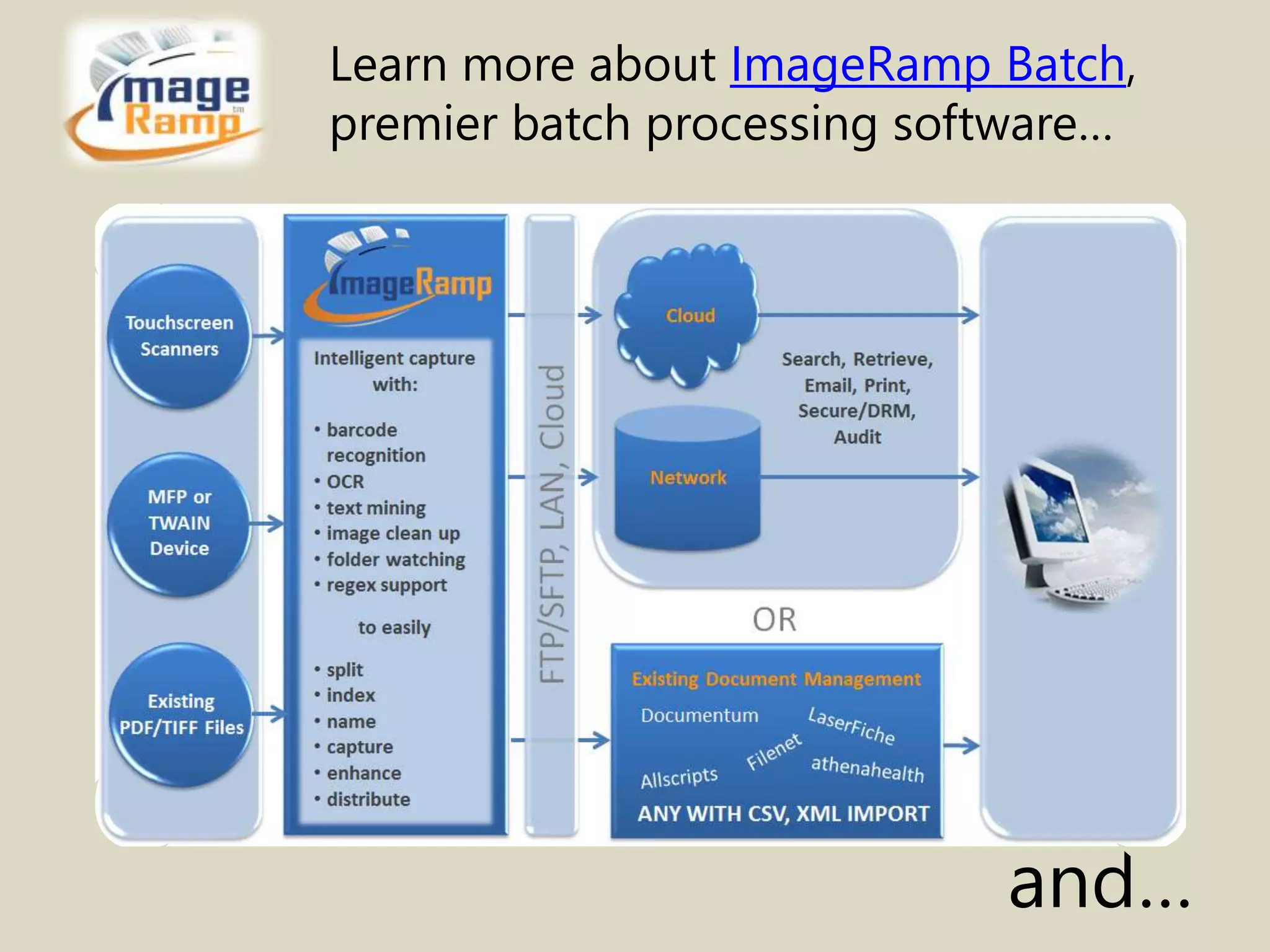
Learn more about ImageRamp Batch,
premier batch processing software…
and…
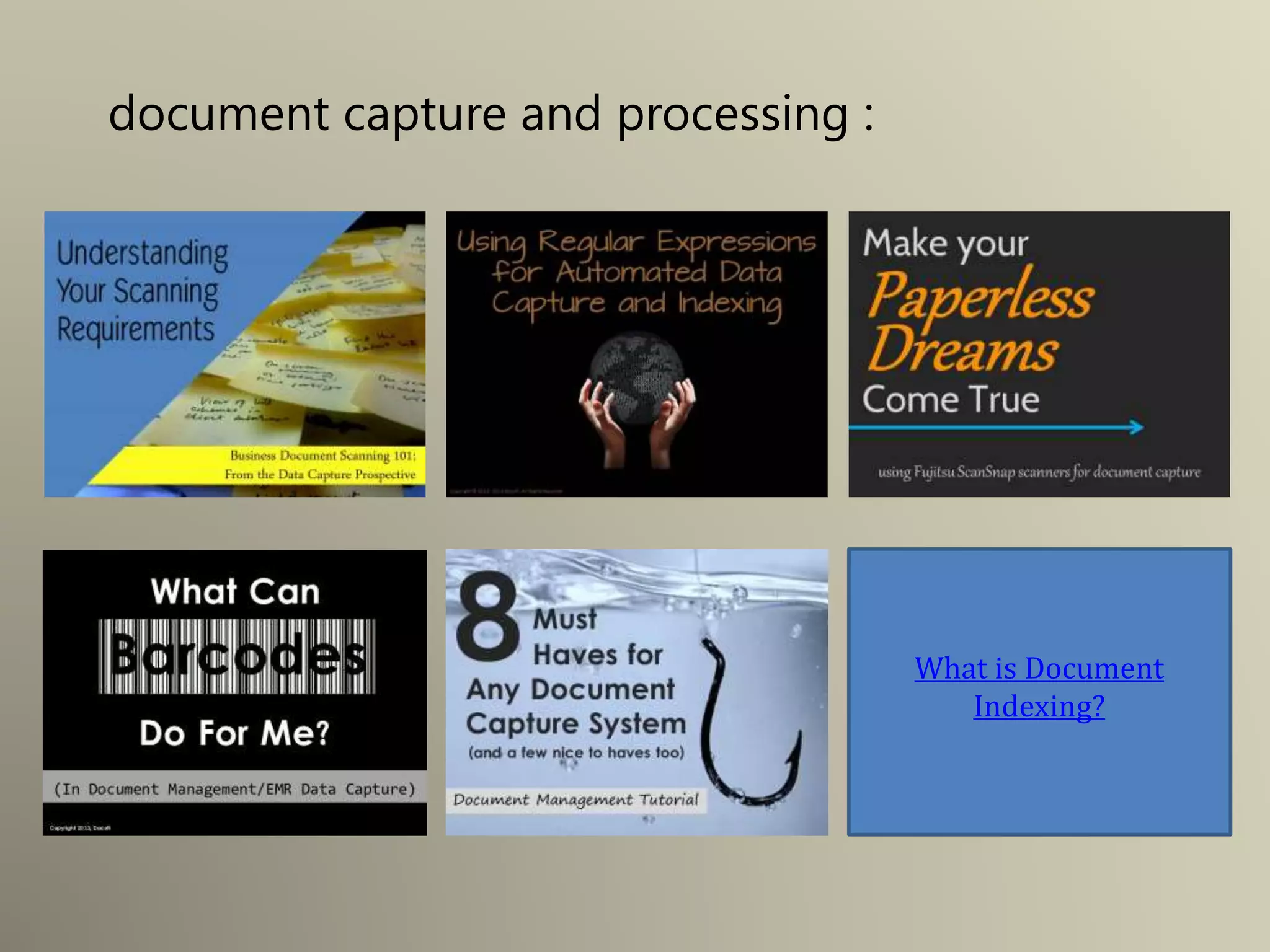
Click for information on:
• Understanding your scanning requirements
• Using Regular Expressions for Automated Data Capture and Indexing
• Make your Paperless Dreams Come True, using Fujitsu ScanSnap
scanners for document capture
• What can barcodes do for me? (in document Management/EMR Data
capture)
• 8 Must Haves for any Document Capture System
• What is document Indexing
document capture and processing :
What is Document
Indexing?
Contact us for more information on:
• Scanning documents for document management,
• How to intelligently capture data from your scans
• Requirements for document management scanning
• How to select a document capture or document scanning
solution
• Using touchscreen scanners such as the Fujitsu ScanSnap as an
intelligent capture solution
• Batch document scanning solutions
• Document Management cost savings
• EMR data capture
• Batch Indexing solutions
• Batch document indexing
By DocuFi,
makers of ImageRamp
Document Management
Capture Solution.
30 years’ experience in the Document Imaging market.
Find out more at ImageRamp Batch and
www.docufi.com
Copyright ©2014
Image Credits
• Sebastien Wiertz Wiertz Sébastien, “Paper pile - April 2011”
http://bit.ly/1hzHwAW
• Seiichi Kusunoki Visual Maintenance, “Bunch of Papers”
http://bit.ly/1eJ8EZu
• Spiffie, “Fujitsu ScanSnap S300M” http://bit.ly/1ksdhhv
• Doctorwonder, “Stack O'Money!” http://bit.ly/1fgxpko
• Seattle Municipal Archives, “Steno pool, 1952”
http://bit.ly/1cG7Qow
• Gaby Av _Fidelio_, “Watch Dog” http://bit.ly/1dzmgo8
• AJC1, “Checklists” http://bit.ly/KDCsgO
• Patrick Hoesly, “Thank you” http://bit.ly/17xKErE
All images are owned or licensed by DocuFi with acknowledgement given to:

What is Batch Document Processing? A tutorial for document capture.

  • 1.
    (What is BatchDocument Scanning?) What is Batch Document Processing? Copyright ©2014
  • 2.
    …simply scanning (or acquiring)a large volume of documents, generally into a few files or one file
  • 3.
    and using intelligent capture softwareto process the scanned or acquired file or files.
  • 4.
  • 5.
    “Documents are thecurrency of business. They are at the heart of critical workflows and drive just about every area of business.” -- IDC, “The Role of Documents: How They Drive Business, Today and Tomorrow”, January 2013
  • 6.
    Introducing labor savingtechnologies to intelligently capture documents and key data saves valuable resources. Unattended processing saves money and eliminates keying errors.
  • 7.
    So back towhat it is…
  • 8.
    In a batchscanning workflow, files are generally scanned with little processing into a system folder. TWAIN Network Touchscreen MFP
  • 9.
    TWAIN Network Touchscreen Existing Files MFP Even existing filescan be placed for processing. In a batch scanning workflow, files are generally scanned with little processing into a system folder.
  • 10.
    Some implementations acquirethe documents from PDF print streams. This is common with ERP systems sending daily invoice runs, delivery orders, or other forms where several unique documents are printed into a single output stream as a PDF text document. Invoice 1 Invoice 2 Invoice 3
  • 11.
    Some products process foldersof documents on demand or “watch” folders for files to process.
  • 12.
    Some software caneliminate any user interaction by running as a Window’s service. Administrators can set up the “watched” folders to automatically start when the computer is booted.
  • 13.
    So what “processing” canbe done to the files?
  • 14.
    Split Files 1 Alarge single file can be split into multiple files with information from barcodes and content. Barcode recognition and OCR text mining are powerful, proven technologies used in file splitting.
  • 15.
    Split Files 1 Usingbarcode separation sheets or stickers is a common approach to splitting a scanned stack into many files. Many free tools are available to create cover or separation sheets.
  • 16.
    Split Files 1 Alarge single file can be split into multiple files with information from barcodes and content. Barcode recognition and OCR text mining are powerful, proven technologies used in file splitting. Learn more at:
  • 17.
    Capture Index Data2 Indexing is the process of tagging or associating information with a file so it can be used for search and retrieval purposes later. Indexing creates the “searchable” fields used later.
  • 18.
    Capture Index Data2 Indexing is the process of tagging or associating information with a file so it can be used for search and retrieval purposes later. Indexing creates the “searchable” fields used later. Learn more at: What is Document Indexing?
  • 19.
    Name files, foldersand subfolders based on information in the file or system information 3Name Files and Folders companyxyz.pdf companyabc.pdf companylmn.pdf
  • 20.
    Route the filesto another directory (and even create the folder and subfolder names). Route Files 4
  • 21.
    PDF Bookmarks 5 CreatePDF bookmarks based on extracted information.
  • 22.
    Convert File Format6 Convert the file to a different format. Typical formats are TIFF and PDF. TIFF
  • 23.
    Enhance Image 6 Enhanceand clean up the scans, typically, deskew, despeckle, rotate. Some products offer advanced technology such as adaptive thresholding, remove blank pages, remove separator pages).
  • 24.
    Apply Digital Rights7 With digital rights technology, restrict viewing, printing, and cut/paste; apply passwords; and more.
  • 25.
    Henry Schein, Dentrix, DentrixEnterprise Dentrix Ascend, Easy Dental Viive, DentalVision, axiUm Create Files to Export Index Data 8 Extract data for export via CSV or XML to populated the index of a document management or EMR, EDR, EHR system. Filenet ANYONE via CSV, XML Laserfich e Documentum MyMedicalRecords Eaglesoft Allscripts Epic Dentrix Sharepoint CSV, XML
  • 26.
    Most products allow administratorsto create different scenarios or processing templates detailing different processing instructions for different folders. Split Name Index
  • 27.
    Reusing templates canmean unattended or automated workflows. Remember …? Split Name Index
  • 28.
    Learn more aboutImageRamp Batch, premier batch processing software… and…
  • 29.
    Click for informationon: • Understanding your scanning requirements • Using Regular Expressions for Automated Data Capture and Indexing • Make your Paperless Dreams Come True, using Fujitsu ScanSnap scanners for document capture • What can barcodes do for me? (in document Management/EMR Data capture) • 8 Must Haves for any Document Capture System • What is document Indexing document capture and processing : What is Document Indexing?
  • 30.
    Contact us formore information on: • Scanning documents for document management, • How to intelligently capture data from your scans • Requirements for document management scanning • How to select a document capture or document scanning solution • Using touchscreen scanners such as the Fujitsu ScanSnap as an intelligent capture solution • Batch document scanning solutions • Document Management cost savings • EMR data capture • Batch Indexing solutions • Batch document indexing By DocuFi, makers of ImageRamp Document Management Capture Solution. 30 years’ experience in the Document Imaging market. Find out more at ImageRamp Batch and www.docufi.com Copyright ©2014
  • 31.
    Image Credits • SebastienWiertz Wiertz Sébastien, “Paper pile - April 2011” http://bit.ly/1hzHwAW • Seiichi Kusunoki Visual Maintenance, “Bunch of Papers” http://bit.ly/1eJ8EZu • Spiffie, “Fujitsu ScanSnap S300M” http://bit.ly/1ksdhhv • Doctorwonder, “Stack O'Money!” http://bit.ly/1fgxpko • Seattle Municipal Archives, “Steno pool, 1952” http://bit.ly/1cG7Qow • Gaby Av _Fidelio_, “Watch Dog” http://bit.ly/1dzmgo8 • AJC1, “Checklists” http://bit.ly/KDCsgO • Patrick Hoesly, “Thank you” http://bit.ly/17xKErE All images are owned or licensed by DocuFi with acknowledgement given to: