Any Document
Capture System
Must
Haves for
Document Management Tutorial
(and a few nice to haves too)
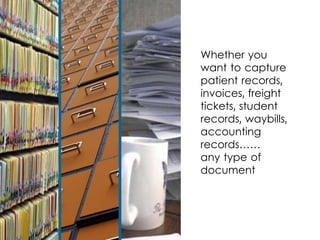
Whether you
want to capture
patient records,
invoices, freight
tickets, student
records, waybills,
accounting
records……
any type of
document
Look for these functions…
Multiple Input Devices and Formats
1Does the capture system work with
standard input devices and file formats?
• MFP Devices
• Standard TWAIN Scanners
• Embedded Touchscreen Scanners
• Existing PDF or TIFF Files
Flexible Indexing
2
Can I extract meta data or index
information using?
• Barcodes
• Zonal OCR*
• Drag and Drop OCR*
• Manual Entry
*Optical Character Recognition
3
Automated File Naming,
Splitting and Routing
..
Can I automatically name, split, and route or
distribute files based on:
• Barcodes
• Image OCR’d Text
• System Data
• Extracted Data
Intuitive Interface
4
Is the system user friendly?
• Easy Page Navigation
• Touchscreen Enabled
• Onscreen Keyboard
• Preview Extraction
and Splitting
Standard Outputs
5
What files can I create?
TIFF
Searchable
PDF
PDF
CSV or XML
for Transfer
Integrates with Existing Document
Management or EMR
6
Can I easily share index
data with my Document
Management or EMR
System?
7Can I process a whole folder of documents,
“watch folders,” or process a stack of
documents all at once?
Batch Processing
Image Enhancement
8
Can scans be cleaned or enhanced?
• Deskew
• Despeckle
• Remove blank pages or
separator sheets
• Auto rotate
• Remove lines
• Adaptive thresholding
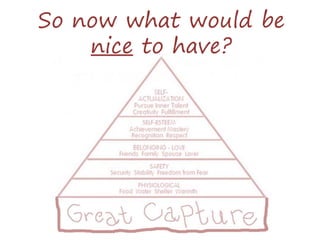
So now what would be
nice to have?
Does the capture system double
as a search and retrieval system?
Can I use it as a stepping stone
while I evaluate my document
management system?
Search and Retrieve Capability
1
Easy Administration
Can I create
reusable templates
or workflow “sets”?
Can I pretest my
workflow instructions?
2
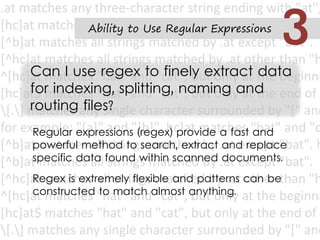
Ability to Use Regular Expressions
Regular expressions (regex) provide a fast and
powerful method to search, extract and replace
specific data found within scanned documents.
Regex is extremely flexible and patterns can be
constructed to match almost anything.
Can I use regex to finely extract data
for indexing, splitting, naming and
routing files?
3
Can I restrict viewing,
printing, cut/paste
and apply passwords
to the scanned
documents and files?
Are there auditing
functions?
Digital Rights and Security
4
Can I return to
the original
scanned image
if needed?
Rollback Features
5
Branding
Can I brand the
solution for multiple
departments or
customers?
6
Now “you must
choose, but
choose wisely…”
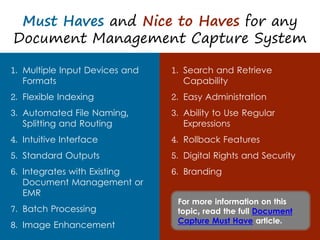
Must Haves and Nice to Haves for any
Document Management Capture System
1. Multiple Input Devices and
Formats
2. Flexible Indexing
3. Automated File Naming,
Splitting and Routing
4. Intuitive Interface
5. Standard Outputs
6. Integrates with Existing
Document Management or
EMR
7. Batch Processing
8. Image Enhancement
1. Search and Retrieve
Capability
2. Easy Administration
3. Ability to Use Regular
Expressions
4. Rollback Features
5. Digital Rights and Security
6. Branding
For more information on this
topic, read the full Document
Capture Must Have article.
Contact us for more information on:
• Scanning documents for document management,
• How to intelligently capture data from your scans
• Requirements for document management scanning
• How to select a document capture or document scanning
solution
• Using touchscreen scanners such as the Fujitsu ScanSnap as an
intelligent capture solution
By DocuFi,
makers of ImageRamp
Document Management
Capture Solution.
30 years’ experience in the
Document Imaging market.
Find out more at Our Capture
Products and
www.docufi.com
All other images are owned or royalty and license free.
Image Credits
• Knile, “Lucy, you have some sorting to do!” http://bit.ly/19bSgjF
• Hang_in_there, “Deciding Which Door to Choose 2” http://bit.ly/Hv67qF
• Dgray, “xplane” http://bit.ly/17xKYXp
• Mattcornock, “LT - Google Drive - Files Vs Docs” http://bit.ly/1iv7QrO
• Marcin Wichary, “Alphabetical” http://bit.ly/1aILOku
• the UMF, “Baby Boy Typing” http://bit.ly/1dqAiuI
• Alan Cleaver, “Watching” http://bit.ly/1h1k9k7
• Rubbermaid products, “Rubbermaid Reveal Spray Mop” http://bit.ly/17xLoNe
• Peter Organisciak, “Lock” http://bit.ly/1iv8hCn
• Wiredforlego, “LEGO Collectible Minifigures Series 7 : Computer Programmer”
http://bit.ly/17Yb7Lm
• Sarah Korf, “Cattle brand” http://bit.ly/1aIMs1m
• Latente, “Caution” http://bit.ly/19Tf475
• Rob Young, “LEGO Indiana Jones at Desert edge” http://bit.ly/1iv8DsS
• Dullhunk, “Maslow's hierarchy of needs: Self-actualisation, Self-esteem, Love,
Safety, Physiology and ...WiFi!” http://bit.ly/1h1kMKH
• Patrick Hoesly, “Thank you” http://bit.ly/17xKErE
All images are owned or licensed by DocuFi with acknowledgement given to:

8 Document Capture Must Haves, a Document Management Tutorial

  • 1.
    Any Document Capture System Must Havesfor Document Management Tutorial (and a few nice to haves too)
  • 2.
    Whether you want tocapture patient records, invoices, freight tickets, student records, waybills, accounting records…… any type of document
  • 3.
    Look for thesefunctions…
  • 4.
    Multiple Input Devicesand Formats 1Does the capture system work with standard input devices and file formats? • MFP Devices • Standard TWAIN Scanners • Embedded Touchscreen Scanners • Existing PDF or TIFF Files
  • 5.
    Flexible Indexing 2 Can Iextract meta data or index information using? • Barcodes • Zonal OCR* • Drag and Drop OCR* • Manual Entry *Optical Character Recognition
  • 6.
    3 Automated File Naming, Splittingand Routing .. Can I automatically name, split, and route or distribute files based on: • Barcodes • Image OCR’d Text • System Data • Extracted Data
  • 7.
    Intuitive Interface 4 Is thesystem user friendly? • Easy Page Navigation • Touchscreen Enabled • Onscreen Keyboard • Preview Extraction and Splitting
  • 8.
    Standard Outputs 5 What filescan I create? TIFF Searchable PDF PDF CSV or XML for Transfer
  • 9.
    Integrates with ExistingDocument Management or EMR 6 Can I easily share index data with my Document Management or EMR System?
  • 10.
    7Can I processa whole folder of documents, “watch folders,” or process a stack of documents all at once? Batch Processing
  • 11.
    Image Enhancement 8 Can scansbe cleaned or enhanced? • Deskew • Despeckle • Remove blank pages or separator sheets • Auto rotate • Remove lines • Adaptive thresholding
  • 12.
    So now whatwould be nice to have?
  • 13.
    Does the capturesystem double as a search and retrieval system? Can I use it as a stepping stone while I evaluate my document management system? Search and Retrieve Capability 1
  • 14.
    Easy Administration Can Icreate reusable templates or workflow “sets”? Can I pretest my workflow instructions? 2
  • 15.
    Ability to UseRegular Expressions Regular expressions (regex) provide a fast and powerful method to search, extract and replace specific data found within scanned documents. Regex is extremely flexible and patterns can be constructed to match almost anything. Can I use regex to finely extract data for indexing, splitting, naming and routing files? 3
  • 16.
    Can I restrictviewing, printing, cut/paste and apply passwords to the scanned documents and files? Are there auditing functions? Digital Rights and Security 4
  • 17.
    Can I returnto the original scanned image if needed? Rollback Features 5
  • 18.
    Branding Can I brandthe solution for multiple departments or customers? 6
  • 19.
    Now “you must choose,but choose wisely…”
  • 20.
    Must Haves andNice to Haves for any Document Management Capture System 1. Multiple Input Devices and Formats 2. Flexible Indexing 3. Automated File Naming, Splitting and Routing 4. Intuitive Interface 5. Standard Outputs 6. Integrates with Existing Document Management or EMR 7. Batch Processing 8. Image Enhancement 1. Search and Retrieve Capability 2. Easy Administration 3. Ability to Use Regular Expressions 4. Rollback Features 5. Digital Rights and Security 6. Branding For more information on this topic, read the full Document Capture Must Have article.
  • 21.
    Contact us formore information on: • Scanning documents for document management, • How to intelligently capture data from your scans • Requirements for document management scanning • How to select a document capture or document scanning solution • Using touchscreen scanners such as the Fujitsu ScanSnap as an intelligent capture solution By DocuFi, makers of ImageRamp Document Management Capture Solution. 30 years’ experience in the Document Imaging market. Find out more at Our Capture Products and www.docufi.com
  • 22.
    All other imagesare owned or royalty and license free. Image Credits • Knile, “Lucy, you have some sorting to do!” http://bit.ly/19bSgjF • Hang_in_there, “Deciding Which Door to Choose 2” http://bit.ly/Hv67qF • Dgray, “xplane” http://bit.ly/17xKYXp • Mattcornock, “LT - Google Drive - Files Vs Docs” http://bit.ly/1iv7QrO • Marcin Wichary, “Alphabetical” http://bit.ly/1aILOku • the UMF, “Baby Boy Typing” http://bit.ly/1dqAiuI • Alan Cleaver, “Watching” http://bit.ly/1h1k9k7 • Rubbermaid products, “Rubbermaid Reveal Spray Mop” http://bit.ly/17xLoNe • Peter Organisciak, “Lock” http://bit.ly/1iv8hCn • Wiredforlego, “LEGO Collectible Minifigures Series 7 : Computer Programmer” http://bit.ly/17Yb7Lm • Sarah Korf, “Cattle brand” http://bit.ly/1aIMs1m • Latente, “Caution” http://bit.ly/19Tf475 • Rob Young, “LEGO Indiana Jones at Desert edge” http://bit.ly/1iv8DsS • Dullhunk, “Maslow's hierarchy of needs: Self-actualisation, Self-esteem, Love, Safety, Physiology and ...WiFi!” http://bit.ly/1h1kMKH • Patrick Hoesly, “Thank you” http://bit.ly/17xKErE All images are owned or licensed by DocuFi with acknowledgement given to: