
Make your

Paperless
Dreams
Come True

using Fujitsu ScanSnap scanners for document capture
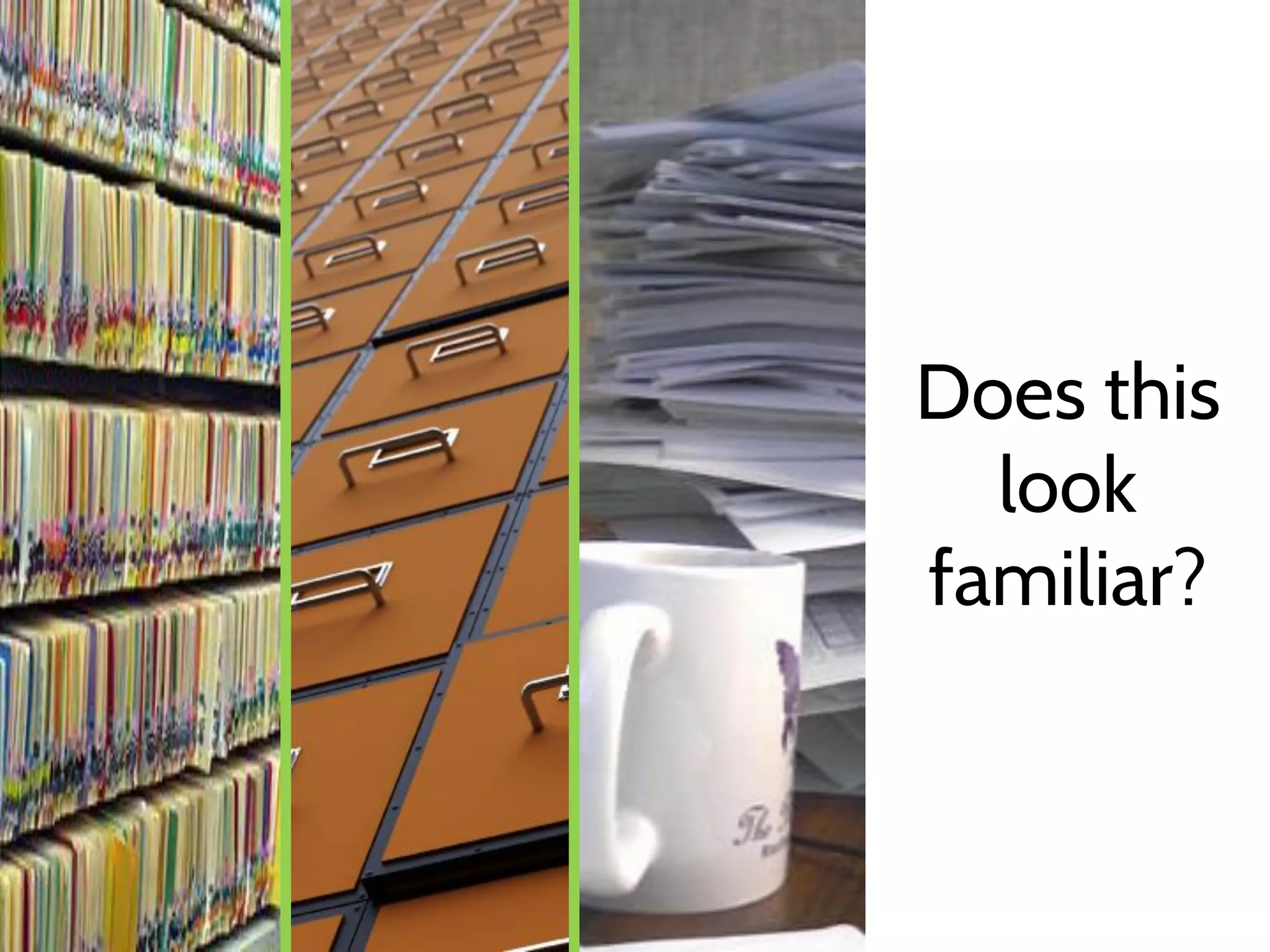
Does this
look
familiar?
Do you
dream of
this?
Meet

ImageRamp

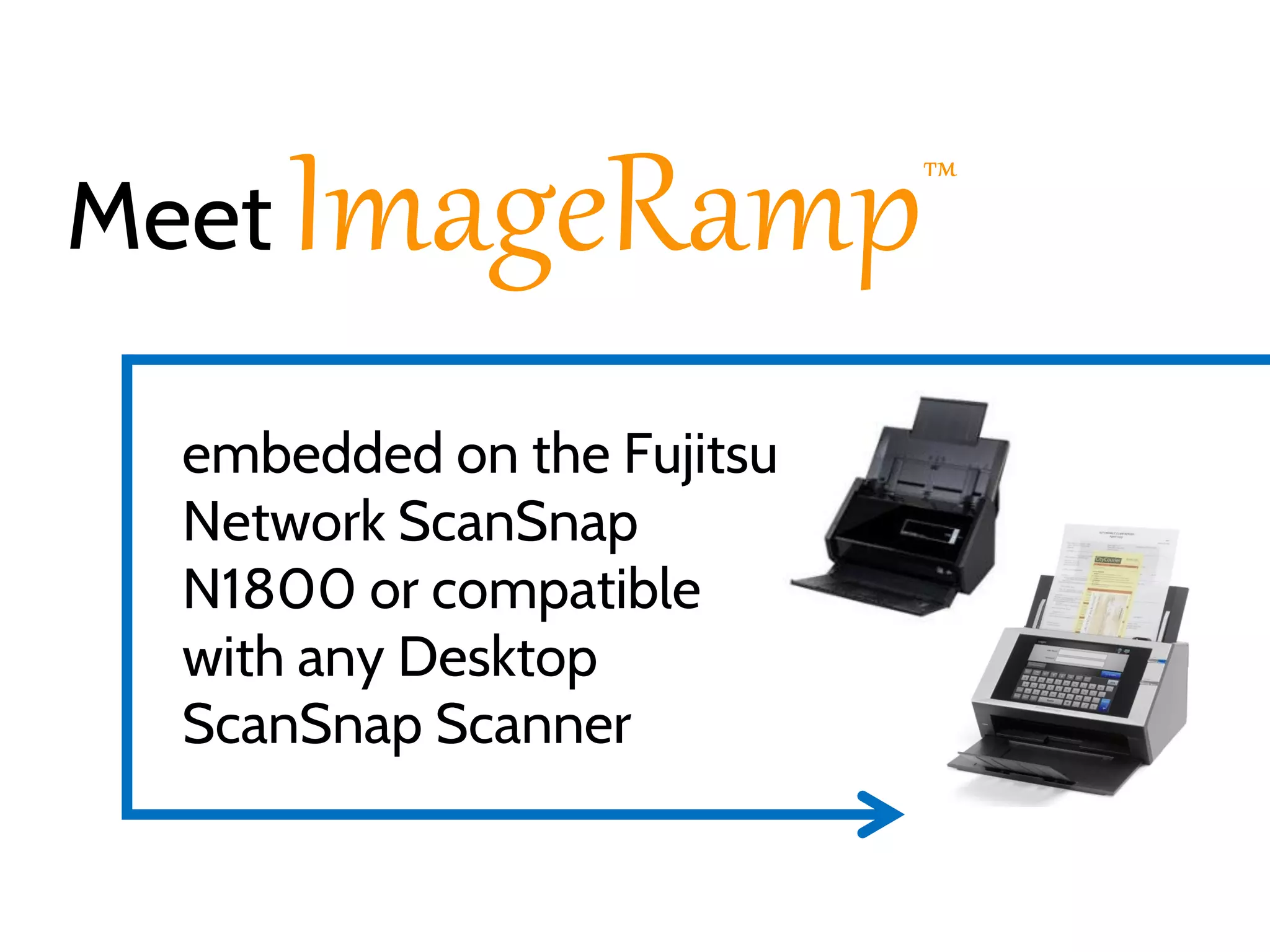
embedded on the Fujitsu
Network ScanSnap
N1800 or compatible
with any Desktop
ScanSnap Scanner

™
ImageRamp and ScanSnap offer a simple
solution to capture different document types
and deliver them to various workflow
environments.
Features automated indexing
with barcodes, zonal OCR, drag
drop OCR, and more.
Features automated indexing
with barcodes, zonal OCR, drag
drop OCR, and more.

FLEXIBLE TO MEET ANY
MARKET OR INDUSTRY
With ImageRamp
Split and name to barcodes or mined data
Implement a Search and Retrieval system
Send data via FTP/SFTP to Cloud or LAN
Integrate with existing Document
Management or EMR System
With ImageRamp
Split and name to barcodes or mined data
Implement a Search and Retrieval system
Send data via FTP/SFTP to Cloud or LAN
Integrate with existing Document
Management or EMR System
With ImageRamp
Split and name to barcodes or mined data
Implement a Search and Retrieval system
Send data via FTP/SFTP to Cloud or LAN
Integrate with existing Document
Management or EMR System
With ImageRamp
Split and name to barcodes or mined data
Implement a Search and Retrieval system
Send data via FTP/SFTP to Cloud or LAN
Integrate with existing Document
Management or EMR System
Implement with

Desktop or Network ScanSnap
Scanners
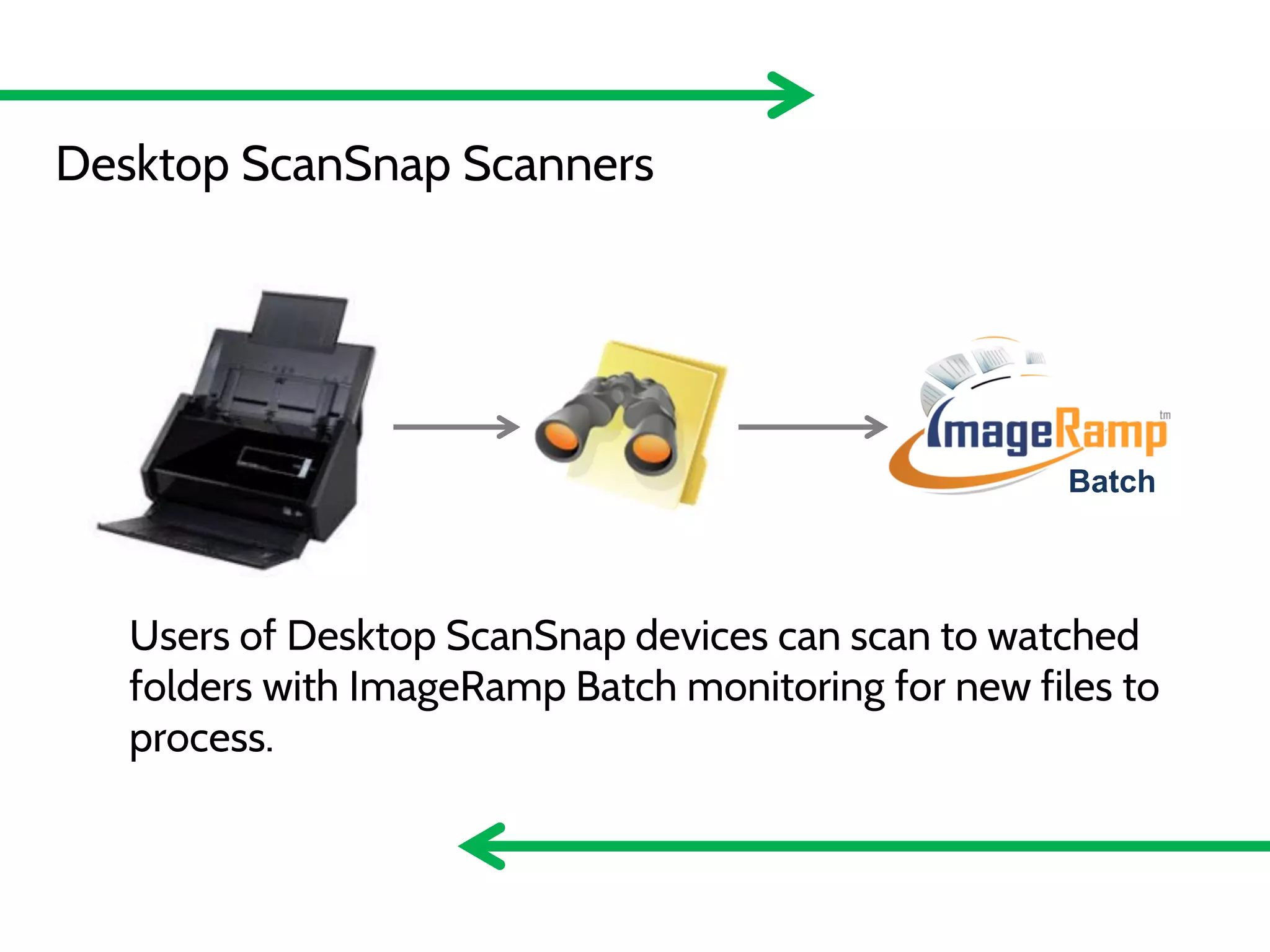
Desktop ScanSnap Scanners

Batch

Users of Desktop ScanSnap devices can scan to watched
folders with ImageRamp Batch monitoring for new files to
process.
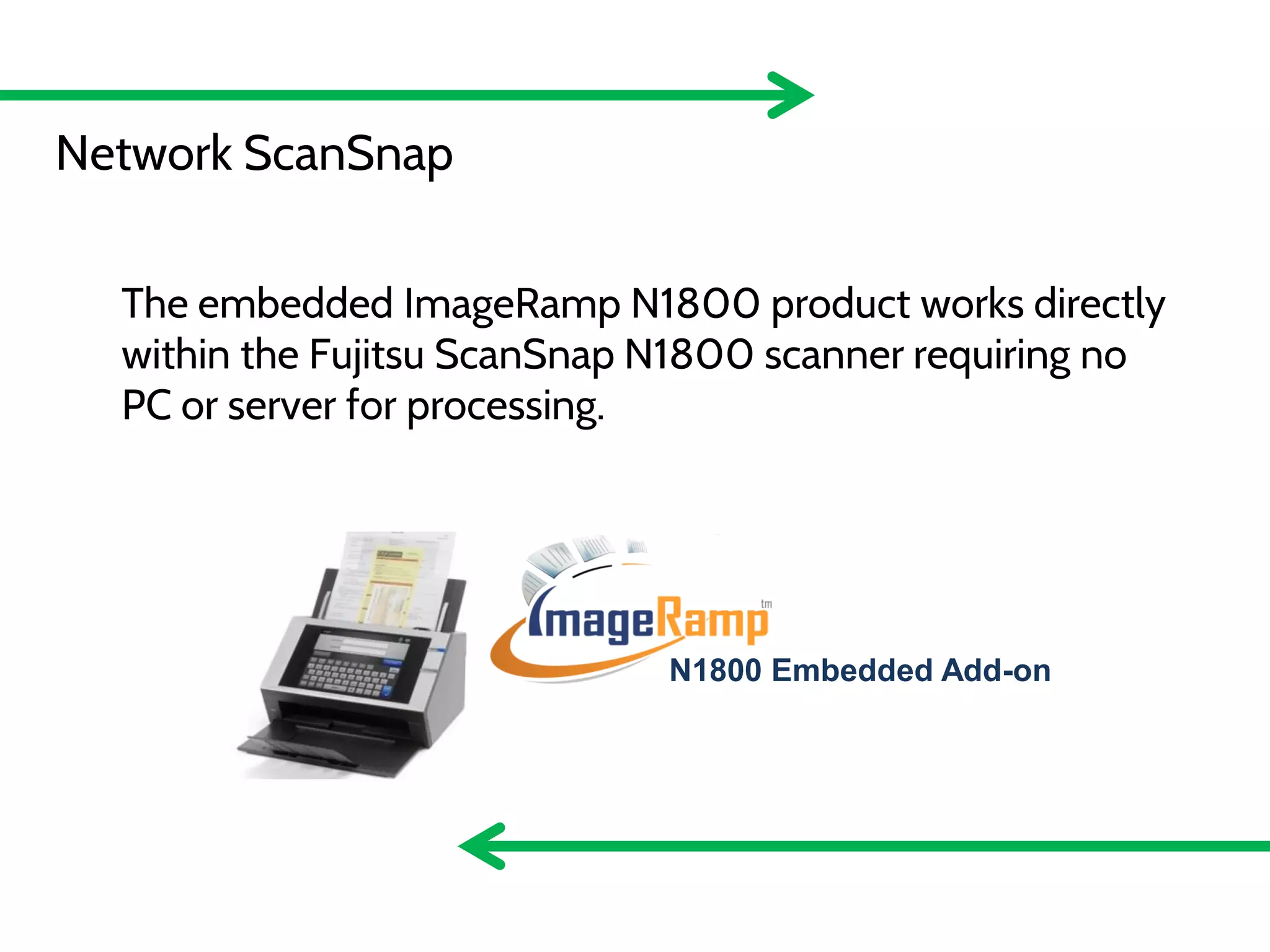
N1800 Embedded Add-on
Network ScanSnap
Desktop ScanSnap/TWAIN
The embedded ImageRamp N1800 product works directly
within the Fujitsu ScanSnap N1800 scanner requiring no
Batch
PC or server for processing.
PaperStream TWAIN

N1800 Embedded Add-on
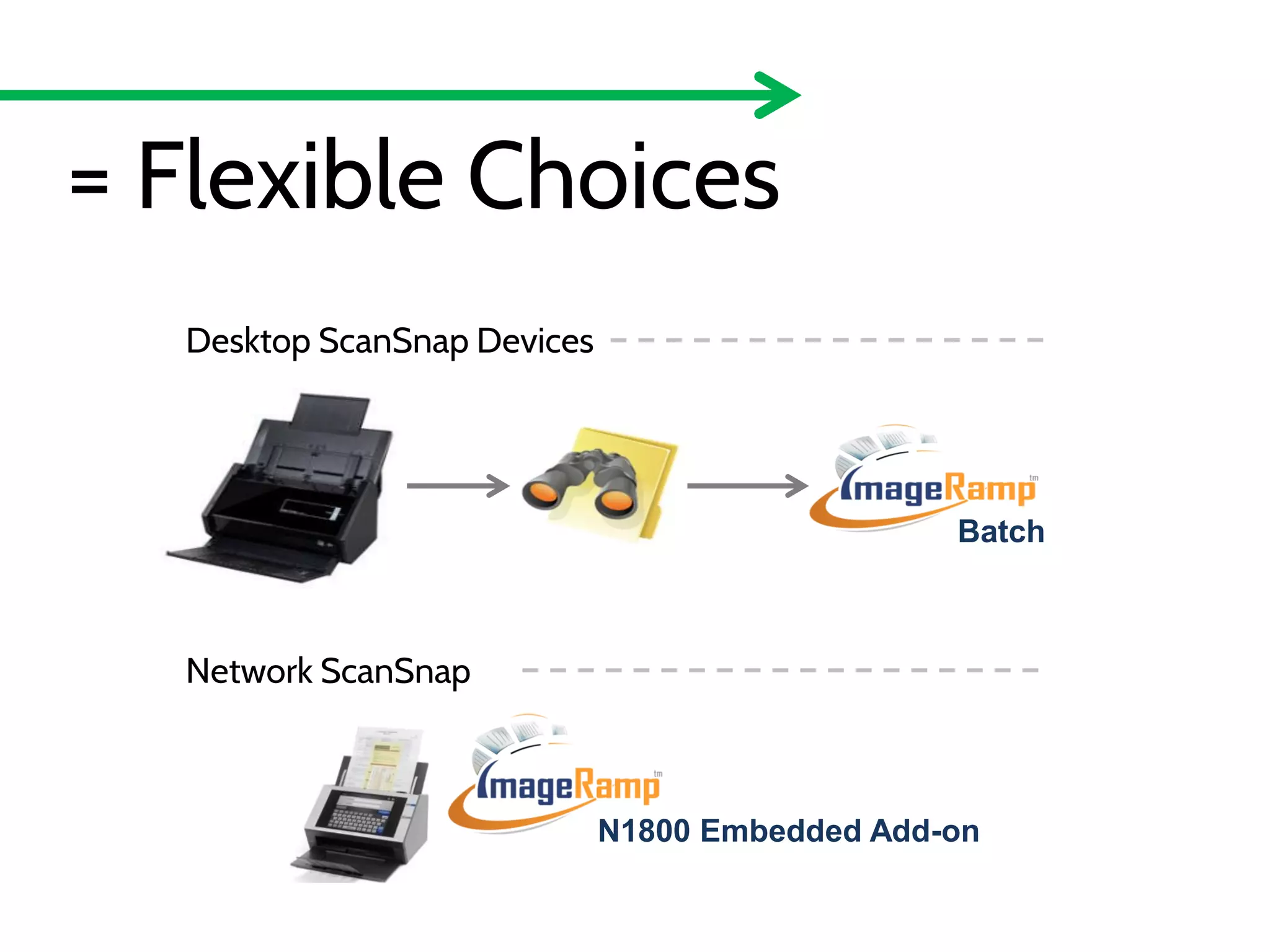
= Flexible Choices
Desktop ScanSnap Devices

Batch

Network ScanSnap

N1800 Embedded Add-on
6 Reasons

Why ImageRamp on the Fujitsu ScanSnap
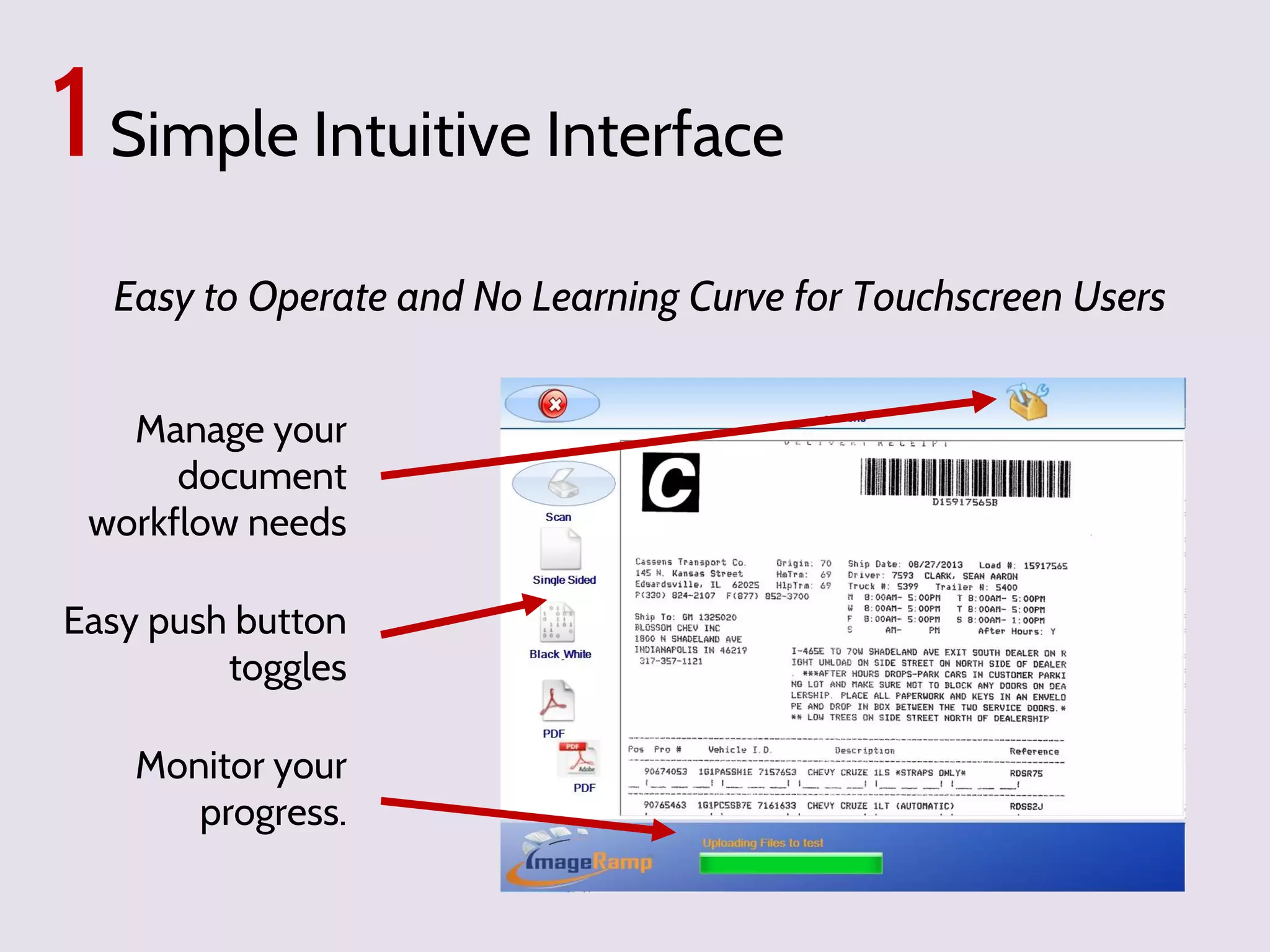
1 Simple Intuitive Interface
Easy to Operate and No Learning Curve for Touchscreen Users
Manage your
document
workflow needs
Easy push button
toggles
Monitor your
progress.
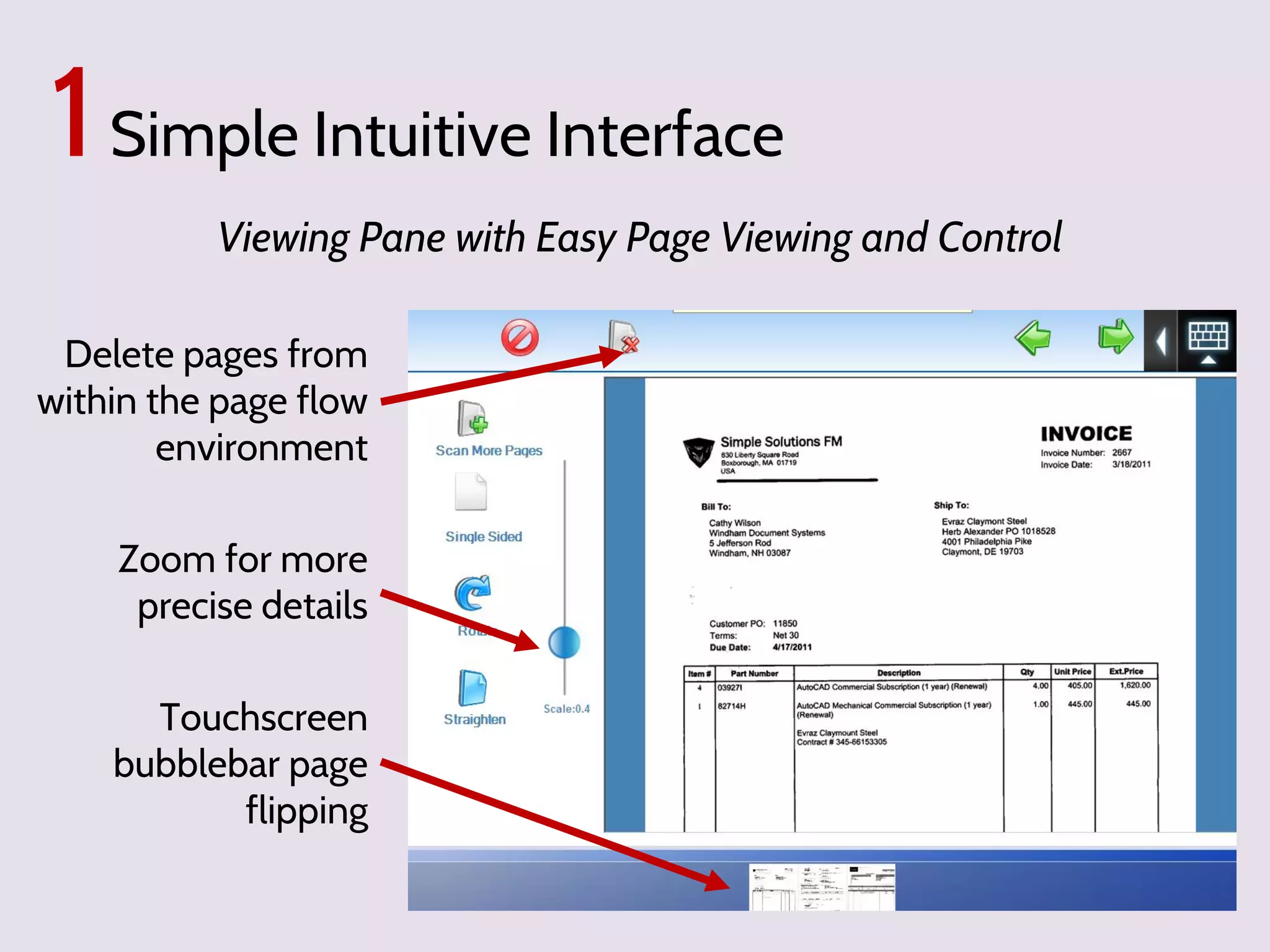
1 Simple Intuitive Interface
Viewing Pane with Easy Page Viewing and Control
Delete pages from
within the page flow
environment
Zoom for more
precise details

Touchscreen
bubblebar page
flipping
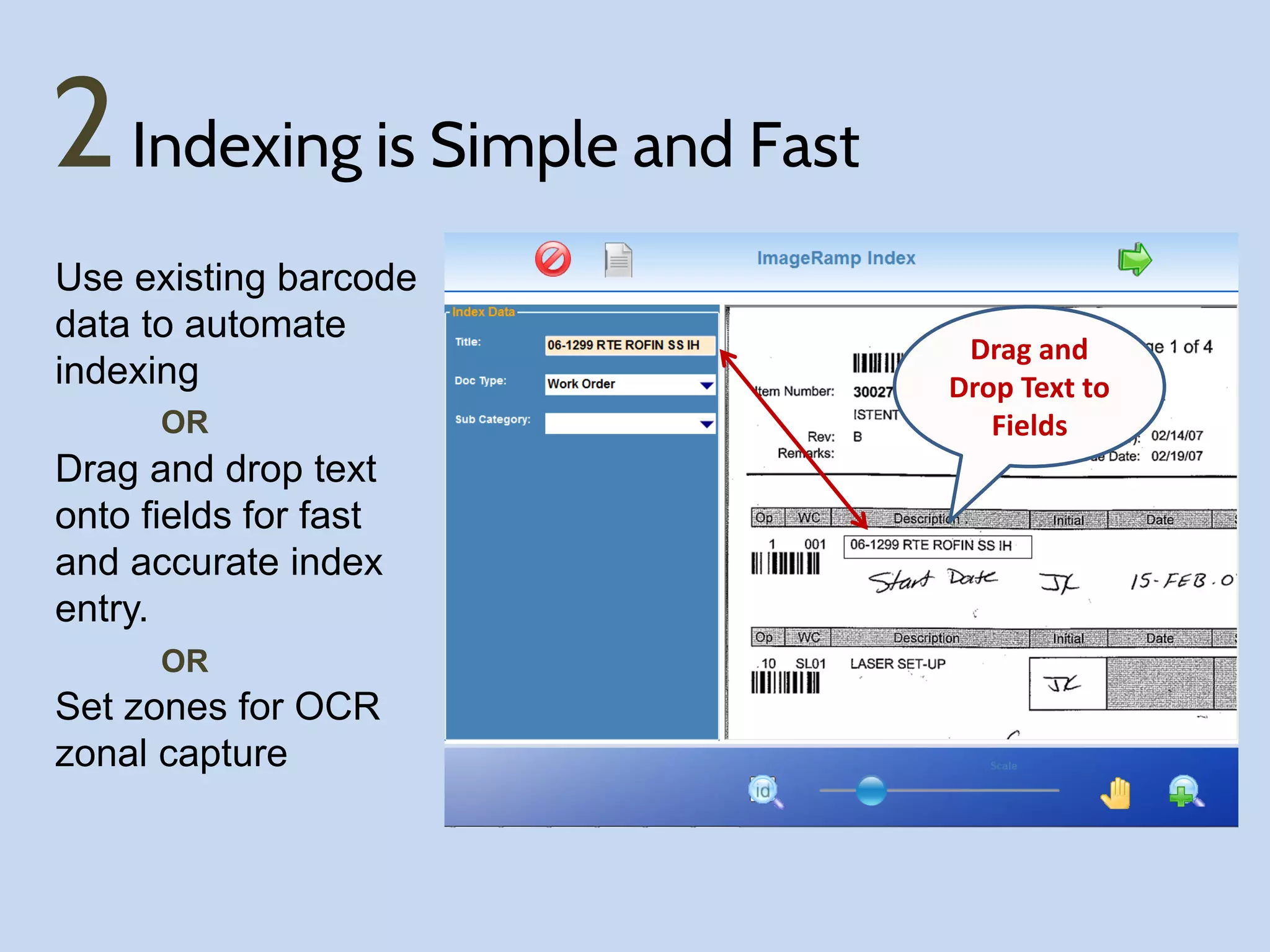
2 Indexing is Simple and Fast
Use existing barcode
data to automate
indexing
OR

Drag and drop text
onto fields for fast
and accurate index
entry.
OR

Set zones for OCR
zonal capture

Drag and
Drop Text to
Fields
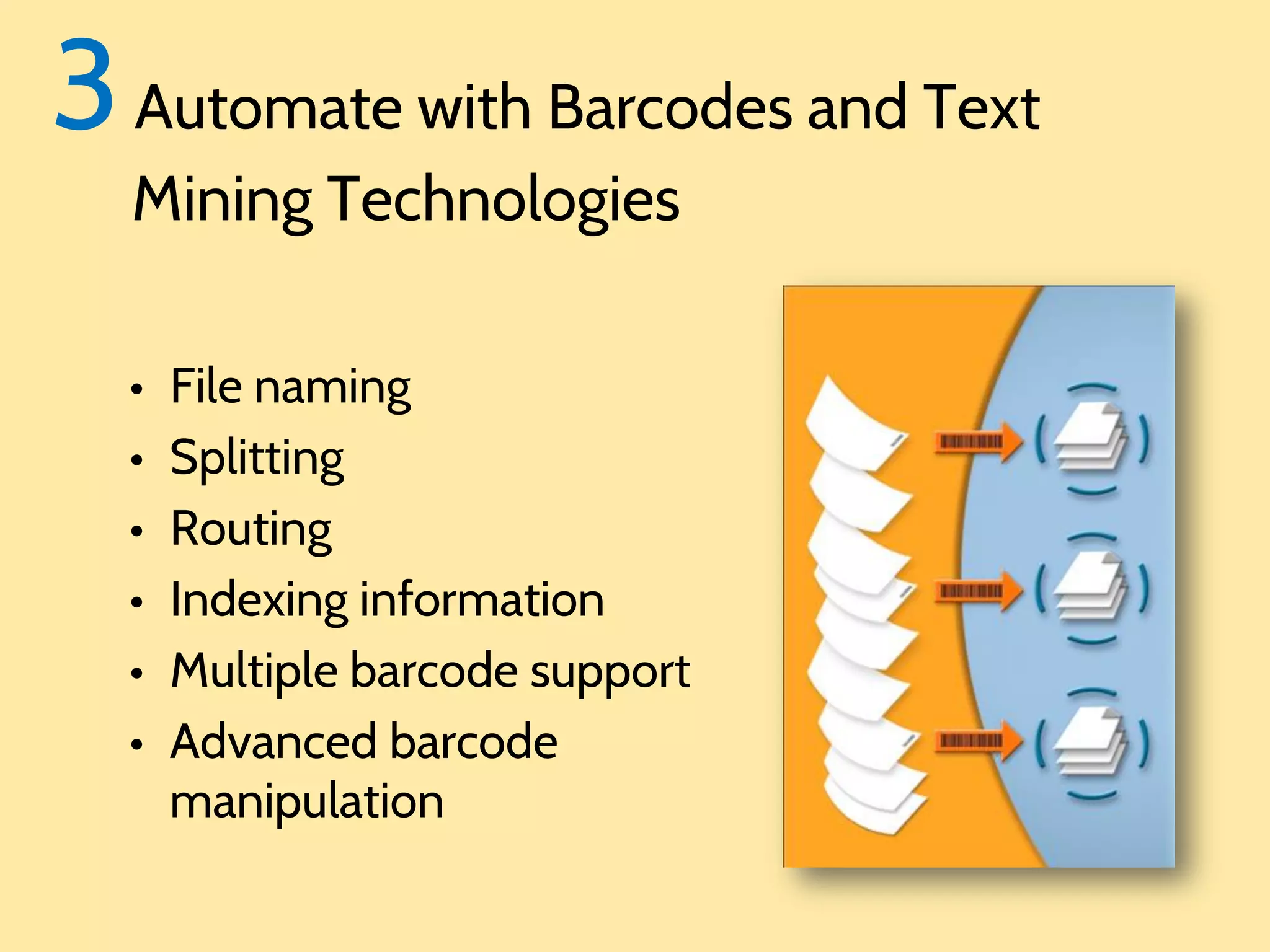
3 Automate with Barcodes and Text
Mining Technologies

•
•
•
•
•
•

File naming
Splitting
Routing
Indexing information
Multiple barcode support
Advanced barcode
manipulation
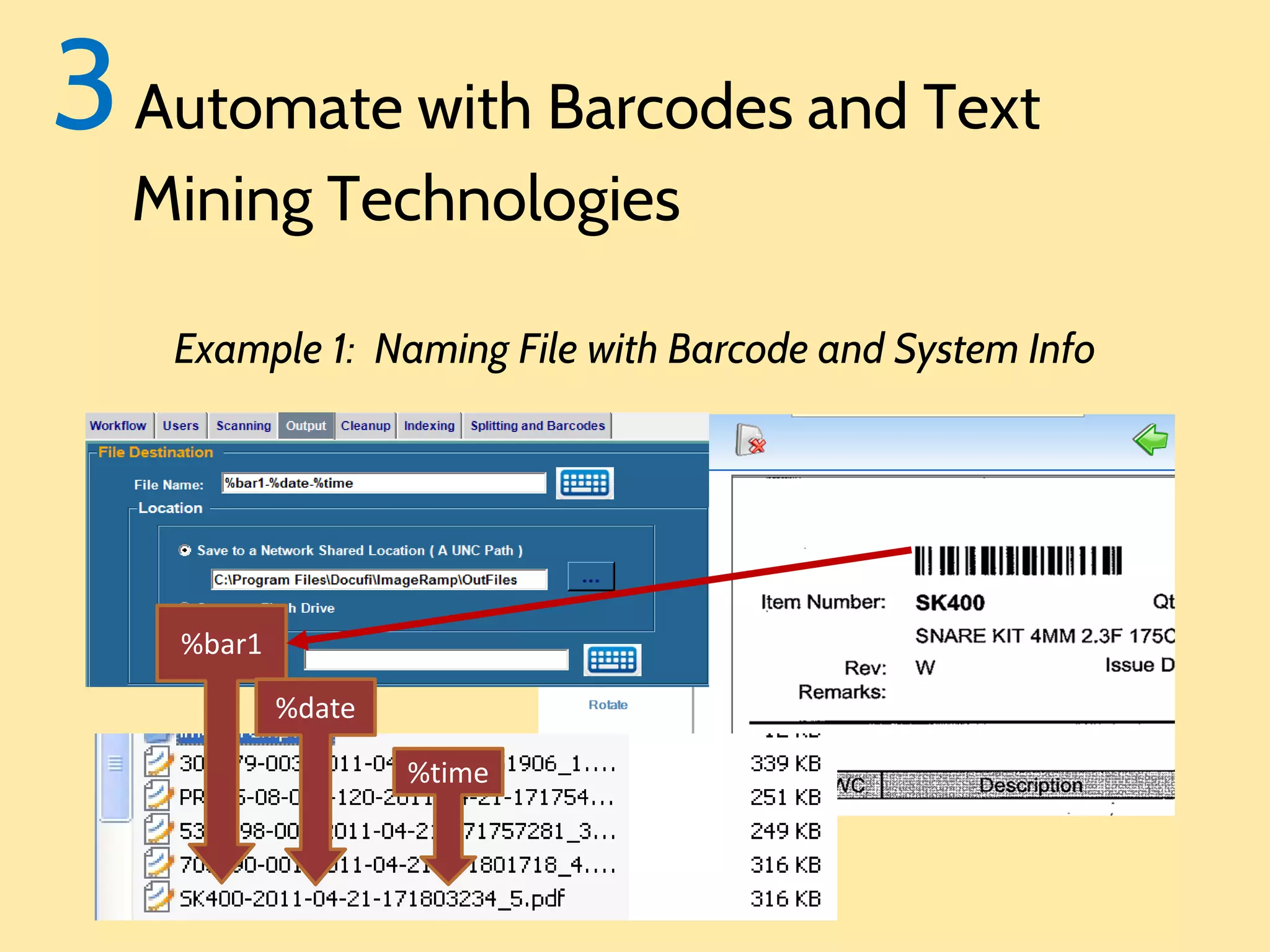
3 Automate with Barcodes and Text
Mining Technologies

Example 1: Naming File with Barcode and System Info

%bar1
%date
%time
3 Automate with Barcodes and Text
Mining Technologies

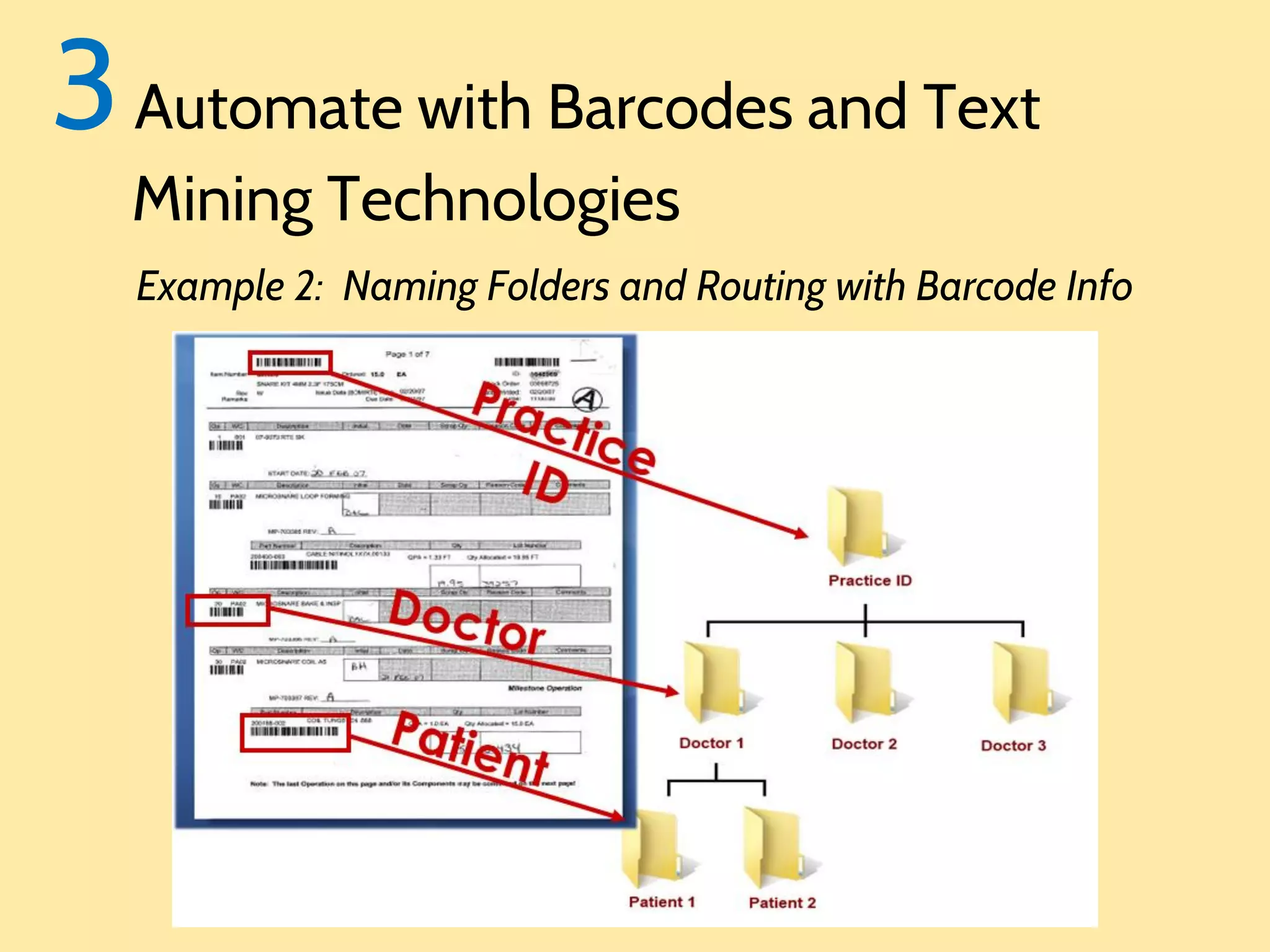
Example 2: Naming Folders and Routing with Barcode Info
3 Automate with Barcodes and Text
Mining Technologies

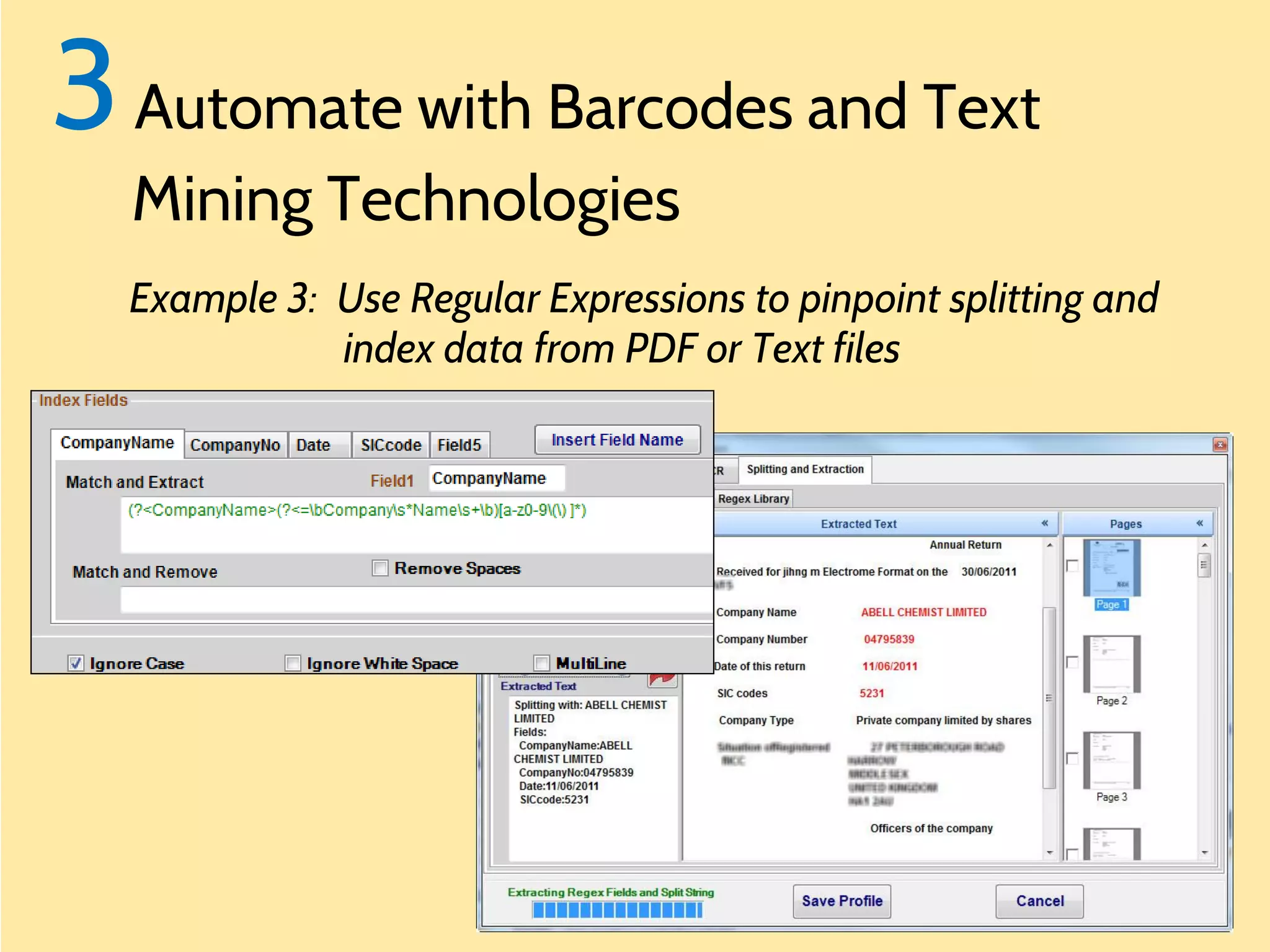
Example 3: Use Regular Expressions to pinpoint splitting and
index data from PDF or Text files
4 ImageRamp Includes a Starter

Document Management Solution

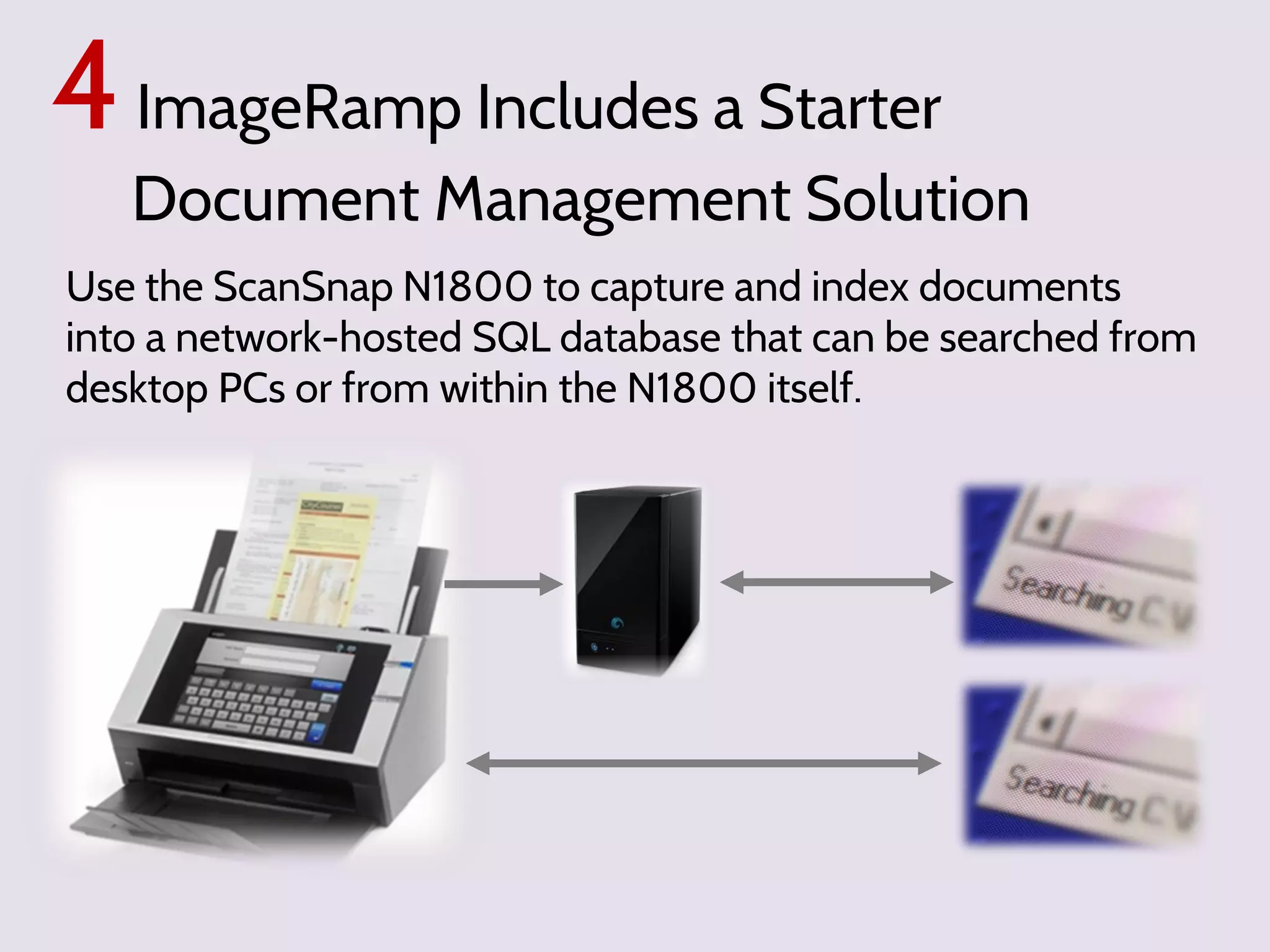
Use the ScanSnap N1800 to capture and index documents
into a network-hosted SQL database that can be searched from
desktop PCs or from within the N1800 itself.
4 ImageRamp Includes a Starter

Document Management Solution
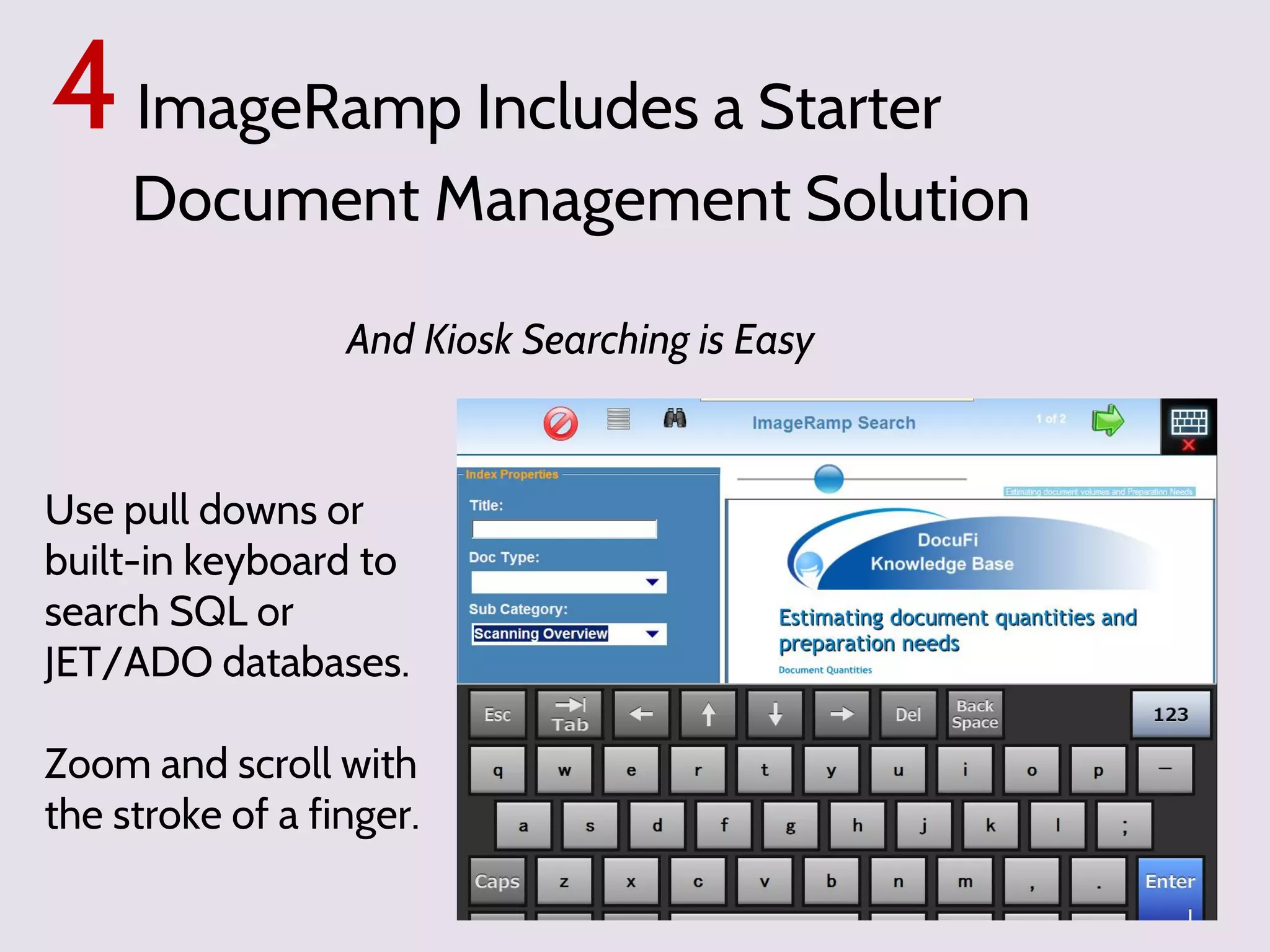
And Kiosk Searching is Easy

Use pull downs or
built-in keyboard to
search SQL or
JET/ADO databases.
Zoom and scroll with
the stroke of a finger.
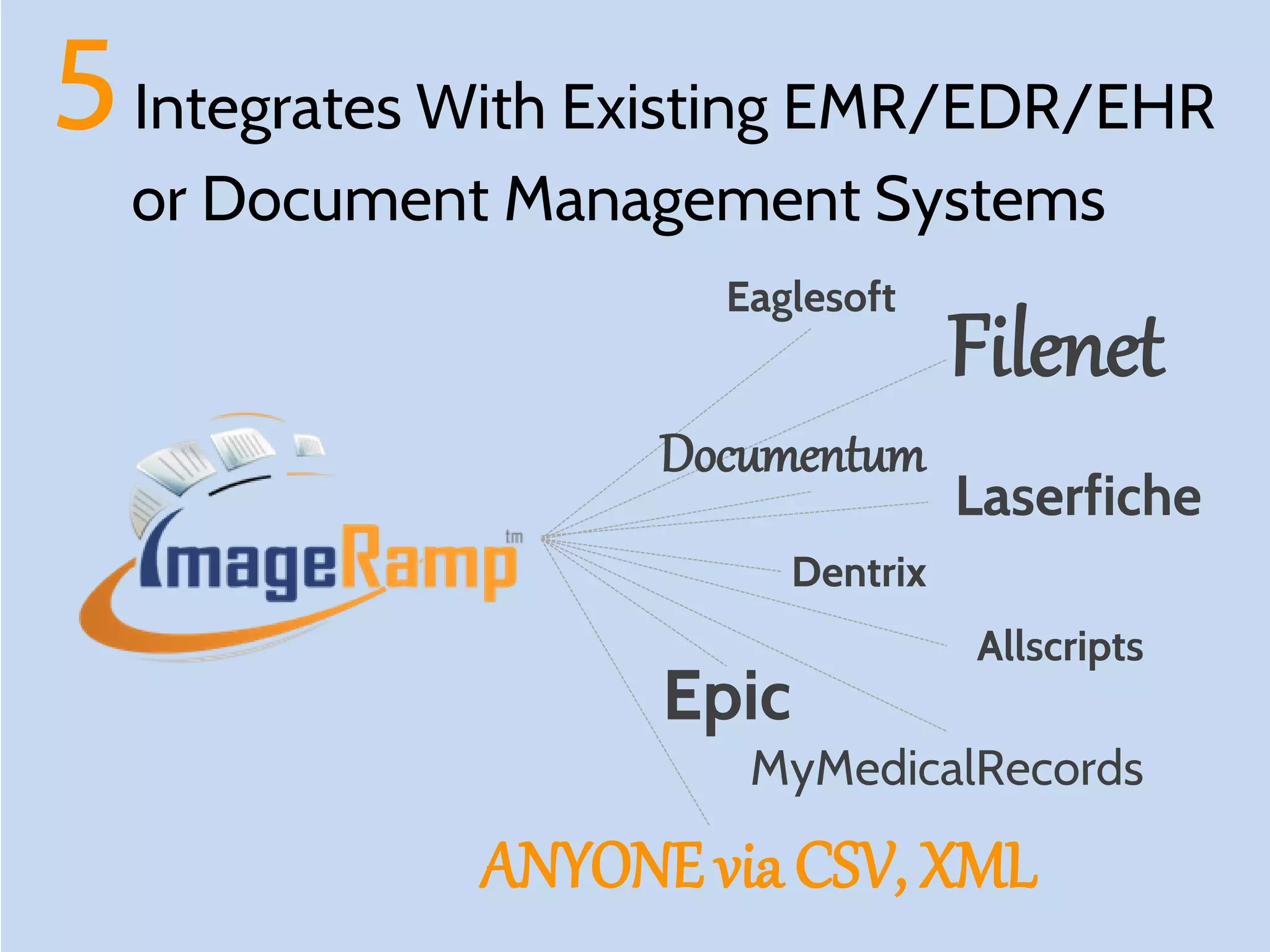
5 Integrates With Existing EMR/EDR/EHR
or Document Management Systems
Eaglesoft

Documentum

Filenet
Laserfiche

Dentrix

Henry Schein, Dentrix,
Dentrix Enterprise
Dentrix Ascend, Easy Dental
Viive, DentalVision, axiUm

Epic

Allscripts

MyMedicalRecords

ANYONE via CSV, XML
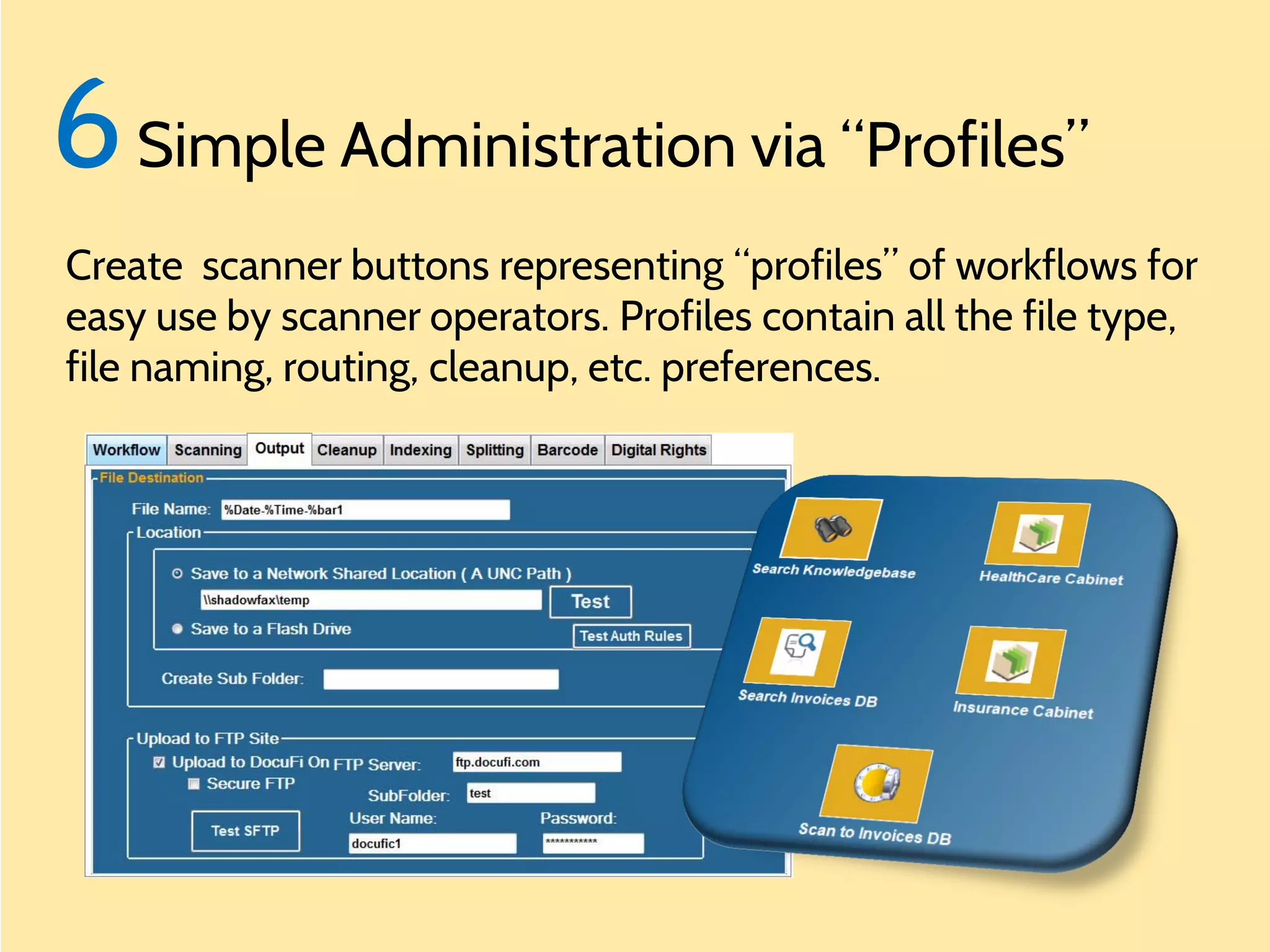
6 Simple Administration via “Profiles”
Create scanner buttons representing “profiles” of workflows for
easy use by scanner operators. Profiles contain all the file type,
file naming, routing, cleanup, etc. preferences.
Paperless Dreams

Call us for information on:
How to digitize medical or dental records.
The best way to scan medical or dental records.
Scanning paper records.
Document scanning for medical or dental records.
Going paperless at the medical or dental office.
How to capture medical or dental records efficiently.
30 Scanningexperience in records with Fujitsu ScanSnap. market
years’ medical or dental the Document Imaging
Touchscreen scanning of medical or dental records.
How to improve your medical or dental workflow with document
scanning.
Proven Fujitsu ISV partner for over 3 years
Scanning to EMR or scanning to EDR
How to maximize your Fujitsu ScanSnap
Using your ScanSnap for a basic document management system
Find out more at ImageRamp and
Using barcodes and the Fujitsu ScanSnap
Scanning with the Fujitsu ScanSnap
Automating workflow with the Fujitsu ScanSnap
www.docufi.com
Automating document management capture
Scanning into Dentrix
Indexing into Dentrix

By DocuFi

Fujitsu ScanSnap Scanner, an overview of document data capture with barcodes, text mining, OCR and more.

  • 1.
    Make your Paperless Dreams Come True usingFujitsu ScanSnap scanners for document capture
  • 2.
  • 3.
  • 4.
    Meet ImageRamp embedded on theFujitsu Network ScanSnap N1800 or compatible with any Desktop ScanSnap Scanner ™
  • 5.
    ImageRamp and ScanSnapoffer a simple solution to capture different document types and deliver them to various workflow environments.
  • 6.
    Features automated indexing withbarcodes, zonal OCR, drag drop OCR, and more.
  • 7.
    Features automated indexing withbarcodes, zonal OCR, drag drop OCR, and more. FLEXIBLE TO MEET ANY MARKET OR INDUSTRY
  • 8.
    With ImageRamp Split andname to barcodes or mined data Implement a Search and Retrieval system Send data via FTP/SFTP to Cloud or LAN Integrate with existing Document Management or EMR System
  • 9.
    With ImageRamp Split andname to barcodes or mined data Implement a Search and Retrieval system Send data via FTP/SFTP to Cloud or LAN Integrate with existing Document Management or EMR System
  • 10.
    With ImageRamp Split andname to barcodes or mined data Implement a Search and Retrieval system Send data via FTP/SFTP to Cloud or LAN Integrate with existing Document Management or EMR System
  • 11.
    With ImageRamp Split andname to barcodes or mined data Implement a Search and Retrieval system Send data via FTP/SFTP to Cloud or LAN Integrate with existing Document Management or EMR System
  • 12.
    Implement with Desktop orNetwork ScanSnap Scanners
  • 13.
    Desktop ScanSnap Scanners Batch Usersof Desktop ScanSnap devices can scan to watched folders with ImageRamp Batch monitoring for new files to process. N1800 Embedded Add-on
  • 14.
    Network ScanSnap Desktop ScanSnap/TWAIN Theembedded ImageRamp N1800 product works directly within the Fujitsu ScanSnap N1800 scanner requiring no Batch PC or server for processing. PaperStream TWAIN N1800 Embedded Add-on
  • 15.
    = Flexible Choices DesktopScanSnap Devices Batch Network ScanSnap N1800 Embedded Add-on
  • 16.
    6 Reasons Why ImageRampon the Fujitsu ScanSnap
  • 17.
    1 Simple IntuitiveInterface Easy to Operate and No Learning Curve for Touchscreen Users Manage your document workflow needs Easy push button toggles Monitor your progress.
  • 18.
    1 Simple IntuitiveInterface Viewing Pane with Easy Page Viewing and Control Delete pages from within the page flow environment Zoom for more precise details Touchscreen bubblebar page flipping
  • 19.
    2 Indexing isSimple and Fast Use existing barcode data to automate indexing OR Drag and drop text onto fields for fast and accurate index entry. OR Set zones for OCR zonal capture Drag and Drop Text to Fields
  • 20.
    3 Automate withBarcodes and Text Mining Technologies • • • • • • File naming Splitting Routing Indexing information Multiple barcode support Advanced barcode manipulation
  • 21.
    3 Automate withBarcodes and Text Mining Technologies Example 1: Naming File with Barcode and System Info %bar1 %date %time
  • 22.
    3 Automate withBarcodes and Text Mining Technologies Example 2: Naming Folders and Routing with Barcode Info
  • 23.
    3 Automate withBarcodes and Text Mining Technologies Example 3: Use Regular Expressions to pinpoint splitting and index data from PDF or Text files
  • 24.
    4 ImageRamp Includesa Starter Document Management Solution Use the ScanSnap N1800 to capture and index documents into a network-hosted SQL database that can be searched from desktop PCs or from within the N1800 itself.
  • 25.
    4 ImageRamp Includesa Starter Document Management Solution And Kiosk Searching is Easy Use pull downs or built-in keyboard to search SQL or JET/ADO databases. Zoom and scroll with the stroke of a finger.
  • 26.
    5 Integrates WithExisting EMR/EDR/EHR or Document Management Systems Eaglesoft Documentum Filenet Laserfiche Dentrix Henry Schein, Dentrix, Dentrix Enterprise Dentrix Ascend, Easy Dental Viive, DentalVision, axiUm Epic Allscripts MyMedicalRecords ANYONE via CSV, XML
  • 27.
    6 Simple Administrationvia “Profiles” Create scanner buttons representing “profiles” of workflows for easy use by scanner operators. Profiles contain all the file type, file naming, routing, cleanup, etc. preferences.
  • 28.
    Paperless Dreams Call usfor information on: How to digitize medical or dental records. The best way to scan medical or dental records. Scanning paper records. Document scanning for medical or dental records. Going paperless at the medical or dental office. How to capture medical or dental records efficiently. 30 Scanningexperience in records with Fujitsu ScanSnap. market years’ medical or dental the Document Imaging Touchscreen scanning of medical or dental records. How to improve your medical or dental workflow with document scanning. Proven Fujitsu ISV partner for over 3 years Scanning to EMR or scanning to EDR How to maximize your Fujitsu ScanSnap Using your ScanSnap for a basic document management system Find out more at ImageRamp and Using barcodes and the Fujitsu ScanSnap Scanning with the Fujitsu ScanSnap Automating workflow with the Fujitsu ScanSnap www.docufi.com Automating document management capture Scanning into Dentrix Indexing into Dentrix By DocuFi