k at file formats for document sca
PDF v. TIFF
Copyright ©2014
So you’ve
decided to
implement a
document
management or
search and
retrieval
system for
all your
paper
documents.
You
have a
lot of
decisio
ns to
make.
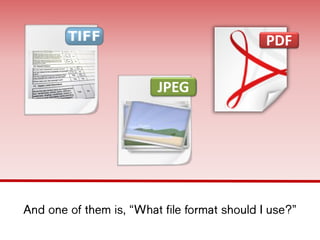
And one of them is, “What file format
should I use?”
PDF
JPEG
Before you can
decide on file
format, you have
some homework to
do.
Answer the
following:
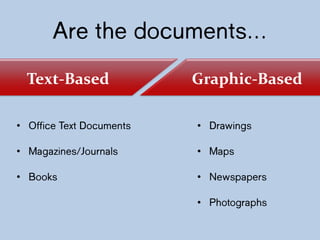
Are the
documents…
• Office Text
Documents
• Magazines/Journals
• Books
• Drawings
• Maps
• Newspapers
• Photographs
Graphic-BasedText-Based
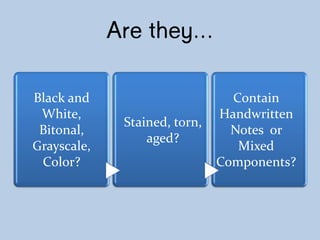
Are they…
Black and
White,
Bitonal,
Grayscale,
Color?
Stained, torn,
aged?
Contain
Handwritten
Notes or
Mixed
Components?
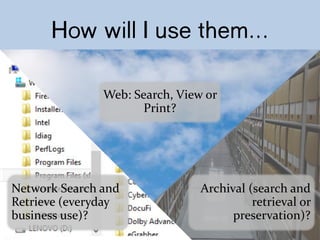
How will I use
them…
Web: Search, View or
Print?
Network Search and
Retrieve (everyday
business use)?
Archival (search and
retrieval or
preservation)?
How will my
users search for
documents?
How will my
users search for
documents?
Designated fields
such as Invoice
No., Customer
Name, Date,
Patient ID…?
or
will they need
free-form
searching on all
text?
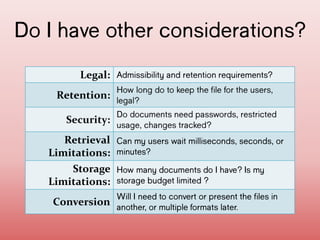
Do I have other
considerations?
Legal:
Admissibility and retention
requirements?
Retention:
How long do to keep the file for
the users, legal?
Security:
Do documents need passwords,
restricted usage, changes
tracked?
Retrieval
Limitations:
Can my users wait milliseconds,
seconds, or minutes?
Storage
Limitations:
How many documents do I have? Is
my storage budget limited ?
Conversion:
Will I need to convert or
present the files in another, or
multiple formats later.
Let’s take a look at PDF v.
TIFF, the dominant formats for
scanned documents.
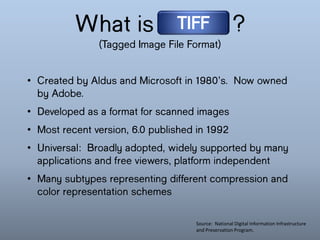
What is
?
(Tagged Image File Format)
TIFF
• Created by Aldus and Microsoft in 1980’s.
Now owned by Adobe.
• Developed as a format for scanned images
• Most recent version, 6.0 published in
1992
• Universal: Broadly adopted, widely
supported by many applications and free
viewers, platform independent
• Many subtypes representing different
compression and color representation
schemes
Source: National Digital Information Infrastructure
and Preservation Program.
What is
?
TIFF
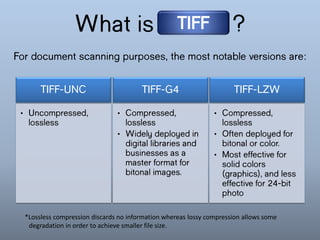
For document scanning purposes, the most notable
versions are:
• Uncompressed,
lossless
TIFF-UNC
• Compressed,
lossless
• Often deployed
for bitonal or
color.
• Most effective
for solid
colors
(graphics),
and less
effective for
24-bit photo
TIFF-LZW
• Compressed,
lossless
• Widely
deployed in
digital
libraries and
businesses as
a master
format for
bitonal
images.
TIFF-G4
*Lossless compression discards no information whereas lossy compression allows some
degradation in order to achieve smaller file size.
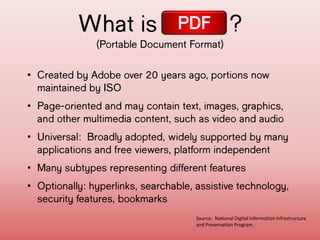
What is ?
(Portable Document Format)
PDF
• Created by Adobe over 20 years ago,
portions now maintained by ISO
• Page-oriented and may contain text,
images, graphics, and other multimedia
content, such as video and audio
• Universal: Broadly adopted, widely
supported by many applications and free
viewers, platform independent
• Many subtypes representing different
features
• Optionally: hyperlinks, searchable,
assistive technology, security features,
Source: National Digital Information Infrastructure
and Preservation Program.
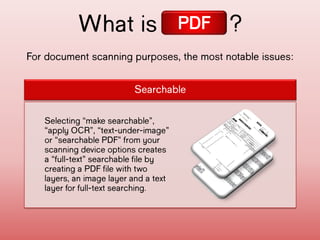
For document scanning purposes, the most notable
issues:
What is ?
Searchable
Selecting “make
searchable”, “apply
OCR”, “text-under-
image” or “searchable
PDF” from your scanning
device options creates
a “full-text”
searchable file by
creating a PDF file
with two layers, an
image layer and a text
layer for full-text
searching.
PDF
For document scanning purposes, the most notable
issues:
What is ?
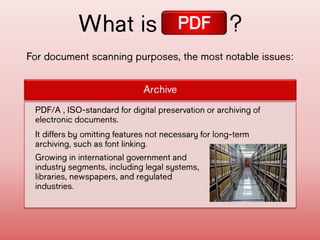
Archive
It differs by omitting features not necessary
for long-term archiving, such as font linking.
Growing in international government and
industry segments, including legal systems,
libraries, newspapers, and regulated
industries.
PDF/A , ISO-standard for digital preservation
or archiving of electronic documents.
PDF
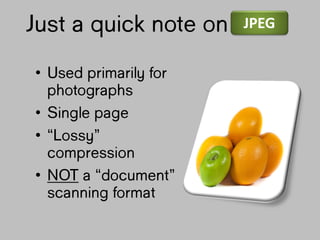
Just a quick
note on
• Used primarily
for
photographs
• Single page
• “Lossy”
compression
• NOT a
“document”
scanning
JPEG
Now
let’s
take a
look
at
decisi
on
points
.
Indexing and
Searchability?
TIFF
TIFF was designed as a
“wrapper for images. Can use
simple tags only. To be fully
searchable, it needs an OCR
process to create a separate
text file that can then be
searched and indexed.
Some document indexing
software packages include this
as an option.
Accommodates basic tags and can
support more sophisticated XML-
based metadata with Adobe's
Extensible Metadata Platform
(XMP). XMP allows you to embed
metadata about a file, into the
file itself.
Full-text searching option is easily
supported and native to the file
format so unless it is saved as an
“image-only” format, it is fully
searchable.
PDF
TIFF
Both TIFF and PDF are universal in that they
are common output formats of many
applications. They also can be accessed and
viewed using many different applications.
TIFF files are easily integrated into other
applications such as Word and PowerPoint as
they are “image” based. Both formats are
viewable across most if not all operating
systems.
Adoption/Portability?
PDF
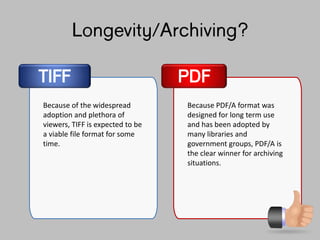
Longevity/Archiving?
TIFF
Because of the widespread
adoption and plethora of
viewers, TIFF is expected to be
a viable file format for some
time.
Because PDF/A format was
designed for long term use
and has been adopted by
many libraries and
government groups, PDF/A is
the clear winner for archiving
situations.
PDF
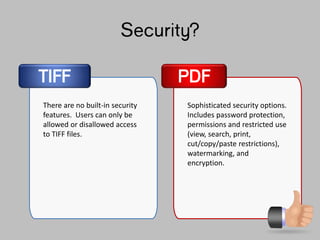
Security?
TIFF
There are no built-in security
features. Users can only be
allowed or disallowed access
to TIFF files.
Sophisticated security options.
Includes password protection,
permissions and restricted use
(view, search, print,
cut/copy/paste restrictions),
watermarking, and
encryption.
PDF
Before we take a look at file size
which impacts storage requirements and
upload/download speeds, let’s examine
the four things that effect file size.
Before we take a look at file size
which impacts storage requirements and
upload/download speeds, let’s examine
the four things that effect file size.
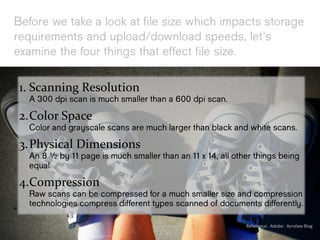
1. Scanning Resolution
A 300 dpi scan is much smaller than a 600 dpi scan.
2.Color Space
Color and grayscale scans are much larger than
black and white scans.
3.Physical Dimensions
An 8 ½ by 11 page is much smaller than an 11 x 14,
all other things being equal.
4.Compression
Raw scans can be compressed for a much smaller size
and compression technologies compress different
types scanned of documents differently. Reference: Adobe: Acrolaw Blog
File Size/Upload and
Download Speed?
TIFF PDF
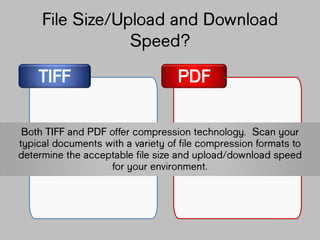
Both TIFF and PDF offer compression
technology. Scan your typical documents with
a variety of file compression formats to
determine the acceptable file size and
upload/download speed for your environment.
Color, Grayscale, or Black
and White?
TIFF PDF
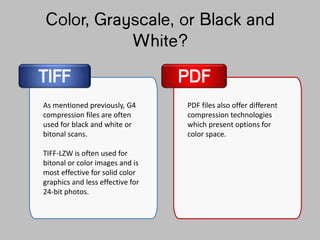
As mentioned previously, G4
compression files are often
used for black and white or
bitonal scans.
TIFF-LZW is often used for
bitonal or color images and is
most effective for solid color
graphics and less effective for
24-bit photos.
PDF files also offer different
compression technologies
which present options for
color space.
Color, Grayscale, or Black
and White?
TIFF PDF
As mentioned previously, G4
compression files are often
used for black and white or
bitonal scans.
TIFF-LZW is often used for
bitonal or color images and is
most effective for solid color
graphics and less effective for
24-bit photos.
PDF files also offer different
compression technologies
which present options for
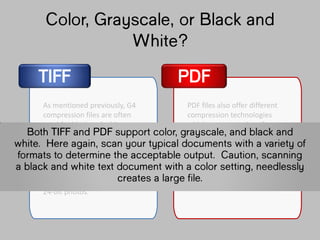
color space.Both TIFF and PDF support color, grayscale,
and black and white. Here again, scan your
typical documents with a variety of formats
to determine the acceptable output. Caution,
scanning a black and white text document with
a color setting, needlessly creates a large
file.
TIFF PDF
Miscellaneous?
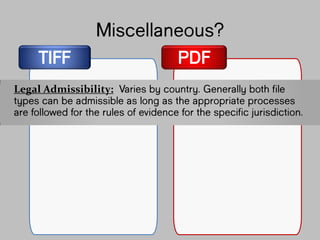
Legal Admissibility: Varies by country. Generally
both file types can be admissible as long as
the appropriate processes are followed for
the rules of evidence for the specific
jurisdiction.
TIFF PDF
Miscellaneous?
Legal Admissibility: Varies by country. Generally
both file types can be admissible as long as
the appropriate processes are followed for
the rules of evidence for the specific
jurisdiction.
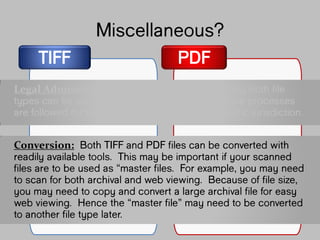
Conversion: Both TIFF and PDF files can be
converted with readily available tools. This
may be important if your scanned files are to
be used as “master files”. For example, you
may need to scan for both archival and web
viewing. Because of file size, you may need
to copy and convert a large archival file for
easy web viewing. Hence the “master file”
l
And the
decision
goes to…
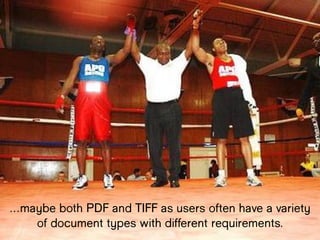
…maybe both PDF and TIFF as users often
have a variety of document types with
different requirements.
you decide
Learn More about Document Imaging and
Capture
Contact us for more information on:
• Intelligent data capture
• PDF to TIFF Conversion
• How to convert PDF and TIFF Files
• More tutorial information on document management
• Scanning documents for document management,
• How to intelligently capture index data from your scans
• Requirements for document management scanning
• How to select a document capture or document scanning
solution
• Using touchscreen scanners such as the Fujitsu ScanSnap as an
intelligent capture solution
• Batch document scanning solutions
• Document Management cost savings
• EMR data capture
• Batch Indexing solutions
• Batch document indexing
• Index documents
• Create a document index
• Document management index
• Index from print stream
• ECM index
• Index ECM
By DocuFi
30 years’ experience in the Document Imaging
market.
Find out more at ImageRamp and
www.docufi.com Copyright ©2014
makers of ImageRamp,
Document Management
Capture Solution
Image Credits and
References
• Todd Anderson neurmadic aesthetic, ”Ding” , http://bit.ly/1egCSkU
• Doug Waldron, “Files (85)”, http://bit.ly/1bfciII
• Knile Lucy, you have some sorting to do! http://bit.ly/19bSgjFDave Gray
• Butterbean man, “Decisions”, http://bit.ly/1iqCVSc
• Ben Schumin, SchuminWeb, “Shelves at Archives II”, http://bit.ly/1iqDD1K
• Angel Arcones, Freddy The Boy, “Dia 91: Decisiones”, http://bit.ly/1egCSkU
• MicroAssist “Apples and Oranges”, http://bit.ly/17KPimb
• AJC1, “Checklists”, http://bit.ly/KDCsgO
• Russ, russteaches, “2 Big 2 Small”, http://bit.ly/1hODsdL
• The U.S. Army,” West Point wins collegiate boxing championship”,
http://bit.ly/1g4BAA6
• Aberdeen Proving Ground, “16th pounds 143rd to win Amateur Boxing Tournament”,
http://bit.ly/KLxkH4
All images are owned or licensed by DocuFi with acknowledgement given to:
Reference /Source Material:
• Alternative File Formats for Storing Master Images of Digitisation Projects,
National Library of the Netherlands Research & Development Department
• Department of Physics, Wake Forest University,
• “Sustainability of Digital Formats. Planning for Library of Congress
Collectiion” Library of Congress

PDF vs. TIFF, An Evaluation of Document Scanning File Formats

  • 1.
    k at fileformats for document sca PDF v. TIFF Copyright ©2014
  • 2.
    So you’ve decided to implementa document management or search and retrieval system for all your paper documents.
  • 3.
  • 4.
    And one ofthem is, “What file format should I use?” PDF JPEG
  • 5.
    Before you can decideon file format, you have some homework to do.
  • 6.
  • 7.
    Are the documents… • OfficeText Documents • Magazines/Journals • Books • Drawings • Maps • Newspapers • Photographs Graphic-BasedText-Based
  • 8.
    Are they… Black and White, Bitonal, Grayscale, Color? Stained,torn, aged? Contain Handwritten Notes or Mixed Components?
  • 9.
    How will Iuse them… Web: Search, View or Print? Network Search and Retrieve (everyday business use)? Archival (search and retrieval or preservation)?
  • 10.
    How will my userssearch for documents?
  • 11.
    How will my userssearch for documents? Designated fields such as Invoice No., Customer Name, Date, Patient ID…? or will they need free-form searching on all text?
  • 12.
    Do I haveother considerations? Legal: Admissibility and retention requirements? Retention: How long do to keep the file for the users, legal? Security: Do documents need passwords, restricted usage, changes tracked? Retrieval Limitations: Can my users wait milliseconds, seconds, or minutes? Storage Limitations: How many documents do I have? Is my storage budget limited ? Conversion: Will I need to convert or present the files in another, or multiple formats later.
  • 13.
    Let’s take alook at PDF v. TIFF, the dominant formats for scanned documents.
  • 14.
    What is ? (Tagged ImageFile Format) TIFF • Created by Aldus and Microsoft in 1980’s. Now owned by Adobe. • Developed as a format for scanned images • Most recent version, 6.0 published in 1992 • Universal: Broadly adopted, widely supported by many applications and free viewers, platform independent • Many subtypes representing different compression and color representation schemes Source: National Digital Information Infrastructure and Preservation Program.
  • 15.
    What is ? TIFF For documentscanning purposes, the most notable versions are: • Uncompressed, lossless TIFF-UNC • Compressed, lossless • Often deployed for bitonal or color. • Most effective for solid colors (graphics), and less effective for 24-bit photo TIFF-LZW • Compressed, lossless • Widely deployed in digital libraries and businesses as a master format for bitonal images. TIFF-G4 *Lossless compression discards no information whereas lossy compression allows some degradation in order to achieve smaller file size.
  • 16.
    What is ? (PortableDocument Format) PDF • Created by Adobe over 20 years ago, portions now maintained by ISO • Page-oriented and may contain text, images, graphics, and other multimedia content, such as video and audio • Universal: Broadly adopted, widely supported by many applications and free viewers, platform independent • Many subtypes representing different features • Optionally: hyperlinks, searchable, assistive technology, security features, Source: National Digital Information Infrastructure and Preservation Program.
  • 17.
    For document scanningpurposes, the most notable issues: What is ? Searchable Selecting “make searchable”, “apply OCR”, “text-under- image” or “searchable PDF” from your scanning device options creates a “full-text” searchable file by creating a PDF file with two layers, an image layer and a text layer for full-text searching. PDF
  • 18.
    For document scanningpurposes, the most notable issues: What is ? Archive It differs by omitting features not necessary for long-term archiving, such as font linking. Growing in international government and industry segments, including legal systems, libraries, newspapers, and regulated industries. PDF/A , ISO-standard for digital preservation or archiving of electronic documents. PDF
  • 19.
    Just a quick noteon • Used primarily for photographs • Single page • “Lossy” compression • NOT a “document” scanning JPEG
  • 20.
  • 21.
    Indexing and Searchability? TIFF TIFF wasdesigned as a “wrapper for images. Can use simple tags only. To be fully searchable, it needs an OCR process to create a separate text file that can then be searched and indexed. Some document indexing software packages include this as an option. Accommodates basic tags and can support more sophisticated XML- based metadata with Adobe's Extensible Metadata Platform (XMP). XMP allows you to embed metadata about a file, into the file itself. Full-text searching option is easily supported and native to the file format so unless it is saved as an “image-only” format, it is fully searchable. PDF
  • 22.
    TIFF Both TIFF andPDF are universal in that they are common output formats of many applications. They also can be accessed and viewed using many different applications. TIFF files are easily integrated into other applications such as Word and PowerPoint as they are “image” based. Both formats are viewable across most if not all operating systems. Adoption/Portability? PDF
  • 23.
    Longevity/Archiving? TIFF Because of thewidespread adoption and plethora of viewers, TIFF is expected to be a viable file format for some time. Because PDF/A format was designed for long term use and has been adopted by many libraries and government groups, PDF/A is the clear winner for archiving situations. PDF
  • 24.
    Security? TIFF There are nobuilt-in security features. Users can only be allowed or disallowed access to TIFF files. Sophisticated security options. Includes password protection, permissions and restricted use (view, search, print, cut/copy/paste restrictions), watermarking, and encryption. PDF
  • 25.
    Before we takea look at file size which impacts storage requirements and upload/download speeds, let’s examine the four things that effect file size.
  • 26.
    Before we takea look at file size which impacts storage requirements and upload/download speeds, let’s examine the four things that effect file size. 1. Scanning Resolution A 300 dpi scan is much smaller than a 600 dpi scan. 2.Color Space Color and grayscale scans are much larger than black and white scans. 3.Physical Dimensions An 8 ½ by 11 page is much smaller than an 11 x 14, all other things being equal. 4.Compression Raw scans can be compressed for a much smaller size and compression technologies compress different types scanned of documents differently. Reference: Adobe: Acrolaw Blog
  • 27.
    File Size/Upload and DownloadSpeed? TIFF PDF Both TIFF and PDF offer compression technology. Scan your typical documents with a variety of file compression formats to determine the acceptable file size and upload/download speed for your environment.
  • 28.
    Color, Grayscale, orBlack and White? TIFF PDF As mentioned previously, G4 compression files are often used for black and white or bitonal scans. TIFF-LZW is often used for bitonal or color images and is most effective for solid color graphics and less effective for 24-bit photos. PDF files also offer different compression technologies which present options for color space.
  • 29.
    Color, Grayscale, orBlack and White? TIFF PDF As mentioned previously, G4 compression files are often used for black and white or bitonal scans. TIFF-LZW is often used for bitonal or color images and is most effective for solid color graphics and less effective for 24-bit photos. PDF files also offer different compression technologies which present options for color space.Both TIFF and PDF support color, grayscale, and black and white. Here again, scan your typical documents with a variety of formats to determine the acceptable output. Caution, scanning a black and white text document with a color setting, needlessly creates a large file.
  • 30.
    TIFF PDF Miscellaneous? Legal Admissibility:Varies by country. Generally both file types can be admissible as long as the appropriate processes are followed for the rules of evidence for the specific jurisdiction.
  • 31.
    TIFF PDF Miscellaneous? Legal Admissibility:Varies by country. Generally both file types can be admissible as long as the appropriate processes are followed for the rules of evidence for the specific jurisdiction. Conversion: Both TIFF and PDF files can be converted with readily available tools. This may be important if your scanned files are to be used as “master files”. For example, you may need to scan for both archival and web viewing. Because of file size, you may need to copy and convert a large archival file for easy web viewing. Hence the “master file”
  • 32.
  • 33.
    …maybe both PDFand TIFF as users often have a variety of document types with different requirements.
  • 34.
  • 35.
    Learn More aboutDocument Imaging and Capture
  • 36.
    Contact us formore information on: • Intelligent data capture • PDF to TIFF Conversion • How to convert PDF and TIFF Files • More tutorial information on document management • Scanning documents for document management, • How to intelligently capture index data from your scans • Requirements for document management scanning • How to select a document capture or document scanning solution • Using touchscreen scanners such as the Fujitsu ScanSnap as an intelligent capture solution • Batch document scanning solutions • Document Management cost savings • EMR data capture • Batch Indexing solutions • Batch document indexing • Index documents • Create a document index • Document management index • Index from print stream • ECM index • Index ECM By DocuFi 30 years’ experience in the Document Imaging market. Find out more at ImageRamp and www.docufi.com Copyright ©2014 makers of ImageRamp, Document Management Capture Solution
  • 37.
    Image Credits and References •Todd Anderson neurmadic aesthetic, ”Ding” , http://bit.ly/1egCSkU • Doug Waldron, “Files (85)”, http://bit.ly/1bfciII • Knile Lucy, you have some sorting to do! http://bit.ly/19bSgjFDave Gray • Butterbean man, “Decisions”, http://bit.ly/1iqCVSc • Ben Schumin, SchuminWeb, “Shelves at Archives II”, http://bit.ly/1iqDD1K • Angel Arcones, Freddy The Boy, “Dia 91: Decisiones”, http://bit.ly/1egCSkU • MicroAssist “Apples and Oranges”, http://bit.ly/17KPimb • AJC1, “Checklists”, http://bit.ly/KDCsgO • Russ, russteaches, “2 Big 2 Small”, http://bit.ly/1hODsdL • The U.S. Army,” West Point wins collegiate boxing championship”, http://bit.ly/1g4BAA6 • Aberdeen Proving Ground, “16th pounds 143rd to win Amateur Boxing Tournament”, http://bit.ly/KLxkH4 All images are owned or licensed by DocuFi with acknowledgement given to: Reference /Source Material: • Alternative File Formats for Storing Master Images of Digitisation Projects, National Library of the Netherlands Research & Development Department • Department of Physics, Wake Forest University, • “Sustainability of Digital Formats. Planning for Library of Congress Collectiion” Library of Congress