Scan
Capture
Integrate
With ChronoScan
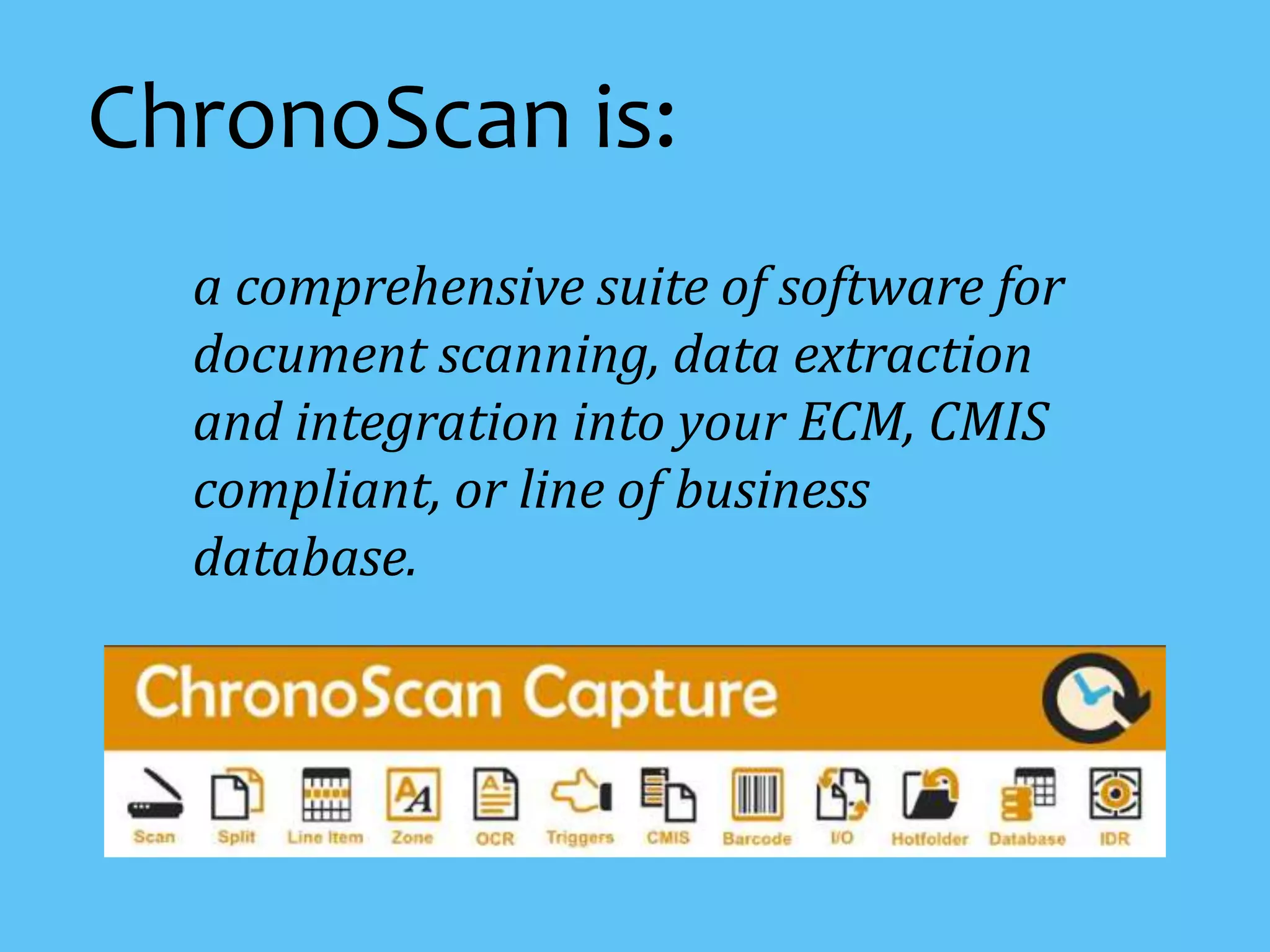
a comprehensive suite of software for
document scanning, data extraction
and integration into your ECM, CMIS
compliant, or line of business
database.
ChronoScan is:
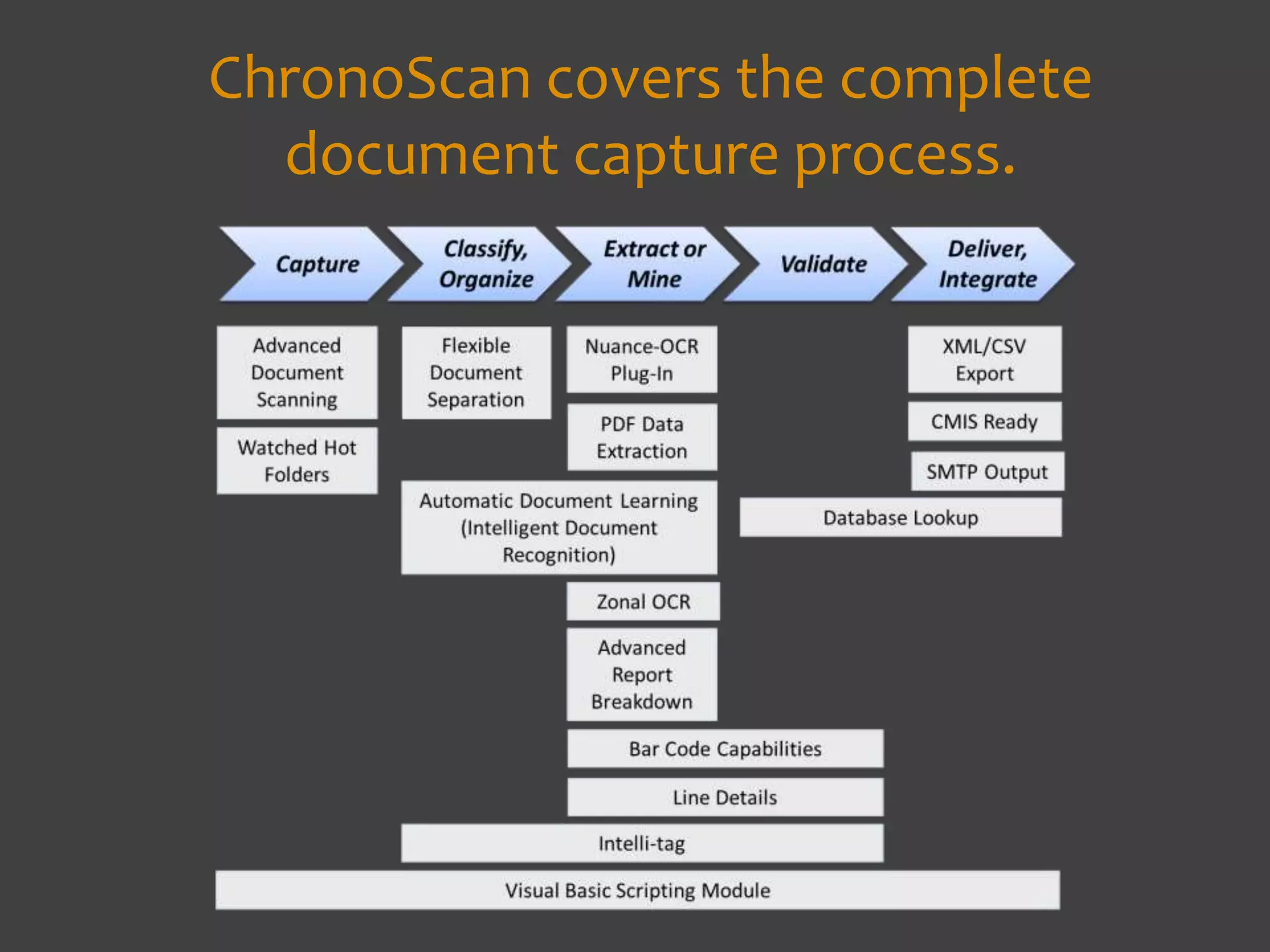
ChronoScan covers the complete
document capture process.
Let’s look at
some of the
key features.
Documents can be
acquired from many
sources.Scanner
MFP
Cloud Service
MailFolder
Fax
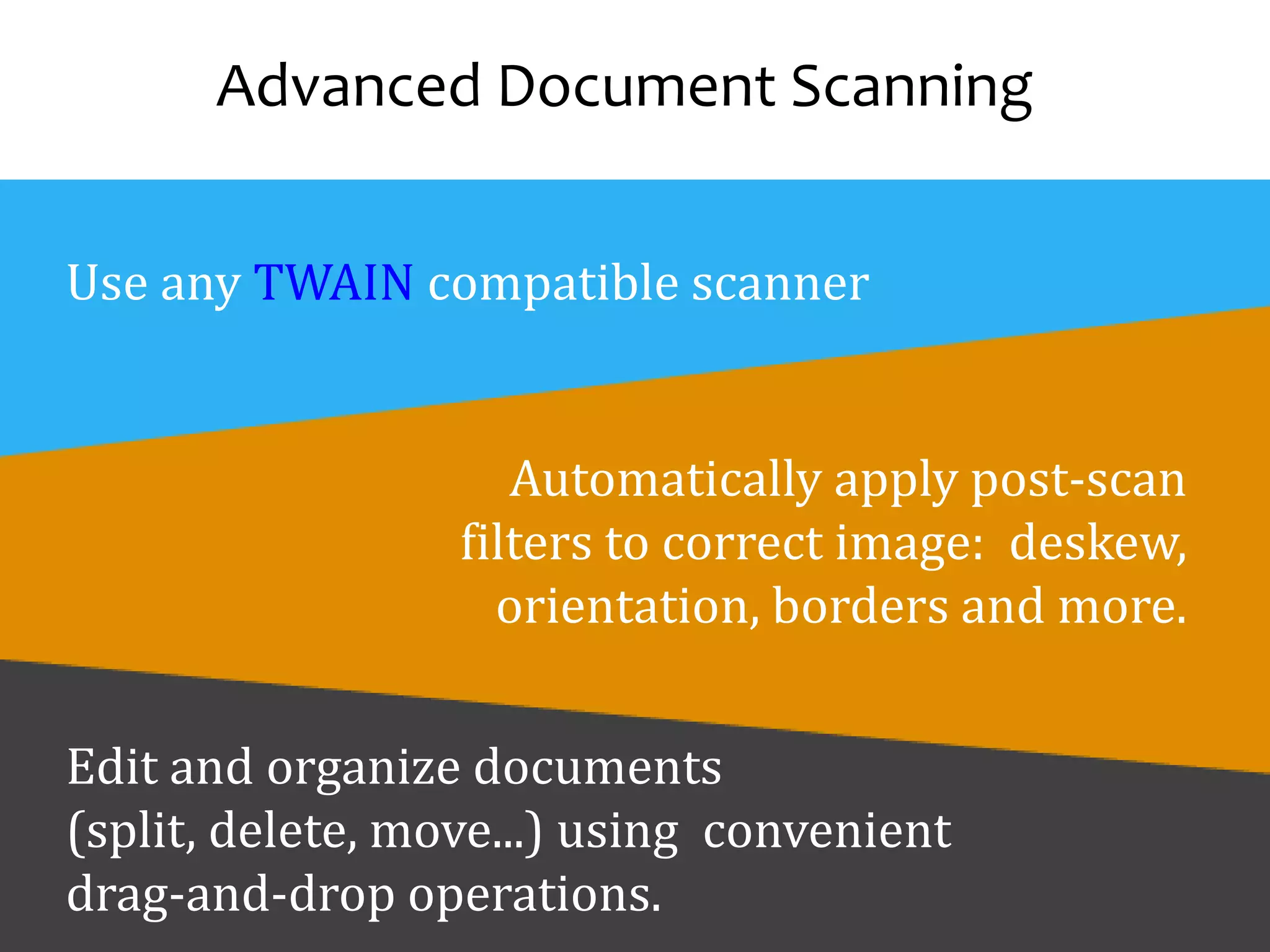
Advanced Document Scanning
Use any TWAIN compatible scanner
Automatically apply post-scan
filters to correct image: deskew,
orientation, borders and more.
Edit and organize documents
(split, delete, move...) using convenient
drag-and-drop operations.
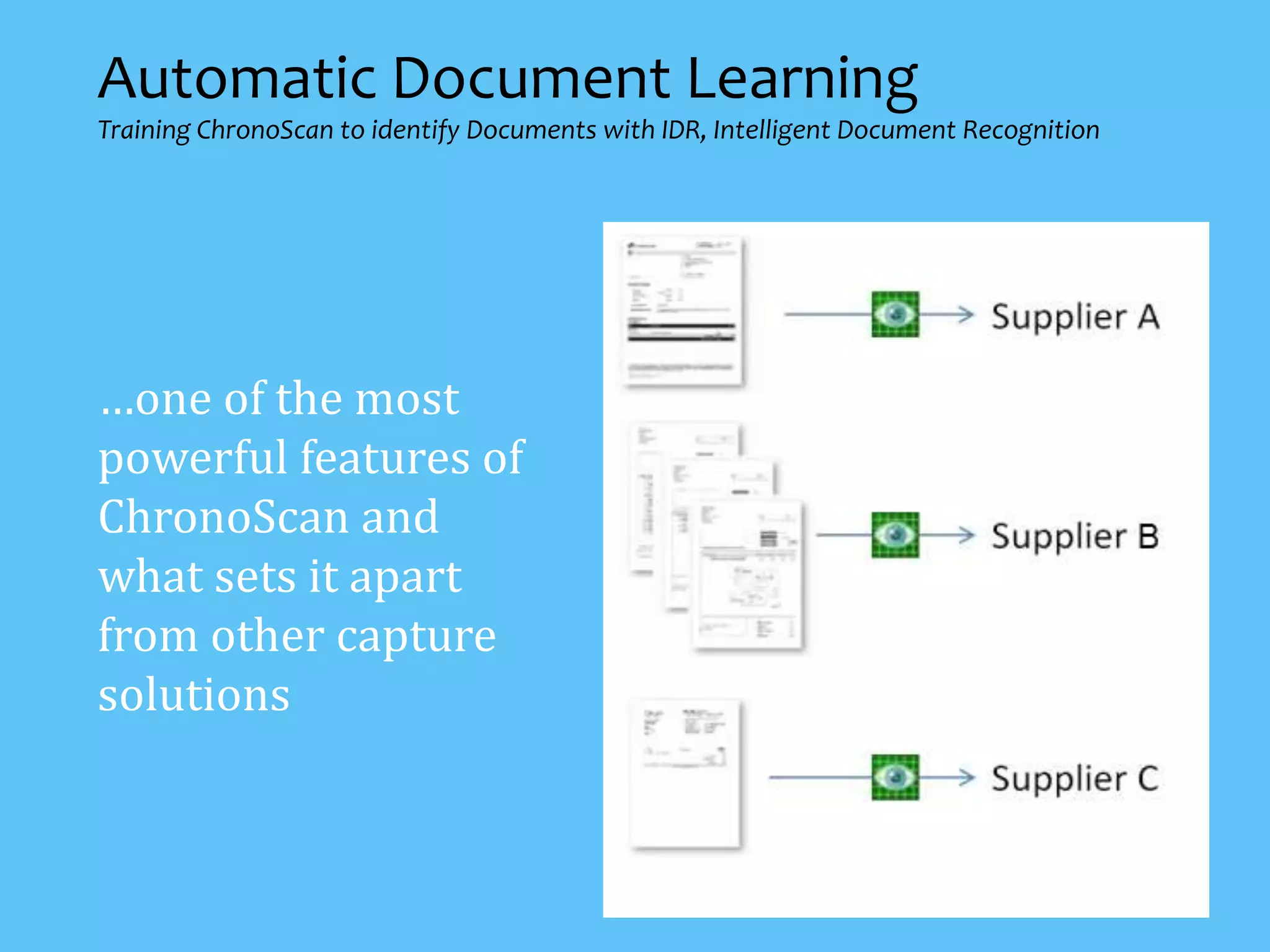
Automatic Document Learning
Training ChronoScan to identify Documents with IDR, Intelligent Document Recognition
…one of the most
powerful features of
ChronoScan and
what sets it apart
from other capture
solutions
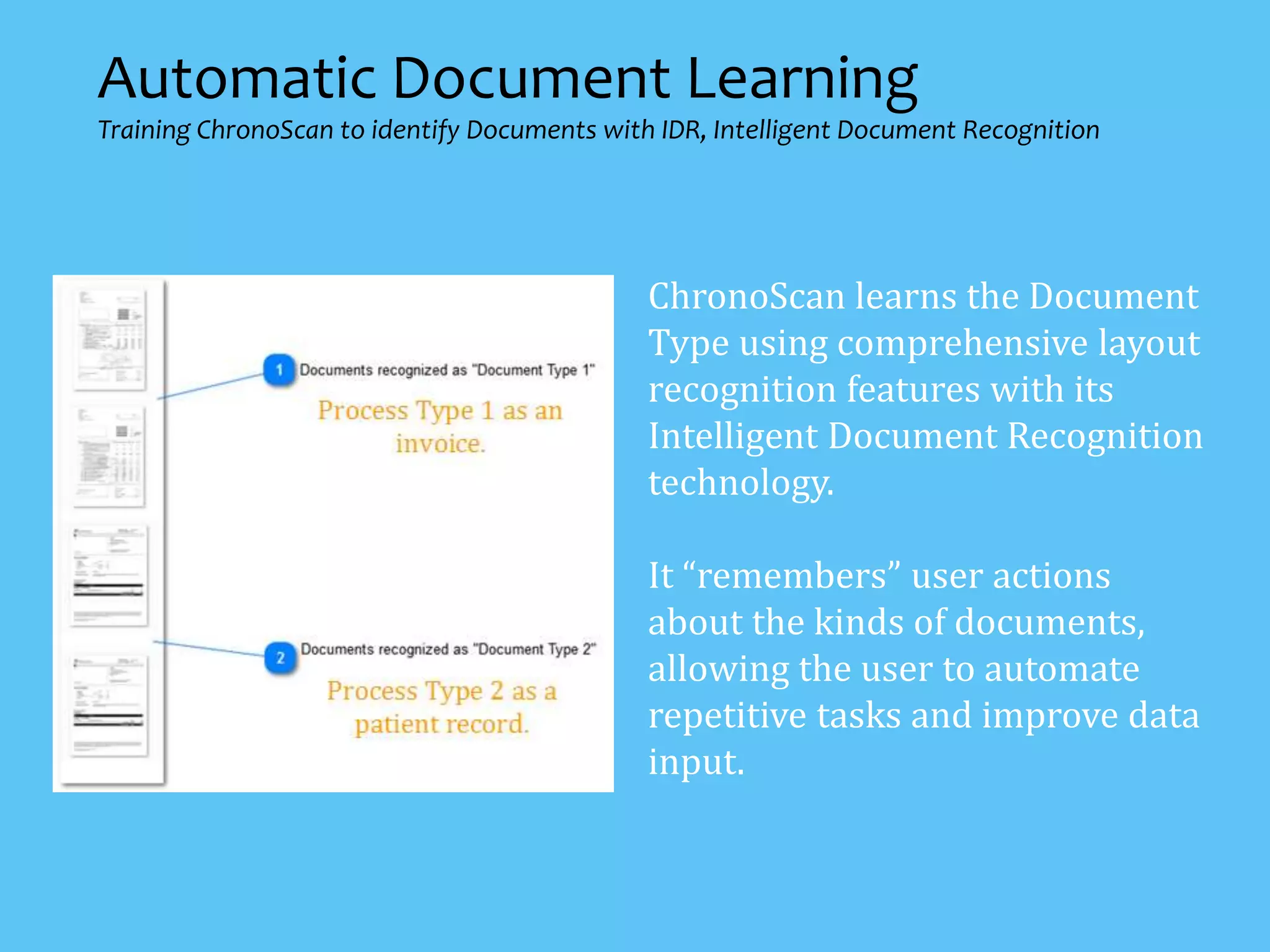
ChronoScan learns the Document
Type using comprehensive layout
recognition features with its
Intelligent Document Recognition
technology.
It “remembers” user actions
about the kinds of documents,
allowing the user to automate
repetitive tasks and improve data
input.
Automatic Document Learning
Training ChronoScan to identify Documents with IDR, Intelligent Document Recognition
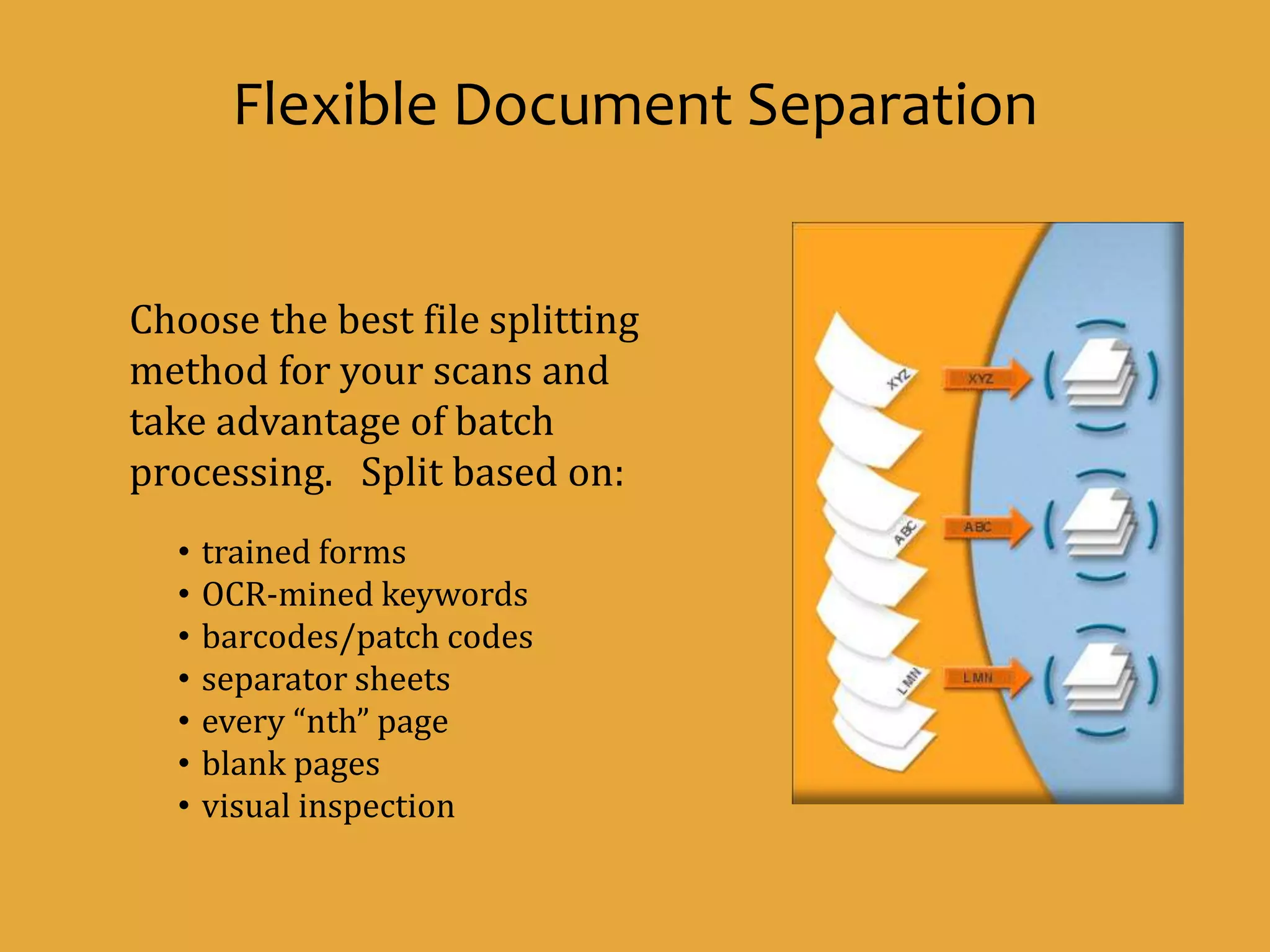
Choose the best file splitting
method for your scans and
take advantage of batch
processing. Split based on:
• trained forms
• OCR-mined keywords
• barcodes/patch codes
• separator sheets
• every “nth” page
• blank pages
• visual inspection
Flexible Document Separation
An advanced automated solution for capturing and extracting
data without the need to define templates by searching for
global character patterns.
Intelli-Tag Data Extraction
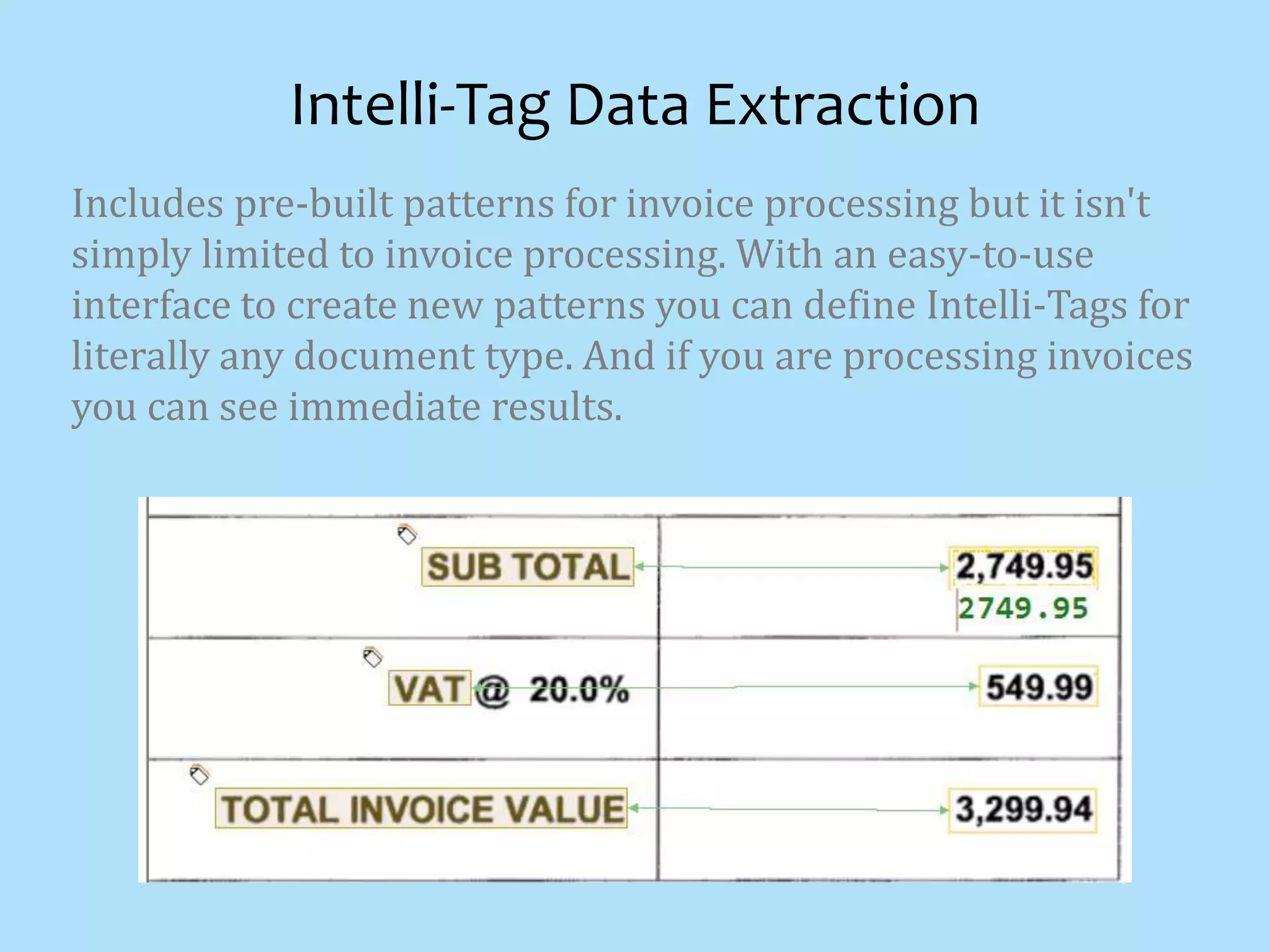
Includes pre-built patterns for invoice processing but it isn't
simply limited to invoice processing. With an easy-to-use
interface to create new patterns you can define Intelli-Tags for
literally any document type. And if you are processing invoices
you can see immediate results.
Intelli-Tag Data Extraction
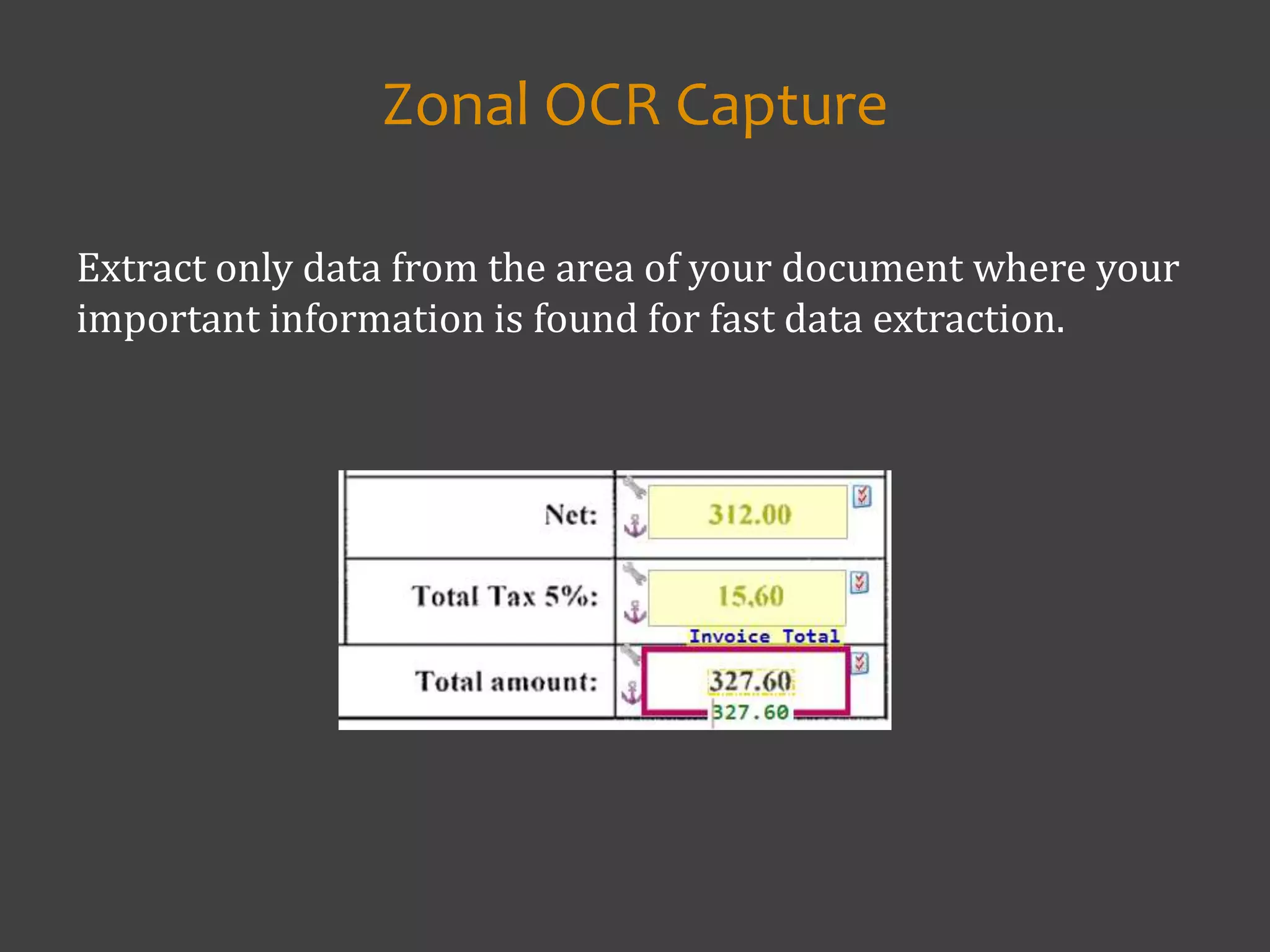
Extract only data from the area of your document where your
important information is found for fast data extraction.
Zonal OCR Capture
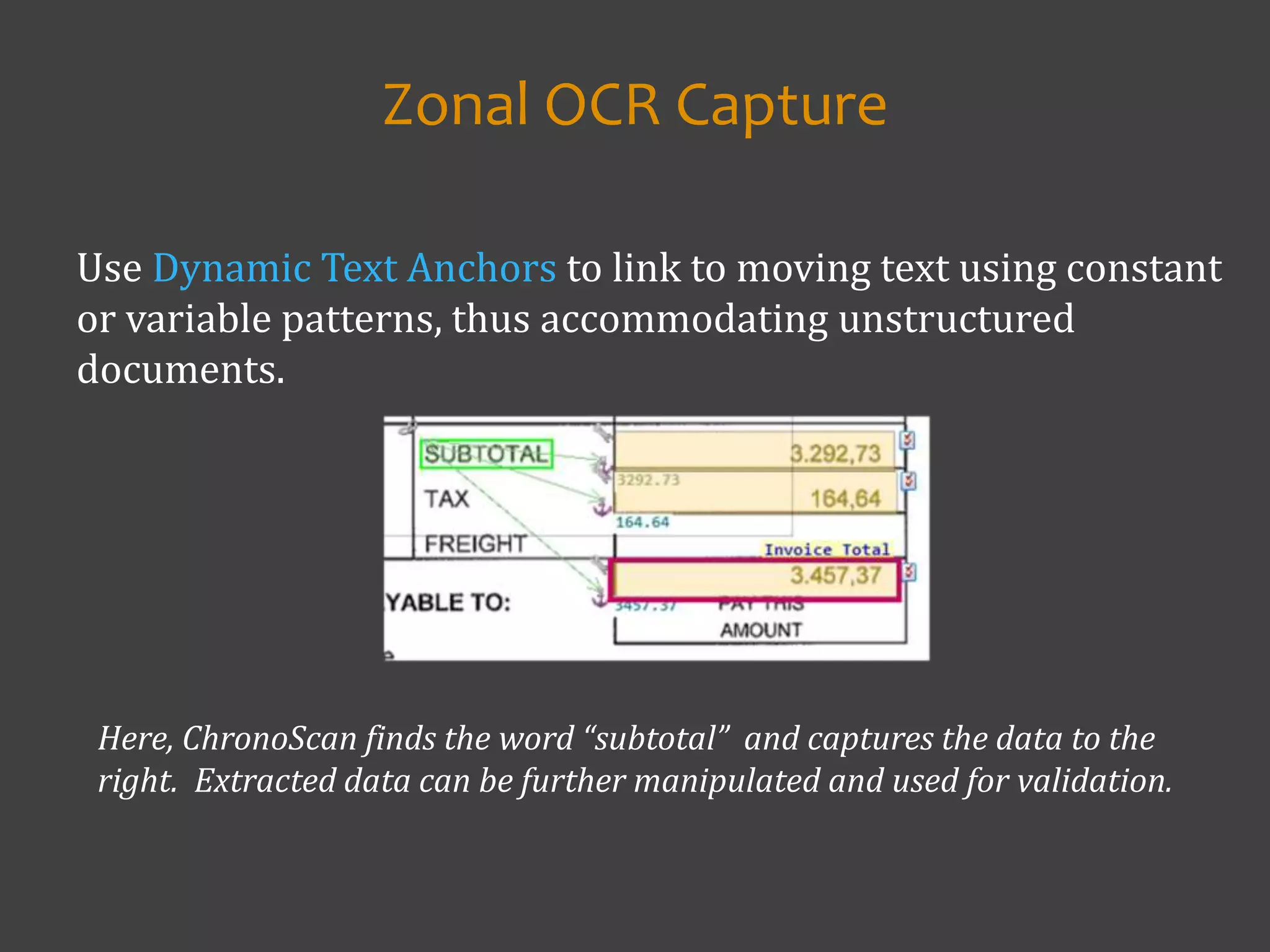
Use Dynamic Text Anchors to link to moving text using constant
or variable patterns, thus accommodating unstructured
documents.
Zonal OCR Capture
Here, ChronoScan finds the word “subtotal” and captures the data to the
right. Extracted data can be further manipulated and used for validation.
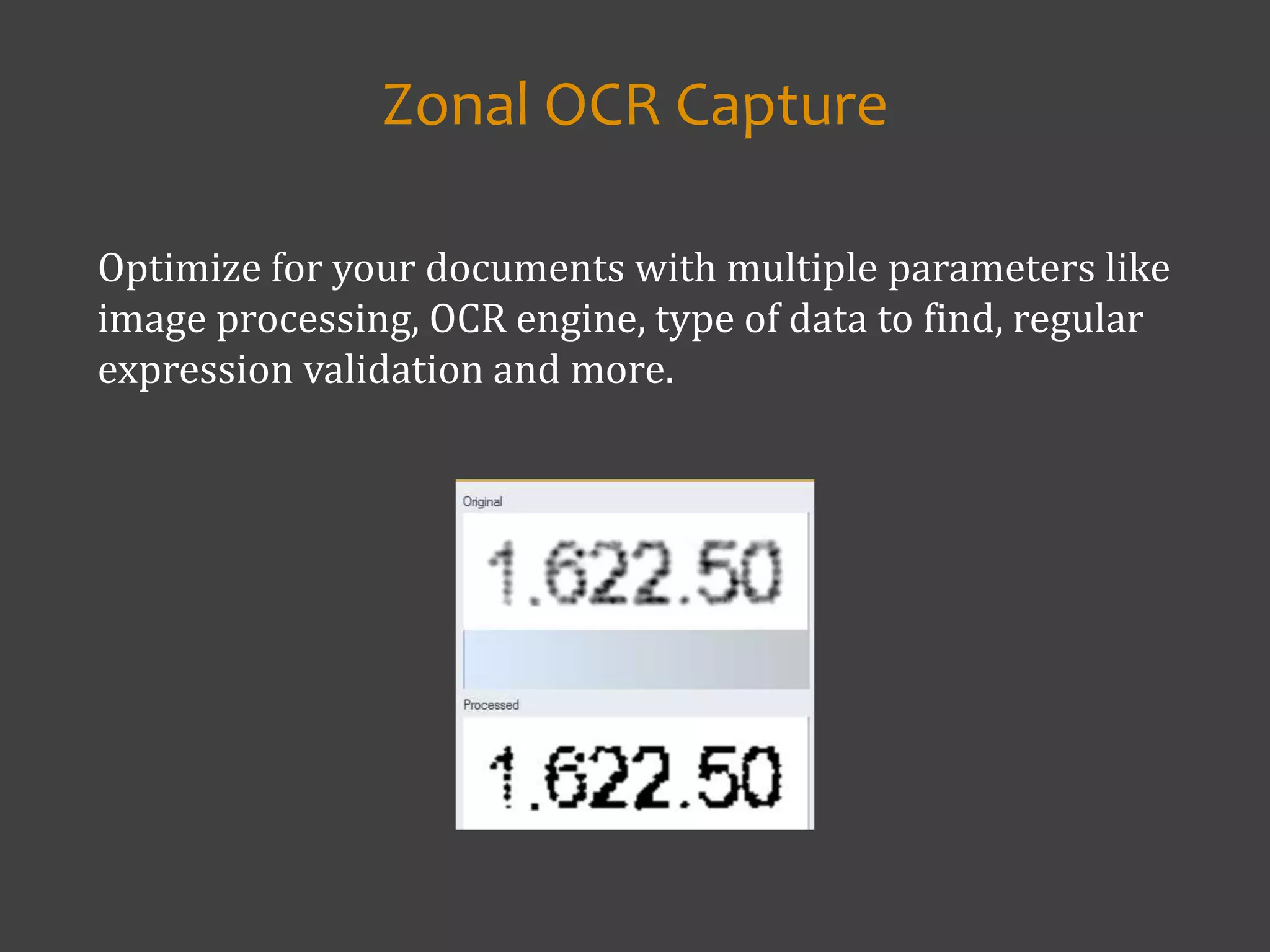
Optimize for your documents with multiple parameters like
image processing, OCR engine, type of data to find, regular
expression validation and more.
Zonal OCR Capture
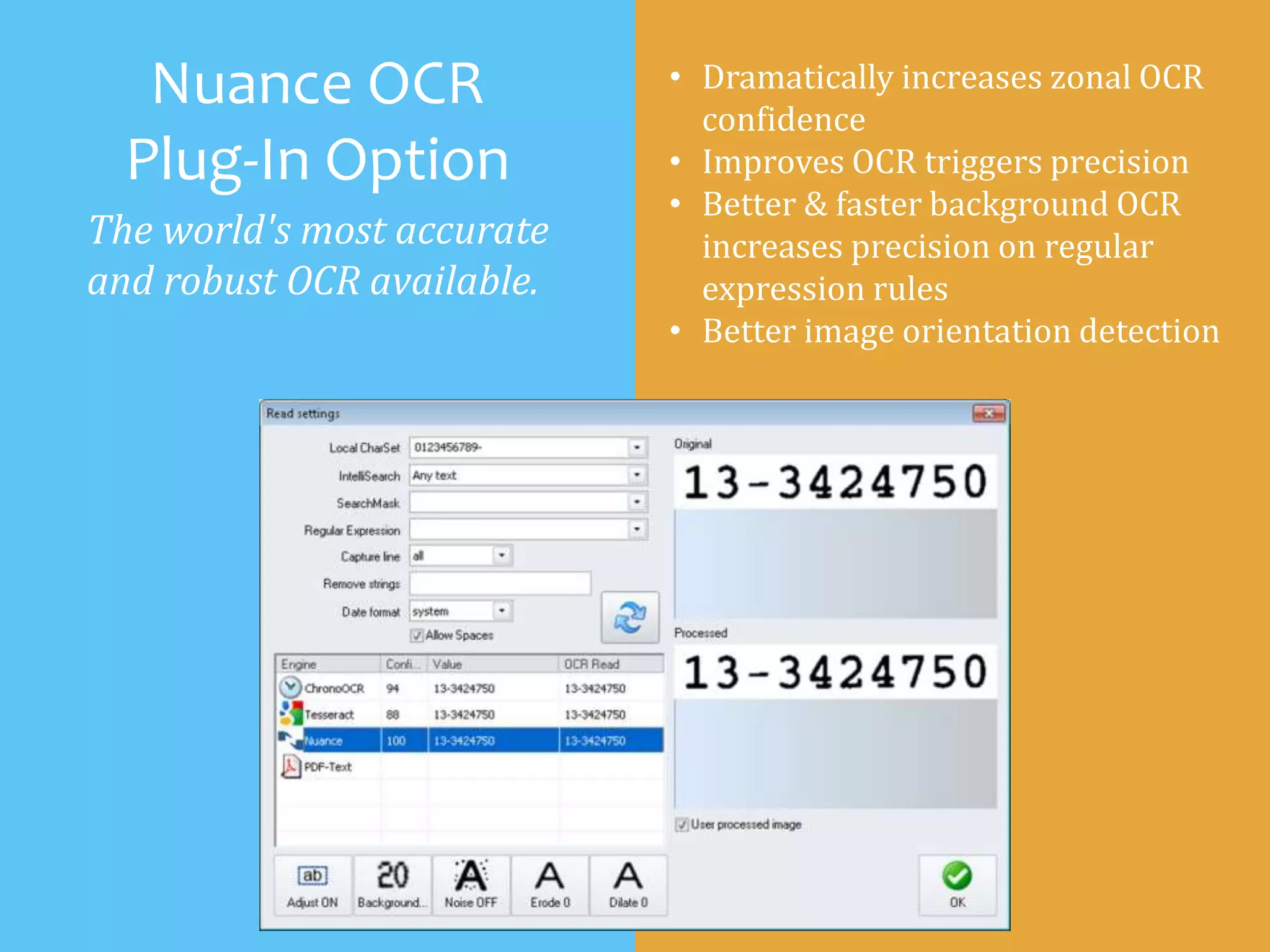
Nuance OCR
Plug-In Option
The world's most accurate
and robust OCR available.
• Dramatically increases zonal OCR
confidence
• Improves OCR triggers precision
• Better & faster background OCR
increases precision on regular
expression rules
• Better image orientation detection
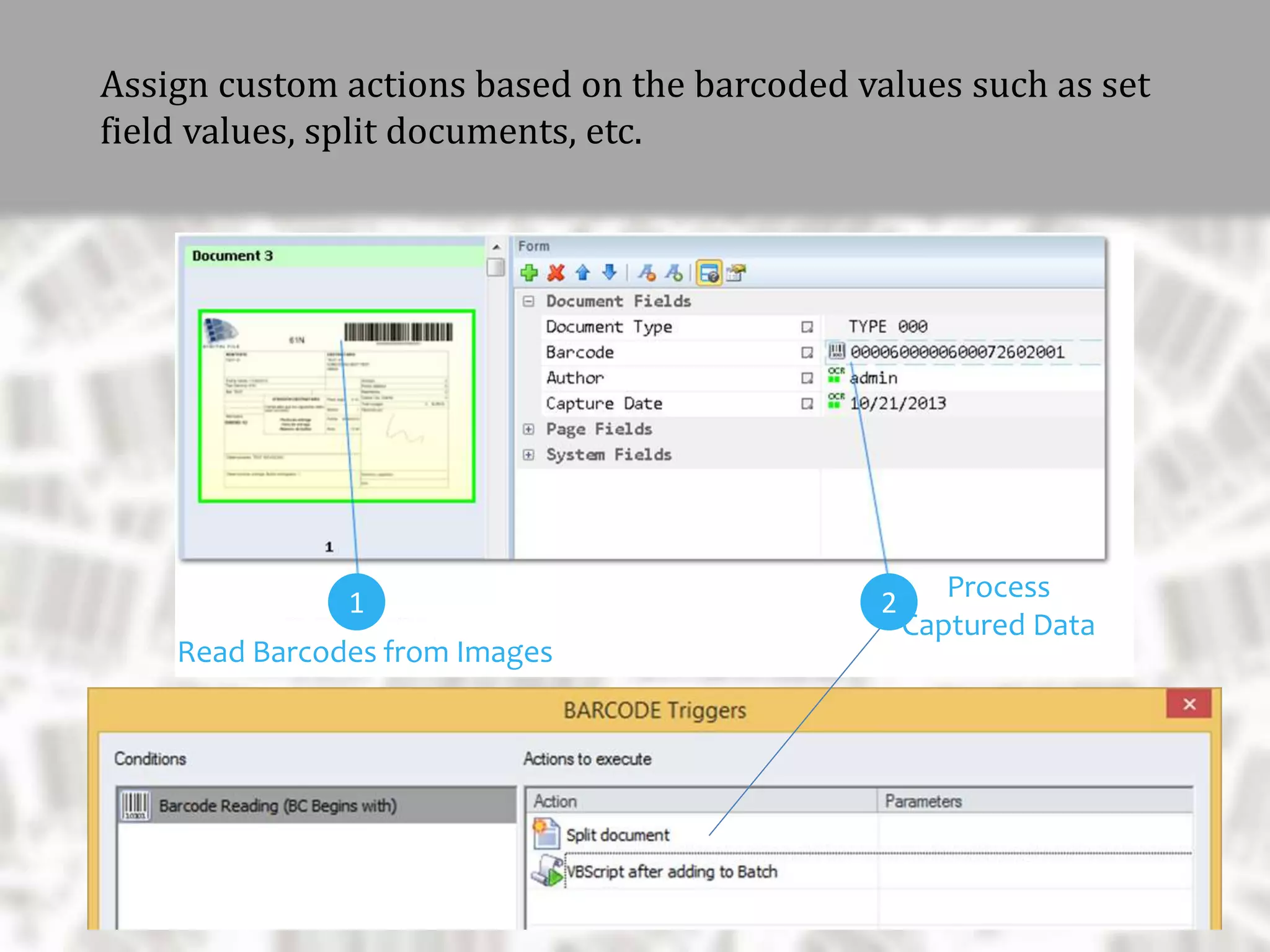
Extract 1D/2D barcodes from your documents
and assign any part of them to fields for indexing,
database export, TXT report, file naming, etc.
Barcode Recognition
and Extraction
Read Barcodes from Images
Assign custom actions based on the barcoded values such as set
field values, split documents, etc.
Process
Captured Data
1 2
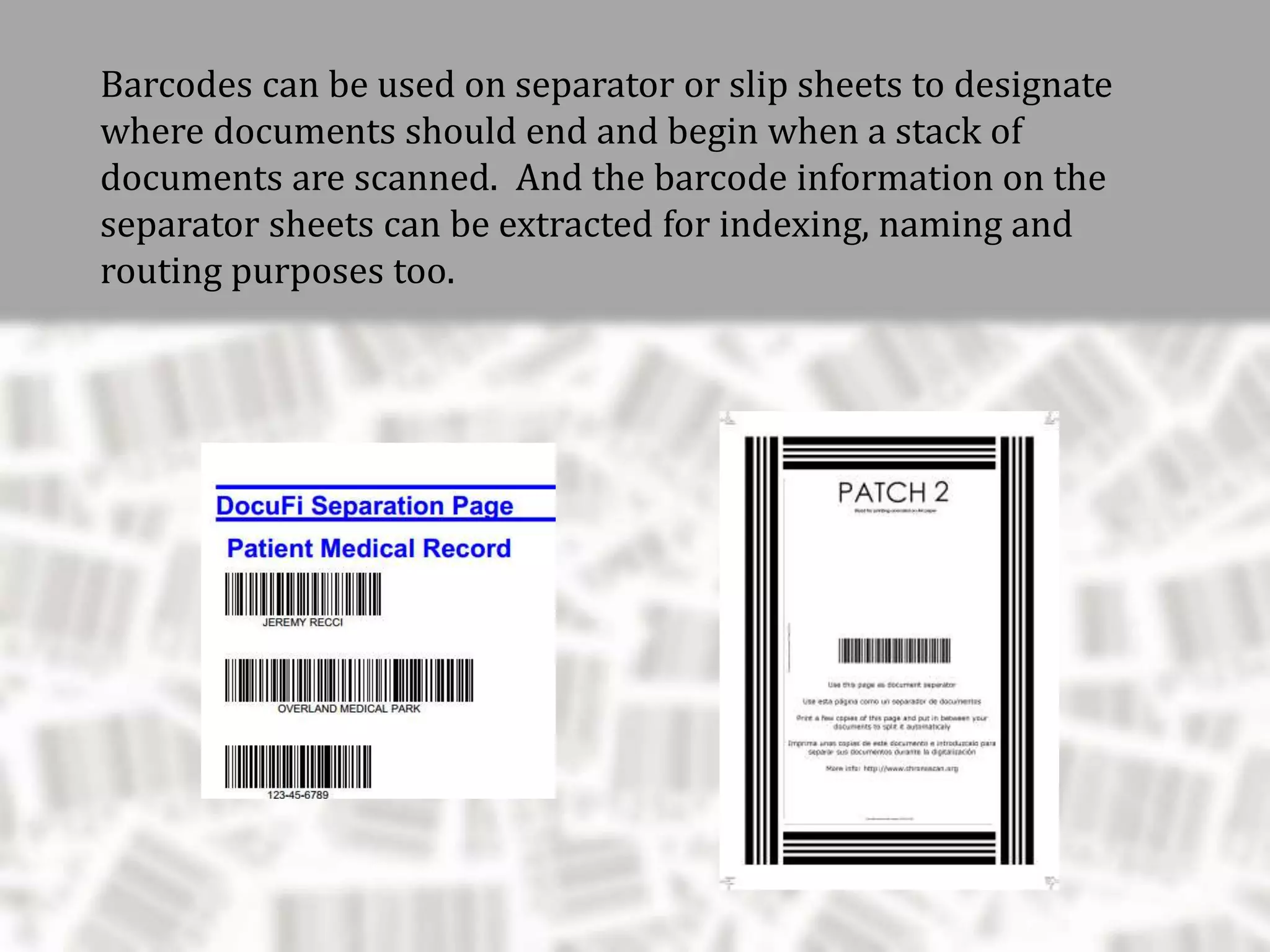
Barcodes can be used on separator or slip sheets to designate
where documents should end and begin when a stack of
documents are scanned. And the barcode information on the
separator sheets can be extracted for indexing, naming and
routing purposes too.
Detail Lines: Capturing and Validating
Document Content
• validate with an external
database
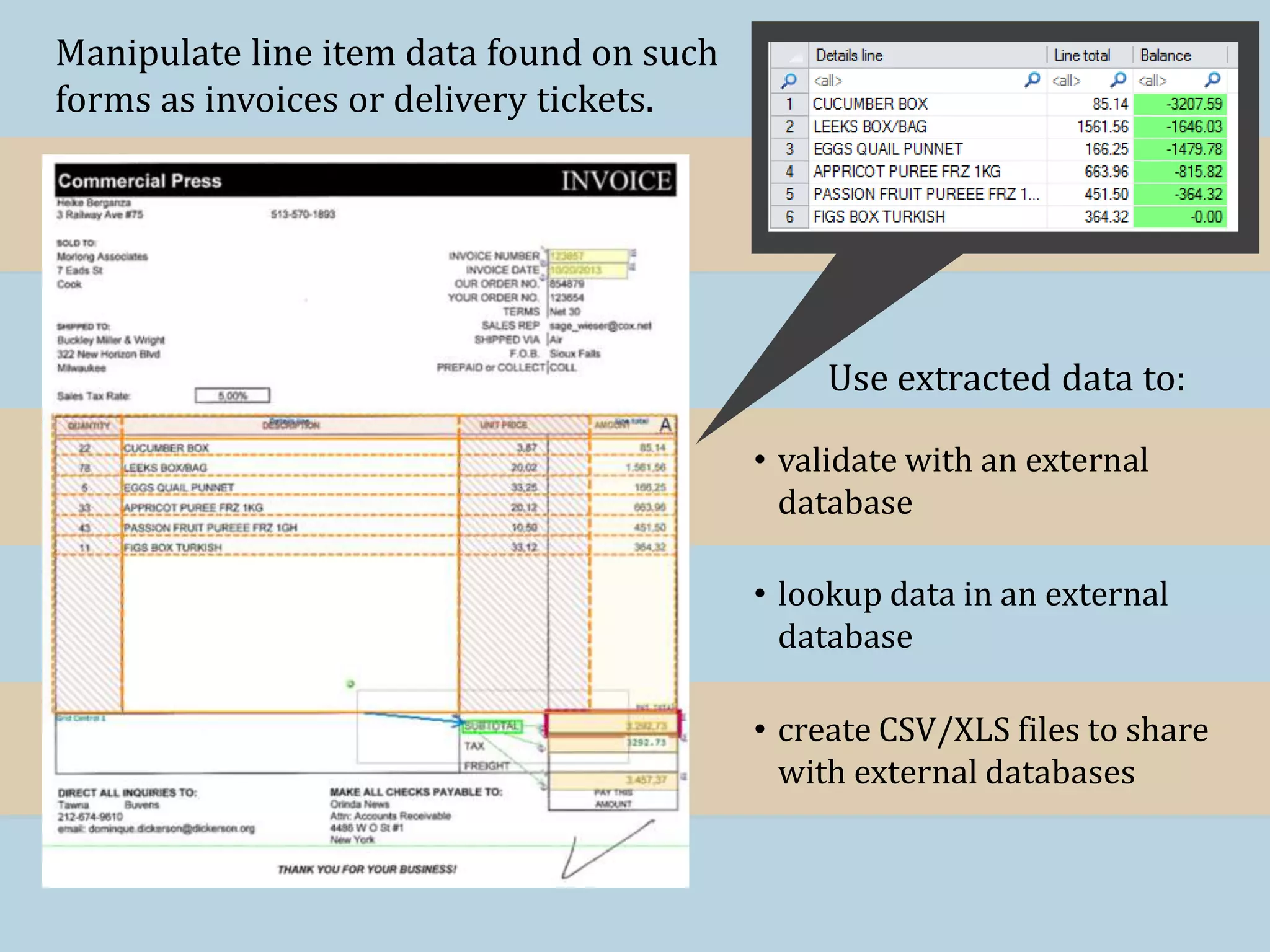
Manipulate line item data found on such
forms as invoices or delivery tickets.
Use extracted data to:
• create CSV/XLS files to share
with external databases
• lookup data in an external
database
• validate with an external
database
Manipulate line item data found on such
forms as invoices or delivery tickets.
Use extracted data to:
• create CSV/XLS files to share
with external databases
• lookup data in an external
database
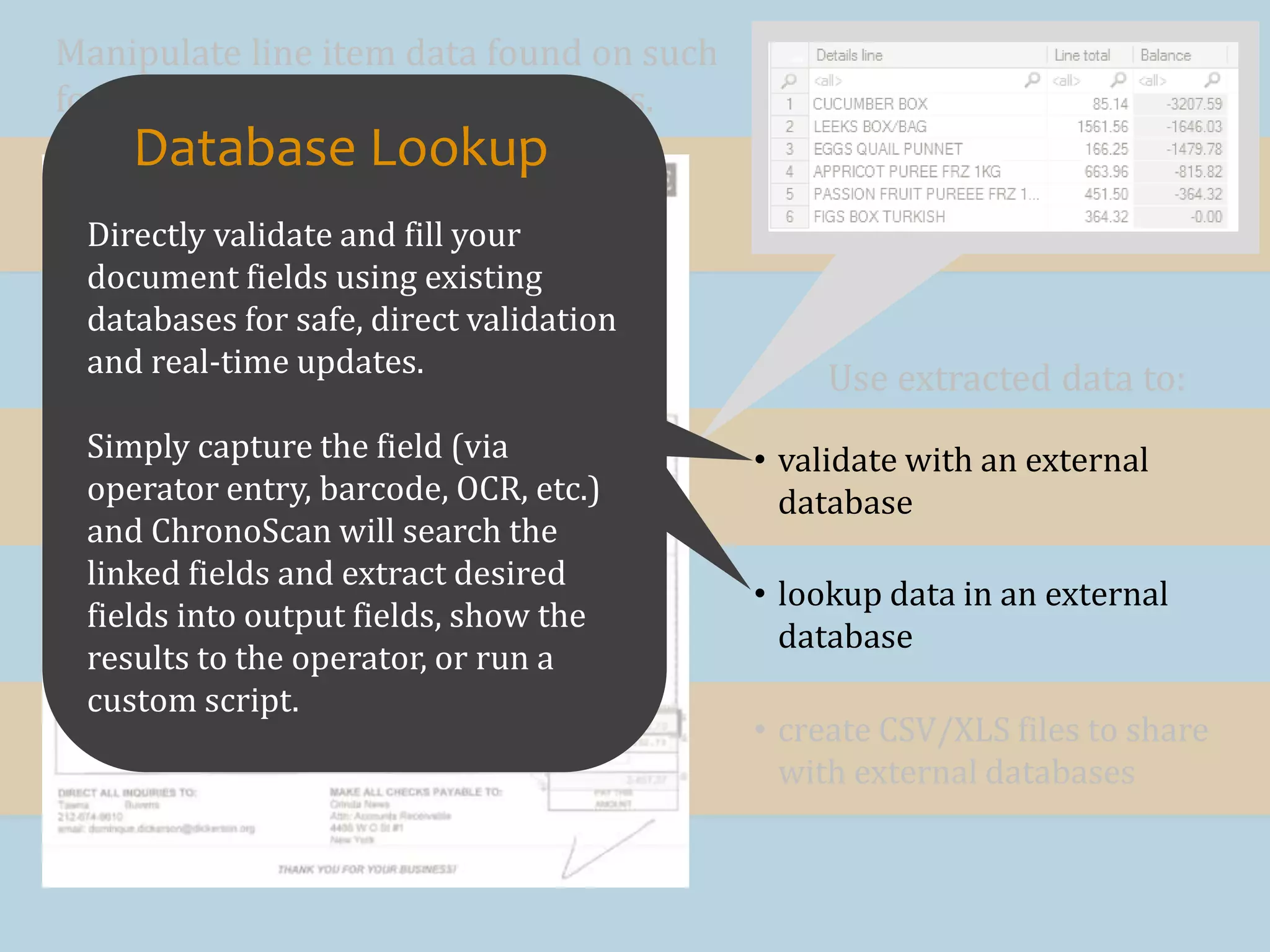
Directly validate and fill your
document fields using existing
databases for safe, direct validation
and real-time updates.
Simply capture the field (via
operator entry, barcode, OCR, etc.)
and ChronoScan will search the
linked fields and extract desired
fields into output fields, show the
results to the operator, or run a
custom script.
Database Lookup
Advanced Report Breakdown or Dismount
Convert complex reports to a structured data
format.
Convert complex PDF or scanned OCR
reports into a structured data format. With
this unique feature, ChronoScan is able to
break down complex reports automatically,
splitting every different record as an
independent processing unit. The software is
able to adapt extraction to different rules
and page limits to break down and structure
visually complex documents into a
compressible data file (CSV/XLS).
Advanced Report Breakdown or Dismount
Break Down
Extract
Convert complex reports to
structured data .
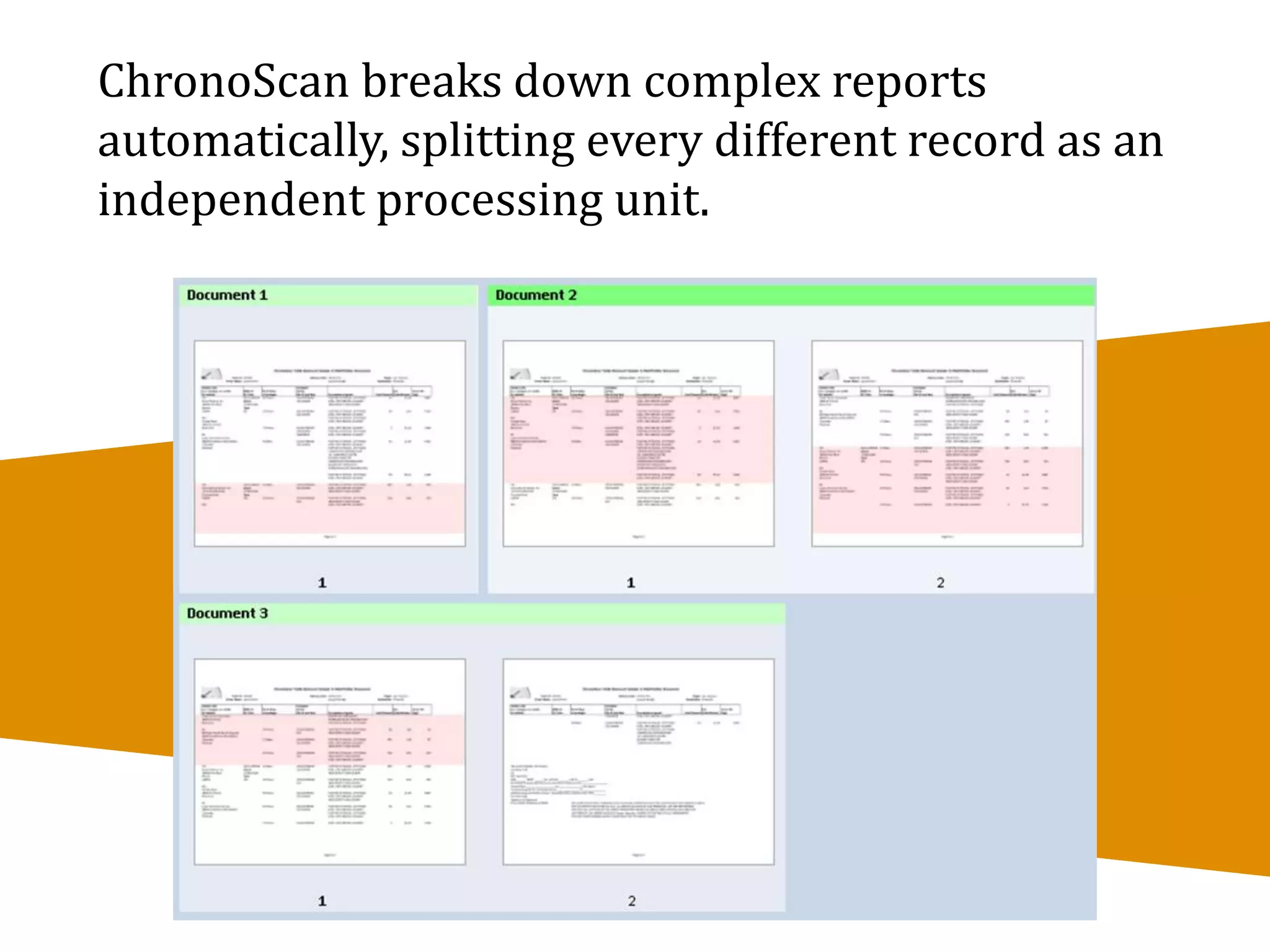
ChronoScan breaks down complex reports
automatically, splitting every different record as an
independent processing unit.
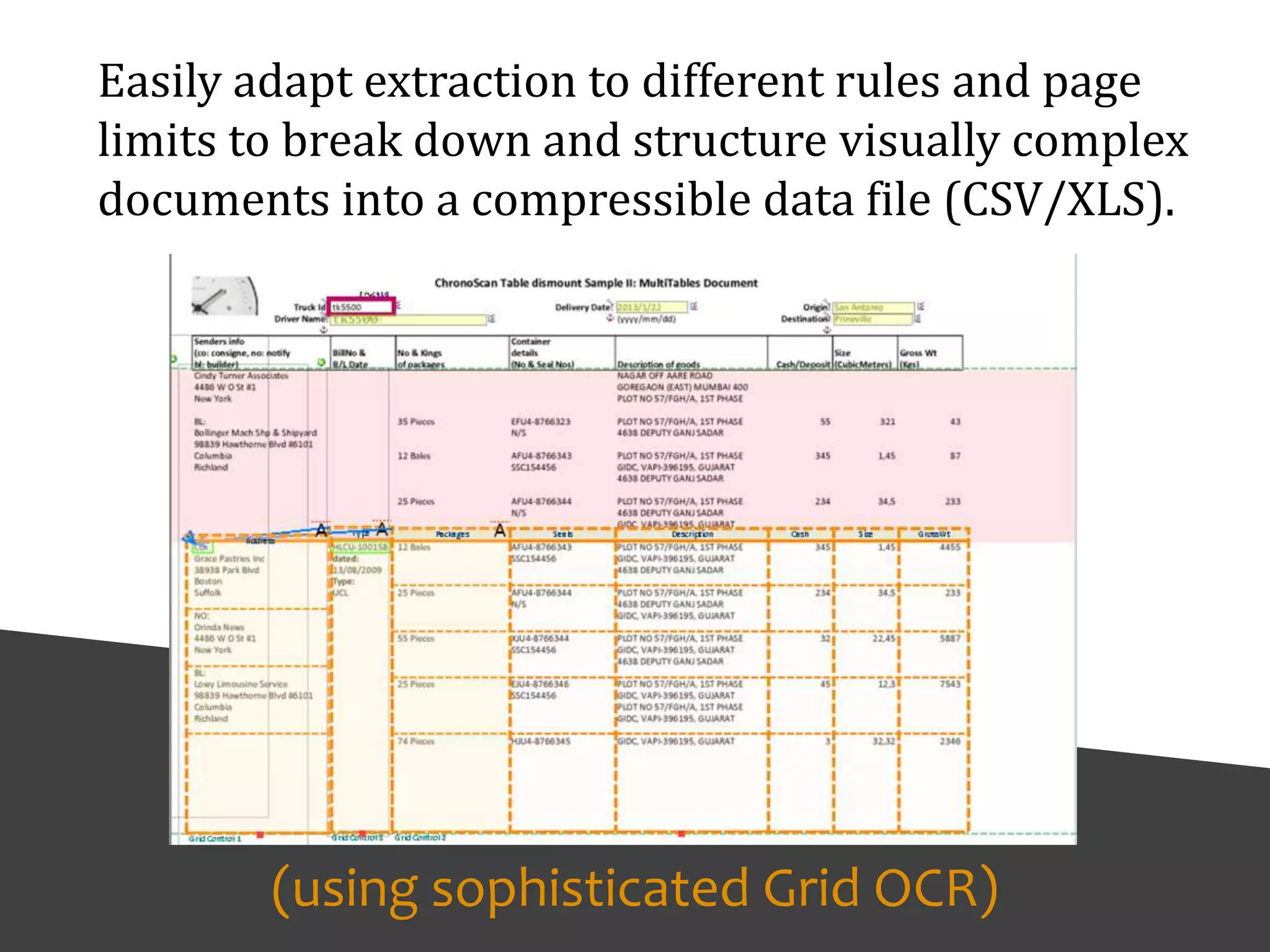
Easily adapt extraction to different rules and page
limits to break down and structure visually complex
documents into a compressible data file (CSV/XLS).
(using sophisticated Grid OCR)
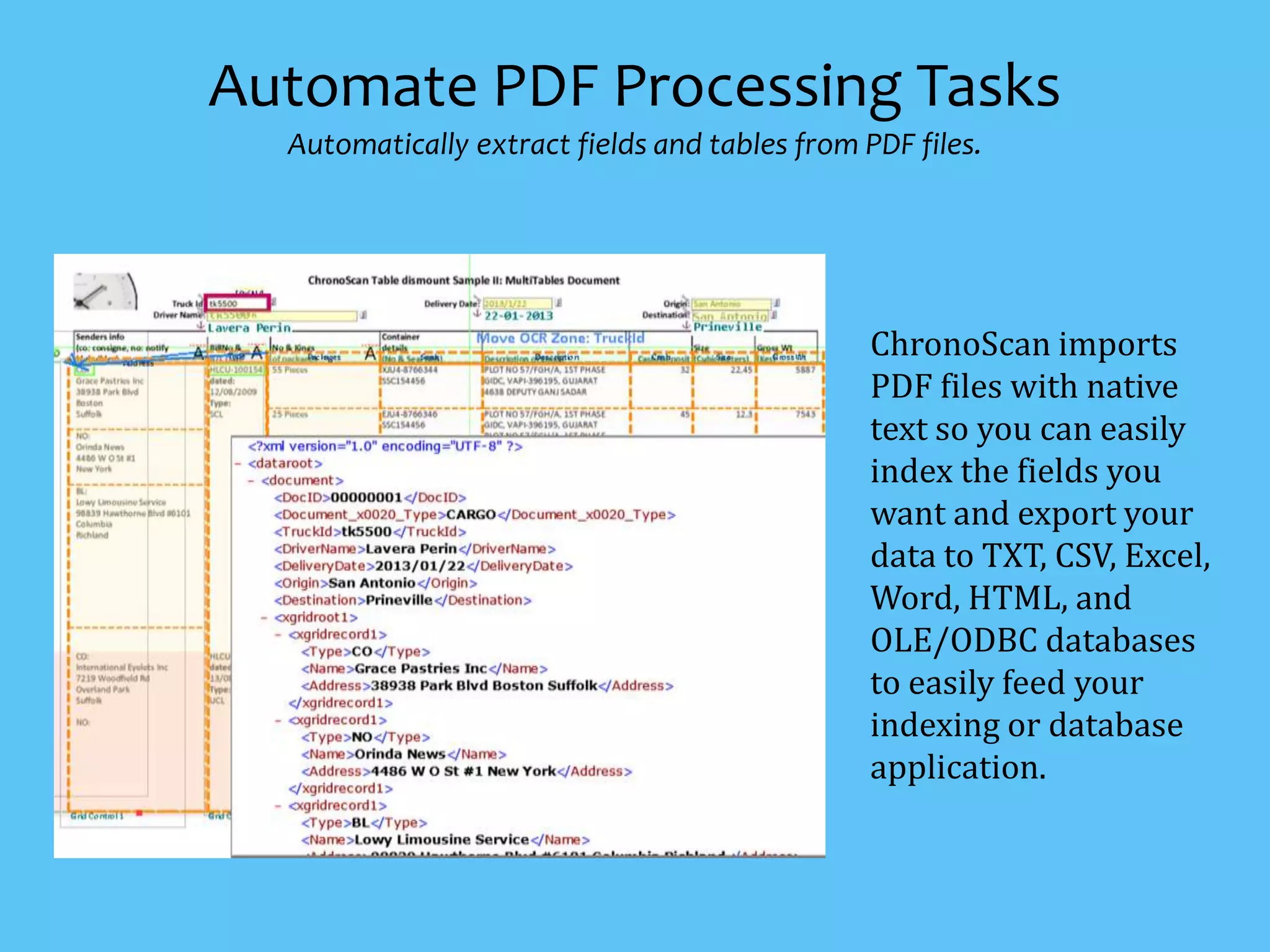
ChronoScan imports
PDF files with native
text so you can easily
index the fields you
want and export your
data to TXT, CSV, Excel,
Word, HTML, and
OLE/ODBC databases
to easily feed your
indexing or database
application.
Automate PDF Processing Tasks
Automatically extract fields and tables from PDF files.
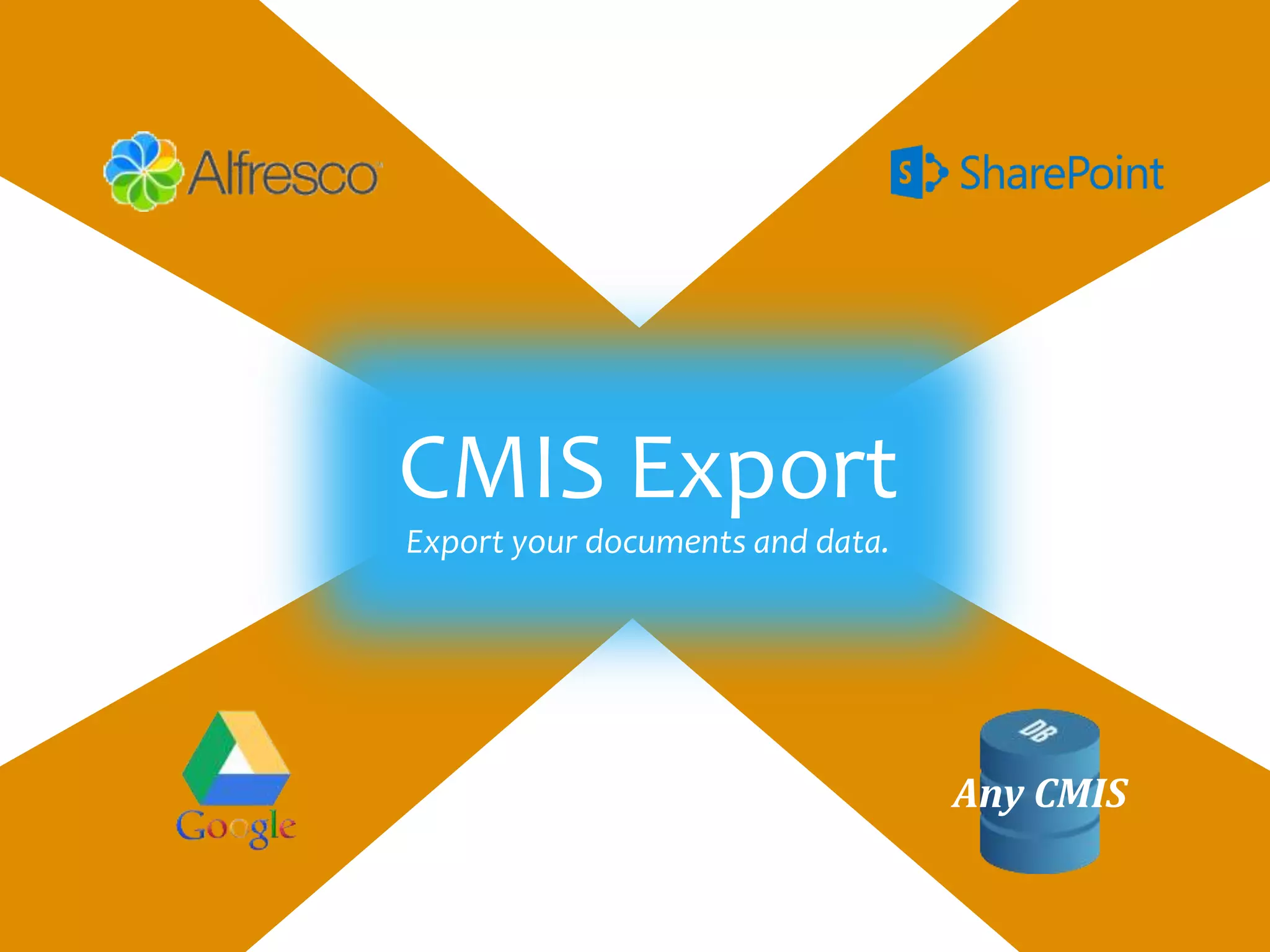
Any CMIS
Database
Microsoft
SharePoint
Google Drive
Alfresco
Google Drives
CMIS Export
Export your documents and data.
Any CMIS
@
SMTP
SMTP Email Output Module
With the SMTP module, email output is easily integrated
with the variable wizard so everything is point and click
from sending to extracting recipient data and adding file
attachments. This feature opens up many new possibilities
such as e-Billing and document distribution and more.
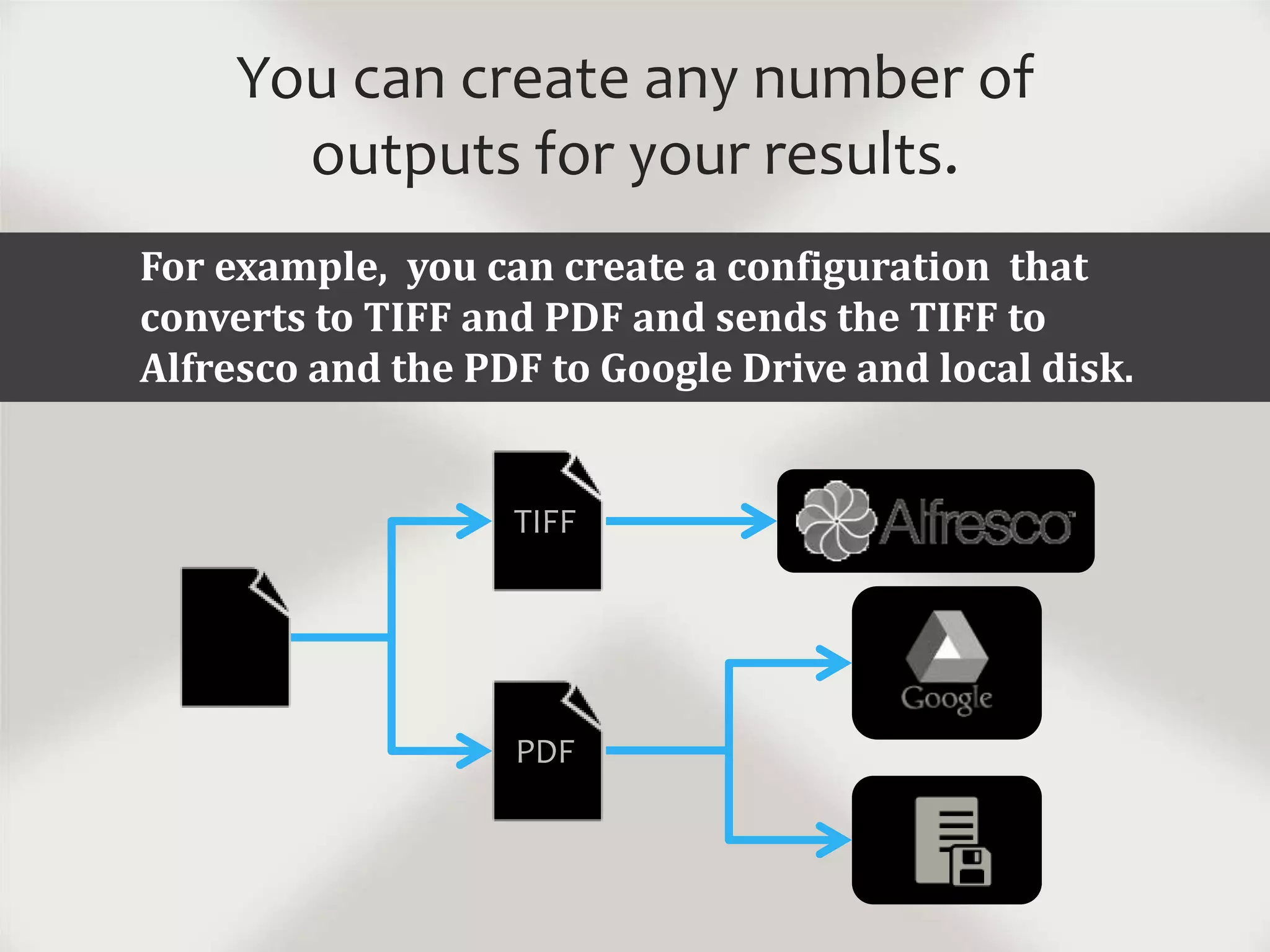
You can create any number of
outputs for your results.
For example, you can create a configuration that
converts to TIFF and PDF and sends the TIFF to
Alfresco and the PDF to Google Drive and local disk.
PDF
TIFF
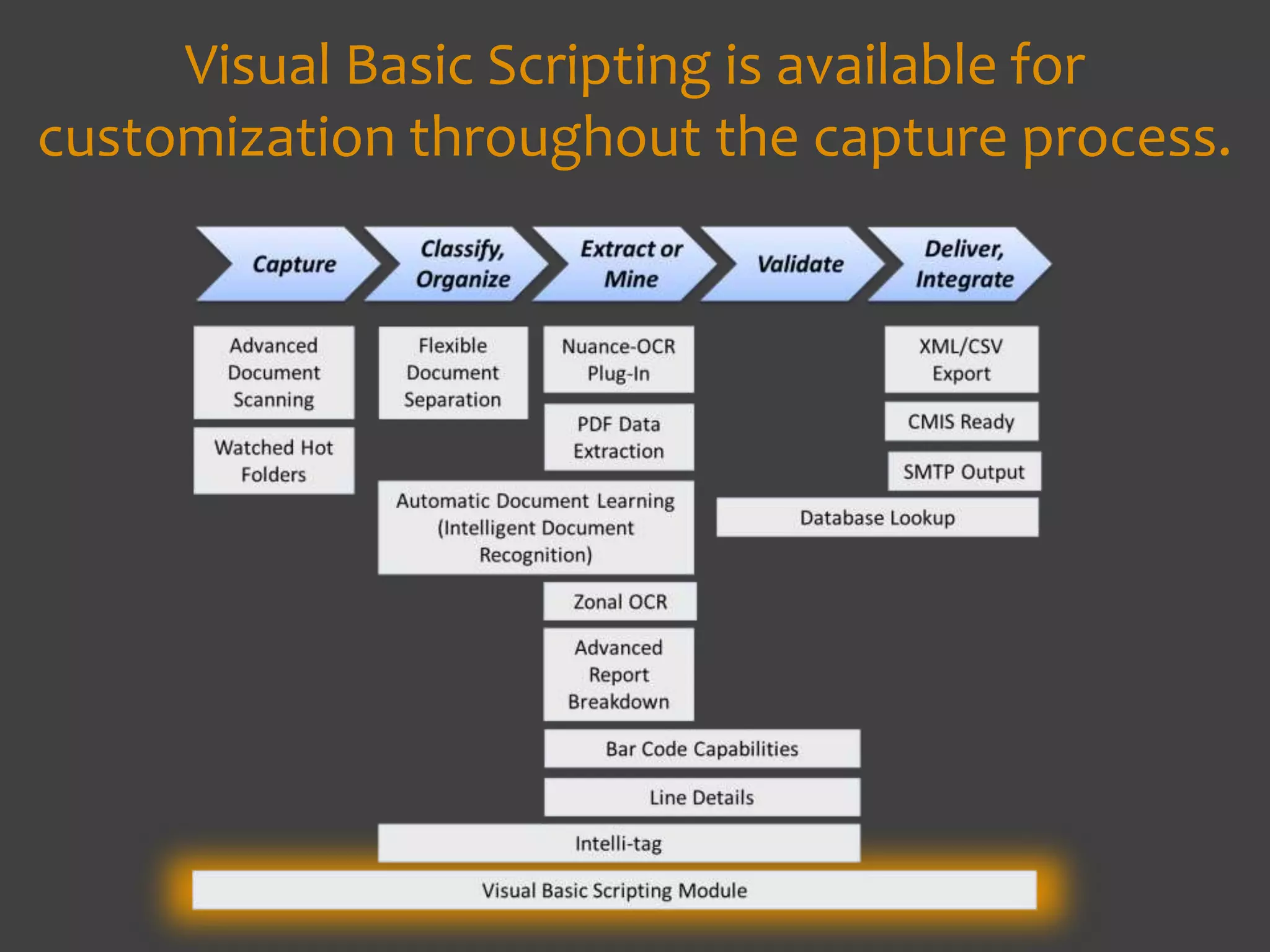
Visual Basic Scripting is available for
customization throughout the capture process.
ChronoScan has the ability to execute
VBScripts when an event occurs. It plays
an important role in more complex
validation and integration tasks.
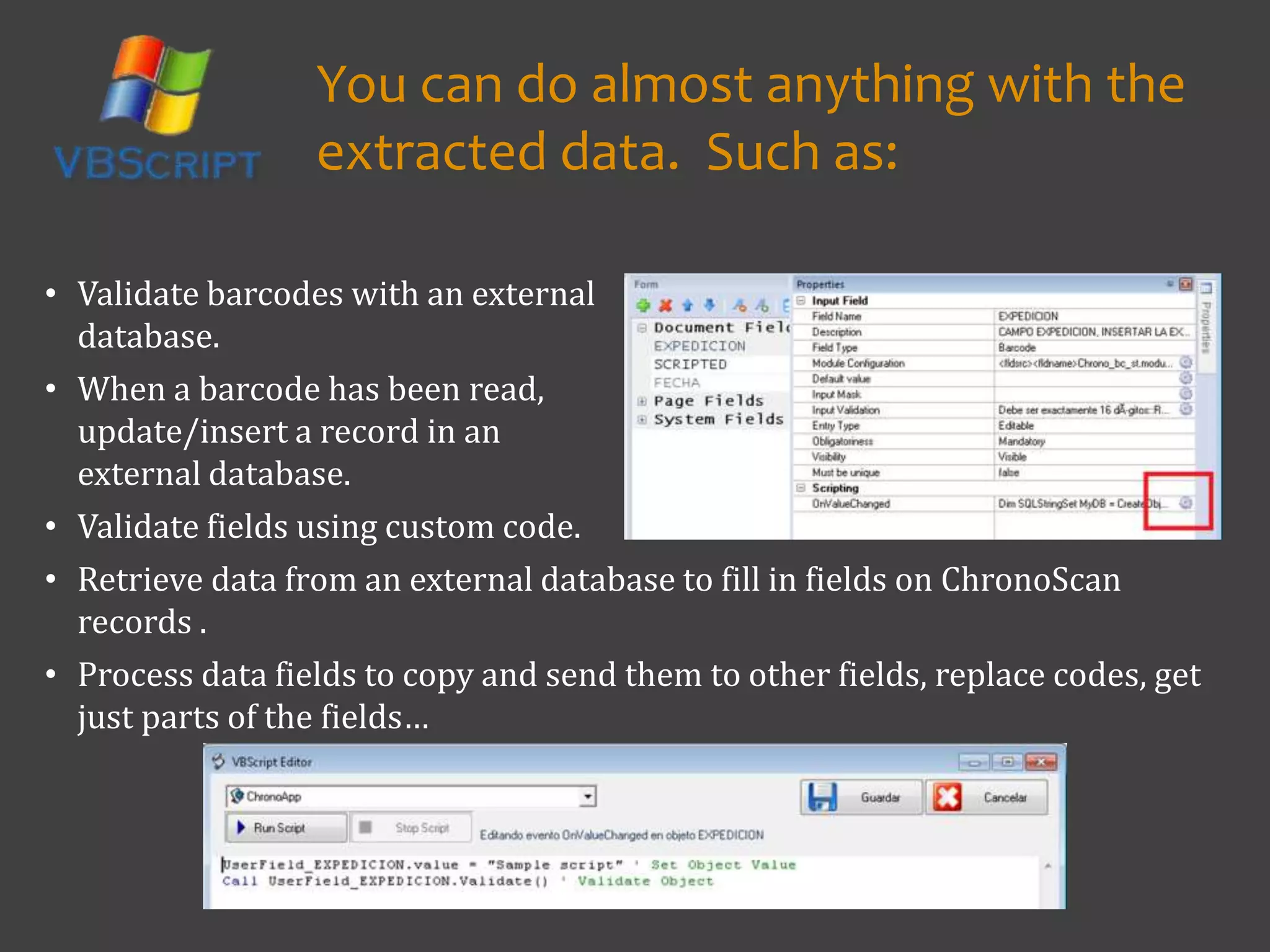
• Validate fields using custom code.
• Retrieve data from an external database to fill in fields on ChronoScan
records .
• Process data fields to copy and send them to other fields, replace codes, get
just parts of the fields…
You can do almost anything with the
extracted data. Such as:
• Validate barcodes with an external
database.
• When a barcode has been read,
update/insert a record in an
external database.
For more on:
• Batch Document processing
• Batch PDF mining
• Batch text mining
• Batch TIF mining
• Text mining
• Extracting meta data,
• Data extraction from unstructured data
• Intelligent data capture
• Data extraction
• Using regex to extract data
• Document scanning
• Extracting data
• Extract meta data,
• Scanner software,
• Barcode recognition,
• OCR software,
• Capture tutorial
• Pdf scanning,
• Scanning software
• Indexing
• Document indexing
• Automated capture
• Meta data
• Scan to index
• Batch Processing
• Bulk scanning
• Docufi
• Imageramp
• ChronoScan
• Data capture
• What is ChronoScan
• US Chronoscan
• ChronoScan in the USwww.docufi.com info@docufi.com
Copyright ©2014
Get Started With Us
Our solutions include ImageRamp Batch for folder processing, and
ChronoScan Capture for advanced barcode and data mining requirements.
Built on over 30 years’ experience in the Document Imaging and Capture market
DocuFi is a premier ChronoScan Solutions Partner offering
extensive professional services to configure the system to
your specific requirements. DocuFi has been providing
custom solutions into health care, financial services, retail,
educational and other markets since 2010.
Learn More:

ChronoScan Document Scanning and Capture for Unparralleled Data Extraction and Processing

  • 1.
  • 2.
    a comprehensive suiteof software for document scanning, data extraction and integration into your ECM, CMIS compliant, or line of business database. ChronoScan is:
  • 3.
    ChronoScan covers thecomplete document capture process.
  • 4.
    Let’s look at someof the key features.
  • 5.
    Documents can be acquiredfrom many sources.Scanner MFP Cloud Service MailFolder Fax
  • 6.
    Advanced Document Scanning Useany TWAIN compatible scanner Automatically apply post-scan filters to correct image: deskew, orientation, borders and more. Edit and organize documents (split, delete, move...) using convenient drag-and-drop operations.
  • 7.
    Automatic Document Learning TrainingChronoScan to identify Documents with IDR, Intelligent Document Recognition …one of the most powerful features of ChronoScan and what sets it apart from other capture solutions
  • 8.
    ChronoScan learns theDocument Type using comprehensive layout recognition features with its Intelligent Document Recognition technology. It “remembers” user actions about the kinds of documents, allowing the user to automate repetitive tasks and improve data input. Automatic Document Learning Training ChronoScan to identify Documents with IDR, Intelligent Document Recognition
  • 9.
    Choose the bestfile splitting method for your scans and take advantage of batch processing. Split based on: • trained forms • OCR-mined keywords • barcodes/patch codes • separator sheets • every “nth” page • blank pages • visual inspection Flexible Document Separation
  • 10.
    An advanced automatedsolution for capturing and extracting data without the need to define templates by searching for global character patterns. Intelli-Tag Data Extraction
  • 11.
    Includes pre-built patternsfor invoice processing but it isn't simply limited to invoice processing. With an easy-to-use interface to create new patterns you can define Intelli-Tags for literally any document type. And if you are processing invoices you can see immediate results. Intelli-Tag Data Extraction
  • 12.
    Extract only datafrom the area of your document where your important information is found for fast data extraction. Zonal OCR Capture
  • 13.
    Use Dynamic TextAnchors to link to moving text using constant or variable patterns, thus accommodating unstructured documents. Zonal OCR Capture Here, ChronoScan finds the word “subtotal” and captures the data to the right. Extracted data can be further manipulated and used for validation.
  • 14.
    Optimize for yourdocuments with multiple parameters like image processing, OCR engine, type of data to find, regular expression validation and more. Zonal OCR Capture
  • 15.
    Nuance OCR Plug-In Option Theworld's most accurate and robust OCR available. • Dramatically increases zonal OCR confidence • Improves OCR triggers precision • Better & faster background OCR increases precision on regular expression rules • Better image orientation detection
  • 16.
    Extract 1D/2D barcodesfrom your documents and assign any part of them to fields for indexing, database export, TXT report, file naming, etc. Barcode Recognition and Extraction
  • 17.
    Read Barcodes fromImages Assign custom actions based on the barcoded values such as set field values, split documents, etc. Process Captured Data 1 2
  • 18.
    Barcodes can beused on separator or slip sheets to designate where documents should end and begin when a stack of documents are scanned. And the barcode information on the separator sheets can be extracted for indexing, naming and routing purposes too.
  • 19.
    Detail Lines: Capturingand Validating Document Content
  • 20.
    • validate withan external database Manipulate line item data found on such forms as invoices or delivery tickets. Use extracted data to: • create CSV/XLS files to share with external databases • lookup data in an external database
  • 21.
    • validate withan external database Manipulate line item data found on such forms as invoices or delivery tickets. Use extracted data to: • create CSV/XLS files to share with external databases • lookup data in an external database Directly validate and fill your document fields using existing databases for safe, direct validation and real-time updates. Simply capture the field (via operator entry, barcode, OCR, etc.) and ChronoScan will search the linked fields and extract desired fields into output fields, show the results to the operator, or run a custom script. Database Lookup
  • 22.
    Advanced Report Breakdownor Dismount Convert complex reports to a structured data format. Convert complex PDF or scanned OCR reports into a structured data format. With this unique feature, ChronoScan is able to break down complex reports automatically, splitting every different record as an independent processing unit. The software is able to adapt extraction to different rules and page limits to break down and structure visually complex documents into a compressible data file (CSV/XLS). Advanced Report Breakdown or Dismount Break Down Extract Convert complex reports to structured data .
  • 23.
    ChronoScan breaks downcomplex reports automatically, splitting every different record as an independent processing unit.
  • 24.
    Easily adapt extractionto different rules and page limits to break down and structure visually complex documents into a compressible data file (CSV/XLS). (using sophisticated Grid OCR)
  • 25.
    ChronoScan imports PDF fileswith native text so you can easily index the fields you want and export your data to TXT, CSV, Excel, Word, HTML, and OLE/ODBC databases to easily feed your indexing or database application. Automate PDF Processing Tasks Automatically extract fields and tables from PDF files.
  • 26.
    Any CMIS Database Microsoft SharePoint Google Drive Alfresco GoogleDrives CMIS Export Export your documents and data. Any CMIS
  • 27.
    @ SMTP SMTP Email OutputModule With the SMTP module, email output is easily integrated with the variable wizard so everything is point and click from sending to extracting recipient data and adding file attachments. This feature opens up many new possibilities such as e-Billing and document distribution and more.
  • 28.
    You can createany number of outputs for your results. For example, you can create a configuration that converts to TIFF and PDF and sends the TIFF to Alfresco and the PDF to Google Drive and local disk. PDF TIFF
  • 29.
    Visual Basic Scriptingis available for customization throughout the capture process.
  • 30.
    ChronoScan has theability to execute VBScripts when an event occurs. It plays an important role in more complex validation and integration tasks.
  • 31.
    • Validate fieldsusing custom code. • Retrieve data from an external database to fill in fields on ChronoScan records . • Process data fields to copy and send them to other fields, replace codes, get just parts of the fields… You can do almost anything with the extracted data. Such as: • Validate barcodes with an external database. • When a barcode has been read, update/insert a record in an external database.
  • 32.
    For more on: •Batch Document processing • Batch PDF mining • Batch text mining • Batch TIF mining • Text mining • Extracting meta data, • Data extraction from unstructured data • Intelligent data capture • Data extraction • Using regex to extract data • Document scanning • Extracting data • Extract meta data, • Scanner software, • Barcode recognition, • OCR software, • Capture tutorial • Pdf scanning, • Scanning software • Indexing • Document indexing • Automated capture • Meta data • Scan to index • Batch Processing • Bulk scanning • Docufi • Imageramp • ChronoScan • Data capture • What is ChronoScan • US Chronoscan • ChronoScan in the USwww.docufi.com info@docufi.com Copyright ©2014 Get Started With Us Our solutions include ImageRamp Batch for folder processing, and ChronoScan Capture for advanced barcode and data mining requirements. Built on over 30 years’ experience in the Document Imaging and Capture market DocuFi is a premier ChronoScan Solutions Partner offering extensive professional services to configure the system to your specific requirements. DocuFi has been providing custom solutions into health care, financial services, retail, educational and other markets since 2010.
  • 33.