Improving OCR Accuracy
Clean UpandEnhance Scanned Images
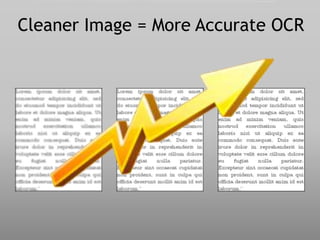
Cleaner Image = More Accurate OCR
Your acceptable level of OCR
accuracy may depend on your
application
Healthcare and Legal applications have high
OCR accuracy requirements.
Pre-
Scanning
During
Scanning
Optimizing for the highest OCR
accuracy generally is divided into two
phases.
Form Design
• adequate white
space
• limited lines
Font Selection
• monospace like
Courier or san serif
fonts like Helvetica
• at least 10-13
points
Color Selection
• limited use of color
Set pre-processing standards and
procedures
During scanning…
Scan at
at least 300 dpi
and CLEAN.
Most capture applications
include basic cleaning features.
Go beyond the basics with DocuFi’s
Adaptive thresholding assists in cleaning “dirty” documents or documents with
a colored background which interferes with the foreground data.
Adaptive Thresholding
Adaptive thresholding assists in cleaning “dirty” documents or documents with
a colored background which interferes with the foreground data.
Adaptive Thresholding
Most scanner and capture software can apply basic thresholding technology.
Adaptive Thresholding
ImageRamp uses Adaptive Thresholding with advanced algorithms and
Sensitivity settings allowing you to optimize the thresholding for your
documents.
This option smoothes the edging of text. Smoothing text fills small pits in the
edges of a character and removes small bumps on the edges. This improves
legibility and reduce storage needs.
Smooth Text
Dither Form Fills
Black and white printed images may use dithering, often called dot shading, to
simulate shades of gray by varying the patterns of dots. The Dither Form Fills
feature removes areas of dot shading from an image. This function is used to
make a black and white TIFF image appear as black and white and not a
grayscale image.
This searches and resizes the document based on the outermost located raster
data or pixels.
Reset Margins
Using detected text as the basis for alignment, this tool is designed to work with
scanned office documents and eliminate rescans.
Deskew or
Straighten Page
This selection detects and removes lines which may interfere with OCR
interpretation.
Remove Lines
Whether your scanned image is contaminated or a bad original, this option
removes extraneous black specks and fills in white holes on black areas of an
image.
Remove Noise or
Despeckle
Auto Rotate automatically evaluates orientation based on the text and rotates
misoriented pages. Optionally, select a degree of rotation for ImageRamp to
rotate all pages based on the selection.
Auto Rotate and
Rotate Pages
This can be used to eliminate unnecessary blank pages in a document and make
the file size smaller. Blank page detection can also play a role in file splitting.
Many users divide documents in a scanning stack with blank pages and
ImageRamp can be set to split the stack of documents into multiple files when
blanks are detected.
Remove Blank
Pages
Besides cleaning and enhancing
the image, ImageRamp has other
ways to improve OCR accuracy.
OCR with validation during processing is a very powerful way to
eliminate entries not meeting a specific format rule.
For instance if an inventory item should contain three alpha
characters followed by five numbers, all documents with item
numbers that are not identified in the OCR process with that pattern
may be tagged for manual inspection before further processing is
done.
Field Validation Improves Accuracy.
PEN21096
CAP36581
INV98453
PA568793
ImageRamp offers
significant preview and
testing options to fine-
tune settings.
Additionally
ImageRamp offers PDF
or TIFF output which
may differ in OCR
accuracy.
Set Pre-
Processing
Standards
OCR
Accuracy
Scan at
300+ dpi
Capture with
Clean-up
Wrap up: Ways to
Improve OCR
3
Pre-Processing Standards
Encourage accuracy by setting document procedures
and guidelines to:
Good pre-processing can be as important as the scanning technologies.
• Use adequate white space
• Limit lines and gridlines
• Limit the use of color
• Use OCR friendly fonts and sizes
Use an Intelligent Capture
Solution such as ImageRamp
Learn More about Document Imaging and Capture
For more on:
• Clean scans,
• Ways to improve OCR
scanning,
• Cleaning documents for
scanning,
• Enhancing your images for
improved OCR,
• Watching folders,
• Batch Processing,
• Bulk scanning,
• Split files with barcodes,
• Barcode splitting,
• Docufi,
• Imageramp,
• Watch folders,
• Data capture,
• Intelligent Data Capture
Contact Us
DocuFi
30 years’ experience in the Document Imaging market.
Capture Products www.docufi.com
ImageRamp Cleanup and Enhance for OCR
Copyright ©2014
makers of ImageRamp,
Document Management
Capture Solution
Image Credits
• Tim Evanson, “Albert V Bryan Federal District
Courthouse - Alexandria Va - 0014 - 2012-03-10”,
http://bit.ly/1iGIBpF
• takacsi75, “Medicine 02”, http://bit.ly/1dtsIxK
• ToastyKen,”New Mophead”, http://bit.ly/1ijjkkD
• mjtmail (tiggy), “Day 307”, http://bit.ly/1g4G3Bw

Improve OCR Accuracy, Clean Up and Enhance Scanned Images

  • 1.
    Improving OCR Accuracy CleanUpandEnhance Scanned Images
  • 2.
    Cleaner Image =More Accurate OCR
  • 3.
    Your acceptable levelof OCR accuracy may depend on your application
  • 4.
    Healthcare and Legalapplications have high OCR accuracy requirements.
  • 5.
    Pre- Scanning During Scanning Optimizing for thehighest OCR accuracy generally is divided into two phases.
  • 6.
    Form Design • adequatewhite space • limited lines Font Selection • monospace like Courier or san serif fonts like Helvetica • at least 10-13 points Color Selection • limited use of color Set pre-processing standards and procedures
  • 7.
    During scanning… Scan at atleast 300 dpi and CLEAN.
  • 8.
    Most capture applications includebasic cleaning features.
  • 9.
    Go beyond thebasics with DocuFi’s
  • 10.
    Adaptive thresholding assistsin cleaning “dirty” documents or documents with a colored background which interferes with the foreground data. Adaptive Thresholding
  • 11.
    Adaptive thresholding assistsin cleaning “dirty” documents or documents with a colored background which interferes with the foreground data. Adaptive Thresholding Most scanner and capture software can apply basic thresholding technology.
  • 12.
    Adaptive Thresholding ImageRamp usesAdaptive Thresholding with advanced algorithms and Sensitivity settings allowing you to optimize the thresholding for your documents.
  • 13.
    This option smoothesthe edging of text. Smoothing text fills small pits in the edges of a character and removes small bumps on the edges. This improves legibility and reduce storage needs. Smooth Text
  • 14.
    Dither Form Fills Blackand white printed images may use dithering, often called dot shading, to simulate shades of gray by varying the patterns of dots. The Dither Form Fills feature removes areas of dot shading from an image. This function is used to make a black and white TIFF image appear as black and white and not a grayscale image.
  • 15.
    This searches andresizes the document based on the outermost located raster data or pixels. Reset Margins
  • 16.
    Using detected textas the basis for alignment, this tool is designed to work with scanned office documents and eliminate rescans. Deskew or Straighten Page
  • 17.
    This selection detectsand removes lines which may interfere with OCR interpretation. Remove Lines
  • 18.
    Whether your scannedimage is contaminated or a bad original, this option removes extraneous black specks and fills in white holes on black areas of an image. Remove Noise or Despeckle
  • 19.
    Auto Rotate automaticallyevaluates orientation based on the text and rotates misoriented pages. Optionally, select a degree of rotation for ImageRamp to rotate all pages based on the selection. Auto Rotate and Rotate Pages
  • 20.
    This can beused to eliminate unnecessary blank pages in a document and make the file size smaller. Blank page detection can also play a role in file splitting. Many users divide documents in a scanning stack with blank pages and ImageRamp can be set to split the stack of documents into multiple files when blanks are detected. Remove Blank Pages
  • 21.
    Besides cleaning andenhancing the image, ImageRamp has other ways to improve OCR accuracy.
  • 22.
    OCR with validationduring processing is a very powerful way to eliminate entries not meeting a specific format rule. For instance if an inventory item should contain three alpha characters followed by five numbers, all documents with item numbers that are not identified in the OCR process with that pattern may be tagged for manual inspection before further processing is done. Field Validation Improves Accuracy. PEN21096 CAP36581 INV98453 PA568793
  • 23.
    ImageRamp offers significant previewand testing options to fine- tune settings. Additionally ImageRamp offers PDF or TIFF output which may differ in OCR accuracy.
  • 24.
    Set Pre- Processing Standards OCR Accuracy Scan at 300+dpi Capture with Clean-up Wrap up: Ways to Improve OCR 3
  • 25.
    Pre-Processing Standards Encourage accuracyby setting document procedures and guidelines to: Good pre-processing can be as important as the scanning technologies. • Use adequate white space • Limit lines and gridlines • Limit the use of color • Use OCR friendly fonts and sizes
  • 26.
    Use an IntelligentCapture Solution such as ImageRamp
  • 27.
    Learn More aboutDocument Imaging and Capture
  • 28.
    For more on: •Clean scans, • Ways to improve OCR scanning, • Cleaning documents for scanning, • Enhancing your images for improved OCR, • Watching folders, • Batch Processing, • Bulk scanning, • Split files with barcodes, • Barcode splitting, • Docufi, • Imageramp, • Watch folders, • Data capture, • Intelligent Data Capture Contact Us DocuFi 30 years’ experience in the Document Imaging market. Capture Products www.docufi.com ImageRamp Cleanup and Enhance for OCR Copyright ©2014 makers of ImageRamp, Document Management Capture Solution
  • 29.
    Image Credits • TimEvanson, “Albert V Bryan Federal District Courthouse - Alexandria Va - 0014 - 2012-03-10”, http://bit.ly/1iGIBpF • takacsi75, “Medicine 02”, http://bit.ly/1dtsIxK • ToastyKen,”New Mophead”, http://bit.ly/1ijjkkD • mjtmail (tiggy), “Day 307”, http://bit.ly/1g4G3Bw