
Learn What Is Intelligent Document and Data Capture
and Get Started
The Paperless Office…
Chasing the Impossible?
In a now famous (or infamous) 1975
issue of BusinessWeek titled “The Office
of the Future” technologists describe
“The Paperless Office.”
“Vincent E. Giuliano of Arthur D. Little,
Inc., figures that the use of paper in
business for records and correspondence
should be declining by 1980, ‘and by 1990,
most record-handling will be electronic.’”
I think we can all agree that we’re
not there yet.
How about we agree that what we really
want is “The Nearly Paperless Office”?
The first part of any Document or
Content Management System is capture.
What is Intelligent
Document and Data
Capture?
To keep it simple let’s stick with AIIM’s (Association
for Information and Image Management) definition.
AIIM is a nonprofit, serving information and image
professionals.
“Document capture and data capture are not the
same thing. Document capture is the conversion of a
paper document into an electronic image of that
document. Data capture extracts data from a
business form”.
We’ll interpret “form” here as
any paper or electronic source.
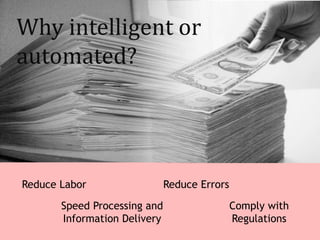
Why intelligent or
automated?
Reduce Labor
Speed Processing and
Information Delivery
Comply with
Regulations
Reduce Errors
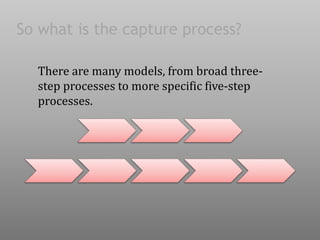
So what is the capture process?
There are many models, from broad three-
step processes to more specific five-step
processes.
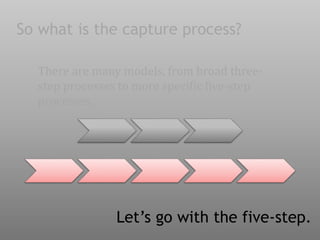
So what is the capture process?
There are many models, from broad three-
step processes to more specific five-step
processes.
Let’s go with the five-step.
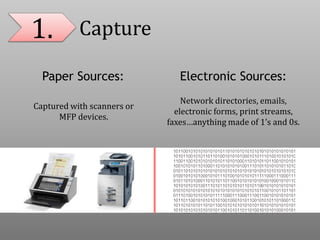
1. Capture
Paper Sources: Electronic Sources:
Captured with scanners or
MFP devices.
Network directories, emails,
electronic forms, print streams,
faxes…anything made of 1’s and 0s.
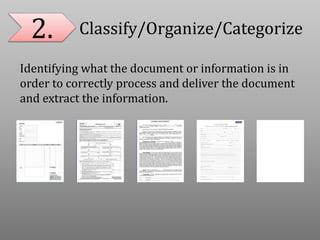
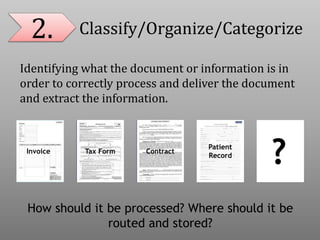
2. Classify/Organize/Categorize
Identifying what the document or information is in
order to correctly process and deliver the document
and extract the information.
2. Classify/Organize/Categorize
Identifying what the document or information is in
order to correctly process and deliver the document
and extract the information.
Invoice ContractTax Form
Patient
Record
?
How should it be processed? Where should it be
routed and stored?
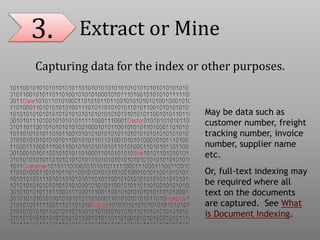
3. Extract or Mine
Capturing data for the index or other purposes.
May be data such as
customer number, freight
tracking number, invoice
number, supplier name
etc.
Or, full-text indexing may
be required where all
text on the documents
are captured. See What
is Document Indexing.
4. Validate
Using technology or manual inspection to ensure that
a document is classified and processed correctly
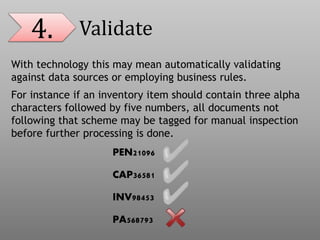
4. Validate
With technology this may mean automatically validating
against data sources or employing business rules.
For instance if an inventory item should contain three alpha
characters followed by five numbers, all documents not
following that scheme may be tagged for manual inspection
before further processing is done.
PEN21096
CAP36581
INV98453
PA568793
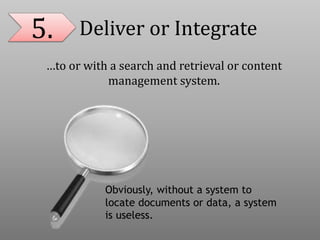
5. Deliver or Integrate
…to or with a search and retrieval or content
management system.
Obviously, without a system to
locate documents or data, a system
is useless.
Henry Schein,
Dentrix, Dentrix
Enterprise
Dentrix Ascend,
Easy Dental
Viive,
DentalVision,
axiUm
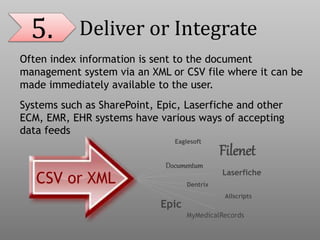
5. Deliver or Integrate
Often index information is sent to the document
management system via an XML or CSV file where it can be
made immediately available to the user.
Systems such as SharePoint, Epic, Laserfiche and other
ECM, EMR, EHR systems have various ways of accepting
data feeds
Filenet
Laserfiche
Documentum
MyMedicalRecords
Eaglesoft
Allscripts
Epic
Dentrix
CSV or XML
So how do we get that pig to
Today we have proven and developing
technologies propelling us to The Nearly
Paperless Office.
Barcode recognition (BCR) offers
the most trustworthy recognition
technology for data capture.
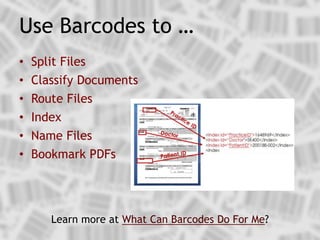
• Split Files
• Classify Documents
• Route Files
• Index
• Name Files
• Bookmark PDFs
Use Barcodes to …
Learn more at What Can Barcodes Do For Me?
OCR is another mature data capture technology to...
• Digitize text images so that they can be electronically
edited, searched, and stored
• Make image-based files fully text-searchable or extract
data from a zone for indexing
• Identify document areas for automatic OCR capture
(zonal OCR)
• Drag-and-drop highlighted document text which is
automatically OCR'd and dropped into index fields (drag
and drop OCR or rubber band OCR)
• Use extracted data to split, name, route, validate, etc.
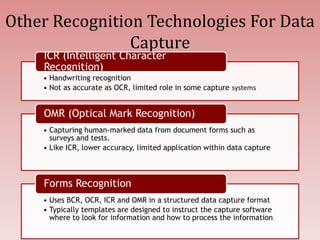
Other Recognition Technologies For Data
Capture
• Handwriting recognition
• Not as accurate as OCR, limited role in some capture systems
ICR (Intelligent Character
Recognition)
• Capturing human-marked data from document forms such as
surveys and tests.
• Like ICR, lower accuracy, limited application within data capture
OMR (Optical Mark Recognition)
• Uses BCR, OCR, ICR and OMR in a structured data capture format
• Typically templates are designed to instruct the capture software
where to look for information and how to process the information
Forms Recognition
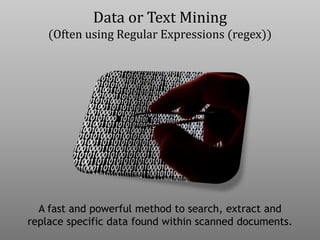
Data or Text Mining
(Often using Regular Expressions (regex))
A fast and powerful method to search, extract and
replace specific data found within scanned documents.
• Essentially a special text string for
describing a search pattern.
• Extremely flexible and patterns can be
constructed to match almost anything.
• Use data identified with regex to
classify, split, name and route files.
Learn more at Using Regular Expressions for Automated Data Capture and Extraction.
Data or Text Mining
(Often using Regular Expressions (regex))
…simply processing a large volume of
documents, generally into a few files
or one file and using intelligent
capture software to process.
Some products process folders of
documents on demand or “watch”
folders for files to process.
Batch Document
Processing
Learn more at What is Batch Document Processing?
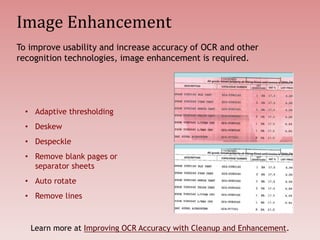
Image Enhancement
• Adaptive thresholding
• Deskew
• Despeckle
• Remove blank pages or
separator sheets
• Auto rotate
• Remove lines
To improve usability and increase accuracy of OCR and other
recognition technologies, image enhancement is required.
Learn more at Improving OCR Accuracy with Cleanup and Enhancement.
Where is intelligent
document and data
capture going?
Cloud Computing
Increased cloud computing will bring easily
accessible resources and repositories for
documents.
See Docs in the Clouds.
“The use of cloud computing is growing,
and by 2016 this growth will increase to
become the bulk of new IT spend.”
Gartner, Inc. Oct. 2013
Security Focus
Couple the increasing number of documents being
stored with the growing ways to access them, and
security concerns will continue to increase.
Improved Data Mining and
Classification
The increased used of data mining and better
classification will increase OCR demands and
lower the use of barcodes and separator pages.
Increased Mobility
Increased mobility demands in business impacts
all information technology. Users want all
information available from all platforms, no
matter when or where.
Don’t be caught napping,
JUST GET STARTED.
No one data capture product can “do it
all”, but there is no better time to get
started than now. ”The Nearly Paperless
Office” can be yours.
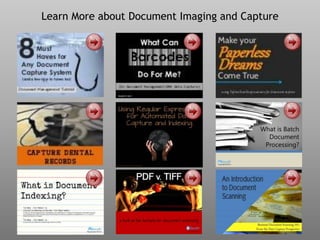
Learn More about Document Imaging and Capture
For more on:
• Watching folder,
• Monitoring folder,
• Watching folders,
• Batch Processing,
• Bulk scanning,
• Split files with barcodes,
• Barcode splitting,
• How to batch process,
• Batch process folders,
• Docufi,
• Imageramp,
• Watch folders,
• Data capture,
• Scanning to folders,
• Scanning to folder,
• Scan to Folder,
• Batch Splitting
• Migration to document
management
Contact Us
DocuFi
30 years’ experience in the Document Imaging market
Capture Solutions www.docufi.com
Copyright ©2014
makers of ImageRamp,
Document Management
Capture Solution
Image Credits
• Christina Rutz, “When Pigs Fly”, http://bit.ly/1giOj05
• Nottsexminer , “Utopia”, http://bit.ly/1gnZTmS
• Kenny Louie, “One Way”, http://bit.ly/1iA7pxQ
• Spiffie, “Fujitsu ScanSnap S300M”, http://bit.ly/1ksdhhv
• Doctorwonder, “Stack O'Money!”, http://bit.ly/1fgxpko
• Maciej Lewandowski, “Pig on the wings”, http://bit.ly/N6lZCJ
• Sjsharktank, “Pigs fly, so now what?”, http://bit.ly/1g8UsYc
• Elvissa, “flyingpig”, http://bit.ly/1nLMzyB
• Jennicatpink, “Piglet Pile”, http://bit.ly/1cT6KUF
• Eddi, “phone”, http://bit.ly/1ftUezJ
• Martin Cathrae, “Cute Piggie“,http://bit.ly/1nLUDiT
• Sarah Beth Dwyer, “Jim's Pig”, http://bit.ly/Prl3dl

What is Intelligent Document and Data Capture? A look at the technologies to move to a "nearly" paperless office.

  • 1.
    Learn What IsIntelligent Document and Data Capture and Get Started The Paperless Office… Chasing the Impossible?
  • 2.
    In a nowfamous (or infamous) 1975 issue of BusinessWeek titled “The Office of the Future” technologists describe “The Paperless Office.”
  • 3.
    “Vincent E. Giulianoof Arthur D. Little, Inc., figures that the use of paper in business for records and correspondence should be declining by 1980, ‘and by 1990, most record-handling will be electronic.’”
  • 4.
    I think wecan all agree that we’re not there yet.
  • 5.
    How about weagree that what we really want is “The Nearly Paperless Office”?
  • 6.
    The first partof any Document or Content Management System is capture.
  • 7.
  • 8.
    To keep itsimple let’s stick with AIIM’s (Association for Information and Image Management) definition. AIIM is a nonprofit, serving information and image professionals.
  • 9.
    “Document capture anddata capture are not the same thing. Document capture is the conversion of a paper document into an electronic image of that document. Data capture extracts data from a business form”.
  • 10.
    We’ll interpret “form”here as any paper or electronic source.
  • 11.
    Why intelligent or automated? ReduceLabor Speed Processing and Information Delivery Comply with Regulations Reduce Errors
  • 12.
    So what isthe capture process?
  • 13.
    So what isthe capture process? There are many models, from broad three- step processes to more specific five-step processes.
  • 14.
    So what isthe capture process? There are many models, from broad three- step processes to more specific five-step processes. Let’s go with the five-step.
  • 15.
    1. Capture Paper Sources:Electronic Sources: Captured with scanners or MFP devices. Network directories, emails, electronic forms, print streams, faxes…anything made of 1’s and 0s.
  • 16.
    2. Classify/Organize/Categorize Identifying whatthe document or information is in order to correctly process and deliver the document and extract the information.
  • 17.
    2. Classify/Organize/Categorize Identifying whatthe document or information is in order to correctly process and deliver the document and extract the information. Invoice ContractTax Form Patient Record ? How should it be processed? Where should it be routed and stored?
  • 18.
    3. Extract orMine Capturing data for the index or other purposes. May be data such as customer number, freight tracking number, invoice number, supplier name etc. Or, full-text indexing may be required where all text on the documents are captured. See What is Document Indexing.
  • 19.
    4. Validate Using technologyor manual inspection to ensure that a document is classified and processed correctly
  • 20.
    4. Validate With technologythis may mean automatically validating against data sources or employing business rules. For instance if an inventory item should contain three alpha characters followed by five numbers, all documents not following that scheme may be tagged for manual inspection before further processing is done. PEN21096 CAP36581 INV98453 PA568793
  • 21.
    5. Deliver orIntegrate …to or with a search and retrieval or content management system. Obviously, without a system to locate documents or data, a system is useless.
  • 22.
    Henry Schein, Dentrix, Dentrix Enterprise DentrixAscend, Easy Dental Viive, DentalVision, axiUm 5. Deliver or Integrate Often index information is sent to the document management system via an XML or CSV file where it can be made immediately available to the user. Systems such as SharePoint, Epic, Laserfiche and other ECM, EMR, EHR systems have various ways of accepting data feeds Filenet Laserfiche Documentum MyMedicalRecords Eaglesoft Allscripts Epic Dentrix CSV or XML
  • 23.
    So how dowe get that pig to
  • 24.
    Today we haveproven and developing technologies propelling us to The Nearly Paperless Office.
  • 25.
    Barcode recognition (BCR)offers the most trustworthy recognition technology for data capture.
  • 26.
    • Split Files •Classify Documents • Route Files • Index • Name Files • Bookmark PDFs Use Barcodes to … Learn more at What Can Barcodes Do For Me?
  • 27.
    OCR is anothermature data capture technology to... • Digitize text images so that they can be electronically edited, searched, and stored • Make image-based files fully text-searchable or extract data from a zone for indexing • Identify document areas for automatic OCR capture (zonal OCR) • Drag-and-drop highlighted document text which is automatically OCR'd and dropped into index fields (drag and drop OCR or rubber band OCR) • Use extracted data to split, name, route, validate, etc.
  • 28.
    Other Recognition TechnologiesFor Data Capture • Handwriting recognition • Not as accurate as OCR, limited role in some capture systems ICR (Intelligent Character Recognition) • Capturing human-marked data from document forms such as surveys and tests. • Like ICR, lower accuracy, limited application within data capture OMR (Optical Mark Recognition) • Uses BCR, OCR, ICR and OMR in a structured data capture format • Typically templates are designed to instruct the capture software where to look for information and how to process the information Forms Recognition
  • 29.
    Data or TextMining (Often using Regular Expressions (regex)) A fast and powerful method to search, extract and replace specific data found within scanned documents.
  • 30.
    • Essentially aspecial text string for describing a search pattern. • Extremely flexible and patterns can be constructed to match almost anything. • Use data identified with regex to classify, split, name and route files. Learn more at Using Regular Expressions for Automated Data Capture and Extraction. Data or Text Mining (Often using Regular Expressions (regex))
  • 31.
    …simply processing alarge volume of documents, generally into a few files or one file and using intelligent capture software to process. Some products process folders of documents on demand or “watch” folders for files to process. Batch Document Processing Learn more at What is Batch Document Processing?
  • 32.
    Image Enhancement • Adaptivethresholding • Deskew • Despeckle • Remove blank pages or separator sheets • Auto rotate • Remove lines To improve usability and increase accuracy of OCR and other recognition technologies, image enhancement is required. Learn more at Improving OCR Accuracy with Cleanup and Enhancement.
  • 33.
    Where is intelligent documentand data capture going?
  • 34.
    Cloud Computing Increased cloudcomputing will bring easily accessible resources and repositories for documents. See Docs in the Clouds. “The use of cloud computing is growing, and by 2016 this growth will increase to become the bulk of new IT spend.” Gartner, Inc. Oct. 2013
  • 35.
    Security Focus Couple theincreasing number of documents being stored with the growing ways to access them, and security concerns will continue to increase.
  • 36.
    Improved Data Miningand Classification The increased used of data mining and better classification will increase OCR demands and lower the use of barcodes and separator pages.
  • 37.
    Increased Mobility Increased mobilitydemands in business impacts all information technology. Users want all information available from all platforms, no matter when or where.
  • 38.
    Don’t be caughtnapping, JUST GET STARTED.
  • 39.
    No one datacapture product can “do it all”, but there is no better time to get started than now. ”The Nearly Paperless Office” can be yours.
  • 40.
    Learn More aboutDocument Imaging and Capture
  • 41.
    For more on: •Watching folder, • Monitoring folder, • Watching folders, • Batch Processing, • Bulk scanning, • Split files with barcodes, • Barcode splitting, • How to batch process, • Batch process folders, • Docufi, • Imageramp, • Watch folders, • Data capture, • Scanning to folders, • Scanning to folder, • Scan to Folder, • Batch Splitting • Migration to document management Contact Us DocuFi 30 years’ experience in the Document Imaging market Capture Solutions www.docufi.com Copyright ©2014 makers of ImageRamp, Document Management Capture Solution
  • 42.
    Image Credits • ChristinaRutz, “When Pigs Fly”, http://bit.ly/1giOj05 • Nottsexminer , “Utopia”, http://bit.ly/1gnZTmS • Kenny Louie, “One Way”, http://bit.ly/1iA7pxQ • Spiffie, “Fujitsu ScanSnap S300M”, http://bit.ly/1ksdhhv • Doctorwonder, “Stack O'Money!”, http://bit.ly/1fgxpko • Maciej Lewandowski, “Pig on the wings”, http://bit.ly/N6lZCJ • Sjsharktank, “Pigs fly, so now what?”, http://bit.ly/1g8UsYc • Elvissa, “flyingpig”, http://bit.ly/1nLMzyB • Jennicatpink, “Piglet Pile”, http://bit.ly/1cT6KUF • Eddi, “phone”, http://bit.ly/1ftUezJ • Martin Cathrae, “Cute Piggie“,http://bit.ly/1nLUDiT • Sarah Beth Dwyer, “Jim's Pig”, http://bit.ly/Prl3dl