Dr. Roma Smart Joseph
Teacher Educator
Lucknow, U.P, India
VISUAL AIDS
INTODUCTION…..WHAT ARE AUDIO-
VISUAL AIDS.
1) Audio visual aids or materials help the process
of learning. They encourage clarification and
stimulation.
2) They are the multisensory material that
motivates and stimulates the individual.
3) It makes dynamic learning experience more
concrete and realistic.
4) These planned educational materials appeal to
the senses of the people and quicken learning
facilities for clear understanding.
CHARACTERSTICS OF AUDIO
VISUAL AIDS.
• 1) Teaching aids should be meaningful and
purposeful.
• 2) It must motivate the learner.
• 3) Teaching aids must be accurate in every
aspects.
• 4) They must be up to date.
• 5) Teaching aids must be easily portable.
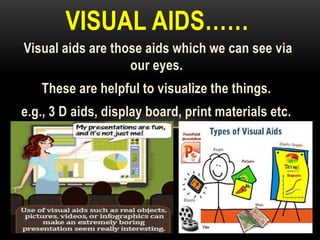
Visual aids are those aids which we can see via
our eyes.
These are helpful to visualize the things.
e.g., 3 D aids, display board, print materials etc.
VISUAL AIDS……
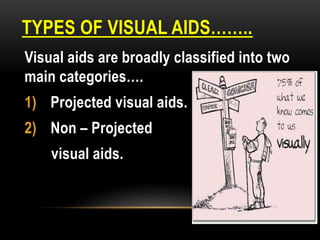
TYPES OF VISUAL AIDS……..
Visual aids are broadly classified into two
main categories….
1) Projected visual aids.
2) Non – Projected
visual aids.
NON- PROJECTED VISUAL AIDS…..
• There are various non projected visual aids
some of these commonly used aids are…..
• 1) Charts.
• 2) Flash cards.
• 3) Posters.
• 4) Cartoons.
• 5) Models.
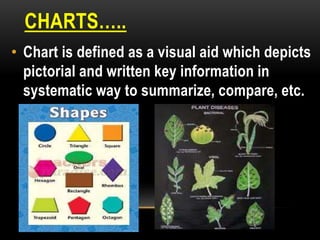
CHARTS…..
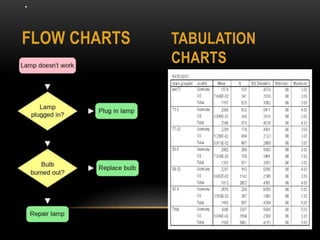
• Chart is defined as a visual aid which depicts
pictorial and written key information in
systematic way to summarize, compare, etc.
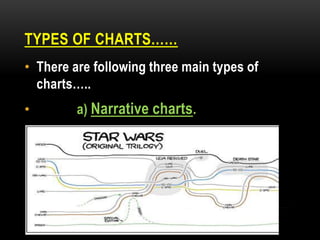
TYPES OF CHARTS……
• There are following three main types of
charts…..
• a) Narrative charts.
.
FLOW CHARTS TABULATION
CHARTS
FLASH CARDS….
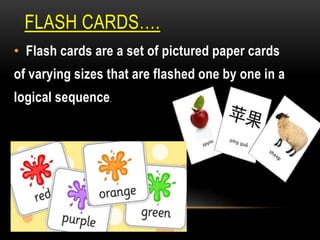
• Flash cards are a set of pictured paper cards
of varying sizes that are flashed one by one in a
logical sequence.
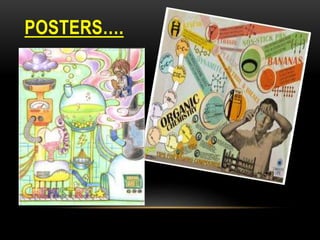
POSTERS….
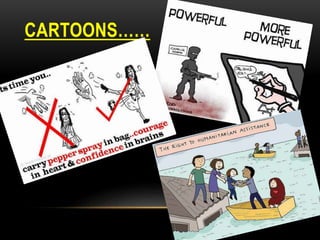
CARTOONS……
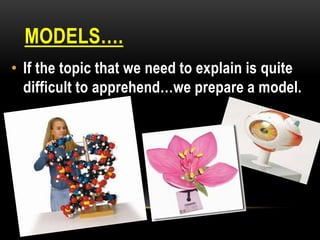
MODELS….
• If the topic that we need to explain is quite
difficult to apprehend…we prepare a model.
PROJECTOR AIDS……
• There are mainly two types of visual
projector aids…
1) OVERHEAD PROJECTOR
2) POWERPOINT PRESENTATION.
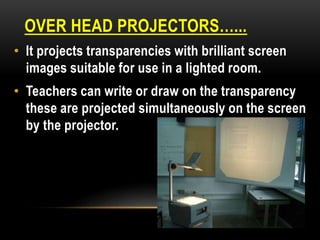
OVER HEAD PROJECTORS…...
• It projects transparencies with brilliant screen
images suitable for use in a lighted room.
• Teachers can write or draw on the transparency
these are projected simultaneously on the screen
by the projector.
POWERPOINT PRESENTATION….
DO’s and DON’T :
1) Use big enough font.
2) Keep background simple.
3) Use animation only when appropriate.
4) Use bullets to make it simple and
easy.
5) Font colour must be simple.
romasmart@ymail.com
9889588971

Visual aids

  • 1.
    Dr. Roma SmartJoseph Teacher Educator Lucknow, U.P, India VISUAL AIDS
  • 2.
    INTODUCTION…..WHAT ARE AUDIO- VISUALAIDS. 1) Audio visual aids or materials help the process of learning. They encourage clarification and stimulation. 2) They are the multisensory material that motivates and stimulates the individual. 3) It makes dynamic learning experience more concrete and realistic. 4) These planned educational materials appeal to the senses of the people and quicken learning facilities for clear understanding.
  • 3.
    CHARACTERSTICS OF AUDIO VISUALAIDS. • 1) Teaching aids should be meaningful and purposeful. • 2) It must motivate the learner. • 3) Teaching aids must be accurate in every aspects. • 4) They must be up to date. • 5) Teaching aids must be easily portable.
  • 4.
    Visual aids arethose aids which we can see via our eyes. These are helpful to visualize the things. e.g., 3 D aids, display board, print materials etc. VISUAL AIDS……
  • 5.
    TYPES OF VISUALAIDS…….. Visual aids are broadly classified into two main categories…. 1) Projected visual aids. 2) Non – Projected visual aids.
  • 6.
    NON- PROJECTED VISUALAIDS….. • There are various non projected visual aids some of these commonly used aids are….. • 1) Charts. • 2) Flash cards. • 3) Posters. • 4) Cartoons. • 5) Models.
  • 7.
    CHARTS….. • Chart isdefined as a visual aid which depicts pictorial and written key information in systematic way to summarize, compare, etc.
  • 8.
    TYPES OF CHARTS…… •There are following three main types of charts….. • a) Narrative charts.
  • 9.
  • 10.
    FLASH CARDS…. • Flashcards are a set of pictured paper cards of varying sizes that are flashed one by one in a logical sequence.
  • 11.
  • 12.
  • 13.
    MODELS…. • If thetopic that we need to explain is quite difficult to apprehend…we prepare a model.
  • 14.
    PROJECTOR AIDS…… • Thereare mainly two types of visual projector aids… 1) OVERHEAD PROJECTOR 2) POWERPOINT PRESENTATION.
  • 15.
    OVER HEAD PROJECTORS…... •It projects transparencies with brilliant screen images suitable for use in a lighted room. • Teachers can write or draw on the transparency these are projected simultaneously on the screen by the projector.
  • 16.
    POWERPOINT PRESENTATION…. DO’s andDON’T : 1) Use big enough font. 2) Keep background simple. 3) Use animation only when appropriate. 4) Use bullets to make it simple and easy. 5) Font colour must be simple.
  • 17.