TECH3008 Introduction to Educational Technology Dr. Alaa Sadik Department of Instructional & Learning Technologies www.alaasadik.net [email_address]
TECH3008 Introduction to Educational Technology Presentation Three: Audio-Visual Media
Audio-Visual Media Writing boards Flipcharts OHP transparencies 35 mm slides Videotapes   Models/real objects/shapes Audiotapes Audio-conferencing Video-conferencing  Digital projectors Smart classrooms Computers (software and storage media) The Internet
Main Points Images Description Advantages Disadvantages Basic principle and guidelines for classroom use (tips)
Writing Boards
Writing Boards
Writing Boards
Writing Boards
Writing Boards
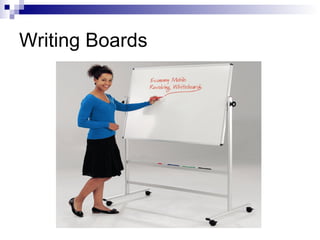
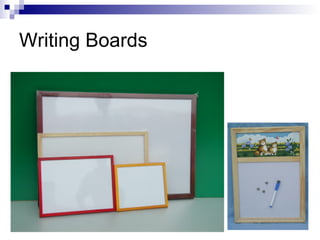
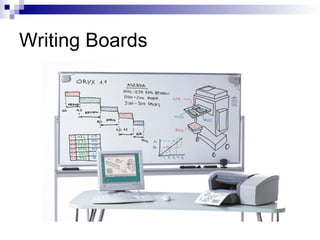
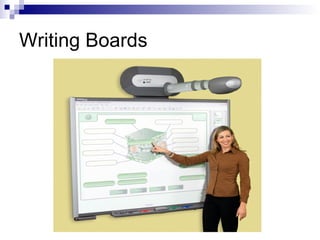
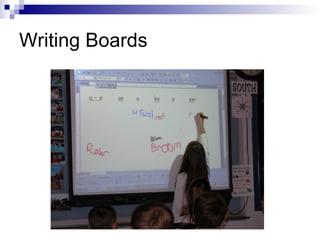
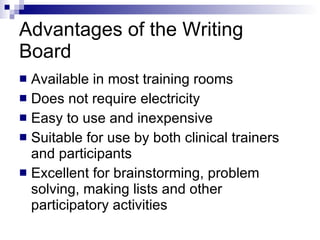
Advantages of the Writing Board Available in most training rooms Does not require electricity Easy to use and inexpensive Suitable for use by both clinical trainers and participants Excellent for brainstorming, problem solving, making lists and other participatory activities
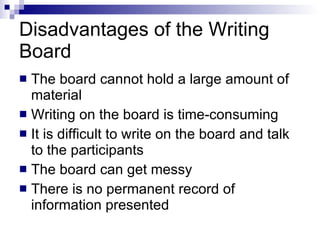
Disadvantages of the Writing Board The board cannot hold a large amount of material Writing on the board is time - consuming It is difficult to write on the board and talk to the participants The board can get messy There is no permanent record of information presented
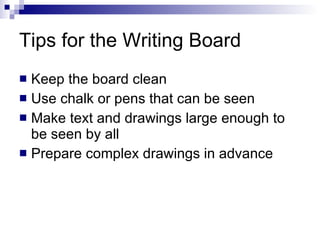
Tips for the Writing Board Keep the board clean Use chalk or pens that can be seen Make text and drawings large enough to be seen by all Prepare complex drawings in advance
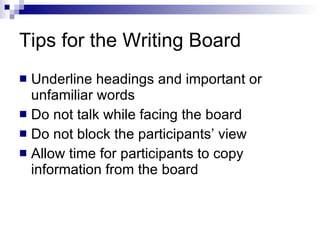
Tips for the Writing Board Underline headings and important or unfamiliar words Do not talk while facing the board Do not block the participants’ view Allow time for participants to copy information from the board
Flipcharts
Flipcharts
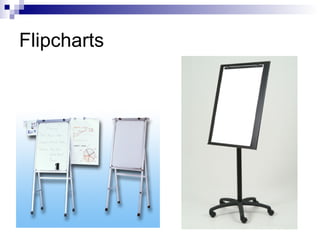
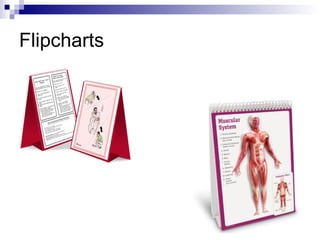
Advantages of the Flipchart Available in most training rooms Easy to move from room to room Do not require electricity Several may be used simultaneously Easy to use and inexpensive
Advantages of the Flipchart Suitable for use by trainers and participants Excellent for brainstorming, problem solving, making lists Pages can be prepared in advance Pages can be removed and taped on the walls
Flipchart Techniques  Use wide - tipped pens or markers Print in large block letters Use different colored pens Use headings, boxes, cartoons and borders Use bullets  ( • )  to delineate items on the page Leave plenty of white space
Flipchart Techniques  Avoid putting too much information on one page When pages are prepared in advance, use every other page Hang flipchart pages with tape To hide a portion of the page, fold up the lower portion of the page and tape it Face the participants, not the flipchart, while talking
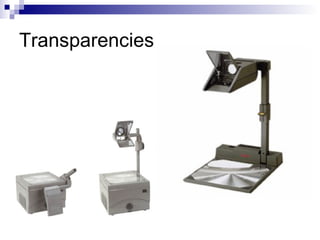
Transparencies
Transparencies
Transparencies
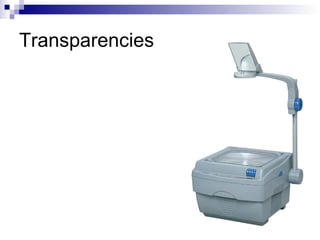
Transparencies
Transparencies
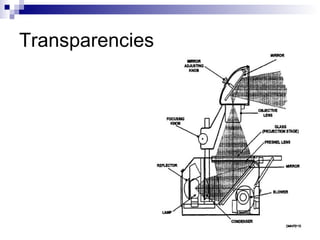
Advantages of Transparencies  The projector is simple to use Can be used in almost any training room which has electricity Can be used with the classroom lights on Can be prepared in advance which saves time
Advantages of Transparencies  Are inexpensive Can be prepared quickly and easily Can be used repeatedly
Disadvantages of Transparencies Cannot project text and images directly from the printed page Be careful not to block the participants’ view of the screen
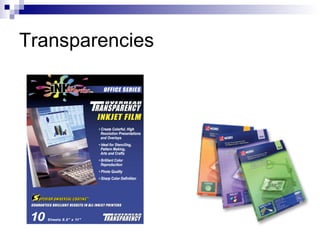
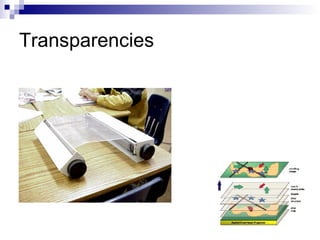
Producing Transparencies Use pens to create text or drawings on plastic or acetate sheets Use a copy machine with transparency film designed for copiers Use a computer and printer
Preparing Transparencies  Limit the information to one main idea and about  5-6 lines of large type Use large lettering Print text Make graphics and drawings large enough to be seen
Preparing Transparencies  Mount transparencies in frames or insert them in plastic pockets Number the transparencies Store the transparencies in a box, envelope or a “pocket” made from folders or plastic
Using the Overhead Projector  Locate and check the operation of the on / off switch Have an extra projector bulb Focus the projector and check the position of the image Turn the projector on after the transparency is placed on the glass Turn off the projector before removing the transparency
Using the Overhead Projector  Once the projector is on move away from the projector so participants can see Face the participants, not the screen, while talking Show one point at a time Use a pointer or pencil focus attention Allow plenty of time for the participants to read what is on the screen
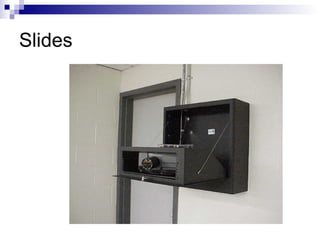
Slides
Slides
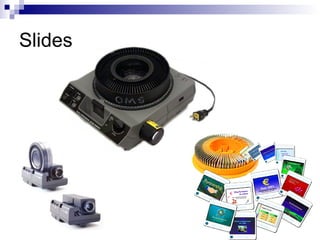
Advantages of Slides Relatively inexpensive and easy to produce Can be made locally by the trainer Are good for showing individual steps of a procedure or close - ups of equipment Can be shown in a fairly light room Can be used with audiotapes to produce a slide show with narration
Disadvantages of Slides Slide projectors are much more expensive than overhead projectors Slide projectors are more fragile than and do not tolerate voltage fluctuations as well as overhead projectors Slides are not updated as easily or produced as inexpensively as transparencies
Preparing Slides  Limit each slide to one main idea Text slides should be short and concise No more than 35 words  ( approximately five lines of text )
Preparing Slides  Legibility of the material on the slide is crucial Number the slides in pencil or pen on the mounting frame Mark or “spot” slides before placing in the tray
Using the Slide Projector  Arrange the room so all participants can see the screen Set up and test the slide projector Make sure there is an extra projector bulb Locate the focus control, check the focus and position the image on the screen
Using the Slide Projector  Run through all the slides in advance Determine if all or some of the lights can be left on During the presentation, avoid rushing through a series of slides
Videotapes
Videotapes
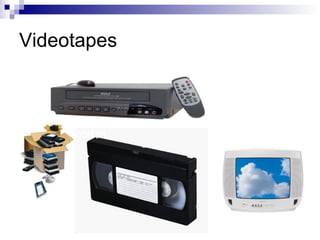
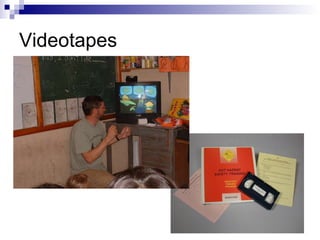
Advantages of Using Videotapes  Capture events the eye alone would not see Steps of a procedure or technique can be shown by slowing down the videotape Videotapes provide better color and detail Videotapes can be prepared by the trainer to reflect local conditions
Advantages of Using Videotapes  Commercially developed videotapes can be purchased or borrowed Animation can be used to show an abstract concept TV monitors tolerate fluctuations in voltage much better than projectors Video players are less expensive and easier to maintain than slide projectors
Disadvantages of Videotapes Commercially prepared videotapes are often outdated Videotapes may have been edited and omit or rearrange key training steps in the procedure Participants may be distracted by cultural differences
Using Videotapes  Preview the videotape Check to be sure that the videotape is compatible with the videotape player Cue the videotape to the beginning of the program Arrange the room so that all participants can see
Using Videotapes  State the session objective Provide an overview of the videotape Ask participants to look for a number of specific points during the videotape Discuss the videotape after it has been shown Prepare test items based on the videotape content if appropriate

Audio-Visual Media

  • 1.
    TECH3008 Introduction toEducational Technology Dr. Alaa Sadik Department of Instructional & Learning Technologies www.alaasadik.net [email_address]
  • 2.
    TECH3008 Introduction toEducational Technology Presentation Three: Audio-Visual Media
  • 3.
    Audio-Visual Media Writingboards Flipcharts OHP transparencies 35 mm slides Videotapes Models/real objects/shapes Audiotapes Audio-conferencing Video-conferencing Digital projectors Smart classrooms Computers (software and storage media) The Internet
  • 4.
    Main Points ImagesDescription Advantages Disadvantages Basic principle and guidelines for classroom use (tips)
  • 5.
  • 6.
  • 7.
  • 8.
  • 9.
  • 10.
    Advantages of theWriting Board Available in most training rooms Does not require electricity Easy to use and inexpensive Suitable for use by both clinical trainers and participants Excellent for brainstorming, problem solving, making lists and other participatory activities
  • 11.
    Disadvantages of theWriting Board The board cannot hold a large amount of material Writing on the board is time - consuming It is difficult to write on the board and talk to the participants The board can get messy There is no permanent record of information presented
  • 12.
    Tips for theWriting Board Keep the board clean Use chalk or pens that can be seen Make text and drawings large enough to be seen by all Prepare complex drawings in advance
  • 13.
    Tips for theWriting Board Underline headings and important or unfamiliar words Do not talk while facing the board Do not block the participants’ view Allow time for participants to copy information from the board
  • 14.
  • 15.
  • 16.
    Advantages of theFlipchart Available in most training rooms Easy to move from room to room Do not require electricity Several may be used simultaneously Easy to use and inexpensive
  • 17.
    Advantages of theFlipchart Suitable for use by trainers and participants Excellent for brainstorming, problem solving, making lists Pages can be prepared in advance Pages can be removed and taped on the walls
  • 18.
    Flipchart Techniques Use wide - tipped pens or markers Print in large block letters Use different colored pens Use headings, boxes, cartoons and borders Use bullets ( • ) to delineate items on the page Leave plenty of white space
  • 19.
    Flipchart Techniques Avoid putting too much information on one page When pages are prepared in advance, use every other page Hang flipchart pages with tape To hide a portion of the page, fold up the lower portion of the page and tape it Face the participants, not the flipchart, while talking
  • 20.
  • 21.
  • 22.
  • 23.
  • 24.
  • 25.
    Advantages of Transparencies The projector is simple to use Can be used in almost any training room which has electricity Can be used with the classroom lights on Can be prepared in advance which saves time
  • 26.
    Advantages of Transparencies Are inexpensive Can be prepared quickly and easily Can be used repeatedly
  • 27.
    Disadvantages of TransparenciesCannot project text and images directly from the printed page Be careful not to block the participants’ view of the screen
  • 28.
    Producing Transparencies Usepens to create text or drawings on plastic or acetate sheets Use a copy machine with transparency film designed for copiers Use a computer and printer
  • 29.
    Preparing Transparencies Limit the information to one main idea and about 5-6 lines of large type Use large lettering Print text Make graphics and drawings large enough to be seen
  • 30.
    Preparing Transparencies Mount transparencies in frames or insert them in plastic pockets Number the transparencies Store the transparencies in a box, envelope or a “pocket” made from folders or plastic
  • 31.
    Using the OverheadProjector Locate and check the operation of the on / off switch Have an extra projector bulb Focus the projector and check the position of the image Turn the projector on after the transparency is placed on the glass Turn off the projector before removing the transparency
  • 32.
    Using the OverheadProjector Once the projector is on move away from the projector so participants can see Face the participants, not the screen, while talking Show one point at a time Use a pointer or pencil focus attention Allow plenty of time for the participants to read what is on the screen
  • 33.
  • 34.
  • 35.
    Advantages of SlidesRelatively inexpensive and easy to produce Can be made locally by the trainer Are good for showing individual steps of a procedure or close - ups of equipment Can be shown in a fairly light room Can be used with audiotapes to produce a slide show with narration
  • 36.
    Disadvantages of SlidesSlide projectors are much more expensive than overhead projectors Slide projectors are more fragile than and do not tolerate voltage fluctuations as well as overhead projectors Slides are not updated as easily or produced as inexpensively as transparencies
  • 37.
    Preparing Slides Limit each slide to one main idea Text slides should be short and concise No more than 35 words ( approximately five lines of text )
  • 38.
    Preparing Slides Legibility of the material on the slide is crucial Number the slides in pencil or pen on the mounting frame Mark or “spot” slides before placing in the tray
  • 39.
    Using the SlideProjector Arrange the room so all participants can see the screen Set up and test the slide projector Make sure there is an extra projector bulb Locate the focus control, check the focus and position the image on the screen
  • 40.
    Using the SlideProjector Run through all the slides in advance Determine if all or some of the lights can be left on During the presentation, avoid rushing through a series of slides
  • 41.
  • 42.
  • 43.
    Advantages of UsingVideotapes Capture events the eye alone would not see Steps of a procedure or technique can be shown by slowing down the videotape Videotapes provide better color and detail Videotapes can be prepared by the trainer to reflect local conditions
  • 44.
    Advantages of UsingVideotapes Commercially developed videotapes can be purchased or borrowed Animation can be used to show an abstract concept TV monitors tolerate fluctuations in voltage much better than projectors Video players are less expensive and easier to maintain than slide projectors
  • 45.
    Disadvantages of VideotapesCommercially prepared videotapes are often outdated Videotapes may have been edited and omit or rearrange key training steps in the procedure Participants may be distracted by cultural differences
  • 46.
    Using Videotapes Preview the videotape Check to be sure that the videotape is compatible with the videotape player Cue the videotape to the beginning of the program Arrange the room so that all participants can see
  • 47.
    Using Videotapes State the session objective Provide an overview of the videotape Ask participants to look for a number of specific points during the videotape Discuss the videotape after it has been shown Prepare test items based on the videotape content if appropriate