Using Technology to Build
       Community
     Instructional Technologies Support
Introduction

 Presenters from Instructional Technologies Support

• Emin Saglamer (es26@txstate.edu)

• Rori Sheffield (rp41@txstate.edu)

• Patrick Smith (ps35@txstate.edu)
What are Your Goals?

 Community Building vs. Marketing
  • Similarities and differences

 Questions to ask yourself
  • What are your goals?
      o Inform
      o Educate
      o Marketing
  • Who is your audience?
  • What types of needs does your audience have?
  • What's your current internet presence?
  • Is your audience comfortable with the web?
What is Web 2.0?

 Web 1.0 (1991 - 2003)
 • We are merely consumers of information

 Web 2.0 (2003 - present)
 • We are now able to contribute, create, and share information

 Web 3.0
 • Web browser acts as a personal assistant
 • Instead of keywords you will be able to ask full questions
 • The answers to your questions will be filtered based
    • Your Preferences
    • Location
    • Transitory conditions such as weather and/or traffic
 • Augmented Reality applications and user interfaces
What is Cloud Computing?

Cloud computing is
•Internet based computing
•User data is stored at remote servers
•User is shielded from the details of application hosting
•User’s data is accessible from any data access point


When someone suggest using a “cloud” based service as
opposed to a TXSTATE service what do they mean?
 – They are suggesting storing the data (be it student data or not) on a
   remote storage/processing service hosted by a third party such as
   Google, Microsoft, etc.

 – Decisions on the use of cloud computing need to be made in compliance
   with the privacy, security policies of the institution as well as in
   compliance with the state and federal laws.
What is Social Media?

 Social media is a term used to describe the type of media
 that is based on conversation and interaction between
 people online.

 Where media means digital words, sounds and pictures
 which are typically shared via the internet and the value can
 be cultural, societal or even financial.

 Social media use web-based technologies to transform and
 broadcast media monologues into social media dialogues.
 They support the democratization of knowledge and
 information and transform people from content consumers
 to content producers.

 -- Wikipedia article on Social Media
TRACS
TRACS.TXSTATE.EDU


TRACS allows you to
 • Manage access
 • Share files, announcements, etc.
 • Track use and participation


Examples
 • SOWK
 • School of Business
 • Niem Huynh’s TRACS Site (Geography)
Adobe Connect at TXSTATE
connect.its.txstate.edu


Adobe Connect allows you to
 • Communicate with your students in real time
 • Host meetings, lectures and QA sessions
 • Create tutorials


Examples
 • Online meetings
 • Tutorials
 • Mini lectures
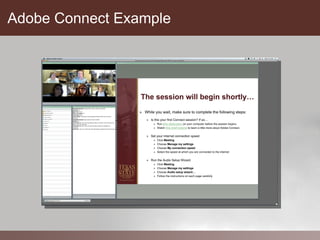
Adobe Connect Example
Places to Set Up Your Web 2.0 Presence


   Web 2.0 Portals
   • Blogger / WordPress
   • YouTube / Vimeo
   • Flickr / Picasa / Photobucket
   • Google Docs
   • Diigo
   • Twitter
   • Facebook
Blogger
www.blogger.com


What is a blog?
• A journal
• A source of information
• A method of self-publication


How are they used in Education?
 •  Information Sharing
 •  Peer Reviewing
 •  Student journaling
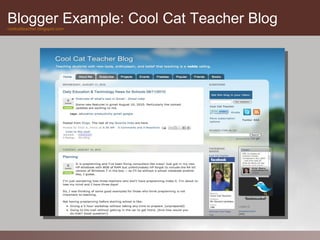
Blogger Example: Cool Cat Teacher Blog
coolcatteacher.blogspot.com
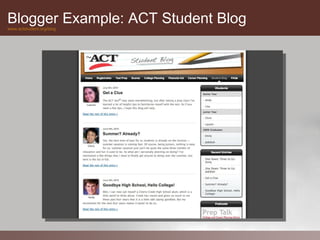
Blogger Example: ACT Student Blog
www.actstudent.org/blog
WordPress
wordpress.org


What is a WordPress?
• DIY blog software that needs a hosting service
• Host it yourself!
• Or use a Wordpress hosting service
• Infinitely customizable in terms of
       •    Graphics & Layout
       •    Content Modules from third parties


           ITS is working on deploying WordPress at Texas
           State as a service to anyone with a TXSTATE e mail
           account. Stay Tuned!
YouTube / Vimeo
www.youtube.com / www.vimeo.com


YouTube will allow you to
 • Share videos with students

 •    Use third party videos for your class

 •    Allow students to upload and share videos

 •    Peer review & comments

 •    Keyword, geographic location tagging

 •    Foster collaboration and discussion

 •    You can create private channels & videos
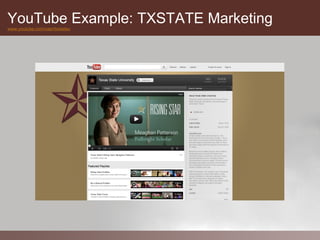
YouTube Example: TXSTATE Marketing
www.youtube.com/user/txstateu
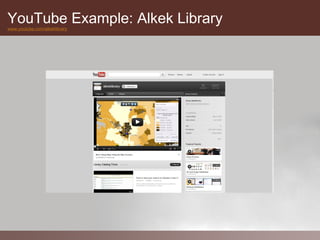
YouTube Example: Alkek Library
www.youtube.com/alkeklibrary
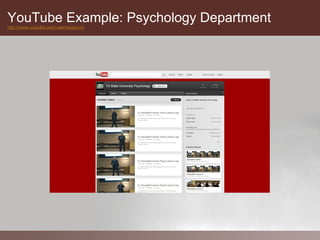
YouTube Example: Psychology Department
http://www.youtube.com/user/txstpsych
Flickr
www.flickr.com


 Flickr image sharing service provides
 • Free as well as paid accounts
 • Convenient uploading / cross-site integration tools
 • Images can be tagged with keywords / Geo tags
 • Images can be copyright protected
 • Photo Sets / Collections
 • Groups / Discussion
 • Private Photo Pools

 Visitor feedback
     o Visitors can comment on pictures if enabled
     o Visitors can suggest images for groups
     o Visitors can place notes directly on the image


 Flick groups feature
     o Membership control & admin features
     o Shared collaborative photo pool
     o Discussion group
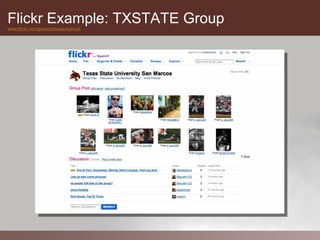
Flickr Example: TXSTATE Group
www.flickr.com/groups/tsusanmarcos
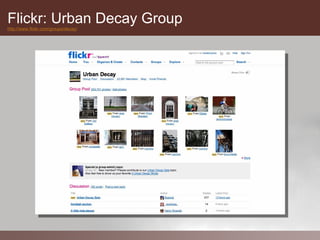
Flickr: Urban Decay Group
http://www.flickr.com/groups/decay/
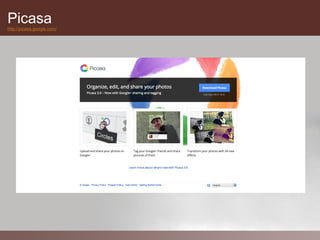
Picasa
http://picasa.google.com/
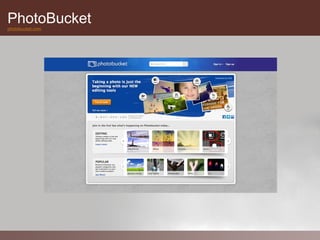
PhotoBucket
photobucket.com
Google Docs
docs.google.com


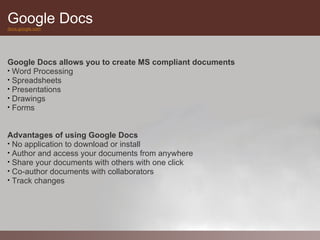
Google Docs allows you to create MS compliant documents
• Word Processing
• Spreadsheets
• Presentations
• Drawings
• Forms


Advantages of using Google Docs
• No application to download or install
• Author and access your documents from anywhere
• Share your documents with others with one click
• Co-author documents with collaborators
• Track changes
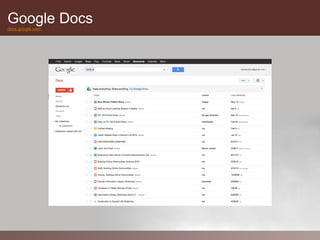
Google Docs
docs.google.com
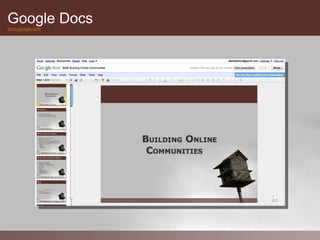
Google Docs
docs.google.com
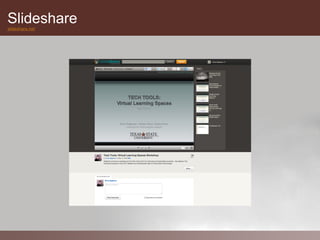
Slideshare
slideshare.net
Social Bookmarking Phenomenon

Many sites are moving in the direction of providing tools to their users
to collect, organize and share their information sources.


The following websites are called Aggregators
• Diigo
• Delicious
• PageFlakes
• NetVibes
• iGoogle
• Technorati
• StumbleUpon
• Digg
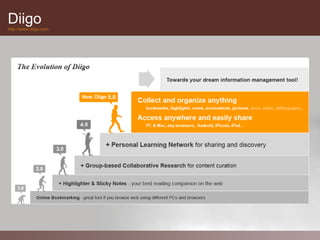
Diigo
http://www.diigo.com
Diigo
http://www.diigo.com
Diigo
http://www.diigo.com
Diigo
http://www.diigo.com


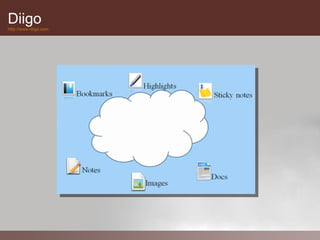
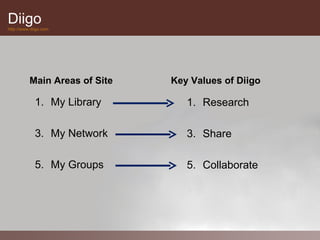
          Main Areas of Site   Key Values of Diigo

             1. My Library        1. Research

             3. My Network        3. Share

             5. My Groups         5. Collaborate
Twitter
www.twitter.com


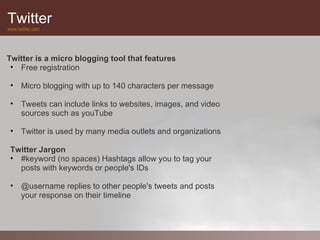
Twitter is a micro blogging tool that features
 • Free registration

 • Micro blogging with up to 140 characters per message

 • Tweets can include links to websites, images, and video
   sources such as youTube

 • Twitter is used by many media outlets and organizations

 Twitter Jargon
 • #keyword (no spaces) Hashtags allow you to tag your
   posts with keywords or people's IDs

 • @username replies to other people's tweets and posts
   your response on their timeline
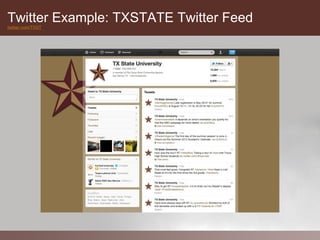
Twitter Example: TXSTATE Twitter Feed
twitter.com/TXST
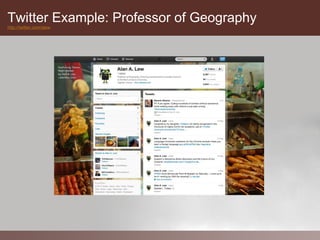
Twitter Example: Professor of Geography
http://twitter.com/alew
Facebook
www.facebook.com


Facebook is a site for social networking that includes
personal profiles and status updates.

Facebook provides the following tools:
 • Status updates
 • Photo, Video, Link sharing, Notes
 • Check ins
 • Pages
 • Groups
 • IM chatting
 • Applications


 We do not recommend the use of Facebook for
  TXSTATE class related activities.
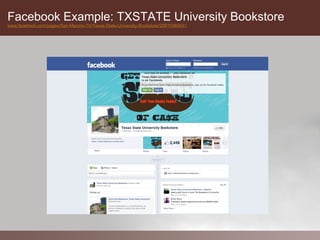
Facebook Example: TXSTATE University Bookstore
www.facebook.com/pages/San-Marcos-TX/Texas-State-University-Bookstore/20815365631
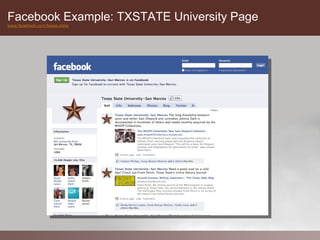
Facebook Example: TXSTATE University Page
www.facebook.com/texas.state
Issues with University Copyright – Use Policy


  Conflict with University Copyright Policy
  Issue: Texas State University prohibits students from reproducing copyrighted
  materials, while Web 2.0 technologies allow students to easily post digital content
  that may be protected by intellectual property right legislation.

  Resolution: It is important that students are aware that they must comply with
  copyright law. If instructors are using Web 2.0 tools in their course they need to
  provide information in their course syllabus guiding the students to current
  University copyright policy.

  Conflict with University Intellectual Property Policy and University Interests
  Issue: A growing collection of resources is accumulating within the Creative
  Commons, which has introduced copyright legislation that is much less restrictive
  than traditional intellectual copyright.

  Resolution: Staff, faculty and students may wish to mark their blogs, wikis and
  podcasting sites with one or more of the Creative Commons designations so
  visitors clearly understand how they may use any content that is posted.
Security/Privacy/Compliance: Student Privacy


  Student Privacy Conflict with Family Education Rights and Policy Act
  (FERPA)

  Issue: The majority of Web 2.0 services on the internet house data on out-of-
  country servers. Without consent from students, using these services allows
  external companies access to any personal information that may be posted,
  which is a violation of the Family Education Rights and Policy Act (FERPA).


  Resolution: Faculty must ensure that students give their consent to using Web
  2.0 applications and are aware of the risks of posting personal information to
  each application that is used during instruction.
Online Communities Best Practices

Dos
      •   Have clear goals in mind
      •   Explore the technology that is available to you
      •   Contact us to help with planning and media selection
      •   Protect your privacy

Don’ts
   • “Friend” your students from your personal account
   • Become a victim of “overshare”
   • Mix your academic identity with your personal one
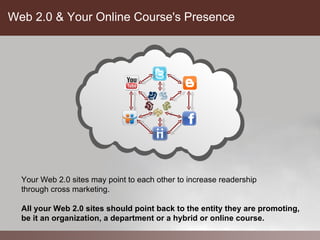
Web 2.0 & Your Online Course's Presence


  Your Web 2.0 sites may point to each other to increase readership
  through cross marketing.

  All your Web 2.0 sites should point back to the entity they are promoting,
  be it an organization, a department or a hybrid or online course.
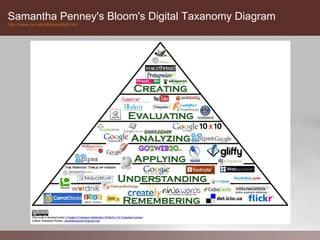
Samantha Penney's Bloom's Digital Taxanomy Diagram
http://www.usi.edu/distance/bdt.htm
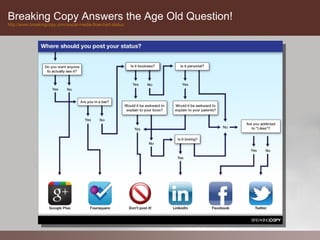
Breaking Copy Answers the Age Old Question!
http://www.breakingcopy.com/social-media-flowchart-status
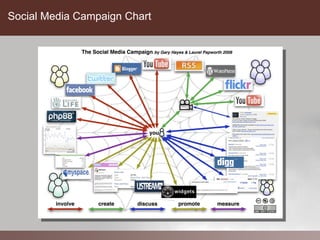
Social Media Campaign Chart

Using Social Media & Web 2.0 to Build Community in Online Courses

  • 1.
    Using Technology toBuild Community Instructional Technologies Support
  • 2.
    Introduction  Presenters from InstructionalTechnologies Support • Emin Saglamer (es26@txstate.edu) • Rori Sheffield (rp41@txstate.edu) • Patrick Smith (ps35@txstate.edu)
  • 3.
    What are YourGoals? Community Building vs. Marketing • Similarities and differences Questions to ask yourself • What are your goals? o Inform o Educate o Marketing • Who is your audience? • What types of needs does your audience have? • What's your current internet presence? • Is your audience comfortable with the web?
  • 4.
    What is Web2.0? Web 1.0 (1991 - 2003) • We are merely consumers of information Web 2.0 (2003 - present) • We are now able to contribute, create, and share information Web 3.0 • Web browser acts as a personal assistant • Instead of keywords you will be able to ask full questions • The answers to your questions will be filtered based • Your Preferences • Location • Transitory conditions such as weather and/or traffic • Augmented Reality applications and user interfaces
  • 5.
    What is CloudComputing? Cloud computing is •Internet based computing •User data is stored at remote servers •User is shielded from the details of application hosting •User’s data is accessible from any data access point When someone suggest using a “cloud” based service as opposed to a TXSTATE service what do they mean? – They are suggesting storing the data (be it student data or not) on a remote storage/processing service hosted by a third party such as Google, Microsoft, etc. – Decisions on the use of cloud computing need to be made in compliance with the privacy, security policies of the institution as well as in compliance with the state and federal laws.
  • 6.
    What is SocialMedia? Social media is a term used to describe the type of media that is based on conversation and interaction between people online. Where media means digital words, sounds and pictures which are typically shared via the internet and the value can be cultural, societal or even financial. Social media use web-based technologies to transform and broadcast media monologues into social media dialogues. They support the democratization of knowledge and information and transform people from content consumers to content producers. -- Wikipedia article on Social Media
  • 7.
    TRACS TRACS.TXSTATE.EDU TRACS allows youto • Manage access • Share files, announcements, etc. • Track use and participation Examples • SOWK • School of Business • Niem Huynh’s TRACS Site (Geography)
  • 8.
    Adobe Connect atTXSTATE connect.its.txstate.edu Adobe Connect allows you to • Communicate with your students in real time • Host meetings, lectures and QA sessions • Create tutorials Examples • Online meetings • Tutorials • Mini lectures
  • 9.
  • 10.
    Places to SetUp Your Web 2.0 Presence Web 2.0 Portals • Blogger / WordPress • YouTube / Vimeo • Flickr / Picasa / Photobucket • Google Docs • Diigo • Twitter • Facebook
  • 11.
    Blogger www.blogger.com What is ablog? • A journal • A source of information • A method of self-publication How are they used in Education? • Information Sharing • Peer Reviewing • Student journaling
  • 12.
    Blogger Example: CoolCat Teacher Blog coolcatteacher.blogspot.com
  • 13.
    Blogger Example: ACTStudent Blog www.actstudent.org/blog
  • 14.
    WordPress wordpress.org What is aWordPress? • DIY blog software that needs a hosting service • Host it yourself! • Or use a Wordpress hosting service • Infinitely customizable in terms of • Graphics & Layout • Content Modules from third parties ITS is working on deploying WordPress at Texas State as a service to anyone with a TXSTATE e mail account. Stay Tuned!
  • 15.
    YouTube / Vimeo www.youtube.com/ www.vimeo.com YouTube will allow you to • Share videos with students • Use third party videos for your class • Allow students to upload and share videos • Peer review & comments • Keyword, geographic location tagging • Foster collaboration and discussion • You can create private channels & videos
  • 16.
    YouTube Example: TXSTATEMarketing www.youtube.com/user/txstateu
  • 17.
    YouTube Example: AlkekLibrary www.youtube.com/alkeklibrary
  • 18.
    YouTube Example: PsychologyDepartment http://www.youtube.com/user/txstpsych
  • 19.
    Flickr www.flickr.com Flickr imagesharing service provides • Free as well as paid accounts • Convenient uploading / cross-site integration tools • Images can be tagged with keywords / Geo tags • Images can be copyright protected • Photo Sets / Collections • Groups / Discussion • Private Photo Pools Visitor feedback o Visitors can comment on pictures if enabled o Visitors can suggest images for groups o Visitors can place notes directly on the image Flick groups feature o Membership control & admin features o Shared collaborative photo pool o Discussion group
  • 20.
    Flickr Example: TXSTATEGroup www.flickr.com/groups/tsusanmarcos
  • 21.
    Flickr: Urban DecayGroup http://www.flickr.com/groups/decay/
  • 22.
  • 23.
  • 24.
    Google Docs docs.google.com Google Docsallows you to create MS compliant documents • Word Processing • Spreadsheets • Presentations • Drawings • Forms Advantages of using Google Docs • No application to download or install • Author and access your documents from anywhere • Share your documents with others with one click • Co-author documents with collaborators • Track changes
  • 25.
  • 26.
  • 27.
  • 28.
    Social Bookmarking Phenomenon Manysites are moving in the direction of providing tools to their users to collect, organize and share their information sources. The following websites are called Aggregators • Diigo • Delicious • PageFlakes • NetVibes • iGoogle • Technorati • StumbleUpon • Digg
  • 29.
  • 30.
  • 31.
  • 32.
    Diigo http://www.diigo.com Main Areas of Site Key Values of Diigo 1. My Library 1. Research 3. My Network 3. Share 5. My Groups 5. Collaborate
  • 33.
    Twitter www.twitter.com Twitter is amicro blogging tool that features • Free registration • Micro blogging with up to 140 characters per message • Tweets can include links to websites, images, and video sources such as youTube • Twitter is used by many media outlets and organizations Twitter Jargon • #keyword (no spaces) Hashtags allow you to tag your posts with keywords or people's IDs • @username replies to other people's tweets and posts your response on their timeline
  • 34.
    Twitter Example: TXSTATETwitter Feed twitter.com/TXST
  • 35.
    Twitter Example: Professorof Geography http://twitter.com/alew
  • 36.
    Facebook www.facebook.com Facebook is asite for social networking that includes personal profiles and status updates. Facebook provides the following tools: • Status updates • Photo, Video, Link sharing, Notes • Check ins • Pages • Groups • IM chatting • Applications We do not recommend the use of Facebook for TXSTATE class related activities.
  • 37.
    Facebook Example: TXSTATEUniversity Bookstore www.facebook.com/pages/San-Marcos-TX/Texas-State-University-Bookstore/20815365631
  • 38.
    Facebook Example: TXSTATEUniversity Page www.facebook.com/texas.state
  • 39.
    Issues with UniversityCopyright – Use Policy Conflict with University Copyright Policy Issue: Texas State University prohibits students from reproducing copyrighted materials, while Web 2.0 technologies allow students to easily post digital content that may be protected by intellectual property right legislation. Resolution: It is important that students are aware that they must comply with copyright law. If instructors are using Web 2.0 tools in their course they need to provide information in their course syllabus guiding the students to current University copyright policy. Conflict with University Intellectual Property Policy and University Interests Issue: A growing collection of resources is accumulating within the Creative Commons, which has introduced copyright legislation that is much less restrictive than traditional intellectual copyright. Resolution: Staff, faculty and students may wish to mark their blogs, wikis and podcasting sites with one or more of the Creative Commons designations so visitors clearly understand how they may use any content that is posted.
  • 40.
    Security/Privacy/Compliance: Student Privacy Student Privacy Conflict with Family Education Rights and Policy Act (FERPA) Issue: The majority of Web 2.0 services on the internet house data on out-of- country servers. Without consent from students, using these services allows external companies access to any personal information that may be posted, which is a violation of the Family Education Rights and Policy Act (FERPA). Resolution: Faculty must ensure that students give their consent to using Web 2.0 applications and are aware of the risks of posting personal information to each application that is used during instruction.
  • 41.
    Online Communities BestPractices Dos • Have clear goals in mind • Explore the technology that is available to you • Contact us to help with planning and media selection • Protect your privacy Don’ts • “Friend” your students from your personal account • Become a victim of “overshare” • Mix your academic identity with your personal one
  • 42.
    Web 2.0 &Your Online Course's Presence Your Web 2.0 sites may point to each other to increase readership through cross marketing. All your Web 2.0 sites should point back to the entity they are promoting, be it an organization, a department or a hybrid or online course.
  • 43.
    Samantha Penney's Bloom'sDigital Taxanomy Diagram http://www.usi.edu/distance/bdt.htm
  • 44.
    Breaking Copy Answersthe Age Old Question! http://www.breakingcopy.com/social-media-flowchart-status
  • 45.