WEB  2.0TRENDS AND TECHNOLOGY                   A  Review of the latest web technology            By  Laxman Raghav (B.E.,MCSE)                     IT Engineer  SPS Gurgaon
  History of Web The History of Web Development Beginning at CERN (Centre Européen de Recherche Nucléaire) in 1989 ,is a short history explaining how Tim Berners-Lee and others brought together the technologies needed to be able to share documents using Web browsers in a multi-platform environment which evolved from those humble beginnings into the World Wide Web as we know it today.Tim Berners-Lee is credited with having created the World Wide Web while he was a researcher at the European High-Energy Particle Physics lab, the CERN , in Geneva, Switzerland. A tool was needed to enable collaboration between physicists and other researchers in the high energy physics community.
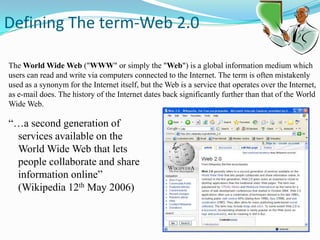
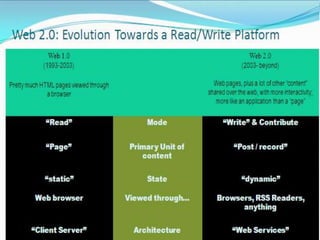
 Defining The term-Web 2.0The World Wide Web ("WWW" or simply the "Web") is a global information medium which users can read and write via computers connected to the Internet. The term is often mistakenly used as a synonym for the Internet itself, but the Web is a service that operates over the Internet, as e-mail does. The history of the Internet dates back significantly further than that of the World Wide Web.“…a second generation of services available on the World Wide Web that lets people collaborate and share information online” (Wikipedia 12th May 2006)
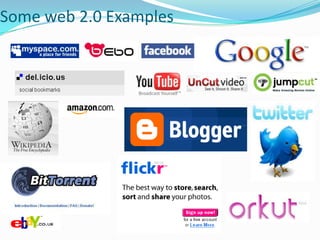
Some web 2.0 Examples
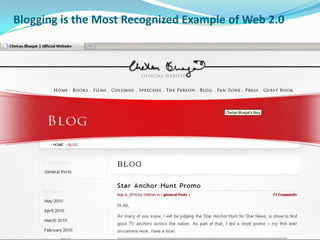
BlogsWeblog is a web-based publication made up of periodic articles, like an online diary Ideal for use in HE (MySpace, Bebo, LiveJournal,Blogger)by students: sharing learning; reflections on learning; developing writing & social skillsby researchers: sharing knowledge and ideas; maximising impact…  Schools are also encouraging  their students to write the blogs.Now a days ,Blogs are associated  with every dynamic websites.Popular personalities like Amitabh Bachchan,Amir Khan, Lalit Modhi, Sashi Tharoor etc. have created their own blogs and people read them.
Blogging is the Most Recognized Example of Web 2.0
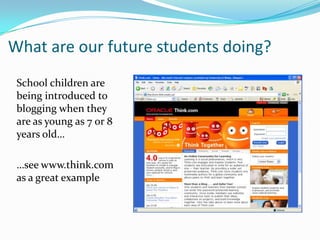
What are our future students doing?School children are being introduced to blogging when they are as young as 7 or 8 years old……see www.think.com as a great example
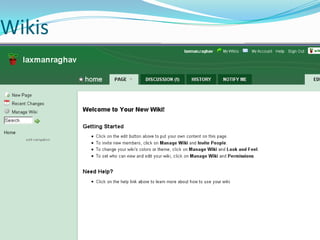
WikisWiki is a piece of server software that allows users to freely create and edit web page content using any web browser.Wikis provide collaborative, easy-to-use Web-based authoring. Again ideal for students, researchers and staff for collaborative work allowing focus on content.The content you enter  in these wikis should accurate, it can be checked by their organizations .Help in finding the contents more easily. Users can share information, ask and answer questions, and librarians can participate within a wiki.
Wikis
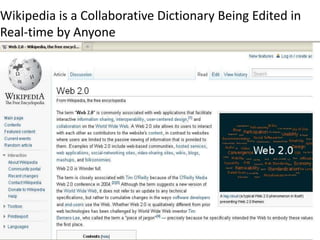
Wikipedia is a Collaborative Dictionary Being Edited in Real-time by Anyone
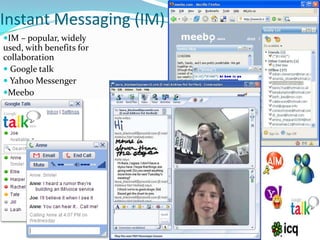
Instant Messaging (IM) IM – popular, widely used, with benefits for collaboration Google talk Yahoo MessengerMeebo
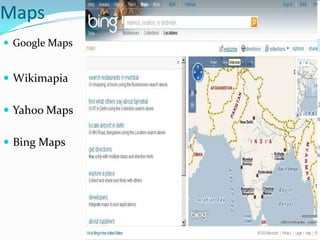
Maps Google MapsWikimapia
Yahoo Maps
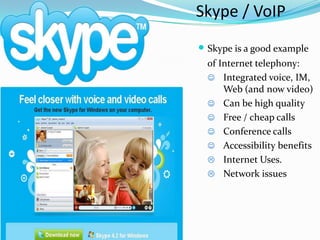
Bing Maps Skype / VoIPWeb 2.0Skype is a good example     of Internet telephony:Integrated voice, IM, Web (and now video)
Can be high quality
Free / cheap calls
Conference calls
Accessibility benefits
Internet Uses.
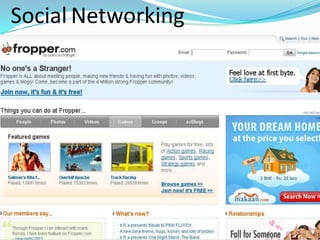
Network issuesSocial Networking Web-based software that facilitates creation of a virtual social networks for communities of people who share interests and activities. MySpace, FaceBook, Orkut, Fropper , and Linked In. Used by libraries to interact with their patrons and to share and exchange resources dynamically in electronic environment.Libraries can recommend resources to users through their network, based on similar profiles, previously-accessed resources, etc. Easy way to sharing new ideas.

SocialNetworking
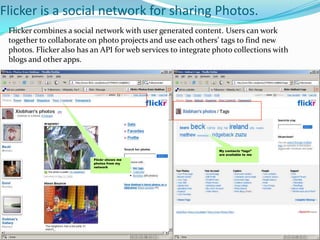
Flicker is a social network for sharing Photos. Cuene.com/mimaFlicker combines a social network with user generated content. Users can work together to collaborate on photo projects and use each others’ tags to find new photos. Flicker also has an API for web services to integrate photo collections with blogs and other apps. My contacts “tags” are available to meFlickr shows me photos from my network
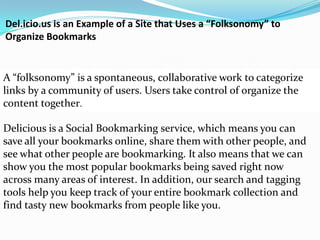
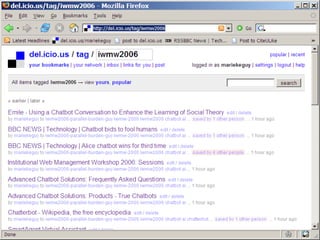
Del.icio.us is an Example of a Site that Uses a “Folksonomy” to Organize BookmarksA “folksonomy” is a spontaneous, collaborative work to categorize links by a community of users. Users take control of organize the content together. Delicious is a Social Bookmarking service, which means you can save all your bookmarks online, share them with other people, and see what other people are bookmarking. It also means that we can show you the most popular bookmarks being saved right now across many areas of interest. In addition, our search and tagging tools help you keep track of your entire bookmark collection and find tasty new bookmarks from people like you. 
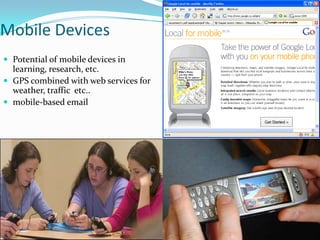
Mobile DevicesPotential of mobile devices in learning, research, etc.GPS combined with web services for weather, traffic  etc..mobile-based email
RSS (Really Simple Syndication) RSS or Really Simple Syndication is a web feed format that compiles all of the articles on your blog, and formats them in a linear, date-sorted format, which can be "subscribed" to by anyone.Job Openings - placement firms and newspapers can provide a classifieds feed of job vacanciesSchools - schools can relay homework assignments and quickly announce school cancellations.News & Announcements - headlines, notices and any list of announcements Calendars - listings of past or upcoming events, deadlines or holidays Document listings - lists of added or changed pages, so that people don't need to constantly check for updates
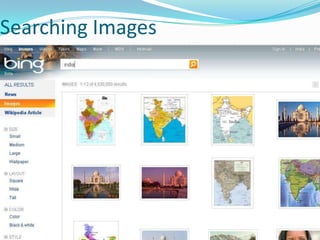
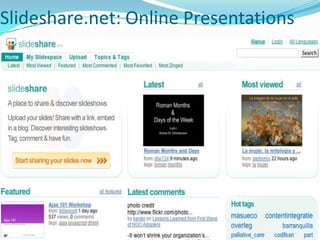
Web 2.0 : Presentation Resources When making a presentation, you want pictures, and a few words. And people.Finding Pictures:Google ImagesOther Image Search EnginesFlickerBuilding your presentation -- Zoho: ShowSharing your presentation (& finding other presentations) -- SlideShare.net
Searching Images
Slideshare.net: Online Presentations
SlideShare.net: About Importance of Slide Share:Find teaching materialsShare teaching materialsShare conference slidesReview content remotely from secured computers.Points to remember about sharing: People cannot download your presentation without asking you first.People can ask you.
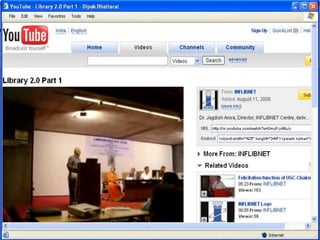
Video Sharing :You TubeYouTube is a video-sharing website on which users can upload, share, and view videos.Unregistered users can watch the videos, while registered users are permitted to upload an unlimited number of videos.Videos that are considered to contain potentially offensive content are available only to registered users over the age of 18.Videos uploaded to YouTube by standard account holders are limited to ten minutes in length and a file size of 2 GB.
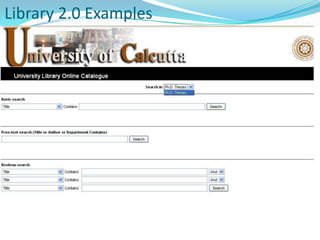
Web 2.0 + Library = Library 2.0Library 2.0 is a loosely defined model for a modernized form of library service that reflects a transition within the library world in the way that services are delivered to users. The concept of Library 2.0 borrows from that of  Web 2.0 and follows some of the same underlying philosophies. This includes online services like the use of OPAC (Online public Access catalog ) systems and an increased flow of information from the user back to library.
Library 2.0 DefinitionsUsability, interoperability, flexibilityCommunity building – online and physicalOutreach via blogs, wikis, etcUser participationMore transparentMore human friendly and user centeredConcepts and technologies of Web 2.0 applied to the library services and collections.
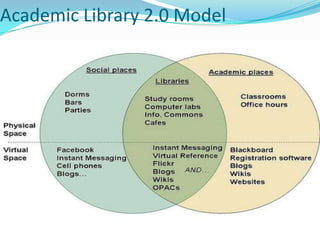
Academic Library 2.0 Model
Online Public Access Catalog(OPAC)An Online Public Access Catalog is an online database of materials held by a library or group of libraries.Users search a library catalog principally to locate books and other material physically located at a library.Web search engines like Google and popular e-commerce websites such as Amazon.com provided powerful OPAC

Final web 2.0

  • 1.
    WEB 2.0TRENDSAND TECHNOLOGY A Review of the latest web technology By Laxman Raghav (B.E.,MCSE) IT Engineer SPS Gurgaon
  • 2.
    Historyof Web The History of Web Development Beginning at CERN (Centre Européen de Recherche Nucléaire) in 1989 ,is a short history explaining how Tim Berners-Lee and others brought together the technologies needed to be able to share documents using Web browsers in a multi-platform environment which evolved from those humble beginnings into the World Wide Web as we know it today.Tim Berners-Lee is credited with having created the World Wide Web while he was a researcher at the European High-Energy Particle Physics lab, the CERN , in Geneva, Switzerland. A tool was needed to enable collaboration between physicists and other researchers in the high energy physics community.
  • 3.
    Defining Theterm-Web 2.0The World Wide Web ("WWW" or simply the "Web") is a global information medium which users can read and write via computers connected to the Internet. The term is often mistakenly used as a synonym for the Internet itself, but the Web is a service that operates over the Internet, as e-mail does. The history of the Internet dates back significantly further than that of the World Wide Web.“…a second generation of services available on the World Wide Web that lets people collaborate and share information online” (Wikipedia 12th May 2006)
  • 5.
    Some web 2.0Examples
  • 7.
    BlogsWeblog is aweb-based publication made up of periodic articles, like an online diary Ideal for use in HE (MySpace, Bebo, LiveJournal,Blogger)by students: sharing learning; reflections on learning; developing writing & social skillsby researchers: sharing knowledge and ideas; maximising impact… Schools are also encouraging their students to write the blogs.Now a days ,Blogs are associated with every dynamic websites.Popular personalities like Amitabh Bachchan,Amir Khan, Lalit Modhi, Sashi Tharoor etc. have created their own blogs and people read them.
  • 8.
    Blogging is theMost Recognized Example of Web 2.0
  • 9.
    What are ourfuture students doing?School children are being introduced to blogging when they are as young as 7 or 8 years old……see www.think.com as a great example
  • 10.
    WikisWiki is apiece of server software that allows users to freely create and edit web page content using any web browser.Wikis provide collaborative, easy-to-use Web-based authoring. Again ideal for students, researchers and staff for collaborative work allowing focus on content.The content you enter in these wikis should accurate, it can be checked by their organizations .Help in finding the contents more easily. Users can share information, ask and answer questions, and librarians can participate within a wiki.
  • 11.
  • 12.
    Wikipedia is aCollaborative Dictionary Being Edited in Real-time by Anyone
  • 13.
    Instant Messaging (IM)IM – popular, widely used, with benefits for collaboration Google talk Yahoo MessengerMeebo
  • 14.
  • 15.
  • 16.
    Bing Maps Skype/ VoIPWeb 2.0Skype is a good example of Internet telephony:Integrated voice, IM, Web (and now video)
  • 17.
    Can be highquality
  • 18.
  • 19.
  • 20.
  • 21.
  • 22.
    Network issuesSocial NetworkingWeb-based software that facilitates creation of a virtual social networks for communities of people who share interests and activities. MySpace, FaceBook, Orkut, Fropper , and Linked In. Used by libraries to interact with their patrons and to share and exchange resources dynamically in electronic environment.Libraries can recommend resources to users through their network, based on similar profiles, previously-accessed resources, etc. Easy way to sharing new ideas.
  • 23.
  • 24.
    Flicker is asocial network for sharing Photos. Cuene.com/mimaFlicker combines a social network with user generated content. Users can work together to collaborate on photo projects and use each others’ tags to find new photos. Flicker also has an API for web services to integrate photo collections with blogs and other apps. My contacts “tags” are available to meFlickr shows me photos from my network
  • 25.
    Del.icio.us is anExample of a Site that Uses a “Folksonomy” to Organize BookmarksA “folksonomy” is a spontaneous, collaborative work to categorize links by a community of users. Users take control of organize the content together. Delicious is a Social Bookmarking service, which means you can save all your bookmarks online, share them with other people, and see what other people are bookmarking. It also means that we can show you the most popular bookmarks being saved right now across many areas of interest. In addition, our search and tagging tools help you keep track of your entire bookmark collection and find tasty new bookmarks from people like you. 
  • 27.
    Mobile DevicesPotential ofmobile devices in learning, research, etc.GPS combined with web services for weather, traffic etc..mobile-based email
  • 28.
    RSS (Really SimpleSyndication) RSS or Really Simple Syndication is a web feed format that compiles all of the articles on your blog, and formats them in a linear, date-sorted format, which can be "subscribed" to by anyone.Job Openings - placement firms and newspapers can provide a classifieds feed of job vacanciesSchools - schools can relay homework assignments and quickly announce school cancellations.News & Announcements - headlines, notices and any list of announcements Calendars - listings of past or upcoming events, deadlines or holidays Document listings - lists of added or changed pages, so that people don't need to constantly check for updates
  • 29.
    Web 2.0 :Presentation Resources When making a presentation, you want pictures, and a few words. And people.Finding Pictures:Google ImagesOther Image Search EnginesFlickerBuilding your presentation -- Zoho: ShowSharing your presentation (& finding other presentations) -- SlideShare.net
  • 30.
  • 31.
  • 32.
    SlideShare.net: About Importanceof Slide Share:Find teaching materialsShare teaching materialsShare conference slidesReview content remotely from secured computers.Points to remember about sharing: People cannot download your presentation without asking you first.People can ask you.
  • 33.
    Video Sharing :YouTubeYouTube is a video-sharing website on which users can upload, share, and view videos.Unregistered users can watch the videos, while registered users are permitted to upload an unlimited number of videos.Videos that are considered to contain potentially offensive content are available only to registered users over the age of 18.Videos uploaded to YouTube by standard account holders are limited to ten minutes in length and a file size of 2 GB.
  • 35.
    Web 2.0 +Library = Library 2.0Library 2.0 is a loosely defined model for a modernized form of library service that reflects a transition within the library world in the way that services are delivered to users. The concept of Library 2.0 borrows from that of Web 2.0 and follows some of the same underlying philosophies. This includes online services like the use of OPAC (Online public Access catalog ) systems and an increased flow of information from the user back to library.
  • 36.
    Library 2.0 DefinitionsUsability,interoperability, flexibilityCommunity building – online and physicalOutreach via blogs, wikis, etcUser participationMore transparentMore human friendly and user centeredConcepts and technologies of Web 2.0 applied to the library services and collections.
  • 37.
  • 38.
    Online Public AccessCatalog(OPAC)An Online Public Access Catalog is an online database of materials held by a library or group of libraries.Users search a library catalog principally to locate books and other material physically located at a library.Web search engines like Google and popular e-commerce websites such as Amazon.com provided powerful OPAC
  • 39.
  • 40.
  • 41.
  • 42.
    Web 2.0 isUseful for …People who use multiple computers in various locations.
  • 43.
    Discovery of itemssimilar to your selections.
  • 44.
    Sharing resources withpeers, managers, students & others.
  • 45.
  • 46.
    Building communities anddiscovering like-minded individuals.
  • 47.
    Students: sharing learning;developing writing & social skills.
  • 48.
    Researchers: sharing knowledgeand ideas with others.
  • 49.
    E-learners, who wantsto learn things online.How web 2.0 useful for learningEducation 2.0
  • 50.
  • 51.
  • 52.
  • 53.
  • 54.
  • 55.
  • 56.
    Social Networking Sites(Orkut, Face book)
  • 57.
  • 58.
  • 59.
    Documents Sharing(Google docs,ShareSlide. Net) THANKSQuestion & Queries ?