Social Media U: Best Practices and Case StudiesBYTE 8/09Rick Reo, rreo@gmu.eduInstructional Designer, GMUAdjunct Instructor, AIT & CEHDPortions adapted from materials by: Glenda Morgan, Ph.D, GMU
 Duke University Libraries
 New Media ConsortiumWhat We’re Going To Talk AboutWhat is Web 2.0 & why should you care?
How does Web 2.0 change teaching practices?
Educational Social Software (Web 2.0) tools
Best educational practices SMU WorkshopSocial Networking/ Resource Sharing Links Delicious tags for social mediahttp://delicious.com/rreo/socialmedia
Twitter back channel: #byte09
ShareTabs: http://www.sharetabs.com/?byte09
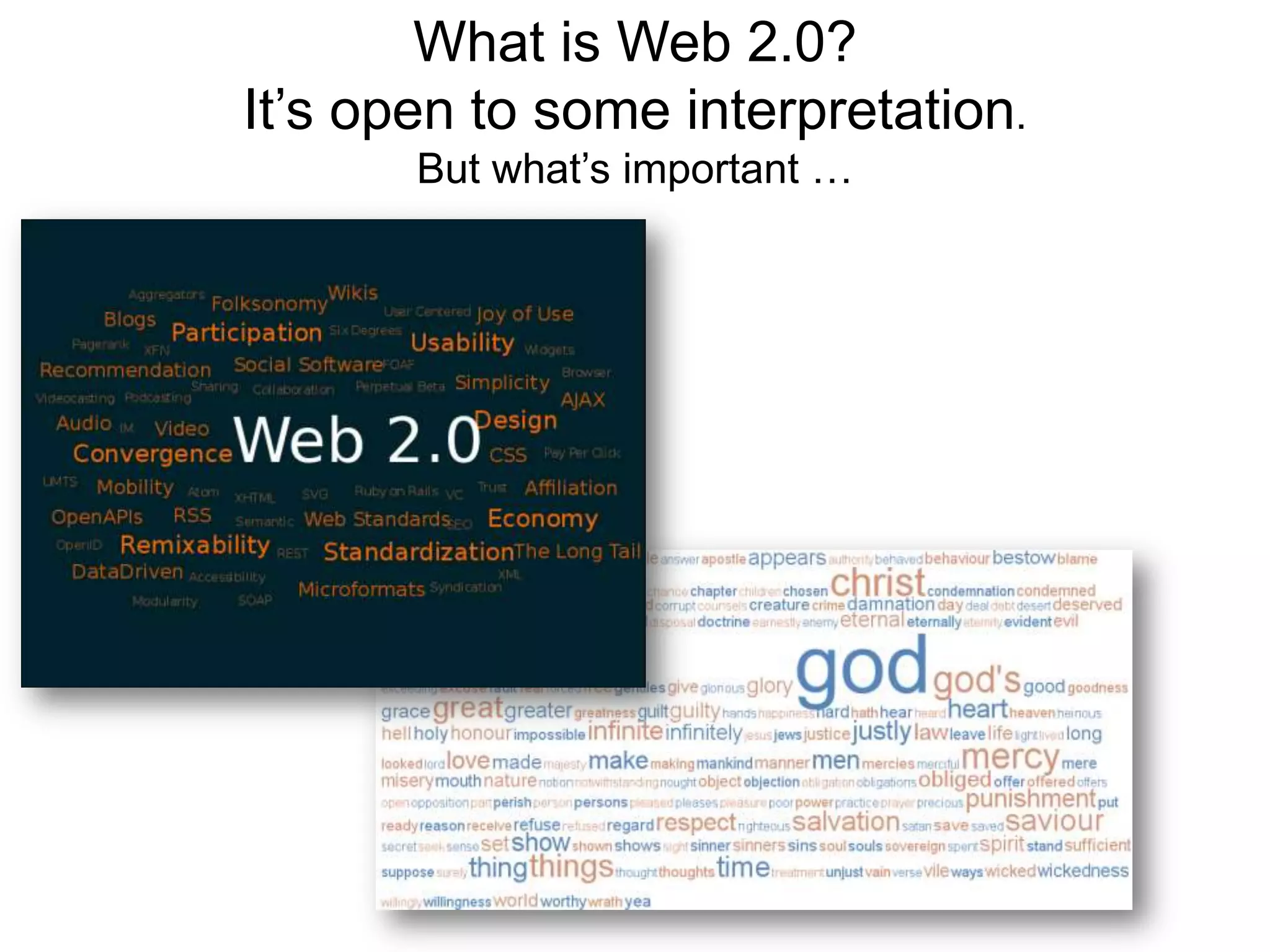
Slideshare: http://www.slideshare.net/rreoWhat is Web 2.0? It’s open to some interpretation.But what’s important …
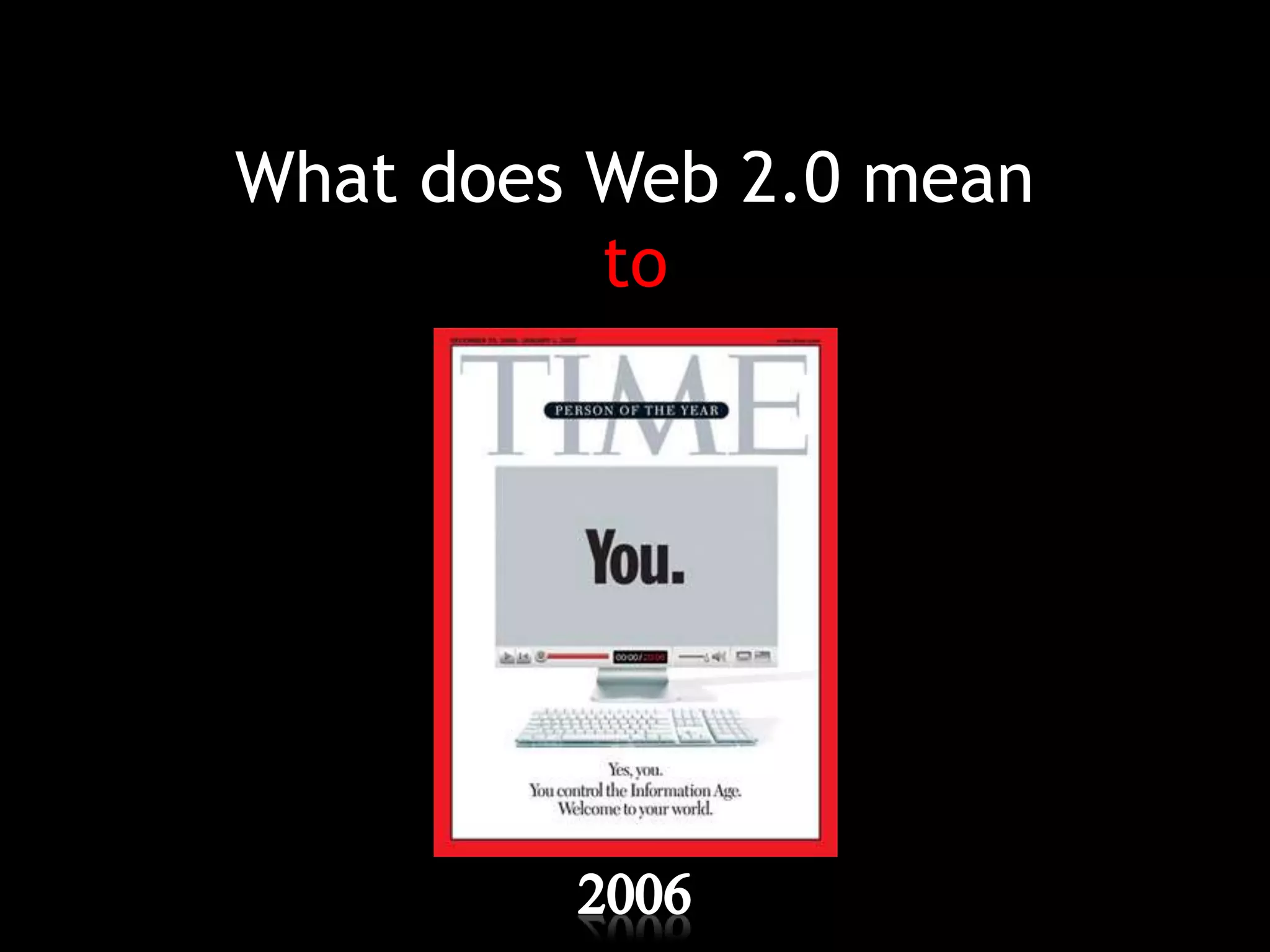
What does Web 2.0 meanto2006
PollUsing a scale of 1–7 (1 = very uncomfortable, 7 = very comfortable), rate how comfortable you are with the following:For each of the following technologies, place an X in the box for those you use and for those you believe your students use.Using a scale of 1–7 (1 = very uncomfortable, 7 = very comfortable), rate how comfortable you are with the following:
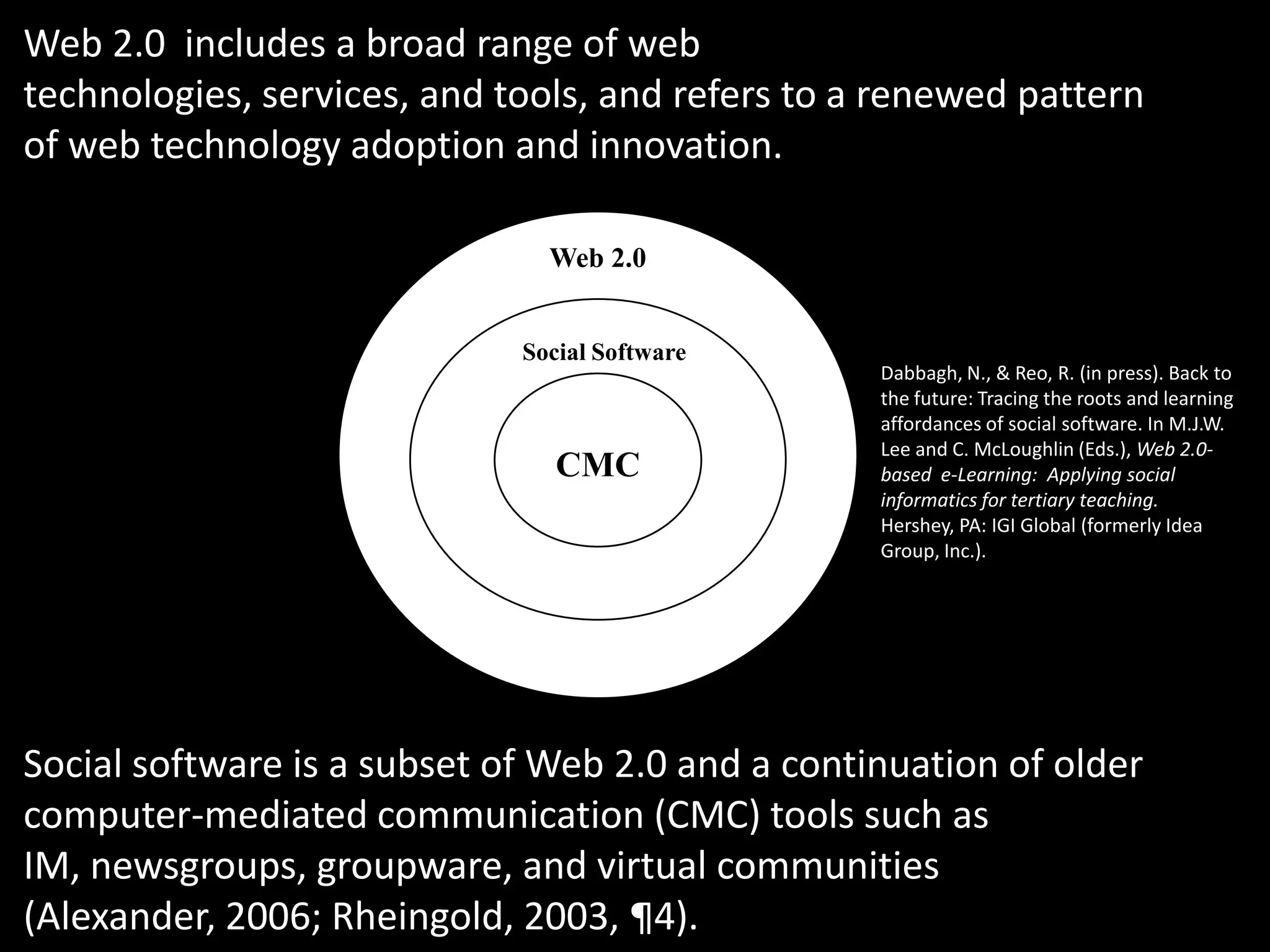
Web 2.0Social SoftwareCMCWeb 2.0 includes a broad range of web technologies, services, and tools, and refers to a renewed pattern of web technology adoption and innovation.Dabbagh, N., & Reo, R. (in press). Back to the future: Tracing the roots and learning affordances of social software. In M.J.W. Lee and C. McLoughlin (Eds.), Web 2.0-based  e-Learning:  Applying social informatics for tertiary teaching. Hershey, PA: IGI Global (formerly Idea Group, Inc.).Social software is a subset of Web 2.0 and a continuation of older computer-mediated communication (CMC) tools such as IM, newsgroups, groupware, and virtual communities (Alexander, 2006; Rheingold, 2003, ¶4).
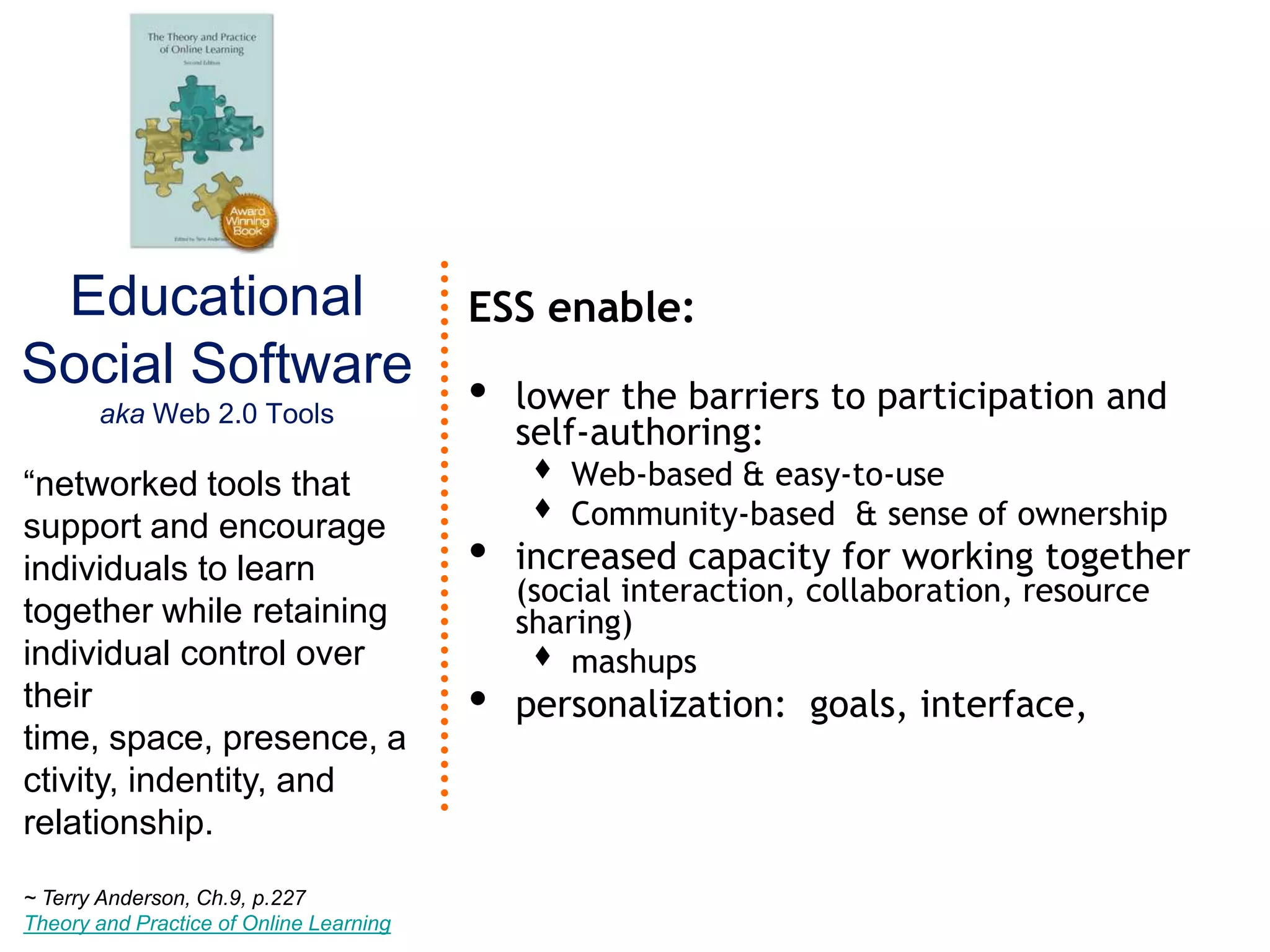
Educational Social Softwareaka Web 2.0 ToolsESS enable:lower the barriers to participation and self-authoring:Web-based & easy-to-useCommunity-based  & sense of ownership increased capacity for working together (social interaction, collaboration, resource sharing)mashupspersonalization:  goals, interface, “networked tools that support and encourage individuals to learn together while retaining individual control over their time, space, presence, activity, indentity, and relationship.~ Terry Anderson, Ch.9, p.227Theory and Practice of Online Learning
We know it when we see it?http://www.go2web20.net/
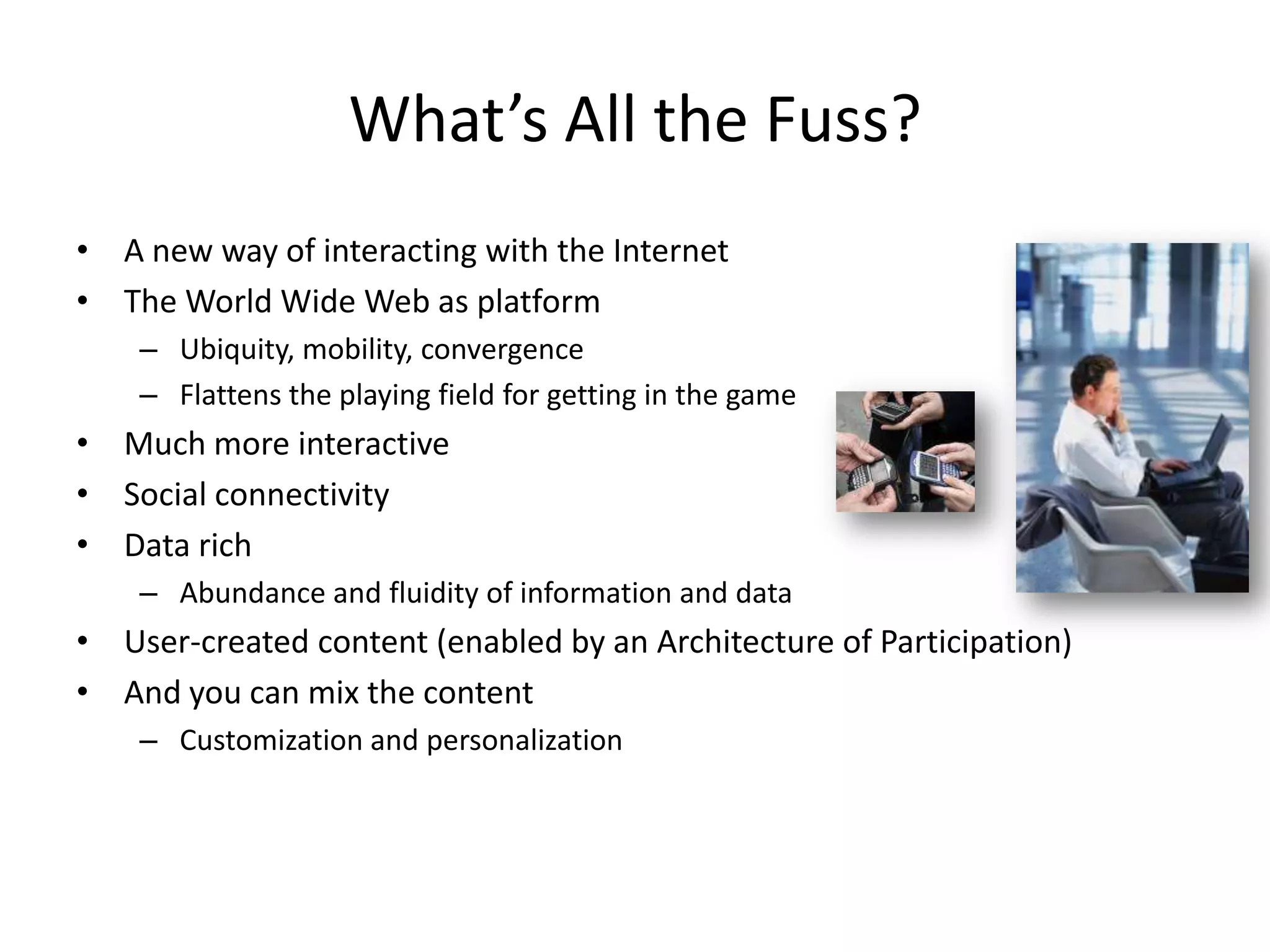
What’s All the Fuss?A new way of interacting with the Internet The World Wide Web as platformUbiquity, mobility, convergenceFlattens the playing field for getting in the game Much more interactiveSocial connectivityData richAbundance and fluidity of information and dataUser-created content (enabled by an Architecture of Participation)And you can mix the contentCustomization and personalization
Why should you care?
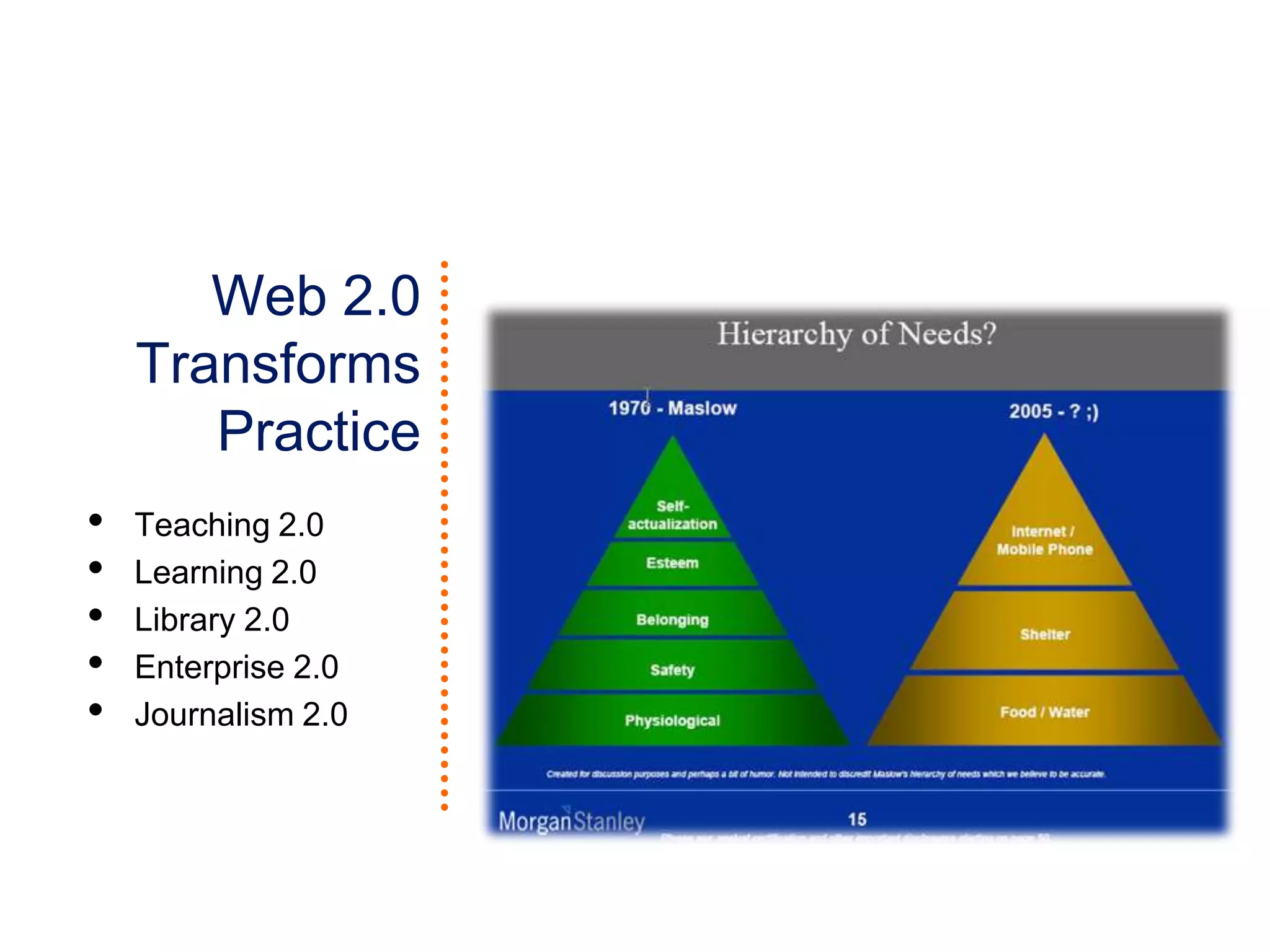
Web 2.0 Transforms PracticeTeaching 2.0
Learning 2.0
Library 2.0
Enterprise 2.0
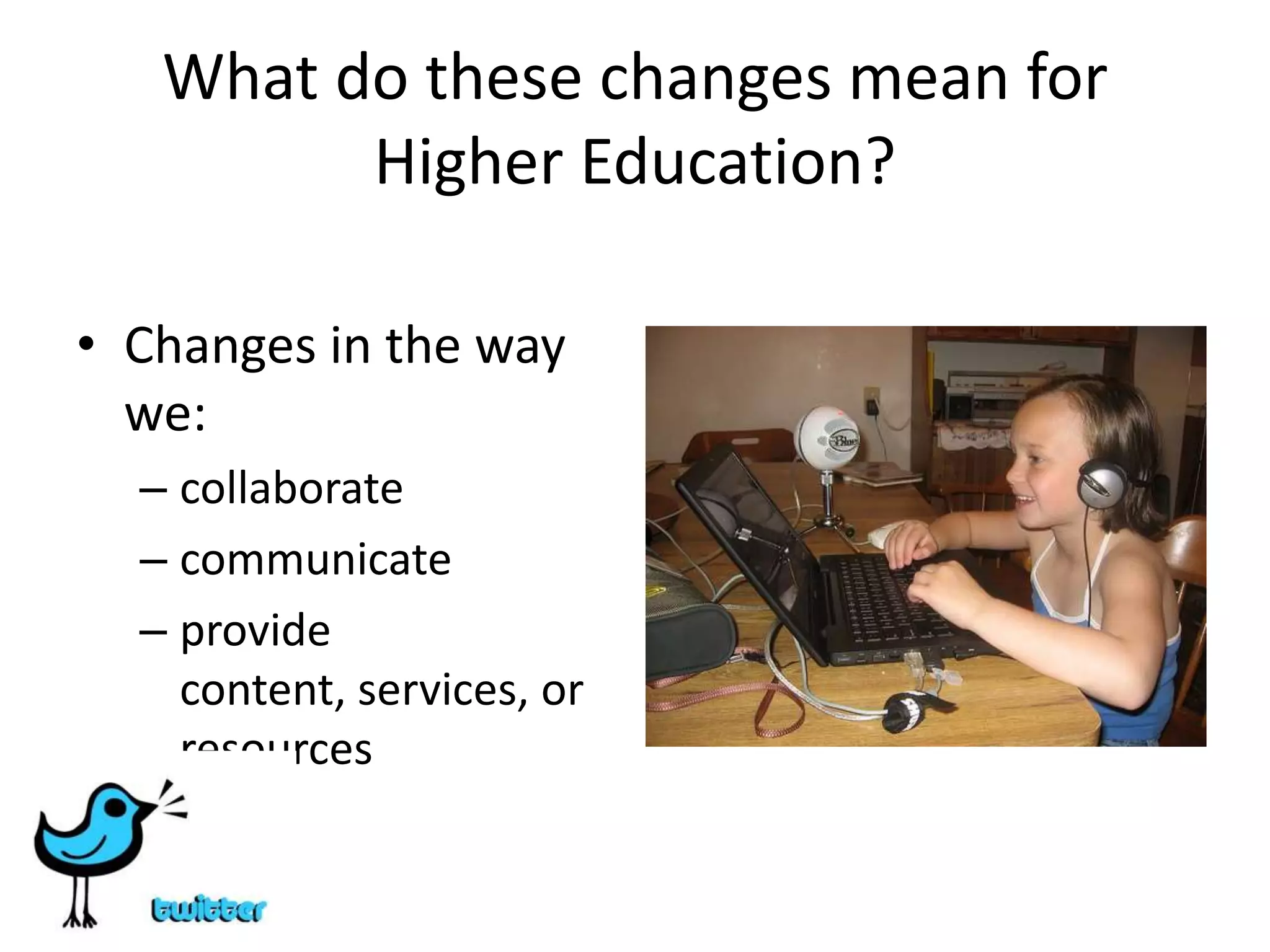
Journalism 2.0What do these changes mean for Higher Education?Changes in the way we:collaboratecommunicateprovide content, services, or resources
Why should I care?In the end, you don’t really have a choice:  Embrace 2.0 technologiesmost people are probably already social computing aficionadosthat is what our student body is expectingand what our mandates require with our limited resources and increasing demands.Why Faculty Should Care?Students are using these toolsImprove disciplinary communication and knowledge sharingProfessional DevelopmentAuthentic learning opportunities
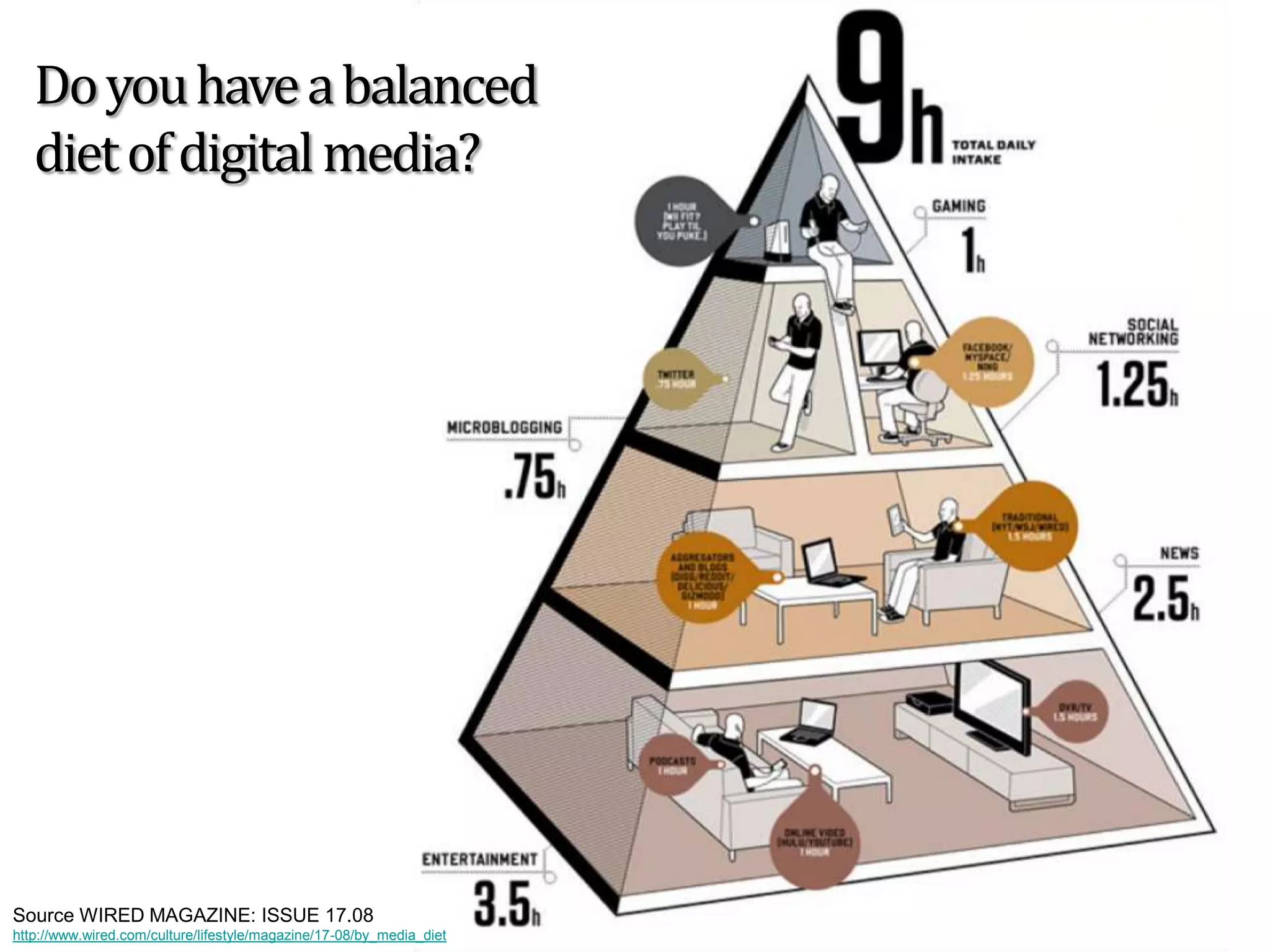
Do you have a balanced diet of digital media?Source WIRED MAGAZINE: ISSUE 17.08http://www.wired.com/culture/lifestyle/magazine/17-08/by_media_diet
How to Get Startedon Web 2.0?
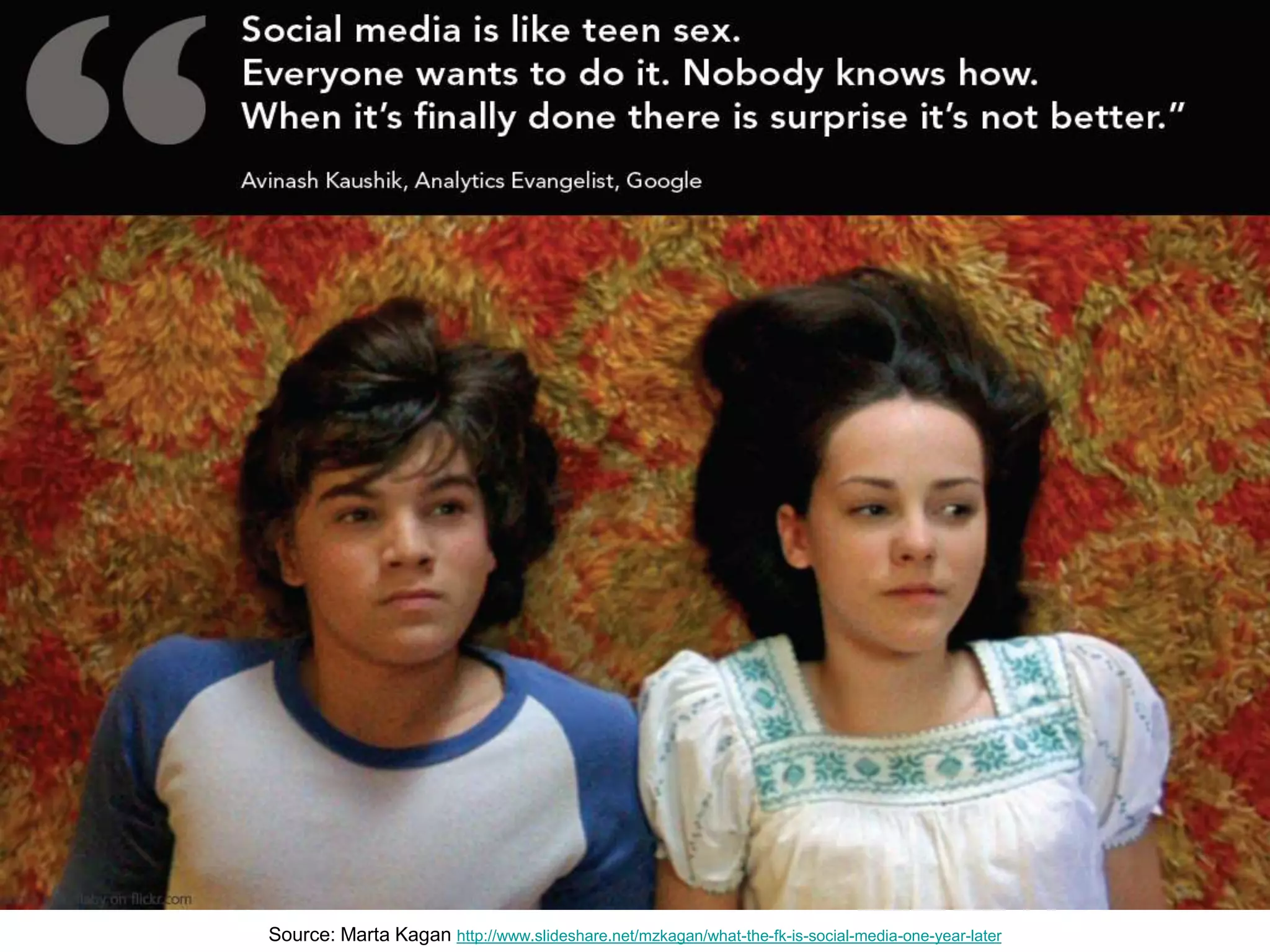
Source: Marta Kaganhttp://www.slideshare.net/mzkagan/what-the-fk-is-social-media-one-year-later
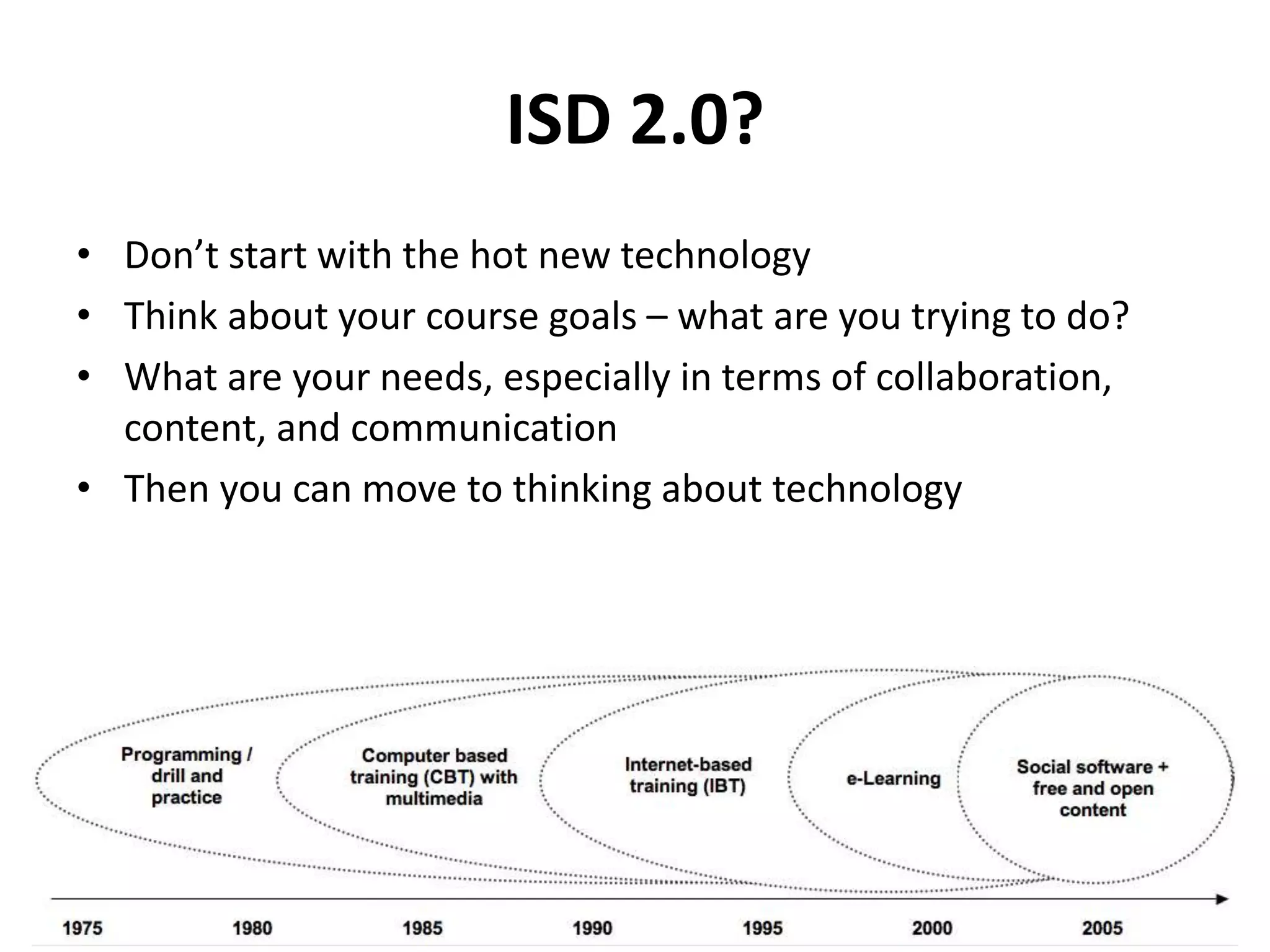
ISD 2.0?Don’t start with the hot new technologyThink about your course goals – what are you trying to do?What are your needs, especially in terms of collaboration, content, and communicationThen you can move to thinking about technology
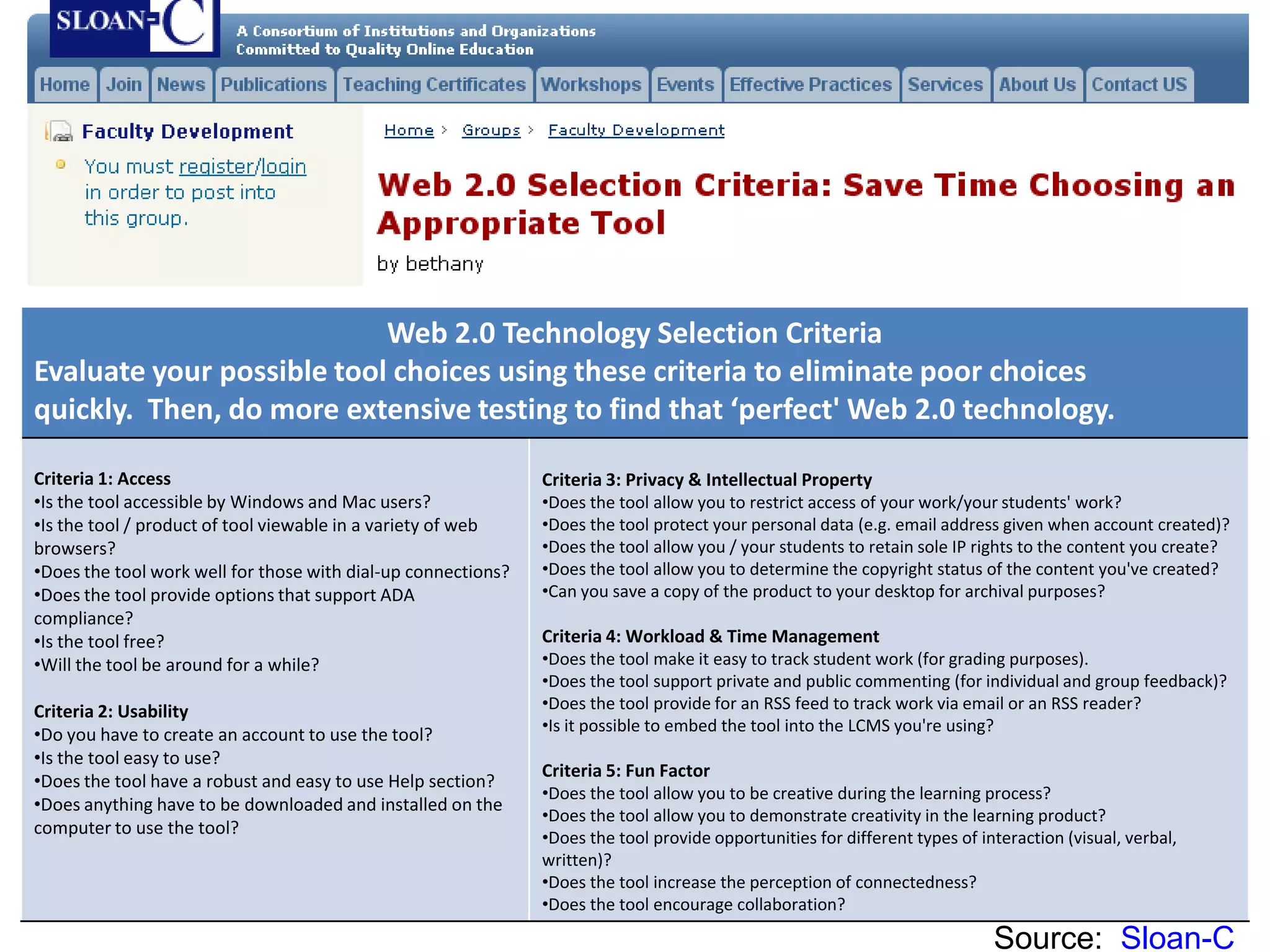
Web 2.0 Selection Criteria:  Save Time Choosing an Appropriate ToolSource:  Sloan-C
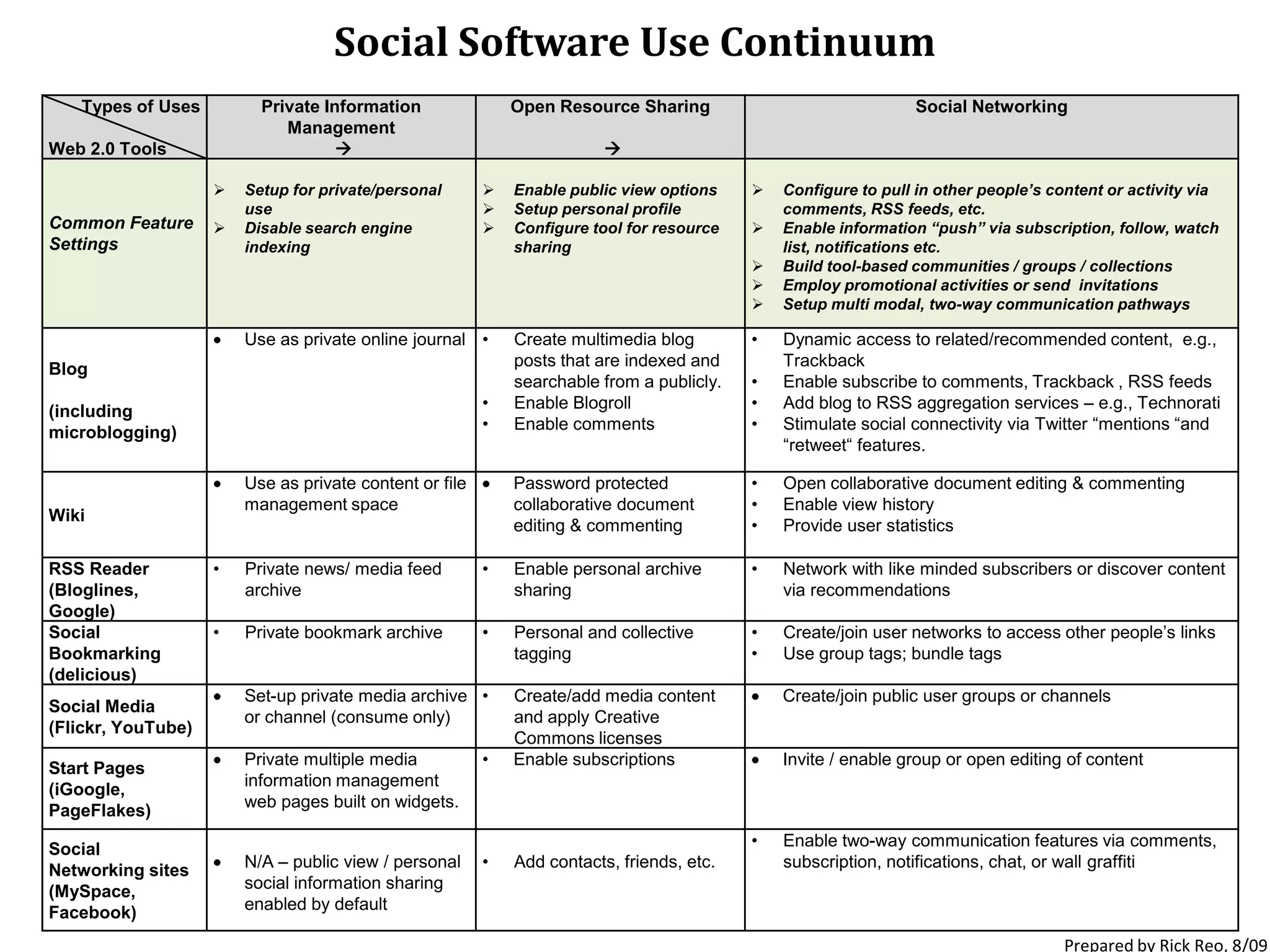
Social Software Use ContinuumPrepared by Rick Reo, 8/09
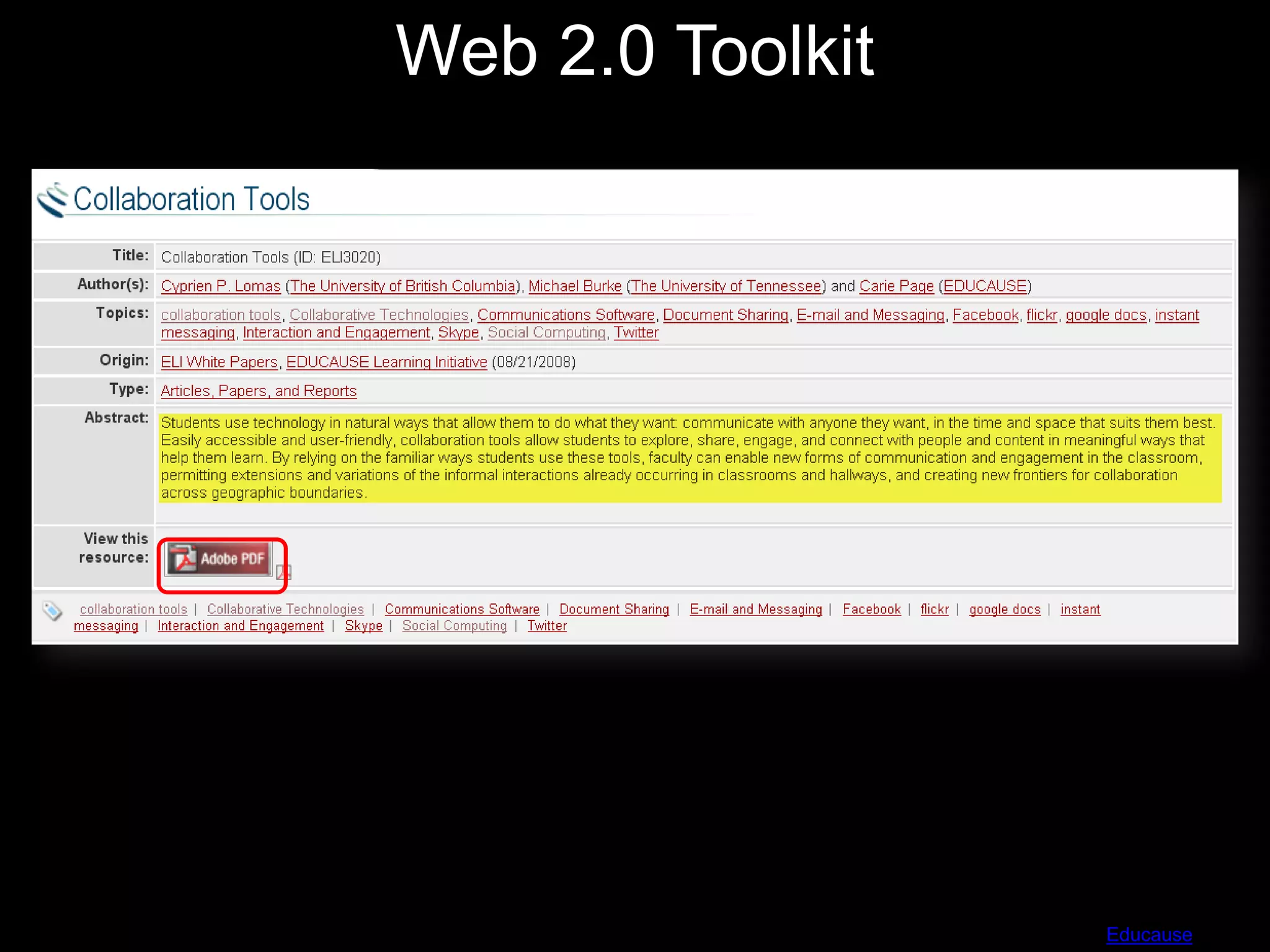
Web 2.0 ToolkitSource:  Educause
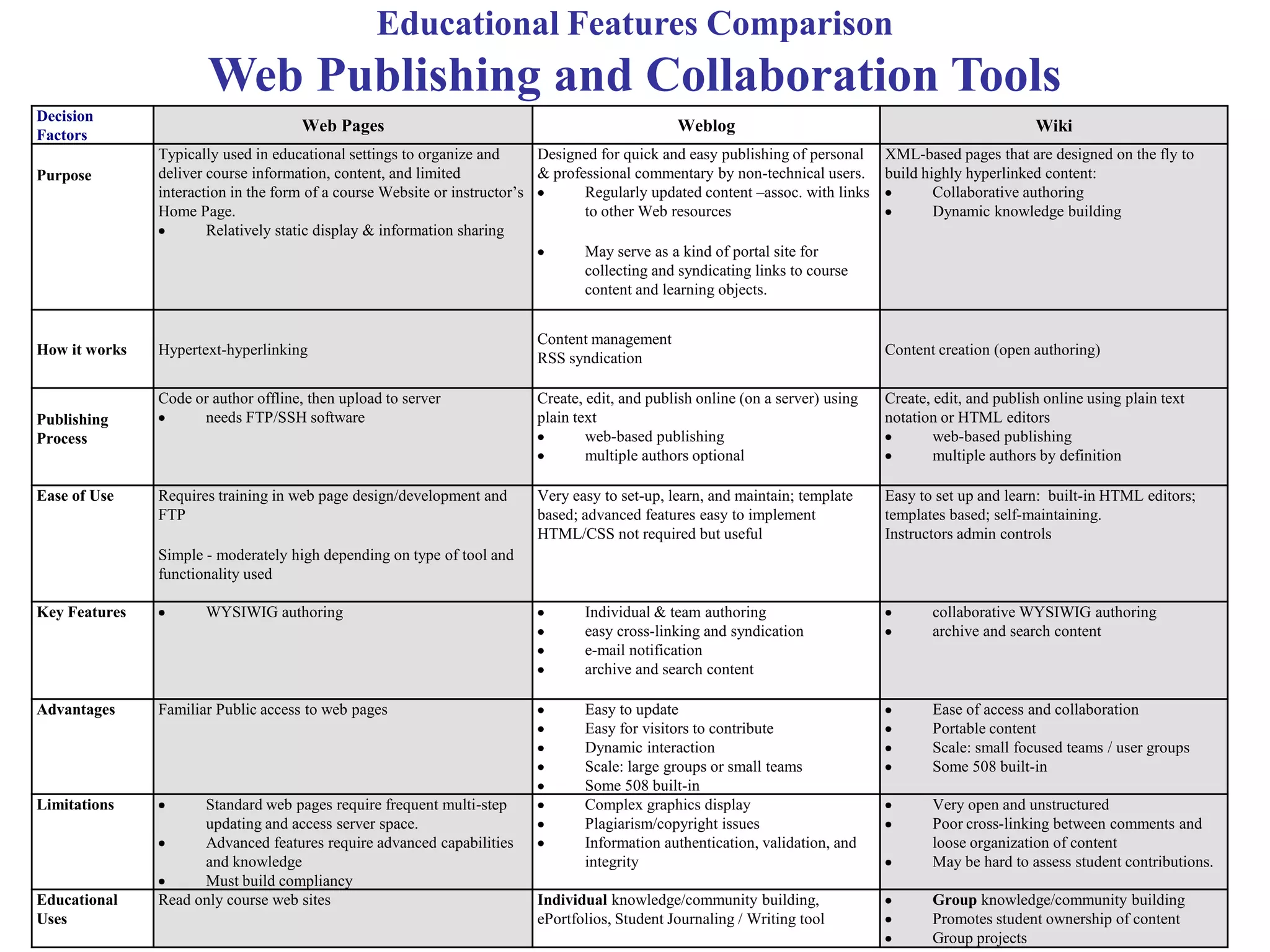
Educational Features ComparisonWeb Publishing and Collaboration Tools
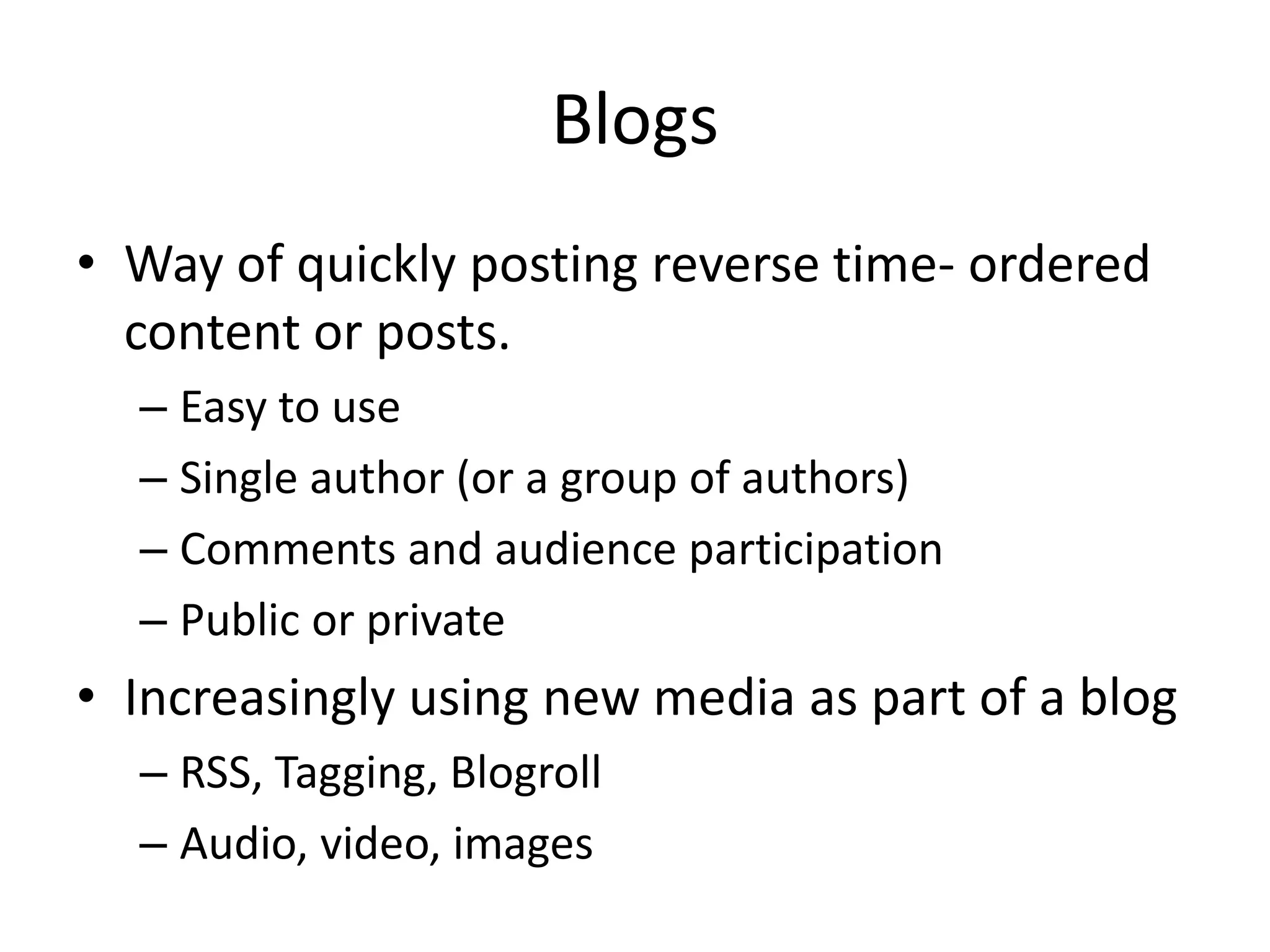
BlogsWay of quickly posting reverse time- ordered content or posts.Easy to useSingle author (or a group of authors)Comments and audience participationPublic or privateIncreasingly using new media as part of a blogRSS, Tagging, BlogrollAudio, video, images
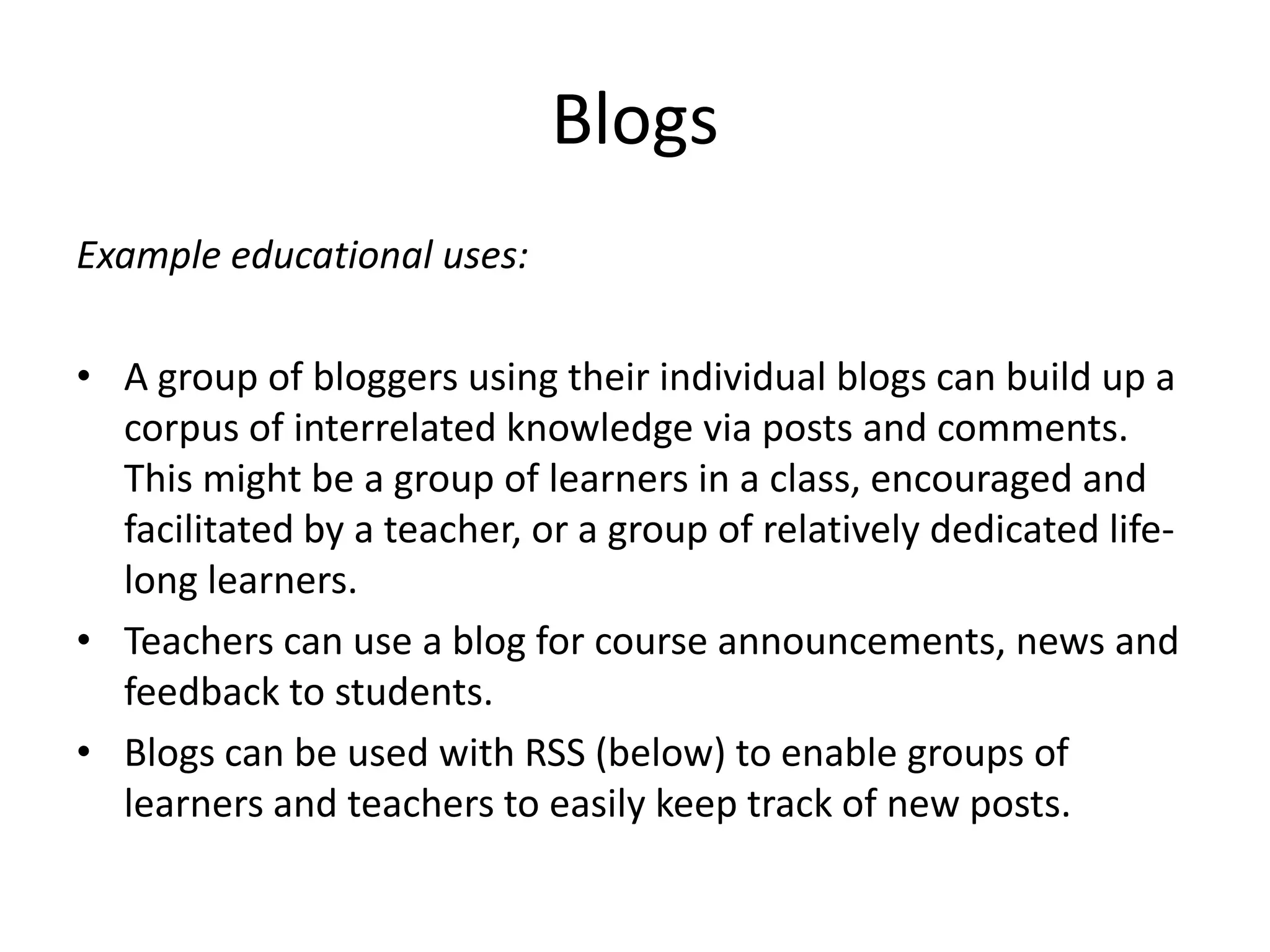
BlogsExample educational uses:A group of bloggers using their individual blogs can build up a corpus of interrelated knowledge via posts and comments. This might be a group of learners in a class, encouraged and facilitated by a teacher, or a group of relatively dedicated life-long learners.Teachers can use a blog for course announcements, news and feedback to students.Blogs can be used with RSS (below) to enable groups of learners and teachers to easily keep track of new posts.
BlogsMark Samples example:A group of bloggers using their individual blogs can build up a corpus of interrelated knowledge via posts and comments. This might be a group of learners in a class, encouraged and facilitated by a teacher, or a group of relatively dedicated life-long learners.
RSS – Really Simple Syndication and Notification TechnologiesHelps you to easily keep up to date with new and changed content, particularly if one is interested in multiple sources of information on multiple web sites.A feed reader (aggregator) can be used to centralize all the recent changes in the sources of interest, and a user can easily use the reader/aggregator to view recent additions and changes.Behind the scenes, RSS list changes (these lists of changes are called feeds).  A feed reader regularly polls nominated sites for their feeds, displays changes in summary form, and allows the user to see the complete changes.
RSS – Really Simple Syndication and Notification TechnologiesExample educational uses:In a group project where a wiki is being developed collaboratively RSS feeds can be used to keep all members of the group up to date with changes as they can be automatically notified of changes as they are made.  Similarly for new blog posts made by class members.Feed Readers enable students and teachers to become aware of new blog posts in educational blogging scenarios (see above), to track the use of tags in social bookmarking systems (see above), to keep track of new shared media (see above), and to be aware of current news, e.g. from the New York Times: http://www.nytimes.com/services/xml/rss/index.html
WikiEasy way to collaborate on content creation by creating/editing a set of interlinked webpageseg, Google Docs, PBWiki, WikispacesOr to find content created collaborativelyE.g., Wikipedia
Local Public Library Examplehttp://www.loudounpedia.org/http://www.libsuccess.org/index.php?title=Wikis
Example educational uses:Wikis can be used for the creation of annotated reading lists by one or more teachers (see also social bookmarking below, for an alternative method for doing this).Wikis can be used in class projects, and are particularly suited to the incremental accretion of knowledge by a group, or production of collaboratively edited material, including material documenting group projects.Wikis can be used by teachers to supply scaffolding for writing activities – thus in a group project a teacher can supply page structure, hints as to desirable content, and then provide feedback on student generated content.Students can flag areas of the wiki that need attention, and provide feedback on each other’s writing.
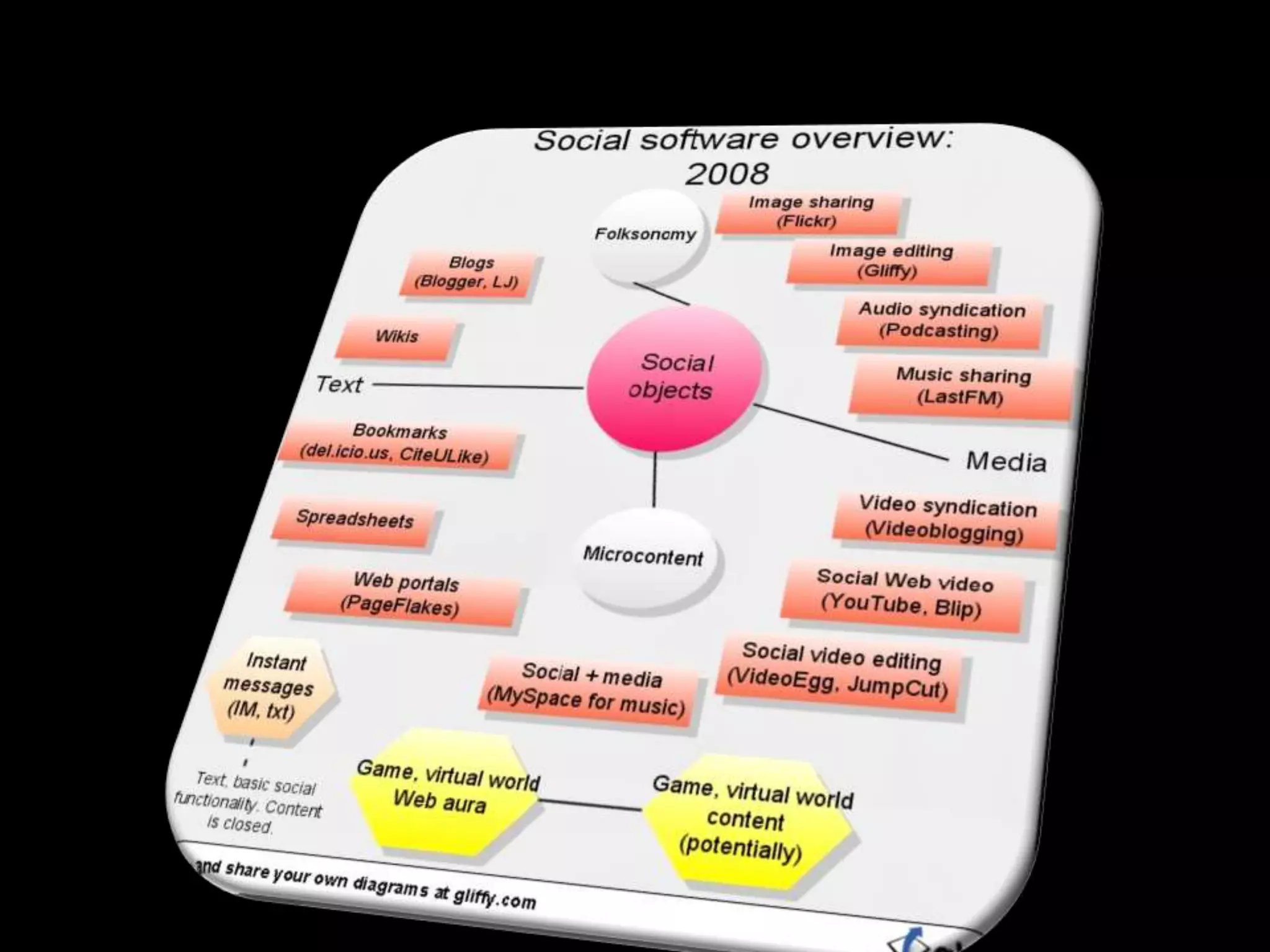
Social Media Sharing ServicesThese services store user-contributed media, and allow users to search for and display content. Besides being a showcase for creative endeavor, these services can form valuable educational resources. Compelling examples include YouTube (movies), iTunes (podcasts and vidcasts), Flickr (photos), Slideshare (presentations), DeviantArt (art work) and Scribd (documents). The latter is particularly interesting as it provides the ability to upload documents in different formats and then, for accessibility, to choose different download formats, including computer-generated speech, which provides a breadth of affordances not found in traditional systems.
Social Media Sharing ServicesExample educational uses:Podcasts can be used to provide introductory material before lectures, or, more commonly, to record lectures and allow students to listen to the lectures again, either because they were unable to attend, or to reinforce their learning. audio tutorial material and/or exemplar recordings of native speakers to foreign language learners.Vodcasts for experimental procedures in advance of lab sessions   Distribution and sharing of educational media and resources. For example, an art history class could have access to a set of art works via a photo sharing system.The ability to comment on and critique each others work; including by people on other courses or at other institutions.Flickr allows for annotations to be associated with different areas of an image and for comments to be made on the image as a whole, thereby facilitating teacher explanations, class discussion, and collaborative comment. It could be used for the example above.FlickrCC18 is a particularly useful ancillary service that allows users to find Creative Commons licensed images that are freely reusable as educational resources.Instructional videos and seminar records can be hosted on video sharing systems. Google Video allows for longer higher quality videos than YouTube, and contains a specific genre of educational videos.
PodcastsDigital media file distributed over theInternet using an RSS feedOr, for the rest of us, a sound file you can listen to on your computer or download to an mp3 player Portable, relatively easy to producePodcasting Help, Penn State, iTunes U
Podcasting at Mason on iTunes UThere are a number of ways to use iTunes U for academic and institutional content.   The strategies below focus primarily on uses in academic courses.As a distribution tool for digital audio and video course materials selected by the instructorInstructors can post materials in digital audio and video format and organize them into categories called tabs; students can then easily find the materials they need.As a shared space for student-created materialsInstructors can set up a tab as a "shared" space. Students can post their audio and video files to this tab so that anyone else in the class can see what they have created.As a drop box for student homeworkInstructors can set up a tab to function as a "drop box". Students can use this tab to upload the audio and video files they create as homework. The instructor is the only one who can see content in a drop box, so student homework remains private and is not accessible to other students who have access to the course album.As a showcase for original student and instructor contentshowcase exceptional student-created audio or video (such as presentations, mini-documentaries, travelogues, or short films) by making them available to a larger audience.
Social BookmarkingProvides users the ability to record (bookmark) web pages, and tag those records with significant words (tags) that describe the pages being recorded. Examples include del.icio.us and Connotea. Over time users build up collections of records with common tags, and users can search for bookmarked items by likely tags. Since items have been deemed worthy of being bookmarked and classified with one or more tags, social bookmarking services can sometimes be more effective than search engines for finding Internet resources. Users can find other users who use the same tag and who are likely to be interested in the same topic(s). In some social bookmarking systems, users with common interests can be added to an individual’s own network to enable easy monitoring of the other users’ tagging activity for interesting items. Syndication (discussed below) can be used to monitor tagging activity by users, by tags or by both of these.
Social BookmarkingExamples educational uses:Teachers and learners can build up collections of resources, and with a little ingenuity can also use social bookmarking systems to bookmark resources that are not on the web.In this way it is easy to build up reading lists and resource lists. These may, with the use of multiple tags, be structured into sub-categories.Groups of users with a common interest can team together to use the same bookmarking service to bookmark items of common interest. If they have individual bookmarking accounts, they all need to use the same tag to identify their resources.
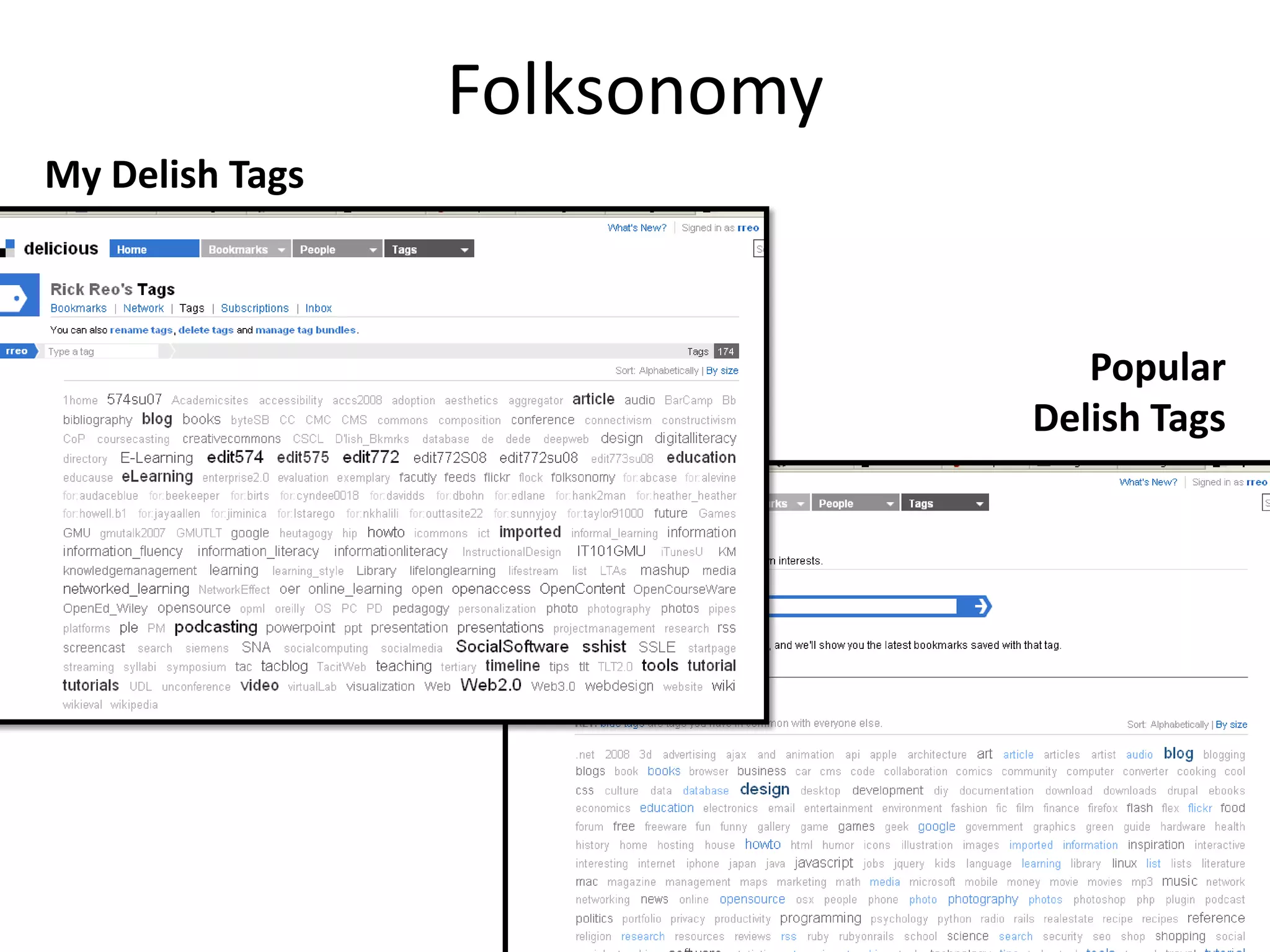
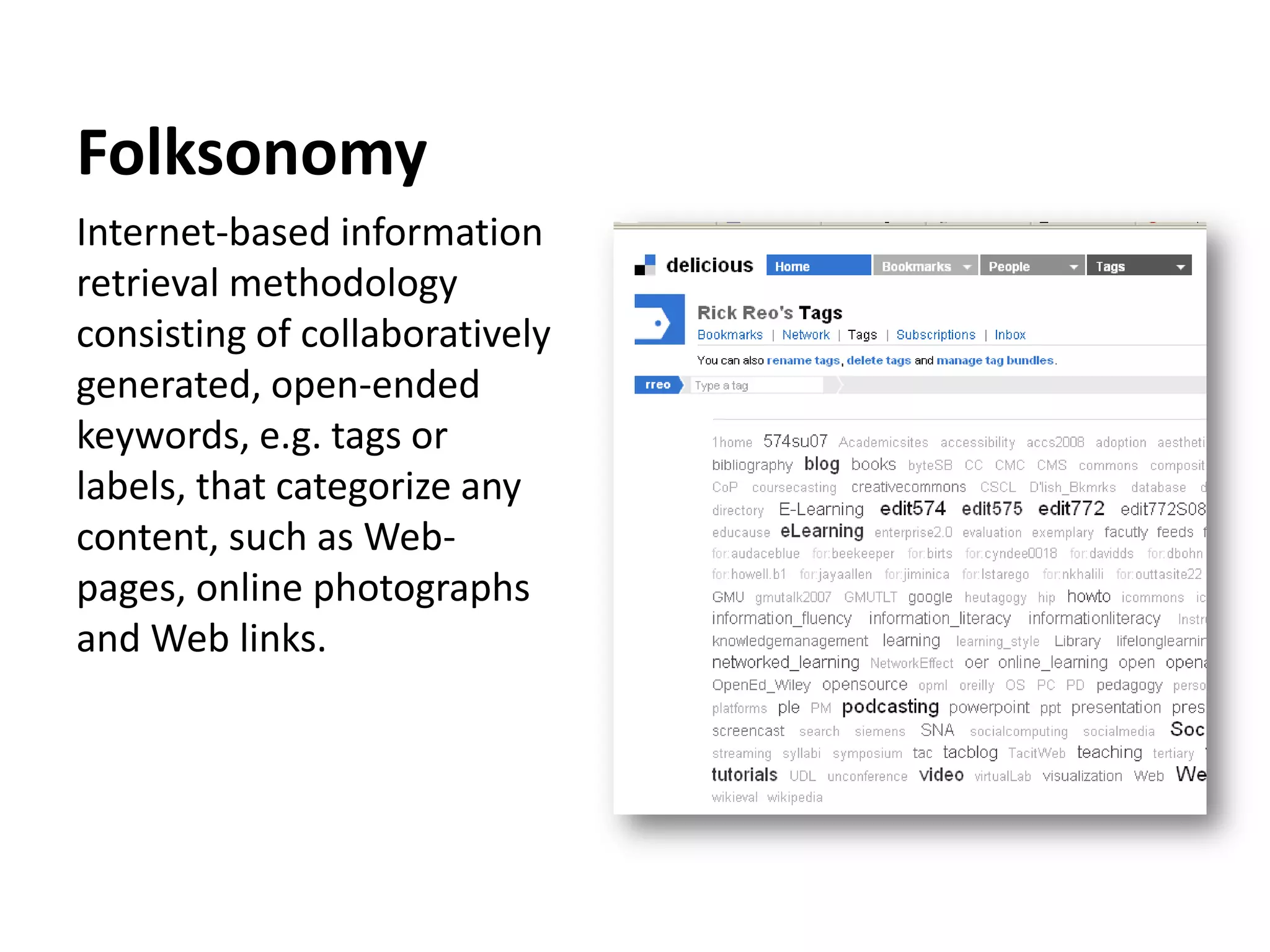
FolksonomyInternet-based information retrieval methodology consisting of collaboratively generated, open-ended keywords, e.g. tags or labels, that categorize any content, such as Web-pages, online photographs and Web links.
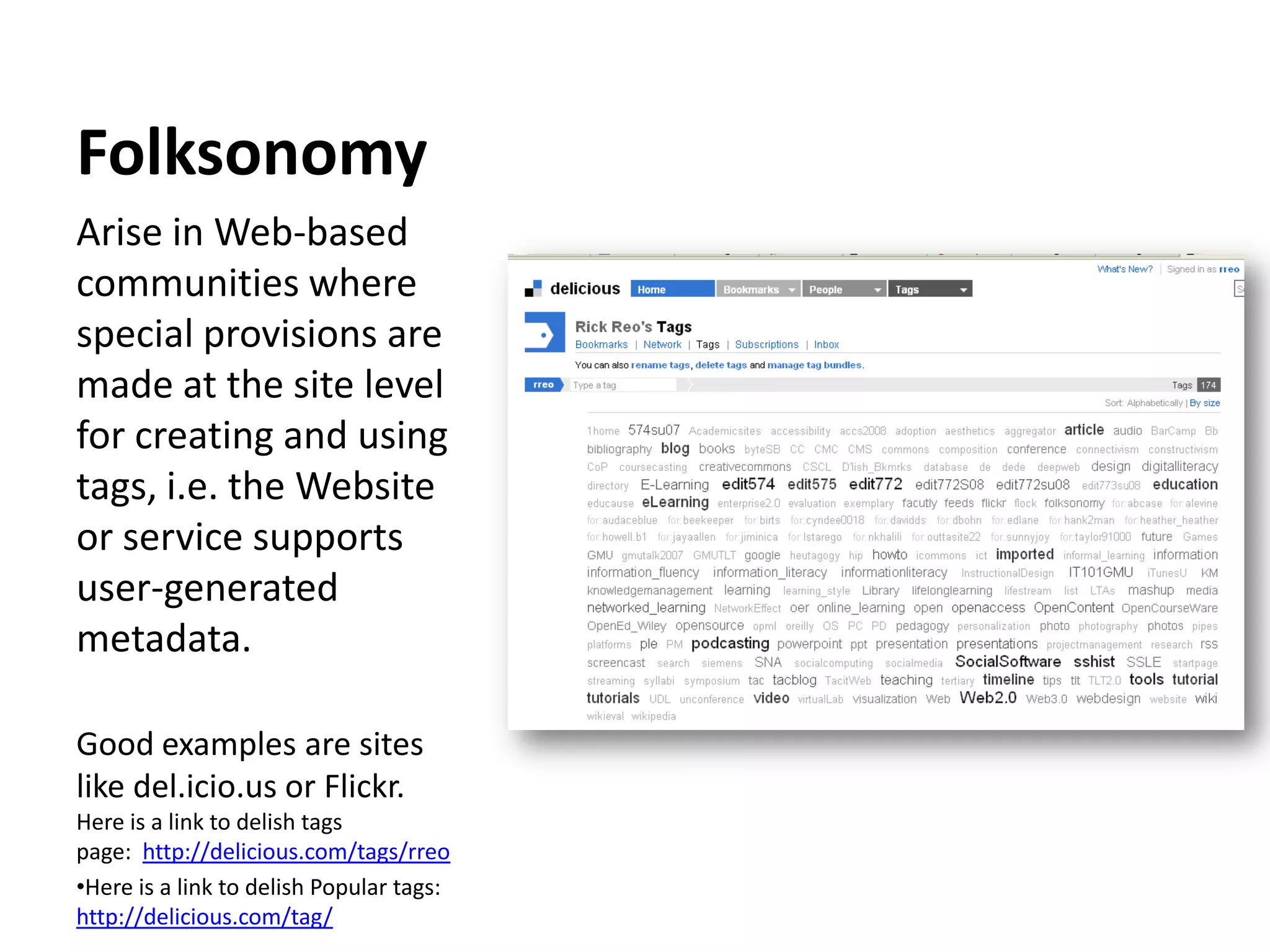
FolksonomyArise in Web-based communities where special provisions are made at the site level for creating and using tags, i.e. the Website or service supports user-generated metadata. Good examples are sites like del.icio.us or Flickr.Here is a link to delish tags page:  http://delicious.com/tags/rreoHere is a link to delish Popular tags: http://delicious.com/tag/FolksonomyMy Delish TagsPopular Delish Tags
Social NetworkingA way of making and keeping connections with othersBest known are Facebook and MySpaceBut there use goes beyond youthProfessional networks  LinkedIn, Sermo
Case StudiesEducause -- 7 Things You Should KnowEducause/ELI – Emerging Technologies and Practices sectionDuke Case Studies on Web 2.0 Tools Twitter Experiment by Dr. Rankin, Prof. of History at UT Dallas.Comments: http://www.utdallas.edu/~mar046000/usweb/twitterconclusions.htmThe video: http://www.youtube.com/watch?v=6WPVWDkF7U8
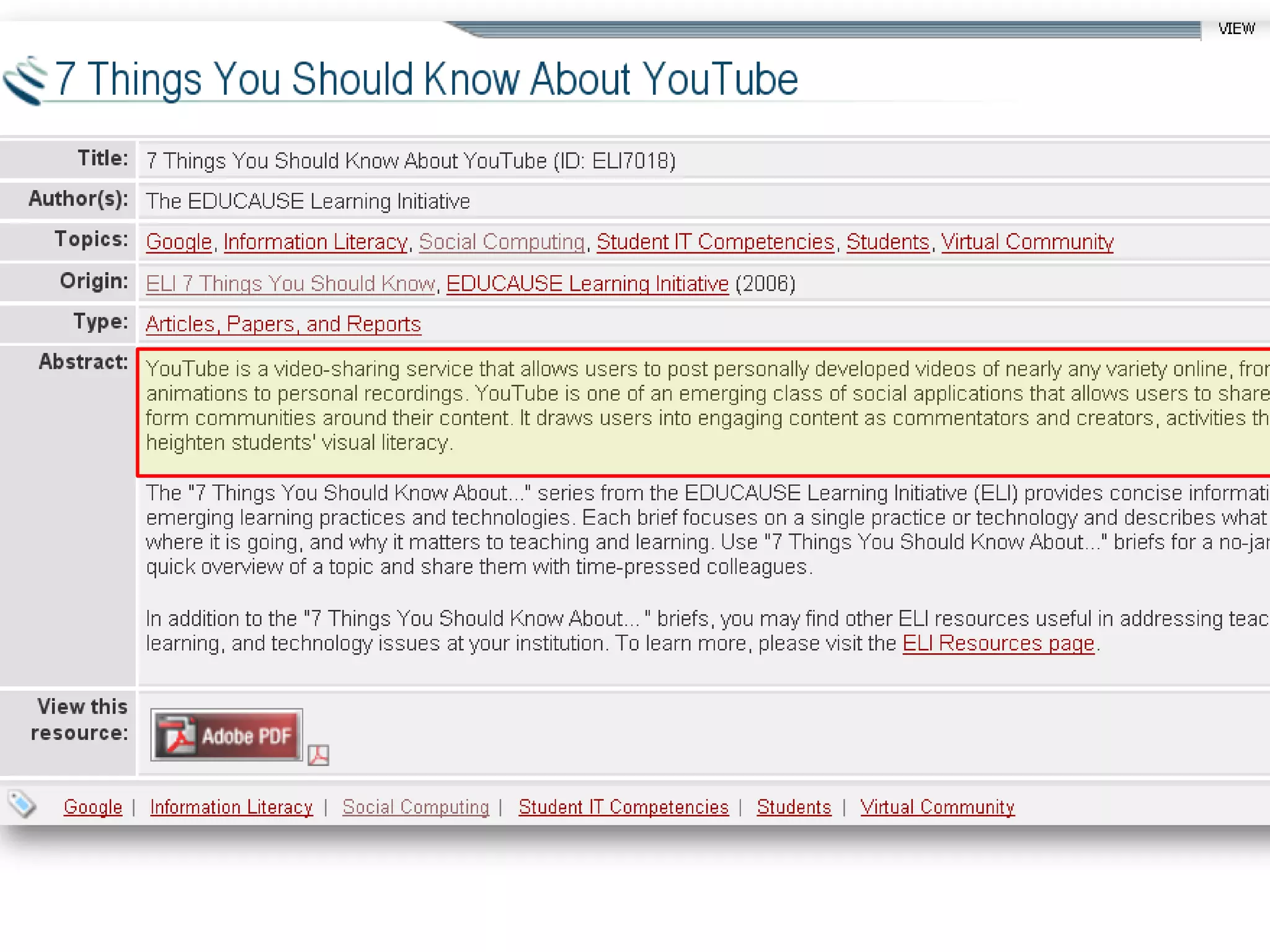
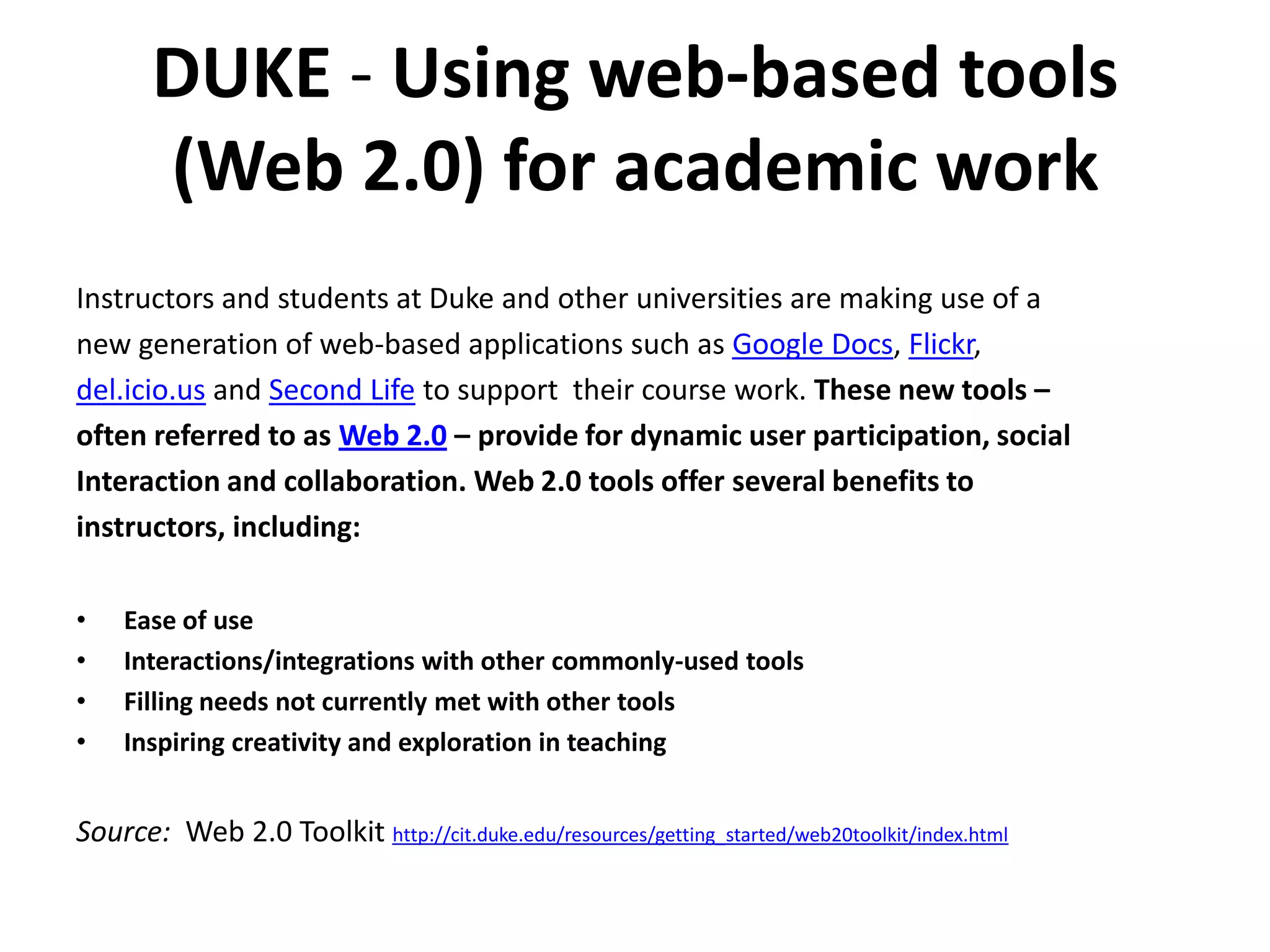
DUKE - Using web-based tools (Web 2.0) for academic workInstructors and students at Duke and other universities are making use of a new generation of web-based applications such as Google Docs, Flickr, del.icio.us and Second Life to support  their course work. These new tools – often referred to as Web 2.0 – provide for dynamic user participation, socialInteraction and collaboration. Web 2.0 tools offer several benefits to instructors, including:Ease of useInteractions/integrations with other commonly-used toolsFilling needs not currently met with other toolsInspiring creativity and exploration in teachingSource:  Web 2.0 Toolkit http://cit.duke.edu/resources/getting_started/web20toolkit/index.html
Duke Case StudiesSource:  http://cit.duke.edu/help/consult/web20casestudies.html

Social Media U F09 Byte

  • 1.
    Social Media U:Best Practices and Case StudiesBYTE 8/09Rick Reo, rreo@gmu.eduInstructional Designer, GMUAdjunct Instructor, AIT & CEHDPortions adapted from materials by: Glenda Morgan, Ph.D, GMU
  • 2.
  • 3.
    New MediaConsortiumWhat We’re Going To Talk AboutWhat is Web 2.0 & why should you care?
  • 4.
    How does Web2.0 change teaching practices?
  • 5.
  • 6.
    Best educational practicesSMU WorkshopSocial Networking/ Resource Sharing Links Delicious tags for social mediahttp://delicious.com/rreo/socialmedia
  • 7.
  • 8.
  • 9.
    Slideshare: http://www.slideshare.net/rreoWhat isWeb 2.0? It’s open to some interpretation.But what’s important …
  • 10.
    What does Web2.0 meanto2006
  • 11.
    PollUsing a scaleof 1–7 (1 = very uncomfortable, 7 = very comfortable), rate how comfortable you are with the following:For each of the following technologies, place an X in the box for those you use and for those you believe your students use.Using a scale of 1–7 (1 = very uncomfortable, 7 = very comfortable), rate how comfortable you are with the following:
  • 12.
    Web 2.0Social SoftwareCMCWeb2.0 includes a broad range of web technologies, services, and tools, and refers to a renewed pattern of web technology adoption and innovation.Dabbagh, N., & Reo, R. (in press). Back to the future: Tracing the roots and learning affordances of social software. In M.J.W. Lee and C. McLoughlin (Eds.), Web 2.0-based e-Learning:  Applying social informatics for tertiary teaching. Hershey, PA: IGI Global (formerly Idea Group, Inc.).Social software is a subset of Web 2.0 and a continuation of older computer-mediated communication (CMC) tools such as IM, newsgroups, groupware, and virtual communities (Alexander, 2006; Rheingold, 2003, ¶4).
  • 13.
    Educational Social SoftwareakaWeb 2.0 ToolsESS enable:lower the barriers to participation and self-authoring:Web-based & easy-to-useCommunity-based & sense of ownership increased capacity for working together (social interaction, collaboration, resource sharing)mashupspersonalization: goals, interface, “networked tools that support and encourage individuals to learn together while retaining individual control over their time, space, presence, activity, indentity, and relationship.~ Terry Anderson, Ch.9, p.227Theory and Practice of Online Learning
  • 15.
    We know itwhen we see it?http://www.go2web20.net/
  • 16.
    What’s All theFuss?A new way of interacting with the Internet The World Wide Web as platformUbiquity, mobility, convergenceFlattens the playing field for getting in the game Much more interactiveSocial connectivityData richAbundance and fluidity of information and dataUser-created content (enabled by an Architecture of Participation)And you can mix the contentCustomization and personalization
  • 17.
  • 18.
    Web 2.0 TransformsPracticeTeaching 2.0
  • 19.
  • 20.
  • 21.
  • 22.
    Journalism 2.0What dothese changes mean for Higher Education?Changes in the way we:collaboratecommunicateprovide content, services, or resources
  • 23.
    Why should Icare?In the end, you don’t really have a choice: Embrace 2.0 technologiesmost people are probably already social computing aficionadosthat is what our student body is expectingand what our mandates require with our limited resources and increasing demands.Why Faculty Should Care?Students are using these toolsImprove disciplinary communication and knowledge sharingProfessional DevelopmentAuthentic learning opportunities
  • 24.
    Do you havea balanced diet of digital media?Source WIRED MAGAZINE: ISSUE 17.08http://www.wired.com/culture/lifestyle/magazine/17-08/by_media_diet
  • 25.
    How to GetStartedon Web 2.0?
  • 26.
  • 27.
    ISD 2.0?Don’t startwith the hot new technologyThink about your course goals – what are you trying to do?What are your needs, especially in terms of collaboration, content, and communicationThen you can move to thinking about technology
  • 28.
    Web 2.0 SelectionCriteria: Save Time Choosing an Appropriate ToolSource: Sloan-C
  • 29.
    Social Software UseContinuumPrepared by Rick Reo, 8/09
  • 30.
  • 31.
    Educational Features ComparisonWebPublishing and Collaboration Tools
  • 32.
    BlogsWay of quicklyposting reverse time- ordered content or posts.Easy to useSingle author (or a group of authors)Comments and audience participationPublic or privateIncreasingly using new media as part of a blogRSS, Tagging, BlogrollAudio, video, images
  • 33.
    BlogsExample educational uses:Agroup of bloggers using their individual blogs can build up a corpus of interrelated knowledge via posts and comments. This might be a group of learners in a class, encouraged and facilitated by a teacher, or a group of relatively dedicated life-long learners.Teachers can use a blog for course announcements, news and feedback to students.Blogs can be used with RSS (below) to enable groups of learners and teachers to easily keep track of new posts.
  • 34.
    BlogsMark Samples example:Agroup of bloggers using their individual blogs can build up a corpus of interrelated knowledge via posts and comments. This might be a group of learners in a class, encouraged and facilitated by a teacher, or a group of relatively dedicated life-long learners.
  • 35.
    RSS – ReallySimple Syndication and Notification TechnologiesHelps you to easily keep up to date with new and changed content, particularly if one is interested in multiple sources of information on multiple web sites.A feed reader (aggregator) can be used to centralize all the recent changes in the sources of interest, and a user can easily use the reader/aggregator to view recent additions and changes.Behind the scenes, RSS list changes (these lists of changes are called feeds). A feed reader regularly polls nominated sites for their feeds, displays changes in summary form, and allows the user to see the complete changes.
  • 36.
    RSS – ReallySimple Syndication and Notification TechnologiesExample educational uses:In a group project where a wiki is being developed collaboratively RSS feeds can be used to keep all members of the group up to date with changes as they can be automatically notified of changes as they are made. Similarly for new blog posts made by class members.Feed Readers enable students and teachers to become aware of new blog posts in educational blogging scenarios (see above), to track the use of tags in social bookmarking systems (see above), to keep track of new shared media (see above), and to be aware of current news, e.g. from the New York Times: http://www.nytimes.com/services/xml/rss/index.html
  • 37.
    WikiEasy way tocollaborate on content creation by creating/editing a set of interlinked webpageseg, Google Docs, PBWiki, WikispacesOr to find content created collaborativelyE.g., Wikipedia
  • 38.
    Local Public LibraryExamplehttp://www.loudounpedia.org/http://www.libsuccess.org/index.php?title=Wikis
  • 39.
    Example educational uses:Wikiscan be used for the creation of annotated reading lists by one or more teachers (see also social bookmarking below, for an alternative method for doing this).Wikis can be used in class projects, and are particularly suited to the incremental accretion of knowledge by a group, or production of collaboratively edited material, including material documenting group projects.Wikis can be used by teachers to supply scaffolding for writing activities – thus in a group project a teacher can supply page structure, hints as to desirable content, and then provide feedback on student generated content.Students can flag areas of the wiki that need attention, and provide feedback on each other’s writing.
  • 40.
    Social Media SharingServicesThese services store user-contributed media, and allow users to search for and display content. Besides being a showcase for creative endeavor, these services can form valuable educational resources. Compelling examples include YouTube (movies), iTunes (podcasts and vidcasts), Flickr (photos), Slideshare (presentations), DeviantArt (art work) and Scribd (documents). The latter is particularly interesting as it provides the ability to upload documents in different formats and then, for accessibility, to choose different download formats, including computer-generated speech, which provides a breadth of affordances not found in traditional systems.
  • 41.
    Social Media SharingServicesExample educational uses:Podcasts can be used to provide introductory material before lectures, or, more commonly, to record lectures and allow students to listen to the lectures again, either because they were unable to attend, or to reinforce their learning. audio tutorial material and/or exemplar recordings of native speakers to foreign language learners.Vodcasts for experimental procedures in advance of lab sessions Distribution and sharing of educational media and resources. For example, an art history class could have access to a set of art works via a photo sharing system.The ability to comment on and critique each others work; including by people on other courses or at other institutions.Flickr allows for annotations to be associated with different areas of an image and for comments to be made on the image as a whole, thereby facilitating teacher explanations, class discussion, and collaborative comment. It could be used for the example above.FlickrCC18 is a particularly useful ancillary service that allows users to find Creative Commons licensed images that are freely reusable as educational resources.Instructional videos and seminar records can be hosted on video sharing systems. Google Video allows for longer higher quality videos than YouTube, and contains a specific genre of educational videos.
  • 42.
    PodcastsDigital media filedistributed over theInternet using an RSS feedOr, for the rest of us, a sound file you can listen to on your computer or download to an mp3 player Portable, relatively easy to producePodcasting Help, Penn State, iTunes U
  • 43.
    Podcasting at Masonon iTunes UThere are a number of ways to use iTunes U for academic and institutional content. The strategies below focus primarily on uses in academic courses.As a distribution tool for digital audio and video course materials selected by the instructorInstructors can post materials in digital audio and video format and organize them into categories called tabs; students can then easily find the materials they need.As a shared space for student-created materialsInstructors can set up a tab as a "shared" space. Students can post their audio and video files to this tab so that anyone else in the class can see what they have created.As a drop box for student homeworkInstructors can set up a tab to function as a "drop box". Students can use this tab to upload the audio and video files they create as homework. The instructor is the only one who can see content in a drop box, so student homework remains private and is not accessible to other students who have access to the course album.As a showcase for original student and instructor contentshowcase exceptional student-created audio or video (such as presentations, mini-documentaries, travelogues, or short films) by making them available to a larger audience.
  • 45.
    Social BookmarkingProvides usersthe ability to record (bookmark) web pages, and tag those records with significant words (tags) that describe the pages being recorded. Examples include del.icio.us and Connotea. Over time users build up collections of records with common tags, and users can search for bookmarked items by likely tags. Since items have been deemed worthy of being bookmarked and classified with one or more tags, social bookmarking services can sometimes be more effective than search engines for finding Internet resources. Users can find other users who use the same tag and who are likely to be interested in the same topic(s). In some social bookmarking systems, users with common interests can be added to an individual’s own network to enable easy monitoring of the other users’ tagging activity for interesting items. Syndication (discussed below) can be used to monitor tagging activity by users, by tags or by both of these.
  • 46.
    Social BookmarkingExamples educationaluses:Teachers and learners can build up collections of resources, and with a little ingenuity can also use social bookmarking systems to bookmark resources that are not on the web.In this way it is easy to build up reading lists and resource lists. These may, with the use of multiple tags, be structured into sub-categories.Groups of users with a common interest can team together to use the same bookmarking service to bookmark items of common interest. If they have individual bookmarking accounts, they all need to use the same tag to identify their resources.
  • 47.
    FolksonomyInternet-based information retrievalmethodology consisting of collaboratively generated, open-ended keywords, e.g. tags or labels, that categorize any content, such as Web-pages, online photographs and Web links.
  • 48.
    FolksonomyArise in Web-basedcommunities where special provisions are made at the site level for creating and using tags, i.e. the Website or service supports user-generated metadata. Good examples are sites like del.icio.us or Flickr.Here is a link to delish tags page:  http://delicious.com/tags/rreoHere is a link to delish Popular tags: http://delicious.com/tag/FolksonomyMy Delish TagsPopular Delish Tags
  • 49.
    Social NetworkingA wayof making and keeping connections with othersBest known are Facebook and MySpaceBut there use goes beyond youthProfessional networks LinkedIn, Sermo
  • 50.
    Case StudiesEducause --7 Things You Should KnowEducause/ELI – Emerging Technologies and Practices sectionDuke Case Studies on Web 2.0 Tools Twitter Experiment by Dr. Rankin, Prof. of History at UT Dallas.Comments: http://www.utdallas.edu/~mar046000/usweb/twitterconclusions.htmThe video: http://www.youtube.com/watch?v=6WPVWDkF7U8
  • 51.
    DUKE - Usingweb-based tools (Web 2.0) for academic workInstructors and students at Duke and other universities are making use of a new generation of web-based applications such as Google Docs, Flickr, del.icio.us and Second Life to support their course work. These new tools – often referred to as Web 2.0 – provide for dynamic user participation, socialInteraction and collaboration. Web 2.0 tools offer several benefits to instructors, including:Ease of useInteractions/integrations with other commonly-used toolsFilling needs not currently met with other toolsInspiring creativity and exploration in teachingSource: Web 2.0 Toolkit http://cit.duke.edu/resources/getting_started/web20toolkit/index.html
  • 52.
    Duke Case StudiesSource: http://cit.duke.edu/help/consult/web20casestudies.html
  • 53.
    Misc. Mason Web2.0 Tool Kit or Faculty BlogsMark Sample, English Dept.http://www.samplereality.com/2009/08/14/pedagogy-and-the-class-blog/http://www.samplereality.com/2009/05/13/teaching-technologies-for-large-classes/CHNM/Dan Cohen & Mills Kellyhttp://digitalcampus.tv/Glenda Morganhttp://gmu-tac.typepad.com/http://accidentalpedagogy.typepad.com/accidental_pedagogy/web-20/Instructional Uses of:Wikis / BlogsSocial MediaRSSSocial BookmarkingTwitter
  • 54.
    Case Study -TwitterExperimentby Dr. Monica Rankin, UT DallasProblemLarge lecture class (90) - wanted to find a way to involve students in the materials via discussions SolutionTwitter posts short messages that can be posted in real-time (with mobile devices via texting as well as via Web-based tools on laptops/netbooks.SetupCourse Twitter account, hashtags, Tweetdeck, how-to training, factor down time for trial and error useGood PracticesExperimented with strategies for producing constructive discussionsTwitter most effective when it was combined with other discussion strategies (small group discussions, Interaction with instructor, time to process as an entire class) also organize discussions by topic, needed TA to monitor Twitter stream on computer and respond to questionsConclusion Twitter did not replace more conventional discussion formats; instead, it enhanced the discussions and brought more student interactionhttp://www.utdallas.edu/~mar046000/usweb/twitterconclusions.htm
  • 55.
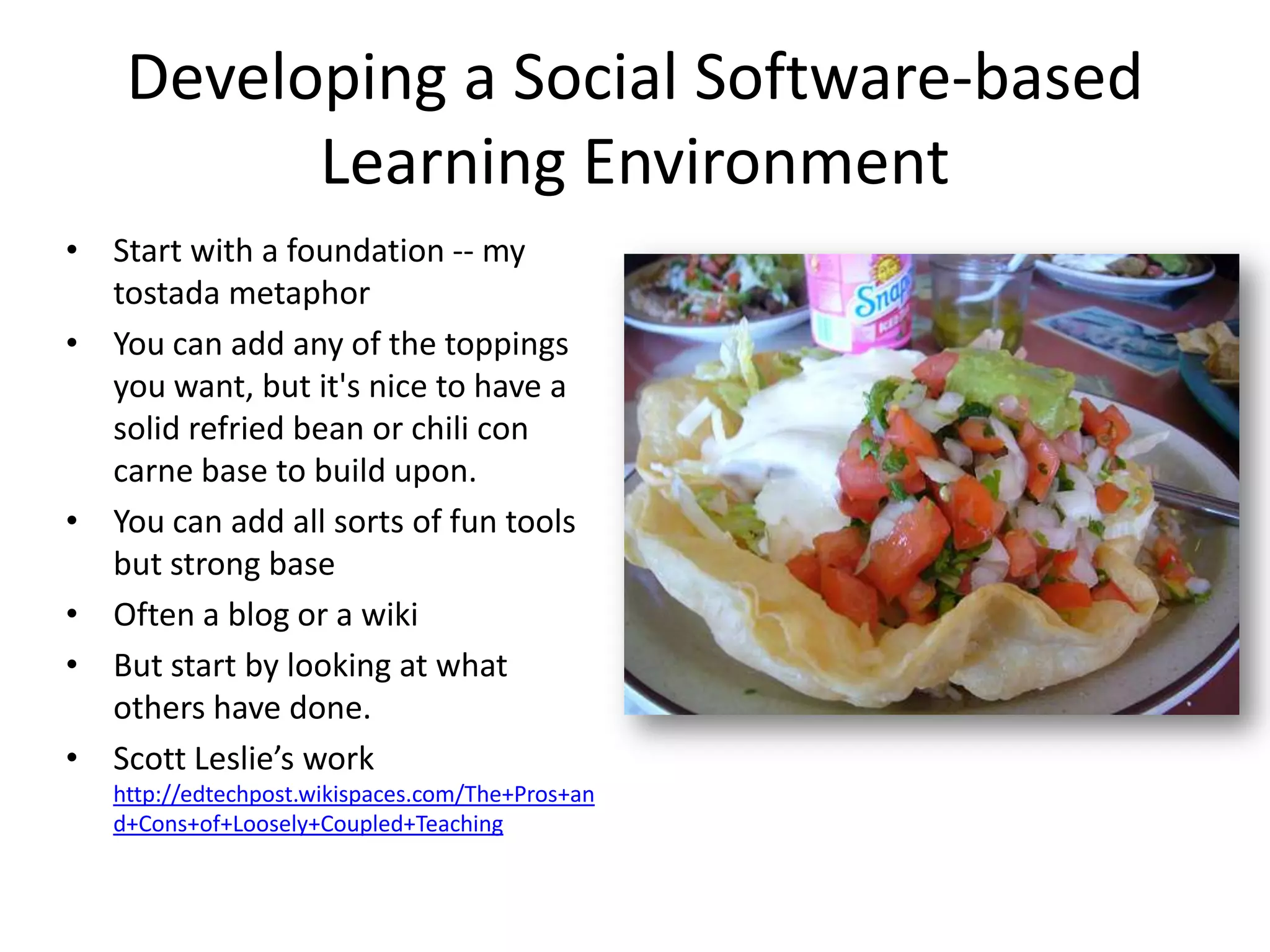
    Developing a SocialSoftware-based Learning EnvironmentStart with a foundation -- my tostada metaphorYou can add any of the toppings you want, but it's nice to have a solid refried bean or chili con carne base to build upon.   You can add all sorts of fun tools but strong baseOften a blog or a wikiBut start by looking at what others have done.Scott Leslie’s workhttp://edtechpost.wikispaces.com/The+Pros+and+Cons+of+Loosely+Coupled+Teaching
  • 56.
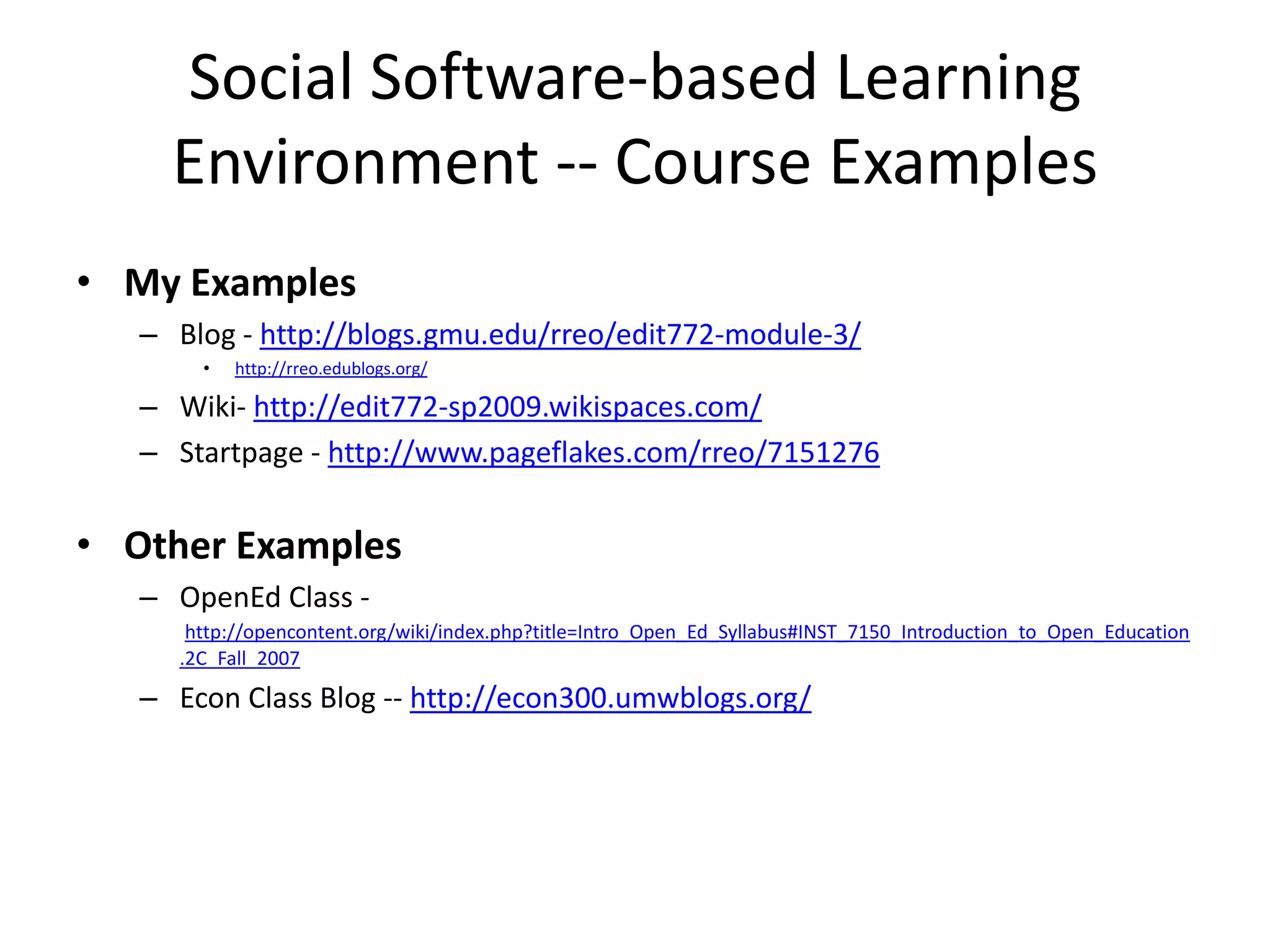
    Social Software-based LearningEnvironment -- Course Examples My ExamplesBlog - http://blogs.gmu.edu/rreo/edit772-module-3/http://rreo.edublogs.org/Wiki- http://edit772-sp2009.wikispaces.com/Startpage - http://www.pageflakes.com/rreo/7151276Other ExamplesOpenEd Class - http://opencontent.org/wiki/index.php?title=Intro_Open_Ed_Syllabus#INST_7150_Introduction_to_Open_Education.2C_Fall_2007Econ Class Blog -- http://econ300.umwblogs.org/
  • 57.
    Other ResourcesUser Guides& Educational Best PracticesRSS Ideas for Educators (PDF) v2.0 by Quentin Souza - A compendium of ideas for using RSSUniv of Minnesota – TLT resources: http://dmc.umn.edu/teach.shtmlPrivacy and SecurityCommon Craft, Plain English Video Series – Social Media PackToolsRick’s Delish links for tools (http://delicious.com/rreo/tools)ContentConnexionsWikimediaWikieducator
  • 58.
  • 59.
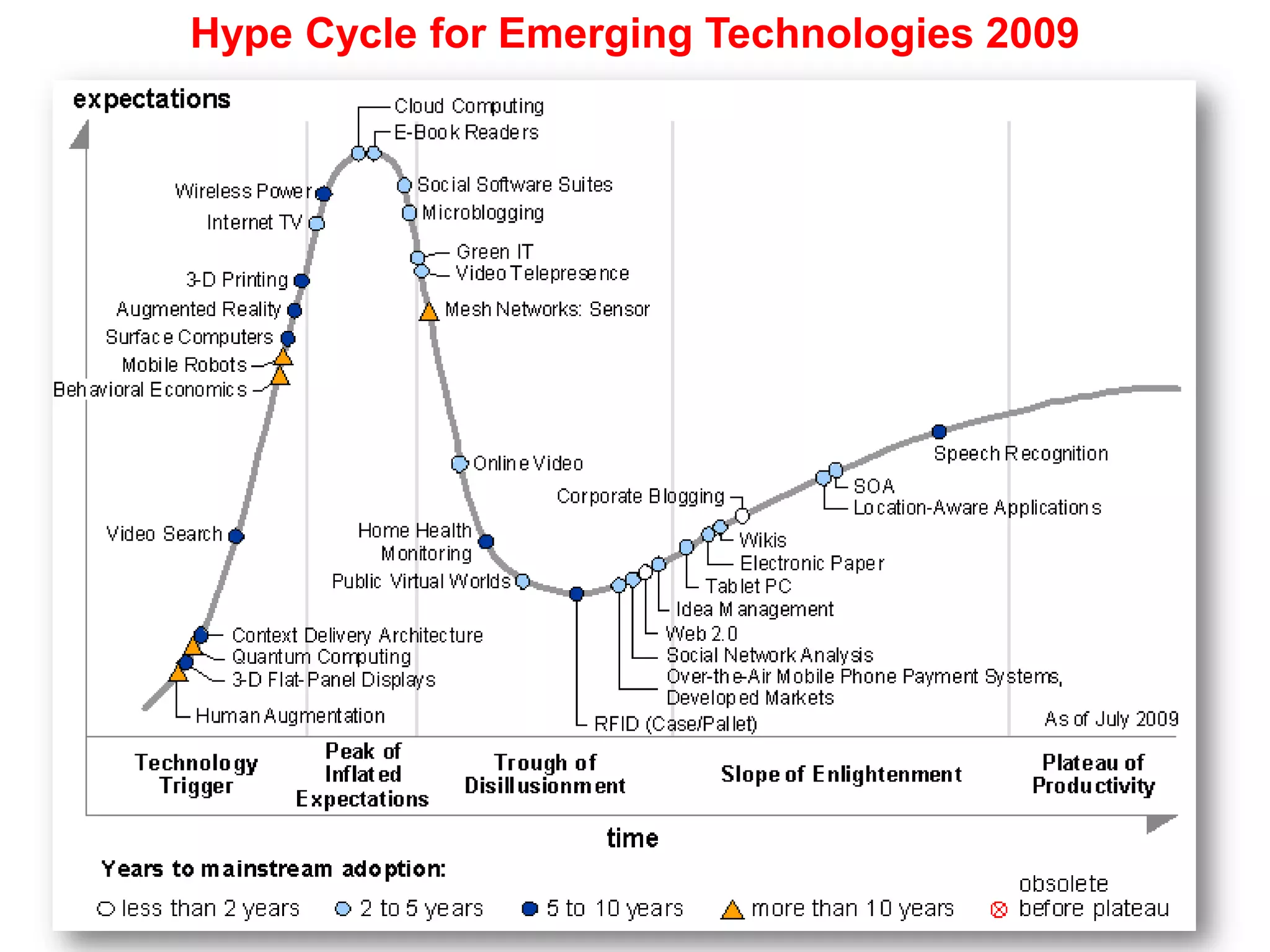
    Hype Cycle forEmerging Technologies 2009
  • 60.

Editor's Notes

  • #8 Add our ref here
  • #14 http://www.j-lab.org/Journalism_20.pdfInformation / News gathering, “the fifth estate” EPIC 2015, http://epic.makingithappen.co.uk/
  • #20 Disclaimer
  • #28 21 http://www.myspace.com/22 http://www.linkedin.com/23 http://secondlife.com/24 http://elgg.net/25 http://www.atlassian.com/software/confluence/26 http://docs.google.com/27 http://www.gliffy.com/28 Listed at http://itredux.com/office-20/database
  • #29 21 http://www.myspace.com/22 http://www.linkedin.com/23 http://secondlife.com/24 http://elgg.net/25 http://www.atlassian.com/software/confluence/26 http://docs.google.com/27 http://www.gliffy.com/28 Listed at http://itredux.com/office-20/database
  • #41 Generally, these users can tag two types of content; usergenerated or originated content, such as photographs, blog postings, etc., or they collaboratively tag existing content, such as Websites, books, scientific and scholarly literature. Folksonomies develop from the tags that these communities use.Link to Flickr Popular tags in a cloud arrangements: http://www.flickr.com/photos/tags/