Welcome  –  week 2 Capturing Knowledge Web 2.0 & Personal Learning Networks (PLN) HTML Wikis
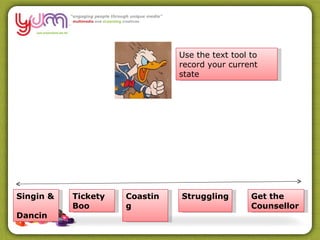
Singin &  Dancin Get the Counsellor Coasting Tickety  Boo Struggling Use the text tool to record your current state
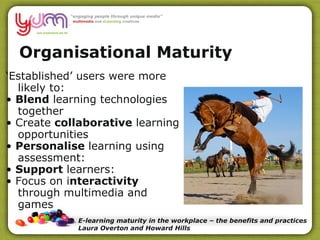
Organisational Maturity ‘ Established’ users were more likely to: •  Blend  learning technologies together •  Create  collaborative  learning opportunities •  Personalise  learning using assessment: •  Support  learners: •  Focus on i nteractivity  through multimedia and games E-learning maturity in the workplace – the benefits and practices Laura Overton and Howard Hills
How mature is your organisation?
Self Audit
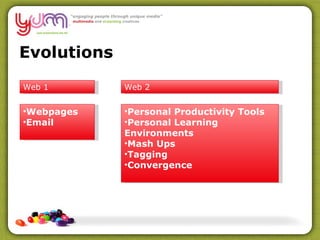
Evolutions Web 1 Web 2 Webpages Email Personal Productivity Tools Personal Learning Environments Mash Ups Tagging Convergence
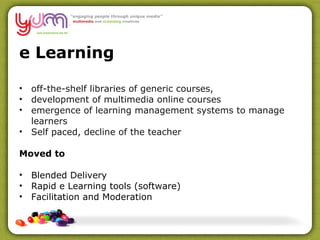
e Learning off-the-shelf libraries of generic courses,  development of multimedia online courses emergence of learning management systems to manage learners Self paced, decline of the teacher Moved to Blended Delivery Rapid e Learning tools (software) Facilitation and Moderation
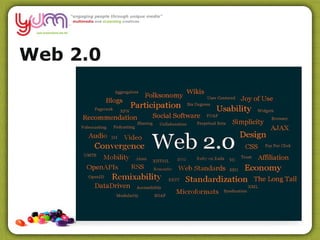
Web 2.0
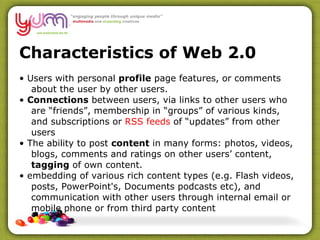
Characteristics of Web 2.0 •  Users with personal  profile  page features, or comments about the user by other users. •  Connections  between users, via links to other users who are “friends”, membership in “groups” of various kinds, and subscriptions or  RSS feeds  of “updates” from other users •  The ability to post  content  in many forms: photos, videos, blogs, comments and ratings on other users’ content,  tagging  of own content. •  embedding of various rich content types (e.g. Flash videos, posts, PowerPoint's, Documents podcasts etc), and communication with other users through internal email or mobile phone or from third party content
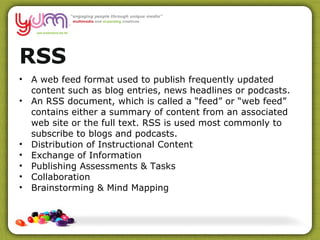
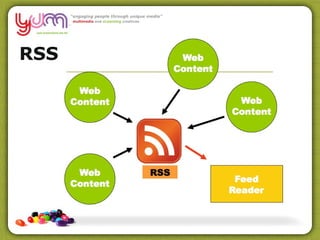
RSS A web feed format used to publish frequently updated content such as blog entries, news headlines or podcasts. An RSS document, which is called a “feed” or “web feed” contains either a summary of content from an associated web site or the full text. RSS is used most commonly to subscribe to blogs and podcasts. Distribution of Instructional Content Exchange of Information Publishing Assessments & Tasks Collaboration Brainstorming & Mind Mapping
RSS
Do you use an RSS Reader? A: What are you talking about? B: Yes I use a Reader to capture posts from blogs, web, etc C: No but I understand RSS Readers D: No but I would like to know more about setting one up
RSS – Google Reader Demo
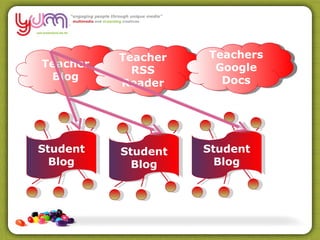
Teacher Blog Teacher RSS Reader Student Blog Student Blog Student Blog Teachers Google Docs
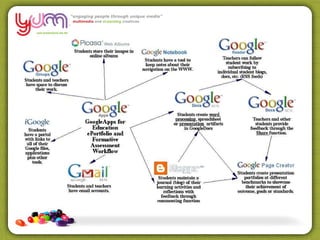
Google Revise refined searches Explore some broader options: Groups/Sites – browse, join, create Reader – organise with RSS feeds iGoogle – personalising the web Docs – collaborative creation  Gmail – email Blogger
 
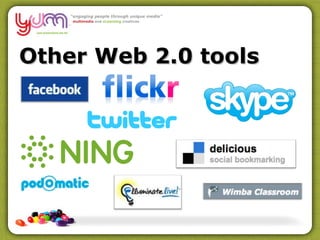
Other Web 2.0 tools
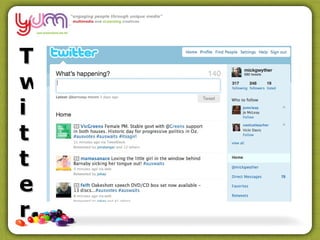
Twitter
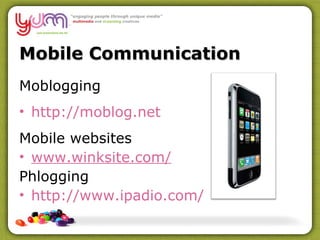
Mobile Communication Moblogging  http://moblog.net   Mobile websites  www.winksite.com/ Phlogging http://www.ipadio.com/
Wikis What’s a wiki?! Shared publishing space Creating our own collaborative space File repository, Forums, Video
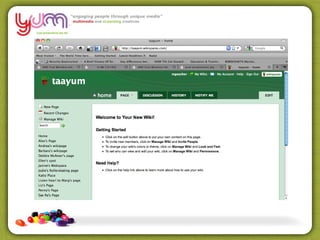
Wikis Demo
 
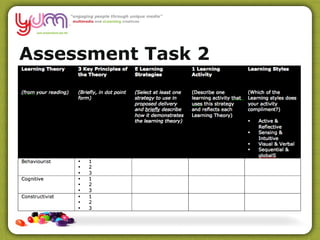
Assessment Task 2
Valued Knowledge ?  Bryan Sinclair comments that “ With the rise of Web 2.0 and social software we are witnessing a major shift in the ways students approach and use information. They no longer merely consume and download information; increasingly, they create and participate in it. They are social creatures in every way that past generations were and in some new ways, sharing information digitally and using each other as sounding boards. They value social experiences that blend communication and learning.” 
What knowledge is valued?  Dave Pollard, in his blog, “How to save the world”  claims valued knowledge is changing: connection, just in time knowledge acquired through context-rich interaction (i.e. conversation) information to which value (meaning, suggested action) has been added through visualization, synthesis and analysis.  Conversational content (for participants and for a short time) analysed content that tells people either what something means, or what should they do about it Project content “ know-who” directories (if up to date) stories (these have the longest shelf life).
What knowledge is valued?  Looking at your learners – what kind of knowledge is valued? What does that knowledge differ from the content you attempt to train them? Can virtual/online systems have to play in disseminating & building knowledge for staff?
Keys to Success?  The central driver for success in the 21st century according to Stephen Denning et al, will be knowledge sharing using communities of practice and connected environments Information technology is simply a tool for enabling knowledge sharing.
Denning’s laws of knowledge sharing  Knowledge sharing is essential to economic survival Communities of practice are the heart and soul of knowledge sharing Virtual community members also need physical interactions – to establish bonds and trust  Passion is the driving force behind communities of practice – communities need a passionate commitment to a common purpose, if created hierarchically have less success
Denning’s laws of knowledge sharing  Communities enrich organisations and personal lives Knowledge sharing has inside-out and outside-in dynamic – organisations need to use insiders who “know” the environment and have credibility.  Outsiders can be brought in to validate and move the agenda forward. Storytelling ignites knowledge sharing.
Do you agree? The central driver for success in the 21st century according to  Stephen Denning et al,  will be knowledge sharing using communities of practice and connected environments
Denning’s laws of knowledge sharing  Moving on from training to knowledge sharing What might a “community of practise” look like? What would its purpose be? Why would you participate?
Web 2.0 & PLN’s
“ Take a look at what the education community is doing with the Web, for example. They are not only starting to use the tools of Web 2.0 - blogs, wikis, podcasts, etc. They’re also adapting to a new generation of kids who are growing up on the Web, the so-called ‘ Digital Natives ’. The challenge for educators now and for the future is to learn and teach Internet literacy, converse and collaborate with their students using Web tools, and help our children make sense of the huge amounts of information and media that surround us.”
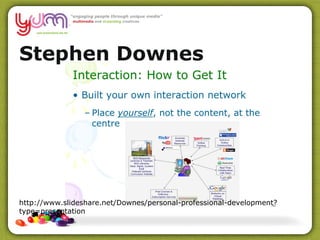
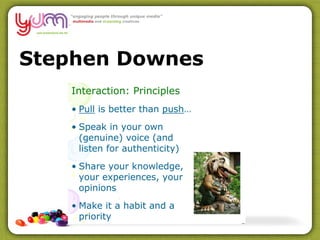
Stephen Downes http://www.slideshare.net/Downes/personal-professional-development?type=presentation
Stephen Downes
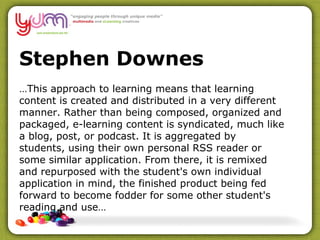
Stephen Downes … This approach to learning means that learning content is created and distributed in a very different manner. Rather than being composed, organized and packaged, e-learning content is syndicated, much like a blog, post, or podcast. It is aggregated by students, using their own personal RSS reader or some similar application. From there, it is remixed and repurposed with the student's own individual application in mind, the finished product being fed forward to become fodder for some other student's reading and use…
HTML Collection of related web pages, Maintained by specialists Each web page is a separate HTML file Other multi-media components are separate files also, eg. GIF, JPEG, Flash Animations etc
Writing Course Content Use the Moodle html editor Use a third party tool like ARED, Wimba Create Use Dreamweaver Use Captivate ( which exports its content as a swf file capable of being played in a flash player )
Why is HTML important here? Embeds/can be linked to easily in Moodle Interactivity Hyperlinks Can be structured to other docs Can be read by everyone
Web Site Assets Html pages (Content & Structure) Photographs & Graphics  (GIF & JPG) CSS - Style Sheets (Structure & Design) Flash (Animations/Demonstrations) Video (WMV, Flash, QuickTime, AVI, MPEG4) Audio (MP3, RA, Flash, WAV)
Websites Must be self contained Optimised Browser friendly Assets we use may require Plug Ins (PDF Reader, Flash Player, QuickTime Player)
Website Issues Formatting Structure Consistency between pages Need a good structure for assets to ensure they display Workarounds
Web Editors Write, paste text Embed Multimedia Insert Images Add links Tricky beasts, positioning is hard Rapid eLearning
Resources Jane Hart http://www.c4lpt.co.uk/jane.html Web 2.0 Classroom http://web20classroom.blogspot.com/
Questions?
Support Michael Call Me  – 03 5331 7625 SMS/Call – 0409 317 625 Email me –  [email_address] Skype Me – swampfox_mg Twitter - @ mickgwyther
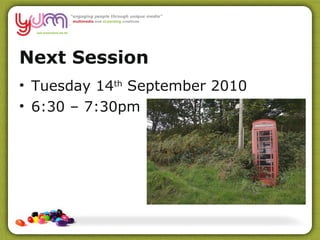
Next Session Tuesday 14 th  September 2010 6:30 – 7:30pm
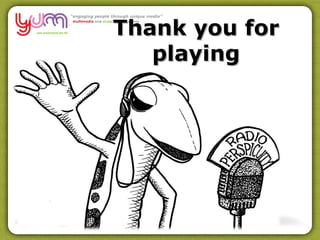
Thank you for playing

Session2

  • 1.
    Welcome – week 2 Capturing Knowledge Web 2.0 & Personal Learning Networks (PLN) HTML Wikis
  • 2.
    Singin & Dancin Get the Counsellor Coasting Tickety Boo Struggling Use the text tool to record your current state
  • 3.
    Organisational Maturity ‘Established’ users were more likely to: • Blend learning technologies together • Create collaborative learning opportunities • Personalise learning using assessment: • Support learners: • Focus on i nteractivity through multimedia and games E-learning maturity in the workplace – the benefits and practices Laura Overton and Howard Hills
  • 4.
    How mature isyour organisation?
  • 5.
  • 6.
    Evolutions Web 1Web 2 Webpages Email Personal Productivity Tools Personal Learning Environments Mash Ups Tagging Convergence
  • 7.
    e Learning off-the-shelflibraries of generic courses, development of multimedia online courses emergence of learning management systems to manage learners Self paced, decline of the teacher Moved to Blended Delivery Rapid e Learning tools (software) Facilitation and Moderation
  • 8.
  • 9.
    Characteristics of Web2.0 • Users with personal profile page features, or comments about the user by other users. • Connections between users, via links to other users who are “friends”, membership in “groups” of various kinds, and subscriptions or RSS feeds of “updates” from other users • The ability to post content in many forms: photos, videos, blogs, comments and ratings on other users’ content, tagging of own content. • embedding of various rich content types (e.g. Flash videos, posts, PowerPoint's, Documents podcasts etc), and communication with other users through internal email or mobile phone or from third party content
  • 10.
    RSS A webfeed format used to publish frequently updated content such as blog entries, news headlines or podcasts. An RSS document, which is called a “feed” or “web feed” contains either a summary of content from an associated web site or the full text. RSS is used most commonly to subscribe to blogs and podcasts. Distribution of Instructional Content Exchange of Information Publishing Assessments & Tasks Collaboration Brainstorming & Mind Mapping
  • 11.
  • 12.
    Do you usean RSS Reader? A: What are you talking about? B: Yes I use a Reader to capture posts from blogs, web, etc C: No but I understand RSS Readers D: No but I would like to know more about setting one up
  • 13.
    RSS – GoogleReader Demo
  • 14.
    Teacher Blog TeacherRSS Reader Student Blog Student Blog Student Blog Teachers Google Docs
  • 15.
    Google Revise refinedsearches Explore some broader options: Groups/Sites – browse, join, create Reader – organise with RSS feeds iGoogle – personalising the web Docs – collaborative creation Gmail – email Blogger
  • 16.
  • 17.
  • 18.
  • 19.
    Mobile Communication Moblogging http://moblog.net Mobile websites www.winksite.com/ Phlogging http://www.ipadio.com/
  • 20.
    Wikis What’s awiki?! Shared publishing space Creating our own collaborative space File repository, Forums, Video
  • 21.
  • 22.
  • 23.
  • 24.
    Valued Knowledge ? Bryan Sinclair comments that “ With the rise of Web 2.0 and social software we are witnessing a major shift in the ways students approach and use information. They no longer merely consume and download information; increasingly, they create and participate in it. They are social creatures in every way that past generations were and in some new ways, sharing information digitally and using each other as sounding boards. They value social experiences that blend communication and learning.” 
  • 25.
    What knowledge isvalued? Dave Pollard, in his blog, “How to save the world” claims valued knowledge is changing: connection, just in time knowledge acquired through context-rich interaction (i.e. conversation) information to which value (meaning, suggested action) has been added through visualization, synthesis and analysis.  Conversational content (for participants and for a short time) analysed content that tells people either what something means, or what should they do about it Project content “ know-who” directories (if up to date) stories (these have the longest shelf life).
  • 26.
    What knowledge isvalued? Looking at your learners – what kind of knowledge is valued? What does that knowledge differ from the content you attempt to train them? Can virtual/online systems have to play in disseminating & building knowledge for staff?
  • 27.
    Keys to Success? The central driver for success in the 21st century according to Stephen Denning et al, will be knowledge sharing using communities of practice and connected environments Information technology is simply a tool for enabling knowledge sharing.
  • 28.
    Denning’s laws ofknowledge sharing Knowledge sharing is essential to economic survival Communities of practice are the heart and soul of knowledge sharing Virtual community members also need physical interactions – to establish bonds and trust Passion is the driving force behind communities of practice – communities need a passionate commitment to a common purpose, if created hierarchically have less success
  • 29.
    Denning’s laws ofknowledge sharing Communities enrich organisations and personal lives Knowledge sharing has inside-out and outside-in dynamic – organisations need to use insiders who “know” the environment and have credibility. Outsiders can be brought in to validate and move the agenda forward. Storytelling ignites knowledge sharing.
  • 30.
    Do you agree?The central driver for success in the 21st century according to Stephen Denning et al, will be knowledge sharing using communities of practice and connected environments
  • 31.
    Denning’s laws ofknowledge sharing Moving on from training to knowledge sharing What might a “community of practise” look like? What would its purpose be? Why would you participate?
  • 32.
    Web 2.0 &PLN’s
  • 33.
    “ Take alook at what the education community is doing with the Web, for example. They are not only starting to use the tools of Web 2.0 - blogs, wikis, podcasts, etc. They’re also adapting to a new generation of kids who are growing up on the Web, the so-called ‘ Digital Natives ’. The challenge for educators now and for the future is to learn and teach Internet literacy, converse and collaborate with their students using Web tools, and help our children make sense of the huge amounts of information and media that surround us.”
  • 34.
  • 35.
  • 36.
    Stephen Downes …This approach to learning means that learning content is created and distributed in a very different manner. Rather than being composed, organized and packaged, e-learning content is syndicated, much like a blog, post, or podcast. It is aggregated by students, using their own personal RSS reader or some similar application. From there, it is remixed and repurposed with the student's own individual application in mind, the finished product being fed forward to become fodder for some other student's reading and use…
  • 37.
    HTML Collection ofrelated web pages, Maintained by specialists Each web page is a separate HTML file Other multi-media components are separate files also, eg. GIF, JPEG, Flash Animations etc
  • 38.
    Writing Course ContentUse the Moodle html editor Use a third party tool like ARED, Wimba Create Use Dreamweaver Use Captivate ( which exports its content as a swf file capable of being played in a flash player )
  • 39.
    Why is HTMLimportant here? Embeds/can be linked to easily in Moodle Interactivity Hyperlinks Can be structured to other docs Can be read by everyone
  • 40.
    Web Site AssetsHtml pages (Content & Structure) Photographs & Graphics (GIF & JPG) CSS - Style Sheets (Structure & Design) Flash (Animations/Demonstrations) Video (WMV, Flash, QuickTime, AVI, MPEG4) Audio (MP3, RA, Flash, WAV)
  • 41.
    Websites Must beself contained Optimised Browser friendly Assets we use may require Plug Ins (PDF Reader, Flash Player, QuickTime Player)
  • 42.
    Website Issues FormattingStructure Consistency between pages Need a good structure for assets to ensure they display Workarounds
  • 43.
    Web Editors Write,paste text Embed Multimedia Insert Images Add links Tricky beasts, positioning is hard Rapid eLearning
  • 44.
    Resources Jane Harthttp://www.c4lpt.co.uk/jane.html Web 2.0 Classroom http://web20classroom.blogspot.com/
  • 45.
  • 46.
    Support Michael CallMe – 03 5331 7625 SMS/Call – 0409 317 625 Email me – [email_address] Skype Me – swampfox_mg Twitter - @ mickgwyther
  • 47.
    Next Session Tuesday14 th September 2010 6:30 – 7:30pm
  • 48.