Tech Tools: Virtual Learning Spaces Workshop


     TECH TOOLS:
Virtual Learning Spaces
               May 15 2012


 Emin Sağlamer / Robyn Herry / Salwa Khan
      Instructional Technologies Support
Tech Tools: Virtual Learning Spaces Workshop


            WHAT IS SECOND LIFE?


Open-ended MMORPG with free membership and integrated
 content building tools operated by Linden Lab since 2002.
Tech Tools: Virtual Learning Spaces Workshop


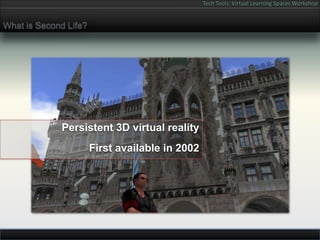
What is Second Life?


             Persistent 3D virtual reality
                       First available in 2002
Tech Tools: Virtual Learning Spaces Workshop


What is Second Life?


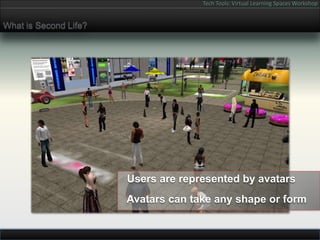
                       Users are represented by avatars
                       Avatars can take any shape or form
Tech Tools: Virtual Learning Spaces Workshop


What is Second Life?


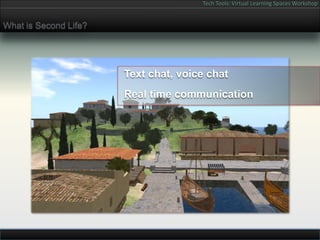
                       Text chat, voice chat
                       Real time communication
Tech Tools: Virtual Learning Spaces Workshop


What is Second Life?


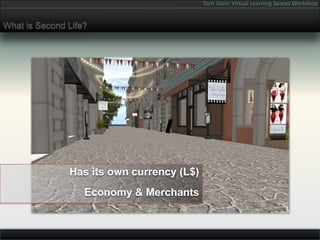
               Has its own currency (L$)
                   Economy & Merchants
Tech Tools: Virtual Learning Spaces Workshop


What is Second Life?


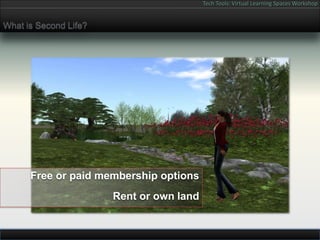
      Free or paid membership options
                       Rent or own land
Tech Tools: Virtual Learning Spaces Workshop


What is Second Life?


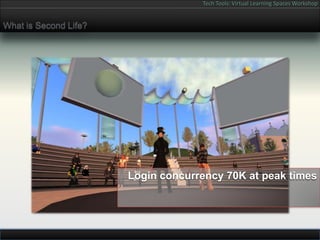
                       Login concurrency 70K at peak times
Tech Tools: Virtual Learning Spaces Workshop


TEXAS STATE UNIVERSITY – SAN MARCOS
           IN SECOND LIFE


       Our Second Life 2006-2012
Tech Tools: Virtual Learning Spaces Workshop


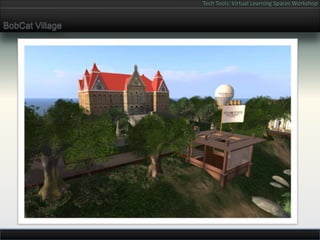
BobCat Village
Tech Tools: Virtual Learning Spaces Workshop


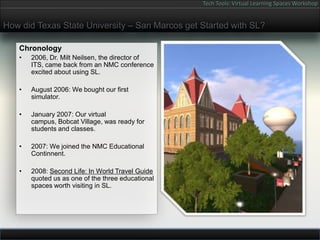
How did Texas State University – San Marcos get Started with SL?

   Chronology
   •   2006, Dr. Milt Neilsen, the director of
       ITS, came back from an NMC conference
       excited about using SL.

   •   August 2006: We bought our first
       simulator.

   •   January 2007: Our virtual
       campus, Bobcat Village, was ready for
       students and classes.

   •   2007: We joined the NMC Educational
       Continnent.

   •   2008: Second Life: In World Travel Guide
       quoted us as one of the three educational
       spaces worth visiting in SL.
Tech Tools: Virtual Learning Spaces Workshop


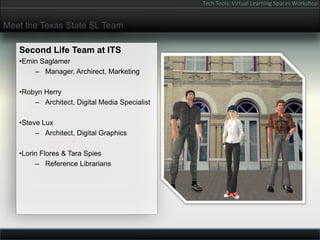
Meet the Texas State SL Team

   Second Life Team at ITS
   •Emin Saglamer
       – Manager, Archirect, Marketing

   •Robyn Herry
       – Architect, Digital Media Specialist

   •Steve Lux
        – Architect, Digital Graphics

   •Lorin Flores & Tara Spies
        – Reference Librarians
Tech Tools: Virtual Learning Spaces Workshop


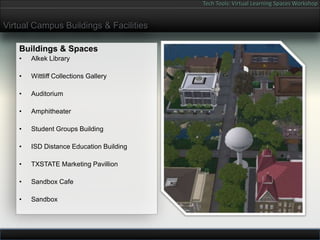
Virtual Campus Buildings & Facilities

    Buildings & Spaces
    •   Alkek Library

    •   Wittliff Collections Gallery

    •   Auditorium

    •   Amphitheater

    •   Student Groups Building

    •   ISD Distance Education Building

    •   TXSTATE Marketing Pavillion

    •   Sandbox Cafe

    •   Sandbox
Tech Tools: Virtual Learning Spaces Workshop


Why is Second Life Sutiable for Use in Education?

   •   Mac / PC / Linux free software          •   Visually rich, immersive environment
       download.                                   that pulls people in.


   •   Share 3D environments, scripted         •   Creates a sense of camaraderie.
       behaviors, Web, Voice, Streaming
       Audio / Video.                          •   You do not have use your real name.


   •   Content is available 24/7.              •   Compared to typical virtual reality
                                                   engines, SL is more cost effective and
                                                   easier to share with students.
   •   LSL scripting environment is powerful
       and is able to communicate with web     •   Interface and environment resembles
       data stores through XML-RPC.                the computer games younger
                                                   generations are familiar with.
   •   Educational spaces can be configured
       and protected by owning bodies.         •   With a little patience and skill in visual
                                                   arts and programming, anyone can
                                                   create their own virtual masterpiece.
Tech Tools: Virtual Learning Spaces Workshop


How is Our Virtual Campus Utilized?

   2007-2012 Classes That Used SL:                 Other Academic Uses:
       –   Dr. David Caverly & Dr. Carol Delaney   •   Cores Skills in SL Workshops for Instructors
             •   Curricullum & Instruction
                                                   •   Virtual Library, Meetings, Conferences
       –   Dr. Mary Ann Strutts & Dr. Enrique
           Becerra                                 •   Wittliff Gallery Exhibitions
             •   Marketing Department, McCoy

                                                   •   University Marketing in SL
       –   Dr. Judy Oskam
             •   Mass Communication
                                                   •   2008 Info Island University Marketing Booth

       –   Dr. Sue Stewart & Dr. Philip Salem
             •   Dept. of Communication Studies    •   2008 SLLC Conference


       –   Dr. Brock Brown                         •   Sandbox
             •   Geography
                                                   •   Machinima short films
       –   Cynthia Vetter
             •   Curricullum & Instruction
Tech Tools: Virtual Learning Spaces Workshop


  FIELD SCHOOL PROJECT

How Texas State University – San Marcos is
using Second Life to teach GEO 4190 Class.
Tech Tools: Virtual Learning Spaces Workshop


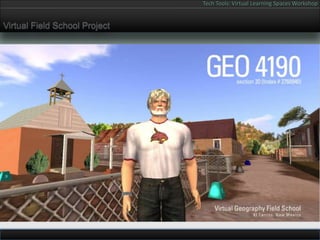
Virtual Field School Project
Tech Tools: Virtual Learning Spaces Workshop


Field School Project / GEO 4190 Class

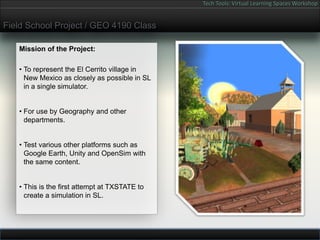
   Mission of the Project:

   • To represent the El Cerrito village in
     New Mexico as closely as possible in SL
     in a single simulator.


   • For use by Geography and other
     departments.


   • Test various other platforms such as
     Google Earth, Unity and OpenSim with
     the same content.


   • This is the first attempt at TXSTATE to
     create a simulation in SL.
Tech Tools: Virtual Learning Spaces Workshop


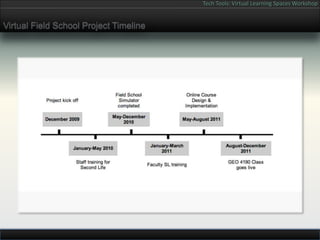
Virtual Field School Project Timeline
Tech Tools: Virtual Learning Spaces Workshop


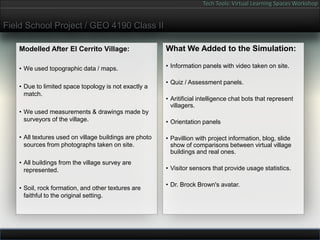
Field School Project / GEO 4190 Class II

   Modelled After El Cerrito Village:                   What We Added to the Simulation:

   • We used topographic data / maps.                   • Information panels with video taken on site.

                                                        • Quiz / Assessment panels.
   • Due to limited space topology is not exactly a
     match.
                                                        • Aritificial intelligence chat bots that represent
                                                          villagers.
   • We used measurements & drawings made by
     surveyors of the village.                          • Orientation panels

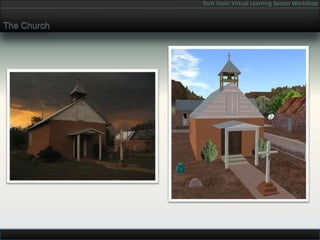
   • All textures used on village buildings are photo   • Pavillion with project information, blog, slide
     sources from photographs taken on site.              show of comparisons between virtual village
                                                          buildings and real ones.
   • All buildings from the village survey are
     represented.                                       • Visitor sensors that provide usage statistics.

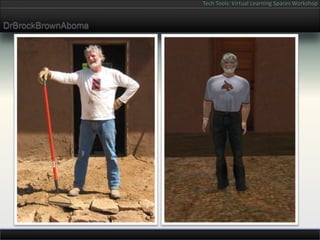
                                                        • Dr. Brock Brown's avatar.
   • Soil, rock formation, and other textures are
     faithful to the original setting.
Tech Tools: Virtual Learning Spaces Workshop


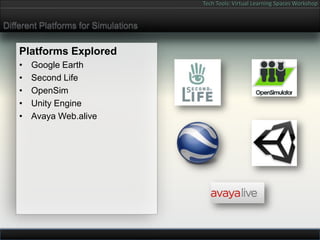
Different Platforms for Simulations

    Platforms Explored
    •   Google Earth
    •   Second Life
    •   OpenSim
    •   Unity Engine
    •   Avaya Web.alive
Tech Tools: Virtual Learning Spaces Workshop


DrBrockBrownAboma
Tech Tools: Virtual Learning Spaces Workshop


The Church
Tech Tools: Virtual Learning Spaces Workshop


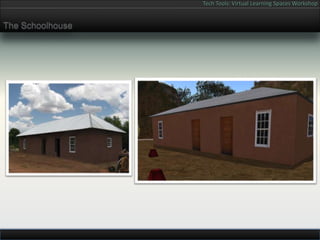
The Schoolhouse
Tech Tools: Virtual Learning Spaces Workshop


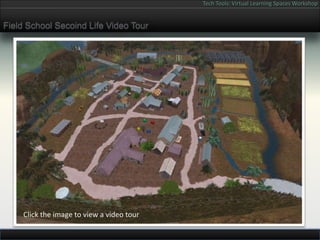
Field School Secoind Life Video Tour


     Click the image to view a video tour
Tech Tools: Virtual Learning Spaces Workshop


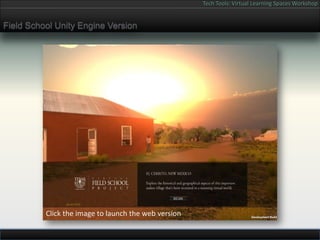
Field School Unity Engine Version


          Click the image to launch the web version
Tech Tools: Virtual Learning Spaces Workshop


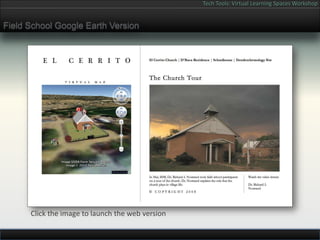
Field School Google Earth Version


      Click the image to launch the web version
Tech Tools: Virtual Learning Spaces Workshop


CONNECTING WITH STUDENTS IN
       SECOND LIFE
Tech Tools: Virtual Learning Spaces Workshop


Connecting with Students in Second Life


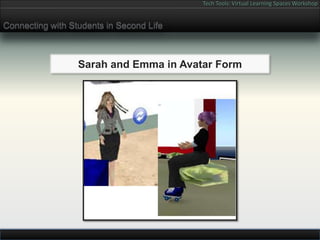
                  Sarah and Emma in Avatar Form
Tech Tools: Virtual Learning Spaces Workshop


Connecting with Students in Second Life


                    Sarah and Students in Class
Tech Tools: Virtual Learning Spaces Workshop


Connecting with Students in Second Life


              Emma and Students Discuss Readings
Tech Tools: Virtual Learning Spaces Workshop


Connecting with Students in Second Life


               Emma and Students Try on a Culture
Tech Tools: Virtual Learning Spaces Workshop


Connecting with Students in Second Life


                   Field Trip to Garden of Change
Tech Tools: Virtual Learning Spaces Workshop


Connecting with Students in Second Life


      Sarah Meets Students for Impromptu Help Session
Tech Tools: Virtual Learning Spaces Workshop


Connecting with Students in Second Life

                 Student Presents Final Project in
                    Second Life in His “cube”
Tech Tools: Virtual Learning Spaces Workshop


Links


   Links & Contact Information:
   • ETC-Research & Development Team Webpage

   • Web Pages for Virtual Field School Project
        – Official Virtual Field School Project Webpage
        – Facebook Page


   E mail address to contact us:
   • secondlife@txstate.edu
   • Salwa Khan (sk16@txstate.edu)
Tech Tools: Virtual Learning Spaces Workshop


Questions & Answers


                Questions & Answers

Tech Tools: Virtual Learning Spaces Workshop

  • 1.
    Tech Tools: VirtualLearning Spaces Workshop TECH TOOLS: Virtual Learning Spaces May 15 2012 Emin Sağlamer / Robyn Herry / Salwa Khan Instructional Technologies Support
  • 2.
    Tech Tools: VirtualLearning Spaces Workshop WHAT IS SECOND LIFE? Open-ended MMORPG with free membership and integrated content building tools operated by Linden Lab since 2002.
  • 3.
    Tech Tools: VirtualLearning Spaces Workshop What is Second Life? Persistent 3D virtual reality First available in 2002
  • 4.
    Tech Tools: VirtualLearning Spaces Workshop What is Second Life? Users are represented by avatars Avatars can take any shape or form
  • 5.
    Tech Tools: VirtualLearning Spaces Workshop What is Second Life? Text chat, voice chat Real time communication
  • 6.
    Tech Tools: VirtualLearning Spaces Workshop What is Second Life? Has its own currency (L$) Economy & Merchants
  • 7.
    Tech Tools: VirtualLearning Spaces Workshop What is Second Life? Free or paid membership options Rent or own land
  • 8.
    Tech Tools: VirtualLearning Spaces Workshop What is Second Life? Login concurrency 70K at peak times
  • 9.
    Tech Tools: VirtualLearning Spaces Workshop TEXAS STATE UNIVERSITY – SAN MARCOS IN SECOND LIFE Our Second Life 2006-2012
  • 10.
    Tech Tools: VirtualLearning Spaces Workshop BobCat Village
  • 11.
    Tech Tools: VirtualLearning Spaces Workshop How did Texas State University – San Marcos get Started with SL? Chronology • 2006, Dr. Milt Neilsen, the director of ITS, came back from an NMC conference excited about using SL. • August 2006: We bought our first simulator. • January 2007: Our virtual campus, Bobcat Village, was ready for students and classes. • 2007: We joined the NMC Educational Continnent. • 2008: Second Life: In World Travel Guide quoted us as one of the three educational spaces worth visiting in SL.
  • 12.
    Tech Tools: VirtualLearning Spaces Workshop Meet the Texas State SL Team Second Life Team at ITS •Emin Saglamer – Manager, Archirect, Marketing •Robyn Herry – Architect, Digital Media Specialist •Steve Lux – Architect, Digital Graphics •Lorin Flores & Tara Spies – Reference Librarians
  • 13.
    Tech Tools: VirtualLearning Spaces Workshop Virtual Campus Buildings & Facilities Buildings & Spaces • Alkek Library • Wittliff Collections Gallery • Auditorium • Amphitheater • Student Groups Building • ISD Distance Education Building • TXSTATE Marketing Pavillion • Sandbox Cafe • Sandbox
  • 14.
    Tech Tools: VirtualLearning Spaces Workshop Why is Second Life Sutiable for Use in Education? • Mac / PC / Linux free software • Visually rich, immersive environment download. that pulls people in. • Share 3D environments, scripted • Creates a sense of camaraderie. behaviors, Web, Voice, Streaming Audio / Video. • You do not have use your real name. • Content is available 24/7. • Compared to typical virtual reality engines, SL is more cost effective and easier to share with students. • LSL scripting environment is powerful and is able to communicate with web • Interface and environment resembles data stores through XML-RPC. the computer games younger generations are familiar with. • Educational spaces can be configured and protected by owning bodies. • With a little patience and skill in visual arts and programming, anyone can create their own virtual masterpiece.
  • 15.
    Tech Tools: VirtualLearning Spaces Workshop How is Our Virtual Campus Utilized? 2007-2012 Classes That Used SL: Other Academic Uses: – Dr. David Caverly & Dr. Carol Delaney • Cores Skills in SL Workshops for Instructors • Curricullum & Instruction • Virtual Library, Meetings, Conferences – Dr. Mary Ann Strutts & Dr. Enrique Becerra • Wittliff Gallery Exhibitions • Marketing Department, McCoy • University Marketing in SL – Dr. Judy Oskam • Mass Communication • 2008 Info Island University Marketing Booth – Dr. Sue Stewart & Dr. Philip Salem • Dept. of Communication Studies • 2008 SLLC Conference – Dr. Brock Brown • Sandbox • Geography • Machinima short films – Cynthia Vetter • Curricullum & Instruction
  • 16.
    Tech Tools: VirtualLearning Spaces Workshop FIELD SCHOOL PROJECT How Texas State University – San Marcos is using Second Life to teach GEO 4190 Class.
  • 17.
    Tech Tools: VirtualLearning Spaces Workshop Virtual Field School Project
  • 18.
    Tech Tools: VirtualLearning Spaces Workshop Field School Project / GEO 4190 Class Mission of the Project: • To represent the El Cerrito village in New Mexico as closely as possible in SL in a single simulator. • For use by Geography and other departments. • Test various other platforms such as Google Earth, Unity and OpenSim with the same content. • This is the first attempt at TXSTATE to create a simulation in SL.
  • 19.
    Tech Tools: VirtualLearning Spaces Workshop Virtual Field School Project Timeline
  • 20.
    Tech Tools: VirtualLearning Spaces Workshop Field School Project / GEO 4190 Class II Modelled After El Cerrito Village: What We Added to the Simulation: • We used topographic data / maps. • Information panels with video taken on site. • Quiz / Assessment panels. • Due to limited space topology is not exactly a match. • Aritificial intelligence chat bots that represent villagers. • We used measurements & drawings made by surveyors of the village. • Orientation panels • All textures used on village buildings are photo • Pavillion with project information, blog, slide sources from photographs taken on site. show of comparisons between virtual village buildings and real ones. • All buildings from the village survey are represented. • Visitor sensors that provide usage statistics. • Dr. Brock Brown's avatar. • Soil, rock formation, and other textures are faithful to the original setting.
  • 21.
    Tech Tools: VirtualLearning Spaces Workshop Different Platforms for Simulations Platforms Explored • Google Earth • Second Life • OpenSim • Unity Engine • Avaya Web.alive
  • 22.
    Tech Tools: VirtualLearning Spaces Workshop DrBrockBrownAboma
  • 23.
    Tech Tools: VirtualLearning Spaces Workshop The Church
  • 24.
    Tech Tools: VirtualLearning Spaces Workshop The Schoolhouse
  • 25.
    Tech Tools: VirtualLearning Spaces Workshop Field School Secoind Life Video Tour Click the image to view a video tour
  • 26.
    Tech Tools: VirtualLearning Spaces Workshop Field School Unity Engine Version Click the image to launch the web version
  • 27.
    Tech Tools: VirtualLearning Spaces Workshop Field School Google Earth Version Click the image to launch the web version
  • 28.
    Tech Tools: VirtualLearning Spaces Workshop CONNECTING WITH STUDENTS IN SECOND LIFE
  • 29.
    Tech Tools: VirtualLearning Spaces Workshop Connecting with Students in Second Life Sarah and Emma in Avatar Form
  • 30.
    Tech Tools: VirtualLearning Spaces Workshop Connecting with Students in Second Life Sarah and Students in Class
  • 31.
    Tech Tools: VirtualLearning Spaces Workshop Connecting with Students in Second Life Emma and Students Discuss Readings
  • 32.
    Tech Tools: VirtualLearning Spaces Workshop Connecting with Students in Second Life Emma and Students Try on a Culture
  • 33.
    Tech Tools: VirtualLearning Spaces Workshop Connecting with Students in Second Life Field Trip to Garden of Change
  • 34.
    Tech Tools: VirtualLearning Spaces Workshop Connecting with Students in Second Life Sarah Meets Students for Impromptu Help Session
  • 35.
    Tech Tools: VirtualLearning Spaces Workshop Connecting with Students in Second Life Student Presents Final Project in Second Life in His “cube”
  • 36.
    Tech Tools: VirtualLearning Spaces Workshop Links Links & Contact Information: • ETC-Research & Development Team Webpage • Web Pages for Virtual Field School Project – Official Virtual Field School Project Webpage – Facebook Page E mail address to contact us: • secondlife@txstate.edu • Salwa Khan (sk16@txstate.edu)
  • 37.
    Tech Tools: VirtualLearning Spaces Workshop Questions & Answers Questions & Answers