Using Technology in Educationat Texas State University – San MarcosEmin SağlamerInstructional Technologies SupportTexas State University – San Marcos
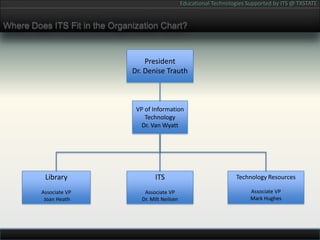
Where Does ITS Fit in the Organization Chart?PresidentDr. Denise TrauthVP of Information TechnologyDr. Van WyattITSAssociate VPDr. Milt NeilsenTechnology ResourcesAssociate VPMark HughesLibraryAssociate VP Joan Heath
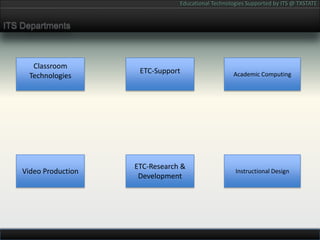
ITS DepartmentsAcademic ComputingClassroom TechnologiesETC-SupportVideo ProductionInstructional DesignETC-Research & Development
TXSTATE Educational Infrastructure ServicesLearning Management System: Sakaihttp://sakaiproject.org/Portfolio System: TK20http://www.tk20.com/University Website: Magnoliahttp://www.magnolia-cms.com/Adobe Connecthttp://www.adobe.com/ConnectWebConference  Turn It Inhttp://turnitin.com/
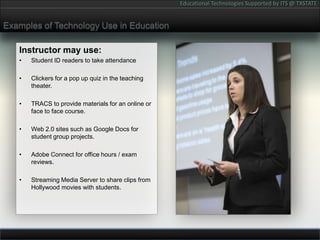
Examples of Technology Use in EducationInstructor may use:Student ID readers to take attendanceClickers for a pop up quiz in the teaching theater.TRACS to provide materials for an online or face to face course.Web 2.0 sites such as Google Docs for student group projects.Adobe Connect for office hours / exam reviews.Streaming Media Server to share clips from Hollywood movies with students.
Issues to Consider When Teaching With TechnologyPedagogyEqual Access to MaterialsCopyright & Fair UseFERPA complianceTOS ComplianceAccessibility
Why Use TXSTATE Hosted Technology Solutions?Free Access to Teaching TechnologiesSingle Login Multi Use Tools:TRACSFree Dedicated Technical SupportProtected PrivacyBackup / RecoveryCompliance with University PoliciesAccess to Colleagues
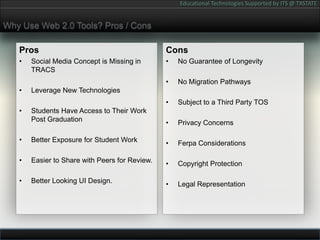
Why Use Web 2.0 Tools? Pros / ConsProsSocial Media Concept is Missing in TRACSLeverage New TechnologiesStudents Have Access to Their Work Post GraduationBetter Exposure for Student WorkEasier to Share with Peers for Review.Better Looking UI Design.ConsNo Guarantee of LongevityNo Migration PathwaysSubject to a Third Party TOSPrivacy ConcernsFerpa ConsiderationsCopyright ProtectionLegal Representation
Buzz Word Role Call!!BUZZ WORD ROLL CALL
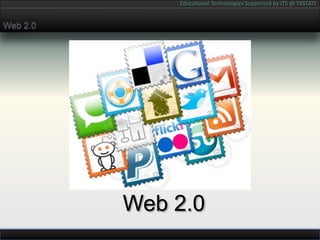
Web 2.0Web 2.0
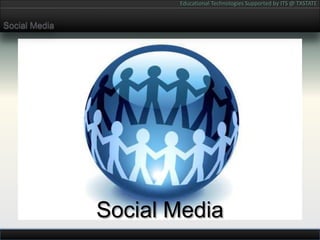
Social MediaSocial Media
Cloud ComputingCloud Computing
TOSTOS
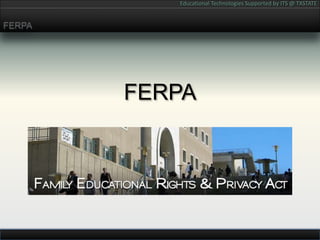
FERPAFERPA
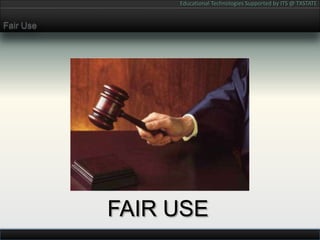
Fair UseFAIR USE
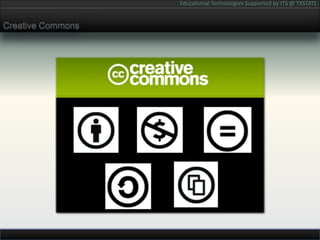
Creative Commons
Building Learning Communities Online WorkshopsBuilding Learning Communities Online Workshops for InstructorsThese are the Web 2.0 sites we cover:Twitter / PlurkFacebookBloggerFlickrSlideShareYouTube / VimeoGoogle DocsDeliciousPageFlakesSecond Life
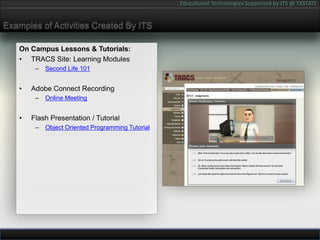
Examples of Activities Created By ITSOn Campus Lessons & Tutorials:TRACS Site: Learning ModulesSecond Life 101Adobe Connect RecordingOnline MeetingFlash Presentation / TutorialObject Oriented Programming Tutorial
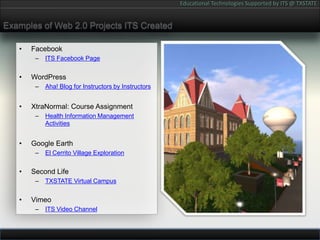
Examples of Web 2.0 Projects ITS CreatedFacebookITS Facebook PageWordPressAha! Blog for Instructors by InstructorsXtraNormal: Course AssignmentHealth Information Management ActivitiesGoogle EarthEl Cerrito Village ExplorationSecond LifeTXSTATE Virtual CampusVimeoITS Video Channel
Questions?

Educational Technologies at Texas State University

  • 1.
    Using Technology inEducationat Texas State University – San MarcosEmin SağlamerInstructional Technologies SupportTexas State University – San Marcos
  • 2.
    Where Does ITSFit in the Organization Chart?PresidentDr. Denise TrauthVP of Information TechnologyDr. Van WyattITSAssociate VPDr. Milt NeilsenTechnology ResourcesAssociate VPMark HughesLibraryAssociate VP Joan Heath
  • 3.
    ITS DepartmentsAcademic ComputingClassroomTechnologiesETC-SupportVideo ProductionInstructional DesignETC-Research & Development
  • 4.
    TXSTATE Educational InfrastructureServicesLearning Management System: Sakaihttp://sakaiproject.org/Portfolio System: TK20http://www.tk20.com/University Website: Magnoliahttp://www.magnolia-cms.com/Adobe Connecthttp://www.adobe.com/ConnectWebConference  Turn It Inhttp://turnitin.com/
  • 5.
    Examples of TechnologyUse in EducationInstructor may use:Student ID readers to take attendanceClickers for a pop up quiz in the teaching theater.TRACS to provide materials for an online or face to face course.Web 2.0 sites such as Google Docs for student group projects.Adobe Connect for office hours / exam reviews.Streaming Media Server to share clips from Hollywood movies with students.
  • 6.
    Issues to ConsiderWhen Teaching With TechnologyPedagogyEqual Access to MaterialsCopyright & Fair UseFERPA complianceTOS ComplianceAccessibility
  • 7.
    Why Use TXSTATEHosted Technology Solutions?Free Access to Teaching TechnologiesSingle Login Multi Use Tools:TRACSFree Dedicated Technical SupportProtected PrivacyBackup / RecoveryCompliance with University PoliciesAccess to Colleagues
  • 8.
    Why Use Web2.0 Tools? Pros / ConsProsSocial Media Concept is Missing in TRACSLeverage New TechnologiesStudents Have Access to Their Work Post GraduationBetter Exposure for Student WorkEasier to Share with Peers for Review.Better Looking UI Design.ConsNo Guarantee of LongevityNo Migration PathwaysSubject to a Third Party TOSPrivacy ConcernsFerpa ConsiderationsCopyright ProtectionLegal Representation
  • 9.
    Buzz Word RoleCall!!BUZZ WORD ROLL CALL
  • 10.
  • 11.
  • 12.
  • 13.
  • 14.
  • 15.
  • 16.
  • 17.
    Building Learning CommunitiesOnline WorkshopsBuilding Learning Communities Online Workshops for InstructorsThese are the Web 2.0 sites we cover:Twitter / PlurkFacebookBloggerFlickrSlideShareYouTube / VimeoGoogle DocsDeliciousPageFlakesSecond Life
  • 18.
    Examples of ActivitiesCreated By ITSOn Campus Lessons & Tutorials:TRACS Site: Learning ModulesSecond Life 101Adobe Connect RecordingOnline MeetingFlash Presentation / TutorialObject Oriented Programming Tutorial
  • 19.
    Examples of Web2.0 Projects ITS CreatedFacebookITS Facebook PageWordPressAha! Blog for Instructors by InstructorsXtraNormal: Course AssignmentHealth Information Management ActivitiesGoogle EarthEl Cerrito Village ExplorationSecond LifeTXSTATE Virtual CampusVimeoITS Video Channel
  • 20.