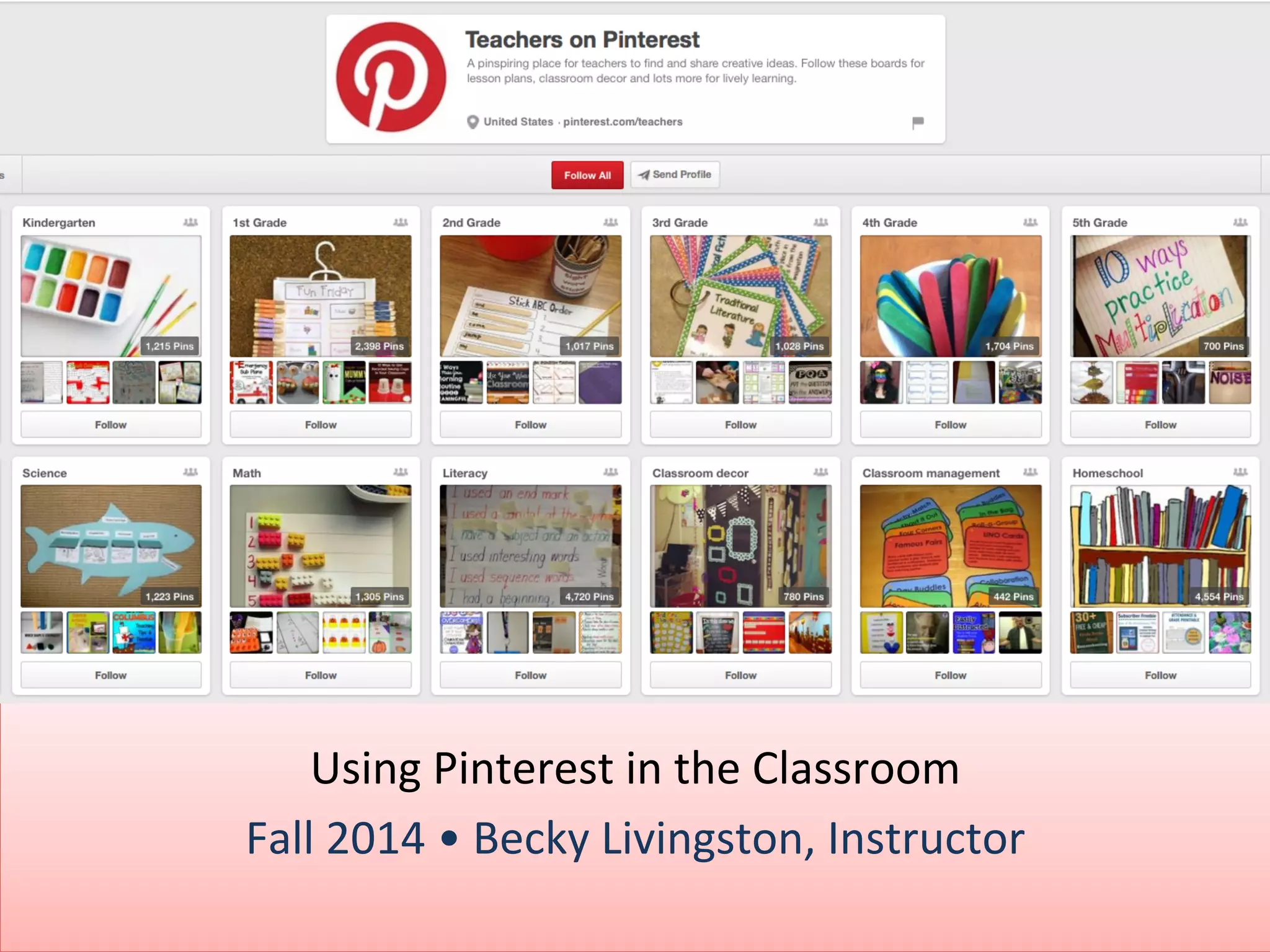
Using 
Pinterest 
in 
the 
Classroom 
Fall 
2014 
• 
Becky 
Livingston, 
Instructor
Agenda 
• Provide 
faculty 
and 
staff 
with 
an 
understanding 
of 
what 
Pinterest 
is 
and 
how 
it 
may 
be 
used 
in 
the 
classroom 
environment. 
• Share 
a 
step-­‐by-­‐step 
implementa7on 
plan 
on 
seHng 
up 
a 
Pinterest 
board 
and 
starJng 
the 
process 
• Share 
case 
studies 
and 
examples 
of 
educaJonal 
insJtuJons 
using 
Pinterest 
within 
the 
classroom, 
along 
with 
best 
pracJces. 
(c) 
2014 
Becky 
Livingston 
2
What 
is 
Pinterest? 
• Web 
and 
mobile 
applicaJon 
• Visual 
discovery, 
collecJon, 
sharing, 
and 
storage 
tool 
• CollecJons 
of 
visual 
bookmarks 
(boards) 
(c) 
2014 
Becky 
Livingston 
3
4 
Ways 
To 
Use 
It 
1. Curate 
content 
– Resource 
boards 
for 
teachers 
and 
students 
– Current 
events 
or 
issues 
to 
reach 
each 
day 
– Find 
on-­‐topic 
content 
– Images, 
projects, 
video 
and 
stories 
for 
future 
lesson 
plans 
(c) 
2014 
Becky 
Livingston 
4
4 
Ways 
To 
Use 
It, 
cont. 
2. Organize 
ideas 
– Save 
links 
to 
easy-­‐to-­‐scan 
topics 
– Add 
comments 
to 
remember 
why 
the 
link 
was 
pinned 
in 
the 
first 
place 
– Boards 
for 
each 
subject 
or 
unit 
– Inventories 
the 
class 
library 
so 
students 
know 
which 
resources 
are 
available 
(c) 
2014 
Becky 
Livingston 
5
4 
Ways 
To 
Use 
It, 
cont. 
3. Collaborate 
with 
others 
– Find 
other 
teachers 
who 
have 
similar 
interests 
and 
share 
lessons, 
projects 
and 
teaching 
ideas 
– Request 
feedback 
from 
other 
users 
to 
improve 
curriculum 
– Connect 
with 
people 
from 
other 
classes, 
universiJes, 
and 
groups 
– Open 
board 
to 
the 
community 
for 
parents 
and 
other 
users 
to 
see 
(c) 
2014 
Becky 
Livingston 
6
4 
Ways 
To 
Use 
It 
4. Allow 
students 
to 
pin 
– Aggregate 
ideas 
and 
sources 
for 
projects 
– Create 
community 
boards 
for 
group 
projects 
– Photo 
and 
design 
projects 
and 
collages 
– Promote 
student 
work 
online 
(c) 
2014 
Becky 
Livingston 
7
Crea7ng 
A 
Profile 
-­‐ 
Tips 
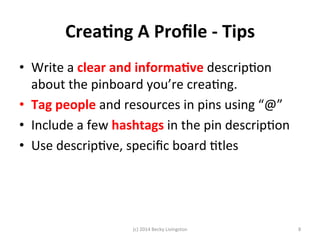
• Write 
a 
clear 
and 
informa7ve 
descripJon 
about 
the 
pinboard 
you’re 
creaJng. 
• Tag 
people 
and 
resources 
in 
pins 
using 
“@” 
• Include 
a 
few 
hashtags 
in 
the 
pin 
descripJon 
• Use 
descripJve, 
specific 
board 
Jtles 
(c) 
2014 
Becky 
Livingston 
8
Crea7ng 
the 
Boards 
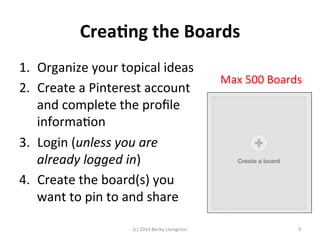
1. Organize 
your 
topical 
ideas 
2. Create 
a 
Pinterest 
account 
and 
complete 
the 
profile 
informaJon 
3. Login 
(unless 
you 
are 
already 
logged 
in) 
4. Create 
the 
board(s) 
you 
want 
to 
pin 
to 
and 
share 
Max 
500 
Boards 
(c) 
2014 
Becky 
Livingston 
9
Complete 
the 
Board 
Descrip7on 
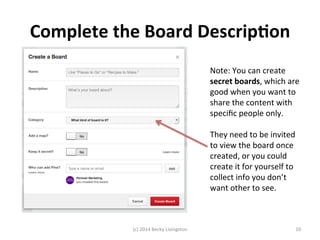
Note: 
You 
can 
create 
secret 
boards, 
which 
are 
good 
when 
you 
want 
to 
share 
the 
content 
with 
specific 
people 
only. 
They 
need 
to 
be 
invited 
to 
view 
the 
board 
once 
created, 
or 
you 
could 
create 
it 
for 
yourself 
to 
collect 
info 
you 
don’t 
want 
other 
to 
see. 
(c) 
2014 
Becky 
Livingston 
10
Example 
– 
Vicki 
Davis 
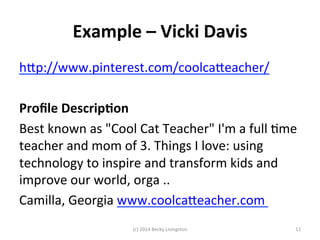
hfp://www.pinterest.com/coolcafeacher/ 
Profile 
Descrip7on 
Best 
known 
as 
"Cool 
Cat 
Teacher" 
I'm 
a 
full 
Jme 
teacher 
and 
mom 
of 
3. 
Things 
I 
love: 
using 
technology 
to 
inspire 
and 
transform 
kids 
and 
improve 
our 
world, 
orga 
.. 
Camilla, 
Georgia 
www.coolcafeacher.com 
(c) 
2014 
Becky 
Livingston 
11
Example 
– 
Vicki 
Davis, 
cont. 
Board 
Desc. 
(c) 
2014 
Becky 
Livingston 
12
Ac7vity 
1 
1. Write 
down 
the 
content 
topics 
(boards) 
2. Create 
the 
Pinterest 
account 
3. Create 
one 
board 
profile 
and 
descripJon 
20 
Minutes 
(c) 
2014 
Becky 
Livingston 
13
Pinning! 
Pinning 
OpJons 
(c) 
2014 
Becky 
Livingston 
14
Start 
Pinning 
in 
3-­‐2-­‐1…Go! 
1. Find 
content 
related 
to 
your 
content 
topics 
(boards) 
Create 
new 
boards 
as 
needed 
2. Research, 
pin, 
and 
share 
pins 
within 
the 
plalorm, 
via 
link 
in 
social 
media 
and 
or 
with 
students 
via 
email 
or 
other 
plalorm 
(c) 
2014 
Becky 
Livingston 
15
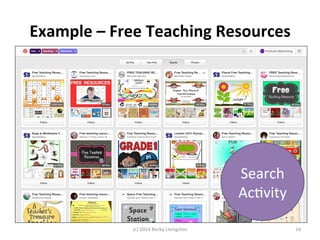
Example 
– 
Free 
Teaching 
Resources 
Search 
AcJvity 
(c) 
2014 
Becky 
Livingston 
16
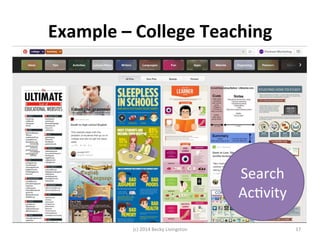
Example 
– 
College 
Teaching 
Search 
AcJvity 
(c) 
2014 
Becky 
Livingston 
17
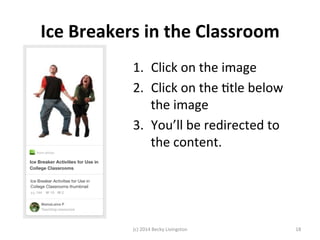
Ice 
Breakers 
in 
the 
Classroom 
1. Click 
on 
the 
image 
2. Click 
on 
the 
Jtle 
below 
the 
image 
3. You’ll 
be 
redirected 
to 
the 
content. 
(c) 
2014 
Becky 
Livingston 
18
Pinners 
To 
Follow 
• Free 
Teaching 
Resources 
-­‐ 
technology 
in 
educaJon 
• Vicki 
Davis 
-­‐ 
Teaching 
Ideas 
and 
App, 
CollaboraJve 
WriJng, 
and 
Global 
CollaboraJon 
in 
EducaJon 
• Eric 
Sheninger 
-­‐ 
web2.0 
tools 
for 
educators 
• Karen 
Steffenson 
-­‐ 
of 
science, 
the 
arts, 
literacy 
and 
numeracy 
• Debbie 
Fucoloro 
-­‐ 
Infographics, 
EducaJon, 
web 
2.0, 
and 
social 
media 
• Shannon 
Smith 
-­‐ 
educaJonal 
technology 
essenJals 
• Shelly 
Terrel 
-­‐ 
digital 
storytelling 
to 
graphic 
organizers 
and 
world 
cloud 
tools 
(c) 
2014 
Becky 
Livingston 
19
Resources 
• GeHng 
Started 
with 
Pinterest: 
hfp://www.gcflearnfree.org/pinterest101/2 
• Pinterest 
Tutorials: 
hfp://www.educatorstechnology.com/2012/06/educators-­‐guide-­‐to-­‐use-­‐of-­‐pinterest-­‐in.html 
• Secret 
Boards: 
hfps://help.pinterest.com/en/arJcles/secret-­‐boards#Web 
• Free 
Teaching 
Resources 
Search: 
hfp://www.pinterest.com/search/pins/?q=free%20teaching 
%20resources&term_meta[]=free|typed&term_meta[]=teaching| 
typed&term_meta[]=resources|typed 
• “College 
Teaching” 
Search: 
hfp://www.pinterest.com/search/pins/?q=%22college%20teaching%22&term_meta[]= 
%22college|typed&term_meta[]=teaching%22|typed&remove_refine=free|typed 
• College 
Teaching 
(no 
quotes) 
search: 
hfp://www.pinterest.com/search/pins/?q=college%20teaching&term_meta[]=college| 
typed&term_meta[]=teaching|typed&remove_refine=%22college|typed 
(c) 
2014 
Becky 
Livingston 
20
Resources, 
cont. 
• Cornell 
Notes: 
hfp://www.pinterest.com/search/pins/?q=college%20teaching%20cornell 
%20notes&term_meta[]=college|typed&term_meta[]=teaching|typed&term_meta[]=cornell 
+notes|guide|word|25&add_refine=cornell+notes|guide|word|25 
• Vicki 
Davis: 
hfp://www.pinterest.com/coolcafeacher/ 
• Eric 
Sheninger: 
hfp://www.pinterest.com/esheninger/ 
• Karen 
Steffenson: 
hfp://www.pinterest.com/kstef2/ 
• Debbie 
Fucoloro: 
hfp://www.pinterest.com/debbiefuco/ 
• Shannon 
Smith: 
hfp://www.pinterest.com/shannoninofawa/ 
• Shelly 
Terrell: 
hfp://www.pinterest.com/shellyterrell/ 
(c) 
2014 
Becky 
Livingston 
21
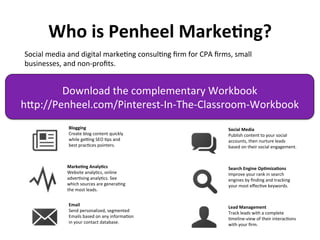
Who 
is 
Penheel 
Marke7ng? 
Social 
media 
and 
digital 
markeJng 
consulJng 
firm 
for 
CPA 
firms, 
small 
businesses, 
and 
non-­‐profits. 
Download 
the 
complementary 
Workbook 
hfp://Penheel.com/Pinterest-­‐In-­‐The-­‐Classroom-­‐Workbook 
Marke7ng 
Analy7cs 
Website 
analyJcs, 
online 
adverJsing 
analyJcs. 
See 
which 
sources 
are 
generaJng 
the 
most 
leads. 
Email 
Send 
personalized, 
segmented 
Emails 
based 
on 
any 
informaJon 
in 
your 
contact 
database. 
Search 
Engine 
Op7miza7ons 
Improve 
your 
rank 
in 
search 
engines 
by 
finding 
and 
tracking 
your 
most 
effecJve 
keywords. 
Lead 
Management 
Track 
leads 
with 
a 
complete 
Jmeline-­‐view 
of 
their 
interacJons 
with 
your 
firm. 
Blogging 
Create 
blog 
content 
quickly 
while 
geHng 
SEO 
Jps 
and 
best 
pracJces 
pointers. 
Social 
Media 
Publish 
content 
to 
your 
social 
accounts, 
then 
nurture 
leads 
based 
on 
their 
social 
engagement.
Thank You! 
Becky 
Livingston 
President 
& 
CEO 
Penheel 
MarkeJng 
hfp://Penheel.com 
SocMedTeach@gmail.com 
(c) 
2014 
Becky 
Livingston 
23

Using Pinterest in the Classroom

  • 1.
    Using Pinterest in the Classroom Fall 2014 • Becky Livingston, Instructor
  • 2.
    Agenda • Provide faculty and staff with an understanding of what Pinterest is and how it may be used in the classroom environment. • Share a step-­‐by-­‐step implementa7on plan on seHng up a Pinterest board and starJng the process • Share case studies and examples of educaJonal insJtuJons using Pinterest within the classroom, along with best pracJces. (c) 2014 Becky Livingston 2
  • 3.
    What is Pinterest? • Web and mobile applicaJon • Visual discovery, collecJon, sharing, and storage tool • CollecJons of visual bookmarks (boards) (c) 2014 Becky Livingston 3
  • 4.
    4 Ways To Use It 1. Curate content – Resource boards for teachers and students – Current events or issues to reach each day – Find on-­‐topic content – Images, projects, video and stories for future lesson plans (c) 2014 Becky Livingston 4
  • 5.
    4 Ways To Use It, cont. 2. Organize ideas – Save links to easy-­‐to-­‐scan topics – Add comments to remember why the link was pinned in the first place – Boards for each subject or unit – Inventories the class library so students know which resources are available (c) 2014 Becky Livingston 5
  • 6.
    4 Ways To Use It, cont. 3. Collaborate with others – Find other teachers who have similar interests and share lessons, projects and teaching ideas – Request feedback from other users to improve curriculum – Connect with people from other classes, universiJes, and groups – Open board to the community for parents and other users to see (c) 2014 Becky Livingston 6
  • 7.
    4 Ways To Use It 4. Allow students to pin – Aggregate ideas and sources for projects – Create community boards for group projects – Photo and design projects and collages – Promote student work online (c) 2014 Becky Livingston 7
  • 8.
    Crea7ng A Profile -­‐ Tips • Write a clear and informa7ve descripJon about the pinboard you’re creaJng. • Tag people and resources in pins using “@” • Include a few hashtags in the pin descripJon • Use descripJve, specific board Jtles (c) 2014 Becky Livingston 8
  • 9.
    Crea7ng the Boards 1. Organize your topical ideas 2. Create a Pinterest account and complete the profile informaJon 3. Login (unless you are already logged in) 4. Create the board(s) you want to pin to and share Max 500 Boards (c) 2014 Becky Livingston 9
  • 10.
    Complete the Board Descrip7on Note: You can create secret boards, which are good when you want to share the content with specific people only. They need to be invited to view the board once created, or you could create it for yourself to collect info you don’t want other to see. (c) 2014 Becky Livingston 10
  • 11.
    Example – Vicki Davis hfp://www.pinterest.com/coolcafeacher/ Profile Descrip7on Best known as "Cool Cat Teacher" I'm a full Jme teacher and mom of 3. Things I love: using technology to inspire and transform kids and improve our world, orga .. Camilla, Georgia www.coolcafeacher.com (c) 2014 Becky Livingston 11
  • 12.
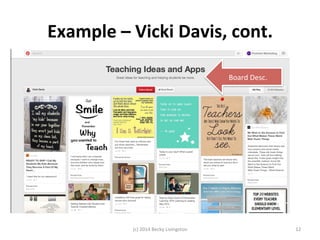
    Example – Vicki Davis, cont. Board Desc. (c) 2014 Becky Livingston 12
  • 13.
    Ac7vity 1 1.Write down the content topics (boards) 2. Create the Pinterest account 3. Create one board profile and descripJon 20 Minutes (c) 2014 Becky Livingston 13
  • 14.
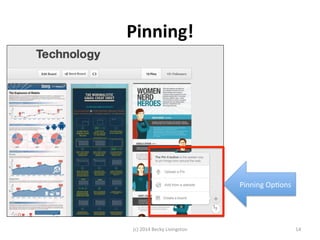
    Pinning! Pinning OpJons (c) 2014 Becky Livingston 14
  • 15.
    Start Pinning in 3-­‐2-­‐1…Go! 1. Find content related to your content topics (boards) Create new boards as needed 2. Research, pin, and share pins within the plalorm, via link in social media and or with students via email or other plalorm (c) 2014 Becky Livingston 15
  • 16.
    Example – Free Teaching Resources Search AcJvity (c) 2014 Becky Livingston 16
  • 17.
    Example – College Teaching Search AcJvity (c) 2014 Becky Livingston 17
  • 18.
    Ice Breakers in the Classroom 1. Click on the image 2. Click on the Jtle below the image 3. You’ll be redirected to the content. (c) 2014 Becky Livingston 18
  • 19.
    Pinners To Follow • Free Teaching Resources -­‐ technology in educaJon • Vicki Davis -­‐ Teaching Ideas and App, CollaboraJve WriJng, and Global CollaboraJon in EducaJon • Eric Sheninger -­‐ web2.0 tools for educators • Karen Steffenson -­‐ of science, the arts, literacy and numeracy • Debbie Fucoloro -­‐ Infographics, EducaJon, web 2.0, and social media • Shannon Smith -­‐ educaJonal technology essenJals • Shelly Terrel -­‐ digital storytelling to graphic organizers and world cloud tools (c) 2014 Becky Livingston 19
  • 20.
    Resources • GeHng Started with Pinterest: hfp://www.gcflearnfree.org/pinterest101/2 • Pinterest Tutorials: hfp://www.educatorstechnology.com/2012/06/educators-­‐guide-­‐to-­‐use-­‐of-­‐pinterest-­‐in.html • Secret Boards: hfps://help.pinterest.com/en/arJcles/secret-­‐boards#Web • Free Teaching Resources Search: hfp://www.pinterest.com/search/pins/?q=free%20teaching %20resources&term_meta[]=free|typed&term_meta[]=teaching| typed&term_meta[]=resources|typed • “College Teaching” Search: hfp://www.pinterest.com/search/pins/?q=%22college%20teaching%22&term_meta[]= %22college|typed&term_meta[]=teaching%22|typed&remove_refine=free|typed • College Teaching (no quotes) search: hfp://www.pinterest.com/search/pins/?q=college%20teaching&term_meta[]=college| typed&term_meta[]=teaching|typed&remove_refine=%22college|typed (c) 2014 Becky Livingston 20
  • 21.
    Resources, cont. •Cornell Notes: hfp://www.pinterest.com/search/pins/?q=college%20teaching%20cornell %20notes&term_meta[]=college|typed&term_meta[]=teaching|typed&term_meta[]=cornell +notes|guide|word|25&add_refine=cornell+notes|guide|word|25 • Vicki Davis: hfp://www.pinterest.com/coolcafeacher/ • Eric Sheninger: hfp://www.pinterest.com/esheninger/ • Karen Steffenson: hfp://www.pinterest.com/kstef2/ • Debbie Fucoloro: hfp://www.pinterest.com/debbiefuco/ • Shannon Smith: hfp://www.pinterest.com/shannoninofawa/ • Shelly Terrell: hfp://www.pinterest.com/shellyterrell/ (c) 2014 Becky Livingston 21
  • 22.
    Who is Penheel Marke7ng? Social media and digital markeJng consulJng firm for CPA firms, small businesses, and non-­‐profits. Download the complementary Workbook hfp://Penheel.com/Pinterest-­‐In-­‐The-­‐Classroom-­‐Workbook Marke7ng Analy7cs Website analyJcs, online adverJsing analyJcs. See which sources are generaJng the most leads. Email Send personalized, segmented Emails based on any informaJon in your contact database. Search Engine Op7miza7ons Improve your rank in search engines by finding and tracking your most effecJve keywords. Lead Management Track leads with a complete Jmeline-­‐view of their interacJons with your firm. Blogging Create blog content quickly while geHng SEO Jps and best pracJces pointers. Social Media Publish content to your social accounts, then nurture leads based on their social engagement.
  • 23.
    Thank You! Becky Livingston President & CEO Penheel MarkeJng hfp://Penheel.com SocMedTeach@gmail.com (c) 2014 Becky Livingston 23