30 Students + Computers =
Engagement
Presented by Valerie R. Burton, M. Ed.
West Jefferson High School, New Orleans, LA
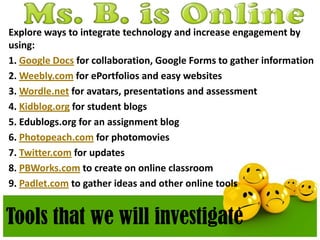
Explore ways to integrate technology and increase engagement by
using:
1. Google Docs for collaboration, Google Forms to gather information
2. Weebly.com for ePortfolios and easy websites
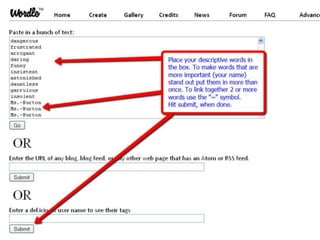
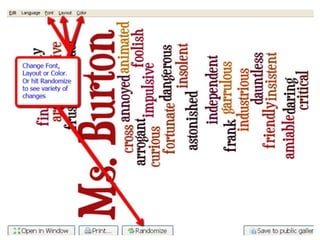
3. Wordle.net for avatars, presentations and assessment
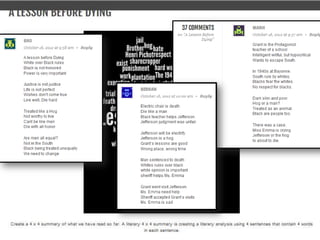
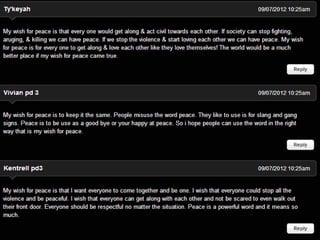
4. Kidblog.org for student blogs
5. Edublogs.org for an assignment blog
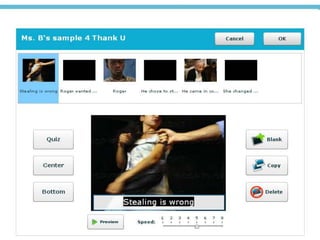
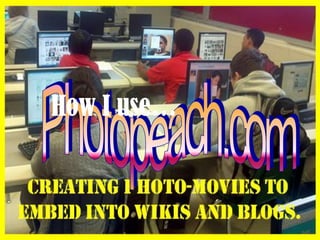
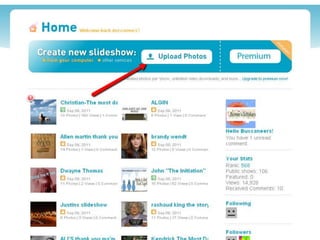
6. Photopeach.com for photomovies
7. Twitter.com for updates
8. PBWorks.com to create on online classroom
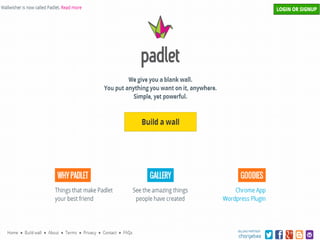
9. Padlet.com to gather ideas and other online tools
Tools that we will investigate
I am, Valerie Burton, an AP Literature and
English IV teacher from New Orleans,
LA.
I currently teach at West Jefferson High
School. I look for any and all
opportunities to integrate technology
into my lessons.
Using
Google
Forms
Use Google
Docs
Use Google Docs to create
documents, spreadsheets, presentations, fo
rms, etc.
How I use…
Google Docs for collaboration
and to gather information
– Peer Editing – assign students to writing groups
and they share and revise each other’s work.
– Forms – have students complete surveys for
pre/postreading assignments
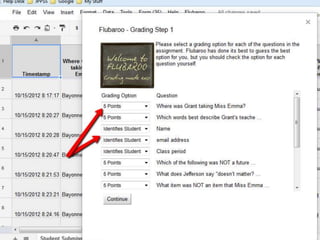
– Tests – create multiple choice tests that can be
graded by Flubaroo
– Share information – share a document
as a webpage
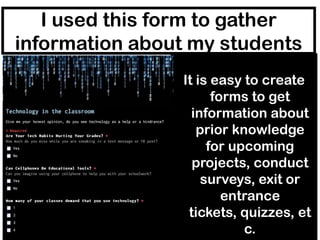
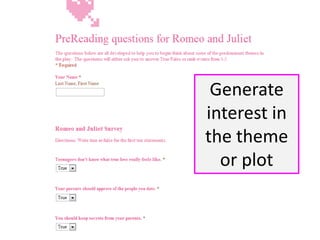
I used this form to gather
information about my students
It is easy to create
forms to get
information about
prior knowledge
for upcoming
projects, conduct
surveys, exit or
entrance
tickets, quizzes, et
c.
Generate
interest in
the theme
or plot
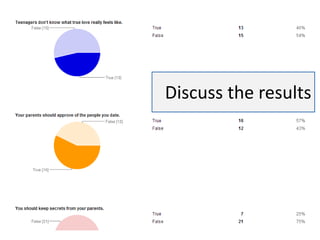
Discuss the results
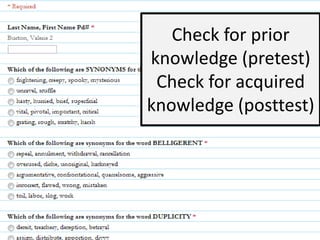
Check for prior
knowledge (pretest)
Check for acquired
knowledge (posttest)
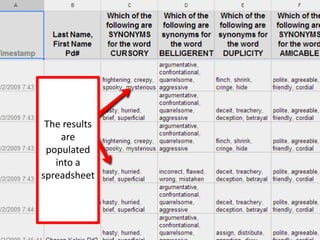
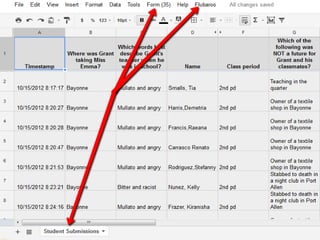
The results
are
populated
into a
spreadsheet
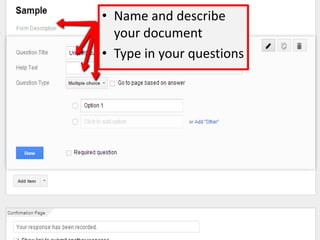
• Name and describe
your document
• Type in your questions
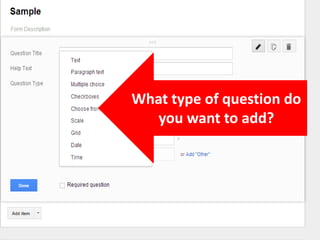
What type of question do
you want to add?
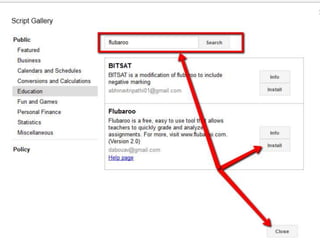
Looking for a
quick easy way to
quiz?
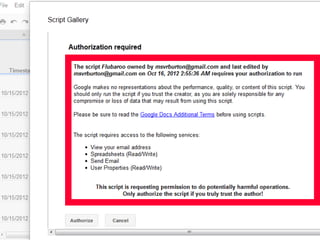
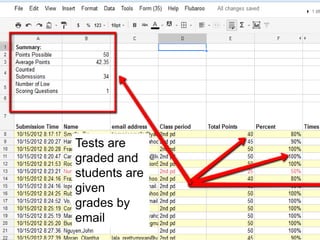
Tests are
graded and
students are
given
grades by
email
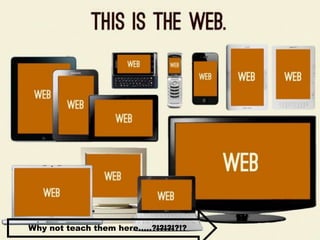
Why not teach them here…..?!?!?!?!?
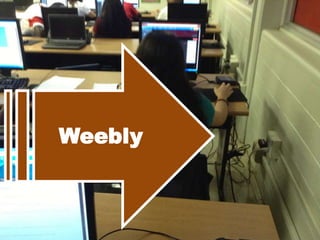
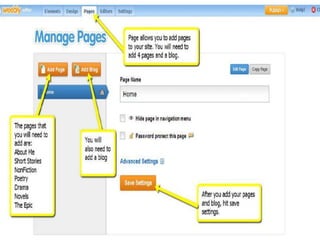
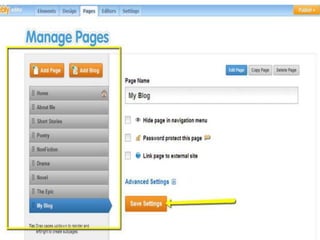
Weebly
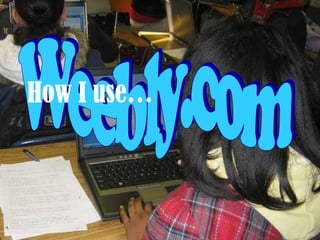
How I use…
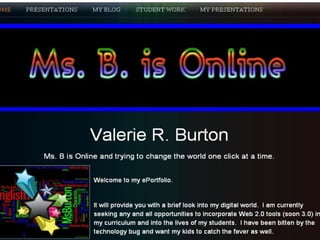
Weebly.com for ePortfolios
and easy websites

–Class website – publish
announcements, tips and reminders for
parents and students
–Class ePortfolio – collect assignments and
artifacts to be showed off and shared.
–Student ePortfolio - highlight
classwork, community service activities,
awards and recognitions.
Using
Wikis
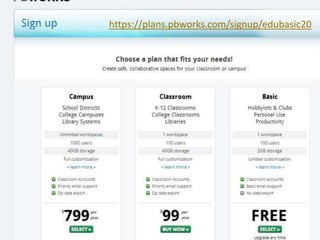
https://plans.pbworks.com/signup/edubasic20
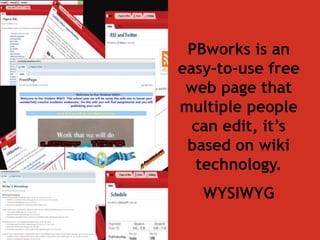
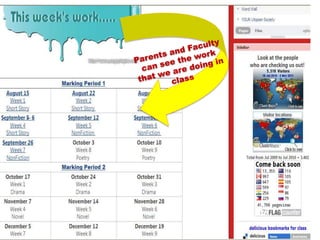
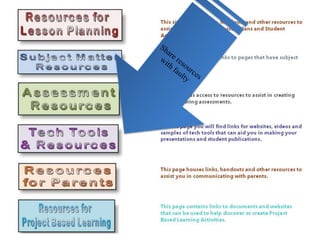
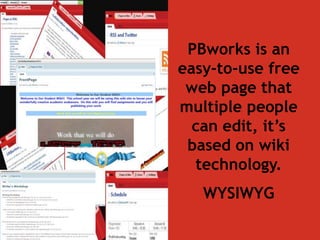
PBworks is an
easy-to-use free
web page that
multiple people
can edit, it’s
based on wiki
technology.
WYSIWYG
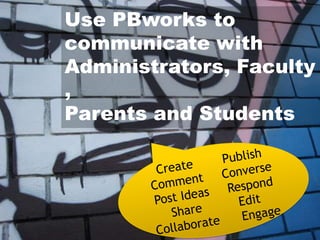
Use PBworks to
communicate with
Administrators, Faculty
,
Parents and Students
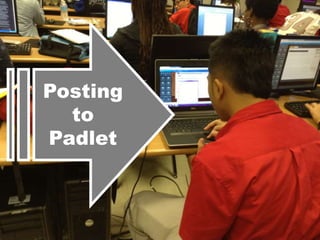
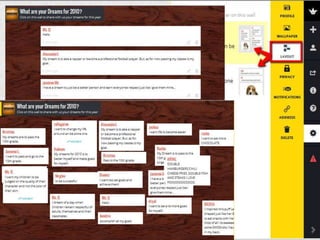
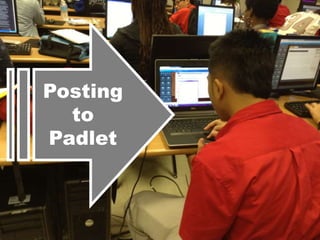
Posting
to
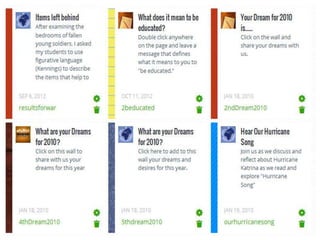
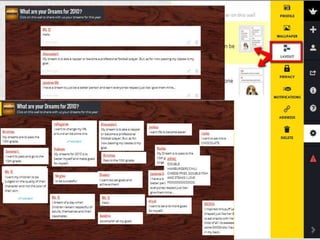
Padlet
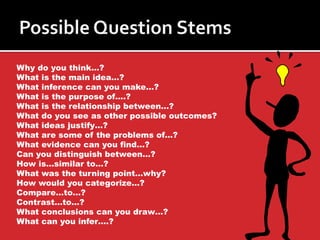
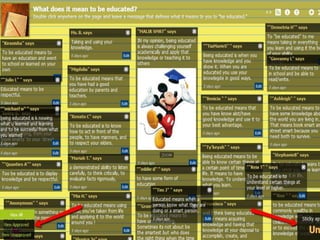
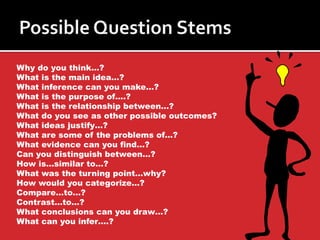
Why do you think…?
What is the main idea…?
What inference can you make…?
What is the purpose of….?
What is the relationship between…?
What do you see as other possible outcomes?
What ideas justify…?
What are some of the problems of…?
What evidence can you find…?
Can you distinguish between…?
How is…similar to…?
What was the turning point…why?
How would you categorize…?
Compare…to…?
Contrast…to…?
What conclusions can you draw…?
What can you infer….?
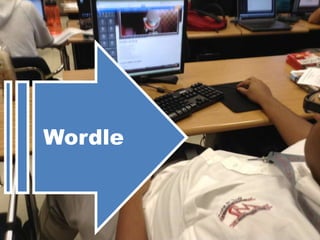
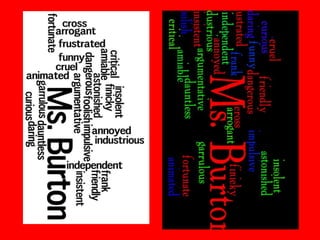
Wordle
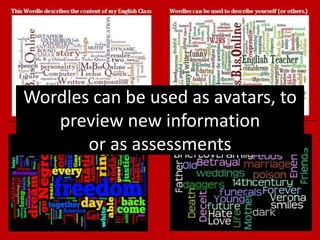
Wordles can be used as avatars, to
preview new information
or as assessments
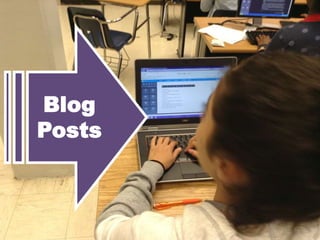
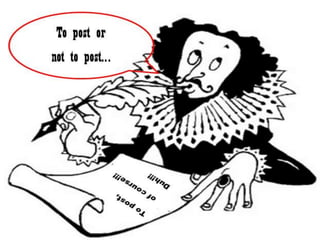
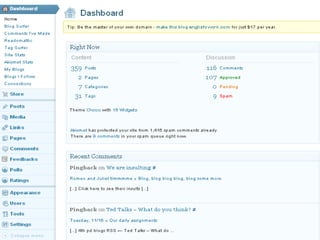
Blog
Posts
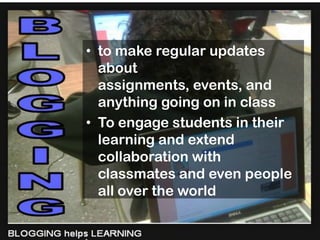
• to make regular updates
about
assignments, events, and
anything going on in class
• To engage students in their
learning and extend
collaboration with
classmates and even people
all over the world
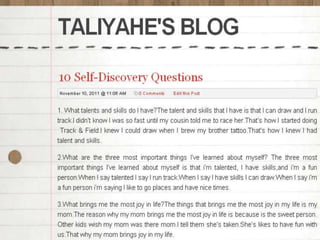
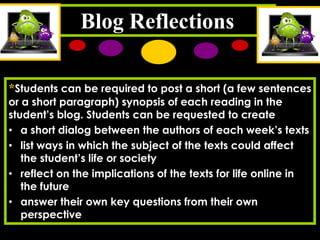
Blog Reflections
*Students can be required to post a short (a few sentences
or a short paragraph) synopsis of each reading in the
student’s blog. Students can be requested to create
• a short dialog between the authors of each week’s texts
• list ways in which the subject of the texts could affect
the student’s life or society
• reflect on the implications of the texts for life online in

the future
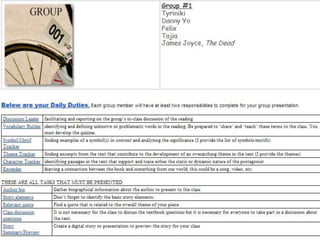
• answer their own key questions from their own
perspective
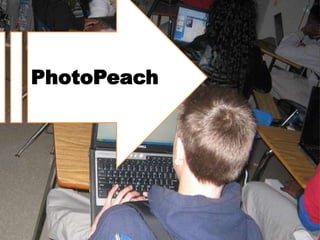
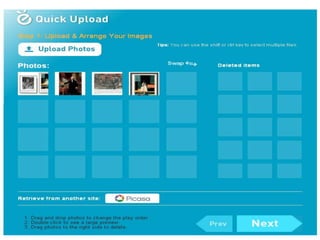
PhotoPeach
How I use…
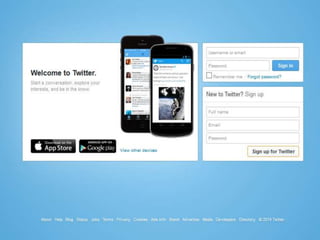
http://twitter.com/
How to video
Tweets allow you to
• have 24/7 participation
in 140 characters or
less
• network with others in
a way that transcends
the walls of our schools
and neighborhoods
• Here is a blogpost I
created with Twitter
resources
• Have students
• Tweet class updates provide
• Contribute to backchannel
discussions
• Post videos and pictures
• Share resources to enhance
textbook
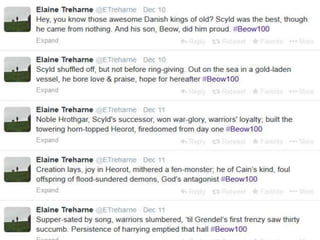
• Post as a character
• Format thesis sentence as a tweet
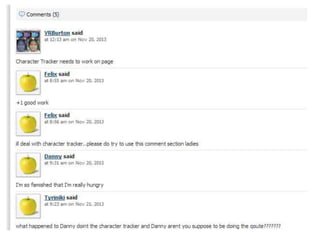
Using
Wikis
PBworks is an
easy-to-use free
web page that
multiple people
can edit, it’s
based on wiki
technology.
WYSIWYG
Use PBworks to
communicate with
Administrators, Faculty
,
Parents and Students
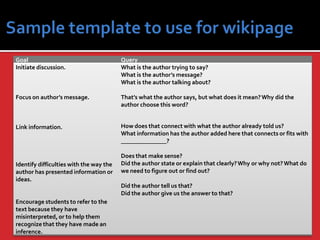
Goal
Initiate discussion.

Query
What is the author trying to say?
What is the author’s message?
What is the author talking about?

Focus on author’s message.

That’s what the author says, but what does it mean? Why did the
author choose this word?

Link information.

How does that connect with what the author already told us?
What information has the author added here that connects or fits with
_______________?

Identify difficulties with the way the
author has presented information or
ideas.

Does that make sense?
Did the author state or explain that clearly? Why or why not? What do
we need to figure out or find out?
Did the author tell us that?
Did the author give us the answer to that?

Encourage students to refer to the
text because they have
misinterpreted, or to help them
recognize that they have made an
inference.
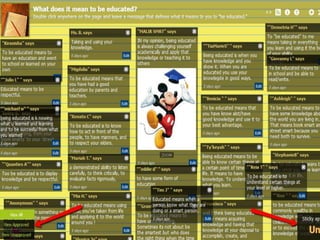
Posting
to
Padlet
Why do you think…?
What is the main idea…?
What inference can you make…?
What is the purpose of….?
What is the relationship between…?
What do you see as other possible outcomes?
What ideas justify…?
What are some of the problems of…?
What evidence can you find…?
Can you distinguish between…?
How is…similar to…?
What was the turning point…why?
How would you categorize…?
Compare…to…?
Contrast…to…?
What conclusions can you draw…?
What can you infer….?
Real-time note-taking
and backchannel

• Teams of four take notes using a real-time

•

note-taking handing off to another team
every half hour, publishing their notes to
the class site after the end of the class
session.
Students can use collaborative tools to
engage in parallel, relevant online
discussion in real time through the
web, Facebook, Twitter, or Facebook.
E-book teams
*Each week, a team of four students
works between meetings of class sessions
to update an enhanced e-book that
includes the notes, lexicon entries, and
mindmaps for that week, with
graphics, text, and live links.
* In addition, e-book teams develop a
webpage on best practices and
procedures.
Real-time note-taking
and backchannel

• Teams of four take notes using a real-time

•

note-taking handing off to another team
every half hour, publishing their notes to
the class site after the end of the class
session.
Students can use collaborative tools to
engage in parallel, relevant online
discussion in real time through the
web, Facebook, Twitter, or Facebook.
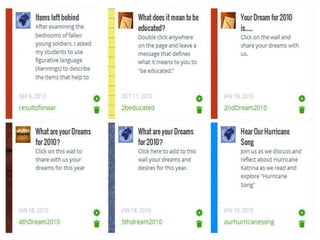
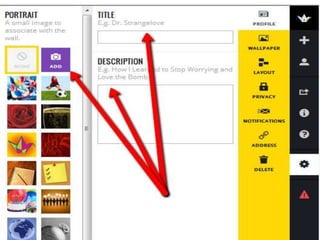
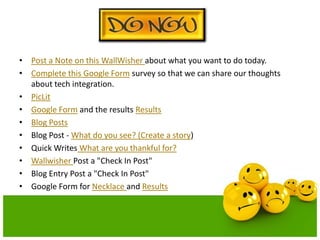
• Post a Note on this WallWisher about what you want to do today.
• Complete this Google Form survey so that we can share our thoughts
about tech integration.
• PicLit
• Google Form and the results Results
• Blog Posts
• Blog Post - What do you see? (Create a story)
• Quick Writes What are you thankful for?
• Wallwisher Post a "Check In Post"
• Blog Entry Post a "Check In Post"
• Google Form for Necklace and Results
•
•
•
•
•
•
•
•
•

Cause and Effect Essay
Essay Format
How to embed a video wikipage
How To Videos
How to use Glogster
How to Write a Dear Scholar Letter
Blog Post directing them on creating their Drug Abuse Project
Create a wordle Directions on creating a wordle are here
Using words to describe yourself
• Create a wallwisher or a google form to solicit opinions about the tools
that your students may want to use in class.
• Book Review
• PicLit
• Google Form Basic answer form with 40 answer slots
• Wallwisher
• Blog Entry
• BTW essay Assignment
• BTW Journals Assignment
• BTW Quotes Assignment
• Research Wiki
• Blog Posts
• Take survey after reading story to help formulate opinions
•
•
•
•
•
•
•
•
•
•
•
•
•

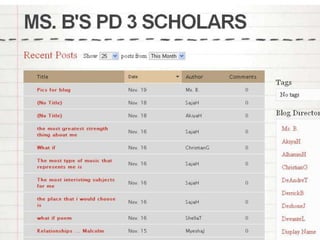
Blogs
Google Form for Oral Presentations
BTW Glog
Blog Posts
Checklist
Rubrics
ePortfolio
Glog ePortfolio
Online Assessments
Online jeopardy game that tests your knowledge of WJ rules and Sentences
and Fragments.
Videos
Self Assessment
Glogs/Wikipages/Blog Posts
Google Form Vocabulary Test Use the results for reTeaching
Contact me if you need me
I am an English Language Arts teacher from New
Orleans, Louisiana who looks for all opportunities
to integrate technology into my classroom.
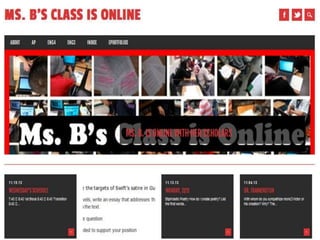
I blog. http://2blog2share2learn.edublogs.org/
I tweet. http://twitter.com/MsBisOnline
I share. http://msbisonline.weebly.com/
Need to contact me?
MsVRBurton@gmail.com or
MsBpresents@gmail.com
(504) 298-9764
about.me/VRBurton – myself
about.me/BurtonsScholars – my class
Any Questions ? ? ?

30 computers and 30 students

  • 1.
    30 Students +Computers = Engagement Presented by Valerie R. Burton, M. Ed. West Jefferson High School, New Orleans, LA
  • 2.
    Explore ways tointegrate technology and increase engagement by using: 1. Google Docs for collaboration, Google Forms to gather information 2. Weebly.com for ePortfolios and easy websites 3. Wordle.net for avatars, presentations and assessment 4. Kidblog.org for student blogs 5. Edublogs.org for an assignment blog 6. Photopeach.com for photomovies 7. Twitter.com for updates 8. PBWorks.com to create on online classroom 9. Padlet.com to gather ideas and other online tools Tools that we will investigate
  • 3.
    I am, ValerieBurton, an AP Literature and English IV teacher from New Orleans, LA. I currently teach at West Jefferson High School. I look for any and all opportunities to integrate technology into my lessons.
  • 4.
  • 5.
  • 6.
    Use Google Docsto create documents, spreadsheets, presentations, fo rms, etc.
  • 7.
  • 8.
    Google Docs forcollaboration and to gather information – Peer Editing – assign students to writing groups and they share and revise each other’s work. – Forms – have students complete surveys for pre/postreading assignments – Tests – create multiple choice tests that can be graded by Flubaroo – Share information – share a document as a webpage
  • 9.
    I used thisform to gather information about my students It is easy to create forms to get information about prior knowledge for upcoming projects, conduct surveys, exit or entrance tickets, quizzes, et c.
  • 10.
  • 11.
  • 12.
    Check for prior knowledge(pretest) Check for acquired knowledge (posttest)
  • 13.
  • 14.
    • Name anddescribe your document • Type in your questions
  • 15.
    What type ofquestion do you want to add?
  • 16.
    Looking for a quickeasy way to quiz?
  • 21.
    Tests are graded and studentsare given grades by email
  • 23.
    Why not teachthem here…..?!?!?!?!?
  • 24.
  • 25.
  • 26.
    Weebly.com for ePortfolios andeasy websites –Class website – publish announcements, tips and reminders for parents and students –Class ePortfolio – collect assignments and artifacts to be showed off and shared. –Student ePortfolio - highlight classwork, community service activities, awards and recognitions.
  • 31.
  • 33.
  • 35.
    PBworks is an easy-to-usefree web page that multiple people can edit, it’s based on wiki technology. WYSIWYG
  • 36.
    Use PBworks to communicatewith Administrators, Faculty , Parents and Students
  • 41.
  • 47.
    Why do youthink…? What is the main idea…? What inference can you make…? What is the purpose of….? What is the relationship between…? What do you see as other possible outcomes? What ideas justify…? What are some of the problems of…? What evidence can you find…? Can you distinguish between…? How is…similar to…? What was the turning point…why? How would you categorize…? Compare…to…? Contrast…to…? What conclusions can you draw…? What can you infer….?
  • 49.
  • 50.
    Wordles can beused as avatars, to preview new information or as assessments
  • 55.
  • 56.
    • to makeregular updates about assignments, events, and anything going on in class • To engage students in their learning and extend collaboration with classmates and even people all over the world
  • 62.
    Blog Reflections *Students canbe required to post a short (a few sentences or a short paragraph) synopsis of each reading in the student’s blog. Students can be requested to create • a short dialog between the authors of each week’s texts • list ways in which the subject of the texts could affect the student’s life or society • reflect on the implications of the texts for life online in the future • answer their own key questions from their own perspective
  • 66.
  • 69.
  • 72.
  • 73.
    Tweets allow youto • have 24/7 participation in 140 characters or less • network with others in a way that transcends the walls of our schools and neighborhoods • Here is a blogpost I created with Twitter resources
  • 74.
    • Have students •Tweet class updates provide • Contribute to backchannel discussions • Post videos and pictures • Share resources to enhance textbook • Post as a character • Format thesis sentence as a tweet
  • 78.
  • 80.
    PBworks is an easy-to-usefree web page that multiple people can edit, it’s based on wiki technology. WYSIWYG
  • 81.
    Use PBworks to communicatewith Administrators, Faculty , Parents and Students
  • 86.
    Goal Initiate discussion. Query What isthe author trying to say? What is the author’s message? What is the author talking about? Focus on author’s message. That’s what the author says, but what does it mean? Why did the author choose this word? Link information. How does that connect with what the author already told us? What information has the author added here that connects or fits with _______________? Identify difficulties with the way the author has presented information or ideas. Does that make sense? Did the author state or explain that clearly? Why or why not? What do we need to figure out or find out? Did the author tell us that? Did the author give us the answer to that? Encourage students to refer to the text because they have misinterpreted, or to help them recognize that they have made an inference.
  • 88.
  • 92.
    Why do youthink…? What is the main idea…? What inference can you make…? What is the purpose of….? What is the relationship between…? What do you see as other possible outcomes? What ideas justify…? What are some of the problems of…? What evidence can you find…? Can you distinguish between…? How is…similar to…? What was the turning point…why? How would you categorize…? Compare…to…? Contrast…to…? What conclusions can you draw…? What can you infer….?
  • 96.
    Real-time note-taking and backchannel •Teams of four take notes using a real-time • note-taking handing off to another team every half hour, publishing their notes to the class site after the end of the class session. Students can use collaborative tools to engage in parallel, relevant online discussion in real time through the web, Facebook, Twitter, or Facebook.
  • 97.
    E-book teams *Each week,a team of four students works between meetings of class sessions to update an enhanced e-book that includes the notes, lexicon entries, and mindmaps for that week, with graphics, text, and live links. * In addition, e-book teams develop a webpage on best practices and procedures.
  • 98.
    Real-time note-taking and backchannel •Teams of four take notes using a real-time • note-taking handing off to another team every half hour, publishing their notes to the class site after the end of the class session. Students can use collaborative tools to engage in parallel, relevant online discussion in real time through the web, Facebook, Twitter, or Facebook.
  • 99.
    • Post aNote on this WallWisher about what you want to do today. • Complete this Google Form survey so that we can share our thoughts about tech integration. • PicLit • Google Form and the results Results • Blog Posts • Blog Post - What do you see? (Create a story) • Quick Writes What are you thankful for? • Wallwisher Post a "Check In Post" • Blog Entry Post a "Check In Post" • Google Form for Necklace and Results
  • 100.
    • • • • • • • • • Cause and EffectEssay Essay Format How to embed a video wikipage How To Videos How to use Glogster How to Write a Dear Scholar Letter Blog Post directing them on creating their Drug Abuse Project Create a wordle Directions on creating a wordle are here Using words to describe yourself
  • 101.
    • Create awallwisher or a google form to solicit opinions about the tools that your students may want to use in class. • Book Review • PicLit • Google Form Basic answer form with 40 answer slots • Wallwisher • Blog Entry • BTW essay Assignment • BTW Journals Assignment • BTW Quotes Assignment • Research Wiki • Blog Posts • Take survey after reading story to help formulate opinions
  • 102.
    • • • • • • • • • • • • • Blogs Google Form forOral Presentations BTW Glog Blog Posts Checklist Rubrics ePortfolio Glog ePortfolio Online Assessments Online jeopardy game that tests your knowledge of WJ rules and Sentences and Fragments. Videos Self Assessment Glogs/Wikipages/Blog Posts Google Form Vocabulary Test Use the results for reTeaching
  • 103.
    Contact me ifyou need me I am an English Language Arts teacher from New Orleans, Louisiana who looks for all opportunities to integrate technology into my classroom. I blog. http://2blog2share2learn.edublogs.org/ I tweet. http://twitter.com/MsBisOnline I share. http://msbisonline.weebly.com/ Need to contact me? MsVRBurton@gmail.com or MsBpresents@gmail.com (504) 298-9764 about.me/VRBurton – myself about.me/BurtonsScholars – my class
  • 104.